#Extruder Randomly Stopping During Prints
1 messages · Page 1 of 1 (latest)
 spiral nicheBOT
AI Help
It sounds like there may be an issue with the extruder motor. Here are some troubleshooting steps you can try:
-
Check the extruder motor connection: Make sure the motor cable is securely plugged into the motherboard. Sometimes cables can come loose during printing.
-
Test the motor: You can test the extruder motor by disconnecting it from the motherboard and connecting it to a different axis port (like the X or Y axis). This will help you determine if the motor itself is faulty.
-
Check the motor driver: The issue could also be with the motor driver on the motherboard. You can try swapping motor drivers with a known working axis to see if the problem persists.
If you've tried these steps and are still experiencing issues, it may be helpful to contact the manufacturer for further assistance or consider replacing the extruder motor.
WARNING: This response is AI generated and may contain errors.
 burnt dirge
I even tried my old extruder, which worked fine and it also didnt work
now it doesnt work at all
i connected it to my pc, and everything works fine now
but when im running it off of marlin, it doesnt work
nvm
it worked for a sec now it doesnt anymore
whats the problem?
 honest ridge
I would assume stepper motor driver wire is disconnecting, check the crimp areas
 fair hound
have you tried flashing firmware to the latest?
burnt dirge
honest ridge
I would assume stepper motor driver wire is disconnecting, check the crimp areas
it doesnt even happen in a specific spot, it just happens randomly, i didnt change anything with my printer it just randomly started happening
fair hound
@burnt dirge do you have a way to get terminal access to the printer?
burnt dirge
fair hound
have you tried flashing firmware to the latest?
yes i tried reflashing it i have the firmware on my computer
fair hound
does it M999?
burnt dirge
fair hound
<@456226577798135808> do you have a way to get terminal access to the printer?
Wdym
fair hound
does the printer die with M-code 999 and call kill()?
honest ridge
Its gotta be the stepper wires, or the stepper drivers
fair hound
yea likely the driver blew possibly?
honest ridge
Please check your stepper wire connection, motion will kill the stepper motor wires
burnt dirge
fair hound
does the printer die with M-code 999 and call kill()?
I have it connected to my PC right now, i will try to run the command
honest ridge
You might have to replace it
honest ridge
But before that, it could also be your stepper driver is overheating, does it have a heatsink connected properly?
fair hound
also you might while you are there check e0's amperage
burnt dirge
fair hound
saying stop everything
No, that doesnt happen the print just continues as normal, just the extruder doesnt extruder at all
burnt dirge
honest ridge
But before that, it could also be your stepper driver is overheating, does it ha...
yes everything i connected properly, everything was working just fine then out of nowhere it started doing this
fair hound
I'd RMA it to Creality to be honest
honest ridge
You should check the crimp connections man, it could have been worn out by the gantry movements tbh
Not just replugging, but inspecting
fair hound
if you haven't changed anything, and the printer is default how it came, I'd start the RMA process with creality
burnt dirge
honest ridge
You should check the crimp connections man, it could have been worn out by the g...
I have, ive inspected the entire wire and I even used a multimeter through it, it all looks fine
fair hound
they will also have you do troubleshooting steps
honest ridge
I'd test the wire on the other steppers with other drivers
fair hound
yea you could swap it around and see if it moves
honest ridge
Can you try that at least, try using other wires from other steppers
burnt dirge
right now i just extruded on my ender 3 and it works, but when i start a print, it will work for a bit and then just completely stop
fair hound
is your nozzle up to temp right now?
burnt dirge
fair hound
is your nozzle up to temp right now?
Yes 200 C
fair hound
do you have a filament you don't really care about loaded?
burnt dirge
fair hound
do you have a filament you don't really care about loaded?
No i dont have any filament loaded, its just turning with no filament
honest ridge
Oh, check that if the temps go down when extruding
burnt dirge
Also, i have tried using my old extruder and i had the exact some problem
honest ridge
It will stop extruding if it gets too low <180C default
burnt dirge
fair hound
do a ``G1 E5000 F120`` with no filament loaded
Should I just run these on pronterface?
fair hound
yes if you can
no filament loaded
thats very important
unless you want to waste 5 meters
honest ridge
Imagine if the printer is just bugged out and he hasn't tried turning it off and on again
burnt dirge
honest ridge
Imagine if the printer is just bugged out and he hasn't tried turning it off and...
i have, multiple times i wish that was the issue
burnt dirge
pronterface is giving me this
 burnt dirge
Same thing
burnt dirge
fair hound
``G1 E999 F120``
That works
fair hound
listen and see if the motor stops
fair hound
you could also issue a M300 S5000 P2000 as well
then it should beep when it is done with that extrusion
burnt dirge
fair hound
then it should beep when it is done with that extrusion
okay, do you think this could be a hardware related error or firmware?
fair hound
it could be any number of things
stepper motor
stepper driver
like you haven't done anything at all to the printer
no recent changes?
running default creality provided firmware?
burnt dirge
fair hound
no recent changes?
No recent changes, but I have installed a DD extruder and dual z-axis, I am also using a different firmware. But ive been using this for a couple of months now and it all worked fine up until this point
burnt dirge
fair hound
can you M115 and post the results
Should I wait until its done extruding?
Yes it is
fair hound
yea it won't do it until its does with that extrusion
but you can always queue it
so if you send it right now it shouldn't matter
burnt dirge
Could It be the gcode i was using?
burnt dirge
fair hound
did it do it at the same time every time?
No, it did it at random places
burnt dirge
fair hound
are you printing the same model each time or is it different stuff?
Same model, and its only been happening with this same exact model, i havent tried a different one yet
burnt dirge
fair hound
when you get a chance can you input your printer stuff and print this gcode
Okay, I will try this too
fair hound
yea you could write up a simple gcode program to move back and forth and extrude
honest ridge
Preferably somewhere where the wires are stretched far
burnt dirge
could it be that my retractions are set to 65 speed?
honest ridge
Maybe start with a clean profile first
fair hound
G28
G1 X0 Y0 E0 F120
G1 X200 Y200 E100 F120
If iit prints fine, then the profile you have is the problem
burnt dirge
honest ridge
If iit prints fine, then the profile you have is the problem
I will try this next
fair hound
like maybe run something like that @burnt dirge but make sure you have 200mmx200mm working space
honest ridge
fair hound
```
G28
G1 X0 Y0 E0 F120
G1 X200 Y200 E100 F120
```
Fuck this thing made noises in my head
burnt dirge
fair hound
like maybe run something like that <@456226577798135808> but make sure you have ...
I will try right now, it just finished extruding
honest ridge
I hear the scream of the a4988 driver
burnt dirge
fair hound
```
G28
G1 X0 Y0 E0 F120
G1 X200 Y200 E100 F120
```
Should i turn this into gcode?
Or are they commands
fair hound
F120 isn't that fast of a feed rate
honest ridge
It's gcode already 💀
fair hound
well all gcode is commands
burnt dirge
I sent it to my printer
fair hound
its likely homing right?
fair hound
 honest ridge
Tell us if it stops while moving
fair hound
I'm the slicer now
burnt dirge
honest ridge
Tell us if it stops while moving
Wdym
The extruder?
its not spinning at all
honest ridge
Bruh, then wait
Just wait for it
If it spins when it gets to a certain point, then its a wire problem
fair hound
the commands should issue a home, and then a move from x0y0 to x200y200 while extruding
burnt dirge
pronterface gave me an error saying its too long to extrude
honest ridge
Bruh
burnt dirge
 fair hound
does it have an issue with the E0?!
burnt dirge
It got to the very very right side, stopped moving and then started extruding
now its moving to the left
honest ridge
It should move diagonally
honest ridge
Is your home set at the back
burnt dirge
I mean right
fair hound
yep from one corner to the other
honest ridge
Lmao
burnt dirge
fair hound
yep from one corner to the other
Yes
it also is randomly popping back and forward
but then it continues extruding
fair hound
like skipping?
burnt dirge
yes,
fair hound
oh turn it off then
burnt dirge
it skips, then continues as normal, then skips again, and continues as normal;
honest ridge
That's gotta be a wire issue
fair hound
you have a 200mmx200mm working area right?
burnt dirge
fair hound
you have a 200mmx200mm working area right?
Yes
fair hound
yea it shouldn't be skipping at all
burnt dirge
220mm x 220mm x 250mm
burnt dirge
i cant, i have to run a specific gcode let me find it real quick
burnt dirge
fair hound
```M413 S0```
Okay, ty ty. i started the previous gcode, should i wait for it to finish or shut it off?
honest ridge
Do the gcode again
fair hound
any gcode you issue will run in the order you give it to the processor
so it will go 1, 2, 3, 4,
and if its busy it will do each operation subsequently
thats not the case for all MCodes though
some don't block
honest ridge
You really can't parallelize that shit for most gcode because it's a moving gantry lmao
fair hound
yep gcode relies compeletely on this idea of blocking commmands
do this, then do this, then do this
etc
burnt dirge
I sent the command to turn off power loss recovery, what should i do now?
honest ridge
Funny shit when the printer nozzle goes G1 Z90 while G1 X20.2 Y30.4 E20 F2000 isn't finished
fair hound
run that gcode I posted again and see if it does the same thing
burnt dirge
okay, I will ill let you know how it goes
fair hound
if that works run that baseline print and see how it goes
if you have abl make sure you set it to restored saved ABL
or you can g29 and do the mesh at time of print
burnt dirge
Im not quite sure what that is
honest ridge
Just print anything if that thing works
fair hound
you'll see a box that says which method of ABL to use
honest ridge
It doesn't matter so long as the thing extrudes
fair hound
you'll want to set that to restore saved
or g29
I'd do restore saved because I'm impatient as fuck
honest ridge
I think we can think later about the mesh
If it's extruding, then its fine
Even if the first layer is quite bad
fair hound
yea this would just eliminate the possibility of it being the slicer
that cube should print pretty fast at a 120 feed rate
burnt dirge
its still skipping
fair hound
hmm
burnt dirge
but in the exact same spots as before
honest ridge
How are you printing
fair hound
its not like hitting anything right?
burnt dirge
honest ridge
How are you printing
Via pronterface
honest ridge
Oh.
burnt dirge
fair hound
its not like hitting anything right?
Nope, its not hitting anything
burnt dirge
honest ridge
It could be your usb connection is the issue
before i was printing via usb, and i had the same problem
honest ridge
Try printing something using an SD card
burnt dirge
fair hound
```
G28
G1 X0 Y0 E0 F120
G1 X200 Y200 E100 F120
```
Should I just try this gcode again
honest ridge
It could be your usb cable is s h i t and unshielded
burnt dirge
honest ridge
It could be your usb cable is ***s h i t*** and unshielded
Could be
fair hound
make sure you are issuing those one after the other
new lines matter there
so G28
then G1
then G1 again
burnt dirge
Okay
fair hound
yep that too you could just put it into a gcode file and print it on an SD card
I don't think its USB though because the commands are being sent to the processor
honest ridge
It sounds like the goober is running out of cache, or is busy doing something while printing
fair hound
you could reset to factory settings too
honest ridge
It could be the polling of pronterface is fucking it up
I'd remove the USB connection and try SD only first
burnt dirge
Okay, im going to try to use just the SD right now, no USB or anything else, just marlin
fair hound
its worth a shot and it just eliminates another possible issue for sure
honest ridge
If it still fails I'd RMA that crap
fair hound
yea same
burnt dirge
what does that mean?
fair hound
return it
honest ridge
Return the thing
fair hound
defective unit
creality actually has pretty decent RMA support
I had a decent experiance at least
burnt dirge
aw man i really hope its not, it worked fine before this
honest ridge
But it could just be a software issue with pronterface
fair hound
yea the fact that you changed board right?
and extruder?
that might complicate shit
burnt dirge
fair hound
yea the fact that you changed board right?
Yes, ive changed both
but it was working fine till now
burnt dirge
fair hound
what board is it?
default creality board, 4.2.7 for ender 3 v2 neo
i will send link one second
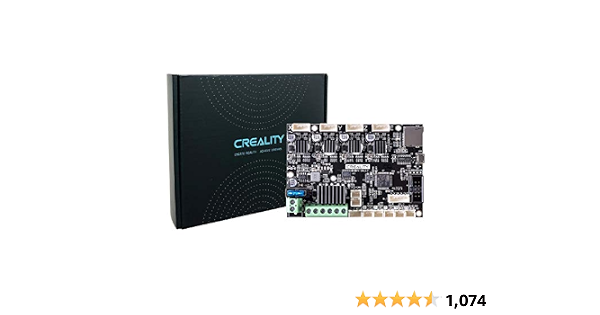
Official Creality New Upgrade Motherboard Silent Mainboard V4.2.7 for Ender 3 Customized and Non-Standard Matchingl Ender 3 Silent Mother Board, Also for Ender 3 Max/Ender 3 Neo/3 V2 Neo/3 Max Neo
this one
fair hound
no problem I can pull it up
oh man and thats shitty too
non-removable stepper drivers
burnt dirge
aw man that rlly sucks
fair hound
I've seen one just yesterday off itself via a short to ground on the power connector
burnt dirge
i didnt know any better
fair hound
its okay you live your learn and we don't know if thats the issue yet
burnt dirge
the gcode seems to run fine, should i try to print the cube?
fair hound
in the future though if you do a board upgrade ALWAYS get one with removable drivers if you can
yep print the cube
and the reason I say that is say you pop a driver
you buy a new one and boom put it in easy
versus buying a whole new mainboard
burnt dirge
yeah true
honest ridge
You can actually make the ender v4.2.7 removable stepper
fair hound
or if you feel brave
you can do a little surface mount repair
😛
I hope you have a magnifying glass / microscope, hot air rework station, flux and solder
honest ridge
Though doing it, is fucking stupid as fuck as you'd be removing the LCD just to get more steppers working
honest ridge
mellows are cheaper tho
fair hound
yea its an expensive board
but again you get a free ducky
or I guess maybe you pay a premium for the ducky?
burnt dirge
it printed the purge line fine, then as soon as it started to print the actual model it make a weird ass noise and then started clicking again
honest ridge
And there we go. Its a stepper wire issue
fair hound
you didn't say it was clicking did you?!
well no wait
it could be the extruder is just clogged
or its not meshing
honest ridge
That's also fair
burnt dirge
What should i try next ?
fair hound
you have a direct drive right?
burnt dirge
fair hound
you have a direct drive right?
Yes
honest ridge
Can you try to push the fillament while its hot?
fair hound
what direct drive system you got?
burnt dirge
fair hound
what direct drive system you got?
Sprite direct drive extruder
burnt dirge
honest ridge
Can you try to push the fillament while its hot?
I will try right now
fair hound
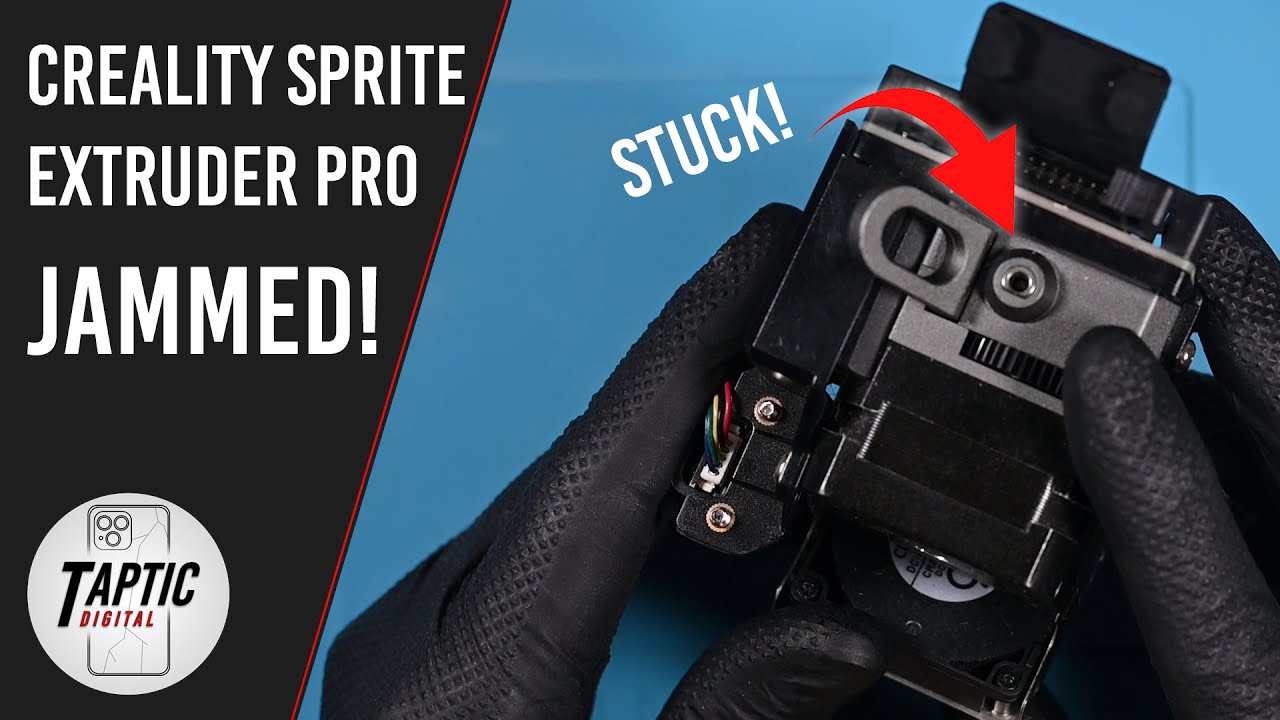
Over a year of printing and it finally jammed! Time to tear it down and see what makes this compact direct drive hotend keep clicking! This can serve as a guide or walkthrough for repairing your extruder.
*I am not responsible for damage or data loss caused by you to your device, this is not a guide for beginners and reasonable safety precautio...
burnt dirge
i can push through filament just fine
honest ridge
Yeah, then that's not a jam issue
burnt dirge
honest ridge
Its literally the wires 💀
could be, i tried using my old extruder as a dummy and trying to extrude filament and it did the same thing, locked for a second and didnt move at all
fair hound
yea then its likely not the extruder
burnt dirge
honest ridge
Do m500
via usb or sd card?
honest ridge
Usb
fair hound
USB
honest ridge
Swap the extruder wire with any stepper wire, preferably the X axis
if the X axis starts acting up, its the wire
burnt dirge
 fair hound
yea that will pretty much confirm it for sure
yep turn the printer off now
I'd swap the wire while you are there too
burnt dirge
okay, now swap the x and e wires?
fair hound
yep
burnt dirge
okay I swapped the wires, ill try using the Gcode now'
It tried to home the printer, but it couldnt
The x axis isnt moving at all
fair hound
you can't home
burnt dirge
fair hound
you can't home
Nope not at all
fair hound
well yea but you can't home because E is now X
the printer will not home in that config
honest ridge
Wait wtf did you just swap em on the outside
burnt dirge
Yes
honest ridge
I meant both on the board and the outside lmao
honest ridge
It would just run the extruder indef lmao
burnt dirge
fair hound
you could test it like that
How?
honest ridge
Or until the thing decides it can't home
honest ridge
Too confusing though, so I'd swap the wires tbh
burnt dirge
fair hound
G1 X250 F120
Should I run this while x is e and e is x?
honest ridge
Yeah its fine
burnt dirge
Okay, if that doesnt work then ill swap the wires on the board too
honest ridge
Just that marlin will stop you once you reach 235 on X lmao
(extruder will stop at 235 lmao)
fair hound
if software endstops are enabled
its creality shit
@honest ridge my X axis on stockfirmware will happily ram itself into max X extent
and keep going
burnt dirge
i cant do it, ima just swap the wires on the board too
honest ridge
yeah...
burnt dirge
Wdyn
honest ridge
Just do the swap board wires
fair hound
^
honest ridge
running it in a stupid configuration is bound for confusion
fair hound
or collision
honest ridge
or both
fair hound
yep
burnt dirge
So should i just swap the wires on the board or no?
honest ridge
yes
burnt dirge
okay one moment
fair hound
@honest ridge see I'm used to working with CNC where you have no protections like this
actually the CNC I own right now doesn't even home
honest ridge
isn't that normal
fair hound
it just sets the zero where its at
yep
you just got to be careful as fuck
oh and also you have a lot more shit to ram into as well
fixtures
honest ridge
you can't really zero in a CNC machine to a default position
honest ridge
its stupid
fair hound
uhhh not necessarily
honest ridge
you have a block of aluminum, ya gotta home relative to that block of aluminium
fair hound
like if you have a vice in there at a known position and you are doing a multi step cnc
honest ridge
that's also fair
fair hound
but you just G93 at that point
which sets up a realative coordinant space basically
@honest ridge its actually pretty funny how I home realitive to a part on the CNC
its just 2 wires one to the part and one to the tool head
when they touch, it completes the circuit and goes "awwh the edge of this part is here"
do it for x, y, z
offset by tool radius
boom you got exact corner
this doesn't work on plastic but with the simple application of some conductive tape 😛
burnt dirge
Okay I will try
burnt dirge
fair hound
you should be good to home now too
holy shit
the x axis cannot move at all
burnt dirge
should i send vid?
honest ridge
yep
fair hound
and just to be sure you swapped the x wire to the e slot on the mobo and the extruder, and the e wire to the x slot on the mobo and x stepper motor?
honest ridge
the wires dying on direct drives are pretty common due to the fact that you're fatiguing it if you don't strain relief it
burnt dirge
fair hound
and just to be sure you swapped the x wire to the e slot on the mobo and the ext...
Yes theyre both swapped, on the motherboard and on the actual parts
fair hound
okay yep thats the wire
@honest ridge actually lol thats why that board blew itself up
honest ridge
told ya its the wire
honest ridge
I had a similar direct drive problem, mine melted the wire too
but at least it didn't short
fair hound
on the ender 3's though at least mine
it has pretty decent strain relief
on the 3v3se
honest ridge
proper straining works wonders for direct drive
honestly though I just dabbed a lot of hot glue on the jst xh connector lmao
honest ridge
yep, one of the stepper wires is not connected
burnt dirge
so would replacing the wire fix it?
fair hound
nope
honest ridge
yes
fair hound
I heard the stress sigh too lol
burnt dirge
fair hound
I heard the stress sigh too lol
im ngl it scared the shit out of me when it first did that
honest ridge
I suggest next time doing proper strain relief on your direct drive
fair hound
you could likely fix that wire if you are brave enough
so you don't have to buy a new one
honest ridge
its gonna be pain tho
burnt dirge
i have one
burnt dirge
I have a spare one from my old extruder
fair hound
@honest ridge oh its not that bad to make stepper motor wires
burnt dirge
Wdym
honest ridge
oh
burnt dirge
Yes it worked fine before
honest ridge
then thats fair, I assumed he didn't rewire the crimped connection with the new wire
fair hound
@burnt dirge if you ever wanna dig your heels in deep in this you might look up how stepper motors work
its actually pretty interesting
burnt dirge
fair hound
<@456226577798135808> if you ever wanna dig your heels in deep in this you might...
I might actually do that, ive been pretty bored lately
burnt dirge
also, just to confirm it’s just wire, correct ?
 fair hound
only weird thing about different wires is the wires could be swapped around
burnt dirge
Okay great, im really grateful you guys helped me fix this.I wouldve never been able to figure this out myself
fair hound
to either run the motor forwards or backwards
honest ridge
if its running backwards, use software to fix it
fair hound
or do what I did and pull the connectors apart and set it up for fowards 😛
honest ridge
if its vibrating, you have to switch the phase wires
fair hound
its actually not that bad
basically use one of those phone sd card remover pins
push down on the pins and they pull right out
burnt dirge
wait
honest ridge
just don't overpush it, cause it will not be able to be set back up again
burnt dirge
if the board and the extruder both have female connectors, and this wire is one male one female, how am i supposed to connect it?
burnt dirge
aw man, or i could just buy another wire
honest ridge
switch the wires in the middle to get them to work
burnt dirge
Ima dig around my wire connection a little further maybe ill find one
 fair hound
I wouldn't I'd keep those crimps on there
honest ridge
then order a backup wire when the time comes to replace
fair hound
as you don't have a way to make a new one
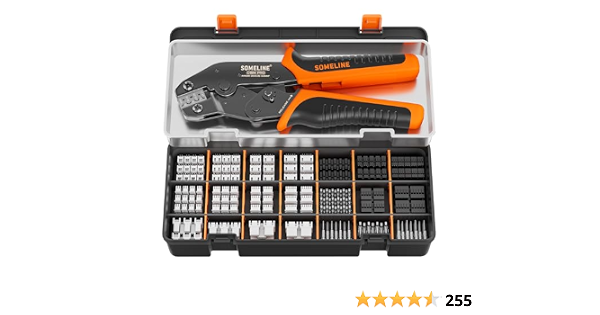
Professional Crimping Tool: The crimping tool has a high-efficiency ratcheting mechanism and a professional crimping die. With adjustable crimping force and quick release lever. Ergonomic non-slip handle
btw
might be a good purchase
honest ridge
you have electrical tape @burnt dirge ?
burnt dirge
i figured out a way to do it, i found an old z-axis wired and i connected it to the female port of the other wire, now theyre both male, would this work?
honest ridge
thats okay too
honest ridge
if it spins backwards, ya gotta swap one of the pairs?
burnt dirge
fair hound
but it will either spin backwards or fowards
One side will only fit into the board, and one side only fits into the extruder
fair hound
yea those are jstxh connectors
not the shitty fucking dupont connectors my BTT octopus came with for the screen
why in the fuck they did that?
idk
honest ridge
once you get it working, try to dab hot glue on the end where the JST-XH wires and crimps meet
that should work as a strain relief for a while
fair hound
you could print a strain relief bar too
honest ridge
do both
just to not let the wire inside the crimp flex and potentially unplugging itself
burnt dirge
Okay, I will i will try to replace the wire right now which may take me a bit but ill let yall know how it goes
honest ridge
if it vibrates, then you need to swap the wires 💀
fair hound
when you get it running of course

actually you got an older ender though
so this wouldn't work
fair hound
he likely doesn't have an extruder pcb
honest ridge
yeah he prolly doesn't
honest ridge
mine doesnt have one
fair hound
they are nice to have for cable managment and strain relief
honest ridge
running one wire, potentially ethernet, is better than just doing this stupid wire to the board tbh
fair hound
@honest ridge the CNC I'm gonna order a laser for so I can cut engrave etc, but also cure dry film and do custom pcb manufacture
you'd have to support canbus for that though
on both the mobo and the printhead
honest ridge
you dont need canbus for that 💀
fair hound
for serial data connections?
honest ridge
its literally just a PCB with shorted connections
honest ridge
you can
fair hound
I wouldn't
honest ridge
ethernet wire isn't gonna be a problem
at least the ones that aren't solid core apparently
fair hound
those wires are not rated for voltages the hotend pushes
honest ridge
speaker wires does do good wonders for those
fair hound
well voltages / amps
you can run though like IDE cables like they do there
hell you guys likely don't even know what an IDE cable is
you darn kids
honest ridge
I know fucking IDE
fair hound
shakes stick
honest ridge
those stupid fucking flat ribbon wires
fair hound
yea
honest ridge
those are quite the hassle tbh
fair hound
I guess I don't know how old or what generation you hail from
honest ridge
glad SATA got around throwing that out
fair hound
I'm personally a middle of the pack millenial
 honest ridge
meanwhile we're waiting for the dude to come back
fair hound
it seems like just yesterday I was in my 20's
honest ridge
fair hound
it seems like just yesterday I was in my 20's
💀 we will all grow old
also where this mf at 💀
rewiring shouldn't take this long
burnt dirge
Sorry im shit at it
Wire was a little short but itll have to do for now,
and then ill get a longer one
honest ridge
you can just cut the old "new" wire you know
honest ridge
then splice it with the new "old" one
burnt dirge
okay im going to try and print the cube
honest ridge
the X is working now?
burnt dirge
Yes
works as normal
I switched the old wires back, then got rid of the E and replaced it
burnt dirge
honest ridge
hot glue those connectors at the end near the crimp wires
I will, not yet though because I still want to make sure it was a wire issue, if so ill either need to order a new one, splice this one to make it longer
honest ridge
Oh, I mean just hot glue where the crimp rests
not the connection so you can still remove it when needed
 burnt dirge
Ohhhh, I understand now thank you
fair hound
@honest ridge I'm trying to get this marlin firmware creality finally released for the 3v3se updated to newer marlin