
#CR-10 runout sensor placement
1 messages · Page 1 of 1 (latest)
 broken agate
 ruby garnetBOT
broken agate
Hello everyone,
I'm new to 3d printing and new to this forum. I was hoping to g...
AI Help
Moving the runout sensor to be in line with the new filament path is a good idea to ensure accurate filament detection. You can try creating a new filament path that aligns with the sensor's new location. Make sure that the filament is inserted properly and the sensor is triggered when the filament runs out. Connecting with forums and online communities specific to your 3D printer model can also provide valuable insights and guidance on sensor relocation. Good luck with your 3D printing endeavors!
WARNING: This response is AI generated and may contain errors.
broken agate
I found this video. https://youtu.be/0atMovxxxzs?si=lsFuWZm2RWeZVE7V
This is close, but will not fit on my extruder. It does give me some ideas to think about.
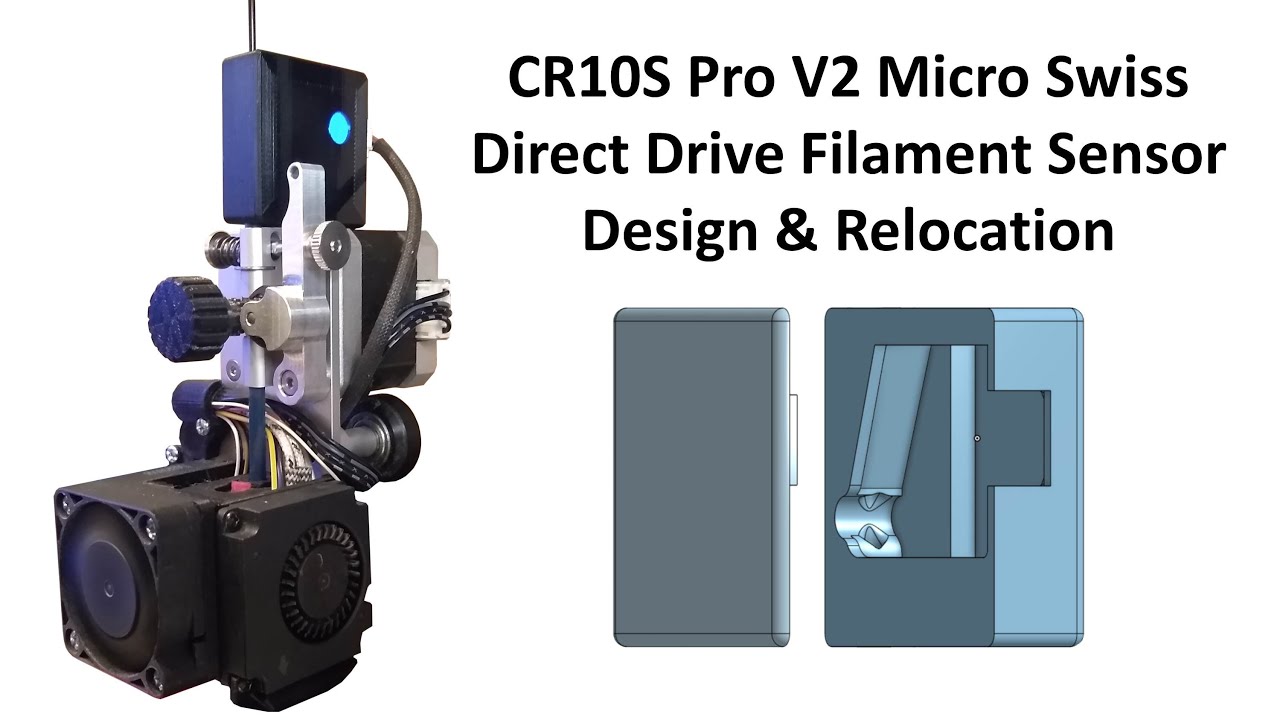
How I redesigned and relocated the CR10S Pro V2 filament sensor to above the extruder stepper motor on my Micro Swiss direct extruder bracket.
Filament sensor housing .STL files link - https://drive.google.com/file/d/15bhiy_CBntV3RAJ2Y33XnqR7x2k3X9M0/view?usp=sharing
The SUNLU Filament I use (link gets you 10% off everything)- https://www.sunl...