
#Huge Layer Gaps after Linear Rail Conversion
1 messages · Page 1 of 1 (latest)
 onyx hound
 north coralBOT
onyx hound
Printer - Modified Creality CR-10S Pro V1
Firmware: Klipper
Long story short, ...
AI Help
It sounds like you've done some modifications to your Creality CR-10S Pro V1 and are experiencing issues with movement after installing linear rails and a Z brace kit. Since the movement was smooth without load, but seems to be experiencing slowdowns now, it's possible that the new modifications have added additional weight or resistance that the printer's motors are struggling to handle.
Here are a few troubleshooting steps you can try:
- Make sure all the components are properly assembled and aligned. Check for any misalignments or obstructions that may be causing the slowdowns.
- Check the belt tensions and make sure they are properly tightened but not overly so.
- Verify that the stepper motor drivers are properly configured in your Klipper firmware to match the new components added.
- Consider adjusting the stepper motor current settings to provide more power to the motors, if they are struggling with the added weight/resistance.
- Check the slicer settings to ensure the...
WARNING: This response is AI generated and may contain errors.
 blazing spindle
onyx hound
Printer - Modified Creality CR-10S Pro V1
Firmware: Klipper
Long story short, ...
Did you change stuff around in the Klipper config?
onyx hound
Only Min-Max Pos for Motors due to rails and stoppers
Re-Did Input Shaping
did not re-do PA yet
Otherwise same slicer settings which have worked countless times
on Wheels
for 0.6 nozzle
I am doing Klipper Axis Skew tuning now
blazing spindle
you have the 0.6 mm selected in the slicer?
onyx hound
blazing spindle
you have the 0.6 mm selected in the slicer?
I shall check I think I do
its also set in printer.cfg
blazing spindle
nozzle size in printer.cfg doesn't do anything for actual printing iirc
onyx hound


Wall Order: Inner/Outer/Inner
Very Slow

This is my slow profile
Standard Speed

All rest are same just the speeds change
blazing spindle
even wider line widths ... strange.
onyx hound
blazing spindle
even wider line widths ... strange.
IKR
blazing spindle
Have you tried to increase flow in the web interface while printing?
blazing spindle
just go 150% and see what happens
onyx hound
Yeah I might try that is something I have not yet tried actually
Atm

I am trying compensate for probe atm
just incase as someone said was good-practice
To do it anyway.
On my other machine I have a new duct about to start
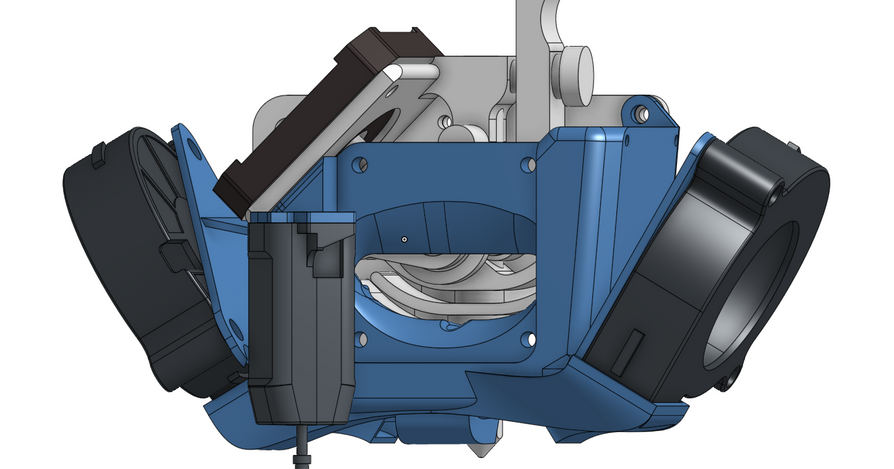
Printables.com
Micro Swiss NG Dual 5015 Fan Shroud with CR Touch Mount | Download free 3D printable STL models
Because I bought GDS 2x 5015 for duel blower on my hotend on this machine with the rails
Probe pos is in a better spot too in front of the nozzle
not a lot of X loss
Got that puppy about to print in ABS rtn
Though if I can figure out root cause of the line gap while that prints good
I do need fix the Endstop for Y tho
I lost 50mm from a bad Y endstop pos
 blazing spindle
onyx hound
<@406971626836721664>
So its a bit twisted
Did you try a full layer test or just the circles?
onyx hound
blazing spindle
So its a bit twisted

I did it that way

It probes * samples across too the X end
with the Y at that pos
Then you Z Offset like normal as if doing manual bed levelling
with paper or metal spacer
drag test
I just did that until roughly same feel across the entire 4 points and it finishes and spits out the Axis Twist from Probe measurement
It could probably do with doing it 1x more
with a larger end X to get the maxiumum X pos I can before running into an error of Move out of Range
I try to avoid printing tests where possible, as that just costs money
So yeah I think I WILL adjust the Min and Max X pos for the axis twist compensator then re-run the test maximizing the X travel across the centre of the bed
blazing spindle
onyx hound
I try to avoid printing tests where possible, as that just costs money
I mean what costs more? five failed prints or a quick test print?
onyx hound
Depends the test prints ate just 40x40x0.04mm
I get your point but klipper has this tuning without need for test print measuring
@blazing spindle Well this looks better


Time to re-do Skew Compensation
blazing spindle
onyx hound
Time to re-do Skew Compensation
yeah but do you get better, closed surfaces now or not? 😄
onyx hound
blazing spindle
yeah but do you get better, closed surfaces now or not? 😄
Who knows about to find out

Not really?

Gah I'll try the default slicer settings with just increased line widths
@blazing spindle

And that is wirh a offset where

Barley if not at all fits under the nozzle.
This is the fundamental issue I'm facing
Doing what should get me relatively close enough before flow compensation in slicer is producing layers that appear to be Z Offset much to high when reality it's not really the case