
#Weird Layer Gaps in print
1 messages · Page 1 of 1 (latest)
 scenic falcon
 earnest summitBOT
scenic falcon
Any idea what would be causing this layer to have this weird gap when slicing. ...
AI Help
It sounds like you may be experiencing a slicing issue, where the layers are not aligning properly. This can happen due to a variety of reasons such as incorrect settings, model errors, or software glitches.
Here are a few steps you can take to troubleshoot this issue:
- Check your model for any errors like non-manifold geometry.
- Make sure your printer settings in Cura are correct, including nozzle size, layer height, and print speed.
- Update your Cura software to the latest version to avoid any software glitches.
- Sometimes re-slicing the model can also fix such issues.
If the problem persists, feel free to provide more details or screenshots to further assess the issue.
WARNING: This response is AI generated and may contain errors.
 tired apex
You’d be surprised how many 3D models you can find on the…
youll need prusa slicer for it but its free so there should be no issue
earnest summitBOT
This post has been closed due to inactivity.
This post has been inactive for over 1 hour and so has been closed. To reopen this post simply send another message.
scenic falcon
Ok I’ll check it out Ty !
 earnest summitBOT
This post has been closed due to inactivity.
This post has been inactive for over 1 hour and so has been closed. To reopen this post simply send another message.
scenic falcon
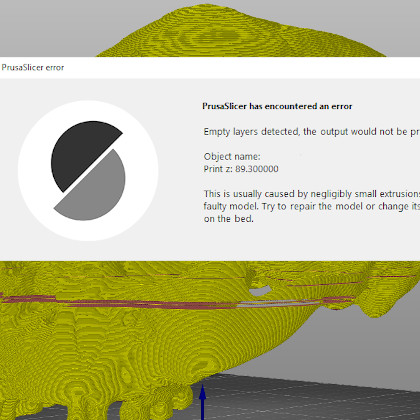
Looks like the prusa slicer doesn’t have the gap which is awesome. Just need to tune in some support settings then I’ll be g2g
scenic falcon
@tired apex should I learn prusa slicer over cura? I have only every used cura for tender 5s1 but prusa seems so much better
 past shore
Prusa is has a larger community, better features and is overall a better slicer, some find the interface to be less intuitive but that doesn’t take long to get over.
earnest summitBOT
This post has been closed due to inactivity.
This post has been inactive for over 1 hour and so has been closed. To reopen this post simply send another message.
scenic falcon
Thank you time to make the switch
tired apex
Prusa slicer or orca both are great and better then cura