#🤔 hmm
1 messages · Page 1 of 1 (latest)
 hardy light
 dapper apexBOT
hardy light
Tell me, based on your experience, why it doesn’t stick here?
AI Help
It could be due to various factors such as an uneven bed, improper bed leveling, incorrect bed temperature, adhesion issues, or using the wrong type of build surface material. It's important to troubleshoot each of these factors to determine the root cause of the adhesion problem.
WARNING: This response is AI generated and may contain errors.
hardy light
 pure bronze
Someone already answered you when you asked in <#167661427862142976>
yes but my table is 0.1 mm from the nozzle. I did this after dozens of repetitions and it got better. but then it started to stick. I was happy. and only in the corner did he begin to distinguish
pure bronze
hardy light
yes but my table is 0.1 mm from the nozzle. I did this after dozens of repetiti...
Table?
You mean bed
What printer do you have?
hardy light
pure bronze
You mean bed
I'm sorry. Yes I mean the bed. I'm new to this business. I have so many questions and few sources. and there are no groups at all. I found this one. I live in Russia
pure bronze
pure bronze
What printer do you have?
?
pure bronze
hardy light
I'm sorry. Yes I mean the bed. I'm new to this business. I have so many quest...
You’ve came to the right place
hardy light
pure bronze
What printer do you have?
Creality 5 S1 my first
hardy light
pure bronze
You’ve came to the right place
I'm glad. I see that you can learn a lot here. now I'm testing. and I see this
 hardy light
pure bronze
This?
Yes
pure bronze
Can you send me a pic of the toolhead?
 hardy light
@pure bronze What angle do you need the photo from? I'm trying to upload a photo.
yes

@pure bronze
pure bronze
hardy light
yes
Sorry, I had notifications turned off
hardy light
Everything is fine
pure bronze
Do you level your bed by rotating the things under the bed or does the printer do it itself?
hardy light
pure bronze
Do you level your bed by rotating the things under the bed or does the printer d...
I take an instruction sheet that shows how to level the bed. I do it myself.
I did it automatically, but then the plastic doesn’t stick at all
Maybe level the bed again. try. I had a thought. could it be because the bed is too hot?
pure bronze
hardy light
I take an instruction sheet that shows how to level the bed. I do it myself.
With the wheels under the bed?
hardy light
pure bronze
With the wheels under the bed?
Yes . center first. and then turning the wheels. to make the same gap. I'll try to do it again. thank you for your time
pure bronze
hardy light
Yes . center first. and then turning the wheels. to make the same gap. I'll try ...
Ah ok
Then try lowering your z offset
If you don’t know how to do it, search it up, it’s specific to the printer
Actually wait
@hardy light
Print a benchy and show me the bottom
hardy light
pure bronze
Then try lowering your z offset
when I do this, it seems to me that he touches the bed while working. sometimes you can hear barely noticeable clicks
pure bronze
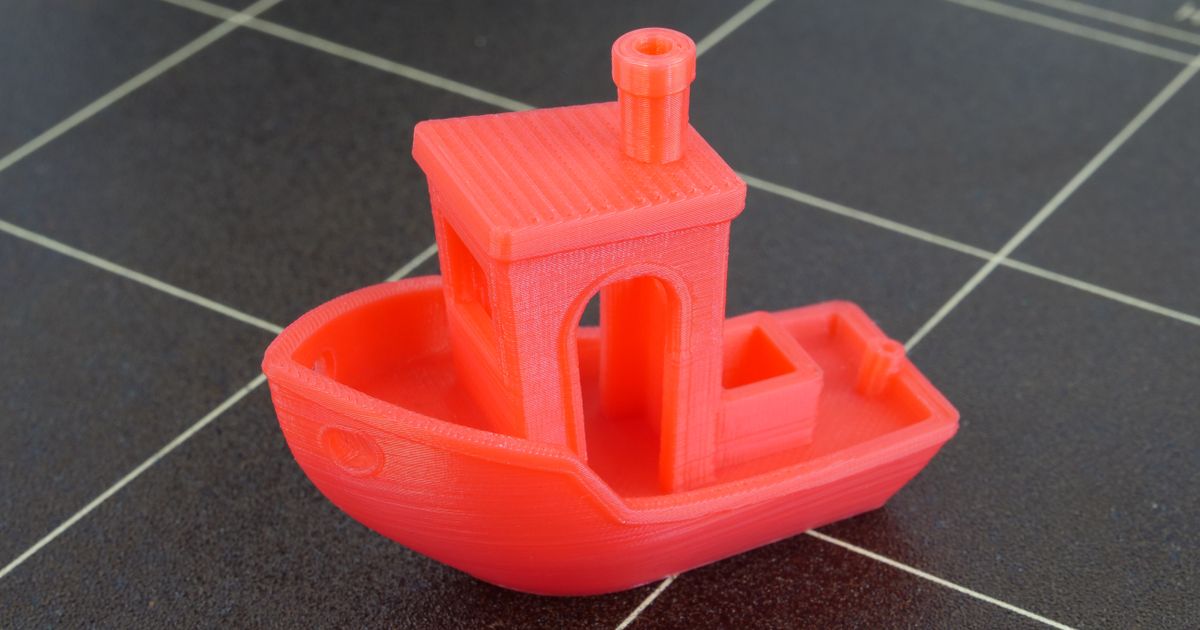
Printables.com
Author: CreativeTools
3DBenchy is a 3D model specifically designed for testing and benchmarking 3D printers. | Download free 3D printable STL models
Print one of these
And show me the bottom
pure bronze
hardy light
what is a bench?
This model is called a benchy
It’s used to test printers
I want to see the bottom
To see if you need to make the z offset higher or lower
hardy light
pure bronze
To see if you need to make the z offset higher or lower
It seems my carpet has become unusable. since the first layer does not apply well. I somehow found a good place on the bed for the first layer to stick. the first time he did it well, but the letter ^D^ disappeared the second time it was preserved
 pure bronze
hardy light
It seems my carpet has become unusable. since the first layer does not apply wel...
I’m back, sorry, I was busy
Try cleaning it
And leveling again
hardy light
pure bronze
And leveling again
I did. The ship's face was almost finished printing. the first time, as I said, a small detail disappeared. the second time it was preserved.
 hardy light
pure bronze
And leveling again
someone says that this is normal. I thought it had to be perfect. or is it just that the filling is not even?
pure bronze
hardy light
someone says that this is normal. I thought it had to be perfect. or is it just ...
You should try to get it printing as good as possible
Try printing the whole thing without canceling it
hardy light
pure bronze
Try printing the whole thing without canceling it
Ok, I'll show you the finished result. How long have you been doing 3D printing?
pure bronze
hardy light
Ok, I'll show you the finished result. How long have you been doing 3D printing?
25 December 2023
136 days already
Damn
hardy light
pure bronze
25 December 2023


 languid mulch
hardy light
Looks good👍
hardy light
pure bronze
25 December 2023
Thank you for your time. It was nice to hear from you. you opened my eyes to some things
hardy light
languid mulch
Looks good👍

pure bronze
hardy light
That’s good