


1 messages · Page 1 of 1 (latest)
 glossy gorge
Hey everyone! 🌟 I'm super excited to share that I've got a 3D printer used for 10€, I just picked it up today and brought it home and then i had to go to work. But here's the twist - I'm pretty new to this world. So, I thought, why not turn this into a cool community project? Let's decide together what our first steps should be and how we'll navigate this adventure. I literally have no idea and would like to make it a low budget project. I'm all ears for your ideas, tips, and suggestions. Let's make this journey a collaborative and fun learning experience for all of us! 🚀 #3DPrinting #CommunityProject #LearningTogether
-newest marlin firmware with safety functions on
+bonus! Successfully requested and provided Hobbyking Fabrikator Configuration to official Marlin repository example Configuration -> basically added compatibility out of the box
-automation that it turn off printer when finished printing (with smart plug when x Watt or below are for x minutes)
-filament guide
-led installed on led bar connected to power Bar in it's built-in usb hub (so no solder required and a short but long enough usb cable extension that has a purpose now instead of catching dust)
-new psu fan 60mm + grill
-a lovely mini Tool holder
-tape holder
-big control knob
-cable clips printed and used
-printhead cable managment part (for big green cable)
-lever for filament change (tension lower)
-restored print bed hot swap functionality
+I found an old flexible Fan which can be used for additional cooling when printing small surfaces. Also can be powered by the power Bar next to it for more flexibility
 mystic wharf
What's the condition of this printer? Does it boot?
glossy gorge
mystic wharf
What's the condition of this printer? Does it boot?
Yes I managed to print something. I printed the 5 circles bed benchmark (have to look it up)
glossy gorge
mystic wharf
What's the condition of this printer? Does it boot?


However, it needs some fine tuning. I didn't manage to find a cura profile but I found a 8 year old Video from the manufacturer to set it up as custom printer. And the extruder Fan didn't spin (but I think I need to enable/activate it somewhere).
All I can say so far is, that it seems to work. Just needs a bit love and fine tuning settings I guess 🙂 I am happy with that printer in it's condition so far, as it seems to work fine. The glass bed is a bit weird tho
I will move forward and clean it as it's a bit dusty.
Do you think I should oil some parts? If so, what do you recommend for that?
The slides where the head is moving around is bit dusty/dirty
glossy gorge
It's working fine so far.
If there are suggestions for cheap and good upgrades then let me know please. I am willing to turn this into something cool 😊
glossy gorge
First results are not that Bad, considering it's 8 years old with who knows how old pla and yeah for cheap price of 10 Euro.
I am looking forward to your suggestions. I would like to Upgrade Hardware and to make it look nicer, adding light (I have an old usb led strip with white light, I will use it to improve lightning)


 orchid pine
glossy gorge
orchid pine
glossy gorge
Nice catch 😁 for the rails wipe them down with isopropanol and put some sewing machine oil on there for the short term.
I read Rusty not Dusty, my bad.
Not sure about the surface rust but a really, really fine sandpaper (10000 grit) or the finest polishing compound should keep the shape of the rod intact, but wait if someone calls me out on that 🙈.
In the long run you should disassemble the rods and bearings, clean them out and repack them with suitable grease. White lithium grease without particles (ptfe etc) is recommended here.
 stoic radish
these are minimum suggestions id give
First priority should be firmware, main imporovements:
You also 100% need to buy new filament. You may need 2.85mm filament due to the age of the machine - check whst the spool you have says and the machines specs
orchid pine
I second the new firmware part. Safety was probably not the number one priority building the printer.
The hardware upgrades? Would dampen the retro vibe of it quite a bit. Also quite expensive.
Buying all that one could just buy a KP3S for example.
Filament on the other hand, definitely get something nice and new for tuning it.
Filament seems to be 1.75 mm according to the Pictures.
mystic wharf
Modern firmware on the older hardware would probably unlock a lot of features as well, depending on how old it is. Could always go klipper but may not unlock as many features if you want to really get performance with the older board, idk
 teal oriole
mystic wharf
Modern firmware on the older hardware would probably unlock a lot of features as...
teal oriole
mystic wharf
Modern firmware on the older hardware would probably unlock a lot of features as...
klipper usually unlocks more
stoic radish
Yeah, Klipper is better at reviving old hardware than Marlin. I say this as the person running Klipper on a mainboard and printer from 2012.
glossy gorge
stoic radish
- Modern firmware if possible (Marlin 2)
- Modern slicer
- New modern mainboard ...
Hello, thanks for the detailed response! I want to make it a low budget build because it is simply not worth investing too much if I am not mistaken. So I focus on Main parts.
How can I implement functional fire prevention? (Shouldnt there already be one?)
What slicer do you mean? I use latest ultimaker cura with marlin Firmware. The Programm says "Update Firmware" so I assume there might be a new one.
-does Firmware Update mess up settings? I have a feeling the pre owner tuned the device because it is powerful and fast for it's age and I don't want to re configure(but will do if necessary)
-can it brick the device?
Why better Temperatur control? I watched a print while eating and kept an eyes on Temperatur and they were constant.
The glass bed seems to be a feature and optional part from printer (it came with it according to manufacturer Homepage) "hobbyking fabricator"
I will get fresh filament from a friend today. Its 1,75mm diameter
Should I Update Firmware through ultimaker cura?
glossy gorge
orchid pine
I second the new firmware part. Safety was probably not the number one priority ...
Yes I want to make it low budget for that reason. Otherwise it's better to just buy a new one instead of investing too much. However, I want to get the most out of it and I have plans to make it look better with led Strips.
My Main priority is safety, since another member mentioned it for improvements. Safety first 🙂
Now I uploaded the correct videos 😊
stoic radish
Slicer is a non-issue then. In my case with an old printer, I had to use a slicer from 2012. You already have cura working so need not worry about that
Firmware update will reset the settings on the printer, and you will need to tune the machine following one of the many guides online
Any device or program can be bricked with an update. Do it properly, be it a device or your OS, and you'll be fine
The glass bed while what this shipped with is, compared to any modern options, just plain shit. A G10 plate off ebay clipped down with washing-up pegs or a £20 magnetic sticker & PEI plate will be leagues better than it
How can I implement functional fire prevention? (Shouldnt there already be one?)
This depends entirely on if the previous owner ever installed Marlin, and what version it is
glossy gorge
stoic radish
> How can I implement functional fire prevention? (Shouldnt there already be one...
Oh it is controlled by firmware? Interesting, didnt expect that. I thought it is some upgrade Hardware part.
stoic radish
Yeah, its a firmware thing. To my knowledge nobodies designed a hardware safety system, though I did come up with a concept for a design for one - just need to poke my friend to do the programming so i can implement
glossy gorge
Yeah that's actually the most important part for me now. The safety.
And then I will do maintenence. But before that I test fresh filament since the test print was acceptable considering the situation (by that I mean used printer with only information that it works).
The slides have a bit dust but they seem smeared fine for testing purpose
stoic radish
I did some digging on if I can find any modifications for this printer and i will warn you do seem a bit buggered by its age and... niche-ness
Optimally, you would replace the entire toolhead on the machine with a far lighter-weight and more compact one use the likes of a BMG extruder of v6, plus you can have decent part cooling fans for optimal quality with PLA
I can't actually find any toolhead replacements - you're going to need to learn CAD and design your own mods
glossy gorge
stoic radish
I did some digging on if I can find any modifications for this printer and i wil...
And keep in mind that I actually have not soo much time for it since I am busy with Bachelor degree 6th Semester. Since my first test print I haven't touched it. However, this night I will play around with it and I will keep this thread here up to date.
What do u mean by buggered? I think this device is cool and I like it so far 🙂 I just don't want to invest too much because there is a point where it just makes more sense to buy a new one. But honestly, I think this printer is so cool especially because it is nieche and for the Story behind it (buying used etc)
stoic radish
by "buggered", i mean theres fuckall in terms of (meaningful) modifications i can find that you can print to improve the machine beyond what it already is
glossy gorge
The thing is, I startet basically from 0 and have no idea. And i am in the middle of bachelor degree finish so time is limited. Just watched a friend using cura (he just prints and the stuff looks bad, he is not tech savy and cant help much). I am willing to make the most out of it as community project 🙂
Did you find any printable mods? I only found led strip holder lol
stoic radish
nah, i just looked lol, thats what im saying
glossy gorge
Oh sry my english is meh and I can't really translate now ATM (when I come home I translate everything properly)
I really appreciate everyone commenting their thoughts. Its so cool 🙂
 earnest cape
How is it going?
 timid junco
My advice might be a bit harsher then most, after 3 tech startups you get good at trowing things away and seeing the value of your time. This thing is a chore at best and a fire hazard at worst, putting time and energy into it already pays for a good machine, and then you still don't have a good machine. Release this machine from it's misery and use your time wisely on you studies and future 😉
stoic radish
timid junco
My advice might be a bit harsher then most, after 3 tech startups you get good a...
some people just like doing projects for fun and not TIMEISMONEY TIMEISMONEY TIMEISMONEY TIMEISMONEY TIMEISMONEY yknow
timid junco
stoic radish
some people just like doing projects for fun and not TIMEISMONEY TIMEISMONEY TIM...
I'm just giving my advice man, and to be fair here, I never said money, I said value of your time.
Value can be money, it can be spending time with loved ones or other forms of value
I personally find archived hardware not very valuable
glossy gorge
timid junco
My advice might be a bit harsher then most, after 3 tech startups you get good a...
I thought about the security part of it and I found a solution. I have a mq135 sensor and some spare esp boards laying around at home and I will use this on the printer to immediately detect smoke and related gasses. I also have a spare smart plug which i can use for automations. Basically what I want to do is to shut down the power immediatly if any kind of smoke pr gas is detected + a notification call on my phone under the condition if i am not at home. I also have a cctv at home (motioneye) which allows me to see the printer (automatic ptz position to see printer, cams are between 2 rooms), so I can immediately react if it is really necessary. But the sensor and plug are a very good safety measurement which in my opinion would make sense with every kind of printer no matter the age, since these things are operating in with very high temperatures.
On thingiverse I found a nice printable enclosure especially for that purpose and the author from that thingi seems to have similar Thoughts when it comes to safety.
I understand somehow your point, but look, value can also be to experiment and have with stuff like Hardware and Electronic devices in order to learn new stuff. And this project is something where I invest time when I have spare time and nothing else to do 🙂 it's actually on the lower side of my priority list like I mentioned.
Also, I didn't have to do anything because the previous owner did an awesome job with the settings and the prints are actually really good with New filament. The calibration cube turned out meh because the filament was too old. It would be wasteful to end a products "misery" which is absolutely not the case. I don't get the point in producing more ewaste with perfectly fine Hardware. I bought it from a woman and she said it belonged to her brother, so who knows what happened.
Friend of mine gave me much leftover of different compatible filaments from different vendors so I can test and don't have to buy a whole spule.
 glossy gorge
earnest cape
How is it going?
glossy gorge
earnest cape
How is it going?
Hey so far surprisingly good. I hadnt to do anything, basically plug and play. The settings on the printer seem to be very fine tuned and they don't appear to be Stock values. So I think it was an awesome choice to pick it up. I am very happy with it 🙂 later I will print an enclosure case with transparent material and I will post it here 🙂
glossy gorge
stoic radish
some people just like doing projects for fun and not TIMEISMONEY TIMEISMONEY TIM...
Totally agree with you 🙂
earnest cape
glossy gorge
Hey so far surprisingly good. I hadnt to do anything, basically plug and play. ...
Nice!
glossy gorge
timid junco
My advice might be a bit harsher then most, after 3 tech startups you get good a...
I forgot to mention that if I throw away the printer as you suggest, then my alternative would be to have no printer at all. For me it is hard as a Student to make end meets with apartment, car ensurence etc. I can pay my Bills and have food etc. But no extra money for non essential things like a new printer. That is also a reason I want to use this printer and improve it cost effectively, if possible.
I would be interested about your opinion when you take my point of view in consideration with my safety measures in mind.
Also here is a Screenshot from my cctv with the ptz preset I was talking about. If turning off Power didn't prevent it to catch fire then I just have to open motioneye and the camera is already looking in it's direction and I can call fire fighters. I recently had a M5stack Atom Echo for voice assistant and believe it or not. It started melting and if I didn't saw it randomly in time while searching keys before leaving home, it might have catched fire for sure because I left it on furniture. I never expected a usb powered device to behave like that and since then I implemented measurements prevent something like that to happen. (Automatically Cut Power when I leave home from unnecessary stuff)
I would be intersted into everyones opinion about the safety measurements and for recommendations to improve it 🙂
 timid junco
Sound like you know what you are doing and have pragmatic approach. Very cool the machine works well and the safety features seem decent enough. You could actually test if the firmware has thermal runaway protection, take a thick cold metal with good thermal properties, aluminium, copper or similar and hold it against the hotend at printing temperature, the temps should drop too fast and the firmware should stop heating.
Or, the other way around, get it to 100c and hold one of those blowtorch lighters against the hotend for a bit, you should see temps shoot up and it should turn off. This is more risky of course, so be careful
I think leaving it in its current state is a good idea, the fact it works and has good profiles is frankly amazing
timid junco
timid junco
Sound like you know what you are doing and have pragmatic approach. Very cool th...
The idea of @stoic radish to add a g10/garolite plate to it is good! That's an amazing print surface and cheap
 candid fjordBOT
glossy gorge
earnest cape
Nice!
candid fjordBOT
glossy gorge
earnest cape
Nice!
I am just about to finish the print and was actually very excited about the part which had to be printed "free in the air" without Support and for this purpose the part is almost perfect. And I had to refill pla mid printing which was a bit fiddly but worked lol it just finished this moment
Actually colour is noticeable from swapping pla^^ top layers

Removing the prints is annoying. I don't want to put force on the bed to destroy calibration or so (idk if this is even a risk, so I play safe) so I unscrew glass, remove glass then remove print and put glass back in. 😅😅
glossy gorge
earnest cape
Nice!
That's one part of the sensor case. I thought it was transparent but it's not. However, here I only removed the Support which is in my hand, the rest untouched. And for this purpose it is fine, but one of the 2 smaller holes is, let's say ugly and not accurate enough. I have a suspicion why maybe, which i will Cover on the next pic edit: I don't know why it is inaccurate


The left small hole is a bit weird. And I noticed the the bottom part from side angle you can see in the next photo looks other then the middle part. I turned the Fan behind printhead on during printing. Could that be a reason why it looks different at a certain point? That's the only thing I made and I don't know what else Could changed print quality/behaviour. You will see what I mean on next foto

Yellow is the filament I refilled. Black and white are same filament but look different. The black marked part is the bottom with the holes. Why is that difference? Do you have Tipps to prevent that from Happening what happened on left small hole?
Could there be a correlation between me manually turning fan on?
glossy gorge
timid junco
The idea of <@266652706716909578> to add a g10/garolite plate to it is good! Tha...
Yeah I agree, the glass plate is really annoying for removing parts. I saw on other printer so elastic magnetic metal which makes it easy to remove prints 🙂 I guess you guys are refering to these things? 🙂
May i ask something please?Could the plate improve accuracy? From the little Problem with the left hole I just posted in a photo documentation.
glossy gorge
timid junco
Sound like you know what you are doing and have pragmatic approach. Very cool th...
Thanks for that Tipp, I will give the first approach a shot because I really want to verify if there are safety measures implemented or not. Actually I am really surprised that this is even a thing on the firmware side of things. I thought it wouldn't be allowed to be sold without such firmware safety measures, or at least in my wishful thinking it shouldnt 🙂 the sensor I want to add was thought as extended safety measure kinda.
That's the Fan I was refereint to. But I think it's controlled with gcode. Because after I turned it on I wanted to make more speed and then I saw it changed itself already to more
 glossy gorge
candid fjord
**G010**
https://marlinfw.org/docs/gcode/G010.html
glossy gorge
candid fjord
**G010**
https://marlinfw.org/docs/gcode/G010.html
The printer does it already from what I observed
stoic radish
glossy gorge
The printer does it already from what I observed
when we mention G10 buildplates the bot thinks its gcode and gives the popup for telling what G10 gcode does; which sends that message
glossy gorge
stoic radish
when we mention G10 buildplates the bot thinks its gcode and gives the popup for...
Oh wow me silly xD
glossy gorge
stoic radish
when we mention G10 buildplates the bot thinks its gcode and gives the popup for...
Something weird happened now

That's really annoying. I have no replacement whatever that is
stoic radish
Its just painters tape
glossy gorge
stoic radish
Its just painters tape
Why would someone place painters tape there? Lol
stoic radish
With an old printer using painters tape like this, the bed has to be replaced regularly with fresh strips of tape. This is why you should install a new one such as a G10 plate secured down
stoic radish
glossy gorge
Why would someone place painters tape there? Lol
because prints adhere... well enough.™️ to it and at the time this crap was made, it was what was avalible
glossy gorge
stoic radish
because prints adhere... well enough.™️ to it and at the time this crap was made...
Thank you! ❤️
timid junco
glossy gorge
holes are probably the hardest thing to print right, both flat and standing holes can have major issues
there are many yt videos about ways to get accurate holes
timid junco
glossy gorge
Yeah I agree, the glass plate is really annoying for removing parts. I saw on ot...
yeah this is one option, those beds are call spring steel with PEI, the PEI is a layer of ultra strong and resistant plastic (plastic with alumium like properties) that filament sticks to when warm and releases when cold. Works wonders but not very cheap, like 20-30$. G10/Garolite is another option, its a fiber reinforced plastic used for PCB's and knife making handles, can be found cheaply 5-15$ for a plate your bed size and does pretty much the same.
glossy gorge
timid junco
yeah this is one option, those beds are call spring steel with PEI, the PEI is a...
Yeah this is something worth investing in that printer I think. I saw some Metall g10 plates on Amazon. Because this glass plate is annoying in so many ways
 timid junco
glossy gorge
timid junco
glossy gorge
yeah defintly, it will also help with holes as it just sticks and works better and avoids buggers moving around
glossy gorge
I just replaced it with painters tape in order to complete sensor case. Let's see what happens with that 🙂
timid junco
white painters tape usually has less plastic content and more paper, the blue one is best but lets see what this does!
is the bed heated?
glossy gorge
timid junco
yeah defintly, it will also help with holes as it just sticks and works better a...
Yeah it just has so many benefits to switch to g10. And for the one print I hope the painter tape is enough.
No it's not heated yet, I have to screw in screws first and then I Start heating
timid junco
i meant if it can heat in the first place, some could not
its less old then i thought, 2015
glossy gorge
timid junco
i meant if it can heat in the first place, some could not
It can heat it up to 100° and nozzle 230 or even 250 I think. But it's mostly on 60 for the things I printed so far at least
Tape works fine but filament seems to be wrong setted. In cura it's pla but it might be something else in reality. I can't tell what it is
 stoic radish
Don't pass 220c on the nozzle.
candid fjordBOT
PTFE Temperatures
TL;DR: Do not heat PTFE above 230C for long periods of time, and never above 260C.
Polytetrafluoroethylene, a.k.a. PTFE, a.k.a. Teflon, is a polymer renowned for its extremely low coefficient of friction. It is used in many industrial and domestic applications, most famously in non-stick pans. Relevant to us, PTFE is used as Bowden tubing and heatbreak liners in 3D printers for ease of filament transport. This places the polymer in close contact with areas where high temperatures are routinely encountered.
PTFE will begin to pyrolyze at 220 degrees centigrade. It will begin off-gassing at significant amounts at 240. At 260, this process will have accelerated to the point where the structural integrity of your tubing will have been compromised. Most contemporary citations focus not on the physical decomposition of PTFE but on the health effects of byproducts used in its manufacture. However one major health risk is directly attributable to PTFE pyrolysis: Polymer fume fever.
Polymer fume fever, or colloquially "Teflon flu", is a condition caused by overexposure to fumes (over the course of 4-8 hours) caused by the decomposition of PTFE. The advanced respiratory metabolism of birds make them particularly sensitive to polymer fumes, which leaves them at high risk of death in environments where such fumes are prevalent. Further reading is linked below.
Further reading
timid junco
nozzle is probably PTFE lined, meaning PTFE goes into the hot part near the nozzle, PTFE starts to decay/burn at 240, staying under 230ish is wise. 250 Could kill birds if you have any, since they dont like the gasses
glossy gorge
My friend gave me some filament but mostly leftovers 3meter or so
timid junco
good bot
stoic radish
TL;DR: Do not heat PTFE above 230C for long periods of time, and never above 260C.
I reccomend 220c as a max, gives you some headroom
glossy gorge
I didn't messed with the temperatures manually I just let it do it's thing 🙂 but I assume I have to set correct Material in cura
stoic radish
yeah
You'll need to adjust the temperature settings for your filament in your slicer
glossy gorge
Honestly, this printer will definitely get me hooked to 3d printing and when I Start working I will get a modern one too 😄 so I can do bigger and more advanced projects 🙂
But for the meantime it's really just about perfect for the stuff I Print. Mostly sensor cases and stuff like that.
glossy gorge
Today I managed to print the second part after experimenting with settings and it turned out pretty good, especially since the Material petg is officially not supported by printer. Only pla and Abs are supported. Actually I am glad that it worked out with that transparent Material because on the backside are Power led and alarm led which can be seen now when turned on.
I will do the fire alarm and I have a unused 10cm white led strip which is connected with usb (it's only 2 wires, 5v and ground). So the printbed is Illuminated. So firealarm + led running on nodemcu)
That's one more thing that can finally be useful lol
(I have really a lot of Hardware, Sensors and trashy gimmics which otherwise would catch dust or end up in trashcan)


I also found some useful stuff to upgrade printer.
For example a Fan holder for 60mm fans and I have a Fan in that size laying around unused since ages. Now it is it's time to shine. I will replace the Fan above the psu 🙂
I mean this little guy will be replaced, as I think more Cooling for psu connection seems reasonable especially since I have one laying around anyways.
I also found some mods to upgrade printhead cooling and for that I also have another Fan laying around which is basically brand new, bit bigger and more quiet


While printing the second part from fire alarm I used Fan and it worked wonders. So with an appropriate mod and the sligthly bigger Fan it will be beneficial I guess. Also fits the requirement for low cost since these things I used so far were laying around unused anyways 🙂
This is the white led strip. I have no idea why I bought that trash many years ago. It's so unpractical and useless. But for printer actually good lol
Glad that it atleast can serve a purpose.
 orchid pine
I love this project 😊 very excited where you are taking this.
glossy gorge
orchid pine
I love this project 😊 very excited where you are taking this.
Awesome! I am really glad to hear that 🙂 I am also very excited where this will go, I will stick as much as possible to the low budget approach and try to give old stuff, which would otherwise be useless, a new life. so far it is really interesting and fun, especially since I began from 0. I just saw at a friends house how he prints and otherwise I never got in touch with 3d Printers at all. These things are amazing and got me hooked 🙂
I was fearing that I maybe go too much into detail and trying to express my though processes 😅 I am thinking about to add to the first post something like a changelog with date in order to get more structure for overview 🙂
If you have any suggestions, recommendations or so then feel free to comment 🙂
glossy gorge
Good morning everyone!
May I ask about your opinion and experiences about a topic please? I researched it in the Internet and many people say it is useful, many others say it's useless. And I have no idea.
I am talking about filament filter and allignment thingi.
Is This worth using? If yes, which foam should I get? I didn't manage to find out what to use 🙈 should I even use foam or allignment only?

Foam would be inside there. However, if it is meant to remove dust then it might probably get more, if it is static charging according to internet. Which makes sense lol - I only saw allignments so far on modern printer. But I don't know if they have Filters or so.
 orchid pine
glossy gorge
Good morning everyone!
May I ask about your opinion and experiences about a top...
orchid pine
glossy gorge
Good morning everyone!
May I ask about your opinion and experiences about a top...
My Opinion: Guiding the filament is a good idea. The foam thingy? Dont think it does much to be honest, your environment and filament has to be very dusty to impact the print quality.
glossy gorge
orchid pine
My Opinion: Guiding the filament is a good idea. The foam thingy? Dont think it ...
Thank you, yeah I also think that the guide is a good idea 🙂
stoic radish
glossy gorge
Foam would be inside there. However, if it is meant to remove dust then it might...
Just use a reverse bowden tube.
glossy gorge
The Arms just finished printing. I know what you mean but I have no idea what it does or if it could/should be used with guide thing. I will look it up later 🙂
 glossy gorge
Hello everyone, I have some small updates 🙂
First of all I fixed the yellow glass holder on the heatbed and restored its hot swap functionality, because that was a pain to remove without it. Unfortunately I am not able to find the front part of it, otherwise I would print it new because its a bit broken on one side. However it works now and that's what is the most important thing for me.
Then I have been playing around with different material/filemants leftovers which my friend gave me (10g-50g each one) and tested around with print settings and I would say that I slowly but sure understand how it works.
I used that filament to directly print parts that I want to use for upgrading, instead of Benchys or stuff like that. (I don't want to print unnecesarry stuff which will be thrown away afterwards, especially since plastic polution is a very serious problem globally) So not all parts look wonderful, but they are functional.


-The filament guide
-Big knob
-a cable management part which goes on top of print head(black colour 4 holes)
-a holder for nodemcu which is comparable to an open test bench for pc Mainboard.
-a cable clamp (green)
-a tape holder (dark green)
-a fab holder for bigger fan for psu connection
-a tension release lever (to make filament swap more easy)
-2 led bars
-esp8266 wemos d1 mini case (unrelated to printer)
-I also have to M screws for the new parts.
And right now i am printing the 40mm fan mod for hotend (small fan on right side of picture).
When the fans are swapped it should be a nice improvement for noise, which is very welcomed. I didn't put the stuff on the printer yet.
I think the one I print now is not a good material (pla) to use for its purpose, but I have a 50g petg test sample here which I will use for that if necessary. I want to try it with pla first because I have enough here, which is not the case for petg.
The next step I want to make is to install the fire alarm and led. I want to cut the led cable to expose its wires. (It has only 2. 5v and ground, led running 1,4w max). And I want to power it from the nodemcu which is used for fire alarm. I simply use a wago 3way lever clamp) so I power it together with fire alarm from 5v pin on node mcu. Same for the ground wires. And positioning it like on next photo 🙂
Fire alarm will be inside somewhere on that spot. Led on the led bar
 glossy gorge
 glossy gorge
Lol the sensor I bought is not optimal for detecting fire I think.
It is a mq135 but it would be better to use another Modell I think mq7 if I recall correctly. Apparently mq135 is better for air quality measurements.
However, I don't think this printer is a fire hazard like some people mentioned. It just works fine and Power supply can fail on every device.
I mean I could use the sensor as fire alarm but I am not sure if that is the best way to go. Also if it is really necessary to implement. Next opportunity to buy the correct sensor might take a while
earnest cape
glossy gorge
Lol the sensor I bought is not optimal for detecting fire I think.
It is a mq13...
The PSU isn't the fire hazard more is it the board and the firmware
If the board has a short or a firmware issue and it just keeps your hotend heating forever then it can easily create a fire.
glossy gorge
earnest cape
The PSU isn't the fire hazard more is it the board and the firmware
Okay I will take a look into updating the Firmware. Currently it is running marlin and the Board is apparently Arduino Mega 2560 (when I look into device Manager com Port while connected with usb).
I think arduino sounds good at first glance.

I also applied 2 upgrades already. The fan is a huge upgrade in terms of cooling psu and Mainboard. And the lever makes it much easier to swap filament 🙂 I printed a name tag for keys for my nephew as additional bday present with his name and used 2 colours 😄 I need to adjust temperature when switching to yellow because it's another material (idk what filaments the leftovers from my friends are^^)


Yellow looks a bit bad but the letters, corners, edges etc look amazingly good detailed in my opinion. The thing next to the L
 glossy gorge
earnest cape
The PSU isn't the fire hazard more is it the board and the firmware
glossy gorge
earnest cape
The PSU isn't the fire hazard more is it the board and the firmware
I just chatted with hobbyking customer support and asked about fire hazard and that's their response xD

Anyways, I also asked for latest firmware bur he couldn't provide me one.. really weird.
But he said i should go for Marlin 2, so that's what would be the best I guess. And I assume that the marlin 2 has the required safety features right?
earnest cape
glossy gorge
I just chatted with hobbyking customer support and asked about fire hazard and t...
of course but the hazard can be bigger if you dont do anything
glossy gorge
earnest cape
of course but the hazard can be bigger if you dont do anything
True, so what is your recommendation? Marlin 2?
I think I will update arduino to latest version and then to marlin 2.
earnest cape
glossy gorge
True, so what is your recommendation? Marlin 2?
I think I will update arduino ...
yes Marlin 2 with some sort of thermal runaway protection implemented
Standard Marlin 2 should have that activated by default
teal oriole
guessing by you saying arduino mega 2560
its a ramps v1.4
mind sending a photo of the motherboard? i have tons of experience with them
glossy gorge
earnest cape
Standard Marlin 2 should have that activated by default
Do I understand correctly, that I don't have to manually do something additional except installing marlin 2? 🙂
glossy gorge
teal oriole
its a ramps v1.4


 teal oriole
yep thats ramps v1.4
earnest cape
glossy gorge
Do I understand correctly, that I don't have to manually do something additional...
yes
glossy gorge
teal oriole
yep thats ramps v1.4
Okay, is that something positive? 🙈
What would be your recommendation?
teal oriole
glossy gorge
Okay, is that something positive? 🙈
What would be your recommendation?
its... old
but it works fine
i use it
now that you know what mobo you have, its really easy to config it
glossy gorge
teal oriole
i use it
Is there anything I have to watch out for installing firmware (first time using arduino).
The customer support recommended me a marlin 2 to download Configured for that printer.
https://www.rcgroups.com/forums/showthread.php?2392899-HobbyKings-(Turnigy)-Fabrikator-3D-Printer-thoughts/page12&perpage=100#post46224207
I opened arduino ide and selected the mega 2560. Then I went to Sketch -> export compiled binary. Is that the right way for making backup?
Page 12-Discussion HobbyKings (Turnigy) Fabrikator 3D Printer.. thoughts? 3D Printing
glossy gorge
I hope thus is the backup

Files above are in the build file

Not so sure if backup was done right 😅😅😅
 glossy gorge
Okay I made backup from flash and eeprom with avrdude. Later or the next days I will install the marlin 2 firmware. For now my head is 🤯 and I need a break
glossy gorge
teal oriole
yep thats ramps v1.4
May I ask you something please? 😅 I can't find specific info to that. Do I have to/should I upgrade the arduino itself too before upgrading marlin? Idk something like library or something like that?
teal oriole
glossy gorge
May I ask you something please? 😅 I can't find specific info to that. Do I have...
nope no need to
teal oriole
glossy gorge
Is there anything I have to watch out for installing firmware (first time using ...
no not rlly
and yeah thats a way to do it
i usually do it using vs code
and their autobuild marlin
glossy gorge
Welcome back 🙂
Also with preconfigured firmware? I think I need to rely on the one which hobbykind sended me the link
teal oriole
glossy gorge
Welcome back 🙂
Also with preconfigured firmware? I think I need to rely on the...
i would make the firmware yourself
usually manufacturer firmware is behind the current release
by quite a bit
glossy gorge
I think it was successful. It was an error on display something with version error and I could choose ignore and I forgot the other option. I chose the other option
Anyways, there are now a lot of new funtions on the menu
glossy gorge
I think I fucked it up and to he honest, I am so tilted that I don't want to touch it anymore otherwise I throw it out the window. It's passing me off so hard that these shitty manufacturer doesn't provide firmware like every other company too. Such assholes

Stupid piece of shit printer 😡
teal oriole
glossy gorge
reflash it
orchid pine
Oh harsh words. Also firmware from the manufacturer is not the best possible ever
glossy gorge
I think I am done for tonight. I went through the whole configs (the 2 important one idk) and I'm sick of it
glossy gorge
orchid pine
Oh harsh words. Also firmware from the manufacturer is not the best possible eve...
Sorry. I know it was inappropriate but in that moment anger took over control :/
glossy gorge
Yeah. At least I know its not completely broken. I always struggle so extremely hard when it comes to esp/arduino devices. The only thing that works flawlessly is installing wled. And after 2 Months I managed to get my diy speaker running. I don't know why I struggle so hard
Anyways, I made myself a pizza and let the printer be for tonight. Would love to share with you all! 🙂
orchid pine
glossy gorge
Anyways, I made myself a pizza and let the printer be for tonight. Would love to...
glossy gorge
I just calmed down and took a look over it again with full belly and there is no example configuration for my printer. The customer service chat said I could install the firmware from tinyboy but that is not compatible as it turned out. I can't compile the firmware with standard configuration for ramp14 and i have no idea what to do. Also there is no guide or tutorial out there for my problem with that printer. Actually, that's the worst case scenario for me and I am standing in front of a giant wall 😦
Also the backup flash doesn't seem to work. It's a hex file and I flashed with cura slicer and it appears to do nothing
glossy gorge
I have been able to restore the faulty firmware from the forums, however, I need to figure out what exactly to disable and change. This is the only firmware with configuration for my specific printer. I think there is now hardware configured for bed leveling which I don't have.
It would be just too much for my capabilities to figure out the settings myself. Also the pins and who knows what else too. In marlin are so many example configs for so many printer except mine.
Besides that the firmware is new enough and includes the safety stuff which was the reason I updated it in the first place.
The only thing I maybe consider trying is to give chat gpt (gpt4) the config from the older one and from the new one so it makes the changes for me. I have no idea what else to try.
glossy gorge
glossy gorge
Is there anything I have to watch out for installing firmware (first time using ...
When I use auto home it stays in that position x and y on 65 and z on 10. And it says stopped. Now I started a print and the coordinates are question mark blinking. I assume it might be because the firmware is configured to use a sensor
Maybe if someone could please help me to figure out what to do it would be amazing.
It's way less work to use the only configuration existing then to build a firmware from scratch which is way too difficult for me.
Yeah it refused printing now and behaved weird. I will film it
orchid pine
Blinking coordinates mean its not homed yet
What configuration and configuration_adv did you use to compile
?
glossy gorge
Video is unfortunately too big. The printer goes to the middle and bed almost touches bed and goes up and down 2 or 3 times and then it says stopped
glossy gorge
glossy gorge
Is there anything I have to watch out for installing firmware (first time using ...
This one from post 1992
Page 12-Discussion HobbyKings (Turnigy) Fabrikator 3D Printer.. thoughts? 3D Printing
It's the only configuration I can find for marlin for this printer. In the post the gut says he uses a sensor
orchid pine
Mh, if you dont have a bltouch (clone) installed this firmware is not going to work unfortunately
glossy gorge
orchid pine
What configuration and configuration_adv did you use to compile
The one from the link uses marlin 2.0.7.2 and the difference in menu is huge compared to old firmware
My thought was to modify this config to fit my printer. Basically disable that feature in config and compile again
orchid pine
I bet, considering we are at Marlin 2.1.2.1 right now
glossy gorge
The thing is when I make // at bltouch it refuses compiling. I have to use something else to replace that and then try again. There must be another thing to activate instead
glossy gorge
orchid pine
I bet, considering we are at Marlin 2.1.2.1 right now
I disabled bl touch and made manual probe. Now there is an error, what should I choose?
 orchid pine
glossy gorge
The thing is when I make // at bltouch it refuses compiling. I have to use somet...
orchid pine
glossy gorge
The thing is when I make // at bltouch it refuses compiling. I have to use somet...
Reset, it loads the defaults you set in the firmware. Might have to redo pid tuning and you hopefully noted your esteps
glossy gorge
I haven't noted anything but I can look it up
glossy gorge
orchid pine
Reset, it loads the defaults you set in the firmware. Might have to redo pid tun...
Now I understood what you meant with esteps. Thankfully I recorded the complete old firmware menu with every setting from pre owner

I think I am on the right direction. And chatgpt works great for reading the configs and tell me what to do. I uploaded the 2 big config files and the manual and it checked for me if position sensors are configured etc lol
orchid pine
glossy gorge
I think I am on the right direction. And chatgpt works great for reading the con...
Cool but kinda creepy😅
glossy gorge
orchid pine
Cool but kinda creepy😅
🤣🤣 yeah but that's kinda okay emergency solution and fast. This thing read through over 3k lines of code and printer manual in very short amount of time.
glossy gorge
It worked 🤣🤣 awesome!
Now I did leveling and it goes to sensors perfectly. Everything unrelated is removed from firmware and yeah. I think it was a success finally. Chatgpt really worked. Before that I didn't make homing. After that it crashed against wall due to turned off sensors and stuff like that. Also z was some centimeter below extruder. It was a mess
The next thing I will do is safing that firmware and probably upload it somewhere for other people. And then I will reapply the old settings from my video and I think safety features are now added finally and this part is done. That was a journey holy moly
glossy gorge
I want to ask your opinion about something.
After struggling so hard and due to lack of support from Hobbyking i want to upload my current firmware with configuration to github so everyone who wants a new firmware for that device has the possibility to do so now without building from scratch. Perfect for people like me without technical background. Maybe there are people out there who can be helped that way 🙂
Also I thought about opening a request/issue on github explaining my situation and providing the relatively current configuration and hope that the maintainer will add it to the example configuration (also update it to newest version, mine is not the newest but something with 2)
glossy gorge
Well, i uploaded it to github so everyone has access to a relatively current firmware with the configuration for that printer as stock version. Who would have thought that i end up uploading stuff on github because of the printer 😄 anyways, i would love if it helps other people saving going through much trouble. even if its just one person i am happy 🙂
https://github.com/PsychoOW/Turnigy-Fabrikator-Marlin-Firmware-Configuration
Marlin 2.0.7.2 with Configuration for Hobbyking Turnigy Fabrikator 3D Printer - GitHub - PsychoOW/Turnigy-Fabrikator-Marlin-Firmware-Configuration: Marlin 2.0.7.2 with Configuration for Hobbyking T...
orchid pine
Love the journey😊
glossy gorge
Oh wow I just uploaded it on github and kindly asked to get it added in example configs in marlin and someone already made a pull request and asked me to test it. And wow that went so fast, unbelievable 😳
glossy gorge
I think it will be added to marlin. That's a great day for Hobbyking owner haha 🙂 the pain was worth it!

 glossy gorge
Here I apllied some minor upgrades in terms of quality of life. A detailed messege will come tomorrow or so. I am already too tired to write much ^^

 glossy gorge
New filament doesn't want to work... I setted temp according to manufacturer. It's pla+


 glossy gorge
Anyways, I did that the last days:
-newest marlin firmware with safety functions on
+bonus! Successfully requested and provided Hobbyking Fabrikator Configuration to official Marlin repository example Configuration -> basically added compatibility out of the box
-automation that it turn off printer when finished printing (with smart plug when x Watt or below are for x minutes)
-filament guide
-led installed on led bar connected to power Bar in it's built-in usb hub (so no solder required and a short but long enough usb cable extension that has a purpose now instead of catching dust)
-new psu fan 60mm + grill
-a lovely mini Tool holder
-tape holder
-big control knob
-cable clips printed and used
-printhead cable managment part (for big green cable)
-lever for filament change (tension lower)
-restored print bed hot swap functionality
+I found an old flexible Fan which can be used for additional cooling when printing small surfaces. Also can be powered by the power Bar next to it for more flexibility
Next steps planned:
-working through tuning guide a friend recommended me yesterday 🙂
-smearing the linear things and bearings
-keeping my eyes open for other print bed, the glass seems to thick (1cm) Stock Glas was apparently 3mm
I was today at ikea and other Shops and they had no fitting glass from picture frame or little mirrors.
-maybe adding unused and dumb rgb strips with RC
-adding to the mentioned automation a Text to speech notification and playing mp3 soundfile on my diy rgb media player speaker with a color as color code which I haven't decided yet (for example when a Letter is in my post Box the speaker plays a super Mario Coin Sound and before that Text to speech says "post is here" and it lights in yellow for additional visual indicator in case i dont hear.. Next to phone notification lol) so you get the idea what I wanna do when printer finished printing 🙂
-some holder thing for bigger tools that don't fit on the small one
Well, the Fan also has a clock. So I guess my printer is now able to tell me how late it is xD

 earnest cape
Very nice!
glossy gorge
glossy gorge
earnest cape
Very nice!
Thank you!
I decided purple for the notification media player light^^
And also other sounds probably. I just used the ones I have for demonstration purpose 😄 love that shining Radio speaker thingy (in home assistant the esphome plugin added the media player with neopixelbus on esp32 with max98357A Dac breakout board + 6 Single led ws2812b on a Promotion Bluetooth speaker which i replaced everything inside - can also be used as Internet radio without extra configuration and radiostations from around the World sorted by countrys)
stoic radish
Rather then using glass I would suggest installing a magnetic sticker and springsteel PEI plate
it is far superior to Glass
glossy gorge
stoic radish
Rather then using glass I would suggest installing a magnetic sticker and spring...
I haven't found any for that printer and for that size unfortunately. Maybe I looked the wrong place (amazon). The current glass is 180x180mm and 100mm thick, so heat distribution might be a problem, idk.
Printsize is 150x150, but the 30mm tolerance are good I think. Do you have suggestions please?
stoic radish
glossy gorge
I haven't found any for that printer and for that size unfortunately. Maybe I lo...
The buildplate for a Kingroon KPS3 is 180x180
If your current bed isnt heated and your mainboard has the ports for it, you could mount a Kingroom heated bed to your machien
glossy gorge
stoic radish
The buildplate for a Kingroon KPS3 is 180x180
If your current bed isnt heated an...
The current bed is heated, but I think the thick glass is Holding a bit back. So longer time to heat up I think
stoic radish
yeah it will
glossy gorge
 stoic radish
glossy gorge
stoic radish
yeah it will
stoic radish
glossy gorge
stoic radish
yeah it will
Thanks for recommendation. I will look it up. Also maybe cheap bed Level sensor because I struggle with manually doing it.
glossy gorge
stoic radish
- PEI is *way* thinner
- Better adhesion with most materials
- Plate can be lift...
The one you mentioned is not on amazon unfortunately. On aliexpress I found it for 4€ welcome price but I avoid sharing data with chinese organisations etc as much as possible (sorry I am weird when it comes to that). However, I found something on Amazon. Haven't looked up "building plate" 🙂
TRONXY PEI Druckplatte, Flexibler 3D Drucker PEI Sheet 180x180 mm, Abnehmbare PEI Bauplatte für CRUX1 KP3S https://amzn.eu/d/14AVNeB
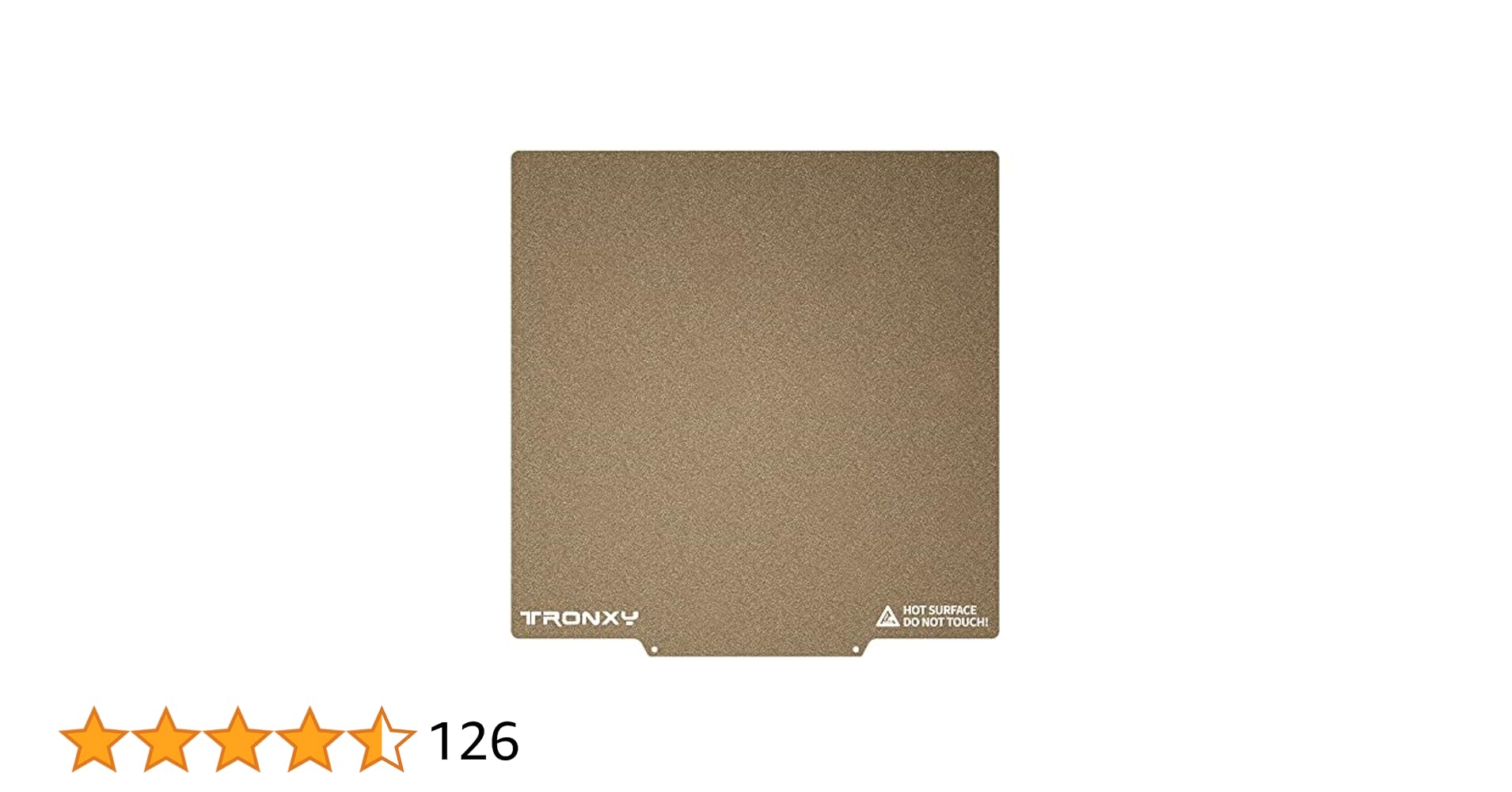
TRONXY PEI Druckplatte 3D Drucker Plattform Größe: 180 x 180 mm, Dicke 0,4 mm Multi-Material-Kombination - PEI-Plattform ist eine Kombination aus goldener Pei-Beschichtung + elastischer Stahlplatte + magnetischer Bodenplatte Starker Magnetismus, gute Hitzebeständigkeit und das Modell ist nicht le...
 stoic radish
glossy gorge
The one you mentioned is not on amazon unfortunately. On aliexpress I found it f...
stoic radish
glossy gorge
The one you mentioned is not on amazon unfortunately. On aliexpress I found it f...
i hope you're aware that 90% of amazon listings are literally just the same shit from aliexpress with comically higher prices :v
like. most of it goes through to the same warehouses and companies as you would on aliexpress, just with higher prices
glossy gorge
Yes I know, but I prefer to pay more with faster delivering and data sitting on us Server instead ccp server
stoic radish
also considering you're in the EU
candid fjordBOT
3D Printing Shops
Here is a Spreadsheet that covers a large portion of 3D Printing shops around the world
https://docs.google.com/spreadsheets/d/1Ok4cRezqrzU8DeP8SnViUfwwr950L3eJ4uTlKig7_5Q/edit?usp=sharing
stoic radish
You can set this to show the 3DP stores in your country, or an ajacent one
Right now it has 35 different 3DP-specific stores in Germany listed
glossy gorge
My parents where political refugees from a socialist country back in the days (bulgaria) and went through a lot. there are too many parallels between that and ccp and I am totally biased. So I might seem weird. I apologize for that.
Yeah that would have been the next that I want to look up, but I prefered Amazon so no shipping cost. Also I live in Austria and german shops aren't always good because 20€ international shipment
stoic radish
it has austrian shops too
it just defaulted to germany cause thats what the last person on it looked at lol

I would reccomend having a look @ 3DJake
glossy gorge
Awesome. I will take a look. But the one I showed you, what was your opinion about it? 🙂
stoic radish
meh
its basically all the same shit lol
i dont think this comes with the magnetic sticker though
actually looking @ reviews i think it does
https://www.3djake.at/buildtak/pei-folie?sai=3896
€10.44 w/ €5.49 shipping, dont know if it includes the magnetic sticker
it does!
Does the PEI film include the adhesive film?
Yes, it's already attached to the back. Just peel off the protective foil and stick it where you want (e.g. sheet metal for magnetic attachment)
 stoic radish
<https://www.3djake.at/buildtak/pei-folie?sai=3896>
€10.44 w/ €5.49 shipping, do...
stoic radish
stoic radish
<https://www.3djake.at/buildtak/pei-folie?sai=3896>
€10.44 w/ €5.49 shipping, do...
@glossy gorge Reccomend having a look at this
Cheaper and has 24hr shipping
glossy gorge
This is only a foil/sticker
glossy gorge
stoic radish
<@432949009368481802> Reccomend having a look at this
Cheaper and has 24hr shipp...
Ideal with flexplate system it says. Or did you mean this + Metall plate? 🙂
stoic radish
oh lol if its not an actual plate yea get the amazon one
glossy gorge
^^ yeah I haven't found cheaper one there. So if you say the Amazon one is fine then I will try that one. If necessary I can always send back 🙂 that's what I really like with amazon. They are very chill with returns
Well I ordered it now 🙂 thanks!
Have to wait tuesday 😭
glossy gorge
A friend of mine gave me one of his spare bed leveling sensor. It is from sovol sv07 plus or 06 plus, but I think 07.
Since I ordered the metal bed thing this sensor should work. It detect Metall according to specification, so on Glas bed useless


So now I was wondering if this would even work with my printer Mainboard arduino mega 2560 with ramps 1.4. I honestly have no idea at all where to look etc.
And the next Problem would be how to mount It on my printer. For that I have an idea. In my countrys equivalent to craigslist I saw someone offering creating 3d models and printing stuff, I could ask him to make something that makes it possible to mount It perfectly, if it's not too expensive. I have no other idea then looking up existing stl files but I don't think there is something that solves my problem. And honestly, better I let someone experienced with that stuff making It Since I want that to be good and I won't make it good in comparison.
3 obsticles to make it useable and the first I overcame with ordering metal bed.
-compatibility heatbed - ✅️ solved
Compatibility Mainboard - ❌️ not solved
Compatibility print head - under the condition, if sensor is compatibel with Mainboard ❌️ not solved
If anyone has any suggestions or hints where to start it would be appreciated. Otherwise I will do research the following days
Basically compatibility Mainboard is just the question is it compatibel or not.
stoic radish
It'll be compatible
One pin to ground, one pin to voltage (5V shoooould work? idk, might need 3V3), one pin to your Z endstop
You'll want to remove your existing Z Endstop and adjust your printers config to use the probe as your endstop
orchid pine
Some inductive probes are a bit of a pain (the ones not made for 3d printers) because they can fry your board. The signal cable of mine is connected to the signal pin through a reversed diode🙈
Also you need an extension cable for that😅 thats definitely too short
glossy gorge
Hello, thanks for all your responses 🙂
Yeah the configuration will be no big Deal:-) it's basically like the one I found and edited.
Extension cable should not be a problem. And I will just plug it in and see what happens, I don't think it will fry the Board since it is for Printers basically 😄
Btw, everyone know the Phrase "alcohol is no solution for problems" .. I kindly have to disagree, cleaning heatbed with alcohol solved my Problem with shitty first layer. Now it prints nice 🙂
However, I encountered another problem now which I don't know how to call, the print moves to right side lol ... I guess bed Level problem, do you agree?
glossy gorge
Hey friends, I am so excited. Today I am printing my first "big" thing and I left the printer alone. The cctv works well enough to see if the print lost adheason or so. Not perfect but better than nothing. So I can atleast see bigger issues and turn off printer via power plug.
So far I think it looks fine from what I can identify 🙂
Also i think there is a holder that could fit sovol sensor. I printed it already but didn't checked it out in Detail. Will do that later
I have an old usb webcam and an old lenovo Laptop Tablett hybrid which I use as mobile dashboard for home assistant and internet explorer. I will try to implement the cam and just connect dashboard if necessary before I leave. So it can be viewed more near and more detailed.
glossy gorge
The "Handything" is finally finished and I am surprised how good and clean it turned out. At least I think it looks very good 😅 what is your opinion?
The only thing I notice is that it's not 100% straight, but not much. Or maybe it is supposed to be like that? Idk^^
 glossy gorge
The bed arrived today and it looks really nice at first glance 🙂
 orchid pine
Make sure to scrub that with mild dishsoap to get the factory dirt off
glossy gorge
orchid pine
Make sure to scrub that with mild dishsoap to get the factory dirt off
Is isoprop alc fine too?
orchid pine
glossy gorge
Is isoprop alc fine too?
Dishsoap to dissolve the oil
glossy gorge
I think I will give up with the sensor my friend gifted me. There is no way for me to mount it and the guy in my area who offers such service creating models asks 150€ to make a holder
orchid pine
Well dissolve is wrong
glossy gorge
orchid pine
Dishsoap to dissolve the oil
Kk I will do it that way 🙂
orchid pine
https://www.printables.com/model/39322-hero-me-gen-7-platform-release-4 whats the diameter of the probe without its black plastic shell?
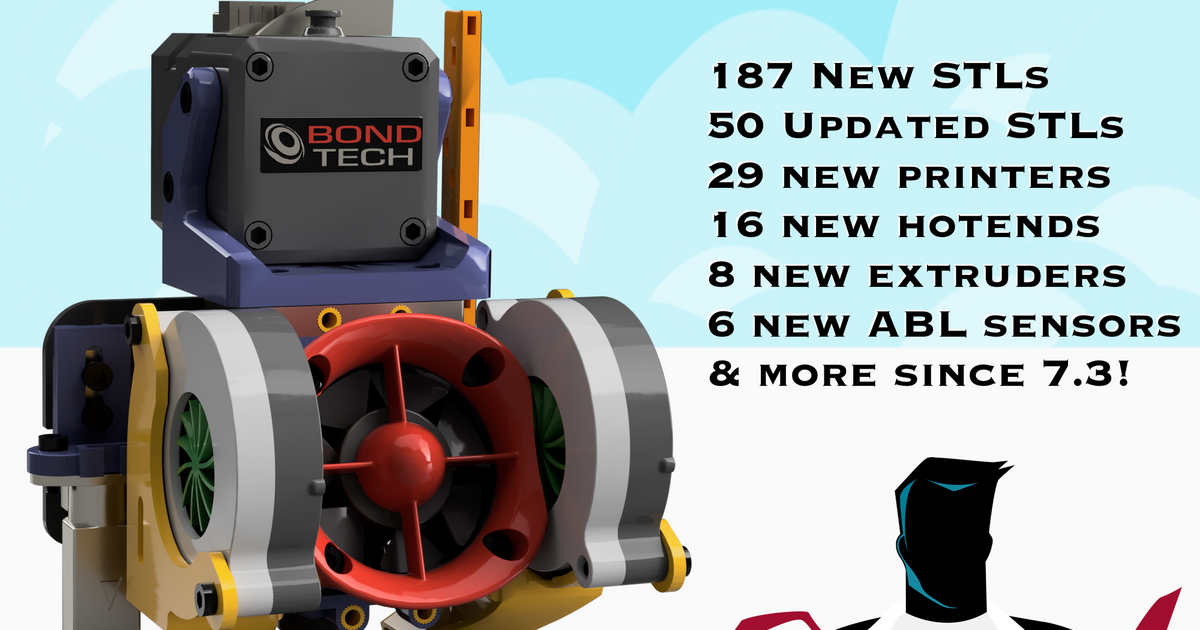
Hero Me - Modular printhead platform for 3D printers, hotends, extruders, ABLs, fan ducts, ADXL345 boards, & much more! | Download free 3D printable STL models
I bet we can adapt something from this
glossy gorge
I can't remove the shell gently and I don't want to use force to not break it
Gotta check out if its removable
orchid pine
It got in there😅😁
glossy gorge
Big update:
I just added the PEI plate and I have a feeling that it is an awesome update!
Thanks to @orchid pine I was able to mount it. He gave me nice tipps to aquire the appropriate material for that custom solution. Big thanks ❤️
The only possible way was to stick an Aluminium plate on it with an appropriate 3M Sticker and then the Magnet with pei plate on the Aluminium. (Otherwise glas clamps would have been in the way)


