#k1 questions (only people with k1 real experiances please)
1 messages · Page 2 of 1
 tall flume
The original design extruder is defective.
It will fail, guaranteed.
So if he is stocking units with old extruders he needs to talk to Creality as they do ship them free to suppliers
 willow jackal
ah ok
tall flume
But you, the customer, should not at any point be paying for a replacement extruder if you are buying a unit with the original defective design.
 limpid abyss
I can confirm they will send you a new one. I had an older extruder and they sent me the newer one. There are some YouTube videos that will walk you through the process.
tall flume
Probably one of the easiest printers to replace an extruder on 
willow jackal
limpid abyss
I can confirm they will send you a new one. I had an older extruder and they sen...
I'm currently in the process of talking to creality per chat, he doesn't offer a free replacement
tall flume
willow jackal
I'm currently in the process of talking to creality per chat, he doesn't offer a...
You email them with your serial#
You haven't bought one yet so they won't ship it to you
The supplier needs to do that.
willow jackal
I have bought one, it's on its way right now
tall flume
Ohhh
willow jackal
should arrive in 2 days
tall flume
Then email them with the serial and a photo of the old style knob when you get it
It will work for about 100-200 hours before failing
But after that the posts spread out and it stops actually extruding
 cunning bolt
I got the K1 from Creality directly and they shipped the revision version exclusively correct?
First mistake being the purchase from the vendor
tall flume
That I have no idea on
cunning bolt
Is there a way to check?
tall flume
I just know that the couple shops in Canada I do know were being shipped replacement extruders to swap out before even selling the units
cunning bolt
I have had flawless prints so far so I had safely assumed I had the revisions already in.
tall flume
You just look at the extruder knob
cunning bolt
Do you have a picture reference by chance?
tall flume
Is it super shiny and chromelike?
cunning bolt
Like removing the case?
tall flume
No, the little knob to release the gear
cunning bolt
Fan shroud*
tall flume
On the extruder
cunning bolt
tall flume
No, the little knob to release the gear
Oh I’ll have to check tn I’m working currently.
tall flume

Then when you are actually at your printer just look at the extruder release knob. If it's polished/chrome it's the old one
If it's more of a matte/nickel look it's the new one.
If it's the blue collet it's the Revision 3, if it's the black/white collet then it's Revision 4
I think the only changes between those two was the better coupler and a stiffer detent spring for the knob
limpid abyss
My buddy Dan got a new one last week and his came with the new extruder so he didn't have to worry about it but mine had the old one. Just emailed them and they had me provide a serial number and picture and they sent me a new one.
willow jackal
limpid abyss
My buddy Dan got a new one last week and his came with the new extruder so he di...
how long did it take for you to get it and to where?
tall flume
Yep, my understanding is that they've been very responsive. Just need to actually provide the serial # in an email as they're preventing people from just snagging up free extruders.
limpid abyss
Took a little over a week. I live in the US. Michigan to be exact. I figured the replacement would have shipped from China but it shipped from a warehouse in California
willow jackal
is creality3dparts .com reliable?
limpid abyss
I've never used them so I can't say.
willow jackal
is there a thread or note with known reliable 3D printer part suppliers websites somewhere in here?
I don't really trust those Amazon reviews 🙂
known to be having paid ones
tall flume
willow jackal
is there a thread or note with known reliable 3D printer part suppliers websites...
I get my stuff through Spool3D personally as they price it the same as Creality.
But Canadian so might not help you there
 somber forge
Have any of you guys used a usb webcam on the k1?
cunning bolt
Is that possible?
I just asked for the Creality camera for christmas assuming I couldnt do that?
 late trail
Anyone have any orca slicer profiles (k1 max) that they trust? are the stock files good enough? optimization is good but I just want to know what im using is "good enough"
- I am almost through with my first roll (creality hyper pla that came with printer)
- I usually use Pla + which i have plenty of creality brand rolls (bundle deal with printer)
- I purchased a generic Pla + 3Kg roll for slinging out multiple mandalorian helmets for some buddies back to back.
my experience: I under stand and custom build out all my slices in cura for my ender 3 S1 with never using orca slicer until hopefully now. Just looking for an opinion before I bother starting to use orca for my K1 max and possible s1 as well. moving up from s1 to k1 max was big for me so alot of the knowledge I have on speeds and temps and additional features are not quite up to standard with the speeds and settings the k1 max is capable of.
somber forge
cunning bolt
Is that possible?
It seems like it is
I haven’t figured it out
Yet
But I’m doing this in the time before I get the k1 cam cuz Amazon won’t deliver it till this weekend and having 2 instances of klipper running doesn’t work to well
willow jackal
So I have my K1 finally, set it up auto leveling all ok went through just fine but... having trouble feeding the filament into the feeder, cut it at an angle like advised
it feels like it is blocked
willow jackal
removed the bottom blue clampie thingy and now it can get through
first 3D print failed

doesn't look like any other video for the first layer, after it did that it was moving but nothing was coming out it looked like, what could be the issue?
cunning bolt
willow jackal
doesn't look like any other video for the first layer, after it did that it was ...
Is your blue clamp back on the Bowden tube?
willow jackal
cunning bolt
Is your blue clamp back on the Bowden tube?
the bottom one below the feeder?
cunning bolt
Also did you push the filament all the way to the nozzle
cunning bolt
willow jackal
the bottom one below the feeder?
The one you said you removed
willow jackal
cunning bolt
The one you said you removed
no
cunning bolt
willow jackal
no
Put that on and run an extrude command quick and record the results and ping me in #✅|help-quick-questions
willow jackal
how to run the extrude command?
cunning bolt
run it via the printer interface
willow jackal
fixed it, I forgot to unock the extruder when pushing in the filament
when I clicked extrude nothing came out so that was the clue
so cleaned the plate, clicked retract then pushed it trough correctly now it's giving a good first layer
willow jackal
cunning bolt
Also did you push the filament all the way to the nozzle
so apparently I didn't but thought I did 🙂
cunning bolt
Yeah that’s what it sounded like
It’s a very long tube so you get stuck at the initial print head then you gotta get to the heated section.
willow jackal
so first benchy failed due to filament entanglement which I blame myself for not checking, however, fixing that here's the result:

not bad for a 16 min benchy, almost no spiderwebbing as well
this is with default manufacturer settings
cunning bolt
Did anyone play around with retraction distance? I can’t remember if someone posted the values in here?
cunning bolt
Also Capricorn tubing upgrade? Is that suggested for a K1?
tall flume
cunning bolt
Also Capricorn tubing upgrade? Is that suggested for a K1?
Not an upgrade and if it were it would be for a Bowden drive printer
limpid abyss
late trail
Anyone have any orca slicer profiles (k1 max) that they trust? are the stock fil...
https://github.com/Guilouz/Creality-K1-and-K1-Max/wiki/OrcaSlicer chamber fan and exhaust fan are working on this profile

GitHub
Installation Helper Script for Creality K1 Series. Contribute to Guilouz/Creality-K1-and-K1-Max development by creating an account on GitHub.
cunning bolt
tall flume
Not an upgrade and if it were it would be for a Bowden drive printer
Yeah I realized after some googling
willow jackal
Using latest Orcaslicer with the K1 atm, can state it prints correctly (imported STL, slicing and printing with hyper PLA). Although it does give an error that it has floating regions but print came out correctly
comments note it to be a possible bug https://github.com/SoftFever/OrcaSlicer/issues/594
willow jackal
can the K1 handle 1 Million+ vertices?
I need that amount because of the amount of detail, can't even subdivide or my 32 GB isn't enough
ah wrong question, it first needs to be able to compile into gcode by Orca
willow jackal
the answer is yes 🙂
 native mantle
So I’m using mainsail and it failed to connect, i check my router and apparently the printers ip adress changed…
I use Starlink and recently had to restart it, but how does that make the ip adress change lol
The printer works with the new ip adress but that’s weird
limpid abyss
native mantle
The printer works with the new ip adress but that’s weird
I've never messed with starlink but normally in a router you need to set a static IP on your device that you don't want the internal IP to change on. It's usually under DHCP settings.
 ancient minnow
trying so hard to make this orca slicer work...every time i get strining
if i use creality print, i have 0 stringing ...
tried default orca K1 profile, tried the profile from github ... same sh*t
willow jackal
native mantle
I use Starlink and recently had to restart it, but how does that make the ip adr...
DHCP changes the IP address when the lease is expired for instance
also if there's another device in your LAN that already has that IP and is already switched on, so in order to resolve IP conflicts the router leases out a different IP within the same subnet range
willow jackal
ancient minnow
trying so hard to make this orca slicer work...every time i get strining
if i us...
you might want to post all the screenshots in here in one batch, also have you tried the compare presets button in Orca (it's right of Advanced)?
ancient minnow
yea 😦
willow jackal
ancient minnow
yea 😦
can you export your default 0.4 mm generic PLA profile, I'm going to compare it to mine
ancient minnow
willow jackal
how did you export it to json?
ancient minnow
file->export->export configs
willow jackal
says there are 0 configs exported
ok changed the nozzle temp in filament settings now it exports
@ancient minnow ```"filament_max_volumetric_speed": [
"12"
"from": "",
"full_fan_speed_layer": [
    "0"
"hot_plate_temp": [
    "60"
],

    "hot_plate_temp_initial_layer": [
    "60"
],

        "slow_down_layer_time": [
    "8"
],```
these are my settings that differentiated from your PLA.json
most match
ancient minnow
volumetric speed is 10 in creality print
willow jackal
it's 12 in mine (Orca)
ancient minnow
build plate temp is also 45 in creality print
ancient minnow
willow jackal
it's 12 in mine (Orca)
i know that ... had same, but i changed to match creality print....will test with 12, but i doubt it will change
willow jackal
@gilded breach

210/215 seems to be the sweetspot in this print
bend test made it fail 200-205
 gilded breach
Its almost always a tradeoff between looks or stability
ancient minnow
"// KAMP purge is not using firmware retraction, it is recommended to configure it."
with fluidd
any idea how to make KAMP use firmware retraction ?
 tall flume
ancient minnow
"// KAMP purge is not using firmware retraction, it is recommended to configure ...
You'd have to set up firmware retraction in general.
Has pros/cons, mostly pros imo but isn't compatible with wipe on retract which means it doesn't for my use case at least
cunning bolt
Wait you can just completely delete the Creality klipper firmware and replace it on this? I should do this
tall flume
cunning bolt
Wait you can just completely delete the Creality klipper firmware and replace it...
Not afaik
There are some customizations to enable the two other MCUs that do toolhead and bed control
cunning bolt
Ohhhh I was just briefly skimming the recent posts and it sounded like a complete klipper install through KAMP
limpid abyss
ancient minnow
"// KAMP purge is not using firmware retraction, it is recommended to configure ...
this is only for the purge. if you look at the kemp github it states "If this is not found, KAMP will warn you, and use reasonable direct-drive extruder values to complete the purge."
info is way at the bottom of the github https://github.com/kyleisah/Klipper-Adaptive-Meshing-Purging
GitHub
A unique leveling solution for Klipper-enabled 3D printers! - GitHub - kyleisah/Klipper-Adaptive-Meshing-Purging: A unique leveling solution for Klipper-enabled 3D printers!
willow jackal
K1 steel nozzle set ordered 👍
willow jackal
based on expert advice because matte PLA is more abrasive
tall flume
willow jackal
based on expert advice because matte PLA is more abrasive
Can't say I have noticed any realistic wear after ~2Kg or so of it.
willow jackal
depends on the filament, some filaments add more abrasive material to give it a matte finish
it was also a good reason for me to order the kit and play with different sizes
limpid abyss
i have a different hotend but i've been using a 0.6mm nozzle and ive been getting some really good prints with it.
cunning bolt
I have my 0.6mm nozzles enroute . Hardened steel aswell.
willow jackal
limpid abyss
i have a different hotend but i've been using a 0.6mm nozzle and ive been gettin...
have you noticed a decrease in your printing time?
limpid abyss
willow jackal
have you noticed a decrease in your printing time?
yes. i usually do 3 walls with most prints with a .4 nozzle. i can get the same thickness with only 2 walls on a .6. i mostly do functional prints if you are doing anything with details like minis or toys swapping back the the .4 might be better you do lose a little detail quality with the .6 but its not a lot.
 lavish mauve
@tall flume can i dm you bout k1 stuff? ,im gonna be buying one and want to check if its the revised version
@somber forge meant to say that to you lol
somber forge
lavish mauve
<@456226577798135808> meant to say that to you lol
No just ask in here
 grizzled hawk
limpid abyss
info is way at the bottom of the github https://github.com/kyleisah/Klipper-Adap...
Is it just me or when you turn off your printer and back on it deletes your mesh
And also needing to recalibrate fully everytime for 6-7 mins
ancient minnow
hey guys, i just upgraded to Micro Swiss hotend
my questions is : how often do we change the nozzle for this hotend? cuz i see this nozzles are expensive
or can i use normal nozzles with this hotend?
tall flume
ancient minnow
my questions is : how often do we change the nozzle for this hotend? cuz i see t...
When you notice print issues, basically
ancient minnow
tall flume
When you notice print issues, basically
and can i use normal nozzles after? i noticed the nozzle that came with the Micro swiss hotend had some metal inside
tall flume
ancient minnow
and can i use normal nozzles after? i noticed the nozzle that came with the Micr...
No, you must use FlowTech nozzles with it.
ancient minnow
fuck... can't find those on aliexpress / europe ...
bringing the microswiss hotend was kinda expensive from USA to EU
tall flume
You would have to get them direct or find a supplier
ancient minnow
i hope they last longer since they cost so much
tall flume
Yeah, $90US is a bit steep
We are planning to get them for the cold swapping ability
That metal portion is the heatbreak throat at the top, meaning you can swap nozzles without heating.
ancient minnow
prints pretty good with it, nothing to complain. installation was easy (apart from removing the previous hotend plastic parts from the board )
if i knew i have to replace with 90$ nozzles, probably wouldn't have bought it in the first place
is this hard to repair? just in case i'll ever need the old one
 gilded breach
ancient minnow
is this hard to repair? just in case i'll ever need the old one
Soldering or crimping
With the right tools and one minute, easy
Preferably crimping
tall flume
ancient minnow
is this hard to repair? just in case i'll ever need the old one
MIght be difficult but there's a bit of extra length on those so can probably crimp a new terminal on
gilded breach
ancient minnow
if i knew i have to replace with 90$ nozzles, probably wouldn't have bought it i...
Where did you get that number? 90$? I missed that
For me it would be 16€ plus 13€ shipping in the EU
So 16€ for the nozzle
ancient minnow
gilded breach
For me it would be 16€ plus 13€ shipping in the EU
yea, my bad, its same price as for you ... i was thinking about the nozzle, but i wrote the hotend price instead ...
for me it would be around 16$ + 13$ shipping + 19% of 16$ taxes+ some other taxes
so i hope i can find some on aliexpress soon
gilded breach
Ah okay, got worried for a second 😅
gilded breach
ancient minnow
so i hope i can find some on aliexpress soon
Give the usual suspects 3 weeks or so
tall flume
somber forge
any ideas on how to add it to the mainsail interface


Settings > Webcam (at the bottom) > Add Camera > http://[IP]:4408/webcam/?action=stream
somber forge
is there a way to do the time lapse where it moves the nozzle to the same spot every time (the corner) after every layer
on creality slicer
ive just been hearing a bunch of issues with orca and creality slicer is nice and easy
grizzled hawk
somber forge
ive just been hearing a bunch of issues with orca and creality slicer is nice an...
Hearing or having?
tall flume
somber forge
ive just been hearing a bunch of issues with orca and creality slicer is nice an...
I haven't touched Creality Slicer personally, been using Orca exclusively. Any particular issues?
grizzled hawk
My printer all of a sudden randomly is now during calibration(before printing) hitting the edges of the encsloure, k1 klipperized
limpid abyss
ancient minnow
or can i use normal nozzles with this hotend?
the thermal break is built into the nozzle. helps with leaks and you can also do cold nozzle changes because of the design. anyway the nozzles should last a long time they are alloyed metals and only brass plated so they will last a long time
limpid abyss
grizzled hawk
Is it just me or when you turn off your printer and back on it deletes your mesh
kemp deletes and does a new mesh before every print. it does this because it only meshes in the area it needs to print in. making a tighter mesh area.
grizzled hawk
limpid abyss
kemp deletes and does a new mesh before every print. it does this because it onl...
ah
limpid abyss
grizzled hawk
ah
if you used the install helper make sure you follow the direction on the github. there are some youtube videos floating around and the info is outdated. just follow the wiki. https://github.com/Guilouz/Creality-K1-and-K1-Max/wiki/Use-KAMP

GitHub
Installation Helper Script for Creality K1 Series. Contribute to Guilouz/Creality-K1-and-K1-Max development by creating an account on GitHub.
grizzled hawk
limpid abyss
if you used the install helper make sure you follow the direction on the github....
I followed the wiki, I’m just resetting my printer
And redoing klipper maybe
Is there a way to use Mobileraker without klipper?
limpid abyss
grizzled hawk
Is there a way to use Mobileraker without klipper?
not as far as i know. it needs fuidd, mainsail, or octoprint to run and those need klipper. the printer technically already runs on klipper. it's just a creality locked down version of it with lots of features missing.
grizzled hawk
limpid abyss
not as far as i know. it needs fuidd, mainsail, or octoprint to run and those ne...
Ah rip, my printer was printing kinda decentish without klipper
limpid abyss
if you are happy with the stock printer there is no need to add new firmware. at the end of the day it's just chasing perfection. if you are happy with the way it is there's no need to change anything.
grizzled hawk
limpid abyss
if you are happy with the stock printer there is no need to add new firmware. at...
True lol, Oh also when my printer arrived my clip that holds the tube in place the top part broke off
should i just ducktape it on?
Rn in callibration it bangs against the enclosure
making annoying sounds
limpid abyss
grizzled hawk
True lol, Oh also when my printer arrived my clip that holds the tube in place t...
Are you talking about the little blue clip?
grizzled hawk
limpid abyss
Are you talking about the little blue clip?
no
the part where it goes into the printer
from outside
its a black piece
holds the wire aswell as the tube
limpid abyss
The cable chain? You can just print a new one. There are a lot of designs on thingiverse
grizzled hawk
limpid abyss
The cable chain? You can just print a new one. There are a lot of designs on thi...
you;re getting close, the thing that holds teh cable chain
look where the cable is, and, the start of the cable chain
the top part of that broke off
limpid abyss
I'll check it out. I'll be home in about 20 minutes. Had to run to the store before it closes
somber forge
grizzled hawk
Hearing or having?
Hearing
somber forge
tall flume
I haven't touched Creality Slicer personally, been using Orca exclusively. Any p...
Stringing mainly
grizzled hawk
limpid abyss
I'll check it out. I'll be home in about 20 minutes. Had to run to the store bef...
oki ty
limpid abyss
grizzled hawk
oki ty
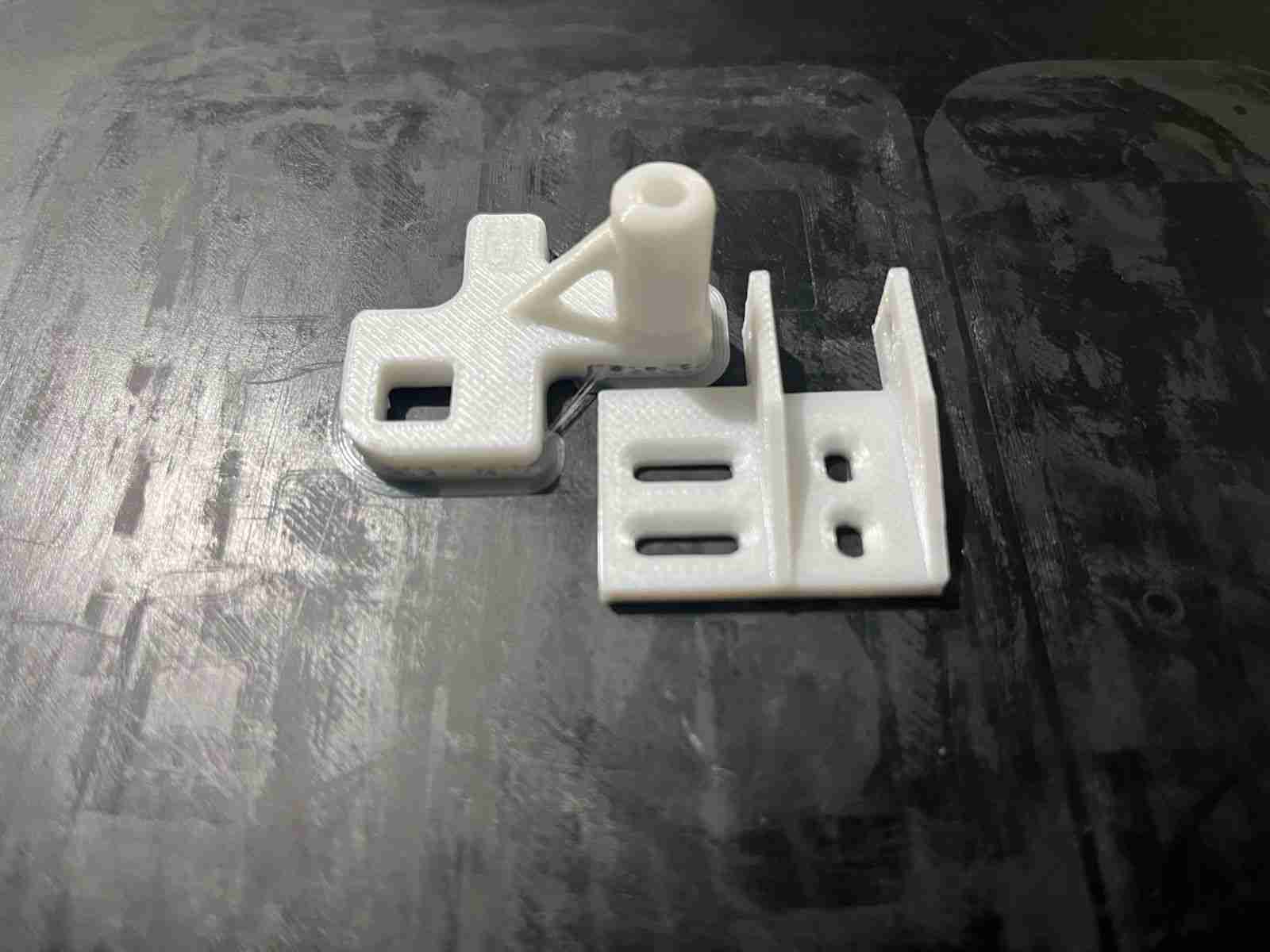
KIT CADENA DE ARRASTRE K1 DRAG CHAIN | 3D models download | Creality Cloud
Kit de modificación para la cadena de arrastre de la creality K1, evita que choque con la estructura.
Se debe imprimir otros accesorios.
Modification kit for the Creality K1 drag chain, prevents it from colliding with the structure.
Other accessories must be printed.
i think its the chain link you need
grizzled hawk
limpid abyss
https://www.crealitycloud.com/model-detail/650e8900e05737433829ea2f
Look at the other side of the cable chain
that side is fine
Im talking about the otherside
limpid abyss
the part that mounts to the back of the printer then the chain hooks to it?
grizzled hawk
limpid abyss
the part that mounts to the back of the printer then the chain hooks to it?
Yea
That part
limpid abyss
grizzled hawk
Yea
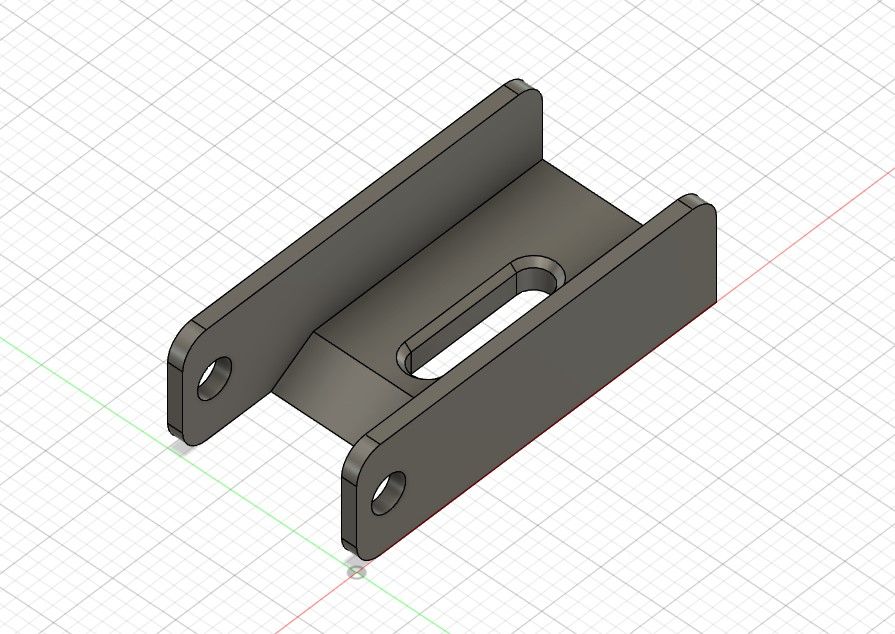
K1 chain end clip connector upgrade | 3D models download | Creality Cloud
The chain end clip that comes stock on the K1 is extremely flimsy and also restricts the movement of the last link in the chain. This upgrade fixes those issues.
print with filament of your choice
im not sure how well this will hold up but there is a drag chain delete project https://www.crealitycloud.com/model-detail/6563be59867d4f47bae5ea2a?source=5&isFree=false
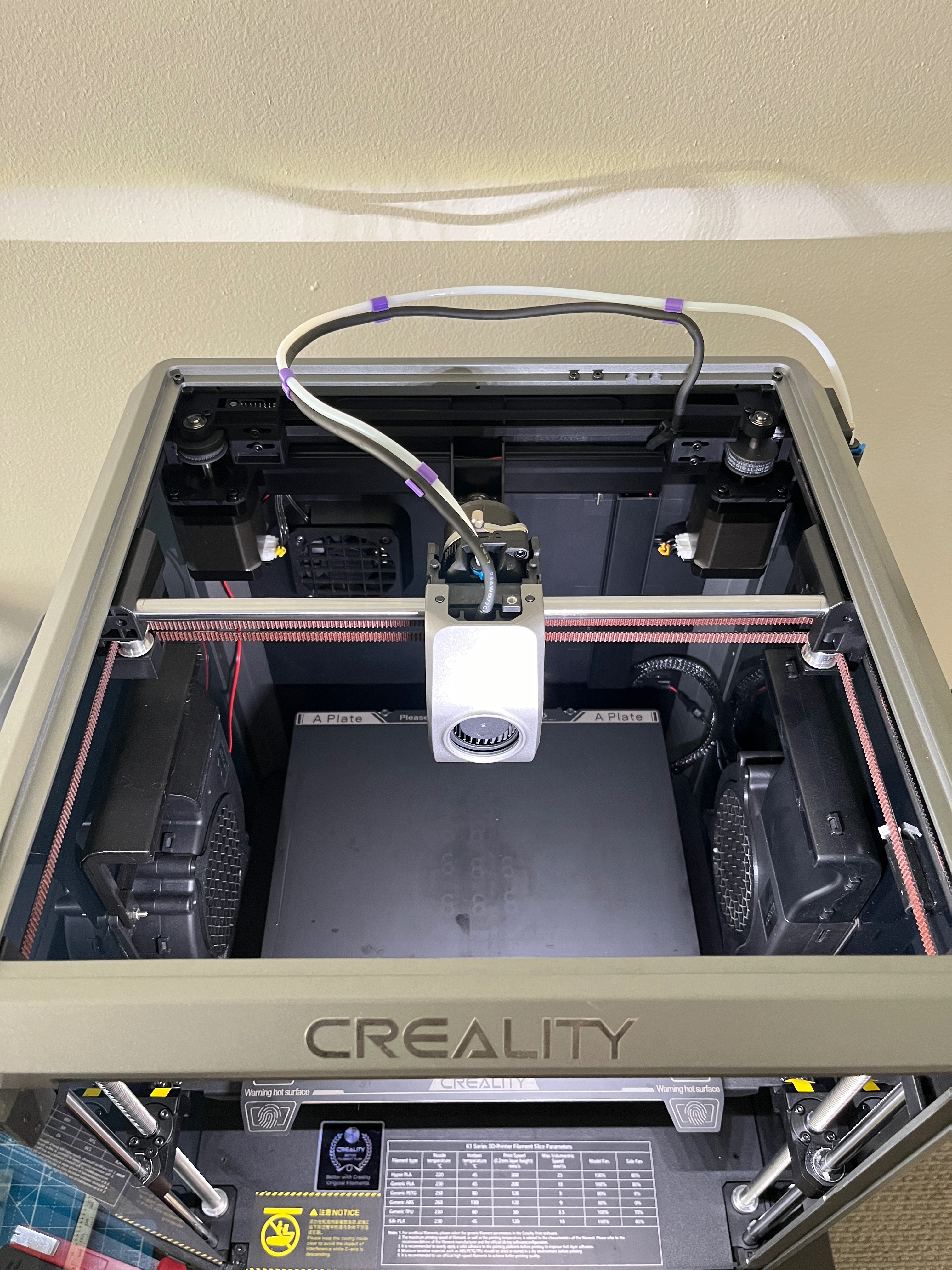
Creality K1 chain delete | 3D models download | Creality Cloud
If you have trouble with the chain or run the K1 without the lid at all this would be an option for you. I run one of my K1 without a lid and the chain was bothering me. I have seen this design on some printers and thought to make my own quick design.
Please print in PETG, ABS or ASA and 0.2 layerhight
You need to remove the Faceplate and the c...
grizzled hawk
limpid abyss
https://www.crealitycloud.com/model-detail/6567fbc7867d4f47baf3752f?source=5&isF...
this one works ty
Also how do you recommend doing callibration for new filament?
I just got some PolyTerra Matte PLA
and its printing wonky
somber forge
temp tower
grizzled hawk
somber forge
temp tower
Printing that right now
limpid abyss
some people do a lot of testing but if its something new i just do temp tower, flow rate, then pressure advance.
grizzled hawk
limpid abyss
some people do a lot of testing but if its something new i just do temp tower, f...
oki
limpid abyss
for any tuning i ussually stick to ellis guide. there are others that work. this is just my prefered spot https://ellis3dp.com/Print-Tuning-Guide/
grizzled hawk
limpid abyss
for any tuning i ussually stick to ellis guide. there are others that work. this...
 grizzled hawk
limpid abyss
for any tuning i ussually stick to ellis guide. there are others that work. this...
Each side is different what should I do then?


 limpid abyss
i never have good luck with the towers. i've always got good results with the pattern method. https://ellis3dp.com/Print-Tuning-Guide/articles/pressure_linear_advance/pattern_method.html
if you use orca that has a built in pattern method. just not as many options as ellis but it works.
lavish mauve
somber forge
No just ask in here
how do i make sure if the k1 im looking at is the revisioned model?
also would you recommend k1 or ender 5 s1?
somber forge
K1
lavish mauve
for long term usage
ancient minnow
anyone here using micro swiss hotend ? did u guys change retraction settings? i feel like i get more stringing with this hotend than stock one
tall flume
lavish mauve
how do i make sure if the k1 im looking at is the revisioned model?
Check the extruder lock knob.

New versions have the brushed look. That's a Rev3 in the photo, Rev4 has a better coupler
grizzled hawk
limpid abyss
i never have good luck with the towers. i've always got good results with the pa...
Pattern method looked complicated, I used the creality slicer to do the tower
grizzled hawk
 limpid abyss
grizzled hawk
this doesnt seem right. i would check or slicer settings and the printer.cfg to make sure there is not a pressure advance already set. in your printer.cfg under the extruder settings see if there is a pressure advance already set.
grizzled hawk
limpid abyss
this doesnt seem right. i would check or slicer settings and the printer.cfg to ...
I resetted my printer yst, it’s using crealities default settings
limpid abyss
grizzled hawk
I resetted my printer yst, it’s using crealities default settings
by default creality may have a pressure advance set in the printer.cfg. i'm not sure, i haven't looked at the default config in a while. if there is one it will be listed under the exstruder section.
grizzled hawk
limpid abyss
by default creality may have a pressure advance set in the printer.cfg. i'm not ...
Oki
limpid abyss
grizzled hawk
Oki
i found a default config online. creality does set a default pressure advance for their hyper pla. you can just comment their settings out. run the test and put in your own values. or keep them commented out and set it in the slicer. example:
max_extrude_only_distance: 1000.0
max_extrude_cross_section: 80
step_pin: nozzle_mcu:PB1
dir_pin: nozzle_mcu:PB0
enable_pin: !nozzle_mcu:PB2
microsteps: 16
rotation_distance: 6.9
nozzle_diameter: 0.400
filament_diameter: 1.750
heater_pin: nozzle_mcu:PB7
sensor_type: EPCOS 100K B57560G104F
sensor_pin: nozzle_mcu:PA0
#pressure_advance: 0.04
#pressure_advance_smooth_time: 0.040
control: pid
pid_Kp: 25.013
pid_Ki: 2.566
pid_Kd: 60.966
min_temp: 0
max_temp: 320```(pound)# will comment out a line
grizzled hawk
limpid abyss
i found a default config online. creality does set a default pressure advance fo...
Ah will do tyvm
limpid abyss
once you have everything tuned you you can leave the pressure_advance_smooth_time at 0.040 that is the default setting. that is for how far ahead the printer looks. 0.040 = 40ms
tall flume
limpid abyss
this doesnt seem right. i would check or slicer settings and the printer.cfg to ...
It's matte filament. I experience similar PA weirdness with it
I would go by the test and set it to basically 0 as it suggests - specifically for that matte filament.
late trail
@wide blaze
 wide blaze
hi
ancient minnow
@tall flume did u recalibrate e-steps on K1 after upgrading to swiss hotend ?
i have under extrusion, and i don't know where to change e-steps settings
on my ender3v2 neo it was easy to play with it
tall flume
ancient minnow
<@174751450075758594> did u recalibrate e-steps on K1 after upgrading to swiss h...
I don't have one and it wouldn't affect esteps
 ancient minnow
@limpid abyss did u change any settings after upgrading too swiss hotend ?
limpid abyss
ancient minnow
<@125757472202817536> did u change any settings after upgrading too swiss hoten...
sorry i know this is a little late. all i did was a PID hotend tune. takes like 5 minutes.
ancient minnow
thanks
grizzled hawk
limpid abyss
sorry i know this is a little late. all i did was a PID hotend tune. takes like ...
Do i need to do anything apart from recallibrating bedmesh after installing a textured pei build plate?
tall flume
grizzled hawk
Do i need to do anything apart from recallibrating bedmesh after installing a te...
Nope, shouldn't need to change anything.
limpid abyss
i keep looking at the POE textured build plates with the patterns in them. just haven't picked one yet.
somber forge
I do kinda wonder if I cld just use my pei sheet from my e3 pro on my k1
Besides the nozzle cleaning area they r the same
ancient minnow
do you guys know where i can change the coordinates of the first line purge the printer does before print (even before bed mesh)
gilded breach
ancient minnow
do you guys know where i can change the coordinates of the first line purge the ...
Start gcode or start print macro depending on how the hell creality mutilated Klipper
Or use KAMP
ancient minnow
i'm using KAMP, i have the line purge, but before it starts to calibrate bed, it does another small line purge. i would like to change coordinates of that small line purge, because i want to use a PEI sheet bed that has no "slots" as the K1
so i can't place it properly, where it does the first line purge
gilded breach
When it does both its probably in the slicer start gcode or they implemented it somewhere completely different 🙈
limpid abyss
ancient minnow
i'm using KAMP, i have the line purge, but before it starts to calibrate bed, it...
i also tried finding the nozzle wipe settings. i wanted to change the location and add a wire brush for the wipe. i seen it being referred to in the the start print macro in macro cfg but the location settings are not there. some of the start up configs are in python and i think this is where it is located. im going to do more digging around but i was not able to find it in the normal cfg files.
limpid abyss
its referred to in the start print macro as CX_NOZZLE_CLEAR. there is also CX_Draw_one_Line in a few spots to. just need to find out where these are pointing to.
ancient minnow
please tell me if u find where it is
lavish mauve
tall flume
i think mine is shiny
the seller said it was the revised edition but not the latest revision
it also ahs the black sock
it did the speed test print fine
but wihle calibratring it hit the rightr corrner near the door, each time it calibrated including the initial self check wehn you first open the printer out of box..
lavish mauve
is there like a wya to check by the serial number etc?
limpid abyss
lavish mauve
is there like a wya to check by the serial number etc?
you can just post a picture someone here will let you know.
cunning bolt
Anyone have issues with error code 2507 for nozzle not heating at all? If so was it wires or did you damage the heating element
limpid abyss
cunning bolt
Anyone have issues with error code 2507 for nozzle not heating at all? If so was...
i haven't had this issue myself but everything i can find says its a hotend issue
i did find this but can't vouch if it works or not https://www.youtube.com/watch?v=iw4gE0VkDPo
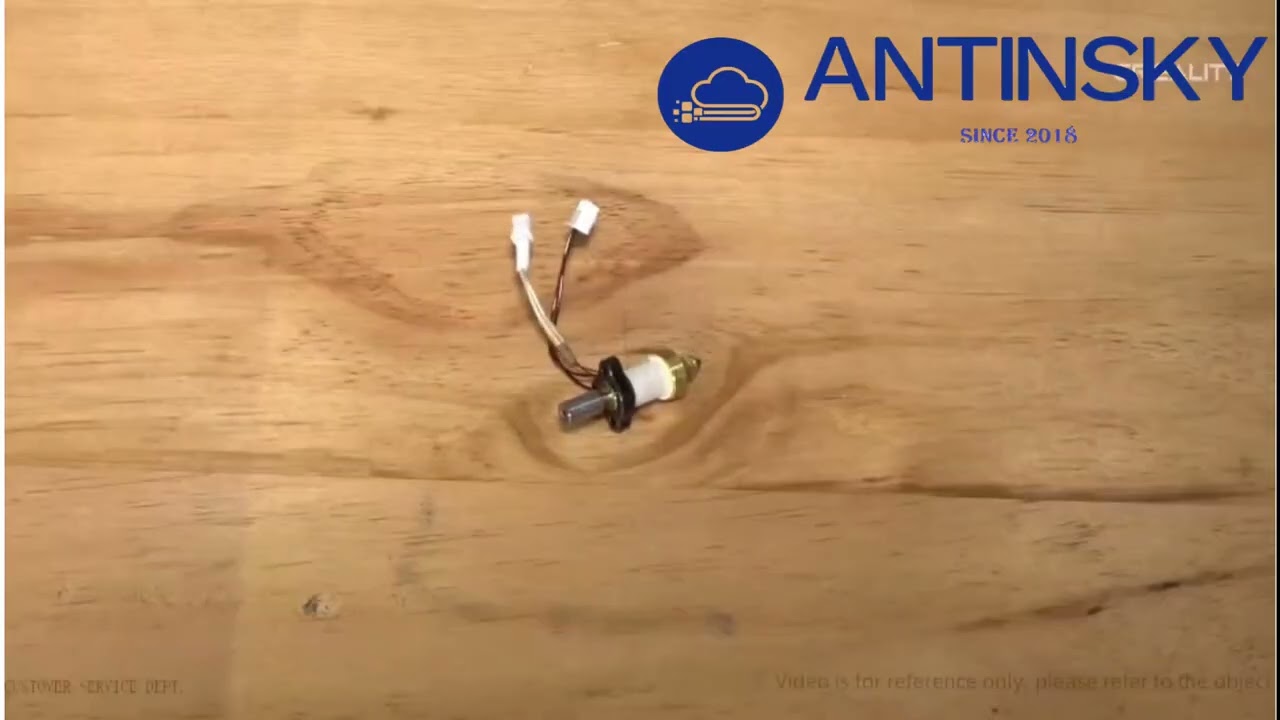
For detailed instructions and remote tutorials, please contact [email protected]
More 3D Print Knowledge Please Click
https://antinsky.com/blogs/3d-technology
More about 3D printing technology click on the link
https://yv25386089-1.jz.fkw.com/
cunning bolt
Yeah I think I damaged the ceramic heating element
Because it wont even start heating
ancient minnow
i think i had that error, restarted printed, all good
or i did factory reset, and it was all good
cunning bolt
That’s weird. I just changed my nozzle and it threw that error but I did some other damage so I’m getting a new extruder assembly
lavish mauve
tall flume
New versions have the brushed look. That's a Rev3 in the photo, Rev4 has a bette...


 limpid abyss
ancient minnow
please tell me if u find where it is
i have some info to dump might take a min. i have not found the solution yet but i think im close. i have hit a small dead end thats why im dumping my findings so maybe others can help. just give me a min to get this typed out.
lavish mauve
Does this look brushed? İt does to me
But for some reason my hotend sock is black, not red
And
 tall flume
lavish mauve
That's a rev3
limpid abyss
here is my current findings for trying to change the wipe location. creality went kind of bonkers on this. i've followed this path through a lot of files. i don't pretend to be any professional at any of this so if im looking at something wrong just let me know. i found the start of this in the gcode_macro.cfg
variable_prepare: 0
gcode:
  WAIT_TEMP_END
  CLEAR_PAUSE
  {% set g28_extruder_temp = printer.custom_macro.g28_ext_temp %}
  {% set bed_temp = printer.custom_macro.default_bed_temp %}
  {% set extruder_temp = printer.custom_macro.default_extruder_temp %}

  {% if 'BED_TEMP' in params|upper and (params.BED_TEMP|float) %}
    {% set bed_temp = params.BED_TEMP %}
  {% endif %}

  {% if 'EXTRUDER_TEMP' in params|upper and (params.EXTRUDER_TEMP|float) %}
    {% set extruder_temp = params.EXTRUDER_TEMP %}
  {% endif %}

  {% if printer['gcode_macro START_PRINT'].prepare|int == 0 %}
    {action_respond_info("not prepare.\n")}
    PRINT_PREPARE_CLEAR
    CX_ROUGH_G28 EXTRUDER_TEMP={extruder_temp} BED_TEMP={bed_temp}
    CX_NOZZLE_CLEAR
    ACCURATE_G28
    CX_PRINT_LEVELING_CALIBRATION
  {% else %}
    PRINT_PREPARE_CLEAR
  {% endif %}

  CX_PRINT_DRAW_ONE_LINE
i beleve the CX_NOZZLE_CLEAR line is what is needed.
i could not find that in any other cfg file. so i logged in as root and started looking deeper into the file system. then i found a file in python called custom_macro.py that had this:
then it calls for nozzle_clear. this is where i started running into issues. i found pointer and i believe the info needed is in a file called prtouch_v2_compile.c but this is written in C and its compiled. C is really not my thing. my coding stops at python and java. there might be a repository for this on the creality github but i have not been able to find it yet. their github is not organized at all and their repository is huge. @ancient minnow
this github contains the whole k1 file system. so it makes it easier to look through files https://github.com/CrealityOfficial/K1_Series_Klipper/tree/2a4ee4128299dc38f5dd49edec3b63f6b440e0a3
GitHub
clone from https://github.com/Klipper3d/klipper/. Contribute to CrealityOfficial/K1_Series_Klipper development by creating an account on GitHub.
lavish mauve
tall flume
That's a rev3
How many revs there has been? İs rev 3 with like brushed knob and black silicone?
As in am I in the clear for the revision I have
tall flume
lavish mauve
How many revs there has been? İs rev 3 with like brushed knob and black silicone...
Rev3 extruder, I am not sure how many revisions the actual units have gone through
Black silicone hotends are what I have, the only issues with them is that the thermistor isn't super reliable. The red sock ones have a crimped barrel thermistor that is less prone to failing.
lavish mauve
Hmm, but thermistors are easy to change, no?
lavish mauve
tall flume
Black silicone hotends are what I have, the only issues with them is that the th...
İf that's the only issue then won't RMA it, they will still give me 2 years of service and fixes for free, where I will just ask for a better thermistor/pay for part and grt free install
Also, do you know what would be the max/optimals speed for normal pla?
I think only hyper pla is ok for high speeds as in 450-600mm/s
tall flume
lavish mauve
Also, do you know what would be the max/optimals speed for normal pla?
For my quality stuff I generally run 80-150, but you can definitely print normal PLAs at 200-300 and hyper at like 400 given you're willing to sacrifice wall quality (stuff that is mostly functional and less aesthetic)
lavish mauve
tall flume
For my quality stuff I generally run 80-150, but you can definitely print normal...
Yeah, I like the hexagonal grid wall thing, and since that one si mostly straight lines on a grid, I will try that on şile 500, it wknt have any details to lose snyways
limpid abyss
i believe there are 4 extruders right now. rev3 was the black sock with the blue clip and the small hole in the top right face. there is a rev4 but these are very new. white sock, no blue clip, hole in front upper right corner. the white sock on theses ones are very stiff so the blue clip got removed. i think the tougher sock spring is the only difference between v3 and v4
lavish mauve
This, the black part on wall seems like it would be easy to print at high speeds with no issues
 lavish mauve
limpid abyss
i believe there are 4 extruders right now. rev3 was the black sock with the blue...
So you think mine is actually okay? I thought I somehow got a non revised version
As for example these are my knobs


Looks brushed to me
Also seems to have the plastic insert next to the knob
tall flume
lavish mauve
As for example these are my knobs
Those are definitely the revised version.
I have an old version knob somewhere to compare... one sec.
lavish mauve
Thank you!
Then it seems I'm in the clrsr
Now to print the riser for the ceiling because THE FUCKING GANTRYCABLE ORGANİSER THİNG
Also
İs this normal while calibrating?
I heard k1 uses snsorless homing to it actually needs to hit
But people seem to decrease homing speed form 36 to 32 to make it not as harsh
limpid abyss
derra is correct you do have a revised version. if you really want to double check the area in red just pops off. then where the green spot is there should be a really small hole there under that cover
 tall flume

@lavish mauve This is a photo of the old extruder portion.
Also yes it should kinda' tap the front right when it's homing, I don't have audio enabled but figure that's what you're referring to?
lavish mauve
tall flume
Yeah when I see both, I can see the difference
İt was just that the brushed one was also shiny-ish by itself lol
lavish mauve
tall flume
Also yes it should kinda' tap the front right when it's homing, I don't have aud...
Yes, but it taps kinda hard
Like hits, not taps
Not like shakşmg the door etc
tall flume
Yep, mine do too
lavish mauve
But still
Oh okay then
Then I also recommend you to reduce homing speed from 36 to 32
Same function, less violent operstion
lavish mauve
How often do you calibrate befor prints btw?
I used to have an ender 3 pro like I didn't use for 2 years so I don't know how often it needs
limpid abyss
lavish mauve
But people seem to decrease homing speed form 36 to 32 to make it not as harsh
im at work now but im pretty sure those settings are in the sensorless.cfg ive been doing nothing but looking at files for this thing tracking down the hotend clean location settings
lavish mauve
limpid abyss
im at work now but im pretty sure those settings are in the sensorless.cfg ive b...
They might be on the settings itself of the printer
Because people were suggesting it very nonchalantly like it was just a setting to change like heat
tall flume
lavish mauve
How often do you calibrate befor prints btw?
I have KAMP so it does a mesh for every print
As for shaper stuff that should not be changing often, if at all
lavish mauve
tall flume
I have KAMP so it does a mesh for every print
I saw a setting on printing page wher I can set it to calibrate before the print right before I commit the printing
What is kamp?
Oh it's klipper
tall flume
The machine already runs Klipper
KAMP is just a macro that sets up a mesh based on the actual size of the print and makes a new one just in the printed area
Klipper Adaptive Mesh Protocol
lavish mauve
Sounds p cool
I remember kn older times with bl touch
Most people would install bl touch and add the code to start of gcode
But forget to add the part where it would save the new crested mesh and use it
So they didn't use it at all, it made the mesh but not save it to memory lol
limpid abyss
@ancient minnow dont get to excited but i may have found it. need to test when i get home
    def cmd_CX_PRINT_DRAW_ONE_LINE(self, gcmd):
        self.gcode.run_script_from_command('M83')
        self.gcode.run_script_from_command('G1 X10 Y10 Z2 F6000')
        self.gcode.run_script_from_command('G1 Z0.1 F600')
        self.pheaters = self.printer.lookup_object('heaters')
        self.heater_hot = self.printer.lookup_object('extruder').heater
        self.gcode.respond_info("can_break_flag = %d" % (self.pheaters.can_break_flag))
        self.gcode.run_script_from_command('M104 S%d' % (self.extruder_temp))
        self.gcode.run_script_from_command('M140 S%d' % (self.bed_temp))
        self.pheaters.set_temperature(self.heater_hot, self.extruder_temp, True)
        self.gcode.respond_info("can_break_flag = %d" % (self.pheaters.can_break_flag))
        while self.pheaters.can_break_flag == 1:
            time.sleep(1)
        self.gcode.respond_info("can_break_flag = %d" % (self.pheaters.can_break_flag))
        if self.pheaters.can_break_flag == 3:
            self.pheaters.can_break_flag = 0
            self.gcode.respond_info("can_break_flag is 3")
            self.gcode.run_script_from_command('G21')
            self.gcode.run_script_from_command('G1 F2400 E-0.5')
            self.gcode.run_script_from_command('SET_VELOCITY_LIMIT SQUARE_CORNER_VELOCITY=5')
            self.gcode.run_script_from_command('M204 S12000')
            self.gcode.run_script_from_command('G21')
            self.gcode.run_script_from_command('SET_VELOCITY_LIMIT ACCEL_TO_DECEL=6000')
            # self.gcode.run_script_from_command('SET_PRESSURE_ADVANCE ADVANCE=0.04')
            # self.gcode.run_script_from_command('SET_PRESSURE_ADVANCE SMOOTH_TIME=0.04')
            self.gcode.run_script_from_command('M220 S100')
            self.gcode.run_script_from_command('M221 S100')
            self.gcode.run_script_from_command('G1 Z2.0 F1200')
            self.gcode.run_script_from_command('G1 X0.1 Y20 Z0.3 F6000.0')
            self.gcode.run_script_from_command('G1 X0.1 Y180.0 Z0.3 F3000.0 E10.0')
            self.gcode.run_script_from_command('G1 X0.4 Y180.0 Z0.3 F3000.0')
            self.gcode.run_script_from_command('G1 X0.4 Y20.0 Z0.3 F3000.0 E10.0')
            self.gcode.run_script_from_command('G1 Y10.0 F3000.0')
            self.gcode.run_script_from_command('G1 Z2.0 F600.0')
            self.gcode.run_script_from_command('G1 Z0.3 F600.0')
            self.gcode.run_script_from_command('G1 Z2.0 F600.0')
            # self.gcode.run_script_from_command('G1 X0.4 Y10.0 Z0.3 F6000.0')
            self.gcode.run_script_from_command('M82')
            self.gcode.run_script_from_command('G92 E0')
            # self.gcode.run_script_from_command('G1 Z2.0 F600')
            self.gcode.run_script_from_command('G1 F12000')
self.gcode.run_script_from_command('G21')```They still do that😅
lavish mauve
:P thats why "tips" in any hoppy always işncrease in numbers but never get old
when you get used/familiar to something its easy to forget that people new to it doont know the "simple" parts
cunning bolt
anyone who has dealt with creality replacing parts under warranty for their K1 how long did it take for a shipping notification to appear
It’s been 3 days and nothing has been sent to me letting know it’s even been started to be worked on.
Would be nice to have my printer back…
tall flume
cunning bolt
It’s been 3 days and nothing has been sent to me letting know it’s even been sta...
3 days including the weekend?
cunning bolt
tall flume
3 days including the weekend?
Yes
tall flume
Then it hasn't even been one business day
Weekends won't count
I'd expect a week probably
limpid abyss
cunning bolt
anyone who has dealt with creality replacing parts under warranty for their K1 h...
i had an old extruder with mine. after i contacted customer service it took about 3 weeks to get my new part.
limpid abyss
spent some time manually tramming the bed. think this is as close as im going to get it with a 300 x 300 bed
 somber forge
limpid abyss
i had an old extruder with mine. after i contacted customer service it took abou...
What did u ask them?
To get them to send it
tall flume
somber forge
What did u ask them?
You email them with photos of the original extruder and your serial#\receipt and ask for a replacement
 tribal mortar
I want to print toxic filament and I’m currently printing the activated carbon filter. Is the door gap an issue? How often do i have to change the activated carbon? How do i know it’s working right?
gilded breach
tribal mortar
I want to print toxic filament and I’m currently printing the activated carbon f...
Please define "toxic" 😅
You want a recirculating carbon filter, not a filtered exhaust.
somber forge
What u want is an exhaust that puts the air outsidr
gilded breach
somber forge
What u want is an exhaust that puts the air outsidr
Or that
limpid abyss
somber forge
What did u ask them?
i did what @tall flume said. it was all through email. i told them i had one of the original extruders and i was having feeding issues and i was looking for one of the new replacements. they had me take a picture of the extruder and the serial number on the unit and 3 weeks later a new one showed up.
if you want a carbon filter that recirculates the nevermore works very well. i have one sitting in the bottom of my k1. same thing i use for my voron. https://github.com/nevermore3d/Nevermore_Micro
GitHub
Activated Carbon Filters. Bad smells or fumes, or complaints thereof, should not keep you from being a maker! - GitHub - nevermore3d/Nevermore_Micro: Activated Carbon Filters. Bad smells or fumes, ...
if you use a filter that recirculates just make sure you use good carbon. they cheap stuff will cause metal parts in your printer to oxidize.
tribal mortar
I talked with my dad and he wants only direct exhaust, but i still need to seal the door and such. Any tips?
limpid abyss
tribal mortar
I talked with my dad and he wants only direct exhaust, but i still need to seal ...
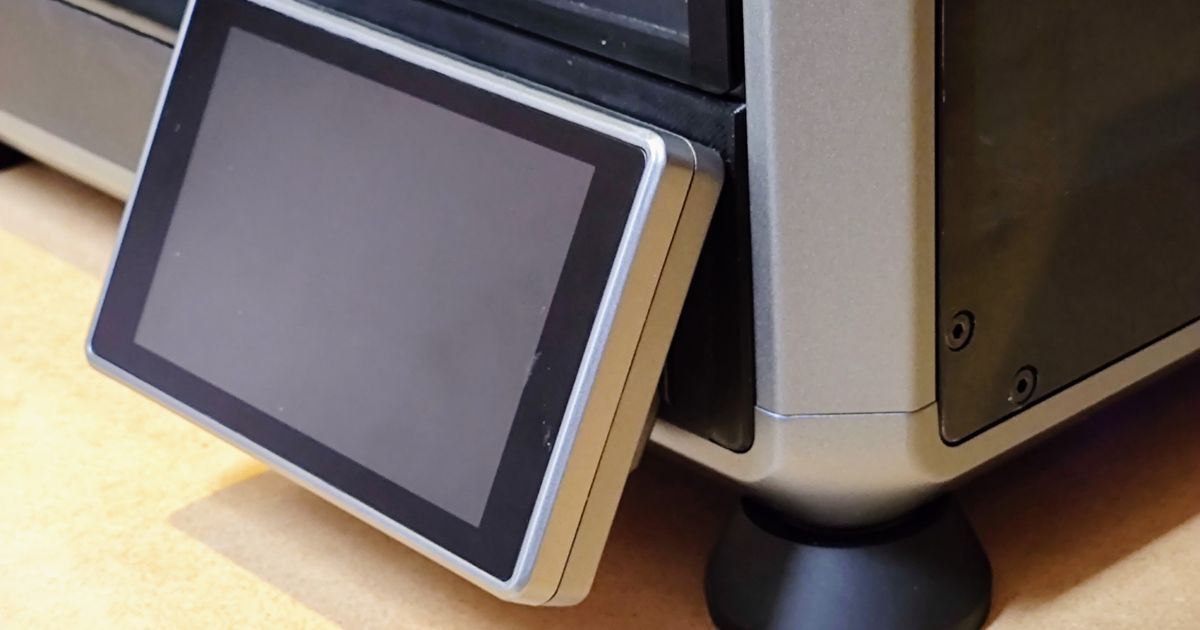
Printables.com
This helps to reduce a bit noises and heat losses when printing with high temp filaments. | Download free 3D printable STL models
but you dont have to worry about it to much. if you are using an exhaust the static pressure should be enough to stop most leaks
gilded breach
tribal mortar
I talked with my dad and he wants only direct exhaust, but i still need to seal ...
Duct tape.... what material do you want to print?
limpid abyss
^^^ valid point. if you are only going to stick to pla. there is no point as you need to keep the lid off to print pla.
gilded breach
Still no word on what they meant with "toxic filament". Can be everything from ABS to fluorinated cyberplastic🤷
tribal mortar
gilded breach
Duct tape.... what material do you want to print?
I wanna try a lot of different things, but it includes abs, pc, nylon and carbon fiber pla
gilded breach
Have lots of fun and patience 👍
And a good way of drying the filament and keeping it that way
 tight glade
anyone know why my k1 aint extruding? like i’ve pushed the filiment in and it would come out but it won’t purge or anything
grizzled hawk
tight glade
anyone know why my k1 aint extruding? like i’ve pushed the filiment in and it wo...
lock
tight glade
the locks fine i think
filiment came out but it just wont extrude
to print
although i’ll try that tommrow
gilded breach
tight glade
just turned it on and the screens black
If you work through the screen issue, have you tried taking the bowden tube from the Cable chain?
tight glade
sending the printer back, seems like we had a faulty one (possibly)
tight glade
want to get myself a pei bed will this fit?
 somber forge
Anyone know if you update the printer will you need to re root it and such?
tall flume
somber forge
Anyone know if you update the printer will you need to re root it and such?
The newest updates include root functionality right in the menus
Just go to settings then enable root, have to wait 30sec to press yes
somber forge
tall flume
The newest updates include root functionality right in the menus
but will i have to reinstall everything?
tall flume
somber forge
but will i have to reinstall everything?
I had to redo some of the printer.cfg stuff I believe
somber forge
ah ok so ill just back everything up
tall flume
But yeah basically
somber forge
but i wont need to redo the k1 installer thing
somber forge
thank you
tall flume
I haven't updated for exactly that reason haha
tall flume
Newest K1 print
 tight glade
just got my new k1 up and running, seems like we had recieved an old/returned one before
just trying to connect it to creality cloud
tight glade
tall flume
Newest K1 print
that’s fucking dope
tall flume
tight glade
that’s fucking dope
Thanks lol
tight glade
tall flume
Thanks lol
how do you slice?
tall flume
I use OrcaSlicer with some custom profiles
tall flume
Yep, I set it up with wireless printing but that requires adding Mainsail and such
Unless you use Creality Print
tight glade
tall flume
Unless you use Creality Print
how do i do that?
i’ve just got it working on my phone
uhhh so it’s in the wrong language
 gilded breach
tight glade
uhhh so it’s in the wrong language
你好😊
tall flume
tight glade
uhhh so it’s in the wrong language
I recall mine being like that initially just have to swap it to English
tight glade
tall flume
I recall mine being like that initially just have to swap it to English
yeah i just found if i installed it from the website it went straight to english wierdly
 drifting hingeBOT
This post has been closed due to inactivity.
This post has been inactive for over 1 hour and so has been closed. To reopen this post simply send another message.
drifting hingeBOT
This post has been closed due to inactivity.
This post has been inactive for over 1 hour and so has been closed. To reopen this post simply send another message.
 turbid blaze
Anyone else having this issue with the bed level? It seems to be software related and I honestly don't know how to fix it. Should I just wait for the next update?
 gilded breach
turbid blaze
Anyone else having this issue with the bed level? It seems to be software relate...
Look at #1190693789820539051 they explain some fixes for that. Good read actually
Also a tilted plate can't be fixed by software 🙈
drifting hingeBOT
This post has been closed due to inactivity.
This post has been inactive for over 1 hour and so has been closed. To reopen this post simply send another message.
turbid blaze

I am not sure what caused this damage, but I am feeling it was the print head/nozzle during the calibration before a print
drifting hingeBOT
This post has been closed due to inactivity.
This post has been inactive for over 1 hour and so has been closed. To reopen this post simply send another message.
drifting hingeBOT
This post has been closed due to inactivity.
This post has been inactive for over 1 hour and so has been closed. To reopen this post simply send another message.
somber forge
ok
lets bring TS back
i got some questions

the webcam section is black
but when i go to the URL

it works fine

(dont mind me drying filament lol)

these are my settings
im planning to add my old USB webcam for a second cam from the outside
but thats a later thing
tall flume
somber forge
Change those to the full url with the port and such
somber forge
tall flume
Change those to the full url with the port and such
didnt work
tried with and without http://
nvm
im just stupid
and put https
now it works
thanks sm
tall flume
tall flume
I hadn't a clue unfortunately
drifting hingeBOT
This post has been closed due to inactivity.
This post has been inactive for over 1 hour and so has been closed. To reopen this post simply send another message.
somber forge
ok
more questions lol
tailscale?
im trying to install it
as mainsail doesnt like to work when portforwarded
and security
but i gotta figure out how to install it
tall flume
somber forge
as mainsail doesnt like to work when portforwarded
Oh god please don't port forward Mainsail
Haven't used tailscale but Octoeverywhere is available on the K1
somber forge
octoeverywhere never rlly worked for me
whats wrong w the portforwarding besides the security aspect
tall flume
somber forge
whats wrong w the portforwarding besides the security aspect
Just that, the security aspect.
Mainsail isn't designed to be secure by any means
somber forge
tall flume
Just that, the security aspect.
yea fosho
dyk what varient of linux the k1 runs
or what its closest to


those are the options
drifting hingeBOT
This post has been closed due to inactivity.
This post has been inactive for over 1 hour and so has been closed. To reopen this post simply send another message.
 plain parrot
hey, considering getting a k1. anything i should worry about or consider
somber forge
uh
try and get a the new revison
and when u get it i reco installing mainsail/fluidd
also has anyone gotten the timelapse to work with the mainsail thing
not the creality one
i uncommented the stuff in timelapse.cfg
drifting hingeBOT
This post has been closed due to inactivity.
This post has been inactive for over 1 hour and so has been closed. To reopen this post simply send another message.
somber forge
its kinda crazy how big this thread got tho lol
drifting hingeBOT
This post has been closed due to inactivity.
This post has been inactive for over 1 hour and so has been closed. To reopen this post simply send another message.
 drifting hingeBOT
This post has been closed due to inactivity.
This post has been inactive for over 1 hour and so has been closed. To reopen this post simply send another message.
somber forge
Bump
drifting hingeBOT
This post has been closed due to inactivity.
This post has been inactive for over 1 hour and so has been closed. To reopen this post simply send another message.
somber forge
somber forge
also has anyone gotten the timelapse to work with the mainsail thing
bump
drifting hingeBOT
This post has been closed due to inactivity.
This post has been inactive for over 1 hour and so has been closed. To reopen this post simply send another message.
turbid blaze


After tons of levelling, I still can't seem to print anything from one corner to another. I would love to hear some solutions to fix this problem.
I am planning on getting springs and knobs to adjust each corner individually, although, I am unsure if it will actually fix the print bed issue. It looks pretty curvy.
drifting hingeBOT
This post has been closed due to inactivity.
This post has been inactive for over 1 hour and so has been closed. To reopen this post simply send another message.
 spare rapids
Hey all, this thread has been my go to for help, so i am bumping. Can I solder this or attach with adhesive? I am worried i am screwed here. Tried to take off the heat sock and it was stuck on there hard. this came loose.
 drifting hingeBOT
This post has been closed due to inactivity.
This post has been inactive for over 1 hour and so has been closed. To reopen this post simply send another message.
plain parrot
having some trouble with bed adhesion and layer shifting. im using a textured pei sheet
gilded breach
spare rapids
Hey all, this thread has been my go to for help, so i am bumping. Can I solder ...

If this is the actual wire you might be able to reconnect it. It looks like its attached or held in place with an electrically conductive adhesive
Theres some kind of conductive silver paint available but no idea if thats able to withstand the heat and is safe to use.
drifting hingeBOT
This post has been closed due to inactivity.
This post has been inactive for over 1 hour and so has been closed. To reopen this post simply send another message.
ancient minnow
hi guys, today i did 1.3.3.5 update that Creality was forcing me to do, and i noticed that i lost the KAMP settings. do i need to root the printer again and install all those settings ?
drifting hingeBOT
This post has been closed due to inactivity.
This post has been inactive for over 1 hour and so has been closed. To reopen this post simply send another message.
cunning bolt
Has anyone done the cable chain delete? Curious how it went