#Ender 3V2 Print Problem after Mriscoc Firmware Update

1 messages · Page 1 of 1 (latest)

errant ravine
#

Hello I need your help. I have installed the new firmware from Mriscoc on my ender 3v2.

https://youtu.be/pxBGBjLC2rk?feature=shared

Now I wanted to start my first print with the new version. Now to the problem. The printer makes the first purge line on the left and then moves to the middle to start printing. It prints 1 second and starts up and, according to the display, makes an "Advanced Pause". Then it goes all the way to the right of the print bed and starts to extrude about 5mm of filament. 5 seconds later, the extruder pulls back almost 10 centimeters of filament. The device starts beeping. I should press "continue". then he extrudes the filament very slowly until after 15 seconds filament comes out of the nozzle again. he stops. the display shows "purge" or "continue". with "purge" it continues to extrude filament. with "continue" he continues with the printing. it prints 5 seconds and the whole thing repeats itself from the beginning. Anyone know what's going on? It's not the Gcode file. I have already tried old gcode files. he does it every time.
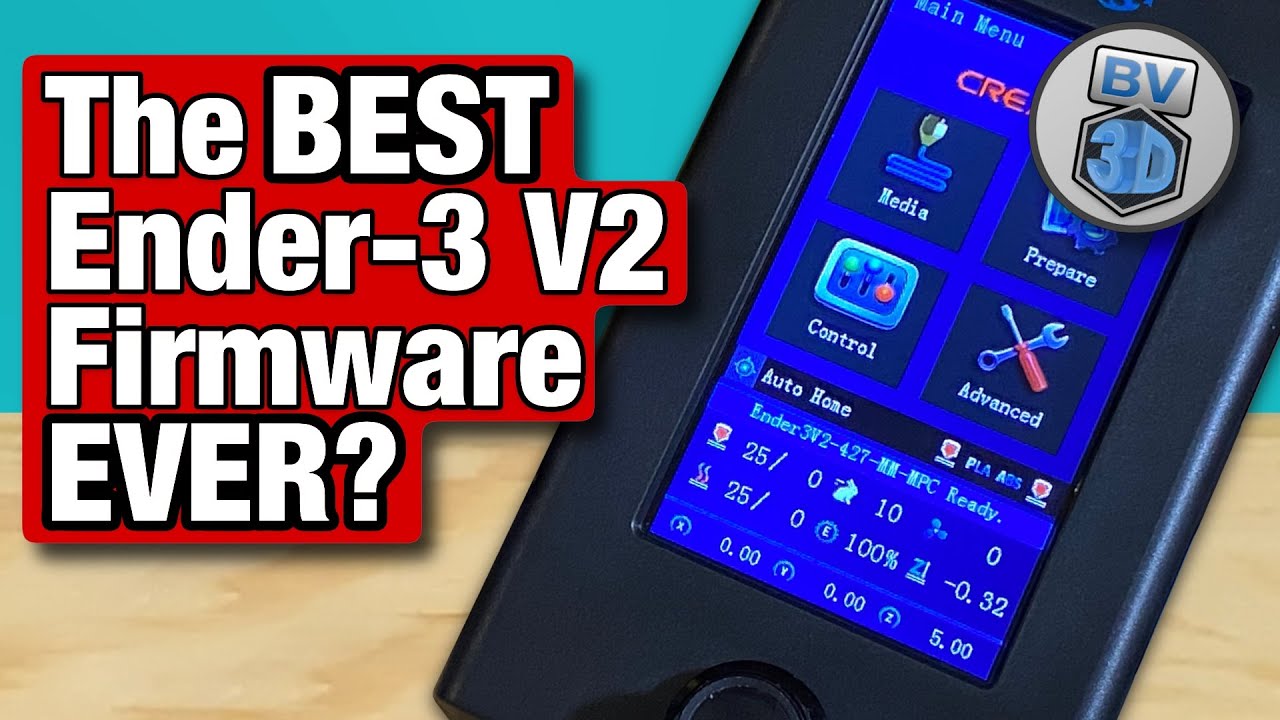
Hello, 3D Printing friends! Today we're going to see how to install the precompiled version of the MRiscoC Professional Firmware for Ender-3 V2 and Ender-3 S1!

Miguel's main GitHub page
• https://github.com/mriscoc

MRiscoC Professional Firmware pages
Main Page: https://github.com/mriscoc/Ender3V2S1
Releases: https://github.com/mriscoc/Ender3V2...

▶ Play video
tired lakeBOT
#
AI Help

It seems like you are experiencing some issues with your Ender 3v2 after installing the new firmware. Here are a few troubleshooting steps you can try:

  1. Check your G-code file: Even though you mentioned that you have tried different G-code files, double-check to ensure they are sliced correctly and compatible with your printer model.

  2. Reset to default firmware settings: If you made any custom changes or modifications to the firmware settings, try reverting back to the default settings and see if the issue persists.

  3. Check for compatibility issues: Verify that the firmware version you installed is specifically designed for your Ender 3v2 model. Using incompatible firmware can lead to unexpected behavior.

  4. Check the extruder and hotend: Make sure there are no clogs or obstructions in the extruder or hotend assembly. Try manually pushing filament through and observing if it flows smoothly.

  5. Calibrate the extruder steps/mm: Incorrect extruder steps/mm settings can cause f...

upbeat fox
#

you need to set the bed parameters, also you may have to do an esteps calibration again (mine defaulted to 93) there's instructions on doing that on the mriscoc firmware page. also in cura (or what ever slicer) change the purge line x location from 1 to 6.

errant ravine
upbeat fox
#

yes, 93 is default, you need to calculate esteps

errant ravine
#

I did a calibration like in the github post

upbeat fox
#

I suspect something in your gcode

#

because that's not standard behavior

errant ravine
#

To have the Standard settings from new firmware

upbeat fox
#

you could but you would want to ensure you have the correct settings saved somewhere as some stuff isn't going to change

#

like your offsets

errant ravine
upbeat fox
#

you would look at your gcode for that

#

you might have some "pause at x" macro running

errant ravine
#

Is the gcode in my slicer? I have never done it before

upbeat fox
#

yes

#

it saves the gcode

#

which slicer?

errant ravine
#

Cura

#

But i have a lot of old print files on my SD Card. He does this even on the old files

#

And before firmware update i printed them all

upbeat fox
#

Old files have different gcode for your old firmware

#

Using the new firmware on a freshly sliced model

errant ravine
#

So what should i change in my cura slicer?

errant ravine
upbeat fox
#

though i would change these lines

G1 X0.1 Y200.0 Z0.3 F1500.0 E15 ; Draw the first line
G1 X0.4 Y200.0 Z0.3 F5000.0 ; Move to side a little
G1 X0.4 Y20 Z0.3 F1500.0 E30 ; Draw the second line

to this

G1 X5.1 Y20 Z0.3 F5000.0 ; Move to start position
G1 X5.1 Y200.0 Z0.3 F1500.0 E15 ; Draw the first line
G1 X5.4 Y200.0 Z0.3 F5000.0 ; Move to side a little
G1 X5.4 Y20 Z0.3 F1500.0 E30 ; Draw the second line
#

under extensions, post processing scripts do you have anything? I currently have this

#

which if i go to slice something it will do something

#

can you attach one of your gcode files?

errant ravine
#

@upbeat fox

upbeat fox
#

Try removing those two scripts and slicing something new (and small like a calicat or flow cube)

errant ravine
#

I am frustrated... @upbeat fox

upbeat fox
#

did you make the changes to the start script I suggested?

#

weird that you're getting a pause after

errant ravine
#

The Pause is weird

#

I dont know why he does it

upbeat fox
#

do you have a filament sensor?

errant ravine
#

Nope

upbeat fox
#

check the settings for filament sensor in the menus

errant ravine
#

Its a stock printer

#

I disabled runout

#

Maybe i will help

upbeat fox
#

the firmware has functionality for it and if it's set to on it may let you print ab it

#

and then pause

#

so it's off in that pic

errant ravine
#

I disabled it before i made the pic

upbeat fox
#

ok that was probably your problem try again

errant ravine
#

Damn

#

It was the runout button

upbeat fox
#

👍

errant ravine
#

Shit printer

upbeat fox
#

since it is stock I recomend a couple upgrades, a full metal (non creality) hot end, a full metal extruder, and for quality of life a cr touch

errant ravine
#

I installed a new metal extruder yesterday:)

upbeat fox
#

is it the creality one?

errant ravine
#

No a 4€ aliexpress one

upbeat fox
#

so you will need to replace the gear at some point because it wears fast, it's brass

errant ravine
#

It was a extruder kit with new gear

upbeat fox
#

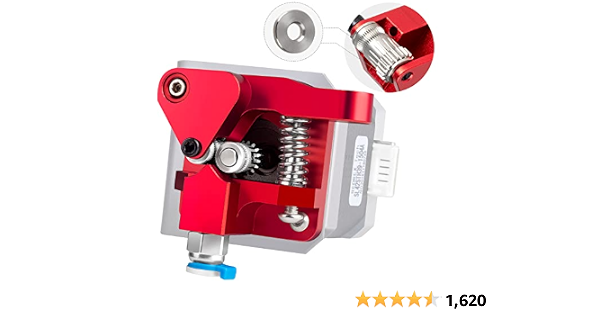
I replaced my extruder with the dual gear one, but you need the double washer on the second gear version

#

yeah it's a clone of the creality one, probably same factory, it has a shitty gear made of brass

#

the brass gear will wear fast.

errant ravine
#

Oh okay i will check it

upbeat fox
#

for the hot end there's a few quality ones, you want all metal, not ptfe lined. you can also possibly buy a bimetal heat break for your current hotend

errant ravine
upbeat fox
#

.de?

errant ravine
#

German yes

upbeat fox
#

I'll show you the one I got from amazon, the important part is it needs 2 washers to prevent it from wearing too fast

#

so similar design but you wat the one with the washers as shown in the first pictures, should be on aliexpress. no hurry, you probably have a couple months or so before the one you have starts to slip

errant ravine
#

thank you. i will buy it, when my extruder starts to work bad

errant ravine
#

Wow. New firmware, new problems😂

upbeat fox
#

basically all the settings have been reset and aren't the same you had before

#

so you need to tune it appropriately

upbeat fox
#

Also since you changed extruder from stock the esteps needed to be done