
#i cant get the perfect first layers and i am using ender 3 s1 with professional frimware
1 messages · Page 1 of 1 (latest)
 ripe moth
 balmy schoonerBOT
ripe moth
I cant get rid of this problem
AI Help
I'm sorry to hear that you're experiencing a problem. Please provide more details about the issue so that I can assist you in troubleshooting your 3D printing problem.
WARNING: This response is AI generated and may contain errors.
 dull dagger
looks like overextrusion or being a bit close to the bed
balmy schoonerBOT
Leveling Your Printer
Here is a handy infographic that will help with levelling your printer.
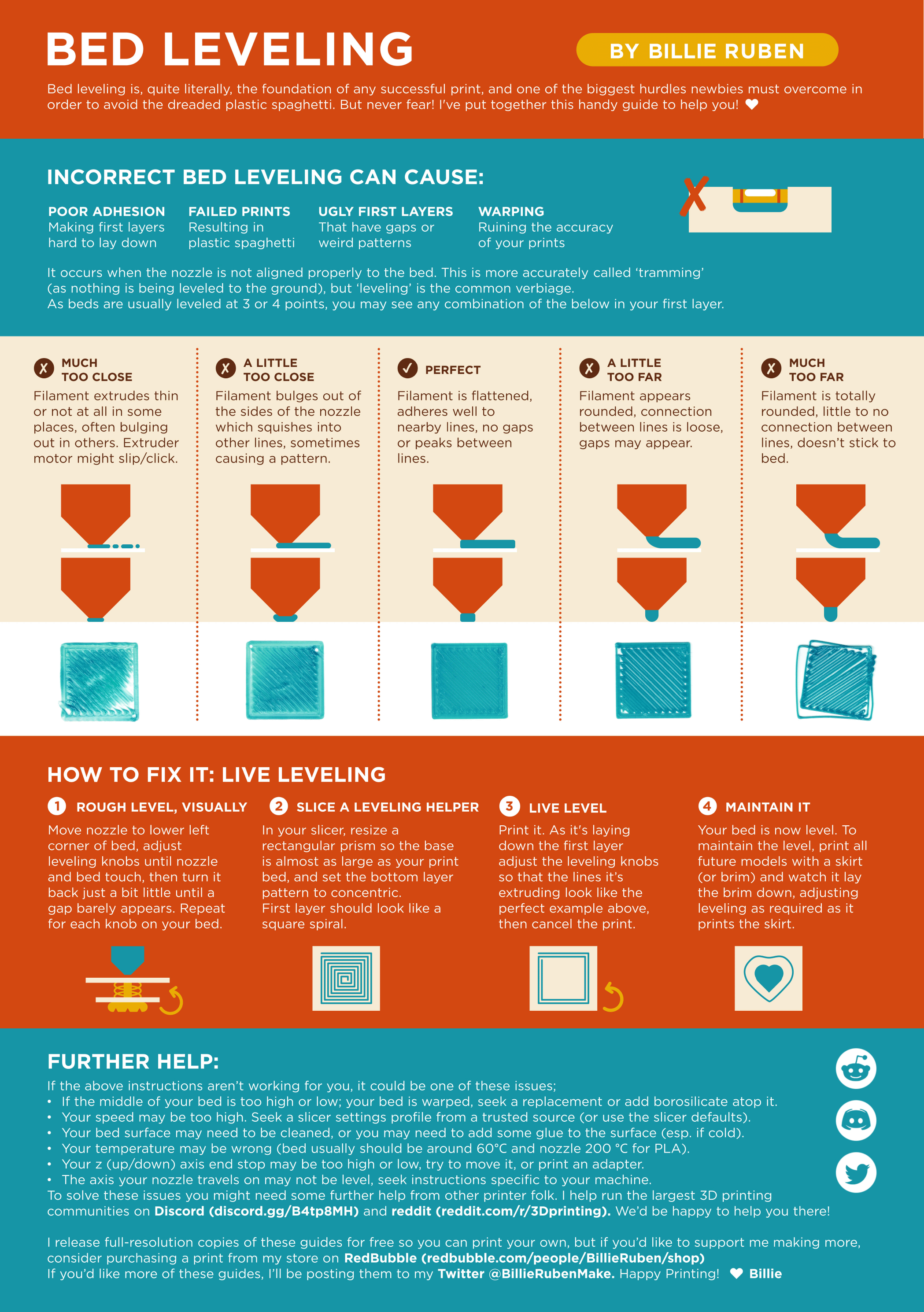
?leveling requested by: oliof#0
 plucky slate
Check whether your retraction isn't too high 👀
Too high of a retraction distance can cause gaps at the start of lines
ripe moth
I am using default slicer settings
plucky slate
dull dagger
looks like overextrusion or being a bit close to the bed
I'd go for over extrusion plus being a little too far. The over extrusion may mask the distance
plucky slate
ripe moth
I am using default slicer settings
For the S1?
ripe moth
Yes
I have a diffrent slicer profile for ender 3 s1 but its the same
and after the first layer it starts wraping
 ripe moth
 misty swift
imma confused, what is ender s1? is that new?
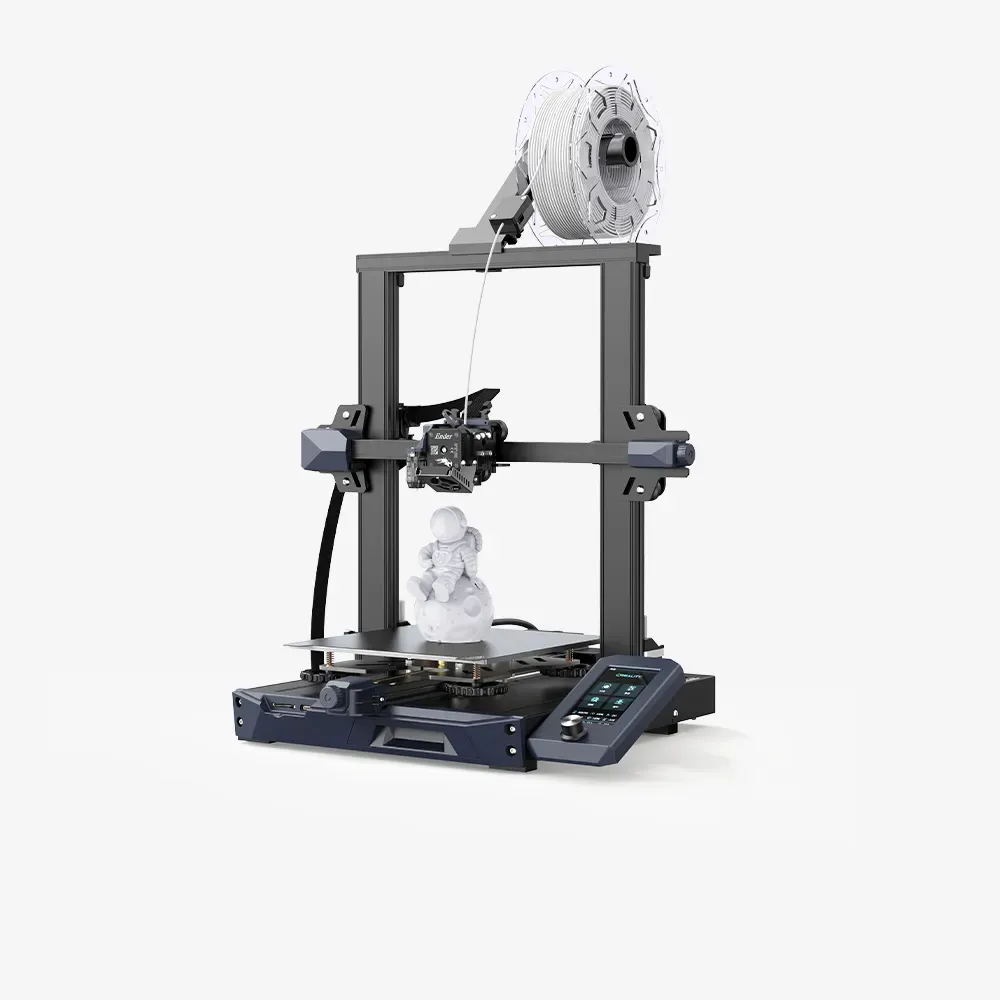
creality
Ender-3 S1 3D Printer, High-quality printing with "Sprite" direct extruder, CR touch automatic leveling, and dual z-axis synchronization. We provide 12-month after-sales service for the printer and 3-month service for wearing parts.
misty swift
i get pooed on alot, but i am hardcore in favor of leveling with a dial gauge
ripe moth
misty swift
need to get dial gauge
whats that
ripe moth
misty swift
i get pooed on alot, but i am hardcore in favor of leveling with a dial gauge
i have automatic bed leveling
misty swift
ripe moth
whats that
dial gauge, uses in machining, tells exact distance from print head to bed, and can be moved around to make sure bed is leveled to .001 (thats the cheap one) before running mesh, makes uber prefect prints,
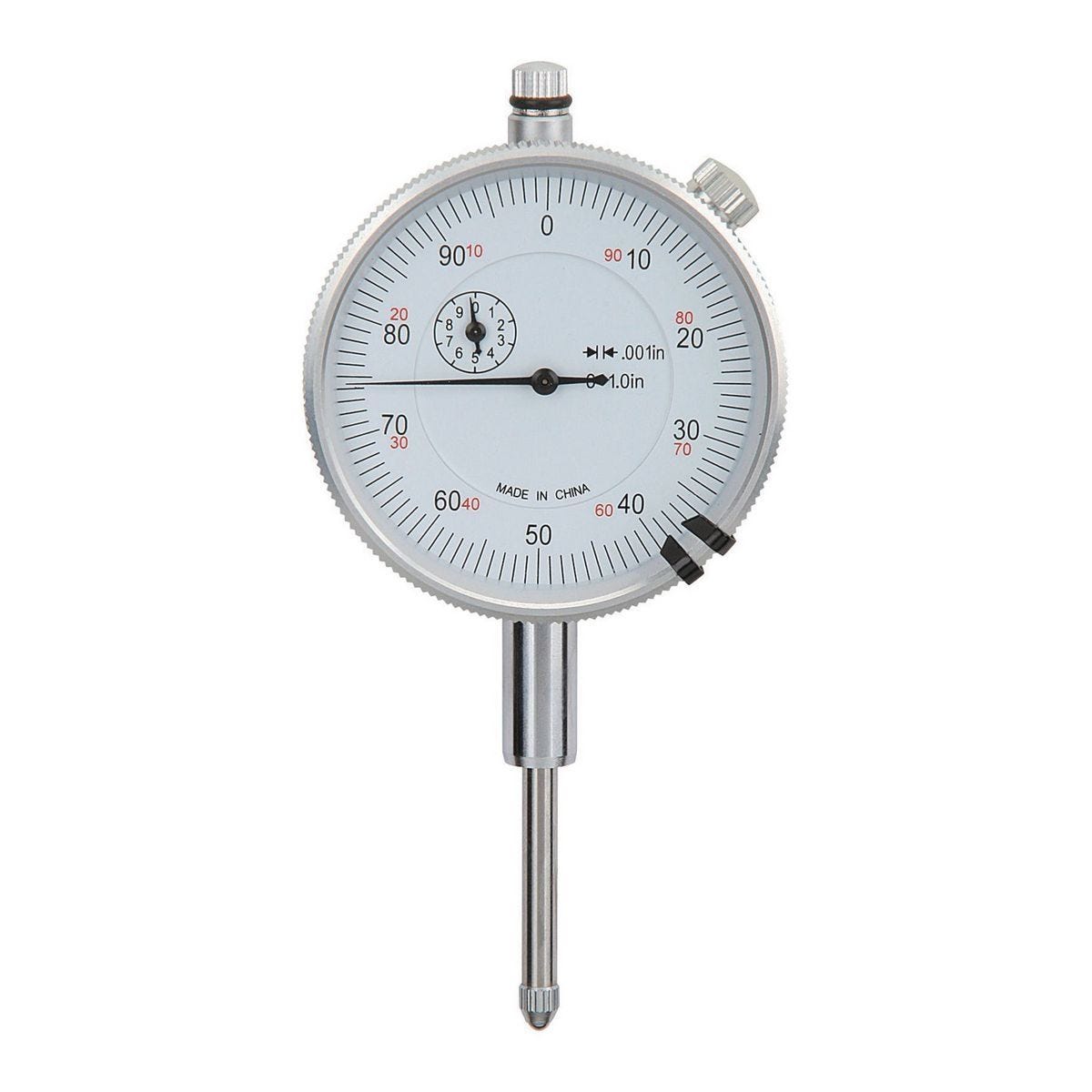
Harbor Freight Tools
thats the cheapests one i have found, i use it all the time to recheck and calibrate new printers
ripe moth
uhh is there a free way to get rid of it
misty swift
get rid of what?
misty swift
looks like level issue, or z-axis distance,
i would re manual calibrate the bed level, then get upclose during first layer print and micro adjuct the z-offset
ripe moth
i micro adjusted the z offset but i cant find the perfect inbetween
and i calibrated the bed manually
misty swift
honestly, it looks like its the Z, you just have to play with it, assuming you sliced for the correct printer
i keep messing up prints by slicing for the wrong model, i user ender 3 v1 and v2,
misty swift
try creality, did the printer come with slicer software on the sd card?
ripe moth
yeah
and first times i have good prints but now it started to print wrong
and is there something except slicer?
i am dowloading the slicer
but uhh i thing its a diffrent problem because before that i printed a lot of things but now i cant and i dont know why
misty swift
your pic shows either a bed level issue, or a z-offset issue, you could try a purge on the nozzle, you might have partual clog, but i dont thinks so
ripe moth
no my nozzle isnt cloged
misty swift
then its offset, you do know how to tune during a print?
misty swift
start fiddling with it,, i had the same issue, i finally found a proper offset
ripe moth
uh whats fiddling
and i dont know how to keep those settings permanently
when i found the good settings after a while it starts to print wrong
misty swift
in tune, during a print, u can adjust it up and down watching the result, like get real close, dont get the plate poke you in the eye, thats hard to explain at the doctor
misty swift
its new, should have a way to save settings, i have an old ender that settings have to be input before every print, its irritating
ripe moth
i select store the settings
and then it stores but
sometimes my prints starts to printed bad
misty swift
this is thr frustrating part, the printers use so many different types of firmware, i cant really help, i have 5 printers, and only 2 of them have the same interface
ripe moth

GitHub
AUGUST 2023
What's new in this release
LCD brightness dims after 5-minute timeout (not available in all versions)
Slow retract item in Filament management menu
Better bed tramming wizard
Autom...
this frimware
misty swift
i had this same issue when i started , after i installed auto leveler, and set my printer aside for a year
no idea how to use it, my machines cant run s1 firmware
ripe moth
it has v2 frimware file too
but uhh i mean im using this
it has something called ubl i thing
it shows u to what u did wrong in the bed leveling
and thanks for the tips
i will try leveling it again
misty swift
with new folk and printers, its always z axis, and bed leveling, at precision bed leveling has to be to get perfect prints everytime is very frustrating
ripe moth
true
is this problem occurs because of the temp of the room?
because weather is too hot
plucky slate
misty swift
imma confused, what is ender s1? is that new?
Ender-3 S1, along with Ender-3 S1 Pro. Not all that new.
plucky slate
ripe moth
is this problem occurs because of the temp of the room?
If you're printing ABS then it could be.
ripe moth
plucky slate
If you're printing ABS then it could be.
i am printing pla
but im really tired from this problem
plucky slate
Print a one layer thick item (eg scale a cube to 0.21 thick, 50mm wide, 50mm thick). Show us the result.
misty swift
what temps u using? and brand of filiment?
balmy schoonerBOT
This post has been closed due to inactivity.
This post has been inactive for over 1 hour and so has been closed. To reopen this post simply send another message.
ripe moth
misty swift
what temps u using? and brand of filiment?
190 nozzle 60 bed
ripe moth
plucky slate
Print a one layer thick item (eg scale a cube to 0.21 thick, 50mm wide, 50mm thi...
Ok wait
ripe moth
plucky slate
Print a one layer thick item (eg scale a cube to 0.21 thick, 50mm wide, 50mm thi...
is this ok?
 misty swift
ripe moth
190 nozzle 60 bed
i would increase to 200 on nozzle if its pla
ripe moth
but it says 190 on filament label
misty swift
ripe moth
but it says 190 on filament label
try 195, and see what happens, not all batches are uniform
plucky slate
ripe moth
but it says 190 on filament label
the filament isn't always correct about everything. We kinda have a general standard of 200c for pla, where it's nice and liquid but not so hot that it can't cool. Sometimes lower is OK, but usually you don't want to go lower because layer adhesion gets terrible.
ripe moth
So u are saying i have to use at 200
Alright so i am tring to print at 200 now
I will send the results
balmy schoonerBOT
This post has been closed due to inactivity.
This post has been inactive for over 1 hour and so has been closed. To reopen this post simply send another message.
ripe moth
i printed cali dragon but it didnt finished the horns and it stick to the nozzle

Some layers are really ugly
balmy schoonerBOT
This post has been closed due to inactivity.
This post has been inactive for over 1 hour and so has been closed. To reopen this post simply send another message.
ripe moth
.
balmy schoonerBOT
This post has been closed due to inactivity.
This post has been inactive for over 1 hour and so has been closed. To reopen this post simply send another message.
ripe moth
.
balmy schoonerBOT
This post has been closed due to inactivity.
This post has been inactive for over 1 hour and so has been closed. To reopen this post simply send another message.
ripe moth
ripe moth
i printed cali dragon but it didnt finished the horns and it stick to the nozzle
how can i get rid of this problem
 rustic crow
ripe moth
how can i get rid of this problem
What temperature,what filament,What Nozzle
ripe moth
200 nozzle 60 bed
but before that i used 190 nozzle 60 for bed
but 200 better now
because when i used at 190c it doesnt stick to the bed
but now it sticks to the bed at least but it didnt finished the horns of the dragon
balmy schoonerBOT
This post has been closed due to inactivity.
This post has been inactive for over 1 hour and so has been closed. To reopen this post simply send another message.
ripe moth
.
balmy schoonerBOT
This post has been closed due to inactivity.
This post has been inactive for over 1 hour and so has been closed. To reopen this post simply send another message.
ripe moth
ripe moth
i printed cali dragon but it didnt finished the horns and it stick to the nozzle
How can i solve this problem
dull dagger
try reducing extrusion by 5 percent
plucky slate
In case that helps, that's a sign you may need to calibrate your extruder's steps/mm
?esteps
balmy schoonerBOT

Matt's Hub
Having your extruder properly calibrated is essential for perfecting your print quality, and this guide will walk you through the entire process from beginning to end.
rustic crow
ripe moth
200 nozzle 60 bed
what filament
balmy schoonerBOT
This post has been closed due to inactivity.
This post has been inactive for over 1 hour and so has been closed. To reopen this post simply send another message.
ripe moth
rustic crow
what filament
filamentto
ripe moth
dull dagger
try reducing extrusion by 5 percent
alright
balmy schoonerBOT
This post has been closed due to inactivity.
This post has been inactive for over 1 hour and so has been closed. To reopen this post simply send another message.
ripe moth
is there anything that i should know?
 balmy schoonerBOT
This post has been closed due to inactivity.
This post has been inactive for over 1 hour and so has been closed. To reopen this post simply send another message.
ripe moth
.
balmy schoonerBOT
This post has been closed due to inactivity.
This post has been inactive for over 1 hour and so has been closed. To reopen this post simply send another message.
ripe moth
?
balmy schoonerBOT
This post has been closed due to inactivity.
This post has been inactive for over 1 hour and so has been closed. To reopen this post simply send another message.
ripe moth
.
balmy schoonerBOT
This post has been closed due to inactivity.
This post has been inactive for over 1 hour and so has been closed. To reopen this post simply send another message.
ripe moth
?solve
balmy schoonerBOT
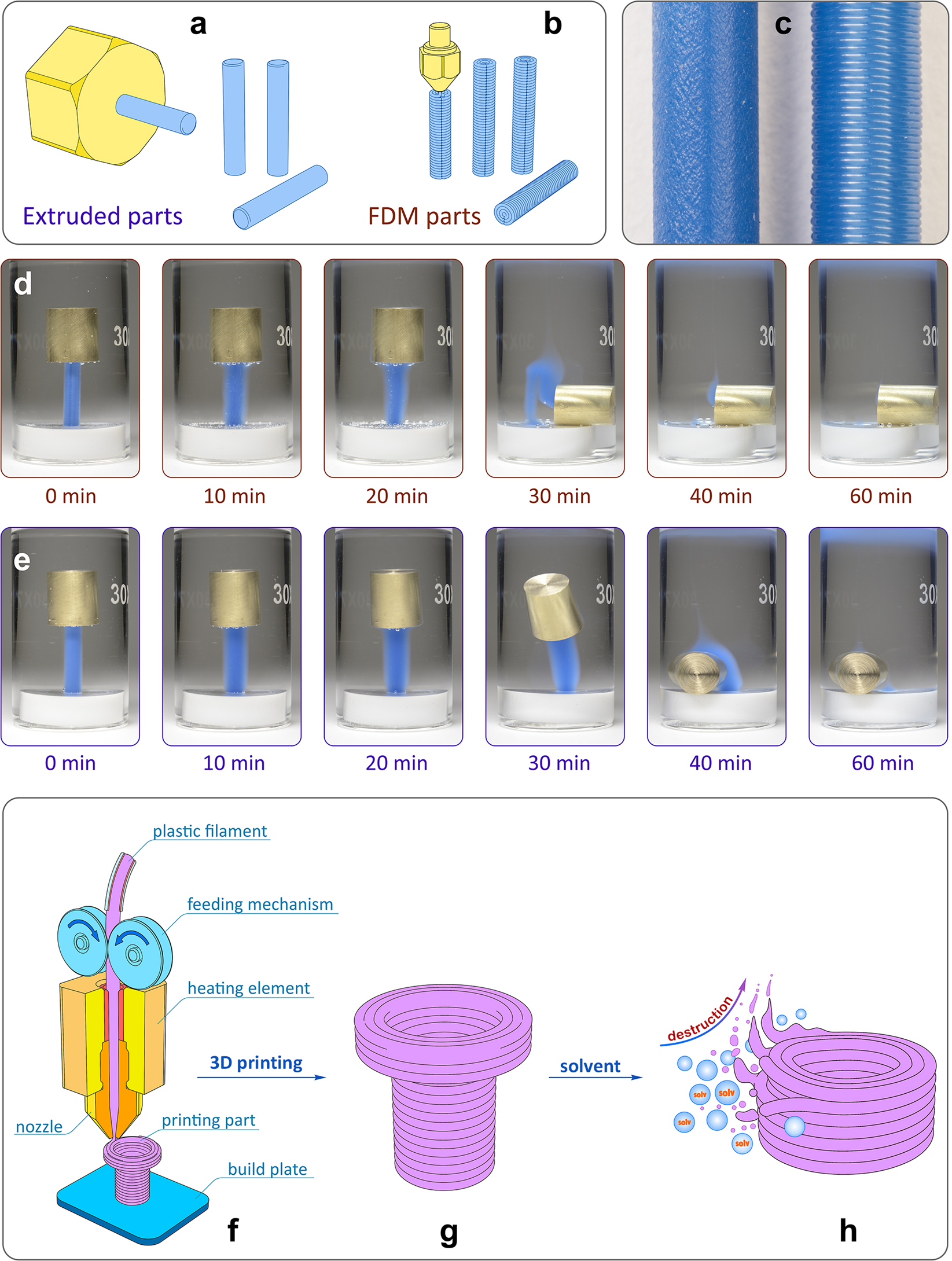
Nature
Scientific Reports - Revealing interactions of layered polymeric materials at solid-liquid interface for building solvent compatibility charts for 3D printing applications
balmy schoonerBOT
This post has been closed due to inactivity.
This post has been inactive for over 1 hour and so has been closed. To reopen this post simply send another message.
ripe moth
?solved