#Randomized print results (E3V2)

1 messages · Page 1 of 1 (latest)

mellow wasp
#

I've been 3d printing on and off for 3 years now and I've had it. I came here to ask for help before I quit forever. I've had two ender 3v2 printers and every single time I use them, it's seemingly random whether it works or not.

Yes my bed is level. The firmware I have loaded plus the BLTouch says it's level to 0.00MM.

Things I have tried:

  • BL Touch
  • not BL Touch
  • Unified Bed Leveling
  • Klipper
  • Professional Firmware
  • Stock Hotend
  • Petsfang
  • Satsana
  • OctoPrint
  • SD Card gcode printing
  • PLA, PETG, PLA+, PETG+
  • Changing Retraction settings
  • Bed Temps 20-90C
  • Hotend temps as low as the temp range goes and as high as 260C
  • Capricorn PTFE
  • All metal extruder
  • Glass, PEI and flexible printbeds
  • Cleaning printbeds
  • Manufacturer exchange of printer
  • Tightening / loosening belt tention and eccentric nuts
  • Filament drying
  • Different spool holders and positions
  • Many more...

It's not that I don't want a printer I have to tinker with. I just am so frustrated that after 2 years I have made no progress in my hobby.

Thank you for whatever help you can provide.

lucid acornBOT
#
AI Help

I understand your frustration, and I'm here to help. It seems like you've already tried a wide range of troubleshooting steps. Here are a few more things you can consider:

  1. Check the power supply: Ensure that the voltage going into your printer is stable and meets the required specifications.

  2. Check the wiring: Inspect your printer's wiring for any loose connections or damaged cables.

  3. Calibrate your extruder: Use a calibration cube or similar print to check if your printer is extruding the correct amount of filament. Adjust the steps per millimeter (e-steps) in your printer's firmware if necessary.

  4. Check for loose parts: Make sure all the screws, belts, and pulleys on your printer are properly tightened and secured.

  5. Update firmware: Ensure that you have the latest firmware installed for your printer and that it is properly configured.

  6. Print cooling: Experiment with different cooling setups to optimize temperature distribution and reduce warping.

  7. Consider en...

vital lance
#

The picture on your reddit post looks like your nozzle is clogged. Do you have any more pictures?

#

I don't understand what you mean with "random rsults"...

mellow wasp
#

Every single time I use it to print the failure mode changes.

#

Whether it's a clog, filament snapping, not sticking to the bed, etc...

#

That's a gallery, 5 photos in there.

vital lance
#

I mean photo 5

#

4

mellow wasp
#

What kind of photo do you want, top-down, etc?

vital lance
#

another failed print maybe

mellow wasp
#

okay one sec

#

I'd print more to show you but it now won't even stick to the bed, with any settings.

#

That's what I mean by random, it changes on its own

#

Now its not level again and I didn't touch it

#

Didn't touch it between these two measurements

#

Just touched the extruder arm and this happened

#

And then tried to align back with CD cases, nothing

vital lance
#

Maybe you are unlucky with your machines

#

where are you from?

#

you could get someone else to try the printers

#

or get a new other one

mellow wasp
#

I got mine from Micro Center and am close enough I could take it there

vital lance
#

I would try to find someone with experience nearby so they can come over.

mellow wasp
#

I think its another eccentric nut issue

#

One half of the arm is lifting faster than the other side when its doing z moves

vital lance
#

but it's just only one issue and won't fix the others, right?

mellow wasp
#

Probably not, but let's see if it helps with adhesion.

vital lance
#

sorry for my late reply, playing valorant :3

mellow wasp
#

Priorities

vital lance
#

imo PEI is the best you can have

mellow wasp
#

Pei build sheet?

#

I've got one I just don't use it, once again issues with adhesion

vital lance
#

what is your first layer height?

mellow wasp
#

Depending on the print, 0.2

vital lance
#

try 0.3

#

are you using brim/skirt?

mellow wasp
#

Yeah the one that doesn't touch the part

#

I just slammed on a pei and am re tramming / levelling

vital lance
#

the probe and hotend isn't lose?

#

whats your first layer speed?

mellow wasp
#

Probe is zip tied on it as tight as it goes, I could probably do with re printing the hotend assembly and a new probe holder

#

But I can't do that until it prints lol

#

Making a new bed mesh, let me check settings

vital lance
#

it's hard to give any advices without seeing the printer. Thats why I recommend to get someone in person

#

did you try a standard z-endstop?

#

you could also get a inductive probe. I'm using them on every printer

mellow wasp
#

yeah I've got one on there as a backup so it doesn't ram down into the printbed, the printer listens to both the probe and the z-endstop

#

but I started out with the z-endstop and it was wildly worse than this

vital lance
#

i didn't know this was possible lol

mellow wasp
vital lance
#

So my inductive probes replace a standard z-probe and use the same z-endstop probes

mellow wasp
#

My mobo from the factory had both a z-endstop port and an unpopulated bltouch/probe port

vital lance
mellow wasp
#

too slow or good?

#

(this is petg+ I'm printing with (currently))

vital lance
#

i print with 20-30 but i think 15 is fine

#

extrusion width?

mellow wasp
#

0.4

#

should I run it with these?

vital lance
#

try 0.6

#

and +10° first layer temperature

mellow wasp
#

Ohhh this looks significantly better, I'm willing to bet the nuts was most of the issue

#

0.6 first layer or total

#

the thing i've been trying to print is a temperature tower so I can't really change temp lol

mellow wasp
#

let's see what happens

#

Beautiful line immediately

#

One whole layer down and it looks beautiful

vital lance
#

:))

mellow wasp
#

I think it was a combo of the nuts as well as the 0.3mm first layer height

#

also, thankyouthankyouthankyouthankyouthankyou!!!!

vital lance
#

no problem

mellow wasp
#

i'm not certain it's solved yet as the print always, guaranteed failed at a certain z-height so we'll see what happens in an hour

vital lance
#

just text me

mellow wasp
#

but it's much farther than before

vital lance
#

0.6 extrusion width just for the first layer

#

forgot to say that

mellow wasp
#

Right on cue, same layer, extruder skipping

#

Any idea why its skipping on exactly the same layer? @vital lance

vital lance
#

friction is to high, could have different reasons.

mellow wasp
#

PTFE tube too long?

#

Its slightly longer than factory

vital lance
#

temperature to low (i don't think that)
clogged nozzle
PTFE tube not cut straight/not far enough in hotend/tube is moving while printing
bad filament

#

at what temperature has it stoped?

mellow wasp
#

It didn't even change temps, 250

vital lance
#

okay I would first check the tube and hotend.

#

heat the hotend and remove the tube and the tube connector

mellow wasp
#

Started doing that before you messaged lol. That was my internal instinct

vital lance
#

that's important. You may need a pliers to push the tube far enough

mellow wasp
#

Pulling it out at the same level it stopped was SIGNIFICANTLY harder than when its near the bed

#

My tube is about 1/3 longer than factory, should I shorten it?

vital lance
#

you don't have to

#

should work

#

what's your overall printing speed?

mellow wasp
#

Gonna sand it down to be perfectly flat, its mostly flat but wanna make sure

#

50.00mm/s

vital lance
#

Maybe you should try another model than a temp tower. Perhaps the filament gets to hot in the heatbreak and blocks further extrusion

mellow wasp
#

OK sanded down so its perfectly flat, used pliars to force it in

vital lance
#

good

#

try printing with a standad temperature

#

Do you have those clips?

#

might help minimizing tube movement

#

This kind of gap could cause such blockade

mellow wasp
#

I think that may currently be present, I cannot force through the filament even by hand through the bowden

#

Yeah its totally blocked

vital lance
#

You can try to remove it with a screwdriver

#

otherwise you have to disassemble the hotend

#

Do you have experience setting driver current?

#

you could increase the current of the extruder stepper, but it might get too hot over time

mellow wasp
#

Cold pull?

vital lance
#

I always heat my hotend up to 250°C and use a flashlight to find filament leftovers, so I can remove it with a screwdriver

mellow wasp
#

So I'm looking down the top and I don't see anything

vital lance
#

Do you have spare nozzles?

mellow wasp
#

Lemme check

#

Right now I've got a microswiss mk8 0.4mm nozzel on it

#

Found a bag with tons

vital lance
#

give it a try and change it

mellow wasp
#

Which kind

vital lance
#

and also try to push filament through the hotend while the nozzle is not mounted

mellow wasp
#

Brass, steel or dark steel

vital lance
#

are you printing materials with particles?

mellow wasp
#

I was printing tough pla and cf filament so yeah

#

I forget how tight it should go

vital lance
#

I have not worked with them yet

vital lance
mellow wasp
#

I'll see

vital lance
#

it is better to have such gap

mellow wasp
#

The old nozzle appears like it was leaking filament

#

Pushed filament through without a nozzle

vital lance
#

any resistance?

mellow wasp
#

A bit yeah but once I got it past the ledge it was fine

vital lance
#

could you send me a photo of your hotend?

mellow wasp
#

So I can in fact tighten the nozzle up to the hotend

vital lance
#

thats bad

#

any way to get the heat break some more mm out of the heat sink?

mellow wasp
#

Probably not

vital lance
#

what hotend is this again?

mellow wasp
#

Uhhh stock

vital lance
#

you should actually

mellow wasp
#

Yeah that looks pretty close

vital lance
#

first you have to remove both screws from the bottom and then there is a small hex to remove the heat break

#

to prevent damages you should do this while it's hot

mellow wasp
#

Okay... May have to do this later, I have something I can't miss coming up pretty fasy

vital lance
#

Check some youtube videos

#

I have to go to bed

#

it's 1 am

mellow wasp
#

Okay but slide the heat brake down?

vital lance
# vital lance

try to screw it more in so the nozzle isn't tighten up to the heat block

mellow wasp
#

The two screws?

vital lance
#

no, they are just for stabilization

#

the pipe where the filament goes through

#

must go further in the heatblock

vital lance
#

make them not to tight

#

g2g now

mellow wasp
#

I wonder how the silicone sock will still fit on it

lucid acornBOT
#
This post has been closed due to inactivity.

This post has been inactive for over 1 hour and so has been closed. To reopen this post simply send another message.

mellow wasp
#

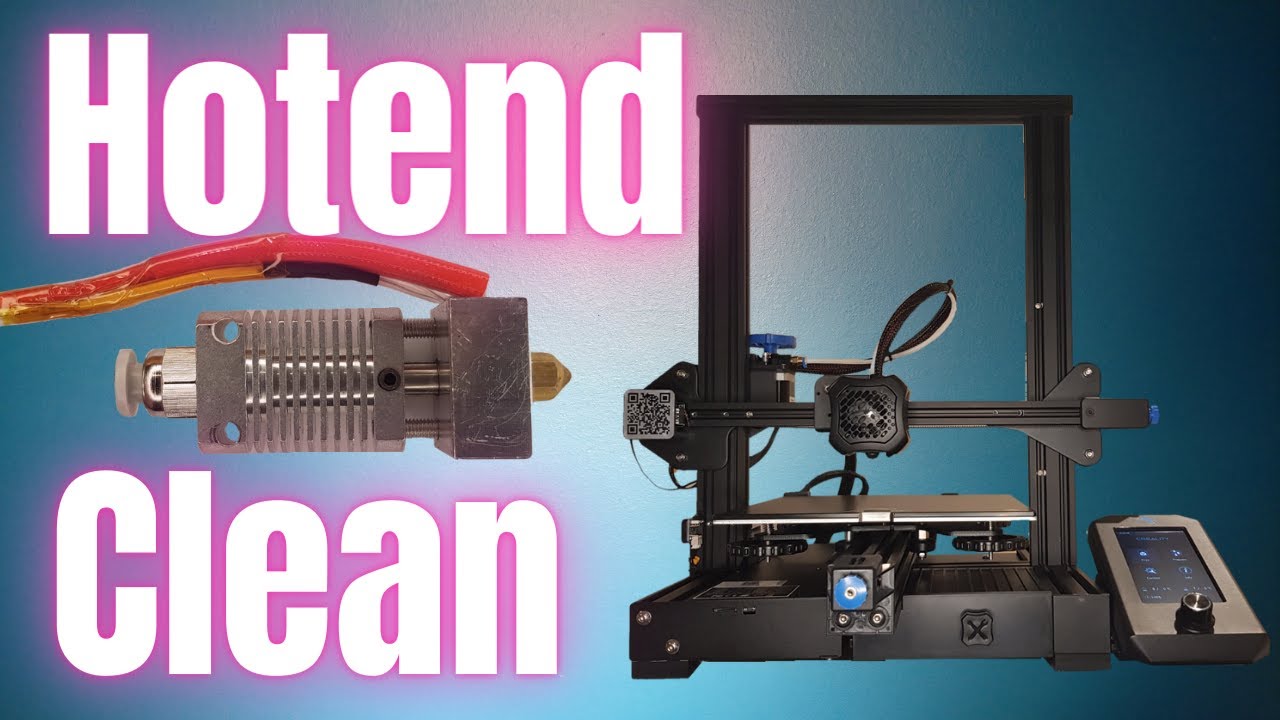
Will try this process tomorrow https://www.youtube.com/watch?v=_bZ_ETKBipQ

Ender 3 v2 Hotend Cleaning - Eliminate Stringing & Clogs

In this video i'm going to show you how to clean out the hotend on your Ender 3 v2 or any other 3d printer that doesn't have an all metal hotend.

If you're having problems with stringing, clogs, or just keep seeing a previous colour coming through when you change filament, it's time to c...

▶ Play video
lucid acornBOT
#
This post has been closed due to inactivity.

This post has been inactive for over 1 hour and so has been closed. To reopen this post simply send another message.

lucid acornBOT
#
This post has been closed due to inactivity.

This post has been inactive for over 1 hour and so has been closed. To reopen this post simply send another message.

mellow wasp
#

Hey so I'm following those instructions and I pushed out a massive piece of filament

#

I'm going to put my micro swiss nozzel back on

#

He recommends that I replace the stock Bowden coupler because its notorious for failing

#

Pretty sure this coupler is the one that came with my Capricorn kit so it should be at least good enough to test it

mellow wasp
#

Printing now...

mellow wasp
#

Significantly better first tower layer

lucid acornBOT
#
This post has been closed due to inactivity.

This post has been inactive for over 1 hour and so has been closed. To reopen this post simply send another message.

mellow wasp
#

It's still printing so I'm going to say solved! Thank you so much!

#

As a FYI the stock one does not have a metal heat brake. Its the Bowden tube that touches the nozzle.

#

?solved