

1 messages · Page 1 of 1 (latest)
 left stream
Hello, I've used http://retractioncalibration.com/ on it's default settings and I'm getting stringing on all of them. I'm running a Anycubic Vyper and using Flashforge Burnt Titanium filament in a dryer kept at 45C for humidity management. I've calibrated my e steps, K value, the bed is level, and I'm printing at 190 which was determined by using a temp tower. From my experience, adding z-hop only makes it worse. Any advice on how I can get rid of this stringing? I'm using Zombie Vyper 2.8 firmware for linear acceleration.
 ebon hullBOT
left stream
Hello, I've used http://retractioncalibration.com/ on it's default settings and ...
It sounds like you have already taken many steps to troubleshoot your stringing issue. Here are a few additional suggestions you can try:
Check retraction distance and speed: Make sure that your retraction settings are appropriate for your printer and filament combination. Experiment with different retraction distances and speeds to find the optimal values that minimize stringing.
Adjust printing temperature: While you mentioned that you determined 190°C as the best temperature using a temperature tower, it's worth experimenting with slightly higher or lower temperatures to see if it helps reduce stringing. Some filaments may require a higher or lower temperature than the suggested range.
Filament drying: Although you mentioned that you are storing your filament in a dryer at 45°C for humidity management, it's worth confirming that the filament itself is not absorbing any moisture. Try drying the filament in an oven or using a dedicated filament dryer to eliminate any mo...
ebon hullBOT
This post has been inactive for over 1 hour and so has been closed. To reopen this post simply send another message.
left stream
Reopening as I haven't gotten a reply
 sage wyvern
left stream
Hello, I've used http://retractioncalibration.com/ on it's default settings and ...
I dont know what this model is supposed to look like but that just looks like severe under extrusion to me
left stream
This video explains it, you can see how to read it at 5:35 https://www.youtube.com/watch?v=9mZnkIsibog
It goes from 0.5mm up to 8mm, and each notch on the side indicates speed increases
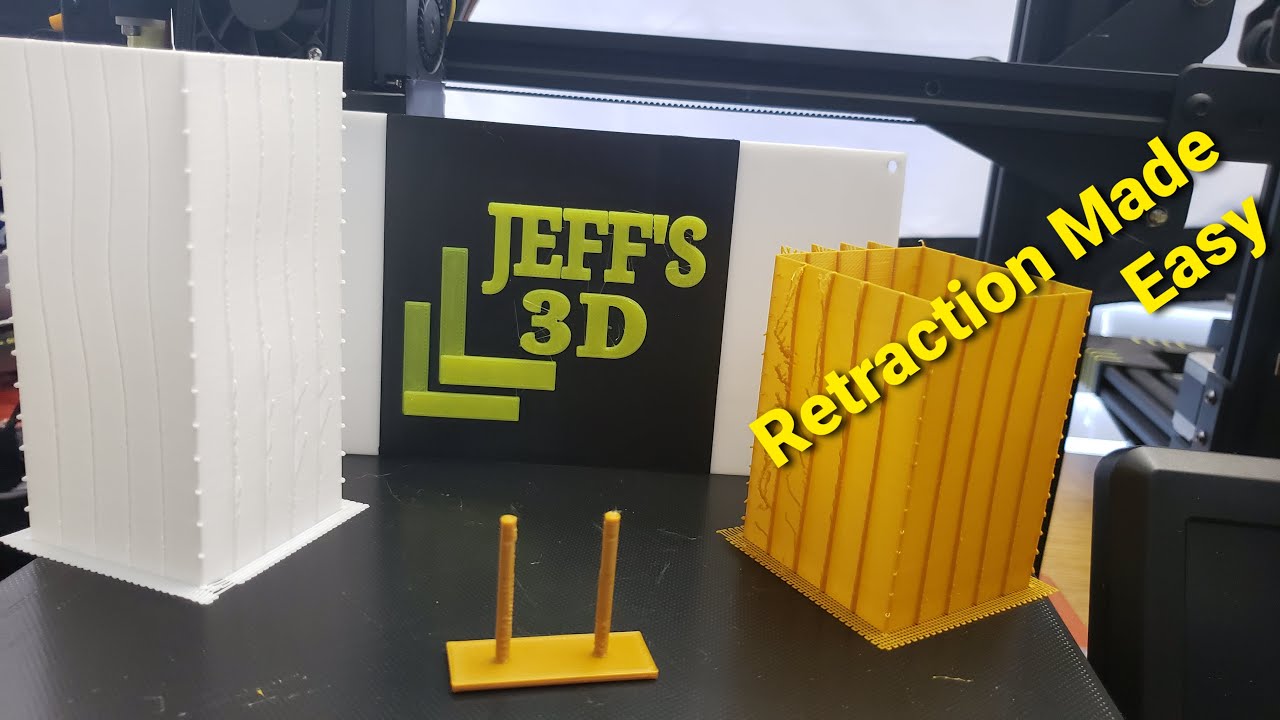
Thanks to Carl Johnson for this cool retraction calibration tool.
link:
http://retractioncalibration.com/
Teaching Tech Github:
https://teachingtechyt.github.io/calibration.html
The Slicer I use:
Prusa Slicer
My Printers:
Elegoo Mars
Prusa Mk3S MMU2s
AnyCubic Chiron
Tronxy XY2 Pro
Kingroon KP3S
Voxelab Aquila
Royalty free music by:
https://www...
I've calculated my flow rate as well, and while this doesn't account for that, my stringing tests in Cura still have the same issue even though flow rate is correct
sage wyvern
How old is your nozzle
left stream
A week or so, I just replaced the hotend
Inc. nozzle
Of course that doesn't mean it's in perfect shape, I was struggling with leveling before I realized that it wasn't using the stored mesh, it's possible it touched down at some point when I was working on that
I have checked for clogs and all by doing a cold pull and using the 0.4mm needle
sage wyvern
left stream
Hello, I've used http://retractioncalibration.com/ on it's default settings and ...
This model just doesn't tell me much, looks like there more going on then stringing, id suggest printing a normal retraction tower. Those are alot more readable imo
From the looks of this it just seems like you need to crank your retraction speed and length way up. The vyper has bowden right?
left stream
I can do that, though whenever I do, it tends to look alright, it's only with thin tips like say spikes or small bits where the issues come up. Let me finish this print and I can try a normal retraction tower
Yeah it's bowden
sage wyvern
What are your retraction settings
left stream
Currently it's 6.5mm at 70mm/s, the high speed was just due to testing
I've tried multiple speeds to no avail, not really sure what the cap on it should be to not cause issues with the extruder/clogging
No Z-hop, no extra prime amount
sage wyvern
Is your bowden tube sitting in the hottend correctly
Not cut off at an angle whatsoever
left stream
Nope, it's connected via capricorn tubing to it's mount

Oh I misread, no, no angle
sage wyvern
Try this? Specific solutions for your printer
 left stream
I can try it, lemme swap out this filament and get one going
Starting a retract tower at 6mm with speeds from 20 to 100mm/s, I'll post a pic once it's done
left stream
 ebon hullBOT
This post has been inactive for over 1 hour and so has been closed. To reopen this post simply send another message.
 spiral pasture
left stream
This video explains it, you can see how to read it at 5:35 https://www.youtube.c...

In this video, we'll walk you through all the settings you need to know when it comes to the travel settings panel in Ultimaker Cura. Whether you're new to 3D printing or a seasoned pro, understanding these settings can help you achieve better print quality, reduce print time, and avoid common issues like stringing and oozing.
We'll cover every...
this guy explains alot how you could fix it but man nothing works for me at this point
@left stream if you have found any slution to this could you tell me please i have the same problem.
i too have the Anycubic vypery.
left stream
spiral pasture
<@210509672371847178> if you have found any slution to this could you tell me pl...
My hotend was faulty (temps were way too high) and the nozzle was damaged. I got a hotend directly from Anycubic and now I don't have issues like I used to. I believe it was a combo of printing too hot and the nozzle damage that caused constant stringing

Temp tower comparison between old and new
ebon hullBOT
This post has been inactive for over 1 hour and so has been closed. To reopen this post simply send another message.
spiral pasture
left stream
i see what kind of nozzle did you get?
and what temps are you working with?
atm i am trying to see if i can do a good print with 185
left stream
I'm using the one that came with the hotend, but I also ordered a pack of 20 off of Amazon for the future. Temp depends on filament. I do a temp tower, retract distance tower, and retract speed tower with each filiament and use that to determine settings
spiral pasture
i see
left stream
I bought these, but I can't vouch for quality because I haven't used them yet https://www.amazon.com/Volcano-Printed-Filament-Printer-Extrude/dp/B08B5Y3RNN/ref=cm_cr_arp_d_product_top?ie=UTF8
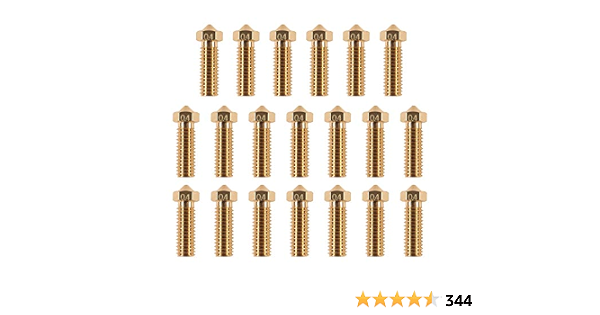
20PCS 3D Brass Volcano Nozzle M6 Thread Nozzles 0.4mm M6 Printed Head for 1.75mm Filament 3D Printer Parts Volcano Heater Block J-Head Hotend Extruder
spiral pasture
i mean i know that it comes with auto leveling should i look in to that at all? or just do the auto?
left stream
Ok so that's actually a thing I found out after a LOOOONG time troubleshooting. I'm using Octoprint for printing and cura for slicing. I found out that if you level your bed and save it with M500, that doesn't mean it'll use it. I had to add M420 S1 to my cura settings before every print for it actually use the bed level mesh, that fixed any first layer issues I was having
M420 S1 selects the first bed level mesh for use in the print, without it, it was ignoring the auto level settings
That's actually how I damaged my nozzle, by it running into the bed because I was fighting with Z-offset when I didn't need to
spiral pasture
is it a plugin?
left stream
Nope, if you're using Cura, you go into your printer profile, and in the bottom left you'll see the commands that are sent before a print begins, I just added it there
Preferences > Printers > Machine settings
 left stream
Yeah, I just added mine in before it starts moving
left stream
I typed it in
You can just click it and add code
If you want, you can add M355 S1 to the start and M355 S0 to the end and it'll turn the light on when it starts and off when it's done
left stream
That'll do it, yep
spiral pasture
should i ctrl s or no?
left stream
Na, when you exit that window it saves it
left stream
Ahh, that could cause it. I got a filament dryer to keep mine good since I live in a humid environment
left stream
I do see you have Z-hop on, that can cause stringing as well, so maybe experiment with it off as well
spiral pasture
and it looks like PLA works between 180-215
spiral pasture
left stream
I do see you have Z-hop on, that can cause stringing as well, so maybe experimen...
ye
the video i send explains it really will
left stream
Oh, one thing, becuase I don't really know how the vyper handles it normally
spiral pasture
dam nvm
left stream
I don't think it saves the bed mesh to the EEProm normally, at least from what I've seen from watching the console
So techincally it kinda expects you to level every time it's booted up
But you can save it
One sec lemme make sure I get the right codes for you
left stream
Not sure, Z-hop on can cause that from what I've seen
spiral pasture
less turn it off and see i mean it is way cleaner the before.
left stream
Ok so, to save the bed mesh, you can insert G29 to run an auto-level, then under that line you can run M500 to save it
If you're about to start a new print, you might wanna do that now, so it's saved for the future
Just this once add this to the start Gcode:
G29
M500
Then after this print you can remove it
Add it before the M420 line
spiral pasture
so something like this?
 spiral pasture
i see
left stream
I'd move them to the top for now, I think you also want M420 before a couple of those. I'm not sure but better to be safe I suppose
I don't know the exact point it needs to load the mesh by
So I do it earlier
spiral pasture
so like this
 left stream
There's also a plug-in called AutoTowers Generator. That has a long list of calibration towers that will automatically handle things like different retraction distances/speeds and temps and all
spiral pasture
left stream
There's also a plug-in called AutoTowers Generator. That has a long list of cali...
i have tryed thos but what i dont understand does it use my print settings to do it?
left stream
With AutoTower Generator it will use your normal print settings except the one it's testing. So if you're testing retraction distance, it'll keep your configured retraction speed, printing temp, printing speed, etc. Only the retraction distance will change during the print
spiral pasture
ah i see
left stream
I normally do temp first, set that in the material profile and print profile, then retraction distance and set that, then retraction speed
left stream
Which if you weren't aware of, material profiles are really nice if you don't use the same filament all the time
It all really depends on the filament, you should calibrate each filament you get and save the settings in cura
spiral pasture
i am only planing to use PLA for now
left stream
If you press crtl+K, you'll open up the materials profiles, you can create custom ones there with the info you've found during calibration
spiral pasture
wtf is this
left stream
Yeah, but different brands, colors, and styles such as silk/matte/ etc will need different settings
spiral pasture
ye
left stream
I normally go to generic PLA and slick the hamburger menu in the top right and duplicate, then edit that
spiral pasture
what should i put this at?
 left stream
You've got to calibrate it first to find out
spiral pasture
when i am doing the temp tower what am i trying to figur out?
also does it do it auto or should i change the temp each time?
left stream
When you select the filament in the Prepare tab, it'll automatically change the settings to match it's settings. It'll prompt you to keep or discard changes when you switch
As for the temp tower and calibration, I actually have a good site for this, one sec
https://teachingtechyt.github.io/calibration.html#intro
This page goes through all the ways to calibrate your printer and all. With videos and everything to guide you. You don't have to do everything, but it's a really good resource if you need to troubleshoot something
spiral pasture
i see
left stream
For the temp tower, I look for a smooth print, where there isn't any loose strings on the bridge or anything that looks wrong (like stringing, melting, etc). Usually you'll see a range that looks alright, at that point you just pick the one that looks the best for you
For retraction, I look for the lowest amount that doesn't string. I've found that the Vyper doesn't usually need the 6-8mm retraction that other bowden extruders do, I'm usually closer to 3-5mm
And for speed it's the same thing, I set it to whatever I found looked good in the distance test, then look for the highest speed that still looks good on the speed test
spiral pasture
this what i got today


from 220 to 190
this was before changing filament but it is from the same brand.
left stream
The bottom on the right picture looks like it's too high, it's all melty and that's why it's stringing like crazy. I'd turn off Z-hop and try again. I'd also recommend going though the calibration steps on that site. Once I went though everything I could, I have much better prints. I'd wager with that result, once you get stringing under control is probably going to print somewhere around 190-200, but stringing is making it hard to read
Have your filaments been left out for a good while? They can absorb moisture and that can cause a lot of printing problems because it makes it brittle
I personally bought a filament dryer for live use, but you can also use a few other things like a dehydrator or an oven (if it can go low enough, mine can't) to dry them out
I can't say that's whats causing the issues or anything, but dry filament is happy filament
spiral pasture
ye and i just got black one out of the bag like one week a go
left stream
Ok cool
spiral pasture
i am really new to 3D printing
left stream
I am too, hasn't even been a month, but I just fell down the rabbit hole like crazy lol
It absorbed all my free time and my non-free time and now I know a good bit lol
spiral pasture
i learned a lot about supports and how dot make a good one if your trying to print minis
left stream
I also flashed my vyper with custom firmware to enable linear accelleration
spiral pasture
but strining i have no idea i tryed everything i can think off
left stream
It might be the nozzle/hotend. They are the most important part of the printer, luckily they're pretty cheap but I didn't have great luck with an Amazon hotend
When I replaced mine, I did calibrations and it just... worked
spiral pasture
hmmm
i did get one free when i got my printer
i mean i had one in it and one on the side
left stream
An extra nozzle you mean?
spiral pasture
yeah
left stream
It might be worth switching out then
Just to see if it's the problem
One sec lemme get you a video, I actually broke my first hotend because I didn't know what I was doing when I tried to remove the nozzle
spiral pasture
yeah i need to figure out how to remove it then
left stream
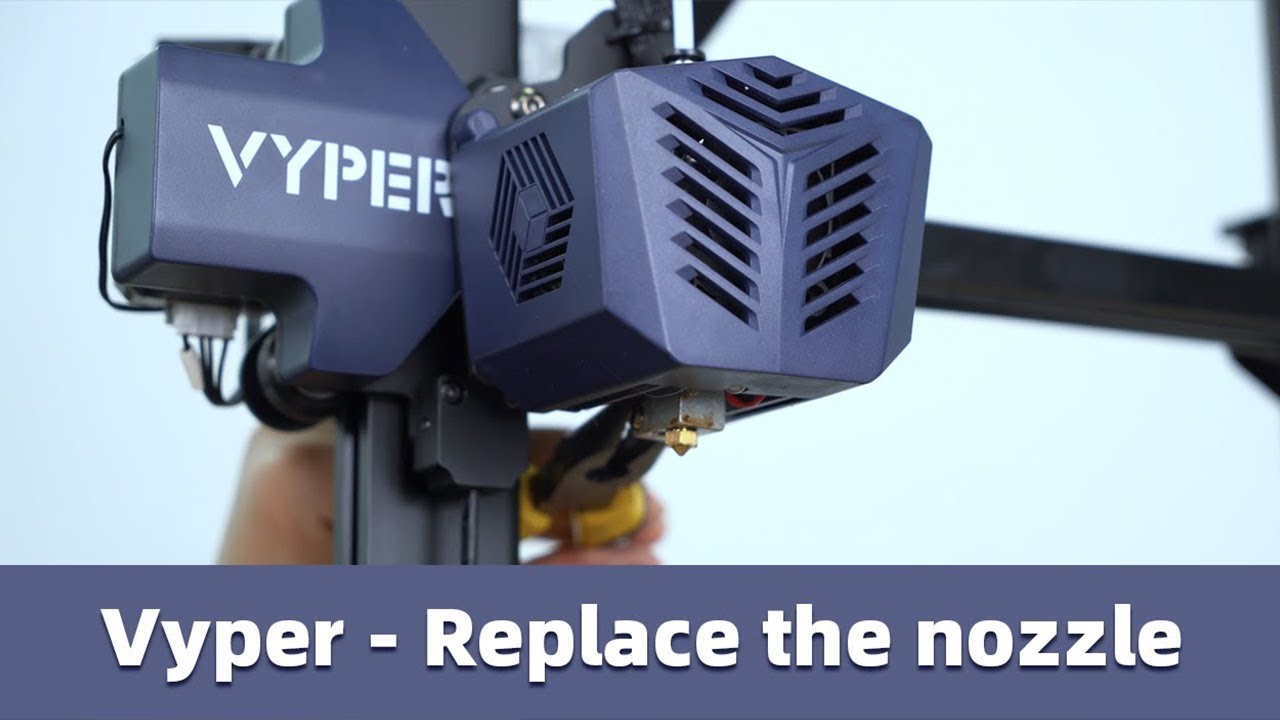
This video shows you how to change nozzles for Vyper. If you have any questions, please click on this link to get the after-sales service. 😎
https://support.anycubic.com/
#vyper #anycubic #3dprinter #3dprinting
Don't be like me and not hold the hotend with a pair of plyers and just start turning
spiral pasture
well i think it is the hot end
left stream
It says to use a socket wrench, but you can use the tiny wrench it came with
spiral pasture
i am getting the strining after the G code and stuff
left stream
I'd replace the nozzle first to see if that helps
left stream
Yeah, I remove it and heat it up to 230 so that if there's any stuck, it's melted and I can still unscrew it
Just be careful because if you're using that tiny wrench, it can get hot after a bit of being in contact with the nozzle
sage wyvern
left stream
I bought these, but I can't vouch for quality because I haven't used them yet ht...
These aren't good btw
left stream
I kinda assumed lol, they were cheap
When my current one wears down, I might try some and if they suck, I might get a ruby/diamond tipped one, depending on price
sage wyvern
It'll only result in a marginal difference but once you start seeing any stringing replace the nozzle
sage wyvern
left stream
When my current one wears down, I might try some and if they suck, I might get a...
This won't benefit you if you're printing pla
left stream
No?
sage wyvern
Longevity maybe but not worth it in my opinion
left stream
Any suggestions for replacements once this one's worn down?
sage wyvern
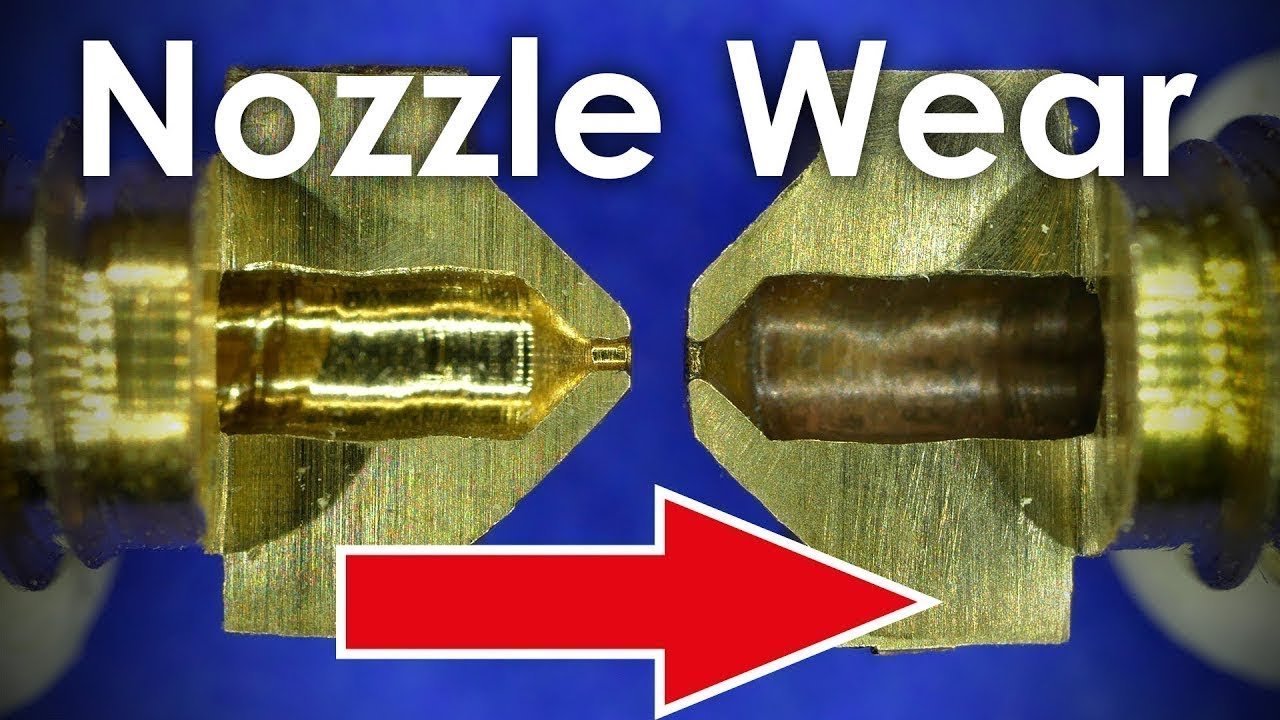
In this video we'll investigate how 3D printers nozzles wear and how print-quality is affected by that.
I've used brass nozzles with Glow in the Dark and Carbon Fiber filament to find out how and where they wear and what effect that has on print quality. I've also milled open a couple of nozzles to see how they look from the inside.
Reddit thr...
This demonstrates what nozzle wear does to your print, while also showing how bad cheap nozzles are
spiral pasture
why is it so hard to pull it off
sage wyvern
??
spiral pasture
it is hafe way
left stream
Is it at an angle?
left stream
If it's at an angle, you'll have to try to correct that, it should come out smoothly straight down
Only real resistance should be in the beginning
left stream
I wouldn't assume that, I would just think it's stuck at a slight angle
I haven't encountered that
left stream
Uhhh, honestly I'm not sure
At this point you probably don't need the heat
So for safety and all yeah. it might just need to be jostled back into the thread
spiral pasture
It is time to do it the hard way
 spiral pasture
well i need new hotend it can not be removed
left stream
Oh dang, that sucks. I do recommend ordering directly from Anycubic for that after my experience with an Amazon one. Shipping takes longer but you get a working piece
 north drift
spiral pasture
Oof, cross threaded?
left stream
spiral pasture
well i need new hotend it can not be removed

ANYCUBIC is committed to developing and producing high-quality and budget SLA/FDM consumer 3D printers, safe & durable 3D printing filaments and resins, and accessories for makers and creators worldwide. | ANYCUBIC 3D printing
spiral pasture
north drift
Oof, cross threaded?
yep
if i keep going it will get recked no matter what
north drift
Damn, sorry to hear that. 😔
spiral pasture
so i removed it
north drift
You could, potentially, run a thread chaser through
spiral pasture
well it is fine tomorrow the new one should come to me
north drift
But at that point yeah just replace
ebon hullBOT
This post has been inactive for over 1 hour and so has been closed. To reopen this post simply send another message.
ebon hullBOT
This post has been inactive for over 1 hour and so has been closed. To reopen this post simply send another message.
sage wyvern
These posts are intended for when you need help not documenting progress
Im no mod but this clutters the channel and means people in need of help might be looked over
spiral pasture
i see


