#print quality
1 messages · Page 1 of 1 (latest)
 haughty flaxBOT
AI Help
Of course, I'll be happy to help you troubleshoot the issues with your 3D prints. Could you please provide some more details about the imperfections you're experiencing? Additionally, if you can share any relevant information about your printer model, filament type, and slicer settings, it would greatly assist in diagnosing the problem.
WARNING: This response is AI generated and may contain errors.
 little bobcat
What material are you using?
temp?
I see some Z banding,
Did you take some time to lubercate all the barrings and screws, and make sure your belts are tight?
 hoary hedge
little bobcat
What material are you using?
just pla for these
hoary hedge
little bobcat
temp?
200 - 205
hoary hedge
little bobcat
Did you take some time to lubercate all the barrings and screws, and make sure y...
ye i will re tighten my belts and try again
do you have any models that would be good for testing this sort of thing?
little bobcat
Hmm
let me take a quick look
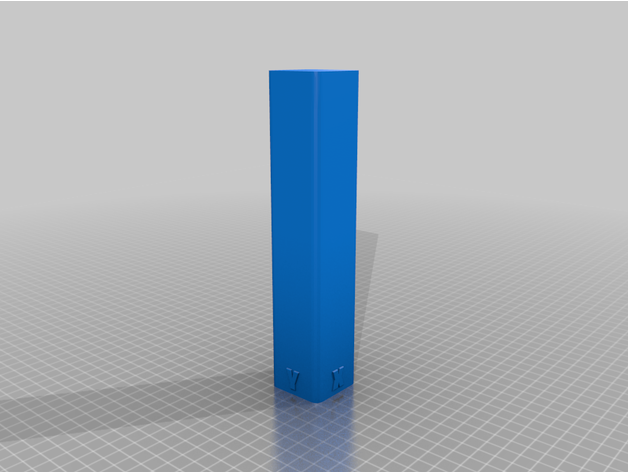
This model is a 40 x 40 x 200 mm tower that will help you visualize the quality of your layers in the Z axis.
There are raised letters at the base to show the X and Y axis.
It is easy to resize in your slicer if you need it shorter or longer.
Print this in vase mode with a couple of bottom layers. A brim is not necessary, but it may help if ...
That'll check for the wobble
hoary hedge
ok i will print it now and then see
little bobcat
It'll make it clear it's Z, and then, You just need to check out your printers calibration info for Z, and if the defects continue to bother you, there are various tools/kits out there to help reduce z wobble.
hoary hedge
what do you mean by the z calibration for my printer?
little bobcat
So, unless someone pops in and help. what you want to look for is solutions for Z wobble on your model of printer.
hoary hedge
ok when the z wobble is done i will print one and get back yo you
little bobcat
Yup
haughty flaxBOT
This post has been closed due to inactivity.
This post has been inactive for over 1 hour and so has been closed. To reopen this post simply send another message.
hoary hedge
there are some imperfections and some lines in it but its not the worst


 haughty flaxBOT
This post has been closed due to inactivity.
This post has been inactive for over 1 hour and so has been closed. To reopen this post simply send another message.