1 messages · Page 1 of 1 (latest)
 half stone
I am trying to develop a profile for a printer in Cura for a proprietary printer/slicer. I printed a Benchy in with each slicer:
https://cdn.discordapp.com/attachments/772723758593998878/1126431511260962866/IMG_5642.jpg
https://cdn.discordapp.com/attachments/772723758593998878/1126431511822995567/IMG_5643.jpg
https://cdn.discordapp.com/attachments/772723758593998878/1126431512179515503/IMG_5644.jpg
Right is proprietary, Left is Cura. At first I thought it was being caused by seams, but even after setting Cura to match the proprietary slicer's seams by making them all along the hull's front, I still got more or less the same result in the layers, just with a worse looking front hull. Interestingly, some other parts of the print are higher quality than the proprietary such as the upper hull which has less visible layer lines. Also top layers appear higher quality.
I tried matching some settings from proprietary to cura such as temp, speed, layer height, but nothing beyond basics.
I can provide profiles for both slicers if wanted.
 static ivyBOT
half stone
I am trying to develop a profile for a printer in Cura for a proprietary printer...
Based on the images you shared, it seems like you are experiencing differences in print quality between your proprietary slicer and Cura. These differences could be due to various factors, including variations in slicer settings, printer hardware, or even filament properties.
To troubleshoot the issue, here are a few steps you can take:
Check the layer height: Ensure that the layer height setting in Cura matches the one used in the proprietary slicer. This can significantly affect the print quality.
Evaluate print speed: Make sure that the print speed setting in Cura is similar to the one used in the proprietary slicer. Adjusting the speed might result in better print quality, especially if the proprietary slicer is configured for slower or faster speeds.
Review temperature settings: Monitor and compare the temperature settings between the two slicers. Different filament types and brands may require varying temperatures to achieve optimal print quality.
Examine cool...
half stone
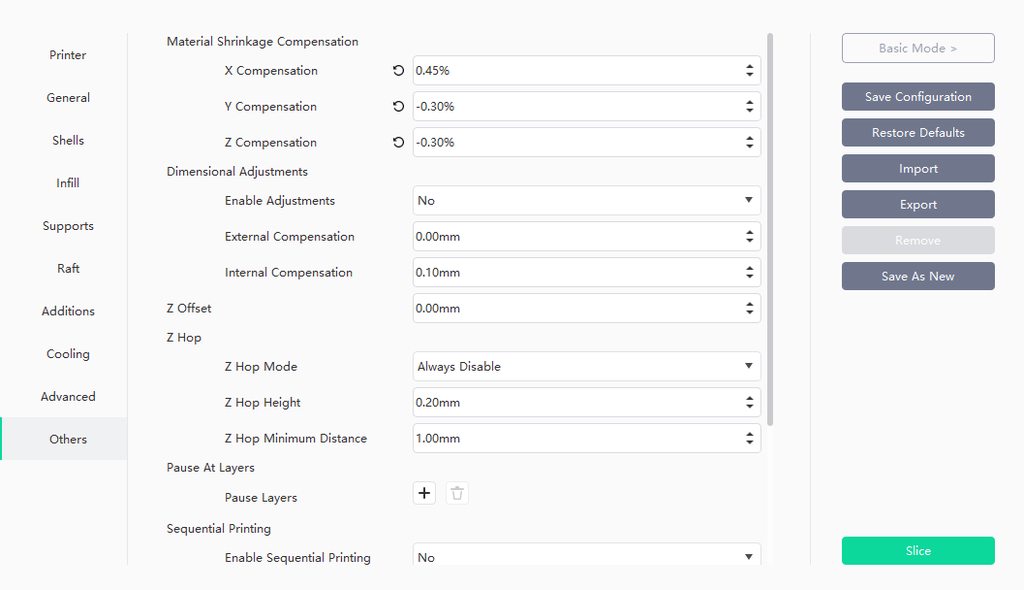
Layer height (identical): .16mm
Temperature (identical) 205C
Material (identical): Brand specific PLA+
Speed settings mostly the same.
I will post a link to imgur with all the profile settings
Changed cura defaults:

proprietary settings
Both are mostly default
half stone
the proprietary slicer prints walls first, whereas cura prints infill first. Ive noticed this makes a bulge of the infill pattern on the wall and its also mentioned on prusa's post about the hull line:
https://help.prusa3d.com/article/the-benchy-hull-line_124745
Then there’s the order of elements inside a layer. For some reason, we got better results when always printing the deck perimeters first, then infill of the deck and then the rest of the layer. We manually edited this order using a text editor.
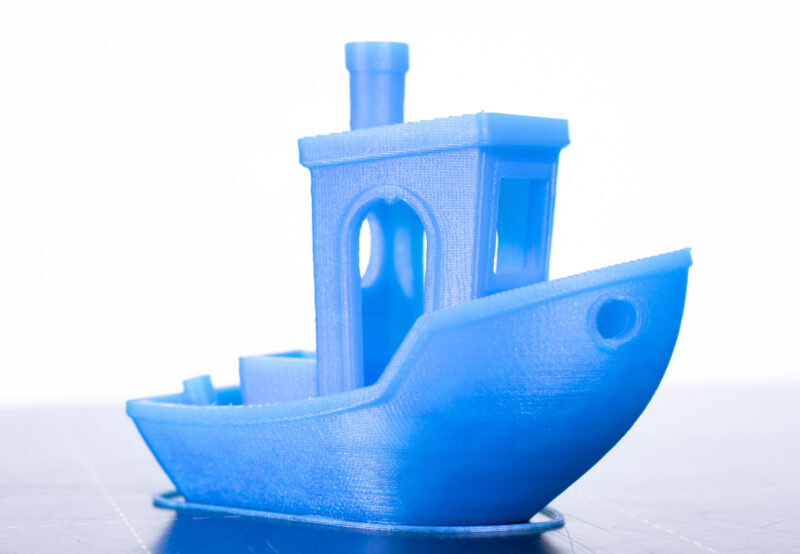
The 3DBenchy is a 3D model designed by CreativeTools specifically…
 sudden dock
You can switch the wall order in cura and see if it makes any difference?
static ivyBOT
This post has been inactive for over 1 hour and so has been closed. To reopen this post simply send another message.
half stone
sudden dock
You can switch the wall order in cura and see if it makes any difference?
i changed it so that it prints 3 walls all inside out before infill
just like the proprietary slicer
its printing rn but it seems like its suffering from the same problem
i’m honestly lost
i changed retraction and speed to be the exact same as in the other slicer