
1 messages · Page 1 of 1 (latest)
 ivory magnet
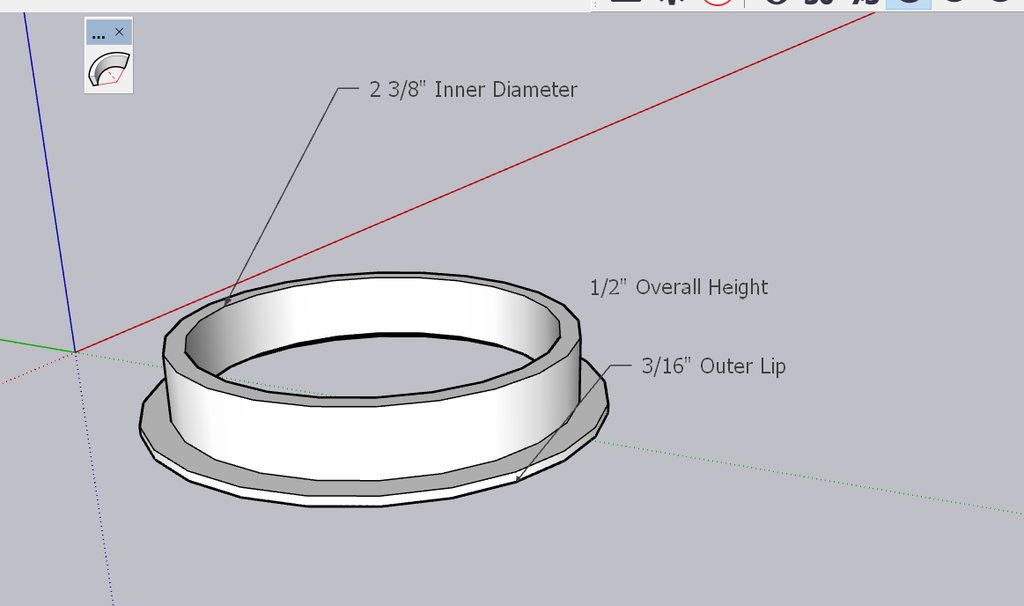
I've designed this extension fitting for this light fixture here and for some reason no matter what I try I can't seem to get Cura or Voxelmaker to interpret my model correctly. I've attatched an imgur here hopefully some of you could give me a little insight here I'm sure I'm doing something wrong lol. Thanks! https://imgur.com/a/3UYgnEA
 round streamBOT
ivory magnet
I've designed this extension fitting for this light fixture here and for some re...
Based on the information you provided, it sounds like you're running into some issues with slicing your 3D model using Cura or Voxelmaker. Without looking at the model directly, it's difficult to pinpoint the exact issue you're facing. However, here are a few general troubleshooting steps you can take:
Check the model: Double-check your 3D model for any errors or issues, such as non-manifold geometry or floating parts. Consider using a mesh repair tool like Meshmixer, Netfabb, or Blender to fix any problems.
Scale and size: Verify that the model is correctly scaled and sized. Sometimes, models imported into slicers can appear too small or large, so ensure it matches your desired dimensions.
File format compatibility: Ensure that your 3D model is saved in a compatible file format, such as STL or OBJ, which can be recognized by most slicing software.
Slicing settings: Review the slicing settings in Cura or Voxelmaker and make sure they match your printer's specificatio...
 pale ridge
would guess your scaling is off, check if your model programm exports at the right size, and if there is no scaling active in Cura
 near crater
Keep in mind that 3D printing generally does things in mm, so you might have to do some conversion.