
#bott om layer of print
1 messages · Page 1 of 1 (latest)
 subtle pagoda
 trail willowBOT
subtle pagoda
Hello, I finally figured out my printer since I am new to all this. However as y...
 robust blade
Too far from the bed 🙂
 steep heath
Ye
robust blade
Unless this is on top of a raft?
trail willowBOT
AI Help
Hello! I'm glad to hear you figured out your printer. As for your issue, it looks like you are experiencing adhesion problems with your print. This is a common issue that can be solved in a few ways:
- Adjust your bed leveling: Ensure your build plate is leveled properly. Follow manufacturer instructions on how to level the bed.
- Clean your build plate: Any residue or oil on the build surface can cause prints to not adhere properly to the bed. You can clean the plate with isopropyl alcohol.
- Use a glass bed or painter's tape: Some people find that using a glass bed or adding painter's tape to the surface can help improve adhesion.
- Increase your bed temperature or print speed: Try increasing the bed temperature in increments of 5 degrees Celsius or increasing the print speed slightly.
Try these methods to see if they help improve your bottom layer adhesion.
WARNING: This response is AI generated and may contain errors.
subtle pagoda
robust blade
Unless this is on top of a raft?
What do you mean? The picture is of the bottom layer (the one on the bed)
subtle pagoda
robust blade
Too far from the bed 🙂
How can I solve that?
trail willowBOT
Leveling Your Printer
Here is a handy infographic that will help with levelling your printer.
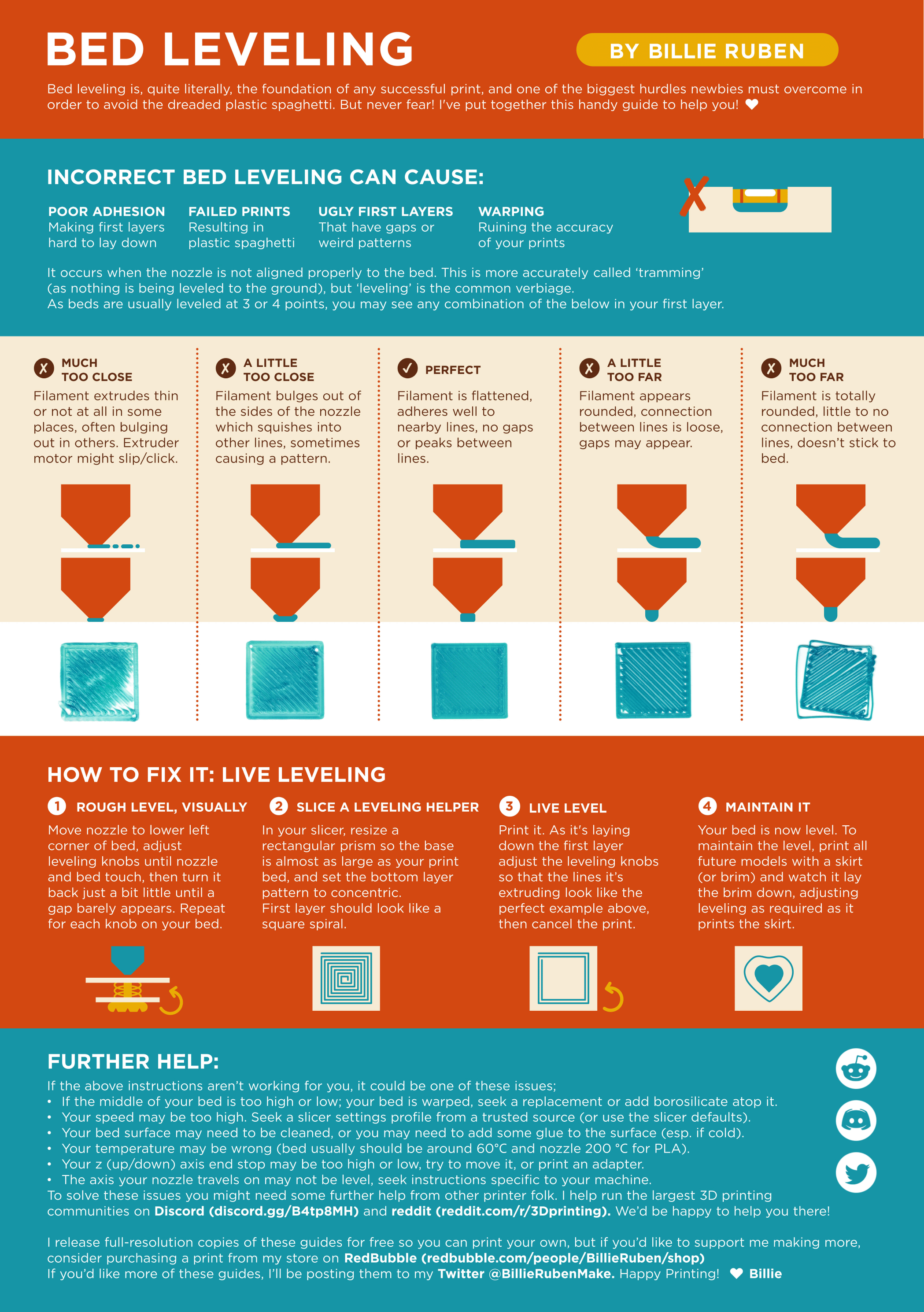
?leveling requested by: enid#1234
subtle pagoda
steep heath
?offset
I did that exact thing before I printed this maby I did it wrong?
Or could it have something to do with slicer settings?
 noble stream
subtle pagoda
I did that exact thing before I printed this maby I did it wrong?
thats leveling, next step is z offset, yours should be more negative
robust blade
since you have an ender 3 v2 neo, it has the z offset as a setting in the menu. it sets the difference in height between where the auto level sensor detects the bed, and where the nozzle actually sits. It'll apply this offset every time so that the measured points will actually touch the nozzle too. 🙂
https://www.youtube.com/watch?v=fN_ndWvXGBQ
Check at 5 minutes 14 seconds, section called "Probe Z offset"
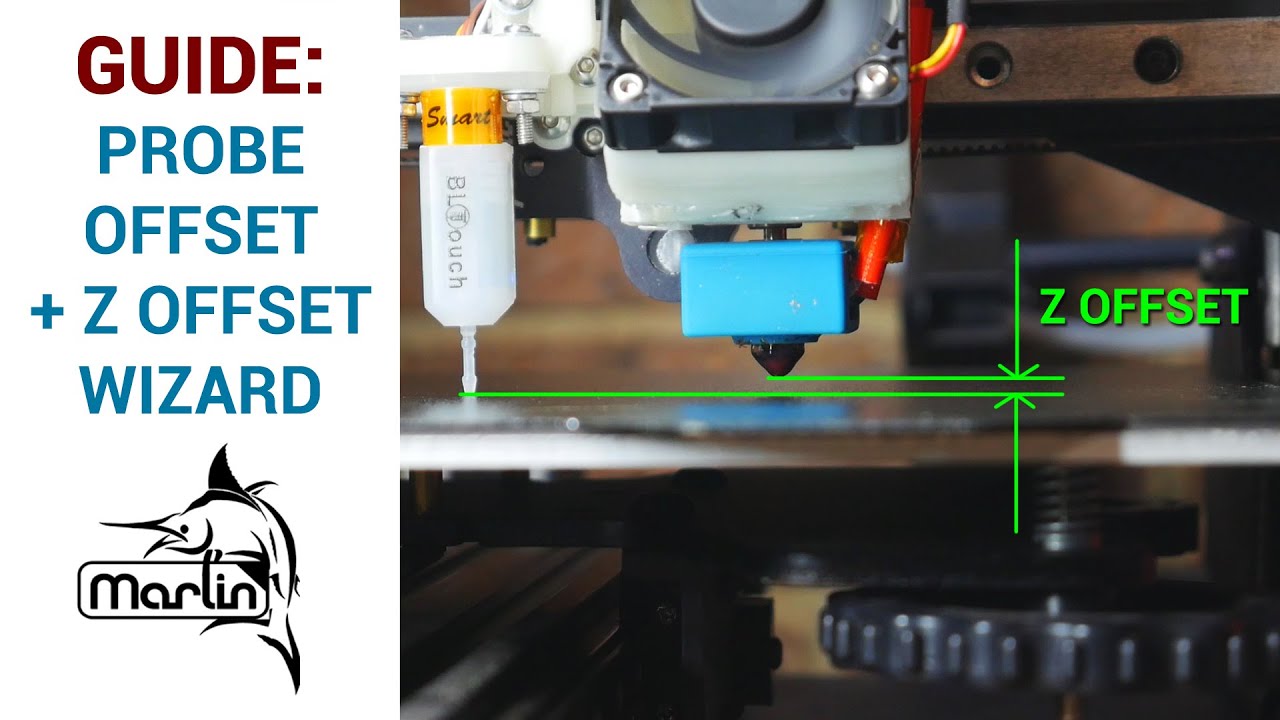
ABL (auto bed levelling) is a great solution for a warped bed, allowing perfect first layers on your 3D printer. If you don't dial in the probe to nozzle offset however, your ABL won't function as it should. In this beginner's guide, we go through how to calculate and input your probe X, Y and Z offset. We also try out the new probe Z offset wiz...
Check if you can find this menu
 trail willowBOT
This post has been closed due to inactivity.
This post has been inactive for over 1 hour and so has been closed. To reopen this post simply send another message.
subtle pagoda
Thank u so much 🙏