#Ender 6 Filament issue
1 messages · Page 1 of 1 (latest)
 crude plank
 past laurelBOT
crude plank
Hello, I have an issue while printing with my 3D Ender 6 printer while I tried t...
AI Help
It sounds like you might be having an issue with your extruder. Here are a few things you can check:
-
Make sure that the filament is properly loaded into the extruder. Check that the filament is not tangled or stuck, and that it is fed into the extruder smoothly.
-
Check the hob gear on the extruder. The hob gear is the gear that grabs onto the filament and pulls it through the extruder. Make sure that the hob gear is clean and free of debris, and that it is properly aligned with the filament.
-
Check the nozzle. Make sure that the nozzle is clean and free of any clogs or blockages. You can try using a cleaning filament to clear any blockages.
-
Make sure that your slicer settings are correct. Double check that the filament diameter is set to the correct size for your filament, and that your extruder temperature is set correctly.
If you've checked all of these things and you're still having issues, there may be a problem with your extruder motor. In this case, you may want...
WARNING: This response is AI generated and may contain errors.
 lilac crow
Does filament come through when the printer is idle, heated, and you try to push filament in by hand or use an extrude command?
crude plank
• Printer make and model : Creality Ender 6
• Any Mods, None
• Firmware, don't get the info (see attached photo)
• Filament material and temps, Amazon filament https://www.amazon.fr/gp/product/B0BFQMSK2L/ref=ppx_yo_dt_b_search_asin_title?ie=UTF8&psc=1
• Slicer, can't come from the slicer
• Any recent changes, it worked before but I upgrade some hardware from the native ender 6 hardware:
BondTech DDX V3 PA12 Fan Shroud
BondTech DDX PH3 Mosquito Upgrade
BondTech Copperhead PH2 pour DDX Ender / CR-10(S)
• What have you tried so far. I don't really know what to do and I don't want to do something bad 😦
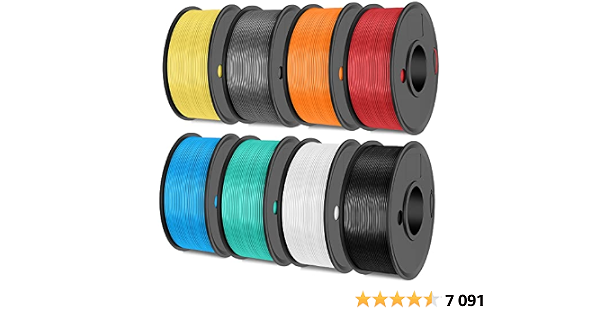
SUNLU Filament d'imprimante 3D Multicolore Paquet, PLA+ Filament 1.75mm, PLA Plus Filament 2kg, 8 Packs Bobines de 250g, Noir+Blanc+Gris+Vert menthe+Jaune citron+Orange soleil+Rouge cerise+Bleu ciel
lilac crow
So you just put these new parts onto the Ender 6 without doing anything else?
Just making sure
crude plank
I put these new parts but one year ago and it works well for months, I have this issue since 2 or 3 weeks
lilac crow
So when the hotend is at operating temperature and the printer is idle.
Can you manually push filament through?
crude plank
by "idle", you mean the printer is on but not print, right?
lilac crow
yes
lilac crow
Okay so there's no mechanical block.
Are you pushing that filament out manually
either by hand or extrusion command
or is it just oozing at operating temperature
lilac crow
can you try an extrusion command from the LCD panel
crude plank
On this video, we see that if I didn't push it the filament don't go out
crude plank
lilac crow
can you try an extrusion command from the LCD panel
yes
Oh you can see it is very slow
lilac crow
hmm that looks like its just pooling/oozing up rather than extruding.
Is the bondtech motor turning at all when you push this extrusion command

you can see the center of the motor turning, even if slowly to see if its actually functional
crude plank
lilac crow
hmm that looks like its just pooling/oozing up rather than extruding.
Is the bo...
I don't hear any kind of new sound, I can only hear the fan
Let me check more precisely
lilac crow
yea this piece at the center

You can observe it turning if the extruder motor is actually functional
otherwise something is wrong
crude plank
yes it is turning
lilac crow
hmm that is really odd. and you've said it worked for months until now
and you haven't touched anything software or hardware wise?
 lilac crow
I can suggest one thing at least

At this point, you can drive your filament from the filament sensor, directly straight to the PTFE tube
and not through the original blue gear extruder anymore since you have the bondtech direct extruder now
However, you've mentioned its been printing for a while and suddenly stopped.
I can see the extruder motor functioning too
crude plank
lilac crow
At this point, you can drive your filament from the filament sensor, directly st...
you're right yes
lilac crow
The filament obviously has no mechanical block and comes through, it oozes.
pushing manually lets the filament come through
using an extrusion command lets it ooze out, very slowly
Do you have the Ender 6 connected to a computer at the moment
Or can you connect it to a computer
crude plank
yes I can
lilac crow
Have you already had experience with software such as octoprint or pronterface for pushing manual gcode commands for tuning?
At the moment I'm suspecting your E-steps are off, and its not pushing filament at a reasonable rate
Your motors are obviously working, and your filament comes through when manually pushed, but it appears as if the extruder isn't doing the job itself
 lilac crow
what do you mean by that
crude plank
The fact to do not see any firmware information
lilac crow
Its inconclusive, I wouldn't say there is a firmware issue
crude plank
lilac crow
Have you already had experience with software such as octoprint or pronterface f...
no, but I can find a kind of tutorial
lilac crow
One last thing you can try before proceeding to any tuning or software fixes
I can recommend...

Removing the PTFE tube from this coupler.
run the filament from the sensor, straight to the loose PTFE tube
rather than running it through the old blue gear extruder
perhaps there can be too much strain?
If that still doesn't fix it.
I suspect the e-steps values of your extruder are off.
even though its been working for a while, I don't know what else could possibly be wrong
crude plank
You mean like that?
 lilac crow
mm no sorry, you can put it back the way it was
There is a motor behind the blue extruder right?
crude plank
Yes
But
Yeah I forgot to tell you
Since I put this new hardware
It is unpluggled
lilac crow
ah...
the bondtech guides/assembly tutorials
I've been reading them just now
and it seems it uses the direct extruder motor on the toolhead
in conjunction with the original extruder gear/motor as well for driving the filament
perhaps it will work better if the original extruder motor is plugged in as well, if that's possible?
lilac crow
did you change the vref of the extruder output?
the stepper motor current
Because there's two things at fault here
I've read the documents/watched the video for the Ender 6 DDX installation
 crude plank
lilac crow
did you change the vref of the extruder output?
Yes I did, I followed this tutorial.
I can check once again
lilac crow
Sorry for all the steps, this is weird... it should be working
lilac crow
crude plank
I can check once again
You shouldn't have to check the current, its probably fine
The cables are in the right place.
The stock extruder isn't plugged in, and it doesn't have to be plugged in
Is the thumbscrew tensioned well?
on the bondtech toolhead
crude plank
I always had a doubt about that, how do you know when it is well tensioned?
lilac crow
Its nothing scientific
However, a proper tension will:
Properly allow the filament to be engaged with the extruder gear teeth and is able to be pushed
But not too much tension to the point that filament material is being grinded or generating filament dust

Basically if you see gear-tooth marks on the filament if you pull it out
its normal.
Its not normal if you're grinding the material

 crude plank
Startt
G28 ;Home
G92 E0 ;Reset Extruder
G1 Z2.0 F3000 ;Move Z Axis up
G1 X10.1 Y20 Z0.28 F5000.0 ;Move to start position
G1 X10.1 Y200.0 Z0.28 F1500.0 E15 ;Draw the first line
G1 X10.4 Y200.0 Z0.28 F5000.0 ;Move to side a little
G1 X10.4 Y20 Z0.28 F1500.0 E30 ;Draw the second line
M92 E415
G92 E0 ;Reset Extruder
G1 Z2.0 F3000 ;Move Z Axis up
End
G91 ;Relative positioning
G1 E-2 F2700 ;Retract a bit
G1 E-2 Z0.2 F2400 ;Retract and raise Z
G1 X5 Y5 F3000 ;Wipe out
G1 Z10 ;Raise Z more
G90 ;Absolute positioning
G28 X Y ;Present print
M106 S0 ;Turn-off fan
M104 S0 ;Turn-off hotend
M140 S0 ;Turn-off bed
M84 X Y E Z ;Disable all steppers

I have nothing in the extruder
 lilac crow
hmm so its completely fine in software
the filament just isn't being driven by the extruder gears
lilac crow
crude plank
@crude plank

At the top of the extruder here
you should be able to see the exposed gears
when turning them with your finger, do you feel any resistance or possible engagement with the filament
crude plank
it is turning without any resistance
lilac crow
perhaps there is some sort of misalignment then.
if there is filament between the drive gears of an extruder, you can feel the engagement between the gears and the filament
and when turning the gears, you can even manually push or retract the filament with your fingers on the gears
If you can't feel or observe that, there might be something up with the extrusion tract/guide-way
crude plank
I just pushed the filament and turning the gears at the same time, the filament is getting out. I am trying a new printing
The printer is getting hot and the filament is still getting out automatically. I ll keep you updated.
no still the same! argh
I really don't understand, manually it is working well