#do I need to put cables in sleeve
1 messages · Page 1 of 1 (latest)
 humble eagle
 radiant solsticeBOT
humble eagle
I am going to install Bltouch but do I need to put the cables in that sleeve?
AI Help
It's a good practice to put the cables in a sleeve to protect them from strain and damage. The sleeve can also keep things organized and tidy, making your printer look neater. However, it's not mandatory to put the cables in a sleeve. You can route them as per your convenience as long as they are safely secured and not interfering with the printer's movement.
WARNING: This response is AI generated and may contain errors.
 void jewel
that AI answer is decent. you could just tag the wires onto the sleeve with zip ties or printable hooks that go around the sleeve and have an extra eyelet for the additional wires. Just be careful to secure the wires and not pinch them.
 obsidian scaffold
if you do want to get a cable chain like many people do, make sure the links are free to move about and not stiff (you might want to add a bit of grease to make that happen) because stuck links lead to bending being all focused to a couple spots
humble eagle
okay
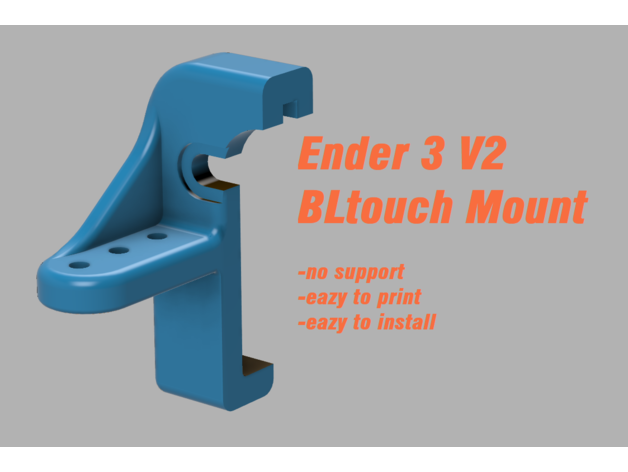
Update V3 - I've lowered the mount by 2mm for more probing room and less nozzle collisions ;) I've also updated the "les fillets" version for an easier print.
Update V2- After some requests, I've made a V2 version that doesn't require you to completely remove the carriage screw
For some weird reason my ender 3 V2 x carriage didn't have the sam...
am i allowed to print this at .28
obsidian scaffold
that would be a different question - please make another topic and end this topic by replying with "?solved" to close the topic. But to answer your question, probably? The designer recommends 0.16mm and I'm sure there's a reason for it but usually it's alright to print at a different resolution for most prints. You will get less fine features with 0.28mm though.
radiant solsticeBOT
This post has been closed due to inactivity.
This post has been inactive for over 1 hour and so has been closed. To reopen this post simply send another message.
humble eagle
?solved