#Wooting keycaps for MacOS
21 messages · Page 1 of 1 (latest)
 little flare
 tame fulcrumBOT
little flare
Hello !
Looking to buy a wooting 80HE but I am wondering about dual Windows/Mac...
tame fulcrumBOT
little flare
Hello !
Looking to buy a wooting 80HE but I am wondering about dual Windows/Mac...
Thanks for posting your support request!
Note: #community_support is only for answering general questions and for troubleshooting.
All order-specific and shipment-specific support must be handled via the Wooting Support Wizard*
(You need to create an account on the Wooting Hub, using the same email address as your purchase. The account is not created for you automatically!)
Troubleshooting your Wooting Keyboard? Try these steps first!
Basic Troubleshooting
Questions about shipping, or what to do if your shipment has a problem?
Possible Problems During Shipping (with Solutions)
Looking for information about your specific order?
You can find that on the Wooting Hub! There you can also add upgrades, update your shipping address, and much more.
Is your order about to ship and you need to pause it for any reason?
Place it on hold via the Wooting Hub!
Do you need to...
- Cancel an order?
- Return/Refund an order?
- Get assistance with placing an order?
- Change the items in your order?
- Change your shipping address to a different country?
- Return a recent purchase?
- Get warranty support?
All of these types of requests need to be made via the Wooting Support Wizard!
 exotic hedge
no shortcut to switch unless having 2 profiles and switching between them counts as a shortcut in your opinion
the caps dont have a windows symbol but a wooting logo so if you can live with alt instead of opt it works
also unless you want to change around alt/win (or cmd/opt) keycaps all the time theres no good reason to switch anything in the keymapping
little flare
@exotic hedge thanks for answers !
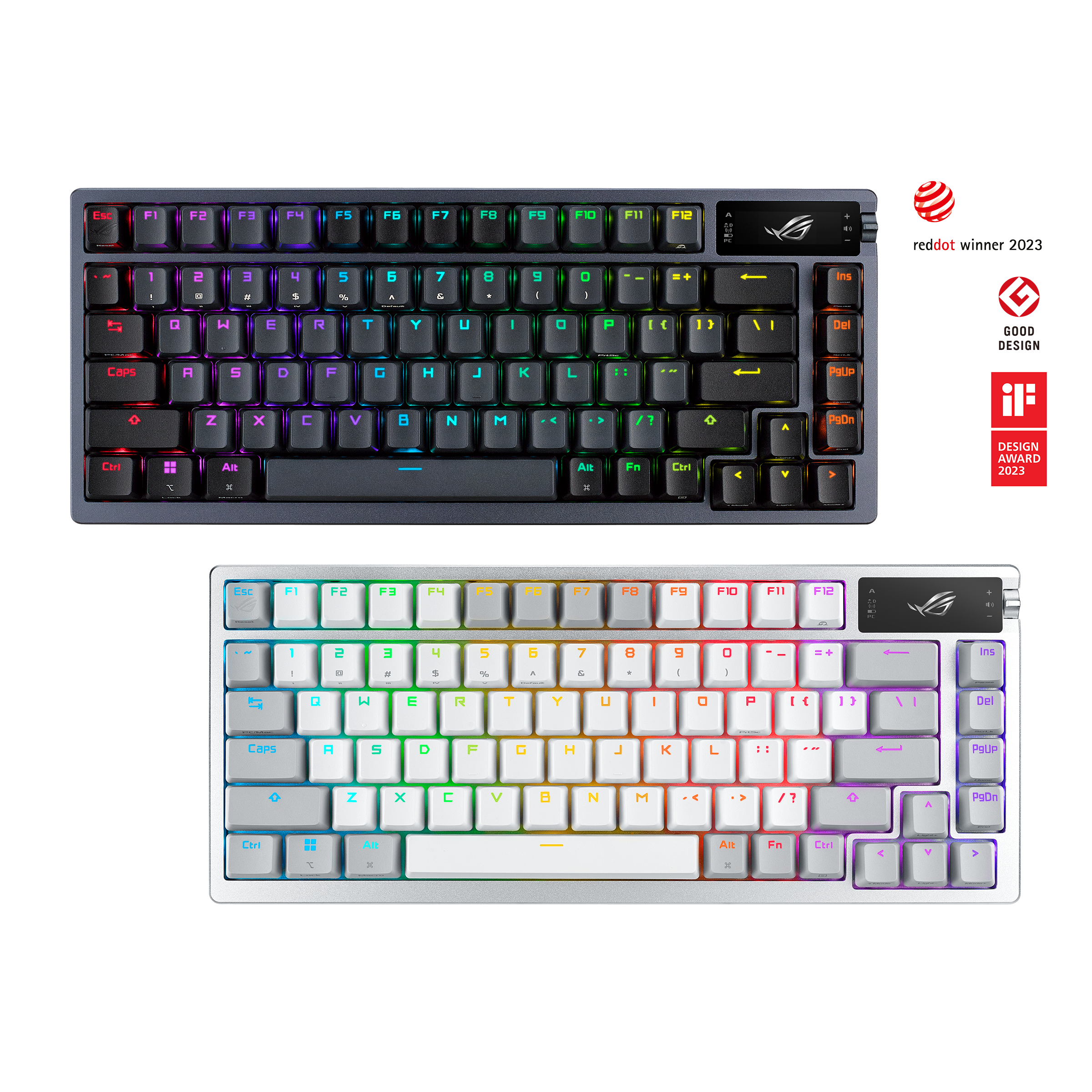
Do you know if there is available keycaps on Market that could be compatible with wooting to have both Windows and macos as a asus provide ?
exotic hedge
a lot of keycap sets
but then again youd want to stick with just macos or windows anyway for keycaps and keyboard mapping
little flare
exotic hedge
but then again youd want to stick with just macos or windows anyway for keycaps ...
Why ? Because there is not easy switch between both system ?
exotic hedge
because your keycaps will always mismatch when swapping between the 2
macos by default has a bottom row that starts with: Control, Option, Command, Space
windows (or rather non Mac specific keyboards) has it as: Control, Windows Key, Alt, Space
Given that Alt=Option you cant have keycaps matching both.
So either you ignore your keycaps and just switch between a MacOS/Windows key layout with profiles OR you ignore the key layout and pick either windows or macos and just work with it on both systems
i personally picked macos and thus now have Control, Option, Command, Space on MacOS as well as Control, Alt, WIndows Key, Space on WIndows and just picked macos keycaps.
little flare
Asus did something really nice for that I guess. At least I find the keycaps + switch between profile convenient. Sorry if I misunderstand something, but it sounds like this kind of setup is not possible with Wooting right ?
 exotic hedge
well then youd have to find keycaps like that
i can only give you what options exist (and usually you wont find a dual print like that easily cause most people dont care enough)
little flare
ok clear !
that was my fear, finding this on the market ^^
maybe I can take the one from my asus but not sure at all
exotic hedge
i mean i cant say its worse to just use the macos layout at all times and keycaps
not like i need to look at them for those keys so for me personally a more than good enough solution to just stick to 1 of them
little flare
make sense 😄