#Wooting 80He disconnects *Problem found*

1 messages · Page 1 of 1 (latest)

keen spire
#

Hello everyone!

So when I’m casually playing any game the keyboards keeps disconnecting as I mentioned in the title. My computer is brand new and I tried all the usb outputs but it still wouldn’t work. Tried three different USB - C cables but it still disconnects. So I gave it a lite shake and right away the RGB turned off so I started pressing around lightly at the edges and at the left side it disconnected. I think a keyboard in this price class should not react like this. I think why it turns off while I’m playing is because the wight of my hand. Bought it three weeks ago. I checked the cable input, nothings happening when I wiggle it. So it’s not bad connection from the USB C.

So what should I do? Is it possibly to fix myself or does the warranty cover it?

Ps: I have lubed all the buttons but Wooting tries to sell you the lube before you check out on their website so in my perspective this falls to ”normal use”. And no I did not damage any parts, it’s my fourth time lubing a keyboard so that’s not the problem.

shy foxBOT
# keen spire Hello everyone! So when I’m casually playing any game the keyboards keeps disco...

Thanks for posting your support request!

Note: #community_support is only for answering general questions and for troubleshooting.
All order-specific and shipment-specific support must be handled via the Wooting Support Wizard*
(You need to create an account on the Wooting Hub, using the same email address as your purchase. The account is not created for you automatically!)

Troubleshooting your Wooting Keyboard? Try these steps first!
Basic Troubleshooting

Questions about shipping, or what to do if your shipment has a problem?
Possible Problems During Shipping (with Solutions)

Looking for information about your specific order?
You can find that on the Wooting Hub! There you can also add upgrades, update your shipping address, and much more.

Is your order about to ship and you need to pause it for any reason?
Place it on hold via the Wooting Hub!

Do you need to...

All of these types of requests need to be made via the Wooting Support Wizard!

dense lotus
#

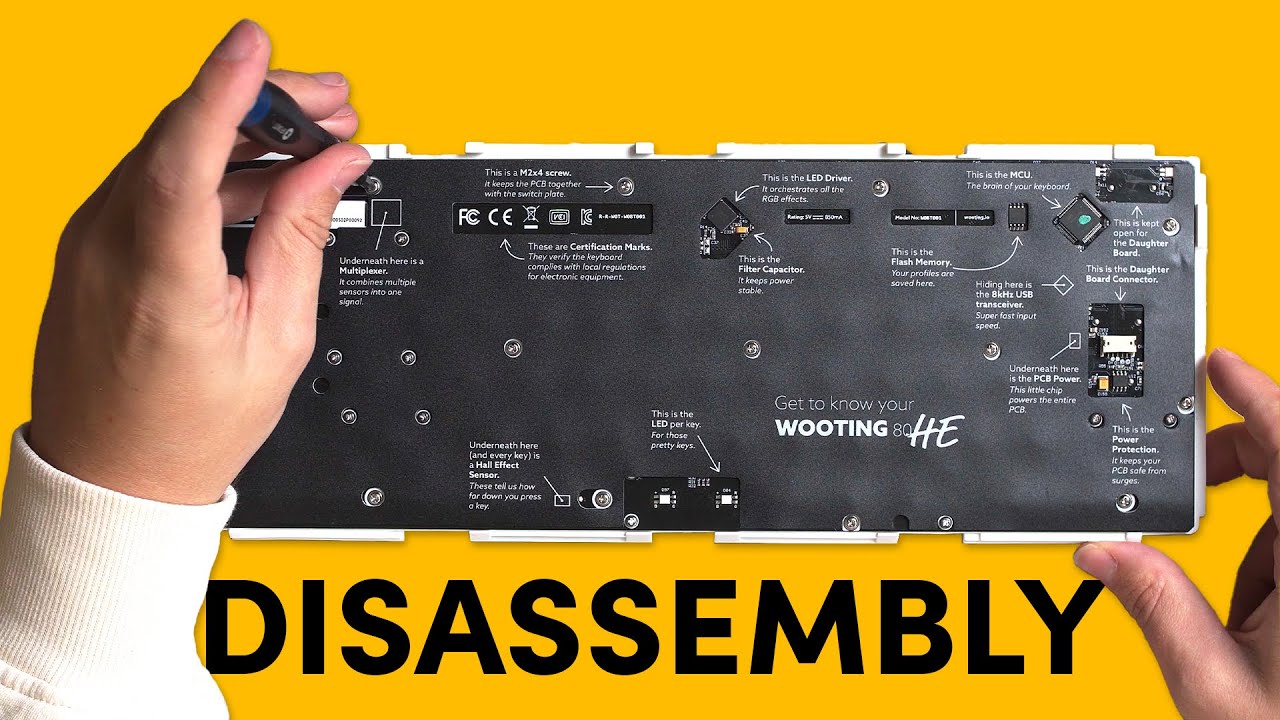
It sounds like the JST cable between the daughter board and the main PCB is loose. It can be solved by opening the keyboard and making sure it's connected properly

keen spire
#

Is there perhaps a tutorial I can follow?

dense lotus
# keen spire Is there perhaps a tutorial I can follow?

Sometimes, you may need to fully disassemble your keyboard, whether it's to swap out stabilizers or replace components due to a defect. In this video, we'll guide you through the process.

🛒 Wooting 80HE https://wooting.io/wooting-80he

✨ Follow our socials! ✨
Discord https://discord.gg/wooting
Twitter https://www.twitter.com/wootingkb
In...

▶ Play video