#Problem with my wooting 60 he
49 messages · Page 1 of 1 (latest)
 vast spire
 ocean idolBOT
vast spire
i cant restore my wooting 60he he disconnected randomly and dont connect anymore...
ocean idolBOT
vast spire
i cant restore my wooting 60he he disconnected randomly and dont connect anymore...
Thanks for posting your support request!
Note: #community_support is only for answering general questions and for troubleshooting.
All order-specific and shipment-specific support must be handled via the Wooting Support Wizard*
(You need to create an account on the Wooting Hub, using the same email address as your purchase. The account is not created for you automatically!)
Troubleshooting your Wooting Keyboard? Try these steps first!
Basic Troubleshooting
Questions about shipping, or what to do if your shipment has a problem?
Possible Problems During Shipping (with Solutions)
Looking for information about your specific order?
You can find that on the Wooting Hub! There you can also add upgrades, update your shipping address, and much more.
Is your order about to ship and you need to pause it for any reason?
Place it on hold via the Wooting Hub!
Do you need to...
- Cancel an order?
- Return/Refund an order?
- Get assistance with placing an order?
- Change the items in your order?
- Change your shipping address to a different country?
- Return a recent purchase?
- Get warranty support?
All of these types of requests need to be made via the Wooting Support Wizard!
 fervent trout
what happens when you attempt a keyboard restore in Wootility
- Can't reach the restore page in Wootility
- The keyboard is not detected when a restore takes place
- An error code appears (if so, which one?)
vast spire
The problem is that during the recovery process, it automatically disconnects and has no connection to the PC at all. I've already tried different ports and cables, but the keyboard remains dark and doesn't establish a connection to the PC.
Sometimes it appears paired in the device manager, but I can't use the keyboard.
vast spire
sorry its German 😄 but after that nothing happens.....

and sometime it works but after that it disconnected immediately

Error ID: DeviceReconnect
fervent trout
can you share your keyboard serial number
this can be found underneath the keyboard case labeled "S/N" or in wootility top left comer (maintains a connected vice history)
Example : A02b2344W05xxxxx
vast spire
please tell me my keyboard i not full broken 😄
 fervent trout
so this model can have an issue where the screw can scratch off the solder mask and make contact with a trace or wire below (causing the right side of the keyboard hall sensors to be brought to ground as pressed)
this causes the delete + FN to be detected as pressed on startup, forcing the keyboard to be in wooting restore
so this would explain why the firmware update completes successfully but when it restarts to launch the keyboard normally it stays in wooting restore (device reconnect error)
can you try this guide to see if this fixes the problem
Dieses Modell kann ein Problem haben, bei dem die Schraube die Lötstoppmaske abschaben und Kontakt mit einer darunterliegenden Leiterbahn oder einem Draht herstellen kann, wodurch die Hallsensoren auf der rechten Seite der Tastatur auf Masse gezogen werden und als gedrückt erkannt werden
Dadurch wird delete + FN beim Start als gedrückt erkannt, was die Tastatur in den Wooting-Wiederherstellungsmodus zwingt
Das erklärt, warum das Firmware-Update erfolgreich abgeschlossen wird, aber beim Neustart in den normalen Betrieb die Tastatur im Wooting-Wiederherstellungsmodus bleibt und ein Geräte-Wiederverbindungsfehler angezeigt wird
Kannst du diese Anleitung ausprobieren, um zu sehen, ob das Problem dadurch behoben wird
https://help.wooting.io/article/210-fix-right-side-of-60he-not-working
Symptoms Your 60HE may be stuck in restore mode after a successful flash, or you may be experiencing phantom inputs for the keys handled by the multiplexer in c
vast spire
ok wait 😄 i will try it seconds please
vast spire
ITS Not working 🙁
vast spire
[HKEY_LOCAL_MACHINE\SYSTEM\CurrentControlSet\Control\usbflags\31E3131F0101]
"IgnoreHWSerNum"=hex:01
maybe this works? but i dont know how to open it for my pc
if i make a new data with.reg at the end he says its not a registy file
 zenith cairn
open that and look

 lyric storm
Yo I have the same problem my wooting doesn't work anymore for no reason (it was when I updated on wootility) and I can't do anything it doesn't work
vast spire
ah yes 😄 with the registry file worked now 😄 but my keyboard doing nothing
 distant blaze
vast spire
ah yes 😄 with the registry file worked now 😄 but my keyboard doing nothing
distant blaze
vast spire
ah yes 😄 with the registry file worked now 😄 but my keyboard doing nothing
If you've followed all the steps in this article , restored your 60HE and it still doesn't work, reach out to Wooting https://wooting.io/support
distant blaze
lyric storm
Yo I have the same problem my wooting doesn't work anymore for no reason (it was...
Make your own post please.
fervent trout
vast spire
ah yes 😄 with the registry file worked now 😄 but my keyboard doing nothing
(sorry don't check discord that much on weekends)
but to check the current state is the
- keyboard RGB on/off
- is it detected as "wooting restore" or "wooting 60HE" by the system?
last point i would to check is registery edits what is this for ?
vast spire
keyboard rgb is off as always..... if i try to restore my pc system find it with Wooting Restore but after that he disconnect and doesnt reconnect anymore ;D like he my pc doesnt find the keyboard anymore .... or have no power idk 😄 but i try other usb port AND other cables
fervent trout
in that case i think you still have the "D29 Stuck in wooting restore" problem (what the earlier guide was meant to address)
so that tends indicate that the Screw may have permanently damaged or disconnected the Trace/wire best to wait for a response to the ticket and include what has been attempted (if not mentioned)
vast spire
thank you very much for your help 😄 Is this also a problem with the newer versions, for example with the Wooting 80 HE?
fervent trout
Only for certain models of 60HE that we revised the PCB design back in Late 2023 (+ a few months for these models to reach people)
vast spire
Ahhh OK 👍 iam thinking of buying the wooting 80 He If my 60 He is now broken 😣 IT was my Favorite Keyboard of all time
vast spire
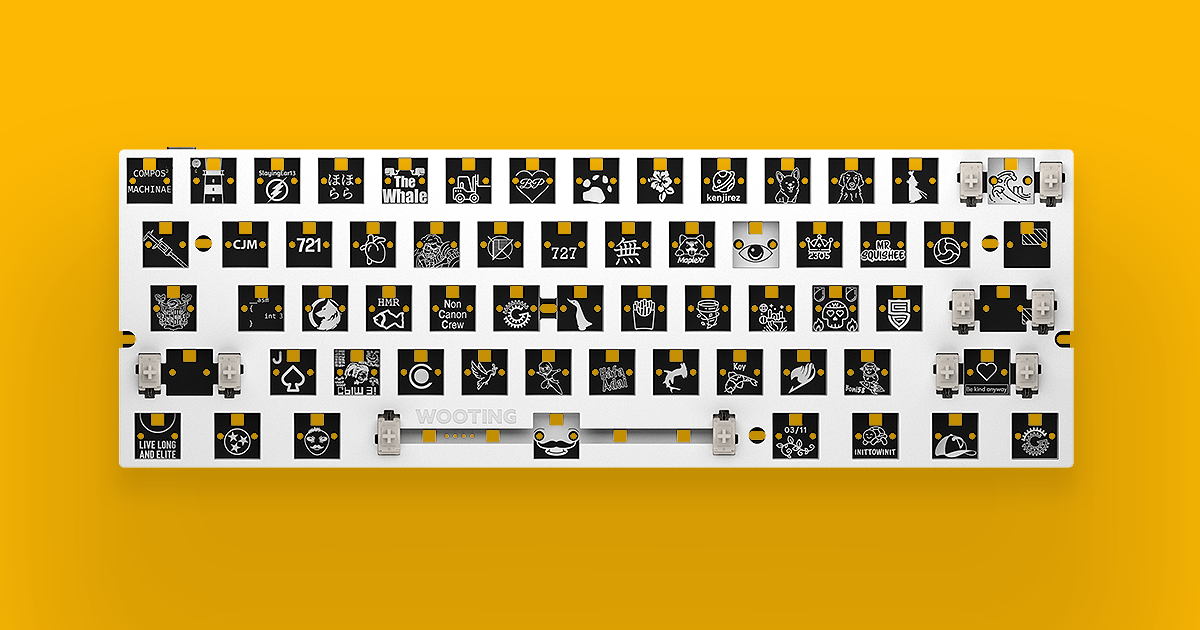
Wooting
Standalone Wooting 60HE module. For you keyboard enthusiasts. Fits most after market 60% cases.
Hey can i fix this Problem with a new Module ?
fervent trout
Yes.
but keep in mind that this problem is under warranty so you can also reach out to us if not resolved and we can get you sorted
vast spire
Yes ofc thank you 😊👍🏻
Iam Just waiting for the Email from the wooting Support maybe they got an Idea 🙂
But of Not i think IT would be Worth IT to get a new Module 🙂
The question is why I can't get a new module directly, since the keyboard no longer turns on... it's completely unresponsive
fervent trout
for these issues we send a replacement PCB so similar to the module but closer to the stock 60HE (doesn't include the silicone/stabilizers)
vast spire
ok and whats the different then?
fervent trout
lacks the stabilizers and the silicone sandwich
the PCB is what has the issue and what needs to be replaced.
vast spire
can i buy the silicone/stabilizers?
Can a beginner manage to swap the modules etc., including the silicone inserts and stabilizers? Even though I'm not entirely sure what that means ;D
fervent trout
so we have a video guide on how to swap the PCB around
once you remove the module from the case and separate the (switch plate, foam, PCB) you can swap out the PCB and reassemble so you won’t need to take out the switches or stabilizers (these are attached to the switch plate)
and all good
https://www.youtube.com/watch?v=wRVnK958Tdk

Following along in this tutorial to see how you can easily replace your Wooting 60HE PCB.
Did you break your 60HE PCB? Contact us over at [email protected]
➤ Follow our socials!
🧑🤝🧑 Discord https://wooting.io/discord
🐤 Twitter https://www.twitter.com/wootingkb
📸 Instagram https://www.instagram.com/wootingkb
🎥 Twitch ht...
vast spire
Ah ok perfect 👍 If got a answer from.the Support! I try to fix it with the Tips from the Support If it`s doesnt Work i let.you know
vast spire
i have one more question.... i bought this keyboard from a friend... and he doesnt have any ordernumber or receipt.... is that a problem to get a new modul ? 🙁
 untold tangle
vast spire
i have one more question.... i bought this keyboard from a friend... and he does...
untold tangle
vast spire
i have one more question.... i bought this keyboard from a friend... and he does...
If they create an account on the hub with the same email they used when they ordered then they can transfer the order to you
vast spire
idk the email from the order.... 🙁
fervent trout
Best to provid the orginail buyer with this guide
https://help.wooting.io/article/79-transferring-ownership-of-an-order
and your email so they can transfer over the order to you.
If you choose to sell or give away your Wooting keyboard, the new owner may wish to access the Wooting Hub for support and warranty assistance. Caution: Wooting
vast spire
we just dont know the email or the ordernumber ;D we have only the serial number from the keyboard hahaha 😄
fervent trout
When an order is made, the (address, email, phone) is requested.
Your friend may not have created an account but should have received an email when the order went through witch the order is linked to,
so they should also have one email from Wooting which they can check to find out what email the order was made under. (if they have multiple emails)
Once found, they can go to "https://hub.wooting.io/" to create an account with the same email and follow the guide.
(Note)
Just in case, as some may refer to "friend" as a reseller, you will need to provide the invoice/receipt of purchase.
vast spire
I ahve got a new modul now 😄 and it work fine 😄