#80HE USB C Cable port
8 messages · Page 1 of 1 (latest)
 solemn siren
 jagged zodiacBOT
solemn siren
I'm not sure if I'm doing anything wrong. But I just got my 80HE yesterday and t...
jagged zodiacBOT
solemn siren
I'm not sure if I'm doing anything wrong. But I just got my 80HE yesterday and t...
Thanks for posting your support request!
Note: #community_support is only for answering general questions and for troubleshooting.
All order-specific and shipment-specific support must be handled via the Wooting Support Wizard*
(You need to create an account on the Wooting Hub, using the same email address as your purchase. The account is not created for you automatically!)
Troubleshooting your Wooting Keyboard? Try these steps first!
Basic Troubleshooting
Questions about shipping, or what to do if your shipment has a problem?
Possible Problems During Shipping (with Solutions)
Looking for information about your specific order?
You can find that on the Wooting Hub! There you can also add upgrades, update your shipping address, and much more.
Is your order about to ship and you need to pause it for any reason?
Place it on hold via the Wooting Hub!
Do you need to...
- Cancel an order?
- Return/Refund an order?
- Get assistance with placing an order?
- Change the items in your order?
- Change your shipping address to a different country?
- Return a recent purchase?
- Get warranty support?
All of these types of requests need to be made via the Wooting Support Wizard!
 vocal ridge
Sounds like the JST cable was loose and has now disconnected
 brave galleon
like Xphome said chance the cable came loose during shipping then with a bit of use completely disconnected
you can watch this video
https://www.youtube.com/watch?v=AnyG_a1kosg
For reference a picture of the JST cable

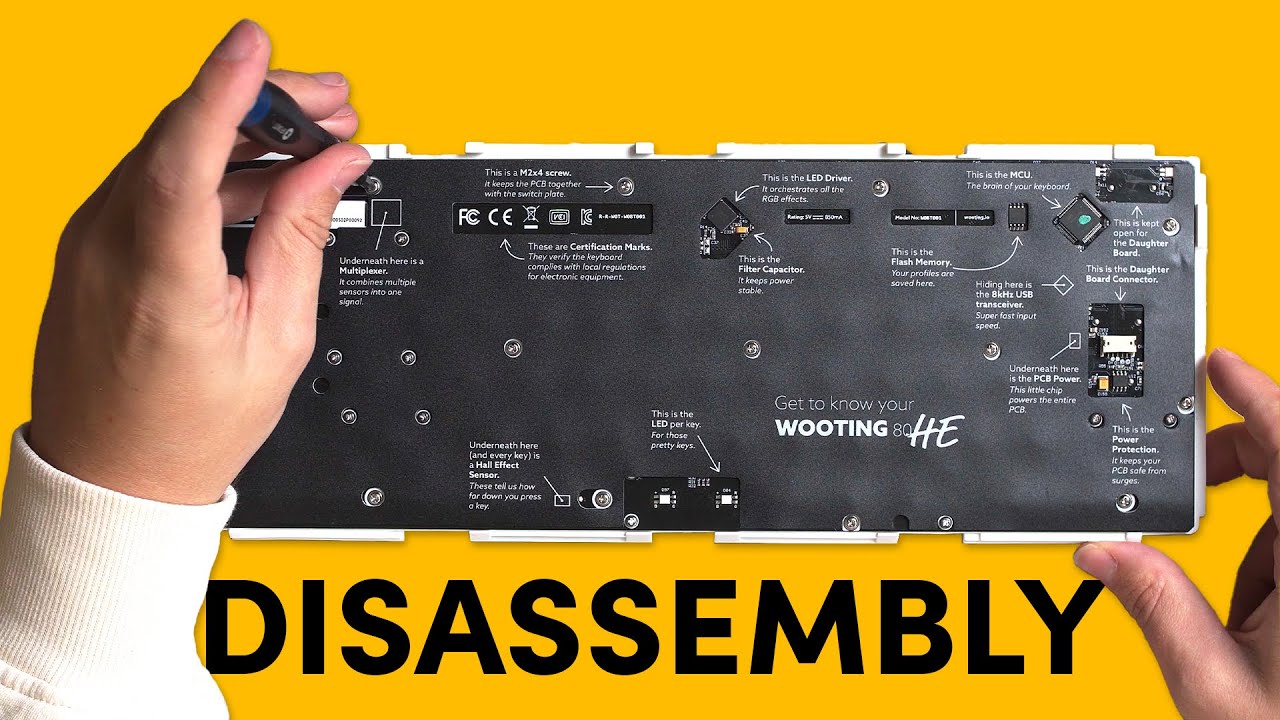
Sometimes, you may need to fully disassemble your keyboard, whether it's to swap out stabilizers or replace components due to a defect. In this video, we'll guide you through the process.
🛒 Wooting 80HE https://wooting.io/wooting-80he
✨ Follow our socials! ✨
Discord https://discord.gg/wooting
Twitter https://www.twitter.com/wootingkb
Instagram...
solemn siren
If I open up the keyboard, will it void the warranty?
 torpid viper
Not as long as you follow the video instructions.
solemn siren
thanks I'll give it a go
solemn siren
it works!!!!