
#Keyboard disconnected, keys malfunctioning
51 messages · Page 1 of 1 (latest)
 austere copper
 pearl talonBOT
Thanks for posting your support request!
Please note, the support center is only for community-based support with technical troubleshooting and general questions.
For official Wooting Customer Support, please use the Contact Us button on the Wooting Hub or email your request to [email protected]
note: use the email address associated with your order for fastest resolution
Looking for information about your specific order?
You can find that on the Wooting Hub! There you can also add upgrades, change/confirm your shipping address, and much more.
Is your order about to ship and you need to pause it for any reason?
Place it On Hold via the Wooting Hub!
https://hub.wooting.io/login
austere copper
@north sandal Please help me take a look. Thanks
 north sandal
i do not have access to that information's
from the sound of your problem a keyboard restore could help
it can be done by lunching wootility
- Settings
- Troubleshooting
- Select device
- select Layout
- click Restore
and that should reflash the keyboard if you get stuck on any steps please provide what step you get stuck at
austere copper
It has been restored. It was fine at first and then the connection will be disconnected after a few minutes.
Even if I switch to another laptop, the connection will still be disconnected, but the connection will be good at first, and then the connection will be disconnected after a few minutes.
north sandal
Just to check a few things:
-
Have you performed any modifications to the keyboard?
For example, changing the case. -
Are you using the stock USB cable that came with the keyboard or a third-party cable?
-
Is the keyboard connected to a device between the computer, like a KVM or USB hub?
-
When the keyboard is unresponsive or LEDs turn off, can you check the state of the keyboard by going to "Bluetooth & devices" and see if the keyboard is listed as either:
- Wooting 60HE (ARM)
- Wooting Restore
- Not listed
austere copper
The original data cable used is plugged into the USB3.0 interface of the computer. When the keyboard fails, the keyboard cannot be recognized directly and the light does not come on.
 warped orchid
I don't really understand the error behavior. Like did the keyboard always works for a short time and then it just disconnects or did it never work when connected, or just sometimes?
As suggested you should check if the system detected a Wooting device at all. For that it doesn't matter if it's working or not, it only matters if the system and how it may detect the device. For that please open the Win device manager (devmgmt.msc), change its view to "container" and check if there is an entry named Wooting shown and if not if there is a device marked with problems. Best to provide a screenshot of that window.
I would assume the Wooting is detected but as "Wooting Restore". That would mean that the device entered the fail safe mode, where it don't work as a keyboard and RGB is turned off. That mode is just used for installing updates. Then we would need to figure out why.
austere copper
Now the computer can not directly recognize the device, reset is not good, the keyboard light is not bright, is there a problem with the keyboard interface?


I saw a lot of people in the same situation as me on the post bar, one of them said that the keyboard interface was wrong, he found a shop to repair mobile phones, and repaired the keyboard interface
But my keyboard is a new keyboard, just installed the driver is the problem
warped orchid
Please answer the questions, otherwise we can't really help at all.
I don't know which case you mean, the keyboard interface is how the firmware tells the host about its capabilities. This should not got corrupted in the first place and a repair shop maybe is not really able to fix that because they would need to reverse engineer the device.
From the pictures it's clear that the Wootility app can't detect the Wooting in the normal mode. But we already know that, so the question is just why and for that we need the answers to the questions.
austere copper

Keyboard not recognized,The keyboard is now plugged into the computer, and it doesn't respond at all, and the lights don't work
warped orchid
I can't read that message, but the details of this one aren't interesting. Again, I need to see what the Windows device manager shows you.
This needs to look like this:

So from the mesage the device has an issue and so should be marked. Meaning the entry for the Wooting don't look like my working example.
First you should make sure that the entry marked with the error really belongs to the Wooting. So please unplug the Wooting and check if the bad device is gone from the device manager.
If so please connect it again, open the properties of the bad device and provide a screenshot of the general device info.
That should look like this, while for you it should show specifics about the issue:

I need that details in order to know what is maybe going wrong.
austere copper
Display device descriptor request failed


 warped orchid
So I guess there is an issue with the device. Can you please copy the text over so I can translate that.
You can try to manually enter the restore mode of the device and check if the host then successfully detected the Wooting as Wooting Restore.
If that works you can try a restoring. But without knowing what is wrong this is just a shoot in the dark.
It can be that there is an issue with the USB cable, so it's worth to try some others.
austere copper


At first, you can connect to the computer, and when you use it normally for a while, the keyboard will automatically disconnect, and the next day you can't connect it directly (as shown in the picture).
We tested it on five different computers, and they all looked like this
warped orchid
Did they all behave like this? Like that it's working for a while and then it fails?
So when did it stops working? I'm bit confused by your wording. For me it's clear yet if it's stops working after a while and after a re-plug or the next day. Did you may leave the PC on?
The error message can indicate a communication issue. So it's worth to try out a few other cables.
What is your USB setup? Like how did you exactly connect the Wooting to the system, please mention all the links. Because it can also imagine a power issue so that the MCU barely can operate.
It's also worth it to try a restore. https://help.wooting.io/article/90-how-to-restore-reset-my-wooting-one-or-wooting-two-flaretech
The purpose of this article is to help you with the factory reset, restore and recover process to solve any issues with settings, actuation or connection issues
Did the Wooting works from time to time? Because you mentioned that it's working at first, or did you meant when you got it? So that it don't work anymore since then. Because in that case it can be that the first update maybe had a flash error. Then the restoriong would help.
By the way, did you may applied any modification to it?
austere copper
When you say modify, do you mean take apart the keyboard and look inside?
I also tried using another keyboard cable that day, but it also automatically disconnected after a few minutes of connection
On the second day, when I tried again, I plugged in the keyboard and there was no response
On the third day, I took the keyboard to the company and tested it on four computers, but none of them could connect and the usb device was unrecognizable
Summary: The keyboard has just been received, and after only one hour of normal use, there was a keyboard failure, and then the firmware was re-brushed, or the link was automatically disconnected every few minutes, and the connected keyboard failed. Then change a keyboard connection line, also a few minutes automatically disconnected. Wait until the second day to go to the test, the direct connection can not be shown, the USB device is not recognized, and then the other computer test is the same
Now I can't reset it. The keyboard doesn't respond at all
warped orchid
austere copper
When you say modify, do you mean take apart the keyboard and look inside?
No, I mean if you made any changes? Just opening is fine, but swapping the case can already cause problems.
There are a lot of modifications which may can have an effect.
warped orchid
austere copper
Summary: The keyboard has just been received, and after only one hour of normal ...
Do you mean that when pressing the two keys to manually entering the restore mode the system also detects the device as faulty and not as "Wooting Restore".
There is no way for me checking if the sequenze to enter the restore mode performed correctly. So I can only recommend to really read it anf try it a few times.
In the case the device also can't be detected in the restore mode there is likely a connection issue. But a lose contact as the cause should be unlikely.
And the other potential cause would be corrosion and for that liquid would need to got to the connector.
So if the device also is marked as faulty in the device manager in the restore mode I recommend to remove the module and that you provide a picture of the USB area of the back of the module.
austere copper
It should not corrode, this is a new keyboard I bought, the first day there is such a problem
Thank you for your advice. I will follow your advice and have a look
And then I'll give you feedback
When you say remove module, which module do you mean remove?
warped orchid
You have a 60HE as far as I know. So the PCBA, foam and the mounting plate are assembled together and Wooting calls this the module. They now sell that even separately.
https://wooting.io/wooting-60he-module
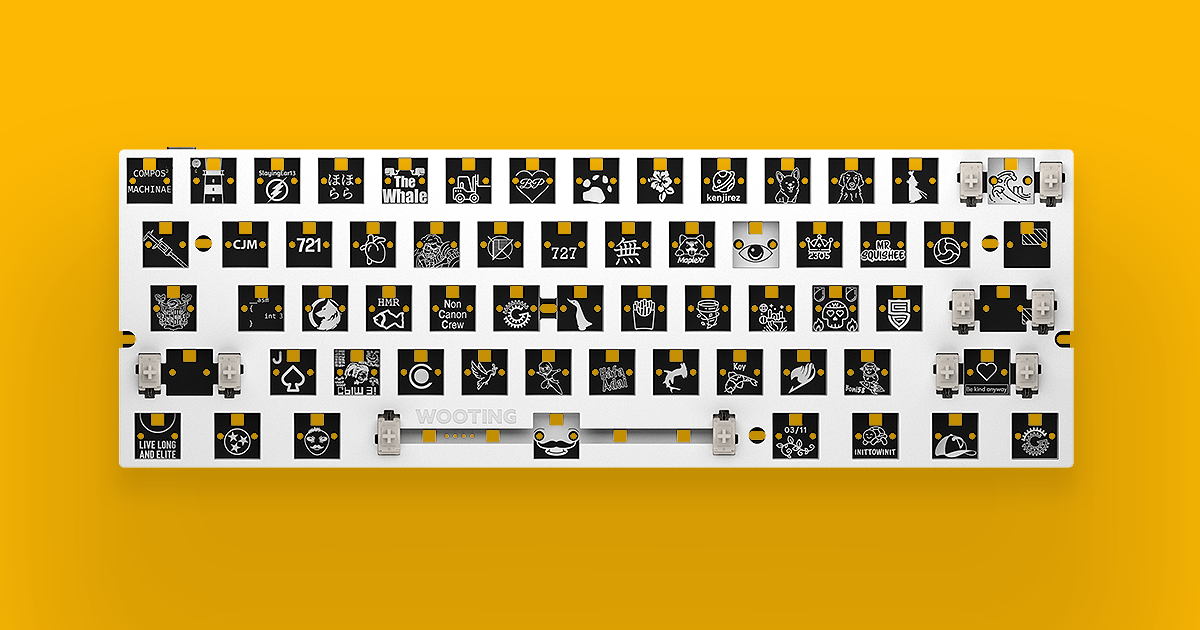
Standalone Wooting 60HE module. For you keyboard enthusiasts. Fits most after market 60% cases.
Here is a video how you can remove it: https://www.youtube.com/watch?v=PsRcYxZgBCo

The 60HE Module is compatible with any universal 60% case that followed the GH60 standards. This is how to safely swap out the 60HE into another case.
Our own Alumaze60 case: https://wooting.io/product/alumaze60
Supported Custom case list: https://wooting-technologies.notion.site/de7a52e2b5a941258a17e448b0c9d9b0
00:00 Intro
00:24 removing the ...