#Firmware v2.6.22-beta
1 messages · Page 1 of 1 (latest)
 icy nova
😲
 keen cypress
Beta Firmware v2.6.22-beta
 neon fiber

 novel light
suuuuuuuuuuuuuuuuuuuuuuu
 cobalt silo

 novel dust
Gaming
 warped gust
Hell yea! Just in time for some gaming sessions this weekend 😄
keen cypress
btw, to install it you need to be using the Wootility Beta build. You don't need to continue using the Wootility beta after updating, you can return to the regular Wootility version
 cloud herald
how do we get the wootility beta build?
novel dust
warped gust
Hell yea! Just in time for some gaming sessions this weekend 😄
easy 50% higher kd
keen cypress
cloud herald
how do we get the wootility beta build?
1 sec, I'll get some links
cloud herald
king, ty!
novel dust
ye lol
keen cypress
You can use these links to get the latest build on the beta branch:
- Wootility Web: https://beta--wootility.netlify.app/
- Windows: https://api.wooting.io/public/wootility/download?os=win&branch=lekker&channel=beta
- Mac (Intel): https://api.wooting.io/public/wootility/download?os=mac&branch=lekker&channel=beta
- Mac (Apple Silicon): https://api.wooting.io/public/wootility/download?os=mac&branch=lekker&platform=arm64&channel=beta
- Linux: https://api.wooting.io/public/wootility/download?os=linux&branch=lekker&channel=beta

Instantly edit your Wooting keyboard profiles and colors from the browser.
 shell pilot
cloud herald
shell pilot
cloud herald
you the best ty
novel dust
doesnt yet show me on wootility beta website
keen cypress
btw, I hope to push this firmware to stable next week if no major issues appear 😊
keen cypress
novel dust
doesnt yet show me on wootility beta website
You may need to refresh if you've been on it before and ensure you've connected your keyboard using the "Find Devices" button
novel dust
am i already on that version now without updating?
 keen cypress
novel dust
am i already on that version now without updating?
keen cypress
novel dust
am i already on that version now without updating?
Yeah, that's the beta firmware version, maybe you already updated to it before
It had been available for the past week or so, I just hadn't made an announcement about it
keen cypress
Firmware v2.6.22-beta
 round rover
@keen cypress Will this make me better at hello kitty adventure?
keen cypress
round rover
<@178235161857490944> Will this make me better at hello kitty adventure?
It'll make you better irl too 
 latent zenith
keen cypress
You can use these links to get the latest build on the beta branch:
- **Wootilit...
latent zenith
keen cypress
You can use these links to get the latest build on the beta branch:
- **Wootilit...
 sweet nebula
@keen cypress Does this help at all with the instability of the analog signal with Tachyon on, or is that a issue you are still trying to address?
keen cypress
sweet nebula
<@178235161857490944> Does this help at all with the instability of the analog s...
Yes, the tachyon experience is much better, but there are still more improvements I'm working towards
sweet nebula
You are the man!! Def going to have to give Tach a roll now with this latest update
keen cypress
A bit more context, tachyon is still less stable than non-tachyon. It's somewhat a property of how it works, but it is so much better than before
 summer shard
really wishing i had ARM about now
novel dust
Will y'all be able to get the actuation point on the same level?
 round viper
stupid question where can i update the firmware
keen cypress
novel dust
Will y'all be able to get the actuation point on the same level?
That's the stuff I'm still working on 😁
keen cypress
round viper
stupid question where can i update the firmware
It should appear automatically when your keyboard connects to the beta Wootility build. You can find links further up the thread 🤠
novel dust
keen cypress
That's the stuff I'm still working on 😁
good to hear
summer shard
is there any chance that similar improvements are in the pipeline for AVR or is it not possible?
warped gust
If I turn on Tachyon mode it will disable RGB effects without saving to keyboard, if I turn it back off it doesn't reenable the effects
 olive dock
Thanks @keen cypress for the awesome software! 🙂
keen cypress
warped gust
If I turn on Tachyon mode it will disable RGB effects without saving to keyboard...
Yeah, that's kinda a property of how it works, if you want to disable tachyon mode and restore your rgb effects you should undo the change rather than changing the setting back
keen cypress
summer shard
is there any chance that similar improvements are in the pipeline for AVR or is ...
Well, I actually implemented it for AVR as well, it's a compile-time flag for if it does 12-bit or 8-bit scanning. However, the main issue is that it has a significant impact on the speed of things, on ARM, the 12-bit vs 8-bit scanning time is basically identical, but with AVR it slows down a fair bit. I can't remember exact timings it had, but it wasn't super crazy, so it could be possible down the line to have it as maybe an additional tachyon mode setting to have higher resolution mode where you tradeoff latency for the better analog response
summer shard
i mean if the scanning interval is still less than 0.9ms or so you could always just synchronize the scanning with the usb polling and then the increased scan time wouldnt matter so much since it wouldnt cause any extra jitter (except in some edge cases involving rapid trigger where scanning 2+ times per usb poll would be slightly better)
although idk if that can be done through a firmware update, maybe you'd need to change the hardware for that to be possible
 glacial locust
Hi, I have double clicking issues with my stock wooting 60he. Cable is also the original wooting cable. The issue occurs with rapid trigger enabled and any sensitiviy from 0.55mm - 0.15mm. After chatting with Tony in the support center he told me to try upgrade to this beta.
I tested the double clicking issue on https://cps-check.com/double-click-keyboard. On v2.6.21 I had about 18 double clicks out of 20 clicks, consistently. After upgrading to v2.6.22-beta I now have about 10 double clicks out of 20 clicks, so I guess there was slight improvement after upgrading. Tony just told me to report the issue over here!
 plucky yarrow
do i need to use beta wootility afer the update or is the stable release also working ?
 spiral tendon
Disabling NKRO breaks F13-24(60HE ARM)
This is happening on all of my profiles but here is one as a reference 7c66dd9a1bcb9b49dab0f7e0706d77d1d462
 kind idol
this is an offtopic to this beta update, but related to the previous update (v4.5.5)
||regarding tachyon focus mode, would it be possible for the focus mode to be so specific to target let's say, only 4~6 keys (such as only the arrow keys, or only WASD)? and if it were possible, would it bring any improvement? if so, what would be the lowest latency possible (keeping the technical details of the keyboard in mind/onboard chip)?
I have some games where I only need 4 to 6 keys to play and if it made a difference that'd be something I'd use all the time, I'm a bit used to Corsair K65 RGB MINI's 0.1ms~ delay so any reduction would make my switch to Wooting two HE much better (even it being mostly placebo, placebo is good for me too - seeing lower delay numbers = brain happier)||
latent zenith
kind idol
this is an offtopic to this beta update, but related to the previous update (v4....
it is indeed placebo, as cherry switches cannot be debounced at 8000hz. it is at best a 5ms* debounce keyboard, which polls at 8000hz
||*I have seen QMK keyboards allowing users to set the debounce lower than designed (down to 1ms), but that may not be a permanent solution if it works as contact based switches have a limited lifetime||
it only makes sense for gaming mice to go that high in polling rate as there is actually information at that frequency to be shared with the OS. a keyboard only has on/off information for a key to share, which even after 1 frame in-game||(>16ms for 60fps, or >6.9ms for 144fps)|| that key is likely still in the same state, so 1000hz (1ms) polling / debounce more than you need.
the only thing that actually matters for latency is the scanning time, as a slow scanning time can result in changes of a keypress state not being properly updated in sync with the polling rate of the keyboard, which could lead to a missed cycle/latency. the polling rate itself can be completely unrelated to how 'responsive' a keyboard is or feels.
a lot of brands such as keychron, ducky, razer-huntsman have been famous for having extremely slow firmware up to 22ms or longer, but still claim "1000hz polling rate" when it cannot update information that fast.
Keeping the topic on Wooting keyboards though, the current chips are designed for 1000hz so it would only be an option for future projects
but I doubt we would go down that path if we can't actually make it scan keys at that same frequency. our keyboards also share and process analog values of every key rather than just on/off
kind idol
thank you for giving such an early reply
does make a lot of sense
 humble storm
@keen cypress Can confirm issue is resolved. Cheers,

 zenith laurel
is there any tool that shows how deep in mm I press the key?
something like lekker switch tester
round rover
@zenith laurel wootility should have one
Pretty sure? Unless that's the dev version.
 honest summit
No stable? @devs
zenith laurel
round rover
<@279025112261591041> wootility should have one
doesnt have one
only analog tester
keen cypress
honest summit
No stable? @devs
It's been pushed to stable now btw
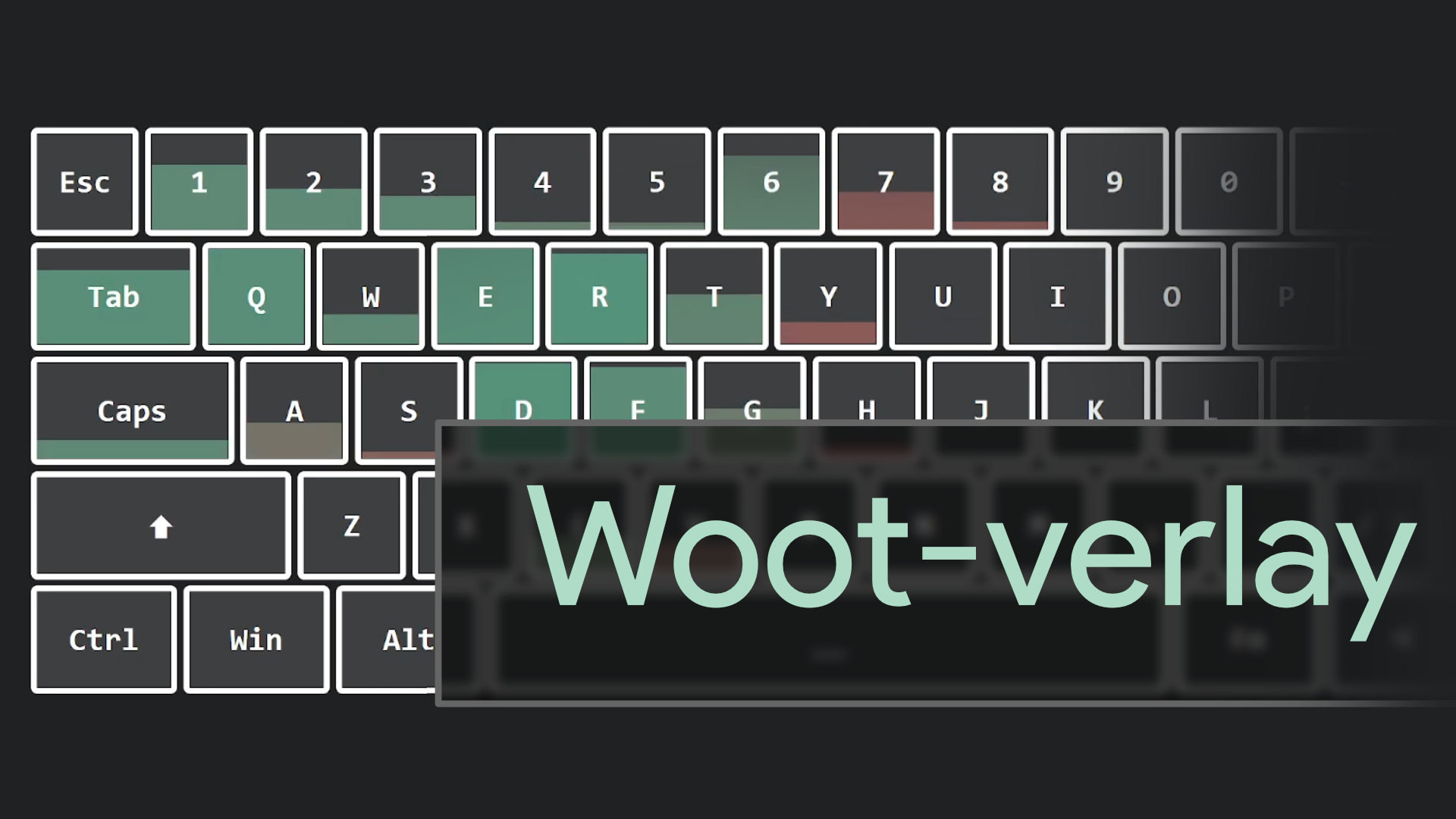
@zenith laurel I imagine these would be helpful for ye: https://github.com/DjCrqss/Woot-verlay https://github.com/DarrenVs/analog_keyboard_overlay
GitHub
Pressure sensitive display for the analog values of your Wooting keyboard! Visit the page to mess around, or add it as a fully functional overlay to your streams. - GitHub - DjCrqss/Woot-verlay: Pr...
GitHub
Browser overlay for OBS:. Contribute to DarrenVs/analog_keyboard_overlay development by creating an account on GitHub.
 topaz lintel
No new beta update?