#Bug full spamming &&&&&&
153 messages · Page 1 of 1 (latest)
 hybrid matrix
 royal sageBOT
Thanks for posting your support request!
Please note, the support center is only for community-based support with technical troubleshooting and general questions.
For official Wooting Customer Support, please use the Contact Us button on the Wooting Hub or email your request to [email protected]
note: use the email address associated with your order for fastest resolution
Looking for information about your specific order?
You can find that on the Wooting Hub! There you can also add upgrades, change/confirm your shipping address, and much more.
Is your order about to ship and you need to pause it for any reason?
Place it On Hold via the Wooting Hub!
https://hub.wooting.io/login
 dapper sleet
what firmware are you on
hybrid matrix
what is firmware ? you have a little exemple ? ^^
dapper sleet
its the software running in your keyboard. you can see the version in wootility
hybrid matrix
v2.6.21
 white lichen
Without further data it can be related to the wobble. So please check at which Rapid Trigger settings the issue starts. For this please decouple the settings for the two directions and increase just the value for the upstroke.
The current firmware 2.6.21 should fix a bug which is related to phantom inputs caused by a firmware bug. Besides that there are some other more general causes for this. Please check for them too.
Phantom / multiple inputs often occur due to to low or unstable voltage from USB. This often happens when third party cables are used which aren't up to the standard (like a lot of coiled cables). It can also happen when another device is used in-between and so the overall power consumption would be too high on the USB port. So it's recommended to use the provided stock cable and either directly connect the Wooting to an I/O port on the back of the system or to an active USB hub (externally powered). In general USB 3.X ports should work better than USB 2.0 ports because 3.X ports typically can handle more power than 2.0 ports. A port on the case can also sometimes causes issues because the cable from the case to the mainboard header adds length and so resistance. If so the device should typically still work fine on a low power demand with 0% brightness and Tachyon off.
https://www.youtube.com/watch?v=U8ojU_8ASVEBesides that EMI can also cause issues. Like any magnet or electric device especially direct above or under the device. For example some fancy desks have magnets in it to clamp on accessories. Or the device don't work reliable when it's placed on top of a laptop. To test for that you can use the trail RGB effect while the actuation point is set to 0,1 mm and move the keyboard around and pushing it on the side without pressing any key. If keys get activated and especially when their spot compared to the ground / desk moved accordningly.
Another cause can be a bad or unideal mod. For example when a tape mode is done or too much foam was added to the case or switch tripods are used. If something is pressing against the legs of the switches or there is a soft layer between the switch and the PCB the flex can cause that the magnet slightly bounces and so causing multiple inputs.
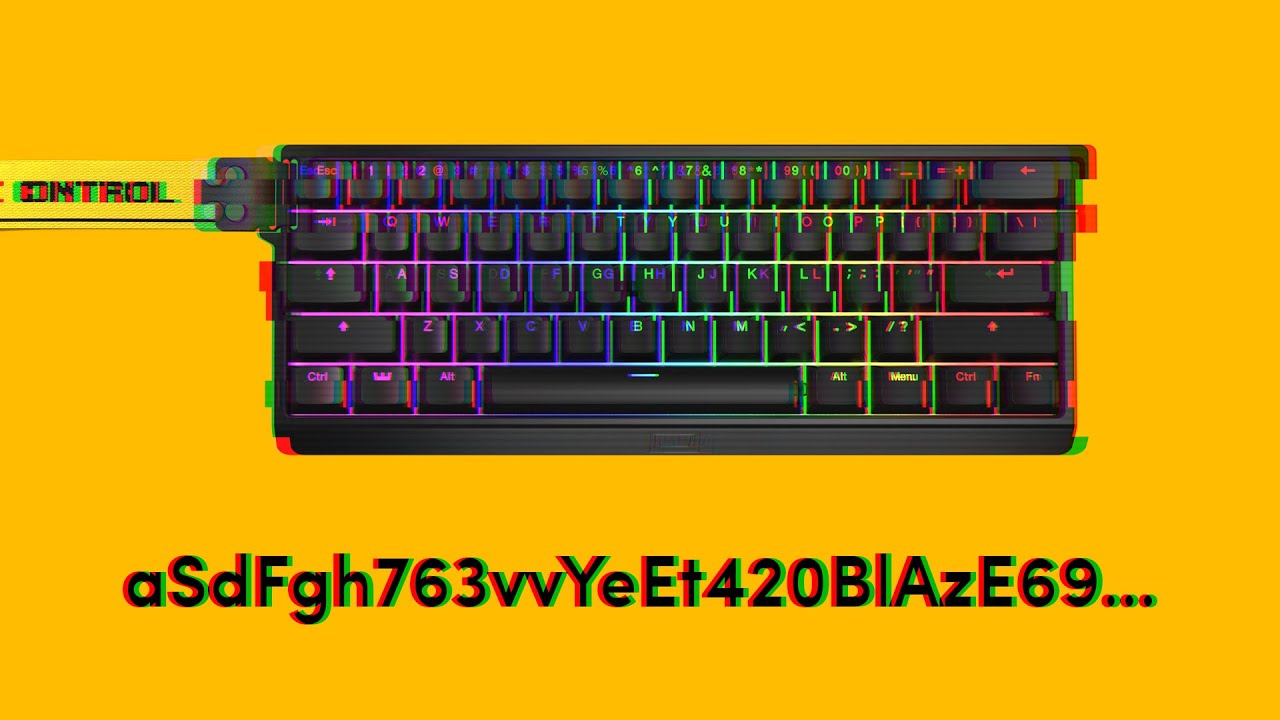
If you are experiencing your keyboard pressing random keys and opening programs, then you came to the right video. The issue is usually caused by an instable amount of voltage entering the board. Follow along to see what you can do about it.
➤ Follow our socials!
🧑🤝🧑 Discord https://wooting.io/discord
🐤 Twitter https://www.twitter.com/wooting...
Also please share the profile ID of the profile you where the issue happens.
hybrid matrix
that my profile : a773974bbea65575cdb0ac929dbbd470cc55
white lichen
Hmm, Rapid Trigger with 0,45 mm should be safe. So I guess it's not the wobble.
So please check for the general causes.
Please also check if it happens when Tachyon is disabled. If so there is maybe still an issue with the firmware.
hybrid matrix
&&&&&&&&&&&&&&m&&&&&y&&&&&&&&&&&&&&&&&&&&&&&&&&&&&&&&&&&&&&&&&&&&&&&&&&&&&&&&&&
my cable is the one you gave, i tried 3 port usb different
i still get the problem even i disable tachyon
white lichen
hybrid matrix
my cable is the one you gave, i tried 3 port usb different
Doesn't matter... If you are unlucky the cable can still be bad. So to rule out that the provided cable is faulty please test another one were you know it's good.
hybrid matrix
ok i check
white lichen
Your first problem was the the device seems to reconnect. Then you wrote that nothing happens anymore. The reboot should address the second issue and I explained why.
But the first problem is still there, so we still need to figure out why this happens.
I'm sorry 😅 , I got confused with another case.
hybrid matrix
but if the problem provide from the keyboard what i'm suppose to do ?
hybrid matrix
white lichen
I'm sorry 😅 , I got confused with another case.
n p ^^
white lichen
Please also enable the RGB sleep option in the settings menu under the keyboard settings section.
If Tachyon and this has no effect it should not be caused by the firmware.
This means that one of the general causes is likely the reason.
hybrid matrix
white lichen
Please also enable the RGB sleep option in the settings menu under the keyboard ...
its enable

ok i changed the cable, i comeback if the problem is still there ;p
white lichen
Hmm, you can try to disbale it to check if that makes a difference. But I guess it don't and again from the data so far I think it's one of the general causes mentioned above.
white lichen
The Wooting needs stable and high enough power. This is typically the main cause of such an issue. Like coiled cables are know to cause issue.
If it's caused due to power it should be fine when the brightness is set to 2%.
So please test for all and report back how it went for you.
hybrid matrix
low brightness ?
white lichen
The brighter the LEDs the more power the device needs and the higher the chance that if there is a power issue that this will effect the scanning because the sensors need a stable reference voltage.
hybrid matrix
yeah and understand but i want to use the keyboard for all he has x)
if i have to disable a lot of things to dont have a problem is not funny
white lichen
You misunderstood... This is troubleshooting to figure out what's causing the issue.
I already gave recommendation.
For example, how to connect the Wooting to the PC. I don't know if you may have the Wooting connected to a passive USB hub (not externally powered). So far I don't even know if it's a power issue to begin with.
white lichen
If you can ensure what it's due to the original cable you can start a RMA and request a replacement.
hybrid matrix
ok i think i will test more tomorow and i will see
hybrid matrix
&&&&&&&&&&&&&&&&&&&&
nope i still got it om&&&&&&g
&&&&&&q&&&&&&&&&&&&&&&&&&&&&&&&&&&&&&&&&&&&&&&&&&&&&&&&&&&&&&&&&&&&&&&&&&&&&&&&&&&&&&&&
&I think it's just the key at the electronic level of the keyboard that is defective
hybrid matrix
We can see the problem on the key here
white lichen
Please provide a video showing how the keyboard reacts when the touch RGB effect is used.
Also is it better after a replug and if so for how long?
hybrid matrix
The rgb do that only when the key bugs
And i think the replug dont change anything
But when the key start to spam &&, its hard to stop so i replug
white lichen
The keyboard bugs?
The Rapid Trigger profile shows an activation whenever the keyboard thinks the key is pressed. So yes it should show it when the keyboard sends multiple key presses. So that effect don't help much figuring out why this happens because you already know which key is effected.
hybrid matrix
white lichen
The keyboard bugs?
Only the 1
white lichen
Yeah, for some reason caps lock is enabled or you have shift pressed all the time.
As mentioned the touch RGB effect would be more useful here because that will show the detected analog value.
hybrid matrix
Ok im not at home now i do it when i comeback
hybrid matrix
white lichen
As mentioned the touch RGB effect would be more useful here because that will sh...
Which one i have to put
white lichen
 hybrid matrix
@white lichen
hybrid matrix
?
 tacit sky
Please be patient. Rocky is a volunteer, not staff.
hybrid matrix
np ^^
white lichen
Ok, please redo this test directly after you unplugged the device shortly.
Please also set the actuation to the 0,1 mm and use the trail RGB effect. This will show you if only this key is effected as a cross check.
In the case it's fine directly after a replug it would be interesting to know how long it takes until the issue starts.
After that all it would be nice if you can remove the module and provide a close up picture of the key labeled K5 and the multiplexer labeled U2.
hybrid matrix
ok i will try
hybrid matrix
white lichen
In the case it's fine directly after a replug it would be interesting to know ho...
ozk the bug comes directly and even the bugs go out, the key 5 is still highlight but i retry and the bug didnt come directly so its random
hybrid matrix
white lichen
After that all it would be nice if you can remove the module and provide a close...
I have to unscrew the keyboard and photograph the electronic ?
white lichen
hybrid matrix
I have to unscrew the keyboard and photograph the electronic ?
Yes please...
It can be a sensor issue and we can maybe see it.
It would be really great if you can provide a video showing the touch effect while you plug in the board. This would be nice in the case you need to start a RMA later on.
Also please do the same while the switch for this is is removed.
But only do it if you can't see anything on the picture. If we can see something off on the picture you would already have the proof.
 white lichen
hybrid matrix
white lichen
hybrid matrix
Sadly K4 is not in focus.

 white lichen
The PCB looks good so far, I can't see any obvious damage.
white lichen
hybrid matrix
The video is quit long and there is a lot going on before you switch to the profile with the touch effect.
It looks that it's fine after a reconnect. So the question is how long it takes until the keyboard thinks that the key is pressed.
white lichen
Can you also please use the trail RGB effect, set the actuation point to 0,1 mm and move the keyboard around without pressing any key.
This should show if there is a magnet or electric device close or even directly under the device which causes this.
hybrid matrix
And when its bugging even i repress the key, that change nothing he keep spammign
I rescrew?
white lichen
On one video the detected analog input was on the number 5 so around 40% or 1,6 mm, likely enought to handle the key as pressed.
white lichen
hybrid matrix
I rescrew?
What???
hybrid matrix
I reassemble the keyboard?*
white lichen
Yes, you can...
white lichen
I asked this before, why is always shift pressed or caps lock active?
white lichen
But why is the number 1 key detected as ampersand?
hybrid matrix
Its the 1 no shiftes for azerty
white lichen
You need to press shift on AZERTY for the number one?
white lichen
Please also provide the video with the trail effect.
hybrid matrix
Its not the trail?
Ah mb i missclicked
Ok im waiting the bug
Now its like the key is pressed each 30sec
Only the 1
On the last video, we can see when its spamming, the keyboard think the key is pressing all the time
And never stop
white lichen
Why is the color changing?
hybrid matrix
Random color check on the wotility
Yeah
You have an idea where the prob come from ?
white lichen
hybrid matrix
You have an idea where the prob come from ?
What about the part where you should move the keyboard around?
If the position don't move and if it's always the number 1 key (for none AZERTY) I would think it's likely that the sensor is bad.
It should be handle the key as pressed and the blinking here is weird: #1115345790219591691 message
So please start a RMA request by e-mail if you haven't already.
Best to provide all the needed information in advance so less back and forth is necessary to speed up the process. Like the serial number, the order number, a short description of the issue, picture / video of the problem, what you want (like a refund, replacement unit or part) and a link to this thread so they can read the detailed troubleshooting.
#1115345790219591691 message
hybrid matrix
white lichen
What about the part where you should move the keyboard around?
What you mean by move the keyboard around ?
hybrid matrix
white lichen
If the position don't move and if it's always the number 1 key (for none AZERTY)...
Ok i will
by email at [email protected] ?
white lichen
hybrid matrix
What you mean by move the keyboard around ?
Put the keyboard on the desk and move it a bit around the desk.
This is as a cross check that it's not cause by EMI as already mentioned.
white lichen
I meant to move it on the desk around, so not in the air but it's fine.
I notice the key only starts the input after you put the keyboard back on the desk. Can it be that the shock triggered it?
If so it can mean that the sensor is maybe lose.
hybrid matrix
No i retry without filming and the key didnt bug
So its very random when the key start to bug
white lichen
I guess the sensor isn't good and so causing weird issues. You have done enough already and I don't think it's worth to do much more.
I can still be that Wooting want additional data.
hybrid matrix
Ok so i ask to [email protected] ?
white lichen
Yes...
white lichen
On the label on the back your your device.