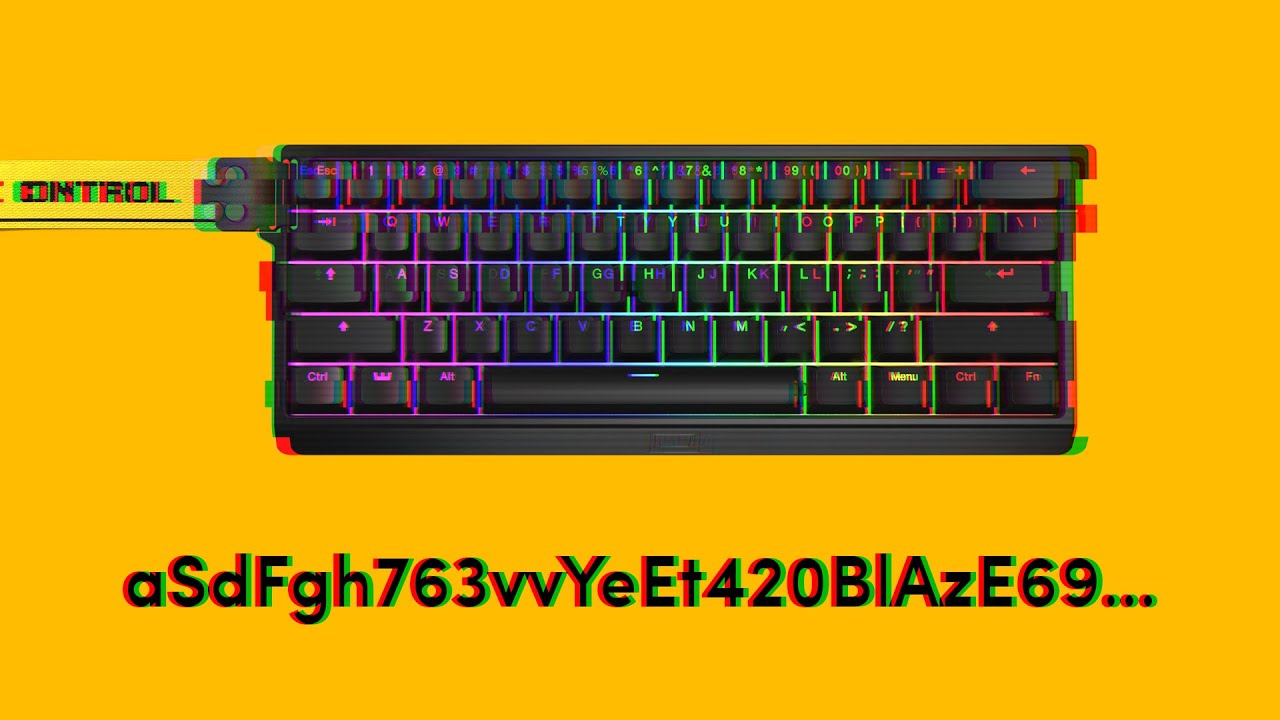
#60HE - Repeating keys super fast

1 messages · Page 1 of 1 (latest)

dry violetBOT
#

Thanks for posting your support request!

Please note, the support center is only for community-based support with technical troubleshooting and general questions.

For official Wooting Customer Support, please use the Contact Us button on the Wooting Hub or email your request to social@wooting.io
note: use the email address associated with your order for fastest resolution

Looking for information about your specific order?
You can find that on the Wooting Hub! There you can also add upgrades, change/confirm your shipping address, and much more.

Is your order about to ship and you need to pause it for any reason?
Place it On Hold via the Wooting Hub!
https://hub.wooting.io/login

cursive nova
#

On which firmware you are right now?

static briar
#

v2.6.19 but it was happening in the previous version too

#

Like this: dsdsdsdsdsdsdsddsdsdsdsdssssssdsdsadssdsdsdsdsdsdsddsd
While taping D and S

#

Already changed the USB port...

cursive nova
#

Please share the profile ID so I can check the settings later.

static briar
#

b241eb675acc0f6c73eeff56bdcfafec7a85

cursive nova
#

Also please provide a video of the issue while the touch RGB effect is used. For that please set the brightness to max while all keys except the ones for the effect are set to black so I can see it better.

static briar
#

tachyon ON, RGB fx off

cursive nova
static briar
#

oops, sry

#

I'll recordd the video soon

cursive nova
#

You are using a heigh brightness together with Tachyon on very sensitive settings. So the issue can be power related. Please check this out:

Phantom / multiple inputs often occur due to to low or unstable voltage from USB. This often happens when third party cables are used which aren't up to the standard (like a lot of coiled cables). It can also happen when another device is used in-between and so the overall power consumption would be too high on the USB port. So it's recommended to use the provided stock cable and either directly connect the Wooting to an I/O port on the back of the system or to an active USB hub (externally powered). In general USB 3.X ports should work better than USB 2.0 ports because 3.X ports typically can handle more power than 2.0 ports. A port on the case can also sometimes causes issues because the cable from the case to the mainboard header adds length and so resistance. If so the device should typically still work fine on a low power demand with 0% brightness and Tachyon off.
https://www.youtube.com/watch?v=U8ojU_8ASVE

Besides that EMI can also cause issues. Like any magnet or electric device especially direct above or under the device. For example some fancy desks have magnets in it to clamp on accessories. Or the device don't work reliable when it's placed on top of a laptop. To test for that you can use the trail RGB effect while the actuation point is set to 0,1 mm and move the keyboard around and pushing it on the side without pressing any key. If keys get activated and especially when their spot compared to the ground / desk moved accordningly.

Another cause can be a bad or unideal mod. For example when a tape mode is done or too much foam was added to the case or switch tripods are used. If something is pressing against the legs of the switches or there is a soft layer between the switch and the PCB the flex can cause that the magnet slightly bounces and so causing multiple inputs.

If you are experiencing your keyboard pressing random keys and opening programs, then you came to the right video. The issue is usually caused by an instable amount of voltage entering the board. Follow along to see what you can do about it.

➤ Follow our socials!
🧑‍🤝‍🧑 Discord https://wooting.io/discord
🐤 Twitter https://www.twitter.com/wooting...

▶ Play video
static briar
#

tachyon mode off or reducing rapid trigger to 0.35mm fixes it, unfortunately
brightness is already 0%
also tried to change the usb port

#

weird because everything was working fine for months... and nothing was changed physically speaking...

cursive nova
#

It can be also a firmware issue. Some users have problems with the current stable firmware.

In the case you want to test the dev firmware please follow this link: https://beta--wootility.netlify.app/?test-builds=true
Then go to settings, then updates and click on "Get test firmware". Select "2.6.20-test.phantom-press.0 - Revised spacebar key repeat fix which should overall be more stable" to install it.

static briar
#

still happening
tachyon off, brightness 0

#

I used your link to install the v2.6.17 (I was using 2.6.19 then 2.6.20).
Tachyon is ON, Brightness is 70%
And the keyboard is working fine like before...

#

(Or at least it seems, in the first 10 minutes.)

cursive nova
#

You mean the issue is gone on the dev firmware based on the older version 2.6.17 but not 2.6.20?

cursive nova
#

Please cross check it by also testing the dev firmware based on the 2.6.16 version.

static briar
#

Idk why I cant connect to the keyboard anymore... Not its always asking for permission but idk how to give the permission again (already did before)

halcyon tide
#

u click find devices and select the keyboard

static briar
#

ok, installed the 2.6.19 through the Wootility software then now I can connect through the browser

cursive nova
#

When you click on the find devices button you should see a list of the supported and detected devices and if you already provided the permission for these are not.
You need to provide permissions per device instance. Meaning if something on the device changes and so the system thinks it's acutally a different device you need to re-comfirm the permissions. This can be necessary after an update, while it should normally not be the case.

But depending on the settings it is. For example if you change the analog mode of the Wooting that appears as a different device and so you need to provide the permissions again for each analog mode.

cursive nova
static briar
#

The problem was that with firmware v2.6.17 for some reason I couldn't give the permission through the browser. Then I insstalled the latest firmware through the Wootility app and now I can give the permission through the browser.

static briar
cursive nova
#

Hmm, I personally haven't checked the dev firmware. So I don't know if that has a specific changed which may effect this. I would assume it's maybe just a cache problem which should be fixed by reloading the site.

static briar
#

And Im not only having this problem of repeated letters when Im typing, but Im alsssso (REPEATING LETTERS RN) noticing that the Rapid Trigger is disabling the key function even if Im still pressing the key all the way down. You can see it here: https://youtu.be/Jw8sq4nXo2o

cursive nova
#

So did you or did you not have issues on 2.6.17?

#

If you don't while having them on the other firmware versions it can be related to a firmware issue. If you have issues on all these firmware versions it should be more likely that the issue is related to the general causes.

static briar
#

Looks like my 60HE is dying -.- Im using the same settings for months.

#

Already tried Tachyon and Brightness off, still having issues while walking in CSGO.

cursive nova
static briar
#

Check the video. You can see me pressing the key but not moving ingame.

cursive nova
#

According to the profile you are using a very sensitive Rapid Trigger setting. I would not recommend only 0,1 mm. This is that sensitive that the key wobble can have an effect if there is some.

#

The video lacks explanations and is very fast while you only press the key for a brief moment. This don't helps very much to find out what is going on.
In general you should try to reproduce an issue outside the game. I recommend to use a keyboard tester which shows the key events so you know if a key was detected as unpressed even for a very brief moment.

static briar
#

Well, I think Im used to it. Im using for 6 months without any problem.
Both problems appeared at the same time.

#

OK, il'l do it.

cursive nova
#

I'm not a pro player after all. For me that would be too sensitive and I would likely not control a key reliable as precise. Like I can't type with such settings and so I know it's too sensitive for me to game too.

static briar
#

I'm 100% sure something is wrong. Because a lot of times I'm hitting the key with full force to make sure that no wobble will affect the RT. I do it on purpose, something I wouldn't do playing normally and many times pressing W I'm still stopped. It gets to be funny to be pressing W all the way down and nothing happens.

#

Im not expert, but it looks like a kind of lack of power because both problems are not happening while doing simple tasks.

  1. The repeated keys are not happening when pressing ADADADADADADADAD slowly, almost never happens. It happens when Im typing a lot of diff letters or Im spamming AD really fast.
  2. That RT issue can not be a RT issue actually, it can be a key press issue. Which would make more sense: The second problem coming from the same issue of the first one.
cursive nova
#

So to address the issue we should find out why there and what's the issue.

So I would recommend to disable Rapid Trigger for now to see if the issue is gone or not. If the issues is still present the chances are high that it's caused by a firmware issue. The dev firmware 2.6.20 addresses an issue causes by a bad race condition where a wrong value is handled causing the device to think a key was shortly lifted while the key is still hold and so causing multiple inputs. So while this can lead into multiple inputs but the key should not be handled as unpressed all the time.
You can also try to just disable Tachyon for now. I don't recommend to use Tachyon with such sensitive Rapid Trigger settings in the first place because if Tachyon is used less time is spend to wait for a stable signal which effects the analog accuracy. So when enabled the lack of precision can be enough so potential noise on the sensor has a much bigger effect and may can causes these issues.
Just to rule out power as a potential cause you should set the brightness to not above 5%.

static briar
#

Can it be the issue?

cursive nova
#

To rule out that wobble causes this you should use a keyboard tester which shows the key events. You should not get an key up event as long as the finder remains on the exact same position. If so it would mean that there is a scanning issues (maybe firmware or EMI).
If you get some repeated key up and down events only when you wiggle the key it means that the wobble causes these problems. In the case you get a key up and no key down again it means the there is maybe some flex so the range for the key up was reached while it isn't enough for a key down again. Then you should decouple the Rapid Trigger settings for these direction to ensure the up value is slightly bitter than for the down and redo the test.

static briar
#

Tried all the USB ports. Still with ⚠️

cursive nova
# static briar I'm 100% sure something is wrong. Because a lot of times I'm hitting the key wit...

This can explain it. It can be that due to the strong force the flex causes a small overshot when pressing the key. So that you may push the key into the board below the normal resting position on a hold. Then even the wobble can be maybe enough due to the very sensitive Rapid Trigger settings to handle it as a lift. When the key wobble back the increase may isn't high enough to be handled as an down again.

This is the reason why a bad or unideal mod (like tape mod or too much foam or tripods) are known to cause issues.

#

So if you are pushing the switches hard I strongly recommend to decouple the Rapid Trigger settings for the up and down part and use a higher value for up than for down.

#

If the issue happens when more keys are pressed it can be an indication what Tachyon maybe causes it. As mentioned Tachyon sacrifices analog precision over inputs speed.

cursive nova
#

I would assume that if this belongs to the Wooting the entire device wouldn't work.

#

In the case it belongs to the Wooting we should need to find out which interface this is which failed.

static briar
cursive nova
#

Looks like it don't belong to the Wooting. Please do a cross check, unplug the Wooting and check if then this problematic device is also gone.

static briar
#

This device is still there with Wooting unplugged.

static briar
#

I'm going to reinstall Windows and do other tests. I'll be back soon with more information.

cursive nova
#

Please just do these tests and report back the results. I even explained why they are useful. It doesn't matter if you smash the keys or not. That way we should be able to rule it down. Otherwise I can't help you. I don't know how you are pressing these keys, what you may have done or not and how much flex there may is or how bad the wobble may be.

cursive nova
# static briar I'm going to reinstall Windows and do other tests. I'll be back soon with more i...

Not sure why you want to do this. This should not help for your problem. In the case you want to do this because of the failed device, this would also not help. It mentions that the OS failed to get the device descriptor and that means there is a communication issue due to the device (firmware issue due to a bad request handling) or its connection (like by transmission errors because of a bad cable).

cursive nova
#

Sorry but your test scenarios don't help me figuring out what the root cause of the problem actually is. As already mentioned I can only help you if you do the tests I asked you to do.

#

Even if you may don't understand why and what their purpose are, please just provide them or I can't help you anymore.

#

Otherwise feel free to contact Wooting directly via e-mail if you want official support or wait for other community members here to assist in the case you want unbureaucratic help.