#🔌│tech
1 messages · Page 595 of 1
 marsh glade
 frozen ingot
so yeah, new PC's are neato like that
marsh glade
It was nice to just not install the cinematics from disc 4 though
 tribal dirge
iirc it's because helium filled drives are a massive PITA to repair and recover data from when they do fail
frozen ingot
marsh glade
It was nice to just not install the cinematics from disc 4 though
when daemon tools came along 
tribal dirge
tribal dirge
iirc it's because helium filled drives are a massive PITA to repair and recover ...
the moment you open it in the air it is done for
iirc you need a helium filled chamber to properly service those drives
frozen ingot
and some were huge too
 gusty kiln
tribal dirge
iirc it's because helium filled drives are a massive PITA to repair and recover ...
gusty kiln
tribal dirge
iirc it's because helium filled drives are a massive PITA to repair and recover ...
Shame, they are nice and quiet. I got 3 12tb red plus that are helium filled
And now those drives are discontinued
frozen ingot

 fickle ore
why not get some 31TB ssd?
gusty kiln
fickle ore
why not get some 31TB ssd?
I wish, even used those are 5 figures
fickle ore
😄
frozen ingot
I really wanted one as a kid
tribal dirge
frozen ingot
back when AT&T made microchips lol
fickle ore
https://www.reddit.com/r/DataHoarder/comments/1i2om5c/_/ This dude got like 100k of drives for like 7k?

Reddit
Explore this post and more from the DataHoarder community
frozen ingot
2gb sounded like so much when your PC had a 600mb drive
gusty kiln
Wish there was an in-between storage medium, comprise speed for noise and capacity
tribal dirge
tribal dirge
back when AT&T made microchips lol
I think now it's split into Nokia Bell Labs
and then Nokia later took over Bell Labs
gusty kiln
fickle ore
https://www.reddit.com/r/DataHoarder/comments/1i2om5c/_/ This dude got like 100k...
Damn
tribal dirge
frozen ingot
their worst mistake was not taking the iphone seriously
Nokia is now far beyond consumer tech now
frozen ingot
yep similar thing went down with ericsson and saab here
fickle ore
Nokia is doing pretty well in mobile/fiber optics rn
frozen ingot
now they only make military stuff p much
fickle ore
could be big considering data centers need fast connections
tribal dirge
fickle ore
Nokia is doing pretty well in mobile/fiber optics rn
oh yeah, Bell Labs is working on 7G and 6G wireless tech now
fickle ore
yea
fickle ore
One day Nokia will rise like a phoenix again
Legendary story of a shoemaker to top cell phones
frozen ingot
saab has queues out the door for their stuff so that's nice
tribal dirge
fickle ore
Legendary story of a shoemaker to top cell phones
more like shoemaker to leading development in networking and IoT
and wireless communications
fickle ore
yea 😄
tribal dirge
and Quantum computing!
fickle ore
My parents had a fancy saab dude
automatic seat belt attacher
in the 90s
That must've teached them something so now they can make gripens
 vapid ruin
tribal dirge
oh yeah, Bell Labs is working on 7G and 6G wireless tech now
vapid ruin
tribal dirge
oh yeah, Bell Labs is working on 7G and 6G wireless tech now
Nice nice. Hopefully lower latency and higher quality
 magic minnow
Okay it here

 steady sail
Yes 
 distant tapir
magic minnow
Okay it here
distant tapir
magic minnow
Okay it here
You bought yet another cooler?
magic minnow
I'm just gonna keep my old cooler
magic minnow
distant tapir
You bought yet another cooler?
The new one I got didn't fit
distant tapir
magic minnow
The new one I got didn't fit
Rip
magic minnow
 bright briar
what about the 240 aio pump?
bright briar
what about the 240 aio pump?
Didn't fit either
The hoses press hard into the gpu

tribal dirge
magic minnow
The hoses press hard into the gpu
And this is why I check clearances and dimensions before buying
magic minnow
tribal dirge
And this is why I check clearances and dimensions before buying
Old Mobo would have allowed me
New one sits a smidge higher
tribal dirge
magic minnow
Old Mobo would have allowed me
If it helps, you could make a CAD mockup of your pc to really see if things will fit or not
magic minnow
Should I do the back fan as an intake into the cpu fans?

 sudden imp
Probably won’t be as effective cooling down the cpu
magic minnow
sudden imp
Probably won’t be as effective cooling down the cpu
So all 3 fans exhausting?
sudden imp
I mean if the cpu fan isn’t in the middle of the cooler it probably won’t transfer heat as efficiently
magic minnow
 sudden imp
Are you having clearance issues with the middle fan and the gpu?
magic minnow
sudden imp
Are you having clearance issues with the middle fan and the gpu?
No it's gonna be in the middle just I have the back fan on the case or should I remove it?
And just use the 2 on the cpu cooler
sudden imp
2 on the cpu cooler should be fine
Are you debating on having an intake?
I think having the back fan as exhaust would work better
OHH WAIT
I see what your doing you having the back fan as intake an another as exhaust at the top
 sudden imp
I don’t quite understand what your doing
 sudden imp
I think that’s a good idea
magic minnow
Ill do it tomorrow I don't wanna remove the cpu cooler again
 reef patrol
Ah gods damn it. Linus finally sold me on a product.
 sudden imp
What is that case
reef patrol
Time for my ole NAS to get a case that's actually designed with harddrives in mind.
 sudden imp
That’s kinda cool looking
reef patrol
Using an ancient, donated Node304 right now. And I only have the mounts for two disks in it 😄

 vagrant pagoda
reef patrol
Ah gods damn it. Linus finally sold me on a product.
vagrant pagoda
reef patrol
Ah gods damn it. Linus finally sold me on a product.
did they fix the drive airflow?
reef patrol
shrug
vagrant pagoda
there is like zero airflow on them
the fix ive seen is 3d printing a chin to fix fans
reef patrol
So on par with what I have now. And these drives only run for an hour or two at most every month. But good to there's some 3D options 😄
reef patrol
Haha


 reef patrol

reef patrol
Also ugly as sin. 😄
vagrant pagoda
its a nas
reef patrol
Yes. A NAS that I will always be able to look at from where I sit.
vagrant pagoda
get some wood grain veener
reef patrol
Meh. I'm fine with having a casual case that's sold within the EU.
After all the Node of all things worked fine so far 😄
gusty kiln
reef patrol
Time for my ole NAS to get a case that's actually designed with harddrives in mi...
Get the N5 instead, full backplane for the drives
reef patrol
I don't need no backplane, nor do I want a case that's triple the price 😄
tribal dirge
gusty kiln
Get the N5 instead, full backplane for the drives
or just use a synology rackmount like I do LMAO
gusty kiln
Nah unraid 4 life
gusty kiln
Proxmox if you're a turbo nerd
vagrant pagoda
proxmox is for vm not nas
gusty kiln
Yeah and use all the nas os at the same time
tribal dirge
tribal dirge
or just use a synology rackmount like I do LMAO
I am tempted to get an all flash storage array but it's so expensive aaaaaaaaa
gusty kiln

Rosewill Thor NAS - Full Tower Workstation Case | Server Chassis | Supports up to 11 3.5" HDD or 13 2.5" SSD | E-ATX Compatible | 1x 140mm PWM Fan | USB 3.2 Type-C | AI Servers & DIY NAS
Seems interesting for 11 HDD
Slightly cheaper than a define r7
vagrant pagoda
they took a old ass full 51/2 layout case and made it nas
gusty kiln
Lol
 marsh glade
You replaced Nico? 😲
 glass stag
marsh glade
You replaced Nico? 😲
glass stag
marsh glade
You replaced Nico? 😲

 unkempt lake
he bought himself this to pair with it https://www.canadacomputers.com/en/amd-desktop-processors/274017/amd-r5-7600x3d-cpu-asus-tuf-gaming-b650m-e-wifi-motherboard-t-force-32gb-d5-6000mhz-cl30-ram-canada-computers-exclusive.html but it will take a few days to arrive

Canada Computers & Electronics
AMD R5 7600X3D CPU + ASUS TUF GAMING B650M-E WIFI Motherboard + T-Force 32GB D5 6000MHz CL30 RAM - Canada Computers Exclusive
marsh glade
Niice
vagrant pagoda
marsh glade
You replaced Nico? 😲
with Ruby XD
 young bough
unkempt lake
young bough
unkempt lake
noo why not the 9070
vagrant pagoda
young bough
noo why not the 9070
you buying?
young bough
unkempt lake
he bought himself this to pair with it https://www.canadacomputers.com/en/amd-de...
solid
young bough
vagrant pagoda
you buying?
 unkempt lake
young bough
noo why not the 9070
unkempt lake
young bough
noo why not the 9070
sorry i just wanted to buy him a gift ._.
young bough
unkempt lake
sorry i just wanted to buy him a gift ._.
still a very good one
unkempt lake
And i thought eventually i'd give him my 7900XTX
When i upgrsde from that
I just have nothing to upgrade to
young bough
unkempt lake
I just have nothing to upgrade to
amd wise, no
and we are not gonna buy nvidea gpus cuz fk that overpriced shit
unkempt lake
So instead he gets upgraded to the best value gpu until i upgrade
gusty kiln
unkempt lake
Wait how much faster of the 9060xt vs 3070?
vagrant pagoda
young bough
https://tenor.com/view/no-disappointed-smh-shake-my-head-oh-brother-gif-68265257...
60xt to 70 is like 200+ extra, its a big jump
young bough
just check you right
unkempt lake
gusty kiln
Wait how much faster of the 9060xt vs 3070?
He had a 2080 8gb and kept running out of vram
young bough
its like 300 bucks cheaper
young bough
unkempt lake
He had a 2080 8gb and kept running out of vram
ohhhh
gusty kiln
unkempt lake
He had a 2080 8gb and kept running out of vram
About 40% faster, not bad
young bough
9060xt gonna be a nice upgrade
 vagrant pagoda
gusty kiln
About 40% faster, not bad
vagrant pagoda
gusty kiln
About 40% faster, not bad
-more like 400% if it was swaping vram-ram
unkempt lake
vagrant pagoda
-more like 400% if it was swaping vram-ram
Ye especially on pcie3 lol
And with an old cpu
young bough
lol getting flashbacks when i put my 9070xt in a pcie 1x and was suprised why i had same performance as my gtx 1660
almost started tweaking i spend 700 bucks on that gpu
unkempt lake
young bough
its like 300 bucks cheaper
Also 60xt 16gb was under msrp despite being the fancy 3fan one
Most 70/70xt are way above msrp
 gentle osprey

PCGamesN
A Zotac RTX 5090 self combusted while playing the Battlefield 6 beta, with Nvidia's top gaming GPU causing major damage to the user's PC.

Have fun 5090 owners
His card was undervolted too
And still exploded lol
unkempt lake
gentle osprey
His card was undervolted too
Some idiots are trying to blame the uv lol
gentle osprey
lol really
I doubt it’s the uv
But crazy nonetheless
Bros whole motherboard and sockets are torched
And it didn’t even come from the cable/connecter, it came from the PCIe side
Weird
 mint light
gentle osprey
https://www.pcgamesn.com/nvidia/geforce-rtx-5090-fire-bf6-beta
mint light
gentle osprey
https://www.pcgamesn.com/nvidia/geforce-rtx-5090-fire-bf6-beta
betcha they are like, “i didn’t even overclock it!!” “my internal case temps were fine! i’m def using high quality psu and installed it all perfectly.”
zotac though. who knows. my FE 5090 has been fine UV at 900mv
gentle osprey
Yeah who knows, there’s not a lot of info to go by, they just said it was undervolted
mint light
article probably AI 🤷🏻♂️
gentle osprey
Says it was a prebuilt by NZXT
mint light
yeah critical “fire hazard” reports were tied to the NZXT H1 case’s PCIe riser assembly in 2020-2021
gentle osprey
Yeah I remember that
tribal dirge
gentle osprey
His card was undervolted too
mine is overvolted 👀
mint light
if they were using a riser and they reused some of those
tribal dirge
tribal dirge
mine is overvolted 👀
no need to worry though, for me the connector is only getting to about 40-45C at most
tribal dirge
mint light
your board has sensors at slot level?
using NTC 100k thermistors literally tacked onto the card with thermal tape
also thermal imaging does not work through glass unfortunately
gentle osprey
tribal dirge
no need to worry though, for me the connector is only getting to about 40-45C at...
Yeah I have my 4090 at maxed out power draw and had it for 2 years now and never had an issue
tribal dirge
gentle osprey
Yeah I have my 4090 at maxed out power draw and had it for 2 years now and never...
yeah, and I was extra careful, properly seated connection, proper strain relief, and even silicone glue to make sure it doesn't wiggle out.
 empty wren
@vagrant pagoda how is this for a printer toolhead, shroud is missing that would link the heatblock to heatsink
tribal dirge
empty wren
<@265691493006573568> how is this for a printer toolhead, shroud is missing that...
is that
is that chube!?
empty wren
Yes
tribal dirge
sickkkkkkk
empty wren
Do not tell Luke though
tribal dirge
with the A3DP FXD too
tribal dirge
empty wren
Do not tell Luke though
I might :)
empty wren
Please do not, apparently there is NDA hotend and I was told mine looks like it
tribal dirge
empty wren
Please do not, apparently there is NDA hotend and I was told mine looks like it
luke has multiple NDA hotends LMAO
empty wren
But I never seen it and modified my chube air
tribal dirge
rofl
empty wren
The chube air is too big in my opinion
tribal dirge
empty wren
The chube air is too big in my opinion
conduct and air are a similar size, but one has a longer meltzone and one has a shorter one with a heatsink.
tribal dirge
true haha
empty wren
So front rail custom heatsink chube air
vagrant pagoda
empty wren
<@265691493006573568> how is this for a printer toolhead, shroud is missing that...
zoom zoom
empty wren
 tribal dirge
empty wren
So front rail custom heatsink chube air
tribal dirge
empty wren
So front rail custom heatsink chube air
Better than my mosquito clone hotend 
empty wren
If you want later I can design you a different mlunt
tribal dirge
LEL
 empty wren
The heatsink is slm aluminum
vagrant pagoda
tribal dirge
Better than my mosquito clone hotend <:dogekek:1134256020156317706>
they got clones already XD
tribal dirge
vagrant pagoda
they got clones already XD
Oh I am well aware
They work good enough lol
empty wren
vagrant pagoda
they got clones already XD
Nf crazy
empty wren
tribal dirge
LEL
What machine is that for
tribal dirge
empty wren
Nf crazy
Yeah, you can't find them anymore, you have to message mellow to be able to buy one now.
tribal dirge
tribal dirge
They work good enough lol
Well "good enough"
tribal dirge
empty wren
What machine is that for
a V0
empty wren
tribal dirge
Yeah, you can't find them anymore, you have to message mellow to be able to buy ...
I think they have some on their direct site
tribal dirge
empty wren
I think they have some on their direct site
Only individual parts though
No full kit
vagrant pagoda
i have a liquid magnum in my peek
empty wren
tribal dirge
a V0
Tiny
tribal dirge
empty wren
Tiny
And also stupidly designed
 proud moat
yo quick question. how do i like open the lights on 60 he+? Fn+" doesnt seem to work for me.
tribal dirge
They are called "Voron design" and not "Voron engineering" for a reason. 
empty wren
There might be a few engineers on the team perhaps
But yeah their printers look pretty than being like annex
tribal dirge
empty wren
But yeah their printers look pretty than being like annex
They do look nice, but man are they designed poorly from a mechanical design aspect.
The 2.4 is the worst of the bunch tbh
empty wren
Is it because of flying gantry?
tribal dirge
empty wren
Is it because of flying gantry?
Not that, flying gantry is ok, overconstrained gantry is the issue
empty wren
tribal dirge
Not that, flying gantry is ok, overconstrained gantry is the issue
That is an interesting thought , did not think I would hear that about a voron
empty wren
vagrant pagoda
but its still less meltzone than a prime xD
But hear me out at 1/4 the price
vagrant pagoda
but not 150w XD
empty wren
Can do 120w
empty wren
vagrant pagoda
but not 150w XD
If you want more for less takoto he50
 tribal dirge
empty wren
That is an interesting thought , did not think I would hear that about a voron
tribal dirge
empty wren
That is an interesting thought , did not think I would hear that about a voron
Voron printers are also notorious for snapping stepper shafts
vagrant pagoda
yeah but with 1.75 you gonna need a nema 34 to feed it
empty wren
Oh right slice supports 2.85 filament
empty wren
tribal dirge
Voron printers are also notorious for snapping stepper shafts
I have never heard that before but I do not loom around the voron community. No double sheer?
tribal dirge
empty wren
I have never heard that before but I do not loom around the voron community. No ...
none of their designs have double shear or any form of shaft support
which is kinda dumb
empty wren
Now I understand why monolith exists
tribal dirge
yup, LMAO
vagrant pagoda
empty wren
If you want more for less takoto he50
the super volcano heaters are too long you always get oozing
empty wren
vagrant pagoda
the super volcano heaters are too long you always get oozing
Yes and Goliath which is cheaper than chube also oozes
empty wren
tribal dirge
yup, LMAO
I have a buddy doing monolith for his vcore 4.0 300. & 500 cuz he got super pissed off at ratrig design
vagrant pagoda
i get like 0.3-0.5kg per hour
empty wren
Remind me your nozzle orifice size
mint light
tribal dirge
also thermal imaging does not work through glass unfortunately
glass? you’d take off your side panel first wouldn’t ya?
tribal dirge
mint light
glass? you’d take off your side panel first wouldn’t ya?
true, but then the internal case temp will not be accurate to how it actually is going to be.
mint light
tribal dirge
true, but then the internal case temp will not be accurate to how it actually is...
yeah your method the best
tribal dirge
yeah, plus that connection point is really only my concern, so it's ok to just tape on a thermistor and measure it directly.
vagrant pagoda
500m cube printer
fits a voron about
cut a hole and get a china germanium window for the thermal camera
empty wren
vagrant pagoda
500m cube printer
I am impressed you keep that square. Ratrig with 3030 extrusion have the frame collapse on itself over time at that size
vagrant pagoda
its all 5050
empty wren
Oh shoot dude
vagrant pagoda
and milled brackets
empty wren
vagrant pagoda
its all 5050
Do you got a picture per chance?
vagrant pagoda
oneday when its not printing paid stuff XD
empty wren
Fair enough nda
vagrant pagoda
i want to put a hotend on the sheet router
to make bulk parts
put 2 or 3 hotends on the gantry and multi print the same part
empty wren
Autodesk sketch project or along that lines exist lemme find it


As advanced as 3D printing technology has become, most printers can only print small objects very slowly. For larger projects, 3D printers first print
 distant tapir
The desk I wanted is not rated to support the weight of my stuff 
It apparently is rated for no more than 50 kg. How much do you think it matters if it ends up having around 80 kg on it?
I assume it will not snap immediately or anything but I wonder if it means it will wear it and sag quickly
empty wren
tribal dirge
LEL
Just a small suggestion, you could move later to a 2510 fan, which has higher pressure and is compact. It will be louder than that 4010 which I assume is a gdstime one
tribal dirge
empty wren
Just a small suggestion, you could move later to a 2510 fan, which has higher pr...
it is a 2510
I actually use a delta one now
rather than the gdstime ones
young bough
Have yall tried micrphones from aliexpress
vagrant pagoda
distant tapir
It apparently is rated for no more than 50 kg. How much do you think it matters ...
you got a solid lead wooting?
distant tapir
vagrant pagoda
you got a solid lead wooting?
No
But my monitor is 30 kg. Speakers + stands is 23,8 kg. Then there is my PC which weighs several kilos. None of this is account for when I lean on the desk either
vagrant pagoda
30kg monitor? you got a crt?
distant tapir
Yes... I'm guessing you just forgot 🤔
Apparently the Ikea Mittzon with a motor can support up to 80 kg which is more than the non-motorised version
 pastel galleon
distant tapir
Yes... I'm guessing you just forgot 🤔
pastel galleon
distant tapir
Yes... I'm guessing you just forgot 🤔
how do you like the motion blur or lackthereof
distant tapir
pastel galleon
how do you like the motion blur or lackthereof
It's good
magic minnow
Cyberpower begins selling desktop PCs with carbon nanotube CPU cooling, possibly spelling the end of thermal paste catastrophes | PC Gamer https://share.google/AfdmgfL2UMpRnadxh
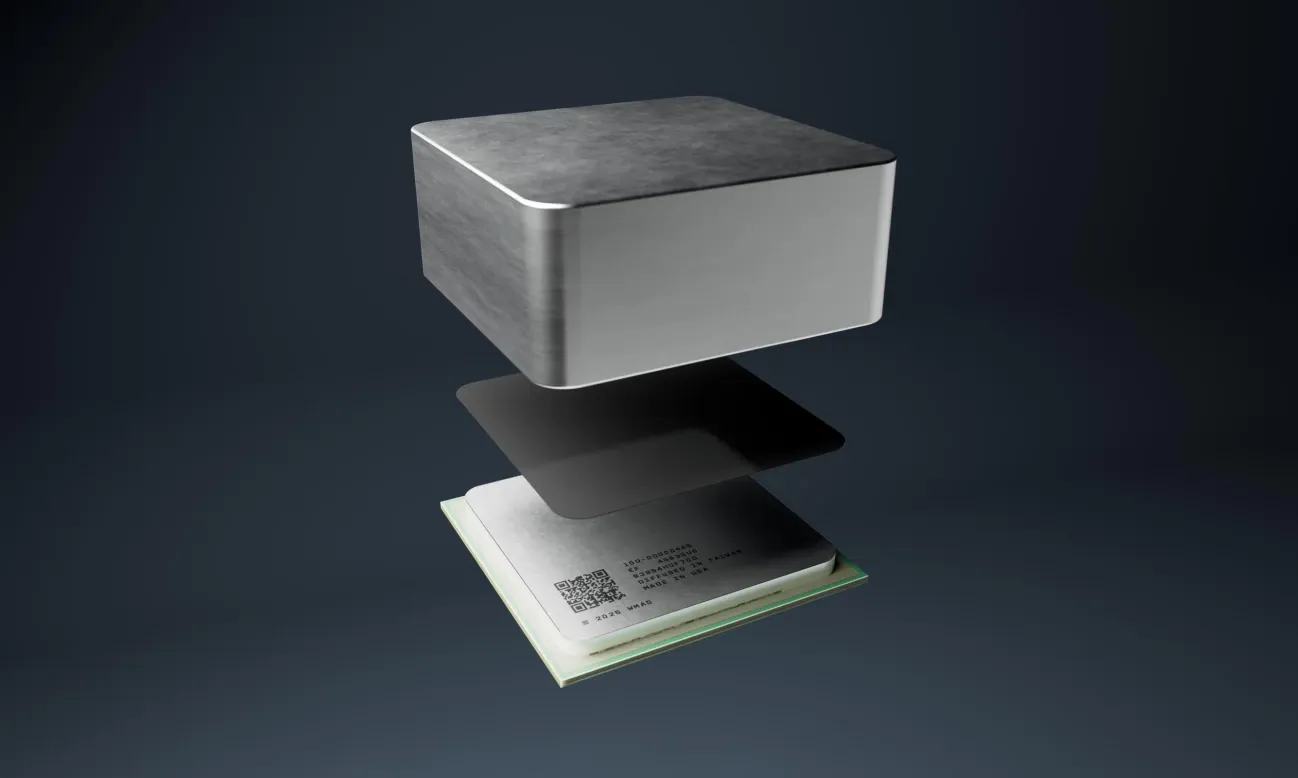
PC Gamer
Quick, someone let that guy at The Verge know...
 digital cliff
distant tapir
The desk I wanted is not rated to support the weight of my stuff <:soydespair:11...
digital cliff
distant tapir
The desk I wanted is not rated to support the weight of my stuff <:soydespair:11...
which one is it
digital cliff
young bough
Have yall tried micrphones from aliexpress
yes
distant tapir
digital cliff
which one is it
Ikea Mittzon
But I saw that the motorised version goes up to 80 kg
pastel galleon
distant tapir
It's good
I just can't switch to OLED, because LCD strobing of ULMB 2 on my PG27AQN is so much more clear than OLED in motion. I would imagine CRTs might be better for motion clarity than either though
gentle osprey
^^
digital cliff
technically it will support 80kg but with 30kg smack middle unsupported it's going to sag
gentle osprey
or just snap under pressure
distant tapir
What do I do then? 
digital cliff
you need a wood top or a central leg for your CRT in order for the top to not start sagging
distant tapir
Ikea sells legs. Like the Olov
pastel galleon
it's less pressure applied to the middle, and also better weight distribution if there is an extra leg too
distant tapir
 pastel galleon
especially right under yeah
distant tapir
digital cliff
you need a wood top or a central leg for your CRT in order for the top to not st...
I have not found a wood top one
I want a desk that is around 160 x 80 cm
It can be slightly wider or deeper but not less
digital cliff
distant tapir
I have not found a wood top one
you just buy a wood top, and then some legs
you don't buy a desk because a desk is just those two things as a bundle
easier to find them in right size and style separately
distant tapir
I'm almost considering just selling my monitor and buying an oled + desk with the money I'd get that for that and be rid all the issues I have with desk and speaker compatability...
distant tapir
digital cliff
you just buy a wood top, and then some legs
I'll look for a wood top
 distant tapir
 lunar elm
thats like TV area
lunar elm
thats like TV area
A big one at least
The 42 inch C2 I had was only 6 kg or something
magic minnow
So like this?
 digital cliff
magic minnow
<@137952593921048576> yes?
digital cliff
magic minnow
<@137952593921048576> yes?
I have no clue 
distant tapir
30 kg is liftable but the shape of the monitor makes it not ergonomical
lunar elm
oh bro is gonna carry me to the gulag-
magic minnow
Well I had the CPU fans intaking from the rear intake fan on the first pic
lunar elm
Nah im gonna run
magic minnow
Pushing towards the 2 exhaust fans on top
lunar elm
I got the weight reduction for better acceleration and cornering
magic minnow
Tyty
 raw zephyr
build it without a case, maximum airflow, profit
distant tapir
I am genuinely considering just putting the monitor up for sale today, and when I sell it (which trust me will probably not take too long) I'll just buy a PG27UCDM 
lunar elm
A guy ik bought that and it died within 8 hrs
distant tapir
lunar elm
A guy ik bought that and it died within 8 hrs
The Asus monitor?
lunar elm
yes
raw zephyr
lunar elm
A guy ik bought that and it died within 8 hrs
I've got the PG27AQDP since release and it's been a great monitor, I also had a ASUS IPS before and it's basically brand new.. I guess he just got unlucky
 astral haven
lunar elm
A guy ik bought that and it died within 8 hrs
astral haven
lunar elm
A guy ik bought that and it died within 8 hrs
so you get a refund, tons of electronics die really quick, thats why the bathtub curve of failure exists
distant tapir
Bad luck. Though it's still the one I'd get and if mine died I'd just get a new one for free
astral haven
agreed except 27 inch monitors bleh
distant tapir
Do you prefer the 32 inch model or do you prefer another aspect ratio
astral haven
32 inch for the wiiin
steady sail
27” is the best 32” is little too big 
astral haven
27 inch 4k is a nice pixel density but 4k32 is fine enough density but the size is very nice
astral haven
steady sail
27” is the best 32” is little too big <:shrug:1049455875863105587>
only reason i havent gotten anything bigger is that theres nothing over 4k any more
distant tapir
I'm so used to 21 inch that 27 would feel pretty large for me again
steady sail
astral haven
yea 1440p 27 is almost too large,
Nah 27” for 1440p is perfect
astral haven
what i really want is 8k42
astral haven
steady sail
Nah 27” for 1440p is perfect
get your eyes checked
I dont need glasses but im over half a diopter out and its still too big pixels for me
raw zephyr
What does one need 8k for 😅
distant tapir
Lots of older games can be played at 8k with good performance. Breathes a new life into them
steady sail
astral haven
get your eyes checked
I dont need glasses but im over half a diopter out and its...
Most of my friends says the same thing
distant tapir
The most likely issue with them might be tiny UIs depending on if the UI scales or not
astral haven
yea and remember its 8k42, so its quad monitor 4k21 effectively
astral haven
distant tapir
The most likely issue with them might be tiny UIs depending on if the UI scales ...
it still looks great as single monitor 4k
in fact, 8k with 4k content even without scaling looks better than 4k on 4k
raw zephyr
i'm sure it looks great, but it really seems a bit excessive; nothing is 8k ready yet
distant tapir
When I played Dragon Age Origins at 4k the UI was tiny 
astral haven
raw zephyr
i'm sure it looks great, but it really seems a bit excessive; nothing is 8k read...
ill put it another way
think of it like a pair of 4k monitors, but you also have another pair of 4k monitors
so you get the 48 or 55 version 🤷
raw zephyr
are there 8k monitors or are they all tvs?
astral haven
raw zephyr
are there 8k monitors or are they all tvs?
there are like 2, none good
and the tvs are all crap too
the small ones all got cancelled
single monitor?
distant tapir
Unrelated but do you think these people feel ashamed when they make these thumbnail faces? Do you think they are embarrassed to tell their irl friends they run a channel since they do not want them to see that?
 astral haven
im a dual monitor lifer, and if i switched from dual to single, the amount of space taken up by my monitor would go down
raw zephyr
distant tapir
Unrelated but do you think these people feel ashamed when they make these thumbn...
All I can think of when I see this channel is that Hairchasers meme 😅
distant tapir
I just realised he photoshopped his face under Linux's beard and hair
unkempt lake
distant tapir
Unrelated but do you think these people feel ashamed when they make these thumbn...
Can we have linus tech tips? No we have linus at home
raw zephyr
astral haven
there are like 2, none good
and the tvs are all crap too
Yeah as I said, we are still in early life of 8k, I wouldn't personally invest in it
unkempt lake
Linus at home: this thumbnail
distant tapir
Is Kryosheet good btw? It sounds nice
astral haven
with a current 8k tv, you can just do that, most 8k tvs take multiple inputs and do pbp
raw zephyr
Isn't kryosheet useful for like VRAM and other stuff where paste is not applicable?
astral haven
and thats only if you dont want to deal with the blue goop
but once you get past all the asterisks yea its good
raw zephyr
I thought it comes in a universal size and you cut it to your needs
astral haven
it doesnt
raw zephyr
Aha
astral haven
the vram wasnt toasty, it was toasted
raw zephyr
I've been using the Arctic MX-4 paste for the majority of my life, it does what it needs to do and is not too expensive; I've seen the ThermalGrizzly products perform really well though
astral haven
the heat comes from the core, and because hbm has to be touching the core directly, it gets heated by it
astral haven
raw zephyr
I've been using the Arctic MX-4 paste for the majority of my life, it does what ...
dw about it, if your pc is at 99c, which brand of paste you are using is the least of your concerns
and if you are under 99c, no proooblem, its not at tjmax
raw zephyr
Delivery guy has been trying to deliver my GPU to the pickup point for the last 4 days, maybe today is the day, wish him luck guys
It's funny they don't even bother trying to deliver it to another pickup point close to the primary one, they just drive it back to a 100km distant city 😅
lunar elm
astral haven
dw about it, if your pc is at 99c, which brand of paste you are using is the lea...
under 99c can be -18c

astral haven
excellent
lunar elm
raw zephyr
Delivery guy has been trying to deliver my GPU to the pickup point for the last ...

 fluid nest
raw zephyr
Delivery guy has been trying to deliver my GPU to the pickup point for the last ...
fluid nest
raw zephyr
Delivery guy has been trying to deliver my GPU to the pickup point for the last ...
Todey is the day😂😂😉
raw zephyr
nginx now ships with native ACME protocol, doesn't that make certbot a little more obsolete?
Yeah, I like Caddy for my homelab stuff, Traefik for public facing crap
astral haven
yall are working hard for your reverse proxies when cloudflare is as free as it gets
raw zephyr
Oh I still run my stuff behind Cloudflare Proxy
astral haven
yea but i mean cloudflare tunnels
raw zephyr
Ah
astral haven
my home network has zero open ports beyond the vunlns in my isp modem lol
raw zephyr
You sadly cannot run game servers via Cloudflare Tunnels
astral haven
raw zephyr
You sadly cannot run game servers via Cloudflare Tunnels
skill issue
astral haven
astral haven
skill issue
and yea i couldnt figure it out either lmao
raw zephyr
It's just an extra hassle to get running for them, it needs to be as easy as it gets, so I keep a couple of ports open
As long as you change the default port to something completely random, it's good enough for most scanners
astral haven
do you have a full on snort and suricata setup or a more basic firewall?
raw zephyr
It makes sense
astral haven
yea most ports are very much needed for web traffic to not be horribly broken
raw zephyr
I remember my last ISP checked my firewall if it was "ready" for a public IP and I had to make a couple of changes actually
raw zephyr
pfSense or OPNsense, what else could it be? 😅
astral haven
raw zephyr
pfSense or OPNsense, what else could it be? 😅
those actually arent a firewall (at least noone would call them a firewall any more)
the firewall is an external service to both
raw zephyr
🤷♂️
 astral haven
raw zephyr
🤷♂️
astral haven
raw zephyr
🤷♂️
hardware vs software
pfsense can run firewall software, but if you are spinning your own vm youve gotta roll your own
yes, suricata runs on bsd just fine
raw zephyr
I should dabble into some custom firewall solution, but currently I'm just fine with a Mikrotik router
Lil Squiddy, the rapper
astral haven
id be more concerned about the inbound connection, which is why i mentioned suricata and snort when hosting stuffs online
i mean how are you checking traffic to your servers at all?
squid doesnt mention being able to do that?
yea but is it only webservers that you host?
ah
yea i have a bunch of other servers on various ports, so i cant rely on just dropping all traffic to other ports
 umbral heron


 crimson wigeon
Bash but no less? Curious! More should still be there, since it's the standard POSIX utility
 rough osprey
Asus support lowkey goated
 halcyon moss
umbral heron
<a:SwitchyDerpBlink:1354801791551934555>
halcyon moss
umbral heron
<a:SwitchyDerpBlink:1354801791551934555>
Some docker container?
umbral heron
No, my laptop
I had to install package https://archlinux.org/packages/core/x86_64/less/
crimson wigeon
Believe it or not but less is not actually a standard package, just most distros choose to have it installed by default because less is more
umbral heron
Me fool thought it's a part of coreutils 
crimson wigeon
It is certainly not part of GNU coreutils and uutils, it is in BusyBox though
 wheat plume
umbral heron
<a:SwitchyDerpBlink:1354801791551934555>
wheat plume
umbral heron
<a:SwitchyDerpBlink:1354801791551934555>
Why your terminal got Minecraft gravel in the background?
umbral heron

This is pixelate tool from Spectacle 
wheat plume
Oh xdd
raw zephyr
rough osprey
Asus support lowkey goated
what happened?
 raw zephyr
Didnt you have the PG27AQDP? What problem?
 rough osprey
1700h
raw zephyr
i will check mine out of curiosity when i get home, but i think im little over 1k
very unfortunate though, hopefully mine doesnt do that 😅
rough osprey
not ideal
but i mean now i got a new one lol
so not a huge issue
its in the monitor menu
 plush stirrup
raw zephyr
I remember my last ISP checked my firewall if it was "ready" for a public IP and...
plush stirrup
raw zephyr
I remember my last ISP checked my firewall if it was "ready" for a public IP and...
Damn, imagine
I remember the times I was just able to get an eMTA modem, and you could get up to 16 public IP's on it 🤣 I had a WiFi network which would give connected devices a public IP (a powerline was needed for their TV device, and it had WiFi, which I couldn't turn off, since it follows my router settings, but I didn't have one of their routers, sooooo)
vagrant pagoda
astral haven
pfsense can run firewall software, but if you are spinning your own vm youve got...
man over the years dealing with pfense in a vm, i gave up XD
at some point the passthough nic will fail or some boot issue will happen
i just have a old intel pc with a pikvm
tribal dirge
raw zephyr
i will check mine out of curiosity when i get home, but i think im little over 1...
My oldest still working IPS monitor has about 4k hours on it and still works great
young bough
digital cliff
yes
Which one
umbral heron
vagrant pagoda
i have used dell ultrasharps that have like 3-4k too
How do you check this on UltraSharps? 
vagrant pagoda
service menu

How to get into Dell Monitor Service Menu and Built-in Diagnostic Mode. How to run Built-in diagnostics mode on Dell monitors. BID (built-in diagnostic) test on Dell monitors. Dell monitor service mode. Service menu on Dell monitors. Dell service menu explanation. Calibration and diagnostics of Dell monitors. Mileage of Dell monitors. Burn-In mo...
umbral heron


 digital cliff
young bough
Which one
digital cliff
young bough
Which one
fifine K688
while not particularly aliexpress mic, it's sold there mostly  cheap enough
 bronze vessel
rough osprey
1700h
bronze vessel
rough osprey
1700h
I'm on 1800hrs right now. Fingers crossed 😮
Probably you just got unlucky
tribal dirge
vagrant pagoda
the backlights can
Usually it's the controls and power electronics that go out first
vagrant pagoda
nah ive had sveral with dark spots from led failures
 devout raptor
I think my options are either this, the LG B4

or the S85D

I heard its the same panel so ill pick which ever one goes on a proper sale the first
alltho i might lose my job soon so I dont know if buying a tv is the move rn🤣
 balmy vector
Lg just refreshed too, so b4 could be lower with b5 out now
Well if you might lose you job then id probably hold off 

fickle ore
Losing a job is fine if u got like 500k saved up
devout raptor
who the hell has that much saved up
fickle ore
idk, probably nobody xD
fickle ore
money = mana
vagrant pagoda
fickle ore
money = mana
oom irl 🙁
devout raptor
eat the rich
umbral heron
 vagrant pagoda
umbral heron
https://tenor.com/view/piratesoftware-wow-rat-blink-nomana-gif-14448828503303808...
vagrant pagoda
umbral heron
https://tenor.com/view/piratesoftware-wow-rat-blink-nomana-gif-14448828503303808...
 pale sigil
@ashen spindle I'm considering converting these coax cables, what are the chances it'll just be 100mb do you reckon?

Every room has them
 ashen spindle
no clue lol
pale sigil
Converters are not cheap XD
Maybe I'll try power line first
But it would be nice to have a switch in my living room
Without wiring on the ceiling
raw zephyr
Nintendo Switch 2 with the Nintendo Switch 2 Pro Controller?!!1
 patent carbon
devout raptor
or the S85D
patent carbon
devout raptor
or the S85D
Looks like verkkokauppa? If so, they have a sale on the latest model of that television as well. This: https://www.verkkokauppa.com/fi/product/982445/Samsung-55-S95F-4K-QD-OLED-TV
I literally just bought this 2 weeks ago. It's a bit more, but the brightness and matte coating are largely improved from the 85-series, which matters greatly in the well-lit room it's in. Too many angled windows I can't properly cover.

Verkkokauppa.com
Samsung S95F on Samsungin uusinta QD OLED -teknologiaa hyödyntävä televisio, joka kvanttipisteiden ja OLED-paneelin yhdistelmänä pystyy tuottamaan erittäin kirkasta HDR-kuvaa äärimmäisellä kontrastilla
I think the difference between F and D of those series is just the coating on the screen. D is shiny, F is matte?
Eitherway, imo go for the Samsung unless you need the LG software. My only issue with the Samsung Tizen software is there is no Jellyfin app. 😢
steady sail
patent carbon
Looks like verkkokauppa? If so, they have a sale on the latest model of that tel...
i think he wants something clooser to 1000 euro overall not over 1500 euro
patent carbon
Yeah, understandable, just tossing in some options. I'd have gone with the cheaper 85-series myself if I didn't require those 2 improvements I mentioned. Could have bought another 80HE!
I did some decent research on the latest LG C & B series versus the Samsung 85 & 95 series, and do think that the viewing should be a bit nicer on the Samsungs, despite what I would consider more restrictive software.
 rough patrol
pale sigil
Converters are not cheap XD
rough patrol
pale sigil
Converters are not cheap XD
Cant you just tie an ethernet cable to one end and pull it through using the coax cable
pale sigil
rough patrol
Cant you just tie an ethernet cable to one end and pull it through using the coa...
Me? No, someone else probably.
I can look into it but it goes into the loft I think
rough patrol
Or, alternatively, idk how coax cables are physically but it could be possible to put your own connectors on it (again, not sure if this would work cause idk if coax has all the needed wires
pale sigil
But in the living room it's in the wall.
rough patrol
If its in the wall you can take off the cover and do the same
pale sigil
So the biggest problem is there's cables in each room so I'm pretty sure id have to be able to get into the loft?
rough patrol
Yeah idk where the cables terminate so that may also be an issue
pale sigil
rough patrol
Yeah idk where the cables terminate so that may also be an issue

XD
XD
Id have to hire someone
rough patrol
 you dont have friends or family that could help?
rough osprey

Get 40% off an annual Nebula subscription here: https://go.nebula.tv/techaltar
▬▬▬▬▬▬▬▬▬▬▬▬▬▬▬▬▬▬▬▬▬▬▬▬
►►► This video ◄◄◄
I visited CREAL in Switzerland to see their light field displays in AR headsets, smart glasses and a vision care system that lets you take an eye test to fig...
vagrant pagoda
pale sigil
if there was 2 you could use a passive converter
youd have best luck running wifi over it lmao
just get like a 40-50db attenuator and some type to rpsma
astral haven
pale sigil
That looks like rg59 which was made for tv not rg6 which is meant for data
But both have tons more bandwidth than MOCA uses
What I'd be more concerned about is it still being used for tv, but even then moca will still work
pale sigil
astral haven
What I'd be more concerned about is it still being used for tv, but even then mo...
No TV is using it.
Unless for some reason nextdoor uses the same wiring which I doubt
astral haven
No I mean the line itself
astral haven
If the line is hooked up to the main Circuit, it has tv signals
pale sigil
Ah
vagrant pagoda
astral haven
That looks like rg59 which was made for tv not rg6 which is meant for data
But b...
you can manually wire 2 rg59 to a rj45 and it will do 100mbit
vagrant pagoda
yeah but if you already had 2 coax you can manually make normal ethernet work though it
get 2 type-f male and solder some twisted pair to it
100mbit isonly 2 pairs
ive dont ~100 yard over 2 rg59s like that
but single your sol
astral haven
vagrant pagoda
yeah i know that exists and works for single
but its practically free to do ethernet of 2 coax vs using moca
it has no issues over 50ohm at 100mbit
astral haven
Yea but its literally 50x slower
magic minnow
@unkempt lake I think my problem is fixed
vagrant pagoda
gbit vs 100mbit is 10
unkempt lake
magic minnow
<@159037941916762112> I think my problem is fixed
Give it a few days
astral haven
vagrant pagoda
gbit vs 100mbit is 10
2.5 gig vs 100m HDX is 50x
vagrant pagoda
you linked a 1gbit
astral haven
2pair can't run fdx
astral haven
vagrant pagoda
you linked a 1gbit
astral haven
vagrant pagoda
100mbit is only 2 pair, one tx one rx
Look up the standard fam
vagrant pagoda
thats double the price of the other one
im not saying moca dosent work
im saying that you can literaly just wire a rj45 to 2 coax and it will do 100mbit
100mbit ethernet is only 2 pairs. gbit is 4 pair.
if you own a ethernet cable and a soldering iron you can run 100mbit over 2 coax for free
astral haven
Well damn I was wrong
Why tf does none of our gear work in fdx mode when I miss a wire then???
vagrant pagoda
ive never treid 100mbit half duplex over coax
that should work
or even gbit half duplex over 2
but i know 100% rg59 will do 100mbit over 2
by soldering some female-female adapters to twised pair
plush stirrup
vagrant pagoda
at some point the passthough nic will fail or some boot issue will happen
Working fine since 2017 here so far, I even know that some bank related systems use vpn on a virtualized pfsense here :3
vagrant pagoda
plush stirrup
Working fine since 2017 here so far, I even know that some bank related systems ...
vpn sure, but for your normal router ive had tomany issues XD
plush stirrup
though both installs don't do nic passthrough, using a bridge
well they, and I, use it as a router aswell, it's their VPN exit point aswell
astral haven
Now that unifios is available as a full on os with all features now, its hard to recommend pfsense for anyone who isn't being paid to do it...
umbral heron

 umbral heron
It's Windows this time 
 nimble arch
Linux
umbral heron
Linux SSDs were unplugged, it was Windows 11 
What's even funnier is that Linux with enrolled keys actually boots with Secure Boot enabled 
vapid ruin
rough osprey
https://youtu.be/oqDZb-_BIvQ?si=pvADKAhXs2Xj9jhy
I want this
but it'll prop be $3000 VR headset
nimble arch
Don't UEFIs have a Windows secure boot mode anyway?
That's what the default is on my ASUS motherboard anyway
rough osprey
vapid ruin
I want this
some day
umbral heron
That's why it surprised me
vapid ruin
it'll be too cool for AR application
nimble arch
Update your UEFI maybe?
vapid ruin
I just realized, this tech is lit what you experience when you're being called in CP2077
Like a 3d image of the person on the other side and all of their movement being tracked and such. And have depth to top it all of
umbral heron
I'll try to enroll keys via Windows when SB is in setup mode and then from Windows still sign GRUB .efi file
nimble arch
You shouldn't need it in setup mode for Windows 11 though?
It should just work out of the box
umbral heron
I had iso on Ventoy and my coworker disabled SB checking when he installed W11 on servers
vapid ruin
Naow then, to wait for meta to adapt it and make it like $500 headset out of it

also, it's kinda like CRT from the way they explain it
240fps too, assumign the res can be 4k at least, it's going to be pretty nice.
umbral heron
Fixed 
Turns out the problem was leftover Windows 10 efi entry and files from previous installation
Removed them with bcdedit, works
 unkempt lake
@umbral heron what do you even need to do in windows
umbral heron
Battlefield 
nimble arch
Cals about to get carpet bombed by a penguin
umbral heron
 reef patrol
Plenty of easy ways to get that back.
umbral heron
Teach me
unkempt lake
 unkempt lake
pale sigil
Don't you lecture me about not needing stuff
unkempt lake
pale sigil
Don't you lecture me about not needing stuff
not for me
unkempt lake
pale sigil
Or is this Nico's
dingdingding
gentle osprey
pale sigil
Don't you lecture me about not needing stuff
You don’t need stuff
pale sigil
gentle osprey
You don’t need stuff
I need storage
gentle osprey
Ah , don’t we all

 unkempt lake
Nico is on like a cheap intel 3.0 nvme
If we reinstalling windows for amd
Getting a better nvme was worth
unkempt lake
Ye was like 140$
 bright briar
pale sigil
bright briar
pale sigil
briish laws forcing you to download those spicey videos
gentle osprey
Oh
pale sigil
bright briar
briish laws forcing you to download those spicey videos<:sadosucat:1154021225652...
yup
gotta archive rule34
 steady sail
bright briar
wheat plume

HYTE
Mori Calliope Y40 + Desk Pad + Gift Box Bundle
frozen ingot
gross
 steady sail
magic
plush stirrup
hi
 plush stirrup
imagine being in a discord vc xD
 steady sail
10/10
plush stirrup
seems like it was a more noticable outage this time, since reports on downdetector spiked 😄
 steady sail
LMAO
 steady sail
LMAO
 plush stirrup
 plush stirrup
steady sail
LMAO
plush stirrup
steady sail
LMAO
for me region is set to USA, hence the 100ms average
I just sent my ISP a message, apparently the last message I sent them is where I called them worthless 🥲
4 people were having mobile issues with no mobile data on 5G, yet it must be my simcard! I think they've fixed it by now though it's been a year, their response time to technical issues is months 😄
reef patrol
it offers maximum sequential read speeds of 3,700 megabytes per second (or 3,400MB/s writes) over a PCIe 4x2 connection, and offers 512GB, 1TB and 2TB capacities.

The Verge
Ever heard of a “1517” or a “Mini SSD”?
gusty kiln
is this better than microsd express or the same thing?
damn hope the steam deck 2 uses it
reef patrol
There's a chart. Theoretically 3x max speed?

 minor zealot
so my ethernet disconnects then is 1/10th of the speed and then it doesn't disconnect anymore
i checked and the last realtek network driver update was from 3.5 years ago, should i update that before i start cutting and redoing ethernet cables?
steady sail
Can be ISP or even ur motherboards ethernet chip
minor zealot
i got a brand new router today and the issue is still there
so i doubt its the ISP
and if it was motherboard chip it prob wouldnt allow for 1gbps ethernet then disconnect to 100 mbps and once its at 100 mbps it doesnt disconnect at all anymore
seems like a driver or cable issue
steady sail
No your mobo chip is shiet
minor zealot
i got a new cable so i was gonna cut and redo the cables that are in the wall and router
steady sail
I had the same issue
minor zealot
and how did u fix it
steady sail
I had to power my mobo 24/7 to be able to get 1gbit
ashen spindle
https://www.youtube.com/watch?v=km4lbL-JP74 do this and set it to 1.0GB

Dear Viewers,
I am JEEVA ARAVINTH. Welcome to Our YouTube Channel “TECH TROUBLESHOOT”. This is my channel about All Kindly of Laptop, Smartphones and Electronic Gadgets Troubleshooting that you can use to grow your Troubleshooting Knowledge.
“Self-Repair -Free Discussion | Troubleshoot Your Gadgets”
#...
steady sail
I switched mobo no problem anymore
minor zealot
ashen spindle
https://www.youtube.com/watch?v=km4lbL-JP74 do this and set it to 1.0GB
do i restart pc after this?
ashen spindle
yeah
fickle ore
@ashen spindle possible US gov stake speculation - looks pretty likely
 ashen spindle
if its a 2.5gb port renegotiation is a common issue with those and this would stop it, if thats not fixing it idk, somethings broken then, could be the port, the board, the cable, the isp, anything
ashen spindle
fickle ore
<@150712028217081866> possible US gov stake speculation - looks pretty likely
look until they kick yaery from the board I dont care what the stock is up to, its not saving the comapny
this is a nice plus for a daytrade but only put it back up to where it was before the last earnings
minor zealot
ashen spindle
yeah
it was on auto,
fickle ore
ye true for now
minor zealot
but ill try setting it to 1 and then restarting
fickle ore
just saying if u were holding intel bags
minor zealot
okay os it did set it to 1gbps for rn

but i bet it will disconnect in a bit and set it back to 100mbps
ashen spindle
if you're holding intel bags you either should just play in vegas or are sad because you entered like in 2022 and hope it hoes back up lol
minor zealot
someone earlier said it was due to a faulty cable and that it couldnt handle 1gbps so it set it to 100mbps
gusty kiln
intel would be a good day trade stock
minor zealot
so if this doesnt help im gonna cut and rewire to new connectors
steady sail
minor zealot
and a new ethernet cable from pc to wall
If the cables are cat5e it would be good enough
fickle ore
ashen spindle
if you're holding intel bags you either should just play in vegas or are sad bec...
my average is like $22 so im up techically (although down because € has taken dump this year)
minor zealot
and if that fails i gotta do a whoe new cable in the wall
minor zealot
steady sail
If the cables are cat5e it would be good enough
cat 6
i was told cat 5e or cat6 should be fine
steady sail
minor zealot
cat 6
Yeah u can skip the cable cutting and stuff
fickle ore
gusty kiln
intel would be a good day trade stock
ye might be now until trump announcement, sell the news
ashen spindle
fickle ore
my average is like $22 so im up techically (although down because € has taken du...
I was saying if it hits 15 I might put something in as a meme but otherwise im staying away from it lol
ashen spindle
no I like making money not losing it
minor zealot
steady sail
Yeah u can skip the cable cutting and stuff
no i ment the cables that go in the wall to upstairs my room, the connector on that might become faulty these past years so im gonna see if cutting and putting a new connector was the issue
fickle ore
But look at INTC mcap
minor zealot
well the connector that goes into the router
fickle ore
iits like below 100b
if it goes TSMC bc us stocks always have premium so it'll 10x and 10k makes u 100k
ashen spindle
yeah and there is a real chance they get split up or bought out or some sor tof insolvency due to failing foundry
ashen spindle
yeah but it doesnt mean its a favorable split
fickle ore
X_x
minor zealot
so far its still solid, lets see if it can reach the hour mark

wait @ashen spindle it couldve also been that my ethernet didnt notice the new router earlier becouse first it said ''netwerk 3'' here and now its just ''netwerk''

so it couldve possible been the outdated router
ashen spindle
I suppose
minor zealot
earlier when i tried fixing it, it would swap to 1gbps and then not even 5 min later it would disconnect and reconnect like 3 times
and then go back to 1/10th of the speed
minor zealot
ashen spindle
I suppose
so far so good
 ashen spindle
after at leasy 150 runs of 1000W+ XOC
I mean..
minor zealot
@ashen spindle nope, almost 2 hours and it disconnected and went to 1/10th
weird that it took so long
wait i have this on

''the pc can disable this to save energy''
unkempt lake
ashen spindle
> after at leasy 150 runs of 1000W+ XOC
I mean..
its not normal usage but theres been enough of those cases that it clearly is problematic
in this specfic case tho yeah its on jay lol
ashen spindle
thats not relevant when you use something specced for 600w and push 1200 throuhg it
yeah
young bough
minor zealot
okay os it did set it to 1gbps for rn
wtf what company do you use to get this internet speeds in NL=
minor zealot
young bough
wtf what company do you use to get this internet speeds in NL=
idk just the main one i guess, its cabled ethernet, idk if its that hard to get those speeds
ashen spindle
fibre or coax for gigabit isnt uncommon in NL
minor zealot
its fibre
young bough
what internet company
minor zealot
it sucked that it wasn't the solution, guess ima have to cut cables and try again
young bough
ashen spindle
fibre or coax for gigabit isnt uncommon in NL
yeh but they charge ridicilous prices here for those speeds
minor zealot
young bough
yeh but they charge ridicilous prices here for those speeds
no they don't
i don't even know what we pay a month but its not allot
maybe cuz we been customer for FOREVER but we called a few days ago and they said we would pay more if we went down in speed
ashen spindle
literally any of your big isp will offer it if the place has fibre, vodafone or anyone for normal prices
young bough
if you use odido but isnt odido hella shit
minor zealot
KPN
minor zealot
damn
young bough
200mb/s is 45 eur/month
minor zealot
i doubt we even pay that
young bough
wtf
 fair gull
when its been 2 years since youre getting fibre but the company putting it in has no clue when you will get it
 unkempt lake
Imagine having fibre
fair gull
at least i can relax with the ziggo gbit coax plan
unkempt lake
coax go brrr
minor zealot
well my ethernet is fucked entirely so idk
young bough
wowww 200mb!!!!!
minor zealot
i have to figure out whats wrong with it
young bough
fking dumbasses as if we dont live in a top 1st world country
unkempt lake
young bough
wowww 200mb!!!!!
I have 1gb down 50 up
young bough
man sometimes netherlands pisses me off
unkempt lake
In the middle of nowhere in canada
fair gull
unkempt lake
I have 1gb down 50 up
1gb down 100mbit up for me rn
young bough
maybe i just live in a shithole of a place then
minor zealot
these are my normal speeds but something is messed up so i only get 95 up and down rn
 unkempt lake
to be fair most i could get was 500/50 till like 3 months ago
Anyhow i'll just say
500 was fine
fair gull
minor zealot
these are my normal speeds but something is messed up so i only get 95 up and do...
sounds like its limited to half duplex speeds
minor zealot
fair gull
sounds like its limited to half duplex speeds
nope
what happens is its fine, then it disconnects and sets it to 100mbps
and then it never disconnects again
fair gull
aka half duplex speed
unkempt lake
I just got 1gb because sometimes i want to install a game on 2 pcs at once
At the same time
minor zealot
fair gull
aka half duplex speed
but i set it force to 1gbps
unkempt lake
Now they're both good to go with 500 each
fair gull
real question is why your ethernet controller negotiates 100mbit with the router/switch as the link speed
minor zealot
fair gull
real question is why your ethernet controller negotiates 100mbit with the router...
 minor zealot
fair gull
real question is why your ethernet controller negotiates 100mbit with the router...
minor zealot
fair gull
real question is why your ethernet controller negotiates 100mbit with the router...
no clue, someone said it could be faulty connecter in router
in the cable thats connected to the router
cuz i got a brand new router today
fair gull
easiest test is if you can hook another pc/laptop to the same cable as it is
minor zealot
ill do that tomorrow
but it will prob give the same issue
then idk what the problem can be
fair gull
if it does you can only check either a new cable or new router
or well a different port if your router has more
minor zealot
fair gull
if it does you can only check either a new cable or new router
i got a new router today, and a new cable a week ago
so it has to be a faulty cable that runs thru the wall from router to room wall ports
fair gull
can be yes
plush stirrup
young bough
man sometimes netherlands pisses me off
Belgium is worse 😄
fair gull
hence youd connect a cable straight from the router to the pc
to skip anything you cant replace
minor zealot
so im gonna cut it, wire it again to see and hope its a faulty connector or whatever if not ill have to run a new wire thru wall
fair gull
if theres enough room in the wall canal thats not too bad
can just tape the new cable to the old one and pull it through
minor zealot
fair gull
if theres enough room in the wall canal thats not too bad
yea i have 2 of em
minor zealot
fair gull
can just tape the new cable to the old one and pull it through
yep, thats what i was planning
shouldn't be too hard
fair gull
ideally you could just borrow an ethernet cable tester from somewhere
minor zealot
my uncle has one
but first im gonna cut and get a new connector and if that solves it
then i will be very happy
earlier i forced it to 1gbps and it stayed without problem for almost 2 hours
then it just went back to 100 mbps
@fair gull do you know off the top of ur head what cable i need to get if i wanna run it thru the wall?
 minor zealot
so this
 fair gull
if thats all they have i guess. usually i go F/UTP so its foil shielded around the twisted pair bundle but the twisted pairs arent shielded individually
helps when pulling it next to electricity lines etc
minor zealot
ah here is ftp
 fair gull
ye depending on whats right next to the cables youd use ftp or utp and if you are unsure id always choose ftp personally
minor zealot
nvm thats 425 EUR for 100 meters
minor zealot
fair gull
ye depending on whats right next to the cables youd use ftp or utp and if you ar...
nothing besides the 2 cables in a pvc pipe in the wall
straight to the router
fair gull
i mean if the electrical wiring is a bit away utp could also work fine
a few cm is enough btw in a wall
minor zealot
yea these only sell per 50 meters at least
 fair gull
the idea is just that the AC frequency of electrical wire cant interfere with anything in the cable
minor zealot
fair gull
a few cm is enough btw in a wall
its from upstairs to downstairs
fair gull
minor zealot
nvm thats 425 EUR for 100 meters
also thats quite expensive for just 100m
minor zealot
ill check tomorrow with my laptop first if its the cable
minor zealot
fair gull
also thats quite expensive for just 100m
yea i just grabbed the first random site that came up
fair gull
for 400 you can get 500m of S/FTP cat7 from some vendors
minor zealot
do you have a go to shop?
fair gull
not in NL no
minor zealot
this is normal cat 6 f utp tho
 fair gull
the main difference from cat6 to cat6a is that cat6a can in theory do 10gbit
and cat7 just pushes how far the cable can go and still support 10gbit
so it would mainly be future proofing
minor zealot
eh i only need 1 gbit anyway
astral haven
fair gull
and cat7 just pushes how far the cable can go and still support 10gbit
Cat7 is screwed
Cat8 is a real standard
minor zealot
still at parents home so i doubt they will ever upgrade internet 1gbit is already overkill
ill just try and get cat 6 s/ftp
fair gull
astral haven
Cat7 is screwed
Cat8 is a real standard
huh havent had issues with cat7 cables
astral haven
Cat7 doesn't use rj45 per standard
minor zealot
20 Euro for 50M cat 6 S/FTP
 astral haven
Cat7 doesn't use rj45 per standard
astral haven
astral haven
Cat7 doesn't use rj45 per standard
I mean no-one certifies their cables so it doesn't matter, and you can use the spools just fine but the standard is still screwed up
astral haven
minor zealot
20 Euro for 50M cat 6 S/FTP
That's pretty good but it is definitely not as fun to terminate
But its only a couple extra minutes
fair gull
everything is more fun to terminate than those plastic core and plaster filled cables i had to use once cause of fire regulations
fudge those
minor zealot
idk if i need stiff or supple core
minor zealot
astral haven
That's pretty good but it is definitely not as fun to terminate
yea thats true, idk maybe we have some spare cables left and maybe when i cut a bit off and reconnect it will work
but gotta think ahead for worst case
astral haven
minor zealot
yea thats true, idk maybe we have some spare cables left and maybe when i cut a ...
Uhhh
Naaaaah
minor zealot
wdym nah
astral haven
Do you have one of these?
 minor zealot
yes
astral haven
Terminate it with this not by splicing please
minor zealot
oh yea ofc
fair gull
wait you dont use wirenuts to splice cables
i really wanna do that now just for the meme
minor zealot
astral haven
Terminate it with this not by splicing please
im just saying the issue might be caused by the connecter not being applied properly so im cutting off a piece, then redoing the connector and properly terminating it with that tool and trying it
but the issue is still weird to me, i got a brand new router, ethernet cable from wall to pc, 1gbps ethernet works fine, disconnects after a while then sets speed to 100mbps and once its on 100mbps it won't disconnect again.
fair gull
to me just sounds like a pair is somehow losing connection so the link speed is renegotiated
minor zealot
so that would mean its the cable that goes from router to the wall socket here then
there is a fault in that, i tried different ports in the router etc
fair gull
could be anything between the router and your pc
minor zealot
right, im testing on laptop tomorrow to eliminate (hopefully) my pc being faulty
so then the only option that would be faulty is the cable from router to wall socket
fair gull
id do a test from router to laptop directly first in that scenario wiht a short piece of preterminated ethernet cable
if that works then id move the laptop to the ethernet cable the pc uses
minor zealot
got it, i don't think we have ANY spare ethernet cables tho but ill yoink one
i might have one
k found a cat 6 utp cable, a short one
so tomorrow ill go from router straight to laptop if that works fine from wall socket to laptop (same as pc) and if that fails it must be the cable from router to wall socket
 iron wave
$ iperf -p 4096 -c 10.0.2.1 -P 8
------------------------------------------------------------
Client connecting to 10.0.2.1, TCP port 4096
TCP window size: 16.0 KByte (default)
------------------------------------------------------------
[  6] local 10.0.2.2 port 42904 connected with 10.0.2.1 port 4096 (icwnd/mss/irtt=14/1448/62)
[  1] local 10.0.2.2 port 42900 connected with 10.0.2.1 port 4096 (icwnd/mss/irtt=14/1448/179)
[  3] local 10.0.2.2 port 42860 connected with 10.0.2.1 port 4096 (icwnd/mss/irtt=14/1448/222)
[  4] local 10.0.2.2 port 42862 connected with 10.0.2.1 port 4096 (icwnd/mss/irtt=14/1448/218)
[  5] local 10.0.2.2 port 42902 connected with 10.0.2.1 port 4096 (icwnd/mss/irtt=14/1448/114)
[  7] local 10.0.2.2 port 42920 connected with 10.0.2.1 port 4096 (icwnd/mss/irtt=14/1448/71)
[  2] local 10.0.2.2 port 42890 connected with 10.0.2.1 port 4096 (icwnd/mss/irtt=14/1448/206)
[  8] local 10.0.2.2 port 42930 connected with 10.0.2.1 port 4096 (icwnd/mss/irtt=14/1448/54)
[ ID] Interval       Transfer     Bandwidth
[  2] 0.0000-10.0204 sec  1.48 GBytes  1.27 Gbits/sec
[  8] 0.0000-10.0203 sec  1.44 GBytes  1.24 Gbits/sec
[  3] 0.0000-10.0204 sec  1.19 GBytes  1.02 Gbits/sec
[  4] 0.0000-10.0366 sec  1.22 GBytes  1.04 Gbits/sec
[  5] 0.0000-10.0377 sec  1.37 GBytes  1.17 Gbits/sec
[  1] 0.0000-10.0366 sec  1.21 GBytes  1.04 Gbits/sec
[  6] 0.0000-10.0376 sec  1.57 GBytes  1.35 Gbits/sec
[  7] 0.0000-10.0369 sec  1.49 GBytes  1.27 Gbits/sec
[SUM] 0.0000-10.0085 sec  11.0 GBytes  9.42 Gbits/sec
Huh, that's interesting. This CPU isn't fast enough for 10Gbps single threaded.
(I was only getting 4Gbps with a single thread)
ashen spindle
what cpu
iron wave
i7-3770K IIRC.
ashen spindle
oh xD
iron wave
I'll check after a reboot.
ashen spindle
wonder if its really the cpu or the ram that would limit that
iron wave
I forgot to presist the static IP address. 
It shouldn't be the memory for something like iperf though?
model name : Intel(R) Core(TM) i7-3770K CPU @ 3.50GHz
Also if it was memory more threads wouldn't fix it.
Once the system comes back up from this reboot I'll try dd.
$ dd if=/dev/random of=random.bin count=1M bs=32K
1048576+0 records in
1048576+0 records out
34359738368 bytes (34 GB, 32 GiB) copied, 123.249 s, 279 MB/s
$ dd of=/dev/null if=random.bin count=1M bs=32K
^C33909+0 records in
33908+0 records out
1111097344 bytes (1.1 GB, 1.0 GiB) copied, 249.097 s, 4.5 MB/s
WEIRD
Looking at the CPU usage on this thing doing the server things I want it to do.
Yeah it's underpowered.
Load average of 11!?
This thing has 8 threads.

unkempt lake

Auto Express
Owners can now subscribe to boost the power of their car… for a fee
distant tapir
This is why you get a Volvo 240 instead
raw zephyr
raw zephyr
Delivery guy has been trying to deliver my GPU to the pickup point for the last ...
He didn't make it, today is for sure the day
digital cliff
maybe about 10% uplift in purely CPU-bound scenarios
if you are not cpu-bound in the games you play then it's just a waste of money
or at most couple %-points
 mild patrol
i just mainly play val so yeah
digital cliff
so you can maybe see up to 10%
just going off of this, 1080p gaming aggregate

1440p it shrinks to 7% already
halcyon moss
you need a new motherboard as well
lunar elm
mild patrol
should i get the x version?
no
magic minnow
mild patrol
should i get the x version?
Anything with an X on it is cool
fair gull
crazy to get a new mobo and cpu for 10% increase AT BEST
vapid ruin
i mean, they could get 5800x3d and get close to 7700
vapid ruin
yeh, so 5800x to 5800x3d should be a nice up still if they're going to 7700. Should last long enough until AM6
fair gull
i mean imo the 5800x also can easily last till then
@silver egret thats a nono and against the rules
ashen spindle
Would be more than 10% valorant likes to scale really well on amd cpus
Like you get 1000fps with a 9800x3d
halcyon moss
which, for reference, is a lot more than 60fps!
umbral heron
My brother
Just DMed me
If I'll buy him a new GPU
Because his current 6700XT is too slow for BF6
Almost 
Real answer should be "FIND A SUMMER JOB AND STOP ASKING ME FOR PC UPGRADES  "
"
halcyon moss
my 5700xt runs bf6 fine on auto settings
crimson wigeon
My 6700XT runs it fine at 1440p, with some FSR and I think a healthy mix of medium quality graphics
digital cliff
umbral heron
Almost <a:HanaNodders:845650776633770014>
Real answer should be "FIND A SUMMER ...
did you tell him that
lunar elm
crimson wigeon
My 6700XT runs it fine at 1440p, with some FSR and I think a healthy mix of medi...
 digital cliff
regardless it wasn't that bad, but it definitely wasn't comparable to Nvidia's thing
i dunno how it is now with whatever versions we are up to
I don't think I've really used them ever so don't know
ashen spindle
fsr1 is the spatial one and was horrible, fsr2 added temporal components
fsr3 just added frame gen and improved the base upscaler
but its still all universal
digital cliff
and we are up to fsr4 now?
ashen spindle
fsr4 is what uses rdna4 specific hardware acceleration, with a port to rdna3 possible but might come later or not at all
digital cliff
i see 
crimson wigeon
Dunno, looks perfectly fine in BF6 for me, game is so fast paced I can't take the time to look at the details
ashen spindle
And FSR redstone is the upcoming suite if tools that include stuff that does the same as nvidias denoiser and other ml stuff
umbral heron
Based on Redstone? Java or Bedrock edition 
Almost like the hardware and firmware is not ready yet 
crimson wigeon
Oh yeah, some of the reflections in BF6 look nasty with the noisiness
ashen spindle
Yeah but chicken egg problem you can’t just have 20x the current hardware out of nowhere and then have working RT
umbral heron
Sure
Make games with RT
crimson wigeon
What happened anyway, why in modern games are screen space reflections so incredibly noisy, I swear older games had them nice and sharp
umbral heron
Don't force it though
crimson wigeon
I would rather have inaccuracy than incredibly distracting and ugly noise
Maybe I should try the different graphics settings even if the game does that asshole thing of being "lol you must restart to apply :)"
Could be the funny thing where medium looks worse than low
I know Frostbite has that kind of thing before, where low antialiasing looked way better than high antialiasing due to crappy TAA implementation
 lyric hatch
thing is with modern games is that they basically require more advanced forms of temporal AA
fair gull
great my gfs phone and pc now randomluy roam to a worse ap
umbral heron
We need a good current frame AA
Temporal AA is of the most idiotic ways to do anti-aliasing, but it's the easiest one
lyric hatch
We have good Temporal AA it's called DLSS and FSR
ashen spindle
TAA suffers from its being easy to have a bad version of it that is more distracting than a bad MSAA or anything like that
TAA is not inherently bad even though it sometimes appears that way
umbral heron
MSAA was great, but now we render games in 720p anyway
lyric hatch
MSAA is also very expensive on top of not fixing shimmering and shader anti-aliasing
umbral heron
ashen spindle
TAA is not inherently bad even though it sometimes appears that way
TAA is inherenly bad though, doing smoothing based not on current frame data, but previous ones too, increasing motion blur and reducing motion clarity
The awful ghosting I saw with every single implementation of it, like GPU had issues with loading textures
ashen spindle
it also is made for forward rendering and while you can make it work with deferred paths thats adding more overhads
umbral heron
Let's go back to 2015 methods of rendering and the glorious era of cubemaps
ashen spindle
umbral heron
TAA is inherenly bad though, doing smoothing based not on current frame data, bu...
doom2016+ did the id magic and I'd say their TAA is quite good
distant tapir
Screen resolution: 7680 x 4320
AA: off

umbral heron
ashen spindle
doom2016+ did the id magic and I'd say their TAA is quite good
Because id people know what they are doing
But it's an exception to a rule honestly
Enough to say that TAA in Cyberpunk was so awful I thought something is wrong with my GPU