#🔌│tech
1 messages · Page 78 of 1
 empty wren
 cursive summit
Are you sure that was the OS?
 pale sigil
yes
cursive summit
I don't see bloatware eating up 28 mbps or so
Disable vsync
What about hardware vsync
In your GPU control panel
Is that a laptop?
What's your discrete gpu
cursive summit
It won't
What's your laptop, the model of it
If you are running it on iGPU then 100 FPS doesn't sound low
 astral haven
cursive summit
If you are running it on iGPU then 100 FPS doesn't sound low
astral haven
cursive summit
If you are running it on iGPU then 100 FPS doesn't sound low
uh thats rather low for osu...
my terrible terrible intel igpu does 200 easy
cursive summit
Prolly some vsync enabled or something like that
 ashen spindle
maybe you downloaded an extra 28mbps of errors 
also vysnc on wouldn't make stuff drop to 100 when its 120hz sync if it can get 200 otherwise
pale sigil
i think imight retturn this monitor
Also im having perf issues yet again
sigh
i have to reboot to get smooth perf....
Always DX12 games too
 loud flame
anyone know why my keyboard gives me a virus every time i turn on tachyon mode?
 crimson wigeon
wat
loud flame
like every time i turn the option on the keyboard spams itself and opens random programs
crimson wigeon
So not a virus but just becoming overly sensitive, try unplugging the keyboard and then plugging it back in without touching any keys for a couple seconds, then tachyon again
loud flame
tachyon mode dosent like max brightness
the keyboard spams itself every time my keyboard is bright
crimson wigeon
Oh
 latent mural
loud flame
the keyboard spams itself every time my keyboard is bright
latent mural
loud flame
the keyboard spams itself every time my keyboard is bright
Are you using the stock cable?
and is the keyboard plugged ontop of your pc near the power button or on the back
loud flame
stock cable
 arctic mantle
i just had a stroke
arguing with someone
who says that cherry blue are tactile (and explicitly tactile) cuz the cherry product page list them in the same category as browns

theres only 2 type of switches
its literally the company who makes them that says that, how can they be wrong

latent mural
isn't clicky just tactile but a little bit louder?
 reef patrol
Ish
arctic mantle
clicky have a special mechanism that purposefully make more noises
either a stem jacket or a seperate spring just to create the noise
reef patrol
loud flame
like every time i turn the option on the keyboard spams itself and opens random ...
Give this a watch

If you are experiencing your keyboard pressing random keys and opening programs, then you came to the right video. The issue is usually caused by an instable amount of voltage entering the board. Follow along to see what you can do about it.
➤ Follow our socials!
🧑🤝🧑 Discord https://wooting.io/discord
🐤 Twitter https://www.twitter.com/wooting...
loud flame
oh thanks
ashen spindle

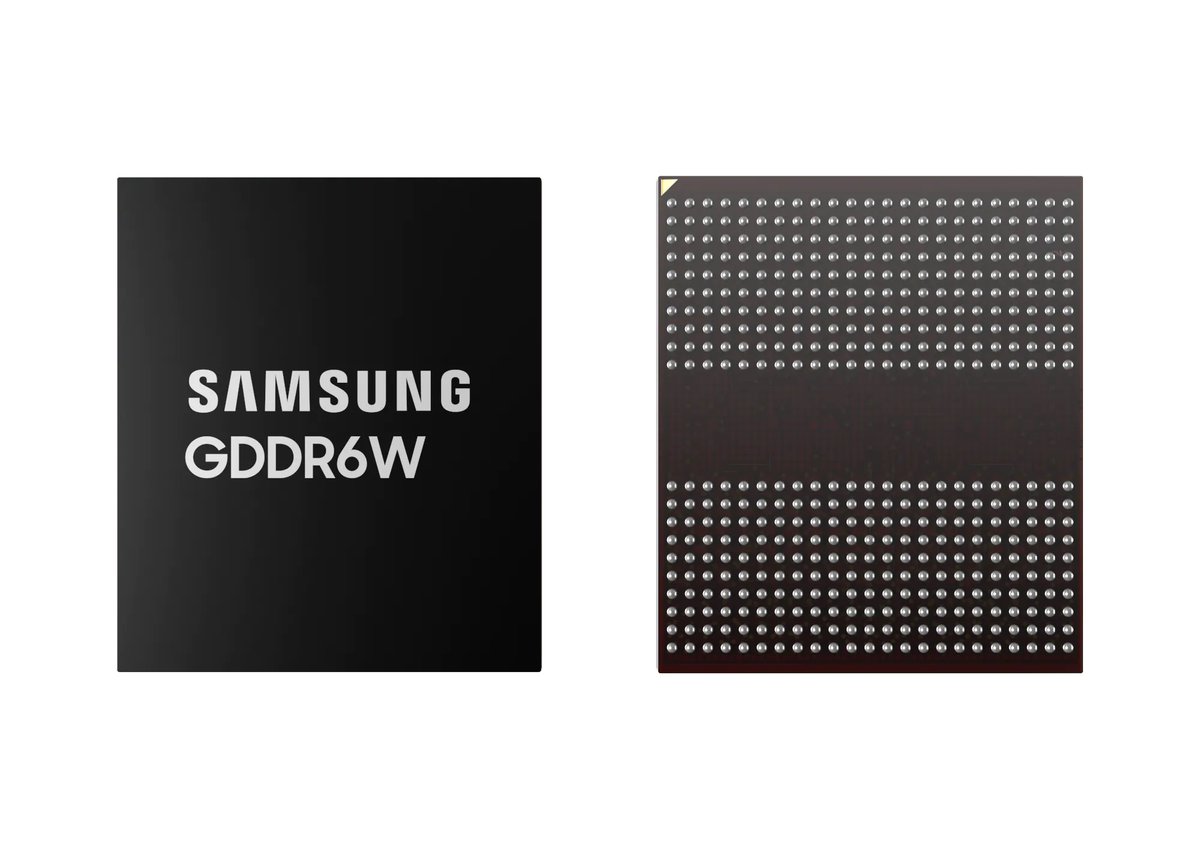
Samsung GDDR6W:
- double the capacity (vs GDDR6 x32)
- double the BW (vs GDDR6 x32)
- 64 vs 32 IO-Pins (vs GDDR6 x32)
- two layer DRAM with two RDL
- 0.7 vs 1.1 mm z-height (vs GDDR6)
- Notebooks, AI, HPC and „GPU partners“
 Twitter
·
Twitter
·


looks like budget HBM kinda?
 tropic nacelle
ashen spindle
looks like budget HBM kinda?
tropic nacelle
ashen spindle
looks like budget HBM kinda?
Samsung marketing makes the comparison so in a way you can say so.
"The newly developed GDDR6W technology can support HBM-level bandwidth at a system level. HBM2E has a system-level bandwidth of 1.6TB/s based on 4K system-level I/O and a 3.2Gpbs transmission rate per pin. GDDR6W, on the other hand, can produce a bandwidth of 1.4TB/s based on 512 system-level I/O and a transmission rate of 22Gpbs per pin. Furthermore, since GDDR6W reduces the number of I/O to about 1/8 compared with using HBM2E, it removes the necessity of using microbumps. That makes it more cost-effective without the need for an interposer layer."
Of course they compare to HBM2E and not HBM3 which doubled the pin transmission and some other changes so it's much faster.
Good competitor to hbm2 and 2e though with no dealing with the interposer

Samsung Semiconductor Global
Samsung Electronics has developed GDDR6W with FOWLP technology to meet growing memory demands as games continue to develop.
cursive summit
How much will it cost, though
HBM's real adoption issue what probably the price
If they can fab these on a similar to GDDR6X price then I guess we might be entering a new quasi-HBM era yet again
ashen spindle
hbm's own cost wasn't really the issue, certainely wouldn't be the case now
tropic nacelle
HBM was expensive, HBM2E was significantly cheaper.
I wouldn't be surprised if cost is a small premium if none compared to GDDR6X now as they were expensive! Non X was still reasonable price mind.
I do wish AMD continued with it on a consumer high end products, it certainly helped reduce board power to allow for that to be spent elsewhere
ashen spindle
not like power was a bottleneck for the cores though so that wasnt really limiting anything
and I imagine hbm on the chiplet n31 would just make more chaos than bring benefit
since the chiplets dont sit on a silicon interposer so they would have to add that for hbm on die
crimson wigeon
Yes please, I still want to believe HBM is the future!
ashen spindle
your holding cell is over there, next to the arm-desktop prophets
dw its a nice mental asylum, you even get cookies
pale sigil
@ashen spindle think I should replace the monitor or outright return it?
Im very conflicted
Backlight bleed is just to much.
But at the same time part of me wants to just outright return it
ashen spindle
can't really tell you because even in comparison pictures it doesn't really reflect how it looks in person nor do I know what your preference is in person
cursive summit
pale sigil
<@150712028217081866> think I should replace the monitor or outright return it?
Return it
If your IPS is bad then just get something else
ashen spindle
and neither HUB nor rtings nor tftcentral have a review on it so idk if its bad luck or just shit screen always
and even if it was a "good deal" if it was a bad product it's not like you should feel bad for not liking it even at cheaper price
cursive summit
Maybe I'm just being a bit ignorant but I genuinely don't see the point or appeal with ultrawides
Why not just get something a bit normal, standard sized?
You can get a pretty damn good 27" IPS panel for 300 or so
ashen spindle
the panel is the issue not the screen shape
crimson wigeon
Because wide
cursive summit
crimson wigeon
Because *wide*
But that's unpractical?
ashen spindle
how though
cursive summit
Takes too much space, is way too stretched out
ashen spindle
more immersive for gaming, for productivity you can use it like 2 4:3 screens and as we saw he has plenty space for a secondary screen
cursive summit
Again I might just not really understand the reason why someone would get one
I'd argue that for gaming it's worse since it occupies more than usual horizontal space
ashen spindle
how is it worse if you see more
cursive summit
You'd have to shift your eyesight way more than usual which is stressing
Cause typically UI is positioned in the corners
To stare at one corner then the other sounds fatiguing
ashen spindle
that depends but also that's why curved > flat ultrawide
crimson wigeon
Good games know about safezones that you can adjust to keep it more centered
cursive summit
ashen spindle
that depends but also that's why curved > flat ultrawide
I do like curved quite a bit
ashen spindle
also unless you game like lana uses windows and look more at UI than the gameplay, I don't subscribe to the idea that its more fatiguing even if its a flat screen
pale sigil
cursive summit
You can get a pretty damn good 27" IPS panel for 300 or so
I already have a good one tho
Another thing is I wish it was curved
 mild dome
Presuming that the game is optimized for curved screens, the UI elements are still clustered towards the centre. You just gain more peripheral vision
Only real downside is it's harder to drive
ashen spindle
or easier if you would otherwise look at 4k
tropic nacelle
Ultrawide is great as long as the game supports it properly, you can have a wider FOV which is actually an advantage.
For work it means having more width for side by side Windows which is great. 3 way merges are much nicer on my 34inch ultrawide than the 27inch monitors I used but it's always good to have multiple anyway
cursive summit
Other good options for high end 1440p Gigabyte M27Q X and Asus ROG PG279QM
I was looking into both but bought the AOC
ashen spindle
I mean at current rate I would suggest save up and wait for some newer cheaper qd oleds to come out
pale sigil
If I return this monitor my next monitor will be qdoled
tropic nacelle
pale sigil
<@150712028217081866> think I should replace the monitor or outright return it?
Is it backlight bleed or IPS Glow?
ashen spindle
msi and samsung still dont have their models released
pale sigil
tropic nacelle
Is it backlight bleed or IPS Glow?
Bleed
Definitely didn't notice any difference above 144hz though
In games I could push that
tropic nacelle
Stall for next year is always a good idea if you can as more options will be out and cheaper monitors.
Samsung I believe will release a 27inch QD-OLED at some point and as LG just announced their OLED 27inch I'm sure they will make an effort to match that market segment
cursive summit
tropic nacelle
Stall for next year is always a good idea if you can as more options will be out...
Stalling has always been a good idea
Either new products release or you get new products for cheaper a year later
pale sigil
I think I just jumped the gun knowing I was only paying half
cursive summit
But you end up stalling forever
ashen spindle
paying half for something not worth half its price is a big trap 
cursive summit
ashen spindle
paying half for something not worth half its price is a big trap <:dogekek:84628...
Tbf my AOC apparently was 600$ or so at launch and I got it for 300
This nano IPS is amazing
pale sigil
Not that it was a sale or anything
ashen spindle
then I'm curious how you even ended up deciding on that monitor
pale sigil
I was debating it a few days before but didn't want to spend money on it and end up getting another qdoled down the line.
But mum offered to pay half
ashen spindle
yeah but how did you even think about that specific one, the only review I even found about it was in german lol
pale sigil
Oh, because my friend linked it.
tropic nacelle
What monitor was it?
pale sigil
HP X34
tropic nacelle
Oh I had that one as well, it was what sold me on 34inch flat is too big!
Reviews are ok on it and it's a reasonable good IPS for the price.
pale sigil
Either way I ain't proud on how quickly I jumped the gun
ashen spindle
based on this german review the BLB is supposed really good for ips so you likely got a not so great panel but still, not something you really need to upgrade to from a decent monitor
tropic nacelle
I couldn't justify paying £700+ on IPS 34inch which everything else seemed to be as I knew I wanted to go OLED or QD-OLED soon
pale sigil
It was £330
That's why it was appealing
But yes the not being curved is another gripe
pale sigil
ashen spindle
based on this german review the BLB is supposed really good for ips so you likel...
Ye that's what I was thinking to, that it's bad luck but part of me doesn't want to bother replacing it.
ashen spindle
well either way just make sure you also don't keep it
tropic nacelle
Mine had very average backlight bleed but the IPS Glow was more significant especially as it's flat so you are more likely to see it.
No real worse than my three dell dg27 though but these were much faster panels overall in motion.
I preferred my dells to it if I had the choice and they can be found for like £200 refurbished or up to £280 direct from dell
 stark bobcat
Dude I just thought my university was evil with my programming homework but it was just me being too incompetent to use my ide properly
cursive summit
On fun news

TechPowerUp
MOONDROP enters the over-ear headphones market with the VENUS. It is an open-back set using in-house developed planar magnetic drivers that fit into an all-metal housing, to make for good build quality paired with balanced tonality and decent technicalities, for a reasonable price.
Venus is shaping to be really good
In stark contrast to Void
cursive summit
Speed is an actual term
More like sound warmth or something like that
For some reason between different headphones some sounds sound faster
ashen spindle
was the assignment to use the IDEs refactoring to move code around? lel
stark bobcat
I know it's a term I'm wondering if it's audiobullshit
stark bobcat
ashen spindle
was the assignment to use the IDEs refactoring to move code around? lel
Nah I just ran the completely wrong program and wondered why I got the same error over and over again. Brain real smooth today
While in reality I had already solved the issue
 gusty kiln
Speed is probably just taking about the decay of the headphone
How fast the driver goes from rest to making a sound and vice versa
 fair gull
stark bobcat
Nah I just ran the completely wrong program and wondered why I got the same erro...
fair gull
stark bobcat
Nah I just ran the completely wrong program and wondered why I got the same erro...
ngl... sometimes i forget to save my ts files and wonder why it still errors
 true quest


#ソニー 最新モバイルモーションキャプチャー「mocopi」(モコピ)が登場!
フルボディトラッキングに挑戦したい人、アバターを使った外ロケ等あなたの活動の幅を広げます!
商品情報はWEBサイトで!👇
https://t.co/kPntBYEtWR
#FutureSony #Sony #mocopi
Likes
27421
Retweets
15426
Twitter
·
 I feel bad using my PC
ashen spindle
I feel bad using my PC
ashen spindle
there is no way that is just your pc
tropic nacelle
pale sigil
Our electric went up to £10-12 a day
What the hell? What do you do on the pc?
Or do you mean in total? That seems high unless you have a very big family?
gusty kiln
It is also winter
pale sigil
No but i use a big chunk and the sudden raise feels obvious
ashen spindle
whats your kwh price approximately
gusty kiln
How are you heating your home?
pale sigil
gusty kiln
How are you heating your home?
Gas but our meter seperates them.
Gas has its own balance too
ashen spindle
whats your kWh price
pale sigil
Im not saying im using all the power Quin.
Also im checking now.
35.52 p/kWh 48.32 p/day £
crimson wigeon
Crikey
pale sigil
 gusty kiln
Oof
ashen spindle
yeah okay you might reach 1 pound if you game for 12 hours a day which I kinda doubt
pale sigil
Idk, when i barely used my desktop we were using 2-3 less a day
now its more since i got the monitor, i have a lot tbf
I have a NAS too
tropic nacelle
How is yours 35p but mine is 32p? I'm on variable so max cap
gusty kiln
Prebuilt nas are super efficient
pale sigil
NAS/PC/ Two Monitors/Peripherals
gusty kiln
Should barely affect the electricity cost
pale sigil
I already disconnected my mini fridge
stark bobcat
AHAHA
WHY IS UPS SO SHIT?
I gave them my package on saturday and now 2 workdays have passed and nothing happend
 pale sigil
tropic nacelle
How is yours 35p but mine is 32p? I'm on variable so max cap
pale sigil
tropic nacelle
How is yours 35p but mine is 32p? I'm on variable so max cap
idfk but whenever we ask they are vague
its also area based
tropic nacelle
Depends what your pc is setup as though, a monitor can be like 30w each depending on size brightness etc.
You should get a power monitor to see how much you really use as it helps solve the mystery
pale sigil
I think ill bring out my plug again
stark bobcat
imagine sending your phone to google to get it fixed only for ups to sit on their ass
amazing
ashen spindle
with both monitors running at quite high brightness and you gaming 12 hours a day those prices get you to 1.6 pound
so unless you run folding at home or mine I dont see a chance of the pc really coming close to 2 a day let alone more
tropic nacelle
Depending on your machine you could be using a lot at idle, I found running at 3600mhz idle usage on my ryzen 3700 was noticeably higher.
ashen spindle
unless his idle is 300w from that I dont see that mattering
tropic nacelle
I mean it eats into it, my machine is around 100w idle!
This is where you train kids to turn off things when they aren't using it, pc, TV, lights etc
stark bobcat
when I was like 15-20 years old I never turned off my pc I think
can't imagine that now
ashen spindle
Find out the energy usages of a desktop computer.
here check for yourself to see what your NAS pulls
gusty kiln
Prebuilt nas should be like under 50watts
tropic nacelle
stark bobcat
when I was like 15-20 years old I never turned off my pc I think
My parents were tight fisted with money so had to always turn everything off and would have to put my pocket money in just to use the internet xD
stark bobcat
lmfao well I guess I'm lucky
tropic nacelle
Haha it wasn't that harsh they just didn't have much at the time.
The broadband upgrade was the best change for me though haha
gusty kiln
How's the internet in the EU nowadays?
fair gull
gusty kiln
Prebuilt nas should be like under 50watts
id argue it depends
 marsh glade
gusty kiln
How's the internet in the EU nowadays?
marsh glade
gusty kiln
How's the internet in the EU nowadays?
Expensive, like everything else in the EU
ashen spindle
also depends, on area and all
but I would say more likely to have an option for something decent nowadays
gusty kiln
fair gull
id argue it depends
Well the consumer grade 2-4 bay stuff should be
Gigabit is like around 100 in the US
While some places are stuck with dailup
tropic nacelle
I get 1gb/s download and 60mb/s upload for £35 which is pretty good, looking forward to open reach having their 1:1 1gb lines in my area in the next year or two though!
 tropic nacelle
308w for near idle with 2 monitors? Is that the nas included?
What is your pc specs?
gusty kiln
That's all at idle?
gusty kiln
Lol quin got really close
pale sigil
Well I think he meant my desktop specifically
ashen spindle
yes
tropic nacelle
You able to power off the Nas to see what parts is using the main chunk?
ashen spindle
since it was about the pc using much not the entire nas and co
pale sigil
I can turn mu Nas off
tropic nacelle
Unless you have two big OLED TVs I don't see them making a huge dent haha
gusty kiln
Do you turn off your pc when not in use?
gusty kiln
Sounds about right
pale sigil
gusty kiln
Do you turn off your pc when not in use?
mmm an if i afk it goes to sleep in 15 min
gusty kiln
They use embedded cpus
ashen spindle
whats does hwinfo say about your pc powerdraw
tropic nacelle
Well now I have more questions!
What monitors?
That's pretty high unless you have a huge amount of devices in your pc like many drives?
ashen spindle
drives also dont draw anything on idle really
fair gull
he cant without a monitor
ashen spindle
what is the gpu draw at idle with and without the monitor
gusty kiln
 tropic nacelle
Oh the high memory clock for multi issue, maybe.
gusty kiln
Max brightness all the time?
pale sigil
im on about my ultrawide
pale sigil
gusty kiln
Max brightness all the time?
40%
tropic nacelle
The x34?
tropic nacelle
I admit I didn't take into account power usage when I was trialing mine, but your drop will be a combined thing as GPU load is less so using less power plus monitor
ashen spindle
what
tropic nacelle
Hwinfo, software
pale sigil
 ashen spindle
no I mean check if you have the gpu bug that causes higher powerdraw when you have more than 1 monitor
so just look at the gpu sensor what powerdarw hwinfo sees
and then see what is shows when its 1 vs 2 screens running
pale sigil
\
 ashen spindle
that with one or with two
pale sigil
two
gusty kiln

astral haven
well you at least dont have the power bug
ashen spindle
really? were 3080 idle that high?
tropic nacelle
Well that's another reason to return the x34 xD
astral haven
ashen spindle
really? were 3080 idle that high?
remember before?
its the same deal as amd where theres higher idle power with multiple monitors
but its not that much higher
gusty kiln
Are you able the measure the monitor by itself?
tropic nacelle
Techpowerup have it as 20w for multi monitor so it's pretty close
ashen spindle
I mean 25w seems pretty high for idle
 astral haven
ashen spindle
I mean 25w seems pretty high for idle
astral haven
ashen spindle
I mean 25w seems pretty high for idle
25w is 15w lower than your gpu
lel
ashen spindle
no because my 6800 idles at 32w with two screens lol
pale sigil
oh and
astral haven
and the 3080 has a huuuuge core
tropic nacelle
Old TPU review shows 20w but i would go with that latest one from them of 30w so yeah ballpark it's average
pale sigil
i turned off my ultrawide and went down to 11-15w
ashen spindle
my 1080 sits at 12 with both
astral haven
ashen spindle
my 1080 sits at 12 with both
the 3080 is alot more power than a 1080
gusty kiln
pale sigil
idle max is 98w
What changed from the 300w?
pale sigil
gusty kiln
What changed from the 300w?
The 300w+ was everything on the plug, monitors etc
im on about the hwinfo stuff
gusty kiln
Oh
tropic nacelle
What was your monitor before?
 pale sigil
My max reached 100w+ 
astral haven
ye older gpus use less power idle
pale sigil
big difference here
astral haven
pale sigil
My max reached 100w+ <:havo:975821613415157860>
thats not idling any more tho
web browsers will often kick the gpu out of idle
pale sigil
Gathered but it was seconds after I sent the original pix
Pic
Is all im saying haha
tropic nacelle
Still crazy difference from that monitor haha, wonder what it's like with your previous multimonitor setup maybe it's a lot more reasonable!
What GPU is that? An old Fermi 480?
pale sigil
tropic nacelle
Still crazy difference from that monitor haha, wonder what it's like with your p...
Well, right now I cba to test.... Hahahah
Because it's in the box and has no stand.
Either way im definitely returning now.
It makes sense now too, our peak was when I was using it the most
Playing games etc on it to test
gusty kiln
Whatcha gunna replace it with
astral haven
tropic nacelle
What GPU is that? An old Fermi 480?
the 480 actually drew a surprisingly little amount of power
the reason it burned is because it didnt (originally) come with any power throttling
https://tpucdn.com/review/nvidia-geforce-gtx-480-fermi/images/power_idle.gif
 tropic nacelle
They said discord 🙂 so I assumed not specifically idle .
 fickle ore
Turned all eco modes on bios already. Maybe it saves me a couple euro per year
astral haven
wish i could do that without my usb stuff bugging out
fickle ore
mm, there is a 65w eco mode and 95w eco mode on 5800x, I went with the 65w. Barely noticeable tbh.
astral haven
maybe theres a new bios update tho
pale sigil
Im on the latest personally.
astral haven
fickle ore
mm, there is a 65w eco mode and 95w eco mode on 5800x, I went with the 65w. Bare...
ye it only really harms productivity perf and heavily threaded games
fickle ore
astral haven
ye it only really harms productivity perf and heavily threaded games
Nice. Could also enable ... what are they called again.. u kno intel speedstep etc, but on amd.
But those bug out usb for me, or used to
gusty kiln
Have you measured it independently?
fickle ore
fml only worked 3 weeks this month, salary is garbo
astral haven
Hourly biweekly has its advantages
 chrome estuary
I decided to see what Ironside provided. For a 7700x, 32gb DDR5-6000, 240mm aio cpu cooler, Nzxt 510 case, 850w gold psu, and an x670 (looks like a prime pro) Mobo...
No storage, no gpu
1575 I think
Before tax and shipping
arctic mantle
1575 USD ?
 vocal cipher
your discord is mining
arctic mantle
That's really really high
ashen spindle
do you ahve a 45w screen on it that shows rgb colors or how
arctic mantle
Wtf kind of bios runs 95w idle
cursive summit
Ryzen 7000 bios
 astral haven
arctic mantle
My entire 13900k system draws 30ish w idle
astral haven
arctic mantle
My entire 13900k system draws 30ish w idle
not possible with atx
arctic mantle
It was 38ish, i m not home rn but i remember checking it
astral haven
wall power?
astral haven
which is not "entire system"
arctic mantle

astral haven
i would be shocked if your total system was under 60, and i would not be surprised if it was over 120w
arctic mantle
Prob, i m running 3 HDD 3 SSD and 7 140mm fan
astral haven
yea
my system with 6 ssds and a bunch of usb devices draws near 200w with 40w cpu 30w gpu
arctic mantle

 crimson wigeon
wat
 wheat plume
Discord
gg sans: Discord’s New, Custom Font
Starting December 1, 2022, Discord will begin updating the font across all of its surfaces to our new, custom font, gg sans. Everything from the Discord mobile a...
new font
again
crimson wigeon
When was the last time?
wheat plume
2019? 2020? I forgot exactly
One sec I'll check

VG247
Discord has a new logo, and divisive new font.
I was wrong
2021
crimson wigeon
That's just for the logo and I think the channel name at the top though
Whereas gg sans will probably be used everywhere else
wheat plume
It's still a font change xf
 ashen spindle
sennheiser RF headphones, no cable, no bluetooth
cursive summit
pale sigil
I need new wireless headphones
Hifiman deva pro
Don't even check it, 999$ and looks shite
I like how even rtings don't like Sennheiser rf series
Their positive section is "decent sound"
Not good, not superb, not intimate, or booming or otherwise detailed
Just decent
ashen spindle
uhh, its not a single thing that is the same, idk what rf model they looked at
cursive summit

RTINGS.com
The Sennheiser RS 195 are decently comfortable home theater headphones that unfortunately do not improve much on previous designs. They perform worse overall tha...
Top end model from what I can see
Yeah just get Deva Pros
They are sick
astral haven
cursive summit
Top end model from what I can see
top model is rs220
cursive summit
rs220 seems a lot better
astral haven
the rs195 and 185 are atrocious
far worse than the 180 and 160 imo
astral haven
discontinued
cursive summit
$599???
astral haven
that was their original price ye
cursive summit
Jeez
They have a model rn for 449.00 on amazon
Which is a bit more acceptable but damn
astral haven
ive bought 3 on ebay each for around 110
ashen spindle
huh ebay has a 180 for 120 in refurbished and for 80 as used
wheat plume
wtf dis?
 ashen spindle
last I checked it was 0 options available lel

 gusty kiln
What is it
cursive summit
Headphones
pale sigil
HD6XX
pale sigil
Waiting for that sweet sweet import fee text
ashen spindle
hmmm second time this week that my screen went black and I basically had to restart pc
maybe the new WHQL driver is worse and I should go back to the non whql one
cursive summit
Nvidia or AMD?
ashen spindle
or maybe its breaking since its exactly 2 days over the 2 year warranty
astral haven
i mean statistically there was a 90% chance the advice would be relevant lel
ashen spindle
not if I said I had a non whql driver before, that should make it obvious
astral haven
nvidia has like 2 non whql drivers
astral haven
out of like 40 over the past year
 crisp granite
yk
crisp granite
prefix for bandit weapons that cause lagga
cursive summit
Write me in PMs what you want me to send to you
I'll collect all the good shit from an eastern bloc country and send it your way
Just pay me for the goods and delivery
No extra % fee
 sudden wagon
pale sigil
Waiting for that sweet sweet import fee text
sudden wagon
pale sigil
Waiting for that sweet sweet import fee text
how much was it for u
pale sigil
sudden wagon
how much was it for u
For the headphones?
cursive summit
180$ from drop the headphones
Prolly still on that same price
Something makes me think they thought that it's wooting import fees you were talking about
pale sigil
Same which is why i asked :p
sudden wagon
pale sigil
For the headphones?
what else could it be?
astral haven
shipping, the import fees, or yea the wooting
stark bobcat
ashen spindle
maybe the new WHQL driver is worse and I should go back to the non whql one <:do...
Always trust amd drivers to break somehow
 meager sphinx
is there a mode key on the 60HE? Or can it be bound via remapping?
I've been googling, but to no avail.
*** I found it under "Remap" then Special characters.
reef patrol
meager sphinx
is there a mode key on the 60HE? Or can it be bound via remapping?
I've been go...
Our quickstarts have default keybinds for future reference. Though all can be changed in Wootility through rebinding. 🙂
Get to know the basics of your new Wooting keyboard.
meager sphinx
Thank you! 🙂
ashen spindle

NVIDIA RTX A6000 (ADA) now listed online, specs confirmed NVIDIA announced its next-gen workstation GPU will be available starting from December. NVIDIA RTX A6000 (Ada Generation) Some retailers have now started to list the upcoming Ada-based RTX A6000 graphics card. This is a workstation model based on the same architecture as GeForce RTX 40 f...
so aside from the absolutely dumb decision to just name it the same thing as last gens card
that might be the most efficent gpu every, only 300w for nearly full ADA102
 sweet copper
Does anyone else have to hit FN+Enter 2-3 times before wooting 60he switches to digital profile from analog?
Is there a button combo to do it in one press or is this a bug?
reef patrol
Should be just once. Are you letting go of FN too fast maybe?
Tachyon or high sensitivity enabled? 🤔
sweet copper
tachyon is enabled
Should I turn that off and try?
hmm, still makes me hit fn+enter 2-3 times rapidly to go back to analog
If I slowly hit fn+enter 2-3 times it doesn't go to digital from analog profiles
stark bobcat
did u try something other than enter?
sweet copper
Same issue if I switch it to a different key
changing it to a different key sometimes does work on single press. But maybe like 7/10 tries?
Small issue but it just kind of bugs me
marsh glade
Unplug the keyboard and replug it in to force a recalibration of the switches. If that doesn't do it, swap the switch for one of your included replacements, see if that resolves it.
wheat plume
how do I disable the Win + Space shortcut to swap keyboard layouts?
reef patrol
You can.
fair gull
oh?
reef patrol
Pretty hard to find though. You can disable all of those shortcuts.
 wheat plume
oo thanks
wheat plume
fair gull
easy fix have 1 layout
I have one layout but two languages cause my keyboard is US layout and my region is Ireland
ashen spindle
reef patrol
Pretty hard to find though. You can disable all of those shortcuts.
this is also the first google result for the question
fair gull
if win+space switches layout you have 2 layouts
wheat plume
how do I check?

I just have US here

and only US for keyboard too
but Win + Space shows this??
 crimson wigeon
It's a bug that's been around forever and is probably never getting fixed, as I said before to workaround add the offending language & layout combinations, then remove them. They'll be gone at least for a bit
crimson wigeon
Or maybe they think it's a feature
 ashen spindle
man I was looking at some 4090 options today, all gone within in the first 3 seconds of them being available
meanwhile 4080 is hard to not find lmfao
ashen spindle
people bought worse cards for more in the last 2 years
wheat plume
True ..
ashen spindle
they sold something around 150k 4090s since launch
stark bobcat
many people just have too much money
ashen spindle
hey some people spend as much on care tires that only look different
stark bobcat
yeah above statement applies to that too
ashen spindle
ya
wheat plume
problem is, the more people that buy these 4090s
The more Nvidia and AMD will realise that they can increase the prices for no reason and still sell
stark bobcat
not amd
ashen spindle
well there are two issues with that point
amd is currrently not keeping up with halo product
stark bobcat
and only 4090
ashen spindle
the halo market sounds like a lot but is still basically just a subsidized market that gets its research funded by data center and co
wheat plume
Halo?
ashen spindle
and hardware is getting more expensive, wafer costs are not going down anymore at all
stark bobcat
halo as in best of the best
ashen spindle
flagship products
 shadow minnow
ashen spindle
the halo market sounds like a lot but is still basically just a subsidized marke...
shadow minnow
ashen spindle
the halo market sounds like a lot but is still basically just a subsidized marke...
Issue is that 4080 became such a bad value it makes more sense to get the halo product than 4080 even considering value
Last gen 3080 was so much better value than the halo product
Now 4080 exists just to make 4090 look better
And tbf it does mostly work
wheat plume
how much better is 4090 than 4080? is it the cost difference better?
shadow minnow
It’s better value per frame
stark bobcat
lana u re an amazing person 
shadow minnow
Which almost never happens with halo products
ashen spindle
nah 4080 is priced higher because they need to get rid of ampere stock still, not to make people jump to the 4090
shadow minnow
Well it works both ways
stark bobcat
but you infuriate me!
ashen spindle
shadow minnow
Well it works both ways
one is intentional one is accidental
stark bobcat

ashen spindle
they arent increasing 4090 sales really, that card would be sold out even with the 4080 having better value
stark bobcat
€/frame
wheat plume
?
stark bobcat
it depends on the application
wheat plume
gaming
wheat plume
if youve got money for these cards, then 4k
stark bobcat
why not 8k then
wheat plume
8k in games before 2020 maybe
ashen spindle
because 4k is a bad choice if I want to run cyberpunk at 240hz
wheat plume
Cyberpunk looks nice at 1080p
Except on my computer cause its not great hardware
This is a so much effort...gosh damn
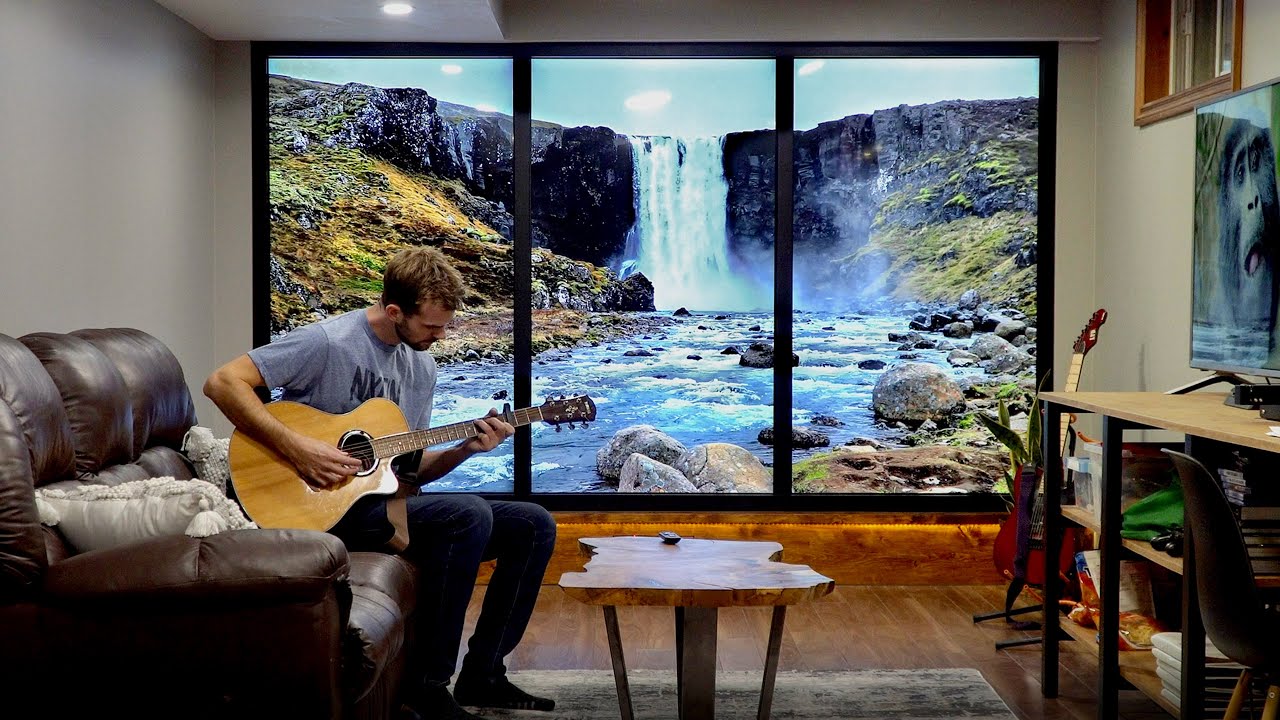
In this video I make a huge, full-size tv wall and use it as a window to anywhere in the world. This TV window is made of three 75" 4k tvs that work together to display one 12' image. The TV's are framed into the wall to make them look as much like a real window as possible. Great idea to lighten up a dark basement or office with an amazing view...
 mint bridge
dystopian
 frozen ingot
how to make windows that breaks after a couple years and consooms a bunch of energy
stark bobcat
Absolutely disgusting tbh
frozen ingot
wheat plume
hes running all 3 from one outlet
yeah.. its still going to consoom power for 3 tvs
wheat plume
yeah I know
stark bobcat
Wonderful waste of this planets resources
wheat plume
like using a high powered desktop for watching youtube videos...
frozen ingot
mint bridge
like maybe 100W in total
that's a lot of money if you live in europe
mint bridge
the light bulbs in my rented apartment was 100W a fixture 
frozen ingot
just for some damn windows
mint bridge
i solved this problem by spending absurd amounts on 8 hue lamps
savings will be made by 2245 i believe
wheat plume
I'm a big black caulk guy now
stark bobcat
My window consumes 0W and I keep it covered at all times
wheat plume
xd
wheat plume

imagine if he hooked up a motion sensor, to make the screens give a parallax effect when he walked around the room
tropic nacelle
stark bobcat
My window consumes 0W and I keep it covered at all times
But it also is a contributor to heat loss in your home so it's not all net benefits!
Would make more sense if you don't have access to windows in the room though.
 stark bobcat
I think the window might be taller than me lol
wheat plume
barely
stark bobcat
mine
wheat plume
hes almos as tall as the room itself
stark bobcat
my room is like 3-4m high
ashen spindle
hmmmm not sure if I should look into this or define it as a waste of time https://sergiopedri.medium.com/announcing-computesharp-2-0-run-c-on-the-gpu-with-ease-through-directx-12-and-d2d1-be4f3f2312b4

Medium
This post is an introduction to ComputeSharp and the various DX12 and D2D1 features it includes, with code samples and technical details.
wheat plume
🤔
 inner raven

Anyone using a KVM/ or USB switcher for mouse and wooting (I need to often switch between two computers, HDMI not required)? Any models you can suggest?
ashen spindle
anything decent that does usb3 should work
reef patrol
Well... no. We've historically had a LOT of issues with KVMs.
ashen spindle
well, I would classify those as not decent or likely usb2
astral haven
if you are intending to use keyboard shortcuts to switch, you wont be able to get analog probably
but i would just avoid using keyboard shortcuts
if you want a guaranteed experience theres always the level 1 techs kvm
ashen spindle
yeah those might have issues, I have some random one form ugreen where you switch via a physical button that works fine with mouse+wooting+mic on it
for like 30bucks or so, it's been a while
astral haven
thats what i do
ashen spindle
hmmm maybe I try how well that one works with my quest so I dont need a 5m cable lel
astral haven
monitor autoswitches since i turn off each computer when its done
ashen spindle
that one I still have to switch the DP cable manually, not going to get an expensive switch for one cable when I can just change that easily
and sadly the alienware only has one DP port the others are hdmi2.0 which isn't enough
stark bobcat
damn google repair thingy is actually pretty quick so far
ashen spindle
need no, but I can see the difference of 100hz and 175 on visual studio
astral haven
my second monitor is 60hz so it doesnt matter either way
astral haven
ashen spindle
need no, but I can see the difference of 100hz and 175 on visual studio
ah sad
fortunatly i dont do alot of scrolling
and im mostly remoting into my pc in the office anyways at 10hz lel
ashen spindle
ok got a new new screen
idk what I was thinking getting a tn panel for my secondary
found an ips panel for the same price so the asus is going back

 vagrant pagoda
ashen spindle
need no, but I can see the difference of 100hz and 175 on visual studio
vagrant pagoda
ashen spindle
need no, but I can see the difference of 100hz and 175 on visual studio
I miss my Logitech that had the unlockable scroll wheel
It was actually really controllable once you got used to it
 sharp badger
vagrant pagoda
I miss my Logitech that had the unlockable scroll wheel
sharp badger
vagrant pagoda
I miss my Logitech that had the unlockable scroll wheel
I've got the new G502 X Lightspeed and the scroll wheel is still as amazing
astral haven
well its usb c now at least
astral haven
is there any new info?
inner raven
ashen spindle
yeah those might have issues, I have some random one form ugreen where you switc...
thank you, if that works i can stay away from kvm and even save some money!
sharp badger
Only that it will release, no dates and such yet 😶🌫️
astral haven
any news on the difference from the m2k?
sharp badger
Well that it won't be wireless but not much other than that
astral haven
shame
sharp badger
Yeah seems like the cable was not really liked on the old one
astral haven
i got a custom cable for mine
sharp badger
G-Wolves HSK Plus is a contender but the sensor is not as fast as the Zaunkoenig
astral haven
i dont understand how only zaunkoenig can do 0 latency debounce
makes no sense to me
i can make a zero latency debounce circuit, and I can program one too
astral haven
yep
anyways what im most interested in existing in the future is completely passive mice
think drawing tablet stylus but in the shape of the mouse
literally infinite acceleration capability
perform the absolute to relative transform in hardware and itll also be near zero latency
the mouse itself will be wireless, never have to charge, and microsoft has already proven 1khz polling is possible on a capacitive mat in the lab
sharp badger
Yeah & if anyone has tried implementing it into mice?
astral haven

Network World
Microsoft Research’s Applied Science Group has unveiled a high-speed touch recognition test device that reduces input latency to only 1ms, which the company claims makes on-screen virtual objects feel real.
as for implementing it in mice, noone has done it yet
only styluses
if you have a drawing tablet you can try it out using opentabletdriver
sharp badger
Ah ok
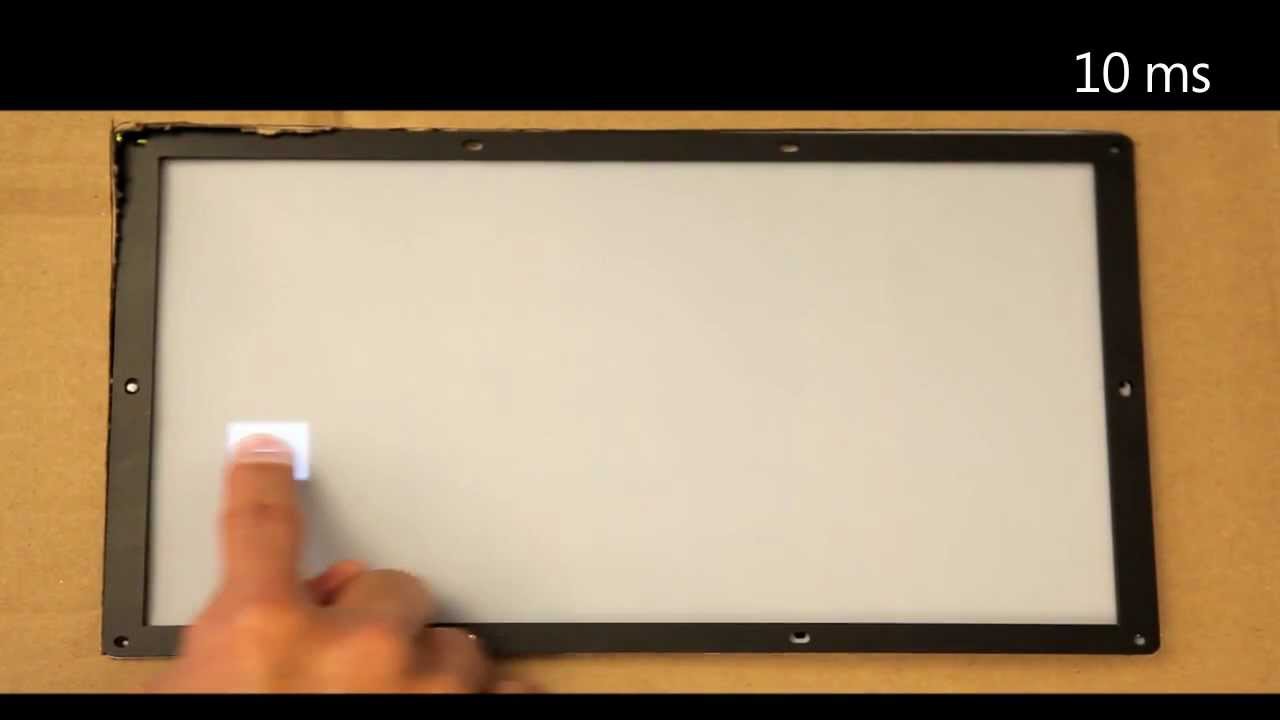
Modern touch devices allow one to interact with virtual objects. However, there is a substantial delay between when a finger moves and the display responds. Microsoft researchers, Albert Ng and Paul Dietz, have built a laboratory test system that allows us to experience the impact of different latencies on the user experience. The results help u...
astral haven
ye
sharp badger
10 years ago though? 😅
astral haven
ye but like noone really cares about polling rate in drawing tablets which is why its stayed at 250 basically
sharp badger
Ok 👨💻
astral haven
tho ive used a tablet with simulated 12khz polling rate
opentablet driver allows for that
and it actually feels pretty nice
until you open a game that doesnt support that speed like osu
i generally have it set to interpolate to 1khz
sharp badger
Ok and yeah from watching the video it's very noticeable 😀
astral haven
opentabletdriver also has plugins, some of which have future prediction interpolation
so you can offset the interpolation delay
fickle ore
@astral haven btw lol iems arrived -- and it sounds like it's coming from a well. Oh well.
RIP
astral haven
the cheap planars?
fickle ore
yea
astral haven
what are you using to drive them?
fickle ore
tbh, idk could be my mobo. At 100% windows volume it's just normal level volume
But it sounds like a freaking well
astral haven
you got an 
fickle ore
wat?
astral haven
your mobo is probably high oi
and the planar is probably low impedance
itll probably interact in strange ways
try dongle dac
fickle ore
fml
astral haven
cx31993 or
(sonically identical but apple dong is terrible build quality)
they also might not even have enough power to drive the planars
and kz isnt known for being good at making iems sound good
pale sigil
Prob my favorite thing about ultrawide tbh
 gusty kiln
thought you were going to return it
reef patrol
Shame it isn't used more yet.
pale sigil
gusty kiln
thought you were going to return it
Tomorrow XD
gusty kiln
what are you going to replace it with?
pale sigil
I'll just use this again as my main and bring out my other 27" IPS

That I used as a second monitor
Before
fickle ore
astral haven
they also might not even have enough power to drive the planars
and kz isnt know...
yeah man, I hear ya. These sound worse for my music than my 1$ buds that came with my phone lmao
I need female vocal no bass 😄
astral haven
$1?
i hope they were free for you lel
fickle ore
astral haven
$1?
i hope they were free for you lel
I mean yea they were free they just prob cost them less than 1$
wtb genelec sound in IEM's
gusty kiln
pale sigil
I'll just use this again as my main and bring out my other 27" IPS
rip, think the gigabyte ultrawide would be a nice alternative
pale sigil
gusty kiln
rip, think the gigabyte ultrawide would be a nice alternative
I probably won't bother getting another monitor unless it's qdoled
pale sigil
XD I ain't going to get it anytime soon so im good :p
gusty kiln
at 200 nits
pale sigil
I liked my last monitor just fine tbh but it was not ultrawide was all.
I was going to wait to get a Dell but I jumped the gun on the HP one since I knew the dell was unrealistic till at least nest year second half.
But if I got a Dell I would stop using my other monitor like I am alongside this hp
fickle ore
@astral haven ROFL 3.5mm jack wasnt properly seated now it sounds okish
pale sigil
It's a tad bit overkill having mu second monitor being 1440p/144hz/ips
astral haven
fickle ore
<@126850798666645504> ROFL 3.5mm jack wasnt properly seated now it sounds okish
oh lol
gusty kiln
pale sigil
It's a tad bit overkill having mu second monitor being 1440p/144hz/ips
kek I have 2 1080p TNs for side monitors
took a while to angle them right so they don't look like absolute shit
pale sigil
Which is a lot more reasonable
I mean power draw im terms of overkill sorry
Hahah TN on an angle, that does sound painful.
If I was to say get the dell next week I'd either not have a second monitor or have one but my 1080p one
Because there's not much benefit res wise for me considering I use it for not a lot
gusty kiln
my friend has the samsung 49" with a 27" 1440p on top
pale sigil
If I didn't have to worry about power much and I was crazy I would probably use 2 27" monitors alongside ultrawide XD
gusty kiln
I'd use 2 super ultrawide on top of each other
latent mural
yo when i try to open wooting double movement setup it says that windows applications are not supported on mac os
is there any way to fix it>
?
crimson wigeon
It tells you what to do
latent mural
no it just doesnt open
crimson wigeon
(if you don't understand: Install Windows)
pale sigil
Why are you trying to install on Mac?
latent mural
cause im playing fort on the mac
pale sigil
I thought Fortnite doesn't work on there.
gusty kiln
pale sigil
You achieve 16:9
true 5k monitor
latent mural
no it does
ashen spindle
pale sigil
Since when?
crimson wigeon
Since forever
pale sigil
No?
latent mural
look ill send a clip
pale sigil
If you launch it's an outdated version.
ashen spindle
either way #1019722836778164244 is the channel if something isn't working for you there 🙂
crimson wigeon
trudat
pale sigil
I give them temp immunity
@latent mural can you screenshot your game
When you login @latent mural you will notice it says save fortnite and chaper 2 season 1 :p
we are on Chapter 3 S4 xD


 reef patrol
Well... at least you can move those UI elements in.
gusty kiln
what game is that?
pale sigil
SWTOR....
Back in w.e it was but many years ago i saw a gameplay video of someone doing a raid in ultrawide res.
Every since then i dreamt of owning one...
reef patrol
It's great for FF14.
pale sigil
This was the game trhat started that so i thought it would be very fitting to do this before i return it lol
id try xiv but i cba to resub
is there another come back event?
it let me login lol
ashen spindle
yes 3 day free playtime this month or so
pale sigil
Nice
fickle ore
Best software to EQ all sounds on PC?
gusty kiln
EqualizerAPO
fickle ore
gusty kiln
EqualizerAPO
latest ver?
gusty kiln
wdym?
fickle ore
what is
fickle ore
sourceforge has 1.3 and equalizerapo website 1.21
gusty kiln
hmmm wonder if website is the latest stable version
cursive summit
@fickle orehttps://www.youtube.com/watch?v=PsijHAVLbuY

you can tune a headphone but you can't tuna fish
Ad read sponsored by https://linsoul.com
⇊ Come play around with my giant tools ⇊
https://crinacle.com/graphs/iems/graphtool (for IEMs)
https://crinacle.com/graphs/headphones/graphtool (for headphones)
⇊ Recommended EQ software ⇊
Windows: EqualizerAPO (https://sourceforge.net/projects/equalizer...
Watch this
Pretty in depth

Get your own Modmic at https://antlionaudio.com/crinacle
Support me by being a member! https://youtube.com/crinacle/join
Big boi special privileges for patrons: https://patreon.com/crinacle
Follow me on Twitter: https://twitter.com/crinacle
Subreddit: https://www.reddit.com/r/inearfidelity
Join the Discord: https://crinacle.com/discord
00:00 ...
fickle ore
@gusty kiln Ok I got that program and loaded autoeq.txt, but it doesnt feel like it's on
gusty kiln
yeah there's a huge community, you can make every headphones match the harmon target
fickle ore
How do I make it on?
gusty kiln
fickle ore
<@140241126694191104> Ok I got that program and loaded autoeq.txt, but it doesnt...
might need a restart
I remember needing to restart when I installed
fickle ore
I mean im in the configurator utility
ashen spindle
yeah loading any EQ settings didnt work for me either so I had to manually set things lol
fickle ore
Am i doing it wrong
gusty kiln
did you get Peace GUI?
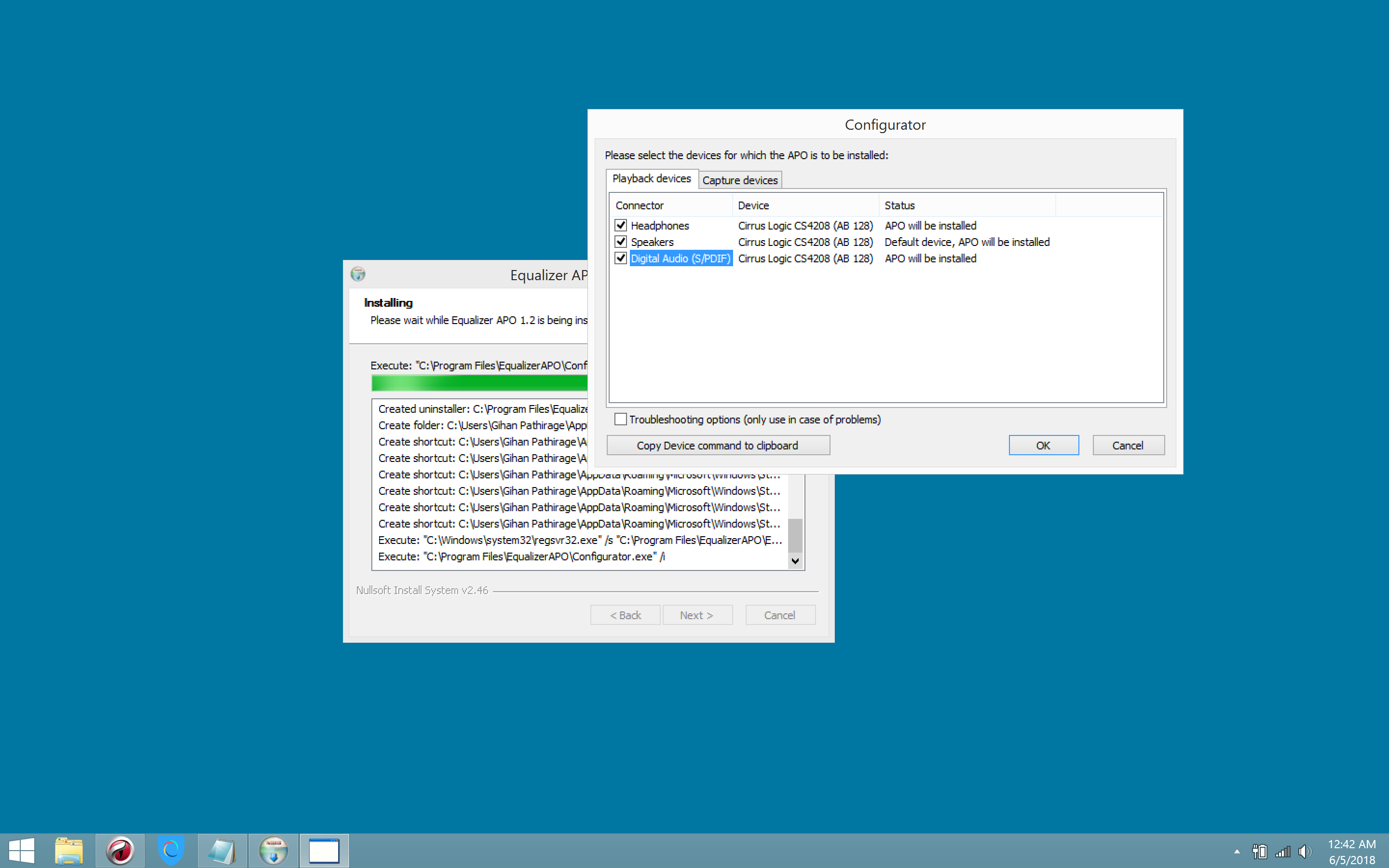 fickle ore
so u gotta install it after setting the EQ?
gusty kiln
no, usually at the same time. Easier to navigate and configure with the GUI
fickle ore
Yeah ty, got it set uop
fickle ore
Well, peace gui only allowed changing the db levels by 0.5
fickle ore
gusty kiln
trying to put mids back into those IEMs?
YES Lel and cut bass
Preamp: -4.5 dB
Filter 1: ON PK Fc 25 Hz Gain -0.6 dB Q 0.900
Filter 2: ON PK Fc 140 Hz Gain -3.7 dB Q 0.500
Filter 3: ON PK Fc 250 Hz Gain -0.6 dB Q 2.000
Filter 4: ON PK Fc 730 Hz Gain 1.9 dB Q 0.900
Filter 5: ON PK Fc 940 Hz Gain 1.1 dB Q 2.000
Filter 6: ON PK Fc 2200 Hz Gain -1.5 dB Q 1.500
Filter 7: ON PK Fc 3700 Hz Gain 1.7 dB Q 2.000
Filter 8: ON PK Fc 4300 Hz Gain 4.1 dB Q 2.000
Filter 9: ON PK Fc 7200 Hz Gain 8.1 dB Q 2.000
Filter 10: ON PK Fc 15000 Hz Gain -12.0 dB Q 0.500
fickle ore
They're the settings for the AUTOEQ'd
 fickle ore
really good now, tho I'm wondering if those are for the balanced or the Hifi ones (edit: they're the Hifi's)
gusty kiln
balanced shouldn't affect sound
well some people claim it helps with channel seperation
but idk
I haven't tried balanced yet
gusty kiln
 blissful holly
bc im trying to tune my hd800s
blissful holly
bc im trying to tune my hd800s
just follow this video
https://www.youtube.com/watch?v=ws2Gc36RVw4

Improve the sound of your headphones | Equalizer APO + Peace Tutorial You guys ever wondered how to improve the sound of you headphone via EQ. If you did, then this tutorial is the best way to learn how to do it for any headphone imaginable.
⌚TIMESTAMPS⌚
00:00 - Start
00:22 - Installation
02:41 - Interface overview
06:32 - How to setup the EQ m...
fickle ore
Balanced's just the more regarded version of the Kz Pr1 lol
also added high pass filter for 20khz
gusty kiln
yeah it's rare to see treble extended that far
blissful holly
gusty kiln
just follow this video
https://www.youtube.com/watch?v=ws2Gc36RVw4
will do
gusty kiln
though I think eqing the treble on the 800 messes with the soundstage
shame no one makes a business out of making these

home updated: Nov-22-2022 What benefits do these filters offer over (digital) EQ Passive filters can be handy when (exact) digital parametric EQ is not available. For instance when using headphones…
buy passive filters to fix your headphones
latent mural
my dad has some bananas headphones cause he's a hifi guy but I have no idea what they are called
I'll send a photo here in a few hours
stark bobcat

Notebookcheck
Before AMD revealed the RDNA 3 architecture, there were widespread rumors of RDNA 3 GPUs reaching >3 GHz clock speeds. But the actual boost frequencies of the RX 7900 XT and the RX 7900 XTX are considerably below 3 GHz. The latest rumors from RedGamingTech claim that AMD may launch a revised Navi 31 GPU inside new RX 7900 series cards that could...
Sources sus but I'll post anyway
I'll believe it when I see it
I wonder why AMD rumors are always the wildest shit while intel and Nvidia are downright reasonable in comparison
cursive summit
Well according to angstronomics, AMD do supposedly have a GPU with vcache in the works
Though that might never be released
I kind of don't see the point of them fighting NV in the very top end
Rocm would have to get insanely stronger for them to compete against basically a titan class productivity card
ashen spindle
yeah that post you can ignore as total BS
even a full fixed n31 isnt going to 3.6
also even at that speed the cores would not be bandwith starved so you would still not get any benefit form more cache basically
red gaming tech is a youtube that basically just scraps together the daily posts on twitter and reddit about hardware and calls it leaks lol
and sometimes only silly things are being posted so that makes it into RGT content
cursive summit
ashen spindle
also even at that speed the cores would not be bandwith starved so you would sti...
Wouldn't with Vcache they would do a similar thing that they did with Ryzen and lower the clocks?
ashen spindle
not because it wouldnt be on the gcd
stark bobcat
Greatest common divisor?
ashen spindle
graphics compute die
 halcyon moss
tla
ashen spindle
buy tesla? got it
cursive summit
Reuters
The European Union has threatened Elon Musk's Twitter with a ban unless the billionaire abides by its strict rules on content moderation, setting up a regulatory battle over the future of the social media platform, the Financial Times reported on Wednesday.
reef patrol
No reason to panic. This is 2024 trouble at the earliest. And he appears to agree in essence.
ashen spindle
While NVIDIA users have been enjoying hardware ray-tracing with the Blender 3D modelling software for years with the OptiX back-end and RTX GPUs, the ray-tracing support for AMD Radeon and Intel Arc Graphics is still coming together for this industry-standard, open-source 3D modelling software.
crimson wigeon
HIP ON
ashen spindle
lmfao 4090 I was looking at sold out before I would even see the button that its available despite refreshing
guess thats one way to make sure I wont spend too much
wheat plume
damn, usually most modern motherboards are covered with heatsinks and aluminium covers and shit, this one is very bare!
 stark bobcat
no heatsinks is cringe
ashen spindle
no this is very normal
700$ boards are not the average board
which is also quite ironic
better VRM = less heat = less need for a heatsink
gusty kiln
That new low profile cooler from bequiet looks nice
wheat plume
Maybe I should have gotten a white case

the white case with the black hardware looks so nice
xd

 true quest
mobile gaming wilding on the other side of the sphere
 stark bobcat
pale sigil
stark bobcat
pale sigil
I wish I could say the same I just want my phone back
 shadow minnow
I have a high end z490 mobo with a biggie heatsink that has a fan for absolutely no reason
There are so many VRMs you wouldn’t need the fan even on LN2
And best of all the fan has a frequency at which it stays most of the time by default when it has a horrible noise
pale sigil
@shadow minnow I'll take it if you want
shadow minnow
pale sigil
<@590931863951114260> I'll take it if you want
I mean to be fair it’s been a while since I used my pc.
But I may bring it to Oxford if possible though I’d have to get an iPad to use alongside.
And first I need to do well on the interviews in two weeks.
pale sigil
Better get in
Otherwise.....
I'll still be very proud and cheer you on but you still better get in XD
shadow minnow
Give more advice then, I am not the one from the UK
tropic nacelle
pale sigil
It's ok it's been cheaper before if that helps, I got mine for £260 from HP eBay new!
Put that money towards another one that uses less power haha
pale sigil
tropic nacelle
It's ok it's been cheaper before if that helps, I got mine for £260 from HP eBay...
Haha maybe
Im a bit put off, I don't want to spend a lot and replace it in a year with a qdoled
Which is why this was appealing
 pale sigil
The only STD that's acceptable
wheat plume
I love the remote is motion based like the fucking wiimote xd
pale sigil
wheat plume
I love the remote is motion based like the fucking wiimote xd
Magic remote
Thats what LG calls it
I kinda hate it
shadow minnow
shadow minnow
Give more advice then, I am not the one from the UK <:dogekek:846285268289323069...
@pale sigil 
pale sigil
Buy em a brew
shadow minnow
Actual advice
pale sigil
Idk man, I said be honest XD
Don't bullshit your way in, show you're enthusiasm by taking the opportunity to talk about projects and problems you overcome
Last interview I did was in 2014
shadow minnow
pale sigil
Idk man, I said be honest XD
That’s one thing I shouldn’t have an issue with, I tend to be too honest rather than dishonest
shadow minnow
Sounds like a lettuce problem
Wish I had exchanged some € back when the rates were so good
pale sigil
Can't say I've ever had an item in customs for a week before.
What is going in in Heathrow.
tropic nacelle
pale sigil
Im a bit put off, I don't want to spend a lot and replace it in a year with a qd...
That's exactly what I did, bought it and was debating keeping it then found dead pixel and didn't get on with flat, returned and said "fuck it" bought the Alienware as my sister had a bluelight discount for it so it was a little easier to swallow haha.
pale sigil
tropic nacelle
That's exactly what I did, bought it and was debating keeping it then found dead...
Ayup? How much was the blue light discount.
My sister and mum have it
But usually the % is so poo
tropic nacelle
Believe it was 10 or 15%, i paid just over £850 in the end.
Topcashback also seemed to get paid out which was a nice bonus as it shouldn't have as I used a code hah
tropic nacelle
That was direct from dell in July. They had a small sale on it down to £1k instead of the £1099 which was another reason.
Keep eye out on bluelight discount as sometimes it's pretty good.
I just checked and they don't even list dell on the bluelight website now... Maybe they are redoing discounts or something 😦
pale sigil
Ohhh
Aww
sidenote: it must mean something now that i have a feeling of content putting back my original monitors
Oh god, going back to 1080p/60hz as my second monitor is painfully noticeable.
Going back to 16:9 gaming wise feels weird but not horrible like i thought in my head lol
more painful going back to a second screen thats 1080/60hz
latent mural
60hz🤢
pale sigil
 tropic nacelle
pale sigil
Oh god, going back to 1080p/60hz as my second monitor is painfully noticeable.
...
tropic nacelle
pale sigil
Oh god, going back to 1080p/60hz as my second monitor is painfully noticeable.
...
Ignorance is bliss in this instance! Once I went to high refresh rate monitors I couldn't go back it felt horrible even for very simple tasks.
But before I was fine with 30 to 60fps no biggie, I even played crysis for longer than I should have at sub 15fps because I couldn't wait for a new card haha
pale sigil
tbf i was 144hz before but it was OK to have a second 60hz monitor.
But when i got used to two hight refresh monitors xD
Good olde 3080 playing Fortnite
 ashen spindle
well that entirely depends what you do on the second screen
tropic nacelle
You may want to look at undervolting your 3080 to help stem that power usage if it's a concern
pale sigil
Refund came in almost instant which was nice
reef patrol
Still waiting for my 2ND attempt at replacing my UW monitor 😦
latent mural
Refund for what?
latent mural
reef patrol
Still waiting for my 2ND attempt at replacing my UW monitor 😦
2nd????
gusty kiln
Wish the graph on evga percision x was better for undervolting
So much easier on afterburner
reef patrol
latent mural
2nd????
Mhmm. My current monitor sometimes can't do 144hz at its native resolution, other times it can't. When it can't it applies compression which blurs reds and blues.
So Lenovo sent me a replacement... which had a ton of dead pixels... returned that... now waiting for a 2nd replacement.
pale sigil
Why does dead pixels seem to be the most common issues with ultrawides
latent mural
reef patrol
Mhmm. My current monitor sometimes can't do 144hz at its native resolution, othe...
Atleast you'll get another replacement LOL, how can that even happen what the heck
reef patrol
pale sigil
Why does dead pixels seem to be the most common issues with ultrawides
I am 99% that panel was a 14 day window return a customer went "yeah fuck that" with and paid return shipping instead and went elsewhere.
It didn't even have retail packaging.
ashen spindle
wait thats illegal
gusty kiln
pale sigil
ive heard some companies not even considering a dead pixel a defect
cursive summit
stark bobcat
YO WTF new amd driver actually fixes an issue I have
You autocorrected nvidia to amd somehow
pale sigil
id just return if possible or chargeback if they dont
cursive summit
AMD isn't allowed good drivers
reef patrol
I think most companies try and hide behind a "4 dead pixels" rule here. Too bad for them you have 14 days to return the product and just have to pay shipping. They can't say no.
latent mural
They should just give your money back at that point wth LOL
gusty kiln
I just watched the ltt arc video, i didn't know intel's software was an overlay only, like ewwww
reef patrol
pale sigil
id just return if possible or chargeback if they dont
We don't do chargebacks here in Denmark.
latent mural
What??
pale sigil
When i say chargebacks i mean credit insurance shit
latent mural
I thought they did that everywhere in europe
pale sigil
What you get for having a credit card
pretty sure this is just part of visa/mastercard
pale sigil
"In Denmark and Portugal the consumers might be entitled to receive chargeback according to National legislation even if they have paid with debit card"
reef patrol
You won't get a bank or VISA/Mastercard to let you. 😄
Very high ceiling for this stuff here.
pale sigil
Denmark seems to get name it "Card Dispute"
Imagine having no way to fight against stuff



 reef patrol
pale sigil
Imagine having no way to fight against stuff
reef patrol
pale sigil
Imagine having no way to fight against stuff
We do - It's called strong consumer rights orgs and small court claims.
You can't just go "yeah CHARGEBACK that shit ... cause... uh... I don't like the seller also reasons"
pale sigil
Going to small claims court for retailers etc is a bit of a pita and a mega last resort
latent mural
Oh I understand that
gusty kiln
Well that's not of an ebay thing
pale sigil
You cant just casually chargeback though
gusty kiln
At least on the us
pale sigil
there is stuff that goes into it
reef patrol
pale sigil
Going to small claims court for retailers etc is a bit of a pita and a mega last...
Here it's the thing you do.
And you wouldn't get your money back for a few dead pixels either this way. 😄
pale sigil
Seems like a waste of resources to go there for basic stuff that can be done quicly via your bank.
reef patrol
"quickly via your bank"
I think you gravely misunderstand how much paperwork is involved in a chargeback 😄
pale sigil
Not for me
😄
As a consumer
i jsut give the infor and they do everything for me
i had to do it once but the retailer were like ok dude sorry, here we will do it normally sorry.;
After a sold few days back and forth
reef patrol
pale sigil
i jsut give the infor and they do everything for me
Same? I never said you'd go to physical courts. The consumer orgs handle it on your behalf - You put down a small deposit as a guarantee that you're not abusing the system, and then you get it and the money back once they've proved the case. Takes a month or so.
latent mural
A month???
pale sigil
A month??
latent mural
For me it takes like less than a week
pale sigil
im talking 24-48hr lol
latent mural
Like 2 days max lol
pale sigil
Sometimes a little more