#💻│wootomation
1 messages · Page 2 of 1
 frigid kiln
 visual girder
im using dynamic key strokes in wootillity
visual girder
frigid kiln
hammers are getting removed in like a week lol
🤷♂️ better late than never
 stable granite
First time using Wootomation. I've used Razer's Synapse a lot, so I'm used to that. Can a macro be set to repeat? So if I press "G" and I want it to spam AWAWAWAW over and over, is that possible?
 pure salmon
stable granite
First time using Wootomation. I've used Razer's Synapse a lot, so I'm used to th...
pure salmon
stable granite
First time using Wootomation. I've used Razer's Synapse a lot, so I'm used to th...
not yet, it will be able to in future releases
its a planned feature
stable granite
Awesome, thank you.
visual girder
i saw a vid where this guy used 0.001 duration for each key he pressed on razer synapse and i thought u could do that on wootomation
pure salmon
windows needs some time to process the inputs, the macros arent hardware outputted so there has to be a 1ms delay
visual girder
pure salmon
windows needs some time to process the inputs, the macros arent hardware outputt...
hm
should i just set it to 1 ms then?
pure salmon
sure
visual girder
ok
pure salmon
i mean the os takes time to process anything coming to it anyway so 0.001 might very well be 1ms in reality
visual girder
oh shit im actually stupid
synapse does intervals of seconds
and wootomation doesnt
but .001s = 1ms
so we good
also is there a way just to have 1 trigger key?
pure salmon
😄
pure salmon
visual girder
also is there a way just to have 1 trigger key?
not yet its a slight tweak i hope to make into 1.0.3
visual girder
pure salmon
not yet its a slight tweak i hope to make into 1.0.3
ok perfect
 muted badge
visual girder
also is there a way just to have 1 trigger key?
muted badge
visual girder
also is there a way just to have 1 trigger key?
Had the same problem, im still using rewasd for now until it’s fixed
visual girder
muted badge
Had the same problem, im still using rewasd for now until it’s fixed
i just switched back to my old kb 😭
also does anyone know if using the macro feature in razer synapse is bannable?
muted badge
I still like the wooting a lot more than my Apex, but using rewasd for macros could work for you as well @visual girder
Depends on the game I guess, but I doubt it’s detectable in most cases
visual girder
not like an edit macro. just to open my inventory, drop an item, and close my inventory in fortnite
 abstract wind
Is it possible for wootomation macro to trigger even when holding down other keys? Using the same example as before, if I had a macro to spam E, bound to say A and I also want to also hold down W at the same time. For it to spam E (by holding A) while I'm holding down W?
I've tried doing so but when I start holding down W along with A, the macro no longer works. I also cannot make combinations such as W + A to hold down W and also spam E as it seems to not allow two keys that aren't Shift + something etc.
pure salmon
abstract wind
Is it possible for wootomation macro to trigger even when holding down other key...
a feature for that is already almost done and ready for 1.1 🙂
 stoic sinew
does this have coding macros like logitech?
 knotty sapphire
stoic sinew
does this have coding macros like logitech?
knotty sapphire
stoic sinew
does this have coding macros like logitech?
can you elaborate on what "coding macros" are?
stoic sinew
knotty sapphire
can you elaborate on what "coding macros" are?
in logitech ghub you can make a macro but instead of recording key presses to make the macro you can code it instead like the picture

this is the full picture

 shy lotus
if you want that just use AHK
stoic sinew
shy lotus
if you want that just use AHK
ive had a lot of bugs with ahk and generally just not good experiences also doesnt hurt asking if the keyboard has software built in for it
shy lotus
i mean wootomations is more like AHK for the layman. it works with any keyboard but without the added baggage of learning to code
 white viper
True
stoic sinew
shy lotus
i mean wootomations is more like AHK for the layman. it works with any keyboard ...
so its like normal macro software that comes with mice and keyboards then right?
shy lotus
no most of those only work with their devices from my knowledge
stoic sinew
shy lotus
no most of those only work with their devices from my knowledge
oh wait so wootomation works with everything?
shy lotus
yes
stoic sinew
oh ok i guess ill start using it till my wooting 60he arrives
shy lotus
if we would include full programmability we would probably just use AHK as the engine cause why reinvent the wheel when AHK works fine
 stark grove
Yeah using the ahk engine for windows would be cool, not cross platform but that doesn't mean windows users shouldn't get a cool feature
 placid scroll
Its just not working at all for me :/
Anything known in that regard
shy lotus
stark grove
Yeah using the ahk engine for windows would be cool, not cross platform but that...
linux distros and mac have better built in tools usually
frigid kiln
any eta for when the update with repeat while held option will come out?
pure salmon
its planned for next updates @frigid kiln , I dont have a good timeframe yet, but as soon as I know i'll let you know too
if you know anyone who'd like to contribute btw, feel free to tell them 😄 the app is opensource and contributions to get features in faster are welcome!
 jovial kraken
Hey there! I am expecting a Wooting Two HE, but as soon as I discovered wootomation, I thought about all the things that my mouse's software support couldn't do or does badly or other potential traps, so I could tell you guys about the things to possibly avoid (sadly, I only know a bit of Python and even that most probably would not be nearly enough to deal with such low-level stuff like keyboard and macros). Here goes!
- Regarding https://github.com/WootingKb/wooting-macros/issues/123 ("Alt-key handling mostly broken") - Watch out for non-US layouts and their use of AltGr key! E.g. Polish has diacritics (żółćęśąźń/ŻÓŁĆĘŚĄŹŃ) which are accessed by [Right] AltGr + (z|o|l|c|e|s|a|x|n) (+ shift for capital), respectively. Would be nice to be able to still write properly ;).
- Regarding https://github.com/WootingKb/wooting-macros/issues/104 or https://github.com/WootingKb/wooting-macros/issues/127 ("Live macro keys" / "macro record, macro delete") - it would be great if there was a possibility to look into what was currently in the current [well, only] "live macro" buffer/slot, edit, copy, save permanently to a different key. I mean it as an addition to the default option which was presented ("<some other key> + <live macro key> = record; <live macro key> to replay"), not instead of it.
- Regarding https://github.com/WootingKb/wooting-macros/issues/131 ("Add/Expand: Playback, Delay, Insert settings") - I had a problem with the other software when it came to a task of "tap <X> button to hold <Y> button; tap <X> again OR tap <Y> to release <Y>". This was theoretically possible, but in practice it broke down because of some error in low-level implementation. I would call this mode of operation "Breakable toggle", because the toggling OFF of the macro loop can be broken by another key.
- Sometimes I make mistakes while writing macros or scripts - and sometimes all hell breaks loose because of that (e.g. macro that alt-tabs, copies, alt-tabs back and pastes requires the alt-tab queue to be just right). I suggest adding a possibility to bind sort of a panic button which would kill all ongoing loops/toggles/holds.
Also - a question about implementation of 131:
[toggle] Toggle a macro-loop ON/OFF.```
I don't know which of the approaches would be better and would like to know your thoughts about them - would you rather go about breaking the loop/macro instantly after ceasing to hold down the button or toggling it off *or* would you prefer to continue the loop/macro gracefully till its end?thanks for the input
yeahh as you see a lot of these things take a long time to figure out design wise 😄
there are multiple ways to approach things and the architecture of the app also paves way for a specific implementation
jovial kraken
I plan on supplying macros from LGS (I don’t have the issue number at hand) because I’ve seen that you have plans on importing macros from other software (razer, was it?), but there are many kinds of those and I don’t use all of them personally, so I’ll have to actually create the types I don’t use.
It would be nice to be able to migrate at least some automation (mouse takes in LUA scripts in a somewhat restricted form, but I somehow don’t see this happening here) from mouse to keyboard.
shy lotus
depends on how easy it is to find where they are stored on the pc if at all
jovial kraken
Oh, both macros and scripts are easily accessible, it’s a single XML in one of the %appdata% folders. The thing about creating different macros and bindings to be able to give you guys a complete set of them (I suppose if you are going to support importing then it’s preferable to go all the way and be able to import all types, not a subset) will be a bit more tedious, but still doable.
The mouse has the possibility to keep to internally stored profiles, but these are really, really restricted in comparison to pc-kept ones. And you can have only three - I’m doing a profile per game + a default one for windows + some work profiles... 3 wouldn’t cut it.
shy lotus
we would only import macros that are compatible with the macro software capabilities. also still dont know why all companies like xml
pure salmon
yeah XML is a vomit to parse
jovial kraken
LGS ones aren’t that bad tbh
At least they are human-readable and kind-of editable.
jovial kraken
shy lotus
we would only import macros that are compatible with the macro software capabili...
That’s why it’s important for me to deliver the various macro and binding types so you can map toggle to toggle, hold to hold, etc.
Or even make user choose - since you have more types, sometimes user would prefer to choose loop (because wootility would have it) instead of toogle/hold (because less types in other software)
 lucid harbor
"Linux is supported, but may be unstable with Wayland"
Can finally use Wayland and this is how it is.

pure salmon
well noone really tested it properly there yet
we got some testing but proper using is a different dataset
shy lotus
so callum: be the change
 junior pumice
I need a macro to push 5 keys at once with as little latency between them as possible. This worked super well in razer synapse but for whatever reason there seems to be a lot of latency between each key in wootomation.
I removed all delays between keystrokes when I recorded the macro but it’s way more than the 0ms it’s supposed to be. Am I doing something wrong?
 bright night
ok
pure salmon
junior pumice
I need a macro to push 5 keys at once with as little latency between them as pos...
it has 1 ms latency to the os that is supposed to prevent the os from dying from overload
i can try and tweak the latency a little bit
junior pumice
Is that issue solved by having the macro come from the hardware?
pure salmon
junior pumice
Is that issue solved by having the macro come from the hardware?
well taht is one of the things, yes. I removed the delay entirely and it seems to be fine from testing so I'll include that in the 1.0.3 patch
junior pumice
Thanks!
 muted moss
will there be mouse movement or clicking at a x y pixel?
pure salmon
we need to UI for it and design flow of how it should be presented
muted moss

 midnight grail
Hey i dont know if anyone can help me with this but I need to transfer this macro to wootomation and im not sure what that would look like
 knotty sapphire
midnight grail
Hey i dont know if anyone can help me with this but I need to transfer this macr...
knotty sapphire
midnight grail
Hey i dont know if anyone can help me with this but I need to transfer this macr...
Not sure how synapse handles the delays, but maybe something like this?
oops, sorry it should be like this

that being said though, if you don't want a delay between the down and up events, then you can reduce how many events you have by leaving them as a DownUp event
 lean trellis
midnight grail
Hey i dont know if anyone can help me with this but I need to transfer this macr...
lean trellis
midnight grail
Hey i dont know if anyone can help me with this but I need to transfer this macr...
This is either a shatterskate or a wellskate bind. The bind with the same timings worked on my steelseries keyboard atleast so I'd say it should also work on the wooting keyboard
jovial kraken
pure salmon
we need to UI for it and design flow of how it should be presented
This gets even worse with multiple screens, especially with different resolutions. Not to mention custom solutions like eyefinity which can have e.g. 3x 2 monitor matrix pretending to be one.
And relative movement.
pure salmon
yeah especially scaling
because the resolutions get reported as smaller screens usually
not to mention the UI to actually pick where you want the cursors to move
knotty sapphire
midnight grail
Could I bind it to a mouse button
You could, though afaik there's limited testing with the mouse side buttons, so not 100% sure it will work, depending on the button you use
You can try it out now, Wootomation works with any keyboard/mouse
knotty sapphire
jovial kraken
This gets even worse with multiple screens, especially with different resolution...
yeah this is something that a non-designer like me wouldn't even want to touch lol
 thorn lichen
This is auto detected by anti cheat right as a macro or is there a delay we can add to make it not appear as a micro?
pure salmon
thorn lichen
This is auto detected by anti cheat right as a macro or is there a delay we can ...
there is no information available on the subject. macros are considered cheating in many games and anti-cheats might react as such. We provide a full disclaimer to be very careful to not cheat with the macros in games to gain unfair advantage. It's a productivity tool, not meant to gain some insane advantage in games
jovial kraken
TBH if this is was stored and executed on hardware itself (i.e. firmware-level wootmation, not software-level wootomation), then nothing should be able to detect it if you set the delay values to human-attainable values. Even better if wootomation had a "random delay from range X to Y", but since they stated multiple times they don't want to provide insane advantage, that's probably not going to happen.
Which is a bit sad, because I know cases from my work (software testing) where just having random delays in a specified range would be very useful.
thorn lichen
^
Wish we could do something like that for firmware but have it at human attainable reaction times 100-200ms perhaps variable
 spiral crag
pure salmon
there is no information available on the subject. macros are considered cheating...
spiral crag
pure salmon
there is no information available on the subject. macros are considered cheating...
Not to cheat in games*
shy lotus
jovial kraken
TBH if this is was stored and executed on *hardware itself* (i.e. firmware-level...
We are trying to work with some eSports organizations to see if we cant have tournament firmware that wont have macros or some other solution so that the layman can use macros.
jovial kraken
shy lotus
most people are a good chunk above 200
But that’s surely for repetitive keys or something? Because when typing with more than one finger (which I don’t do :P) I sometimes type "simultaneously" from human perspective, but macro recordings show very small delays.
Also, Wooting itself has the super fast reset thingy, which would probably make the re-press faster
jovial kraken
shy lotus
We are trying to work with some eSports organizations to see if we cant have tou...
That is fantastic, thanks!
shy lotus
reaction time wise only the best of the best barely reach below 200 and only sometimes
jovial kraken
I didn’t speak on reactions, just delays in general. If you don’t allow lower delays thst would be arbitrarily constraining.
Oh, it would be fantastic if there would be extra features (or an addon?) for wootility when a wooting keyboard would be detected. I mean, I can think of some already (press to loop, bottom out to finish current loop gracefully and ignore the release)
shy lotus
i think i was replying to the message above my 180-300ms
junior pumice
pog
 thorn lichen
shy lotus
We are trying to work with some eSports organizations to see if we cant have tou...
thorn lichen
shy lotus
We are trying to work with some eSports organizations to see if we cant have tou...
Any news on this or still in preliminary stage?
shy lotus
nothing to report
jovial kraken
I guess it will take time for any/all organisations to share that info if they are even going to
So patience is the name of the game.
 willow valley
Why I have Tachyon Speed 1,4 only instead of <1
 waxen dagger
reminder: #1085542553664884756
in case I forget/lose time to check it out//someone else wants to check it out
pure salmon
willow valley
Why I have Tachyon Speed 1,4 only instead of <1
this is more of a question for the hardware side but the answer is simple: there are a lot of keys to scan and currently the scanning cant happen for everything at once
there are ways around this and we might have some updates on that pretty soon but the difference between 0.75ms is imperceptible by anything in real (keyboard) world
willow valley
pure salmon
this is more of a question for the hardware side but the answer is simple: there...
So it's not a problem on my side? In Videos I see ~1 ms. For me it is 1,4.
pure salmon
willow valley
So it's not a problem on my side? In Videos I see ~1 ms. For me it is 1,4.
nono, its expected. we are always improving our keyboards with firmware updates though ^_^
 rich marsh
shouldnt the github repository be renamed to wootomation? is that even possible?
pure salmon
hmm a good point  we can look into that
 quaint orbit
Hello, I posted a support ticket the other day, but I think it got lost in the noise. I'm unable to get macros registering with a ASCII combo that works when I type it out, but not when I use the macro trigger. I can't get the test case to work either so I think it is a software issue since my keyboard is recognized and I can change settings in the wootility. https://discord.com/channels/167181566978555904/1085542553664884756
 gleaming mural
sorry if this is a dumb question, but how would i for example make it so pressing L + K = O, but also J + K = U
knotty sapphire
Hmm, a bit tricky. If you don't want the O and U to happen at the same time, unfortunately there isnt a way to "switch" or "toggle on/off" macros at the moment
but, if you want the O and U to input at the same time, just add them together in the sequence
gleaming mural
knotty sapphire
Hmm, a bit tricky. If you don't want the O and U to happen at the same time, unf...
I'm not too sure I understood correctly but let me explain. The idea is that I want to get into sf6 when it releases and that I'd play WASD + IJKL. In tekken this worked because there were only four buttons for attacking. Pressing U and O feels really unnatural so I'm trying to find a way to use only IJKL.
Would that be possible with wootomation or should I look fo other options?
knotty sapphire
From your previous comment, you want to have "J+K" output both O and U
gleaming mural
no?
knotty sapphire
pressing L + K = O, but also J + K = U
You said this, did you not?
knotty sapphire
ah my mistake, im a bad reader hahaha
in that case, yeah I don't see why you couldn't do that
gleaming mural
Oh nice
knotty sapphire
you would just have to go into the json file to adjust the trigger keys, as right now there is a
constraint? i guess is the word, that doesn't allow you to press both of those atm for the trigger
gleaming mural
err, that sounds kinda difficult 😅
knotty sapphire
Yeah, one second, I'm looking for a previous answer
Ok well, can't find it but perhaps @pure salmon can give you a better answer as to whether or not this is possible, or if it will be adjusted in the future, sorry
gleaming mural
Ok, thanks anyways
knotty sapphire
gleaming mural
Ok, thanks anyways
I think the comments starting from this one are what you are looking for
and the data_json file can be found in your %AppData%/Roaming/wooting-macro-app folder
There could be bugs, but it seems like the other guy hasn't had any problems
gleaming mural
knotty sapphire
I think the comments starting from this one are what you are looking for
https:...
Thank you🫶
knotty sapphire
gleaming mural
Thank you🫶
Hey, just checking in to see if you managed to have it work how you want it to, and if there have been any issues with the app?
 dusty mango
junior pumice
pog
dusty mango
junior pumice
pog
 dusty mango
shy lotus
an average is way more telling
dusty mango
shy lotus
an average is way more telling
as in like, multiple tests?
shy lotus
yes youd take a good sample size of tests (of course not just picking the good ones but all you do no matter the result) and then average the time
taking too small of a sample size or cherry picking obviously falsifies a result
dusty mango
yeah i agree
shy lotus
especially something rather variable like reaction time
dusty mango
mhm
dusty mango
jeez
dusty mango
shy lotus
reaction time wise only the best of the best barely reach below 200 and only som...
i think this is fair to say
shy lotus
not to mention actual in game situations will differ as you dont just concentrate on 1 specific stimulus
dusty mango
to get below 200 i would need to focus intensely
dusty mango
shy lotus
not to mention actual in game situations will differ as you dont just concentrat...
yea exactly
shy lotus
theres usually audio and multiple visual areas you focus on
dusty mango
never really thought of that till now, glad to have learned something 🤣
gleaming mural
knotty sapphire
Hey, just checking in to see if you managed to have it work how you want it to, ...
Ultimately I got a friend to look at it since I'm not very tech savvy and lack understanding of how to work with JSON. I tried the solution he proposed but noticed that no matter what I did to the file it didn't seem to affect the macro itself.
As in if I changed the number "15" to "14" as a trigger It didn't change what button the macro was bound to
This was what my friend suggested me to try btw

Wait nevermind I tried it again and this time it kinda works 🙃
Ok so I don't know what I did differently but it's working now, kinda hard to trigger the macro though since the timing is pretty tight
pure salmon
i'll look more into this issue and try to see what prevents the UI from doing this
knotty sapphire
gleaming mural
Ok so I don't know what I did differently but it's working now, kinda hard to tr...
Yeah this isn't intended behaviour so it's expected to not work as well. Thanks for letting us know though!
knotty sapphire
pure salmon
i'll look more into this issue and try to see what prevents the UI from doing th...
Well we simply just stop recording input if a non-modifer key is pressed. Easy to remove but it's in place since it could affect the performance of the app due to the modifier order thing?
pure salmon
knotty sapphire
Well we simply just stop recording input if a non-modifer key is pressed. Easy t...
yeah there would have to be many limitations placed or tweaked - for example the permutation generation for order of keys is based only on the last 3 keys, having more than 1 nonmodifier would completely break the algorithm
knotty sapphire
yeah, modifying that behaviour would mean we don't need the constraints anymore
pure salmon
knotty sapphire
yeah, modifying that behaviour would mean we don't need the constraints anymore
we kinda do - for example what happens when other keys are pressed? what about the order of non-modifiers?
knotty sapphire
I meant like, changing the system so that it doesn't require the constraints would mean we don't need them lol
Tougher to do than to consider as you know 😂
pure salmon
yeah
 tough jewel
Hi, I'm trying to make a clicker macro for idle games and sorts but I cant work out how to get wootomation to work
Is there a guide anywhere on how to use it properly
knotty sapphire
I think for your use case where the mouse button is looping forever until you stop it, you will have to wait for a future update where those types of macros are added
Currently, Wootomation only supports non-looping, or "single play" type macros. I.e. when you press the trigger key, the macro plays out only once.
 rancid wyvern
It seems that League of Legends doesn't recognize any output that comes from Wootomation macros. Has anyone found a solution to this?
Incase it needs to be said, I'm not trying to cheat with a macro - I just want to add a tiny delay to a keypress to fix an issue i'm having with dynamic keystroke behavior
pure salmon
rancid wyvern
It seems that League of Legends doesn't recognize any output that comes from Woo...
might be the anticheat software they have
pure salmon
rancid wyvern
Incase it needs to be said, I'm not trying to cheat with a macro - I just want t...
understandable but their anticheat has ways to bypass software intervention
rancid wyvern
But how are dynamic keystrokes getting through?
Seems like wootomation sends out keystrokes with some kind of "edited" flag while the 60HE's dynamic keystrokes don't
wonder if we could just... remove that flag 
I just found a bit of a workaround for my original problem though
I discovered that removing the tickrate on my dynamic keystrokes makes them behave better in league
still not perfect, but now I have to reaaaally feather touch the key to get the DKS to mess up
pure salmon
rancid wyvern
But how are dynamic keystrokes getting through?
its hardware input instead of software
rancid wyvern
Gotcha. Ideally a future version of Wootility will give the ability to add a delay between parts of a DKS
pure salmon
hmmm cant that be done now already? i feel like it should be
rancid wyvern
Oh? I don’t think so… I’ll check again when I’m at my PC tomorrow
junior pumice
Will there be hardware macros in future keyboard releases?
shy lotus
depending on some factors that could be a yes and maybe even on current ARM boards
 shy lotus
well mainly cause people dont actually need macros for the most part or misuse them.
many people store their passwords in it or break game tos with it so ya. we have gotten some people with more applicable use cases and just wanna make sure now that if we implement it we can also provide some tournament legal way to use the keyboard at sanctioned events.
rancid wyvern
Nice, hardware macros would solve my issue.
junior pumice
i also dont feel great about wootomation running in the background all the time
shy lotus
well we dont all too much either but the biggest part of the community wanted to be able to do stuff like unicode and open software which onboard macros just cant do
also why we tried making wootomation as small of a footprint as possible
junior pumice
i meant more as something some anti cheat won't like whether it's even being used or not
 winter mortar
 frigid kiln
pure salmon
its planned for next updates <@265676887014113285> , I dont have a good timefram...
frigid kiln
pure salmon
its planned for next updates <@265676887014113285> , I dont have a good timefram...
Yo, any updates?
pure salmon
frigid kiln
Yo, any updates?
i started working on it slowly, it requires an extensive rewrite of the current system
frigid kiln
any reason why this wouldn't work?

i used the button to the left of 1, but when i press it the macro doesn't play]
pure salmon
is that a deadkey?
pure salmon
shy lotus
2 of which make a discord inline code block
on some language layouts this is an accent deadkey
frigid kiln
pure salmon
is that a deadkey?
I just tried it, it works on desktop but doesn't work in-game
pure salmon
oh
willow valley
Are the profiles only activated if they are on keyboardprofiles? lol
 dry pumice
does anyone here have a good idea how to use wootamation?
please dm me
david i would dm you but i want to remain respectful, i just purchased a wooting kb and i am trying to figure out how to make a macro that involves mouse movement. all i see are mouse button events. Is there any way for it to get the mouse to move in a relative coordinate position?
visual girder
Anybody know how to fix an issue where one of the keys is stuck a color?
For some reason my } key is stuck on pink and even if I switch profiles it stays that color
pure salmon
dry pumice
david i would dm you but i want to remain respectful, i just purchased a wooting...
mouse movement is a thing we are working on
the application actually already supports it on the backend, but we havent quite yet designed a proper UI for it
dry pumice
Hopefully it gets implemented, it’s such a good feature to have for automation of mundane tasks
 brave jay
So does wootility need to open for the presets to function
shy lotus
brave jay
So does wootility need to open for the presets to function
what presets function
brave jay
shy lotus
what presets function
profiles sorry
brave jay
profiles in general are a bit unclear and ive seen a lot of confusion
keyboard profiles
shy lotus
ok while its the wrong channel ill quickly explain as its quite easy and clear. active profiles are profiles actively on the keyboard and they are useable without wootility. if you cant place an inactive profile in the active profiles section because you use all active profiles as well you will need to have wootility open to switch and use the inactive profiles.
brave jay
Ok well then yeah a lot of peoples profiles aren't even working then, ive seen a bunch of screen shots and vids where they make the profile and its in "inactive" and they just close the app
So which profile will remain active since there's always 4?
shy lotus
the one selected
on keyboard power up its always the top most profile as its a digital only one
the other 3 are A1, A2 and A3 in that order and can be accessed by using the appropriate keys in the FN layer
A stands for analog
brave jay
Ok thank you that clears up a lot of confusion
shy lotus
analog profiles have 1 difference that is that they can output controller data
other than that no difference
brave jay
So the top digit profile will always be active? No need to open the app or have the app open
shy lotus
if you disable the controller output of the keyboard in general you technically have 4 digital profile slots
shy lotus
brave jay
So the top digit profile will always be active? No need to open the app or have ...
all 4 dont need the app open ever
if you only need 4 profiles you could theoretically configure the keyboard once and never have wootility open or installed again
and for more questions id ask if we can move to #1019755933959733258
just make a post there and we can continue talking
brave jay
Damn yeah the number one video on configuring the keyboard for apex didn't even do it right
ok thanks sorry
lucid harbor
 modest tendon
i made a destiny 2 macro that well skates for you
modest tendon
i made a destiny 2 macro that well skates for you
Omg
modest tendon
uhh yeah i got you when i get home brother
lucid harbor
Nice one 👌🤌
modest tendon
i don’t have a picture right now but it’s
3 up and down stroke, 500 ms added delay, right click up and down, 50 ms added delay, space downstroke only, f (or super keybind) up and down, then space upstroke only, then 50 ms added delay, and finally, optionally 1 or 2 for switching to special or primary (up and downstroke) @lucid harbor probably confusing af i don’t have a pic LOL
for shatter skate just replace f or super bind with shatter (obviously)
 real lynx
hello guys! can anyone help me with replicating a nroll over key effect like holding down 2 keys at the same time resulting into this " xcxcxcxcxcxcxc " was trying to replicate it in the macro but kept getting "xccxccxccxcc"
sorry if it sounds dumb LOL
 still mantle
Hey is it possible to have a macro repeat whole the key is held down i dokt see an option, maybe im just slow lol
real lynx
still mantle
Hey is it possible to have a macro repeat whole the key is held down i dokt see ...
i dont think there is i was looking for it too
still mantle
Ah okay
knotty sapphire
still mantle
Hey is it possible to have a macro repeat whole the key is held down i dokt see ...
This was something we wanted to include in 1.0 but it's a bit tricker than expected.
However its been mentioned that "On Hold" and "Loop/Toggle" type macros will be added in the future, but there is no ETA
real lynx
Does anyone know when i enter a game like Maplestory i can't trigger my key on Wootomation but when im on my desktop and type it on my notepad it works?
 ember cipher
Yea my trigger keys arent working either
yea so none of my trigger keys work in or out of game. they're all pretty straightforward.
oh, it just doesn't work with ALT hmm
modest tendon
i meant to send this way earlier but i fell asleep

@lucid harbor hopefully you dont mind ping
modest tendon
yay
lucid harbor
i did not, at least i dont think so
sec
nope xD
i wonder if its a frame rate thing
modest tendon
maybe
it works fine for me i play at 165
but maybe you could increase the delay by a little
also maybe you were too far back
because i believe you’re supposed to be pretty close to the edge for it to consistently work with the delay times that i have
modest tendon
because it pops super like directly after and it looked like you just weren’t off the edge or something i’m not sure
lucid harbor
Just noticed this after 4 in a row haha https://mrpl.me/e97331b_rfr7.jpg
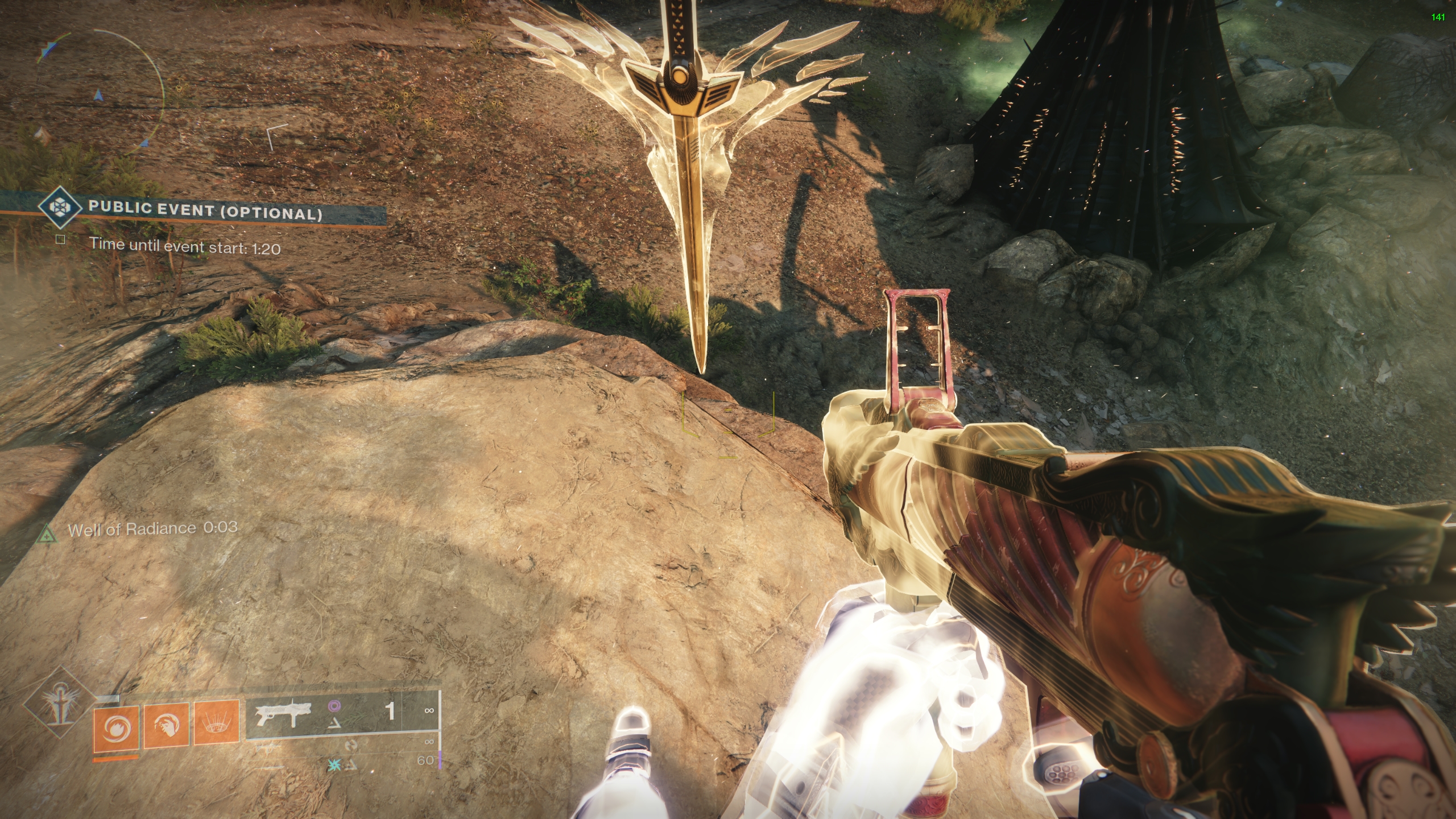 modest tendon
LMAO
lucid harbor
but also adding 10ms helped a lot
modest tendon
okay that’s good
lucid harbor
Well, there goes that theory lol

prob round edges
if its anything like scatter scate
ye so the issue only seems to happen when i do them so frequently, i seem to get an issue on the third try or fourth, its prob frame rate issue or cooldown.
Aint really related to macro oops
@pure salmon mouse + key combo for macro activation when
modest tendon
lucid harbor
ye so the issue only seems to happen when i do them so frequently, i seem to get...
weird


 mossy goblet
Yes
knotty sapphire
modest tendon
Very cool to see these and to see Wootomation being used haha
I wonder what else people have been using it for
modest tendon
i’m trying to make more
there’s so many things you can do
like something that requires timing like that or sequential presses
 eternal prawn
my wootomation don't work. i simply wrote a sample of "wassup" and when i activate it with CTRL + R in the .txt file it close the file instantly... with other texts with @ or / in it its even worse. anyone know why?
oh man rly... when i press CTRL + R to trigger the makro its pressing the S in it so fast while i still hold CRTL and saves the .txt an leave it before i can release CRTL
how do i fix that?
knotty sapphire
eternal prawn
how do i fix that?
Try adding a short delay before the S, maybe like 5-10ms (try different values)
eternal prawn
ok its just a delay issue?
i try
ok woked. need to set as delay of 400 before the W comes
pure salmon
lucid harbor
<@206720832695828480> mouse + key combo for macro activation when
i tried doing some scroll wheel stuff before but need to make a proper solution for combining anything together
dry pumice
pure salmon
i tried doing some scroll wheel stuff before but need to make a proper solution ...
Is it just you working on on wootamation? It has so much potential to be something great.
pure salmon
dry pumice
Is it just you working on on wootamation? It has so much potential to be somethi...
it is open source and i know some people contributing, any help is welcome 😄
dry pumice
I think in terms of macros, corsair was perfect. They had everything. Mouse scroll, mouse movement, variance in delays, etc
ah I see!
 white girder
does wootomation utilize wooting's DKS feature? DKS works in a game but wootomation doesnt
so I guess DKS is hardware based and wootomation is software based (SendInput or sth)
pure salmon
white girder
does wootomation utilize wooting's DKS feature? DKS works in a game but wootomat...
nope its software based and keyboard independent
white girder
would be interesting if it had DKS support, unless DKS is only capable of 4 keys hardware wise
shy lotus
dks doesnt need wootomation support
wootomation would need to implement analog functions is all
white girder
yeah im just curious about the potential capability of having hardware macros
just like DKS but with more customization options, recording
 waxen wave
modest tendon
like something that requires timing like that or sequential presses
waxen wave
modest tendon
like something that requires timing like that or sequential presses
Oldschool mortal kombat 4 fatalities.
 lilac sand
I just checked out wootomation and started to wonder what F13 and after is 

or are they just macro buttons?
lilac sand
nvm, I figured it out 👍
lilac sand
Is there any way to make macro with Wootomation to get "<>"?
waxen dagger
lilac sand
Is there any way to make macro with Wootomation to get "<>"?
plenty
copypaste text or the ,< and .> key with shift modifier ||(or whatever key your OS keyboard layout is using for the < and > key)||
lilac sand
waxen dagger
plenty
copypaste text or the `,<` and `.>` key with shift modifier ||*(or whatev...
Thank you 🙂
I was trying to type it all out just as it was (as if it was just simple keystrokes, not big text) and realized button for <> on Swe setup didn't work, so got stuck
lilac sand
Feels like I only come here with issues but... Not sure what it is but after a while the macro just stops working and I need to close down Wootomation and restart it for them to work again.
knotty sapphire
lilac sand
Feels like I only come here with issues but... Not sure what it is but after a w...
Is this only for 1 macro? Or do you have multiple
Also, can you post a screenshot of the macro?
The only time I've ever had Wootomation stop working is when I put my PC to sleep
knotty sapphire
Afaik you can't, but if you have a wooting wouldn't you rather have those buttons in your Fn layer?
lilac sand
knotty sapphire
Is this only for 1 macro? Or do you have multiple
Also, can you post a screensh...
all macros, it's as if the program just stops working
lilac sand
lilac sand
all macros, it's as if the program just stops working
this is one of hte macros, but as I said, all of em stop, and only way to make em turn on again is to restart program.
I've only seen it happen so far as I'm testing around and editing it, so I can't speak for how it does when I only use macro without opening it up

 deep topaz
hey, i have a problem with Mouse5 and Mouse4, i can set them as trigger keys but the macro does not work, anyone have the same problem? the other mouse buttons work fine
 white igloo
Hey all, i cant get any macros to work? not sure what im missing... when i press r-alt+m it should type out "test" but nothing happens.

 knotty sapphire
white igloo
Hey all, i cant get any macros to work? not sure what im missing... when i press...
knotty sapphire
white igloo
Hey all, i cant get any macros to work? not sure what im missing... when i press...
There seems to be a problem with alt keys not working as a trigger key, does it work if you replace alt with something else?
knotty sapphire
deep topaz
hey, i have a problem with Mouse5 and Mouse4, i can set them as trigger keys but...
Those buttons are a bit hit and miss at the moment, unfortunately I have no news to share 😦
knotty sapphire
lilac sand
this is one of hte macros, but as I said, all of em stop, and only way to make e...
Just to clarify, Wootomation stops working while you are editing macros? Hmm
lilac sand
knotty sapphire
Just to clarify, Wootomation stops working while you are editing macros? Hmm
Correct, as in, I do changes, then save, try it out, then after a while it just stops working and doesn't start again until I close it down fully and reopen it (just minimize doesn't do anything, need to close it completely)
Seems to work fine as long as I don't edit stuff too much, tested it now after having it on for few hrs, no issues as of yet. Seems to only be when I make changes
knotty sapphire
This would be something that @pure salmon would have to look into
Do you think there are any other programs on your machine that could cause this? I personally haven't experienced this issue but an anecdote isn't the best answer hahaha
white igloo
knotty sapphire
There seems to be a problem with alt keys not working as a trigger key, does it ...
Thanks for the response, yes it seems like Alt is the cause, got something working with a different trigger key.
pure salmon
lilac sand
Correct, as in, I do changes, then save, try it out, then after a while it just ...
windows loves alt. very much. which is kinda annoying because we are thinking of how to fix it but it requires some low level library rewrites and OS specific handling
lilac sand
knotty sapphire
This would be something that <@206720832695828480> would have to look into
Do y...
Fairly sure it's no other program as I wiped PC recently.
knotty sapphire
Windows 11?
lilac sand
pure salmon
windows loves alt. very much. which is kinda annoying because we are thinking of...
Alr, as long as it doesn't get in the way outside of when I edit, it's not that big a problem tbh.
lilac sand
knotty sapphire
Windows 11?
Win 10
knotty sapphire
Hmm, weird since the thing used for wootomation should work fine in win10. I run win11 and have no issues so perhaps that could be a reason why 🤔
lilac sand
You'd know better than me xD
Since it's not a big issue for me, it's all fine. Wanted to at least tell ya guys the issue in case something was off or if others were experiencing same thing
knotty sapphire
Yep, thanks for letting us know!
 dense basin
my wootomation macro is not triggering, am I doing something wrong? (I saved the macro)
 knotty sapphire
Can you try using a different trigger key to see if it works?
At the moment, it might be the case that Mouse 4/5 are not reliable for the trigger
other people have had issues with them as well
@dense basin (sorry for ping)
dense basin
knotty sapphire
<@258075341694828546> (sorry for ping)
No worries, I have tried keyboard keys too, no cigar
dense basin
knotty sapphire
At the moment, it might be the case that Mouse 4/5 are not reliable for the trig...
Did I miss install something? because non of the other keys are working
knotty sapphire
Hmm, this for inside a game?
I just made the following macro, and I can see the R and B keys being pressed
 dense basin
knotty sapphire
Hmm, this for inside a game?
dense basin
knotty sapphire
Hmm, this for inside a game?
It is
knotty sapphire
Which game? Some games seem to handle the input differently, making it not work
dense basin
Ah ok, yeah its working just not in game
knotty sapphire
For example, someone previously made some macros for Destiny 2, so it works in that game but there have been other people saying their macros dont work in game for other games
I'm not too familiar with how the backend handles the inputs, but in the case the game is just eating them or ignoring them, I'm not sure what we can do 😦
deep topaz
knotty sapphire
Those buttons are a bit hit and miss at the moment, unfortunately I have no news...
ah ok, ty^^
white girder
dense basin
Ah ok, yeah its working just not in game
These types of macros are easily detected/disabled by game devs there is a flag on windows that is saying “this input is not real” LLMHF_INJECTED
You can evade this but that will be considered hacking. The only way I can see for this to work is wooting adding hardware macros support (as if the input came from wooting) just like DKS feature works but expanded that would allow more customization. That would only work on wooting keyboards but seems fair to me more reasons for people to buy it
 delicate iron
quick question how can I save this

doesn't seem to save the pause play skip keybindings still uses arrow keys
 west raven
hello, it is possible for macros to only activate when a key is pressed down. For instance, if I want a macro to spam E when E is held down?
west raven
anyone?
knotty sapphire
west raven
hello, it is possible for macros to only activate when a key is pressed down. Fo...
Currently not possible, planned feature alongside toggle type macros, they do not have an ETA
west raven
knotty sapphire
Currently not possible, planned feature alongside toggle type macros, they do no...
thanks a lot
knotty sapphire
delicate iron
doesn't seem to save the pause play skip keybindings still uses arrow keys
There should be a save button at the top right of wootilty.
Also, this channel is for Wootomation, if you're likely to get a faster answer if you post wootilty related stuff in #💬│general or #archived_wooting_60he
 swift anvil
hello, i am trying to get a macro working for apex legends and was wondering if anyone knew why it is not working
waxen dagger
swift anvil
hello, i am trying to get a macro working for apex legends and was wondering if ...
Wootomation likely doesn't work in games with Easy Anti-Cheat enabled (anti macros)
swift anvil
ripppppppppppp
lilac sand
Not sure if u can leave suggestions here, but either way, here we go.
A suggestion I have for Wootomation is that you can edit the buttons u add into the sequence to repeat itself rather than add it multiple times.
For example, lets say u wanna left click 3 times, instead of pressing it 3 times, u can edit it in there to make it so it activates 2 extra times. Not the biggest thing, nor am I sure how many would actually use it, but thought I would mention it since I end up with multiple of same keystroke in a row at times. 👍
pure salmon
yeah we had little testing on that, the backend we use should work with wayland to some extent
does it not work with some extra permissions enabled? i know wayland tracks those sort of like macos
accessibility, screen recording and maybe some other ones
i imagine those would give it the information about hotkeys it needs
knotty sapphire
lilac sand
Not sure if u can leave suggestions here, but either way, here we go.
A suggesti...
Yep, suggestions are welcome here. Others have talked about this as well 👍 can't say if/when it would be implemented though
pure salmon
i think those that I named should be required by the packages we use
oh i thought stuff on GNOME/KDE is like macos these days
hmmmmmm
oh like that
nono i meant wayland compositor

smth like this
i may take a look into this a bit later
wayland has its own permissions system
sort of like macos
makes some apps impossible to work
well there is only one file
and its the wootomation executable file or wooting-macros
not sure about the name rn but its just one file statically linked
i hate dynamic linking
For Linux, download the AppImage or .deb and install the application. You might also need to add yourself to the
inputgroup.
try the input group but you should be a part of that
Note: on some distros, the group name for evdev access is called
plugdev, and on some systems, both groups can exist. When in doubt, add your user to both groups if they exist.
lucid harbor
You're still on Linux tino?
 sharp coral
Question...Can I have a macro that allows me to dynamically copy text and then paste type it in a terminal? Think like a rotating admin password that is very random...and paste in a UAC prompt where typical copy/paste is not allowed.
lilac sand
Trying to make a macro that repeat a certain action with the toggle, but it just ends up spamming it rather than have the delay I add. Is there something I might have missed here or does it just not work?
I also tested without the before and after delay, but that still gave that it just spammed it.

 inner bough
I might add it works fine if you do not have toggle on your keyboard on, but then it isnt a repeating macro.
 steel holly
my macro is not triggering if im pressing other keys at the same time, any fix?
so like when i hold w, i couldnt trigger my macro, and i have to let go of all the key b4 triggering the macro
inner bough
yeah that is a problem with the way they trigger macros, since it's based on keybinding rather than appoint a macro to the key and replace that key function, it makes you can not hold other keys down, and it also register the key's function in said game.
 pure salmon
 remote shoal
just select the text you want sarcastify in windows and press the button 😄
pure salmon
it works on any board
but works by copying the text then transmuting it and then pasting
there is no real straightforward way of doing it otherwise 😄
remote shoal
TIL Alt + Shift + S opens Notepad settings
I followed the video, and it no do
it brings up these letters for some reason

when I hit the macro shortcut
 frank crystal
Hello, i have been using wootomation for about a week and its been working great. Until today when i tried to open it said not responding. I task managed it ,restarted pc and it is still not working. now i do not know what to do.
pure salmon
any possibility that webview was incorrectly updated?
Learn more about WebView2
try to see if you can fix it using the installer
frank crystal
i know that the problem is i tried to delete microsoft edge and deleted some important things. i re downloaded web view 2 and edge and they did not work
pure salmon
frank crystal
i know that the problem is i tried to delete microsoft edge and deleted some imp...
well yeah
you shouldnt do that
did you use an external tool to delete edge? i dont think you are allowed to in windows
pure salmon
uff
well
great
can you install edge somehow back?
or maybe windows update will fix it when checking for updates
frank crystal
i installed edge back it still dosnt work
frank crystal

How to Uninstall Microsoft Edge In One Click
So you want to uninstall Microsoft Edge browser from Windows 10 or Windows 11? I will show you how to remove edge from windows. We will be using a script created by Dave Kirkwood, here is Dave's YouTube channel https://www.youtube.com/c/davekirkwood
I made some minor edits to remove some folders and t...
@pure salmon
it was a cmd download
pure salmon


it doesnt even uninstall it it just force deletes it

try finding it here and clicking the 3 dots and then modify
it should allow yout o repair it
or here to reinstall it
@frank crystal
frank crystal
i did that and it still dosnt work
pure salmon
then another way would perhaps be creating a different user profile in windows to see if it works
frank crystal
if i went from windows 10 to 11 would that do anything?
pure salmon
technically it would migrate and maybe regenerate the user profiles
or rather migrate the data in such a way to not delete edge again
plus win 11 is better anyway for games and such 😛
but yeah this leans more towards windows tech support than macro app support xD
frank crystal
is there a way i could access the files of my marcos @pure salmon
i was going to delete and re download and i dont wanna lose my marcos
pure salmon
frank crystal
is there a way i could access the files of my marcos <@206720832695828480>
it should be in %appdata% and wooting-macros or wootomation directory
its a .json file
frank crystal
its the data_json.json right
frank crystal
ty very much for your time and help.
pure salmon
no problem 😄
 stable fox
Are there any intentions to support Wayland based linux environments with Wootomation in the future? It accepts inputs for preparing the macros but doesn't execute them unless on an X based DE.
pure salmon
stable fox
Are there any intentions to support Wayland based linux environments with Wootom...
ideal intentions? yes. but there may be some obstacles or even outright blocking of wayland from us ever being to achieve this
 half swan
In the future, the global shortcuts portal could be abused for this. For now you'd have to open and grab the desired evdev input devices, then create uinput devices that either pass through the events from the grabbed devices (if no macro triggered) or do the macros
Prior art: keyd, kmonad
pure salmon
half swan
In the future, the global shortcuts portal could be abused for this. For now you...
yeah thats a solution we looked into as well
 spring tide
Any way to use remapping section to open apps of coding? Or just what's pre defined in the option list given?
knotty sapphire
not sure what that means, are you perhaps talking about Wootility?
shy lotus
spring tide
Any way to use remapping section to open apps of coding? Or just what's pre defi...
if youre talking about wootikity then no its not controlled by us what opens. the keys are defined in a standard and open the default apps applicable to browser, email etc
spring tide
Didn't realize it was a different channel. I just saw the wootility one was just update post and thought this was the chat. Sorry about that. Thanks for the reply though!
knotty sapphire
If you do want to use your keyboard to open apps, Wootomation can do that
e.g. add unused keys like F13-24 in Wootility to your board, and then create a macro in Wootomation that uses F13 to open something like visual studio code
spring tide
O really. Is that a different app or part of the wootility app?
shy lotus
the wootomation is a different app we made as we dont like our wootility to run constantly. wootomation is designed to take minimal resources from your cpu and memory.
 icy mauve
frank crystal
i was going to delete and re download and i dont wanna lose my marcos
icy mauve
frank crystal
i was going to delete and re download and i dont wanna lose my marcos
If you change the key back to update edge and then run a sfc/scannow edge might fix. Could also try installing in the Microsoft store.
lucid harbor
Yes
pure salmon
icy mauve
Wait nvm is that EU? Day/Month?
yes the normal way of counting dates xD
icy mauve
It’s more logical so can’t argue that 
visual girder
I remember hearing of issues with tachyon mode where the actuation point wouldn't be 100% accurate to reach that 1ms latency, anybody know if that's still a problem or has that been fixed?
knotty sapphire
visual girder
I remember hearing of issues with tachyon mode where the actuation point wouldn'...
Wrong channel, might want to try asking in #archived_wooting_60he or #💬│general
(Sorry I don't know the answer 😔 )
knotty sapphire
visual girder
ut wont work
What exactly isn't working?
visual girder
it wont do anytrhing
visual girder
knotty sapphire
What exactly isn't working?
@knotty sapphire
knotty sapphire
Can you post a screenshot of a macro you made? Include the trigger key as well
visual girder
 knotty sapphire
Aha, the problem is likely that at the moment, using Mouse4/5 as the trigger is a bit hit or miss.
I can't really talk on why/if it will be fixed, but can you try using something else for the trigger? Perhaps try F13 if you have that on your board
Oh, but also if this is for a game, there is a good chance that it won't work due to how the game handles input
I'm not that knowledgeable about this though
Also, I would caution against leaving a key down action without a corresponding key up action, I think that could cause problems but David would know more
visual girder
rrrrrrrrrrrrrrrrrrmryrrryrrrr rrsrturfrrf rirrs broken
wrrrrrrrrrrrrrrrrrrrrwhatwwww wth wwwwwwwwwwwwthwwwwwwwwwwwwwwwwwwwekll
got it
knotty sapphire
Task kill the app
visual girder
so for the game im playing
the key needs to be held down to wheelie
how would i do that?
knotty sapphire
Hmm, if it's just an issue of the T key being too hard to reach, is it not possible to just rebind keys so that you don't have to press T in that game?
 knotty sapphire
You could make a profile for it yeah
visual girder
ok
knotty sapphire
I think that would be better than making a macro, since right now Wootomation does not have "repeat" or "loop" type macros, which is what you'd want for your case
knotty sapphire
Not atm, since I'm just waiting outside rn lol
So in Wootilty, (not Wootomation) you can make a new profile for your board
and then remap keys, e.g. put T in Z's place or something
Whatever is more comfortable
visual girder
remap is blank
knotty sapphire

visual girder
nvm
knotty sapphire
I gotta go now, but try asking in #💬│general if you need more help
dry pumice
day 1 of asking the wootamation team to implement mouse movement in macros
dry pumice
day 2 of asking the wootamation team to implement mouse movement in macros
pure salmon
dry pumice
day 2 of asking the wootamation team to implement mouse movement in macros
once i finish my final thesis i may look into it
shy lotus
so a few hundred days more of asking
pure salmon
shy lotus
so a few hundred days more of asking
nah its like a week xD
 heady pollen
What keys do you guys usually use for custom fn assignments to make wootomation trigger?
Since it can’t detect raw presses on the keyboard I guess I must map to some key that I then trigger on in wootomation.
inner bough
FN F13+
knotty sapphire

dry pumice
pure salmon
nah its like a week xD
i appreciate the response so much. I'm in love with wooting so far, i want to remind you that people like YOU is what make it amazing and why I chose to spend this money. i hope you screenshot this and send it to your supervisor wink wink. anyways I trust that you'll work on it, i'll just keep this trend until the day its implemented
and with that...
day 3 of asking the wootamation team to implement mouse movement in macros
pure salmon
dry pumice
i appreciate the response so much. I'm in love with wooting so far, i want to re...
well a week is when i finish my thesis
i dont really know how long that would take as we are doing some other features
 fresh geode
Really wish there was a way to import epkl extend layers into wootility
Or will that just have to be manual?
dry pumice
no worries, you can take as much time as you would like. I think you did say it shouldn't take long as most of the works done. anyways good luck your thesis, I hope everything goes well.
pure salmon
fresh geode
Really wish there was a way to import epkl extend layers into wootility
one thing i experimented with and didn't quite finish was importing macros from Razer Synapse
inner bough
Is it possible To enable repeating macros? something that you have in example Razer synapse.
pure salmon
not yet
fresh geode
pure salmon
one thing i experimented with and didn't quite finish was importing macros from ...
Yeah unfortunately ekpl would require input as raw key presses etc, i tried to noodle out some stuff with the layers in wootility, but some of the things i wanted to add required a remap of a key into a macro 
sorry about ping oops
 south marsh
Is it normal for Wootomation to bug out and stop working or producing any result through the keyboard?
pure salmon
south marsh
Is it normal for Wootomation to bug out and stop working or producing any result...
there is a bug that can cause this but i have yet to identify why
maybe a stuck key?
that could technically invalidate trigger matching
try repressing a key that could be stuck
south marsh
It's odd because no macros work once it happens. I create new simple ones but nothing comes from the app even after restarting the app.
pure salmon
i wanted to implement a fix that would basically release all macro pressed keys when its done to eliminate this
but this could just cause you basically unpressing a key when not wanted
pure salmon
south marsh
It's odd because no macros work once it happens. I create new simple ones but no...
yeah beacuse no matching works
macro S = action != S+SCROLL_LOCK_STUCK = action
south marsh
ah
pure salmon
it sees 2 keys pressed and does exact matching
relaxed matching fixes this and is implemented but not out yet
south marsh
I've been trying to create a simple use for F13 to deliver a paste text function to have ñ which works but for some reason just stops working randomly
pure salmon
alt keys are retarded on windows is the short story
south marsh
hahah
pure salmon
if you use ALT+combo
south marsh
I'll give it a try yeh maybe Alt Gr+n
but not sure how to reset Wootomation to work again
It's in it's I don't want to do anything phase 😄
pure salmon
south marsh
but not sure how to reset Wootomation to work again
restart it
south marsh
I have done yeh
south marsh
I think only restarting my PC works
pure salmon
so then its not really wootomation* issue
the key is pressed at a windows level
*sort of is because wootomation pressed it
you have to try to unpress a key
i need to make a dev button to release all keys
south marsh
ah cool idea yeh
It thinks I've recorded backslash when I press shift+tilde. And it doesn't even register an input when I input the actual backslash key.
Doin some really odd stuff haha
If I figure out what's causing the weird mode I'll say here, might be putting my PC to sleep or hibernate and coming back to it that way that's disjointing something.
pure salmon
south marsh
It thinks I've recorded backslash when I press shift+tilde. And it doesn't even ...
yeahh hmm
yeah inputting stuff to the OS is  sometimes
pure salmon
south marsh
If I figure out what's causing the weird mode I'll say here, might be putting my...
hmm
 forest kayak
Been out of the loop, is there a macOS build?
pure salmon
forest kayak
Been out of the loop, is there a macOS build?
in the meantime i recommend trying out the shortcuts app
but i'll see what I can do when i have a bit more time on my hands with the macOS build
ofc if you wanna help out or know someone who would want to, the code is opensource ^_^
forest kayak
pure salmon
ofc if you wanna help out or know someone who would want to, the code is opensou...
Can you provide the GitHub link?
pure salmon
forest kayak
Can you provide the GitHub link?

GitHub
The official Wooting Macros software. Contribute to WootingKb/wooting-macros development by creating an account on GitHub.
forest kayak
pure salmon
https://github.com/WootingKb/wooting-macros
What needs to be done for the macOS build, Is it functional?
shy lotus
background service and frontend gui need to interact iirc
knotty sapphire
It should just be making all the backend functions work for mac right? The front-end shouldn't be affected by the os unless I forgot something
pure salmon
knotty sapphire
It should just be making all the backend functions work for mac right? The front...
backend functions work on mac but the src-tauri needs to be part of the frontend process thread and the backend process thread matcher needs to be the one requesting permissions
its complicated, macos is retarded
knotty sapphire
😔
 outer tree
guys im having issues with taychon and rapid trigger being turn on together
i cant seem to jiggle smoothly
 foggy monolith
I have unmapped one of my keys because i have no use for it and wanted to remap it with a macro to type a emoticon when i press it but when i try to map it in Wootimation nothing happens? 
it doesnt even register that i pressed the key
when its on record
knotty sapphire
foggy monolith
I have unmapped one of my keys because i have no use for it and wanted to remap ...
Uh, just to clarify, you unmapped the key on Wootilty and then tried to use it as the trigger in Wootomation?
knotty sapphire
outer tree
guys im having issues with taychon and rapid trigger being turn on together
Might be better to ask this in #💬│general or #archived_wooting_60he , sorry I don't know about this
foggy monolith
knotty sapphire
Uh, just to clarify, you unmapped the key on Wootilty and then tried to use it a...
yeah
 knotty sapphire
foggy monolith
yeah
knotty sapphire
foggy monolith
yeah
So, unmapping that key means that no input is going to come from that key, which is why wootomation can't pick it up
foggy monolith
so what can i do?
knotty sapphire
I'd say just put F13 there and use F13 as a trigger key to paste an emoji (F13-F24 will be fine)
like this
 foggy monolith
( ͡° ͜ʖ ͡°)
foggy monolith
knotty sapphire
I'd say just put F13 there and use F13 as a trigger key to paste an emoji (F13-F...
nice!
thx it worked
didnt even know that F13-F24 exists
really nice
oh now i have a problem tho
knotty sapphire
Haha me neither, but they aren't used for anything typically so they are good for macros
foggy monolith
when wootomation is running it breaks my keyboard us-international layout for some reason
knotty sapphire
I don't use international layout, what do you have to press to get those symbols?
foggy monolith
ah wait i can explain better
'
this key i cant shift it anymore
when i hold shift it still types '
instead of "
only can type " when i end wootomation
knotty sapphire
Interesting, that shouldn't be happening since my shift is correctly working
You only have one macro right?
foggy monolith
 knotty sapphire
Does the issue still persist when wootomation is closed and/or after restarting it?
foggy monolith
if u use the us-international layout does it then still work?
foggy monolith
knotty sapphire
Does the issue still persist when wootomation is closed and/or after restarting ...
it works again when i end the process
but when i run it then not anymore
knotty sapphire
@pure salmon you have any ideas about this?
foggy monolith
..>>//??..///{[}]<,_-|{;:'
lol its funny every key works except holding shift when '
knotty sapphire
Does this problem also happen on non-international layout for you?
foggy monolith
lemme try
only have this layout installed
shy lotus
i thought us international doesnt print shift+' because it waits for another letter to place accents
knotty sapphire
idk how international works so maybe 🤷♂️
foggy monolith
shy lotus
i thought us international doesnt print shift+' because it waits for another let...
if u press space then it gets printed
shy lotus
ya so thats how it should be
foggy monolith
but even if not i cant even print the letter with " then
becomes then á
like i didnt press shift
shy lotus
thats a different accent though
foggy monolith
its á if u dont hold shift and ä if u do
i guess this must be a bug within wootomation which only appears with us-international layout
dont understand tho how it is related
shy lotus
probably related to the IME
foggy monolith
i guess till i can use wootomation i have then to wait till its fixed
where do i have to report this?
knotty sapphire
Hmm, not sure since this I don't know if this is purely a wootomation problem or the language IME 🤔 or both
shy lotus
prob both not working together nicely
pure salmon
knotty sapphire
<@206720832695828480> you have any ideas about this?
i hate keyboard handling in operating systems
imma look into the library thats picking stuff up but
hm
i think its a unicode thing
 keen flint
Not sure if already mentioned, but an auto delay between X ms and X ms and a toggle macro on/off would be ✅
knotty sapphire
Can you elaborate on "auto delay between X ms and X ms"?
keen flint
A delay block with a random delay between two set time parameters.
(Random value between 100 - 200 ms) for example.
 rose frigate
Is there a way to make the macro toggle? so I dont have to hold it down for it to do its thing
 plush bluff
hey guys, im trying to implement a DKS that is only initialized when tab and ctrl are pressed together but not otherwise
is there any way you guys can think of doing this?
pure salmon
plush bluff
is there any way you guys can think of doing this?
in the macro app?
knotty sapphire
rose frigate
Is there a way to make the macro toggle? so I dont have to hold it down for it t...
Not atm, but Toggle type macros and On Hold type macros are on the list, no ETA though
plush bluff
pure salmon
in the macro app?
in the lekker application
pure salmon
plush bluff
in the lekker application
uhm i think you got the wrong channel 😄
plush bluff
ahh man, i asked in the general chat where the best place to go for this stuff is and they said this hahaha
rose frigate
knotty sapphire
Not atm, but Toggle type macros and On Hold type macros are on the list, no ETA ...
okay. thank you!
plush bluff
pure salmon
uhm i think you got the wrong channel 😄
wait so, if this is the wrong channel, which is the right channel
pure salmon
plush bluff
wait so, if this is the wrong channel, which is the *right* channel <:havo:97582...
well this is for the macro app only
plush bluff
is there a channel dedicated towards help towards stuff like DKS and advanced key stuff?
pure salmon
hmm honestly no idea 😄
heady pollen
Probably #📰│wootility_updates ?
 dusk swift
does wootamation work in apex?
it does not for me
idk
the macro works in in game chat but does not do anything with my movement inputs
 vague musk
hi I have downloaded WOOTOMATION and tried to do an auto clicker (to manage loots easier in path of exile) but I am too dumb I guess
I try to make my "Right-Shift" spamming "Left Mouse Click" while pressing it, is it possible to do ? (so I can right ctrl + right shift to simulate ctrl click)
Thank you very much for your help, have a good day
knotty sapphire
That might be a bit hard to do right now
Wootomation currently doesn't have "toggle" type macros
It's on the list but no eta
Of course, you could just make a macro where pressing right shift sends left clicks, but you'd have to press right shift often which is probably not what you want from an auto clicker
vague musk
okey thank you I am not dumb 👍
 proud geyser
Done
 atomic pecan
how to i fix this ? anyone knows ?
 pure salmon
atomic pecan
how to i fix this ? anyone knows ?
pure salmon
atomic pecan
how to i fix this ? anyone knows ?
click the button find devices and then connect to the keyboard via the dialog that pops out
atomic pecan
it doesn't let me for some reason
the pop up just re opens
I am using firefox as a browser right now. Before i had microsoft edge and wootility just worked fine
pure salmon
atomic pecan
I am using firefox as a browser right now. Before i had microsoft edge and wooti...
firefox is not supported
only chromium browsers are (chrome, opera, vivaldi, edge)
pure salmon
^_^
knotty sapphire
should rename this place to wootility and wootomation help lol
heady pollen
What’s wrong with #📰│wootility_updates ?
knotty sapphire
that channel seems to be more of an announcements type channel, not really a place where people can talk about wootility
at least to me anyways, since you can only message in the threads about new updates
people seem to end up here to post their questions about wootility lol
heady pollen
Yeah that’s true.
 opal harness
ok so look right i got this other macro and when i clicked the key Q wich i set it for togle it didnt work on here when i click the key Q again it also doesnt work why not?
what am i doing wrong

 crude berry
knotty sapphire
opal harness
ok so look right i got this other macro and when i clicked the key Q wich i set ...
crude berry
knotty sapphire
opal harness
ok so look right i got this other macro and when i clicked the key Q wich i set ...
Are you trying to use this in a game?
opal harness
knotty sapphire
Are you trying to use this in a game?
yes
pure salmon
opal harness
try focusing other windows, focusing the wootomation app disables macro invocation
knotty sapphire
It's probably the game
pure salmon
oh
well if you are using it in a game the input grabbing may bypass windows' upper layers so to speak and go directly to device
and or anticheat can protect the input
opal harness
pure salmon
well if you are using it in a game the input grabbing may bypass windows' upper ...
its roblox :/ and also i can use "razers synapse thing" basically i can use razer application to make macros and put them on my mosue and they work in there so why should wooting also not work i would greatly like for wooting to work since i dont want to use this mouse but i have to macro for the game im playing
pure salmon
opal harness
its roblox :/ and also i can use "razers synapse thing" basically i can use raze...
its a thing i wanna take a look at, razer probs does it in a different than us, which is a side effect of the multiplatform handling we have
opal harness
pure salmon
its a thing i wanna take a look at, razer probs does it in a different than us, ...
alright very well then js if u remember me ping me but i think yal will ping for update on this but js lmk if u fix it or make it better in a sense
pure salmon
opal harness
alright very well then js if u remember me ping me but i think yal will ping for...
yeah eventually i'll get to it, theres multiple things we are gathering feedback on to make the architecture better
heady pollen
What’s your input method? SendInput? keybd_event?
pure salmon
heady pollen
What’s your input method? SendInput? keybd_event?
backend is written in rust and it uses an abstraction library that interacts with various OS's input methods
for example the windows crate on Windows i think
heady pollen
Looking at the package json now. Which library is it?
Wait that was the frontend stuff only
pure salmon
heady pollen
Looking at the package json now. Which library is it?
rdev
in cargo toml
heady pollen
Yup found it. It’s using SendInput but does not bother sending scancodes
pure salmon
heady pollen
Yup found it. It’s using SendInput but does not bother sending scancodes
we also have some issues with the alt keys and distinguishing between KP_enter and enter, since the library does not capture proper distinguisher bytes
if you have any tips on how to approach or enhance the code, doesnt have to be rust, just anything design wise, hit me up anytime
i'll definitely make notes and approach it with those notes in mind in the future
heady pollen
Well on windows, in order of abstraction, you can send a keycode (virtual key), a keycode with scancode or you can flag it as only scancode
And the simulate function in rdev seems to always set the scancode as 0 even though the underlying method takes a scancode parameter. I don’t know rust so I’m just applying my general programming experience to parse it.
pure salmon
heady pollen
And the simulate function in rdev seems to always set the scancode as 0 even tho...
we noticed that the library is dropping some data
oh yeah you dont need to know any rust
if you want you can open a github issue and we can take it from there
i can take care of the rust part 😄
dry pumice
day 4 of asking the wootamation team to implement mouse movement in macros
and yes i counted the days since my last message
shy lotus
thats not how it works
you can only count days you actually asked
otherwise its not the 16th day of asking
lucid harbor
@dry pumice don't expect it for a little, that's just the truth and how it will be.
So just wait it out.
dry pumice
ok i updated my message to the 4th day
would my constant persistence, sheer determination albeit small annoyance help it push it out just that bit faster?
 coral laurel
As admirable as it is, it will have no impact on the timeline for development.
dry pumice
visual girder
why does the macro work only somtimes?
i pressed it twice and it worked and then it stopped working
 solemn marten
Anyone used combo macros in black desert by any chance?
 median sinew
Black desert has the bad habit of blocking macro software, I tried wootomation last night and it didn't seem to work either (Brand specific softwares like corsair icue and logitech ghub work however, I wonder if there'd be a way to let wootomation work as well)
 celest nimbus
Guys, does Wootomation now support the macro repeat while holding the trigger key?
nvm I searched the old messages and I found out that this "loop" function has not been added yet. Wish it comes out sooner 😄
 glass sphinx
So I was setting a macro for my E key where the trigger key is 4, and it's not working whatsoever I also just installed it
knotty sapphire
A couple questions:
- So you want E to be outputted when you press 4?
- Are you using this in a game?
knotty sapphire
In that case, it is likely the game that is intercepting the input and not registering it
@zinc flower would know how to explain it better
Which game?
glass sphinx
Its a Roblox game 
pure salmon
glass sphinx
Its a Roblox game <:sweat:995720017884758127>
might be due to anticheat limitations
but the backend of the key presses is gonna be looked at, there are some known issues
 snow anchor
My trigger key does not work... how do i get this working
i tested a few programs and even keyboard tester on chrome shows that macro is not working 😭
knotty sapphire
can you post a screenshot of your macro or say what you are using as a trigger key?
knotty sapphire
Have you tried using a different key, such as F13 to test if it's just that combination not working?
knotty sapphire
pure salmon
but the backend of the key presses is gonna be looked at, there are some known i...
was ctrl + shift one of those keypress issues? cant remember
snow anchor
wait lemme try other combination then
i think all of my trigger was ctrl + shift + somethign
nah it seems to be not the problem of combination
trigger just does not work
tried running as an admin but still the same
knotty sapphire
can you screenshot your macro
snow anchor
wait
it just started working since i fully close the program using task manager
it just didnt work a few times when it was on startup
knotty sapphire
interesting
snow anchor
hm
okay it still does not work if i have ctrl + shift on the trigger
but it works when its other comb
knotty sapphire
if using another combination isn't a bother, do that for now
gotta wait and see if david has a response for this, but I wouldn't expect an eta for a fix
pure salmon
snow anchor
but it works when its other comb
yeah seems about right
glass sphinx
pure salmon
might be due to anticheat limitations
But the key doesnt even work as a normal macro
pure salmon
glass sphinx
But the key doesnt even work as a normal macro
the ctrl+shift combo is a different issue that i think we have a fix for but we did not push it because it changes the behavior a bit
frigid kiln
will wootomation ever be built into the wooting he, so that the keyboard will work across pcs
pure salmon
frigid kiln
will wootomation ever be built into the wooting he, so that the keyboard will wo...
the goal of wootomation is to be crossplatform and there are ideas about making the switching between them easier
however there is also a heavy feature request push for some hardware macro functionality of some kind and we are looking into options how to make it happen if it will be valuable to our users
frigid kiln
pure salmon
however there is also a heavy feature request push for some hardware macro funct...
sooooo not any time soon
pure salmon
frigid kiln
sooooo not any time soon
both portions will take some time to implement, yes
 autumn inlet
rancid wyvern
pure salmon
however there is also a heavy feature request push for some hardware macro funct...
autumn inlet
rancid wyvern
pure salmon
however there is also a heavy feature request push for some hardware macro funct...
+1 to the heavy push
 hollow elk
Is there a place where ppl share their Wootility profiles?
hollow elk
oh ok, I just found this https://profiles.wooting.io/
knotty sapphire
wootility is different from wootomation 😅
visual girder
pure salmon
i'll note it down
bro forgot about wootabase 💀
pure salmon
visual girder
bro forgot about wootabase 💀
well yes, but that doesnt work with wootomation
visual girder
when is is the macro for mac coming out?
pure salmon
visual girder
when is is the macro for mac coming out?
the architecture of the app needs to be redone
so a longer time
pure salmon
visual girder
sound good because last time i asked was like 5 months ago i think
yeah but rn im still part time + uni finals happening 😄
and also there are other projects going on rn, but this needs to be solved in general because the mac thing is not just the wootomation area its affecting
 uneven linden
!download
 hoary flint
Just downloaded wootomation, never used it before and it just crashes on startup. Any idea why?
 pure salmon
hoary flint
Just downloaded wootomation, never used it before and it just crashes on startup...
pure salmon
hoary flint
Just downloaded wootomation, never used it before and it just crashes on startup...
did you by any chance use a "tool" to remove any windows components?
especially webview
hoary flint
pure salmon
did you by any chance use a "tool" to remove any windows components?
I didn't use a tool to remove windows components but i indeed have a trimmed windows install
Do i need webview in order to launch the app? If anything i can download the specific component
pure salmon
hoary flint
Do i need webview in order to launch the app? If anything i can download the spe...
yes
pure salmon
hoary flint
Do i need webview in order to launch the app? If anything i can download the spe...
Learn more about WebView2
its preinstalled on everything from win10+ but well
hoary flint
👍 thanks!
dry pumice
h o w c a n i a d d u i n l i m i t e d
m y w o o t i n g i s m e e e s s e d u p
h o w c a n i s t o p t h i s
m y s p a c ce k e y
i s b r o k e n
w o o t a n a m t i o n p l e a s e h e l p
ok i fixed it
i am trying to configure in wootamation, a way that i can hold down space, and it will keep pressing the space key every 20ms
is this possible with this software?
pure salmon
dry pumice
is this possible with this software?
not yet but it will be in the future
its planned
dry pumice
👍
 candid lantern
just downloaded it. my macros work but only when bound to keys
the software recognizes my side mouse button inputs but wont respond to them once the macro is made.
it is a g pro wireless superlight with onboard memory enabled
knotty sapphire
The implementation for mouse buttons is a bit hit or miss (afaik), David would know more
pure salmon
they cant be grabbed properly i think
heady pollen
Hooks only work on messages and if your app doesn’t have a message loop then you would have to have a busy loop with getasynckeystate or a mouse filter driver. Anticheats hate the latter and the former isn’t practical.
shy lotus
well it needs to be cross os and we dont really care what games think. the tool isnt meant to be used with games and we do warn about usage of it with games
heady pollen
Fair. I have little knowledge of mouse click detection on osx or linux unfortunately.
pure salmon
heady pollen
Fair. I have little knowledge of mouse click detection on osx or linux unfortuna...
oh boy macos i dont even wanna
candid lantern
So there isnt a chance I get my g pro side buttons to work? i learned lua to code custom macros in g hub and they still suck
also curious about loop macros (not like the one that slowly repeats after a second of holding)
pure salmon
i'l take a look at it later, loop macros are on the way
visual girder
HOW TF DO I ADD TILDE TO MY KB
shy lotus
visual girder
HOW TF DO I ADD TILDE TO MY KB
you got your answer in the other channel. all caps wont help you either
 worthy rune
So on my keyboard right now, i can double tap fn and it would effectively toggle so i dont need to hold it down, thatway i can use arrow keys and what not without having to hold down the fn key. Can I do that with the wooting 60he?
heady pollen
My answer isn’t really wootomation at all but did you check out mod tap?
 peak swan
I'm trying to create a macro for when i press left alt + 1 it inputs shift + f1 instead but I'm having trouble
knotty sapphire
peak swan
I'm trying to create a macro for when i press left alt + 1 it inputs shift + f1 ...
I think there was an issue with using alt as a trigger key, a fix was mentioned but no eta afaik
 flint mirage
is there a way to add macros to fn layers on a wooting keyboard?
I want to add the macro alt+f10 in an fn layer
knotty sapphire
flint mirage
I want to add the macro alt+f10 in an fn layer
Could you walk me through this again?
What does this macro do? You press one button to output alt+f10?
flint mirage
that is what i would like yes
but the button i press I want to be inside an fn layer
knotty sapphire
flint mirage
that is what i would like yes
I see. My suggestion is to have something like F13 or any other unused key in your Fn layer, and then use that key as a "trigger key" for a macro that you can make using Wootomation or another macro software of your choice


But one issue you may encounter, at least with Wootomation, is if you are planning to use this macro in a game, it may not work due to the game blocking the program
You could also try to use DKS (an advanced key) to accomplish this, however I'm not as knowledgeable about it
Perhaps something like this, it seems to output alt+f10 (may not show up in wootility, but seems to in another keyboard input tester)
 knotty sapphire
Try using DKS first, since you don't need to install new software
flint mirage
i'm going to try it out
knotty sapphire
Let me know how it goes, hopefully one of these methods will work haha
 knotty sapphire
No problem 🙂
 urban smelt
If I have an US keyboard layout - will it be possible in some way to map european letters like ä, ü, ö to some keys? I can't find them anywhere in the Wootility.
shy lotus
u need to use a layout in windows/linux/macos that has them
so if your keyboard is set to english in windows you cant just add characters that dont normally exist on the keyboard
urban smelt
Dam. I can't install anything on that PC and I don't want to use the full german layout because all brackets and stuff differ.
I thought because it said it can paste emojis and stuff nowadays that should be possible.
shy lotus
keyboards cant send emojis
knotty sapphire
Wootility or Wootomation?
shy lotus
the only thing you could try is work arounds like a macro program or alt codes in dks
also this channel is for the macro tool wootomation not the wootility 😛
urban smelt
yah I didn't have posting rights in the wootility channel smh and anyways didn't quite know which one.
But Wootamation only works on the PC it is installed on, right?
shy lotus
yes if you need a universal solution try dks and alt codes
only works on windows though
urban smelt
what does dks stand for?
shy lotus
dynamic keystroke its an advanced key in wootility
it would replace a key on your keyboard but gives u up to 4keystrokes at any of the 4 depths of press
alternatively just replace äöü with alternative spellings that are grammatically correct for the language like ae oe ue
urban smelt
hmmm, that might work with the dks functions, those numpad codes have 4 numbers. In remap, the numbers that have only numbers on them should have the function as numpad keys, right? cause theres also numbered keys like "1!" which would be the normal numbers.
Heh, I've been writing like "ae" for a while now but smh my teamlead noticed and said this looks unprofessional and I have to fix it. and by now I'm so used to the US layout that I don't wanna go back (and buy all new keycaps too).
shy lotus
urban smelt
hmmm, that might work with the dks functions, those numpad codes have 4 numbers....
if the code has a leading zero you can leave it out
 cosmic swift
so do macros only work if it is the only button being pressed on the keyboard? it appears as such when i try to set mine up and its confusing me. I'm trying to use some macros to skate on d2 and if im already moving then ill go faster, but they only work when im not moving (aka, nothing else is being pressed on the kb except the macro trigger)
like if i have 2 as a macro trigger, and im holding down w to move forward for some momentum, then pressing 2 doesnt do anything
Please do be aware that this application does grab and analyze keystrokes. While you are able to disable this temporarily using an appropriate function, you should still not have this application running alongside games (use at your own risk!). Macros (depending on how you configure them) are considered cheating.
oh okay, so i just found this in the github about not running alongside games and i guess wootomation wasnt really intended for macros in games
knotty sapphire
Hmm, I swear someone did make a macro for destiny2 for well skating, not sure if this is what you are referring to
knotty sapphire
cosmic swift
```Please do be aware that this application does grab and analyze keystrokes. Wh...
However, yes this is correct that the main intention is not to be used for games, although that is mostly for competitive games
cosmic swift
yea thats actually it lol
yup, so my macros work the same in that video while stationary like he is, but if i do them while running (which would make me go faster) then the macro doesnt activate
that makes sense tho that the main intention wasn't gaming, imma go try and learn how to use AutoHotKey lol
knotty sapphire
Hmm, I think David had a patch planned that adds a setting that is basically: "trigger key(s) does not need to be the only keys pressed to activate the macro"
I don't know the eta on that though, and there are some other things to focus on first for our boards
cosmic swift
ah okay, thanks for that, i was worried there was something i was missing but glad its on the radar for later
knotty sapphire
No problem, good luck with AHK for this particular case
 livid coral
How can i use wootomation to make a looping macro (basically want two key to just be held down when i press Alt-A)? And i want to press Alt-A second time to disable it
knotty sapphire
livid coral
How can i use wootomation to make a looping macro (basically want two key to jus...
At the moment, we do not have "looping" type macros. It is on the radar, but no eta
If your use case is simple, perhaps look into seeing if Toggle Key (an advanced key) in Wootilty will work for you

Some games don't allow you to toggle with certain movement. Therefor, we have designed a Toggle Key feature that lets you toggle in every game!
➤ Follow our socials!
🧑🤝🧑 Discord https://wooting.io/discord
🐤 Twitter https://www.twitter.com/wootingkb
📸 Instagram https://www.instagram.com/wootingkb
🎥 Twitch https://www.twitch.tv/wooting_live
📘 F...
Can you provide more info, such as a screenshot of the macro and what it does/is being used for?
livid coral
knotty sapphire
At the moment, we do not have "looping" type macros. It is on the radar, but no ...
yeah, i already did that... used toggle key on two keys. hoped i could bind two keys being held to just one but its fine
knotty sapphire
Hmm, can you test putting F20 on the first fn layer?
Also, not sure if you've already changed this but the G should be either a Full Press, or add another G at the end that is a Key Up
Is this being used to paste text?
In that case, try using the Paste Text system action instead
One sec
This action

Does it work in cs as well?
I personally haven't tried using it inside a game, only for stuff like discord or twitch
Pain
A possible issue is that the game is intercepting the input before our software can capture it.
I'm not really that knowledgeable in this area though, so I'm likely wrong
pure salmon
could be
or there are some stuck keys present that didnt get released properly
can happen especially with ALT keys and such
knotty sapphire
Hmm, I have gotten the paste text action to work in csgo, but it is not consistent
shy lotus
why dont you use csgos internally binding mechanic to bind a send message
bind "F14" "say Test text" or bind "F14" "sayTeam Rush B cyka blyat"
like csgo (and any source game for the matter) have good tools for simple static text macros
knotty sapphire
Yes, just like other software from other gaming peripheral companies.
Wootomation is a software implementation which has to check what keys you are pressing and triggers the macros if the right keys are pressed.
visual girder
I understand it's hard to give a deadline, but do we have any updates on the app rewrite or any kind of info on looping macro functions please?
pure salmon
visual girder
I understand it's hard to give a deadline, but do we have any updates on the app...
i think it will be a few months
but there may be coming new features to the macro app sooner than the rewrite happens
you can always tell us which features to prioritize also
knotty sapphire
It's also important to note, that while the software team has grown a bit, there's a ton of stuff that we want to do, and what we're working on currently is of more benefit to a larger customer base than the portion that uses Wootomation (and in some cases to help ease our growing pains as well)
But Wootomation was a fun project to work on and I know David and I do want to keep improving it for those of you who enjoy using it 🫡
visual girder
Oh I know, I can understand.
Honestly it's just the looping macro functions is all 😅
I know it's asked for a lot but was just curious on any kind of deadline, I massively appreciate that the larger base has to come first and is a priority :)
knotty sapphire
No problem, I know how it sucks to not know if something is ever going to come, and we haven't had any updates about Wootomation for awhile
Very understandable, and I just wanted to share some insight as to why 😉
 remote pendant
hi there, i've got a pretty simple question but didnt see if anyone else had asked it already
question: does wootomation have the ability to have separate macros for separate keyboards?
context: i am a video editor with 2 keyboards (the wooting 60He and razer huntsman) and i would like to leave my razer keyboard completely untouched by wootomation while having macros on my wooting at the same time
knotty sapphire
yeah as mentioned at the moment there is no keyboard detection, so no it won't know if you're using one over the other
You can disable macro output with a toggle but that could be an inconvenience
shy lotus
http://tomscott.com - http://twitter.com/tomscott - Here's the behind-the-scenes "how I made the emoji keyboard" video! If you haven't seen the original: http://youtu.be/3AtBE9BOvvk But the thing is, the truth is basically just "I bodged some stuff together". Which gives me the opportunity to tell some stories...
AUTOHOTKEY: http://ahkscript.or...
if you want a short explanation of how tom solved the issue of a similar macro issue
remote pendant
ah i see, thanks for your help and hope it can be a feature in the future
also love what you guys are doing with all of your products, you guys are the best 
knotty sapphire
poor david lol
pure salmon
remote pendant
hi there, i've got a pretty simple question but didnt see if anyone else had ask...


added as a suggestion
thanks
remote pendant
awesome! ty
frigid kiln
Is it possible to have wootility on board on the wooting he?
shy lotus
im unsure what exactly you are asking here
frigid kiln
As in, will it ever be possible to plug the keyboard in any pc and have the macros work without needing to download wootomation.
shy lotus
thats not wootility. but maybe
the main concern we have is tournament legality so simon tried to contact organizers like esl and others to find out how we can make sure the keyboards can be brought to tournaments but also have onboard macros
our main idea is a tournament firmware that doesnt have macro support
frigid kiln
But every other main brand keyboard has it