#tech-talk
1 messages · Page 14 of 1
 warped needle
 gleaming berry
hi guys, is it normal for 1660S to have around 50-60% gpu usage while playing doom 2016?
i dont have a lot of knowledge in tech bth
it just seemed a bit weird
 glossy ermine

Ever since TAG 2 i've experienced graphical issues, textures and lights being blown out of proportions. Even with setting the graphics down to "low", it escalates the longer i play and at some point results into a crash.
At the moment, this seems to only occur with people with previous gen AMD gpu's and on very few occasions with the 5600xt.
I ...
 lilac raven
no, it's weird that you keep it a secret
 rigid briar
whenever i beat the game on switch it corrupts my save file
anybody know what to do other than delete it?
 modern heath
rigid briar
modern heath
rigid briar
lol
 vivid pilot
For some reason the game isn't counting a lot of my achievements
Like I got all the runes and did all the slayer gates, but it's not counting a completion in the achievements.
 urban pulsar
11/10 mod, he gave away a doom eternal key, stopped smoking on stream, jumpscared ghostface, is just a good mod in general, is an admin for romero's discord and set up romero's deathmatch server, what can't you like about him?
oh and to put icing on the cake, i have my own command on his twitch 
 edgy oyster
Solution is always hammer. If it don't work you have bad hammer skills.
urban pulsar
fax
 gusty crest
Is it just me or the 4man servers are not up !??
 true comet
i thought this chat was called ted talk
 lyric agate
new keyboard babyyyy
 lyric agate
what
 candid cape
screwing around with Ardour, a free and open source DAW, made me think of all the things Mick Gordon missed out on when composing his shit - the BPM of 264 is pretty cool, but why not go overboard and set it to 800 beats per three minutes, which divided by three results in this absolute perfection of a BPM

 urban pulsar
 compact glen
https://tenor.com/view/nick-young-question-marks-what-excuse-me-huh-gif-4486363
compact glen
https://tenor.com/view/nick-young-question-marks-what-excuse-me-huh-gif-4486363
he was playing roblox at the time
compact glen
urban pulsar
he was playing roblox at the time
oh ok understood thank you
urban pulsar
why do you sound like you are trying to be formal
compact glen
urban pulsar
why do you sound like you are trying to be formal
it just funny
 reef brook
whats this chat about?
cause if its what i think its about, i'm playing doom eternal, on the xbox. and i dont know what kind of sensitivity i should have? can anyone suggest?
reef brook
ok
lilac raven
reef brook
cause if its what i think its about, i'm playing doom eternal, on the xbox. and ...
I have 50 for both v and h
 icy plover
I think this is related to Tech Talk.
https://twitter.com/DropTheDie/status/1390140004345679872

well son of a bitch...
If you're on Windows 10 - do i have the DISCOVERY OF A LIFETIME.
Uncheck this box and restart your computer. My idle memory use dropped 2 gigs!
Retweets
1182
Likes
3281

 Twitter
·
Twitter
·

 stray folio
God I remember my ram having low usage and only uses like one ram before I upgraded it
well, prob a different thing to that but that is helpful
I tried that just now and holy crap it worked
candid cape
is there any way I can play doom eternal on my 3gb vram amd r9 280 with higher than low settings?
urban pulsar
candid cape
is there any way I can play doom eternal on my 3gb vram amd r9 280 with higher t...
kekw, no. you need a minimum of 8 gb
candid cape
okay
urban pulsar
which is the minimum
candid cape
for what?
urban pulsar
DE
candid cape
I can play the game at low settings with 3gb
urban pulsar
minimum recommended
candid cape
the performance is better than expected from my r9 280
urban pulsar
okay but you should free up space
candid cape
wdym?
urban pulsar
..
candid cape
btw English isn't my first language, my first language is German
urban pulsar
candid cape
btw English isn't my first language, my first language is German
its alright, Im learning german actually :P
candid cape
nice
 clear gulch
Anyone have a fix for eternal not recognizing my gpu? I always have to disable the integrated gpu to get doom to start at all. What’s up with that?
 forest pendant
Does anyone know, if I were to get the twitch prime thingy, would I have to keep paying as a subscription to keep the skins or is it a one time pay thing
 wet plume
Someone help I started doom eternal and I have no weapons and it says this is my weapon in arsenal??

 nimble ridge
wet plume
nimble ridge
wet plume
Never seen that, report it on bethesda's help section maybe ask the subreddit for help as well
forest pendant
Never mind, figured it out
nimble ridge
clear gulch
Anyone have a fix for eternal not recognizing my gpu? I always have to disable t...
Issue: Game crashes when launched on Intel or AMD integrated graphics chipsets.
Resolution: Integrated Graphics options are not supported. - via https://bethesda.net/community/topic/390749/doom-eternal-launch-faq-known-issues?language%255B%255D=en
 torpid solstice
wet plume
torpid solstice
wet plume
That happened to me when I tried to glitch my ultra nightmare when I get close to death
clear gulch
nimble ridge
Issue: Game crashes when launched on Intel or AMD integrated graphics chipsets.
...
Yes… I’m asking if there’s a way to make it just boot from the nvidia card in the first place
candid cape
I have a Question, If I use a 1080p HDMI to VGA adapter on an old 1680x1050 VGA monitor, would it run at 1080p or change to 720p? (I'm planning on using it with an Xbox one)
nimble ridge
clear gulch
Yes… I’m asking if there’s a way to make it just boot from the nvidia card in th...
Probably, but I'm not sure how to do that
 chilly citrus
hey guys my friend is having problems streaming doom eternal on discord. when he isnt streaming he get 100+fps while streaming he gets 45-50 fps which is weird cause when i play doom eternal i only get 60fps but when i stream it stays 60fps does anyone have a solution?
candid cape
candid cape
I have a Question, If I use a 1080p HDMI to VGA adapter on an old 1680x1050 VGA ...
It would run at 1080p. I did that myself for a few years. You will be limited by refresh-rate, though but for a monitor that old, you would be anyway.
 buoyant bane
I did the funny
 candid cape
overclocked to 90Hz from 60Hz on my laptop, only seeing a little bit of grainy stuff when close to monitor, but there's a big difference in the refresh rate and smoothness

 fluid wadi
 candid cape
hey does anyone know why when i load doom eternal the screen shrinks and goes to a lower resolution?
 tough grove
candid cape
hey does anyone know why when i load doom eternal the screen shrinks and goes to...
tough grove
candid cape
hey does anyone know why when i load doom eternal the screen shrinks and goes to...
if its set to fullscreen or borderless fullscreen, i think you might have the ingame resolution lower than your actual screen resolution? If, you havent checked that already

^ Anyone know what this is, or what i should or shouldnt change to help make my PC faster, if it can?
I think it has to do with Core Parking or smth.
urban pulsar
dunno
candid cape
This is not tech but idk where to put this. What doom do I get? Doom 64, Doom II, ultimate doom, doom 3. THIS WILL BE MY FIRST DOOM GAME AND THEY ARE ON SALE
Please ping me an answer and also please explain why
 fringe girder
candid cape
This is not tech but idk where to put this. What doom do I get? Doom 64, Doom II...
fringe girder
candid cape
This is not tech but idk where to put this. What doom do I get? Doom 64, Doom II...
Ill play ultimate Doom first, its a great game. From there youll see the great evolution through time. Also, experience the original essence of the game will make you enjoy even more the Doom2016 and eternal.

candid cape
fringe girder
Ill play ultimate Doom first, its a great game. From there youll see the great e...
Thanks I’ll start with it
 blazing grail
bruh, me and my room mate had to boot linux on my pc just to get around windows admin stuff because my hard drive was dying. and all i needed was one file. one frickin file
candid cape
yo i have a lenvo y530 laptop. it has a 1060 6gb and a intel i7-8750H and 16gb of ram. will it run doom and how much fps will i get???
blazing grail
which doom?
candid cape
eternal
blazing grail
i run it on a ryzen 5 1600x and a 1050 on medium and low, and it runs fine with a few drops on larger more open areas
candid cape
ight thx
blazing grail
i think you should be fine, if you dont mind sacrificing a bit of graphics quality and a few dips on frames, even then it ran on high just fine, if you arent streaming it, doom eternal is a pretty optimized game
 echo quail
wet plume
echo quail
wet plume
I know how to replicate this glitch. It happened to me countless times in the ancient gods ultra nightmare. For instance, when i died at the end of the samur boss fight, instead of clicking back to main menu i just shut down steam entirely- This doesn't delete the save. To your surprise when you next boot it up, it's still there! but when you load it up, all utilities and weapons are gone from the slayer and the arsenal menu is filled up with jumbled letters like the photo you posted. I think maybe it's a way to stop people from cheating ultra nightmare, this might have been what happened to you. Or the game just glitched. It does that alot lol
 arctic helm
Anyone know if changing a PC's power setting from low performance to high (when not gaming and gaming, respectively) and back and forth might have any drawbacks?
 vestal sigil
you should be fine, power supplies are simply doing their job, try not to though if you're already at/close to your max wattage
 finite flint
ok so, i'm lookin for some tech support regarding Eternal and how it interacts with Wallpaper engine
For some reason i dont understand, wallpaper engine runs A-OK as long as i'm not playing eternal
Once i start playing eternal, i notice massive FPS drops despite the fact i have wallpaper engine's settings on "Off" when another window is maximized, the FPS drop seems to be linked to the GPU usage (GPU usage goes to around 90-100% and checking who is eating all the GPU its wallpaper engine)
this happens only when i have doom eternal & wallpaper engine running, it doesnt happen with any other game, usually forcefully quitting Wallpaper engine fixes the issue.
feel free to ping me if someone knows what might cause this btw
blazing grail
From my experience, some apps tend to clash if they both use a lot of gpu, cpu, ect. Not too sure why wallpaper engine of all things would interfere though
Wallpaper uses gpu resources i think, so your best bet is to just quit wallpaper engine completely when playing doom
finite flint
allrighty
basically do what i've been doin for the past month or so, thanks for the insight
blazing grail
Pfft, i can't tell if that's sarcasm or not
candid cape
Yo i have a 8th Generation Intel i7-8750H and 1060 and 16gb of ram. whats the avreage fps im getting eith that on doom 2016
 mighty cosmos
candid cape
This is not tech but idk where to put this. What doom do I get? Doom 64, Doom II...
mighty cosmos
candid cape
This is not tech but idk where to put this. What doom do I get? Doom 64, Doom II...
get all of them
 viscid zenith
hey guys i got all the weapon upgrages mastered but it wont give achievement?
 warm carbon
Logitech G502 Lightspeed (or wired idc) or Razer Basilisk Ultimate?
candid cape
NOT A TECH QUESTION!!!! im looking to get a doom game, my options are as follows,

it will be my first DOOM game, so please lmk why you think which one should be my first. --I CAN ONLY GET ONE-
I would rather not
 sterile stone
why?
candid cape
Because it’s gonna be sketchy
 neat tartan
candid cape
it will be my first DOOM game, so please lmk why you think which one should be m...
neat tartan
candid cape
it will be my first DOOM game, so please lmk why you think which one should be m...
start from doom 1
candid cape
neat tartan
start from doom 1
is that on sale on steam?
neat tartan
yes now
it is called "The Ultimate Doom"
if you play all the episodes it will give you company for a respectable time
candid cape
?
 candid cape
thank god
neat tartan
consider taking saves frequently and play on Ultra-Violence difficulty, it's the best choice
candid cape
ok thank you for the help
neat tartan
HAVE FUN!
warped needle
sterile stone
u dont need to pay
Advertising piracy on the official doom discord... yeah... good idea m8

sterile stone

warped needle
sterile stone
<:tokyoglasses:691691892894728322>
Make sure to read the rules here: #rules-and-info
sterile stone
it was jk sorry
candid cape
candid cape
NOT A TECH QUESTION!!!! im looking to get a doom game, my options are as follows...
almost played all. old ones are great but i would reccomend u to get doom 2016
urban pulsar
@candid cape get doom 2, and elite cat the new ones are cool too but starting off with the old ones is always the better option
if you want, i can give you doom 2 and you can buy ulti doom for yourself
candid cape
urban pulsar
if you want, i can give you doom 2 and you can buy ulti doom for yourself
How would you do that? If it’s a steam gift sure. But idk about anything else. @urban pulsar
 wintry mesa
Those who want to try out the Doom experience without buying it first, legally, can try the Shareware version or use Freedoom + DoomOne, now idk if the latter is still illegal or not since Doomone makes use of modified Ultimate Doom maps combined into one (+ some new maps from what I’ve seen)
urban pulsar
wintry mesa
Those who want to try out the Doom experience without buying it first, legally, ...
shareware is fine but its probably gonna take a while to find :P
wintry mesa
Isn’t it as easy as just searching “Doom shareware” on Google? Unless if you’re joking.
Some sites will provide the shareware through an installer file to be ran with DOS(Box), but some will also provide the IWAD right away.
nimble ridge
urban pulsar
shareware is fine but its probably gonna take a while to find :P
literally typed in shareware doom https://www.doomworld.com/idgames/idstuff/doom/doom19s
 rare juniper
nimble ridge
literally typed in shareware doom https://www.doomworld.com/idgames/idstuff/doom...
rare juniper
nimble ridge
literally typed in shareware doom https://www.doomworld.com/idgames/idstuff/doom...
I like how people are comparing it to duke 3D, really tells you it’s from 1996
buoyant bane
Some sites literally just offer the IWADS for free
Didn't JC agree that pirating it is a good idea?
 silver wedge
 small mica
heavy breathing

 green brook
tech question...uhm...is this supposed to happen when my controller is dead and the game just opened?...
 teal idol
hey uh eternal keeps crashing whenever i load up a level
multiplayer works just fine
ive tried a bunch of shit, idk what to do
teal idol
and i literally didnt do anything either
one day it was working fine, the next day it wasnt
 winter frost
Does anyone know a good midi editor / maker for windows that's free?
 raven minnow
teal idol
one day it was working fine, the next day it wasnt
raven minnow
teal idol
one day it was working fine, the next day it wasnt
Un install the game and re install
You’ll keep your data because of steam and won’t lose anything
teal idol
i know that
but yeah i decided since i cant find any solutions rn, ill just uninstall eternal and reinstall 2016 for now
when i get bored of 2016 ill reinstall eternal
teal idol
yeah i know reinstalling might fix it so im gonna do that
raven minnow
Ok
 tidal lynx
Anyone have an idea if a laptop with these specs is able to run Doom Eternal?
(Intel Core i5-4340M + Nvidia Quadro K3100M)
 magic void
 bold lodge
trolling
 tight timber
hello guys, can any person who lives in the US help me out? I am looking for sites where you can order PC parts to build a computer, is there anything better than amazon? given that I am looking to buy brand new parts
 near badger
lilac raven
near badger
lilac raven
who said your field of view was so low you can't see 2 monitors at once? I can play video games on a huge tv no problem
I think one monitor is for discord and stuff the other is for games
candid cape
I'm having this issue on windows where when I try to sign in, this pop up keeps coming up and prevents me from clicking back into the game.
 neat knot
Having issues with staying connected in Enternal
Keeps taking forever to tell me the game can't be reached now and finding a match in Battlemode is hopeless, sat here for 30 mins yesterday just trying to play the game and being booted out over and over
At my wits end, idk what to do about it. I've checked my connection multiple times, Eternal is the only wonky application when it comes to connection to the internet, and I've run out of ideas, about to give up on it and just be done.
 loud widget
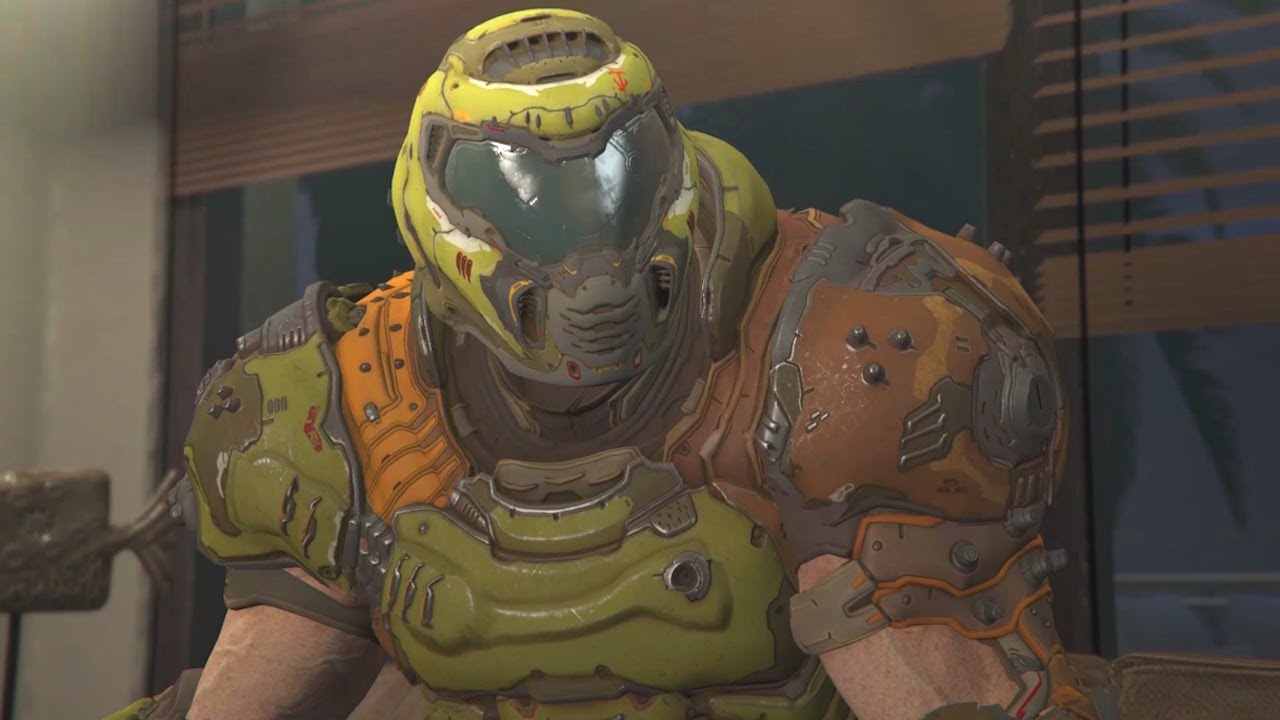
This clip is from the DOOM Slayer's New Life #12.
Full video: https://youtu.be/eEqwH9plmtk
Skin made by: https://www.gta5-mods.com/users/Ajello
#DoomSlayersNewLife
"it felt good"
teal idol
i uninstalled and reinstalled eternal and it still didnt fix the problem where i cant load a level
the loading screen is black and when i press space to continue it just crashes the game
 haughty root
Hello, my Doom Eternal is stuttering only on the latest version.
If I launch a pre TAG version (1.0.0.1), it's not stuttering at all.
Ryzen 9 5950x + 6900 XT, tried everything (stock settings, overlay disabled, very low / ultra nightmare settings, freesync off, fresh install of windows etc...)
Do you guys have any tips?
haughty root
"reset your wifi" ? I don't get it.
Otherwise, already done.
glossy ermine
Hi folks. i've been going at this for a while now, but the issues i got with Doom Eternal still persists after TAG 2. I have reinstalled the game, re-formatted with fresh OS and drivers, still nothing. Please, does anyone have a clue if its the game or AMD gpu's? I've read nowhere that this is an issue with nvidea gpu's. i made a video some time ago to showcase it, and it has been debated on the forum, got a link to the support site for issues like this, but i didnt help at all :/ please, is there anyone here who can help me? https://youtu.be/ntal0CoyNPo
Ever since TAG 2 i've experienced graphical issues, textures and lights being blown out of proportions. Even with setting the graphics down to "low", it escalates the longer i play and at some point results into a crash.
At the moment, this seems to only occur with people with previous gen AMD gpu's and on very few occasions with the 5600xt.
I ...
 frigid sentinel


that's is a really strange problem I've never seen a problem like this, I've just bought the game for you what I've to do?
lilac raven
might be an issue with the tv
frigid sentinel
alright, I'm going to try with another monitor
 fallow pendant
is there a setting i need to raise to fix this? my crosshair and the markers are blurry/low resolution compared to the rest of the game
 lilac raven
they seem fine to me
fallow pendant
the resolution difference from other HUD icons is noticible

also the crosshair feels weird looking, like the outer edge of it is cut off by a line

 ivory narwhal
uh....
 glossy ermine
frigid sentinel
that's is a really strange problem I've never seen a problem like this, I've jus...
glossy ermine
frigid sentinel
that's is a really strange problem I've never seen a problem like this, I've jus...
same as me, did you see my post above?
frigid sentinel
glossy ermine
same as me, did you see my post above?
actually not, you solved the problem?
aw, as i expected, it because i have a previous gen AMD
fuck
frigid sentinel
glossy ermine
Hi folks. i've been going at this for a while now, but the issues i got with Doo...
actually you had experienced that issue only in TAG? i got ut since the first tutorial
maybe it's because my graphic card is worst than yours
glossy ermine
frigid sentinel
maybe it's because my graphic card is worst than yours
idk, i can hardly believe you run anything older than HD 7k series? I experienced this the first time in TAG2. Main game and TAG1 ran super smooth (on medium settings ofc, 1920x1080). Till TAG2 that is, then everything went to s***
haughty root
Eternal was perfect before tag2 update :(
candid cape
GPU
AMD Radeon HD 8400 / R3 Series
Primary/Integrated
CPU
AMD A6-5200 APU with Radeon(TM) HD Graphics
4 Cores
VRAM
512 MB
DDR3 800 MHz
RAM
4 GB
Can Doom Classic, Doom 2016, Doom 3 and Doom 64 run on my laptop specs above?
ivory narwhal
warped needle
Report to steam support
Did that
 viscid thicket
Just clipped through the world and lost the UN run rip the 8 minutes it took to get to level 2

Are there no kill zones? Ive been falling forever
frigid sentinel
sorry guys what is the difference between a gtx 970 and a gtx 970 pny?
 robust vector
frigid sentinel
sorry guys what is the difference between a gtx 970 and a gtx 970 pny?
robust vector
frigid sentinel
sorry guys what is the difference between a gtx 970 and a gtx 970 pny?
er, I believe pny is just the manufacturer, like gigabyte, MSI, etc ..
 stiff peak
so i built my first rig and my xmp isnt working i turn it on and it goes at the speeds before i turned it on could i need a bios upd?
frigid sentinel
robust vector
er, I believe pny is just the manufacturer, like gigabyte, MSI, etc ..
mh, thanks bro
 magic vigil
dosen matter when my pc is something hot when i play doom eternal? (it goes to a stable 60 fps)
glossy ermine
candid cape
GPU
AMD Radeon HD 8400 / R3 Series
Primary/Integrated
CPU
AMD A6-5200 APU with ...
yes
 topaz osprey
Something Weird happend, my Doom 2016 is crazy and the engine won´t stop crashing and i don´t know what to do.
I think the game is broken
😦
candid cape
stiff peak
so i built my first rig and my xmp isnt working i turn it on and it goes at the ...
you do know what xmp is, right?
stiff peak
Lmao what
Of course i know whag xml is
Xmp
I asked a simple question you could answer it and not assume or shut up like jesus
candid cape
I’m still buying parts, but i got the threadripper 1920x for $200 and a motherboard
robust vector
You probably shouldn’t have a computer then
candid cape
Hey, im new here, i just bought Doom from steam Windows 10, When i try to launch it, it just gives a "GPU Vendor" error or something like that, can anyone help me please?
 wanton cobalt
Have u updated your drivers?
candid cape
wanton cobalt
Have u updated your drivers?
Yes
wanton cobalt
Whats your gpu?
candid cape
wanton cobalt
Whats your gpu?
Inter Core i7
wanton cobalt
Graphics card, not cpu
candid cape
wanton cobalt
Graphics card, not cpu
oh its nvdia geforce gtx
wanton cobalt
Check the nvidia control panel, go to the "configure surround, physx" tab, make sure that PhysX is set to your Gtx card instead of auto select
candid cape
amd gamers be like 🔥
candid cape
wanton cobalt
Check the nvidia control panel, go to the "configure surround, physx" tab, make ...
Oh ok thx
candid cape
robust vector
You probably shouldn’t have a computer then
you too, because apparently you can't even use Discord.
turn off reply ping's ffs
 iron cipher
Hey guys can anyone help me im experiencing stutter on eternal and some textures like the menu background load pretty slow, any idea?
wanton cobalt
iron cipher
Hey guys can anyone help me im experiencing stutter on eternal and some textures...
Are you using a hard drive or ssd?
wanton cobalt
Maybe try different texture quality settings in game
 proper loom
look my friend everytime he boots up doom eternal, his entire pc crashes
it restarts everytime he plays the game,
1650 super
i3 9100f
 drowsy kayak
I can't activate Photo mode, even when i am replaying the mission.
Is it a bug? When i click right Alt, the screen just flickers a bit, but nothing happens.
 broken jacinth
Do you have it active from the settings?@drowsy kayak
candid cape
Hello, Doom Eternal seems to crash my Entire PC since today or yesterday, does anyone have an Idea why?
candid cape
proper loom
look my friend everytime he boots up doom eternal, his entire pc crashes
Did your friend fix this issue?
I got it too now.
I didnt got to my PC since Friday.. so it could be from an Update?
Idk
proper loom
candid cape
Did your friend fix this issue?
I got it too now.
not yet
candid cape
GRRr
I want to do the last campaign missiooon 
Can u hit me up if your friend gets a solution?
I'll dothe same then
small mica
AMD revealed that their FidelityFX Super Resolution tech will be Open Source under MIT License and will even run on NVIDIA GPUs. More: https://videocardz.com/newz/amd-fidelityfx-super-resolution-fsr-launches-june-22nd-supported-by-radeon-and-geforce-gpus

AMD has unveiled its FidetlityFX Super Resolution technology AMD demonstrated its super-resolution technology in Godfall, a game that already heavily depends on AMD technology. The FSR will officially be supported by all Radeon RX graphics cards, including RX Vega, RX 500, RX 5000 and RX 6000 series. In fact, AMD will enable FSR support even […...
 novel sleet
so I just find out that my laptop can run DE and I'm so shook
does anyone here use PS+ on their pc?
candid cape
small mica
AMD revealed that their FidelityFX Super Resolution tech will be Open Source und...
based
Linux is finally getting first-class treatment
 cunning lily
Hey, as of of like, two days ago Doom Eternal has horrible lag spikes that make the game unplayable. I downloaded AMD drivers and this happened, and the problem still persisted when I rolled back on them. Is there a fix for this?
 valid shuttle
Hello
help uhhh when I run 2016 it won't open it crashes for no reason, I think my graphics card can run it, but idk can one of you help me
sooo can anyone help me out
candid cape
This has been happening consistently since the new update happens. Never had an issue before the update this morning.
candid cape
Checked btw, only happens with DOOM Eternal ^
candid cape
candid cape
This has been happening consistently since the new update happens. Never had an ...
happens to me too, crashes entire pc
Idk why or how this happens...
I'll try switching the folders rn.
I tried uninstalling and reinstalling, I could load into a mission but then once I hit space it crashed.
I stream this game to my gf since she is interested, always when i start the PC i get to the main menu, the moment I start to stream doom the Pc crashes... and then it crashes my pc constantly until i let the pc be off for a while
candid cape
candid cape
I stream this game to my gf since she is interested, always when i start the PC ...
Same.
because thats what I'm actually looking for....

i guess its a brand new issue atm
That sucks.
 pulsar sandal
I’ve been trying to log onto battlemode for the past 4 hours. Anyone else having the same problem?
candid cape
good job id
good fucking job
I play on Linux through wine so it's fine for me ¯\_(ツ)_/¯
warped needle
candid cape
I stream this game to my gf since she is interested, always when i start the PC ...
you have to turn vsync on (Tripple Buffering)
warped needle
candid cape
Same.
Read my last message, maybe it helps
candid cape
I’ll need to get lucky with it not crashing the second I click something.
candid cape
warped needle
you have to turn vsync on (Tripple Buffering)
Damn, would be nice if the game wouldnt crash my pc the second i start it
candid cape
Nadda. Even auto uninstalled itself overnight and took an hour to validate the files. Nothing changed.
candid cape
jesus
@candid cape
https://www.reddit.com/r/Doom/comments/nqpwdf/launches_fine_then_begins_to_stutter_then_freeze/
maybe this is similar to ours... do you use an Nvidia Graphics card?
reddit
3 votes and 0 comments so far on Reddit
candid cape
candid cape
<@456226577798135808>
https://www.reddit.com/r/Doom/comments/nqpwdf/launches_fi...
Indeed I do.
i see
Wonder if I were to roll back my drivers if that were to happen.
try it out
lemme know if it worked
candid cape
Will do once I’m home.
candid cape
oki
candid cape
candid cape
oki
I just booted up DOOM Eternal just to see if it worked and uh... it worked. Not sure if it'll last but I'm fine and dandy now.
Seems to just hate alt tabbing and clicking in the main menu.
Not sure how that works or if I can replicate it.
Yeah so 2/10 times I can get to the main menu, and if I use the arrow and enter keys I can get into a mission and play normally, but do anything outside of touching those two keys before prompted with the “Press any key to continue” will auto crash assuming you don’t crash beforehand.
candid cape
candid cape
Yeah so 2/10 times I can get to the main menu, and if I use the arrow and enter ...
what windows version do you use? (like 21h1, 2004 etc..)
candid cape
Windows 10.
I got mine to work using GeForce experience to optimize it and it literally changed the FPS Scaling to static, switched it back to Dynamic and it works fine.
rare juniper
I wish DLSS was supported on more low end hardware, i think it would help low spec gamers like myself
candid cape
candid cape
I got mine to work using GeForce experience to optimize it and it literally chan...
Oooooo
candid cape
Just can't alt tab is all.
 teal tulip
anyone else get weird and crazy frame drops when it loads a checkpoint? i came back to try and play some after a few months and now i get insane basically freezes whenever it loads a checkpoint or autosaves or something. only thing i can think of is something got weird with a windows update
ive tried reverting to old nvidia drivers, same issues. i recently upgraded from a 1070 to a 3070 (very fortunate for evga stock notification i signed up for in october at launch)
 sharp stream
Since the new update my audio is completely ruined inside of the game (crackling audio) and reinstalling didnt help, lowering my speaker format didnt help either.
 outer shadow
Hey, what the hell? The game won't give me the newest event.
Meaning series 13 doesn't show on my Switch.
 neat hearth
@outer shadow Dude same! I'm hoping that tag pt 1 is coming and thats why its delayed by a bit
outer shadow
Someone on reddit said that the event is currently broken for switch users.
neat hearth
@outer shadow can u share the link to the reddit post?
neat hearth
i dont think its broken tho @outer shadow
because the file for the event are not even present, as there hasn't been an update for the switch since march (update 1.3)
So an update needs to first get released in order for the game to at least have the new files for the new event
outer shadow
So Switch users have to be patient once more. What else is new?
neat hearth
for the other platforms, nothing
but again, im hoping that for us switch users that its a big update with at least tag pt 1
then again, panic button seems to delay software for the switch, and bethesda/id don't even acknolwedge the switch as a platform with doom eternal. They haven't said anything by now, whereas they would probably say something on twitter if there was an issue with xbox/playstation/pc
outer shadow
Well, hope dies last as they say. But I'm not holding my breath.
neat hearth
do u only play on switch or on other platforms as well?
outer shadow
Only Switch.
neat hearth
haha same
i have an xbox one s, but i find playing games on the switch the most convienient. hbu? u have any other consoles?
outer shadow
Only a PS2, XBox360, WiiU and Gamecube😆
neat hearth
@outer shadow Alright, it was nice knowing u. Hopefully within the next 24hrs the game gets updated. 🤞
outer shadow
Same, but I still would be seriously pissed if they deny us Switch users future events.
raven minnow
Does anyone here know a good laptop cooling pad that isn’t a complete piece of shit because I can’t find one
I’d like if it was on Amazon but after 3 hours of looking at this point I just want my pc to stop being 90 Celsius
Just dm me a link if you manage to find one that isn’t trash
please anyone just give me any advice as to how to keep my pc cool
its too fucking hot, im gonna melt my cpu
winter frost
Is there anywhere I can go to on YouTube to learn how to program ai for doom classic?
 brisk turret
raven minnow
its too fucking hot, im gonna melt my cpu
brisk turret
raven minnow
its too fucking hot, im gonna melt my cpu
Cpu will throttle down before you do any damage to it :) Most laptops just run hot 🤷♂️ can turn up the fans, make sure its input and exhaust vents are clear and maybe under clock / under volt... but if you care about temps then a laptop is just not ideal
warped needle
brisk turret
Cpu will throttle down before you do any damage to it :) Most laptops just run h...


small mica
Also if you run a Zen-3 CPU do not panic when it goes beyond 90°C. These CPU are meant to go up to 98°C and are within their specs.
Obviously you shouldn't go beyond 90 anyway :LUL-1:
candid cape
yo is anyone here big brain about wifi n stuff
raven minnow
brisk turret
Cpu will throttle down before you do any damage to it :) Most laptops just run h...
My pc gets up to like 95 Celsius
Sure that’s not bad?
brisk turret
If you're worried, download hardware info- it will tell you if your PC throttles- you're never going to melt it but obviously when it throttles it clocks down and you lose performance
raven minnow
I tried getting something called speed fan
I pressed the download link
Nothing happened
Another reason why I’m so worried is because my pc has had a harder time running games recently
Specifically gta 5 and doom eternal
pulsar sandal
Aced predator Helios over here in my lap
Acer
Running everything graphics wise on ultra nightmare and little heat
 modern linden
How can I get third mission

 mellow elm
What?
 past flower
There are a few things you must do at Slayers fortress before you can enable portal to another mission.. if thats the issue
 olive geyser
why the new event with the hotdog Mancubus isn't on switch bruh
olive geyser
viscid thicket
Just clipped through the world and lost the UN run rip the 8 minutes it took to ...
on Taras nabad in the sewers I found a place where you can clip through the map
 glass tendon
Hey I need help
Doom Eternal broke when I turned on Adaptive V sync and now crashes and breaks my entire windows every time I open the game
This started happening ever since TAG 2's Launch, the problem is the game automatically set it when I clicked the default settings button.
How do I fix this without having to restart the game AGAIN?
drowsy kayak
broken jacinth
Do you have it active from the settings?<@655382201038405632>
Yes i do
I did everything neccesary what's listed in the guides
outer shadow
olive geyser
why the new event with the hotdog Mancubus isn't on switch bruh
Because the data for it isn't in the game. An update patch needs to be downloaded first.
warped needle
olive geyser
why the new event with the hotdog Mancubus isn't on switch bruh
**NOTICE FOR NINTENDO SWITCH PLAYERS: **
TROPIC LIKE IT'S HOT will launch on Nintendo Switch at a later date, please stay tuned for updates.
candid cape
Bro i think you got the wrong chat
 fading gale
ok so why cant i play eternal on my computer if i bought it on xbox
warped needle
fading gale
ok so why cant i play eternal on my computer if i bought it on xbox
Because Doom Eternal is NOT part of the "Play Everywhere" feature.
 fading gale
ugh
 fallen vortex
Can I have some good setup ideas for running doom 2016/eternal at good FPS with nice resolution? Thanks in advance
 mighty sable
does anyone know why my copy of eternal is trying to render on the cpu all of a sudden? Cpu use at like 80% and gpu use at 11%
warped needle
mighty sable
does anyone know why my copy of eternal is trying to render on the cpu all of a ...
- Open the "Control Center".
- Select "Manage 3D Settings" under 3D Settings.
- Click on the "Program Settings" tab and select DOOM Eternal from the drop down list.
- Now select "preferred graphics processor" in the drop down list.
- Change it to your dedicated GPU
Also make sure ur GPU drivers are up to date. Another thing you could do is disable integrated graphics in your BIOS/UEFI
 topaz osprey
outer shadow
Only a PS2, XBox360, WiiU and Gamecube😆
topaz osprey
outer shadow
Only a PS2, XBox360, WiiU and Gamecube😆
Retro, good
 broken spade
i tried to put this in the doom reddit, but it got deleted. so hopefully i can get an answer here?
 warped needle
broken spade
i tried to put this in the doom reddit, but it got deleted. so hopefully i can g...
warped needle
broken spade
i tried to put this in the doom reddit, but it got deleted. so hopefully i can g...

In this video, we look at a way to convert your flash drive to a Local Disk.
By doing it, you will be able to partition your pen drive.
Warning: There is a risk of bricking your flash drive, so don't try it if you are afraid to break your pen drive.
Flash Drive Information Extractor
http://www.antspec.com
_______...
Try something like this
broken spade
Ok, i will check it out. thanks.
candid cape
I tried doing what DJ did, didnt work.
imma just wait till there's an official Fix or something
 prisma knoll
Playing 2016 on a rig with an RTX 3070 and AMD Ryzen 5 3600, and the framerate tanks while playing on Argent Tower. I already have disabled Razor Chroma, and I've made sure the game is set to max performance in the Nvidia Control panel, yet the issue continues.
 crystal spear
ñ
 quick crow
 outer shadow
The Ancient Gods part 1 is now available for Switch.
How much memory does it need?
 zealous vortex
guess what guys
 neat hearth
outer shadow
The Ancient Gods part 1 is now available for Switch.
How much memory does it nee...
neat hearth
outer shadow
The Ancient Gods part 1 is now available for Switch.
How much memory does it nee...
About 25 gb of storage is needed
Get a microsd card if u dont have enough
 nova raven
Idk if this is the right place to ask this, but a few days ago I tried playing doom eternal on my tv instead of my monitor (pc player). However I think the settings automatically changed to be too high at 4K 60fps which my tv couldn’t really handle well lol so there was a ton of input lag. The game then crashed, so I tried switching back to my pc to play it normally. But ever since then it’s been nonstop crashing before the game even can load and it’s frustrated me for days. The worst part is that every time it crashes it causes my computer to restart every single time. To note, I’ve tried several solutions already, I checked the integrity of the files, updated my gpu driver, reinstalled the game, lowered the visual settings from my driver, I honestly don’t know what to do anymore. The farthest I’ve gotten without it crashing is in the menu screen, but as soon as I clicked the settings button it just crashed. I don’t believe this is a problem due to overheating since I checked both my gpu and cpu temperature multiple times when trying to launch it and they were both stable (gpu at around 45-55 and cpu at around 50-60). If anyone knows what else I could try to do to stop this from happening, please PLEASE let me know. I’ve been looking online for a solution for days now, basically everything I’ve seen has not worked yet or would take too much effort (like updating BIOS). I’ve already finished the game once on hurt me plenty, but I was halfway through completing it on nightmare difficulty when this happened. Idk how much help people here could give me but if anyone has a solution, please let me know
One more thing, when I played it on my tv and when it crashed for the first time, the screen was completely black even when I switched back to my monitor yet the music was still playing. Alt f4 wouldn’t even close it, my screen was frozen for a solid minute or so until I could control my mouse and shut off my computer (Ctrl alt delete also did not work). This might’ve been the cause of the issue but I’m not sure, this was just the first time it crashed, yet every time it’s crashed after that nothing similar has happened. Usually, when I launch the game it stays on the loading screen, freezes as soon as the “press mouse button to continue” pops up, makes a really loud droning noise for a few seconds and my whole pc restarts
past flower
nova raven
Idk if this is the right place to ask this, but a few days ago I tried playing d...
I would probably try add +cvar_restart or -safe in launcher options and see if it resets some graphic settings
Maybe graphic card software can change game settings externally, too
candid cape
im thinking about making a gaming handheld made out of a raspberry pi to play doom, but i dont have a 3d printer to make the shell, any ideas?
candid cape
nova raven
Idk if this is the right place to ask this, but a few days ago I tried playing d...
I have this problem too, thing is it came randomly
If you've got Geforce Experience, you can lower your resolution there... Idk if it might help
But if it does, please tell me
 warped needle
This is actually pretty helpful
warped needle
candid cape
I got this as an answer from bethesda
nova raven
past flower
I would probably try add ``+cvar_restart`` or ``-safe`` in launcher options and ...
Ok, will definitely try this out thanks
nova raven
candid cape
If you've got Geforce Experience, you can lower your resolution there... Idk if ...
Yeah I’ve already tried that multiple times, even all the lowest video settings yet it still crashed so idk
candid cape
You have to start the game from an other computer which hasn't got a rtx, then you hwve to turn on high settings
nova raven
But yeah I’ll also try the other thing you sent since I haven’t tried that either, I really hope this works lol cuz I really love this game and I hope I can play it again, thanks so much for all the help
candid cape
I assume that you have an rtx
nova raven
I have a gtx 1650 super but I think it’s similar
nova raven
candid cape
You have to start the game from an other computer which hasn't got a rtx, then y...
Wait I’m so sorry I’m kinda confused now, so would I have to start the game on another computer with my steam account logged in and change the settings from there? Cuz idk if I could easily get another computer to do that lmao unless I like ask my friends to login to my account
 plain moon
outer shadow
The Ancient Gods part 1 is now available for Switch.
How much memory does it nee...
plain moon
outer shadow
The Ancient Gods part 1 is now available for Switch.
How much memory does it nee...
It’s 5gb
nova raven
Alright im gonna try launching it after changing everything now.. here goes nothing
Omg it finally works now
I’m so freakin glad, oml ive literally been trying for days and couldn’t find a solution til now, idk what exactly it was that helped but thanks so much, ahh I’m so glad rn lmao thanks again
outer shadow
plain moon
It’s 5gb
Thanks!!
 devout iris
hey i need help with my doom game
i just boughtthe original doom on steam and start the first level but there are no enemies spawning
i tried to google it and found something about turning off cheats but i can figure out how
do you think you could help
devout iris
please?
devout iris
mmm
devout iris
well
im gonna go and see if reddit can help
thank you guys for all youve done to try to fix my game
candid cape
devout iris
thank you guys for all youve done to try to fix my game
If no one has a clue, then nobody can help you.
No need to be so passive agressive bruh


 plush barn
Anyone noticing stuttering when loading new levels in Eternal?
The first 2-3 minutes stutter like hell, and it never happened before the new patch
candid cape
 spare narwhal
but this is not no!
spare narwhal
but this is not no!
then why did you post it?
 mighty kiln
there seems to be a glitch with the ember slayer set, everytime i start up the game, ember slayer set levels 2-6 are locked, and once i get some points, they all unlock, it only happens once per start up
outer shadow
mighty kiln
there seems to be a glitch with the ember slayer set, everytime i start up the g...
Same here......
mighty kiln
i even tried equiping them to no avail
outer shadow
In that case it just goes back to the default.
mighty kiln
outer shadow
In that case it just goes back to the default.
indeed, the only thing that stays is the skin itself
outer shadow
Fortunately!!!
 glad zealot
Dunno if this is where I should ask, but I notice that DIII4A++ (The Doom III android port thingy) has more buttons than just flashlight, PDA, 1, 2, 3, Reload, shoot, pause, ya know, the default stuff, like a foot button and a hand, but I can't figure out how to get it to actually display those buttons on screen which kinda sucks cuz it would play way smoother if I could bind something like a sprint button without having to move everything around using the volume keys to replace the shoot button
Anyone know how to add these unused buttons?
glad zealot
glad zealot
Dunno if this is where I should ask, but I notice that DIII4A++ (The Doom III an...
Figured it out I'm just blind 
 sacred plume

candid cape
Stats updated at slayers club wont be ?
 earnest mango
please help
 small mica
earnest mango
please help
small mica
earnest mango
please help
I see nothing wrong here.
Do you have a game running?
 small mica
With Shaders and such?
small mica
A fully loaded GPU is no problem.
A very hot GPU is a problem.
If you have 100% GPU usage on a Flat World something is wrong with your Minecraft installation.
earnest mango
70 Celsius is quite hot
small mica
what GPU?

 small mica
Uninstall that software immediately. This is a scam.
small mica
Also 69-70°C is totally normal for a 1080 under load. It can even go hotter without throttling itself.
The blower of the 1080 is not the best cooling method...
earnest mango
mhm
small mica
My 3090 is around 67° - 71°C aswell depending on the game.
earnest mango
I own this card
 small mica
Not bad
earnest mango
do you recommend any cleaner programs that work?
small mica
I do not recommend any cleaner programs. Windows 10 has the ability to clean itself quite well.
small mica
Some of them can even break your system by "cleaning" some stuff that's actually needed like registry keys for example.
earnest mango
...
small mica
earnest mango
should I run it through windows defender?
If you think there is malware on your PC sure let it scan the whole thing.
earnest mango
earnest mango
I downloaded this software and it's detecting stuff
7th option
estimated time for full scan is 35 minutes
nvm 5h
 muted niche
We have a release date for DLSS 2.0 in Eternal yet?
past flower
Doesnt it come with raytracing?
small mica
Raytracing Support & NVIDIA DLSS will arrive on June 29th.
warped needle
small mica
A fully loaded GPU is no problem.
A _very hot GPU_ is a problem.
I paid for the whole CPU so IM USING THE FULL CPU! Fuqq off
warped needle
small mica
rude
My CPU was running at 85°C yesterday when i played CP2077 and streamed at the same time 
Thermal Limit is gladly 105°C
small mica
warped needle
My CPU was running at 85°C yesterday when i played CP2077 and streamed at the sa...
that poor Stock Cooler... 
earnest mango
How do you check cpu temps?
 sand flame
earnest mango
How do you check cpu temps?
sand flame
earnest mango
How do you check cpu temps?
there is some programs which tell u the specs and temp of cpus
earnest mango
that are called?
sand flame
earnest mango
that are called?
trying t ofind them
earnest mango
kk
small mica
earnest mango
that are called?
HWInfo is a great tool for that.
sand flame
earnest mango
kk
cpu z
 naive gale
having a hard time figuring out how to enable discord overlay with Doom Eternal
anyone know how?
small mica
naive gale
having a hard time figuring out how to enable discord overlay with Doom Eternal
I think the Discord Overlay doesn't work with the Vulkan API which DOOM Eternal is using.
naive gale
bumber, is there a way to circumvent this?
 somber plover
hm

somehow dwm uses over 20% of my GPU's performance
and even putting the game in fullscreen i still get lag spikes
any idea what could be going on here?
here's the graph of what was going on during my gameplay test session
 small mica
- Turn V-Sync to Adaptive
- Try disabling Async Compute
- Switch to Fullscreen
somber plover
switching to fullscreen reduces the issue but doesn't eliminate them
i'm gonna try enabling the vsync, but i cannot find the async compute switch
small mica
It's in the same Menu as V-Sync
somber plover
oh, present from compute
got it, thanks
hot damn yeah it drastically improved it

i'm still getting some random lag spikes here and there but it's much better than it was
small mica
Also 8 GB of VRAM for 4K is what causes your lag spikes.
I see that you downscaled it by 50%
somber plover
i actually didn't change the resolution
small mica
What's your actual res?
somber plover
it's still 3440*1440, without the dynamic scaling
small mica
Yeah everything beyond 1440p needs more than 8 GB VRAM.
somber plover
the 3070 is a nice bump in performance but only 8GB for that is stupid
somber plover
like i get it it's supposed to be "mid-end" but even the 3080 has only 10GB
small mica
Use DLSS in "Quality Mode" once it's there and you should be good.
VRAM usage goes down and with it your lag spikes.
somber plover
DLSS is nice, i gotta admit. it's not quite native res-like but i mean
it's not Control
Everything moves super fast
Shouldn't ever be an issue
regardless, i can't wait for the GPU prices to go down so that i can get myself a 3080Ti or a 3090 - specifically for the VRAM
small mica
You should be absolutely good with a 3080
That's more than enough to have 21:9 support
But for 4K I recommend the 3080 Ti
10 GB is a bit too conservative, imo.
Now I could go ahead and say how that won't matter in the long term cuz RTX IO is coming, reducing load times and game size yada, yada, yada... 😂
somber plover
yeaaaaaaah
i wanted to get a 3080Ti but between the scalpers and the inflated default prices...
small mica
It's tough but it's improving looking at some data.
somber plover
and then the next day my 1080ti decided to die
small mica
That's unfortunate. How long did it work?
somber plover
i bought it second-hand in 2019, and it technically still works, but shows glitches
i mean it probably would've kept working if i didn't mod it but both the noise and the temperature were unbearable lately
i had tried a lot of things including cleaning it entirely and changing thermal paste and pads but it just didn't do enough
and it was constantly past 80C on idle, and the hottest point was 105C while gaming
small mica
damn dude
somber plover
heh, i'm gonna try to diagnose it when i get enough time
hopefully i can solve the issue, but i fear i may have damaged the chip itself and if that's the case there's nothing that can be done
candid cape
Scalpers can suck my dirt star, damn near impossible to find a decent secondhand card and inflation is the last nail in the coffin
 toxic needle
Anybody else with 3000 series on the latest driver (471.11) suffering crashes in Eternal (campaign)?
Doesn't crash immediately but with a discord stream on my 2nd monitor and nvidia broadcast noise filtering on my mic, eternal eventually crashes after ~10-20 minutes.
Trying to figure out if I just need to reinstall my drivers, or if nvidia released unstable drivers (again), since I didn't have this issue with older drivers (461.92)
 fair dagger
Hi. New user on the server. I searched and couldn't find an answer this so ....
Sometime in the last few weeks Doom Eternal has started occasionally slowing waaaaaay down in FPS. From 60 down to 17-20. This lasts about a minute or so and then it returns to 60fps. I can't find any obvious cause or any pattern to it. I've tried disabling all the heavy video settings. I've tried setting it to LOW on all. No help.
I've turned on the in-game metrics and I can see the GPU meter go full red while this is happening. (I don't have the actual numbers on hand.)
Any advice on next steps to try?
 drifting lance
Technical terms
 hushed sapphire
look, idk what most of this means but fsr my doom on xbox game pass pc wont download, and only the doom games, where can i go to fix this
toxic needle
fair dagger
Hi. New user on the server. I searched and couldn't find an answer this so ....
...
Run MSI Afterburner in the background. Monitor the temperatures to see if you're overheating.
Hwinfo64 is also useful
fair dagger
toxic needle
Run MSI Afterburner in the background. Monitor the temperatures to see if you're...
Thanks, I’ll try that.
toxic needle
3070 is ~50% faster than the 3060.
If you're referring to 3060ti, the 3070 is ~15% faster than the 3060ti

50% more fps
on average, assuming mostly GPU bound
yeah the 3060 is kinda 💩 compared to the rest of the line up
it's called "a sudden appearance of competition" and then, subsequently, a massive global GPU shortage
topaz osprey
small mica
Yeah everything beyond 1440p needs more than 8 GB VRAM.
So actually my PC can´t run it
 ebon wasp
toxic needle
yeah the 3060 is kinda 💩 compared to the rest of the line up
ebon wasp
toxic needle
yeah the 3060 is kinda 💩 compared to the rest of the line up
Well Its better than Rtx 2080 ti
toxic needle
ebon wasp
Well Its better than Rtx 2080 ti
You would think so, until you realize that you're paying almost as much for the 3060 per square millimeter at MSRP.
It's $1.33 per mm^2 for the 2080ti ($1000 for 754 mm^2)
And the 3060 is $1.20 ($330 for 276 mm^2).
But considering that it's practically impossible to find a 3060 for less than $400, you end up with a more realistic best case price of $1.45 per mm^2; more than the 2080ti which is a Halo product.
And you don't even get all cores enabled on it
candid cape
There has been an issue with my wifi that has always annoyed. I wanna do something about it. Could someone help me?
candid cape
Yeah, contact your provider
warped needle
candid cape
There has been an issue with my wifi that has always annoyed. I wanna do somethi...
Use cables instead of wifi
 fossil stone
so uhhhh

when i press the yes button it takes me to a page for the drivers but im not sure what to do next
help 
mighty kiln
ok, now there's a new bug, i just collected the last thing from the hotdogubus set, but it's stuck on the series screen at "level 10" even though it doesn't have a level 10
 graceful sage
my laptop keeps bsoding after the photosensitivity warning. i have tried disbaling overalys and stuff but nothing seems to do it
can someone help?
 unborn parcel
What’s the spec boot up optics of doom eternal
graceful sage
the what
i can't see the actual bluescreen and stopcode, the laptop jjust kind of dies
running an i7 10875h and a 115w 2070 super
it should be able to run fine on everything crnaked up, but i tried the lowest settings in geforce experience and it still didnt boot up
i tried disabling my overclock, setting everything to the lowest including resolution, nothing has worked
turning this off makes the game run fine
 fair dagger
@toxic needle Per your suggestion of monitoring heat with MSI Afterburner, I've been doing that and when the slowness happens there's no change in the temp. It's hovering at about 75C (168F) the whole time.
toxic needle
fair dagger
<@!111605868138655744> Per your suggestion of monitoring heat with MSI Afterburn...
Can you send a screenshot with "ultra nightmare" performance monitoring while the throttling is going on? Also run hwinfo64 in the background while playing, try sending screenshots of that as well (CPU and GPU stats in particular
fair dagger
toxic needle
Can you send a screenshot with "ultra nightmare" performance monitoring while th...
Thanks, yes, I'll try to get that today or tomorrow.
 humble geyser
Can anyone help me with this problem?
 small mica

 queen otter
what are the chances of doom eternal ever being able to be played on a phenom cpu?
i imagine pretty small chances
fair dagger
toxic needle
Can you send a screenshot with "ultra nightmare" performance monitoring while th...
Here is what I was able to capture.
 toxic needle
fair dagger
Here is what I was able to capture.
toxic needle
fair dagger
Here is what I was able to capture.
you're on a laptop which is what I guessed. I'm fairly certain you're either power or thermal throttling. Does this happen while plugged in? If so, can you check CPU and GPU temps
you mentioned only 75 degrees earlier, that doesn't seem correct. You should have seen substantial reduction in power, and therefore heat considering how much less FPS it's putting out. I think you may have misread the temperature, or something else's temperature
fair dagger
Would underclocking or lowering power help this?
humble geyser
Hello?
 shadow pumice
I have a giant 5120x2160 60hz screen. Naturally it isn’t great for gaming… I had a 120hz 1440p screen back in the day but I traded refresh rate for pixel count.
But wow Doom Eternal looks amazing on it. Cranked up the settings and it doesn’t feel 60hz at all!! Feels, just… smooth.
I think they hit something special with motion blur here. Anyone else have a similar experience?
fair dagger
toxic needle
you mentioned only 75 degrees earlier, that doesn't seem correct. You should hav...
Using MSI Afterburner I'm getting the same Temp during 60 fps and 16 fps. Approx. 165° F.
Thanks for your effort to help me sort this out.
 toxic needle
fair dagger
Using MSI Afterburner I'm getting the same Temp during 60 fps and 16 fps. Approx...
toxic needle
fair dagger
Using MSI Afterburner I'm getting the same Temp during 60 fps and 16 fps. Approx...
Your drivers are a bit old, but I don't think that's your issue. Out of curiosity, could you take a screenshot of your task manager? In particular, which one is GPU1 and which one is GPU2.
It may be that the game switches to rendering on your iGPU instead
Also, install hwinfo64 and use that to monitor some additional information
 rain nova
goddamn is it hard to find a good monitor
every review of a monitor I've seen almost always has a catch
 light phoenix
What time is the release of Doom for Ps5 next gen upgrade ?
 chrome bough
Yesterday someone told me 17:00 bst
humble geyser
Hello?
 hasty rune
what is this?
 small mica
hasty rune
what is this?
small mica
hasty rune
what is this?
It asks you to update your GPU drivers.
 distant mango
MH canner failed blockscan entry locate_idoodle_decompress_entry failed to locate its required patterns. etc
anyone else got this message when trying to play the new udate?
anyone know how to fix this?
 wet needle
distant mango
MH canner failed blockscan entry locate_idoodle_decompress_entry failed to locat...
wet needle
distant mango
MH canner failed blockscan entry locate_idoodle_decompress_entry failed to locat...
I got that too, u could try validating your game's files, didn't work for me but it might for u
distant mango
wet needle
I got that too, u could try validating your game's files, didn't work for me but...
didnt work for me either. also i heard it would help to drag out the modfolders manualy.
wet needle
damn
distant mango
wet needle
damn
if you are not sure what files are for moding and wich ones are there normaly you can download the mod folder and just compare the files
wet needle
I just moved my mod folder
distant mango
wet needle
I just moved my mod folder
did it work?
wet needle
no
 fringe merlin
First crash occurred in Taras Nabad ML when I shot the second trigger in the water room and jumped in immediately
 gloomy salmon
Audio not working after NVIDIA 471.11 update, anyone else?
 shell meteor
Hi! I have a doubt of the new upgrade of Doom Eternal- I have a BenQ monitor (EX2780Q), which support 1440p and 120hz... I have a Series X... But I just have the Balance Mode and Ray tracing... The performance is unavailable...why?
 sand minnow
hi
since nvidia 471.11 i have random crashes in doom eternal...what is the problem?
i have ryzen 5600x, 3060TI, 32gb ram...i dont see where the problem is why the games keeps freezing with the new nvidia drivers...it is annoying, i cant play any level cause it stops out of nowhere
fringe merlin
Crashed in the same area again
sand minnow
and the challenge progresses are also deleted and cant make them again...the patch is really buggy for me
 tiny rampart
Final room, i have twice died in the stage with overdrive and pain elementals, and twice when I respawn it takes me to the final stage with the doom hunters and hell knights
sand minnow
has anyone any ideas how i can fix the freezes without reinstalling older graphics drivers?
 open geyser
Hey there, is hdr required on PC for RayTracing?
sand minnow
open geyser
Hey there, is hdr required on PC for RayTracing?
downt know, the greater problems are the random freezes with the new nvidia drivers
 limpid oak
The RTX 2070 isn't a bad card right?
It's still a good card for 1080p ultra with maybe ray tracing, right?
Because I'm just puzzled why do I have unplayable framerates
sand minnow
limpid oak
The RTX 2070 isn't a bad card right?
switch from ultra nightmare to ultra settings and then back, that might help...you have to do it after every game start again
limpid oak
Tried that
Still want to remove my eyes from looking at the slideshow
My FPS is so bad I almost died from simple to kill demons
which would be embarrassing
sand minnow
limpid oak
Tried that
curious...that works for me but i turn off rtx...dont want to set the graphicsettings again and again...thats annoying and it really looked absolutly great without rtx on....and runs with 144fps
limpid oak
It was actually working fine for me too
I downloaded update for drivers and game, then I started back to beginning intro and map to see how good it looked, I was getting 120FPS with RTX
Then I went back to finish my campaign at doom hunter base and mother of god that is some nintendo switch level frame rates
That's a joke, the nintendo switch looks less laggy than that
sand minnow
limpid oak
That's a joke, the nintendo switch looks less laggy than that
yep i know....some weird problems comes with new drivers and the new patch....its a little bit annoying
limpid oak
atleast it isn't me
sand minnow
i want to play taras nabad ML but cant get to the end even on easy...the level is too long because the game freezes randomly after a time....
limpid oak
I get that Raytracing is gonna come with penalties, but I really doubt it would cut 3/4ths of my framerates
Hell, I get only 60FPS on the main screen lmao
 weary briar
If anybody is playing with ray tracing on the series X, be advised that after a while the game will completely crash. So don't take too long completing that new master level
rain nova
limpid oak
I get that Raytracing is gonna come with penalties, but I really doubt it would ...
Have you tried turning on DLSS?
 ebon hare
Good rig. Any suggestions for future upgrades?
 small mica
What are you doing with 128 GB of RAM?
ebon hare
Stuff for the science team?
small mica
Ah. Yeah okay that's reasonable then.
ebon hare
This is my current rig as of right now
 small mica
ebon hare
This is my current rig as of right now
small mica
ebon hare
This is my current rig as of right now
and here is mine: #battlestations message
small mica
ebon hare
Not a fan of RGB stuff sadly.
I can't get enough of it
ebon hare
It hurts my eyes
fair dagger
toxic needle
Your drivers are a bit old, but I don't think that's your issue. Out of curiosit...
In Task Manager, GPU0 is the Intel chip and GPU1 is the NVidia chip.

 pallid chasm
What’s this channel for
 reef aurora
pallid chasm
What’s this channel for
reef aurora
pallid chasm
What’s this channel for
take a guess
pallid chasm
Idk man I’m new to this server
fair dagger
pallid chasm
What’s this channel for
Tech issues. Tech Questions. (I am new to server, like you, so this is only my interpretation.)
toxic needle
limpid oak
Then I went back to finish my campaign at doom hunter base and mother of god tha...
Areas with more reflections (eg DHB) will end up with lower performance with RTX. Personally, wouldn't recommend turning RTX on with a 2070 unless you're willing to live with the blur show introduced by DLSS
toxic needle
fair dagger
In Task Manager, GPU0 is the Intel chip and GPU1 is the NVidia chip.
Ok, I think it's switching to your iGPU randomly. Go to Nvidia control panel, and under 3D rendering settings somewhere there should be an option to force rendering on your 2080mq
limpid oak
toxic needle
Areas with more reflections (eg DHB) will end up with lower performance with RTX...
I'm not using DLSS
for a resolution of 1080p it isn't needed
And the 2070 is a good card for 1080p gaming, should be able to play in RTX
Otherwise what was the point in implementing RTX on the card if you can't use it lol
sand minnow
anyone solve the random freezes here?
toxic needle
limpid oak
Otherwise what was the point in implementing RTX on the card if you can't use it...
Lol... Because of branding and reliance on DLSS.
limpid oak
Don't need DLSS, the resolution isn't demanding
I can run ultra just fine before this update
But even with RTX disabled I lost half my FPS
This update really got fucked up
Used to hit 120 - 180FPS
toxic needle
Well that's just the nature of ray tracing, it's incredibly demanding. Either you have to turn off RTX, enable DLSS, live with lower FPS, or get a faster GPU
toxic needle
fair dagger
In Task Manager, GPU0 is the Intel chip and GPU1 is the NVidia chip.
Actually, next time you have an FPS dip can you check task manager to see which GPU is being used? Or just check MSI afterburner at any time to see which GPU is "GPU 1"
 vale timber
I have a RTX 2060 and i7 5820k with 16GB DDR4. My best recommendation at 1080p is to set the game to Low Preset and turn up Texture Quality to High and Texture Filtering to Ultra Nightmare. Also use DLSS Quality. I got really good performance whilst still having decent visuals.
I might play around with Reflection and Lighting settings to see if I can kick those up a bit higher on an RTX 2060 though idk if those settings affect ray tracing cause in other games like Cyberpunk 2077 it doesn’t.
 meager cedar
yo
i have a problem with my doom eternal
so like it crashes on startup
and it displays the error "Failed to allocate video memory"
total allocated: 3728.92 MiB
Tried to Allocate 536870912 B (512.000 MiB)
meager cedar
guys can someone pls help me on this

 hollow marlin
doom eternal is coded with double left foot... fps lock at 133 fps with no reason (even when the computer can only give 115 fps in normal time), fps at 33 in rtx/dlss instead of 45 ultra nightmare with rtx only on 1440p when a switch to 1080p and back to 1440p give back 115 fps... so now a 512MB need for vram lol... is there any QA or do they play to their own game in doom team? it looks like the answer is no and never.
small mica
hollow marlin
doom eternal is coded with double left foot... fps lock at 133 fps with no reas...
Something on your system is not running properly. DOOM Eternal doesn't even have a integrated FPS limiter.
You should share your specs if you are having issues.
hollow marlin
The fps limiter seems to be due to fps monitor layer even when fps monitor is not started, if I say no in the pop up then I get the limit to 133 fps else I can have 170 fps in high 1080p
I still don't know why it jumps from 108 1440p in ultra to 33 in nightmare
The gap seems odd
 supple basalt
ok there is a very weird bug in arc complex, in the part with the berserk, after you kill most of the enemies, there are infinite imps, no matter how many you kill they just respawn, 3 or 4 imps, killing them forever, i have tried restarting my game and loading a checkpoint
this has been happening since the launch of the game and i believe the reason is using the bfg in the level
 dense torrent
Hey all, is anyone else not able to launch the game on PC? I have it through game pass PC and essentially up until the most recent Nvidia Drivers the game crashes my PC when starting. When it first boots up it reduces my resolution down to what I think is 720p and will go through the different startup screens. However, when it gets into the pre menu screen, it will say teleporting in the bottom left corner before completely crashing my desktop. Does anyone know of a potential fix for this? I already did a clean install of my drivers, and Doom Eternal isn't even recognized by Geforce Experience. My specs if those matter are an i9-10900k, 2080Ti, 64 GB 3000 MHz. And as I said, this started with 471.11 last week.
supple basalt
dense torrent
Hey all, is anyone else not able to launch the game on PC? I have it through gam...
what antivirus do you have, could be blocking it, whatever you have, make sure eternal is in exceptions
dense torrent
supple basalt
what antivirus do you have, could be blocking it, whatever you have, make sure e...
Just Windows Defender, I have the controlled folder access(ransomware protection) turned on but I don't think that would be the cause of it
dense torrent
Okay, I tried that, and it didn't seem to fix it. Any other suggestions?
hollow marlin
Just change your render in config file in your save game folder to switch from vulkan to opengl
Check on Google how to do that
dense torrent
Okay, I'll see if I can find anything for that
hollow marlin
Could be a bug on your machine with vulkan
dense torrent
Okay, so I was able to find the saved game file under my user profile in Windows, and when I got to the local config it was completely blank. When I looked at the non-local file all that it had was key bindings on it. I wasn't able to find anything for the rendering from vulkan to opengl
And because it's the version through the Microsoft store I've tried repairing the app a couple times and I've reinstalled it as well
dense torrent
Okay what the hell I was able to get it to work somehow, no clue how. Either way, thank you guys for your help, I really appreciate it
 hoary frost
im getting a bizzare issue where having dlss on kills my fps
ebon hare
Is a 240Hz refresh rate
good?
candid cape
ebon hare
Is a 240Hz refresh rate
good?
depends on your needs if you just wanna smooth look while searching i guess its not worth the price but if you can run games with around 144-240fps its worth it
ebon hare
My main one is 1920 x 1080
hollow marlin
ebon hare
Is a 240Hz refresh rate
good?
I have a samsung G7 odissey gsync 1440p at 240hz with DP 1.4, my game runs at 120 fps in ultra nightmare just perfect.
hollow marlin
hoary frost
im getting a bizzare issue where having dlss on kills my fps
i have found the solutions for thoses dlss issues of ours 😉 In fact all parameters can be set to ultra nightmare with a 8GB memory gpu (like RTX 2080) but not the "memory allocated to texture" this one have to be kept at ultra at the most. So the DLSS issues will disapear and the DLSS will works fine.
also the fps at 1440p and above will be >120 instead of being kept under 50
it looks like the game is crashing as well if the gpu is kept under powerered and/or undervoltage so the game must be played at full power of the gpu and normal voltage to avoid crashing
the VF curve of the gpu is not working fine with this game... why i don't know but the frequency is kept at 2010 Mhz instead of going to 2070 Mhz even if temperture as room for it...
ebon hare
hollow marlin
I have a samsung G7 odissey gsync 1440p at 240hz with DP 1.4, my game runs at 12...
Noted.
 sturdy cloud
argentas paladi fixed yet?
 outer musk
I have been trying to fix doom eternal crashing for a week now and nothing has worked. updating all my drivers and uninstalling the game 5 times. I am using a GTX 1660 Super
candid cape
Hey I have a glitch where it gives me character set items even though I’ve unlocked them and every time I quit the game it resets me at the level I originally was when the series ended
hollow marlin
@outer musk install hwinfo64 and check the gpu alert to see if you don't have a power limit exceeeded when the game crash if so you have the option to lower your game settings to demand less power from the gpu
 warm solar
Does the newest update fix the stuttering issues?
I had some major stuttering due to frametime spikes from the CPU
ebon hare
So which port would be a USB type c port?
 warped needle
ebon hare
So which port would be a USB type c port?
warped needle
ebon hare
So which port would be a USB type c port?
4
ebon hare
Thanks.
ebon hare
Another question. The website I bought my rig from just says the rtx 3090 graphics card. Will it most likely be founders edition?
small mica
ebon hare
Another question. The website I bought my rig from just says the rtx 3090 graphi...
If it explicitly says "NVIDIA GeForce RTX 3090" and nothing else then yes that should be a Founders Edition card.
ebon hare
small mica
If it explicitly says "NVIDIA GeForce RTX 3090" and nothing else then yes that s...
Alrighty thank you. I asked around some other places they said either FE or some other version of the 3090
 granite meadow
Only me experiencing FPS drop after the new update?
sand minnow
granite meadow
Only me experiencing FPS drop after the new update?
turn rtx off
granite meadow
already off
sand minnow
tried to play with dlss off too?
granite meadow
whats diss?
sand minnow
depp learning super sampling....its right under the raytracing option
granite meadow
I'll try....ironically it lags most during menu
sand minnow
thats weird, which graphics card you have?
sand minnow
you can max out most of the graphic options an dplay with more then 144fps normally
granite meadow
I know, this has started happening after the last update
Almost always during maps and menues
When checking map
limpid oak
I hope they fix the framerate issue, 38FPS while in the home base with RTX on (Ultra nightmare everything, 1080p, on a RTX 2070) doesn't sound right at all
RTX off = 110 - 150 FPS
65 - 72% loss in framerate over RTX
ok what the hell, so I went from ultra nightmare to ultra, then back to ultra nightmare for texture pool size, and that jumped my FPS back to acceptable ranges
rain nova
^this happens to me as well on a 3070
Hope they patch it. I find that you have to reset texture pool size at every level
 bitter marsh
I've seen a couple others have had issues where launching Doom Eternal reboots their PC. I've had the same issue and it really sucks. Has there been a fix for that yet?
 nocturne nebula
whenever i run doom sometimes the game freezes up randomly, it breaks my rhythm. does anyone know a solution for it? like good video settings or smth?
 fast mantle
@rain nova @limpid oak it can't be patched, they said on the last dev stream it's because you're running out of VRAM when you have your texture pool size at ultra or above plus raytracing on
They said specifically on 8gb VRAM cards or below just turn texture pool size down
limpid oak
fast mantle
<@465321236952776735> <@231158069969551362> it can't be patched, they said on th...
It says at the top that I'm not maxing out yet
fast mantle
It's not 100% accurate, everything on your PC also uses VRAM too
Plus allocated size fluctuates throughout gameplay
limpid oak
I suppose I can turn it down, I can't really tell the difference between ultra nightmare and ultra
fast mantle
The textures are the same, it's just the amount of textures it can keep the full size of at once that changes
So it shouldn't matter much visually
So yeah probly the best move
limpid oak
Same with Ultra nightmare graphics settings
It's hard to tell the difference
Doom eternal is super optimized, even at low graphics settings
And I do get frame rate improvements with DLSS even when I'm using it wrong
(Game running at 1080p on a 1080p monitor, still get fps improvements with it on)
fast mantle
that's because DLSS will take the game from a lower resolution even then
and then upscale it to 1080p, you aren't using it wrong
rain nova
fast mantle
<@465321236952776735> <@231158069969551362> it can't be patched, they said on th...
welp that sucks. weird tho that my frames are exceptional when resetting texture pool size to ultra, then ultra nightmare
it's just a hassle to do that on every level
fast mantle
It literally doesn't matter between ultra to ultra nightmare for that setting, it won't impact visuals
just leave it at high
granite meadow
granite meadow
Almost always during maps and menues
Managed to fix this by resetting all values then going by them hand for hand. In my case (1080ti) there seems to have been some awry option that gave me lag. Running everything smoothly now in ultra-nightmare diff
Couldn't pinpoint what it was though.
candid cape
has anyone been able to use the playstation move controllers on PC like people have been able to use the wiimotes?
 compact arch
having trouble reinstalling doom eternal, repeatedly showing an installation error
"cannot connect to this service" is this just me?
 frosty ivy
When i try to launch doom eternal it says “known intel input: not supported” does this have something to do with my graphics card or??? Pls help me
warm solar
frosty ivy
When i try to launch doom eternal it says “known intel input: not supported” doe...
frosty ivy
I will try that thank you
candid cape
quick question, i just bought doom eternal . and i ran into 1 problem i play mainly fps and since my wifi is kinda bad rn i decided to pick up this game. and i like to play the same sens every game cuz my aim is important to me. but idk how to match it. what is sens scaling or even these numbers. i play 0.91 and 800 dpi is there anyway i can match this ?
 edgy osprey
 frosty ivy
warm solar
Did you try all of this? https://help.bethesda.net/app/answers/detail/a_id/50188...
frosty ivy
warm solar
Did you try all of this? https://help.bethesda.net/app/answers/detail/a_id/50188...
it still didn't work D:
 frosty ivy
ok
warm solar
What's your CPU/GPU?
frosty ivy
is this what you mean?
 frosty ivy
warm solar
<@!729320730105217124>
frosty ivy
warm solar
<@!729320730105217124>
also i did this and everything is kinda enlarged
warm solar
no device manager. Press the start menu and just type device manager
frosty ivy
warm solar
What's your CPU/GPU?
no i mean for when you asked this
i alr disabled my intel gpu
warm solar
was there another Graphics adapter there?
frosty ivy
wdym
frosty ivy
sorry im kinda clueless with all this stuff
frosty ivy
NVIDIA GeForce GTX 1650
frosty ivy
oh yea i tried updating it but it doesn't let me, it doesn't even let me open the nvidia control panel
warm solar
ahh
frosty ivy
what does it mean by not letting me do that
warm solar
First re-enable the intel drivers, then Use DDU to uninstall the nvidia drivers, then try and reinstall the nvidia drivers
frosty ivy
what is ddu
frosty ivy
how do i use ddu to uninstall the drivers
 sharp maple
Im having the issue where doom totally restarts my pc on the loading screen
I have 850 watt power supply , so I really doubt that’s the problem
warm solar
confirmation here that the new patch has solved my stuttering issues
@sharp maple are you using two seperate cables to go to your psu from you card?
what gpu do you have?
be sure nothing like this is in use
use two seperate PCIE connectors on your psu

 broken spade
 sharp maple
I have a 2070 super
Never had a problem with doom eternal, I beat the main game
I did recently over clock my pc
But have no issue in any game but doom
broken spade
wait not relating to what i said but how do i see if i overclocked my pc or gpu, and how can it happen and what does overclocking it do
warm solar
broken spade
wait not relating to what i said but how do i see if i overclocked my pc or gpu,...
if you're asking those questions just don't worry...it gives minor performance boosts by adjusting the hardware to use more energy, run hotter and potentially makes the system un stable if not done correctly
broken spade
maybe i did it then.... my pc gets hot when playing doom eternal or something like fortnite so i dont know
 wispy bear
i just got the game and is says no physical devices
plz help
 scenic fractal
After the newest update the game has been freezing constantly on PC. I've played the game every day since launch and have never had these issues other than when I overclocked to much. I am overclocking but I'm using settings I have always used with doom eternal with no problems. I can't play more than 2-3 mins without it freezing now. whats going on?
 willow brook
Hello everyone, hope you're doing well!
So I managed to get a log recorded for my Eternal crashing, I just wanted to know what the actual problem is with my PC
If anybody could take a look at this log and provide me with more information, that'd be a huge help. Thank you
 young sky
Hi, I have a problem with Doom Eternal. When I play the game at Native Resolution(2560x1440), the fps is stuck at around 25-30 fps. I have a 2060 Super so I was pretty confused and turned the game down from Ultra to Low but nothing changed. When I tried to change the resolution to 1920x1080 it started running at 100+ fps.
Could someone please help because it was fine for half of the campaign.
candid cape
bugged cultist base, challenges not completing at all. ps5.
 olive zinc
young sky
Hi, I have a problem with Doom Eternal. When I play the game at Native Resolutio...
olive zinc
young sky
Hi, I have a problem with Doom Eternal. When I play the game at Native Resolutio...
Update your drivers, that's the best I can suggest for now...
young sky
olive zinc
Update your drivers, that's the best I can suggest for now...
As in GeForce? GeForce is up to date. I already have the latest drivers installed.
olive zinc
Hmmm...
ebon hare
Can anyone tell me what ram cards are these?
 sand minnow
ebon hare
Can anyone tell me what ram cards are these?
sand minnow
ebon hare
Can anyone tell me what ram cards are these?
32gb corsair or something similar
sand minnow
scenic fractal
After the newest update the game has been freezing constantly on PC. I've played...
try turning depth of field anti aliasing off1 that helped in my doom eternal
 brave needle
i'm currently running on a gtx 460 ever since my 1080 died until i can get a new GPU, is it possible to run doom 2016 on it? currently it crashes on startup, i'm assuming since the drivers are so old it's no longer supported. is there any kind of 3rd party software i can download to get the game to run?
olive geyser
steelseries apex 5 is okay?
I just ordered this keyboard (I'm fully aware that it's a hybrid)
 analog bolt
Hi, with Update 6 the game stopped using my GPU (1660 Ti). In Task Manager it only shows GPU 0 - Copy as the whole thing is virtualised using CPU,. The game launches but it's unplayable. It doesn't matter if I use drivers 471.11 or earlier 466.77, with which it was working previously. Is this a known issue? How can I solve it?
 sand hollow
ht/tps://web.cs.ucdavis.edu/~rogaway/classes/188/materials/Industrial%20Society%20and%20Its%20Future.pdf erase the first slash
bitter marsh
To those experiencing a forced reboot with the new update, I've found a few solutions that worked for me:
- Disconnect any extra monitors
- Change Doom Eternal's display mode from fullscreen to windowed borderless/windowed
- Roll back your GPU driver. I have a GTX 1650 and updating to 471.11 caused this issue to happen to me. I rolled back to 457.51 and that completely resolved the issue for me
sand hollow
Install windows 97
bitter marsh
Google nvidia driver search and that should bring you to a site that will let you pick your drivers
 mint tiger
bitter marsh
To those experiencing a forced reboot with the new update, I've found a few solu...
mint tiger
bitter marsh
To those experiencing a forced reboot with the new update, I've found a few solu...
tried rolling back the driver, and got a error saying i need version 470.63 or newer, but i can't find any that are newer than that and are not 471.11, ideas?
 empty lantern
There’s a hotfix nvidia driver, I think 471.22 edit: yup https://www.nvidia.com/en-us/geforce/forums/game-ready-drivers/13/460007/announcing-geforce-hotfix-driver-47122-released-71/?topicPage=1
NVIDIA
Posted by Manuel@NVIDIA: “Announcing GeForce Hotfix Driver 471.22 (Released 7/1/21)”
bitter marsh
mint tiger
tried rolling back the driver, and got a error saying i need version 470.63 or n...
You could try the hotfix version of the driver, like Hugo pls fix bugs mentioned, but you should still be able to launch the game past that error. On the window that pops up, there should be two buttons, one will bring you to Nvidia's driver search site and one should say "Play". Click play and you should be able to launch with the old drivers
mint tiger
bitter marsh
You could try the hotfix version of the driver, like Hugo pls fix bugs mentioned...
thank you both so much! downloaded the hotfix and finally got it working, i wish i could've found that solution earlier
 light lichen

 full walrus
Number 2 there existed before the update though
candid cape
ok what the fuck why are challenges not recoring
 simple moth
light lichen
simple moth
light lichen
I believe for that last one you can trigger the spawns by trying to leave the way you came.
 normal sphinx
light lichen
normal sphinx
light lichen
I noticed number 3 for Series 1 too
sand minnow
light lichen
number 2 ist really annoying...
 weary phoenix
everytime i try to stream doom eternal on discord it crashes, does anyone else have this problem?
raven minnow
It’s cause your pc can’t load the stream and the game at the same time
Try putting the stream to less quality and frame rate
warped needle
weary phoenix
everytime i try to stream doom eternal on discord it crashes, does anyone else h...
Also try activating vsync or tripple buffering
 shadow thistle
Hey all. This September I'll be going back to my long daily commute, and I'm toying with the idea of picking up a Nintendo Switch Lite to pass that time. How well does DOOM (2016) and DOOM Eternal run on the platform in handheld mode? I know they're 30 FPS as opposed to 60. Also, since I expect to mainly be offline while playing, I just want to confirm that both Campaigns do indeed work in offline mode (I'd assume so, but you never know).
 mighty swan
shadow thistle
Hey all. This September I'll be going back to my long daily commute, and I'm to...
mighty swan
shadow thistle
Hey all. This September I'll be going back to my long daily commute, and I'm to...
I have 2016 on my switch. You can play offline. The only online things are multiplayer and syncing your account. For eternal i dunno, i have it on pc instead
shadow thistle
mighty swan
I have 2016 on my switch. You can play offline. The only online things are multi...
Thanks. How well does the Campaign play on the Switch? Again, I know it's 30 FPS standard, but does it feel smooth, or are there performance dips?
ebon hare
I'm happy to find out the shortage isn't my gpu! it's ram sticks!
 brisk turret
shadow thistle
Thanks. How well does the Campaign play on the Switch? Again, I know it's 30 F...
brisk turret
shadow thistle
Thanks. How well does the Campaign play on the Switch? Again, I know it's 30 F...

Join John Linneman for a deep dive into the remarkable Switch conversion of Doom Eternal, brought to us by the highly talented Panic Button. It's the most ambitious idTech port yet for the Nintendo console hybrid, and it's also the most performant! But has too much been cut from the game to make it viable?
Subscribe for more Digital Foundry: h...
mighty swan
shadow thistle
Thanks. How well does the Campaign play on the Switch? Again, I know it's 30 F...
Campaign plays really well on thre switch, if you dont mind some graphics a bit off. Unlike in Crysis Remastered when it gets roudy, you can encounter frame drops and crashes.
candid cape
K so this should be the right channel... update 6 broke the game for me I was wondering if it's just me or anyone else? I got a 6900xt and a 7 5800x. I used to be able to run it at 1440p at more than 200fps. Now is struggling to push more than 50fps at 1080p... I've already updated windows, Uninstalled and installed the game again, remove all mods, updated drivers... any advice??
I can't believe that unplugging the GPU and plugging it back in solved everything... lol
 drowsy obsidian
candid cape
K so this should be the right channel... update 6 broke the game for me I was wo...
drowsy obsidian
candid cape
K so this should be the right channel... update 6 broke the game for me I was wo...
I'm wondering if i can just go into the files of doom eternal and just disable the ray tracing. I decided to enable the ray tracing one day and ever since then my game broke. I haven't even been able to get to the video settings to disable the feature.
so yeah i legit need help with this
candid cape
I did run into that issue but restarting the game solved it for me... the technical ability to actually go into the games files is way beyond me sorry bro
drowsy obsidian
define restarting the game?
Because i have uninstalled the game and then reinstalling it and that didn't work, i switched between 2 drivers and that didn't work. So i'm legit needing help right this moment to just disable the feature
toxic needle
There should be a CFG file somewhere, but I don't know where it is and I don't have the time to look right now
drowsy obsidian
in the files of doom eternal i found 2 bk2 files of interest that look like they're involved with ray tracing i deleted both files which didn't work then just deleted one file and left the other with no avail
unless they're just stuff for the ui since that's the folder they're in
but anyone who's willing to help give me a ping if you have a solution to this crippling issue
candid cape
Should i save up
yes or no?
 warped needle
candid cape
Should i save up
yes or no?
warped needle
candid cape
Should i save up
yes or no?
good price
candid cape
huh weirdly alot of people saying its overpriced
ebon hare
It’s defiantly solid. Sure beats the rest of the prices
candid cape
definetly a pc that can run eternal with ray tracing on
candid cape
aww man
candid cape
 summer drum
you won't get the specs that are written there
summer drum
you won't get the specs that are written there
im pretty sure you'll get these specs
 candid cape
guess start looking for something else or just build my own
I put all the parts in pc part picker and its gonna cost 1500 dollars
wich is 1200 euros
even though this prebuild costs 1100 euros
probably cause i added a 1 tb ssd and a 2 tb hdd
summer drum
@candid cape there's no fucking way a gtx 1660 SUPER costs less than 800
candid cape
yeah its a ripoff considering the 3060 ti's MSRP was 500
actually no 400
and honestly building a pc kinda is like building lego but you have to deal with cable management
summer drum
i guess, i never did my cable managment
candid cape
the only thing im worried is getting parts dead on arrival but i mean you can always refund them
summer drum
yeah
 tame kraken
Nice pic.. alex lmao
 ornate loom
I want a pc badly
 hushed plover
guys here's a question, should I install Better discord? I find it interesting and even helpful but I am kinda scared of my account security
ebon hare
Better discord is fine.
hushed plover
yeah I checked it and it says it violates TOS but they won't really check every account
sooooooo
ebon hare
Yolo it
small mica
hushed plover
<@!114076428110266372> can u explain?
You already explained the issue to yourself.
hushed plover
small mica
You already explained the issue to yourself.
but what's ur opinnion on that
small mica
hushed plover
but what's ur opinnion on that
I don't have one. If you violate the ToS you will have to take it's consequences eventually.
hushed plover
I see
cuz I took a look on some of these plguins and themes and they seem helpful
I hope they are gonna introduce it someday
hushed plover
small mica
I don't have one. If you violate the ToS you will have to take it's consequences...
thanks for that
candid cape
yeah i wouldnt use them
hushed plover
candid cape
yeah i wouldnt use them
thanks doomguy, very cool
the whole concept is nice and even helpful like Dyslexic Cord which has a special fond for people with dyslexia etc
 golden dome
my iphone 11 pro is pooping itself and i refuse to upgrade to the new phone this september. dare i roll my phone with duct tape and get another year out of it
 late garnet
has there been a patch for the challenge progression bug in eternal?
 torpid moat
not yet i'm afraid
late garnet
well ill be damned
 unborn gyro
Am I the only one with the last 2 Milestones not working? BFG single Zombie an Dash Head on into a Pinky?
torpid moat
i think milestones/challenges in general are a bit buggy right now
late garnet
yea to prevent bugs with the community challenges
 next rover
anyone else having an issue with doom eternal (via PC/Game Pass) not able to access bethesda.net?
well, i now see there is an update, but not sure how to check for the update...
light lichen
issue with missing skins was fixed i think a least for me
hipster MC limbo and dead mission challenges still a thing
shadow thistle
next rover
well, i now see there is an update, but not sure how to check for the update...
For Game Pass on PC, go to your Xbox App and select the game. One of the buttons should be an update option. If that doesn't work, go to the Microsoft Store and check for updates in general there.
 rigid iron
who here uses wsl
 jade stone
Just wanted to say that my challenges on nekravol part 1 (Die by the sword and The doom hunt) aswell as the plasma rifle mastery milestone are bugged for me. Seems like challenge/milestone bugs are a known issue tho from what Im reading here
finite flint
i guess i might as well post this here
Has anyone else encountered this weird bug that's been plaging my runs?
https://cdn.discordapp.com/attachments/821973711535603754/862379053234651186/Doom_Eternal_2021.07.05_-_17.22.38.04_Trim_.mp4
I havent been able to find any kind of information regarding this extreme odity that makes the game pretty much unplayable
i've had like... 4 encounters with this already, i honestly dont know wether this is vanilla or modded, since i use mods to spice up my gameplay
but if someone else has experienced this and actually doesnt use mods, this should be known by id so it gets fixed ASAP
Weirdest one happened today where eventually trying haphazardly to fix it caused the game to attempt to alocate more VRam than i had available. which was very weird.
i do know that this has started since update 6 rolled out alongside taras nabad master level and the raytracing upgrade. altho i have no reliable method of reproducing this bug whatsoever
apologies if this isnt the correct channel to post this, so far i've hadn't figured out where i should post a bug report like this one
 raven elbow
Anyone else has this problem where if you open the map a few times the hud music glitches and then you hear it the entire time you play the game? The only solution to this is closing the app and opening it again but then if i replay the same save slot, if i just open the map it’ll break again. Ive already tried to report it to bethesda and they didnt do anything to help so if anyone else knows a fix it would be great to hear it. Idk if i need to post this here or not
finite flint
raven elbow
Anyone else has this problem where if you open the map a few times the hud music...
this is a known bug that's just like herobrine removed, id has claimed multiple times that they've removed it but this has never happened.
If you play on PC, There's a mod that specifically fixes this bug by quite literally getting rid of the soundfile entirely, but if youre on a console, i afraid there's not much you can do
 safe galleon
jade stone
Just wanted to say that my challenges on nekravol part 1 (Die by the sword and T...
safe galleon
jade stone
Just wanted to say that my challenges on nekravol part 1 (Die by the sword and T...
Several of my Battlemode milestones are bugged (although some seem to work fine)
and apparently people have been complaining about Argentas Paladi (all default milestones) for a long time
 lapis coral
Anybody not having their gun milestones completing? Like I’ve done everything required for the super shotgun it just doesn’t recognise it and doesn’t give it to me.
lapis coral
Anyone?
raven elbow
finite flint
this is a known bug that's just like herobrine removed, id has claimed multiple ...
Ok i just found a good fix that you all might want to know. The hud sounds are attached to the sound effects bar so you can tweak it down so you barely hear the annoying music
 sour cove
My game just crashed. Anybody know how to get the crash dump and where to submit it?
 amber heath

YouTube
Welcome to my Channel. This channel is focused on creating tutorials and walkthroughs for software developers, programmers, and engineers. We cover topics for all different skill levels, so whether you are a beginner or have many years of experience, this channel will have something for you.
We've already released a wide variety of videos on to...
im learning python, and this dude is a g
safe galleon
sour cove
My game just crashed. Anybody know how to get the crash dump and where to submit...
C:\Users\ <Username> \Saved Games\id Software\DOOMEternal\base\crashes
thats where mine are (I use steam btw)
 jaunty abyss

 nocturne spruce
Hey guys do you have issues with crashing on PC after update 6.1? My game crashes randomly in the middle of the level and even worse it's on Taras Nabad ML so all my progress is gone every time :/
 peak oar
finite flint
Has anyone else encountered this weird bug that's been plaging my runs?
https://...
peak oar
finite flint
Has anyone else encountered this weird bug that's been plaging my runs?
https://...
the fuck is wrong with the screen?
finite flint
I have no clue whatsoever
 hybrid rose
nocturne spruce
Hey guys do you have issues with crashing on PC after update 6.1? My game crashe...
hybrid rose
nocturne spruce
Hey guys do you have issues with crashing on PC after update 6.1? My game crashe...
No, I have had no problems.
 spice fjord
Yes I have prob
 ornate sundial
Doom in GeForce now?
 bitter vale
nocturne spruce
Hey guys do you have issues with crashing on PC after update 6.1? My game crashe...
bitter vale
nocturne spruce
Hey guys do you have issues with crashing on PC after update 6.1? My game crashe...
happens to me sometimes when shooting the bfg.
It ruined my ultra nightmare run on super gore nest, I was in the final arena and my game crash because I wanted to shoot a bfg for safe measures.
 frail pecan
anyone know if there is a way to mod doom eternal on xbox app for pc?
candid cape
hey, does anybody have recomendations for getting into pc gaming?
im looking to play games like Dusk and Hades on it, but never had a pc before
 random robin
It depends what genre you prefer
candid cape
old school shooters mostly
but also some less demanding games, like turn based strategies
 peak yoke
candid cape
im looking to play games like Dusk and Hades on it, but never had a pc before
peak yoke
candid cape
im looking to play games like Dusk and Hades on it, but never had a pc before
Me too
candid cape
Hey Guys, so i have an issue with Doom Eternal. It does not start properly, do you know where to ask?
ebon hare
For a new main monitor I’m looking for I have a Rtx 3090 what should I be look at for resolutions and monitor sizes?
candid cape
Please does anyone know how to run exe files on Android
Im trying so damn hard to run doom builder
candid cape
Kill me

 last yoke
PS5 Users on DOOM Eternal:
Where can I find information about which data will transfer between the PS4 and PS5 clients?
I understand that not everything transfers, I know that— I just want to find more information on the matter.
candid cape
last yoke
candid cape
Google
I’m not getting much direction about the specific details on Google.
candid cape
Oh..
last yoke
Yeah.
 twilit aurora
ok, can any of u help me with a problem im having?? its keeping me from playing the game
what happens is, i load the game, title does Not show up then the shit crashes
i have no idea wtf causes it or how to fucking fix it
ping me if u can help
candid cape
@twilit aurora Does the game give you an error message after it crashed?
And also it depends, if you bought the game or cracked the game
twilit aurora
no, it doesnt
also, of course i bought the game, people who pirate doom eternal are mortally and mentally challenged
it just crashes and the game closes
 vast hawk
Hi tech nerds
Help me, i updated my gpu drivers and then updated the windows but when i restarted the pc i got black screen with red cpu light on the motherboard
Seems like the cpu doesn’t response at all
ebon hare
vast hawk
Help me, i updated my gpu drivers and then updated the windows but when i restar...
What’s the CPU/GPU specs?
vast hawk
ebon hare
What’s the CPU/GPU specs?
Ryzen 5 3600 OC 4.2Ghz
RTX 2070super
Im still trying to figure out whats the problem

The red light on the right is cpu light
It shows black screen and nothing happens
past flower
Ive had similar issue after a windows update some weeks ago. Fixed it with reseating ram sticks, no idea why they didnt start up after the Win update
..if it wouldnt work, and other hardware is perfectly in place too, I would probably do BIOS reset on motherboard
vast hawk
raven minnow
Where’s your ram chips?
They are the 2 blue lights next to the cooler pump
raven minnow
Oh shit wtf?! How much ram do you need?
That’s like 32 gigs those are huge!!!
Your pc in general is impressive spec wise
vast hawk
raven minnow
Oh shit wtf?! How much ram do you need?
Lol they are just normal 16gn ram from corsair
twilit aurora
I still cant get doom eternal to fucking load
it still keeps sodding crashing
can someone help im bloody desperate.
candid cape
my gamer specs are the RYZEN 5600x RX 5700XT OC HALF OF THE TIME, my chair is TRASH lmao


my ryzen 3600 died because i did terrible oc with stock cooler pretty sure i did bad voltage
twilit aurora
im starting to think my copy is just broken.
small mica
candid cape
my ryzen 3600 died because i did terrible oc with stock cooler pretty sure i did...
even if you did that the CPU should've reseted the System immediately. it's not that easy to break a CPU.
vast hawk
candid cape
my ryzen 3600 died because i did terrible oc with stock cooler pretty sure i did...
My 3600 just died yesterday out of nowhere