#tech-talk
1 messages · Page 9 of 1
 nimble walrus
 true dawn
welcome to the game doesnt boot club lol
true dawn
nimble walrus
then... how do i fix the error...?
you dont, sorry.
nimble walrus
is this just a give up and refund scenario then
 hybrid sand
Oh hey, an error code 0x87e0000f
true dawn
nimble walrus
is this just a give up and refund scenario then
yes. your gpu simply does not have the required hardware to run this game
 worthy drift
I'll try to do that
nimble walrus
absolutely amazing job by id
true dawn
nimble walrus
absolutely amazing job by id
RT is the future of graphics brother. it sucks for people on older hardware but its true
 acoustic bloom
nimble walrus
then... how do i fix the error...?
acoustic bloom
nimble walrus
then... how do i fix the error...?
Try it anyway if you already have the game, maybe it works and if you have low FPS but at least it reaches 15 or 20 on Steam there is an app for 5 dollars that is like a DLSS
true dawn
acoustic bloom
Try it anyway if you already have the game, maybe it works and if you have low F...
the game will not launch. 5000 series does not have ray tracing
nimble walrus
acoustic bloom
Try it anyway if you already have the game, maybe it works and if you have low F...
i just booted it 3 more times, still the same error
acoustic bloom
So, F bro srry
nimble walrus
yeah
true dawn
its not a matter of it being too weak, it literally does not physically have the features required to launch the game
acoustic bloom
Too bad
true dawn
yeah..

 icy ginkgo
Same happened to me!
I have a 3090 and played maxed out on 4k running the game like it was nothing and all the sudden my fps won't go above 9
 modern aspen
Hello, I have a RTX 3070, 32gb ram, i7-11700k, Doom TDA will only run for about a minute or two at 60fps and then drop back down to 5-15, I don't understand why
I've followed plenty of guides on youtube to increase fps and my settings are as low as possible to promote just performance and nothing is working, I can't play the game at all for more than a minute
 oblique oyster
modern aspen
Hello, I have a RTX 3070, 32gb ram, i7-11700k, Doom TDA will only run for about ...
oblique oyster
modern aspen
Hello, I have a RTX 3070, 32gb ram, i7-11700k, Doom TDA will only run for about ...
What’s your settings you’re using? Resolution? (Based on ur monitor)
Oh wait I’m blind
modern aspen
1920x1080 @oblique oyster
just trying to keep it at 60 fps, ive tried with vsync on and off
oblique oyster
Hmm that’s really strange
Is your Nvidia driver on the latest version?
 agile minnow
is there still no fix for this?
 modern aspen
oblique oyster
Hmm that’s really strange
Is your Nvidia driver on the latest version?
modern aspen
oblique oyster
Hmm that’s really strange
Is your Nvidia driver on the latest version?
yes it is
oblique oyster
modern aspen
yes it is
Gotcha
Ik u mentioned all ur settings are low
What setting do you have the texture pool size set to?
modern aspen
2056
 maiden shuttle
anyone playing on amd gpus? for dark ages
modern aspen
ive tried running it lower too
 magic grotto
maiden shuttle
anyone playing on amd gpus? for dark ages
magic grotto
maiden shuttle
anyone playing on amd gpus? for dark ages
im playing
maiden shuttle
magic grotto
im playing
specs?
magic grotto
maiden shuttle
specs?
AMD Radeon RX 6550M - GPU
Ryzen 5 7535HS with Radeon Graphics
maiden shuttle
magic grotto
AMD Radeon RX 6550M - GPU
Ryzen 5 7535HS with Radeon Graphics
did u update your drivers?
magic grotto
yes,
oblique oyster
modern aspen
ive tried running it lower too
Got it
Ok that is so weird
I’m not entirely sure how to fix this
I don’t think it’s a hardware problem since your card can actually pull thru with 60fps. Idk whats causing that big drop tho :(
sorry, maybe someone else here has a better idea of how to help with that!
maiden shuttle
magic grotto
yes,
ill try that and see what happens
true dawn
modern aspen
Hello, I have a RTX 3070, 32gb ram, i7-11700k, Doom TDA will only run for about ...
is preset from compute on? and are you streaming the game or have any kind of overlay?
modern aspen
true dawn
is preset from compute on? and are you streaming the game or have any kind of ov...
all overlays turned off*
preset from compute is on
true dawn
turn it off
true dawn
maiden shuttle
anyone playing on amd gpus? for dark ages
yeah why
maiden shuttle
figured it out i was jus crashing as soon as i got into the actuall gameplay

 crimson tiger
Hello everyone, there is a problem in the game with very dark zones, no changes in settings help, I reinstalled the drivers as well as the game, maybe someone found a solution to this problem?
 true dawn
crimson tiger
Hello everyone, there is a problem in the game with very dark zones, no changes ...
true dawn
crimson tiger
Hello everyone, there is a problem in the game with very dark zones, no changes ...
how much vram does your gpu have
 tidal goblet
true dawn
Is there any way to fix this grainy effect? what is causing that?
tidal goblet
true dawn
Is there any way to fix this grainy effect? what is causing that?
Film grain? DLSS\FSR artifacting perhaps.
true dawn
tidal goblet
Film grain? DLSS\FSR artifacting perhaps.
no film grain, it appears even when i have no upscaler, but it gets worse the lower my upscaler setting
tidal goblet
true dawn
no film grain, it appears even when i have no upscaler, but it gets worse the lo...
Interesting, I couldve sworn I saw a post about this somewhere but I cant find it, something to do with RT
true dawn
tidal goblet
Interesting, I couldve sworn I saw a post about this somewhere but I cant find i...
but it also doesnt seem to happen in every scene? its so weird
im assuming its just a bug or something, but it really is distracting
 pulsar idol
if this is Dark Ages its the RTX. It's built in. Nothing to fix it (Raytracing lighting)
 frank spear
Hi, im not really the greatest when it comes to tech stuff but is this bad by any chance?

And if it is will it majorly affect anything?
 fading cairn
true dawn
how much vram does your gpu have
fading cairn
true dawn
how much vram does your gpu have
verify hdr settings, your monitor/tv supports and if you have it on, go in detailed hdr settings and check if you can fix it there
btw. i had many crashes in random locations, sometimes every fw minutes, sometimes 2 hours with no issues. updated bios on riptide with ryzen 7800x3d and problem seems to be solved. maybe it helps sm1
true dawn
fading cairn
verify hdr settings, your monitor/tv supports and if you have it on, go in detai...
i assume this was meant for the other person and not me
@crimson tiger
true dawn
frank spear
Hi, im not really the greatest when it comes to tech stuff but is this bad by an...
yes, you have less than the required amount of vram. the game should still run, but theres a good chance you will run into some performance issue or have graphical bugs. Also it seems that people with less than 8 gb of vram are having an issue where parts of the game are exceptionally dark. as in you literally cannot see
frank spear
true dawn
yes, you have less than the required amount of vram. the game should still run, ...
Ah I see. Luckily I havent ran into any of the following issues so far. The game looks great and it runs at 60 fps, but the Only issue I have is i cant adjust the resolution or video quality
pulsar idol
@hollow fern Here are my settings. We should probably move the conversation here anyway
 pulsar idol
pulsar idol
pulsar idol
In 'Upscaler' there is no off option. Unless I'm going blind. Also you aren't going to believe this but I turned off film grain and it looks better now so maybe I was actually being gas lit
true dawn
pulsar idol
In 'Upscaler' there is no off option. Unless I'm going blind. Also you aren't go...
TAA or any of the upscalers set to native
 hollow fern
@pulsar idol it’s ironic but you don’t have any ai upscaling on at all lol. DLAA is not miscalling.
Try turning off film grain they usually leads to a blurrier image and such artifacts does look like film grain. Tbh unless it’s like ww2 game specially using film I turn it off. It usually sucks.
99% of games I turn it off in. The sharpening can impact it too. Your resolution is also very very low
Chromatic aboration depends. Basically it replicates the effect of camera lenses. Can be good or bad depending on type of game and how it’s done. That one just experiment with.
true dawn
you cant have no anti aliasing for some reason
hollow fern
true dawn
TAA or any of the upscalers set to native
TAA is not an upscaler
true dawn
hollow fern
TAA is not an upscaler
yeah thats what i just said
pulsar idol
hollow fern
<@463586962234802186> it’s ironic but you don’t have any ai upscaling on at all ...
Yep you were right w the grain
hollow fern
Yeah film grain is not usually good. Why do you have your resolution set so low?
pulsar idol
true dawn
TAA or any of the upscalers set to native
When you set it to TAA there are no further options. Maybe that means it is set to native by default. IDK. I looked up online and it looks like you can tinker with console commands
true dawn
pulsar idol
When you set it to TAA there are no further options. Maybe that means it is set ...
taa is not an upscaler, there is no options to change?
its a form of anti aliasing
-# a terrible one, but ehh
pulsar idol
 pulsar idol
hollow fern
Yeah film grain is not usually good. Why do you have your resolution set so low?
pulsar idol
hollow fern
Yeah film grain is not usually good. Why do you have your resolution set so low?
I have a ROG Zephyrus g15. It's good but not great.
true dawn
pulsar idol
TAA literally stands for Temporal Anti Aliasing. its anti aliasing, not an upscaler.
pulsar idol
I do have 16gb of ram though. Ryzen 9. rtx 3070
pulsar idol
true dawn
TAA literally stands for Temporal Anti Aliasing. its anti aliasing, not an upsca...
So you're saying having TAA on is having an Upscaler off. I do know what TAA is but I figured since it was under 'Upscaler' in the graphics settings, it meant something more in this context.
true dawn
pulsar idol
So you're saying having TAA on is having an Upscaler off. I do know what TAA is ...
yes. you can also do this by setting any of the upscalers to the "native" or "native AA" setting. which i would reccomend you do as that will be a much better image than TAA.
TAA is trash, plain and simple
pulsar idol
true dawn
yes. you can also do this by setting any of the upscalers to the "native" or "na...
You keep saying this but the word native does not show up anywhere in the Graphics Settings besides under XeSS for 'Native Anti Aliasing'
pulsar idol
pulsar idol
My best friend had chronic pain and went thru the same thing. He played widowmaker on PC on overwatch so it really sucked. I'm sorry to hear that
true dawn
pulsar idol
You keep saying this but the word native does not show up anywhere in the Graphi...
i dont have nvidia but theres no native setting? that makes no sense, fsr and xess both have it
hollow fern
Also it’s because of the way anti aliasing works that often it can’t be turned off.
I don’t agree but it makes sense. Old school AA like msaa, fxaa, smaa take the image and do stuff to it to try and make it less jaggy.
It’s a post processing technique. As in the game is processed and it’s applied in post.
More modern aa like TAA used temporal data hence the name temporal anti aliasing. Basically TAA does its composition while the game is rendering. So it’s part of the games rendering pipeline.
Enabling or disabling fxaa and other old as is very easy for a dev.
But removing TAA from the rendering pipeline takes a lot more work.
And TAA is the future it’s far better than fxss and it’s best for consoles. While it can make the image lverl a bit blurrier in motion there a lot less noticeable on a tv farther away and at higher resolutions. Also the higher the fps the more TAA can be blurry. Most console games are 60fps so it’s much less of an issue.
And consoles are where most sales are made and kinda the default for modern games. TAA also has very little fps cost similar to fxaa but it’s far far better then fxas
Hence why it’s often impossible to turn off tas
hollow fern
true dawn
i dont have nvidia but theres no native setting? that makes no sense, fsr and xe...
He doesn’t have any upscaling on rn he’s running the game on native resolution. DLAA is not an upscaler but using dlss to do anti aliasing.
pulsar idol
Here are all the options for all 3 upscalers


 pulsar idol
hollow fern
He doesn’t have any upscaling on rn he’s running the game on native resolution. ...
pulsar idol
hollow fern
He doesn’t have any upscaling on rn he’s running the game on native resolution. ...
Ok so maybe the graphics settings menu is just kind of confusingly worded
true dawn
hollow fern
He doesn’t have any upscaling on rn he’s running the game on native resolution. ...
yeah i know lol. thats what i just said above
hollow fern
true dawn
TAA is trash, plain and simple
It’s actually not. It’s far better than fxaa and for the use case it’s intended for it’s usually pretty good.
I assume you play on pc and not at 4k? And not on a tv far away but a monitor up close? If so than TAA isn’t designed for your use case.
true dawn
hollow fern
He doesn’t have any upscaling on rn he’s running the game on native resolution. ...
he was asking how to turn off upscaling, so im telling him to use DLAA bc its better than TAA. Im very well aware that its not upscaling, that is exactly why im telling him to use it
hollow fern
Yeah I can see why. It’s using dlss but you see dlss and assume it’s upscaling. Which is a rational assumption. It needs a better description this isn’t on you.
true dawn
hollow fern
It’s actually not. It’s far better than fxaa and for the use case it’s intended ...
ok but for my use case, and the use case of the vast majority of pc gamers its bad. thus why i said its trash. bc on 1440/1080 at high frames (how 90%+ of pc gamers play) it looks terrible. Im not on console lol
pulsar idol
hollow fern
Also it’s because of the way anti aliasing works that often it can’t be turned o...
Roblox looks like shit but its crisp and clear. Lots of indies are super clear too. I just want to get to the point we can have these graphics without any meddling from filters, post processing, real time picture updating and so on. I'm sure it will take a long time but since I'm shrimp'd over looking at my laptop in the dark its easier for me to scrutinize I suppose. I played KCD2 on my couch so maybe that's also a part of why I thought that game looked so crisp and perfect
hollow fern
true dawn
he was asking how to turn off upscaling, so im telling him to use DLAA bc its be...
Yeah I agree dlaa is better than TAA I fully agree. I can’t think of a use case when TAA is better.
Unfortunately you can’t use both.
But to say TAA is trash well it isn’t not even close. You know what’s trash, no AA or fxaa which is how console games were just 5 years ago. Nintendo still doesn’t use any AA in their games and my god it shows.
pulsar idol
hollow fern
<@463586962234802186> it’s ironic but you don’t have any ai upscaling on at all ...
I turned DLAA while messing with the settings, I was using 'performance' earlier and since being on DLAA it does look cleaner. It feels clearer now but tbh I think the film grain was actually the even bigger problem. I usually like it. It looked good for Indiana Jones. idk
hollow fern
true dawn
ok but for my use case, and the use case of the vast majority of pc gamers its b...
But you’re calling it trash when it’s not.
And no for many pc gamers it’s great. Most pc gamers couldn’t use msaa or DLAA due to performance hit anyways. Msaa 4x can easily cut your cps by 30% that 30% you can spend increasing your resolution and therefore sharpness a lot.
Msaa has always been a high end feature out of reach for most normal gamers. A premium feature. Fun fact forza horizon on series x uses 4x. Msaa
true dawn
I just think it looks terrible.
hollow fern
pulsar idol
I turned DLAA while messing with the settings, I was using 'performance' earlier...
I mean yeah dlss performance looks worse then native basically always. I’d be shocked if it didn’t look better. And DLAA is a great AA usually the best so I’d be surprised if it didn’t work well
hollow fern
true dawn
I just think it looks terrible.
It can. What resolution do you run at?
true dawn
1440 UW
hollow fern
2560 x1440 or something else? So last AAA game before this did you use any upscaling and if so what setting? What about anti aliasing?
true dawn
hollow fern
2560 x1440 or something else? So last AAA game before this did you use any upsca...
UW = ultrawide
hollow fern
true dawn
1440 UW
I know. I think that’s 3840 x 1440 but I don’t remember the uw resolutions of the top of my head.
And you could’ve been using black bars. I’d rather rely on you telling me than guessing and maybe wrong.
Not even all games support uw or do it well.
 vague gorge
is it considered a bug that sometimes i get 60 fps instead of the usual twenty? does anyone know how to increase the fps
 true dawn
hollow fern
I know. I think that’s 3840 x 1440 but I don’t remember the uw resolutions of th...
true dawn
hollow fern
I know. I think that’s 3840 x 1440 but I don’t remember the uw resolutions of th...
3440
and no i dont play with black bars, defeats the point of uw
vague gorge
vague gorge
is it considered a bug that sometimes i get 60 fps instead of the usual twenty? ...
im already on the lowest graphic settings
hollow fern
vague gorge
im already on the lowest graphic settings
Lowest is at least fine hardly any difference between it and highest. The top 3 settings are all the same until path tracing comes out too lol.
hollow fern
vague gorge
is it considered a bug that sometimes i get 60 fps instead of the usual twenty? ...
Honestly no idea. Integtwted grephics can have serious issues.
You’re well below minimum spec and memory bandwidth.
Do you have v sync on or anything?
Memory allocation from okay for your for igpu?
What about your storage is it a gen 4 nvme?
true dawn
hollow fern
2560 x1440 or something else? So last AAA game before this did you use any upsca...
i usually use fidelity fx cas or msaa
or just run the game at a higher res
hollow fern
true dawn
3440
Good to know. So what did you run at? Might help me understand why you’re having such issues with TAA to call it trash.
That’s not normal. It’s understandable to it not be your favorite but to say it’s trash is strong feelings. I can’t explain it unless I have the info :!
true dawn
usually like 1.5 internal res or 4k
true dawn
hollow fern
Good to know. So what did you run at? Might help me understand why you’re having...
i mean almost every game ive ever used it with there are visible trails behind objects
vague gorge
hollow fern
Honestly no idea. Integtwted grephics can have serious issues.
You’re well bel...
yes, vsync is on. memory is also fine, dont have any problems with it. One problem is that my GPU is only 30 percent active while ingame. i dont know about the SSD though
can it be connected with the adaptive vsync?
 true dawn
hollow fern
Good to know. So what did you run at? Might help me understand why you’re having...
true dawn
hollow fern
Good to know. So what did you run at? Might help me understand why you’re having...
im surprised youre so surprised by my feelings on the matter? in my experience the vast majority of pc gamers dont really like TAA
hollow fern
true dawn
i mean almost every game ive ever used it with there are visible trails behind o...
It might be bc of upscaling combined with TAA. By 1.5k I assume you mean 2560 x 1440 idk since there not an exact resolution.
Make sure you’re using your monitors native resolution for your output resolution if you upscale. Or if you do native make sure it’s the native resolution. Monitors are really bad at upscaling.
true dawn
hollow fern
It might be bc of upscaling combined with TAA. By 1.5k I assume you mean 2560 x ...
no 1.5x 1440 x 3440
so halfway between 1440 and 4k
hollow fern
true dawn
im surprised youre so surprised by my feelings on the matter? in my experience t...
Well yeah. Maybe it’s because I’m a very logical and rational person for me to say something is trash it has to be really really bad almost universally.
I don’t discriminate just because I don’t like something or it’s not meant for me doesn’t mean it’s trash to me.
I look at things objectively and fact based not emotionally and opinion based so that kind of thinking can be surprising to me.
Don’t take it personally people are often emotional, irrational and illogical. It’s hard to understand that rationally.
true dawn
im not being emotional lol
you said yourself it doesnt look good on lower than 4k, and the vast majority of gamers are not on 4k. like less than 5% game on 4k
so imo something that is not very good for 95% of users is not good
even if you say its fine or good on 1440, the majority of users are on 1080p. 55% of steam users. and i think we both can agree that TAA is simply awful on 1080
im not emotional or irrational. I really couldnt care less what combination of letters is in my settings menu, I just dont think it looks very good, and is not what the vast majority of users should be using
I never said it doesnt have any use cases..
 serene tide
yessir
 somber heath
£80 game
 gray gazelle
Anyone know when path tracing for PC will comew out? Currently Doom dark ages at max settings does not look right for me
true dawn
gray gazelle
Anyone know when path tracing for PC will comew out? Currently Doom dark ages at...
We have no idea right now, unfortunately
 strange shard
anyone else has problems with high cpu waiting time on ryzen 7 5800x3d? pls help 😦
just cant get more than ~30 fps no matter what i do. cpu seems to be locked (and its chilling at ~12% load)
RTX 2060 Super also around 60%
1080p 144hz no vsync, gsync on nightmare settings.
the point is: my really old PC with an intel I5-4690k gets 70fps on UN (same GPU 2060 super)
Ive done a clean windows re-install. all drives updated and no clue what it could be (monitor shouldnt be the case either, ive started doom-eternal on UN settings : 290fps)
no res scale, TAA, gsync off, vsync off. also disabled all overlays like steam, discord, xbox game bar. playing around with the res-scale (turn on: 0.5x scale) i get around 5ms waiting time out of the cpu -> increasing to 37 ish fps.
but remember: a nearly 10 year old i5-4690k got 70 with around 18ms waiting time on cpu ...
maybe someone else has an idea what it could be^^
edit: pic was taken with UN settings -> no real change. even if set on lowest settings

 scarlet cradle
strange shard
anyone else has problems with high cpu waiting time on ryzen 7 5800x3d? pls help...
scarlet cradle
strange shard
anyone else has problems with high cpu waiting time on ryzen 7 5800x3d? pls help...
No clue, but i ran your story through chatgpt, maybe something that will help you, enjoy the emojis lol:
It sounds like you're facing an unusual bottleneck, and it's especially odd given how capable the Ryzen 7 5800X3D is compared to your older i5-4690K. Let’s break it down and troubleshoot based on what you’ve tried and observed:
🚨 Summary of the Problem
Game: DOOM Eternal on Ultra Nightmare
CPU: Ryzen 7 5800X3D (low usage ~12%, high CPU wait times)
GPU: RTX 2060 Super (~60% usage)
Resolution: 1080p, 144Hz, G-Sync ON, V-Sync OFF
FPS: Capped at ~30-37 FPS regardless of settings
Same GPU + older CPU (i5-4690K) gives better performance (~70 FPS)
Clean Windows install, drivers up to date, overlays off
🧠 What This Looks Like
This smells like a CPU bottleneck or system-level issue — but not because your CPU is "slow," rather because it's not being fully utilized. And that’s the red flag.
When CPU usage is low and you have high frame waiting time (frame latency), that suggests:
🧨 1. Power Plan / BIOS Settings / CPU Boost
Check for anything preventing the CPU from boosting properly:
Windows Power Plan: Make sure it's set to "High Performance" or "AMD Ryzen Balanced".
BIOS Settings:
Ensure PBO (Precision Boost Overdrive) is enabled.
Disable Cool'n'Quiet, C-States, or any eco/power saving features.
Check your CPU temps (X3D doesn’t like to get too hot; it can throttle aggressively).
Use HWiNFO64 or Ryzen Master to check real-time CPU frequency — is it boosting to 4.5GHz+ under load?
🧼 2. Background CPU Limiter (Scheduler / Core Parking / Game Mode)
Turn Windows Game Mode ON.
Check core parking in Windows (use ParkControl by Bitsum to see if cores are being parked).
Make sure the game is running on the correct CCX/core complex — 5800X3D has a unified CCX but sometimes thread affinity can be mismanaged by Windows or game engines.
Ensure you're not running CPU virtualization (like Hyper-V or VBS) — they can mess with scheduling.
🧪 3. Windows Performance Counters / Scheduler Confusion
The 5800X3D is a complex chip with a large L3 cache, and Windows’ scheduler can sometimes get confused.
Try this:
Open CMD as admin and run:
bash
Kopiëren
Bewerken
bcdedit /set useplatformclock true
Then restart.
This tells Windows to use the HPET (High Precision Event Timer) instead of TSC — sometimes improves scheduler accuracy.
You can revert later:
bash
Kopiëren
Bewerken
bcdedit /deletevalue useplatformclock
🧩 4. Check for Hidden Frame Limiters
Sometimes a low FPS cap can be hiding where the actual issue is:
Open NVIDIA Control Panel → Manage 3D Settings → Make sure Max Frame Rate is OFF.
Disable G-Sync for testing.
Launch the game in windowed mode just to rule out weird full-screen optimizations.
Also test with GeForce Experience uninstalled (not just overlays off).
📺 5. Monitor Configuration / Refresh Rate Conflicts
Try this:
Set monitor to 60Hz just to test.
Launch game → observe if FPS still caps at 30-37.
Some drivers/firmwares can conflict with high-refresh + G-Sync and end up causing half-refresh bugs (common with VRR).
🧪 6. Compare with Logs
Use tools like:
CapFrameX to log your frame times and CPU/GPU usage.
MSI Afterburner with RivaTuner overlay to confirm the actual utilization of each core/thread.
🧠 Wildcards to Consider:
Chipset Drivers: Download latest AMD Chipset drivers from AMD.com (even if Windows says you're updated).
BIOS Update: Especially for X3D chips, latest AGESA firmware is critical.
Memory Settings: Are you using XMP / DOCP? RAM speeds below 3200MHz can bottleneck Ryzen.
Game Files: Try moving the game to a different drive or re-verifying integrity.
Mouse/Peripherals: Sounds dumb, but some USB devices can cause DPC latency that affects frame delivery. Test with minimal peripherals.
✅ Suggested Immediate Test Path
Set Windows to High Performance
Update chipset drivers + GPU drivers (from AMD/NVIDIA sites)
Check BIOS for PBO / disable eco features / update if needed
Set monitor to 60Hz and disable G-Sync
Run game in windowed mode
Check real CPU clocks with Ryzen Master or HWiNFO64
Let me know what results you get from these, especially CPU frequency and frame waiting time changes. If that doesn’t reveal anything, we’ll dig into things like IRQ conflicts, registry-level power settings, and kernel timers.
 simple trail
maybe someone can help, i turn on the game, it runs on background and it doesnt show anywhere in tabs, so i cant open it but i do hear music. I updates drivers via nvidia and restarted PC , same issue
 boreal dagger
scarlet cradle
No clue, but i ran your story through chatgpt, maybe something that will help yo...
boreal dagger
scarlet cradle
No clue, but i ran your story through chatgpt, maybe something that will help yo...
Ew chatgpt
scarlet cradle
boreal dagger
Ew chatgpt
Better and easier then googling
boreal dagger
No it ain't.
scarlet cradle
Boomer energy
scarlet cradle
simple trail
maybe someone can help, i turn on the game, it runs on background and it doesnt ...
Can you switch to it from task manager?
strange shard
simple trail
maybe someone can help, i turn on the game, it runs on background and it doesnt ...
check start-paramter tipp on the FAQ ( i think it was something like r_resolution 1280 and forcedwindow)
strange shard
scarlet cradle
No clue, but i ran your story through chatgpt, maybe something that will help yo...
thanks for the tipps, i also ask gpt and went through most of these points.
like XMP settings, etc.
PBO is not available for 5800x3d
im using a B450 Aorus Elite v2 with newest bios update.
the weirdest part about it, is that eternal has 0 problems with the cpu utilization. Also no other game is running that bad
boreal dagger
scarlet cradle
Boomer energy
Nah I'm just a artist sick of ai and folk being too lazy to even use basic research.
 torn elm
boreal dagger
No it ain't.
torn elm
boreal dagger
No it ain't.
My guy it literally takes from Google
torn elm
boreal dagger
Nah I'm just a artist sick of ai and folk being too lazy to even use basic resea...
That’s art, this is troubleshooting
torn elm
There’s a time and place to be butthurt, and rn is neither
strange shard
yep
crimson tiger
true dawn
how much vram does your gpu have
6 gb vram rtx 3060
true dawn
crimson tiger
6 gb vram rtx 3060
well theres your problem. this games minimum requirement is 8gb
this is a known issue for people with too little vram on this game
torn elm
crimson tiger
6 gb vram rtx 3060
There’s a fix tho

Hi! As you may know, the developers of DOOM: The Dark Ages have said the game requires 8GB of dedicated VRAM to run properly. But if you have a 6GB RTX GPU, don’t worry—you can still play the game just fine. However, there’s a catch: RTGI (Ray-Traced Global Illumination) might be disabled due to the lower VRAM. This can make the game look ...
crimson tiger
torn elm
https://steamcommunity.com/app/3017860/discussions/0/560246171171319914/
thank you, I'll try to do it
torn elm
All good
modern aspen
Hello, I have a RTX 3070, 32gb ram, i7-11700k, Doom TDA will only run for about a minute or two at 60fps and then drop back down to 5-15, I don't understand why
I've followed plenty of guides on youtube to increase fps and my settings are as low as possible to promote just performance and nothing is working, I can't play the game at all for more than a minute
 fathom furnace
Hey not sure if this is the right spot for it but I have run into an issue where the right trigger no longer works for shooting.
Its not a hardware issue as the button itself works normally for in game menus and other games.
The bug extends to all chapters and on making a new save file.
Anyone else run into this or have any ideas?
 viscid star
Hallo! I just wanted to confirm if these graphics settings are ok? Vertical Sync off, Sharpening 1, film grain 0, DLSS sharpening 0, HDR off, Motion blur off, Texture pool size 4096(max), Graphics high. Chromatic aberration on...
 brisk citrus
having issue with my 3070 low setings cant event hit 60 fps ?

anyone experience this kind of things
tidal goblet
viscid star
Hallo! I just wanted to confirm if these graphics settings are ok? Vertical Sync...
Well, do you use DLSS? If so, you probably want to use DLSS sharpening as DLSS makes games generally look super smooth
Like as in, the textures look way too soft. Sharpening usually helps out, alot.
viscid star
tidal goblet
Well, do you use DLSS? If so, you probably want to use DLSS sharpening as DLSS m...
no currently its turned off, dlss extra frames and it ends up not looking nice. I can turn on x2 dlss tho
tidal goblet
viscid star
no currently its turned off, dlss extra frames and it ends up not looking nice. ...
What card do you have?
tidal goblet
viscid star
you use dlss?
Yeah absolutely. I have a 5090 and I use it. You have DLSS 4 too so visually it shouldn't be making your game look ugly, neither will 2x MFG.
 viscid star
tidal goblet
Yeah absolutely. I have a 5090 and I use it. You have DLSS 4 too so visually it ...
viscid star
tidal goblet
Yeah absolutely. I have a 5090 and I use it. You have DLSS 4 too so visually it ...
god damn thats a beautiful setup... you sue x4 dlss probably
im currently playing on high graphics, how about you? nightmare graphics?
tidal goblet
I use 2x MFG and I get 300 FPS
4x would probably be insane, but I have a 240hz panel, so no need for more than that 240. I play on Ultra Nightmare everything yeah
viscid star
game kicking my ass on nightmare lol
tidal goblet
viscid star
game kicking my ass on nightmare lol
Like graphic wise? I finished my run of Nightmare difficulty at 150% speed the other day. Gonna go for Pandemonium today
viscid star
tidal goblet
Like graphic wise? I finished my run of Nightmare difficulty at 150% speed the o...
no difficulty.. wym speed? you can run faster?
tidal goblet
viscid star
no difficulty.. wym speed? you can run faster?
Yeah you can speed the game up more lol
150% is damn fun
viscid star
i will try it
 solemn wyvern
hello guys!
does anyone ever had a popup during the game which saying "unknown error please try again" and it just constantly pops up during the game
 opaque igloo
do you guys think that with a ryzen 5 5600gt 16gb and a rtx 2060 i can play doom the dark ages 60 fps medium?
 cobalt orchid
hi guys this is my pc R7 5800x
Radeon 6700xt
16gb 3600 Mhz
my problem is with doom eternal and doom dark ages after i open the games it stucks on loading screen and i hear the music how to fix it
 jade wing
fuck you id software

 subtle kelp
Begging anyoner for a fix - game crashed in the middle of chapter 21 and now I cant launch that chapter or progress into it from the previous level. 28 hour in, at the finish line, and I cant because Id didnt playtest the game as needed. Dont understand why they think we want NVIDIA to bankroll the game with all the "features" when we cant even make the game playable. Just so dissapointed, dont want to restart the entire game or watch the ending on youtube.
torn elm
viscid star
Hallo! I just wanted to confirm if these graphics settings are ok? Vertical Sync...
On a 4080 you should be getting 80-90 fps on 1440p with DlAA and max settings (ultra nightmare) and 140+ fps with dlss balanced
torn elm
subtle kelp
Begging anyoner for a fix - game crashed in the middle of chapter 21 and now I c...
Verify game files
torn elm
jade wing
fuck you id software
Did you not read the requirements before purchasing this game
torn elm
opaque igloo
do you guys think that with a ryzen 5 5600gt 16gb and a rtx 2060 i can play doom...
Yes, with DLSS balanced
subtle kelp
torn elm
Verify game files
oh wow the Arbitor of Knowledge decends from the heavens to give us the sacred fix - like I havent reinstalled, verified, rolled back drivers etc.
subtle kelp
subtle kelp
oh wow the Arbitor of Knowledge decends from the heavens to give us the sacred f...
Like wI would come here if I hadnt smh
torn elm
cobalt orchid
hi guys this is my pc R7 5800x
Radeon 6700xt
16gb 3600 Mhz
my problem is with...
It’s a big that new doom games are having nowadays, the only way to really fix it is just to wait it out for now. Js make sure your drivers and bios are updated and pray
torn elm
subtle kelp
oh wow the Arbitor of Knowledge decends from the heavens to give us the sacred f...
I’m just a dude on the discord I gave a recommendation that worked for me, i don’t get paid to remove the 12 foot titanium rod lodged in your ass. Be a dick to someone else
subtle kelp
torn elm
It’s a big that new doom games are having nowadays, the only way to really fix i...
are you readinjg what you are typing? The game was released and should run. End of story. Why is wanting it to work the first time without hassle so bad?
torn elm
subtle kelp
are you readinjg what you are typing? The game was released and should run. End ...
I’m not apart of ID software what the fuck do you think I am? It’s something that happens and then works
subtle kelp
"Just wait for a fix" I waited many years
subtle kelp
torn elm
I’m not apart of ID software what the fuck do you think I am? It’s something tha...
replying like a paid mod lmao but ok
torn elm
I come here to discuss tech not to bitch and moan when everything isn’t hunky dory. If there’s an issue, you fix it, and if you can’t, you wait for ID to fix it. What the fuck do you want me to do?
subtle kelp
torn elm
I come here to discuss tech not to bitch and moan when everything isn’t hunky do...
maybe not reply with suggestions if your attitude is people fixing it on their own? Like why even reply?
torn elm
Everyone has to fix it on their own? Have you never seen a tech channel in any discord ever? It’s something that works for people, or just feedback. Knowing something is better than knowing nothing
subtle kelp
crazy ur still typing
torn elm
Who shat in your coffee today?
subtle kelp
torn elm
Who shat in your coffee today?
iD software! After crashing and corrupting my save at the end of the game
torn elm
and I’m sorry that happened to you but I had NOTHING to do with that. All I can do is try to help you based on what’s worked for others and myself
true dawn
subtle kelp
oh wow the Arbitor of Knowledge decends from the heavens to give us the sacred f...
You come in LITERALLY begging for help and then give major attitude to the first mf that tries to help you
 ebon quail
torn elm
Who shat in your coffee today?
ebon quail
torn elm
Who shat in your coffee today?
😭
true dawn
Here's a troubleshooting step: get a better outlook on life, maybe then the game will start working
ebon quail
he is so fucking salty about this its amazing
torn elm
I hope his game crashes every time he launches it so he has to watch the ending on Reddit
torn elm
true dawn
You come in LITERALLY begging for help and then give major attitude to the first...
The cornball talks like he’s in Rick and Morty 
true dawn
torn elm
I hope his game crashes every time he launches it so he has to watch the ending ...
Game sensing his shitty attitude
Shit man I wouldn't wanna launch for that guy either
torn elm
true dawn
Game sensing his shitty attitude
Fr, communicating like a freshly divorced father
torn elm
true dawn
Shit man I wouldn't wanna launch for that guy either
Fr, he was probably drunk as fuck tho ngl
ebon quail
jade wing
fuck you id software
this is mostly due to the raytracing part, a 6gb gpu works
 waxen trout
awh man i missed it
true dawn
torn elm
Fr, he was probably drunk as fuck tho ngl
At least when I get wasted I have the sense to stay off discord.
-# sometimes..
torn elm
ebon quail
this is mostly due to the raytracing part, a 6gb gpu works
-
owns over 6 year old GPU
-
doesn’t bother to check the requirements for a modern AAA game
-
buys game
-
game doesn’t launch
-
fuck you id software
ebon quail
torn elm
- owns over 6 year old GPU
- doesn’t bother to check the requirements for a mod...
yeah lol
torn elm
waxen trout
awh man i missed it
It was a proper show
ebon quail
the rtx 2060 works fine, and the graphics still look good
torn elm
true dawn
At least when I get wasted I have the sense to stay off discord.
-# sometimes..
Good, otherwise you end up like him
waxen trout
i wanted to verbally assault someone too 
torn elm
ebon quail
the rtx 2060 works fine, and the graphics still look good
I didn’t even expect that to work in the first place, I’m surprised it works on sub 8 gb gpus
ebon quail
torn elm
I didn’t even expect that to work in the first place, I’m surprised it works on ...
me too, and im glad they do
true dawn
torn elm
- owns over 6 year old GPU
- doesn’t bother to check the requirements for a mod...
Obviously Id didn't sacrifice enough virgins this launch. Can't match Eternals black magic optimization
ebon quail
otherwise i cant refund it lol, probably ognna buy black myth wukong next
ebon quail
true dawn
Obviously Id didn't sacrifice enough virgins this launch. Can't match Eternals b...
tbh it still matched it, or like, atleast compared to the years of gpu age i guess
torn elm
true dawn
Obviously Id didn't sacrifice enough virgins this launch. Can't match Eternals b...
So true, tho people tend to forget eternal didn’t lock gpus out like TDA does, but the gpus would run at like 24 fps if they were under minimum spec, so what’s the point
ebon quail
like id say the 2060 super is like the rx 580 of tda
true dawn
ebon quail
tbh it still matched it, or like, atleast compared to the years of gpu age i gue...
Not really. Eternal ran on integrated graphics, and of you had a top tier card at the time you could rip like 120 fps UN
ebon quail
true dawn
Not really. Eternal ran on integrated graphics, and of you had a top tier card a...
i did not mean literally
true dawn
Fair enough
ebon quail
true dawn
Fair enough
the 1050 ti is the minimum for eternal and released on 2016
the 2060 is the minimum for tda and released in 2019
only a 3 year gap lol
true dawn
ebon quail
the 1050 ti is the minimum for eternal and released on 2016
the 2060 is the mini...
The minimum spec for eternal is bs, I remember that from launch
You can run ts on way lower and be fine
ebon quail
i mean yeah that makes the years more equal then
torn elm
true dawn
You can run ts on way lower and be fine
The farthest back gpus I could find that launched eternal were from about 2013…which balances out eternal and TDA in terms of min spec
6 years for both
true dawn
Difference is eternal runs better on said GPUs.
ebon quail
true
torn elm
A 2060 can run the game at 60 FPS with dlss. A 2013 GPU can’t really do that
ebon quail
2060 runs tda at 90 fps
torn elm
Yeah, and a 780 ti (best GPU of 2013) seems to be running eternal at 45-50 FPS at 720p
torn elm
 hexed spindle
why does my game run at 40 fps with a 3060
hexed spindle
why does my game run at 40 fps with a 3060
If you’ve already enabled DLSS, then it’s just TDA bugging out. I’d say wait till they release the patch, sorry it’s buggy
ebon quail
the radeon r9 280x ran eternal at 66 fps
torn elm
ebon quail
2060 runs tda at 90 fps
I love both games tbh. But I think the fact that TDA can run on higher fps on older hardware than eternal with much prettier graphics makes it take th cake for me
ebon quail
torn elm
I love both games tbh. But I think the fact that TDA can run on higher fps on ol...
yeah, even with super low graphics on a 2060 the game still looks good
i think its mainly becuase the minimum graphics standard has just increased in terms of gamedev
so if you played a game in like 2040 it would look like today's max settings on the lowest settings
torn elm
ebon quail
the radeon r9 280x ran eternal at 66 fps
Yeah it gets about that much with a cpu from the time.
I looked at a lot of tests and they involve having a much more modern cpu with the older GPU. Which defeats the purpose of GPU testing it
ebon quail
torn elm
Yeah it gets about that much with a cpu from the time.
I looked at a lot of te...
well, that is to ensure the lack of bottleneck
torn elm
ebon quail
so if you played a game in like 2040 it would look like today's max settings on ...
Oh I’d even say in 2030
ebon quail
since the pc can only use one of the graphics options, it cant use both gpus at once
it is to make sure that the cpu isnt the problem, and only the gpu is
and either way the cpu would be bottlenecked to the gpu, so its not really a big deal
torn elm
ebon quail
since the pc can only use one of the graphics options, it cant use both gpus at ...
The thing is, at 1080p and below and on lower graphics settings the cpu is doing most of the heavy lifting, since it’s making more draw calls.
A better realistic option for gamers with those systems would be to have a cpu from the time over release near the GPU too
cobalt orchid
@torn elmty for the answer
torn elm
Your welcome! Hope the game works for you soon
cobalt orchid
yeah hope the same but is there update for etrnal too ?
because the problem on both
torn elm
Yeah, I had the same issue too, it fixed itself tho
cobalt orchid
q_Q okay will wait was so hyped for the games to sadly this happen
but oh well thanks so much@torn elm wish u best night or day ^_^
torn elm
It’s alright, thanks man. Do update me if it works aight?
cobalt orchid
will do brother
 chrome sphinx
To anyone having low fps on Hardware thats recommended in Doom The Dark ages (rtx 5070 ti for me), My fps seems to have Jumped back up during the second chapter. This is still bad since it should be high from the very beginning but its still good to know. Hope this is useful to anyone else having the same issue as me 🙂
true dawn
chrome sphinx
To anyone having low fps on Hardware thats recommended in Doom The Dark ages (rt...
Performance has been so incredibly inconsistent for me
One day I get 120, the next I get 60
chrome sphinx
true dawn
One day I get 120, the next I get 60
Yeah,the fps does jump up and down which is not good. I hope that Id put out a patch soon for this because ive come to the conclusion that its NOT a driver issue (at least for me)
 candid cape
Hey there, everbody. I got a question or problem concerning DOOM: The Dark Ages. Even after changing every setting (especially film grain) and upscaler i still get this insane level of noise from lightning. I guess i just need to deal with until the path-tracing update brings ray reconstruction? Or am i missing something or is it caused by faulty hardware.
Would be very happy to hear your opinion on that matter.


 rain pier
What Will path tracing do ?
waxen trout
rain pier
What Will path tracing do ?
basically ray tracing on crack
 river vector
Do we go here to talk about game breaking (Eternal) or is there another channel for that-
Nevermind
I fixed my issue
viscid star
torn elm
On a 4080 you should be getting 80-90 fps on 1440p with DlAA and max settings (u...
yep getting 150 without dlss on high graphics
torn elm
There we go, 1080p?
 mortal dirge
torn elm
- owns over 6 year old GPU
- doesn’t bother to check the requirements for a mod...
mortal dirge
torn elm
- owns over 6 year old GPU
- doesn’t bother to check the requirements for a mod...
why is rtx a requirement?
torn elm
Helps speed up development and help accurate hit detection. Also aids in making the game look and feel more cinematic since it’s a lore heavy game
mortal dirge
tidal goblet
Yeah absolutely. I have a 5090 and I use it. You have DLSS 4 too so visually it ...
allat to play at 40 fps
tidal goblet
mortal dirge
allat to play at 40 fps
300 fps LMAO
mortal dirge
tidal goblet
300 fps LMAO
without frame gen?
tidal goblet
Nope 200 without frame Gen
mortal dirge
without fake frames?
mortal dirge
tidal goblet
Nope 200 without frame Gen
how much your gpu cost?
tidal goblet
2k
mortal dirge
tidal goblet
2k
2000/200 = 10 dollar per frame noob
torn elm
Basic math really is a gift
mortal dirge
also you lying out yo fuckin ass with that 200 fps no frame gen
tidal goblet
Guess what? Don't care. I make six figs sitting at home, I can buy whatever I want and don't care about your performance. Been in here helping out a ton of guys getting their games to run
mortal dirge
tidal goblet
Guess what? Don't care. I make six figs sitting at home, I can buy whatever I wa...
who asked
torn elm
mortal dirge
also you lying out yo fuckin ass with that 200 fps no frame gen
I get 130 on a 4080 super. He owns a 5090
mortal dirge
torn elm
I get 130 on a 4080 super. He owns a 5090
again who asked
torn elm
You did
tidal goblet
You're clearly mad over a screenshotted I posted. You said I was lying about 200 native lol
mortal dirge
did ask for your input tho
torn elm
Did anyone ask for yours?
tidal goblet
Doesn't matter, the dude ain't lying , I'm not lying. It's always some weirdo with a furry pfp LMAO
torn elm
Bro defo has a 3050 or GTX GPU ain’t no way he acting like this
torn elm
tidal goblet
Doesn't matter, the dude ain't lying , I'm not lying. It's always some weirdo wi...
He’s projecting. And very blatantly
tidal goblet
"All that for 40 fps"
 scarlet elbow
2k for a card just to get 200 fps is honeslty terrible if you really think about it
torn elm
In a modern AAA game with ray tracing? No it ain’t
tidal goblet
I'm chilling!
 scarlet elbow
Bro throwing that out like its a come back, they wont let oyu hit daug dw
mortal dirge
why do we need ray tracing in a doom game though?
tidal goblet
mortal dirge
why do we need ray tracing in a doom game though?
Don't know , blame the devs and the current gaming space
scarlet elbow
we are are your defending them bruh
torn elm
mortal dirge
why do we need ray tracing in a doom game though?
It runs on 60 fps on 6 year old cards, why not
torn elm
scarlet elbow
we are are your defending them bruh
Complaining doesnt make you right, just means your complaining
scarlet elbow
torn elm
Complaining doesnt make you right, just means your complaining
waaaaaa
mortal dirge
lets add ray tracing, so we as devs can sit on our asses and make 0 effort to use baked in lighting on a fuckin fps game where the only thing that matters is high fps and responsiveness
torn elm
mortal dirge
lets add ray tracing, so we as devs can sit on our asses and make 0 effort to us...
Have you played TDA yet? The game isn’t like eternal, it actually feels good around 80-90 fps
scarlet elbow
copium
mortal dirge
torn elm
Have you played TDA yet? The game isn’t like eternal, it actually feels good aro...
yeah I have and it fucking crashes everytime I boot, so theres that
torn elm
scarlet elbow
copium
Homie just cuz u broke ion gotta hear bout it 🥀
scarlet elbow
torn elm
Homie just cuz u broke ion gotta hear bout it 🥀
chronically online ahhh response
torn elm
mortal dirge
yeah I have and it fucking crashes everytime I boot, so theres that
I agree, it’s very hit or miss. Very buggy rn. Hopefully it gets patched. There’s users here that can run the game flawlessly on a 2060 super and others that can’t even run the game on a 5090 for some reason
scarlet elbow
torn elm
I agree, it’s very hit or miss. Very buggy rn. Hopefully it gets patched. There’...
at 40 fps
torn elm
scarlet elbow
chronically online ahhh response
Just throwing anything at the wall now huh?
mortal dirge
torn elm
Homie just cuz u broke ion gotta hear bout it 🥀
🥀 💔
bro like 14
scarlet elbow
torn elm
Just throwing anything at the wall now huh?
bro you tried to call me poor over a video game waaat
torn elm
mortal dirge
🥀 💔
bro like 14
I’m not the one crashing out over someone else’s fps like you were
scarlet elbow
only crash out is you
torn elm
scarlet elbow
bro you tried to call me poor over a video game waaat
I ain’t complaining about RTX. You were
scarlet elbow
torn elm
I ain’t complaining about RTX. You were
what does that have anything to do with me being poor
torn elm
You reek of poor
mortal dirge
torn elm
You reek of poor
and you reek of poor financial decisions
scarlet elbow
torn elm
You reek of poor
@modest ruin
torn elm
mortal dirge
and you reek of poor financial decisions
I live comfortably
scarlet elbow
dude we're random stranger on the internet, acting like claiming your rich makes you cool
mortal dirge
torn elm
I live comfortably
alone
torn elm
scarlet elbow
dude we're random stranger on the internet, acting like claiming your rich makes...
I’m also random stranger on the internet, you acting like a tough guy over an opinion
scarlet elbow
torn elm
I’m also random stranger on the internet, you acting like a tough guy over an op...
waaat tf are you tlaking about, whos acting tough, @ one comment i made bruh
scarlet elbow
torn elm
I’m also random stranger on the internet, you acting like a tough guy over an op...
brokey cant talk anymore
tidal goblet
I'm not defending some dev. It sucks that people can't run this game because of the decisions made. But don't get mad because spend their money the way they want. Blame the industry, blame Nvidia , don't blame the consumer
scarlet elbow
dude without the consumer you dont have the industry
you spending 2k on a card means they can sell cards at 2k
mortal dirge
tidal goblet
I'm not defending some dev. It sucks that people can't run this game because of ...
yet you are the one who finds it reasonable to spend 2+ grand on a fuckin gpu to play unoptimised trash
tidal goblet
scarlet elbow
dude without the consumer you dont have the industry
Bruh Nvidia doesnt give AF. Gaming GPUs are less than 10% of their space LOL
scarlet elbow
tidal goblet
Bruh Nvidia doesnt give AF. Gaming GPUs are less than 10% of their space LOL
thats still 10% of their revenue stream
tidal goblet
mortal dirge
yet you are the one who finds it reasonable to spend 2+ grand on a fuckin gpu to...
Who said it was reasonable. I bought it but I didn't find it reasonable. I just buy high end gear because I have the means.
I know very well I'm not representative of the average gamer
scarlet elbow
tidal goblet
Who said it was reasonable. I bought it but I didn't find it reasonable. I just ...
tbf bro we dont have a problem with you its the "Your just poor" @torn elm mentality
tidal goblet
You come in here saying "all that for 40fps" and it just comes off as condescending and annoying. You don't know my use case, you don't know my specs and it's just some bullshit assumption. There are a ton of people playing with mid range gear and they are getting a good frame rate.
scarlet elbow
good on what metric, its a twitch shooter running below 100 fps
scarlet elbow
tidal goblet
You come in here saying "all that for 40fps" and it just comes off as condescend...
an also yeah... always fun to do a little bit for trolling when you have giga losers like mecat defending the game with his life an when he has nothing left to say he calls you poor
tidal goblet
People running 400-500$ GPUs with 60fps? I personally can't stand anything under 120.
I'm preaching to the choir when I say that the industry as a whole doesn't give a crap about optimizing so they use frame Gen as a crutch.
The tech has gotten to a point where it shows almost ZERO artifacting and is out here double, tripling , quadrupling frame count. It's here to stay, it's expensive and it is what it is
torn elm
I know what it’s like to be almost homeless. I’m not gonna actually judge anyone for being poor. But you were objectively being condescending a prick to someone that enjoys a game and has the facilities to enjoy it to their fullest. You can’t throw the first punch expect not to get anything back
scarlet elbow
torn elm
I know what it’s like to be almost homeless. I’m not gonna actually judge anyone...
Yike... moving on
tidal goblet
mortal dirge
yet you are the one who finds it reasonable to spend 2+ grand on a fuckin gpu to...
Imma be real, I had hella fun playing, thats all that matters to me
torn elm
scarlet elbow
Yike... moving on
Do you enjoy being annoying and insufferable?
scarlet elbow
torn elm
Do you enjoy being annoying and insufferable?
brother cant let go of the convo, you poor shamed thats on you buddy
torn elm
You really wanna win that bad huh?
scarlet elbow
torn elm
You really wanna win that bad huh?
🫃
 tropic dune
Not to interrupt but... Is there a place to report bugs?
mortal dirge
tropic dune
Not to interrupt but... Is there a place to report bugs?
the entire game is a bug
scarlet elbow
tropic dune
Not to interrupt but... Is there a place to report bugs?
Probably on their website
but there isnt a ticket system
torn elm
tropic dune
Not to interrupt but... Is there a place to report bugs?
Not really other than just emailing them i guess. There’s so many goddamn bugs
tropic dune
Haven't encountered that many tbh, but last night a couple times I got a minor (but game breaking) bug where I couldn't block with my shield at all. First time it happened I had to reload last checkpoint and the next time it happened I was just trying different things and it resolved itself
Hoping it doesn't happen more frequently cause you know... can't really parry if you can't block
torn elm
Yeah ofc. I haven’t experienced any game breaking bugs yet on my own. My experience so far has been very minor. But in general it should be patched
tropic dune
For sure
serene tide
Is baked lighting even going to come out on doom the dark ages?
true dawn
scarlet elbow
tbf bro we dont have a problem with you its the "Your just poor" <@7353968191353...
You literally invited it by coming In here and shitting on other people's builds for no reason
serene tide
true dawn
No.
I'm cooked
 pliant sable
tropic dune
Haven't encountered that many tbh, but last night a couple times I got a minor (...
pliant sable
tropic dune
Haven't encountered that many tbh, but last night a couple times I got a minor (...
ive encountered this too, i found the shield just needs resetting, the fastest way to fix it is just throwing it
 sly barn
I'm wondering is there a way to playtest the path tracing in the game?
 deep magnet
Hey I'm having issues with trying to optimize the Dark Ages. I've tried lowering all the graphics, restarted my laptop, everything. It meets the game's spec requirements but my VRAM is Spiked at over 50,000MiB/32,000MiB, causing my gameplay to only have 9 FPS. Does anybody know what else I could do? I've really been hyped over the game and I don't want this problem to prevent me from finally plying
 daring sparrow
anyone got the game working on game pass ?
deep magnet
What've you tried so far
daring sparrow
update all drivers and windows
restart and reinstall the game
play with settings on Nvidia still the same problem
Bethesda has a fix for it for Steam and Battle.net but no love for gamepasss
 edgy glade
does anyone know how to fix audio buffering
the music cuts out every nano second and its really choppy on xbox
daring sparrow
yep all cords good
daring sparrow
all good but thank you
 thorn roost
Hey guys I’m having such a freaking blast playing the dark ages. Already game of the year for me. However, I’ve seen to be facing this annoying graphical problem where the character’s eyes are all milky white. Also the shadows are extremely dark so it’s so hard to play in certain sections.
Has anyone else faced or are currently facing these problems?
And hopefully have some suggestions to maybe fix it.
 clear hawk
thorn roost
Hey guys I’m having such a freaking blast playing the dark ages. Already game of...
clear hawk
thorn roost
Hey guys I’m having such a freaking blast playing the dark ages. Already game of...
you need to spoof vram so the game force enable rt if you have a laptop gpu (ive only tested on a 3060 laptop)
thorn roost
clear hawk
you need to spoof vram so the game force enable rt if you have a laptop gpu (ive...
I see.
clear hawk
thorn roost
I see.
just follow this guide https://steamcommunity.com/app/3017860/discussions/0/560246171171319914/
Hi! As you may know, the developers of DOOM: The Dark Ages have said the game requires 8GB of dedicated VRAM to run properly. But if you have a 6GB RTX GPU, don’t worry—you can still play the game just fine. However, there’s a catch: RTGI (Ray-Traced Global Illumination) might be disabled due to the lower VRAM. This can make the game look ...
thorn roost
Thank you!!
I literally just updated my gpu and thought that was good enough but I was wrong lol.
 sudden pine
I need some help, I’m on Xbox series X and it won’t allow the game to go past the “Press @ to start” screen What’s wrong?
torn elm
true dawn
You literally invited it by coming In here and shitting on other people's builds...
welp, looks like i caught the shit for it
 fresh kernel
torn elm
welp, looks like i caught the shit for it
fresh kernel
torn elm
welp, looks like i caught the shit for it
aint no way my brother is out here fighting the good fight 3+ days in a row, id is gonna hire you when you hit 7 days of blaming the consumer for a badly optimized product
torn elm
you see son? this is what they call bait
fresh kernel
Its not, I just think you should GENUINELY stop
People who want to like the game come here to get help with a game that has had a pretty disasterous launch, and someone coming in, yelling at those players how its their own fault is just not helping anyone
Its a mega corporation, not your or anyones friend, you shouldnt spend HOURS defending them from objectively true criticism
Labelling people who call you out arent automatically "baiting".. everyone here seems to disagree with you/dislike the things you say, you should actually listen
ebon quail
brisk citrus
having issue with my 3070 low setings cant event hit 60 fps ?
seems to be likely a cpu bottleneck
the intel i9 10850k is too weak for the 3070
ebon quail
tidal goblet
I'm not defending some dev. It sucks that people can't run this game because of ...
the game is really well optimized tho, for a forced RT game its ran pretty well
even on indiana jones and the great circle, the 2060 barely reaches 60 fps
while on tda, its sometimes above 90
torn elm
ebon quail
the game is really well optimized tho, for a forced RT game its ran pretty well
Agreed
 tough olive
On forbidden plains when I kill the leader for the armor upgrade it doesn’t give me it. Does anyone In here have any advice?
ebon quail
tough olive
On forbidden plains when I kill the leader for the armor upgrade it doesn’t give...
did it have a boss bar?
all leaders have boss bars
did all the enemies despawn?, did the leader have a shield before killing all demons?
 neon beacon

Can someone help me about this?
Yesterday I can play doom the dark ages with 60-70 fps
But today my gpu stuck at 50% and only run 10-20 fps.
Asus tuf gaming a15
RTX 3050ti
torn elm
Is your charger plugged in?
scarlet cradle
I'm really enjoying the low end punchy sound of the shotguns, does anybody know in what frequency range they are? I want to boost them a little bit.
 sleek light
i got my new game from nvidia
but dont know what to do next i redeemed it on bethesda website but cant find the game
true dawn
ebon quail
the intel i9 10850k is too weak for the 3070
No it's not.
ebon quail
true dawn
No it's not.
it is?
ebon quail
true dawn
I had an 11700 with a 3070 for years and it was great
"was great" doesnt mean it ran the best it can
were both your cpu and gpu maxxed during gameplay?
true dawn
I was never bottlenecked
true dawn
ebon quail
were both your cpu and gpu maxxed during gameplay?
Cpu basically never
 true dawn
BC that cpu is more than enough for a 3070 lol
true dawn
ebon quail
These bottleneck calculators are complete trash
ebon quail
true dawn
BC that cpu is more than enough for a 3070 lol
that is true, yeah
ebon quail
true dawn
These bottleneck calculators are complete trash
fair to come to that conclusion i suppose
true dawn
ebon quail
Also you have the settings wrong. You have or set to 1080p general tasks. Gaming is a GPU heavy task
ebon quail
alright, i was wrong, the 3070 works great with the 10850k
ebon quail
true dawn
Also you have the settings wrong. You have or set to 1080p general tasks. Gaming...
 true dawn
Only time my cpu ever maxed out was running cod at minimal settings for maximum fps
ebon quail
but yes the website states it is theoretical and can be off
true dawn
ebon quail
but yes the website states it is theoretical and can be off
Those sites are 100% useless BS. They just make things up. I'll believe it when I see real benchmarks showing a 10850 struggling with a 3070.
ebon quail
true dawn
Those sites are 100% useless BS. They just make things up. I'll believe it when ...
problem is how do we even tell that?, since gaming is a gpu heavy task
true dawn
Especially if they are running 1440p, which is likely. 3070 was more of a 1440p card
true dawn
ebon quail
problem is how do we even tell that?, since gaming is a gpu heavy task
By just playing games and looking at cpu usage
ebon quail
true dawn
By just playing games and looking at cpu usage

The Intel Core i7-11700F is a powerful 8-core processor that is designed for gaming and other demanding tasks. It has a base clock speed of 2.5 GHz and can boost up to 4.9 GHz. The Nvidia GeForce RTX 3070 has 8GB of GDDR6 memory and can deliver smooth frame rates in even the most demanding games. The i7-11700F and RTX 3070 can easily achieve ove...
not a 11700 but its close
90% gpu usage and 11% cpu usage
true dawn
ebon quail
not a 11700 but its close
It the exact same
ebon quail
true dawn
It the exact same
alright, so would be a good comparison then
true dawn
F just means there's no integrated graphics, otherwise the specs are exactly the same. I don't use integrated graphics for gaming
ebon quail
it always seems to be the same ratio
destiny 2, max settings, 96% gpu util and 11% cpu util
true dawn
ebon quail
90% gpu usage and 11% cpu usage
Yeah I told you so lol. Fornite getting maxed out and the cpu is topping out at like 20% usage lmao. Usage would be higher at lower settings, but it's pretty clear it's more than enough
ebon quail
to prove gaming is a gpu intensive task, which i never disagreed with?
true dawn
ebon quail
it always seems to be the same ratio
It depends on the game and your settings, but yeah an 11700 is more than enough. Upgrading from a 11850 would be literally flushing money down the toilet
ebon quail
true dawn
What
what does it prove exactly-
the gpu is nearly at 100% in all of these scenarios, while the cpu isnt breaking 30, so what does that mean?
it means gaming is gpu intensive, and how is that useful?
*for making sure both the cpu and gpu are not bottlenecked i mean
true dawn
It proves that an 11850, which is very similar to this cpu, is enough for a 3070 in gaming
true dawn
ebon quail
i never said it wasnt
You did though lol. He was playing tda and you said it was a cpu bottleneck and that the 11850 was too weak for a 3070
ebon quail
true dawn
You did though lol. He was playing tda and you said it was a cpu bottleneck and ...
cpu bottleneck, i did not say how severe
true dawn
There is no cpu bottleneck there though
We just watched a video showing it never goes above 30% usage with a 3070 on high settings.
ebon quail
i see
well, what do you think the issue is then?
definitely not bad optimization from id software, i got 80 fps on an rtx 2060
true dawn
ebon quail
definitely not bad optimization from id software, i got 80 fps on an rtx 2060
Performance is incredibly inconsistent. People are giving drastically different reports of performance
ebon quail
true dawn
Performance is incredibly inconsistent. People are giving drastically different ...
seems to be newer gpus having worse performance ironically
true dawn
The game is just broken asf atm
torn elm
ebon quail
As someone that has worked an currently works in tech.
Bottleneck calculators are NOT accurate, they use arbitrary bs data that is there for attention.
Bottlenecking as a whole is a stupid term and only applies if you’re wildly out of league.
E.g 3080 and 5600 or 10700k and 4080
true dawn
ebon quail
seems to be newer gpus having worse performance ironically
Yeah it kinda runs like dookie on my system
torn elm
Bottleneck calculators have no basis and are generally there for making drama. It’s the same way with sites like userbenchmark
true dawn
torn elm
As someone that has worked an currently works in tech.
Bottleneck calculators a...
Or my poor little 11700 and 7900 xtx
torn elm
ebon quail
the intel i9 10850k is too weak for the 3070
No it isn’t
ebon quail
torn elm
No it isn’t
oh my god dude i got it
i literally had this convo 5 minutes ago, i understood that bottleneck calcs are shit
torn elm
ebon quail
i literally had this convo 5 minutes ago, i understood that bottleneck calcs are...
I was reading though sorry mb lmao
true dawn
torn elm
Bottleneck calculators have no basis and are generally there for making drama. I...
I was gonna say that too. User benchmark places my GPU under the 4070 ti lmfao
That mf HATES amd
torn elm
true dawn
I was gonna say that too. User benchmark places my GPU under the 4070 ti lmfao
Userbenchmark is extremely stupid
ebon quail
true dawn
I was gonna say that too. User benchmark places my GPU under the 4070 ti lmfao
nah never trust userbenchmark
only places like Versus or TechnicalCity sometimes
or compare with techpowerup ig
torn elm
techpowerup, tomshardware
true dawn
torn elm
Userbenchmark is extremely stupid
I remember him malding and trashing on the ryzen 7000 series. Imagine being a reciewer unironically recommendeding 13th gen Intel over ryzen am5
true dawn
ebon quail
nah never trust userbenchmark
I know, I just said that lol. The guy who runs it is living in 2015 when amd was crap
torn elm
true dawn
I remember him malding and trashing on the ryzen 7000 series. Imagine being a re...
eh it depends, intel 13th and 14th gen are very good for performance
ebon quail
true dawn
I know, I just said that lol. The guy who runs it is living in 2015 when amd was...
its one guy?
thats impressive how much bullshit one guy can spew
true dawn
ebon quail
its one guy?
That does the reviews yeah
true dawn
torn elm
eh it depends, intel 13th and 14th gen are very good for performance
No upgrade path, a LOT of stability issues, and still worse than ryzen in performance
At least AM5 has some life in it, we already knew that Intel's socket was dead in the water
torn elm
true dawn
No upgrade path, a LOT of stability issues, and still worse than ryzen in perfor...
its worse than ryzen's x3D series. Every intel 14th gen cpu except for a 14600k out performs the non x3D chips
but yes, no upgrade path
true dawn
torn elm
its worse than ryzen's x3D series. Every intel 14th gen cpu except for a 14600k ...
Yeah well those are their gaming chips lol. And even then I would still recommend ryzen over Intel bc then you actually have an upgrade path
torn elm
true dawn
Yeah well those are their gaming chips lol. And even then I would still recommen...
yeah, i agree, it has an upgrade path till 2027, i would reccomend AMD rn aswell for longevity
 mild scarab
how do i get the banner frame
torn elm
however if intel comes out with a good 16th gen cpu im gonna reccomend that too, because its upgrade path would ALSO live till 2027, the core ultra boards
torn elm
mild scarab
how do i get the banner frame
nitro
mild scarab
damn
true dawn
torn elm
yeah, i agree, it has an upgrade path till 2027, i would reccomend AMD rn aswell...
My only point is at the time it was kind of a terrible recommendation as a reviewer. You would be making it knowing about the stability issues and knowing Intel is likely to just dump the socket (which they did lol)
true dawn
torn elm
however if intel comes out with a good 16th gen cpu im gonna reccomend that too,...
Here's hoping. This first ultra gen has not been great.
true dawn
true dawn
My only point is at the time it was kind of a terrible recommendation as a revie...
Also should add the review I'm talking about is specifically the 7800x3d
torn elm
true dawn
My only point is at the time it was kind of a terrible recommendation as a revie...
its common knowledge that intel changes motherboards every 3 generations or so
torn elm
true dawn
Here's hoping. This first ultra gen has not been great.
correct, its been really bad
true dawn
torn elm
its common knowledge that intel changes motherboards every 3 generations or so
I know
 knotty pebble
Does anyone know what this is and how to fix it?
true dawn
knotty pebble
Does anyone know what this is and how to fix it?
Can you send a screenshot of your graphics settings menu?

 true dawn
knotty pebble
true dawn
knotty pebble
Yeah, exactly what I thought
You have less than the required amount of VRAM for this game. Reduce your graphics, especially the texture pool size
knotty pebble
true dawn
You have less than the required amount of VRAM for this game. Reduce your graphi...
thx
torn elm
do the 6 gb vram fix
true dawn
knotty pebble
thx
No guarantee that will fix it, but hopefully it will. The minimum requirement for this game is 8 GB, although some people have been able to run 6 GB with few issues with a fix
torn elm
Hi! As you may know, the developers of DOOM: The Dark Ages have said the game requires 8GB of dedicated VRAM to run properly. But if you have a 6GB RTX GPU, don’t worry—you can still play the game just fine. However, there’s a catch: RTGI (Ray-Traced Global Illumination) might be disabled due to the lower VRAM. This can make the game look ...
this will work most likely
true dawn
torn elm
https://steamcommunity.com/app/3017860/discussions/0/560246171171319914/
Thanks, I don't have it saved
torn elm
all good
knotty pebble
Yes, it really works!
 deep magnet
Hey I'm having issues with trying to optimize the Dark Ages. I've tried lowering all the graphics, restarted my laptop, everything. It meets the game's spec requirements but my VRAM is Spiked at over 50,000MiB/32,000MiB, causing my gameplay to only have 9 FPS. Does anybody know what else I could do? I've really been hyped over the game and I don't want this problem to prevent me from finally plying
torn elm
Awesome buddy 
torn elm
deep magnet
Hey I'm having issues with trying to optimize the Dark Ages. I've tried lowering...
What GPU do you have?
deep magnet
RTX 3050 Ti
torn elm
Ah
The vram is kinda low, tho I think there’s a mod for that

Nexus Mods :: Doom: The Dark Ages
Makes the game run on PCs with 4GB VRAM. Recommended to use this on low settings only. RT-capable GPU still required.
Here try this out, and follow the download instructions
true dawn
deep magnet
Hey I'm having issues with trying to optimize the Dark Ages. I've tried lowering...
50 GB vram usage!?!?
deep magnet
true dawn
50 GB vram usage!?!?
Yup, it’s literally just the game itself taking it up
true dawn
did you mean 5/3.5?
true dawn
deep magnet
Yup, it’s literally just the game itself taking it up
50 gb makes no sense, thats more than pretty much any gpu on the planet
true dawn
torn elm
https://www.nexusmods.com/doomthedarkages/mods/8
the mod creator is doing themselves a massive disservice with that film grain
looks absolutely horrible. it looks like its on 2.00 or 3.00 lol
torn elm
true dawn
the mod creator is doing themselves a massive disservice with that film grain
Yeahhh
deep magnet
 true dawn
deep magnet
true dawn
deep magnet
thats 5 gb, not 50 lol
deep magnet
Oh whoops 🥲
true dawn
deep magnet
Oh whoops 🥲
but you can still possibly run the game, try the config file mecat posted above
deep magnet
I did
 true dawn
looks like this guy has an even worse gpu and got good results
 true dawn
deep magnet
I did
true dawn
deep magnet
I did
are you sure youre doing it right? its says its failing
deep magnet
Yeah I followed the steps exactly
true dawn
deep magnet
Yeah I followed the steps exactly
you put the config files in the same folder as the EXE for the game?
deep magnet
Yeah it said to put it in the base folder for the game
true dawn
deep magnet
Yeah it said to put it in the base folder for the game
how about you try closing the game, putting "+exec low.cfg" in your launch options and relaunching?
deep magnet
How would I do that since I got the game through gamepass
true dawn
deep magnet
How would I do that since I got the game through gamepass

this person said they tried this with doom 3, so it should work no issues seeing as its the same (heavily updated) engine
deep magnet
Uhhhhh I am very lost on where I'm supposed to add those edits

well i see the texts but not exactly sure what I'm changing it to
 terse snow
hey maybe anyone can help me or stumbled over the same problem. my fps ingame is capped at 120, no matter which kind of frame gen i choose with DLSS or even MFG. i changed nothing in nvidia app or control centre and in other games i have no such problems. weird part, first day after installation it worked and i got to around 170fps with x4 frame gen, now as is said its capped. i am on rtx5090+ ryzen 7 9800x3d. maybe anyone has an idea or hint to fix
 burnt timber
turn off vsync in game
 brisk glacier
any idea why i cant connect my bethesda account to the game
like it says connecting but it just dont do it
tough olive
ebon quail
did all the enemies despawn?, did the leader have a shield before killing all de...
It had a health bar and the demons despawned after I killed it. I got through the animation and didn’t receive the upgrade and I restarted my pc and game
torn elm
terse snow
hey maybe anyone can help me or stumbled over the same problem. my fps ingame is...
If your using MSI afterburner to view fps then it might be your RTSS enabling async
 lean herald
Did it also crash for someone else in chapter 21 dark ages just like for us?https://steamcommunity.com/app/3017860/discussions/0/560246339316833270/
I'm at the last boss of Chapter 21. I got a cutscene, started the boss, it was all fine. When I died to the boss, I denied using an extra life. So it reloaded the level, as normal. But it crashed while loading. Now, whenever I try to reload into Chapter 21 to continue the game, it crashes on the loading screen. This has happened 10+ times in a r...
true dawn
lean herald
Did it also crash for someone else in chapter 21 dark ages just like for us?http...
yeah i had a really nasty crash on ch21, and some performance issues as well
runs even worse than the starting level or seige 1
 ancient dirge
is anyone else having trouble logging into their bethesda account on the game cause i'm logged in as oblongrangler59496 and i have never seen this account before and idk how to change it
i’ve tried contacting customer support but they just tell me to log into the account and disconnect it from the xbox account but i have no access to this random account i’m logged into
idk what to do at this point cause i can’t claim any reward or anything
lean herald
true dawn
yeah i had a really nasty crash on ch21, and some performance issues as well
Is there any fix? Cuz it won't launch at all
true dawn
lean herald
Is there any fix? Cuz it won't launch at all
idk it crashed my whole pc and after i restarted it didnt crash again
true dawn
lean herald
Lucky you 💔
you on most recent drivers
lean herald
Yeah on amd
true dawn
was my next question. Im amd aswell
lean herald
I have a rx 7800 xt and 5600x cpu
torn elm
You should be capable
deep magnet
deep magnet
Uhhhhh I am very lost on where I'm supposed to add those edits
@true dawn
 glacial crypt
Hey so I got the last health upgrade in TDA and it isn’t showing as collected


 olive geyser
people complaining about ray tracing being a requirement is hilarious
gpus support rt for years now
why would devs spend ages baking in lighting just so people with 7 year old hardware can play the game
torn elm
glacial crypt
Hey so I got the last health upgrade in TDA and it isn’t showing as collected
Love the classic look btw. But it might just be a visual bug
glacial crypt
torn elm
Love the classic look btw. But it might just be a visual bug
Oh no it isn’t it’s a UI option
torn elm
olive geyser
people complaining about ray tracing being a requirement is hilarious
gpus suppo...
“I don’t like forced rt”
“Why”
“Because it lowers fps”
“The game still matches minimum spec gpus from the eternal age. Min spec then matches min spec now, just with better graphics”
“Lalalala I can’t hear you”
torn elm
glacial crypt
Oh no it isn’t it’s a UI option
Ikik, I’m just saying I like your choice. The health thing might be a visual
Bug
olive geyser
torn elm
“I don’t like forced rt”
“Why”
“Because it lowers fps”
“The game still matche...
literally any setting lowers fps
disable everything then lmao
i dont understand those people
glacial crypt
torn elm
“I don’t like forced rt”
“Why”
“Because it lowers fps”
“The game still matche...
Personally I’m not a fan of it, not because I can’t run it well on my 3070ti, I just want more frames when it comes to something fast pasted like doom
But that’s just me and I’m still having a great time with it
torn elm
That’s okay, that’s your opinion.
But just keep in mind that the game runs according to the time. A 1080 ran doom eternal similarly to how your GPU runs TDA
 formal blaze
I don't know if this is the right channel but I desperately need help, I'm messing around with the console in 2016 and just unbinded the dossier and pause menu and I can't figure out how to get it back
glacial crypt
torn elm
That’s okay, that’s your opinion.
But just keep in mind that the game runs acco...
Pretty much
torn elm
olive geyser
literally any setting lowers fps
disable everything then lmao
i dont understand...
Technology is gonna progress. I don’t want my games looking 5 years old
olive geyser
yeah
torn elm
formal blaze
I don't know if this is the right channel but I desperately need help, I'm messi...
Uhhhhhh
glacial crypt
torn elm
Technology is gonna progress. I don’t want my games looking 5 years old
I mean doom eternal still looks great
olive geyser
back in the day if you had old hardware you had to play on lower settings which looked MUCH worse than ultra
or the game just refused to launch lmao
now people expect their 7 year old hardware to run everything that comes out on ultra 60+ fps native res
torn elm
glacial crypt
I mean doom eternal still looks great
It does look great, even 2016 does. It’s just that TDA looks a lot better
olive geyser
god bless the people cooking the id tech engine
2016 and eternal even run on the switch
torn elm
Well. Eternal runs like shit on the switch but yeah
olive geyser
i mean
i had nearly 300h on the switch
yeah im a masochist
i know
played so much doom that one of the sticks just died
tidal goblet
This launch has been pretty strange. There are a lot of issues with the game sure, but the amount of people that have come in here expecting a million frames with hella old gear is crazy
olive geyser
had 90h in 2016 on the switch on top of that
torn elm
tidal goblet
This launch has been pretty strange. There are a lot of issues with the game sur...
They have the “my new hardware ran great on a half a decade old game, why can’t it run the same on a AAA modern game”
olive geyser
this game literally has some of the best performance you can get in a AAA game with rt
tidal goblet
Yep, and I can't say anything about it or else I get the "every game is a unoptimized POS" speech
olive geyser
i had 0 stuttering
thats so refreshing
and the levels take 2 seconds to load
thats crazy
 hasty sierra
olive geyser
i had 0 stuttering
thats so refreshing
and the levels take 2 seconds to load
th...
hasty sierra
olive geyser
i had 0 stuttering
thats so refreshing
and the levels take 2 seconds to load
th...
Tbf, for the level loading thing, it doesn't need to load in the lighting
which that alone is a good chunk of data
torn elm
tidal goblet
Yep, and I can't say anything about it or else I get the "every game is a unopti...
Don’t be afraid to speak your mind my guy, they can have their opinions and you can too
olive geyser
the game feels crazy smooth after oblivion remastered 💀
olive geyser
hasty sierra
Tbf, for the level loading thing, it doesn't need to load in the lighting
oh true
didnt think about that
torn elm
hasty sierra
which that alone is a good chunk of data
Optimization at its finest
hasty sierra
olive geyser
oh true
didnt think about that
Yeah. Most other games with RT have it as an option, which means the levels still need to load in that baked lighting for people who don't have RT enabled
TDA having RT as the only option means that data just doesn't need to exist
olive geyser
0 stutter
no visible shader compilation
and good perfrormance
olive geyser
hasty sierra
Yeah. Most other games with RT have it as an option, which means the levels stil...
yeah ik
i just kinda forgot about that lmao
torn elm
hasty sierra
TDA having RT as the only option means that data just doesn't need to exist
I hope it becomes the meta. Especially with the amazing dlss 4 model and hopefully FSR 4 being implemented
olive geyser
fsr4 might take a while
it doesnt support vulkan iirc
which is a bummer
so i used xess instead
torn elm
The game doesn’t use Vulcan anymore, it’s on Dx12
torn elm
Right sorry I got it confused
olive geyser
dw
so yeah
fsr4 might take a while
tried optiscaler but it doesnt let me use fsr 4
so i just played with xess
still looks good
glacial crypt
olive geyser
i had 0 stuttering
thats so refreshing
and the levels take 2 seconds to load
th...
Going from oblivion remastered to this feels insane
olive geyser
i opened oblivion like an hour ago
the performance is so ass bruh
glacial crypt
torn elm
The oblivion remaster feels kinda…eh. It doesn’t look very good either
I liked it
olive geyser
very cpu limited for no reason
its crazy
torn elm
glacial crypt
I liked it
That’s kewl
glacial crypt
torn elm
That’s kewl
Shivering isles was legitimately beautiful
somber heath
glacial crypt
Shivering isles was legitimately beautiful
remaster is good i like it
strange shard
guys! i need your help! since 5 days im trying to play the game, i have massive issues with fps but i think i found the problem!:
RESOLUTION
I resintalled steam, windows and everything, but i think my graphic settings are fucked up somehow.
my display HAS NO 256x1440 so i think something does not reload properly.
Q: Does anyone know how i can force resolution or change the "selected Resolution" setting in a config?

 fading drum
hi can someone help me with the perfomance of the game in ultra perf i m getting around 50 to 60 fps with big drops with a nvidia 3060 and ryzen 7800X3D
 sharp creek
Anyone know how to fix the constant crashing on pc yet? I disabled the integrated graphics like bethesda said and it didn't do anything. I only just now managed to beat the first mission because the crashing
fresh kernel
should i downgrade to the previous nvidia drivers for better performance? some people say the newest drivers ruin the game
 vernal pine
Hi, I replied to you in a private message
acoustic bloom
vernal pine
Hi, I replied to you in a private message
I'll look at it there, I'm studying now.
 novel remnant
lean herald
Did it also crash for someone else in chapter 21 dark ages just like for us?http...
novel remnant
lean herald
Did it also crash for someone else in chapter 21 dark ages just like for us?http...
Yep, I'm hardstuck and tried everything suggested. there's a reddit thread on it happening on PS5 as well. https://www.reddit.com/r/Doom/comments/1kpb76r/doom_the_dark_ages_on_ps5_crashing_on_finale/ . Also a steam thread here too https://steamcommunity.com/app/3017860/discussions/0/599652477751574534/#c560246171171308258 , theres a few
 lean herald
novel remnant
Yep, I'm hardstuck and tried everything suggested. there's a reddit thread on i...
lean herald
novel remnant
Yep, I'm hardstuck and tried everything suggested. there's a reddit thread on i...
Shit I hope my save can be saved some how
novel remnant
same, I 100 %'d everything before it on nightmare =\
vernal pine
strange shard
guys! i need your help! since 5 days im trying to play the game, i have massive...
Make sure that in Windows Settings > System > Display, the resolution is set to 1920x1080p — that's the native resolution of your monitor according to your screenshot, Also check if you can select 1920x1080 in the in-game settings
strange shard
both are set to 1920x1080 but idk, does anyone else have something like that in the console when opening the game?
my screen doesnt even support this res. (2560x1440)
 vale nova
Anyone else having issues getting into the game? The main menu pops up and it says to “Press A to start” and it won’t let me through. I’ve tried deleting and redownloading but the issue persists
 low trellis
Bugsplat xbox launch error how to fix
 ancient current
olive geyser
so yeah
fsr4 might take a while
tried optiscaler but it doesnt let me use fsr 4
ancient current
olive geyser
so yeah
fsr4 might take a while
tried optiscaler but it doesnt let me use fsr 4
FSR4 doesn't support vulkan
acoustic bloom
all in mínimum

4 vram... hell yeah
look like real shit but is playble
its feels like play the first doom... you can sense the pixels
acoustic bloom
I don't know what button to press but activate this, does anyone know how to deactivate it?

 crimson osprey
acoustic bloom
crimson osprey
acoustic bloom
Thanks
 south acorn
are specifically the superweapon flame particles and impaler particles blurry to anyone else? how do i fix this?
worthy drift
torn elm
https://steamcommunity.com/app/3017860/discussions/0/560246171171319914/
maybe I didn't put the files in the right folder because it's not working for me
I put them in the folder where doomtda is hosted but I don't see any change.
olive geyser
ancient current
FSR4 doesn't support vulkan
Yeah I'm aware
fresh kernel
Its not okay, them lying to consumers is unacceptable and so is the awful optimization the game has.
true dawn
fresh kernel
Its not okay, them lying to consumers is unacceptable and so is the awful optimi...
Awful? no its not lol.
Its full RT and yet runs better than a lot of other fully raster AAA games. the game is quite well optimized
 sharp scarab
true dawn
Its full RT and yet runs better than a lot of other fully raster AAA games. the ...
sharp scarab
true dawn
Its full RT and yet runs better than a lot of other fully raster AAA games. the ...
before i used fsr 3 FG, my fps was 50 and by far this 50 fps is the smoothest 50 fps I've ever seen in my life, used fsr 3 FG for extra frames just, it's well optimized, runs even better with upscalers
true dawn
sharp scarab
before i used fsr 3 FG, my fps was 50 and by far this 50 fps is the smoothest 50...
okay, now calling it the "smoothest 50 fps" is glazing lol. 50 fps is 50 fps
sharp scarab
i mean by 50 fps it still feels smooth, I'm not saying it's best sh!t out there, but just saying playable with 50 frames
fresh kernel
true dawn
Awful? no its not lol.
It really is though, lower end pc's that could easily run eternal at max struggle to run this game on low, and it does not look good enough to justify that
Mandatory ray tracing should be a crime.
true dawn
fresh kernel
It really is though, lower end pc's that could easily run eternal at max struggl...
5 years and a whole console generation different
 maiden loom
Downloaded Doom TDA game today through game pass and whenever I boot the game up it freezes at this exact moment everytime. I have a 5070ti and the latest drivers installed as well. Funnily enough I tried doom eternal as well and it has the same problem, but other games work fine. Can someone help me out?
 true dawn
rt is the future dude, it was bound to happen sooner or later.
sharp scarab
maiden loom
Downloaded Doom TDA game today through game pass and whenever I boot the game up...
use DDU and roll back to old drivers (find what's best for you)
maiden loom
Which driver version would you recommend/is the most stable?
sharp scarab
I would've recommended 566.36 which I'm using and running game fine, but 50xx can't use them old drivers, so i would recommend testing out one by one, not many of them tho
fresh kernel
true dawn
5 years and a whole console generation different
And? TDA does not look better if running on medium vs eternal on max settings, yet it has awful framerates
fresh kernel
true dawn
rt is the future dude, it was bound to happen sooner or later.
RT is a dumb gimmick. Its not ready, its not even CLOSE to ready. It rips out 60% of your framerate.
maiden loom
sharp scarab
I would've recommended 566.36 which I'm using and running game fine, but 50xx ca...
But I have the same problem in doom eternal so is it the drivers?
true dawn
fresh kernel
And? TDA does not look better if running on medium vs eternal on max settings, y...
not true.
sharp scarab
maiden loom
But I have the same problem in doom eternal so is it the drivers?
well, I've helped countless amount of people by just telling them to roll back to old drivers and worked for them, so yes iirc it's driver problem
sharp scarab
maiden loom
But I have the same problem in doom eternal so is it the drivers?
if you found stable version for yourself, stick to it, until nvidia fixes 50xx problems
true dawn
fresh kernel
RT is a dumb gimmick. Its not ready, its not even CLOSE to ready. It rips out 60...
thats literally just not true lol. RT is a gimmick is such a dead obviously wrong phrase
im telling you with 1000% confidence rt will only continue to be more and more common until its the norm, and baked lighting is a thing of the past.
fresh kernel
true dawn
not true.
Objectively true.
true dawn
fresh kernel
Objectively true.
want me to benchmark co2077 right now and prove you wrong?
fresh kernel
People will genuinely defend anything as long as its a brand they like💀
true dawn
fresh kernel
People will genuinely defend anything as long as its a brand they like💀
it has nothing to do with brand. i have absolutely 0 brand loyalty
stop deflecting.
fresh kernel
You said eternal looks worse on max settings than what tda looks on low-medium, thats crazy work.
true dawn
fresh kernel
You said eternal looks worse on max settings than what tda looks on low-medium, ...
yes it does
fresh kernel
And no, rt is not the future yet. Baked in lighting is objectively superior right now, rt isnt ready yet some games force it for some unexplainable reason
true dawn
almost any card made since rtx released can run this game
thats 4 generations and about 6 years
what gpu do you have?
strange how you keep deflecting while just ignoring everything ive said.
Im sorry you cant play the game, i really am. it sucks.
and i wish modern gpu market wasnt so damn awful, but shitting on RT for no good reason isnt the way. yes it is a significant performance hit, but so is every jump in graphical fidelity ever.
 fast violet
I honestly don't care much for RT either
 cyan geyser
Is a intel core i7 and 3070 good for the dark ages?
torn elm
depends n the i7
somber heath
This server is proof the games are just glorified tech demos
burnt timber
this server is proof you can get a headache from reading chat for 2 minutes
"RT is a gimmick" yeah man
it's been the desired endpoint since the beginning of realtime rendering
boreal dagger
burnt timber
"RT is a gimmick" yeah man
It is a gimmick and a party trick. That's why a lot of folk see it as useless. A game can play fine w out it, no? It's only added as a "hey look it's even prettier". It's a gimmick.
burnt timber
man
torn elm
boreal dagger
It is a gimmick and a party trick. That's why a lot of folk see it as useless. A...
its to make your game prettier, doesnt mean screen space reflections are a gimmick? or reflections in general
boreal dagger
I'm not saying it's a bad thing
torn elm
hell you can play fortnite like its a ps1 game, something looking prettier doesnt make it a gimmick. something that IS a gimmick is nanite due to being almost literally unnoticable and also slowing your game down
torn elm
boreal dagger
I'm not saying it's a bad thing
i know, but its not a gimmick regardless
boreal dagger
But there's not much of a use for it, most uses of raytracing is just. Whacking it on a pre-existing game. It's more of a party trick imo
torn elm
but then again, by that logic, every setting that makes a game pretty is a gimmick then? right?
boreal dagger
Deadass yeah, kinda
I'm not saying it's bad or it's useless, but most uses of raytracing is just using it as a party trick
I think TDA's use of raytracing is great and actually improving on something that's been oddly stagnant
torn elm
i agree, its a practical use
torn elm
boreal dagger
Deadass yeah, kinda
games are a way to enjoy yourself and entertain yourself, if my games dont look good then honestly theres no point. Its something that enhances the experience and i think its worth it
boreal dagger
I agree, I too love playing pretty games, but when I see shit like portal RTX that runs worse than a potato, it just feels so gimmicky. It feels like a lot of the advertising for games are just "raytracing!! Look!!" And there's so much emphasis on graphics, I find the story or other parts of the game ends up lacking
Might just be me and my preference for visually simplistic games
torn elm
i do agree with you that a lot of devs use unoptimized engines with poopoo storylines and boring gameplay and use RTX as a marketing scheme to compensate. Its lazy and pretty stupid. But thats kinda always been the case, remember in the early 2000's when 3D games were starting to become more of a thing and every game regardless of how dogshit it was was like "Exelciour 3D!!!!1111!!!11". People always misuse innovation
torn elm
boreal dagger
Might just be me and my preference for visually simplistic games
oh yah thats totally fine, we all got preferences, i prefer visually complex games
boreal dagger
Games like hollow knight are visually stunning, but it's not... complex like what TDA has, but hollow knight has a wonderful story and world building, something that, imo, TDA lacks
torn elm
really? i thought TDA's world building and story was excellent
boreal dagger
Tbf, hollow knight has more love due to the small team, more things to focus on, without shit getting lost in the sauce
boreal dagger
torn elm
really? i thought TDA's world building and story was excellent
The worldbuilding is more reliant on stuff eternal has made, and the story, despite it being the best in the nudoom trilogy, is still flat. I love it personally, but I can acknowledge and identify that it is still flawed
Tbf, it's very nudoom to have a weak story
torn elm
boreal dagger
The worldbuilding is more reliant on stuff eternal has made, and the story, desp...
ive played a lot of story games and tbvh, i think TDA (this is just my preference) has the perfect blend of doom and storytelling
Doom's whole shtick is gameplay, and i think if we hada GOW level story in the game it wouldnt really feel right. Its doom
boreal dagger
I'd like a stronger story and better character development, instead of graphics personally. Hopefully the DLC will fix this for me, given they're not gonna be building a whole ass engine again
torn elm
hahaha most likely not. but i do think they will build the world out more. the base game is a great nod to the previous dooms to catch us up to speed
olive geyser
i got curious and checked doom eternal on my pc at native 8k resolution
IT WORKS
60-65 fps with drops into the 40s when theres fire and stuff
i expected it to be at 15fps or to crash lmao
but its too much ill stick to maxed out 4k with rt and get 100+ fps
burnt timber

In this week's Direct, Rich, John and Alex discuss the strongly rumoured plans for NO Switch 2 launch reviews, along with apparent news that the next-gen Xbox will use ARM-based Snapdragon processors. Rich tests out our in-development VRR capture/analysis tools with Days Gone Remastered, measures the ongoing PS5 VRR stutter effect while Alex sha...
 dire bridge
Anyone knows if tda will get 6gb cpu support? I know you can bypass the terrible gi with OptiScaler but it cuts fps too much and im generally not a fan of 3rd party apps
torn elm
dire bridge
Anyone knows if tda will get 6gb cpu support? I know you can bypass the terrible...
not sure, but its likely not gonna happen, especially since the game will continute to recieve updates
 molten musk
Idk where else to talk about it but I really do like VFR I if they just added smooth turning to the base game it would have fixed SOO much of it! I just wish in the future they come back to VR and learn from their past


 true dawn
torn elm
hell you can play fortnite like its a ps1 game, something looking prettier doesn...
true dawn
torn elm
hell you can play fortnite like its a ps1 game, something looking prettier doesn...
Nanite is not a gimmick and it does not slow your game down
true dawn
You can't really do nanite wrong? That's just games being un optimized
torn elm
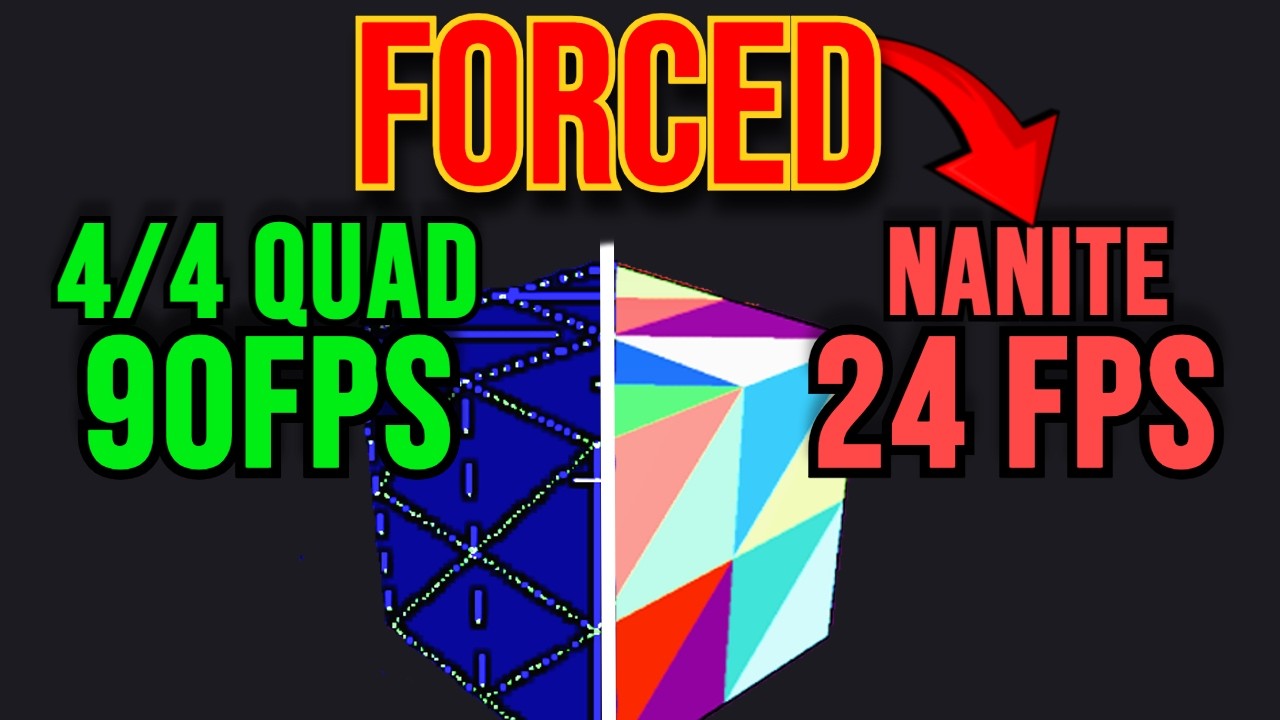
In this video, we dive into how Unreal Engine 5's Nanite technology is dragging down your game's performance and debunk misleading claims made to convince you it’s superior to traditional rendering.
This is a crucial topic for both gamers and developers and we offer a unique insight that aims to change how you understand mesh rendering and po...
true dawn
Are you mixing up nanite with Lumen?
torn elm
true dawn
Are you mixing up nanite with Lumen?
No, lumen is just software ray tracing
And it’s actually not too bad, it’s good in certain scenarios
true dawn
torn elm
And it’s actually not too bad, it’s good in certain scenarios
As long as you actually optimize your game it's great
Saves hundreds of not thousands of hours on asset creation
torn elm
Yes, it does, and it also reduces your cpu draw calls too.
At the expense of your GPU absolutely tanking. Memory leakages, under or over culling, no occlusion, and general fragment shader loading
I’d suggest you watch the video if you wanna look more in depth
true dawn
I know about the performance hit, I just don't think it's that bad in game.
And besides, nanite does more good than bad
Before ue 5 it was nearly impossible for an indie team to make an open world game that's not some voxel randomly generated type thing
Now those teams can actually afford to build levels of that scale bc of nanite. The only problem with nanite is the users. Devs who think "oh nanite will optimize it for me" and just drop 40 8k rocks in the tutorial area
torn elm
Which is indeed what a lot of devs do
Ideally we’ll need a photogrammetry scan. There’s too much quad overdraw in modern games. I’m not exactly sure what Id software did to make their games so optimized, but I do know they probably used some form of influence from decimas engine with virtualized shadows
lean herald
Is there some command or something to delete the chapter 21 save file or so in dark ages?
low trellis
Is this game just ass rn? I can't even launch others crash
torn elm
It worked fine for me idk
torn elm
lean herald
Is there some command or something to delete the chapter 21 save file or so in d...
I heard there’s a fix coming tomorrow or today. Also a new Nvidia driver update came out today if you care
true dawn
lean herald
I have a amd gpu tho
Are you on the newest driver? Have you tried reinstalling your driver?
lean herald
yeah I've tried
lean herald
torn elm
I heard there’s a fix coming tomorrow or today. Also a new Nvidia driver update ...
Where did you get that information from :O
true dawn
I am also on amd and had relatively few issues, aside from inconsistent performance
lean herald
it occured on consoles too
true dawn
What GPU do you have? And do you have more than 16 GB ram?
torn elm
lean herald
Where did you get that information from :O
Just something I read
lean herald
true dawn
What GPU do you have? And do you have more than 16 GB ram?
7800 xt gpu, 5600x cpu and 32gigs 3200mhz ddr4 ram
torn elm
true dawn
I am also on amd and had relatively few issues, aside from inconsistent performa...
Fr, either were extremely lucky or everyone else is extremely unlucky
torn elm
lean herald
7800 xt gpu, 5600x cpu and 32gigs 3200mhz ddr4 ram
The only gripe possible with this is a 6 core cpu, but you’ve beaten every other level
lean herald
torn elm
Just something I read
Do you still have the source by any means
torn elm
lean herald
Do you still have the source by any means
I’ll try to find it
lean herald
torn elm
I’ll try to find it
thx I appreciate it 
lean herald
torn elm
The only gripe possible with this is a 6 core cpu, but you’ve beaten every other...
I honestly don't think it's a cpu issue
since Doom generally is more of a gpu intensive game
torn elm
Yeah me neither, that’s why it’s super marginal, just mentioned it cause of a technicality
torn elm
lean herald
since Doom generally is more of a gpu intensive game
Yeah, TDA definitely is
@lean herald tho just wanted to ask, until the fix for the level comes out. How have you been liking the game so far?
lean herald
Very much, I would even go as far and say it's the best doom game
We need a battle mode just like in eternal
torn elm
lean herald
Very much, I would even go as far and say it's the best doom game
Same. It’s my personal favorite game of all time now lmao (eternal used to be my favorite)
true dawn
lean herald
7800 xt gpu, 5600x cpu and 32gigs 3200mhz ddr4 ram
That should be more than enough. I'm sorry you're having issues
Is the game playable at least?
And is this about the last level specifically? Bc it seems to cause crashing/poor performance on amd
The only crash I had during gameplay was on that level
torn elm
Yeah, a tonne of other people are crashing on that level specifically for some reason
lean herald
true dawn
Is the game playable at least?
yeah
I can still replay all chapters besides chapter 21 sadly
lean herald
torn elm
Yeah, a tonne of other people are crashing on that level specifically for some r...
Are you German by any chance? Lol
torn elm
Lmao what gave you that idea
lean herald
tonne
true dawn
lean herald
I can still replay all chapters besides chapter 21 sadly
Man that really sucks. It seems to be a universal issue with that levels performance. Maybe it was the last to be finished so they shoved it out the door? I hope you're able to finish it soon, and hope this doesn't hurt your perception of the game
torn elm
lean herald
tonne
Haha nah, I use both metric and imperial units. Gets confusing sometimes
true dawn
lean herald
tonne
Uk English also uses that. I'm Canadian and use ton and tonne interchangeably
true dawn
torn elm
Haha nah, I use both metric and imperial units. Gets confusing sometimes
Canadian?
torn elm
Nope
lean herald
true dawn
Man that really sucks. It seems to be a universal issue with that levels perform...
I'll I wait since I don't want to replay and recollect all secrets etc in the game
torn elm
American Asian (not the eastern kind)
true dawn
Really? So other countries use imperial for no reason too
lean herald
lean herald
I'll I wait since I don't want to replay and recollect all secrets etc in the ga...
on nightmare difficulty
lean herald
true dawn
Uk English also uses that. I'm Canadian and use ton and tonne interchangeably
Mb I thought that it's pronounced differently in every language
How did you guys manage to get the chainsaw shield in your pfp?
torn elm
true dawn
Really? So other countries use imperial for no reason too
Some do
torn elm
lean herald
How did you guys manage to get the chainsaw shield in your pfp?
It’s a discord quest, you can try it
 vast cedar
can anyone help me get rid of the blugsplat error
 gloomy dock
i cant stream tda in discord on the application option anyone have that issue
true dawn
gloomy dock
i cant stream tda in discord on the application option anyone have that issue
Turn off preset from compute
gloomy dock
true dawn
Turn off preset from compute
which preset
true dawn
What
There's a setting called "preset from compute"
There are no presets it's just on or off
 wheat ivy
Has someone on PC in Doom Dark Ages experienced bugs with controller when vibration is on? Like sometimes my input just breaks if I use vibration...
gloomy dock
true dawn
There's a setting called "preset from compute"
gotcha thx
 clear jewel
how can i fix this i cant change it
 cyan geyser
torn elm
depends n the i7
cyan geyser
torn elm
depends n the i7
Sorry for taking long to reply but its the latest generation of the i7
torn elm
Which is?
torn elm
Your totally fine
true dawn
cyan geyser
Its the 14th generation
14th isnt the latest anymore. core ultra came out a a little while ago. but yeah you should be fine, i have an 11th gen i7 and its fine
cyan geyser
Alright thanks everyone
maiden loom
Updated to the newest drivers and getting low fps due to low gpu utilisation and power draw. Not a big techie here. Can anyone help me identify what the problem is? I don't think it's a cpu(7500f) bottleneck as none of the cores are maxed. Have the same issue in pretty much any driver version i used
 true dawn
maiden loom
Updated to the newest drivers and getting low fps due to low gpu utilisation and...
true dawn
maiden loom
Updated to the newest drivers and getting low fps due to low gpu utilisation and...
do you have any kind of power saving mode on?
if this is a laptop, make sure its plugged in
maiden loom
true dawn
do you have any kind of power saving mode on?
No i don't have a power saving mode and it's a pc albeit a sff one
torn elm
maiden loom
Updated to the newest drivers and getting low fps due to low gpu utilisation and...
Have you already run DDU?
maiden loom
torn elm
Have you already run DDU?
Yes I had a 6700xt before. I ran ddu in safe mode and installed the nvidia drivers
torn elm
It’s better to run DDU every time you update your drivers even if you have to update them from a certain nvidia Driver to another nvidia Driver just because it avoids conflicts

 copper ferry
maiden loom
Updated to the newest drivers and getting low fps due to low gpu utilisation and...
copper ferry
maiden loom
Updated to the newest drivers and getting low fps due to low gpu utilisation and...
I made a guide regarding how to fix FPS and stutter busters.
maiden loom
5070 ti, 1440p, UN, No upscaling
From what I've seen online, I should be getting around 80 to 90 fps
maiden loom
torn elm
It’s better to run DDU every time you update your drivers even if you have to up...
Yes I did use Ddu in safe mode before updating to the latest drivers. Also did a clean install as well
torn elm
man im sorry then, the game is jsut bugged as fuck then
 spare bramble
lean herald
Day 2 of not being able to play chapter 21
spare bramble
lean herald
Day 2 of not being able to play chapter 21
Bro i cant either, i died in it one time and now it will not load for me
lean herald
spare bramble
Bro i cant either, i died in it one time and now it will not load for me
during the boss fight right?
spare bramble
yes!!
spare bramble
right and im on my first playthrough so i havent even got to finish the game...
he had one hit left and i died and now im in a crash loop and cant do a thing
torn elm
Oh god
lean herald
spare bramble
right and im on my first playthrough so i havent even got to finish the game...
yeah exact same situation just like me
copper ferry
I made a video guide on performance busters. Max FPS, solve stutter and crashes of any kind.
Have a look on my channel on YouTube.
lean herald
does someone have a saved file at chapter 15 atleast?
spare bramble
im running
i9-14900k
4090
is yours similar?
 twilit urchin
Hello @everyone. Is this where I can get some troubleshooting advice from the Doom Community and perhaps their team itself? I am having trouble playing the game at all. It keeps crashing when loading the main menu. I tried a bunch of fixes. Can go into more details if this is the right place to ask/get advice. Thank you!
I am talking about Doom: The Dark Ages
spare bramble
lean herald
I got a rx 7800 xt and 5600x with 32 gigs of ddr4
So we got two completely different builds and both crashing from the same thing. i guess that means it is software and not hardware related.
lean herald
spare bramble
So we got two completely different builds and both crashing from the same thing....
not at all
there are 2 steam community posts and a reddit post with the same issue
it happened to users on ps5 and xbox too, I guess we're the unlucky ones
spare bramble
lean herald
there are 2 steam community posts and a reddit post with the same issue
ima do some troubleshooting then, ill let yo know if i come up with anything.
lean herald
spare bramble
ima do some troubleshooting then, ill let yo know if i come up with anything.
Thx I appreciate that
There might be a way to delete the chapter 21 save file
not sure tho
 maiden loom
torn elm
man im sorry then, the game is jsut bugged as fuck then
maiden loom
torn elm
man im sorry then, the game is jsut bugged as fuck then
The thing is I'm getting lower fps than expected in almost every game. I tested cyberpunk rt ultra 1440p and I got just 45 fps when I'm supposed to be getting around 60. Tested almost every game and I'm getting much lower performance than usual(20 to 30 percent lower). My gpu core clock is not exceeding like 2750 mhz, when I see the same gpu going above 2850 mhz in games in other ppls builds(yt). I thought it might be a cpu bottleneck but it turns out that none of the cores are even close to maxing out. The gpu utilisation and power draw is also quite lower( doesn't go above 200 W in a gpu intensive situation). Put the power mode in nvidia control panel and windows to favour performance and that doesn't help. I honestly don't know what the issue is. Every driver I rolled back to has the same problem. Man I just wanted to play some Doom 😭
Did you do a clean install?
I want to do the same but don't have a flash drive 😭
lean herald
maiden loom
The thing is I'm getting lower fps than expected in almost every game. I tested ...
maybe cuz you're using nvidia control panel instead of amd adrenaline
not sure tho
maiden loom
lean herald
maybe cuz you're using nvidia control panel instead of amd adrenaline
Why would I use Adrenaline when I have a 5070ti?
Am I doing smth wrong?
 daring reef
Is throw a place for bugs? Any devs from the dark ages here?
Spire of Narathul refuses to log completion of the 3rd mission “destroying hell ships”
torn elm
maiden loom
The thing is I'm getting lower fps than expected in almost every game. I tested ...
-
Check GPU thermals
-
Check your wattage in games
-
Check your PCIe lanes in GPU Z
-
Check rebar if it’s enabled
-
Update bios and clear your CMOs
Also use HWINFO to make sure your your board power and PCIe power are going through
maiden loom
torn elm
1. Check GPU thermals
2. Check your wattage in games
3. Check your PCIe lanes...
-
Thermals are fine, doesn't exceed 65 degrees. Power doesn't exceed 200 W, when I see that it goes to 250 and above regularly in videos.
-
Gotta do that
-
It is enabled
-
Yeah haven't updated my bios yet, it's a version behind
Not sure about the HWinfo part, can you help me out on that?
maiden loom
Yeah imma try updating bios and reinstalling windows and see if it helps
torn elm
Good choice good choice
maiden loom
Otherwise I'm switching to 9070xt. Not gonna deal with shitty drivers
Anyways thanks y'all for your massive help 🙏
 harsh cedar
I’ve completed what is required for the “Berserker” trophy and it doesn’t unlock. I know other people have this issue as well. Is there other workarounds to get this trophy or solutions???
 swift pike
anyone else on series X getting crashes every 10-20 minutes from chapter 8 and beyond, only had the occasional crash once or twice per chapter but now it's almost every fight
 flint gazelle
lean herald
Day 2 of not being able to play chapter 21
flint gazelle
lean herald
Day 2 of not being able to play chapter 21
I figured out a fix for the chapter 21 crashing bug if you need it
 kind coral
3080 laptop barely hitting 60 FPS most times but no crashing at least. I think we can give up on a toggle to disable ray tracing because if they designed the game with RT that means there's no form of prebaked lighting to fall back on whatsoever.
maiden loom
maiden loom
Yeah imma try updating bios and reinstalling windows and see if it helps
Tried everything the game still runs like dogshit
Idk if it's a hardware or driver issue
tidal goblet
o yeah

 lusty barn
hey guys im trying to play dark ages and its worked fine since launch but just now its been opening from steam as a background task, and dont know how to fix
 twilit zealot
my controller input settings dont save
any1 kno da issue?
lean herald
flint gazelle
I figured out a fix for the chapter 21 crashing bug if you need it
Tell me pls
torn elm
tidal goblet
o yeah
Non OLED USER! CRUCIFY HIM!
true dawn
torn elm
Non OLED USER! CRUCIFY HIM!
I also dont have one, too expensive
torn elm
maiden loom
Tried everything the game still runs like dogshit
I’d say just take it to a tech shop at this point, have them look at it and try to mix and match the parts, unless you have a few pcs at home
true dawn
my tn still looks very good.
torn elm
true dawn
I also dont have one, too expensive
Yeah they get pricey
flint gazelle
lean herald
Tell me pls
I posted it here on this steam forum: https://steamcommunity.com/app/3017860/discussions/0/560246339316833270/
I'm at the last boss of Chapter 21. I got a cutscene, started the boss, it was all fine. When I died to the boss, I denied using an extra life. So it reloaded the level, as normal. But it crashed while loading. Now, whenever I try to reload into Chapter 21 to continue the game, it crashes on the loading screen. This has happened 10+ times in a r...
flint gazelle
lean herald
Tell me pls
This only works for PC
lean herald
flint gazelle
This only works for PC
Love you man, funny thing is I posted there too about this issue
Will I still be able to unlock the achievements tho?
Oh nvm it doesn't disable achievements
tidal goblet
torn elm
Non OLED USER! CRUCIFY HIM!
Had one, sucked for productivity lol
 crisp mist
Anyone what the heck these orbs are? I see them everywhere but can't interact with them. Couldn't find anything with reverse image search either.
 boreal dagger
crisp mist
Anyone what the heck these orbs are? I see them everywhere but can't interact wi...
boreal dagger
crisp mist
Anyone what the heck these orbs are? I see them everywhere but can't interact wi...
Plasma.
crisp mist
ah makes sense, thx
olive geyser
Fsr redstone looks promising
Hope games will actually use it
Or it'll be easy to mod into games
Really want ray reconstruction
torn elm
tidal goblet
Had one, sucked for productivity lol
What does that even mean
tidal goblet
torn elm
What does that even mean
Low PPI. And there's nothing on the market that's 32:9 that doesn't have some dumb curve like 1800R
Even the OLED G9, it sucks.
 civic quiver
Sooo do i need a 3070 for the dark ages or will a 3060 do?
tidal goblet
I considered the LG 5K2K but I don't care for 4K gaming. Too much of a performance hit, I like having hella frames with my 5090 at 1440p
tidal goblet
civic quiver
Sooo do i need a 3070 for the dark ages or will a 3060 do?
You should probably look up 3060 dark ages benchmarks or gameplay on YT
civic quiver
Cpu requirements were bs right?
torn elm
tidal goblet
Low PPI. And there's nothing on the market that's 32:9 that doesn't have some du...
1800R wtf lmao
torn elm
renders at a high resolution to avoid aliasing
it is the old DSR
i even used my alt 4k panel, it ran at 58-62 fps
just sent you an ss from tech powerup in spoiler chat
how so?
okay
DLSS and FSR are good technologies, and its very unnoticable, so i dont really care tbh
the time of native high fps is kinda fading, has been for 6 years now
cool
but then again, its not very noticable, most gamers at that pricepoint are running monitors where you can barely notice upscalers anymore so like, not much harm done
as a consumer, this feels like an overreaction
i agree on the 7900xt point, thats plain stupid
a 7900xt gets a lot lower fps than 60, so i get that
a 4080 super gets around that much tho, so yeah i dont care much personally
in some places its super expensive and in others (like where i live) it was 40 bucks
https://www.youtube.com/watch?v=ppZXJhg3puc this gpu seems to be getting 60 fps high 1440p , as it was listed on the spec sheet
https://www.youtube.com/watch?v=Zlzatw1E2vQ&t=797s here a 3080 is indeed getting 60 fps on high 1440p

- Recording impacts FPS by ~3-4 FPS
00:00 1440P - Medium - FSR ON
01:32 1440P - High - FSR ON
02:58 1440P - Ultra - FSR ON
05:30 1440P - Nightmare - FSR ON
07:30 1440P - Ultra Nightmare - FSR ON
09:30 1440P - Medium - FSR OFF
11:00 1440P - High - FSR OFF
12:30 1440P - Ultra - FSR OFF
14:00 1440P - Nightmare - FSR OFF
15:30 1440P - Ultra ...

Try Opera here: https://opr.as/05-Opera-browser-hardwareunboxed
Support us on Patreon: https://www.patreon.com/hardwareunboxed
YT Membership: https://www.youtube.com/channel/UCI8iQa1hv7oV_Z8D35vVuSg/join
Buy relevant products from Amazon, Newegg and others below:
Radeon RX 9070 XT - https://geni.us/CH0CxfR
Radeon RX 9070 - https://geni.us/3neQ...
both were mentioned in the spec sheet
the 6800 is literally the first link i sent, it got the performance as requested lmao
if you watch the full video, from 11;00 to 17:20 he even goes overspec on the settings, and hes in different environemtns too
on ultra nightmare settings
which as the top spec gpu at both time, whats the point
yes
same min spec btw
2060 super came out 6 years before tda
1050 ti came out 4 years before eternal
in terms of min spec age
and the amd r9 280 came out 6 years before eternal so its the same
factor in DLSS
1050 ti doesnt support DLSS, no gpu did, which is why eternal had to hold back on the graphics
eternal looked great for the time, it still looks great, but compared to TDA theres no competition honestly
what about DLSS balanced
the game looks far better than eternal though
eternal did not look miles above 2016 in my opinion
even on an oled i cant really notice too much of a difference between DLSS quality and balanced fyi, so i always play on balanced for the extra fps
its different, its better, but its not TDA - Eternal better
dlss performance looks eh, but balanced and quality are almost indistinguishable, and DLSS 4 has been out for almost 5 months now
mixed bag for sure, i agree, but regardless of that i prefer tda personally, but your free to choose whatever you prefer
theres a lot more entities present on then map, and the RT is still a part of the projectile settings + much much larger maps
And despite all that, RT Is still in the lighting of a lot more scenes
torn elm
Hm, i wouldn’t know then, im not exactly sure what they did for eternal
 elder flame
Does anyone know what the most demanding level in the game is, for benchmarking?
 nocturne ember
Does playing on ultrawide (21:9, 3440x1440) mean I get a lower fps than a regular 1440p resolution?
torn elm
yep
agile minnow
Lowkey building a new pc cause mine can't even launch the game 😭
novel remnant
flint gazelle
I posted it here on this steam forum: https://steamcommunity.com/app/3017860/dis...
Nick7247's a legend, his fix works and doesn't screw up progress or achievements.
 tight dawn
Guys, does anyone know if the developers know about the problem of getting achievements on Steam in DOOM: The Dark Ages? Or maybe they already wrote somewhere that there is this error?
lean herald
flint gazelle
I posted it here on this steam forum: https://steamcommunity.com/app/3017860/dis...
https://youtu.be/x5DRHX8he20?feature=shared I made a video guide for this

Download Console Unblocker: https://www.nexusmods.com/doomthedarkages/mods/12?tab=files&file_id=39
7zip download:
https://www.7-zip.org/
1st command:
map game/sp/m8_terror/m8_terror.map
2nd command:
map game/sp/m13_final_battle/m13_final_battle
Credits to the Guy who made this tutorial possible for me: https://steamcommunity.com/app/3017860...
true dawn
nocturne ember
Does playing on ultrawide (21:9, 3440x1440) mean I get a lower fps than a regula...
UW has 33% more pixels than regular widescreen. So, yes
true dawn
elder flame
Does anyone know what the most demanding level in the game is, for benchmarking?
generally these days its cyberpunk. But once they remove denuvo and add in path tracing to doom the dark ages, i think it will become much more popular for benchmarking
nocturne ember
Thanks, I guess that's probably why my fps average is lower on average than most other 9070 xt users are reporting
Also is it confirmed they'll be removing denuvo eventually?
true dawn
nocturne ember
Also is it confirmed they'll be removing denuvo eventually?
technically no, but most developers remove it eventually, and they did that with eternal
 desert halo
nocturne ember
Does playing on ultrawide (21:9, 3440x1440) mean I get a lower fps than a regula...
desert halo
nocturne ember
Does playing on ultrawide (21:9, 3440x1440) mean I get a lower fps than a regula...
of course? it's more pixels
hope we get a benchmark option as well
nocturne ember
I just noticed that when I look around, the crosshair leaves like, a trail, is that ghosting or soem kind of vsync issue? Trying to figure out what setting is causing this
true dawn
nocturne ember
I just noticed that when I look around, the crosshair leaves like, a trail, is t...
do you have AFMF or some other FG on?
nocturne ember
I had FSR on but turning it off and it's still there
I actually went into eternal and am testing it there rn, it's there albeit a very little bit compared to TDA
for example (it's more noticable in eternal), if I very quickly pan left and right, there's a tiny clone-like trail left behind by the crosshair, it's definitely there but I can't capture it with screenshots
(I edited in ms paint to illustrate the issue)

could it be a monitor / GPU issue? I'm on a brand new 9070 I couldn't imagine that's it?
after more googling it might be monitor ghosting