I have another question, normally a bounce pad makes the slayer jump but UPWARDS to reach the destination, how can I make the slayer be pushed forward? Instead of up? = Do I need to edit or change any properties within the Bounce Pad trigger? Or is it another kind of trigger that is used to give the player a boost and reach a destination?
#eternal-modding
1 messages · Page 15 of 1
 molten token
 oak geyser
molten token
I have another question, normally a bounce pad makes the slayer jump but UPWARDS...
oak geyser
molten token
I have another question, normally a bounce pad makes the slayer jump but UPWARDS...
You can potentially get a lower arc using the Use Low Arc Instead Of High option on the bounce trigger, but a better way is IMHO to use flight time (enable the Use Flight Time option) instead of launch speed, this will give you a reliable low arc that is being shown in the editor accordingly.
molten token
oak geyser
You can potentially get a lower arc using the `Use Low Arc Instead Of High` opti...
man is perfect! thank you very much!
Is there a way to make it have a fixed path? That is, if I move left or right with the player, the path doesn't change?
oak geyser
Enable the Lock Player Movement option.
molten token
It's perfect!!! Thanks a lot man!
 stiff silo
imagine a mod that makes the imps use flit and steel instead of throwing fire
 plush thicket


 ivory gyro
you could make a map or make the nether have doom enemeys
 winter bough
Hello guys, I am not a modder myself, but I am just here to ask if there is an eternal mod for gold fx on weapons because I have the gold of every weapon and to have the fire share the scheme would be a nice polish.
I have checked over multiple times between sites I trust like nexus and gamebanana
 neat stone
i installed the mods but they dont work like i installed a suit and it didnt work but i installed a gun skin and it worked amd none of the suits are working what do i do
Nvm I fixed it
neat stone
i have the doom eternal launcher and i have the ms store but how do i get nexusmods mods for it
 atomic bay
See here: #eternal-modding message
winter bough
atomic bay
See here: https://discord.com/channels/162891400684371968/832501492992573480/125...
I appreciate you a lot
does anyone know a specific mod for like weapon fx, cause I wanna pair the gold skins and the energy weapons to have similar colors, kinda like a pale goldenrod
 river geyser
Is there a mod that enables all console commands? I'd like to record demos of gameplay instead of recording video.
atomic bay
river geyser
Is there a mod that enables all console commands? I'd like to record demos of ga...
Is there a mod that enables all console commands? [...]
You have three options:
- Run EternalModInjector once (even if you don't actually install any mods with it). This will unhide all hidden console commands/variables.
- Install meath00k (https://github.com/brongo/m3337ho0o0ok/releases/latest). This will unhide all hidden console commands/variables, and also addchrispy(the same as PC Mod Preview'sspawn),noclip,noTarget, and anything starting withmh_.
- Opt into the PC Mod Preview and click "Mods" > "Play Mods" > "Play DOOM Eternal with mods" in Doom Eternal's new launcher. This will give you access to hidden console commands/variables, plus many commands/variables that were completely removed from the "normal" version of the game (includingnoclip,noTarget,spawn(the same as meath00k'schrispy), and more).
[...] I'd like to record demos of gameplay instead of recording video.
There are still a few remnants/references to demos, but I don't think that they actually work. 🤷
 distant sage
Not an eternal person but I do sorta doubt it as demos rely on the RNG always being the same.
atomic bay
It should be easy to save/load the random seed for that. But 90's-Doom-style demos also rely on a fixed timestep, while Doom Eternal's game logic runs at a variable tick rate by default.
-# (It would be possible to lock the tick rate for demos, and/or forgo "recording inputs" and instead "record every object's position/animation/creation/destruction" to play back an "animation" instead of game logic, which could also semi-solve the issue of "what if game updates break old demos?" - but I still just don't feel like demo functionality would be maintained when it's not used any more. Unless id Software uses it a lot internally for testing? 🤷)
distant sage
atomic bay
It should be easy to save/load the random seed for that. But 90's-Doom-style dem...
I completely overlooked seeding tbh
molten token
I'm feeling very envious of those who were taken to the id software studio to play the new "doom the dark ages" right now


river geyser
atomic bay
> *Is there a mod that enables all console commands? [...]*
You have three optio...
Thanks, I hoped something like this would work:
- gc_autoRecordDemos - When 1, automatically records demos for each match in PRODUCTION (packaged) builds. When 2, automatically records demos for each match in all builds.
But, perhaps that's only for multi-player.
Some other commands that point at demo recording being possible (unless I'm reading too much into it):
- demo_recording_globaldisable - Flat-out disable demo recording from being initiated (won't stop in-progress demos.
- demo_timeScale - Scales the demo speed based on this value.
- cam_demoPlaybackHackRotateMultiplier - In free cam mode in demos, multiplies input this much.
- com_demoPlaybackRate - Rate to playback demos, 0 for realtime.
- com_demoPlaybackScale - Scales playback time of demos.
- com_demoStats - Print stats on demo compression rates.
- demo_ignoreBuildCheck - Normally demos will only play for the appropriate build. This ignores that check. WARNING: Enabling this can result in strange behaviors and
crashes.
 polar nexus
it's gonna be similar to snapmap in doom (2016) when mod support is fully released in eternal, right?
atomic bay
By "similar to SnapMap", do you mean only having mostly-grid-based* level layouts composed of premade setpieces snapped together, optionally with some game logic or scenebuilding within? If so, no. idStudio allows you to create completely custom world geometry from scratch; with enough time and dedication, one can make something to the extent of the main Campaign or The Ancient Gods' maps. Additionally, other types of game content can be altered too; "behavioural" settings (decls), models, textures, animations, sounds, GUIs, and more can all be changed by mods.
-# * (There are some SnapMap maps that are made entirely from custom scenebuilding within a large room module, hence "mostly" - though demons usually won't know how to navigate these maps.)
 ancient shard
atomic bay
By "*similar to SnapMap*", do you mean only having mostly-grid-based\* level lay...
ancient shard
atomic bay
By "*similar to SnapMap*", do you mean only having mostly-grid-based\* level lay...
Its a very powerful tool! And with updates and fixes. I hope it adds and fixes features to make even more things possible tho! :).
 halcyon stratus
polar nexus
it's gonna be similar to snapmap in doom (2016) when mod support is fully releas...
halcyon stratus
polar nexus
it's gonna be similar to snapmap in doom (2016) when mod support is fully releas...
In that it's gonna be easier for the end user to create mods? Not at all. This is a full-on SDK, as in the tools used by ID to make Eternal, not a curated editing tool like Snapmap.
 prisma vector
Hello, I have created a model in blender and dropped the fbx into base/art/models in IDstudio. My scale and rotation are fine but I am missing my material/textures, any ideas?
oak geyser
prisma vector
Hello, I have created a model in blender and dropped the fbx into base/art/model...
What exactly do you mean by "missing"? Generally idStudio will not actually import any materials/textures from your models, it will just use/assign the material names found in the file, and map them to idStudio based material decls that are matching the name, which you'll have to create yourself. In Blender you would use relative paths as material names as they appear in the material2 folder in idStudio, for example art/tile/common/blockout/brown_grid.
 prisma vector
oak geyser
What exactly do you mean by "missing"? Generally idStudio will not actually impo...
prisma vector
oak geyser
What exactly do you mean by "missing"? Generally idStudio will not actually impo...
oh, so i create the material in id first basically? then copy the rel path on that decl to the mat name in blender?
oak geyser
You don't necessarily have to create it first, it can be done afterwards too, but yeah, basically like that.
prisma vector
thanks
molten token
oak geyser
What exactly do you mean by "missing"? Generally idStudio will not actually impo...
This would be a perfect mod replacement for the rocket launcher ammo.
oak geyser
molten token
This would be a perfect mod replacement for the rocket launcher ammo.
Too powerful, and too dangerous, the common Banana Peel can even take out the Slayer! https://www.youtube.com/watch?v=eL-hAHlCWH4
 molten token
hahaha
 lavish apex
why is it unlisted? that was art
 hasty oyster
new co0mputer, now i have to download nearly a TB of datra
 exotic spruce
I just downloaded id studio. I wanted to make a map just using the main game assets. Just as a starting point. I'm kinda lost on how to start
exotic spruce
yea i don't understand this
oak geyser
exotic spruce
I just downloaded id studio. I wanted to make a map just using the main game ass...
Check the docs, read through the Getting Started and Worldbuilding in id Tech sections, and then try the tutorials https://idstudio.idsoftware.com
 orchid flicker
Will using mods or being on the mod test beta effect achievements in game and on steam?
Mods like different skins and such, nothing that changes gameplay
atomic bay
If you're opted into the PC Mod Preview beta, then Doom Eternal's new launcher's "Play DOOM Eternal" button allows you to earn Steam achievements, while the "Mods" > "Play Mods" > "Play DOOM Eternal with mods" button doesn't. (You can still earn in-game milestones, though.)
The two buttons have separate sets of save data (see https://wiki.eternalmods.com/books/0-idstudio/page/copy-save-profiles-to-sandbox), so you can't just click "Play DOOM Eternal" to get any missing Steam achievements that you would have obtained with mods.
However, the old, unofficial EternalModInjector can be used with both the "Play DOOM Eternal" button and the "Mods" > "Play Mods" > "Play DOOM Eternal with mods" button, so if you only use EternalModInjector mods, you can still earn Steam achievements.
ancient shard
oak geyser
What exactly do you mean by "missing"? Generally idStudio will not actually impo...
"OOOOOH. BANANA!"
 agile nest
Feels like I'm starting to flood the server with this, but I would really love a hand. Ss in the screenshots, when I try to open up the pc-mod-preview launcher all I get is that spinning orange circle. I verified files, rebooted, even reinstalled the game. what is going on? Yesterday It was working completely fine


 mild hinge
Yo
I´m looking forward to replay Doom Eternal +DLCs
Is there any mod that revamps the Davot fight?
Because its a little anticlimatic how slow that fight was SPECIALLY when you consider the awesome fucking DLC that is closed by it
prisma vector
dark lord ml by konvaz
 rare salmon
Thoughts on the master campaign mod? Kaiser's always felt too excessive for me, even by DE's standards
oak geyser
rare salmon
Thoughts on the master campaign mod? Kaiser's always felt too excessive for me, ...
I think that's exactly what it wanted to be, it's for people that craved more. Specifically more pain. I'm a big fan of it, to me personally it was/is one the best mods out there, after the game became kinda "too easy" after so many hours, that mod made me hate the game again with a passion, so that was great 🙂
 solar glen
how can I activate infinite chainsaw ammo ?
molten token
oak geyser
Too powerful, and too dangerous, the common Banana Peel can even take out the Sl...
I've watched this video again and it seems to me to be art and essence at its best haha

ancient shard
oak geyser
Too powerful, and too dangerous, the common Banana Peel can even take out the Sl...
How did i just missed this? XDDD
plush thicket

 halcyon stratus
Damn that's pretty.
plush thicket
New level work in progress, it gonna be a full level 30-35 min's, called Remnant, hell style with earth twist something like Hell on earth


 pseudo igloo
@plush thicket keep cooking, King
i'm busy learning to navigate around idStudio right now. getting used to the interface---though it's somewhat familiar after so many years of using D3 Radiant
 hasty sand
yo do you have any modded master level suggestions?
prisma vector
unreclaimed earth
polar nexus
plush thicket
New level work in progress, it gonna be a full level 30-35 min's, called Remnant...
bro knows how to make doom ETERNAL
molten token
plush thicket
New level work in progress, it gonna be a full level 30-35 min's, called Remnant...
nice! I was missing someone making "complete" levels again. I like to advance and explore what I can find in Doom levels.
plush thicket
molten token
nice! I was missing someone making "complete" levels again. I like to advance an...
you can create whatever you want, ofcourse taking reference from the campaign levels will help so much, I recommend play the entire game again and collect ideas.
molten token
plush thicket
you can create whatever you want, ofcourse taking reference from the campaign le...
Yes, I've been replaying the game and gathering ideas, I'm dying just with one level lol I find the work done by the modders and creators of the game impressive, Doom has so many details that it's mind-blowing
Optimus Prime has been purchased by id Software


 charred ice
is there a tutorial for modding the doom eternal xbox version?
my files look diferent from the ones on steam
atomic bay
See here: #eternal-modding message
You don't need to mess with the game files for PC Mod Preview/idStudio mods, and the message has a link at the bottom that explains how to install old EternalModInjector mods for Microsoft Store/Xbox Game Pass.
 cinder tiger
Is playing horde mode with mods just impossible? or does anybody have a solution?
I'm only using cosmetic changes, but you're always offline launching through mods
charred ice
doometernalx64vk what does this file need and where does it need to go???
or where do i put the mods???/MAPS
plush thicket
I released a new map
 old rune
fuck
polar nexus
plush thicket
I released a new map
is it for singleplayer as well?
plush thicket
polar nexus
is it for singleplayer as well?
Yes it only singleplayer atm
polar nexus
plush thicket
Yes it only singleplayer atm
good stuff
polar nexus
added one of my favorite sounds. tom and jerry hit sound effect
 echo root
I got a question. Are there any attempts of Doom 2016 enemies being ported over to Eternal?
 real chasm
Not sure if it's still being worked on but I remember someone was trying to import the hell razer into Eternal.
echo root
I see
 tight hinge
echo root
I got a question. Are there any attempts of Doom 2016 enemies being ported over ...
tight hinge
echo root
I got a question. Are there any attempts of Doom 2016 enemies being ported over ...
yo, I'm currently trying the Hellrazer
real chasm
speak of the revenant
tight hinge
it should be possible to do it, but I've run into a couple issues right now
I wanted to give him custom gore, but I haven't been able to successfully port the mesh with the gore chunks
echo root
T0y0ta is going places (sorry was that terrible?🥴)
tight hinge
I'm also having some issues making the glory kills work (the skeleton of the Hellrazer doesn't match the one from the soldier)
so I have two options, retarget the Hellrazer skeleton to use Eternal's soldier animations, or try to use the glory kill animations from 2016
I've been trying 2016's ones, but the Slayer's hands camera isn't working properly
I managed to make these work so far
echo root
Amazing!
tight hinge
Another issue that isn't fixable is ragdoll, Doom Eternal uses Havok which is licensed, so we can't make custom ragdolls yet
real chasm
Seriously good work so far though. I missed the hell razer
tight hinge
thanks, I really want to finish him, but I'm running into a lot of brick walls
 tranquil estuary
Is it possible to make a mod for the armor and replace the model?
 grizzled tiger
oak geyser
Too powerful, and too dangerous, the common Banana Peel can even take out the Sl...
grizzled tiger
oak geyser
Too powerful, and too dangerous, the common Banana Peel can even take out the Sl...
are there any documentation or videos to learn how to use the cinematics tool?
also, awesome work lol
ancient shard
tight hinge
I wanted to give him custom gore, but I haven't been able to successfully port t...
The problem with this, is that its giving the "Rangeoutindex" problem, it probably has to do with weight of the vertices. But i don't think it will be easily fixable :/.
ancient shard
tight hinge
Another issue that isn't fixable is ragdoll, Doom Eternal uses Havok which is li...
Also this! Id Studio has a feature "Load Ragdoll" but it doens't seem to work yet...
oak geyser
grizzled tiger
are there any documentation or videos to learn how to use the cinematics tool?
a...
None that I'm aware of, I haven't really stumbled over any tutorials, and the official docs have no info on it yet, they're still work in progress, just like idStudio itself.
grizzled tiger
Ah did you figure it out yourself then? That's cool!!
oak geyser
Yeah, it's not really complicated, after all it's just a timeline with tracks for the animated objects, there's keyframes, and yeah... I'm oversimplifying a little bit of course, but that's really pretty much it. The hard part is creating the custom animations (unless you're an experienced animator of course - which I am not).
halcyon stratus
tight hinge
https://cdn.discordapp.com/attachments/1353479802513788981/1358876398386810991/U...
I'm waiting on the day someone ports 2016's Foundry to Eternal but this is the next best thing.
I'm not a huge fan of the Razer or anything but this is exciting.
tight hinge
halcyon stratus
I'm waiting on the day someone ports 2016's Foundry to Eternal but this is the n...
I don't know how feasible that would be, since 2016 has a completely different format and unit scale from Eternal
halcyon stratus
Don't they use megatextures too? I could be mistaken.
But yeah it's a shame. I guess one could approximate the look with custom geo and maybe import some of 2016's assets to match?
tight hinge
I remember someone was trying to do something with Vega Core, but I haven't seen much about it recently
ancient shard
halcyon stratus
I'm waiting on the day someone ports 2016's Foundry to Eternal but this is the n...
I mean, static meshes are more duable tho. So it is possible to port Foundry assets on Doom Eternal.
 haughty mica
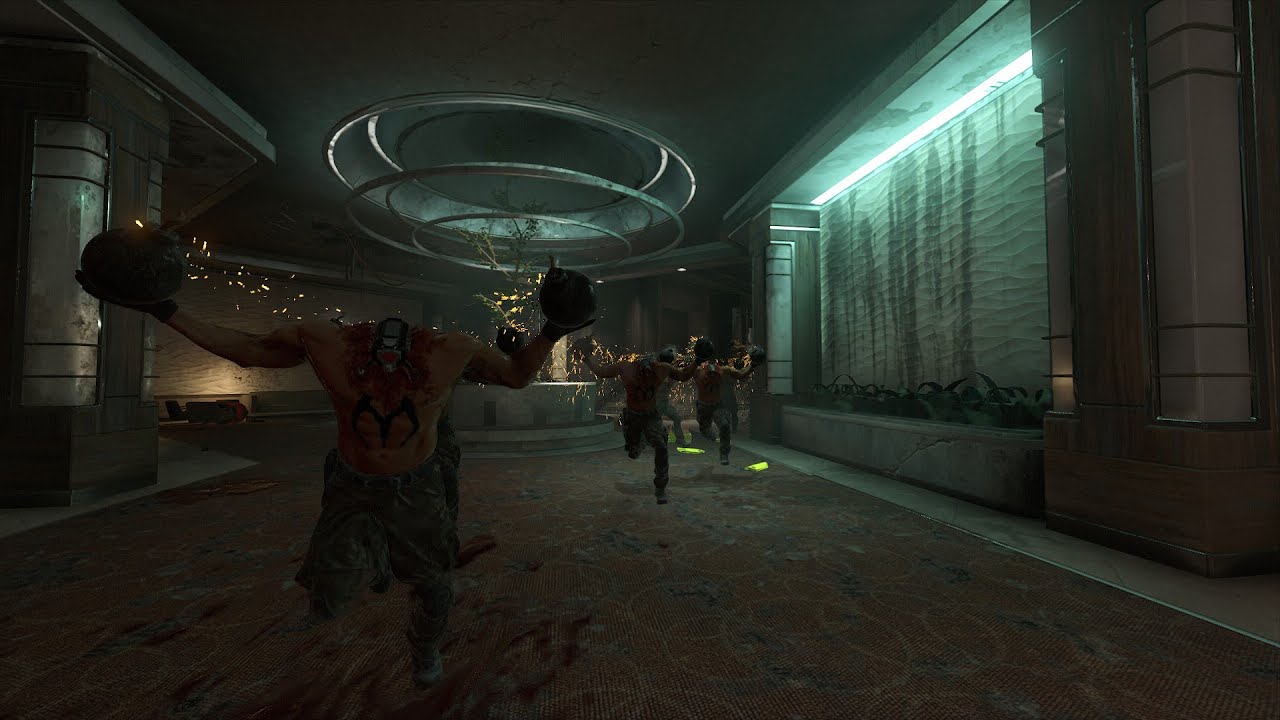
They're completely finished as far as I've tested, ignore the last part where a lot of them were standing still intermittently, that's something modders will have to adjust according to the level they're making (I didn't bother adjusting it here).
Mod Portal page: https://mods.bethesda.net/en/doometernal/details/80694147-eb8c-4dc8-a5de-2c11cde4...
lavish apex
that's so cool
halcyon stratus
tight hinge
https://cdn.discordapp.com/attachments/1229883807537172623/1363559207449792583/U...
Somehow reminds me of the original concept for DHB where it was to take place in that big spacecraft you see in the skybox in CB.
It was to have outer space low gravity sections IIRC. Good stuff.
tight hinge
halcyon stratus
Somehow reminds me of the original concept for DHB where it was to take place in...
That's where I got inspiration from
you can see the spacecraft in the skybox
halcyon stratus
Oh I was right then. Good stuff.
tight hinge
yeah, it's meant to be a prequel level, maybe a full "dlc" if I'm sane enough to pull that off
molten token
Why does she remind me so much of Olivia Pierce?

I noticed that Olivia Pierce always had that same right hand raised, as if holding that same Maykr artifact. I'm just saying it's a bit suspicious since she never had anything in her hand.
 rugged prism
Hello, I had a few questions about the mod loader (Steam)
I've been playing a mod that lets you cycle through campaign and battle mode maps in a horde mode style, all accessible via a hub in cultist base
Played it a lot and have raked up a good amount of extra lives, I'm kinda worried if I disable the mod or load in some other mod I'd lose my savefile completely
Looking for guidance how to manage saves in the modded env
atomic bay
If you don't try to load the same save slot without the mod, the save slot will remain for when you use the mod again.
If you accidentally load it without the mod, then the game might crash (e.g. if it tries to access a non-existent checkpoint or map), which will leave the save slot intact, or map logic might be broken, which will also leave the save slot intact unless you trigger a checkpoint in-game (which may or may not break something).
Either way, you can manually back up save data if you'd like, too.
If you've opted into the PC Mod Preview and you click "Mods" > "Play Mods" > "Play DOOM Eternal with mods" in Doom Eternal's new launcher to play with mods, then you can manually back up files from/copy files into "C:\Users\[Username]\Saved Games\id Software\DOOMSandBox\base\savegame.unencrypted\".
Otherwise (not opted into PC Mod Preview, or clicking "Play DOOM Eternal" on the launcher's home screen), you can use DOOMSaveManager (https://github.com/GoobyCorp/DOOMSaveManager/releases/latest) to export/import backups.
rugged prism
atomic bay
If you don't try to load the same save slot without the mod, the save slot will ...
An extremely insightful answer, thanks a ton man cleared a lot of things for me
Cheers choomba 🍻
rugged prism
Anyway to level up in the sandbox? Or is it hard reset/lock to 1 and default profile customisation only in that?
 fickle glade
Look up how to transfer your save to sandbox
 topaz fulcrum
I have a question about trigger/teleport_fade
Can they be enabled during gameplay? I know they can be removed but I would like to enable some for 1 fight and then remove them after.
oak geyser
topaz fulcrum
I have a question about `trigger/teleport_fade`
Can they be enabled during gamep...
There's many different ways this could be done... for example when you check Trigger First, the trigger will only trigger after itself has been triggered at least once first 🙂
topaz fulcrum
oak geyser
There's many different ways this could be done... for example when you check `Tr...
Thank you! This works perfectly.
 modern spire
Question, every time I try to open ID studio I get this error. How can I fix it?

Oh im a dumbass
I figure it out
plush thicket
modern spire
Question, every time I try to open ID studio I get this error. How can I fix it?
the idstudio must be installed in the same path of the main game, and everytime you need to open idstudio open it from the launcher in the creation tab
 bronze ermine
Pilot Slayer
Some Doom x Titanfall2 crossover skins!
Mod by @blacklight9699


 amber crown
bronze ermine
Pilot Slayer
Some Doom x Titanfall2 crossover skins!
Mod by @blacklight9699
amber crown
bronze ermine
Pilot Slayer
Some Doom x Titanfall2 crossover skins!
Mod by @blacklight9699
beautiful
 low ocean
atomic bay
low ocean
atomic bay
Yes, both official and unofficial mod support works with the Microsoft Store(/Xbox Game Pass) version. See here: #eternal-modding message
 oblique dirge
im back!!!!!!

 rich schooner
am i able to mod eternal on xbox?
prisma vector
xbox game pass on pc? yeah
 maiden helm
Hi! I tried to play eternal with mods but when I click "Play DOOM Eternal with mods" nothing happens. I tried a lot of things like reinstalling the game, verifying game files moving mods folder. Nothing helps
polar nexus
oblique dirge
im back!!!!!!

 rich prism
oblique dirge
im back!!!!!!
rich prism
oblique dirge
im back!!!!!!
A city map? You have my attention.
ancient shard
oblique dirge
im back!!!!!!
That looks really good man! Welcome back!
oblique dirge
ancient shard
That looks really good man! Welcome back!
i will need your help
ancient shard
oblique dirge
i will need your help
Sure man! :D.
molten token
Are we looking at the best Eternal Doom mod? Haha, this seems incredible to me. AlvaroMDK could also make Chavo del 8 and Mr. Barriga. Well, it would be interesting to see these skins in a Slayer vs. Slayer game. Haha


 thorn junco
molten token
Are we looking at the best Eternal Doom mod? Haha, this seems incredible to me. ...
thorn junco
molten token
Are we looking at the best Eternal Doom mod? Haha, this seems incredible to me. ...
now I just want a mod of the hammer that when it hits the ground is don ramon’s “TOMA” along with the bell
molten token
thorn junco
now I just want a mod of the hammer that when it hits the ground is don ramon’s ...
hahahaha that would be crazy
 cyan oar
Anyone want to play coop slaughter maps?
 whole cedar
thorn junco
now I just want a mod of the hammer that when it hits the ground is don ramon’s ...
whole cedar
thorn junco
now I just want a mod of the hammer that when it hits the ground is don ramon’s ...
i actually wanted to do that for the blood punch but i cant seem to figure out audio modding 🫠
rich schooner
am i able to mod on xbox?
distant sage
rich schooner
am i able to mod on xbox?
no
rich schooner
ok ty
fickle glade
Does anybody know if the guy who made the gm_construct port is here on discord?
topaz fulcrum
Question about Target/Relay
They have a Count value so it can be triggered a number of times before it fires, however this value doesn't seem to get saved at checkpoints.
I set the When to save on the relay to checkpoint but it doesn't save the count value.
The scenario I have is there are a number of items to be found throughout the level and I am counting them with a relay. But when I reload a checkpoint the count is back at 0.
 earnest condor
bronze ermine
Pilot Slayer
Some Doom x Titanfall2 crossover skins!
Mod by @blacklight9699
earnest condor
bronze ermine
Pilot Slayer
Some Doom x Titanfall2 crossover skins!
Mod by @blacklight9699
hey I just entered the doom mod platform, and this guy blacklight9699 ported the doomguys from quake champions, they look amazing. Does anybody know if you can send a message through the mod page? I want to ask them if they can also port the Classic Doomguy from Quake Champions
oak geyser
topaz fulcrum
Question about `Target/Relay`
They have a `Count `value so it can be triggered ...
I have no idea whether the current count is even meant to be saved in the first place, but I couldn't find any target/relay entity in the vanilla maps that is set to save data - which may or may not be a clue. Depending on what exactly you're picking up, an inventory check could possibly be a viable alternative.
prisma vector
Has anyone UN the kaiser campaign
molten token
oak geyser
I have no idea whether the current count is even meant to be saved in the first ...
Could it be that the "activate level" objective solves your problem?
the namekkawalsky problem I mean (the autocorrect) haha
oak geyser
molten token
Could it be that the "activate level" objective solves your problem?
Maybe, maybe not, will depend on the specifics of the underlying problem.
molten token
Perhaps you should give us more details. From what I understand, you want to do something similar to Saleem? That is, things are activated during the encounter, and at the end of Saleem, a save checkpoint is triggered, but when you press "Load Checkpoint," the changed items return to normal? As far as I know, this could be fixed with an "Activate Level Objective" option.
topaz fulcrum
molten token
Perhaps you should give us more details. From what I understand, you want to do ...
I am going to try level activates, I think that could work.
I have multiple paths players can take branching off from a hub, down each path players collect batteries, returning to a hub to insert them. Each battery inserted hits a relay with a count to track how many you have inserted. This count gets lost on reload so it thinks you have 0 batteries inserted when you in fact do.
I think each time players plug one in, if it hits a change layer with a level activate that then fires the relay on reload, that might work.
 hidden quest
Hey all, first time modding, trying to make an idStudio mod to use PS5 controller icons instead of XBox controller icons. I found the folder for all the controller icons. Is my best bet to just copy the PS5 icons over the XBox ones, like a straight replace of the files but keep the names of the XBox ones the same? I think I could also try to find all the places that the game references using the icons and change them from the paths to the XBox icon files to the path to the PlayStation icons? First way seems way easier, is there any downside to doing it that way?
plush thicket
topaz fulcrum
I am going to try level activates, I think that could work.
I have multiple pa...
Track these stuff with stats
Here an example, I made this for my map RANCID, It track how many secret encounters has been completed
 topaz fulcrum
I was able to get my scenario working using level activates, each battery inserted into the socket enables a layer change and when reloading a checkpoint they fire off to increase the correct counts 🎉
I need to do more testing but I am confident this should be good! (famous last words!)
Thank you @oak geyser | @molten token | @plush thicket for the help!
 pearl junco
hidden quest
Hey all, first time modding, trying to make an idStudio mod to use PS5 controlle...
pearl junco
hidden quest
Hey all, first time modding, trying to make an idStudio mod to use PS5 controlle...
Find the material2 decls for the xbox icons and change the image files they reference to the playstation icons
but I'd be surprised if there wasn't a cvar that toggled this
hidden quest
pearl junco
but I'd be surprised if there wasn't a cvar that toggled this
@pearl junco Thanks for the heads up, that was what I went with. Unpacked the Xbox Controller .decl files and then edited them to change the asset they pointed to. The PS5 controller icons were right there next to them so it wasn't that hard. A lot of the icons for the PS5 controller use the PS4 icon assets, only ones that are different are the R1/L1/R2/L2 icons and start/select. Only things this didn't work for were the key bindings menu and the prompt to skip cutscenes. I didn't even bother to find the ones for key bindings menu, but I did spend some time trying to get the one for skipping cutscenes. I think I found the .decl file for it, or at least one that is invovled, but couldn't nail down exactly which one controlled which icon was used for it. I published the mod to the idStudio portal this morning.
Let me know if you find a cvar, there is definitely a setting somewhere that tells it which set of icons to use, there are 5 sets already in the games files, PS4, PS5, Xbox One, Stadia, and Switch and somewhere it says which to use, would love to find it and can't think of why they didn't put the option to change the icons in the game, it has about a million other settings in the menu
 livid sky
Is it normal to get a notification saying that the mod may not work everytime you launch doom eternal with the meath00k mod?
halcyon stratus
@plush thicket Just put out a SSG only NM run of Dawn, beat it blind. Loved the aesthetics.
It's now on #videos .
plush thicket
halcyon stratus
<@285505188620402688> Just put out a SSG only NM run of Dawn, beat it blind. Lov...
nice
atomic bay
livid sky
Is it normal to get a notification saying that the mod may not work everytime yo...
Yes. Update 6.66 Rev 3 changed something that meath00k tries to scan for, so meath00k shows a pop-up about the scan failing. You probably don't use anything in meath00k that actually relies on that (which is part of the reason that meath00k hasn't been updated to fix it), so you can just ignore the pop-up and click "OK" to launch the game.
 tough raft
Hi, iam new to modding could someone help me? iam trying to run mod injector but it every time it wont work or just straight up crash, i tried reinstalling game, unninstalling that exact file and verify to make it instal again or repair and nothing just seems to work even tried restarting pc as it says, iam just trying to unlock commands so i can change my viewmodel cause i hate the default one

does anyone know how to chech if “build-manifest.bin“ is in use by any other program?
is there also a chance that meathook is causing to crash my game? since it was updated in 2022?
oblique dirge
For some odd reason, I cannot open the my portal. It’s just stuck on the loading thing before you get into it.
 oak geyser
oblique dirge
oak geyser
oblique dirge
In your saved games folder there might be a id Software\DOOMEternal\user folder. With the launcher closed, make a copy of the user folder, delete it, then try starting the launcher again.
oblique dirge
oak geyser
In your saved games folder there might be a `id Software\DOOMEternal\user` folde...
ok ty
oblique dirge
oak geyser
In your saved games folder there might be a `id Software\DOOMEternal\user` folde...

where
oak geyser
That's the game folder, not the "saved games" folder... put shell:SavedGames in the Windows Explorer's navigation bar and hit enter
oblique dirge
oak geyser
That's the game folder, not the "saved games" folder... put `shell:SavedGames` i...
ok i got in ty
oak geyser
you're welcome
oblique dirge
oak geyser
you're welcome
Yo
Can you help me with something I have no idea what this means
 molten token
oblique dirge
Can you help me with something I have no idea what this means
molten token
oblique dirge
Can you help me with something I have no idea what this means
Does this happen every time you open id Studio? Or with a specific mod? Perhaps you could provide more details so it would be easier to understand or help
oblique dirge
molten token
Does this happen every time you open id Studio? Or with a specific mod? Perhaps ...
id studio
molten token
oblique dirge
id studio
I remember a time when Eternal Doom wouldn't start unless you updated your graphics card to the latest version from the official website. Could this have something to do with it? Have you changed your graphics card recently? Or have you made any changes to your configuration and then this error appears? I would try updating my graphics card drivers from the official website (in my case, it's NVIDIA)
oblique dirge
molten token
I remember a time when Eternal Doom wouldn't start unless you updated your graph...
can you send me the Wedstie pl
oblique dirge
molten token
I remember a time when Eternal Doom wouldn't start unless you updated your graph...
i need to try
 brazen jacinth
does anyone know how to keep stop demons from dying as soon as they notice me? they'll spawn in after I go over the trigger but they just die like instantly. I followed the encounter setup tutorial exactly but there isn't much about scripting in the encounter tutorial on the idstudio guide thing, so I'm stumped. (would send a video of my problem but discord file size is shit and vega is a bitch)
topaz fulcrum
brazen jacinth
does anyone know how to keep stop demons from dying as soon as they notice me? t...
Is there navmesh there?
 brazen jacinth
that worked, thx a lot. not sure where I missed that or if it was in there at all lol
topaz fulcrum
I had the same issue when I started too
Does anyone know how to preview sounds?
On the wiki it shows a play button next to the Start Event but I am missing that button. Sometimes I can hear them from the asset browser but other times I cannot. I am looking for a consistent way to preview sounds.
 tight hinge
Almost done decorating with one of the big arenas of my level, ain't much but it's something


 oblique dirge
Hey guys, I have to ask you a question would you rather want the arena to be very closed and in claustrophobic or be like super gorgeous more where it’s really open
polar nexus
oblique dirge
Hey guys, I have to ask you a question would you rather want the arena to be ver...
maybe the second one
oblique dirge
Ok bet
 tight hinge
polar nexus
i see overdrive/haste. that's my favorite powerup
tight hinge
polar nexus
i see overdrive/haste. that's my favorite powerup
ye, I'm also going to add a "new" powerup for invincibility
polar nexus
invulnerability didn't exist in eternal unlike 2016 but u bring it back. good stuff
which difficulty are ya'll choosing when doom the dark ages releases? i'm choosing nightmare 
molten token
oblique dirge
Hey guys, I have to ask you a question would you rather want the arena to be ver...
i prefer "super gorgeous more where it’s really open
"
tight hinge
topaz fulcrum
Does anyone know how to preview sounds?
On the wiki it shows a play button next ...
might be a studio bug, I've had the same issue
halcyon stratus
polar nexus
invulnerability didn't exist in eternal unlike 2016 but u bring it back. good st...
Yeah I guess they didn't really have much use for invisibility in the base campaign since there's no hitscan and projectiles fire in bursts in random directions already.
The total absence of invulnerability in Eternal is weird though. Also I'm not a fan of how both Overdrive, Onslaught and Berserk have the same pickup icon. The powerups definitely looked better in 2016.
tight hinge
halcyon stratus
The total absence of invulnerability in Eternal is weird though. Also I'm not a ...
2016 powerups were definetly better for sure
polar nexus
tight hinge
2016 powerups were definetly better for sure
what about haste in eternal? the ammo is unlimited
feels satisfying to use full auto shotgun during haste
tight hinge
polar nexus
what about haste in eternal? the ammo is unlimited
even without the unlimited ammo, I still think weapon switching is smoother than eternal's with it
 hollow root
God I hope one day there's a Russian Overkill for doom eternal
oak geyser
topaz fulcrum
Does anyone know how to preview sounds?
On the wiki it shows a play button next ...
Sound playback is just pretty broken currently, there doesn't really seem to be anything that can be done about it on the user end. For me it sometimes help to trigger playback from the sound event selector of an animated model event, but that also regularly just stops working, if it's working at all in the first place. Gotta live with it until a fix is shipped.
halcyon stratus
polar nexus
what about haste in eternal? the ammo is unlimited
Oh yeah nah functionally Overdrive is better. I just wish powerups didn't last so little.
That and like I said I'm not sure why invulnerability is flatout missing in Eternal.
polar nexus
halcyon stratus
Oh yeah nah functionally Overdrive is better. I just wish powerups didn't last s...
ngl "overdrive" sounds better than "haste"
halcyon stratus
It sounds more doomy.
polar nexus
halcyon stratus
Oh yeah nah functionally Overdrive is better. I just wish powerups didn't last s...
r u saying that overdrive in 2016 is better?
halcyon stratus
It was called Haste in 2016.
polar nexus
same thing but not 100%
oblique dirge


 violet thicket
has anyone gotten doom eternal mod tools to work on linux? having some issues
the level i download says to start a new campaign game to load the level, i do that, and it just loads the regular level 1 instead
molten token
violet thicket
has anyone gotten doom eternal mod tools to work on linux? having some issues
Instead, try another mod that asks for the same thing, or any mod that instead of asking to start a campaign level to play it, I can use one that asks to write "devmap" in the game console. Perhaps the problem could be with the mod in particular, or with the way to start it
This way we could know if the problem is directly with the mod or if you have problems with the mods that ask you to start a campaign level to be able to play them.
violet thicket
It turned out I just didn't have the mod active @molten token Does modded doom eternal crash 100% of the time when you alt tab on windows too? Seems like its really prone to crashing
molten token
I never have Doom Eternal crash (even though I'm on Windows) only when I've installed mods that aren't compatible with others it crashes but when I remove one of the 2 the problem ends
brazen jacinth
How do I spawn the player maxxed out? mastered weapons, praetor suit, sentinel crystals, runes, all that stuff
atomic bay
Change the worldspawn's devInvLoadout to "devinvloadout/dlc/e5m3_hell". This will give you all weapons, upgrades, Runes, Support Runes, and the Sentinel Hammer when loading the map.
If you want the player to start with the Crucible instead of the Sentinel Hammer, then either copy or edit "devinvloadout/dlc/e5m2_earth", and change the "weapon/player/hammer" item in it to "weapon/player/crucible".
brazen jacinth
Thanks! Now I just need to get some respawning maykr drones lmao
brazen jacinth
why is idstudio not uploading my map with the rest of the mod? I've tried uploading it straight from the launcher, then from the packaging screen in idstudio, and it never includes the map, even when I double check that I have the map selected in the packaging screen

 oak geyser
brazen jacinth
why is idstudio not uploading my map with the rest of the mod? I've tried upload...
oak geyser
brazen jacinth
why is idstudio not uploading my map with the rest of the mod? I've tried upload...
Is that all of the files (also check your mod's dvdpc and virtualtextures folder)? If so, it's missing files, and the .tmp file could indicate a possible compilation failure.
brazen jacinth
pretty sure that's everything, dvdpc and virtualtextures don't seem to be missing much since there's plenty of files in there. where do I find the .tmp?
oak geyser
Well, your screenshot only shows 4 files, so that's what I'm referring to. AFAICT this is from when you look at the contents of an uploaded release, maybe there's more, but I don't know, that's why I'm asking. Generally the files that you're uploading do stem from your mod's source folder, you can see the exact location of what you're uploading when you create a release - see the attached screenshot, this is the files that are included by default when creating a new release for a single map.
 brazen jacinth
huh, yeah the screenshot is the only files that were uploaded to the release after I packaged it. now I'm even more confused lmao
oak geyser
Maybe you can show what files exactly exist in your mod's source folder (excluding the base folder)? In case all the necessary files are present and valid, I'd say delete the existing release, and create a new one, there's always the possibility that uploading or server-side processing failed.
brazen jacinth
oak geyser
Maybe you can show what files exactly exist in your mod's source folder (excludi...
the source folder (im assuming this is it) has these folders and thats all, should there be more?
 oak geyser
That's it yes. In the root of the mod folder there shouldn't be more, but the files in the dvdpc/virtualtextures (sub)folders matter.
brazen jacinth
thats crazy vega
oak geyser
vega is pretty trigger happy
brazen jacinth
ok well here's everything in the dvdpc and virtualtextures folder. the game folder in dvdpc doesn't have anything except the shell folder, and the virtualtextures folder only has a maps folder (would be screenshots of the entire file path but you can thank vega for that)


 oak geyser
Yeah, there's clearly something broken, the temp files, the zero byte stream db file, that's not good. Very much looks to me like something went wrong packaging/compiling the map. For starters, delete the dvdpc folder, and then package the map/mod again.
brazen jacinth
alright, i'll let you know how that goes lmao
brazen jacinth
ok it finally worked, had to do it a few times cus it kep excluding things, but eventually it uploaded everything, thanks a lot
fickle glade
Does anybody know how I can pose this dead guy?

I know there's several posed corpses in the base game and dlc
halcyon stratus
I tried giving that 100 Barons map a hitless attempt, and after 50 or so goes at it I decided I'd rather pull my hair out. The amount of times I've gotten hit while yeethooking is stupid. I'm going Mach 7 and still getting hit how?
I know it's a meme map but it really got me to think about the way enemies are balanced in this game. It should be easier by design because there's no hitscan, but they overdid enemy reaction times and projectile speed to such an insane amount they might as well be.
oak geyser
fickle glade
Does anybody know how I can pose this dead guy?
Haven't tried it yet, but poses seem to be 1 frame animations basically, and it doesn't seem like there's functionality in idStudio that would allow creating them (at least I couldn't find anything), so you'd most likely have to create the poses externally with for example blender.
brazen jacinth
halcyon stratus
I tried giving that 100 Barons map a hitless attempt, and after 50 or so goes at...
lmao the longest i can go without getting hit is like 40 seconds at best, i didn't even think going hitless would be something anyone would consider lol
fickle glade
oak geyser
Haven't tried it yet, but poses seem to be 1 frame animations basically, and it ...
Fuuuuuuck really?
oak geyser
fickle glade
Fuuuuuuck really?
I would love to stand corrected, being able to pose things in idStudio would be really nice, but it kinda looks like external is the way to go, yeah. To be fair, it is - relatively speaking - pretty easy, export, pose, import, place, done. After giving it a try, I gotta say what I find most annoying is that it's seemingly not possible to preview the poses in the world view, that's really sad 😭

 fickle glade
oak geyser
I would love to stand corrected, being able to pose things in idStudio would be ...
fickle glade
oak geyser
I would love to stand corrected, being able to pose things in idStudio would be ...
Sigh
Alright no posed corpses in my map then
I know it's easy but I shouldn't have to do that
Hopefully shit like this gets added as a feature
tight hinge
oak geyser
I would love to stand corrected, being able to pose things in idStudio would be ...
yeah it sucks, I had to make 1 frame animation for my imp waking up secret and can't preview it too
 solar gull
oak geyser
I would love to stand corrected, being able to pose things in idStudio would be ...
solar gull
oak geyser
I would love to stand corrected, being able to pose things in idStudio would be ...
Best Friends till death
oak geyser
I guess whatever pipeline id has from Maya (I think I read that's what they use at id?), it just all translates over automatically, so they don't need any such tooling inside of idStudio. Of course we don't need it either, but yeah, having it would be cool.
👆 That was @fickle glade
lol, no, actually it was @tight hinge ... oh boy 🙂
oak geyser
Pro tip, export the relevant geometry/brushes from your map (select the objects to export, then World Edit > File > Export Wizard > Obj Exporter) so that you can align/position the models properly. If you export with World Coordinates, then the exported geo will be positioned at the very same coordinates that is has on your map. If you export without it, then it's going to be 0,0,0 aligned.
molten token
oak geyser
I would love to stand corrected, being able to pose things in idStudio would be ...
I'm looking forward to your game mods and levels man
fickle glade
oak geyser
I would love to stand corrected, being able to pose things in idStudio would be ...
Buddies
 misty star
can someone help me out? for the pc mod manager my weapon mods and my slayer skin mods arent active but my other mods are like air control and whatnot
oop nvm
 drifting sky
Hey there, I was wondering if someone could had a solution to a problem I’m having with the official eternal mod loader. I’m not sure if this problem is my own fault or if something happened to the official mod loader and I wasn’t aware of it but Basically I was able to play doom eternal with mods through the mod loader until one day it randomly would be stuck loading and never run the launcher and I haven’t been able to use it sense. I’ve tried uninstalling and reinstalling the game, I tried uninstalling all the mods I had in case they were the problem, I’ve tried looking in the files to see if I might be missing something but I’m not sure where to look in the first place. I can still play doom eternal Like usual but this just happened out of nowhere. If anyone has had a similar issue or would know how to fix the issue I’d greatly appreciate it.
haughty mica
drifting sky
Hey there, I was wondering if someone could had a solution to a problem I’m havi...
if it's the problem I think, try going to the Users\Windows\Saved Games\id Software\DOOM Eternal directory and delete the "user" folder

backup the user folder in case it still won't work
drifting sky
haughty mica
backup the user folder in case it still won't work
Okay I’ll give it a try
Thank you
drifting sky
haughty mica
if it's the problem I think, try going to the Users\Windows\Saved Games\id Softw...
Thank you thank you thank you it worked
 tidal moon
I highly recommend the Umbral Excavation custom map
fickle glade
Once Dark Ages gets its full release I hope they devote more resources to developing the mod portal
tight hinge
fickle glade
Once Dark Ages gets its full release I hope they devote more resources to develo...
Same, lots of shit we still can't do yet
I can't finish my Hellrazer until idStudio supports Havok ragdoll
polar nexus
one question, is the full release of mod support likely to be released when doom the dark ages arrives?
tight hinge
polar nexus
one question, is the full release of mod support likely to be released when doom...
nah
 rocky swallow
I wish they had an api or websocket that shipped with it...got some stuff and things I'd like to do from external events 
oak geyser
rocky swallow
I wish they had an api or websocket that shipped with it...got some stuff and th...
like... what exactly?
rocky swallow
oak geyser
like... what exactly?
I’ve got an integration I did with 7DTD that broadcasts kill events over WS and then built out an XP/leveling/tracking system for a streamer buddy. Conversely, we were able to hook into events to spawn different types of monsters…which can be tied to bits, subs, etc.
TLDR-spawn things from external triggers, and capture kill/death data
oak geyser
Vega... don't do me like that, I though we were bro's
it's just a link to this very discord channel 😭
ok... so, no github link, got it
rocky swallow
Somebody said dyno was busted so no links lol…there’s a GitHub with websocket server!?
oak geyser
god fn damit 😄
no spamming... I can't... I'm dead... I'm outta here... good night everybody
oak geyser
rocky swallow
Somebody said dyno was busted so no links lol…there’s a GitHub with websocket se...
So, maybe Vega has calmed its balls by now... I'm not going to post any links or whatever, I'll go full pantomime charade, like it's still 1996 when that was funny and all.
The Eternal LiveSplit repo maybe give some clues about catching events. Certainly AI death are events in the game, so I'm sure it's possible to catch them, I just don't know how exactly 😄 It would be nice to have support for stuff like that in an official capacity, so maybe you want to make it a feature request!
At this point I would've posted another link, but then Vega would probably snipe me again like it's the 1944 battle of Normandy 😬
rocky swallow
oak geyser
So, maybe Vega has calmed its balls by now... I'm not going to post any links or...
thanks mane. Just forked it and will poke around when I'm not about to go wreak some havoc in TDA!!
 midnight hedge
I have a question, is it possible to make the gladiator into a bossles varient? I am trying to make a variant that behaves like the baron.
 vernal dagger
started working on this level a couple days ago, was all sunshine and rainbows until suddenly my lightmap stopped updating after bake. deleted all of my lights and baked it again and there's still leftover indirect lighting. even tried deleting the lightmap files shown in the build logs and same result. any idea's on how to fix this (I have an AMD card and the editor crashes after every full build but the logs claim each build has been successful anyway and it worked before)

there's no lights in this scene and i've full baked it twice since removing them
I have also baked lighting and then deleted them and rebaked again on a different map and it worked as expected in the same mod
oak geyser
vernal dagger
started working on this level a couple days ago, was all sunshine and rainbows u...
In order to go back to "zero", with idStudio closed, delete the dvdpc, virtualtextures, base/generated, and base/maps/<your map name>/ folders in your mod folder. Take care with the map one though, don't delete map files, only folders, eg you may have a map file like my_map.map, and then in the same folder there will be a subfolder named my_map, only delete that subfolder, not the map (or refmap) file!
vernal dagger
oak geyser
In order to go back to "zero", with idStudio closed, delete the `dvdpc`, `virtua...
I hadn't tried deleting the dvdpc one yet
let me see if that helps
topaz fulcrum
I have an issue where POI do not appear after respawning at a checkpoint which was triggered from completing an encounter?
Scenario
I beat an encounter and trigger the checkpoint as the last thing in the encounter
Respawning at the checkpoint will trigger the linked targets but the POI do not appear for some reason (other targets trigger as expected)
I added a temp trigger volume to do the checkpoint as a test, I fly to that and skip the combat, hit the temp trigger to do the checkpoint, then I respawn and the POI work fine.
So the issue seems to only happen when when the checkpoint happens from the encounter.
Other encounters and checkpoints in the map seem to work fine, so its very strange.
I just wondered if anyone had had similar issues before and what their solution was.
vernal dagger
oak geyser
In order to go back to "zero", with idStudio closed, delete the `dvdpc`, `virtua...
This fixed the issue of the left over lighting but it's now made it clear that something isn't working with the indirect lighting because despite copy pasting lights multiple times some of them have zero indirect lighting while others do after a full bake
any idea what would cause that?
oak geyser
vernal dagger
This fixed the issue of the left over lighting but it's now made it clear that s...
Not really... lighting is a very delicate thing, like, you can high quality bake your map with a thousand lights, but then you don't have any ambient lights and light probes, and then dynamic and static objects are lighted differently and this and that and whatever... you'd have have to provide a lot more details when it comes to lighting problems I'm afraid
vernal dagger
oak geyser
Not really... lighting is a very delicate thing, like, you can high quality bake...
I'll give a specific senario with some examples hold on
vernal dagger
oak geyser
Not really... lighting is a very delicate thing, like, you can high quality bake...
this is probably the spot that's easiest to compare because it's virtually copy pasted (minus a box blocking some lighting on one side) after a Full Bake there is seemingly no indirect bounces on these two spot lights, and the slowmap looks identical to the lightmap. however in the hallway this is copy-pasted from it seems to be working properly. I dont have any light probes placed around anywhere in the level so everything should behave the same no?


 plush thicket
vernal dagger
this is probably the spot that's easiest to compare because it's virtually copy ...
plush thicket
vernal dagger
this is probably the spot that's easiest to compare because it's virtually copy ...
Can you show me your light setup
plush thicket
Is the same thing if you switch the preview to slowmap only, or only happen in slowmap+lightmap preview
vernal dagger
plush thicket
Is the same thing if you switch the preview to slowmap only, or only happen in s...
wdym?
plush thicket
I assume you using static lights only right
vernal dagger
if you mean the lights dont move, yes, if you mean checking the static light box on any of the lights, no
plush thicket
Can try to switch the preview to slowcombo
vernal dagger
plush thicket
Can try to switch the preview to slowcombo
it looks the same in slow combo
on both examples
here's the lighting setup in desired vs undesired result

 plush thicket
Spot light need a high light intenstiy , make it cast light in walls like move the target
vernal dagger
plush thicket
Spot light need a high light intenstiy , make it cast light in walls like move t...
It has a really high intensity
its set to I think 500
plush thicket
Oh i see in the second pic yes sorry
vernal dagger
no problem haha
plush thicket
So it was showing the light before right
vernal dagger
here's the "broken" lighting in slowcombo btw
 plush thicket
Ohhh
vernal dagger
plush thicket
So it was showing the light before right
There's 2 halls, one (which is the first thing I made in the level) has normal indirect lighting, the second one (which is literally copypasted) has no indirect even after full bake
I could literally delete one of these spotlights and there's no indirect left oveer
before a rebake
plush thicket
Have you added ambient nodes ??
vernal dagger
I mean where do you add them
I was under the impression they were generated during full light build?
plush thicket
Try to add few ambients node around these dark areas and build the ambient
plush thicket
vernal dagger
I was under the impression they were generated during full light build?
No, you need to add them
vernal dagger
where do I find them, they aren't under light (unless you mean light probes)
plush thicket
Info/ambient_node
vernal dagger
ill try it
is there like a default zone of them or something that I left the radius of?
plush thicket
Look at the graveyard level there an example how to use the ambient nodes
vernal dagger
plush thicket
Look at the graveyard level there an example how to use the ambient nodes
ill take a look
assuming thats my issue im just curious why it seems to work properly at the origin of the level lol
plush thicket
Sorry i am in phone tomorrow will help you better
vernal dagger
plush thicket
Sorry i am in phone tomorrow will help you better
no problem
plush thicket
vernal dagger
assuming thats my issue im just curious why it seems to work properly at the ori...
Can run your level by using devmap cmd
vernal dagger
plush thicket
Can run your level by using devmap cmd
just in the "engine" tab or do u want me to package it
plush thicket
vernal dagger
just in the "engine" tab or do u want me to package it
Yep in engine since you already did a full build
vernal dagger
here's the "normal" hall in devmap

let me quickly run to the broken one
"broken" hall in devmap
 plush thicket
I think you good
vernal dagger
vernal dagger
"broken" hall in devmap
the reason the shadows aren't completely black is the ceiling light btw
plush thicket
I have to look at this in pc, tomorrow we can figure this out, but try the ambient node first
vernal dagger
Yeah im currently looking at how they used them in graveyard and then ill throw a few in and do a rebuild
placing them like this should be enough for a cramped hallway right?
 vernal dagger
plush thicket
I have to look at this in pc, tomorrow we can figure this out, but try the ambie...
vernal dagger
plush thicket
I have to look at this in pc, tomorrow we can figure this out, but try the ambie...
just did a full rebuild and it didn't seem to change anything, guess it's gotta wait for tomorrow
 plush thicket
vernal dagger
just did a full rebuild and it didn't seem to change anything, guess it's gotta ...
plush thicket
vernal dagger
just did a full rebuild and it didn't seem to change anything, guess it's gotta ...
Try to cover the entire area with few nodes
add few static lights point around this area, low intensity ofcourse
Here an example you see how I use static light points to light few areas


 feral sigil
someone has a mod for fly or noclip?
atomic bay
If you're opted into the PC Mod Preview and launch the game by clicking "Mods" > "Play Mods" > "Play DOOM Eternal with mods" in the PC Mod Preview launcher, then press the key above Tab, to the left of 1, below Escape to open the console, type noClip and press Enter, and press that key again to close the console.
Otherwise (whether not opted into the PC Mod Preview, or clicking "Play DOOM Eternal" on the launcher's home page), you can use meath00k to add the noClip command. Download "XINPUT1_3.dll" from github dot com/brongo/m3337ho0o0ok/releases/latest, right-click Doom Eternal in your Steam library, choose "Manage" > "Browse local files" to open your Doom Eternal installation in File Explorer, and move the "XINPUT1_3.dll" file into this folder (so that it's in the same folder as "DOOMEternalx64vk.exe").
(I can't link to it right now, as the VEGA/Dyno bot is having an issue where it blocks all links.)
 tropic oasis
You can also type in the console for example
bind noclip /
to toggle it using the '/' key (replace with any other key)
Another thing i found useful to bind when exploring a level for reference was "god" mode
atomic bay
tropic oasis
You can also type in the console for example
> bind noclip /
to toggle it using ...
That would be bind / noclip, actually - and you probably need to use something like "SLASH" instead of "/"? 🤷
But yes, binding noClip to a button is very useful. 👍
tropic oasis
atomic bay
That would be `bind / noclip`, actually - and you probably need to use something...
Oops should have checked first 😅 but thanks for correcting 👍
(Pretty sure the symbol also works but again i didn't double check)
vernal dagger
plush thicket
add few static lights point around this area, low intensity ofcourse
So static lights dont work in that hallway at all, like they contribute nothing to the lightmap at any intensity specifically in that hallway
They work in the other two rooms though
actually upon deleting the lightmaps and rebaking it again it seems like static lighting doesn't work period even with ambient probes around
also the lightmap preview seems to look the way I would expect
 topaz fulcrum
When loading my map it says "You need to build the combo map" but I am not sure what kind of build that is.

 whole cedar
topaz fulcrum
When loading my map it says `"You need to build the combo map"` but I am not sur...
whole cedar
topaz fulcrum
When loading my map it says `"You need to build the combo map"` but I am not sur...
i think full map build should do it
topaz fulcrum
whole cedar
i think full map build should do it
I will try, a full build takes a long time 😦
haughty mica

Mod Portal page: https://mods.bethesda.net/en/doometernal/details/b1568213-a969-401f-bb28-49a9703cf630/Goku__Playtest_
From the Mod Portal's description:
"This is far from finished, but I've been on this so much I gotta publish SOMETHING to show for it. Even though Goku still lacks a lot of moves I plan to add and what he has now is probably ve...
molten token
Has anyone played Doom The Dark Ages on xcloud gaming? I bought Game Pass Ultimate and signed in to xcloud gaming. The game works but doesn't recognize the mouse and keyboard. Does anyone know if there's a way to get it to recognize the mouse and keyboard? I only paid for one month and the clock is ticking. lol
plush thicket
molten token
Has anyone played Doom The Dark Ages on xcloud gaming? I bought Game Pass Ultima...
You mean in xbox ??
 charred frost
haughty mica
https://youtu.be/8eAuEH66-Ks
charred frost
haughty mica
https://youtu.be/8eAuEH66-Ks
This is really impressive ! Can't wait to try it (and also can't wait to try the full version of the mod once it fully release)
In the same way, it would be cool to have a mod with stands (like in jojo, still in third person), or else to be able to play dio and stop time, maybe one day I'll try to make that mod if I have time lol
molten token
plush thicket
You mean in xbox ??
Xbox Club Gaming, with Game Pass Ultimate on PC, I'm using Google Chrome
plush thicket
molten token
Xbox Club Gaming, with Game Pass Ultimate on PC, I'm using Google Chrome
Did have the xbox app in windows ??
molten token
plush thicket
Did have the xbox app in windows ??
Yes, I have the Xbox app on Windows, but not Xcloud Games. I'm accessing Xcloud Games from the Google Chrome browser. Everything worked. The game starts and says "press a" but it doesn't grab the mouse and the keyboard only has the option to connect a controller.
plush thicket
Have try to go to fullscreen mode ??
Launch the game and press ESC to go to fullscreen
molten token
plush thicket
Have try to go to fullscreen mode ??
It was already in full screen. Did it work for you with mouse and keyboard? Or do you know anyone who has been able to play it that way?
plush thicket
molten token
It was already in full screen. Did it work for you with mouse and keyboard? Or d...
I have the game in steam, I don't know man try to play with controller
molten token
My problem is that my PC doesn't have a Bluetooth 😦 and I only have a wireless PS4 controller haha how bad
plush thicket
does the xbox cloud gaming can be run as app not in the browser
molten token
I don't know, I think it's not possible, I'm not sure
molten token
Well somehow I was able to do it, I'm already playing it haha
 heady mango
Does anyone have a link to a mod that gets rid of the "Red Screen" when low on Health? I found one on Nexusmods but its outdated. Thanks for your time
 dawn tapir
wonder if they will release modding tools for the new doom
atomic bay
I'm optimistically hopeful that Doom Eternal's idStudio is like a "beta" for Doom: The Dark Ages' idStudio, so that modders will be ready and know how it works when Doom: The Dark Ages' idStudio releases.
...But, id Software haven't said anything about it yet. Unless they plan on shadow-dropping it, it's likely very far into the future. 😿
 last island
How can you guys play eternal?
 halcyon dock
dawn tapir
wonder if they will release modding tools for the new doom
halcyon dock
dawn tapir
wonder if they will release modding tools for the new doom
I’m really hoping for it!!
I’d love making a Fortress of Doom type of mod for this game
 woven cobalt
anyont having issue with there 3070 playing this game i cannot seem to be above 40fps and having huge latency
halcyon dock
I feel like having the collectibles, skins and level selection just in menus is a bit underwelming, to me at least
 obsidian raptor
@atomic bay Oh, isn't You the uploader of the DOOM Eternal Mod Injector on Game Banana?
fickle glade
last island
How can you guys play eternal?
By clicking Play
oblique dirge
fickle glade
By clicking Play
 topaz fulcrum
Anyone know if there is a way to restore a save file in Dark Ages if I accidently deleted the wrong one? (I am blaming the poor UX for this one haha)
fickle glade
oblique dirge
https://tenor.com/view/ummmmmm-excuse-me-what-gif-19629790
Astounding, I know.
midnight hedge
i have made the ice imp from mighty doom, hopefully the ice ball actually slows you a little bit. been having a hard time figuring that one out...

 karmic musk
midnight hedge
i have made the ice imp from mighty doom, hopefully the ice ball actually slows ...
karmic musk
midnight hedge
i have made the ice imp from mighty doom, hopefully the ice ball actually slows ...
maybe look at the properties of the purple goo? Maybe it can be applied to the ice ball effect.
pearl junco
have the projectile apply a status effect
polar nexus
fickle glade
By clicking Play
oh yea, now i know! (sarcasm)
 pseudo narwhal
vernal dagger
also the lightmap preview seems to look the way I would expect
pseudo narwhal
vernal dagger
also the lightmap preview seems to look the way I would expect
Out of curiosity, could you share your layout file for idstudio, I really like how you have it layed out there
tight hinge
midnight hedge
i have made the ice imp from mighty doom, hopefully the ice ball actually slows ...
that should be easy to do
in the projectile damage decl just add a status effect that slows down player
midnight hedge
@tight hinge can you make a custom status effect? The one I am using is the blood marker slowdown and it doesn't seem to be working?
tight hinge
midnight hedge
<@145195428952932352> can you make a custom status effect? The one I am using i...
absolutely
midnight hedge
@tight hinge thank you!
 tawny lance
 empty scroll
Guys I'm trying to complete my collection TDA, I know this is eternal chat but there isn't a dark ages modding room yet so I'm asking here. What are the chances of someone making a mod that allows you to unlock super exclusive skins like the legionary skin that's behind a 2000 dollar paywall that isn't even available in many countries? that skin is the only thing I'm missing, I spent hours scouring the internet and asking friends overseas and got the skin from the pizza place but that legionary skin is crazy... only limited to 666 copies too... Is it possible to actually unlock it on ones account with mods? it is a singleplayer game afterall
tight hinge
midnight hedge
<@145195428952932352> thank you!
downloaded your mod to test it, you should make a new entityDef for it, like ai/fodder/imp_ice
some modders might want to use your assets
I can fix some things for you if you want, like add a status effect, changing the fire hud fx to be ice instead, etc...
midnight hedge
Sure, but would making a new entity def means it will not replace the regular imp?@tight hinge
tight hinge
midnight hedge
Sure, but would making a new entity def means it will not replace the regular im...
depends on what you want to do with it, do you want to just replace it or make it an asset?
midnight hedge
@tight hinge for now it is just to give the game a bit of challenge compared to base game ,hence the texture and effect recolors as well as the fireball having the slow status effect. I do plan on eventually making a full on custom monsters that resemble the classic versions of the enemies, but right now my best is just recolors.
@tight hinge how would you go about making it a separate asset that other people can use? Once a mod is packaged and uploaded, it cannot be open by someone else's idstudio correct?
tight hinge
midnight hedge
<@145195428952932352> how would you go about making it a separate asset that ot...
I believe there are some tools that allow to extract .pk5, but what you can also do is make an external link with all your mod files
midnight hedge
@tight hinge ok, one last question on the mod portal ther was the classic revenant skin replacing the single player model, how did they get the skin to use? I have been trying to find it in idstudio to use under the customization folder and the set skins are giving me errors to when i try and open them in the model viewer?
 fast plaza
midnight hedge
i have made the ice imp from mighty doom, hopefully the ice ball actually slows ...
fast plaza
midnight hedge
i have made the ice imp from mighty doom, hopefully the ice ball actually slows ...
Make the damage from the roll apply the bloodangel hazard status effect
 wispy rose
midnight hedge
i have made the ice imp from mighty doom, hopefully the ice ball actually slows ...
wispy rose
midnight hedge
i have made the ice imp from mighty doom, hopefully the ice ball actually slows ...
Have it throw the things that the eye of the boss cube in the Trial of Maligog shoots
 eager ginkgo
how is this modding scene here, have there been updates and any custom campaigns etc?
fast plaza
There was a third party modding scene for a few years after eternal's release and id worked together with modders to release public tools
you can use idtech 7 to make basically anything
prisma vector
eager ginkgo
how is this modding scene here, have there been updates and any custom campaigns...
KaiserCampaign
midnight hedge
tight hinge
I believe there are some tools that allow to extract .pk5, but what you can also...
i have made a separate asset version on nexus mods, feel free to improve it if you wish, any help would be appreciated.
 teal plover
Good evening
 subtle otter
I've been attempting to port over the fortnite doom slayer model over the slayer, but been running into this issue where the model stretches too hell, any ideas or ways to work around it?

 tight hinge
subtle otter
I've been attempting to port over the fortnite doom slayer model over the slayer...
tight hinge
subtle otter
I've been attempting to port over the fortnite doom slayer model over the slayer...
are you just porting the mesh?
midnight hedge
@subtle otter you might need to reapply the bone weights to the mesh if it has the same bone names.
 jaunty verge
I want to make a mod that replaces slayer with my favorite character from the other games, how can I make sure the model importing working good?
Here's for an instance, Taking Helia from honkai impact. to replace default Slayer. to which format to export as?

 nova fog
Hi everyone, I'm just starting to learn how to make mods and I have a question, how do I use the official packages I've downloaded? For example, "Basic Level Design Tutorial Maps", I've downloaded it, but I can't find any tutorials on how to use it
 tight hinge
nova fog
Hi everyone, I'm just starting to learn how to make mods and I have a question, ...
tight hinge
nova fog
Hi everyone, I'm just starting to learn how to make mods and I have a question, ...
if you open idStudio, there's a tab called File in the World Edit, and you click on "Open Map from Package"
 nova fog
Thanks for the reply, I'll give it a try
subtle otter
tight hinge
are you just porting the mesh?
Mesh and skeleton
 broken bluff
what is an excellent mod for me to play
also what if we added the shield from dark ages?
 outer fiber
👀
heady mango
Does anyone know where the updated version of this Mod is? It removes the "Red Screen" effect when low on Health. Really wanting to get rid of it but the mod page says its in discord now and not sure where to find it here. Thanks for your time, heres the link. https://www.nexusmods.com/doometernal/mods/13?tab=description

Nexus Mods :: DOOM Eternal
Options to remove the overbearing red tint the screen gets when at low health along with the LOW HEALTH text
 obtuse falcon

 rough parrot
Has anyone completed this level and what are your thoughts on it, should I try it after work
https://www.nexusmods.com/doometernal/mods/1330?tab=posts&BH=0

Nexus Mods :: DOOM Eternal
Master Level for Hell On Earth with custom demons and DLC1/2 demons.The level comes with TAG2 hammer.
 next cliff
How do I add custom maps to Eternal?
And are there any starter recommendations?
 glass verge
how do i make a target spawn use the demon portal spawn in animation?
oblique dirge
next cliff
How do I add custom maps to Eternal?
And are there any starter recommendations?
Well, I’m guessing you want to learn how to make maps if I’m correct
The best way to get started is just experiment look at the wiki and just figure out what you wanna make as soon as you do that make the block out and then do the decoration. Do not use assets to build.
This is what your blackout should look like when you start coming up with the idea of the layout

Do just my past levels that I have not released yet because for some odd reason, I cannot upload them or they keep corrupting
next cliff
oblique dirge
Well, I’m guessing you want to learn how to make maps if I’m correct
Not learn how to make
Just know how to play fan made ones
oblique dirge
next cliff
Not learn how to make
Just know how to play fan made ones
Oh my bad you go to Doom Eternal on Steam and go to properties on Doom Eternal and then switch the version to PC mod preview
next cliff
oblique dirge
Oh my bad you go to Doom Eternal on Steam and go to properties on Doom Eternal a...
Oki, thnx
What next?
rough parrot
next cliff
What next?
Look up a YouTube guide, there’s tons out there
next cliff
rough parrot
Look up a YouTube guide, there’s tons out there
oki thnx
ancient shard
jaunty verge
Here's for an instance, Taking Helia from honkai impact. to replace default Slay...
FBX, if it is an animated model, allways FBX tho.
plush thicket
next cliff
What next?
The PC Mod Preview opt-in for DOOM Eternal is available now on Steam and Microsoft Store, and the idStudio Beta available on Steam!
 river plank
Yall know horror DOOM wad files right? So hear me out Doom Eternal horror mods
jaunty verge
There goes the textures, now I just have to export.
 jaunty verge
Also, after finished testing mods, how do I publish it? In the meantime I'm trying to free up space to install idstudio. Also I changed my mind, Helia replaces Immoran skin.
jaunty verge
Slayer and demons and all of skins are animated models, right?
whole cedar
so you want to make it a slayer skin right? in that case you must rig your model to the original doomguy armature first and weight paint it
ancient shard
jaunty verge
Slayer and demons and all of skins are animated models, right?
Yep, they all are animated models tho. But you have to tweak the rig and its weight paint tho.
ancient shard
whole cedar
so you want to make it a slayer skin right? in that case you must rig your model...
This!
fickle glade
jaunty verge
There goes the textures, now I just have to export.
Is that a Hoyoverse character?
jaunty verge
fickle glade
Is that a Hoyoverse character?
Yes, absolutely.
fickle glade
From which one, cuz I know that's not a Zenless character
jaunty verge
fickle glade
From which one, cuz I know that's not a Zenless character
I was thinking of replacing one of the slayer’s skin with it.
Also for zenless… well here’s this one.
 fickle glade
jaunty verge
I was thinking of replacing one of the slayer’s skin with it.
Also for zenless…...
fickle glade
jaunty verge
I was thinking of replacing one of the slayer’s skin with it.
Also for zenless…...
Do Anby next
And make the health pickups burgers
jaunty verge
fickle glade
And make the health pickups burgers
I imagine that one would be wacky but I’ll try if I can.
For Anby herself, I’ll give it a go.
Maybe she replacing default skin
jaunty verge
ancient shard
Yep, they all are animated models tho. But you have to tweak the rig and its wei...
How do you do Weight Painting?
whole cedar
jaunty verge
How do you do Weight Painting?
*select the slayer rig
*shift select your model
*ctrl+tab
*select weight paint mode
you could also use a data transfer modifier on your model and choose vertex groups
 heady gyro
Does anyone know how to view these models in the animated model editor? This is the classic revenant skin, but it won't open because it has "no joints". Is there an asset pack I need to have installed?
 oak geyser
heady gyro
Does anyone know how to view these models in the animated model editor? This is ...
oak geyser
heady gyro
Does anyone know how to view these models in the animated model editor? This is ...
Most of the custom skins simply aren't included. The md6 defs, material decls and some of the preview images are there, but the textures, meshes, skeletons, etc aren't.
jaunty verge
jaunty verge
Also, after finished testing mods, how do I publish it? In the meantime I'm tryi...
Just we wait. and I'm gonna get to start creating mods.
 jaunty verge
Ah man.

 errant peak
jaunty verge
Ah man.
errant peak
jaunty verge
Ah man.
Had the same thing today, try closing other applications to free up some ram worked for me.
plush thicket
jaunty verge
Ah man.
Try to open form the launcher, Open the game, go to creation tab/idstudio, and click create new mod in idstudio
You must install the game and idstudio in same path
 clear nacelle
does anybody know how to mod doom eternal if i bought it on the xbox app?
atomic bay
Both official and unofficial mod support works with the Microsoft Store(/Xbox Game Pass) version. See here: #eternal-modding message
 atomic bay
Your version of EternalModInjector is outdated. You can find the latest version here: https://gamebanana.com/tools/7475
 prime prism
For some reason, my internet is not opening and it keeps giving me an error.
mods still not showing
jaunty verge
errant peak
Had the same thing today, try closing other applications to free up some ram wor...
So, it’s crashing because of that “Out of host memory” error..
Well I’ll show you the storage later.
jaunty verge
Also, Can I leave some of my exported FBX models here? incase I want someone to check too.
Welp, turns out I have 16gb RAM but the program minimum is 32. Unfortunately I can’t get my models to work so yeah
whole cedar
jaunty verge
Welp, turns out I have 16gb RAM but the program minimum is 32. Unfortunately I c...
hmm i mean i have 16 gb of ram yet idstudio runs pretty well for me
jaunty verge
whole cedar
hmm i mean i have 16 gb of ram yet idstudio runs pretty well for me
Okay then, I’ll try install it back in and try close all other apps and games and run it alone.
jaunty verge
I don’t know what to do if I can’t run it again.
jaunty verge
Anyways, in the meantime, have a look at my other models. I've prepared.
Lantern replaces default skin
Thelema replaces Astro skin.
of course I'm using FBX format on export as usual.

 errant peak
whole cedar
hmm i mean i have 16 gb of ram yet idstudio runs pretty well for me
errant peak
whole cedar
hmm i mean i have 16 gb of ram yet idstudio runs pretty well for me
same here only had this error once
jaunty verge
jaunty verge
Ah man.
Or could it be that the directory idstudio was installed has less storage than the minimum? I kept having that error while launching.
errant peak
Could be
prime prism
What are the modes that show the difference, Map and mechanics
clear nacelle
i need a little help, i am currently modding the microsoft store version of doom eternal and i got to the dump part and im a little bit stuck on the part where it says "Next, just download EternalModInjector [here on GameBanana], and extract it into the dumped folder (so that "EternalModManager.exe" is in the same folder as "DOOMEternalx64vk.exe"
do i have to move those modinjector files into the dump on their own because i see alot of other files here and i want to make sure i move them the right way so they dont break
atomic bay
I'm not really sure what you mean by "on their own", but as long as...
- "EternalModInjector.bat", "EternalModManager.exe", and "EternalModManager.exe.config" end up in the same folder as the dumped "DOOMEternalx64vk.exe" file.
- And "BlangParser.dll", "DEternal_loadMods.exe", and the rest of EternalModInjector's "base" folder's contents end up in the same folder as the dumped "gameresources.resources" file.
...then it should be okay.
clear nacelle
yeah thats what i meant thanks
whenever i want to run doom eternal with mods i open it through the dumped file right?
atomic bay
You have to open EternalModManager and click "Run mod injector" if you want to change which mods are installed - but after that, I don't know. I think that you can still launch the game through Microsoft Store or Xbox App for Windows if you don't want to change mods? 🤷
clear nacelle
what about the mods folder from the eternalmodinjector zip, does that go anywhere or does it just stay in the original zip i downloaded off the website
nvm i just figured it out
ok now about the mods, ive been looking at this mod made by iW1CKED called the challenger series #001 but the thing is ive only seen it on the official bethesda site and ive never found a zip folder of it. Does anybody here know if there's a zip folder I can find out there so I can drag it into the mod loader?
atomic bay
Doom Eternal has two types of mod support: The "old", unofficial EternalModInjector, and the "new", official PC Mod Preview/idStudio. You're talking about a PC Mod Preview/idStudio mod, so you have to use the PC Mod Preview launcher for that.
-# (You can use both types at the same time, but you can only load EternalModInjector mods with EternalModInjector, and you can only load PC Mod Preview mods through the PC Mod Preview launcher.)
See the first half of this message: #eternal-modding message
 static nexus
Hello, nobody might be able to help me but I really hope somebody can so whenever I loaded to doom it launches normally I play a game, but the moment I die it restarts the whole thing all over again like you know whenever you start the first chapter and it shows you that text as soon as I die, it shows me that and I’ve tried everything and I cannot fix it
clear nacelle
how do i launch the game with mods? i downloaded some mods and put them in the manager and im launching eternal but no mods show up in the game
atomic bay
Did you click "Run mod injector" in EternalModManager? Did the command prompt window finish and say that mods were successfully installed, or did it show you an error (or instantly close)?
clear nacelle
my fault i didnt keep pressing continue
clear nacelle
enountered another problem, I joined the xbox insider preview for doom mods so I could downlaod that one mod I mentioned before, but now its making me update doom eternal, but its stuck at 0%.
jaunty verge
How do we find out which mods are conflicting each other?
oak geyser
jaunty verge
How do we find out which mods are conflicting each other?
One can make an educated guess, taking into account the aspects of the game that the mods are changing, and if you know which files exactly are being changed, then you'd probably guess right more often than not. In the end it would still come down to trial and error though, you'll just have to try and see what happens.
 stable tide
Is kaiser campaign easy to install through steam workshop?
Also recommendations for hardcore mods like custom masterlevels and kaiser campaign?
atomic bay
There's no Steam Workshop - but yes, if you opt into the PC Mod Preview branch, it should be as easy as downloading the mod through the game's new launcher, activating the mod, and starting a new save slot.
stable tide
perfect
if anyone has suggestions for other hardcore mods I should try pls let me know
rough parrot
stable tide
if anyone has suggestions for other hardcore mods I should try pls let me know
How hard do you want? Give comparisons to master levels for difficulty or if you want harder lmk
stable tide
As hard as possible. But pretty much anything equal to or above tag 1
Feel free to list as many mods as u want as long as they are good
rough parrot
stable tide
As hard as possible. But pretty much anything equal to or above tag 1
Well all the master levels in the base game other than arc complex are way harder than tag1, here’s some levels I enjoyed though
Protehs reclaimed earth
Cuzzmotions immora
Saleems the holt
Saleems graveyard
Hells abyss by Bysior21
Consumed earth by Bysior21 (by far the hardest out of all these)
Last two have custom edits to the level that make them look way different and they are a very cool experience, highly recommend them both
stable tide
rough parrot
Well all the master levels in the base game other than arc complex are way harde...
Perfect thank you
rough parrot
stable tide
Perfect thank you
Good luck 🫡
tight hinge
rough parrot
Well all the master levels in the base game other than arc complex are way harde...
can't believe you missed my man's blood swamps
saleem will haunt you in your sleep
rough parrot
tight hinge
can't believe you missed my man's blood swamps
Haven’t played it yet but I will soon, how comparable is it to the holt in terms of difficulty?
plush thicket
rough parrot
Haven’t played it yet but I will soon, how comparable is it to the holt in terms...
You should try the infamous blood swamp master level LOL
Here some pictures of my upcoming level


 rough parrot
plush thicket
You should try the infamous blood swamp master level LOL
rough parrot
plush thicket
You should try the infamous blood swamp master level LOL
I’ve heard great things about it definitely gonna give it a go sometime soon
You make some great levels, that looks really good!
plush thicket
Next mod will have two levels
UAC style, and second one will be nekravolish style level
rough parrot
Modded nekravol levels are my favorite, they just look so good
plush thicket
rough parrot
Modded nekravol levels are my favorite, they just look so good
Yeah it very simple fun level, fresh layout ofcourse
Very detailed art
tight hinge
plush thicket
UAC style, and second one will be nekravolish style level
day 254 of waiting for levitation ascend full level
plush thicket
LOL
rugged prism
I really want to level up in the sandbox mode, irrespective of what mod or gamemode I load or play, no matter how miniscule; I want some sense of progression. Is there a mod that can do this or can anyone please make something along these lines? Any way to manually edit and preserve the doom level (for the sandbox save file) in the meantime?
Saleem and Toyota you guys are super talented, what do you think is this even possible? I remember there was something similar for black ops 3, it was called Pegasus or something
 ashen lichen
sorry for the late response and ping, but
is "DOOM Eternal with mods" called a "sandbox"?
Is it normal that after running it a few times there are no profiles for the sandbox locally saved?
atomic bay
ashen lichen
sorry for the late response and ping, but
is "DOOM Eternal with mods" called a "...
[...] is "DOOM Eternal with mods" called a "sandbox"? [...]
Yes. The normal version of the game is a file called "DOOMEternalx64vk.exe", while the "Mods" > "Play Mods" > "Play DOOM Eternal with mods" version is a file called "DOOMSandBox64vk.exe", so a lot of people refer to it as the "sandbox".
[...] Is it normal that after running it a few times there are no profiles for the sandbox locally saved?
If you change some in-game settings, are those settings still active when you reboot the game? If so, you do have local files somewhere (it should be in "C:\Users\[Username]\Saved Games\id Software\DOOMSandBox\base\savegame.unencrypted\").
oblique dirge
 polar nexus
atomic bay
> *[...] is "DOOM Eternal with mods" called a "sandbox"? [...]*
Yes. The normal ...
polar nexus
atomic bay
> *[...] is "DOOM Eternal with mods" called a "sandbox"? [...]*
Yes. The normal ...
i wonder what's taking long with the full release of mod support
atomic bay
For one, most of id Software has been (and still is) busy with Doom: The Dark Ages recently. 🤷
 frozen lake

The only way I know how to download this mod is through Doom Eternal itself or through the website but it won’t let me link my Steam account to my Bethesda account
So what am I supposed to do?
I really want to download this awesome mod to use in Doom Eternal
atomic bay
Firstly, does it work if you try to sign into your Bethesda.net account within the PC Mod Preview launcher (not in a web browser, and not on a phone)?
Secondly, you can only download PC Mod Preview/idStudio mods through the game's launcher, not through the website.
frozen lake
Oh okay so it’s not a mod I can just download from the website like with Nexus Mods?
atomic bay
Correct. Anything on "mods.bethesda.net/en/doometernal/" is only for the PC Mod Preview launcher (see the first half of #eternal-modding message ).
halcyon stratus
frozen lake
Oh okay so it’s not a mod I can just download from the website like with Nexus M...
Yeah nah you need to go on Steam, click on game properties for DE, and select the pc-mod-preview branch from the drop-down menu. You'll see the launcher appear when you boot up the game afterwards.
Then it's a simple matter of downloading the mod and dragging and dropping it onto your loadlist, and launching the game.
 indigo zenith
Im stuck on a infinite signing in
this is the same on the xbox preview can anyone help please
 indigo zenith
Im stuck on a infinite signing in
this is the same on the xbox preview can anyo...
indigo zenith
indigo zenith
Im stuck on a infinite signing in
this is the same on the xbox preview can anyo...
I can load the mod menu fine on google chrome but on steam/ xbox pc app it doesn't work
 round stone
I asked the same question in the Eternal Modding Hub Server, but is there any way I can get a mod from Nexus Mods onto the Official DE Mod Loader? Like can I get the Marauder Skins for Campaign mod into the mod loader?
jaunty verge
By the way guys. How much RAM overall used while running Eternal id studio?
 river shale
i have a problem, when i play with mods i can connect my bethesda account
halcyon stratus
round stone
I asked the same question in the Eternal Modding Hub Server, but is there any wa...
You can use both mod injector and launcher mods at the same time.
Use the injector first and launcher 2nd.
oak geyser
jaunty verge
By the way guys. How much RAM overall used while running Eternal id studio?
Depends on what you're doing. Base idStudio, with no maps loaded or anything, will use about 13 GB, and then it's only up from there.
oak geyser
river shale
i have a problem, when i play with mods i can connect my bethesda account
Did you mean to write "can't"? Because that is to be expected, for now the Mod Preview is somewhat "sandboxed", it will not connect with Bethesda, and it will use a separate profile and saves.
round stone
halcyon stratus
Use the injector first and launcher 2nd.
So launch the 3rd party injector, then launch with the official loader?
halcyon stratus
round stone
So launch the 3rd party injector, then launch with the official loader?
Yeah.
You can use mods from both.
jaunty verge
oak geyser
Depends on what you're doing. Base idStudio, with no maps loaded or anything, wi...
Well when I ran it first time, It crashes and shows the "Out of host memory" error.
oak geyser
That sounds like it could also be about VRAM, ie your GPU's memory, rather than your system RAM. What's your system specs? If you don't have enough system RAM, then increasing the virtual memory can potentially help. If you don't have enough VRAM though, that's a little bit more problematic. The requirements say min 6GB VRAM for Nvidia and 8GB for AMD GPUs, not sure how accurate that is though.
oblique dirge
Hey guys, whoever see this is new to the modeling scene. I’m going to be making a map for people that don’t really know how to decorate well it’s gonna be going over the basics and also some of the other things that you would need to know to make a good map for someone to play. I’ll be releasing the dot map file and it will have a lot of things that you would want to know or things you haven’t known yet
ashen lichen
atomic bay
> *[...] is "DOOM Eternal with mods" called a "sandbox"? [...]*
Yes. The normal ...
If you change some in-game settings, are those settings still active when you reboot the game?
Yes, but the only thing in theSaved Games\id Softwarefolder is theDOOMEternalfolder. No sandbox files
nvm, for some reason it created 2 separate folders:
- Default windows "Saved Games" folder (in native language)
- A new "Saved Games" folder (in english)
gonna transfer my save file in a moment to see if it works
Alright, works fine. Thank you so much ❤️
river shale
oak geyser
Did you mean to write "*can't*"? Because that is to be expected, for now the Mod...
oh, ty so much
jaunty verge
oak geyser
That sounds like it could also be about VRAM, ie your GPU's memory, rather than ...
 whole cedar
Are those integrated graphics? im pretty sure its that
 slim scaffold
That laptop has 100% integrated graphics
oak geyser
Yeah, there's your problem. I have no idea whether idStudio actually works with Intel Xe (or any integrated graphics for that matter) in the first place, but even if it does, I don't know if you'd be able to give the GPU enough shared memory (aside from what the iGPU hardware actually supports, it's ultimately limited by BIOS/OS rules I think), all while retaining enough memory for the OS and idStudio ¯_(ツ)_/¯
 tight hinge
polar nexus
...
tight hinge
polar nexus
...
very descriptive
tight hinge
I love mods that have random names with no description being published 👍
 worn cedar
hey im looking to increase my FOV further than what the game allows you to do with in-game settings. I'm playing on PC GAME PASS. I know on steam you can set launch options, but not sure how to do something similar on xbox/pc game pass app.
 vague fable
I done installed and activated doom eternal master campaign by delta, but starting new game not working to play mod levels. Does any have docs about installing and setting this mod?
oblique dirge

 misty osprey
Hey guys, So I see a bunch of speedrunners and others use a cheat engine table that enables the developer options commands! And most tutorials I watch lay around 2021 meaning they are outdated and no longer work. So I was wondering if someone could assist me just to enable it bcuz I seriously dont know.
atomic bay
You have three options:
- Run EternalModInjector once (even if you don't actually install any mods with it). This will unhide all hidden console commands/variables.
- Install meath00k (https://github.com/brongo/m3337ho0o0ok/releases/latest). This will unhide all hidden console commands/variables, and also add chrispy (the same as PC Mod Preview's spawn), noclip, noTarget, and anything starting with mh_.
- Opt into the PC Mod Preview and click "Mods" > "Play Mods" > "Play DOOM Eternal with mods" in Doom Eternal's new launcher. This will give you access to hidden console commands/variables, plus many commands/variables that were completely removed from the "normal" version of the game (including noclip, noTarget, spawn (the same as meath00k's chrispy), and more).
misty osprey
I see. Appreciate the help, I will test each based on my preference. Once again thx sm!!
rough parrot
plush thicket
You should try the infamous blood swamp master level LOL
What is that last fight bro
I could not bhop to save my life every time I went for a dblade I killed myself
plush thicket
You meet steve I assume
rough parrot
Steve’s cool, the fight after that was not
 raw ingot
Are there any mods that are just a straight up practice arena like in ultra kill or other games like that?
I haven’t t been able to find any
fickle glade
raw ingot
Are there any mods that are just a straight up practice arena like in ultra kill...
Slayerpalast is the closest thing
raw ingot
I’ll take a look thanks
oblique dirge
Every time I open up the software it just straight up crashes
I have no idea why this is happening
plush thicket
rough parrot
What is that last fight bro
oh Yeah that's level mod is cooked I made it back in 2020
 fringe coral
Hi. I am going to start Eternal modding in the near future. I wanted to ask if importing 2016 models, textures AI and weapons is relatively painless.
 spiral mountain
fringe coral
Hi. I am going to start Eternal modding in the near future. I wanted to ask if i...
spiral mountain
fringe coral
Hi. I am going to start Eternal modding in the near future. I wanted to ask if i...
i believe a few mods bringing the textures of the demons from 2016 is on the mod launcher beta, for importing i dont know how painless that can be but i know theres file extractors for each of the new games allowing easy access to the files to edit
fringe coral
Alright. I wanted to make a classic Eternal style map first to get used to the tools and then make an unofficial 2016 themed DLC
Just gotta finish my Doom WAD first
would be a lot easier if there was an asset pack
raw ingot
fickle glade
Slayerpalast is the closest thing
Just dled slayerpalast and its a great suggestion, thank you
spiral mountain
hey im trying to find the skin for the sentinel armor but all the devs made the files just a singleword with a raising number, i wanted to make different painted versions of the armor
whole cedar
spiral mountain
hey im trying to find the skin for the sentinel armor but all the devs made the ...
you mean the filename of the sentinel skin? its doomslayer_cine_set11 and doom_marine_3p_set11
spiral mountain
whole cedar
you mean the filename of the sentinel skin? its doomslayer_cine_set11 and doom_m...
thank you so much, this saves me so much time
whole cedar
theres actually a google file with all set names
pretty sure its in the eternal modding wiki
https://docs.google.com/spreadsheets/d/1f3JgB9SgOjNoUSLZap-rJu9G1fiwAbnXzSw2fsfWAj0/edit?gid=0#gid=0

Google Docs
spiral mountain
whole cedar
pretty sure its in the eternal modding wiki
what would be a good editor to use with this file?
whole cedar
you mean for texturing?
spiral mountain
whole cedar
you mean for texturing?
yes
whole cedar
i use substance 3d painter
but if you want a simple recolor i would just edit the images manually on something like paint.net
spiral mountain
whole cedar
but if you want a simple recolor i would just edit the images manually on someth...
alrighty thx
 misty ibex
any of you use reshade?
spiral mountain
 hidden mason
is there a mod to make heavy cannon hitscan
hidden mason
is there a mod to make heavy cannon hitscan
there actually is
hidden mason
spiral mountain
there actually is
send the file or the nexus mods link please
spiral mountain
hidden mason
send the file or the nexus mods link please
its in the mod beta for steam
i dont think i can link it
 north pecan
Does anyone have a mod to make mancubus enemies look like Brian Thompson?
spiral mountain
i dont understand why nobody is using the id studio to create their own demons. it is now possible to make a model and turn it to a md6 file in the id studio and what really frustrates me is that if that model is made it is able to be modded into doom snapmap using snaphak like the potential there for more content is immense and no one is taking advantage of it at all
 smoky cypress
hidden mason
send the file or the nexus mods link please
smoky cypress
hidden mason
send the file or the nexus mods link please
Cross emoji in doom server is so tuff icl
pearl junco
spiral mountain
i dont understand why nobody is using the id studio to create their own demons. ...
File formats change heavily between games. An md6 for Doom Eternal can't just be copy-pasted into Doom 2016 and work. The game won't even understand it
spiral mountain
pearl junco
File formats change heavily between games. An md6 for Doom Eternal can't just be...
yes it can with snaphak
wont work for gore tho
enemies will just t pose when dead probably if a death animation isnt made for it
hidden mason
how can i edit stats of guns
 tall patrol
Guys
I am extremely lost with this ID studio stuff i have no clue what I am doing
the offical tutorials say something about a camera view or somethiung but i don't have that
rugged prism
How do I edit my sandbox doom rank? Is it a hard lock at 1???
atomic bay
spiral mountain
i dont understand why nobody is using the id studio to create their own demons. ...
i dont understand why nobody is using the id studio to create their own demons. it is now possible to make a model and turn it to a md6 file in the id studio [...]
There is much more to creating a demon than just making a model - and even "just making a model" on its own is already quite tough for most people, even if you ignore all "bonus" parts like gore meshes and such.
(See also: The somewhat lack of fully custom models even in Doom Eternal (I think?), despite not having any extra steps after converting the model via idStudio.)
jaunty verge
So, May two or more people collaborate in making a mod? because as of now I'm unable to get idstudio to run, it kept crashing.
In the meantime I have FBX models at ready to import.
oak geyser
jaunty verge
So, May two or more people collaborate in making a mod? because as of now I'm un...
Although not entirely impossible, it is rather unlikely that Hugo Martin will sneak into your bedroom at night and slap you in the face with a wet fish, just because you've collaborated with poopmarinegoober335. There are no rules against collaborating with anyone on any mods.
oak geyser
rugged prism
How do I edit my sandbox doom rank? Is it a hard lock at 1???
No, it's not locked, you'll level up with XP just like in vanilla doom, however I'm not sure whether XP is generated automatically for custom maps, or if they'd need to implement something for scoring to work.
jaunty verge
oak geyser
Although not entirely impossible, it is rather unlikely that Hugo Martin will sn...
Then I'll share my FBX models here. And let me see if they can be successfully imported into id. While I was exporting from Blender, on path mode, I chose "Copy" then click the embed textures option.
I guess I can only work on Blender for the time being. given the state of my laptop.
rugged prism
oak geyser
No, it's not locked, you'll level up with XP just like in vanilla doom, however ...
"Fine. I'll do it myself"
Did it with a bat script and python code, just have to manually run a bat file everytime you want to level up, can tweak per run xp in py file
Had to use a bin to json and json to bin converter in addition
Engineering™
tight hinge
spiral mountain
i dont understand why nobody is using the id studio to create their own demons. ...
Trust me, people are trying, but there are still things we can't do yet
Havok ragdoll is one of them, unless we can create new Ragdolls custom demons won't be able to be fully finished
spiral mountain
tight hinge
Havok ragdoll is one of them, unless we can create new Ragdolls custom demons wo...
hmm. no way to make a death animation for them instead?
i know theres a option for those back in 2016
tight hinge
You can make custom death anims, but due to lack of ragdoll they will just t-pose when they die
spiral mountain
dang
tight hinge
I've been trying to port the hell razer, but I've hit some walls
spiral mountain
wonder if you could make them stay in the death animation
like they fall and just replay the same sequence of being on the floor
tight hinge
spiral mountain
like they fall and just replay the same sequence of being on the floor
Those still require ragdoll to look properly
spiral mountain
tight hinge
Those still require ragdoll to look properly
then what the devs need to do is make a ragdoll system for this cause it looks like without it it would be impossible to make a demon without the t pose. unless its a ally demon thats not supposed to die
tight hinge
spiral mountain
then what the devs need to do is make a ragdoll system for this cause it looks l...
they have, it's called havok physics, which is licensed so they can't add it to the studio
spiral mountain
tight hinge
they have, it's called havok physics, which is licensed so they can't add it to ...
so its something you have to pay for?
i just find it confusing to put only half the tools to make a demon
spiral mountain
is there any way to add like a different code for ragdolling?
tight hinge
no, idstudio only uses havok
tight hinge
spiral mountain
i just find it confusing to put only half the tools to make a demon
they can't do anything about it
it's an external tool to create ragdolls
spiral mountain
then why give us the option to even make a demon? that just feels like false hope
without any way to make it stay in death pose it be impossible for new creatures to happen
tight hinge
keep in mind, the studio is in beta
spiral mountain
tight hinge
keep in mind, the studio is in beta
really hope they continue to update it
tight hinge
not only I can't make ragdolls yet, I also been having trouble porting slayer anims from 2016, due to different skeletons
if someone is familiar with animation retargeting I'd definetly appreciate the help
tight hinge
spiral mountain
yes it can with snaphak
that is not how it works, snaphak is irrelevant for idStudio
spiral mountain
tight hinge
that is not how it works, snaphak is irrelevant for idStudio
it can mod in md6 files as long as the resources for the model is there, tho no idea if animations or even movment will work
just pretty much the model
tight hinge
again, file formats are fundamentally different, I know this for a fact
spiral mountain
correction not md6 files i mean obj files
we tested it with those and they can be brought in like that
spiral mountain
i was talking about creating demons in id studio which thats what you were saying and i was just saying ( didnt realize i said md6 files meant tosay obj) that the files that are obj can be brought to doom 2016
tight hinge
sure, but md6skel, md6mesh and md6anims are still different formats from 2016
I had to manually export the animations from 2016 as .fbx and then import them to idStudio
tight hinge
tight hinge
sure, but md6skel, md6mesh and md6anims are still different formats from 2016
I've modded 2016 demons too
spiral mountain
tight hinge
I had to manually export the animations from 2016 as .fbx and then import them t...
someone was able to get the original glory kill on pinky from above from 2016 into eternal
not sure how they did it tho
tight hinge
spiral mountain
someone was able to get the original glory kill on pinky from above from 2016 in...
that animation probably already existed in the game
spiral mountain
tight hinge
that animation probably already existed in the game
hmm someone was also able to make the player smack the vega bots for the mods, was that in the game or did they make the animation?
tight hinge
spiral mountain
hmm someone was also able to make the player smack the vega bots for the mods, ...
you mean o_dey's mod? yes he manually changed the animation
spiral mountain
tight hinge
you mean o_dey's mod? yes he manually changed the animation
ah ok, so its possible for new animations.. could there be new animations for demons or would that be locked? thinkin g you could turn a hellknight into a stalker imp varient
tight hinge
spiral mountain
ah ok, so its possible for new animations.. could there be new animations for de...
yes you can do new animations, all the hellrazer animations I have were added
spiral mountain
tight hinge
yes you can do new animations, all the hellrazer animations I have were added
ah ok so what if you turned a soldier into one of the hell rasiers? i know it wont have the same model but it can proabbly act the same as the hell raiser if it can get new animations
tight hinge
spiral mountain
ah ok so what if you turned a soldier into one of the hell rasiers? i know it wo...
no, I had to also add the mesh, skeleton and animations, eternal's soldier has a different skeleton than hellrazer
spiral mountain
tight hinge
no, I had to also add the mesh, skeleton and animations, eternal's soldier has a...
dang. would there be a way to custom make the animations? i know that would be a pain to do just trying to see what can be done.
tight hinge
spiral mountain
dang. would there be a way to custom make the animations? i know that would be a...
if you are a good animation in blender yeah go for it
but even adapting animations to a new skeleton is a pain in the ass
I had to repurpose unused 2016 animations for stuff in eternal (meathook, on fire, etc...)
spiral mountain
jeez
tight hinge
oh yeah trust me it's not easy
you would also have to make a new md6def from scratch (I made mine similar to eternal's soldier)
 thin harness
Guys, who speak russian, i need help
 elfin shale
anyone know if this coop mod works with the official eternal mod launcher or? https://gamebanana.com/mods/428523
GameBanana
Play CAMPAIGN maps and BATTLEMODE arenas with friends. The playable Archvile is replaced with a Slayer. At least one player should select a Slayer on the left podium slot.... A DOOM Eternal (DMETERNAL) Mod in the Multiplayer category, submitted by Velser
I'd assume not but just thought I'd ask
prisma vector
Nope
It only works in the vanilla .exe with the mod injector
elfin shale
aww hopefully theres another like it sooner or later
 solemn shuttle
why does my game look like this
 prisma vector
Doom 3 mod
solemn shuttle
I don’t have one
Just kaiser campaign, keep the dead and more wounds
In the videos of kaiser campaign that I seen it wasn’t like this
atomic bay
elfin shale
aww hopefully theres another like it sooner or later
That mod works by modifying the online BattleMode, and the PC Mod Preview's "Play DOOM Eternal with mods" button is "sandboxed" with no online connectivity at all (including BattleMode), so it won't come to the PC Mod Preview mod list (unless a future update enables online play in the sandbox).
You can still use the mod while opted into the PC Mod Preview, though. You just have to install it with the unofficial EternalModInjector, and then click "Play DOOM Eternal" in the launcher's home screen (meaning that you can't use PC Mod Preview/idStudio mods with it 😿).
oblique dirge
thin harness
Guys, who speak russian, i need help
я могу
atomic bay
Which mods?
For EternalModInjector mods, do you have EternalModManager's "Advanced options..." > "Load multiplayer safe mods only" option enabled or disabled, and did you click "Run mod injector" in EternalModManager to install them?
And for PC Mod Preview/idStudio mods, did you drag them into the "Active mods" area, did you click "Play DOOM Eternal with mods", and does your Windows username contain any non-ASCII characters?

 graceful quail
oblique dirge
hey who made this mod dm me if you made it plz
graceful quail
oblique dirge
hey who made this mod dm me if you made it plz
I made it
halcyon stratus
oblique dirge
I was just about to say I can't load the thing. It won't appear listed under the devmap command.
NVM it updated, just finished it. Nice proof of concept.
polar nexus
graceful quail
I made it
anything special in ur map?
graceful quail
polar nexus
anything special in ur map?
I dont know, try it! it makes me happy ;D
solemn shuttle
Can someone help me my game keeps crashing on startup
I get a popup saying “classic doom 2marine unlocked” and then it crashes
 verbal thunder
Anyone has a zip file of dark age praetor suit for eternal?
 fierce spruce
man if i wasn't playing xbox eternal
prisma vector
 oblique dirge
made this for fun

 torn knoll
Can i get mods on Xbox
halcyon stratus
oblique dirge
made this for fun
Cosmic Realm?
You know I'm starting to wonder what if someone backported TDA's Doomguy to Eternal. Not the suit, the head.
Just so his face looks normal.
atomic bay
torn knoll
Can i get mods on Xbox
On the Microsoft Store(/Xbox Game Pass) version on PC? Yes: #eternal-modding message
On an Xbox console? No - but maybe PC Mod Preview will come to consoles as well when it's finished, if we're lucky. 🤷
oblique dirge
halcyon stratus
Cosmic Realm?
You are correct this is not going to be a level. I’m just testing things, but if you guys want the mat file when I’m done, I will gladly give it to you so you can use those assets if you want. A lot of those are custom.
polar nexus
oblique dirge
made this for fun
good luck on that
 violet thicket
has anyone made a wave based survival mode yet
 grizzled shell
Hey, new to Eternal modding, could somebody point me in the right direction of how to model swap? Trying to swap out the slayer with a different player model
torn knoll
atomic bay
On the Microsoft Store(/Xbox Game Pass) version on PC? Yes: https://discord.com/...
I think they had mod support but I think they removed it but when I get one I will get mods because I want to play 100 barons vs 1 slayer but I can’t on a Xbox
atomic bay
torn knoll
I think they had mod support but I think they removed it but when I get one I wi...
I think they had mod support but I think they removed it [...]
On consoles? No, Doom Eternal has never had mod support on consoles. You might be thinking of the 90's Doom games (which do have mods on consoles), SnapMap (Doom 2016's official map-making mode, which is on PC, PlayStation, and Xbox), or just PC mods for Doom Eternal.
torn knoll
atomic bay
> *I think they had mod support but I think they removed it [...]*
On consoles? ...
Just mods for eternal
atomic bay
PC mods are still a thing (both official (PC Mod Preview/idStudio) and unofficial (EternalModInjector)), and haven't been removed. Console mods have never been a thing for Doom Eternal.
molten token
Does anyone know if the floating eyes in the encounter with Samuel Hyden at the end of DLC Part 1 are AI? Or are they FX or ambient? I don't see them in the "AI" games. Does anyone know if they can be added or how? I'd like to include them in the final encounter of my level.
 brisk jungle
good lord the darker praetor suit mod somehow made the entire GAME look and feel better
plush thicket
molten token
Does anyone know if the floating eyes in the encounter with Samuel Hyden at the ...
I think there an dynamic entity controlled by logic entity
molten token
Mmm, do I need to have the Holt DLC 1 pack installed to be able to see it? Because I only have Urdak and Celestial installed, haha.
oak geyser
molten token
Mmm, do I need to have the Holt DLC 1 pack installed to be able to see it? Becau...
Maybe, maybe not. The entity can be found as entityDef/ai/boss/samuel/tendril_eye. I think the Samur AI spawns it as a response to animation events (ae_boss_Samuel_Event/ Ae Spawn Tendril Eye). Not sure if it's possible to spawn it any other way, you certainly can't just put the entity on the map, that will be an immediate crash.
molten token
Is the same thing happening with those rays? My idea is for the final boss to be "Vega," and I have some ideas, but they seem complicated. I'd like those rays to start appearing in phase 3, or if I can simulate something similar myself, that would be fine.
 oak geyser
I think those are just particle systems and hazard entities placed on the map, I'd have to check
molten token
oak geyser
I think those are just particle systems and hazard entities placed on the map, I...
I understand, my idea is that in the first round 5 Maykr drones come out with different colors (yellow, blue, and red), yellow for the sniper, red for the sticky bombs, and blue for the ballista. When you kill the 5 Maykr drones, Vega becomes vulnerable (only receiving damage from the BFG). Then, in phase 2, the same thing happens and in the final phase, those rays come out. I have the entire encounter created but I don't know if it's possible to generate unique damage, and I don't know how to do it for each entity in addition to the rays in the environment.
 dire abyss
Is there a way to have mods on xbox one x ?
plush thicket
dire abyss
Is there a way to have mods on xbox one x ?
No, unfortunately but who knows what future hold
dire abyss
plush thicket
No, unfortunately but who knows what future hold
Ok, thanks man
oak geyser
molten token
I understand, my idea is that in the first round 5 Maykr drones come out with di...
Here's the laser basics extracted/recreated, it really is just basic fx/hazards moved by logic.
Not sure if it's possible to have different damage behavior for the same AI base type, that would be a question for someone who has looked into it already. I mean, there's the damage decls and they have AI type specific damage mitigation, and there's also the AI health components for AI entities where it's seemingly possible to define by what they can be damaged, but I don't know if that actually works, like if you look at the spirit for example, its weakness actually seems to be defined in its AI component decl (aicomponent/parasite/spirit), so I don't know 🤷
molten token
oak geyser
Here's the laser basics extracted/recreated, it really is just basic fx/hazards ...
Man, you're the best! It looks perfect. Do you know how to make them move from side to side? Or how can I make them move from side to side?
I just need to add the target relay of the platforms to the start and end of my start and stop lockdown in the Encounter Manager?
molten token
The lasers don't hurt me, is it because I didn't stick the "decltree" properly on my map?
I put them like this
oak geyser
molten token
Man, you're the best! It looks perfect. Do you know how to make them move from s...
The lasers do already move, the logic for it is included, it's kinda like mover scripters but done in logic. The logic entity needs to be copied too if you put things into another map, idStudio would then automatically copy the logic .decl in a subfolder named after that other map. Using triggers in the encounter manager to start/stop/show/hide/enable/disable thing is certainly an option. Damage is applied by the hazard volumes, that's unrelated to the logic.


 molten token
oak geyser
The lasers do already move, the logic for it is included, it's kinda like mover ...
molten token
oak geyser
The lasers do already move, the logic for it is included, it's kinda like mover ...
mm is that I copied all the dynamic function entities and everything from your map, except the player start and the light points and put them in a group, I copied and pasted that group into my map, the damage is not added I think, should I add that separately?
When I entered your map, the rays were hurting me.
I understand, don't add those "env damage electric" haha
 fickle talon

 cyan palm
oak geyser
The lasers do already move, the logic for it is included, it's kinda like mover ...
cyan palm
oak geyser
The lasers do already move, the logic for it is included, it's kinda like mover ...
First picture of circuitry is like the circuitry in recroom, so I'm familiar with it
 weak canopy
cyan palm
First picture of circuitry is like the circuitry in recroom, so I'm familiar wit...
weak canopy
cyan palm
First picture of circuitry is like the circuitry in recroom, so I'm familiar wit...
Blueprints :]
 wispy zealot
me waiting to see if the classic hud is still implementable
 pulsar lintel
wispy zealot
me waiting to see if the classic hud is still implementable
pulsar lintel
wispy zealot
me waiting to see if the classic hud is still implementable
It surely cant be that hard right? I mean its just a texture replacment really.
wispy zealot
pulsar lintel
It surely cant be that hard right? I mean its just a texture replacment really.
some prompts looked different, coding may be needed

whos idea was it to add "pink fluffy unicorns dancing on rainbows" hud
I do admit it can stay in the game but at least couldve made it a Setrting in the game!
pulsar lintel
Yes the coding would need to be changed, you change the texture of the numbers based on the triggers for the health and ammo and such.
I also noticed that the PS5 version in the early stages had a different hud, why?
wispy zealot
pulsar lintel
I also noticed that the PS5 version in the early stages had a different hud, why...
the dogshit one?
 pulsar lintel
it was similar to that, it seemed closer to the previous image you sent.
wispy zealot
better look
 pulsar lintel
It was shown in the PS5 trailer for the arch-vile.
pulsar lintel
wispy zealot
better look
Yes I think thats it.
wispy zealot
wispy zealot
better look
this is that hud
pulsar lintel
Wait that is native or mod? I've not seen people play it on PS5 much but I dont remember it being native.
wispy zealot
https://www.youtube.com/watch?v=rNRJMYZUzjA thers this

Watch brand-new, never-before-seen footage of Doom Eternal running on Stadia, Google's new video game streaming platform, at GDC 2019.
nmooooooo an unskippable ad 😭
pulsar lintel
those cursed micro missiles
pulsar lintel
wispy zealot
https://www.youtube.com/watch?v=rNRJMYZUzjA thers this
But yeah thats it
Its kinda strange they removed it, it looked kinda cool.
The new version has an overload of colors.
 wispy zealot
any way to remove that "PING" when doing a glory kill?
oblique dirge
What the hell are y’all talking about in here?
 wraith wren
Hello, guys! Do anyone know what fonts are used in Doom: TDA? Is there any ways to find it from game files?
 small ibex
Trying to use this but every time I get an error saying it can't be extracted.
The first two lines are also what appears when I select the executable.
 oak geyser
Doesn't work while idStudio is running unfortunately, seems like it acquires exclusive locks or something on these files 🤷
small ibex
Thanks!
fickle glade
@modest obsidian Can we expect an update to idstudio any time soon?
oblique dirge
fickle glade
<@260233184686505984> Can we expect an update to idstudio any time soon?
😭 please
plush thicket
small ibex
Trying to use this but every time I get an error saying it can't be extracted.
T...
Don't think it possible to extract wad7 files, it new file format
small ibex
I just did and now I can access the maps
 fickle glade
oblique dirge
😭 please
fickle glade
oblique dirge
😭 please
At least before Quakecon
molten token
oak geyser
The lasers do already move, the logic for it is included, it's kinda like mover ...
In order for my lasers to start hidden and only activate and appear when I activate my encounter, do I need to add a Relay target and put all the objects in the Relay target's target? I mean, is that the way to do it? Also, set each laser object to "hide," right? I want to be sure this is the correct way to activate them with my encounter
 tawdry verge
Are there any modded practice maps/setups where I can practice stuff? I'm looking for stuff like inactive respawnable/invincible enemies I can test combos on and learn new tricks like SLOBs, a place where I can learn ballista boosting etc. I am not aware of any.
oblique dirge
tawdry verge
Are there any modded practice maps/setups where I can practice stuff? I'm lookin...
Well, there is no map for that. You can play the campaign, but that is a very interesting idea for a map idea.
rough parrot
tawdry verge
Are there any modded practice maps/setups where I can practice stuff? I'm lookin...
Slayerpalast is a practice hub
molten token
 opaque thunder
Thinking of trying my hand at making maps for Eternal.
opaque thunder
Thinking of trying my hand at making maps for Eternal.
I have 16GB of RAM and can make maps forever without problems
opaque thunder
molten token
I have 16GB of RAM and can make maps forever without problems
Are the tutorials worth much on the wiki?
molten token
opaque thunder
Are the tutorials worth much on the wiki?
I have an NVIDIA GTX 1660 super and an AMD Ryzen 5 5600 6-core processor.
opaque thunder
molten token
I have an NVIDIA GTX 1660 super and an AMD Ryzen 5 5600 6-core processor.
Better through Steam or some other method like Xbox?
molten token
opaque thunder
Are the tutorials worth much on the wiki?
The tutorials I use to learn are here " https://idstudio.idsoftware.com "
The PC Mod Preview opt-in for DOOM Eternal is available now on Steam and Microsoft Store, and the idStudio Beta available on Steam!
molten token
opaque thunder
Are the tutorials worth much on the wiki?
This video also helped me, I did the same thing step by step and then you understand some things yourself haha https://www.youtube.com/watch?v=2RzIZ2e-ozc

In this tutorial a professional idTech developer who worked on idTech 5 and 6 will walk you through how to make a simple city in idStudio for Doom Eternal.
molten token
opaque thunder
Better through Steam or some other method like Xbox?
Maps and mods cannot be created from Xbox, you must do so from Steam.
opaque thunder
molten token
Maps and mods cannot be created from Xbox, you must do so from Steam.
Lemme go buy the game then. Thanks
3rd time buying. Can we use TAG assets? From deluxe edition
atomic bay
opaque thunder
Is 16gb memory enough?
Thinking of trying my hand at making maps for Eternal. - Is 16gb memory enough?
The official minimum requirements for idStudio say 32 gigabytes. The bigger, more expansive, and more detailed maps you want to make, the more RAM you will need to compile it.
Are the tutorials worth much on the wiki?
In addition to https://idstudio.idsoftware.com/ (official) like @ FXHEXCEN linked to, there's also https://wiki.eternalmods.com/books/0-idstudio (unofficial) and https://www.youtube.com/@idSoftware/videos (official). I think that they're all useful.
Better through Steam or some other method like Xbox?
idStudio is only available through Steam. (Both Steam and Microsoft Store/Xbox Game Pass PC players can use mods created with idStudio, though.)
Lemme go buy the game then. Thanks
Consider waiting for a 75% or 80% sale first to save some money. Steam's Summer Sale is coming up soon.
[...] Can we use TAG assets? From deluxe edition
Yes. You can download asset packs for all The Ancient Gods maps, though they don't include the actual map itself (unlike the Campaign, Horde, and BattleMode map asset packs).
 modest obsidian
fickle glade
<@260233184686505984> Can we expect an update to idstudio any time soon?
modest obsidian
fickle glade
<@260233184686505984> Can we expect an update to idstudio any time soon?
https://idstudio.idsoftware.com/release-notes/2025/06/17/update-2 **Update 2 **for DOOM Eternal (PC Mod Preview) includes some new features, bug fixes, and quality of life improvements.
tight hinge
opaque thunder
Are the tutorials worth much on the wiki?
The tutorials show some basic stuff, but they aren't very complex yet in terms of explaining everything you can do
But if you need some help let me know
fickle glade
modest obsidian
https://idstudio.idsoftware.com/release-notes/2025/06/17/update-2 **Update 2 **f...
Woohoo!
atomic bay
For "Active mod maps are now in the Extras portion of the main menu", does the mapInfo decl allow disabling this? (E.g. a multi-map campaign or secret maps, where only the first map should be selectable.)
modest obsidian
atomic bay
For "*Active mod maps are now in the Extras portion of the main menu*", does the...
Nope, the current behavior for it is just so that one doesn't have to load the maps with the commands. Ill put this on a list as a feature request however.
fickle glade
Does the wav to wem converter work properly now?
fickle glade
atomic bay
For "*Active mod maps are now in the Extras portion of the main menu*", does the...
The mapinfo decl just makes the map title show up in the list as opposed to just showing the map filename
opaque thunder
tight hinge
But if you need some help let me know
Thanks very much. I’m probably going to dive in soon.
opaque thunder
modest obsidian
https://idstudio.idsoftware.com/release-notes/2025/06/17/update-2 **Update 2 **f...
This looks like a real nice update. I’m looking forward to using and browsing these tools in idStudio soon.
modest obsidian
fickle glade
Does the wav to wem converter work properly now?
https://idstudio.idsoftware.com/audio/import-export-convert-audio-files
also with the update “Fixed the sound filter to show wem files not inside of generated”
Just DM me with your issue if it’s not working.
fickle glade
Cool!
 blissful wing
saw a map called '100 barons versus 1 slayer' and it's suprisingly fun
rough parrot
Dblade spam at its finest
ancient shard
modest obsidian
https://idstudio.idsoftware.com/release-notes/2025/06/17/update-2 **Update 2 **f...
Those tho really caught my attention! 👀

 frosty steeple
I noticed a couple issues after Update 1.2.0 and I'm not sure if it's on my end only. The music and voices in TAG2 and Horde Mode (only the intro as far as I can tell) are completely missing on the Sandbox version of the game. The sound for holding to confirm certain things like skipping cutscenes and deleting save files is also missing. I have verified files a couple times and made sure I was not using any audio or level mods. I tested the game vanilla and the audio worked correctly.
 rugged marsh
frosty steeple
I noticed a couple issues after Update 1.2.0 and I'm not sure if it's on my end ...
rugged marsh
frosty steeple
I noticed a couple issues after Update 1.2.0 and I'm not sure if it's on my end ...
Its not just you I've been having the same problem
frosty steeple
Is there anywhere to report this besides here?
rugged marsh
frosty steeple
Is there anywhere to report this besides here?
You can try Bethesda.net but it isn't work for me
frosty steeple
Oh :(
frosty steeple
frosty steeple
I noticed a couple issues after Update 1.2.0 and I'm not sure if it's on my end ...
The sounds for the Health for Blood upgrade are also missing, at least some of them (or maybe only sometimes, I am not sure). The sounds for turrets waking up is also inconsistent.
prisma vector
idk if i should mention this but some spawns are also different like that possessed tyrant encounter on the holt
ok maybe not the spawns but the spawns trigger
the possessed tyrant and the other demons spawn right after you press the switch instead of spawning when you reach the side of the aren where they spawn

 cyan palm
@prisma vector this is where you can find players who do mods
prisma vector
❤️
prisma vector
cyan palm
<@456226577798135808> this is where you can find players who do mods
thx bro!
cyan palm
prisma vector
thx bro!
Of course
prisma vector
anybody can https://www.youtube.com/watch?v=G2T7XYqxERc&list=PLTgtfHs1jSf-ha-y6P1adOBu7Pk4oTJCF&index=6&t=38s&ab_channel=MuricanEagle survive ? 😉
Playthrough of Challenger Series #01, this map was designed by iW1CKED who asked me for pointers for a level that would absolutely murder me.
Amongst the pointers was to have Possessed Barons and Possessed Pain Elementals since those 2 give me the most trouble, especially in a closed space which was the other thing I told him to do, because big...
prisma vector
i did that map full auto only blindfolded
rough parrot
Well I did it melee only with my feet
prisma vector
zamn😳
 icy ore
how to mod
polar nexus
 steel bronze
this is the game i'm playing since june 11th. pretty coincidence
steel bronze
I'm still learning em
polar nexus
steel bronze
i wonder what the combos feel like...
steel bronze
polar nexus
i wonder what the combos feel like...
Hahaah you can also do that
Just understanding the game and you can get the hang of it like sifu
 polar nexus
steel bronze
polar nexus
steel bronze
he doesn't need guns, flame belch or equipment launchers, only melee 
steel bronze
polar nexus
he doesn't need guns, flame belch or equipment launchers, only melee <:doomguy_g...
Pure rage
polar nexus
steel bronze
Pure rage
i wonder what the humans made doom slayer mad. demons made him mad real good due to the loss of his pet daisy
steel bronze
I don't remember the lore
atomic bay
-# @modest obsidian After PC Mod Preview Update 2, I can't open the sandbox ("Play DOOM Eternal with mods"), even without any active mods. The default game still works fine, though.
-# I've verified the game files through Steam (which undoes all of EternalModInjector's changes) twice. Using .+logFile 2 as a launch option, I don't see any log file (nor crash report) in "[Documents]/id Software/DOOMSandBox/base/". Using Task Manager, when I click "Play DOOM Eternal with mods", I don't even see "DOOMSandBox64vk.exe" in the process list before it terminates. It didn't work with "Import save profile" disabled, nor enabled
-# ~~Note that I've right-clicked my "C:\Users\[Username]\Documents\" folder, chosen "Properties" > "Location" > "Move...", and moved it to "D:\Zappy\Windows\Documents\" (years ago). Both the default game and previous sandbox versions were fine with this, and it shouldn't cause problems anyhow, but it's definitely something that differs from most people's setups, so worth mentioning. 🤷 ~~
-# I'm using Windows 10 (21H1, 19043.2364), Intel Core i9-9900K, NVIDIA GeForce RTX 2080 Ti (v576.80), and 32 gigabytes of RAM. My private messages/DMs are open if necessary.
Edit: User error. I just had a rogue, unintended DLL file in -/steamapps/common/DOOMEternal/doomSandBox/ that caused problems.
---
(Also, potential bug report: The Ancient Gods 2 music and dialogue might be missing in the sandbox?
I wanted to confirm/deny whether The Ancient Gods - Part Two's and Horde's music/dialogue is missing (and other sounds are inconsistent) in the sandbox, and report it if so, because two other people have that issue after the new update. I couldn't get in-game to test it, though.)
Edit: I hear music/dialogue in The Ancient Gods - Part Two, so this is not a universal problem.
modest obsidian
atomic bay
-# ~~<@260233184686505984> After PC Mod Preview Update 2, I can't open the sandb...
Thanks. Looking 👀
modest obsidian
frosty steeple
I noticed a couple issues after Update 1.2.0 and I'm not sure if it's on my end ...
👀
 green stag
is there a doom eternal mod that makes the punch do as much damage as in 2016?
i like using bloodpunch in combos but i wish i could use regular punches too
prisma vector
there's already two on the mod-preview branch
fickle glade
modest obsidian
👀
Can confirm, I have this issue as well
jaunty verge
Is loading maps via console command also applies cheat code that are activated from mission select menu?
Also, will the game crashes if I load the mod that requires the dlc that I don't have?
oak geyser
jaunty verge
Is loading maps via console command also applies cheat code that are activated f...
No
oak geyser
jaunty verge
Also, will the game crashes if I load the mod that requires the dlc that I don't...
Just give it a try. Not sure if I remember it correctly (I can't test it since I cannot "uninstall/unregister" the DLCs), but I think as long as the map supports being loaded via console commands, it should work fine. And if it requires being loaded via a DLC save, then it will not work as you wouldn't be able to create such saves.
hidden mason
how can i make a "slaughter map" for hell on earth

all i want to do is had more demons and ad demons to the castle part at the end
molten token
Can someone answer this question for me? Do "refmaps" allow demons to climb platforms or something? I'm not entirely sure how to make my demons climb platforms. Do I have to add traversal nodes to each arena in my level? Isn't there a way to load that from a pack or something?
rough parrot
hidden mason
how can i make a "slaughter map" for hell on earth
People in the modding hub will be a lot more helpful with that, try to get in contact with some mod creators. If you just want a modified hell on earth play consumed earth or tormented earth
halcyon stratus
I can't boot up the game with mods.
First time I tried a popup came up saying a mod couldn't be loaded or something and now the button straight up doesn't do anything.
hidden mason
rough parrot
People in the modding hub will be a lot more helpful with that, try to get in co...
i just want one that has demons at the last castle
halcyon stratus
Anyone else having issues?
Man I wish there was a way to save mods in loadlists, I have 20+ mods installed. I'm not dragging and dropping each one individually to see which ones don't work.
rough parrot
hidden mason
i just want one that has demons at the last castle
Both of those do
 light crypt
anyone know where I can find the eternal weapon SFXes? I need them for my DOOM 3 mod.
modest obsidian
hidden mason
how can i make a "slaughter map" for hell on earth
Download the asset pack in the Creations Tab in the launcher for Hell On Earth. You can then open the map file in idstudio after you download that pack. Then read up about idstudio - Find the right reference map and add demons and demons and demons. https://idstudio.idsoftware.com/worldbuilding/map-manager/index
modest obsidian
molten token
Can someone answer this question for me? Do "refmaps" allow demons to climb plat...
See above link for refmaps, it’s how the maps are organized. Traversals are what you need and those are placed
opaque thunder
modest obsidian
See above link for refmaps, it’s how the maps are organized. Traversals are what...
Are traversals just regular idEntities?
modest obsidian
opaque thunder
Are traversals just regular idEntities?
It is an entity. They show start and end point for traversal animations (like jumping off a ledge) you can place an AI on the ground and it will follow the nav mesh, but traversals are needed for “here to there” animations for AI.
opaque thunder
modest obsidian
It is an entity. They show start and end point for traversal animations (like ju...
Is that covered on the wiki anywhere?
modest obsidian
opaque thunder
Is that covered on the wiki anywhere?
The traversal definition is basic, and listed under the entity types page. but here is the page for placing the entities which is probably more helpful. https://idstudio.idsoftware.com/getting-started/entities/placing-entities
Additionally, the asset pack for maps 101 - https://idstudio.idsoftware.com/tutorials/maps-101 Check out Scale_standards.map and ai_path_simple.map for some examples
opaque thunder
modest obsidian
Additionally, the asset pack for maps 101 - https://idstudio.idsoftware.com/tuto...
Much thanks for these demo maps. 🙏🏼
opaque thunder
Struggling to figure out how to test a map in idStudio
opaque thunder
like i have the asset map and i build it then go into console and type slowmap maps/ai_path_simple.map as an example.
halcyon stratus
Even with no mods loaded I still can't launch sandbox Eternal.
I'm reverifying files, see if that does anything.
halcyon stratus
That did it. I think I had leftovers of the mod injector in the game's executable that the latest update broke.
A shame, guess I won't be playing with local mods until the injector is updated or those mods are ported over to IS.
 subtle willow
Any way to run a modded game offline? Since bethesda.net mods are stored locally n all..
atomic bay
halcyon stratus
A shame, guess I won't be playing with local mods until the injector is updated ...
EternalModInjector is already updated, actually. Make sure that you have the 2025-06-19 version, then run the injector again: https://gamebanana.com/tools/7475
polar nexus
wonder how it goes with the full release of mod support. the first release of beta was 10 months ago so it's nearly a year ago
 fallow spruce
yo so I installed doom eternal via Xbox game pass on my PC and i want to get mods. any tutorial that i search up is for steam and if it says the tutorial is for xbox game pass its really confusing. can i get help with this?
i installed the latest EternalModInjector but havent extracted it into the doom eternal files i have because i dont want to mess up anything
if someone could help me get mods i would greatly appreciate it
atomic bay
There are two types of mods: Old, "unofficial" EternalModInjector mods, and new, "official" PC Mod Preview/idStudio mods. If you only want the latter, then you can simply opt into the PC Mod Preview beta, and download and activate mods through the game's new launcher. See the first half of this message: #eternal-modding message
If you still want EternalModInjector, though, then you have to "dump" the game files with UWPDumper, so that you get full access to all of the files, and then install EternalModInjector in there. See here: https://gamebanana.com/posts/10737067
fallow spruce
atomic bay
There are two types of mods: Old, "unofficial" EternalModInjector mods, and new,...
I'm a little confused. What exactly is the Doom Eternal launcher? I may sound a little dumb saying this but what exactly is the launcher?
When I launch Doom Eternal on the Xbox app it just opens the vanilla game. How do I get the launcher to show up?
atomic bay
The launcher pops up when you open the game, after opting into the PC Mod Preview. See https://idstudio.idsoftware.com/faq/doom-eternal-mods#how-do-i-opt-in-to-the-microsoft-store-pc-mod-preview for how to opt in.
fallow spruce
oh im stupid now i understand it
thanks
wait I have Xbox Game Pass Ultimate and not the PC game pass
nvm i got it
yea it all makes sense now
hidden mason
help my save file for doom eternal isnt loading even tho its here int he files
GAME-AUTOSAVE0
opaque thunder
I was looking at the standards map in idStudio and Is there a 1-meter or 1cm interpretation in map units like snapmap uses? Like would 1 meter be 64 units? This was really a question for making snapmaps but if I make a map in Eternal I want to be able to still translate geo standards in 2016.
frosty steeple
Any news on fixes for the audio bugs?
oak geyser
frosty steeple
Any news on fixes for the audio bugs?
You may want to chime in on #588020360901951498 message
atomic bay
Reposting the linked message in this server for more visibility: PC Mod Preview Update 2 recently released, and some people are having an audio issue specifically with the sandbox/"Play DOOM Eternal with mods" button. If you're opted into the PC Mod Preview beta, you own The Ancient Gods - Part Two, and you'd like to help narrow it down, then please...
- Open Doom Eternal's Launcher, and click "Mods" > "Play Mods" > "Play DOOM Eternal with mods".
- Make sure that music and voice volume is enabled in the game settings.
- Start a new The Ancient Gods - Part Two save.
- Skip the intro cinematic, and move around until The Father speaks.
- Repeat this both with and without active mods in the "Play Mods" page.
- Fill in this information: Is TAG2 music/dialogue audible? [Yes/Only with active mods/Only without active mods/No/Inconsistent] Are you also using EternalModInjector? [Yes/No] Operating system: [Windows 7/10/11, SteamOS 3.7.12, Arch Linux, Ubuntu 24.04, et cetera] RAM: [8 GB/16 GB/32 GB/et cetera] (If Linux) Proton version: [Proton Experimental, Proton 10.0-1, GE-Proton10-4, et cetera] Platform: [Steam/Microsoft Store]
Example:
Is TAG2 music/dialogue audible? Yes
Are you also using EternalModInjector? No
Operating system: Windows 10
RAM: 32 GB
Platform: Steam
It seems that the audio issue is inconsistent, with some sounds sometimes playing and sometimes not, but I think that the people with the issue have it most often with The Ancient Gods - Part Two and Horde music/dialogue.
atomic bay
opaque thunder
I was looking at the standards map in idStudio and Is there a 1-meter or 1cm int...
I think that in Doom Eternal, one metre is equal to 1.0 units, very much unlike Doom 2016. Some model/animation names still use 64, 256, et cetera to refer to the "old" distance style, though. I don't know what value you'd scale Doom 2016/Eternal maps by to make them match the other game.
graceful quail
 frosty steeple
plush thicket
graceful quail
frosty steeple
frosty steeple
plush thicket
graceful quail
 Looks good
 flat wave
graceful quail
flat wave
graceful quail
Reminds me of hexen
molten token
Well after 3 days of testing this I think I need help, how do I make the demons jump platforms? I do it like this, let's see using only the "imp" entity and I have to say that this and "default" worked for me sometimes the imp jumped the platform to the top but then stayed there and didn't move anymore, generally I can only put a start point and an end point, how do I make the demons move around the map and platforms appear and everything normal? (I've seen that everyone does it without problems in their mods and I don't know how to do it) if someone could make a video with 1 or 2 platforms putting the waypoints so I can replicate the same thing I would be very grateful, actually my mod is garbage if I can't do that, I'm happy with the simplest way possible, I just want all the demons equally to chase me throughout the arena and jump or recognize the platforms without staying down, is there any node or way to make it so that all the demons recognize the same thing equally?
Is this the way to do it or how is it done? (I'm usually kind of a fool for these things, if someone could make a mini video putting the points as it should be I would be very grateful) and well, if it's something that requires a lot more work I would also be grateful if you tell me what I'm missing or how to do it correctly (I clarify that I saw the id studio tutorial on the website and I don't understand anything even though I read everything a thousand times)
I mean, they don't have to talk in the video, just by putting the points step by step I can replicate the same thing here and understand how it works just by watching it.
molten token
Well, the "default" genpack was apparently only recognized by the imps, and they climbed to the last platform and then they don't move from there even if I move away, they stay there forever haha
In that video I used the traversal points like I did in the first video above and the imps move like that, but I don't think that's the way to do it, I'm not sure.
 topaz fulcrum
I don't know if this is correct but I load "Everything" instead of the "default" genpack. When placing traversals it adds 1 for every enemy type in the spot I click. You need a traversal onto the platform and another traversal for them to get off.
modest obsidian
opaque thunder
I was looking at the standards map in idStudio and Is there a 1-meter or 1cm int...
Look at the grid size in idstudio for that map, found under "grid" (it should be set to the correct one) and youll find your answer.


 graceful quail
Hi, I have a question about version control for id tech 7, If I want to set up a repo what files should be included ?, plus If i make a repo with just the map files is that possible ?! or will my pc explode ?
plush thicket
graceful quail
Hi, I have a question about version control for id tech 7, If I want to set up a...
You can put only the necessary, like do not include the map building files, and generated if you wanna release the entire mod files, or you can put only the map files and make instructions how to use it, also what assets pack did you use like wad7
plush thicket
opaque thunder
I was looking at the standards map in idStudio and Is there a 1-meter or 1cm int...
scale_guy model will help
opaque thunder
modest obsidian
Look at the grid size in idstudio for that map, found under "grid" (it should be...
I’m confused. I can’t load Snapmap maps in idStudio for Eternal. Or can we? Because that would be pretty sweet.
plush thicket
opaque thunder
I’m confused. I can’t load Snapmap maps in idStudio for Eternal. Or can we? Bec...
You can't load snapmaps into idstudio
opaque thunder
plush thicket
scale_guy model will help
You mean the echo? Yeah I know that I just meant id’s standards. I’m just so use to snapmap before I start making eternal maps I didn’t know if there was any conversion options.
plush thicket
opaque thunder
You mean the echo? Yeah I know that I just meant id’s standards. I’m just so us...
There no conversion option in idstudio
I meant load 2016 maps into idstudio idtech 7
opaque thunder
plush thicket
There no conversion option in idstudio
I know. I don’t want to do that. I guess I’ll need to stop thinking in units when I build eternal maps.
plush thicket
opaque thunder
I know. I don’t want to do that. I guess I’ll need to stop thinking in units wh...
Scale is very important, having the right scaling will make doing art pass easier
You can use also player/start entity to see the scale of the level
opaque thunder
plush thicket
Scale is very important, having the right scaling will make doing art pass easie...
Sorry I’m just getting started with idStudio I’m going to do the tutorials soon just a bit daunting making the transition to professional tools. Been reading the wiki a lot.
plush thicket
opaque thunder
Sorry I’m just getting started with idStudio I’m going to do the tutorials soon...
I know starting it the difficult part, start with something basic
opaque thunder
Yeah the box map. lol.
plush thicket
opaque thunder
Yeah the box map. lol.
yeah, Idstudio is powerful tool it the same tool that used to build doom eternal
took me over 1500+ hours to understand it, I also have gameplay design knowledge before idstudio even release
we were using notepad++ to mod the game
Just pure text editing
tight hinge
plush thicket
we were using notepad++ to mod the game
notepad++ my beloved
plush thicket
Notepad++ might back to TDA
opaque thunder
tight hinge
notepad++ my beloved
Does any of the knowledge learned from snapmap/hak carry over to Eternal idStudio. Decl Editor? Or is most everything a placeable entity without needing to use decls? I finally read that there is an entity inspector I just haven’t opened it yet. Still trying to familiarize myself with the interface.
molten token
topaz fulcrum
I don't know if this is correct but I load "Everything" instead of the "default"...
Do you have any photos of the transverse knots from your project so I can see what it looks like in the end? So I can imitate it, haha, and get an idea.
tight hinge
opaque thunder
Does any of the knowledge learned from snapmap/hak carry over to Eternal idStudi...
a little bit, but I would say eternal notepad++ modding is more similar
most of the decl formats are identical
but you shouldn't expect for it to be similar to snapmap
opaque thunder
tight hinge
but you shouldn't expect for it to be similar to snapmap
I’ve been doing snapmap for way too long I need to throw out practically everything in my brain. I don’t expect it to be similar or familiar which is why it’s going to take some time to readjust and be a newb again.
tight hinge
opaque thunder
I’ve been doing snapmap for way too long I need to throw out practically everyth...
yeah it's overwhelming at first, but you'll get the hang of it
I've been working on mine for about 10 months (on and off), and I still haven't made that much progress yet, so you are fine
fickle glade
Does anybody know where prefabs are stored?
rugged marsh
atomic bay
Reposting the linked message in this server for more visibility: PC Mod Preview ...
Hope this is helpful
Is TAG2 music/dialogue audible? Only without active mods
Are you also using EternalModInjector? Yes
Operating system: Windows 11
RAM: 32 GB
Platform: Steam
thin harness
Hi, I need help here (I'm through the translator, sorry for the mistakes) In general, I play Eternal through Xbox, and the Nexus mod does not see the exe launch, as I understand it, it is in the steam version, because of this the nexus mod does not work
tight hinge
fickle glade
Does anybody know where prefabs are stored?
how level going?
fickle glade
Good, just want to know where prefabs are stored so I can place them
tight hinge
fickle glade
Good, just want to know where prefabs are stored so I can place them
you can find them in the asset browser
unless you mean custom ones
 tight hinge
np