#eternal-modding
1 messages · Page 14 of 1
 dark pendant


Nexus Mods :: DOOM Eternal
Soul Processor is a new custom map , featuring 5, difficult combat arenas - some open, some claustrophobic. Includes custom slayer gate which is unlocked through an optional encounter, totaling the ma
It's live!
 plush thicket
tiME oT Play
dark pendant
Yeah, let me know if it's busted or unable to launch!
plush thicket
I forget when I download from nexus it only take 5% of internet speed
I send it to all my friends too
 muted bobcat
dark pendant
https://www.nexusmods.com/doometernal/mods/1585
muted bobcat
dark pendant
https://www.nexusmods.com/doometernal/mods/1585
Yoo, dope, time to hop on Eternal
 dark pendant
ok hold on let me fix
 half kraken
hi
dark pendant
plush thicket
<@451763977286975500>
so you took the 669430 folder out of the zip file and put it in active mods, right?
plush thicket
dark pendant
so you took the 669430 folder out of the zip file and put it in active mods, rig...

Ignore my other mods 
dark pendant
I believe I uploaded the wrong folder. I'm just going to upload the folder that was created upon packaging instead of making a new one
dark pendant
plush thicket
Should be fixed, proper folder was selected
plush thicket
ok
dark pendant
Hoping that works
plush thicket
dark pendant
Hoping that works
It working
dark pendant
plush thicket
It working
Heck yeah!
plush thicket
level crashed LOL
dark pendant
where at?
dark pendant
it crashes on me sometimes, then I load back in and it works more
plush thicket
dark pendant
it crashes on me sometimes, then I load back in and it works more
I play until the second wave of the third arena, overall the encounters is balanced but the pacing of encounters feel like master level pacing, want to ask you about the cliping how you did the cliping for your level ??
overall visual, geo it high quality
dark pendant
plush thicket
I play until the second wave of the third arena, overall the encounters is balan...
I blocked out playable space for clipping in some areas with more strict layout, like in the Cult Ruins. For the first arena though, there is a lot more room to move outside the arena until you get teleported back. It's a mixed of more focused and more constricted arenas, designed to keep players switching playstyles
And yes the level is quite challenging, with the Slayer gate being the "Crank it to the Max" challenge. I wanted to make a lot of encounters we didn't get to see in the game, like Cursed Prowlers interacting with Marauders, more varied possessions like Revenants, cacodemons, archviles, etc.
 fickle glade
@dark pendant Hey I put the mod foler into activemods but when I pasted the command into console, it said it's not part of the package
Did I do something wrong?
dark pendant
fickle glade
<@451763977286975500> Hey I put the mod foler into activemods but when I pasted ...
I had to do an update and replace the files earlier, if you downloaded it early right when I announced it you may still have the old one
fickle glade
No, I downloaded the 2 gig one
The newest one
Wait, I think I just have it on the wrong place
dark pendant
fickle glade
No, I downloaded the 2 gig one
Did ya fix it?
fickle glade
dark pendant
Did ya fix it?
Yeah I just put it in the wrong place
Such a fun level
The whole archpriests encounter at the end was a little exhausting tho
 molten token
How do you do it to generate that kind of "mist" in the environment???
dark pendant
fickle glade
Yeah I just put it in the wrong place
Glad to hear! And yeah I can understand that, even when making the level I was starting to run out of new ways to challenge the player. A secret tip I forgot to mention was that any enemies buffed by them are super weak to unmakyr and take normal bfg damage, and there's that respawning bfg pickup
 turbid rune
Any suggestions for a modding on-ramp? Is there a guide yall used to get skilled up?
I think it’d be fun to build a deathmatch map
fickle glade
Doom Eternal doesn't have deathmatch
 halcyon stratus
El no sabe
 prisma vector
Level up with HR Giger
 oak geyser
molten token
How do you do it to generate that kind of "mist" in the environment???
oak geyser
molten token
How do you do it to generate that kind of "mist" in the environment???
With scattering lights, local ones and/or via an environment https://idstudio.idsoftware.com/lighting-and-rendering/light-scattering
molten token
oak geyser
With scattering lights, local ones and/or via an environment https://idstudio.id...
man this is just what I needed!
turbid rune
fickle glade
Doom Eternal doesn't have deathmatch
Whomp whomp. I guess just a vanilla level then
Figured deathmatch would be simplest
Still working on a first playthru of Eternal campaign so I haven’t even tried multiplayer yet
 topaz fulcrum
Where can I find information on how to set the starting loadout/suit upgrades etc at the start of a level?
molten token
topaz fulcrum
Where can I find information on how to set the starting loadout/suit upgrades et...
The way most people do it is with "devmap in loadout" in the "worldentity" elentity inspector. You go down to the devmap in loadout option, and there you select the equipment that is in the level, to have all the improvements and weapons, etc. .. they use the dlc2 e5m3_hell (to see the imnspector entity of the entity world you must click on the edit world once or on the camera world and press exit (by doing this the game will It will automatically select the inspector entity from the entity world and there you go to the inspector entity where I said and select e5m3_hell which is the equipment that is in immora if I'm not mistaken
 molten token
topaz fulcrum
Where can I find information on how to set the starting loadout/suit upgrades et...
molten token
topaz fulcrum
Where can I find information on how to set the starting loadout/suit upgrades et...
The way most people do it is with "devmap in loadout" in the "worldentity" in the entity inspector. You go down to the devmap in loadout option, and there you select the equipment that is in the level, to have all the improvements and weapons, etc. .. they use the dlc2 e5m3_hell (to see the inspector entity of the entity world you must click on the edit world once or on the camera world and press exit (by doing this the game will It will automatically select the inspector entity from the entity world and there you go to the inspector entity where I said and select e5m3_hell which is the equipment that is in immora if I'm not mistaken *
If in the eneity inspector you see the options "env settings" or "devmap in loeadoout" it means that you are in the world entity, since these are not seen in any other entity
At the beginning of the video I had any entity selected, then I clicked on the world edit once, then pressed exit and you see how in the entity inspector the world entity was immediately selected with its properties
topaz fulcrum
Thanks @molten token ! Thanks for the very clear explanation. This works perfectly. ❤️
 cobalt cipher
Hello Everyone! Long time, no see! Hope you're all doing well <3
Could anyone explain to me why a load of my materials are just... white?
They are showing correctly in the asset browser, but displaying as White in the preview and world editor. The Decl file also appears to be broken?
 plush thicket
cobalt cipher
Hello Everyone! Long time, no see! Hope you're all doing well <3
Could anyone ...
plush thicket
cobalt cipher
Hello Everyone! Long time, no see! Hope you're all doing well <3
Could anyone ...
Did you modify any material2 decls ??
Welcome back by the way 😄
cobalt cipher
plush thicket
Did you modify any material2 decls ??
I don't believe so, I don't think I'd have had a reason to
plush thicket
Can you check your decltree folder if you have any material2 decls files ??
cobalt cipher
Where would I be looking for that?
plush thicket
If not, that we can do create a backup for you mod incase something happen, and close the studio then Delete the generated folder see if that help, if not, try to verify files You might done that
cobalt cipher
plush thicket
Can you check your decltree folder if you have any material2 decls files ??
Only one, which must have saved when I was trying to investigate the problem.
I'm gonna do a clean reinstall overnight and we'll see if that fixes it
 oblique dirge
Hi guys I’m back to!
prisma vector
@oblique dirge Thought ya didn't leave..
 oblique dirge

 oblique dirge
Probably going to replace the skybox so I could be less foggy, but it is looking really really good to me. I really like the way I did it. This is the starting area. I do not have any other areas yet, but I will be Collab with some people to make custom areas
prisma vector
As long as you can still see the demons to kill them. You should keep it, I like the atmosphere.
fickle glade
oblique dirge
Hi guys I’m back to!
Welcome back, struggler
 simple quiver
Hello everyone, I'm trying to follow along with the tutorial for creating a box map, and when I get to the step where I apply materials to surfaces, the materials are just nothing but gray, am I missing an asset pack that I should be downloading?
oblique dirge
simple quiver
Hello everyone, I'm trying to follow along with the tutorial for creating a box ...
look in DMS
dark pendant
So is mod packaging just completely broken right now?
plush thicket
dark pendant
So is mod packaging just completely broken right now?
Question did you use visibility layers for your level ???
and did you organized your lights based in that docs https://idstudio.idsoftware.com/lighting-and-rendering/tech-overview
dark pendant
It's the same level as before, I've packaged it before but made some updates.
dark pendant
Made an update to my level with new features and some arena extensions/modifications:
Nexus Mods :: DOOM Eternal
Soul Processor is a new custom map , featuring 5, difficult combat arenas - some open, some claustrophobic. Includes custom slayer gate which is unlocked through an optional encounter, totaling the ma
plush thicket
 fickle glade
So, I wanna add the Super Gore Nest music to my level, and I know I gotta use a musicentity, and I got it working for my last map but now I can't remember how to get it working properly
Any help?
I set up the secondary switch states and switch group and it's still not playing
So, I set it to reclaimed earth's music and now it works?
fickle glade
Also does maintainAIcount last through an encounter? Or when the max of the specified AI spawn?
Wait nvm just read that it should be set to -1 for infinite respawns
plush thicket

 lavish apex
This looks like an official map in terms of quality
 narrow fractal
is there brutal doom for doom eternal lmao imagine
 dusk folio
i think it'd be cool if the pinky model was just a giant pinky finger with legs
 robust stag
plush thicket
lavish apex
robust stag
plush thicket
lavish apex
oh my god that looks great, how long have you been working on that?
plush thicket
I start with the blockout the last week
lavish apex
that's crazy fast, I cant wait to see how it turns out
 hasty oyster
i wonder if we get any updates to modding at the direct in a few days.
molten token
fickle glade
So, I wanna add the Super Gore Nest music to my level, and I know I gotta use a ...
You must use a music entity and put what is in the photo for the super gore nest music, you must link the music entity to a trigger (I don't know why this should be like this, you don't need to go through the trigger, you just have to have it linked to a trigger and that's it)
 fickle glade
molten token
You must use a music entity and put what is in the photo for the super gore nest...
fickle glade
molten token
You must use a music entity and put what is in the photo for the super gore nest...
Wait it just needs to have a trigger?
Just, at all?
molten token
fickle glade
Wait it just needs to have a trigger?
yes, just link a trigger - trigger to the music entity, and that's it
fickle glade
What the fuck?
molten token
that's it, and the music will start at the beginning of the level
fickle glade
Also I knew about the extra steps with secondary switch group and state but just...Huh?!
molten token
fickle glade
Also I knew about the extra steps with secondary switch group and state but just...
At least I can guarantee that if you add a musical entity linked to a trigger and put exactly what is in the photo, when you start the level the super gore nest music will start
fickle glade
God that's weird
molten token
fickle glade
God that's weird
Remember to have the "start when spawned" checked
fickle glade
I'll try that tomorrow thanks
molten token
This must be like this, "shadesman" from YouTube told me this a while ago, so it's like this even he said (it should be like this, link the music entity to a trigger trigger)
fickle glade
@molten token So I played around a half hour of Heaven Ascent and here's some feedback:
- SHRINK THE LEVEL DOWN
There is so much long stretches of nothing happening and long wide open areas
The further I played I noticed the level was about climbing that giant tree
I think the level pace and overall quality would be a lot better if all the wandering around the tree base was just cut out
A level focused almsot entirely around verticality would be very unique and refreshing
- Get rid of those weird giant rachnos and tyrants
I don't know what those are all about and fighting them is just awkward with how they zip around all over
- Use objective markers
With how confusing the layout is giving the player some pointers would be optimal
- Get rid of all the spammed ammo, supercharge and BFG pickups
Seriously with how sparse your encounters are THAT much ammo is not necessary at all
molten token
man, thank you very much for the comment, personally I would like more if all the moddfers tried to do what I did, I need more "levels" of doom, that are long, that I can play for 30 minutes and save the game and come back that day Next, the level is quite changed, it adds "clips" everywhere, it fills at least twice as many demons, and personally I like the idea I put in, I wanted something more in the style of "doom classics" not something so linear, rather large areas that open up to each other and return to visited places, but it is a very big job! People really take your mod as if you were an eternal doom expert worker, so having made a level like that without a "map" or without "objectives" to follow all the time became somewhat difficult, there are many hidden secrets and those large areas of doing "nothing" is that they hide hidden things, for example in one part of the exteriors there is a portal if you look towards the ground that takes you to a secret of Daisy and no one saw it hahaha there is another secret that NO ONE I found it near the same place, so I have to try harder, I really wanted to publish that level "at Christmas" to give something to people since there were no mods coming out :/ and I wanted to save Christmas in some way (although apparently it was all the opposite) I will re-release the level with everything improved, although now I have left it somewhat aside for a guitar contest haha
molten token
fickle glade
4. Get rid of all the spammed ammo, supercharge and BFG pickups
The ammo is there, because there are "2 BFGs and an unmaker" hidden "around the place before the encounters, that way those who decide to use it can finish the encounters faster if they don't want to play them so much, also the demons "don't scale" walls so the arenas feel that big even though they are not that big, it already adds more "meathook" and portals that take you from one area to another within the same arenas, I need work to make demons climb walls and learn to lower them, but I'll leave that for last.
As I said, the problem is that I couldn't finish EVERYTHING before Christmas, for the final version I will add objectives, more portals, more balanced encounters, the player will start with the entire arsenal since no one likes progressing with the mods, it will have clips added to all the platforms and arenas etc, I LIKE the big tyrants! because I feel that they force you to "use" weapons that are normally considered useless, that is, the unkamer for example, since it is uncomfortable to chase them and it is difficult to hold on to them with the shotgun hook (although it is my opinion of course) either It's like there are so many, and instead of one big spider in the encounter there will be 2 a little smaller but equally big, mmm I think my level will be 100% ready in March or April and I will take advantage of asking the community some questions before publishing it
fickle glade
molten token
man, thank you very much for the comment, personally I would like more if all th...
But the thing is, classic Doom style level design just doesn't really work in something like Eternal
It works better with design that's more streamlined, not necessarily linear, just streamlined
 distant sage
fickle glade
But the thing is, classic Doom style level design just doesn't really work in so...
distant sage
fickle glade
But the thing is, classic Doom style level design just doesn't really work in so...
Classic Doom player here. This is 100% true.
Eternal was built around a more linear style
molten token
I agree, although for me the game works quite well that way, on my level I have had a lot of fun and I like it, it is true that some areas feel empty, but being so big it would feel somewhat saturated if you get hell every 2 by 3, in reality if you plan to play the level to finish quickly and you will no longer enjoy it, since there are many hidden areas and that is the beauty, work a lot on the visual so that no area feels boring, although I will try to balance better Everything, for me the level is quite good, maybe I would like to do a lot of things with the level, for example some version where you just go from one arena to another instead of having to "progress" through the level, and if I knew how to change " things" in the gameplay, for example, throwing random demons around the place, and when you reach the counter of 100 demons the game ends, or something battle royal style where areas are closed or you have to "hide" even though well, with a lot of luck I learned to use the program to set up a manager meeting and that's it haha
fickle glade
molten token
I agree, although for me the game works quite well that way, on my level I have ...
If you want a level where there's no "arenas" that's fine but I truly think cutting down the really expansive parts would do wonders in people having better feedback
Not only that but it would probably help the performance as well
molten token
I agree! I don't know if I really make more mods but I will try to apply smaller things next time, I think the performance can be improved with something that I "didn't do" on my level
molten token
Do you think the "soul processor" mod will ever reach the mod portal? I would really like to play it just like unholy urdak
fickle glade
molten token
Do you think the "soul processor" mod will ever reach the mod portal? I would re...
Spearten said the portal wouldn't package it, so whenever the portal gets updated again, we'll just have to wait and see.
molten token
fickle glade
Spearten said the portal wouldn't package it, so whenever the portal gets update...
only if it is updated 😦
molten token
plush thicket
https://cdn.discordapp.com/attachments/1263665692117307528/1331411119603974144/D...
This looks incredible! Will it be an arena or a level like "Levitation Ascend"?
plush thicket
molten token
This looks incredible! Will it be an arena or a level like "Levitation Ascend"?
It arena mod, but also have some areas for exploration
Highly inspired from quake horde mode, this mod will have different modes
oak geyser
molten token
Do you think the "soul processor" mod will ever reach the mod portal? I would re...
You can play it right now, just unzip the file in your active mods directory, and that's it.

 polar nexus
plush thicket
https://cdn.discordapp.com/attachments/1263665692117307528/1331411119603974144/D...
polar nexus
plush thicket
https://cdn.discordapp.com/attachments/1263665692117307528/1331411119603974144/D...
damn son. how long did it took?
plush thicket
1 and half week
polar nexus
let me know when it's about to be finished
molten token
plush thicket
It arena mod, but also have some areas for exploration
brilliant!! sounds interesting
molten token
oak geyser
You can play it right now, just unzip the file in your active mods directory, an...
I download the files from where?
oak geyser
molten token
I download the files from where?
From nexusmods #eternal-modding message
molten token
oak geyser
From nexusmods https://discord.com/channels/162891400684371968/83250149299257348...
Man, it worked perfectly for me, thank you very much!!!! I was surprised by how good the level looks
molten token
I must say that I found Spearten's work incredible! I really liked the innovation in lighting details, and I liked that ending with the demons summoned "spirits souls" style. I don't really know how he did it to make the demons appear in light blue ghost style but it was great! perhaps to my personal taste (but it is something personal that I see does not happen to others) some arenas seemed a little excessively long, although I understand that it is so that the mod lasts longer, one also gets excited with the encounter manager, everything I thought it was a great mod!
 signal cedar
has anybody else encountered the issue with Marauders just not being staggered in the new sandbox exe?
I've been doing a playthrough with a couple of mostly visual mods and Marauders feel hella weird, when you shoot them during the green eyes flash they just... block it
fickle glade
@plush thicket So I used some monster clips on certain parts and I still see demons running into walls sometimes
Do I need to put the monster clip over the brush or make the side of the brush have the monster clip material?


Here's some screenshots so you have an idea
plush thicket
fickle glade
Do I need to put the monster clip over the brush or make the side of the brush h...
Not if you using the clip no areas you don't have to put monster clips, usaually monster clip put in props that you won't demon to run to, only the player can ofcourse depends how you change the content filter in clipmodelinfo
remember add every clip brush into a nav group
fickle glade
I did that and they still run into walls
plush thicket
did you disable the player clip and monster clip in the model kit that you add ??
did you add any custom model kit to your map ??
fickle glade
THere are no cutom models other than the one that compromises my level geometry

I'm making a port of kokiri forest
I asked Microwaved Bunny how he made his Mario 64 level
He told me for the level geo to have collsion I need to make collision clips as best as I can
The only "models" I have are things that are necessary for gameplay like meathook nodes
@plush thicket
It's almost done I'm just trying to iron out any issues I find
plush thicket
fickle glade
THere are no cutom models other than the one that compromises my level geometry
ohhh so that it only one piece, like one model right ??
fickle glade
Yes
plush thicket
does it have collision in default ??
fickle glade
No
plush thicket
Can you show me your cliping setup ??
fickle glade

 plush thicket
can you check your nav see if the nav goes behind the walls ??
fickle glade


Hmm looks like it does

This part right here was a particular offender of thes issue
Hell Knights and Prowlers would sometimes run into the wall of this hut
plush thicket
so they just get inside the wall they don't die ??
fickle glade
No they keep running into the wall
plush thicket
I guess just put another monster clip layer and make it more wider then the clip that you have in that platform
fickle glade
ok
This isn't like making the level unplayable or anything I just want to have my level be decently polished
plush thicket
fickle glade
This isn't like making the level unplayable or anything I just want to have my l...
I understand but you must try to do 1:1 cliping to the geo to make polished, off cliping it full problems but since you say it working fine that what matter.
I notice you don't use refmaps
molten token
plush thicket
I understand but you must try to do 1:1 cliping to the geo to make polished, off...
I really don't understand much about what refmaps are, is it using a map created by idsoftware and from that creating your own level on top of it?
plush thicket
molten token
I really don't understand much about what refmaps are, is it using a map created...
molten token
doom the dark age was INCREDIBLE!!
bro, I'm in a fit of emotion, doom the dark ages far exceeded my expectations WTF
prisma vector
@molten token Hell yeah can't wait
I'm getting the collectors edition.
fickle glade
plush thicket
I notice you don't use refmaps
If I was making a larger map I would use them, but mine's pretty small so I don't deem that necessary
plush thicket
fickle glade
If I was making a larger map I would use them, but mine's pretty small so I don'...
refmaps still helpful will organized your entities, it been used in multiplayer maps, same for the graveyard map
fickle glade
Ik I'll use it next time
fickle glade
@modest obsidian I think I'm having the same issue Spearten has where my mod is unable to be packaged
I've selected the full directory of the mod and yet when I see the release files all it has is the modinfo.json
 modest obsidian
I got the report from spearten I meant to message him. But i think we figured out the issue, let me see if I can find a workaround for y'all and ill respond.
fickle glade
How long can I expect to wait?
modest obsidian
Ill see what I can find out tomorrow and let you know.
modest obsidian
TBD - issues are worked through a priority but we escalated this issue.
fickle glade
Ok
plush thicket
fickle glade
I've selected the full directory of the mod and yet when I see the release files...
what the files you packaged ??
fickle glade
The main mod folder, its like 400 mb
plush thicket
Did you only package the map file and your custom map model ??
fickle glade
Yes
I mean no
I had edited decls like invloadout and menuoption as well
I made sure to package those too
plush thicket
you basically package only the map file, the map model, and devinvloaout and the devmenuoption decls that it ??
fickle glade
yeah but also the map models textures
plush thicket
I guess you have to go with nexus atm
modest obsidian
I sent fozzy some info, working with them to iron out the issue.
 rich prism
modest obsidian
I sent fozzy some info, working with them to iron out the issue.
rich prism
modest obsidian
I sent fozzy some info, working with them to iron out the issue.
I'm infinitely grateful for all your hard work. The effort put into releasing these tools to the public and how much of a gift it is to the community can't be understated
modest obsidian
Thank you, the tools are a beast and trying to iron out a lot of stuff! thank you to you all for helping out, really appreciate it too. 🧡 
 noble kettle
How do I install mods? There's no workshop?
modest obsidian
noble kettle
How do I install mods? There's no workshop?
Hey! Check out https://idstudio.idsoftware.com/
As a summary: Opt into the optional "pc-mod-preview" beta branch on Steam (also on MS Store) and then you will see a brand new DOOM Eternal Launcher. This has 3 tabs for: Playing DOOM Eternal (vanilla), Mods (browsing and downloading mods) and then Creations (id Studio and Mod Creation). Then youll need to look at https://idstudio.idsoftware.com/doom-eternal-launcher/general for setting up your environment in a proper manner and then browse and download and play mods!
The PC Mod Preview opt-in for DOOM Eternal is available now on Steam and Microsoft Store, and the idStudio Beta available on Steam!
For Creators
Creations Tab is where you want to be - Download the Asset Packs and idStudio here
molten token
noble kettle
How do I install mods? There's no workshop?
Subscribe NOW: https://www.youtube.com/c/hmmmp?sub_confirmation=1
Discord: https://discord.gg/emScsr47tk
Subreddit: https://www.reddit.com/r/hmmmp/
Instagram: https://www.instagram.com/hmmmpyt/
Twitter: https://twitter.com/hmmmpyt
Patreon: https://www.patreon.com/hmmmp
Steam: https://steamcommunity.com/id/hmmmp/
E-mail me at: hmmmpyt@gmail.com...
or you can also watch this video and do the same thing he does
polar nexus
i wonder how it goes with the full release of mod support
halcyon stratus
They're probably working on expanding the documentation articles and bug squashing.
 atomic bay
@modest obsidian - FEATURE REQUEST - An option to disable sandboxing while using mods
The PC Mod Preview launcher's "Play DOOM Eternal" button has a separate set of save data from the "Mods" > "Play Mods" > "Play DOOM Eternal with mods" button. Additionally, achievements and internet connectivity(?) are disabled with mods.
I agree with disabling (public) BattleMode matchmaking and Horde leaderboards while using mods, but it'd be nice to be able to use mods to "extend" the game/add replay value, while picking up where you left off in the vanilla game (and vice-versa when you stop using mods), and still earn achievements and Series/Events XP (and share the same Doom Level XP with and without mods).
Even key bindings(!), graphics options, and other settings are stored separately with and without mods.
Achievements and the Series/Events system encourage you to "play the game more", and mods provide "more game to play", but they're currently incompatible with each other.
@modest obsidian - FEATURE REQUEST - Allow Steam Cloud synchronisation for the sandbox
When using mods, the sandbox's save data is currently not Steam Cloud-synchronised. (That's technically not a "bug", just a "missing feature".)
plush thicket
cliping be like


 full jacinth
Is there a way to see which files utilise a file instead of only being able to see the dependents? Most of the time I want to find the decl that uses a file. Not see where it came from originally.

 dull musk
anyone for doom eternal coop mod?
 lusty pelican
dull musk
anyone for doom eternal coop mod?
lusty pelican
dull musk
anyone for doom eternal coop mod?
Sure
lusty pelican
Yes
dull musk
lusty pelican
Yes
sent friend request btw.
lusty pelican
Got it
dull musk
bet
 proven python
We’ve reached peak skin mods for this game
 molten token
Can people answer my question? Will Doom the Dark Ages require an RTX card? I have an NVIDIA GTX 1600 super, and well, is there no way to lower its graphics and play the same? That is, I won't even be able to start the game with an RTX? 😦
distant sage
molten token
Can people answer my question? Will Doom the Dark Ages require an RTX card? I ha...
the listed minimum card is a 2060 Super, so more than likely
molten token
He asked why I had "less" than the minimum requirements that Doom Eternal required, and well, it ran slowly or I could lower its graphics and everything was fine (I would settle for that in dark age) but if I don't even want to be able to run it, that's my problem.
I wish some id software worker could answer this in some forum haha :(
oblique dirge


Been working on a lot of stuff and a lot of levels I’m going to make i’m going on and off on different levels that will probably release in the future or soon
 lavish apex
molten token
Can people answer my question? Will Doom the Dark Ages require an RTX card? I ha...
lavish apex
molten token
Can people answer my question? Will Doom the Dark Ages require an RTX card? I ha...
the game says it requires an RTX card, if it's anything like the Indiana jones game (also on idtech) you won't even be able to start it
proven python
lavish apex
the game says it requires an RTX card, if it's anything like the Indiana jones g...
Not just RTX cards. Anything Radeon 6000 and above… specifically the 6800 non xt to run it at high 1440p
lavish apex
*yea sorry, cards with raytracing hardware
 hard tapir
molten token
Can people answer my question? Will Doom the Dark Ages require an RTX card? I ha...
hard tapir
molten token
Can people answer my question? Will Doom the Dark Ages require an RTX card? I ha...
the reason it requires a raytracing card is because it likely will be relying solely on dynamic lighting rather than baked lighting
lowering the graphics settings wont help because that baked lighting data just isnt there
i think there was a driver that let you run raytracing games on a gtx 16 series card using a compute shader implementation of raytracing
idk if that will work with this, and performance would be utter ass, but maybe it would work
molten token
Thank you very much for this information! 
hard tapir
yeah i just googled it and it is a thing
 pseudo igloo
not even sure if this is the right place to post this, but does anyone have any advice for idStudio refusing to launch? the issue is that idStudio will have the green 'Running' notification beside it on Steam... and then it will simply stop and nothing happens. i've verified the integrity of the Tool files several times, and i also have the proper hardware and can post my system specs if need be. but i'm really having no luck finding any tips on this so far🤔
hard tapir
pseudo igloo
not even sure if this is the right place to post this, but does anyone have any ...
Don’t launch idstudio directly through steam, launch doom eternal on the modding branch, and it will open a launcher and then go to the idstudio tab and you will be able to make a project and launch idstudio with it
oak geyser
Does anyone know what the secret to the Lava FX material's "cooling" behavior is? The effect can be seen in various game assets, and from the looks of it, it seems related to the mesh density, where more density = cooler lava, however it simply doesn't work with my own meshes, and actually, it doesn't even work with the unchanged vanilla game assets after simply exporting them to FBX, so I would assume that there's more to it than just the mesh density? 🤔
 atomic bay
I'm going to guess that it's based on vertex colours. Maybe an additional UV map instead (or even a vertex group), but I'm assuming the vertex colours thing.
That said, either way, if the information about it gets "lost" by simply exporting the model as FBX and re-importing that FBX, you might want to ping @ halfp1nt with a bug report about that.
oak geyser
atomic bay
I'm going to guess that it's based on vertex colours. *Maybe* an additional UV m...
Vertex colors sounds promising, I'll give that a try. Also maybe I should try some LWO importer for Blender to check if there's additional data being retained... do you know by any chance whether the game's LWO assets are vanilla LightWave 3D compatible format?
atomic bay
In Doom 2016, they're not, so I assume not in Doom Eternal either. (Edit: Although I don't know about in idStudio's files.)
oak geyser
Hmmm, opposed to the LWOs extracted with for example EternalResourceExtractor, the LWOs from idStudio actually seem to have valid LWO header info (they start with FORM ... LWO2 ...), so I guess there's a chance that they're vanilla. Gotta see if I can find someone who has LW3D.
oak geyser
So apparently there's a trial for LightWave 3D, but you can only find it when you're registered (and logged in) and use the search function, and when you "order" it you're being redirected to an error page 👍 , however you still receive a confirmation email, and you can then download it from your account, but then the installer isn't even digitally singed in the year of the lord 2025... bruh wth 🤦
pseudo igloo
hard tapir
Don’t launch idstudio directly through steam, launch doom eternal on the modding...
right, i've tried this. it brings up this window right here:

---and when i click 'Continue', i get the exact same result
hard tapir
strange
 bronze ermine

It's almost like you have the actual Dark Ages!
You can find the mod here:
0:00 Doom Eternal
30:26 Ancient Gods Part 1
45:44 Ancient Gods Part 2
oak geyser
atomic bay
I'm going to guess that it's based on vertex colours. *Maybe* an additional UV m...
Turns out you were on point, it is indeed vertex paint 👍 But no matter what, I can't get it to work with FBX, not even with FBX exported from LightWave 3D (where one has to use some special interchange export instead of the regular export because otherwise the vertex paint isn't exported at all). If I paint on my mesh in LW3D and export it as LWO, then it works fine in idStudio, so I guess it's either a bug in idStudio, or vertex paint export/import from FBX simply isn't implemented. In any case something that I'll report as suggested.

 sage sentinel
Hey guys any way to use this mod with the official mod launcherhttps://www.nexusmods.com/doometernal/mods/1331

Nexus Mods :: DOOM Eternal
Replaces Viridian Empyrean | Thanks to Eggawot for putting the Dark Lord's helmet on the Maykr Slayer!
The one available on the official mod launcher is kinda broken
 nimble aspen
Any way to fix this? I made a prefab that looks fine with a dynamic light, but if it has a static light in front of it all the edges are visible
 prisma vector
molten token
Can people answer my question? Will Doom the Dark Ages require an RTX card? I ha...
prisma vector
molten token
Can people answer my question? Will Doom the Dark Ages require an RTX card? I ha...
I also won't be able to run the game don't worry we the same
oak geyser
@modest obsidian - BUG - (or FEATURE REQUEST) Vertex color support for FBX export/"import"
Various materials seem to use vertex colors for influencing certain aspects of the materials, for example art/tile/fx/lava_flow uses it to blend in cooler (darker) Lava. It seems that this color information is not being exported to FBX. Also when an FBX is used where vertex colors are actually present, they do not seem to be used, while they are being used when the same model is brought in as LWO.
How to reproduce:
- Open the
source.lwofile in the static model editor
You should see a smiley drawn with cooled lava.
- Export the model to FBX via
Static Model > Export Model to FBX - Open the exported FBX in the static model editor
You should see that the cooled lava is gone. If you inspect the FBX file, you should see the the vertex colors are missing.
- Open the FBX in Blender
- Paint in some new grayscale colors via vertex painting
- Export as a new FBX
- Open the new FBX in idStudio's static model editor
You should see that there is still no cooled lava.
- Import the FBX into LightWave 3D (via the regular import, not the interchanger)
- Paint in some new grayscale colors via vertex painting
- Export the model as LWO
- Open the new LWO in idStudio's static model editor
You should see that the vertex paint now appears as cooled lava as expected.
I've attached a few sample files of the process:
source.lwo- Original LWO file that contains vertex colors recognized by idStudioidstudio_exported.fbx- Static model editor exported FBX that is missing the vertex colorsblender_exported.fbx- New FBX with newly added vertex colorslightwave3d_exported.lwo- FBX imported to LW3D and exported as LWO with newly added vertex colors

 plush thicket
nimble aspen
Any way to fix this? I made a prefab that looks fine with a dynamic light, but i...
plush thicket
nimble aspen
Any way to fix this? I made a prefab that looks fine with a dynamic light, but i...
try to use decals to fix that
in official level they use decals to hide not align model kits
 split fable
im using dooms official mod loader and I installed kaiser campaign to re play it. yet it crashes consistently on taras nabad. help?
bronze ermine
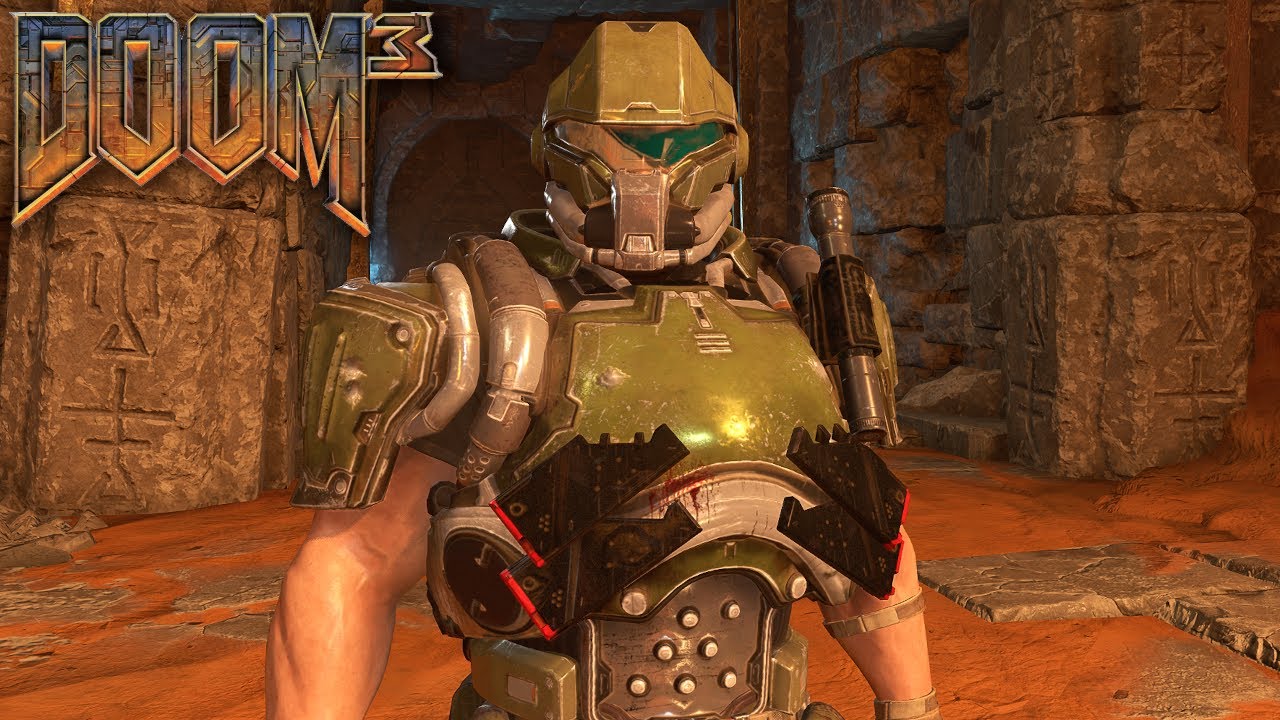
Arguably the least popular of the Dooms.
You can get the mod here:
https://mods.bethesda.net/en/doometernal/details/cc103133-b516-4f0d-9cef-cdf2326eebea/DOOM_3_Marine
0:00 Doom Eternal
32:38 Ancient Gods Part 1
47:53 Ancient Gods Part 2
Why Id skipping over Doom 3 skin?
fickle glade
Are they stupid?
prisma vector
yea
 ruby trout
yo does anyone know how to mod eternal if i have it on microsoft store
atomic bay
On PC? Yes: #eternal-modding message
On an Xbox One or Xbox Series X|S console? No - but if you're lucky, the official mod support might come to consoles once it's out of beta. (We don't know that for sure, though.)
ruby trout
atomic bay
On PC? Yes: https://discord.com/channels/162891400684371968/832501492992573480/1...
oh cool i was just wondering how do i install them because i got the game using pc gamepass and all the video's i see just show the way of installing them through steam
i just clicked on your link thanks
hasty oyster
i dont see it coming ot console sorry. It dev kit requires a lot of resources. Not to mention a mouse and graphics tools if you really want to change things
atomic bay
I don't expect idStudio itself to come to consoles, but consoles may or may not get the ability to download and play with mods that have already been made and published using a PC.
 wind veldt
has anyone ported Quake Champions' "Arena" Playermodel to Eternal? I've seen people port the upgraded 2016 Praetor and the DOOM 3 Armour but
dark pendant
How can I light an interior without just using a bunch of point lights? Any kind of volume?
plush thicket
dark pendant
How can I light an interior without just using a bunch of point lights? Any kind...
Spots lights
 haughty mica
lavish apex
haughty mica
lavish apex
thats so cool, is his logic done using logic designer?
haughty mica
lavish apex
thats so cool, is his logic done using logic designer?
no I used the aifsmmanager
lavish apex
oh sick
 wintry pecan
How do you mod DOOM Eternal?
distant sage
wintry pecan
How do you mod DOOM Eternal?
What platform? If you're on any console platform, you can't.
wintry pecan
Steam
distant sage
I am assuming you mean playing and not making mods. The other folk here can help you with that.
Right-click Eternal on Steam and hit "Properties." Go into "Betas" and select the drop-down next to "Beta Participation."
Select "pc-mod-preview."
I would tell you how to set up the unofficial mod injector if I knew
But from what I've heard it's straight forward
wintry pecan
How do i get the skins to work?
distant sage
beats me
dull musk
Does anyone know if at some point the coop mod will be on the official modding workshop?
distant sage
dull musk
Does anyone know if at some point the coop mod will be on the official modding w...
It never will as they lock out the multiplayer mode in the game
dull musk
Oh okay fair point ty
muted bobcat
dull musk
Does anyone know if at some point the coop mod will be on the official modding w...
It might come, if they update the mod portal to allow for multiplayer mods
dull musk
hard tapir
modded multiplayer would have been cool
For real
atomic bay
hard tapir
modded multiplayer would have been cool
Is cool, actually. As @ CoderPenguin1 said, PC Mod Preview mods block multiplayer entirely... but EternalModInjector mods only block public matchmaking, meaning that you can play private matches with friends.
There are several different kinds of multiplayer mods for EternalModInjector: Co-operative campaign play (https://gamebanana.com/mods/428523), Slayer versus Slayer deathmatch (https://gamebanana.com/mods/428520), even the scrapped Invasion Mode idea (https://gamebanana.com/mods/428528), a playable Baron of Hell and Doom Hunter (https://www.nexusmods.com/doometernal/mods/1347), and more.
oak geyser
haughty mica
no I used the aifsmmanager
Did you figure out how to get custom managers working (as in new aifsmmanager decls), or have you modified an existing one?
oblique dirge


 rich prism
Looks pretty damn atmospheric. Good job
haughty mica
oak geyser
Did you figure out how to get custom managers working (as in new aifsmmanager de...
I modded an existing one and just gave it new nodes that can be accessed with a special Memory key only the Kamikaze has
oak geyser
haughty mica
I modded an existing one and just gave it new nodes that can be accessed with a ...
Ah, bummers, for short momemt I thought somebody may have cracked the code. Injecting conditional behavior based on temp memory data keys was the best I could come up with too (for some reason it only ever worked when testing against a value of 1). I wonder if anyone already reported the problem of custom managers not working 🤔
atomic bay
Last I heard, idStudio mods don't let you use decls that don't "connect" to vanilla decls. So if you create a custom aifsmmanager that does not inherit* a vanilla aifsmmanager, and your custom aifsmmanager is only referenced by a custom entityDef(?) that also doesn't reference/get referenced by vanilla declarations, (edit: aifsmmanager decls never seem to be referenced by decls?) then neither the aifsmmanager nor entityDef work.
-# * I don't know whether "inherit and/or reference" works, or if it's specifically only "reference" that matters. "Reference" being any variable in a decl pointing to another decl (besides inherit).
I have no idea how accurate or inaccurate this is, though, so take this with a grain of salt. 🤷
oak geyser
I feel like I have tried inheritance... but I'm not sure, I'll have to give it a(maybe nother) try. If it is a "being referenced" problem, I wonder if any reference would work, like referencing the manager in some totally unrelated decl's property/variable where some other decl type is expected 🤔
atomic bay
oak geyser
I feel like I have tried inheritance... but I'm not sure, I'll have to give it a...
[...] like referencing the manager in some totally unrelated decl's property/variable where some other decl type is expected 🤔
It has to be somewhere that looks for an aifsmmanager decl, with some "reference"/"dependency" chain going from it to a vanilla (or replaced vanilla) decl.
...Which might be a problem because aifsmmanager decls don't actually seem to be referenced by any decls? (But again, I'm not sure whether this is accurate.)
oak geyser
Yeah, the only references I could find where in these master graphs (aimastergraph), but then I couldn't find any references to those graph decls. Not even sure they are even being used, if I remember coprectly, making changes to the master graphs had no effect 🤷
plush thicket
oblique dirge
looks so good
oblique dirge
plush thicket
looks so good
Ty!!!
fickle glade
oblique dirge
Ty!!!
Here's hoping your map packs properly
 limber shard
anyone know why when i load up doom eternal on steam it just gets stuck ona loading screen ?
modest obsidian
oak geyser
<@260233184686505984> - BUG - (or FEATURE REQUEST) Vertex color support for FBX ...
Thanks for this write up. 🗒️ ✍️
 cyan niche
guys anyone knows why this happens? I just follow the instructions of the document (which is a very good one) and the mesh started doing this, anyone knows how can I fix it?

 remote fern
https://www.youtube.com/watch?v=0ATiZ1JxExs&pp=ygURZG9vbSBldGVybmFsIGJpa2U%3D does a mod like this for eternal exist lol
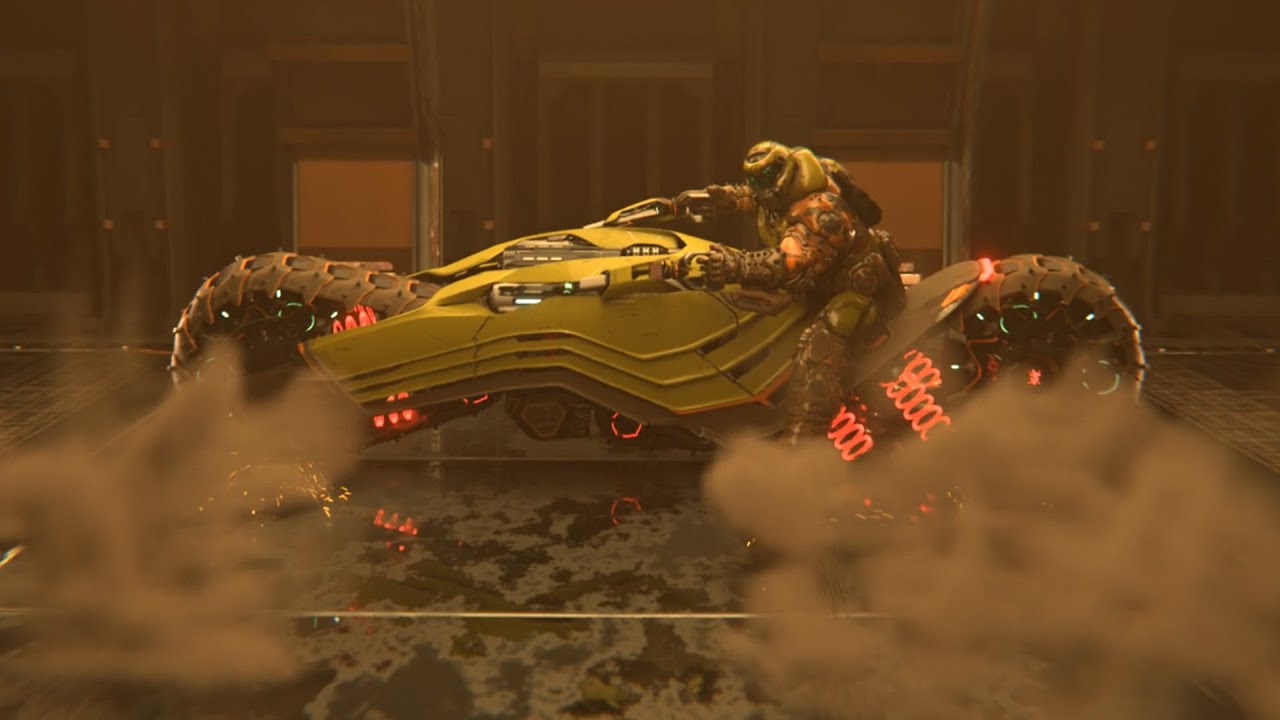
Ever wanted to travel 666 miles per hour in hell and you ran out of dash juice? Ever wanted to grind a Marauder to a pulp while seated on fine napa leather? Ever wanted butter that you can't believe isn't real better?
Here is the DoomCycle, a design that I spent a good amount of time designing animating during my spare time. This motorcycle is ...
the bike is powered by a crucible blade and you can mount the bfg on the front, it's so dope
haughty mica
cyan niche
guys anyone knows why this happens? I just follow the instructions of the docume...
How does it look like in Blender?
cyan niche
haughty mica
How does it look like in Blender?
the model itself looks like this
 haughty mica
cyan niche
the model itself looks like this
haughty mica
cyan niche
the model itself looks like this
Before exporting, in Object Mode select the mesh, and go Object > Clean Up > Limit Total Vertex Groups and reduce the Limit by 1
 empty bobcat
is DOOM texture fancy here?
cyan niche
plush thicket
Love it
Thank you!
cyan niche
haughty mica
Before exporting, in Object Mode select the mesh, and go Object > Clean Up > Lim...
ok let me try
@haughty mica It works!! thank you so much!
 autumn copper
hey. anyonw know where I can download meeth00k? I think my version of it is outdated cause it's the one straight on nexus
oblique dirge
Hey guys, my map is going to take a little longer than usual because I ran into a slight issue so I’ll have to say is one more week and I promise I hope I will release it
empty bobcat
have you tried import doom slayer or any demon to unreal engine 5?
atomic bay
autumn copper
hey. anyonw know where I can download meeth00k? I think my version of it is outd...
The latest version should(?) be https://github.com/brongo/m3337ho0o0ok/releases/latest - but non-latest versions also still work fine.
If you're asking in regards to the pop-up caused by meath00k, then there's not much that you can do about it. Update 6.66 Rev 3 changed something that meath00k tries to scan for, so meath00k shows a pop-up about the scan failing. You probably don't use anything in meath00k that actually relies on that (which is part of the reason that meath00k hasn't been updated to fix it), so you can just ignore the pop-up and click "OK" to launch the game.
halcyon stratus
cyan niche
the model itself looks like this
LMFAO.
halcyon stratus
empty bobcat
is DOOM texture fancy here?
Sexy.
cyan niche
how can I generate the "art" folder?

 exotic spruce
I wanted to try id studio since I have been a fan of doom since 1993 doom. it seems like I need to upgrade my memory to make maps with this though
I really need 500GB of ram to make maps with id studio?
 brazen jacinth
thats the storage space you need to download idstudio + every asset pack they offer. its only about 100gb to download without them. my computer can run it fine with just 16gb of ram, with some occasional freezing when navigating menus, so i'd say that's the minimum amount of ram you need
exotic spruce
plus id need the game to test my maps
brazen jacinth
yeah, doom eternal is required to download it in the first place. you can test the maps in the editor, but it still runs eternal doing that. so in total probably like ~180gb
exotic spruce
this is what I have left for memory. I could delete some stuff
 brazen jacinth
i think that's your hard drive space. memory should be in the performance section of task manager


there's other ways to find it but task manager is an easy way i like
exotic spruce
do all the games I have in my steam library still take up space even though they arent installed?
brazen jacinth
nope
exotic spruce
I'm also kinda wondering how complicated id studio is
brazen jacinth
its basically the same tools that id used to develop the game, but there's an official wiki with tutorials and explanations to help you get started: https://idstudio.idsoftware.com
The PC Mod Preview opt-in for DOOM Eternal is available now on Steam and Microsoft Store, and the idStudio Beta available on Steam!
exotic spruce
thank you.
brazen jacinth
no problem 
halcyon stratus
brazen jacinth
thats the storage space you need to download idstudio + every asset pack they of...
You'll also need to close every other program running in the backdorp as idStudio gets very finnicky with that.
Logically it's also very prone to crashes.
 random timber
atomic bay
random timber
atomic bay
See here: #eternal-modding message
 woeful coral
any help yall 💀
its like that on both pc and steam deck, vanilla
safe file was using the custom ui color pack mod a while back
any way to change the ui colors through some config?

reinstalled, verified files
atomic bay
Set "UI" > "Accessibility" > "Colorblind UI Mode" (or "Accessibility" > "UI" > "Colorblind UI Mode" - it exists in both tabs) to "None", then you should be able to change the UI colour profile option afterwards.
woeful coral
well thats a tad embarrassing no
anyway danke
atomic bay
woeful coral
well thats a tad embarrassing no
anyway danke
well thats a tad embarrassing no [...]
(Actually, no - it's not embarrassing. The UI colour mod changed the "colour-blind" UI profiles into "normal" UI profiles to make the "UI Color Profile" option have more values. Then when you uninstalled the mod, your previous selection ended up now being a "colour-blind" UI profile, without even knowing that that's a thing.
If anything, it's embarrassing for id Software that it's so unintuitive to change back to a "normal" UI profile, even if you know about it.)
 severe coyote
hey everyone, is there a tutoral on how to make rekins in ID Studio?
exotic spruce
I'm just wondering if 500GB of storage is recommended if I'm planning on making alot of projects.
plush thicket
exotic spruce
I'm just wondering if 500GB of storage is recommended if I'm planning on making ...
you don't have to download all of them, just download the map assets that you need
exotic spruce
I was just thinking of making a couple maps using the regular assets
oblique dirge
exotic spruce
oblique dirge
that was awesome. the music made it feel kinda creepy. ever think of combining doom eternal with doom 3?
oblique dirge
exotic spruce
that was awesome. the music made it feel kinda creepy. ever think of combining d...
Hmmm no I can try
exotic spruce
I actually was trying that with doom 2016
I was watching your video and thought it would be a good set piece for a doom eternal and doom3 combo
oblique dirge
Hmmm maybe my next my map
exotic spruce
I have 155GB left in my harddrive and 108 apps in my installed apps. I'm getting nervous
oak geyser
@modest obsidian - FEATURE REQUEST / BUG - Continuous IDLE CPU usage
I can't tell if this is a bug or not, but idStudio never stops putting load on the CPU, it keeps all cores busy at all times, even when it's just IDLEing... that is unless one opens a tool window, like for example the one for editing the mod description, then suddenly idStudio's CPU usage drops to 0%.
It would be nice if that 0% CPU usage would be the default when there is no activity (including no tab being open that requires continuous updates like the engine or the preview, unless maybe when the Window is minimized).
 oak geyser
@modest obsidian - FEATURE REQUEST - Various launcher/portal improvements
-
In the "Installed / Active Mods" lists, make either the scrollbar background darker, or change the inactive scroll thumb color, currently there's very little contrast between the thumb and the background, making it almost invisible (that's kind of a bug, I know).
-
Make the "Installed / Active Mods" lists/container adapt in height according to the window size, there's unused space below, and if one were to reduce the window size, the lists get cut off.
-
Show notifications (and highlights in the library / installed mods list) when updates are available for installed mods.
-
Support for a video preview additionally to the screenshots (ideally externally hosted, like for example YouTube).
-
Ability to pause & resume downloads. Depending on region, Akamai likes to randomly switch to 70% packet loss mode, absolutely tanking the download speed, sometimes it even stops completely. Being able to resume downloads from a possibly different node, instead of having to completely abort and restart the download would be nice.
-
If possible, do not count the launcher being open as game time. I "earned" like 600+ hours of Eternal game time on Steam, just from not closing the launcher when working with idStudio.
-
Support for optional community feedback. And I'd really like to stress the "optional" part, especially if the feedback would be public facing, which comes with all sorts of potential problems, like moderation requirements, local laws regarding content publishing, etc.
-
Quick search/filter for
Mods > Library/Mods > Play Mods > Installed Mods/Creations > Creations/Creations > idStudiolists. Like, being able to simply start typing to filter the lists by name, ideally with some visual feedback as to what exactly has been typed, and how it matches the names of the list items, for example maybe a search box, and the matching parts in the list items being highlighted.
atomic bay
oak geyser
<@260233184686505984> - FEATURE REQUEST - Various launcher/portal improvements
...
[...] If possible, do not count the launcher being open as game time. [...]
This would require splitting the launcher into a separate Steam app ID from Doom Eternal, with this kind of workflow:
-# - Forwarder.exe: An invisible program. Check whether-startgameis set. If so, open one of Doom Eternal's game executables and exit. Otherwise, tell Steam to open the launcher, and exit.
-# - Launcher.exe: Doom Eternal's launcher GUI. When launching the game, specify-startgameto make the "forwarder" open the game instead of the launcher - which will make Steam show a pop-up to confirm that you meant to open Doom Eternal with extra command-line options set.
-# - DOOMEternalx64vk.exe and DOOMSandBox64vk.exe: The game itself, like how they currently work.
-# Now, on Steam's end, "Doom Eternal" would be set up to run Forwarder.exe, and "Doom Eternal: Launcher" would be set up to run Launcher.exe. When you run "Doom Eternal", Steam will say that it's running for a few seconds, then stop and say that "Doom Eternal: Launcher" is running instead - displaying a confusing "Play" button instead of a "Stop" button in the Steam library even while the launcher is open, and making it harder to access the game's notes and Steam Input config in the Steam Overlay while the launcher is active.
-# (Alternatively, you can replace "give the launcher its own Steam app ID" with "install an always-running background process", so that the forwarder can tell the background process to start up the launcher. Now the forwarder can exit without any process-tree link from the forwarder to the launcher, so that Steam won't think that "Doom Eternal" is still running. And then still follow most of the other steps above - including being prompted by Steam when trying to launch the game from the launcher.)
It's technically possible, but... 
oak geyser
 distant sage
oak geyser
distant sage
oak geyser
Unrelated but I’m stealing this image
 heady gyro
Anyone know of the best way to extract textures from Idstudio? "Show in file explorer" tends to crash when I export each texture sequentially. Usually I have to export the roughness map first.
oak geyser
heady gyro
Anyone know of the best way to extract textures from Idstudio? "Show in file exp...
I don't think there's any other option in idStudio, at least I haven't stumbled over any. Personally if I need to extract a bunch of textures, I'll use EternalResourceExtractor (https://github.com/brunoanc/EternalResourceExtractor/releases/tag/v5.0.0), it can extract the files from the respective .wad7 files that ship with idStudio and the asset packs.
Feels like something for a feature request, a context menu option or something to extract all textures referenced by a decl at once.
molten token

instagram - https://www.instagram.com/fx.hexcen/
again in the best guitar contest in history, this time I wanted to try something different and tried to do a solo in which I would love the composition of the track and have 100% fun beyond thinking about trying to do a solo to be a finalist
well people, I'm back to continue working on my mod haha I was busy making that composition and that video (the guitar with the doom eternal sticker looks good) I think I already have some questions about my mod haha
back and forth in my closet you can see the ARC symbol that I pasted myself hahaha
 knotty parrot
Is there a better way to get textures from a model? If I save them directly from idstudio they're decl files but when trying to apply textures to a custom model it needs to be tga.
Context, I'm experimenting before I actually fully dive in and make something, currently I'm just trying to kitbash the classic marine helmet onto the doom 2 marine body. I have all the tga textures except for the visor and inner helmet and can't seem to get them to work
knotty parrot
oak geyser
I don't think there's any other option in idStudio, at least I haven't stumbled ...
Oh. This is exactly what I was looking for lmfao. Nevermind
 ancient shard
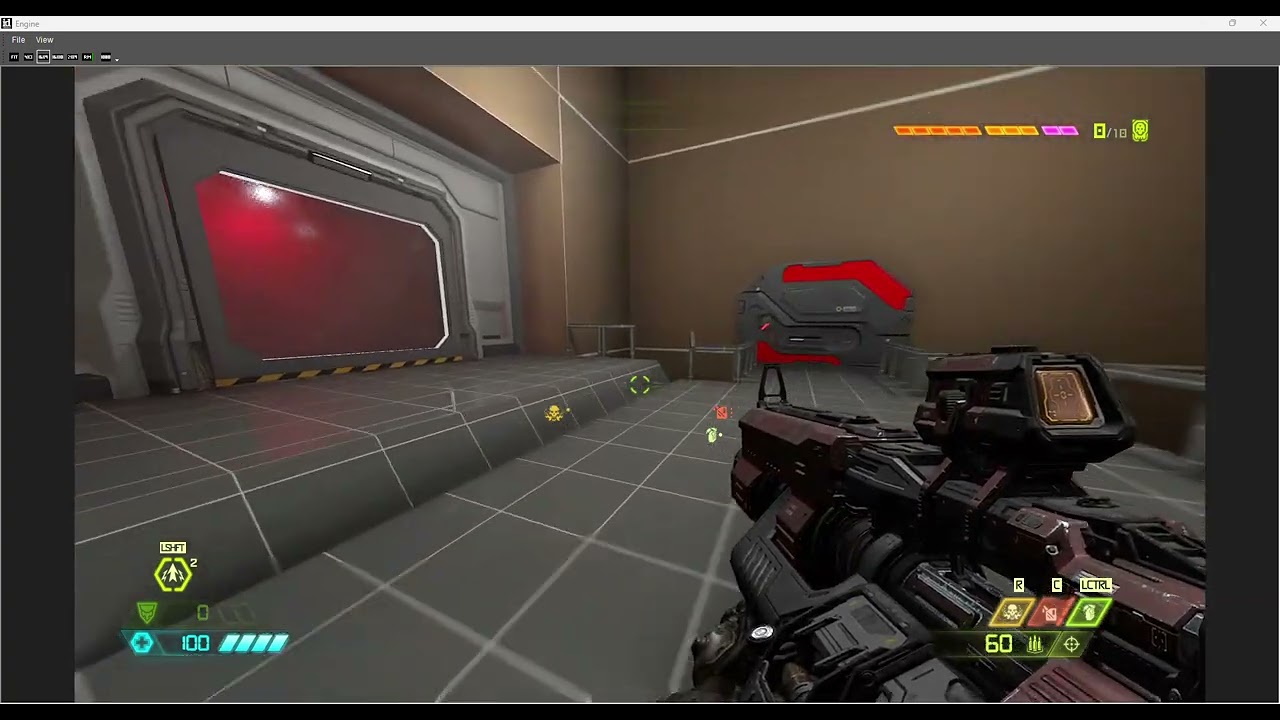
Long time no see right? so, here am back at Id Studio! :D

 primal fern
guys my mod launcher wont start all i get is the white spinning circle for pc
ancient shard
oblique dirge
Look good man!
oblique dirge
ancient shard
https://youtu.be/63ISWrWHFFg?si=UR5ukMowlUZ1Q24b
You to I love it so far
 lethal stirrup
so how do I load in a custom map?
where can I find the name of the map if it's not in the mod description

I take it I need to load it via console but I don't know the name of the custom map.
Also how do I change the difficulty
ancient shard
oblique dirge
You to I love it so far
Thanks man! But mine still just a basic blockout, yours allready have the geometry! :D.
oblique dirge
ancient shard
Thanks man! But mine still just a basic blockout, yours allready have the geomet...
I hate cliping😭
 ancient shard
oblique dirge
I hate cliping😭
ancient shard
oblique dirge
I hate cliping😭
😭, still looking incredible tbh!
oblique dirge
ancient shard
😭, still looking incredible tbh!
😭
oblique dirge
ancient shard
😭, still looking incredible tbh!
How is your lvl ?
ancient shard
oblique dirge
How is your lvl ?
Its going well so far! Am testing some scripted sequences, like a demon breaking a door and stuff! I will record something to showcase in my channel later!
Also i could try to do some tutorials too! 👀
ancient shard
Yaa! I can imagine a bunch of ppl to make small teams and making DLC content levels quality for Doom Eternal! 👀
oblique dirge
ancient shard
Yaa! I can imagine a bunch of ppl to make small teams and making DLC content lev...
I’m trying to do that
oblique dirge
ancient shard
Yaa! I can imagine a bunch of ppl to make small teams and making DLC content lev...
I want to make a team
ancient shard
oblique dirge
I’m trying to do that
Me too!
oblique dirge
The map I’m working on it’s me and my friend
oblique dirge
ancient shard
Me too!
👀
ancient shard
oblique dirge
I want to make a team
👀, looking foward to it!
ancient shard
oblique dirge
The map I’m working on it’s me and my friend
Its looking really cool man!❤️
Also i might practice more my 3D Modeling for importing assets to ID Studio tho!
 jaunty wadi
I wonder how people even do stuff like this. dont know crap about modding wish i did. but i do concept art sometimes.
ancient shard
jaunty wadi
I wonder how people even do stuff like this. dont know crap about modding wish i...
Yooo thats freaking cool!
oblique dirge
ancient shard
👀, looking foward to it!
Do you want to try to join a team?
ancient shard
oblique dirge
Do you want to try to join a team?
Sure! :D.
jaunty wadi
ancient shard
Yooo thats freaking cool!
 ancient shard
jaunty wadi
ancient shard
jaunty wadi
Holy Molly! That looks great!
jaunty wadi
Thx
ancient shard
Dark Ages Pain Elemental! :P.
jaunty wadi
Im open to draw some concepts of stuff. I might not always be available though
ancient shard
jaunty wadi
Im open to draw some concepts of stuff. I might not always be available though
It would be great man!
jaunty wadi
@ancient shard Ok sure. Just message me if you need something
ancient shard
Allright man! :D.
jaunty wadi
I think it would be cool to make a hell level in the style of doom3 hell
ancient shard
That sounds like an intressting idea tbh!
My level is inspired by Foundry of Doom 2016.
And i might make some level on some Setinel Swamps
jaunty wadi
ancient shard
Allright man! :D.
Should i join a private chat or group for concept art
ancient shard
Sorry i was out for awhile, also sure buddy! :D.
ancient shard

Some more stuff that i made and polish on my map tho! Still a WIP.
molten token
People I have a question, in case I don't want to continue working on my mod, will anyone and will you take that responsibility? and upload it just say it's my mod, but finish it? Watch out for the fights, some little clips and messes that usually happen, this might be better for doom fans.
Well the translator changed what I wanted to say a little, I wanted to finish some fights, some clips or finish the details that you think are missing in the mod haha if someone could do it
oak geyser
@modest obsidian - BUG - (or FEATURE REQUEST) Collision support for models imported in FBX format
Just like with the vertex paint problem with FBX files, I'm not sure if this here is a bug, or simply not supported/implemented, but models imported as FBX just doesn't seem to generate any collision, while for the very same models collision is generated just fine when imported as OBJ or LWO. I've tried playing with the collision setup config, but it's not doing anything, no matter what, meshes from FBX files just won't get any collision.
The attached files are one and the same model, the OBJ and LWO ones were generated from the FBX one, just drop them into a map and watch the FBX one not have any collision generated.
 molten token
How can I leave my mod and everything you need to "finish" it here? What do I need files or what should I leave? quickly please
oak geyser
molten token
How can I leave my mod and everything you need to "finish" it here? What do I ne...
You make it sound like you're about to enter another dimension, never to be seen again... anyways, if you want to share a mod's source files, then you'd need to include at least the modinfo.dev.json file and the base folder. The base/generated folder should be safe to exlude, at least as far as I understand it, everything in there should always be possible to be regenerated, and since it can be gigabytes in size, you may want to not include that. If you have any additional required source files (like audio, graphics, models, whatever) in non-standard locations, then you'd need to include those too.
polar nexus
ancient shard
https://youtu.be/63ISWrWHFFg?si=UR5ukMowlUZ1Q24b
did u make this helmet animation?
molten token
oak geyser
You make it sound like you're about to enter another dimension, never to be seen...
Has anyone sent all that here? Is it possible to send all that through this group simply by attaching it here?
oak geyser
I don't know what the size limit is here for attachments, if it's possibly tied to Discord Nitro, etc... if I wanted to share large files, I'd host them externally, either on my own servers, or something like google drive.
molten token
well, I only ask that you please keep this fight with the "mini" arachnotron, I like it a lot and I like that those arachnotron are there, the rest can do whatever they want
prisma vector
the sky may be DOOM Eternal edition
ancient shard
polar nexus
did u make this helmet animation?
The animation are allready in the game, i just used the logic designer to play it.
rich prism
Yeah those are the animations from the QuakeCon 2018 presentation
ancient shard
rich prism
Yeah those are the animations from the QuakeCon 2018 presentation
Yep! Alot of them still present on the game but not used.
 river geyser
Excellent 👍 Sent you a PM.
halcyon stratus
molten token
well, I only ask that you please keep this fight with the "mini" arachnotron, I ...
THEY'RE SO CUTE.
HOLY SHIT I love small monsters. More mods should do smol monsters.
pseudo igloo
sorry for the n00b questions, but i'm still having trouble getting idStudio to launch, and the community-support channel seems to be kind of a crapshoot. i think my problems may have to do with path settings. would someone here mind posting their pathing settings they have for idStudio, the active mods and asset packs? these--
 molten token
pseudo igloo
sorry for the n00b questions, but i'm still having trouble getting idStudio to l...
molten token
pseudo igloo
sorry for the n00b questions, but i'm still having trouble getting idStudio to l...
I'm not sure but it seems like it should be a single word, it says "id-assets" and there can't be a hyphen in between (I think so) the name should be something like "idassets" or I remember having a problem like that
pseudo igloo
molten token
I'm not sure but it seems like it should be a single word, it says "id-assets" a...
tried it, same result. do you have all 3 savepaths (Mods, idStudio and Asset Packs) in the same folder?
halcyon stratus
pseudo igloo
tried it, same result. do you have all 3 savepaths (Mods, idStudio and Asset Pac...
They're all supposed to be installed on the same drive as Doom Eternal.
 pseudo igloo
@halcyon stratus right, i have them all in the same drive as Doom Eternal. just not in the same directory, because of the warning it gives about filename length
pseudo igloo
i've changed the savepath settings to point to different locations. sometimes idStudio will launch a few times and then stop working, rinse and repeat the process
molten token
pseudo igloo
tried it, same result. do you have all 3 savepaths (Mods, idStudio and Asset Pac...
No, I think I have them all separated in different folders
molten token
pseudo igloo
tried it, same result. do you have all 3 savepaths (Mods, idStudio and Asset Pac...


I don't know if that answers your question, but I have what appears there saved like this on my PC haha
empty bobcat
pseudo igloo
sorry for the n00b questions, but i'm still having trouble getting idStudio to l...
You have latina windows lang?
pseudo igloo
empty bobcat
You have latina windows lang?
nope, English
but i know what those directories are
pseudo igloo
molten token
appreciate it. still not working for me. another question, i'm assuming you launch idStudio from inside the Doom Eternal 'Creations' tab, correct? when you do, do you get a pop-up window like this?
 molten token
pseudo igloo
appreciate it. still not working for me. another question, i'm assuming you laun...
molten token
pseudo igloo
appreciate it. still not working for me. another question, i'm assuming you laun...
Yes, and I'll confirm that
I press continue
I get that notice every time I open a mod, open in idstudio
pseudo igloo
molten token
Yes, and I'll confirm that
hmm okay. so that has nothing to do with the problem then. i press continue and it still doesn't launch
molten token
pseudo igloo
hmm okay. so that has nothing to do with the problem then. i press continue and ...
mmm that seems to be another problem, in my case I click continue and the program starts but it takes a long time, about 5 minutes to start
 proper tangle
Anybody know where can i change game save time title for 24h format and yyyy/mm/dd order? 🥹
This
 pseudo igloo
molten token
mmm that seems to be another problem, in my case I click continue and the progra...
pseudo igloo
molten token
mmm that seems to be another problem, in my case I click continue and the progra...
oh really? interesting
maybe i need to wait longer then
pseudo igloo
nope, still nothing
molten token
Well, I'm not that expert on that topic, maybe someone could help or you could provide your paths where all the files are attached.
modest obsidian
@pseudo igloo send me a DM I'll try to help
modest obsidian
we just did some magic to get @pseudo igloo up and running. it was a corrupted id-asset pack.
pseudo igloo
i am in jubilation
proper tangle
proper tangle
Anybody know where can i change game save time title for 24h format and yyyy/mm/...
Anybody can help? Please 🥺
prisma vector
someone pls help this poor man
modest obsidian
Tga won't work. Let me look into adding this ability.
 wind jasper
fellas
what mod injector i need for this mod "Keep The Dead Eternal - Modders Resource-1-6-66Rev3e-1724359690" ?
what mod injector version
@muted bobcat dude i downloaded this 318.5 mb file
 oblique dirge
 normal badger
You got bro playing at an insane FOV and he’s asking “how do I get more ammo” that’s fucked up lmao
ancient shard
oblique dirge
LOL, that fov is crazy!
plush thicket
prisma vector
someone pls help this poor man
what do you need bruv
oak geyser
@modest obsidian - BUG - Spline Editing Consistently Randomly Triggers Crashes
I don't have a 100% reliable way of reproducing it, the crashes appear rather randomly, but it is so consistent in its randomness (it never takes me more than 2-3 minutes to trigger a crash) that I feel confident in reporting it as being reproducible by simply creating and editing some splines, adding points, removing points, moving them, undo/redo... it will eventually crash.

@modest obsidian - BUG - Bezier Spline Control Points Reset When Moved
This one is easily explained too, when control points of a Bezier Spline are being moved, being it individually, or as a part of the whole spline being moved, the control points will reset - that's it... and for good measures there's a crash on top 🙂
 modest obsidian
plush thicket
what do you need bruv
modest obsidian
plush thicket
what do you need bruv
custom fonts. dont have this ability yet.
plush thicket
modest obsidian
custom fonts. dont have this ability yet.
NOPE, LOL
prisma vector
plush thicket
what do you need bruv
I was just asking if someone could help Frank with his issue
halcyon stratus
modest obsidian
custom fonts. dont have this ability yet.
Will we ever get proper documentation on how to do UI elements via .swf?
 arctic lava
hi hi i was wondering if installing cosmetic mods will disable achievement progression and stuff on steam?
halcyon stratus
arctic lava
hi hi i was wondering if installing cosmetic mods will disable achievement progr...
Opting into the beta and launching the game via the sandbox .exe will disable achievements by default.
If you want to play with mods but still be able to unlock achievements, use the mod manager for vanilla DE instead.
I wonder if anyone's looked into importing maps from Doom 2016. Definitely be a major undertaking but in theory should be possible.
oak geyser
halcyon stratus
Will we ever get proper documentation on how to do UI elements via .swf?
I don't have the time right now to write up any docs or tutorials, but I'm happy to answer your SWF modding questions if I can. The biggest problem right now is IMHO the limited communication possibilities between the game and the UI, but there's a somewhat OKish "workaround" for at least one-directional game to modded UI SWF communication.
proper tangle
modest obsidian
Tga won't work. Let me look into adding this ability.
Alright thank you
halcyon stratus
oak geyser
I don't have the time right now to write up any docs or tutorials, but I'm happy...
I'm just hoping for some actual documentation on record. I'm not all that familiar with .swf but I can sorta guess my way around things I suppose.
Right now I'm looking at how to increase player friction because I hate the way Doomguy launches off staircases and slopes like a car. Player gravity maybe?
fickle glade
Does anybody know how I can make the grass textures here render with proper transparency?

This is in blender btw
halcyon stratus
halcyon stratus
Right now I'm looking at how to increase player friction because I hate the way ...
I haven't made any developments on this :(.
oak geyser
fickle glade
Does anybody know how I can make the grass textures here render with proper tran...
In the material make sure that you have connected the texture's alpha channel, or the possibly existing separate opacity mask texture.
oak geyser
halcyon stratus
I'm just hoping for some actual documentation on record. I'm not all that famili...
I see... well, I can't speak for them, but I wouldn't hold my breath, with the whole Adobe Flash not being available anymore thing (unless you already own it, or can get your hands on a used license), and there not really being any other good/working GUI based SWF authoring tools out there, I'm not sure how much sense it makes right now to invest time into writing up docs for this.
molten token
If someone could put a day skybox, "world Spear" style or something like "taras nabad" in the ARC complex, and post it as a replacement skybox for the level, I think I would be very grateful
noble kettle
What are the funniest stupidest mods for when I play with mods?
modest obsidian
noble kettle
What are the funniest stupidest mods for when I play with mods?
Would you like a cacodemon that delivers you pizza? 🍕
modest obsidian
Mods: Hotfix 1.1.2 just went Live.
https://idstudio.idsoftware.com/release-notes/2025/02/13/update1-hotfix2
This hotfix version fixes further issues with the new Mod Packer 2.0.
Bug Fixes: 🐛
Mod Packer:
-Fixed a crash related to the asset regeneration thread.
-Fixed a crash related to regenerating havok assets.
-Fix packaging and application of packagemapspec overlays.
idStudio:
-Fixed a bug where idStudio would overwrite some mod metadata.
✏️ 🗒️ New Documentation for Mod Packer here: ❤️ https://idstudio.idsoftware.com/getting-started/mod-packer/index
Known Issues (idStudio: Hotfix 1.1.2)
Asset Import Crash
Crash may occur when importing a material asset over the original. The crash occurs when the user pastes an edited copy of the TGA into the mod directory, opting to replace the duplicate. This may result in a crash or a force-close. Likely affects all asset types.
*
Workaround*
Close idStudio (or at least close any editors/viewports that are referencing assets) before importing.
oak geyser
modest obsidian
Mods: Hotfix 1.1.2 just went Live.
https://idstudio.idsoftware.com/release-note...
No update to the game's pc-mod-preview branch is correct? Like there was an update, but it was rolled back it seems 🤔
modest obsidian
oak geyser
No update to the game's `pc-mod-preview` branch is correct? Like there was an up...
Yes, that was rolled back. If you did update, you should get another update. 😛
oak geyser
Alright alright, I was a tiny bit worried there for a moment 🙂
Well well well, 350+ decls and no crash... looks like @indigo badge might have no excuse anymore 😛
oak geyser
now is the time... gotta give the people what they deserve 🙃
 indigo badge
ill look into it tommarow
modest obsidian
indigo badge
been waiting like 6 months now lol
 oblique dirge
modest obsidian
Mods: Hotfix 1.1.2 just went Live.
https://idstudio.idsoftware.com/release-note...
oblique dirge
modest obsidian
Mods: Hotfix 1.1.2 just went Live.
https://idstudio.idsoftware.com/release-note...
 oblique dirge
modest obsidian
Mods: Hotfix 1.1.2 just went Live.
https://idstudio.idsoftware.com/release-note...
oblique dirge
modest obsidian
Mods: Hotfix 1.1.2 just went Live.
https://idstudio.idsoftware.com/release-note...
TY I LOVE YOU
prisma vector
My whole pc keeps freezing whenever I try to switch to the Mods tab after quitting the vanilla game
Now it froze my pc after I close the launcher
damn
modest obsidian
DM me plz
fickle glade
oak geyser
In the material make sure that you have connected the texture's alpha channel, o...
That's what the texture looks like when it is connected
fickle glade
Oh so the transparency worked when I changed the material render method to dithered
molten token
indigo badge
maybe i can finally port unholy urdak
I've been waiting to play profana urdak for quite some time
indigo badge
molten token
I've been waiting to play profana urdak for quite some time
well it packages now but idk if i can get the custom sound effects, voice lines, and custom demon textures working
before the packager broke those were the only problems with it initially i think but i didnt run through and test everything with it
molten token
indigo badge
before the packager broke those were the only problems with it initially i think...
You could upload it and publish it anyway, but saying that you haven't tested if everything works correctly, or that it is a "prefinal" or unsafe version, I don't know, but I want to play it haha
indigo badge
well i dont want to upload it with those broken which is why i didnt upload it to begin with when the packager did work
i remember i couldnt get the sound effects and voice lines working before so i didnt bother with testing anything after failing on that so i waited for an update to hopefully fix all that (and then the packager itself broke lol)
molten token
indigo badge
i remember i couldnt get the sound effects and voice lines working before so i d...
mmm, if you manage to install the mod yourself, and play it from where you installed it (after packaging it to the portal) and it works 100%, have you tried that yet? I guess if it works for you, it will work well for everyone
indigo badge
molten token
You could upload it and publish it anyway, but saying that you haven't tested if...
but its up on nexus mods and still works with the legacy mod injector on current patch if you wanted to play it now
but im looking into porting it now
molten token
The truth ,is I don't know how to use nor have I ever used the injector mod
indigo badge
its really easy
just go in one of the modding servers and download the injector, extract the files to your games install directory, take whatever mod.zip you downloaded and put it in your "Mods" folder that the injector comes with and run the eternalmodinjector.bat file
make sure you uninject anything from the mod portal though if you use it and vice versa
molten token
that's all?
indigo badge
yea, and if you wanna uninject anything just clear the mods folder and rerun the injector.bat file
but if you use the injector you need to run the normal game .exe not launching from mods
atomic bay
indigo badge
just go in one of the modding servers and download the injector, extract the fil...
just go in one of the modding servers and download the injector, [...]
Or GameBanana: https://gamebanana.com/tools/7475
-# [...] and run the eternalmodinjector.bat file
-# (Or open EternalModManager and click "Run mod injector", though that's more of a preference thing.)
make sure you uninject anything from the mod portal though if you use it and vice versa
Why? EternalModInjector and PC Mod Preview/idStudio mods can be used at the same time.
molten token

Proyecto escolar libre señores
Well, I guess if I do what's in this video I'll be fine

atomic bay
For what it's worth, there's a pinned text guide in this channel, too: #eternal-modding message
indigo badge
atomic bay
> *just go in one of the modding servers and download the injector, [...]*
Or Ga...
because files can conflict
i mean gameplay mods are probably fine but level mods definitely not
atomic bay
I don't think that that's an "EternalModInjector plus PC Mod Preview/idStudio mods" problem, but rather a "multiple (conflicting) mods in general" problem. 🤷
indigo badge
yea thats what i mean my bad, just be mindful of that
molten token
well, I must say that it is not clear to me what I should replace or delete or change to "return" to the mod portal after installing mod injector
indigo badge
any mod you use with the mod injector you move into the "Mods" folder in your game directory and you run the EternalModInjector.bat file to inject them into the game
when you want to uninject them you clear the "Mods" folder and run the EternalModInjector.bat file again to uninject them to restore the game
molten token
indigo badge
when you want to uninject them you clear the "Mods" folder and run the EternalMo...
man I understand, whoever invented this is a genius
indigo badge
like i said gameplay mods are probably okay to carry over but i strongly do not recommend ever injecting more than a single level mod at a time, even if its on the mod portal
with unholy urdak especially something will break if you do that
indigo badge
@modest obsidian idstudio doesnt pick up on replaced voice lines when importing legacy mods - i can get them to show up if i move them into the "sfx" folder before importing (and it converts them from .opu to .wav like it does with the sound effects normally in the sfx folder) and they convert with the .WAV to .WEM converter with no errors, however it just plays the original voice lines ingame (unlike the sound effects which do get replaced)
i tried converting them to .wav externally in the original format of the .opus im starting with (48khz, mono, 32 bit - still doesnt work) but i noticed the idstudio .WAV to .WEM converter downsamples the voice lines to 16 bit maybe that has something to do with it? idk
molten token
indigo badge
i tried converting them to .wav externally in the original format of the .opus i...
In theory it shouldn't, since reducing from 32 to 16 bits would only be lowering the audio quality, I highly doubt that idstudio only supports 32 bits and not something less than that.
indigo badge
custom sound effects and such dont like to work unless you set them up in the exact format as the originals
molten token
indigo badge
custom sound effects and such dont like to work unless you set them up in the ex...
Approximately how many files should you convert from .wav to .wem?
indigo badge
molten token
Approximately how many files should you convert from .wav to .wem?
wdym?
molten token
indigo badge
wdym?
Well, the truth is that I thought I could render them with 32-bit quality with some other program, but I see that none of them export .WEM, is this something exclusive to idsoftware or something
indigo badge
use wwise
 tight hinge
Small little video showcasing the reworked version of the intro for my level (sry for shit video quality)
 gilded storm
molten token
Well, the truth is that I thought I could render them with 32-bit quality with s...
gilded storm
molten token
Well, the truth is that I thought I could render them with 32-bit quality with s...
See Extracting Game Audio before proceeding.
Instructions are for Windows users.
Audio Editing
Do...
plush thicket
Yooo guys I released new level go check it out, IT FUN
halcyon stratus
Played it. It gud.
For a while I was stuck looking around the map for an exit, didn't take stock of the one that had just opened.
UN first try, woo.
 candid sundial
distant sage
candid sundial
distant sage
At least on Steam, the easiest way is the official Mod Portal.
Right click on Eternal, go to Properties, then go to the Betas tab. Switch the beta from None to the other option in there. This should update your game.
MS Store also has the Mod Portal but I’m unaware of the exact steps for that
You could also use the unofficial ModInjector, but I’m not knowledgeable on the steps for that
Also to my knowledge most stuff is being made for the Mod Portal anyways
plush thicket
halcyon stratus
For a while I was stuck looking around the map for an exit, didn't take stock of...
In which wave ??
molten token
gilded storm
https://wiki.eternalmods.com/books/2-how-to-create-mods/page/creating-audio-mods...
ahh I don't use audacity, I use reaper, and I saw all kinds of files to export but not a .WEM
molten token
gilded storm
https://wiki.eternalmods.com/books/2-how-to-create-mods/page/creating-audio-mods...
Since he said that the quality drops from 32 bits to 16 and that could be the problem, I wanted to see if I could personally render the files in 32 bits to .WEM from reaper, pro tools, cubase or some audio DAW, but I think that the .wem files are something that I had not seen haha
oak geyser
molten token
Since he said that the quality drops from 32 bits to 16 and that could be the pr...
It's a proprietary format specifically made for usage with Wwise game audio tooling, it's highly unlikely that you'll find support for that format it in any common audio app, don't waste your time searching for it 🙂
gilded storm
I’m so confused? I literally sent you the link on how to take a WAV and make it a WEM
@molten token
molten token
oak geyser
It's a proprietary format specifically made for usage with Wwise game audio tool...
Yes, it is something that I have learned now and I am interested in investigating and finding out more about this matter haha
molten token
gilded storm
I’m so confused? I literally sent you the link on how to take a WAV and make it ...
Yeah! Everything is fine, I just thought it wasn't something as complex as downloading "Wwise Launcher" that's why I asked about this above, but I see that it is something more complex
halcyon stratus
plush thicket
In which wave ??
No, I mean I kept missing the exit portal. I just wasn't paying attention. :P
The map works flawlessly.
plush thicket
halcyon stratus
No, I mean I kept missing the exit portal. I just wasn't paying attention. :P
it should show a poi in when finished the final encounter, I think I miss it or something gonna look at it
halcyon stratus
plush thicket
it should show a poi in when finished the final encounter, I think I miss it or ...
Oh in that case the problem is I play with a custom HUD so the POI didn't appear. I'll take another look.
plush thicket
I just release new update today, fixing the meathook issue the meathook not working if demons stand behind the foliage, I make the tutorials show up only if you have it on in the settings, I added pickups too
halcyon stratus
plush thicket
I just release new update today, fixing the meathook issue the meathook not work...
Excellent, I'll give it another playthrough. Loved how well balanced it is. Relatively challenging but still fun and chill for me.
 stiff shale
i have the unbalanced version of the enemy randomizer on, but for some reason it doesnt seem to be working? ive been hopping around missions thinking maybe it only starts at like mission 3 or something, but the encounters just arent getting randomized. only other mod i have right now is Mission Select Unlocked, what am i doing wrong here?
heady gyro
Does anyone know what's causing the finger bones to be misaligned on fbx exports?

 empty bobcat
can you remind me how to export selection as fbx or other model file? It's combined brush and fbx in here:
 oak geyser
empty bobcat
can you remind me how to export selection as fbx or other model file? It's combi...
oak geyser
empty bobcat
can you remind me how to export selection as fbx or other model file? It's combi...
I don't think you can export it as FBX, but as LWO and OBJ. World Edit > File > Export Wizard
empty bobcat
oak geyser
I don't think you can export it as FBX, but as LWO and OBJ. `World Edit > File >...
ah, there it is, thanks 🙂
oak geyser
you're welcome
empty bobcat
haha, works perfectly
 oak geyser
my_shed.wad
Someone has to do it at some point... like the only real blocker is looking/moving through mirrors. I'll do it myself if I can figure that one out.
empty bobcat
nicely imported to ue, but collision detection is not great, but at least I got model reference

so, now I can wait for Dark Ages 🙂
 molten token
I played RANCID and I really liked it! I think it is a good way to ensure that extending the combats within an arena does not feel repetitive (although I personally prefer more entire levels or the ascended 4.0 style) I think this is the way to go for the arenas
ancient shard

 polar nexus
plush thicket
Yooo guys I released new level go check it out, IT FUN
polar nexus
plush thicket
Yooo guys I released new level go check it out, IT FUN
i tried ur level and i've seen u've been putting a lot of effort into it. how long did that take to create the whole thing?
ancient shard
plush thicket
Yooo guys I released new level go check it out, IT FUN
Whats the name of your level? :D.
plush thicket
ancient shard
Whats the name of your level? :D.
RANCID
plush thicket
ancient shard
that looks good
polar nexus
plush thicket
that looks good
i'm asking how long that took
plush thicket
polar nexus
i'm asking how long that took
one and half month
ancient shard
plush thicket
RANCID
Nice! I will check it out!
polar nexus
ancient shard
how's it going with the custom level?
ancient shard
polar nexus
how's it going with the custom level?
Good so far! This is the is the begining of the map tho.
This is my secound map am working on.
polar nexus
ancient shard
Good so far! This is the is the begining of the map tho.
good luck
 ancient shard
polar nexus
good luck
ancient shard
polar nexus
good luck
Thanks man! ;D.
polar nexus
it's one of my favorite emojis
ancient shard
XD, its indeed funny!
polar nexus
what's yours?
ancient shard
polar nexus
what's yours?
I don't have one specific tho xD.
ancient shard

Showing more of my work stuff on Id Studio.
molten token
ancient shard
https://youtu.be/7gv0KbIMm-k?si=Qjq3sjQFRPLyq8IX
It looks cool and I like the lighting.
 distant owl
Hi, I need help. I want to import a model but I can't find the "art" folder. I searched in many places and couldn't find anything.

 oak geyser
distant owl
Hi, I need help. I want to import a model but I can't find the "art" folder. I s...
oak geyser
distant owl
Hi, I need help. I want to import a model but I can't find the "art" folder. I s...
What action triggered that error? Generally you could simply create that folder yourself, there's nothing special about it, it's just a regular folder.
distant owl
Ok I'll try
plush thicket
ancient shard
https://youtu.be/7gv0KbIMm-k?si=Qjq3sjQFRPLyq8IX
Damn That looks very good, but I recommend finish the blockout before start to the art pass, will be easier for you to get ideas when you start to do the art pass
ancient shard
molten token
It looks cool and I like the lighting.
Thanks man!
ancient shard
plush thicket
Damn That looks very good, but I recommend finish the blockout before start to t...
True! This is still the player spawn area tho!
I still need to make the arena blockout later.
halcyon stratus
heady gyro
Does anyone know what's causing the finger bones to be misaligned on fbx exports...
Did you figure this out?
distant owl
Hello again, I managed to get the art and model folders working but the fbx model (from blender) is failing, it looks pink, it is rotated to the left and the height is very low.
 oak geyser
distant owl
Hello again, I managed to get the art and model folders working but the fbx mode...
oak geyser
distant owl
Hello again, I managed to get the art and model folders working but the fbx mode...
Most (if not all) models need to be rotated 90° degrees in order to show up correctly. In Blender for example in edit mode rotate your model -90°, then in object mode rotate it +90°. Or in object mode rotate -90%, apply rotation (Object > Apply > Rotation), then rotate +90%. If the need for a 90° rotation doesn't apply to the model that you're editing, then you might have just forgotten to apply rotation in Blender.
The pink suggests a missing material. idStudio will not use the material of your model, but only the material's name, which it uses to look up a material defined on idStudio level. You'd use relative paths as material names as they'd appear in material2 in idStudio, for example art/kit/gore/bone_pile.
The size, I'm not sure, maybe you didn't apply scaling in Blender (Object > Apply > Scale), or it's something in the FBX export settings with regards to scaling, see https://idstudio.idsoftware.com/working-with-art/importing-content#export-settings-for-blender
distant owl
oak geyser
Most (if not all) models need to be rotated 90° degrees in order to show up corr...
Thanks!! I'll try it and then I'll tell you.
distant owl
the scale works but not the rotation (I think)
 distant owl
now works!!

One question, do you have to create the bones in Blender? Or do you add them and modify them in idStudio?
oak geyser
distant owl
One question, do you have to create the bones in Blender? Or do you add them and...
Sorry, had to leave for bit. Yes, armatures would be created in Blender. If you're trying to replace an existing character model, then it's probably already rigged, make sure that you export from the Animated Model editor via File > Export to FBX as Animated Model so that the skeleton is included, then you can just reuse that (or just learn from it how it's supposed to be set up)
distant owl
oak geyser
Sorry, had to leave for bit. Yes, armatures would be created in Blender. If you'...
thanks
oak geyser
you're welcome
 forest escarp
Hi there ! Don't know if it's the right place, but I have an issue with the "mod support" version of the game. Every time I tried it, my saves were gone. And I'm not just talking about save slots, my global save is refresh from the start.
it's not a big issue since my save come back every time I go back to the base version of the game. But it's a bit frustrating :/
distant sage
forest escarp
Hi there ! Don't know if it's the right place, but I have an issue with the "mod...
not entirely sure what you mean but saves do not transfer over to the mod portal version at all
hence why the saves are gone until you go back to base
forest escarp
Even the global one ? I mean by that my skins, my bindings, etc
distant sage
bindings don't transfer over, but the skins not transferring over is kinda weird
atomic bay
forest escarp
Hi there ! Don't know if it's the right place, but I have an issue with the "mod...
[...] I have an issue with the "mod support" version of the game. Every time I tried it, my saves were gone. [...]
When opted into the PC Mod Preview beta, the launcher's "Play DOOM Eternal" button and "Mods" > "Play Mods" > "Play DOOM Eternal with mods" button have separate sets of save data. You can copy your "normal" save data to your "with mods" save data like so: https://wiki.eternalmods.com/books/0-idstudio/page/copy-save-profiles-to-sandbox (I assume that it also works in reverse, but I haven't tested that.)
Even the global one ? I mean by that my skins, my bindings, etc
Yes. Client-side skins are unlocked via completing milestones, and the "with mods" save data starts without any milestones completed by default.
I'm not sure whether server-side skins (e.g. Events/Series XP rewards) are automatically unlocked, or require copying save data from the "without mods" save data too, but I think that it's the latter? 🤷
All other global/profile data (including settings) is also different "with mods" than "without mods" (see the link above).
stiff shale
is there a mod for using the sentinel hammer in the main campaign?
forest escarp
okay thanks for the responses, I'll try to copy my sava data later !
stiff shale
would it be best to use modinjector instead of the mod branch for stuff like the randomizer and starting the main campaign with the sentinel hammer?
stiff shale
still don't know what exactly im doing. is there a better guide for the current randomizer? i wanna know how to get it working
im really beginning to think i've done something wrong, considering the softlock at the very beginning of the campaign

ok i got it
turns out mission select unlocked messses it up somehow
stiff shale
DUDE
 oak geyser
stiff shale
DUDE
oak geyser
stiff shale
DUDE
He's just admiring the, Arch...itecture, give him a break!
distant sage
oak geyser
He's just admiring the, Arch...itecture, give him a break!
I both love and hate this pun a lot
oak geyser
I know I know, I'm sorry... I'll just leave
oak geyser
No worries, I'll be back tomorrow with even worse puns 🙂
halcyon stratus
A true pun-ishment.
full jacinth
Are there any guides on modifying existing maps in the campaign to change things like what weapons are in the world and when perks should be given to the player after defeating a boss?
stiff shale
a question
do eternalmodinjector and the official mod portal play nice together, or will they attempt murder if used at the same time
atomic bay
They play nice. 👍
If your PC Mod Preview/idStudio mods change the same files as your EternalModInjector mods, then the idStudio mods will take priority. Besides that, you can use both types of mods at the same time without problems.
stiff shale
nice one
 stiff shale
atomic bay
They play nice. 👍
If your PC Mod Preview/idStudio mods change the same files as...
stiff shale
atomic bay
They play nice. 👍
If your PC Mod Preview/idStudio mods change the same files as...
oh, sweet!
i was honestly expecting them to be incompatible, that's great to know
plush thicket
New Update For RANCID is available version 1.2 go check it out 
halcyon stratus
plush thicket
New Update For RANCID is available version 1.2 go check it out <:dealguy:6807744...
Just finished it, loved it just as much as I did the first time.
plush thicket
halcyon stratus
Just finished it, loved it just as much as I did the first time.
How's the performance ??
full jacinth
So I found that items the player recieves after objectives such as killing a boss, is given from a node inside the map file rather than a .decl file.
The question I have now is do I need to rebuild the map as well as save it for the changes to apply, and if so what type of build would I need to do as it is not quite clear in the build wizard for minor changes such as this? Also what quality setting should I set the build to in order to not degrade the map quality?
https://idstudio.idsoftware.com/getting-started/build-options-and-build-wizard#build-wizard

 halcyon stratus
plush thicket
How's the performance ??
halcyon stratus
plush thicket
How's the performance ??
Performance is great, no complaints at all.
Sorry for taking so long to get back at you just to say that lol.
modest obsidian
full jacinth
So I found that items the player recieves after objectives such as killing a bos...
save the map and load into to see if it triggers without a rebuild, if not then rebuild triggers. (I think) if you still have trouble reach out
full jacinth
modest obsidian
save the map and load into to see if it triggers without a rebuild, if not then ...
Will do, I will do a test with giving myself a BFG on level complete and will report if it works. I am not going to run into issues where it would work in an engine environment without a rebuild, but not in a packaged build that a user/tester would use?
plush thicket
full jacinth
So I found that items the player recieves after objectives such as killing a bos...
When you add any type volumes like triggers, hazards volumes, commit triggers....etc, you have to build the voulmes + triggers, for cliping build only collsions, but if you have a nav mesh group build collisions + navigation, for decls and stuff that not an volumes saving the level it enough, and reload checkpoint or reload the level.
sorry for decls only thing you need to do is save the decl and reload the level
I will say make sure to finish with geo and lights and then fully bake the level, cause if you want make any changes for the geo or the lights you have to rebake the lightmaps again which takes forever
sorry I know a yapped alot here, another important thing if you test the map after added geo or light just slow bake the level, for the final version you need to fully bake the level
full jacinth
For me I am only planning on changing weapon, secrets and perk locations. I would imagine those would need some kind of build to be visible. I wasnt quite sure about this logic node as it is a "target" rather than a "trigger".
plush thicket
full jacinth
For me I am only planning on changing weapon, secrets and perk locations. I woul...
in that case you only need to save change and save decls lol
full jacinth
Cool, thanks
full jacinth
Seems you were both right in the in the engine test. No rebuilds required for logic changes.
Thanks @plush thicket & @modest obsidian
 fickle glade
 main citrus
how many eternal levels have master level mods?
main citrus
how many eternal levels have master level mods?
Basically all of them
cyan niche
dude, wtf @analog verge
plush thicket
Hello any admins @final python
 final python
👍
Also please be sure to ping the moderator role. Can’t promise I’m actually online if you ping me directly
plush thicket
final python
Also please be sure to ping the moderator role. Can’t promise I’m actually onlin...
Sorry I saw you online, you were the only hope
final python
You’re good, not upset. Just letting you know
plush thicket
gotcha
plush thicket
New Project: DAWN

 karmic musk

 random oriole
yall have a mod with the E1M1 music for Doom eternal?
 slate ridge
What does official mod support mean, and how do I mod without breaking game
distant sage
slate ridge
What does official mod support mean, and how do I mod without breaking game
Basically, they released id Studio for Eternal, along with the mod portal. At least on Steam, go into the Betas tab in Properties and select the option under the lines mod_preview
slate ridge
distant sage
Basically, they released id Studio for Eternal, along with the mod portal. At le...
So just put stuff in there, cool
distant sage
slate ridge
So just put stuff in there, cool
Nothing from Nexus really works on the mod portal unless explicitly stated by the mod author
And usually all mods for the mod portal are in the actual mod portal
fickle glade

Subscribe NOW: https://www.youtube.com/c/hmmmp?sub_confirmation=1
Discord: https://discord.gg/emScsr47tk
Subreddit: https://www.reddit.com/r/hmmmp/
Instagram: https://www.instagram.com/hmmmpyt/
Twitter: https://twitter.com/hmmmpyt
Patreon: https://www.patreon.com/hmmmp
Steam: https://steamcommunity.com/id/hmmmp/
E-mail me at: hmmmpyt@gmail.com...
prisma vector
hump
atomic bay
distant sage
Nothing from Nexus really works on the mod portal unless explicitly stated by th...
(However, you can still use EternalModInjector for old mods, in combination with the PC Mod Preview launcher/"mod portal" for new mods.)
distant sage
atomic bay
(However, you can still use EternalModInjector for old mods, in combination with...
Yeah, completely forgot about this, sorry!
 brave moat
Has anyone else downloaded the "Basic Level Design Tutorial Maps" asset pack from the tutorial section and opened the "scale_standards.map" or "scale_dash_ledge.map"? My asset pack isn't showing them from the directory.
Those maps in particular would be really useful to have. Are they somewhere else I'm not seeing? I've tried re-installing the asset pack but the list is still the same.
 plush thicket
brave moat
Has anyone else downloaded the "Basic Level Design Tutorial Maps" asset pack fro...
plush thicket
brave moat
Has anyone else downloaded the "Basic Level Design Tutorial Maps" asset pack fro...
The path is bit confusing atm, You find the scale_dash_ledge, scale_standards inside the dev
maps/dev
brave moat
Oh my god it was right there >.<
 brave moat
plush thicket
The path is bit confusing atm, You find the scale_dash_ledge, scale_standards in...
brave moat
plush thicket
The path is bit confusing atm, You find the scale_dash_ledge, scale_standards in...
Thank you so much Saleem!
plush thicket
the devs aware of this issue
atomic bay
@modest obsidian - BUG REPORT - Spaces are not replaced in folder names
If you try to create a new decl in idStudio, and you name it something like "Hello World/Hey Planet", then you'll get a pop-up about spaces being replaced with underscores, but then it gets saved as "generated/decls/weapon/hello world/hey_planet.decl" - with an underscore in the file name, but a space in the folder name.
(If you try to create a decl that only has spaces in folder names, then you don't get a pop-up.)
Note: Make sure to preserve spaces up to and including the mod's root directory, of course.
-# Fortunately, fixing this will probably not make it impossible for mods to edit the "impactEffect://impacteffect/monkey bar/*.decl" and "impacteffect/wall climb/*.decl" decls, considering that we can currently edit the "modelAsset://art/kit/cultist/door/entrance_door_*/frosty large.decl" decls despite that name already being invalid.
slate ridge
distant sage
Basically, they released id Studio for Eternal, along with the mod portal. At le...
okay now that im actually doing this where do i put the mod folders
distant sage
slate ridge
okay now that im actually doing this where do i put the mod folders
If you're using the Mod Portal, just use the built-in installer. ModInjector (a large majority of the mods on Nexus) mods do not work with Mod Portal.
For where to put external Mod Portals mods or to put the stuff for the ModInjector, I'm not exactly your guy.
slate ridge
using modportal, i am really new to modding stuff. how use modinjector
sorry
i assume i subscribe to the mods in the bethesda official mods website
distant sage
for mod portal, yes
the ModInjector is a 3rd Party method made prior to the release of id Studio and the Mod Portal, I can find a link on how to actually install it
though, to be honest, I'm not 100% sure where the official source for that is
also, I'm not an Eternal player and barely even modded the game, so I'm not exactly the one who should be helping you here
slate ridge
k
full jacinth
tight hinge
https://mods.bethesda.net/en/doometernal/details/a2ed4410-5886-4bf4-95df-840bf72...
Nice mod. Was the intention of the mod to make the hammer like it was when they were testing DLC2 as there are decl files for "hammer_toss"? Would be cool to see the re-enabling of other cut functionality like the "hammer_coating" decl in the "statusEffect" folder. Seemed like the initial perk they wanted to give the player with the hammer was a temporary buff to damage taken by enemies hit with the hammer.
tight hinge
full jacinth
Nice mod. Was the intention of the mod to make the hammer like it was when they ...
kinda, was working on a replacement of the hammer for the level mod that I'm working on and had this idea of trying to change the hammer to do something else
then I found the unused throwing animation and went from there
not only that, I wanted to make it so it actually integrates better with the combat loop
full jacinth
Yeah it was definatly too OP and made the blood punch a bit redundant. Some of your changes are what I am doing in my mod but the animation stuff is a bit out of my league. Thinking of just nerfing it a lot to not make it stand out as much while keeping it as a slam.
tight hinge
Hardest part was removing the slam gravity pull of the hammer as it is hardcoded
tight hinge
full jacinth
Yeah it was definatly too OP and made the blood punch a bit redundant. Some of y...
what were you trying to do?
ancient shard
tight hinge
https://mods.bethesda.net/en/doometernal/details/a2ed4410-5886-4bf4-95df-840bf72...
This is awesome tbh! Not only we are getting new maps,enemies but new toys to play with! :D.
plush thicket
Wip.

 pseudo igloo
Big Taras Nabad energy
full jacinth
tight hinge
what were you trying to do?
Severe damage nerf do it doesn't eclipse blood punch, reduce the animation rate slow rate so you cant just get free marauder kills, Rebalance the way it charges so it does not charge the same way blood punch does, which to be honest was going to be the same thing you did except because the hammer is much more of a super weapon I was thinking 6 weakpoint/headshot kills.
I wasnt thinking of adding back in the hammer coating mechanic as I was introducing enough damage multipliers as it is, but I am compensating it by increasing enemy HP. If it ends up making enemies feel too spongey I would see about re-adding the hammer coating or nerfing AI hp.
polar nexus
plush thicket
Wip.
damn son. halfway there or what?
tight hinge
full jacinth
Severe damage nerf do it doesn't eclipse blood punch, reduce the animation rate ...
I see
I went in the exact opposite way, instead of making it take more time to charge it, I made it easier to charge and balanced around that
atomic bay
distant sage
If you're using the Mod Portal, just use the built-in installer. ModInjector (a ...
-# [...] ModInjector (a large majority of the mods on Nexus) mods do not work with Mod Portal. [...]
-# I know that you're saying "you cannot enable/disable EternalModInjector mods through the PC Mod Preview launcher", but the phrasing is misleading/sounds more like "EternalModInjector mods cannot be used at the same time as PC Mod Preview/idStudio mods" to me. Next time, please add something like "so you have to use EternalModManager to enable/disable EternalModInjector mods before opening the PC Mod Preview launcher".
though, to be honest, I'm not 100% sure where the official source for that is
If you mean for installing EternalModInjector mods, there's a pinned message in this channel about it: #eternal-modding message
haughty mica
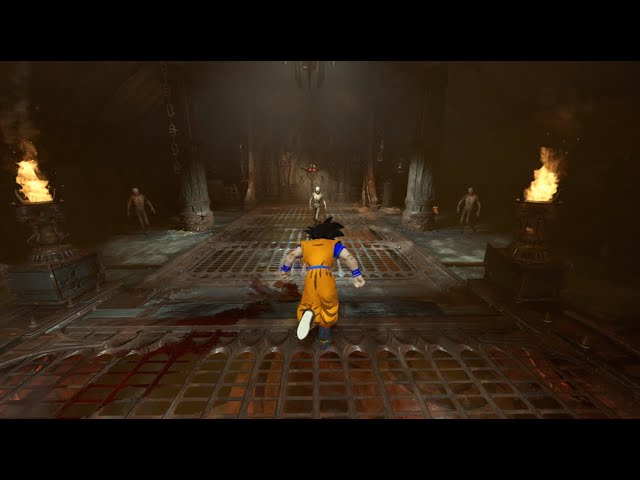
Very Work-in-Progress but this is a real thing (and it'll work on controller too), the fact that we can do literally whatever we want with idStudio besides raising the maximum demon spawn count of 32 will forever be a mystery to me
https://discord.gg/4CsdQ6vpA7 (Doom Modding Discord 1)
https://discord.gg/Z3UPNyPzDn (Doom Modding Discord 2)
http...
prisma vector
play as gok
tight hinge
 ancient shard

Just testting the combat has well has testing the new areas!
Now! It might work!
main citrus
are there custom levels?
distant sage
main citrus
are there custom levels?
si
main citrus
o cool
distant sage
only on PC, however
main citrus
are there any of note?
like how complex can peopel make them ig
compared to campaign levels
distant sage
main citrus
are there any of note?
like how complex can peopel make them ig
people have the same level editor id Software did
main citrus
o cool
i hope theres ones that have like
cool progression
distant sage
for more technical information, I'm not your guy
the other folk here would have an actual idea
the extent to my knowledge is basically what I told you already lol
main citrus
cool though
that they got the tools
plush thicket
🥶
 halcyon stratus
I love it when I'm little over halfway through Church of the holy v2 after a dozen or so attempts and my game decides it wants to crash.
Fuck you too, game.
plush thicket
halcyon stratus
I love it when I'm little over halfway through Church of the holy v2 after a doz...
I think it infinite randomizer
halcyon stratus
Nah it's fixed waves of enemies and it crashed halfway through. Very frustrating.
I'll give it another go later.
ancient shard
plush thicket
🥶
Looks so cool!
Anyway, i have a small question since am facing a little problem with the Encounter Manager, more with one enemy...the Demonic Trooper, everytime i use the encounter manager it just ignore him and dont spawn him. (But linking the trigger to the spawner works just fine for some reasson.) Am doing something wrong? or its just how ambient demons work?
plush thicket
Did you added the Demonic Trooper to your spawn parent ??
ancient shard
Yep, i did ^^.
I did like every other demon tho. But it allways Ignore the encounter for some reason.
What am trying to do is use an relay event and then use the Encounter Manger to activate the target relay to interact with the spawner. Weird? TOTALLY. XD
plush thicket
What your setup for your target/spawn, like did you link them to spawn parent ??
ancient shard
Isn't it linked with the spawn group tho?
It have the parent, and the parent is linked with the spawn group.
That the spawn group is also linked on the spawner.
ancient shard
ancient shard
What am trying to do is use an relay event and then use the Encounter Manger to ...
Okay, doing this way is working tho.
ancient shard
topaz fulcrum
Hello. Does anyone have a list of music names?
I'm looking for the Initial Switch States for the Music Entity for Tag1 music. The only place I seem to be able to see them is by loading up the maps and checking the music entity directly, but we don't have the TAG map files.
oak geyser
topaz fulcrum
Hello. Does anyone have a list of music names?
I'm looking for the Initial Swi...
Try https://wiki.eternalmods.com/books/5-level-modding/page/idmusicentity#bkmrk-music-states-per-lev. Not sure if everything on there is correct, but the TAG 1 ones seem to be.
For TAG map stuff you can always extract the .entities files from the game resources, of course it's not the same as having the original map resources, but still, it reveals a lot of helpful information, you can even paste the contents in a .map file and load it in idStudio (it will be kinda garbled, lots of stuff missing, but still, better than nothing).
The base\sound\soundbanks\SoundbanksInfo.xml that comes with each mod can also be helpful when it comes to sounds/music.
topaz fulcrum
oak geyser
Try <https://wiki.eternalmods.com/books/5-level-modding/page/idmusicentity#bkmrk...
Thanks for the detailed answer! It's very helpful 🤝
fickle glade
So I've heard that there's a bug that prevents users from just adding an updated version of their mod and people have to upload a seperate version. Is that true?


 oak geyser
fickle glade
So I've heard that there's a bug that prevents users from just adding an updated...
oak geyser
fickle glade
So I've heard that there's a bug that prevents users from just adding an updated...
I'm not sure how exactly the problem manifests (or manifested), I've asked Saleem if it still exists, and he said he was able to upload a new release to his existing mod (https://mods.bethesda.net/en/doometernal/details/947dc540-66d6-437a-acbd-f9611fbcef91/RANCID/history), so I guess it generally works.
I've just now tried uploading a new mod with multiple releases at once, and that worked too (https://mods.bethesda.net/en/doometernal/details/a4b81de0-12c6-4b55-8a92-0a9449d031d7/Alternative_Dot_Crosshairs/history).
🤷
ancient shard
Fabulous Imp.
 oak geyser
ancient shard
Fabulous Imp.
oak geyser
ancient shard
Fabulous Imp.
The Slayer's manager is very busy, it doesn't have time right now to deal with people's dreams of a reality in which FBX/Blender supports transporting data that would make Blender create "Specular BSDF" nodes instead of "Principled BSDF" ones on import!
ancient shard
oak geyser
The Slayer's manager is very busy, it doesn't have time right now to deal with p...
I mean, ID Studio have a material editor right?
ancient shard
ancient shard
Fabulous Imp.
Also this kinda a """Custom Model""" (i just added this hair)
oak geyser
ancient shard
I mean, ID Studio have a material editor right?
Not really, it has the material painter, which works on some models... I don't know (yet) what the rules are in order for it to work on a given model, and I don't remember what this tech actually is, I've read about it but it's been quite some time.
Anyways, I'm just making fun of flat glossy imp, don't worry about it 🙂 It took me some time to realize that actually instead of converting/inverting roughness/specular textures, the Specular BSDF node is a much easier way to get proper renders (it doesn't export to FBX properly though, which is sad).
ancient shard
oak geyser
Not really, it has the material painter, which works on some models... I don't k...
Lmao, i mean it would work anyway tho, i might reuse the hair textures that allready have on the ID Studio.
Also no worries man! You can make fun of it, the idea is just make a meme and a variant of imp that have hair tho :D.
LOL
 oak geyser
ancient shard
LOL
oak geyser
ancient shard
LOL
Average custom model import experience! Don't forget to apply transforms/scales/rotations, and if you want to put something on the imps head, then the mesh should be assigned to the Head vertex group.
ancient shard
The Vertex Group is allready applied to, that wasnt hard at all tho. Now am just experimenting more and i will probably get a better result tho!
oak geyser
good good 👍
ancient shard
Okay, i probably something stupid while modeling the hair. Thats why i think its bigger.
 cobalt urchin
haughty mica
https://youtu.be/PkMnyJVf_2c
cobalt urchin
haughty mica
https://youtu.be/PkMnyJVf_2c
Bro I need this, when will it be done?
haughty mica
cobalt urchin
Bro I need this, when will it be done?
Idk, less than a month maybe
cobalt urchin
Love it dude 🤙🏼
ancient shard
First custom music...Now Custom lwo meshes. 👀
 plush thicket


 small ibex
Hi, I'm new here and want to get into Eternal modding. Currently bumping into some issues opening projects to edit.
When trying to switch mods in idStudio, the editor closes but doesn't reopen with the switched mod. I tried verifying integrity of both studio & eternal, but no errors. I did change the directory to a copy of idSoftware folder in C:/ drive.
Has anyone else encountered this and if so, what's the workaround?
 placid bear
small ibex
Hi, I'm new here and want to get into Eternal modding. Currently bumping into so...
placid bear
small ibex
Hi, I'm new here and want to get into Eternal modding. Currently bumping into so...
A little help?
halcyon stratus
plush thicket
Superb work as always.
dark pendant
ancient shard
First custom music...Now Custom lwo meshes. 👀
Is that the Serious Sam Timelock?
ancient shard
dark pendant
Is that the Serious Sam Timelock?
Hell yeah! Thats ported straight from Serious Sam Fusion SDK.
dark pendant
ancient shard
Hell yeah! Thats ported straight from Serious Sam Fusion SDK.
Nice, maybe over time we can make Serious Sam 5 before it comes out in 2055
ancient shard
"Seriously Eternal: Hell on Egypt"
ancient shard
ancient shard
First custom music...Now Custom lwo meshes. 👀
Btw, am allready doing a best version of the first level, with better organization,grouping and better static meshes ported.
Am without the PC for this week tho, but when i come back i can experiment with making an Automap.
dark pendant
I took a long break from mapping but might come back
ancient shard
Oooo! That would be nice man! I would like to see and play your creations too!
small ibex
placid bear
A little help?
resetting the PC seemed to fix it.
dark pendant
ancient shard
Oooo! That would be nice man! I would like to see and play your creations too!
I made the "Soul Processor" map, but it's only on Nexus because the launcher wouldn't let me upload. I'm assuming it's a file size problem
ancient shard
Oooo Nice man! I will take a look at your map!
atomic bay
@modest obsidian - FEATURE REQUEST - Fall back to English for custom text strings
By default, idStudio's string editor shows you English strings. I imagine that a lot of mods might only edit English strings, whether due to not considering other languages or due to the modder only knowing English. For non-English players, this results in one of two things:
- New strings displaying "#str_my_custom_string" instead of "Hello world!".
- Modified strings displaying the vanilla text instead of the custom text.
In both cases, falling back to the mod's English text is probably a better experience for players, even if their game isn't set to English.
In this example, "doom-mod-2" is the highest-priority active mod (just to show that it's not in alphabetical order), "doom-mod-1" is the medium-priority mod, and "doom-mod-3" is the lowest-priority mod.
When the game language is French, Doom Eternal will try to load these string files in order (highest-priority first - "strings/french.blang" being the vanilla game strings): strings/doom-mod-2/french.blang strings/doom-mod-1/french.blang strings/doom-mod-3/french.blang strings/french.blangI propose making it try to load these string files in order instead, automatically falling back to English if a French .blang file (or individual string!) doesn't exist: strings/doom-mod-2/french.blang strings/doom-mod-2/english.blang strings/doom-mod-1/french.blang strings/doom-mod-1/english.blang strings/doom-mod-3/french.blang strings/doom-mod-3/english.blang strings/french.blang(Note that high-priority mods' English strings should override low-priority mods' "current language" strings, and that there's no need to fall back to English for the vanilla game strings.)
dark pendant
ancient shard
Oooo Nice man! I will take a look at your map!
Yeah it's a really tough one, was thinking I'd made an easier version and have it work with another map. I don't really have the time anymore though
ancient shard
dark pendant
Yeah it's a really tough one, was thinking I'd made an easier version and have i...
I mean, the map itself looks and feels nice, and it even have an slayer gate to it!
 cloud lichen
does anyone know hwo to get infinite ammo?
modding via official portal doesnt work
well it does work probably but withotu odl saved files
atomic bay
cloud lichen
does anyone know hwo to get infinite ammo?
does anyone know hwo to get infinite ammo?
Either run EternalModInjector once (even if you don't actually install any mods with it), or opt into the PC Mod Preview and click "Mods" > "Play Mods" > "Play DOOM Eternal with mods" in Doom Eternal's new launcher. Both options will give you access to hidden console commands/variables.
Then, once in-game, press the key above Tab, to the left of 1, below Escape (often the~key) to open the console, typeg_infiniteAmmo 1and press Enter to enable infinite ammunition, and press that key again to close the console.
Alternatively, find and enable the "Infinite Ammo" cheat code in-game.
modding via official portal doesnt work - well it does work probably but withotu odl saved files
When opted into the PC Mod Preview beta, the launcher's "Play DOOM Eternal" button and "Mods" > "Play Mods" > "Play DOOM Eternal with mods" button have separate sets of save data. You can copy your "normal" save data to your "with mods" save data like so: https://wiki.eternalmods.com/books/0-idstudio/page/copy-save-profiles-to-sandbox
cloud lichen
thx
cloud lichen
should i unzip ity into this folder? C:\Users\JAKUB\Documents\id Software\activemods\86591
atomic bay
EternalModInjector? No, you should extract that into your Doom Eternal installation.
DOOMSaveManager? You can extract that into any folder you'd like.
The "backup.zip" created by DOOMSaveManager? No, you have to extract that into the folder that that link specified (C:\Users\[Username]\Saved Games\id Software\DOOMSandBox\base\savegame.unencrypted\).
cloud lichen

i have such a folder but its in my game folder no user/saves folder
do i do anything with this folder or do i create a folder like you described?
i dont have DOOMsandbox folder in my saves
atomic bay
cloud lichen
i have such a folder but its in my game folder no user/saves folder
i have such a folder but its in my game folder no user/saves folder
The correct folder is "C:\Users\[Username]\Saved Games\id Software\DOOMSandBox\base\savegame.unencrypted\", not "[...]\steamapps\common\DOOMEternal\doomSandBox\".
i dont have DOOMsandbox folder in my saves
In Doom Eternal's PC Mod Preview's launcher, click "Mods" > "Play Mods" > "Play DOOM Eternal with mods", start a new save slot, and close the game afterwards. Then you should have a "with mods" save data folder.
cloud lichen
wow thx it actually worked
 velvet crystal
yo how to i get the movement mod like do i put it in C:\Program Files (x86)\Steam\steamapps\common\DOOMEternal\base\game and then sp or something i know the speedrun mod shoud work the same
oak geyser
It is Wednesday my dudes!
 tight hinge
oak geyser
It is Wednesday my dudes!
tight hinge
oak geyser
It is Wednesday my dudes!
pink shirt moment
 charred frost
Frog
fickle glade
is there a way to "mirror" objects in idstudio? I want these planters to be symmetrical
 oak geyser
fickle glade
is there a way to "mirror" objects in idstudio? I want these planters to be symm...
oak geyser
fickle glade
is there a way to "mirror" objects in idstudio? I want these planters to be symm...
The X|X/Y|Y/Z|Z buttons in the world editor toolbar.
fickle glade
oak geyser
The `X|X`/`Y|Y`/`Z|Z` buttons in the world editor toolbar.
Thx
ancient shard
oak geyser
It is Wednesday my dudes!
Look! Its the Pinky-Frogger!
ancient shard
fickle glade
is there a way to "mirror" objects in idstudio? I want these planters to be symm...
Looking Nice!
fickle glade
ancient shard
Looking Nice!
Thx! 😁
molten token
Hey everyone! I just want to say that I was fortunately one of the winners of the contest I entered, so I've been somewhat missing from my mod since I've been working on a lot of "musical" content to upload this month haha but I'll get back to my questions to the community and my mod in a few weeks (if anyone could make a daytime skybox at the ARC complex or in Urdak I'd be very grateful, I've been waiting for that for years haha)
empty bobcat
molten token
Hey everyone! I just want to say that I was fortunately one of the winners of th...
congrats bro!
dark pendant
Anyone know how to make fans that can shut on and off via shootable such as those on UAC Atlantica? Is it simple?
molten token
empty bobcat
congrats bro!
thanks dude!!!
ancient shard
dark pendant
Anyone know how to make fans that can shut on and off via shootable such as thos...
That is an intressting question tho! I might try to do this in the future tho!
I tend to make some small tutorial for ID Studio on my YouTube channel tho.
ancient shard
fickle glade
Thx! 😁
Np! 😄
tight hinge
dark pendant
Anyone know how to make fans that can shut on and off via shootable such as thos...
I've been trying to add that to my map too
Saleem has been helping me on it, but it's still not finished
 jolly saffron
Dunno where to ask this, so sorry. I’m planning on running a DnD campaign that’s just the story for DOOM 2016/Eternal, anyone know where I could find any files or maps of the 2016/Eternal levels?
dark pendant
jolly saffron
Dunno where to ask this, so sorry. I’m planning on running a DnD campaign that’s...
Don't think you can get files for 2016, but you can download and edit the ones in eternal through idStudio
Not DLC maps though
ancient shard
Man Importing custom assests on ID Studio is kinda a pain in the ass tbh!
oak geyser
dark pendant
Anyone know how to make fans that can shut on and off via shootable such as thos...
This is the UAC Atlantica setup, a bounce trigger to push the player, a shootable that disables/enables the bounce trigger, and some logic that handles rotation, particles and sounds.
 grizzled tiger
Hello fellow modders!
I'm trying to figure out how to use the engine. I'm trying to play e1m1 (the campaign level) on the editor to learn how things work
But it looks like none of the triggers are working. It's the same case for all the campaign levels.
Is there something I'm not turning on to get the gameplay functioning?
Thanks in advance!!!
lavish apex
have you built the map yet?
grizzled tiger
nope!
would it be slow map build?
 lavish apex
I would use build wizard, check the slowmap option and the navmesh options
 solar glen
hi, how to add new post processing to the game with idstudio ?
oak geyser
solar glen
hi, how to add new post processing to the game with idstudio ?
Depends on what exactly you mean by that... but if you mean what I think you mean, then you'll have to be(come) a Shader Wizard, and look into the stuff in /renderprogs in the asset browser. You can't edit these files in idStudio AFAIU, you have to export them (right click > show in explorer) and edit them in an external editor.
solar glen
oak geyser
Depends on what exactly you mean by that... but if you mean what I think you mea...
thank you, I know how to code shaders in HLSL. I want to turn the game into cel shading.
oak geyser
solar glen
thank you, I know how to code shaders in HLSL. I want to turn the game into cel ...
Yeah, then that is what you need to look into. @ Zandy probably has much better info on it, as he wrote the 1984 render mode mod. I'm not sure if you'd need any of the stuff that is seemingly not accessible from within idStudio, like there's for example a bunch of .inc files with shader code and I don't know what else. IIRC you can extract it all from the common.wad7 file that ships with idStudio, using EternalResourceExtractor (https://github.com/brunoanc/EternalResourceExtractor/releases/latest).
 grizzled tiger
lavish apex
I would use build wizard, check the slowmap option and the navmesh options
grizzled tiger
lavish apex
I would use build wizard, check the slowmap option and the navmesh options
nope didnt work 😦
i see navmesh has generated
all the objectives appear and im able to walk around in the level but it looks like the AI are not spawning
ancient shard
grizzled tiger
nope didnt work 😦
i see navmesh has generated
all the objectives appear and im...
You need to use "Rebuild Triggers and Collision".
 maiden mica
oak geyser
Yeah, then that is what you need to look into. @ Zandy probably has much better ...
maiden mica
oak geyser
Yeah, then that is what you need to look into. @ Zandy probably has much better ...
Pretty cool to see how renderprogs evolved from idtech4 prime/idtech5 to idtech7's progs they seem more complex than ever lol
fickle glade
So I'm trying to make a scope mod for the heavy cannon, and I've got the necessary texture for it exported into paint.net, but I don't know what to do next
 ancient shard
fickle glade
So I'm trying to make a scope mod for the heavy cannon, and I've got the necessa...
ancient shard
fickle glade
So I'm trying to make a scope mod for the heavy cannon, and I've got the necessa...
Maybe mess abit with Masks to put or modfy the texture?
Same boat here! The diference is that am importing New meshes for it 😭.
 fickle glade
ancient shard
Maybe mess abit with Masks to put or modfy the texture?
fickle glade
ancient shard
Maybe mess abit with Masks to put or modfy the texture?
I was able to figure it out thx
ancient shard
Nice! I can't wait to see what are you cooking! ;D.
fickle glade
ancient shard
Nice! I can't wait to see what are you cooking! ;D.
Check the newest on the mod portal
ancient shard
I will be taking a look for sure!
 silver hedge
is there a way to change the amount of ammo consumed by a weapon within id studio? instead of the ballista using 25 it uses 20? or bfg from 30 to 20?
atomic bay
Yes. In generated/decls/weapon/weapon/player/gauss_rifle.decl, change validAmmoClips > (at least) item[0] > ammoPerShot from 25 to 20.
-# (If you also want to affect the Arbalest weapon mod, also change item[1] and item[2], in the "gauss_rifle_ballista.decl" file in the same folder.)
For the BFG-9000, change (at least) item[2] in "bfg_base.decl" in the same folder.
(Note: It's called item[0] in the raw text files, but just "0" in idStudio.)
silver hedge
ive run through and changed all of them to what i originally intended, however when i pull it into a start of game save and give myself all the guns, the BFG still uses 30 ammo
 atomic bay
Did you package the changed decls, and activate the mod? Do the Arbalest changes work? And are you using any other mods? (If so, try without other mods.)
silver hedge
DAM i guess i thought that launching the test would automatically apply the changes, didnt realize i had to repack to fix it
thanks!!!!
silver hedge
woohoo! i just finished a minor rebalance that makes the unmayker feel less punishing to use! now you get 200 argent cells, and the BFG uses 90 per shot, meaning you can actually use the unmaykr without denying yourself the panic BFG!
 proper shore
so uh, vortex mod manager is the way to go for eternal?
atomic bay
If you want to use PC Mod Preview/idStudio mods, no. Just opt into the PC Mod Preview beta, click "Mods" at the top-left of Doom Eternal's new launcher, click "Browse" on the left, log into your Bethesda.net account, and download mods there.
If you want to use EternalModInjector mods, also no. Install EternalModInjector, download EternalModInjector mods as zip archives, place the unextracted zip archives into your "Mods" folder, open EternalModManager, and click "Run mod injector" to install them.
See #eternal-modding message for more details/instructions.
proper shore
atomic bay
If you want to use PC Mod Preview/idStudio mods, no. Just opt into the PC Mod Pr...
thats better than vortex?
well idk which is better the mods on vortex or the id studio mods
atomic bay
idStudio mods are just a "different list" of mods compared to EternalModInjector mods. Neither is really "better" than the other (although idStudio mods can also add completely new maps to the game, which EternalModInjector can't, and idStudio is official). You can also use both at the same time if you want.
maiden mica
Has anyone gotten idStudio mods to run on the Steam Deck? The launcher used to start but now it crashes during startup
(Is this the right channel for this question)
proper shore
atomic bay
idStudio mods are just a "different list" of mods compared to EternalModInjector...
to clarify, idstudio is also better than what youd get on vortex?
 surreal hare
yo i just got the doom eternal new beta mod launcher shi and it doesn't save or transfer my save files, is there a way to fix this?
modest obsidian
No 'fix' at the moment, saves are separate in mods
atomic bay
proper shore
to clarify, idstudio is also better than what youd get on vortex?
PC Mod Preview/idStudio is the new, official type of mods. EternalModInjector is the old (but still supported), unofficial type of mods. They're not "better" or "worse" than each other, they're just two different mod loaders - and you can use both types of mods at the same time if you want.
For PC Mod Preview/idStudio, Vortex Mod Manager is useless. For EternalModInjector, most people ignore Vortex Mod Manager and download mods manually through a web browser instead. See #eternal-modding message .
atomic bay
surreal hare
yo i just got the doom eternal new beta mod launcher shi and it doesn't save or ...
As @ halfp1nt said, when opted into the PC Mod Preview beta, the launcher's "Play DOOM Eternal" button and "Mods" > "Play Mods" > "Play DOOM Eternal with mods" button have separate sets of save data. You can copy your "normal" save data to your "with mods" save data like so: https://wiki.eternalmods.com/books/0-idstudio/page/copy-save-profiles-to-sandbox
proper shore
atomic bay
PC Mod Preview/idStudio is the new, official type of mods. EternalModInjector is...
ok thanks for the help, im gonna try id studio
 stiff rivet
guys quick question is there a console command to spawn certain enemies into the game
solar glen
is there some doc on how to make a cinematic with id studio ?
solar glen
or how to export characters and animations so I can make the cutscene in blender ?
ancient shard
solar glen
is there some doc on how to make a cinematic with id studio ?
This idk, but i think there is how you can export Characters and Animations from Blender to ID Studio.
ancient shard
solar glen
or how to export characters and animations so I can make the cutscene in blender...
oak geyser
solar glen
is there some doc on how to make a cinematic with id studio ?
Docs on creating cinematics do not exist yet, but generally speaking it's relatively easy - of course like everything in life it comes with a bunch of tripping hazards, but that's a given. The very brief, basic gist of it that is lacking all the details, is that you create your animations in Blender, separately export every model with its animation, import them to idStudio, place a camera and a func/scene_director_animated entity for each of the models on the map, bring these entities into a director scene in the Scene Director, attach and arrange the animations from within there, and finally control the scene/cinematic playback using the Scene Director / Control node in the Logic Designer.
ancient shard
oak geyser
Docs on creating cinematics do not exist yet, but generally speaking it's relati...
Its a little bit hard on the begning, but easy to catch after some attempts! And its pretty fun to learn ID Studio imo. :D.
Also, texture fixed! XD

 lilac terrace

prisma vector
what the fuck
 steel bronze
Reason I would obliterate
 ancient shard
Whata? 💀
halcyon stratus
<@&162901871168585728> What is this doing here?
pseudo igloo
I pop in this channel quite often to check on modding updates, and at least a couple times now i've seen 'ayyo, wtf is this?' -type replies to messages that are now deleted. Have to admit it stirs my curiousity about what i missed😅
solar glen
every time I launch idstudio it create a new mod. Is there a way to load a previous mod instead ?
solar glen
ok, I found, it must be launched with id launcher, not with steam
solar glen
why console commands like noclip / god / ai_forceIdle are not recognized ?
 ashen lichen
Are there any alternatives to meath00k in 2025? Or maybe an updated meath00k available anywhere? Neither github nor nexusmods have it up to date and I cant find anything related to it on eternal launcher either :/
atomic bay
The latest version should(?) be https://github.com/brongo/m3337ho0o0ok/releases/latest - but non-latest versions also still work fine.
If you're asking because of the pop-up caused by meath00k, then there's not much that you can do about it. Update 6.66 Rev 3 changed something that meath00k tries to scan for, so meath00k shows a pop-up about the scan failing. You probably don't use anything in meath00k that actually relies on that (which is part of the reason that meath00k hasn't been updated to fix it), so you can just ignore the pop-up and click "OK" to launch the game.
As for alternatives, if you're opted into the PC Mod Preview (see #eternal-modding message ), then if you click "Mods" > "Play Mods" > "Play DOOM Eternal with mods" in Doom Eternal's new launcher, you will have access to all console commands/variables even without meath00k.
-# (You won't get any commands that start with mh_, though, and meath00k's chrispy is called spawn when playing with official mods.)
ashen lichen
atomic bay
The latest version should(?) be <https://github.com/brongo/m3337ho0o0ok/releases...
sadly, the latest version on meathook crashes the game when loading. Sometimes it randomly passes me into the actual main menu but most of the time the game just cant load with mh
Do the new launcher alternative commands also have stuff like notarget and god to test things out?
also, is there a way to import settings from the original eternal into the eternal with mods?
Sorry for the amount of questions here 😅
atomic bay
ashen lichen
sadly, the latest version on meathook crashes the game when loading. Sometimes i...
sadly, the latest version on meathook crashes the game when loading. [...]
Do you have anything in -/steamapps/common/DOOMEternal/overrides/? If so, meath00k will load that, and maybe that is what causes the crash; try renaming/deleting the "overrides" folder so that meath00k won't load it.
If not, I'm guessing that you have some EternalModInjector* mods that cause a crash together instead. Try uninstalling some/all EternalModInjector mods, just to test.
-# * meath00k is not compatible with PC Mod Preview's "Play DOOM Eternal with mods" button. If "XINPUT1_3.dll" exists in -/steamapps/common/DOOMEternal/doomSandBox/, the game won't launch with mods.
Do the new launcher alternative commands also have stuff like notarget and god to test things out?
Yes. 👍
also, is there a way to import settings from the original eternal into the eternal with mods? [...]
Yes: https://wiki.eternalmods.com/books/0-idstudio/page/copy-save-profiles-to-sandbox
stiff rivet
hi guys im trying to spawn bosses in a level however it doesnt seem to work, is there a way to spawn them? appreciate it. Im trying to spawn the gladiator in blood swamps final arena
ancient shard
pseudo igloo
I pop in this channel quite often to check on modding updates, and at least a co...
Someone posted...whatever it was here in the wrong channel xDD.
tight hinge


Something that I'm working on rn (it will still take a long time to finish tho because this guy has so many animations)
maiden mica
tight hinge
https://cdn.discordapp.com/attachments/1271883689722118255/1353443922868961280/i...
Woah nice work so far, honestly wished for the Hell Razor to be in Doom Eternal when it was first shown. Are 2016 animations to import into Eternal?
And glorykills and gore/dismemberment
 fast plaza
tight hinge
https://cdn.discordapp.com/attachments/1271883689722118255/1353443922868961280/i...
fast plaza
tight hinge
https://cdn.discordapp.com/attachments/1271883689722118255/1353443922868961280/i...
How did you manage to import the anims and rig?
AFAIK 2016 used an older format which wasn't compatable with idtech 7, i tried it myself
tight hinge
fast plaza
How did you manage to import the anims and rig?
exported them as .cast through revenant and then used a .cast blender plugin
fast plaza
I swear i tried that exact same thing. I guess the mod import tools didn't support the feature then.
great job man and best of luck!
maiden mica
fast plaza
AFAIK 2016 used an older format which wasn't compatable with idtech 7, i tried i...
Does 7 use like a md6.5 or something?
tight hinge
fast plaza
great job man and best of luck!
thanks, I'm running into some issues though, since I will have to adapt some eternal's soldier animations into the hell_razer
maiden mica
Did 2016 even have md6 yet
fast plaza
maiden mica
Does 7 use like a md6.5 or something?
It's been a while so i don't remember specifics, but the main problem stemmed from the fact that each version of idtech drops compatability for older file formats. It was all exported from maya, but it was a different format of md6 i think
maiden mica
fast plaza
It's been a while so i don't remember specifics, but the main problem stemmed fr...
I did not know that, I thought idtech7 would continue to support legacy formats, I remember idtech4 still supported md3 I believe
ancient shard
tight hinge
https://cdn.discordapp.com/attachments/1271883689722118255/1353443922868961280/i...
Hell yeah! Our boy Hell Razer is coming back!
tight hinge
ancient shard
Hell yeah! Our boy Hell Razer is coming back!
the idea that I had for him was that he would work like in 2016, but he would also be able to throw siphon grenades which can suck your health
maiden mica
hologram grenade is forgotten lol
ancient shard
tight hinge
the idea that I had for him was that he would work like in 2016, but he would al...
That kinda spicy things up abit tbh! Also would fit Eternal since demons have more priority on the battlefield compared to 2016 imo.
And looking at this makes me question, if we could make an entire new enemy for the game tho!
tight hinge
you should definetly be able to
ancient shard
tight hinge
you should definetly be able to
I might try doing some custom ai in the future too.
maiden mica
ancient shard
And looking at this makes me question, if we could make an entire new enemy for ...
Yeah idstudio allows for entire new decls and assets, I actually saw a guy implementing the 2016 cyberdemon
I believe it was nayram, oh and the serious sam kamikaze dudes
ancient shard
maiden mica
Yeah idstudio allows for entire new decls and assets, I actually saw a guy imple...
Yup, its the same guy who was making Kamikaze from Serious Sam.
ancient shard
maiden mica
I believe it was nayram, oh and the serious sam kamikaze dudes
Yep! Its him.
tight hinge
ancient shard
I might try doing some custom ai in the future too.
if you try it, don't be like me and try to do one with 600+ animations 💀
ancient shard
tight hinge
if you try it, don't be like me and try to do one with 600+ animations 💀
💀 am allready killing my self porting and fixing Hatshepsut geo on idstudio.
maiden mica
tight hinge
if you try it, don't be like me and try to do one with 600+ animations 💀
Good thing md6anim allows for animation retargeting
ancient shard
I would say, static models are kinda annoying to port on ID Studio.
ancient shard
maiden mica
Good thing md6anim allows for animation retargeting
Atleast this is good news!
halcyon stratus
tight hinge
https://cdn.discordapp.com/attachments/1271883689722118255/1353443922868961280/i...
Whoa mama, that's cool.
surreal hare
i dont wanna sound dumb but whats that mod that doom eternal creatorsalways use in their vids to show new tech? like they'll have a tyrant w infinite ammo stand there and do nothing while they show cool shi? whats it called
halcyon stratus
I'm not a big fan of the Razer but cool to see.
tight hinge
surreal hare
i dont wanna sound dumb but whats that mod that doom eternal creatorsalways use ...
They use console commands
haughty mica

So you're telling me there was a scrapped episode where Gomah transported Goku to Nekravol and tried to trap him there? Toriyama why would you hide this from us?
Not much progress from last video cause I had to learn the Logic Designer among other things, whenever I finish up Base Goku I'll make a public playtest where I'll want anyone playing ...
ancient shard
haughty mica
https://youtu.be/9cr1uFspbY4
Has allways, amazing work man! :D.
tight hinge
Is anyone here experienced with animation retargeting? I need some help retargeting some of the eternal's soldier animations to use my hellrazer skeleton
ancient shard
I can try to help you with that if you want tho.
 rotund ore
This isn't an eternal mod but I'm working on a Minecraft mod pack that's styled around doom eternal
molten token
HI, I have a question, my level already weighed like 2GB, and I added like a thousand paper clips hahahahaha. Will that make it weigh a lot more? And how much more? Because before it weighed almost 3GB without any paper clips 😦
fickle glade
Paper clips? What?
 neat stone
can i and how do i mod this doom eternal and if i can you attach a video
 distant sage
neat stone
can i and how do i mod this doom eternal and if i can you attach a video
distant sage
neat stone
can i and how do i mod this doom eternal and if i can you attach a video
I can't tell you how, but the MS Store version does have access to the Mod Portal.
neat stone
Ok thx I’ll try to find a way
lavish apex
neat stone
can i and how do i mod this doom eternal and if i can you attach a video
Check out the "How do I opt-in to the Microsoft Store PC Mod Preview?" part of this
https://idstudio.idsoftware.com/faq/doom-eternal-mods
molten token
Those brown textured ones you see in one of the photos, those clips, so the slayer can slide and grip platforms better, does adding this increase the GB of space? or what?

 lavish apex
I don't think it should noticeably change it