Also I was thinking about open map - a small part of city you could walk freely around - but how to hande with limited monsters, if you made nonlinear maps in snap map you know the problem (which was partialy fixed with spawn/despawn distance), but I'm not sure is DE spawn/despawn distance, so if I see 32 monsters and I run away I will not see any more cause the limit stop spawning other ai? That ruins all my concept. So, if I like I can build only DE style map.
#eternal-modding
1 messages · Page 12 of 1
 empty bobcat
 obtuse arch
empty bobcat
Also I was thinking about open map - a small part of city you could walk freely ...
obtuse arch
empty bobcat
Also I was thinking about open map - a small part of city you could walk freely ...
I think there are ways you could do this, there are commands in encounter manager that allow you to kill all remaining AI, you could use this when the player enters new areas of the map (like load zones).
obtuse arch
empty bobcat
Also I was thinking about open map - a small part of city you could walk freely ...
something like this

 gaunt ether
sh2 inspired map 👀
obtuse arch
Has anyone managed to spawn the Gladiator boss in their own maps?
Is this a hard-and-fast rule?

 fluid hatch
Probaly hard coded maybe? idk
obtuse arch
maybe...
 obtuse arch
 oak geyser
https://www.youtube.com/watch?v=MRSi4SOdDSs
hmmmm 🤔
oak geyser
https://www.youtube.com/watch?v=MRSi4SOdDSs
hmmmm 🤔
Holy shit, how did you get him to spawn? Is he linked directly to the Spawn instead of a Parent?
oak geyser
obtuse arch
Holy shit, how did you get him to spawn? Is he linked directly to the Spawn inst...
Yes, there is no parent, just spawn > gladiator, I've really only changed out the imp for the gladiator.
obtuse arch
oak geyser
Yes, there is no parent, just spawn > gladiator, I've really only changed out th...
Ok, amazing find, I'm going to try it now
 prisma vector
anyone know a video tutorial on how to change and import custom weapon textures?
oak geyser
prisma vector
anyone know a video tutorial on how to change and import custom weapon textures?
It should be the same as with other textures, no?
prisma vector
oak geyser
It should be the same as with other textures, no?
yeah but trying to work in the idstudio program without a proper tutorial is kinda confusing
i just know the old method
obtuse arch
oak geyser
Yes, there is no parent, just spawn > gladiator, I've really only changed out th...
I keep trying to get this to work, crashed 4 times so far 
oak geyser
prisma vector
yeah but trying to work in the idstudio program without a proper tutorial is ki...
Well, I'm not sure how the old method works, but basically you can get any texture file from idStudio by opening the material decl (for example material2/art/weapons/supershotgun/supershotgun_base), and do "right click > show in explorer" on the texture entry. And to get a model, you either export from the static model editor, or the animated model editor (https://idstudio.idsoftware.com/working-with-art/importing-content#export-procedures-from-idstudio). The import process for textures is basically that you save your texture image files in the paths that the material decls are referencing (or change the paths in the material decl to point to your images), and that's it.
Is there anything specific that you're struggling with.
oak geyser
obtuse arch
I keep trying to get this to work, crashed 4 times so far <:doomcry:668559689205...
Not sure if it's required, but do you have the Sentinel Prime asset pack installed?
prisma vector
oak geyser
Well, I'm not sure how the old method works, but basically you can get any textu...
Very helpful thanks
obtuse arch
oak geyser
Not sure if it's required, but do you have the Sentinel Prime asset pack install...
Yeah I got all the assets downloaded
oak geyser
obtuse arch
Yeah I got all the assets downloaded
Ah well, it was just a shot in the dark. Of all the many many man things that are causing crashes for me, adding bosses isn't one of them, it just works over here 🤷
 obtuse arch
oak geyser
Ah well, it was just a shot in the dark. Of all the many many man things that ar...
obtuse arch
oak geyser
Ah well, it was just a shot in the dark. Of all the many many man things that ar...
I will try again later on an empty map, see if I can get anywhere with it. 🤔
obtuse arch
oak geyser
Ah well, it was just a shot in the dark. Of all the many many man things that ar...
Software crashes constantly, if you still have it would you mind sending the box map on discord and I will see if I can load it without crashing? ty
 fickle glade
So I have made a map that is selectable from the main menu, and have a specific devinvloadout created and set, but when I load the map, it doesn't use it
It does work when I load the map with slowmap though
oak geyser
fickle glade
So I have made a map that is selectable from the main menu, and have a specific ...
I assume your map is still located after Final Sin? I'm not sure how exactly it works, but it looks like that outside of loading maps for dev purposes (like with slowmap), the loadout specified in the world spawn will only be used on startup for the first map in the mission list (which makes sense, progress and such...). So just like with all other maps, you will inherit the current loadout when you go from Final Sin to your map.
I can only assume that if you'd wanted to give the player something specific, no matter the loadout that the map is being entered with, that you'd have to use logic.
fickle glade
oak geyser
I assume your map is still located after Final Sin? I'm not sure how exactly it ...
Do you know how to use logic?
 oblique dirge
fickle glade
Do you know how to use logic?
oblique dirge
fickle glade
Do you know how to use logic?
Yas
 novel moss
So I switched to the mod beta branch today but it somehow corrupted my save and I have lost all progress. Is there a way to easily get all my upgrades and levels back?
 soft bay
how do i mod the xbox pc app version of doom eternal?
 dark pendant
Anyone figure out how to make escalation encounters? I tried making my own but whenever I would trigger the 2nd escalation gore nest to show, it can't be used because it's initial state is set to hidden. However, if you set it to idle (as in what the gore nest is when visible and useable), the portal floating above it is shown even if the gorenest is not showing.
So I just opted to spawn a switch for the escalation encounter and that worked lol
 wary night
Hi, I'm new here, I would like to know if you can add mods to Doom?
fluid hatch
@wary night Yes you can which doom are you referring to?
 tight hinge
dark pendant
Anyone figure out how to make escalation encounters? I tried making my own but w...
tight hinge
dark pendant
Anyone figure out how to make escalation encounters? I tried making my own but w...
I haven't made any escalation encounters yet, but I was able to figure out how secret/timed encounters work
oak geyser
fickle glade
Do you know how to use logic?
I kinda do, a little bit, too... but keep in mind that I'm making a lot of assumptions here, I'm not really sure if this is the way to go. For example I just saw that checkpoints can have loadouts assigned too, maybe they can overwrite the loadout in that scenario, not sure, maybe they're also dev only.
 lavish apex
novel moss
So I switched to the mod beta branch today but it somehow corrupted my save and ...
lavish apex
novel moss
So I switched to the mod beta branch today but it somehow corrupted my save and ...
the mod branch has a different save location, you should be able to copy the save files from doom eternal to the new one
wary night
fluid hatch
<@705459542779101266> Yes you can which doom are you referring to?
thanks for your interest, but I'm already out of the loop. I have the Microsoft Store version and I couldn't find how to install it, but I looked at the mods page and I was able to install it. Thanks.
oak geyser
 fickle glade
oak geyser
I kinda do, a little bit, too... but keep in mind that I'm making a lot of assum...
fickle glade
oak geyser
I kinda do, a little bit, too... but keep in mind that I'm making a lot of assum...
If that's the case, then I'll just make the map encounters harder to account people with endgame loadouts
oak geyser
fickle glade
If that's the case, then I'll just make the map encounters harder to account peo...
But isn't that what one would expect, people with endgame loadouts? I feel like I maybe misunderstood how your map is supposed to work / be used. I thought that it was meant as an extension of the campaign, meaning you'd go there after beating Final Sin?
oblique dirge
oak geyser
But isn't that what one would expect, people with endgame loadouts? I feel like ...
yo
oak geyser
?
fickle glade
oak geyser
But isn't that what one would expect, people with endgame loadouts? I feel like ...
No, I just wanted it to be easy to access
oak geyser
Well, that changes things a little bit. First question that comes to my mind then, is how would people access the map without creating a campaign slot, and also running the console command to unlock all maps? Wouldn't it be easier, access wise, to overwrite the campaign, or horde mode, or maybe make it a master level (haven't tried the latter yet, so not sure how well that works)?
fickle glade
I assume most people have a completed save slot by now
oak geyser
I wouldn't be too sure about that, given that the mod preview starts you at zero. But even if, they would still have to run that console command, don't they? Or have you found a way to make the map appear in the list on its own?
fickle glade
I just followed what you told me to add the map to the missionlist
oak geyser
Yeah, but from my experience the map will not appear in the list in-game until visited and completed, or by executing mainMenu_unlockAllMissionSelectMaps 1, hence why I'm asking.
fickle glade
Idk yet, I'm just shooting in the dark with you
oak geyser
Well, I guess I'm making too many assumptions, and not asking enough questions. If I had known that your map was to be standalone, then I wouldn't even have brought up how to add maps to the mission list. I would really suggest to just overwrite the campaign or similar, like the other map mods do, then you don't have to deal with modifying the players loadout with logic, there would be no need for existing saves, and people wouldn't have to deal with console commands (making an assumption here again that there is no way around this requirement).
oblique dirge
Does anyone know how to fix this issue for some odd reason only two waves will work in my map like encounters and when I try to do other ones, my enemies just won’t spawn
I tried everything making a whole new encounter, deleting everything and starting from fresh and still nothing
For some odd reason, some useful just not spawn it’s like only two waves will work and that’s it
oblique dirge
oak geyser
Yes, there is no parent, just spawn > gladiator, I've really only changed out th...
yo
you there
oak geyser
kind of...
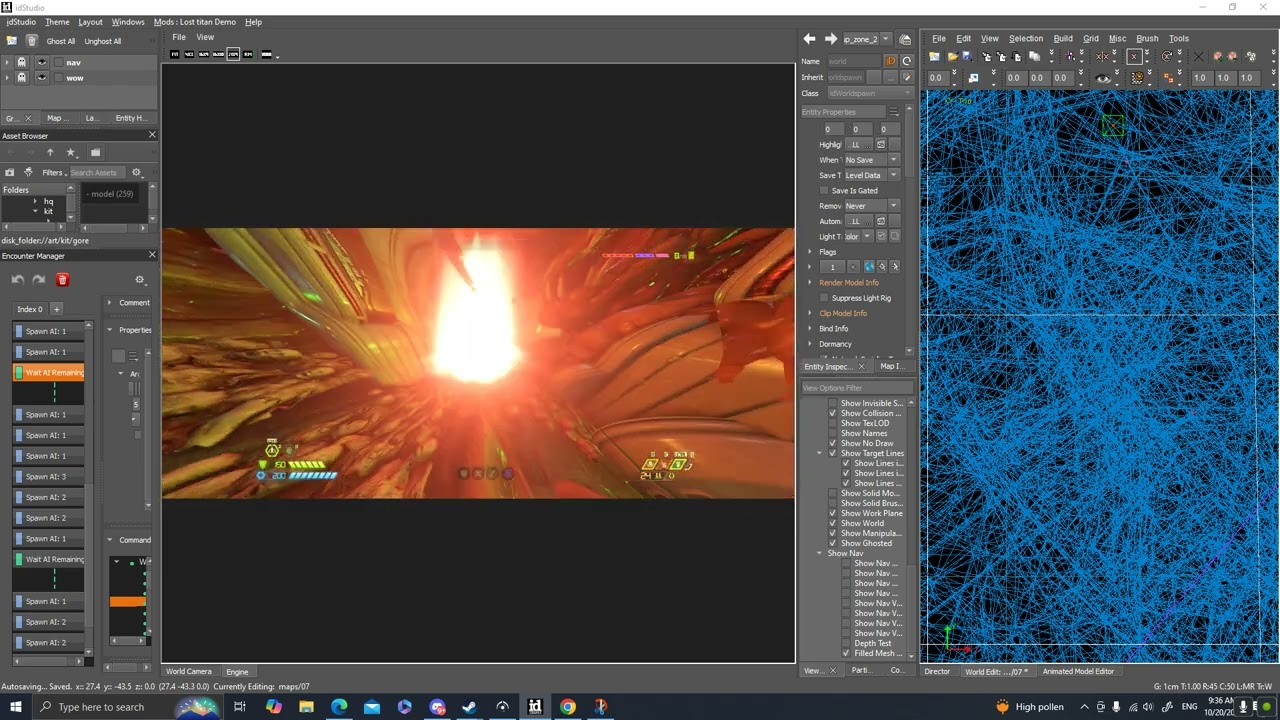 oak geyser
Not sure I understood that right, the problem is that the third wave doesn't spawn?
oblique dirge
ye
oak geyser
Does it spawn if you exchange the "wait ai remaining" for a time based wait?
If that doesn't work either, try removing the first wave, see if that helps, if it doesn't, remove the second wave too, to check if that third wave can spawn at all, maybe there's a problem with those spawns specifically, and it's not related to the previous waves at all.
 south barn
Can you get achievements from modded eternal for battle mode?
oblique dirge
oak geyser
If that doesn't work either, try removing the first wave, see if that helps, if ...
yo
oak geyser
oblique dirge
yo
oi
 polar nexus
feels like mod support died pretty fast
oak geyser
Does anyone know what this light is that keeps following the player after popping a gore nest? It seems to be related to the gore nest interaction animation, as that is when it appears. It's really weird, it will basically follow the player when in a certain distance of an enemy, once out of the radius, the light stops moving. It also stops moving once the last enemy is killed.

 slim otter
Idk
prisma vector
polar nexus
feels like mod support died pretty fast
wdym
polar nexus
prisma vector
wdym
i mean, i feel like it has a low amount of players using mod support
tight hinge
polar nexus
feels like mod support died pretty fast
modding takes time my guy
there's a couple guys working hard on making amazing levels
polar nexus
i get it now, thx for informing me
 charred frost
polar nexus
feels like mod support died pretty fast
charred frost
polar nexus
feels like mod support died pretty fast
It's still on beta if i'm correct, so the vast majority of people doesn't know how to access it and It hasn't been fully announced by Bethesda (like with a trailer)
We have to wait for the mod support to come out of beta and get released officially
tight hinge
charred frost
It's still on beta if i'm correct, so the vast majority of people doesn't know h...
dude marketing for it was terrible
but oh well hopefully when it's fully released it will get more traction
dark pendant
If you want levels to look good, that takes up the majority of time so that is why not many maps have come out yet, minus ones that look pretty plain as they were released mostly unfinished. I can make encounters pretty quick comparatively, but I've been playtesting each fight to the death. Surprisingly, I still have fun doing it. Currently working on a final arena and then I have to complete the slayer gate arena, totaling 4 major encounters, one is an "escalation" encounter, one a slayer gate, and the other two the first and last major fights. Could take players anywhere from 25 minutes to over an hour to beat, depending on skill levels and how quick you can kill baddies.
Hopefully it (the mod tools) gets more traction from talented modelers, so we could get things like new enemies and weapons. Would love a grenade launcher for example.
oak geyser
oak geyser
Does anyone know what this light is that keeps following the player after poppin...
It affects switches too. And it's also in the vanilla game, it's just not very noticeable, as most areas are lit somewhat brightly, but you can spot it by looking at the ground, and turning down brightness will make it more obvious.
https://www.youtube.com/watch?v=VPMDFABIoMc
I can't help but feel like this is a bug in the game, like what purpose would this serve as a "feature", for, I don't know, combat? (since there's the interaction with enemies), when it only happens with switches/gorenests? Like there's plenty of combat that is triggered by other means, where this follower light isn't present.
I don't like this one bit, it totally ruins the atmosphere when fog is present 😦

 molten token
Hello! Can someone tell me how to close a meeting? I have created a meeting and it looks like the photo, but I don't know how to close the place with startlockdown, or should I add something else? I have noticed that "orange" doors appear in eternal doom when you start an encounter that prevent you from leaving the place, can someone tell me how I do that? I've been working on a level for 3 months and I'm stuck with 2 things, closing the encounters and making my character have the double dash and the flamethrower at the beginning of the level, can someone help me? thank you

replace the word "meeting" with "encounter" haha Google translator, I don't speak English :v
that orange door I need to add in my encounters please help
 dark pendant
molten token
that orange door I need to add in my encounters please help
dark pendant
molten token
that orange door I need to add in my encounters please help
Use a target relay on a func_dynamic. Place a func_dynamic into your world, and use the barrier for the render model in the entity inspector settings. Look up "gameplay_energybarrier" in the asset browser to find one that works.
Set it to hide so it doesn't show up on start, then trigger the target relay from the activate target script in the encounter manager. The relay should have the func_dynamic as the target. This will activate the energy barrier.
Then, add a second relay which targets a target_remove, and have the target_remove targetting the func_dynamic. Trigger that second relay when you want the encounter to end and you should have a successful barrier. This is how I set mine up.
molten token
man thank you very much!!!
dark pendant
molten token
man thank you very much!!!
no problem
Anyone know how to add fog to an arena? Is it a volume?
fickle glade
dark pendant
If you want levels to look good, that takes up the majority of time so that is w...
Nayrham uploaded a Serious Sam Cannon custom weapon
 fluid hatch
Not sure why the crash but i would just try to build again.
empty bobcat
oak geyser
It affects switches too. And it's also in the vanilla game, it's just not very n...
that's "funny" bug, why player overtakes the light? Realy weird.
oak geyser
empty bobcat
that's "funny" bug, why player overtakes the light? Realy weird.
Yeah idk, god knows what (potentially unintended) properties are assinged to that light. It will btw. disappear after glory kill and chainsaw animations, so that makes it just more evident that it's a bug. I've dug through the interaction graphs, the animweb/sync stuff, all the involved animations, etc, but so far I couldn't find any lights being explicitly involved anywhere, so I'm fearing that this might be hardcoded somewhere for interactables (if the light appearing is even intended).
Maybe I could do something like initiating a glory kill on an invisible enemy in a cutscene for like 1 millisecond, and immediately abort it, just so that the light is being removed, idk if there's even a slight chance for this possibly working. It's not even the only lighting related problem I'm facing, so my motivation to spend days with trial and error isn't overly high right now 😒
molten token
What I would do to detect possible errors is 1- back up the project and save it away (on a hard drive or a folder away from your current project to keep it safe) 2- create groups, you can have the nodraw in one group, in another the encounters, in another everything related to your "skybox" another group only of "lighting" and sadly delete the entire group and its items and render everything and see if it doesn't give you errors, for example delete your entire skybox and render everything If it throws the error, you go back to the project, put control+z to recover your skybox, then delete all the lighting and render, if the error persists, go back control+z and delete another group and so on, if you delete any group and when rendering the error is already It does not appear, you can confirm that the error is there and search entity by entity to see what the error could be, that is how I have fixed many things haha
 lunar crystal
Whoever made this needs to be hired and promoted to game director ASAP!!!
 oak geyser
oblique dirge
oak geyser
oblique dirge
Have you checked the log output that the error message is hinting at? Anything interesting, like fatal errors or something maybe? The crash/console dump can have helpful info too (tbf the crash dump often contains just generic memory access violation info that isn't overly helpful for the end user). Also I remember someone saying that you're not supposed to package .entities files.
oblique dirge
oak geyser
Have you checked the log output that the error message is hinting at? Anything i...
where is the log
oak geyser
oblique dirge
where is the log
For one in the dialog, not sure though whether the textbox holds all of it, but I would assume you'd get everything when using the Save Log button. In any case the most interesting stuff would most likely be located somewhere at the end anyways. And the crash/console dumps are located in the idstudio saved games folder, as shown there at the end of the log.
oblique dirge
What do you think it could be?
oblique dirge
oak geyser
For one in the dialog, not sure though whether the textbox holds all of it, but ...
Could it be a model?
oak geyser
You mean the cause of the crash? It could be anything for all I know.
molten token
What is that "amber-yellow" entity? Is it some entity that you added to your level? Or do you import external files and don't really know what it is? If you imported external things that are giving you an error, I would suggest not importing them and making your level with what idstudio has incorporated.
chatgpt say this: The amber-yellow_5 in idStudio for Doom Eternal refers to a specific material or texture that is likely associated with lighting effects or environments in your map. Here are some reasons why you might be experiencing a crash when using it:
Compatibility Issues: The material may not be compatible with your map's configuration, especially if it has been modified or if the map uses certain parameters that are invalid.
Missing Resources: If amber-yellow_5 depends on other files or resources that are not available in your project, this can cause the editor to crash.
Model or Entity Errors: If this material is applied to a model or entity that has errors (such as corrupt or incorrect geometry), it can lead to a crash.
Suggested Solutions:
Replace the Material: Try changing the amber-yellow_5 material to another similar material to see if the crash persists.
Verify Resources: Make sure all resources needed for the material are correctly installed and accessible in your project.
Check Error Logs: Review the idStudio error log files for specific details about why the crash is occurring.
Update idStudio: Ensure you are using the latest version of idStudio, as some updates may fix issues related to materials.
oak geyser
molten token
What is that "amber-yellow" entity? Is it some entity that you added to your lev...
amber-yellow is part of the idStudio binary build version/name, for me it's 20240822-095543-cherry-amber.
molten token
In that case I would use the technique of backing up the project and deleting groups and rendering the project and seeing if it doesn't crash, for example eliminating all lighting sources and rendering, if it doesn't give errors then the problem was there, and so on until I find the solution. entity that may be giving errors
molten token
Can anyone tell me how to add a "priority daemon" in the manager encounter and what works? For example, if a demon dies, the encounter ends immediately or the encounter cannot end until this demon has been killed. I tried adding a boss or a "bounty" demon but they reappear a thousand times and the encounter does not end after killing one haha
oak geyser
molten token
Can anyone tell me how to add a "priority daemon" in the manager encounter and w...
I'm probably not the right person to give advice on that topic, since I've barely touched it yet, but waiting for a specific spawn (not just AI type), I've done that before by adding a label to a specific single spawn, and then waiting for remaining AI 0 with that specific label.
Ending the encounter at any point when a specific demon is killed, I'm not sure how one would do that. I've dabbled with logic to affect encounters, and it's for example possible to send "Exit" commands/events via logic, even when a specific spawn is killed, but at least what I had tried with it, it was only basically stopping the encounter script, it wasn't ending the encounter in the sense of "completing" it, so not sure if that's possible.
molten token
I personally managed to make a moment ago that the encounter ends when killing a certain demon, in the encounter manager in the "wait kill count" command in "aiType" selects spawn arachnotron and indeed when killing an arachnotron the encounter ends immediately, which What I don't know how to do is that the rest of the demons continue to respawn while the arachnotron is still alive haha I put 4 respawns and in one of them my arachnotron appears, but if I kill the rest the counter is waiting for me to kill the 4th demon to respawn the other 4 next, but if I kill the arachnotron the encounter ends, I don't know how to make it so that when I kill another demon it respawnes immediately while I still haven't killed the arachnotron (the boss for now)
oak geyser
molten token
I personally managed to make a moment ago that the encounter ends when killing a...
Not sure if I understood you correctly, but if you want to maintain 4 AI's at all times, then you'd set min_ai_to_respawn to 3, that means as soon as there are 3 or less of the AI to maintain, it will start respawning AI's (with respect to the configured delays) to reach the desired count.
molten token
mate, it worked for me, thank you very much!
oak geyser
molten token
mate, it worked for me, thank you very much!
you're welcome
oak geyser
An observation that probably nobody besides me will care about right now... apparently pickup animations will "flicker" when there is no movement between frames (z-fighting? interpolation issues? idk.. whom would I ask about it?). Pretty pretty pretty annoying, and I'm not sure if my conclusion is actually correct, but inserting a bunch of 1:1 frame copies into extracted .md6anim files in order to create a range of absolute non-movement based on vanilla game frames, exposed the very same behavior that I've been experiencing when using custom animations exported from Blender when there is little to no movement... things start to "flicker".
And you probably guessed it, the only way I found to avoid it, is to have constant movement, (almost) no matter how subtle 😔
 molten token
I just put the same command as you, and in my case the pinky animation doesn't blink at all 😮
In fact, in my case, toy Pinky's eyes don't even shine.
oak geyser
Yeah the animations in the game are fine as they are. I'm talking about problems with custom animations when there's little to no movement, so for proof of concept purposes I've modified the vanilla pickup animation by directly modifying the animation file, inserting 300 frames of non-movement (you should notice that the animation here is way longer), to show that the issue exists out of the box, so to speak.
The glowing eyes are part of my modding endeavors, all of the pickups will glow very aggressively when I'm done with them 🙂
molten token
Man, it seems like an incredible job! Are those changes only as a customization mod when it's finished? To add it as a mod add-on to the game?
oak geyser
Yes, there will be no map changes or anything, the mod will only change pickups (fx/sounds/animations/textures/etc), so it should be possible to slap it on top of pretty much anything.
molten token
nice! I hope I can post my level before that to play it with those changes too haha
oak geyser
No worries, I'm not even remotely close to the finish line, in fact, I will probably have to cut things short at some point, as the custom animations are eating up way too much time, even without the constant problems that I'm running into with them. Originally I've planned to make custom animations for all pickups, but damn, at this pace it would probably take me till 2026.
When I first played the game I was wondering why there was only one pickup with a unique animation... well, now I know 😬
molten token
id software has a very large team, I'm sure they have people dedicated solely and exclusively to animations and all that work and for some reason it takes 1 or 2 years to finish everything 😦
prisma vector
@molten token Probably same reason it takes animated films and special effects to be made.Also look how long game dev is anymore for big games probably not indie games.
polar nexus
one question, do you know how big it's gonna be? the full release
molten token
Man, I also have a question, is there a "limit" space for how much the complete project should weigh? I'm making a really huge level, with phases of finding a key and 3 doors, with probably more than 10 thousand entities, the level is already designed, I just need the encounters.
oak geyser
molten token
Man, I also have a question, is there a "limit" space for how much the complete ...
Not sure about total size limits, but there is a 2 GB limit for individual files. For what it's worth, a quick test with some dummy data, unlike with individual files, the upload/creation UI doesn't complain about a total size of 25 GB 🤷
oak geyser
polar nexus
one question, do you know how big it's gonna be? the full release
The "full" release of what? idStudio?
molten token
My level is about 10GB in total and no individual file is larger than 2GB, I can upload it in full then!
In a while I will post a photo so you can see how my level is going.
oak geyser
Damn, 10 GB seems kinda excessive, are you sure you're not accidentally including raw textures and stuff? To be fair, I have no experience yet with making larger levels, so I have no idea what files idStudio may generate when for example using assets from other maps.
molten token
If I remove 2 secret arenas from the level (it has approximately 14 secrets) it drops to like 8GB so I'll be fine with that I think
polar nexus
oak geyser
The "full" release of what? idStudio?
mod support
molten token
I can't make any more spoilers for now haha, I think this level will be released on December 1st when everything is finished or very close to Christmas to leave everything well optimized, entertaining encounters and as few bugs or strange things as possible.


This is the first time I've made mods of something. I actually didn't know anything about these things, only knowledge of CSS, HTML and some JS. I'm actually a musician, but my desperation to make levels in my favorite game forces me to learn, man. I think if I had had more experience in this my level would have already been published weeks ago 😦
oak geyser
A nice Christmas surprise is always appreciated... I'm very excited to see what a 10 GB map looks like 🙂
molten token
10GB extra bugs haha
In reality I think that the folder weighs more for creating full map build and build ground folders, as I said I don't know much about these things, the folder alone without these generated weighs approximately 5GB no more than that
By the way, I have to say that last night I played the new "lost titan" map and I loved it! I think it's an amazing map and much better than the previous one.
tight hinge
molten token
I can't make any more spoilers for now haha, I think this level will be released...
looking nice
molten token
tight hinge
looking nice
thanks!!!
oak geyser
molten token
In reality I think that the folder weighs more for creating full map build and b...
As far as I understand, the final mod should only contain the .pk5 file, some .json files, and the dvdpc and virtualtextures folders. So if your whole project is 10 GB, then you actual mod will likely be much smaller.
Also I saw that lots of the size for some level mods stems from .rawdb files from the virtualtextures folder. They're usually pretty big, for Infernum for example it's 1.7 GB, and I was immediately wondering whether they are really meant to be included, my first thought was that .lightdb files are the compressed versions of .rawdb files, and that only those are actually relevant, especially since there's only .lightdb files in the vanilla game files, and when removing the .rawdb files from the mod, it still works fine 🤷
molten token
infernum weighs 1.7GB? That map along with ascended 4.0 and hell cavern are pretty long maps, I'm starting to get scared of actually being able to upload my level to the mod portal lol.
oak geyser
Infernum weighs 2.6 GB, and 1.7 GB of that is just that one .rawdb file, that I'm very suspicious of.
molten token
oak geyser
As far as I understand, the final mod should only contain the `.pk5` file, some ...
this information is worth gold
 pearl junco
molten token
In reality I think that the folder weighs more for creating full map build and b...
pearl junco
molten token
In reality I think that the folder weighs more for creating full map build and b...
when packaging a map, you should only select the .map file in the packager and nothing else in the maps folder
oak geyser
What the frick man... can someone please try and see if these shadowy blocks on the ends of the weapons appear for them too?
I first observed it in one of my test maps where I was just dabbling around, thought it was probably on me doing weird things with lights, but then I saw it on other people's custom maps too, and finally I'm even seeing it in the vanilla game. Like, what the hell is that? Surely that must be some problem on my end, there is no way that this is really in the game for everyone, right? 🤔
 pearl junco
oak geyser
What the frick man... can someone please try and see if these shadowy blocks on ...
pearl junco
oak geyser
What the frick man... can someone please try and see if these shadowy blocks on ...
I've noticed these as well for a very long time. My assumption is that their there to keep the UI readable in scenarios where the color palettes don't mix well? I've been looking for ways to disable these but haven't had any luck
I'm sure a cvar for it exists....just good luck finding it
molten token
pearl junco
when packaging a map, you should only select the .map file in the packager and n...
Is that all that needs to be uploaded to the mod portal?
pearl junco
You should also create a devmenuoption decl for your map - so it can be loaded into without using the map command (which can delete your save files)

When developing a mod, many files will be generated in your idStudio base folder.It is crucial that...
molten token
pearl junco
You should also create a `devmenuoption` decl for your map - so it can be loaded...
That page and that data were created there before the official mod portal was launched, right?
oak geyser
pearl junco
I've noticed these as well for a very long time. My assumption is that their the...
Dang, I really thought it was something on my end. It's so weird for all sorts of reasons, I mean, if it's intended, I would've expected it to at least be blurred. Should be relatively easy to check if it's color/contrast related, I'll give it a try in the next few days... that being said, ceeevar nuumber ooone (you know in which voice to read that).
 lucid hare
When I set weapon textures to complete darkness, it loox completely pitch black in idStudio with 0 reflections, however, when I load into the game with the same mod, the skins are really reflective, regardless of if raytracing is on. How can I fix this?
pearl junco
molten token
That page and that data were created there before the official mod portal was la...
This page was created specifically for idStudio modding. Much of the information on the rest of the wiki is still quite relevant to idStudio modding
oak geyser
lucid hare
When I set weapon textures to complete darkness, it loox completely pitch black ...
How exactly are you turning the textures into "complete darkness", and how exactly are you testing it in idStudio and in the game (map loading wise)?
For testing purposes I've set the Albedos to textures/system/constant_color/black.tga, the Speculars to textures/system/constant_color/black_noalpha.tga, and the Smoothness' to textures/system/constant_color/black.tga:
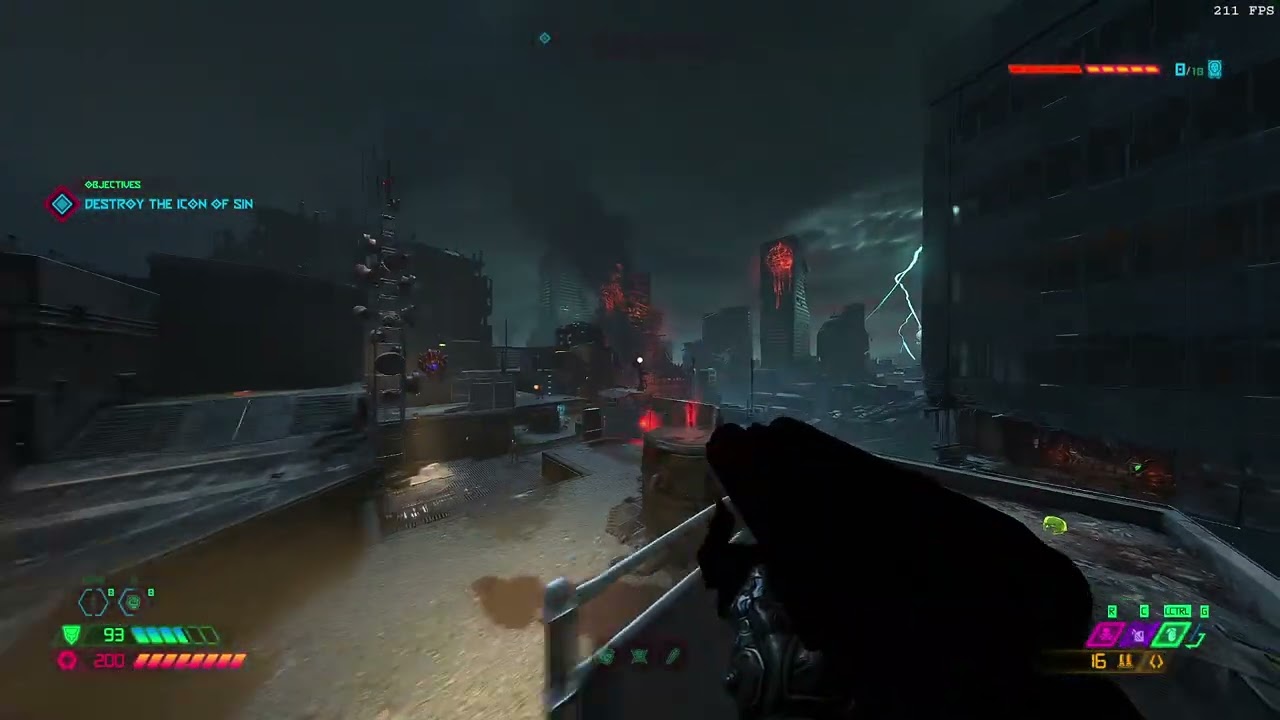 oblique dirge
working on a new map
 molten token
oblique dirge
working on a new map<a:dancingdoomguy:588114591293243392>
molten token
oblique dirge
working on a new map<a:dancingdoomguy:588114591293243392>
Man, that map looks perfect for Halloween!
What entity did you use to make the fog? I would like to enlarge one of those and use it to make my "skybox" look a little more realistic but I don't know what they are called
lucid hare
oak geyser
How exactly are you turning the textures into "complete darkness", and how exact...
I had also replaced the Normal to complete textures/system/constant_color/black_noalpha.tga. I believe that is the issue
Thanx very much
polar nexus
once the full release of mod support comes out, doom will remain eternal
fluid hatch
@polar nexus Probaly won't be anytime soon. There is only 1 full time employee working on the mod beta and 2-3 help a few hours during the week. Id software main concern is Dark Ages.
molten token
I would like the final version of mod support to include more options for customizing mods, for example adding tabs to favorites and creating folders, I would like to create for example " doom 1 mods " " doom 2 mods " " arenas " " levels masters or maps of eternal level masters" "skin animations" "new DLC or long maps" it would also be great if you could customize several mods in order, for example that when you finish a level another one that you customized automatically begins, I would like to put ascended 4.0 and at the same time finish start with hell cavern and end with infernum for example (as if it were a campaign in order)
To tell the truth, everything is coming together and it's difficult to find some mods if I don't remember the name correctly.
fickle glade
polar nexus
once the full release of mod support comes out, doom will remain eternal
I mean it's mod scene already has more life than Quake 4 and Rage's
 stiff plaza
Funny considering RAGE has mod support of its own
fickle glade
stiff plaza
Funny considering RAGE has mod support of its own
Yeah, that's what I said
stiff plaza
fickle glade
Yeah, that's what I said
Not really
A game can have a mod scene without mod support, and the other game in that message (Quake 4) doesn't have mod support
fickle glade
stiff plaza
A game can have a mod scene without mod support, and the other game in that mess...
Uh Quake 4 does have mod support? Have you played the game?
stiff plaza
I mean dedicated modding tools
empty bobcat
stiff plaza
I mean dedicated modding tools
QUAKE IV has builtin editor.
Is it dedicated tool enough?
stiff plaza
Oh really
Dang sorry @fickle glade I tried to be smart but ended up looking both stupid and like a dickhead. I'll buy you a beer if you ever catch me IRL somehow 
fickle glade
stiff plaza
Dang sorry <@664279917025820682> I tried to be smart but ended up looking both s...
It's ok, I don't blame you for thinking it didn't, considering how little there is to offer out there
stiff plaza
My line of thought was "if it has no source code release they wouldn't bother with making tools either"
Which is... a questionable line of thought, but I guess also kinda weird they did one but not the other
fickle glade
stiff plaza
My line of thought was "if it has no source code release they wouldn't bother wi...
Only real noteworthy mod for Quake 4 I found was one called False Dawn
That was REALLY good
 fickle glade
Everything else was either multiplayer maps (which I don't care for) or really amateurish and crappy looking
stiff plaza
empty bobcat
in Q4 hit ~ (tilde), text "editor" and you are ready to make a map
Same for D3 from what I know, but what about other id Tech 4 games?
stiff plaza
fickle glade
Only real noteworthy mod for Quake 4 I found was one called False Dawn
This reminds me that I should probably clarify what I meant with "Funny considering RAGE has mod support of its own"
It was a jab at RAGE, basically making fun of how its had mod support for a decade but there's been like nothing out of it because nobody liked the game
Except me, I love RAGE
lavish apex
if i remember right rage's mod tools didnt work properly
empty bobcat
stiff plaza
Same for D3 from what I know, but what about other id Tech 4 games?
almost the same
fickle glade
stiff plaza
This reminds me that I should probably clarify what I meant with "Funny consider...
This is how I feel about Rage:
 stiff plaza
empty bobcat
almost the same
stiff plaza
empty bobcat
almost the same
I'm just mostly curious if they have editors in the first place
stiff plaza
fickle glade
This is how I feel about Rage:
I love both RAGE 1+2. Beat 2 on UN a month or two back, lovely experience. Great games. Underrated and overhated imo. Though it did take me a while to warm up to them 😛
fickle glade
stiff plaza
Same for D3 from what I know, but what about other id Tech 4 games?
Doom 3 actually has a pretty good mod scene, even if the bulk of them are just texture packs and gameplay overhauls
empty bobcat
lavish apex
if i remember right rage's mod tools didnt work properly
Rage tool kit was terrible. Had new cool functions, but has no assets, you couldn't unpack or use assets from game (only those provided with tool kit), ai didn't work, it was useless. And compilation time it was joke. But foliage painter was cool.
empty bobcat
stiff plaza
I'm just mostly curious if they have editors in the first place
those editors were just QUAKE 3 radiant wiht updates
fickle glade
Did a playthrough a couple weeks ago, still a fun game, I just hate the stupid flashlight
stiff plaza
Well, which version were you on
fickle glade
AND DONT GIVE ME ANY BULLSHIT ABOUT IMMERSION
You're a marine
Marines put flashlights on their guns
stiff plaza
fickle glade
AND DONT GIVE ME ANY BULLSHIT ABOUT IMMERSION
Honestly I think both flashlights are good in their own way
empty bobcat
Funny cause on first trailer marine had flashlight in shotgun
fickle glade
And also its the future
stiff plaza
empty bobcat
Funny cause on first trailer marine had flashlight in shotgun
Carmack actually wanted the flashlight to be on guns, they just cut it out because PCs would shit themselves
fickle glade
They really didnt have night vision or something?
stiff plaza
They probably did in the helmets or something
fickle glade
stiff plaza
Carmack actually wanted the flashlight to be on guns, they just cut it out becau...
Doom 3 ROE on Xbox had the Flashlight on your weaker guns like Pistol, SMG, and SG
empty bobcat
it's forbidden tech, after DOOM II where Earth and hell had pact to not use this tech anymore, never, ever. Only flashlight.
stiff plaza
fickle glade
Doom 3 ROE on Xbox had the Flashlight on your weaker guns like Pistol, SMG, and ...
Nerve was in the future
Tbh I like Nightdive and all but Nerve doesn't get enough credit for their fantastic ports
fickle glade
stiff plaza
Tbh I like Nightdive and all but Nerve doesn't get enough credit for their fanta...
They made No Rest for The Living for Doom 2 on 360. Nuff said.
stiff plaza
They made DOOM II on 360
They did DOOM 3 RoE, Xbox RoE too I believe?
DOOM 360, DOOM II 360, the Unity ports too, I think they also worked on ET:QW on console
empty bobcat
ET:QW had SDK too
stiff plaza
That game's modding community is still very lively because of how the game is abandoned, funnily enough
So many people are getting it working and doing their own patches and fixes
empty bobcat
there is community who got modified full working version in multi
stiff plaza
Now we just need Microsoft to finally get the game back up
fickle glade
stiff plaza
Now we just need Microsoft to finally get the game back up
I mean they got Wolfenstein ET up and for free
stiff plaza
Probably did so because the general public loved W:ET, while they hated ET:QW
 cyan quartz
ok, how do I downgrade? I swear, the official modder is more broken than the unoffical one, and I just wanna go back to 6.66 Rev 2.2, or whatever the previous version was
 atomic bay
If you want to downgrade for the sake of EternalModInjector, that's not necessary. EternalModInjector (only!) supports the latest version of the game, so you don't need to downgrade to use it. (In fact, downgrading will make it harder to use EternalModInjector.)
cyan quartz
just saw ModInjector is still getting updates lol
quick question, though. do I need the beta installed, or will the beta confilt with Injector?
atomic bay
You can use EternalModInjector with both the normal/default and the "PC Mod Preview" branches of the game, and you can use official mods and EternalModInjector mods at the same time if you'd like.
cyan quartz
cool cool
will probably just use the Injector, cuz Mod preview has a lot of issues with texture mods
 elder ore
i was wondering if there was any way to remove the infinite ammo property through commands? is that possible or would the modder need to change his own mod to allow for ammo consumption?

@atomic bay the mod mentions you so maybe you know how?
atomic bay
The mod author has to change a file in the mod to make it limited.
cyan quartz
ok...switched back to the Injector, and now the game deletes my saves every time I close the game
cyan quartz
using both the Injector and the beta keeps them, though
lucid hare
oak geyser
How exactly are you turning the textures into "complete darkness", and how exact...
Finally got around getting back to working on this, and I've noticed that the weapon only seems to stay vantablack if reflections are off. The way I test is through dev/bigbox.map on idStudio and Sentinel Prime on idStudio and the Sandbox. Ive tried changing the SurfType, tried changing the pbr_gun template after noticing that its unreflective (but with an odd viewmodel and no emissive) with the pbr_gun_3p template, ended up at a renderprog file to which can't be edited in idStudio, but in Notepad++, however I'm unsure how to edit it in the way I want to . Maybe I tried digging too deep just now, but I've tried everything I can so far
oak geyser
lucid hare
Finally got around getting back to working on this, and I've noticed that the we...
Reflections? Do you mean "Raytracing" maybe? And if so, have you modified the weapon materials in the rt subfolders too?
lucid hare
oak geyser
Reflections? Do you mean "Raytracing" maybe? And if so, have you modified the we...
Reflections in general, regardless of raytracing. Yes I have edited the weapon materials in the rt folder as well
oak geyser
Don't really know what you mean then, it stays blacked out for me... where can you turn reflections on/off?
 oak geyser
Oh, didn't remember that it has an off setting, thought it was just quality... well, I don't see a difference. Is there a specific place where the problem appears?
lucid hare
Sentinel Prime is the easiest place for me to see how reflective a gun is
oak geyser
Sorry, I mean a specific place in Sentinel Prime
lucid hare
This is how it looks with the reflections set to low, all the textures are set to black_noalpha except for the normal

With reflections set to off
 oblique dirge
working
 oak geyser
lucid hare
This is how it looks with the reflections set to low, all the textures are set t...
oak geyser
lucid hare
This is how it looks with the reflections set to low, all the textures are set t...
Interesting, I was testing it with only the SSG, and it stays black, while other weapons don't. The SSG breaks too when using black_noalpha instead of black, for other weapons it makes no differene. And to top it all off, the SSG now stays black even if I don't even include the modified files for the SSG, like... what the hell, I have no idea what's goin on here, I think I may need to go to bed and look at it again tomorrow, it's 5 o clock in the morning, so that might be the problem 🤷
lucid hare
😆
That's weird, I didn't have a crash issue using black_noalpha on the SSG
Get some rest good sir, if you care to keep looking into this and discover anything, let me know. Thanks for helping, and goodnight
 pale timber
yo someone should defo make myhouse.wad in doom eternal as a mod idea
oblique dirge
pale timber
yo someone should defo make myhouse.wad in doom eternal as a mod idea
That’s already being made
I have a friend that’s working on it
oblique dirge
Yeah, we both make Maps and I’m helping him. He’s kind of new to Map making, but he’s willing to learn so he can make them out.
pale timber
alr sick bro i wish u guys luck
oblique dirge
pale timber
alr sick bro i wish u guys luck
Appreciate it, man. I’m working on my next arena. I’m working on
pale timber
nicee
oblique dirge
 oblique dirge
pale timber
nicee
oblique dirge
pale timber
nicee
This is the layout of the arena. It’s very large. So now players can ballista boots around more frequently.
pale timber
ooo is it going to be fast paced
oblique dirge
pale timber
ooo is it going to be fast paced
Depending on how you play it this is probably gonna be one of my best maps because my first map. I didn’t really take time with this one. I will take more time with and thought out.
pale timber
what will u call it
oblique dirge
My map lost Titan was kind of a test for my upcoming map
oblique dirge
pale timber
what will u call it
I’m calling it the forgotten
oblique dirge
pale timber
alr ill play it as soon as i can
A lot of work I’m splitting about collision issues and performance issues. This map will be not as bad on the performance side.
pale timber
so no fps spikes?
oblique dirge
I can make any promises, but I will try to optimize as much as I can
pale timber
ty bro my pc kinda lags when i play the game
oblique dirge
pale timber
ty bro my pc kinda lags when i play the game
I will do it for you, my brother
pale timber
lol thanks mate
oak geyser
lucid hare
Get some rest good sir, if you care to keep looking into this and discover anyth...
Alright, so after removing the dvdpc and virtualtextures folders that were still present in the mods folder from previous testing, the SSG has gone back to its normal skin. I'm not sure why there's still reflections tbh, I'm not familiar enough with the material system, fully black albedo, no specular, 0% smoothness, I would've expected that to work, and in fact it did work on the SSG at first, but only the SSG 🤷 Surface sheen is something that I first thought could have an effect too, but apparently it doesn't, not with the outsidegun materialpass that is. Refractions came to mind, but the pass isn't even enabled.
For shits and giggles, changing the opaque materialpass to for example pickup, there will be no reflections (not saying that this is a solution, it breaks stuff like emissions and heatmaps). So I guess messing with the shaders could work, but I don't have enough experience with shaders to fiddle with the renderprog stuff. Maybe @west veldt can shine some light on this (pun definitely intended), maybe at least potentially figure whether this is even worth looking into.
lucid hare
Thanks for helping out
This issue is also prevelant when switching the textures of the Slayer. I found a mod that changes the Slayer to be pitch black, however it edits TGA files instead of decls. I will look into this mod to see how I can replicate it on weapons
oak geyser
Modifying a decl to point to a different texture, or overwriting the texture that a decl is pointing to out of the box, that's basically the same result. But seeing that this overwrites even normals, that makes me a little curious.
lucid hare
I had overwritten normals previously to no avail
Any idea on how I can look at these textures? Can't open with Nvidia texture tools or idStudio
oak geyser
They're bimages, they need to be parsed to extract the individual DDS files, which may in turn also need to be oodle decompressed first, and then the DDS files can be converted to TGA or other image formats. What you can do, is use the eternal mod injector to inject this into the resource files, and then use Samuel to extract the textures from the modded resource files, it will do the prescribed tasks for you, and you should end up with readable images.
lucid hare
Great! Thank you

🤔
Seems like it has something to do with the normal, but I'm unsure of the process on how he got the normals looking the way they are
Not all of them are the same


I will reach out to the creator of the pitch slayer mod to see if he still knows how to make these normal mappings
oak geyser
Well those images look broken, similar to what I got when I tried extracting/converting stuff with a tool of my own, and I was too lazy to investigate it further. Are you using the latest Samuel version? I know it got an update recently.
lucid hare
I am using Samuel v3.0-alpha
I'm talking to the creator of the mod, I asked him about it, and he said he does remember facing the issue I am facing currently. He told me he's looking into it right now to see if he can tell me what I need to do
oak geyser
👍
lucid hare
Unfortunately, he told me just now that he does not remember how to do so
Dude making this mod sux
oak geyser
Ah well, you're preaching to the choir there 🙂
I'll give it another try, seeing that it's possible with just custom textures, it cannot be that complicated.
Also maybe @dire moss has an idea why the textures do not extract properly.
oak geyser
Ok, so I extracted all the texture images for two guns, and idStudio crashed only 7 times during it, so now I can finally give it a try 👍
oak geyser
idk man, I feel like I'm only a hot minute away from realizing that actually I have been bamboozled once again 🤔
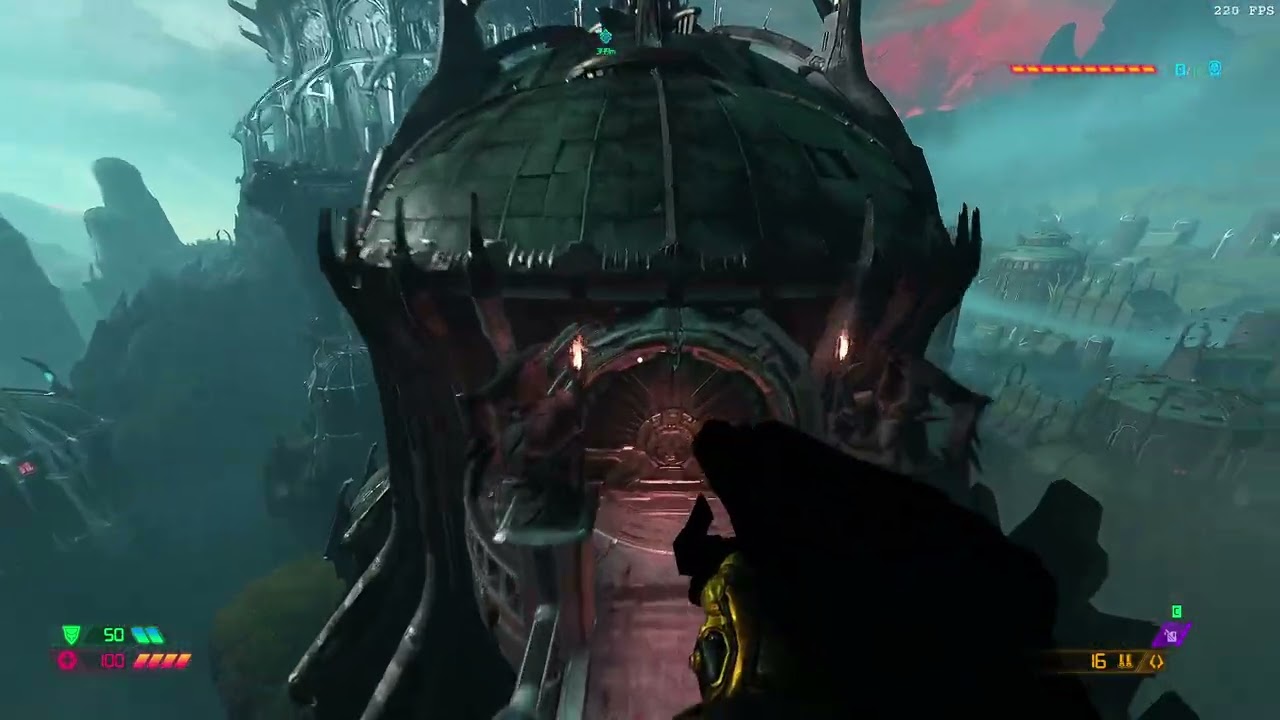 oak geyser
Give me a few more minutes, I wanna try a few things, I cannot believe it's really that simple as it appears to be.
oak geyser
@lucid hare Alright, preliminary final verdict > PEBKAC 😔
Setting textures/system/constant_color/black.tga for albedo, specular and smoothness actually works, but, unfunny fun fact, changing this will actually generate additional, separate images for the smoothness channels, and naturally these have to be included in the mod, they will located be in generated/images/textures/system/constant_color, for example black.tga$smoothnessnormal_art_weapons_chaingun_chaingun_auger_n.tga$streamed$mtlkind_smoothness.bimage.
lucid hare
Alright, thanks a ton. I don't have time right now, so I'll get back 2 U later on this
oak geyser
No problem, hope that's really it.
oblique dirge
oak geyser
No problem, hope that's really it.
yo
oblique dirge
oak geyser
No problem, hope that's really it.
can ask you soming
oak geyser
sure
oblique dirge
oak geyser
sure
I think I clicked something where I cannot see my triggers in slow map and my lights. Do you have any idea how I can fix that?
oak geyser
You mean in the world view I assume?
 oak geyser
The possible groups/layers/reference maps are enabled?

 oak geyser
In the world view/camera, the blue-ish icon with the red outline, next to the film strip icon... enable it.
or hit F5
oak geyser
you're welcome
oblique dirge
 oblique dirge
Does anybody know how to fix this issue? I had this issue with my lost titan map. I have the first wave of enemies and it works fine but when I try to do a second wave, either only a few enemies spawn in the in that encounter or non-spawn can anybody give me a solution of this?
Am I lost time map? I don’t know what I did, but I did something. I just don’t remember what it was.
oak geyser
oblique dirge
Does anybody know how to fix this issue? I had this issue with my lost titan map...
Are you referring to this: #eternal-modding message ?
If so, it's probably hard to impossible for anyone to tell. Ideally you'd be able to put that encounter into a new, plain map that still reproduces the problem, so that you could share it for people to test.
oblique dirge
oak geyser
Are you referring to this: https://discord.com/channels/162891400684371968/83250...
Oh ok
I will look into it when I get home. I probably just have to rebuild the encounter and replace it. That’s what I did last time.
 halcyon stratus
oblique dirge
https://media.discordapp.net/attachments/875496233052041296/966458938340036618/6...
halcyon stratus
oblique dirge
https://media.discordapp.net/attachments/875496233052041296/966458938340036618/6...
Finally, 64 cheeks.
 heady trench
Is there a mod to restore the launch feet ballista? I feel like it’s so much harder to pull it off nowadays or I must be messing it up
oak geyser
What even is that? 😅 Ballista boosting, sure. Marauder feet tickle ballista, sure. But "launch feet ballista"?
halcyon stratus
I forget tickling the Marauder's feet is an actual mechanic.
It's never worked for me consistently.
oak geyser
Ah OK, I should've been able to guess that this is what you were referring to. Well, I'm not sure if it actually changed since launch, but it's certainly possible. However, the general gist still is that the Marauder needs to be damaged over a certain threshold, and then there's a certain timespan in which you can apply splash damage in order to trigger a stun.
Generally it still works fine, so there probably isn't really a need for a mod (at least as far as my personal experience goes, which of course isn't authoritative). Don't ask me about the specific numbers though, I don't have them - however, this is on patch 6.66 rev 2.2... so... maybe... eyeball the damage/timings? 😛
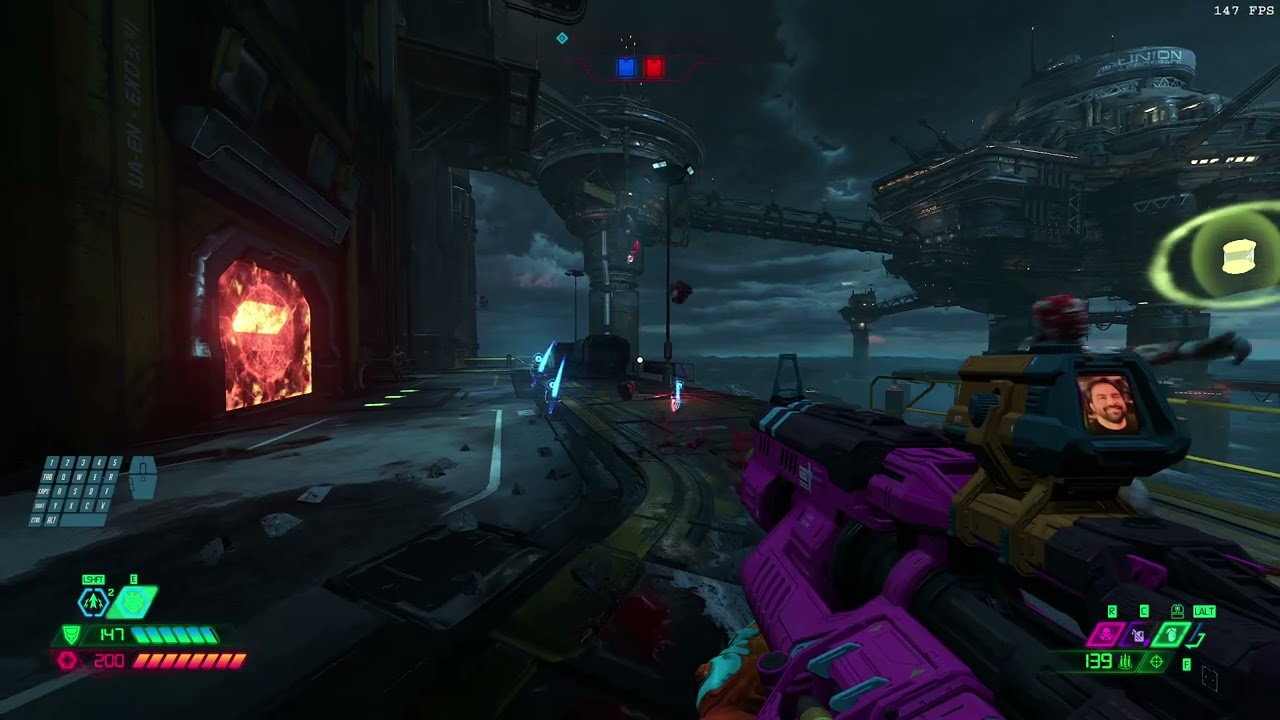
Feet, Feet, Feet Ballista, Shakes Him All The Time...
heady trench
Hm is this a recent video? Whenever I shoot he throws the shield up but I’m suspecting that I might be shooting too close to him so maybe I should try a bit further
oak geyser
It is, yes, it's from 4 month's ago, I've recorded it on the latest version of the game before the mod preview update (6.66 rev 2.2). Shooting too close can certainly be a problem, at least from my personal experience it has a higher chance of him being able to shield the damage.
heady trench
Got it thanks
oblique dirge
 polar nexus
oblique dirge
look
polar nexus
oblique dirge
look
this reminded me of backrooms filled with pools
oblique dirge
polar nexus
this reminded me of backrooms filled with pools
This is just a layout for my level that’s coming up
polar nexus
oblique dirge
This is just a layout for my level that’s coming up
keep it up
oblique dirge
polar nexus
keep it up


 polar nexus
i'm impressed

 misty mist
is it possible to use the pistol on ps4
 distant sage
misty mist
is it possible to use the pistol on ps4
distant sage
misty mist
is it possible to use the pistol on ps4
No. You can only mod the game on PC.
misty mist
ok ty
 crimson void
where are the Battlemode demon skins located in the game files?
fluid hatch
Let's say you change demon speed where they are faster. Can you have them have a trail? like superman/the flash when they move super fast.
oak geyser
fluid hatch
Let's say you change demon speed where they are faster. Can you have them have a...
It's possible to attach particle systems, so... maybe, depending on what exactly you'd wanted it to look like, under which conditions it should be shown, etc...
 fluid hatch
ok thanks ill play around with it later. busy in blender making buildings.

 oak geyser
Does anyone if it's possible to lock brush materials, meaning prevent them from being changed? Somehow I'm accidentally changing them pretty often, one wrong click in the asset browser, and there goes the applied materials, it's super annoying, especially if you don't notice it in time :/
fickle glade
@oblique dirge You still gonna update lost titan?
oblique dirge
fickle glade
<@764147162304348182> You still gonna update lost titan?
no srry
fickle glade
why na?
oblique dirge
its my fist map lol
fickle glade
Well you should change the mod description at least
oblique dirge
fickle glade
Well you should change the mod description at least
ye i will now
fickle glade
ogi
prisma vector
@oak geyser Not really i couldnt find anything about locking. can you put them in a bookmark maybe? you must click like crazy idk how you do it.
fickle glade
oblique dirge
Serious Sam ah map
oblique dirge
fickle glade
Serious Sam ah map


 fluid hatch
🙂
oak geyser
prisma vector
<@1061995476393656340> Not really i couldnt find anything about locking. can you...
I mean, it's super easy for it happen... clicking a texture in the browser will immediately apply it to whatever brushes are currently selected even when no world window is actually active/visible. I'm surprised it's not happened to everyone time and time again 🤷
fluid hatch
@oak geyser Maybe just dont click on a texture until your 100% sure ya gonna use it or have brushes not selected until ya want them.
oak geyser

 fickle glade
oblique dirge
fickle glade
oblique dirge
Nyisce
oblique dirge
 empty bobcat
oblique dirge
empty bobcat
oblique dirge
nice, you made first blockout and than models
it's looking realy cool
oblique dirge
empty bobcat
nice, you made first blockout and than models
I’m putting a lot of detail on this map and I will make it optimize. I can run 300 FPS. On this so far.
empty bobcat
oblique dirge
I’m putting a lot of detail on this map and I will make it optimize. I can run 3...
what is your rig and what resolution and what mode in DE?
oblique dirge
empty bobcat
what is your rig and what resolution and what mode in DE?
What do you mean?
empty bobcat
what you got in pc: gpu, cpu, ram, what resolution you play, and what mode in DE - graphic settings - ultra, high, med?
prisma vector
empty bobcat
what you got in pc: gpu, cpu, ram, what resolution you play, and what mode in DE...
That sentence is the reason I'm not gonna get a PC
empty bobcat
In here is 932x399 - it's this window in editor resolution?
 oblique dirge
empty bobcat
what you got in pc: gpu, cpu, ram, what resolution you play, and what mode in DE...
oblique dirge
empty bobcat
what you got in pc: gpu, cpu, ram, what resolution you play, and what mode in DE...
Oh I have a RTX 3060with 32 gigs of ram and I run everything on high sometimes intro, depending on what I’m doing
empty bobcat
that's why I asked, how you get 300 fps, now I see - you run it in that window
oblique dirge
empty bobcat
In here is 932x399 - it's this window in editor resolution?
And the only reason it looks like that is because my resolution on its studio is weird
oblique dirge
empty bobcat
that's why I asked, how you get 300 fps, now I see - you run it in that window
How is your map
empty bobcat
oblique dirge
How is your map
hmm, dead 🙂
oblique dirge
empty bobcat
hmm, dead 🙂
Do want help?
empty bobcat
no, thanks 🙂
oblique dirge
empty bobcat
no, thanks 🙂
That’s cool. I just wanted to offer to help.
empty bobcat
thank you bro
oblique dirge
empty bobcat
hmm, dead 🙂
But I hope you finish it man you got this!
prisma vector
@empty bobcat What do ya mean by that? Your doing great so far.
oblique dirge
prisma vector
<@777878004272726027> What do ya mean by that? Your doing great so far.
Fr
empty bobcat
prisma vector
<@777878004272726027> What do ya mean by that? Your doing great so far.
probably I'll never finish this map. Loading time for models are huge and this is not even 5% of map.
Maybe I'll build some typical DE arena someday or some DOOM classic map remake.
oblique dirge
empty bobcat
Maybe I'll build some typical DE arena someday or some DOOM classic map remake.
Wdym by DE?
empty bobcat
DE = DOOM ETERNAL
oblique dirge
Oh Srry
prisma vector
Its your map ya can do whatever ya want. But I say you can finish it, it'll just take time.
oblique dirge
prisma vector
Its your map ya can do whatever ya want. But I say you can finish it, it'll just...
Ye lost titen took me 2 months
prisma vector
@empty bobcat What about have your map in sections like levels? Or less models.
empty bobcat
idea was having open world - I can build it still but without allowing player to visit each building (what was my goal)
I'm realy glad you like that map, guys.
oak geyser
Has anyone maybe figured how to set a specific AI entity (explicitly placed on the map, not in an encounter) to IDLE only, meaning not being aware of / being able to target the player? I've been digging through all the properties, behavior, movement, focus tracking, etc, but for the life of me, I cannot find anything that works.
As a workaround I've just placed the animated model on the map, added a dummy melee target to make it aim assist punchable, which is half-way where I'd wanted things to be, but one important thing I cannot "fake", the gore system, and I would really like to have that 🥺
empty bobcat
oak geyser
Has anyone maybe figured how to set a specific AI entity (explicitly placed on t...
I didn't do that - but isn't possible to use some caulk volumes to prevent AI see player? (caulk or whatever are names for this in DE, cause I forgot)
So you could box AI inside volumes.
oak geyser
That's an interesting idea... I was playing around with (monster)clip(noArea) stuff, and it confused me quite a bit, as some of it worked the exact opposite way of what I've read here. I have no idea how all those clip material work exactly (would be nice if we'd have a list with some proper explanation), I'll give it a try and see what caulk does.
empty bobcat
Clip volume - that was the name! There are plenty variants of this texture.
oak geyser
Well, whatever Caulk is doing exactly (from a brief Google search it seems that it's possibly just rendering related), it's certainly not preventing the AI from "seeing" the player, and neither does any of the clip materials, and when I say "any", I really mean any, I even tried the ones that would obviously not work, like "clip ledge none". I've tried both placing the AI inside of a brush (which I expected to not work, assuming that the actual functionality is limited to the outer surface), and surrounding the AI by brushes (which works as far as movement is concerned, but that's all).
molten token
Has this happened to anyone else? The html of my mod portal looks like this, like it's damaged or the menus don't load as they should, if I press a button somewhere, it's actually selecting something else and it's IMPOSSIBLE for me to be able to load or upload any file from this tab to That I didn't fix it, did it happen to anyone else? I have tried uninstalling and reinstalling everything and I still see the menu like this....

If I click on the orange button here absolutely nothing happens, it feels like the wordpress style template or the CSS of the html template does not load correctly
 oak geyser
Haven't seen that one before (experienced some other funny launcher UI bugs though), but I remember reading about the UI/text not rendering properly from some people, not sure if it was here, the D16+ mod discord, or Steam... If I were to debug / try to workaround it, I would first try to change the OS/system language to US english (this will require to install Microsoft language packs if not already present), and make sure that the launcher's mods/idstudio/assets folder config is set to paths that contain only ASCII chars (that is related to a "known" bug that amongst potentially other problems, prevents mods from being loaded).
molten token
Do you suggest changing the steam language to English?
oak geyser
Haven't had that in mind, but it's easy to try, so go for it, it won't hurt to at least rule it out. My specific suggestion however is the OS language, as I assume that this is what affects the launcher's language.
molten token
I don't quite understand the operating system, do you mean changing the language of my window's operating system?
oak geyser
I maybe should've been a little more specific, sorry. Yes, that's what I mean, the Windows OS display/preferred language.
 molten token
my window says this "your window license only supports one display language"
distant sage
molten token
my window says this "your window license only supports one display language"
you can download the language pack and change it in the registry I think
or you could just look into buying a new key if you're lazy and/or that doesn't work
distant sage
I saw the ping, too ;-;
distant sage
just DM me it ig
also for future reference, ALWAYS copy what you're about to send in case of Vega
oak geyser
It was for @molten token, a guide to registry changes, just tagged you as "as mentioned by"
oak geyser
god damn it
distant sage
the whitelist is incredibly strict
oak geyser
that was just a google link
Well, thanks Microsoft! You want a 100 MB language pack? Haha, how about you pay us another 100 dollars? 😄 After all poor old Billy Gates really needs the moneys for his Hydrogen Mega Yacht dream!
Anyways, as @distant sage already mentioned, it's allegedly possible to workaround this via the registry, but this can be overwhelming for people without the necessary tech experience, so approach it with care. <not allowed to link anything here but just imagine me linking something helpful>
That being said, what's the language that you have set right now? I can try switching to it, see if I experience the same problems as you. Of course that's not really a foolproof way of ruling out the language as a potential source of error (and I want to make it clear that I only suspect this as a potential problem because of the ASCII char path problem that I know exists), but at least it could potentially prove it to be the source in case it can be reproduced that way.
oh my god and now I forgot to make it a reply 😄 @molten token
 plush thicket
empty bobcat
In here is 932x399 - it's this window in editor resolution?
plush thicket
empty bobcat
In here is 932x399 - it's this window in editor resolution?
The amount the vfx emitter stuff you add is crazy It will eat all the fps, same for lost titan you have alot of emitter entities load in same time that very bad
You can't check performance in idstudio if you get high fps that doesn't mean it gonna have the same performance in full build version,because idstudio load your level in slowmap, you spam unnecessary amout of vfx
@oblique dirge
molten token
Man, my big problem is that I don't speak English and Google Translate puts what it wants when I use the translation hahaha
The language of my operating system is: Spanish (Spain)
oblique dirge
plush thicket
You can't check performance in idstudio if you get high fps that doesn't mean it...
Ok
fluid hatch
I got a gun model. but dont know how to use it. do we replace a gun? How do we import custom weapon? maybe i could look in a sp level.
oak geyser
molten token
The language of my operating system is: Spanish (Spain)
Well, I've tried the OS/UI language change, and it worked just fine. Not very helpful, unfortunately, but after all it was just a straw. I'm not going to try the path change thing, as it would ultimately boil down to changing my Window user profile path, and that could have all sorts of devastating consequences.
Looking at your second screenshot now, I see you actually have dozens of mods already! I was mislead a little by the first screenshot, thinking there was only one (potentially incomplete) mod. So, I assume the launcher worked fine for you before? Maybe you can try changing the launcher UI language (it's in the app's settings) to english, so that error messages are easier to understand for people over here.
molten token
It worked fine only one day, the next day I had this problem forever, it happens that I have never loaded the mods to the portal, but I have selected the PC folder where they are and that is why they appear there, but they are not really loaded, if you I still only have one loaded and it is today's, but it won't let me upload files
 oak geyser
fluid hatch
I got a gun model. but dont know how to use it. do we replace a gun? How do we ...
oak geyser
fluid hatch
I got a gun model. but dont know how to use it. do we replace a gun? How do we ...
I haven't tried changing weapon models yet, so I can only speculate from my experience of modifying pickups models... I'm not sure if you can just replace a mesh, and then it will just work somewhat half-way instead of outright crashing because it's missing all the expected joints and what not.
If your model would be "compatible" with the existing weapon's armature and textures, then it could potentially be as "easy" as importing the model in the animated model editor, and replacing the weapons .md6mesh with the one generated on import (for example the default SSG mesh is located in md6/objects/weapons/shotguns/double_barrel/assets/mesh/double_barrel.md6mesh, but also notice that the file itself will reference a .md6skl file with joint information, so you may need to change the path there too and/or place the generated .md6skl in the path that your mesh file references).
However, most things in life aren't that "easy", chances are your model isn't really compatible with existing armatures, textures, and related Slayer animations, meaning you'd have adapt to / set up custom armatures, set up custom materials, and create and sync up all the animations for the weapon (please don't ask me about all these "missing" (red) animations, I don't know where they are 🤷)
Some basic import info: https://idstudio.idsoftware.com/working-with-art/importing-content
 oak geyser
molten token
It worked fine only one day, the next day I had this problem forever, it happens...
oak geyser
molten token
It worked fine only one day, the next day I had this problem forever, it happens...
Let me take a step back and rule out my initial thoughts... what are the exact paths that you have configured for "Mods", "idStudio", and "Asset Packs" ("Paquetes de recursos") in the launcher, and what is your Windows profile path (open for example a CMD window, and run echo %USERPROFILE%)?
In the image your are posting, the launcher seems to be complaining about your mod containing a file with a size over 2GB, but that might be unrelated to whatever problem you are having exactly (to be honest I'm not sure I fully understand what exactly is happening on your end).
prisma vector
@oak geyser Thank you i'll check that out.
empty bobcat
molten token
It worked fine only one day, the next day I had this problem forever, it happens...
I saw similar problem for russian lang. If I good remember changing path names helped (user had standard pathway with his user name with special rus letters - changing for nonspecial letters/diacritical marks helped).
oak geyser
prisma vector
<@1061995476393656340> Thank you i'll check that out.
Not sure what exactly this is referring to... but, you're welcome 🙂
prisma vector
about importing models and animated models.
oak geyser
Oh, you're @fluid hatch's alter ego, aka maybe separate account on different device?
prisma vector
1 from pc the other is from my samsung smartphone
oak geyser
got it, I'll try to remember in future communications!
prisma vector
no big deal really
molten token
ahhh it's difficult to explain, I'm not having problems with my files being too heavy, the problem is that in the section that says "click here to upload your file that is not more than 2GB" when you click nothing happens, as if the The real button is not really there, it is sort of blurred due to problems with the html and css, when using the tutorial mode it sometimes shows me the windows at the top, others at the bottom when I move the tab, something like that


Man, it's annoying that these things happen when I've been working on my mod for 3 months, since it's not my fault
In one of the photos that look the same, a menu appears at the top left and in the other it does not, when you minimize or maximize the window it appeared and disappeared, something like that happens with the "upload files" buttons but the upload files button did not appear never again anywhere really
molten token
I don't know what to do but I got here and this time if uploading the files works for me, could someone make a mini video showing all the files that must be uploaded*? Someone published a page that had "old mods" and to tell the truth, 90% of the files that appear there do not appear in my folders, like "Controlargenerated/decls/.../decl_name.decl" for example or It would be very helpful to me if someone makes a video uploading everything that needs to be uploaded to a mod to imitate the same thing 😦
 molten token
If I do "full plus build" then "rebuild collision + navigation" and then "package mod" it automatically selects all the required files necessary and it is not necessary to add them 1 at a time, it worked for me to upload my mod as a draft, the problem will be like I'm going to publish it haha
oak geyser
molten token
If I do "full plus build" then "rebuild collision + navigation" and then "packag...
I'm not sure if you were asking about uploading or packaging (or maybe both), but for uploading you do not include any source files like .decl, just the packaged mod, meaning the .pk5 file, and for map mods also the dvdpc and virtualtextures folders (I'm still suspecting that the .rawdb files in virtualtextures do not need to be included).
What to include for packaging depends on what your mod is doing, so that's not something that is easy to give a generic answer on.
oak geyser
prisma vector
no big deal really
Alright... feel free to tag or DM me if you have questions about the animated models stuff. I have only little experience with it yet, and generally with 3D animation/modeling stuff, as the last time I've touched this was when Adobe Flash Websites with abstract 3D art were the hot shit on the internet. However, I'm happy to help out with the little knowledge I've gathered so far.

crossant model by SkuairzStudio: sketchfab.com/3d-models/croissant-a22d13da2e654a569a3b7d25f5919289
baguette model by Rainbow: sketchfab.com/3d-models/french-baguette-b6c483995db04698bf5041c9cef369c0
sausage model by Dmitry_Nzh: sketchfab.com/3d-models/sosisa-sausage-82537c9addeb4a8b92d8b7258ae530fa
oblique dirge
oak geyser
Alright... feel free to tag or DM me if you have questions about the animated mo...
😂😂😂
empty bobcat
oak geyser
Alright... feel free to tag or DM me if you have questions about the animated mo...
AWESOME!
oblique dirge
 molten token
bye :V hahah
 oak geyser
Click on the "Mostrar..." link on the right, likely one of your files exceeds 2GB, which is the limit for individual files. 7.7 GB for a mod sounds like you either packaged things wrongly, and/or included files for upload that you should not include.
molten token
Is it necessary to upload that file? the "base.pk5" because only that one weighs 4GB WTF

 oak geyser
molten token
Is it necessary to upload that file? the "base.pk5" because only that one weighs...
oak geyser
molten token
Is it necessary to upload that file? the "base.pk5" because only that one weighs...
Well, if it's not a map mod, then I would say it definitely needs to be included, as all your changes would be found in there. With map mods, well, I have to speculate a little, there could potentially be things that will be included in the generated resource files in dvdpc, stuff that would otherwise end up in the .pk5 file when not making a map mod.
For example I was testing some weapon skin stuff, and even though I didn't include the changed textures and related decls in the .pk5 file, it was still showing the modified textures when I was testing the mod, only after deleting the old dvdpc folder from the mod it would make the skin go back to normal, so I assume that it's possible for certain things to end up in resources, which then consequently don't need to be included in the .pk5 file, but I'm really just speculating here, I'm basically the blind leading the blind on this one.
That being said, as mentioned previously, I strongly suspect that the .rawdb files do not need to be included, they are huge, and the vanilla games files don't have them either, they only have the .lightdb files. I am speculating that .rawdb contains all the virtual textures in an uncompressed fashion, and other files like .lightdb contain just the potentially compressed variants that can be found in the raw database file. So what I'm saying is, try it without the .rawdb file.
Back to the .pk5 file... what exactly, besides from the .map files, are you including/checking when packaging the mod?
molten token
I don't know, that file appeared here after doing "full map build" or "rebuild collision+navigation" or after doing "package mod" is it necessary to do full map build or package mod before loading my mod? Or is that really not necessary? Do you necessarily do this before uploading your files to the mod portal?
oak geyser
molten token
I don't know, that file appeared here after doing "full map build" or "rebuild c...
I'm not sure if a full build is really "required". Certainly a slow build is enough for internal testing (with lower quality), but in the actual game it might not suffice on a technical, quality, and/or performance level, not sure. You'd have to test that (or wait for someone with more experience to answer that question), create a map, slow build it, package it, test the mod, see what happens, and then compare it to a full build if necessary.
Collision and navigation, you definitely need those, no collision and no AI navigation would be pretty bad. However, I'm not sure if idStudio potentially will do that for you when you package a map in case it not already exists.
Packaging your mod, definitely needed, this is what will generate the shareable mod files in the first place, without that, your mod does not exist for the outside world!
molten token
man it worked for me!!! I had the complete collision + navigation map built and rebuilt, but I did not upload those 2 files larger than 3GB, the base.pk5 and the file you suspected and it is working for now haha
thank you bro!
molten token
AAAAAAAAA!!!!! I had never seen my level in full screen! I'm really excited and somewhat impressed, the truth is that it changes a lot within the editor from small screen to full screen, I just need to change the color of the yellow clouds to light blue white and something more realistic, the slayer's abilities and the exit portal by killing the final boss and you can play it!


 plush thicket
molten token
AAAAAAAAA!!!!! I had never seen my level in full screen! I'm really excited and ...
plush thicket
molten token
AAAAAAAAA!!!!! I had never seen my level in full screen! I'm really excited and ...
I see the slayer don't have his fully upgraded arsenal, you can fix that by go to main refmap (If you use refmaps) go the entity inspector, find devinvloadout add the immora loadout decl
@molten token see this video how to do that
@analog verge hello, can ask you for favor can you please pin the that video I post, pretty sure it could be very useful, It about how to give the slayer full arsenal, Thanks
molten token
That menu on the right, where it says "map/ascend" what tool is it? I see that it is not the entity inspector?
plush thicket
molten token
That menu on the right, where it says "map/ascend" what tool is it? I see that i...
menu in right, that the map manager, it for manage refmaps you can create multiple refmaps if you want separate the entities
open any official level you will see they have alot of refmaps, like one for geo, gameplay, lights...etc.
molten token
man why didn't I see that video before, my map manager looks like this unfortunately 😦

 dreamy scaffold
plush thicket
dreamy scaffold
plush thicket
just look at entity inspector in video
plush thicket
molten token
man why didn't I see that video before, my map manager looks like this unfortuna...
the next time when work in map, use refmaps
I will make video tutorial how to use refmaps soon
molten token
mmm is it possible to create a new map, use refmaps, and copy and paste all the elements of this map into the new one created without problems?
plush thicket
yeah you could do that
molten token
Is there any video in the group on how to import or use refmaps from scratch?
What is the name of the entity that has the "devmap in loadout" property that you used in that video?
I think this is something advanced for me since I didn't know anything about mods and I only learned almost 3 months ago, is that the only way to manage the slayer's arsenal?
oak geyser
molten token
What is the name of the entity that has the "devmap in loadout" property that yo...
It's the world entity, just hit escape in the world editor to deselect everything, then the entity inspector will show the world entity.
prisma vector
@oak geyser Hey o_dey i got this other model of the gun cause it supposed to have animations and stuff.Anyway its from a mod for half-life 2.I got the sourceio for blender, so i can import some stuff and edit them in blender. what else did ya know about animated models? how do i set up stuff and animations? like in blender then export to id studio.
oak geyser
prisma vector
<@1061995476393656340> Hey o_dey i got this other model of the gun cause it sup...
Well, there's a lot to say, but I gotta head to bed, the birds are already starting to chirp... so I'll make it short for now.
I would suggest that you export an animation from the weapon that you want to modify, and check how things are to be set up. The basics are pretty much always the same, an armature in the root named origin (and that reminds me that I forgot again to figure whether that is a name that must be used for the root), and a bunch of meshes. Sometimes certain mesh names are referenced by the model/game, for example in mesh kits, weapon(data) decls, etc, and if you don't/can't change those references, you may run into errors on import, or misbehaving functionality at runtime.
If you want custom animations, then chances are that you'll not be able to use the existing armature from an imported FBX, which would otherwise be the easiest option, as you'd more or less just would have to attach your meshes accordingly. Custom armatures are fine however, but note that sometimes there is stuff attached to specific joints, like for example FX, so again you may run into errors on import or missing functionality at runtime. If you wanted to (re)use any of that stuff, you'd have to make sure that you either name your joints the same as the original ones, or change the names that are being referenced accordingly.


 prisma vector
cool ty and good night
 brave talon
can somebody make a mod that everything is chiken
stiff plaza
Heretic moment
polar nexus
oblique dirge
W pfp
 noble coral
polar nexus
W pfp
noble coral
polar nexus
W pfp
It’s just a venom screencap lmfao
polar nexus
noble coral
It’s just a venom screencap lmfao
he's one of my favorite marvel heroes
noble coral
polar nexus
he's one of my favorite marvel heroes
Heroes? Venom is an antihero at best.
polar nexus
oh yea
oblique dirge


 empty bobcat
oblique dirge
empty bobcat
oblique dirge
looking good!
 jolly idol
Yo idk who this konvas guy is but fire uac and blood swamps master levels my guy
oblique dirge
empty bobcat
looking good!
Ty!
empty bobcat
jolly idol
Yo idk who this konvas guy is but fire uac and blood swamps master levels my guy
Konvaz
oblique dirge
empty bobcat
Konvaz
This your son? @empty bobcat
oblique dirge
jolly idol
Yo idk who this konvas guy is but fire uac and blood swamps master levels my guy
This guy😂😂😂
jolly idol
There's some lore I'm gonna need to be told bro😭
empty bobcat
oblique dirge
This your son? <@777878004272726027>
don't remember I was his father 😄
jolly idol
Also what did he do to the doom hunters did he just giga buff their hp
jolly idol
empty bobcat
don't remember I was his father 😄
Papa, I yearn for a familial bond
oblique dirge
jolly idol
Papa, I yearn for a familial bond
😂😂
fickle glade
oblique dirge
Bro that looks so fucking good!
prisma vector
@oak geyser That's odd the gun model shows up in blender. I was playing half life 2 to check it out but nope wasn't working. Maybe I'll try reinstalling the mod.
oak geyser
prisma vector
<@1061995476393656340> That's odd the gun model shows up in blender. I was pla...
I'm not really sure what you're trying to tell me, I feel like there's at least 6 degrees of context missing 🤔
prisma vector
@oak geyser The m41a pulse rifle this guy made for half life 2. I installed it like the instructions said. So then I was playing half life 2 and the smg 1 still shows the original gun texture and not the m41a pulse rifle. Maybe I have to keep playing n it'll show up later in game.

This is what it supposed to look like and do. But for some reason just shows original SMG 1.
prisma vector
I made a custom folder. So now the model shows up but is purple and black dots. Anyway I got work to do to bring it over to DE.
molten token
oak geyser
It's the world entity, just hit escape in the world editor to deselect everythin...
That worked for me! Thanks to you and saleem I now have my entire slayer arsenal!
oblique dirge
 oblique dirge
oak geyser
I'm not really sure what you're trying to tell me, I feel like there's at least ...
oblique dirge
oak geyser
I'm not really sure what you're trying to tell me, I feel like there's at least ...
yo
can you help me plz
oak geyser
if I can, sure... you can just tag me btw, no need to reply to random messages 😉
oblique dirge
ok
oblique dirge
oak geyser
if I can, sure... you can just tag me btw, no need to reply to random messages ...
how do i put this in my maP
@oak geyser
 oak geyser
you mean a gore nest?
oblique dirge
ye
oak geyser
I don't remember the exact submenu, but you can find it by searching for gore when doing "right click > new entity"
there's a few variations
golden nests, secret nests, whatever
oblique dirge
oak geyser
I don't remember the exact submenu, but you can find it by searching for `gore` ...
how do i use it
fluid hatch
@oak geyser I know there material doom marine hands. but is there any model so i can rig or use bones to line up with my gun model?
oak geyser
oblique dirge
how do i use it
You can for example treat it like a trigger, meaning in its Targets property you link the encounter manager (or any other entity that you want to activate but I would assume you'd want to use it for encounters) that you'd like the nest to activate.
oak geyser
fluid hatch
<@1061995476393656340> I know there material doom marine hands. but is there ...
Not sure I understood that correctly, are you referring to syncing the slayer animations with your weapon animations?
fluid hatch
Maybe the model has gordan freemans hands and arms. i want to change it to to doom guy hands and arms.

like this
oak geyser
Oh, OK, you want to just use the slayer hands as a reference, for modeling?
fluid hatch
something like that
oak geyser
The Preator model should be fine, shouldn't it? It's rigged, skinned with the suit, and has the arms and parts of the body.
fluid hatch
wheres that? just search in asset browser?
oak geyser
It's in the same folder as the marine one
fluid hatch
ill look later after i eat. thank you
oak geyser
I don't have idStudio running, so I can check right now
fluid hatch
no problem ill find it
oblique dirge
oak geyser
The Preator model should be fine, shouldn't it? It's rigged, skinned with the su...
@oak geyser ty man i got it
oak geyser
you're welcome
oak geyser
fluid hatch
no problem ill find it
A small possible tip... when I'm doing the pickup animation stuff, I use the Preator model, in Blender I line up a camera to the model's camera joint, make it face straight forward (and parent it to the bone in case I want to animate it), set it to perspective mode with an FOV of 63° (that's 70% of the default FOV, that's how it's configured in the related decl), and that matches pretty much the in-game view, which helped me a lot. Now with weapons the default FOV will be different of course, I can check later if I can find the exact value.
I import the prop, in my case the pickup, in a separate collection, delete the origin keyframes so that I can position it in the Slayer's hand, and when the animations are done, I hide the pickup collection for exporting the Slayer animation, and I copy the pickups's keyframes into a separate blend file from where I can export it cleanly (which the bones names unchanged, the origin lined up and keyframed at 0). Certainly there must be a better way, but so far that's the best I could come up with.
The hands have attachment joins, lefthandattach and righthandattach, which is where props are usually attached, so you can line that up with the origin of your model's armature. I haven't found a proper way to line up rotation though, it's basically trial and error until it looks OK in-game.
 fluid hatch
thanks for info. making maps seems easier imo.
prisma vector
I know ya can change the enviroment with the editor but what about having a 24 hour day/night cycle?
tight hinge
prisma vector
I know ya can change the enviroment with the editor but what about having a 24 h...
that should technically be possible to do through env settings
there are parms that can make a "sun" rotate
prisma vector
Oh cool. I'll try it sometime.
 hasty oyster
i needs to back into modding, my cacodemons need their elemental specific AI
because i have had several people ask about that...
tight hinge
yes I require my blueberry ice cream flavoured cacodemon, yummers
 pine void
unf (hello)
empty bobcat
pine void
*unf* (hello)
 molten token
Does anyone know how to add "fast_travel" to the end of emi level? add the "info fast travel" all over the map, but I don't know how to activate them or what I need to link them or for the condition to be activated
Does anyone know how to add "fast_travel" to the end of my level? add the "fast travel info" all over the map but I don't know how to activate them or what I need to link them or for the condition to trigger *


 oak geyser
molten token
Does anyone know how to add "fast_travel" to the end of my level? add the "fast ...
oak geyser
molten token
Does anyone know how to add "fast_travel" to the end of my level? add the "fast ...
I haven't tried it yet, but from what I've seen in the game's maps, you need a fast travel unlock target entity (target > fast_travel_unlock), which can be triggered via a normal trigger. It looks like that will simply unlock all fast travel points, with no need to link them.
polar nexus
oblique dirge
damn. what sword is this?
 broken narwhal
hello guys i would need a bit of help so i get it that we have an offical mod loader and i used that for adding in mods but i want to add in this MISSED EVENT SKIN UNLOCKER mod so can i add this to the official mod loader or i have to use the other method?
molten token
oak geyser
I haven't tried it yet, but from what I've seen in the game's maps, you need a f...
man it worked, again thank you very much!
Does anyone know which folder I should add the "images" of my quick trips to? And what file should they be in?
oak geyser
molten token
Does anyone know which folder I should add the "images" of my quick trips to? An...
Technically you could put them more or less wherever you want in the base folder, but the existing ones are under art/ui/fast_travel_images, so that's where I'd put them. For organization purposes they are probably best stored in a subfolder with the map's name, just like the built-in ones (see the decls in material2/art/ui/fast_travel_images). The filenames shouldn't matter.
 polar nexus
they're prolly gonna be amazed once id sees ur creation
is it close to be completed?
oblique dirge
polar nexus
is it close to be completed?
a lil
molten token
oak geyser
Technically you could put them more or less wherever you want in the `base` fold...
I have to say that I searched all the folders inside my mod base, and I could never find a path like
"material2/art/ui/fast_travel_images" the closest it comes to that was in "base/decltree/material2/art/title" inside "art" there is no folder called "ui" 😦 but inside my editor at open the assets by pressing "info_fast_travel" if the folders you mention appear from there, and I cannot see more folders that are not "material2" which means that if I add them in another folder created by me I will not be able to see them, convert an image from jpg to tga, however I add it with the same name as the ones that appear there "sortorder" and it does not appear anywhere, in fact when I use view in explorer and the route appears it is as if the routes were created solely for see them, I'm sure I have some more complex system and I don't know if it's possible to add images or folders to fast_travel, maybe the only way is to replace paths and files that already exist in the c++ folder, I think this is too much for me
I'm missing the "fast_travel" and the 2 bosses at the end, god here I'm not sure if someone has been able to include them correctly, the khan mayker stays bugged or doesn't move after taking the first life from her, I get the impression that she's waiting Something about the "environment" and how it is calling events that are not happening is bugged, has anyone been able to solve that? With the icon of sin it happens to me that it is added and it remains completely immobile haha :( I designed the last arena especially for them 2 😦
oak geyser
molten token
I have to say that I searched all the folders inside my mod base, and I could ne...
Sounds to me like you're conflating asset content and mod content. And when I say "asset content", I mean assets provided by idStudio / the asset content packs, and "mod content" being the content that you create inside of your mod folder.
The asset browser will eventually contain both (it will only show decls and models btw), so it's important that you understand the difference, and how your content ends up there. For example, when I say to check the decls in material2/art/ui/fast_travel_images, then I am referring to an asset content path that you will find in the asset browser, where the existing vanilla game content lives.
The path in your mod that would reflect that, would be base/declTree/material2/art/ui/fast_travel_images, which will not exist until you create/extract any decls there! Once you create decls in there, these decls will appear in the asset browser too, under material2/art/ui/fast_travel_images, and this is the same for the other assets path's too.
Here's what the structure for custom fast travel materials would look like.
Tip, if you want to know where something in your mod folder should ideally go, check the game assets in the assets browser, right click on an entry, and choose "Show in Explorer", that will extract that asset into your mod folder in the corresponding path, and open it in Windows Explorer.

Once you have created these material decls, and linked the actual images from within those decls, you can reference them (the decls) in your fast travel point entities on your map.
 molten token
oak geyser
Once you have created these material decls, and linked the actual images from wi...
molten token
oak geyser
Once you have created these material decls, and linked the actual images from wi...
Did you create the "custom_test" folder by right clicking on "fast_travel_imagenes" and "create new decl"?
oak geyser
Yes, you can then just specify whatever nested path you'd like for the decl name input (the last path element will be the decl filename), and idStudio will create that path structure if it doesn't already exist. You can also create it manually in Windows Explorer, and then do "Right Click > Refresh Folders" in the asset browser.
molten token
Man, I know it's a lot to ask, but would it cost you a lot to make a video creating one? It seems a bit confusing to me, when I put create decl on "fast_travel_image" instead of creating a folder I only created that thumbail material

If you can't man, nothing happens, thanks anyway!!
from the folder inside the info_ fast_travel it looks like this too
 oak geyser
I could, but you're already 95% there. Disregard that "no thumbnail", you won't see anything there until the material has something that it could render as a thumbnail, and once it has something, you'll have to force that via "Right Click > Rebuild Thumbnail".
Double click on the material to open the decl. You might not have selected the required base template when creating so, so it might be completely empty. If so, click on the button in the top that says None, next to Template, wait for a looong while (I have no idea why it takes ages to open) until the template browser pops up, and then choose GUI > GUI Pass, and click OK, now you can select an image for the GUI Texture property, save the decl, force the thumbnail render if you want, and you should be good to go.
molten token
Should I select or put my image in tga file here?
 oak geyser
Not sure what exactly you mean by "put my image in", if you mean manually entering the path, that works just as fine as selecting the file via the file browser (as long as the path you put in is correct of course).
molten token
man it worked for me, you are the best!
 oak geyser
molten token
man it worked for me, you are the best!
oak geyser
molten token
man it worked for me, you are the best!
You're welcome. One small nitpick, the actual image file is best stored in the base art folder (base/art/ui/fast_travel_images/...), not inside of the declTree folder, that's really just meant for decls which will ultimately reference the actual image files. It will still work, but for organizational purposes, it's better to separate decls and images.
molten token
Man, I hope it doesn't give me problems like that, if I put the tga files in a folder within the new path that you mention, when I open that folder the files do not appear to select in the path (as if they did not exist) but when I look for them within the decltree folder if they appear even if you have pasted both files equally in different paths
oak geyser
It should work just fine. Do you mean the tga files do not show up in the file browser for the Gui Texture property?
molten token
Exactly, when I search for the route from the decltree until I reach the tga they appear to select the route, if I do the same with the tga that I put but from the art folder that is not in the decltree they simply do not exist to select
oak geyser
Without being able to see it for myself, my first suspicion would be that you are either looking in the wrong folder, and/or put the images in the wrong folder.
molten token
man you were right, what they copied were the "decl" files not the tga files haha you are the best, thanks mate!
oak geyser
Well, there we go 🙂 Have fun traveling fast in style... next stop, integrating custom automap geometry - that's a funny one too 😉
molten token
haha nice!! Yes, it adds an "automap" and then when I load my level and take the map I don't see anything, I have no idea how to customize that, according to chatgpt when compiling the level it does it automatically but I see that it is not like that
oak geyser
molten token
haha nice!! Yes, it adds an "automap" and then when I load my level and take the...
I've searched far and wide for an option in idStudio to have it generate automap geometry, but I found nothing (which is somewhat understandable once you see what the existing map models look like, see the attached image - this is already edited by me, it won't look like this out of the box!). So I have to conclude that ChatGPT is an imposter that cheated on its exams!

What I've been doing so far, is using the world editors export wizard (OBJ) to export all the geometry that I would like to have in the automap (you have to select it in the editor, and most importantly might be the geo that is involved in nav mesh generation), and then refine it in Blender, either by editing the exported geo, or by creating new geo in its place. The most important thing is that size and position of the meshes has to match the map, then it seems to just work.
The automap decls are in the automap folder (surprise surprise), you can define map groups in there (I assume this is related to maps where fast travel points are grouped), select images for the groups, select the models to use for the map, define colors, link encounter managers, fast travel points, etc. These decls are then linked in the maps world entity, in the Automap Decl property.
And just in case it wasn't obvious enough... when I say it's "funny", then I mean that there is absolutely nothing funny about it whatsoever 😛


 molten token
this is my face now, well I guess those who play my map won't need the automap
 oak geyser
Yeah, luckily most maps really don't need it. This stuff can be a little overwhelming, but it's not as complicated as it seems on a first glance. Just like with everything, you just have to reach this point where it clicks, the top of the hill that is blocking your view, and then things suddenly become much easier. Once you're there, you will remember the above posts, and then you'll build automaps in your sleep while dreaming of stealing candy from all the babies.
molten token
mmm right now it seems like something as difficult as creating my entire map from scratch or at least it feels like that, the worst of all is that my map has some areas that are not so intuitive and the map would be very useful to help people Not to get lost in the level since it is not so linear, it is a kind of "open world" with the style of classic doom, when I have my map 100% finished I will try to see if I can create one of these automaps
I think I saw a video where you put the khan maykr and the icon of sin on a test map, were you able to make the khan maykr not bug after losing the first life? What is the icon for no attack on the player? That problem is serious on my map haha
oak geyser
molten token
mmm right now it seems like something as difficult as creating my entire map fro...
Well, at least parts of the map have to be somewhat recreated, yeah. If you haven't already, it's important that you gather a basic understanding of Blender (or similar) and its modeling and texturing basics. Feel free to hit me up when you're at that point and want to create an automap, I might be able to help you out a little bit.
As far as bosses are concerned, I haven't looked into it properly yet, only tested placing them on a map in general, and of course they behaved a little buggy (to be fair, placing all the bosses in one map, all at the same time, was likely never intended), so there seems to be a little bit more to it. Maybe they have to be bound to an encounter with specific properties or something along the lines of that, I'll have to look into it more at some point.
 molten token
Thank you very much for your help man! It is possible that if I end up making my complete automap in the not too distant future, I have put them one by one on the bosses and they generate exactly the same problem as your video, is there anyone who has managed to make them work well? I see that I can't trust chatgpt for this and ask what conditions the "bosses" require haha
oak geyser
molten token
Thank you very much for your help man! It is possible that if I end up making my...
I'm not sure, I'll look into it once I find a little bit of free time... Unholy Urdak (https://www.nexusmods.com/doometernal/mods/1551) for example has multiple custom occurrences of the Khan Maykr (https://youtu.be/uvqJDL26BpU?t=8646 (2:24:06), https://youtu.be/uvqJDL26BpU?t=9828 (2:43:48)), so maybe idk929 has some insights from the "old" mod injector days. I'm pretty sure it's just some tiny link that's missing.

That means I suck... at the game.
Also I cheated, forgot to turn off some mods, so I had faster meathook cooldown, rocket jumping, less "haha funny lol kekw marauder friendly fire" crap, and also 20% damage reduction 🤷♂️
That means I suck... at the game.
Also I cheated, forgot to turn off some mods, so I had faster meathook cooldown, rocket jumping, less "haha funny lol kekw marauder friendly fire" crap, and also 20% damage reduction 🤷♂️
molten token
Yeah, I don't know if they're really here or if they can share what they know about it in the discord group.
Judging by the video it seems that he is repeating the first phase of the khan maykr several times? I would like to be able to customize that, I would also like to be able to add "life" or life bars to a normal tyrant or make a normal tyrant more resistant but I don't know how to do it.
oak geyser
molten token
Yeah, I don't know if they're really here or if they can share what they know ab...
Ah, seems like he's not here, but you can find him over in the DOOM2016+ modding discord.
I can't really tell what exactly is being done there, using only certain phases... maybe. That might be something defined via aiComponent decls. And adding health bars to random demons, well, not sure if that is possible. I've briefly looked into the hud element that has the health bars, and from what I remember they were kind hardcoded to the individual bosses. But maybe the could be reused in case the game supports targeting this stuff via decls.
molten token
well it doesn't really matter if you don't see the life bars, but I have tried to make a normal tyrant more resistant than normal or cheat more life and I haven't been able to, I have managed to change the "difficult settings" to increase or decrease The anim rate scales so that it attacks faster or attacks less, but I don't really know how to make it resist more or have more life, I'm sure that's possible
oak geyser
molten token
well it doesn't really matter if you don't see the life bars, but I have tried t...
Well, I've exported and searched every single decl file, and neither the string khan_fight, vitals, nor stage_pips do appear anywhere related to AI, and all of them are elements in the sprite path of the related HUD element that renders the health bar, so my preliminary conclusion would be that the boss vital bar association is hardcoded under the hood, and that we cannot reuse/customize them (yet).
Sucks to suck I guess 🤷 I could imagine the possibility of custom vitals via custom HUD elements and logic, assuming it would be possible to a) read / receive events for a specific AI's health, and b) communicate with HUD elements, but currently this would already fail due to the fact that nobody seems to know how to use the HUD element logic nodes (and whether they are even intended for HUD element communication in the first place), this is something that has really driven me crazy, neither could I get it working, nor could I figure out those node's purpose.
molten token
mmmm, however, even if it is not visible, the duration and resistance , and life of a common demon can be increased, right? I have tried this and it hasn't worked for me, everyone dies with 3 supershotgun and ballista attacks
molten token
Is the "unholy urdak" mod uploaded or uploaded to the mod portal? I looked for it and couldn't find it, at least not with that name.
 muted bobcat
molten token
Is the "unholy urdak" mod uploaded or uploaded to the mod portal? I looked for i...
muted bobcat
molten token
Is the "unholy urdak" mod uploaded or uploaded to the mod portal? I looked for i...
It's not on the mod portal
molten token
😦
oak geyser
molten token
well it doesn't really matter if you don't see the life bars, but I have tried t...
Sure, it's under Ai Health, the first component is for health, the second one for shield - no idea where / what for exactly the latter one is actually being used though. Also I feel like there needs to be some kind of stagger scale value somewhere too, or let's say I'd hope so, as giving an AI a huge amount of health will cause it to also have a large amount of health left when they stagger 🤷
 molten token
I just tried making a bigger demon, and when it made a jump "the kind it normally does" it appeared in the other upper corner of my map at 4 thousand kilometers and died hahahaha
Isn't there a way to specify that this demon "can't jump" or something like that? that only walks and does not jump, for example a tyrant
prisma vector
Ha but I'm not exactly sure but can you look in ai? Like entity inspector maybe there a checkbox next to jump idk.
And use no monster clip. Or something like it. Before my tyrant would jump up in trees and die. These demons think they are parlour champions.
Parkour
Maybe look in animation attacks.
oak geyser
molten token
I just tried making a bigger demon, and when it made a jump "the kind it normall...
It doesn't seem like render model scaling and the resulting animation movement changes (for example a 10 meter animation based movement will naturally turn into a 30 meter movement at a 3x scale) is taken into account. The Tyrant specifically for example has these evasive slides, from small to large, and which slide to use seem to depend on some kind of range check between the AI and the player (it's in aifsmmanager/states/aitypes/tyrantcombat), and I don't think that system is aware of something like render scaling, or movement in animations, or anything other than the involved object's positioning, and it's just the dev that says, hey, in a range of min/max meters, use animation xyz, making that decision based on knowing what that animation does exactly.
I feel like the whole movement system isn't really built to deal with render model scaling, like even just walking turns into some kind of sliding, with seemingly a mismatch between the object's positional movement and its skeleton animation. Transitions between animation seem to be have similarly weirdly slide-ish behavior. Not sure if there's a way to affect this via parameters anywhere, or if there maybe is some hardcoding going on.
Anyways, if you can show what movement exactly you're referring to, I can have a look at how to possibly modify/disable it. No promises though, as it's uncharted territory for me too, where loooooots of guesswork is involved.
plush thicket
New arena added to my map 😄

 oak geyser
plush thicket
New arena added to my map 😄
oak geyser
plush thicket
New arena added to my map 😄
That's a lotta spectator corpses... maybe the NFL was wrong putting their money on the waterbears 🤔
molten token
prisma vector
And use no monster clip. Or something like it. Before my tyrant would jump up in...
hahahahaha
molten token
oak geyser
It doesn't seem like render model scaling and the resulting animation movement c...
probably that's why they didn't do it in eternal doom, you really can't, I'd settle for the tyrant not dodging anything hahaha just attack and walk
molten token
Is this a virus? Or is it okay to accept it?
 prisma vector
Not that I know of. I haven't been on it yet to read what's it about.
Sounds like the usual Legal speak.
distant sage
molten token
Is this a virus? Or is it okay to accept it?
100% legal speak
molten token
nice! thank you!!!
 plush venture
you did read it 100%, cover to cover, word for word, correct?
plush thicket
Few changes


 polar nexus
plush thicket
Few changes
polar nexus
plush thicket
Few changes
impressive
 halcyon stratus
plush thicket
Few changes
halcyon stratus
plush thicket
Few changes
Looks very Argent D'Nur, neat.
 rigid plover
im looking for help,i download meathook v7.2.Then i cant
im looking for help,i download meathook v7.2.Then i cant open officail mod manager, but still open game. i want to uninstall meathook .anybody know.much appreciate!
atomic bay
rigid plover
im looking for help,i download meathook v7.2.Then i cant
im looking for help,i d...
[...] i cant open officail mod manager, but still open game. [...]
Right-click Doom Eternal in your Steam library, choose "Properties...", switch to the "Betas" tab, and make sure that the drop-down list is set to "pc-mod-preview - pc-mod-preview".
If that doesn't work, then right-click Doom Eternal in your Steam library again, choose "Manage" > "Browse local files" to open a File Explorer window in your Doom Eternal installation, open "doom-launcher-settings.json" in a raw text editor (e.g. Notepad or Notepad++), replace"launch_target": "retail"with"launch_target": "portal", and save the file.
If that doesn't fix it either, then right-click Doom Eternal in your Steam library again, choose "Properties..." > "Installed Files" > "Verify integrity of game files", wait for it to finish, and wait for Steam to redownload any missing/incorrect files for Doom Eternal.
[...] i want to uninstall meathook [...]
Right-click Doom Eternal in your Steam library, choose "Manage" > "Browse local files" to open a File Explorer window in your Doom Eternal installation, and delete the "XINPUT1_3.dll" file in this folder.
oak geyser
molten token
probably that's why they didn't do it in eternal doom, you really can't, I'd set...
Well, I've tried, but there seems to be a problem with custom AI FSM Managers (which is where that evasion behavior is triggered), apparently custom managers just won't work (#690153946081525781 message). I've tried all sorts of things, but it's just not being recognized. There might be a way, but for now I couldn't find any.
Unless one would want to affect all Tyrants, I don't know of a way to affect the behavior right now 🤷
molten token
oak geyser
Well, I've tried, but there seems to be a problem with custom AI FSM Managers (w...
man thanks a lot for that! I guess I'll make them big and jump from urdak to nekravol, at least my mod will make people laugh hahaha
oak geyser
molten token
man thanks a lot for that! I guess I'll make them big and jump from urdak to nek...
wait a minute...
I'm not quite sure yet, but this might actually work... for this very specific case at least 🤔
 molten token
oak geyser
I'm not quite sure yet, but this might actually work... for this very specific c...
molten token
oak geyser
I'm not quite sure yet, but this might actually work... for this very specific c...
MAN THAT WAS AMAZING! I could see that the tyrant's life lasted a lot and when he staggered shortly before dying, it didn't last longer than it should. How did you achieve that? Maybe the tyrant stopped us because there were no high platforms? It seemed like a very successful fight to me (good weapon by the way haha)
oak geyser
molten token
MAN THAT WAS AMAZING! I could see that the tyrant's life lasted a lot and when h...
I didn't do anything that would affect the stagger threshold, I just tripled its health, and of course modified the evasion behavior to stop the sliding. I'll check the exact health values that he has left when staggered, it might just be that the Tyrant generally has a lower threshold out of the box, and so it looks "OK". Could also just be a little deceptive, considering he was bombarded with rockets, grenades and SSG shots, which does a looot of damage.
molten token
How did you modify the sliding behavior? It's just what I wanted to do but I didn't know how.
oak geyser
oak geyser
I didn't do anything that would affect the stagger threshold, I just tripled its...
Yeah, it every much looks like this is the case. Out of the box the Tyrant's stagger threshold is 5%, which is 500 HP, and at 30.000 HP that is 1500 HP. An Imp for example has a 45% threshold, so you'd give him 30.000 HP, the stagger HP would be 13.500, which would of course be somewhat of a problem. But again, I have no idea where to potentially modify this, I looked, but I couldn't find anything.
molten token
Man, how can I leave my "tyrant" like yours? It seems perfect to me, with that tyrant on my map I'm happy haha, could you attach a photo of the behavioral properties and the "ai health"?
oak geyser
molten token
How did you modify the sliding behavior? It's just what I wanted to do but I did...
In the AI FSM Manager, you can see it in the the video at ~1:55 mins. Basically I gave the mega tyrant AI entity a custom "Temp Memory Data" value (which I assume, is really just arbitrary data that one can attach to an entity), and then I added a condition in the state machine that would require the current AI to not have that temp data value in order to step into the "do the evasion" state. I'll pack the changed decls and share it with you, so you can have a look (or just use it 🙂 ).
molten token
man I think you are a genius at this, or one of the creators of the game undercover helping in the group hahaha
I understand, you created a new "ai behavior" and called it "mega_tyrant" that is, every time you add a mega_tyrant in the game it will behave like that?
you modified it with the scripts
oak geyser
molten token
man I think you are a genius at this, or one of the creators of the game underco...
I wish I was... then I'd know who I would have to slap in the face with a wet fish until they would spill the secret of targeting HUD elements via logic nodes  ... I'll probably bring that up until the world finally ends.
molten token
oak geyser
I wish I was... then I'd know who I would have to slap in the face with a wet fi...
HAHAHAHAHHA
oak geyser
molten token
I understand, you created a new "ai behavior" and called it "mega_tyrant" that i...
A new/duplicated AI entity definition (entityDef/ai/...), so as to separate it from the normal Tyrant. For this specific trick, no additional AI behavior is needed, only attaching custom data to the AI entity (definition), and changing the AI FSM to check for the custom data and adapt the evasion behavior accordingly. I'll clean it up, check if I can simplify it, and then I'll send it over.
If you already have a custom AI entity definition, it should be as easy as copying one file into your mod, and adding that data flag your inflated Tyrant AI entity.
molten token
This seems to be quite difficult to be honest, is there any possibility that you can send a modified file and it can be downloaded, pasted into a folder and that's it?
oak geyser
I'll include the custom AI entity definition, but don't worry, it's pretty easy to modify your possibly already existing ones, it's basically 3 clicks, I'll show you how to do it.
molten token
brilliant!!!!!!! You're waiting for that buddy! Thanks to you my mod will be released before Christmas
 remote star
can we install mods in doom eternal xbox version .if yes,how?
atomic bay
On a Windows PC using the Microsoft Store (Xbox Game Pass) PC version of the game? Yes: #eternal-modding message
On an Xbox One or Xbox Series X|S console? No - but if you're lucky, the official mod support might come to consoles once it's out of beta. (We don't know that for sure, though.)
remote star
atomic bay
On a Windows PC using the Microsoft Store (Xbox Game Pass) PC version of the gam...
yes i have the microsoft one
remote star
atomic bay
On a Windows PC using the Microsoft Store (Xbox Game Pass) PC version of the gam...
is there no video version bc i don't wanna mess up and download the whole thing again.
distant sage
remote star
is there no video version bc i don't wanna mess up and download the whole thing ...
When it comes to modding, it’s usually better to use official written materials as they are up to date, unlike most videos
atomic bay
remote star
yes i have the microsoft one
yes i have the microsoft one
Then see here: #eternal-modding message
There are two forms of mod support. The new, official PC Mod Preview(/idStudio mods), and the old, unofficial EternalModInjector.
If you only want to use the official PC Mod Preview, then that's easy. See the "How do I opt-in to the Microsoft Store PC Mod Preview? " section of https://idstudio.idsoftware.com/faq/doom-eternal-mods#how-do-i-opt-in-to-the-microsoft-store-pc-mod-preview.
If you want to use EternalModInjector mods, then that's a little trickier, and requires an extra 90 gigabytes of space on your C drive for a second game installation (because of the way that Microsoft Store handles game files). See https://gamebanana.com/posts/10737067.
is there no video version bc i don't wanna mess up and download the whole thing again.
Not that I know of, no.
Doom Eternal modding is relatively niche/obscure/"rare", and most people modding the game simply use the Steam version of the game (which is much easier to mod than the Microsoft Store version), so most people making guides about it will only make guides about the Steam version.
-# For what it's worth, video guides may also sometimes be less reliable for "technical" things like installing mods for games or setting up emulators, too. If there's a mistake in a text guide or it becomes out-of-date, it's easy to update it. Video guides require re-recording both the visual steps and the audial voice-over, and then the video must be replaced as well - which is generally not something that YouTube allows. For example, any text guides referring to DOOMdumper (for making the "second game installation" above) can easily be updated to link to UWPDumper and provide instructions for it instead, whereas YouTube video guides referring to DOOMdumper are forever stuck in the past.
remote star
atomic bay
> *yes i have the microsoft one*
Then see here: https://discord.com/channels/162...
What's the difference between official and injector one?
polar nexus
atomic bay
> *yes i have the microsoft one*
Then see here: https://discord.com/channels/162...
how is it going with the full release so far? don't know if it's u or someone who's developing
atomic bay
remote star
What's the difference between official and injector one?
They have different selections of mods - there are some mods that only exist for EternalModInjector, but there are also some mods that only exist for PC Mod Preview. Completely custom maps/levels in particular are only for PC Mod Preview.
(It's possible to use both types of mods at the same time, so you don't have to "pick one or the other".)
For Microsoft Store users in particular, however, EternalModInjector requires "dumping" a second game installation (taking up 90 extra gigabytes on the C drive), while the official PC Mod Preview doesn't, so that's a point in favour of PC Mod Preview.
atomic bay
polar nexus
how is it going with the full release so far? don't know if it's u or someone wh...
I don't work on PC Mod Preview/idStudio, so I don't know, sorry.
fluid hatch
@polar nexus Since only 1 employee is working on it full time and 2-3 help out a few hours during the week.Plus id software employees are busy making dark ages.So i think it'll be in beta til dark ages releases.But maybe they will surprise us.
oak geyser
molten token
brilliant!!!!!!! You're waiting for that buddy! Thanks to you my mod will be rel...
It was getting a little late yesterday, I was experiencing some weird behavior with the state machine, where inverting conditional logic that involved testing for a value of 0 wouldn't work, while it worked with a value of 1 (which could very well be just me not knowing how all that stuff exactly works) 🤷, also I had to get up early today... so anyways, here we go now.
You can just extract the files into your mod's base folder, and use the mega_tyrant entity if you want (and modify it further to suit your needs). Alternatively to the included AI entity you can simply modify your possibly already existing custom entity definitions and/or your existing entities that you've already placed directly on the map, by simply adding the is_slide_disabled temp data key with a value of 1, and bumping up the Max and Starting health values.
 remote star
atomic bay
They have different selections of mods - there are some mods that only exist for...
remote star
atomic bay
They have different selections of mods - there are some mods that only exist for...
But can i delete the original after the dumping and stuff is done?
fluid hatch
This just in a new website where ya can post your mods and get feeback. Tell me if ya have any problems with website. Also can post general discussion and tutorials or whatever. give reviews and criticism. We are not snowflakes be 100% honest. https://modifyingevil.com/
polar nexus
fluid hatch
<@517050835876708365> Since only 1 employee is working on it full time and 2-3 h...
I get it now
atomic bay
remote star
But can i delete the original after the dumping and stuff is done?
As far as I know, no. Windows doesn't(?) allow you to just delete the UWP (original) installation through File Explorer, and uninstalling the game through Microsoft Store will(?) also delete the "dumped" installation.
remote star
atomic bay
As far as I know, no. Windows doesn't(?) allow you to just delete the UWP (origi...
ok ty for the info
 neon violet
can someone invite me to the doom 2016+ modding server
oblique dirge
oak geyser
A new/duplicated AI entity definition (`entityDef/ai/...`), so as to separate it...
I’m remaking my map I
I was making for a while. I realize it was too big and I’m gonna shrink it down.
prisma vector
Forum is working now.
molten token
oak geyser
It was getting a little late yesterday, I was experiencing some weird behavior w...
man thank you very much! Should I paste the files into the "decltree" folder???


fluid hatch
ok it seems to work for me since im the admin. since i make changes ya have to wait for it to proccess. so try later tonight or tommorrow. hopefully it works for ya.
oblique dirge
halcyon stratus
Holy shit the performance on that Lost Titan map.
Do you wanna see a preview of my new map?
halcyon stratus
Hey now, I was watching that.
oblique dirge
wait one sec

 oak geyser
molten token
man thank you very much! Should I paste the files into the "decltree" folder???
oak geyser
molten token
man thank you very much! Should I paste the files into the "decltree" folder???
I mean... no... and, yes. It's packaged so that you can extract it in the base folder. Just look at the folder structure inside of the zip file.
 stray stream
Didn't now you can mod doom eternal
oblique dirge
stray stream
Didn't now you can mod doom eternal
Wdym?
obtuse arch
Haven't had much time to touch my map the last 3 weeks.
By any chance has anyone figured out how to create a "wave counter" in that time? :D
🙏
oak geyser
obtuse arch
Haven't had much time to touch my map the last 3 weeks.
By any chance has anyon...
I've tried so hard and got so far, but in the end... I still wasn't able to get game-to-HUD communication working. Spent some days trying to do memory debugging in hope of the off chance to stumble over anything that could give me a hint about how the game targets specific HUD elements, but I found nothing but sadness.
obtuse arch
oak geyser
I've tried so hard and got so far, but in the end... I still wasn't able to get ...
It started with one mod, I don't know why, couldn't make it work no matter how hard you try...
Hmmm, I may just have to put a version of my map out with something makeshift, its a shame because modding UI in other games is usually nowhere near this hard... that being said the tools are all still very new.
 sly jetty
ok thank goodness!! i need help understanding this tool for model editing please and thanks♥
i cant figure out how to even find a specific model and see their animation parts
so i can rig my version correctly to reskin it
OK i see so the colored images are the models...now how do i find the rig?
oak geyser
sly jetty
i cant figure out how to even find a specific model and see their animation part...
You're looking for the animated model editor (Windows > Editors > Animated Model Editor), its file browser will restrict the assets to only animated models. You can also always just open an animated model from the asset browser in the bottom left (assuming you're using the default layout), they're in the md6Def folder.
You can view the skeleton by clicking on the skull icon in the menu. Also the joints are listed in the tree browser on the right hand side in the Joints folder. Export a model with skeleton and animation and check it out in Blender to get an idea for the required setup. Check https://idstudio.idsoftware.com/working-with-art/importing-content for a crash course on exporting/importing models.
sly jetty
Thanks ♥
ok now next question: do i have to make a new model for each level of damage?
ok how do i save?
cuz i see no save button so i can work on it later and not have to reopen it every time plus have doom eternal in the abckground for some reason
oak geyser
sly jetty
ok now next question: do i have to make a new model for each level of damage?
First things first, the gore system is a loooooot of work, I haven't tried it yet, but just from a brief look it seems like something you can spend a few weeks on just to gather the basic understanding. https://idstudio.idsoftware.com/animation/model-editor/create-a-gore-container
When you export one of the models you'll see that it contains the damaged meshes. Destructibles that fall off, like flesh and limbs are separate models, they're in the destructibles subfolders of the monsters in modelFiles/models/monsters. Then for all the wounds there's wound textures/masks, which I assume hides parts of the base material and shows the damaged material, there's effects to set up, sounds, and so on and so forth. As I said, it's a lot of work.
oak geyser
sly jetty
cuz i see no save button so i can work on it later and not have to reopen it eve...
You'll have to be a little more specific, I'm not sure what you're talking about.
sly jetty
soo that doesnt answer my question.... are there seperate models for each level of damage they take
i mean theres no ability to save work on the project is there?
plus doom eternal pops up when i try to run mod engine every time
like it gets annoying and alot on my pc
oak geyser
sly jetty
soo that doesnt answer my question.... are there seperate models for each level ...
Well, it's a implicit answer, it's both yes and no, depending on what exactly you're looking for. There's one model file for the intact as well as the damaged meshes, additional models for destructibles that fall off (flesh, limbs, etc), and further models for chainsawing.
oak geyser
sly jetty
i mean theres no ability to save work on the project is there?
There is no overarching "project file" that you'd need to save, there's individual files in the project/mod folder that you're saving when necessary, and that's it.
sly jetty
oak geyser
There is no overarching "project file" that you'd need to save, there's individu...
i dont understanbd
sly jetty
oak geyser
Well, it's a implicit answer, it's both yes and no, depending on what exactly yo...
OH ok soo when its like this vs like the icons next to it....its all just 1 model?

cuz i know theres him being more and more damaged untill he dies
unless thats all textures
OH and which version of blender should i have?
cuz i have both 4.1 and 3.6
oak geyser
No, that's multiple models for different purposes. Maybe it's better to use the term "model definition" here, as it's not just a model like in a 3d modeling application, but an object that holds information about meshes, joints, joint groups, animations, attachments, etc.
sly jetty
ok this is wierd i cant export the fbx
it gives me a success window but nothing saves
i just want the rig!!
molten token
Does anyone know what the name of that 2 "strange cloud" that looks like an aurora in the game? I want to add them to my map but I couldn't find what they are, nor their name, I have seen that on the map "infernum" they were used in orange, it seems that move, I don't know if they are particles, fx or funcsdynamics or their name

 sly jetty
ok it wont let me export anything!!!
i just wanted the skeleton so i could not have to redo it
or guess..... and i would LOVE the model so i could have the parts i need be included DX
it also doesnt say how to export a model and have it actually export
DX
oak geyser
Not sure what "it" is that you'd want to tell you something, but there is nothing special that one would have to do for exporting, if you want to export an animation, then you select it first, choose the export option from the menu (with or without animation), select the save location, and that's it. Maybe you're looking in the wrong folder, impossible for anyone here to tell without seeing what exactly you're doing. Make sure to check whether the console window has any errors/warnings related to the export.
oak geyser
Well, warnings can be a problem too... make sure to clear the console, then try to export, and see if any warnings/errors pop up. There's not really much more I could tell you, I never really had any FBX export problems, except for textures IIRC, which was related to the temp folder and a Windows file path length limitation, but it still exported the FBX.
sly jetty
i am very confused on how to export anything thats rigged...cuz it will let me export a static but only when its in an animation
oak geyser
Well, I can't really tell you anything other that what the docs say and what I already mentioned, it's really just File > Export FBX as Animated Model > ... from the animated model editor. Maybe if you show or explain in detail your export steps I can tell you what you're maybe doing wrong.
sly jetty
OK i will thanks
ok it says successfull but nothing shows up where i save it

see its not there

soo whats going on?
oak geyser
I don't know, one idea that comes to mind is looking at / exporting into the wrong user's documents folder.
oak geyser
molten token
Does anyone know what the name of that 2 "strange cloud" that looks like an auro...
It's the material2/art/skies/e3m3_maykr/gsky_myker_aurora_* ones I think.
molten token
that appears but as "material" if I drag them to the map it won't let me, I mean it can't be done, that's why I really want to know how they did it, I don't think they really have the name aurora or I don't know
 oak geyser
Yeah, it's a material, you'll have to assign it to a model. If you give me a minute I can check real quick which models Urdak uses.
fluid hatch
@sly jetty When i tried animated model import or export i got the same thing. Just export it without changing the location.the .FBX/md6 should be in the base assets mesh. youll just have to find it and move it.
sly jetty
oh ok
sly jetty
fluid hatch
<@120471434144251904> When i tried animated model import or export i got the...
thanks ♥
fluid hatch
modifying evil.com can somebody check the forum and see if its working now or still under construction? it works for me cause im the admin. ty
oak geyser
oak geyser
Yeah, it's a material, you'll have to assign it to a model. If you give me a min...
It uses modelFiles/art/skies/models/mars_core/gsky_marscore_hell_sky_greenspiral_a (you'll have to increase the scale to see anything). The material is applied via material remapping (https://idstudio.idsoftware.com/working-with-art/material-editor/material-remapping) @molten token
molten token
man that worked for me, thank you very much!!!
oak geyser
you're welcome... color btw is changed via emissive color (emissive scale must be greater than 0)
oak geyser
fluid hatch
<@120471434144251904> When i tried animated model import or export i got the...
oops, looks like I never tried to export outside of the mod folder, but I blame idStudio for giving a success message 😬
molten token
it worked! I put them in red, thank you very much!
 fluid hatch
Ok post your mods that you have already made and new mods ya working on.They are different games too not just eternal.Also can be general,review other people mods,tutorials,troubleshooting whatever. MODIFYINGEVIL.COM
oblique dirge
molten token
it worked! I put them in red, thank you very much!
yo
can i see your map
molten token
oblique dirge
yo
Was this a question? ha ha
oblique dirge
can i see your map
molten token
oblique dirge
can i see your map
how?
oblique dirge
molten token
how?
pics?
molten token
It is an open world, I have been designing it for almost 3 months, there are still some things missing, I need to make the khan maykr and the icon of sin work 😦 Has anyone been able to make it work well?


 oblique dirge
molten token
It is an open world, I have been designing it for almost 3 months, there are sti...
oblique dirge
molten token
It is an open world, I have been designing it for almost 3 months, there are sti...
Is the lightning like that normally or do you just have it bright like that?
molten token
oblique dirge
Is the lightning like that normally or do you just have it bright like that?
The lightning bolts are that bright, I have not made any changes to them. As for the lighting, I exaggerated it to make it look that bright for personal taste. It is likely that I will lower the lighting to publish the mod with a red sky, for my personal taste. . Without an audience I will leave it with more lighting and blue sky haha
 livid orchid
only joined for potential resources if 2016+ modding and eternal modding hub aren't available, but might as well show off a few of my idstudio stuffs


Sonic Adventure 2 GUN Slayer, Quakecon 2018 + Reworked Pickup Sheens, Concept Inspired Slayer, True Phobos
oblique dirge
molten token
The lightning bolts are that bright, I have not made any changes to them. As for...
Well, if you need any help on your map, I would love to help. It looks like a really good idea. I just think some spots need to be fixed and will look amazing.
molten token
oblique dirge
Well, if you need any help on your map, I would love to help. It looks like a re...
man thank you very much! I have really had problems with my skybox, personally I like the "day" lighting more than the night one, it is true that in darker places with lighting points the eternal graphics look better, I think there is a way to do the "more realistic" lighting although I have not yet reached that point or adding "decals" to give more realism to the stage, but it has been difficult for me to make my skybox look more "realistic", I have noticed that they add a kind of "smoke" which I think is not smoke, it makes the environment look more hidden and less detailed but I don't know how to achieve it
I'm sure there's something here that makes that environment look less detailed or further away, could it be smoke? Is it a lighting trick?


I was able to notice that when adding "envirionment settings" to my map a similar effect occurs, only that the sky disappears completely and also when firing plasma weapons or effects of that style they stop being seen, which is why I have not used that option in the world. editor
oblique dirge
molten token
man thank you very much! I have really had problems with my skybox, personally I...


If you get this image, it’s not as bright looking room or your own room and think about where the light goes and where it stop
Light bounces off of things and also try to look at real life places to get a realization of what you really want
oblique dirge
molten token
man thank you very much! I have really had problems with my skybox, personally I...
If you want to privately DM me if you send me your map file, I can help you and I can show you some things that in your next map will make it look even better than the one you’re making now
And not every light has to be bright something I struggled with in my first map
molten token
oblique dirge
If you want to privately DM me if you send me your map file, I can help you and ...
man I trust you, but that won't work for me, I have problems "opening" a file from the program, everything crashes (my PC is not that powerful for now) it only works for me to create a map from scratch, and open them from " recent maps" once I open the file I save it in the new path, I delete the previous file, every time I want to enter the program I must do that, open the program put the last recent file, save it in the new path and delete the previous one, It also happens to me that if I manage to open a file from scratch and all the "triggers" do not crash, including the teleporter ones, they seem to get lost, corrupted and I have to rewrite them all one by one 😦
If I send you a map file and you send it back to me I won't even be able to open it in my editor
oak geyser
molten token
It is an open world, I have been designing it for almost 3 months, there are sti...
Depends on what exactly you mean by "work well". I've dabbled with it a little bit by now, and when then Moth Mommy is just placed on the map, she's just broken, like blood punch takes away two of her pips at a time, her AI breaks after the first blood punch, etc. When she's being spawned through a target/spawn on the other hand, she starts working, blood punch takes away one pip at a time, the AI keeps doing what it's supposed to, but it will 100% crash the game in the third stage, when she tries to produce hazards, so taking a shot in the dark, I guess they either need to be disabled (possibly in aiComponent_KhanMaykr/aicomponent/khan_maykr/khan_maykr), or if that's not possible, actual hazards may need to be placed on the map and "connected" accordingly.
molten token
oak geyser
Depends on what exactly you mean by "_work well_". I've dabbled with it a little...
By working well I mean that it lasts the 6 lives that I think it has and does not lose 2 bars of life with each hit, or that it does not crash after taking 2 lives, I was also able to observe that after taking 2 lives with a punch bloody, the khan maykr says a strange phrase that she does not say in the original game and remains completely still, that seemed strange to me, in the original game she never says that strange phrase and simply says the same phrases, it is as if This khan mayker available to add in the game from idstudio is not the same khan maykr that they added in the final game, it is as if this were a failed test entity that we have available to add, or is it the impression it gives me my in my ignorance
or as if it were not its final version, the same with the icon of sin, perhaps in the "non-beta" version they will provide us with their official versions? In addition to the option to download the immora map as an active pack and the "dark lord" as a new ai?
molten token
oak geyser
Depends on what exactly you mean by "_work well_". I've dabbled with it a little...
According to what you say, then the correct way to add it is with "target/spawn" and it bugs when it does not find what it requires from the environment in its phases?
oak geyser
"Yes" to the first, "possibly" to the second part. I haven't investigated the 3rd phase crashing further yet, so I'm just making assumptions for now.
molten token
I added her instead of a "target/spawn" and yet when I hit her with a bloody punch I lowered 2 bars of life, not one
oak geyser
"instead of"?
molten token
oak geyser
"_instead of_"?
sorry, I don't know what I said, I don't speak English haha I meant that it adds to the khan maykr with "target/spawn" and yet that doesn't happen to me that I keep dropping 2 lives with one punch and after removing another 2 it disappears from the map of nowhere
oak geyser
I see... well, I'll have to check again what exactly I did, there might be something else required, I had recreated things as they appeared in the Urdak map, and right now I'm just reciting from memory. I'll report back in one or two days unless someone beats me to it 😬
molten token
oak geyser
I see... well, I'll have to check again what exactly I did, there might be somet...
Don't worry man, you can take your time, our maps are still 100 years old 😦 HAHA
molten token
This time it worked for me to put a maykr envirionment, and the effects were not bugged but the sky disappeared, in any case, do you think my map looks better like it did before?


that's how it was before

Now I used the "immora" one and you can see that "smoke" that blurs the background, so is this achieved only with lighting?

here it looks too exaggerated I think haha

Maybe this happens because my ulimination that is there, in addition to the envirionment, adds up and exaggerates the amount of light?

man, but it's true that it looks much more "realistic" with this style of lighting, the truth is.
It is possibly the best lighting I have gotten for my map so far, what do you think?

 prisma vector
@fast needle heya are you gonna make a mod?
@molten token Idk to me the new pics look blurry and washed out.
I like the night sky better that picture.
molten token
prisma vector
<@359897299326992397> Idk to me the new pics look blurry and washed out.
then it worked! The elements of the map nearby are seen as always, but the "skybox" or the background stage, which is far away, could not make it look more "faded and blurry" so the details do not look so false haha
prisma vector
If you say so. I can't play your map if its gonna be that blurry. My eyes are bad enough.
molten token
This is how my map normally looks, as if I hadn't added the new one "envirionmente"

but the sky already looks a little more blurred and more "coupled" so to speak, it differs from what is nearby and they do not seem like details added at random or is that the impression it gives me, I have noticed that on the maps more original

When I added these my sky actually disappeared, I managed to make it visible just by increasing the "color scale"
molten token
oblique dirge
If you want to privately DM me if you send me your map file, I can help you and ...
man you were right! With this lighting shadows are made, I added the cultist base shipping, and removed the cone lighting that I had, and it looks much more realistic! Some shadows are even made automatically.
 halcyon stratus
 fast needle
Hello everyone doom eternal
fast needle
Hello everyone doom eternal
This is so true.
halcyon stratus
molten token
Maybe this happens because my ulimination that is there, in addition to the envi...
I love the overblown light. Very ethereal.
oblique dirge
molten token
man you were right! With this lighting shadows are made, I added the cultist bas...
They need to be way darker than that, but I will try to show you some stuff today
misty mist
can anybody help me mod my doom eternal?
oblique dirge
misty mist
can anybody help me mod my doom eternal?
What do you need
misty mist
So i play on PlayStation wich is impossible to mod on
But can i mod my doom account on my pc and then have the same account on my PlayStation with the mod working on there too
oblique dirge
misty mist
But can i mod my doom account on my pc and then have the same account on my Play...
Not sure but mod are coming to ps5 I hope so
molten token
misty mist
But can i mod my doom account on my pc and then have the same account on my Play...
I think that would not work, it is not about cheating "the account" that is, it is not a question of "permissions" or "privileges" it is a question of hardware, they have not enabled the way in which the console software can run or support the mods by now I think so
atomic bay
misty mist
But can i mod my doom account on my pc and then have the same account on my Play...
No. PC Mod Preview is only available on PC so far. If we're lucky, it'll also be available on consoles when it's finished, but id Software hasn't confirmed whether or not that'll be the case.
For now, if you want to use mods in Doom Eternal, you have to buy and play the game on Steam instead (or the PC version on Microsoft Store, but the Steam version is easier to mod).
molten token
halcyon stratus
I love the overblown light. Very ethereal.
hahaha
molten token
oblique dirge
They need to be way darker than that, but I will try to show you some stuff toda...
I understand, I wonder if there is any way to "regulate" the environment that I have recently created, for example increase or decrease its opacity, I would like to lower it by about -2, I have noticed that in other games like "duviri paradox warframe" the amount of The lighting is sufficient, but as the player progresses the lighting goes down, which I don't know if I can regulate here.

do you see that? the same place is brighter as you get closer the lighting decreases

I want my lighting and my skybox to look more or less like this
 oblique dirge
I can’t get on my computers as much because I might have a concussion, but all I can say is if you send me the math file I can show you
 steel turtle
gna try learning how to make custom maps tonight 
oblique dirge
steel turtle
gna try learning how to make custom maps tonight <a:arach_dance:7445416762943733...
Good luck
oblique dirge
steel turtle
gna try learning how to make custom maps tonight <a:arach_dance:7445416762943733...
If you need help ask me
molten token
oblique dirge
I can’t get on my computers as much because I might have a concussion, but all I...
but the behavior of the lighting, see if it can be "dimmed" when the player approaches or moves away, or add an "env settings" from the entity world and test them, you can do it yourself in your projects, it is not necessary to have to send the mine
steel turtle
oblique dirge
If you need help ask me
Got it thank you ^-^
oblique dirge
oblique dirge

 mortal veldt
Someone know how to get a randomizer mod and how to custom it?
fluid hatch
@mortal veldt you can check to see if 1 is available in pc mod beta or probaly modinjector and nexus mods.
 tidal fractal
Hello. Does DE allow for multiplayer mods?
Are there any cool competitive mods created by the community?
oak geyser
tidal fractal
Hello. Does DE allow for multiplayer mods?
Are there any cool competitive mods ...
The mod preview doesn't allow playing Battlemode at all currently (not sure if supporting it is planned). However there's Mod Injector based multiplayer mods for the vanilla version of the game, like Co-op, Slayer vs Slayer, and Invasion.
https://www.nexusmods.com/doometernal/mods/1062
https://www.nexusmods.com/doometernal/mods/1041
https://www.nexusmods.com/doometernal/mods/1103
tidal fractal
Thanks
livid orchid
this seems familiar...

 oak geyser
Those release notes are looking real nice 👍
 naive aspen
Anybody here know how to install a modinjector for linux and add nexus mods?
Also when usuing the mod preview version and i have downloaded and active mods but theyre not showing up in the game at all??
prisma vector
@naive aspen I haven't used the modinjector yet.now your second question is that Linux too or windows? Try 1 mod at a time. Some don't work together.
@oak geyser link to release notes plz
fickle glade
Just checked the update notes, holy shit this is good!
livid orchid
fickle glade
Just checked the update notes, holy shit this is good!
it seemed promising but packaging got broken and it crashes 50 times more often now
for me anyway, even though im doing nothing different than what i was doing pre-patch
 modest obsidian
Hey @livid orchid want to send me a friend request if you want. can help narrow down crashing
livid orchid
modest obsidian
Hey <@399668252852355082> want to send me a friend request if you want. can help...
oh shi, sure
tis a massive honor
also @oak geyser posted this in 2016+ modding, for some more insight
 modest obsidian
We found the bug. fixing. There will be a patch.
fluid hatch
@modest obsidian Hopefully sometime either release all the assets or like the doom 3 clean materials mod that takes out the ones not working/available.
modest obsidian
we released remainder of assets today + additional maps, maps 101 examples and a bunch of stuff. please let me know of issues you run into. because of complexity and size we are trying to really figure out correct balance. PM me with suggestions if anyone has. Want to make the tools better and useful.
 solemn orbit
This is a pleasant surprise! I figured everyone would be focused on TDA right now. Kudos to iD!
livid orchid
ptsd flashbacks to when Valve got in touch with the TF2 Classic and Open Fortress dev teams to put the mods on Steam officially, asked them to pause downloads, then immediately dropped contact with the devs since they were busy with the Steam Deck
modest obsidian
i dunno about that....but have you seen the Meathookable Rockets by nayrham?
livid orchid
its very cool and im sure extreme pros would be able to find something cool with them
for me personally i didnt know how to integrate them into my playstyle n everything
who knows, it probably completely alters the doom eternal movement higharchy as we know it
prisma vector
@solemn orbit. 99% of them are on tda.
oblique dirge

Map is almost finished. Can’t wait for y’all to play it.
Sorry, I had two monitors that’s why it looks like that
modest obsidian
You planning on releasing a skat jhyjh_stuff mod? Can't wait
oak geyser
Soooo, about that "support for custom music tracks"... where is it hiding? I've looked in the front, in the back, in the attic, under the doormat, but I can't find anything that would relate to that. Is it maybe related to legacy mod import? Something about modded mus.pck maybe? Custom wwise bank support? I'm running out of ideas...
I'm not seeing "Sound files are now saved to sub-folders" either, but I'm also not sure what exactly it means, I speculated that it's the generated .wem files being stored in subfolders? Or maybe it's the custom .wav files in ModWavs\Custom being able to live in arbitrary subfolders?
sly jetty
ok so what do i need to make to have a fully modded cacodemon?
i saw theres like 4 different models on it
the eye, and some armor?, gore parts? and the body
cuz i have little understanding of what actually needs to happen..plus why are the bones all ....for lack of a better word: weird?
hasty oyster
are we able to open up other mods too see how things where done? It is how i learn
only mods i can open are the older versions from Nexus
And I see we got the DLC assets. Good News
mortal veldt
Can i customize the randomizer mod? I just want beat the whole game with every single demon in Doom Hunter
livid orchid
hasty oyster
are we able to open up other mods too see how things where done? It is how i le...
i'm not sure but being able to reference file paths in EMI/Nexus mods is still very helpful
modest obsidian
oblique dirge
modest obsidian
https://idstudio.idsoftware.com/release-notes/2024/11/22/update1-hotfix1
https:...
Hey, every single time I place the new assets down sometimes when I click on certain ones, it just crashes and it’s getting on my nerves and I don’t know why
oblique dirge
modest obsidian
https://idstudio.idsoftware.com/release-notes/2024/11/22/update1-hotfix1
https:...
It’s mostly the battle mode map assets, but I’m trying to use the assets so I can make my new upcoming map because I’m bout to publish my other one just something I wanted to note
 wicked nova
By any chance is anybody having problems with the revenant drone section of delta campaign?
for some reason my game just makes me meshed in the wall and hwen i walk out and do an attack it crashes
im not sure if its another mod causing it or not
oak geyser
wicked nova
By any chance is anybody having problems with the revenant drone section of delt...
Works fine for me. Test with all other mods disabled, especially the Delta TAG1 and TAG2, since the mod description says that they do in fact crash the playable revenant section.
oak geyser
mortal veldt
Can i customize the randomizer mod? I just want beat the whole game with every s...
Theoretically yes, speaking of the general technical possibility of unpacking a mod, making changes, and repackaging it, but practically no, as there are no tools available yet (AFAIK) that can do that. If you want to play custom ramdomized content, then you should look into Anny's randomizer: https://discord.com/channels/978050243927085126/996491503046246502
wicked nova
oak geyser
Works fine for me. Test with all other mods disabled, especially the Delta TAG1 ...
I just realized that I play as an archvile and not a revenant in cultist base
aside from my pov playing it being really messed up I find that if I press left click my game crashes
I might restart the level with only delta campaign enabled, kinda frustrating tho I genuinely don’t know why this would be happening
oak geyser
polar nexus
where do i find graveyard map?
Have you downloaded the Graveyard asset pack already? If so, it then hides in Kevin's map packages.
 polar nexus
oak geyser
Have you downloaded the Graveyard asset pack already? If so, it then hides in Ke...
polar nexus
oak geyser
Have you downloaded the Graveyard asset pack already? If so, it then hides in Ke...
where do i find the package?
oak geyser
What exactly do you mean by that? How to bring up that dialog window?
 verbal vine
the graveyard map is not a new masterlevel? only assets for modders to use?
oak geyser
Correct. But someone could package it as a mod for people to play (assuming that's not against the rules).
Haven't played it yet though, might just be a one minute encounter for example purposes.
polar nexus
oak geyser
What exactly do you mean by that? How to bring up that dialog window?
bring up that window
oak geyser
In the world editor File > Open Map From Package
polar nexus
it's only for modders, right?
oak geyser
correct
lucid hare
What kind of clipping only blocks off demons? clip_monster and clip_moster_noareas don't seem to work
 vernal grove
doom shieldsaw mod
please if someone can help me with
i have the file but it only work on doom 1 and i dont know how to use the shield
molten token
I have a question "horde mode gaming" said that a new single player map called "graveyard" is included in doom eternal on PC, but I don't see it anywhere, is it something that hasn't been published yet? Or was the information wrong?
Now I understand, it is not a new map, although someone could make it a new map, I guess it will be easy for those who work at id software jhaha
lucid hare
molten token
I have a question "horde mode gaming" said that a new single player map called "...
It is an asset pack that needs to be opened with idStudio. There are 2 simple encounter waves, so if it were to be uploaded as-is, then it'd probably be pretty boring. I could maybe create a version with more encounters and publish it as a downloadable map it if you want (Unless Kevin is already planning on doing that)
 molten token
finally playing that map will be a reality!
polar nexus
happy new year
 polar nexus
oblique dirge
It’s mostly the battle mode map assets, but I’m trying to use the assets so I ca...
polar nexus
oblique dirge
It’s mostly the battle mode map assets, but I’m trying to use the assets so I ca...
i tried ur new mod and ur map looks pretty good
oblique dirge
polar nexus
i tried ur new mod and ur map looks pretty good
Ty man
polar nexus
oblique dirge
Ty man
how long did u spend creating the whole thing?
oblique dirge
2weeks
oblique dirge
polar nexus
how long did u spend creating the whole thing?
I don’t know why this glitches was the map, but I did too well on the clipping and also the encounters there will be more encounters later for this map, but not lost time
polar nexus
oblique dirge
I don’t know why this glitches was the map, but I did too well on the clipping a...
oh yea, so this map is like demo or prototype
and those glitches r infuriating
nice pfp btw
oblique dirge
polar nexus
oh yea, so this map is like demo or prototype
It’s like a demo
livid orchid
is this the right place to showcase mods...


 prisma vector
@livid orchid you could also use Modifying Evil.com. be nice if more people would use it but so far just me.
livid orchid
i was talking about this server in particular
lucid hare
Any1 down 2 help out with encounter management in vc?
wicked nova
oak geyser
Works fine for me. Test with all other mods disabled, especially the Delta TAG1 ...
Sorry for the ping but i fund the issue, turns out having delta campaign AND delta's the ancient gods 1 + 2 campaigns breaks the revenant section
lucid hare
How can I use custom AI with the encounter manager?
oak geyser
wicked nova
Sorry for the ping but i fund the issue, turns out having delta campaign AND del...
Well, not exactly a big surprise 🙂
oak geyser
lucid hare
How can I use custom AI with the encounter manager?
AFAIU, just like any other AI, but you have to make sure that the custom AI entity is added to the Ai Type Def Assignments decl that the encounter manager is using (the AI type set in there is the type that you'd use for spawning in the encounter manager), and you'd manage your spawn/parent entities accordingly so that you don't mix the same AI types. I don't remember what exactly happens if you do, might result in random picks, or just one of them being used.
In the encounter manager you reference the spawn target/group that your custom AI is related to, and then you set it to spawn the custom AI's type as set in the Ai Type Def Assignments decl. The Cyber Caco for example uses the Cacodemon AI type, so you'd set the encounter manager's spawn AI command to use Spawn Cacodemon.
hasty oyster
speaking of cacodemon spawn. How do i get the campaign to pick a cacodemon at random, either it being a cyber or normal or one of the elemental ones i made?
molten token
oak geyser
Well, not exactly a big surprise 🙂
man I just discovered a behavior of the khan maykr, when you give him a bloody punch he loses 2 lives and is bugged, I realized that if you "go away" a certain distance, for example I go off the map or I hit the ground and when you press the trigger the teleporter back to the map, start moving again normally with 2 less lives, if I lower its life and the hit it bugs again, but if I leave the map once and come back it starts to move again, could this information help you? Is there a way to make or detect that upon losing 2 life bars, the player will teleport to another area and quickly return? that way you would never notice the khan maykr bug and you could pass 3 phases without problems
You could put a "dev checkpoints" in a remote area and try this behavior, when you go and come back it will start moving again haha
I would really like it if, when you punch the 2 bars away, when you say that strange phrase before bugling, the game waits for the khan maykr to say that phrase to transport the player to another place, but I don't know if it's really possible, I assume that there is an action that calls that phrase to say, if there is some way to detect that action and transport the player, well it must be complex
Is there any entity that generates actions by "listening" to something in the game? For example, some soundentity or some target that makes hearing a certain phrase from the environment, for example a phrase from Khan Maykr, transport the player?
 eternal cobalt
Is there a Doom 2016 Rocket Launcher Reskin mod for Doom Eternal?
oak geyser
molten token
man I just discovered a behavior of the khan maykr, when you give him a bloody p...
Sorry, forgot about it, got a little distracted with the new mod packer problems and stuff... the Khan Maykr needs a temp data key of stage2_active with a value of 1, then the bloodpunch works correctly. In order to move after the first pip, it needs to have the movement nodes present as defined in aiComponent_KhanMaykr/aicomponent/khan_maykr/khan_maykr (also won't work without the temp data key), and in order to avoid the crash after the second pip, damage/hazard group entities need to be present that are referenced in the ai component (removing them doesn't help, it will still crash), they would then themselves reference the actual hazards that would get activated, but they're not actually required to avoid the crash, only the groups must be there.
 molten token
oak geyser
Sorry, forgot about it, got a little distracted with the new mod packer problems...
molten token
oak geyser
Sorry, forgot about it, got a little distracted with the new mod packer problems...
With this the khan maykr will work well? Or would something be lost?
fickle glade
Hey Halfp1nt if you see this, I would like to suggest in the future adding a maps menu to the sandbox exe in place of the battlemode section so people can try their installed maps without having to memorize console commands. That would be very convenient
oak geyser
molten token
With this the khan maykr will work well? Or would something be lost?
Well, bloodpunch works, she will move, and it won't crash. There are no hazards, so she'll look stupid doing her hand gestures because nothing will happen, but they could of course be added. After the final bloodpunch there will be one pip left, the health bar will grow a little bit, and the health UI stays on screen, but it's the same in the vanilla game, if you look closely you can see the same thing happening for a second before the final cutscene plays.
 velvet crystal
is there a way how to downpatch my game with a mod that i can find in pc mod previen
modest obsidian
Hi all! I have been asked and have seen a couple of questions regarding the topic of reporting bugs or requests. This has come up a lot and we are working out the best solution for this. The best way I believe, for the moment, will be tagging me here on the official DOOM discord on this channel, followed by an all caps tag label, and then followed by the description.
Labels can be "BUG", "FEATURE REQUEST","INFORMATION REQUEST"
Example Post:
@modest obsidian - FEATURE REQUEST - short summary title - then follow up with your request or issue or overall explanation paragraph.
While Ill try to do my best to answer any questions I see here that I am able to, I'm unable to answer any questions regarding future plans, dates, other games, you know the drill, so please keep this thread focused on Modding. I'll also sort and log feedback and work requests into our workflow. We talk about all of the feedback we get. 

 fluid hatch
@prisma vector YEAH ITS LIKE NOT working like it should.
livid orchid
@modest obsidian both of these two are related so I'm gonna put them in one message:
Feature Request - Improved Load Order Menu - The load order menu is extremely cramped and being able to make it longer/smaller would be appreciated. It might also be worth considering adding a search bar for people with billions of mods to find that one that's causing the game to have a bowel movement in the compatibility field.
Bug - Launcher Won't Go Fullscreen/Any Bigger - Trying to make the launcher fullscreen by pressing the square button between minimize and close to allow for more space only places it in the top right of my display. Additionally, resizing the window won't let you scale it to any size bigger than ~1641x845. For reference, I have a 2560x1440p monitor, which would be beneficial for being able to see more mods on display if there was proper scaling implemented
 halcyon stratus
Really aching for a concept art Zombieman mod. The colors are so far off it's insane lol.
modest obsidian
prisma vector
Note: theres a little dropdown by the search icon- let me know if that was the issue. Ill take this feedback to team.
 plush thicket
Yoo, I released my own version of graveyard, I made my own encounters check it out guys.
 muted bobcat
i certainly will, once i get on the mod beta again
muted bobcat
10/10 level, but -0.5 points for each marauder
So 8/10
prisma vector
muted bobcat
10/10 level, but -0.5 points for each marauder
So 8/10
How cbt it is?
plush thicket
prisma vector
How cbt it is?
it not a cbt
plush thicket
muted bobcat
10/10 level, but -0.5 points for each marauder
So 8/10
ohh coman marauder not that bad lol
prisma vector
Sorry I still have ptsd from you blood swamps ml lol
plush thicket
understandable lol
dark pendant
Anyone know how to use the Dark Lord or Samuel AI in the editor? You can't place it down like the others and I tried tinkering with the decl on AI but couldn't get it to work right
oak geyser
@modest obsidian - BUG - Crashes when packaging / (re)generating assets for certain decls
I'm having a hard time coming up with 100% reliable steps to reproduce the issue, it's a little weird, sometimes it happens all the time with certain files, then it won't anymore, then it's happening again with additional decls, then it's happening again without the additional decls, sometimes asset regeneration works 3-4 times in a row and on the 5th time it crashes, sometimes it crashes right after opening the package manager, sometimes it requires to restart idStudio before it does so, etc, it can randomly become super inconsistent.
That being said, please find a handful of decls attached, at least for now they reliably cause a crash immediately for me upon opening the mod packer. The steps would be as easy as follows:
- Create a new mod
- Extract the archive into the mod's
basefolder - Open the mod packer
It should crash on step 3. If it doesn't, then try the following (in any order and as often as needed) until you hit the jackpot:
- Close idStudio, delete the
generatedfolder, start idStudio, open the mod packer - Open the mod packer, trigger asset regeneration multiple times in a row
- With idStudio open, delete the generated files, open the mod packer
- Open the mod packer, delete the generated files, trigger asset regeneration
- Open the mod packer, trigger asset regeneration, restart idStudio, open the mod packer
One way or another this will usually get me to the point where it will then start to continually crash again.
Caught on video a crash that happened for me immediately doing the initial steps with a clean new mod (the related crash dump is attached too): https://youtu.be/5nLeRrhz41Y
 oak geyser
dark pendant
Anyone know how to use the Dark Lord or Samuel AI in the editor? You can't place...
oak geyser
dark pendant
Anyone know how to use the Dark Lord or Samuel AI in the editor? You can't place...
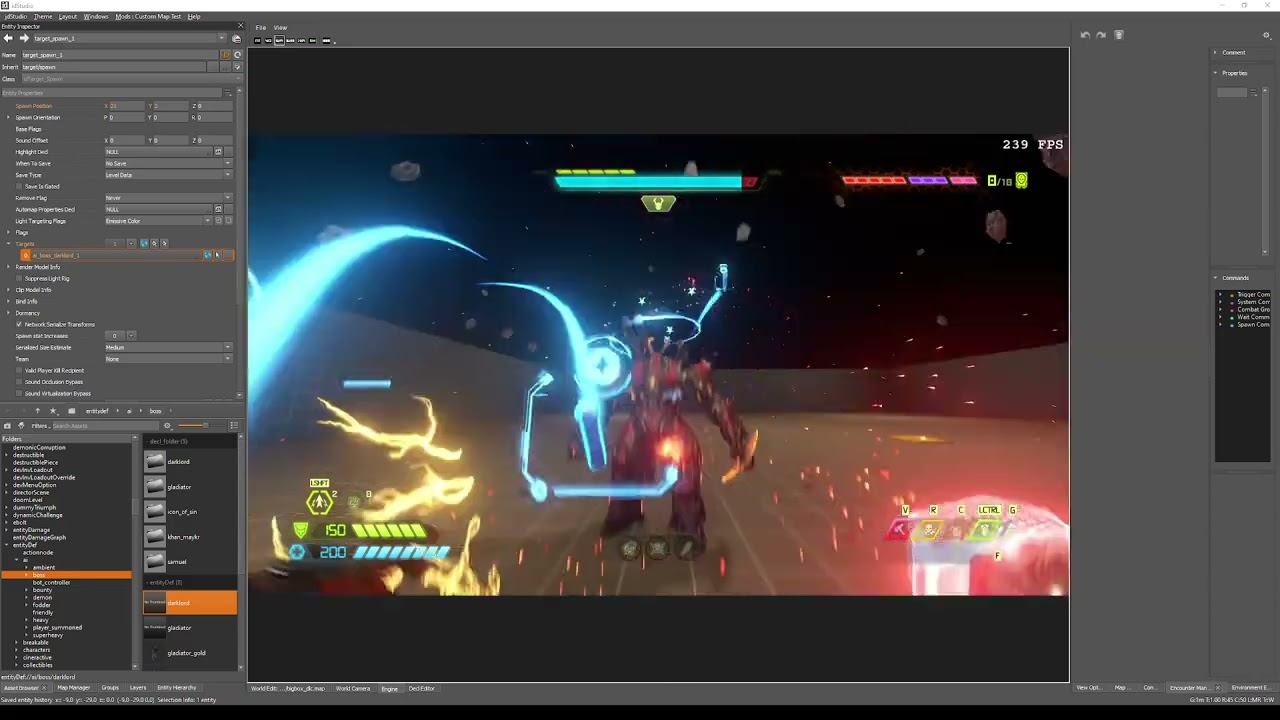

 prisma vector
plush thicket
Yoo, I released my own version of graveyard, I made my own encounters check it o...
prisma vector
plush thicket
Yoo, I released my own version of graveyard, I made my own encounters check it o...

 dark pendant
oak geyser
🤔 https://www.youtube.com/watch?v=akB3Cpv7DQ8
dark pendant
oak geyser
🤔 https://www.youtube.com/watch?v=akB3Cpv7DQ8
haha, had no idea you could place them like that lol. Thanks!
dark pendant
oak geyser
🤔 https://www.youtube.com/watch?v=akB3Cpv7DQ8
about this, when I try to put Samuel in the map, the editor just flat out closes, doesn't even crash. When I try to put the dark lord, he doesn't have a render model shown in the camera like yours does
Downloaded the Holt and Dark Lord Assets, do I need every single one?
muted bobcat
plush thicket
ohh coman marauder not that bad lol
I'm sorry, -0.2 pointa for each marauder
9,2/10
molten token
oak geyser
🤔 https://www.youtube.com/watch?v=akB3Cpv7DQ8
what? What is the dark lord doing there, it doesn't appear in my studio ID
polar nexus
the right one has more demons but is there any difference?
 oak geyser
dark pendant
about this, when I try to put Samuel in the map, the editor just flat out closes...
oak geyser
dark pendant
about this, when I try to put Samuel in the map, the editor just flat out closes...
The mesh missing would indicate a missing asset pack, just like the crash with Samuel, both is happening for me too when I don't have the "The Holt" and the "The Dark Lord" asset packs installed (it's the only two DLC asset packs I have installed currently).
Have you restarted idStudio ever since installing the asset packs?
oak geyser
molten token
what? What is the dark lord doing there, it doesn't appear in my studio ID
Maybe you're looking in the wrong path, the entity definition is in entityDef/ai/boss. It does not show up in the "New Entity" context menu for I don't know what reason!
plush thicket
polar nexus
the right one has more demons but is there any difference?
The one in right is good, the one in left also good
halcyon stratus
Finished Saleem's Graveyard map. Top notch. Wished we had a rating system.
polar nexus
plush thicket
The one in right is good, the one in left also good
i'm going the right one
plush thicket
polar nexus
i'm going the right one

dark pendant
oak geyser
The mesh missing would indicate a missing asset pack, just like the crash with S...
Yeah, restarted it multiple times. I have both of those asset packs. Weird.
oak geyser
dark pendant
Yeah, restarted it multiple times. I have both of those asset packs. Weird.
Can you open their models (/md6def/characters/monsters/darklord_mech/base/darklord_mech, /md6def/characters/monsters/samur_maykr/base/samur_maykr) in the animated model editor?
dark pendant
oak geyser
Can you open their models (`/md6def/characters/monsters/darklord_mech/base/darkl...
no, I get a load error
oak geyser
Yeah, that really sounds like the assets not existing / being accessible. What's the exact path on disk that you have them installed? I remember people having problems with path's containing special / non-ascii chars, not sure if that was about assets though or just mods being able to load.
dark pendant
D:\DoomAssets
Tried to keep it simple as possible
Then each asset pack is in it's own folder in there
oak geyser
Is that the same drive that idStudio is installed on?
molten token
oak geyser
Maybe you're looking in the wrong path, the entity definition is in `entityDef/a...
Perhaps when enabling the idstudio for the public, they knew that those 2 entities samur and dark lord were impossible to use or would have problems and that is why they removed them from "quick" access or that is the impression it gives me
oak geyser
Possible
molten token
Maybe both samur and the dark lord need something from the "immora or dark lord level" active packs and in the case samur the holt level, but not the horde mode holt, rather the complete map, as they did not deliver There are requirements for Those 2 resource packs to download that people do not have and will not have access to until they are enabled for the public (that's the impression I get).
dark pendant
oak geyser
Is that the same drive that idStudio is installed on?
no it is not, I put all assets on a separate drive, and that has worked for everything until now
molten token
halcyon stratus
How do you spawn monsters in?
new entity - ai- (and here they are all) for a cannon fodder demon, it is in fodder, for demons like the arachnotron you are going to "heavy" for example, within ai they are all
halcyon stratus
molten token
new entity - ai- (and here they are all) for a cannon fodder demon, it is in fod...
Using the console with the spawn command, I mean.
molten token
For this you right click on the entity world for example, and "new entity" appears to select and search
halcyon stratus
I'm not sure you understand what I'm saying. I want to spawn enemies in-game using the command console.
There's a spawn command.
molten token
ahhhhhhh, I have seen that you must put the path of the daemon, it is something like writing ai/fodder/hell (something like that, I just don't know the paths for that, I think o_dey knows, I have seen it added like this
halcyon stratus
molten token
ahhhhhhh, I have seen that you must put the path of the daemon, it is something ...
Very helpful, thanks. I'll give that a spin.
dark pendant
molten token
Perhaps when enabling the idstudio for the public, they knew that those 2 entiti...
my game also crashes when I try to use the Gladiator too