#eternal-modding
1 messages · Page 11 of 1
 wanton flint
 prisma vector
Great news.
wanton flint
Wait now I have all my weapons from my old save on a new file?
wanton flint
No matter what I just have everything unlocked when I start a new file???
nvm figured it out sorry


 empty bobcat
Is there possible to make brush nonsolid?
I set noclip for brush, but it is still solid.

 maiden ingot
empty bobcat
I set noclip for brush, but it is still solid.
maiden ingot
empty bobcat
I set noclip for brush, but it is still solid.
Try clicking the gray box there, does that work?

 tight hinge
empty bobcat
I set noclip for brush, but it is still solid.
tight hinge
empty bobcat
I set noclip for brush, but it is still solid.
Change clip type to None
 polar nexus
 oblique dirge
super gore nest 2.0
empty bobcat
Great! I'll check when back home! Thanks @tight hinge @maiden ingot
maiden ingot
Toyota is right
 south wasp
Chunky! Digging this vibe. Lighting sets the mod well too, with those lil red highlights
 hasty oyster
baron variants here i go. Need to remove the claws, is that in FX? At work right now so im just thinking... I also want to add the gladiator hair like texture to the legs. Giong to use the 2016 nexus mod to get the texture
tight hinge
hasty oyster
baron variants here i go. Need to remove the claws, is that in FX? At work rig...
I think the claws might be a texture
hasty oyster
Yah i see the tga file ... it animates too
the nexus mod made my poopymaster removed them but i didn't investigate how that worked yet
tight hinge
hopefully that's something you can material remap
hasty oyster
i did STEAL the skins though. Legs, torso, head and arms
i tried to remap with a empty skin, it still showed the claws
tight hinge
damn then you might need to modify the mesh
hasty oyster
ill need to learn how to do that eventually anyways, BUT the base model in the editor does show the baron without the claws, which makes me think its a FX thing that attaches to something else
 cobalt cipher
Hey! How do I get the Archville to behave properly? I created a template for it and set it in the encounter manager.
However it's only spawning the top two units of the template list, and then it starts spawning in it's default list
empty bobcat
yeah, my map is reborning 🙂
 tight hinge
empty bobcat
yeah, my map is reborning 🙂
tight hinge
empty bobcat
yeah, my map is reborning 🙂
what is that supposed to be?
empty bobcat
tight hinge
what is that supposed to be?
it's old warehouse hall
I called it Cyberdemon's House, cause it was big that could contain Cyberdemon 😄
tight hinge
interesting
 brave wadi
Doing research on upgrading my PC for idStudio and looked at the known issues: "AMD - idStudio force-closes after full build local bake of release map." Does this mean people with an AMD CPU will experience a crash after baking, but the baking will still succeed and everything will be fine outside of having to re-launch idStudio?
 night onyx
i've been having this glitch where damaged enemies have a pink error texture instead of the proper one
there doesn't seem to be any documentation whatsoever
thought this was a decent place to ask if anyone knew anything about it
empty bobcat
brave wadi
Doing research on upgrading my PC for idStudio and looked at the known issues: "...
What? I wanted to buy 9800x3d ;/
But id uses amd.
We saw this on QUAKECON on halfp1nt's pc.
 cobalt basalt
brave wadi
Doing research on upgrading my PC for idStudio and looked at the known issues: "...
cobalt basalt
brave wadi
Doing research on upgrading my PC for idStudio and looked at the known issues: "...
I have a amd cpu(and gpu) and the editor only closes doing full bake not with any other build option and it does bake the map before closing
empty bobcat
cobalt basalt
I have a amd cpu(and gpu) and the editor only closes doing full bake not with an...
how many cores you have or what cpu?
I mean you got pro or not pro cpu.
cobalt basalt
ryzen 7 5800x
empty bobcat
x not x3d?
cobalt basalt
yes
cobalt basalt
if you are running the modtools that cpu is still kicking
empty bobcat
9600k can handle most things (yet)
 fluid hatch
I got a amd cpu n gpu too. Love it works great on linux mint.I would'
nt worry about that issue calvin cause your gonna freeze and crash anyway.So go team red imo.
hasty oyster
anyone know where one can find the 2016 textures? Mainly ones for the demon skins? I want to try something
i know somoene ripped all of that stuff out at some point
empty bobcat
 brave wadi
Thanks guys! Good to know the full bake still succeeds. I'm definitely considering joining team red
prisma vector
would anyone know how to turn the heavy cannon into a burst weapon instead of a full auto?
 bright bane
Hmm, interesting question, curious to know the answer too
wanton flint
Anybody know any good mods to streamline the campaign? I wanted to try the streamlined campaign mod but it doesn't work for me
 tender tendon
Imagine making a Halo game using the DOOM Eternal modding method and DOOM Eternal's engine.
 ripe night
tender tendon
Imagine making a Halo game using the DOOM Eternal modding method and DOOM Eterna...
ripe night
tender tendon
Imagine making a Halo game using the DOOM Eternal modding method and DOOM Eterna...
So Halo 5: Guardians?
I kid. I kid.
tender tendon
ripe night
So Halo 5: Guardians?
I kid. I kid.
Nope. Lol.
ripe night
tender tendon
Nope. Lol.
Anyway 2016 SnapMaps had Halo maps, so I think it'll happen with Eternal soon
 wind veldt
hii sorry if this is the wrong chat but
how would a gal get it's non-modded saves to be in the modded launcher?
prisma vector
Can you try to copy/move your saves to the mod launcher?
hasty oyster
trying ot attach gladiator like fur to the legs of the baron. Not going so well, suggestions?
 fickle glade
tender tendon
Imagine making a Halo game using the DOOM Eternal modding method and DOOM Eterna...
fickle glade
tender tendon
Imagine making a Halo game using the DOOM Eternal modding method and DOOM Eterna...
I had an idea to port Silent Cartographer to DE
wind veldt
so I’ve had a random thought and I’m sure it’s not a unique one, but
would it be theoretically possible to make a port of 2016 to Eternal’s engine using the new tools provided to us?
and if not a port, how faithful of a recreation would be possible?
 cyan niche
Hello, I know I am new to this server, but I need help, I am trying to replace a skin of the slayer with another mesh that I made, and i don't know how to do it using the Id tech, could someone guide me?
 midnight hedge
@cyan niche from my understanding you can export the md6 file of the slayer or import custom one from a 3d modeler, both methods will create an fbx model file. If you are editing an existing fbx or creating a new one from blender you need to disable leaf bones and use fbx unit scale for export, these options will appear in the export tab after hitting (export fbx). Name the fbx file if it is a wholesale new mesh as the same as the md6 file you are wanting to replace and click import fbx as animated model and skeleton in idstudio.
cyan niche
midnight hedge
<@434039300879941633> from my understanding you can export the md6 file of the s...
Thanks for the help!
midnight hedge
@cyan niche keep in mind this is for the main model only. If you want to have it destructive you would need to edit the wound submeshes in the md6 file as well as the separate static meshes. All regardless are imported and exported as fbx files
cyan niche
midnight hedge
<@434039300879941633> keep in mind this is for the main model only. If you want ...
no, is just to make a doom slayer skin
midnight hedge
@cyan niche for the slayer I belive in addition to the 3rd person model the hands in first person are a separate model so those 2 are what you are gonna be going for.
cyan niche
what I am doing wrong? because I selected the arms and I click export to FBX as a aminated model, mesh and bones?

 karmic musk
tender tendon
Imagine making a Halo game using the DOOM Eternal modding method and DOOM Eterna...
karmic musk
tender tendon
Imagine making a Halo game using the DOOM Eternal modding method and DOOM Eterna...
Should be fine. The Halo IP is okay to make fan based mods/content off of, as long as the title of the mod doesn't say halo and the assets are 100% custom made. There are projects like installation01, project contingency, and branching sickness. Three halo mods being done in Unreal Engine without any issue.
So if someone wanted to create a 'Halo' mod for Doom Eternal, they should be safe.
It's all under Microsoft's Game Content Usage Rules
midnight hedge
@cyan niche where are you exporting it?
cyan niche
midnight hedge
<@434039300879941633> where are you exporting it?
on a custom path D:\create mods doom eternal\look for a base
midnight hedge
Hmm. My setup that works is that I put it in my mod folder not the actual idstudio in doom eternal file path with steam.
empty bobcat

 sour copper
i dunno if this counts but im working on organizing the music files for the game right now, would anyone mind helping out when i have some trouble identifying the song?
 silent ledge
Has anyone tried importing their own decals yet?
oblique dirge
silent ledge
Has anyone tried importing their own decals yet?
no
 halcyon stratus
empty bobcat
halcyon stratus
empty bobcat
Looks great!
halcyon stratus
brave wadi
Thanks guys! Good to know the full bake still succeeds. I'm definitely consideri...
Don't know about their GPUs much, but I really like Ryzen.
 whole cedar
how does this tyrant's entrance work? i want to recreate it in my map
wind veldt
I'm no expert with Eternal's insides but knowing how games tend to work, I'd assume it's just an animation and it updates where the Tyrant's "position" is either the whole way through or just when it ends
 plush thicket
whole cedar
how does this tyrant's entrance work? i want to recreate it in my map
plush thicket
whole cedar
how does this tyrant's entrance work? i want to recreate it in my map
in the spawn target entity, go to spawnEditable/aiStateOverride change the aiStateOverride to "AIOVERRIDE_PLAY_ENTRANCE_ANIMATION" and click in spawnAnim it should open anim window click in traversal and expand it you should see alot of entrance animations
plush thicket
whole cedar
how does this tyrant's entrance work? i want to recreate it in my map
like this
 whole cedar
the model on the right is where i want the tyrant to end up right?
 plush thicket
YEP
whole cedar
i finally got it to work, tysm!
prisma vector
@sour copper I will try.
empty bobcat
"Can you make this fence like for yourself?"
"Sure, I'm best builder on the world, you can trust me"

 heavy torrent
empty bobcat
"Can you make this fence like for yourself?"
"Sure, I'm best builder on the worl...
heavy torrent
empty bobcat
"Can you make this fence like for yourself?"
"Sure, I'm best builder on the worl...
why not just make them out of meshes?
empty bobcat
heavy torrent
why not just make them out of meshes?
yes, I know 😦 but I remember nothing from blender. So I have to relearn it.
this shape is not complex, but I don't remeber texturing and how to take texture from id studio and use it in blender?
probably in the future I'll replace all complex brushes with models
hmm, ok, I need to rethink it, maybe I should make it now... Thanks Mike J 🙂
Ok, the question is how to get textures from assets to use them in idS? Cause we can't texture models in idS, right?
 muted bobcat
No, my understanding of this game is pretty much limited to gameplay
muted bobcat
you can load any checkpoint you want with
find checkpoints (pulls up a list of checkpoint names)
trigger "checkpoint name" (triggers the checkpoint, and after you press "reload checkpoint" you'll get sent there)
you can get max ammo with "give ammo", max health with "give health" and max armor with "give armor"
i dont know any way of unlocking things with console commands
i have no idea how to get abilities
huh, that has always worked for me
... yeah, you have to be in the level for it to work
You have to wait 10 seconds to load a checkpoint after you just loaded one
empty bobcat
how to texturing imported model?

or how to import model with texture?
and how make model with DOOM Eternal texture, can we extract textures or something?
south wasp
whole cedar
the model on the right is where i want the tyrant to end up right?
For future reference, you can always open the campaign level and look into how they did it originally. Get into the habbit of doing that, as questions like this will come up a lot for you as you try different things 🙂
bright bane
Where is the fire mode parameter on weapons ?
Is there even one ?
empty bobcat
I don't remember did I ask or not. How to properly change sky texture?
If I only change remap the sky is stretched in U shape.
plush thicket
empty bobcat
how to texturing imported model?
Rendermodel/material remap
empty bobcat
plush thicket
Rendermodel/material remap
Yes, I figured it out yesterday. Thanks Saleem.
Just some materials are visible on dome, some not.

Light is still not finish version, I'm still not satisfied it with it.
 cyan niche
how can i fix this bug? I am trying to get a slayer model, but everytime I try to get it, it pops up this error

 full jacinth
Does anyone know where the hammer gets/uses its damage decl from in the file system? When trying to follow in the engine I am getting led to a file which uses completely different damage values.

 obtuse arch

DoomWiki.org
Doomworld’s 10 Sectors competition was held in 2000 and is widely regarded as one of the most successful editing competitions in the history of Doom. It was inspired by a similar competition in the Unreal community called the 5 cubes competition.
Just found out about this and thought it was really interesting, as well as Quake's 100 brushes event. Something like this for Eternal could be really interesting
prisma vector
Yes it would.
empty bobcat
HELP! Somehow I ghosted like selected area and I have no idea how to undo this - it acts like refmap but it is not in any refmap.

I used ctr+shift+G by accident
ctrl+alt+G = unlocking it!
wind veldt
sorry if this is the wrong chat but I'm a smidge confused
is there any reason we can't login to our bethesda.net accounts in-game while mods are active?
is it just to remove the ability to get achivements & play online? because if that's the case surely there's a simpler way of doing it
obtuse arch
wind veldt
sorry if this is the wrong chat but I'm a smidge confused
is there any reason we...
Yeah I don't think you can get achievements or play online while in the modded version of the game
But, I'm not certain tbh
wind veldt
I mean that makes sense
just weird way to implement it instead of having a bit of code that’s like
“was it launched modded? if yes, disable achievements and access to battlemode”
hasty oyster
is there there a way to change a global spawn setting for a certain demon. target IDSpawn (from a list) or something?
entitydef/target/spawn


 slender iron
How do i make it so there are actual flames/particles around enemies when they spawn?
Cuz atm they just immediately pop in with no particles
tight hinge
slender iron
Cuz atm they just immediately pop in with no particles
in the idTarget_Spawn entity search for override and set it to TELEPORT
slender iron
Mann tysm 😭
empty bobcat
Do you know maybe is there drum with cables in DOOM eternal kits? Something like this but with rope/cable.

like this:
 fickle glade
empty bobcat
Do you know maybe is there drum with cables in DOOM eternal kits? Something like...
fickle glade
empty bobcat
Do you know maybe is there drum with cables in DOOM eternal kits? Something like...
Try importing one from Source (Half Life 2 for example)
empty bobcat
fickle glade
Try importing one from Source (Half Life 2 for example)
I could build it, but I can't import.
I can import fbx but I can't import with texture.
not great, not terrible

until I learn how to import models with textures there will be brush props
prisma vector
Not bad IMO.
 wintry hollow
 hasty oyster
my mods are big because i can't package worth a shit. tough!!
where do i edit what spawns? in other words, i wnat to randomize all the BM skins for mancubi, archvile, ect. Guess what, most of the gore destruction works on these. Would be coold to have a mod that utilizes all these
I do know i have to create a new AI for the skins, which isn't a problem
idtarget spawn, i need more direction
or o i need to open every map and change every thing in there?
empty bobcat
plush thicket
Rendermodel/material remap
OMG now I see - you talk about models not about skydome 👀

 polar nexus
empty bobcat
model built in blender 🙂
polar nexus
empty bobcat
model built in blender 🙂
i'm impressed 🔥
brave wadi
Okay here's a dumb question. Sometimes when you place a model the manipulator is nowhere near where the model is. How do I reset the manipulator to be at the model's location? The documentation makes it sound like Space + Shift does this, but that's not it.
empty bobcat
brave wadi
Okay here's a dumb question. Sometimes when you place a model the manipulator is...
use shift + mouse 3 (mouse scroll button) it will place manipulator where you want, but it's not permament
empty bobcat
@plush thicket do you know how to import model but I want to use more than one texture on it?
plush thicket
sorry, these stuff have zero experenice with it
empty bobcat
plush thicket
sorry, these stuff have zero experenice with it
ok, thanks for answer
 brave wadi
empty bobcat
use shift + mouse 3 (mouse scroll button) it will place manipulator where you wa...
brave wadi
empty bobcat
use shift + mouse 3 (mouse scroll button) it will place manipulator where you wa...
Thank you!
empty bobcat
brave wadi
Thank you!
works only in 2d view
 empty bobcat
I got such problem on start:
If I click yes/yes to all - editor delete all my custom models, if I click no/no to all - they work normally, if I click skip - they work normally. When I open map again I got exactly the same warning if I click no/skip.

Models work properly in editor and game.
Why editor says failed to load when they work normally?

 halcyon stratus
Hellfire Cavern was great. Just... possessed marauders.
Not that they're any hard, their AI just breaks. I'd rather have 2-3 normal marauders thrown at me than one buffed/possessed one faking out every green light attack and noclipping through the fucking geometry at his leisure.
halcyon stratus
empty bobcat
new rails vs old brush rails
Sorry, I assume the one on the left is the new model? Looks great, hope more mappers add their own custom ones to their maps.
empty bobcat
halcyon stratus
Sorry, I assume the one on the left is the new model? Looks great, hope more map...
on the left is made from brush, on the right is model
halcyon stratus
Oh, gotcha.
empty bobcat
But I realy like this brush version, but it's not real accurate rail 🙂
halcyon stratus
Yeah was gonna say, both look fine to me. I'm just stoked about custom models being a thing now.
empty bobcat
I used that as reference:

Copying on map brush version after selection few metters takes even 12 seconds. Model version is copying immediately.
so they look cool too in game and are faster to use

I also replaced trapezoid steel sheet

now I need tons of foliage in this place 😄
 fluid hatch
Looking good i still think ya should model a train n passanger casrs. go through them fighting demons.
halcyon stratus
Holy shit, an actual train level in Eternal would be fucking kino.
fluid hatch
Any other fix for the new mod bug.every time ya start id studio it makes a new mod everytime. i tried that launch option but still makes a new mod. lately ive been getting cant find map or invalid path etc. i can open my map by finding it though.
empty bobcat
fluid hatch
Any other fix for the new mod bug.every time ya start id studio it makes a new m...
do you start idS from steam as idS or from launcher DOOM Eternal?
if you start from Steam - you will get new mod each time, you need to start it via DOOM Eternal launcher.
fluid hatch
i tried both and still same thing.
empty bobcat
ah 😦
I got problems with models, and now editor became slow 😄 when I put so many grass on it XD
but in engine works super smooth
fluid hatch
oh bummer maybe cut them down.
fluid hatch
more than me.
empty bobcat
 fluid hatch
is it just me or that last picture u have a lot of lights above your train tracks. looks great.
empty bobcat
 empty bobcat
fluid hatch
is it just me or that last picture u have a lot of lights above your train track...
empty bobcat
fluid hatch
is it just me or that last picture u have a lot of lights above your train track...
whichone?
slender iron

 empty bobcat
slender iron
<:HappyGuy:733610864363700224>
empty bobcat
slender iron
<:HappyGuy:733610864363700224>
where are those building from, they do not look like from eternal, how did you import them?
slender iron
I ripped them from gm_construct from gmod
I imported them like pretty much any other custom static object
empty bobcat
slender iron
I imported them like pretty much any other custom static object
how did you import them with textures?
did you put texture to the same place as fbx?
 noble coral
slender iron
<:HappyGuy:733610864363700224>
noble coral
slender iron
<:HappyGuy:733610864363700224>
Omg gm_construct
empty bobcat
or import texture and remap model?
slender iron
I took all the materials from blender, imported all the image textures into id (these mats only have colors, no normal maps or anything which made it easier)
Then when they were all in id i had to rename the materials in blender to their relative path in idstudio (right clicking the decl and selecting copy relative path)
That way when you export the fbx and bring it into id it displays all the correct materials. If that makes any sense
Image textures have to be .tga ofc, most image editors can export straight to that
prisma vector
Thanks for info.
slender iron
I might record a quick video about it cuz it confused the shit out of me
empty bobcat
slender iron
I might record a quick video about it cuz it confused the shit out of me
would be awesome
prisma vector
Have closed captions please. I'm hard of hearing. And go slow and easy to follow.
slender iron
Ill do my best
 tropic oasis
Been playing around with bounce pads, teleporters and monkey bars most recently, fun stuff. Gonna try and complete creating a simple arena soon, I've just been getting stuck obsessively analysing the campaign maps and how stuff are made 😅
For others who might be looking for this info at some point (as I couldn't find it in the docs), monkey bars are also referred to as gorilla bars or vaults, and here's how to add one:
right click > new entity > interact > vault > pipe


 empty bobcat
slender iron
I might record a quick video about it cuz it confused the shit out of me
empty bobcat
slender iron
I might record a quick video about it cuz it confused the shit out of me
And your exported models are not rotated?
whole cedar
where is this particle effect referenced? im trying to create a custom cacodemon ai with a custom blood splatter color, but i can only modify the vanilla one
 slender iron
empty bobcat
And your exported models are not rotated?
slender iron
empty bobcat
And your exported models are not rotated?
Nah they are rotated 
halcyon stratus
Why didn't they release the custom map that was showcased at QC?
prisma vector
My guess was to show us ID studio. For all we know they could a deleted it afterwards.
empty bobcat
slender iron
I took all the materials from blender, imported all the image textures into id (...
hmm, I can't find the way to rename the materials in blender to their relative path
slender iron
empty bobcat
hmm, I can't find the way to rename the materials in blender to their relative p...
After copying the relative path from the material decl, select the object in blender, goto the material tab and you'll be able to rename it from there
Also, if multiple models in blender share the same material, renaming it on one object will change it for every object 👍


Another thing, the material tab has this drop down menu showing every material in your project, so you can make sure there aren't any you forgot to rename, So you don't have to keep re-exporting a model because of missing textures
 slender iron
Nah they are rotated <:doomcry:668559689205940249>
slender iron
slender iron
Nah they are rotated <:doomcry:668559689205940249>
You can probably change this setting to make it not import sideways into idstudio but i havent tested that yet
 empty bobcat
@slender iron GLORIOUS! I'm not at home now, but great thanks to you! I can't wait to check it!
slender iron
Have fun brotha 
 atomic gale
My game just crashes at startup, any help?
fluid hatch
Did it crash before the pc mod preview?
The usual update your drivers, verify steam files.
If on windows thats probaly your problem there. but on LINUX STEAM compatability GE proton 11.
empty bobcat
slender iron
You can probably change this setting to make it not import sideways into idstudi...

Y forward Z up

I only hope game read all textures not only diffuse 😄 testing!
YEAH! Works perfectly!
 slender iron
Fuuck yes
empty bobcat
even model with more then one texture on it
slender iron
They should make that more clear in the docs ngl
empty bobcat
now I can rebuild it (again XD)
slender iron
Theres like a blink and youll miss it info point that mentions it
empty bobcat
slender iron
They should make that more clear in the docs ngl
yeah the manual is VERY basic
atomic gale
fluid hatch
If on windows thats probaly your problem there. but on LINUX STEAM compatabilit...
It crashes with any mod active
I have done any fixes i could but it doesnt work even trying to use the older drivers
fluid hatch
Try uninstall the mods and see if regular game start with no crash.
halcyon stratus
empty bobcat
YEAH! Works perfectly!
This looks great, love it.
fluid hatch
@atomic gale also your only using the pc mod preview only and do not have the mod injector installed.
@empty bobcat so are you gonna be our blender ho? LOL
empty bobcat
I need to relearn everything 😄
fluid hatch
still better than me.
empty bobcat
I've just quick watched Impeshia tutorial to remind some basic, cause I forgot almost everything in blender.
it's not like bikecycle riding ;D
fluid hatch
theres so many youtube videos for blender. there alot of id studio i dont know either, looking at campaign maps helps a little.
empty bobcat
Yesterday I back to prodeus and I forgot some basic shortcuts 😄 After 4 weeks pause.
fluid hatch
perhaps youll relearn again.
empty bobcat
fluid hatch
theres so many youtube videos for blender. there alot of id studio i dont know...
campaign map is huge and cut for separated parts. You can't just copy (at least I can't) a part I want to recreate with all lights, models and monster which should be there.
fluid hatch
there is always trial and error.
empty bobcat
yes, like last weekend - it was one time of testing play with models. So many time wasted.
If I know what I want to build, and know how to build it takes me 2 weeks with tests for medium map. In prodeus. But if I don't know what I want to build - projects are in progress for 2+ years 😄
fluid hatch
ha art takes time.
empty bobcat
I want holodeck like in Star Trek: "Computer, make for me a game with DOOM monsters" 😄
fluid hatch
lol if only that easy.. is there a way to use AI?
empty bobcat
fluid hatch
lol if only that easy.. is there a way to use AI?
in the future it will be possible, I think
fluid hatch
anyway keep working on your map. youll finish it before ya die.
empty bobcat
I wouldn't bet it 😄
@slender iron ah, I got a problem 🙂 I still have this warning:

even for new models. Maybe I'm doing something wrong when importing in Static Model Editor
I just open my model and generate delcs via Generate decls and that's all, right?
 fluid hatch
@atomic gale have you tried playing game with no mods active?
@empty bobcat dont know havnt got that far yet
slender iron
empty bobcat
<@268526502734200843> ah, I got a problem 🙂 I still have this warning:
Yea ive been getting this too, every time i open my project i get a couple
slender iron
empty bobcat
I just open my model and generate delcs via Generate decls and that's all, right...
Yea thats all i been doing
Honestly ive just clicked no to all everytime and its still worked totally fine
I do wanna find out why that happens tho
empty bobcat
slender iron
Yea ive been getting this too, every time i open my project i get a couple
ah, so ok 🙂
good, now I have a peace of mind and get back to make the map 🙂
thanks, for answer!
polar nexus
empty bobcat
YEAH! Works perfectly!
is it possible to create a train that can move?
empty bobcat
polar nexus
is it possible to create a train that can move?
probably why not, I haven't tried make animated model yet
I'm struggling in blender how in one model use 2 materials XD
polar nexus
cool
empty bobcat
haha 😄 working
 empty bobcat
how to make collisions for models? Everything in here is checked on, but it's totaly noclip like.
 fluid hatch
their aint no collision parameter?
slender iron
empty bobcat
how to make collisions for models? Everything in here is checked on, but it's to...
Have a look in the actual modelAsset decl

Is weird tho, models i imported had collision by default
fluid hatch
@slender iron I got a tree from the internet. it has a .fbx .mtl .obj and a uv m2 bmp file. how do i import into my map?
slender iron
fluid hatch
<@268526502734200843> I got a tree from the internet. it has a .fbx .mtl .obj an...
Bring the fbx file into blender, then follow this article to import it into idstudio https://idstudio.idsoftware.com/working-with-art/importing-content
Make sure to read it carefully because they word things kinda weirdly. I've had to reread some of it a bunch of times to understand it properly
slender iron
slender iron
After copying the relative path from the material decl, select the object in ble...
And this will help you import the materials
fluid hatch
yeah i saw that but ill try using blender. is there any add ons we can use with id studio?
slender iron
Nah it should work out of the box
fluid hatch
ok just wondering. ty though.
slender iron
👍
prisma vector
@slender iron I'm at bed hooked up for the night.anyway I couldn't find my tree model in static editor. Maybe my folders/path are messed up?
slender iron
Yea have a look at your folders
In your mod directory, base/art/models/(whatever folder here) works
slender iron
slender iron
In your mod directory, base/art/models/(whatever folder here) works
You don’t actually need a sub directory in the models folder but organisation yknow

 fast plaza
empty bobcat
fast plaza
empty bobcat
you'll need to export collision with the asset before porting it into idstudio
I know MODO did this, idk about blender. There's no shame in manually clipping stuff with brushes, though.
empty bobcat
fast plaza
I know MODO did this, idk about blender. There's no shame in manually clipping s...
yeah, that's what I'll make for now
atomic gale
fluid hatch
<@805463424305070110> have you tried playing game with no mods active?
regular game still fine
no mods active still crashes at startup
but as you said do i need a mod injecter in my game in order to play it?
i have used nexus mod, it works fine
fluid hatch
@atomic gale if your using the pc mod preview. i would uninstall the mod injector.
atomic gale
fluid hatch
<@805463424305070110> if your using the pc mod preview. i would uninstall the mo...
but it still doesnt work without the mod injector
i have reinstalled my game but it still
empty bobcat
atomic gale
i have reinstalled my game but it still
but did you clean the directory?
you could reinstaled it, but there could be still some files they are not deleted when uninstalling the game, cause they belongs to mod files
atomic gale
empty bobcat
but did you clean the directory?
u mean to uninstall the game folder in steam folder because it still has some file in that?
empty bobcat
atomic gale
u mean to uninstall the game folder in steam folder because it still has some fi...
Yes
I mean uninstal game, and than check the folder where the game was installed
maybe the mods file are still in there
or if you know which files are from mods, delete them instead unnistinaling the game
atomic gale
empty bobcat
Yes
ok i got it
but i hope it works 🙂
empty bobcat
I hope too 🙂
I felt the game wasn't smooth as always, and I thought maybe game remembered fps limit from other pc, I checked vide setting and found this: LOL


there is even more if I'd like 😄

no 😄
atomic gale
empty bobcat
I hope too 🙂
well it just not working
thanks for the help
prisma vector
@atomic gale that's a bumper. Have you tried a support ticket? It is beta so its not 100% bug free. Freeze crash, folder path shenanigans etc.
empty bobcat
slender iron
Have a look in the actual modelAsset decl
weird, I haven't seen that message yesterday! I'll check it when back home.
empty bobcat
slender iron
Have a look in the actual modelAsset decl
Your model has different class type than my models. Your is idDeclModelAsset, and my is just idStaticEntity
 slender iron
You could probably clear the clip model name in that clip model info section if you havent already
But i mean the actual asset file you'll find in the render model info, if you open that in the decl editor you should find a bit that lets you disable the collision

 empty bobcat
@slender iron can you show how your model looks in Static Model Editor? Or how you import it and declare?
my looks like this:

myabe you got additional surface for collision?
slender iron
goddamn i've got so many lmfao

If you can't figure anything else out you could just use a cylinder primative for proper collision for it
I've got some of these meathook points but the model doesn't show up when packaging and testing. I can still meathook onto it even tho its invisible and it still makes a sound effect but no model. It does show up when testing it in engine in idstudio

 empty bobcat
slender iron
I've got some of these meathook points but the model doesn't show up when packag...
empty bobcat
slender iron
I've got some of these meathook points but the model doesn't show up when packag...
funny cause in editor for me it's without texture, but works and has texture in engine and in game ;/
but custom models have no collisions for me ;/
when you want to put new model on map you got your model doubled like this?

I can build models with collision surface in blender but if your works properly there must be something wrong by my side
slender iron
empty bobcat
when you want to put new model on map you got your model doubled like this?
Nah i don't get a modelasset for some reason
 empty bobcat
wait, something is wrong with this hook, I'll show you something
empty bobcat
slender iron
Nah i don't get a modelasset for some reason
grrrrrr. Can you show me how do you import fbx?
BTW. this hook works in game:


and inside there is a function:
 slender iron
empty bobcat
grrrrrr. Can you show me how do you import fbx?
slender iron
empty bobcat
grrrrrr. Can you show me how do you import fbx?
I just export straight from blender into this folder, then i goto this folder in static model editor to import them, then generate a modelasset decl
(so its weird the modelasset's dont show up for me in search)
 empty bobcat
so for example: step 1:
 slender iron
empty bobcat
and inside there is a function:
slender iron
empty bobcat
and inside there is a function:
Weird, does the meathook point model show up purple like that ingame?
empty bobcat
slender iron
Weird, does the meathook point model show up purple like that ingame?
no, it looks normal
with texture
slender iron
Oh sick
empty bobcat
so than I just clikc:

that's nice this model has no texture ;/ Probably I messed something in blender
it's two clicks job - open and generate
I didn't do anything else, right?
I FOUND THE SOLUTION!
one of them is modelAsset, and the other one is model - asset has collision, the model not
 slender iron
Ahhhh nice
empty bobcat
but why I got both and you only one? Don't know
slender iron
Yea thats kinda odd
empty bobcat
it's like walking in heavy mist sometimes (maybe even mostly :D)
slender iron
But I was putting models in my map by just dragging the modelassets straight into the world camera, so thats why i probably never had an issue
Oh yea theres still so much of this program we gotta figure out
empty bobcat
in assets browser I have both version too.
slender iron
Oh asset browser i got both
 slender iron
Yea thats it i didnt have modelasset selected lmao
hasty oyster
make this someone!
 prisma vector
Looks cool but thought you was making new demon designs.
 pearl junco
slender iron
Nah i don't get a modelasset for some reason
pearl junco
slender iron
Nah i don't get a modelasset for some reason
Model Assets are not models themselves. They are decls that specify a model file, along with other properties like custom collision models, etc. The information from a modelAsset decl is used to set the properties of the idStaticModel entity when it's placed into the world. Versus if you just drag and drop the raw model file, it will create an idStaticModel entity with all default settings besides the renderModel/clipModel
(Disclaimer: This is just how I generally think/assume these work...I can't say I've looked too much into it and I could be wrong on how exactly modelAsset decls function)
empty bobcat
I imported few new models, somehow they are only models and not assets, so I can't force them to get collision. Maybe they must be set on map as models, saved and restart?
btw:
 empty bobcat
pearl junco
Model Assets are not models themselves. They are decls that specify a model file...
empty bobcat
pearl junco
Model Assets are not models themselves. They are decls that specify a model file...
Yes it is as you said. If I put model on map (rebuild collision) close the editor, open it again, the model shows in model browser as asset - and this one got collision.
left model, right asset

correction: you don't need to set them on map, just restart editor and they show in browser as assets
pearl junco
I didn't know that modelAssets could be automatically generated like that
empty bobcat
I built set for my fence. And when restart editor they appeared as modelAssets in browsers

finaly I got them work properly (besides I used wrong scale in blender and needed to scale to .1 😄 )
looks like metrics in DOOM eternal are like half in real world, at least they feel like that. I know pov cause everything feels different scale. I found double everything works fine like: 50 cm = 100 cm. So if I want to build wall 40 cm thick I use 80 cm, etc.
Also I use monsters as references cause they are most important - imp and revenant are total different height.
now I need to learn animated models to make in blender and import. I had full animated grass and trees in gzDOOM in old times
 slender iron
I've finally achieved greatness https://www.youtube.com/watch?v=viez2PkKWlw

Available to download in the official DOOM Eternal mod portal
Sorry for the shoddy video quality lol
empty bobcat
slender iron
I've finally achieved greatness https://www.youtube.com/watch?v=viez2PkKWlw
Nice 🙂 Long time ago I saw this with monsters from DOOM II.
slender iron
man a mod that turns every demon into flat sprites like classic doom would be so trippy
 wide latch
slender iron
I've finally achieved greatness https://www.youtube.com/watch?v=viez2PkKWlw
wide latch
slender iron
I've finally achieved greatness https://www.youtube.com/watch?v=viez2PkKWlw
Cool! When will you post it to the Steam workshop?
fluid hatch
it should be on the pc mod preview
 atomic citrus
Does anyone know if it's possible to play as a demon using console commands?
There is the "become demon" command listed but it requires a Decl name for the demons and idk how it works honestly
 forest rune
I wonder how possible custom weapons are?
polar nexus
slender iron
I've finally achieved greatness https://www.youtube.com/watch?v=viez2PkKWlw
this reminded me of ultrakill

 obtuse arch
empty bobcat
found my old donut XD
obtuse arch
empty bobcat
found my old donut XD
very detailed donut


 slender iron
hell yea dude
i do like that the massive flat ground lets you bunch everyone up and demolish them all
thanks for checkin it out btw!
slender iron
see how this goes https://www.nexusmods.com/doometernal/mods/1572/

okay nevermind what the fuck

I've emailed support about it
Yea 7z and zip are the main ones it accepts
Nah i saw it doesn't allow password protected files
Looks like i just gotta wait for them to get around to it, if they will
fickle glade
@slender iron What was the process of getting Construct into DE? I ask because I wanna port 2Fort over
slender iron
fickle glade
<@268526502734200843> What was the process of getting Construct into DE? I ask b...
First I found a the map online in a .dae format which can import into blender.
Then it was a process of separating all the buildings, rooms, etc , then exporting to fbx and importing them into idstudio along with the materials
The idstudio documentation walks you through importing static models, but it doesn't go much into detail with making it import with materials, so i've made a few posts in this channel detailing that
I also imported reworked models of the map to only include the ground planes only so they can be used for navmeshes
Also with 2fort, there are addons for blender that let you import source engine .vmf files directly if you can't find it in any other standard 3d format
oblique dirge
 fickle glade
slender iron
First I found a the map online in a .dae format which can import into blender.
...
fickle glade
slender iron
First I found a the map online in a .dae format which can import into blender.
...
Alright cool
 valid yacht
Everyone in here fucking rocks!
Just wanted to let you guys know that.
slender iron
Seconded, this community is awesome
brave wadi
Agreed. It's nice to have a community that is helping each other out with their mods. Very wholesome
plush thicket
yep


 polar nexus
this doesn't feel real
polar nexus
hopefully, more players will arrive since mod support has dropped last month
oblique dirge
polar nexus
hopefully, more players will arrive since mod support has dropped last month
They will
slender iron
polar nexus
this doesn't feel real
The hugo martin directors cut


 pearl junco
what am I looking at
ah, it's Rage. They released a development kit for that, right?
prisma vector
they did years ago but its still avaible
 knotty parrot
Never attempted messing with models and making mods but I wanna try something small, literally just putting the classic 1993 doomguy helmet on the doom 2 marine model. What would the process for that look like?
prisma vector
@knotty parrot you can try Slade 3 . its a doom editor.
the classic doom channel would know more than me.
ripe night
oblique dirge
Shadow Warrior 3 vibes
fickle glade
empty bobcat
Are you planning to port a Rage map over to DE?
 hard tapir
knotty parrot
Never attempted messing with models and making mods but I wanna try something sm...
hard tapir
knotty parrot
Never attempted messing with models and making mods but I wanna try something sm...
wait what?
doom and doom 2 have the same doomguy/marine textures
knotty parrot
hard tapir
doom and doom 2 have the same doomguy/marine textures
I'm talking about Eternal. That's why I'm in eternal modding lmfao. I wanna put the classic doom marine helmet onto the doom 2 marine skin
hard tapir
knotty parrot
I'm talking about Eternal. That's why I'm in eternal modding lmfao. I wanna put ...
ahhhhh lmao
i didnt realize which channel this was lol
knotty parrot
Nah you're goood! Sorry for the confusion lol. I'm in the idstudio looking at the models but not sure how I'm able to take elements of one and put it on another if that makes sense. Is that where blender comes into play?
Never fiddled with this kind of stuff before so I figured this would be a good introduction. Just taking the classic helmet, and putting ontop that model
prisma vector
yes either make the helmet in blender or maybe try to find a model of it online.
 maiden mica
empty bobcat
maiden mica
empty bobcat
Now use DoomEdit
empty bobcat
fickle glade
Are you planning to port a Rage map over to DE?
nah, I wanted to remind how the well looks like.
prisma vector
Did timmy fall down the well, Lassie?
empty bobcat

I finished one of the street (there will be decals on the end on it)

I built corners and slopes cause brush ones are not great

brush vs model:

 brazen jacinth
I've been trying for a couple days to get the textures from the classic games into idstudio as materials for the environment, but haven't had any luck at all. I've followed just about every tutorial the idstudio site has, and even copied Justin Marshall's video as accurately as possible and I'm still stumped. It says it can't load the image, so how do I fix this and get my textures in?
 prisma vector
@brazen jacinth well I haven't tried this yet but I think the textures have to be converted into a format that I'd studio can read.
brazen jacinth
They are. as far as I know, .tga is the correct file type
oblique dirge
 prisma vector
Well make sure your folders and files are in the right spot. Also I'd studio beta, so expect problems sometimes.
brazen jacinth
Yeah, true
prisma vector
I'm still hooked up but I'll try it myself later. See what happens.
empty bobcat
brazen jacinth
Yeah, true
if you just convert texture to any TGA it will not work
prisma vector
Why not?
empty bobcat
I used one of Eternal TGA and it works
it says format: BC1 (4bpp, compressed R5G6B5)
 empty bobcat
ok I got it
 atomic bay
empty bobcat
if you just convert texture to any TGA it will not work
atomic bay
empty bobcat
if you just convert texture to any TGA it will not work
if you just convert texture to any TGA it will not work
idStudio demands the standard Truevision TGA/TARGA image format, actually. (The exception being when it uses the standard Portable Network Graphics PNG format instead; usually only relevant for GUI textures.)
it says format: BC1 (4bpp, compressed R5G6B5)
This is what the TGA will be converted to when you package the mod, not what the TGA already is.
empty bobcat
it must 24 bits per pixel
if you save TGA you have 3 options 16/24/32 bits
24 bits works
 prisma vector
Thanks guys for info.
empty bobcat
so, this tutorial is good https://www.youtube.com/watch?v=yL4SVRPSEP4 just need 24 bits TGA

In this tutorial a professional idTech developer who worked on idTech 5 and 6 will walk you through how to import Doom 1993 textures into idStudio
but it's not rendering in game for me XD
I see it in editor, but not in a game


in render mode works too

also when I drag brush, texture is not tiling
 oblique dirge
yo @plush thicket can you help me plz
plush thicket
what do you need ??
 oblique dirge
plush thicket
what do you need ??
oblique dirge
plush thicket
what do you need ??
is there a way?
plush thicket
way to what ??
oblique dirge
plush thicket
way to what ??
I’m trying to select the tentacles that can move, but I can’t. Is there a way that you select them?
plush thicket
oh sorry I didn't see the full message
oblique dirge
oblique dirge
this
your fine
plush thicket
Is that an alembic ??
oblique dirge
plush thicket
Is that an alembic ??
its a geom
plush thicket
yeah Geomcache atm the moment you can select them in world camera, but you can select them by using the entity hierarchy if you know what the name of this entity
the next time when you add geomcache, rename the entity so you can remember it name to select them from entity hierarchy
oblique dirge
plush thicket
yeah Geomcache atm the moment you can select them in world camera, but you can s...
I know how to do that, but I want to learn how to delete a lot of them at a time
plush thicket
this the only way you can select alembics(geomcache) you must delete them one by one
oblique dirge
-__-
oblique dirge
plush thicket
this the only way you can select alembics(geomcache) you must delete them one by...
 oblique dirge
plush thicket
this the only way you can select alembics(geomcache) you must delete them one by...
oblique dirge
plush thicket
this the only way you can select alembics(geomcache) you must delete them one by...
but ty man
plush thicket
can you try select one of geomcache click right click, and click select similar
oblique dirge
 noble coral
oblique dirge
noble coral
oblique dirge
where there's a hole, there's a goal
oblique dirge
noble coral
where there's a hole, there's a goal
 prisma vector
maybe idk i dont use it. just the pc mod preview and id studio.
oblique dirge
 plush thicket

 polar nexus
plush thicket
polar nexus
plush thicket
nice job
 oblique dirge
 empty bobcat
in game
 brazen jacinth
empty bobcat
24 bits works
brazen jacinth
empty bobcat
24 bits works
Been busy but thanks for this. I've just gotta mess around with the textures themselves so they fit better, but it's working now which is good
empty bobcat
brazen jacinth
Been busy but thanks for this. I've just gotta mess around with the textures the...
so textures work properly for you? I can see them in editor, but not in game.
I'm not sure what is the cause, but I didn't make any additional tests.
forest rune
Is it possible to stitch multiple levels together and form a custom campaign?
It should be unless there's a size limit
brazen jacinth
empty bobcat
so textures work properly for you? I can see them in editor, but not in game.
haven't been able to test in game yet, but they do work in the editor for me as well
halcyon stratus
empty bobcat
in game
I presume you then place a clip brush on top of this model so it can be interacted with?
Looks great.
empty bobcat
halcyon stratus
I presume you then place a clip brush on top of this model so it can be interact...
no, it has physics, I only see how ai will work with it
so I want replace with real models all brushes I built on my current map
oblique dirge


 oblique dirge
@plush thicket
Can you help me with the travel for some odd reason amps only jumped down, but not the other enemies

 oblique dirge
empty bobcat
"It's wednesday" 🙂
oblique dirge
empty bobcat
"It's wednesday" 🙂
Why does it do that?
empty bobcat
oblique dirge
Why does it do that?
you realy don't know that?
it's simple, because it's wednesday 😉 ;p
I have no idea for real
prisma vector
Usually updating to new drivers works most of the time.
I say try both and use the 1 that works.

 oblique dirge
empty bobcat
you realy don't know that?
it's simple, because it's wednesday 😉 ;p
oblique dirge
empty bobcat
you realy don't know that?
it's simple, because it's wednesday 😉 ;p
hey do you know how to make a monkey bar
empty bobcat
nah I haven't made it yet
empty bobcat
oblique dirge
dam😔
I have some hint I saved when I saw here, but never used, check it out: right click > new entity > interact > vault > pipe
oblique dirge
empty bobcat
I have some hint I saved when I saw here, but never used, check it out: right cl...
TY!!!!
empty bobcat
NICE!
prisma vector
I got this model from internet. has a .fbx file, blend file and textures folder. I tried .fbx where textures should be embed. anyway it shows up fine in blender but in id studio its showing pink missing materials.
empty bobcat
prisma vector
I got this model from internet. has a .fbx file, blend file and textures folder....
yes, so the model has its own texture, not from idS. I don't know how to use custom texture on model (yet)
prisma vector
i'll keep playing around, maybe ill find a answer.
oblique dirge
@plush thicket can you tell how to work this a lil bit
 plush thicket
maybe later
oblique dirge
plush thicket
maybe later
😔
empty bobcat
it's a veeeeeeeeery long to finish the map. I'm building a tiny part of map. I switched to blender cause it much easier with models than with brushes.

I hope DE handle this map 😄 cause non other engine couldnt
prisma vector
DE should be able to. you could test it piece by piece.
empty bobcat
prisma vector
DE should be able to. you could test it piece by piece.
yeah, that's my goal. I'll building part by part and set to DE, than put game models and tons of decals
prisma vector
👍
empty bobcat
rip and tear until the map be done
prisma vector
Haha yeah
 oak geyser
oblique dirge
<@285505188620402688> can you tell how to work this a lil bit
oak geyser
oblique dirge
<@285505188620402688> can you tell how to work this a lil bit
I too would love to know how to make the scene director work... I can't even get the preview working, only audio sometimes works for me 😦
oblique dirge
oak geyser
I too would love to know how to make the scene director work... I can't even get...
Yeah, I’m still trying to figure it out, but I’m getting closer closer
oblique dirge
oak geyser
I too would love to know how to make the scene director work... I can't even get...
The only thing I need to do is somehow fix my spawn groups for some odd reason my waves can’t start because it says spa group one is attached to an entity that does not exist
oblique dirge
can someone help me plz


 valid yacht
oblique dirge
valid yacht
oblique dirge
Wait... are those reflections "RTX ON"?
If so, please let me know when its ready. I wanna hurt my 4090.
oblique dirge
valid yacht
Wait... are those reflections "RTX ON"?
Actually, it is not RTX. I just learned how to use the lighting right but if you want to turn on RTX you can if you want.
This map is more for high in PCs if you’re tryingThe have graphics wise, but if you don’t have a very computer, you’ll just have fun with the encounters
valid yacht
oblique dirge
This map is more for high in PCs if you’re tryingThe have graphics wise, but if ...


my specs ^
oblique dirge
valid yacht
<:pepeHappy:608310645988917268>
You should be able to run it fine i’m running this on a 3060
 opal valley
valid yacht
<:pepeHappy:608310645988917268>
opal valley
valid yacht
<:pepeHappy:608310645988917268>
Dude your pogged
polar nexus
oblique dirge
one question, how long have u been working on this?
oblique dirge
polar nexus
one question, how long have u been working on this?
I don’t know how long but I’ve gathered 300 hours just an Ed studio
polar nexus
oblique dirge
I don’t know how long but I’ve gathered 300 hours just an Ed studio
so that's 12.5 days
oblique dirge
Yeah, the map was originally gonna get release yesterday, but it didn’t look finish so I decided to push it back
polar nexus
oblique dirge
Yeah, the map was originally gonna get release yesterday, but it didn’t look fin...
comprehensible. what i like to call it is "super gore nest 2.0"
oblique dirge
polar nexus
comprehensible. what i like to call it is "super gore nest 2.0"
Everybody’s been saying that😂
polar nexus
i think that's a good title and it suits the level
oblique dirge
polar nexus
comprehensible. what i like to call it is "super gore nest 2.0"
But it’s an arena map
I’m probably gonna be known for making custom arenas
Making a level is just too much for me to think about
 paper tusk
polar nexus
comprehensible. what i like to call it is "super gore nest 2.0"
paper tusk
polar nexus
comprehensible. what i like to call it is "super gore nest 2.0"
ULTRA GORE HIVE
polar nexus
paper tusk
ULTRA GORE HIVE
that works as well
paper tusk
YES! SOMEOME LIKES MY IDEA!
prisma vector
probaly already taken name but why not Meat Grinder?
 eager ginkgo
because your mom already had that title
 gloomy oriole
Dang
oblique dirge
Hey, I was wondering every time I select a movable object like a tentacle or something that can move. I have to move it from a far away. It’s weird. How do I fix that?
plush thicket


 timid river
you played on an older iteration of the game? could you specify which version?
the latest iteration of this mod I was able to find was on the modding discord and I think it was for 6.2, but considering mostly what 6.3 did was fix loot drop collision, and 6.4 was just cosmetic, I don’t think you should consider yourself SOL yet
Yeah they’re files directly on that server, just go to #eternal-mods and search “from: proteh” it shouldn’t be too far down
I have not, I have been on windows 11 for a while now, nor did I use the save manager
pearl junco
https://cdn.discordapp.com/attachments/1271883689722118255/1289696563618254960/image.png?ex=66f9c306&is=66f87186&hm=052fb53ced2a56a5656e831d34a0f59647cfd006ffff9bf924ab24f974777e5e& https://cdn.discordapp.com/attachments/1271883689722118255/1289696564633403489/image.png?ex=66f9c306&is=66f87186&hm=e930b581443ce1b9d7e4e3a55e2473dc6b9025debc0e65481913940b6bea27d2&


Added automatic step-height clip generation in WadToBrush. I doubt it will be perfect, but for the majority of circumstances it should be all you need for a blockout + navmesh
oblique dirge
 halcyon stratus
plush thicket
halcyon stratus
plush thicket
Argent D'Nur?
 tropic hull
I need to know does doom eternal on steam have the work shop?
prisma vector
no just the pc mod preview and nexus mods


 oak geyser
In upgrade/upgrade/runes/glory_kill_speed, increase the individual Scale values of the Animation Scale modifier in the Modifiers GK list.
empty bobcat
There was a mini update? I saw 1.7MB.
prisma vector
must of been something small
 olive abyss
So I understand that using idStudio you can modify existing levels and replace them, but is it possible to create all-new levels and campaigns without replacing existing ones? Also, is it possible to modify menus and add new game-modes and settings and change the appearance of the UI beyond text color? And can you add multiplayer content using idStudio?
Basically, can you fully overhaul/change Doom Eternal or is idStudio exclusively for making/replacing levels
prisma vector
well atm no multiplayer that im aware of. ui beyond color could be possible but not inside id studio i think. im new to id studio and blender. you should be able to make your own levels/campaign etc. just depends on your skillset.
fickle glade
olive abyss
So I understand that using idStudio you can modify existing levels and replace t...
I've been wondering the same thing, and o_dey in the 2016+ modding server told me it has something to do with the missionlist.decl
obtuse arch
Regarding UI; I have absolutely no idea how to add UI elements, but I thought of a couple of ways to display a wave counter for wave based custom maps, this could be done either with movers or similar to what is seen already in horde mode (but currently only goes up to 3 or something like that)

If anyone has other ideas please let me know!
 native cape
how in the world do I mod eternal
obtuse arch
native cape
how in the world do I mod eternal
I would recommend starting here
https://idstudio.idsoftware.com/tutorials/build-a-simple-box-map
native cape
Thank you
oblique dirge
native cape
Thank you
Good luck!
oak geyser
obtuse arch
That horde timer is not a UI/HUD element, it's animated geometry (alembic) plus particle effects. The alembic files can be found as art\kit\alembic\horde\wave_*_start. I haven't yet tried to work with alembic, I know Blender can export to it, so maybe it's super easy, maybe it's not, no idea.
Anyhow, these specific animations are triggered via logic (for example logicEntity/maps/game/horde/e6m1_cult_horde/e6m1_cult_horde_game_ai/ai_info_logic_arena1waves), using a predefined node specific to horde mode, namely logicClass/gameplay/horde_arena_round_waves.
Not sure how good of an idea it would be to try utilizing the same technique for what you're trying to achieve. It might be easier to create a basic animated model and activate/remove it via triggers/relays when necessary.
obtuse arch
oak geyser
That horde timer is not a UI/HUD element, it's animated geometry (alembic) plus ...
Yeah, I think this might be way over my head.
The only issue I’m still faced with is how to show the player what round they made it to AFTER they die…
oak geyser
obtuse arch
Yeah, I think this might be way over my head.
The only issue I’m still faced wi...
I would guess that depending on where/when exactly you want to show that information, that maybe this might be a job for logic, or layers, or encounter managers. My first instinct would be to check if maybe logic has access to the currently activated checkpoint, and then based on that show info accordingly. Using layers might be more applicable, I'm not sure, I haven't looked into stuff like that much yet, but I know that change layer entities associated with checkpoints (target/change_layer) have the ability to define what layers to activate/remove. Similarly depending on how your map works, delegating it to encounter managers might be a better idea, which in turn would probably be associated with a checkpoint/layer accordingly.
obtuse arch
oak geyser
I would guess that depending on where/when exactly you want to show that informa...
hmmm, this is something I will have to look into
 sturdy thorn
whenever i boot up eternal with mods from the official launcher none of my progress transfers over. Is that supposed to happen?
prisma vector
Do you mean like your campaign game?
hard tapir
sturdy thorn
whenever i boot up eternal with mods from the official launcher none of my progr...
yeah it is
your savegames would get super screwed up if you tried to open them with mods
prisma vector
i havent tried that yet. i just start a new game with mods.
sturdy thorn
so starting from level 1 is also normal?
prisma vector
starting a new save file, you should be ok. try 1 mod at a time.
sturdy thorn
aight, thanks
pearl junco
obtuse arch
hmmm, this is something I will have to look into
Eternal's UI is implemented using a variation of SWF files. There's very little that's exposed to us modders that's understandable. There's been success with very limited modifications like changing the font of certain UI elements, but that's about the extent of it. Unfortunately, I think integrating completely custom SWFs is out of the question unless massive developments get made on the reverse engineering front. But I'm not the person to ask about that
atomic bay
People say that idStudio comes with standard SWFs that can be edited with standard SWF-editing/-decompiling tools (although different files are different SWF versions/formats, so not all SWFs can be edited with all tools). I've seen someone make a HUD element rotate continuously by editing a SWF.
That said, we definitely don't have as much of a "workflow" for it as id Software does, don't know exactly what variables/parameters the game sends to which SWFs and such, and probably don't know how to do exactly what @ James is looking to do. 🤷
prisma vector
ID wiki is basic. I tried to import a animated model in ID studio and said error no pose. Anybody get animated models to work?
obtuse arch
pearl junco
Eternal's UI is implemented using a variation of SWF files. There's very little ...
Ok interesting... my current idea is something like this:
 empty bobcat
obtuse arch
Ok interesting... my current idea is something like this:
empty bobcat
obtuse arch
Ok interesting... my current idea is something like this:
Also - you can easily make some visual on the map - like - 1 wave - one torch is firing up, 2nd wave - 2 torches are fired up, or pentagram sign, anything like that.
tight hinge
obtuse arch
Ok interesting... my current idea is something like this:
should be possible to do
empty bobcat
in prodeus I used just screen messages like - left to kill x enemies.
oak geyser
pearl junco
Eternal's UI is implemented using a variation of SWF files. There's very little ...
I'm still working on it. It turned out that it's actually not very complicated if you're familiar with Flash, it's just super tedious as the functionality is very limited, communication with the UI seems to be one-way only (it looks like limited, custom communication is possible via logic nodes, but I haven't tried it yet), and it feels like almost every misstep will result in a crash. https://www.youtube.com/watch?v=DX3WxuX_tFk
 obtuse arch
empty bobcat
Also - you can easily make some visual on the map - like - 1 wave - one torch is...
obtuse arch
empty bobcat
Also - you can easily make some visual on the map - like - 1 wave - one torch is...
Yes, espeically for lower wave counts, you can get very creative ways to signify the wave number
obtuse arch
tight hinge
should be possible to do
I hope so, I will experiment with this later today
obtuse arch
oak geyser
I'm still working on it. It turned out that it's actually not very complicated i...
woah, thats interesting
obtuse arch
tight hinge
if you import models for it
I can make the movers quite easily, the bit I'm not sure about is the post-death part
I will see about making the movers today and I can post the file here if people would like to use them as a base/reference to save them time
tight hinge
what you would probably do is use a mover that every time you trigger it would rotate 36 degrees, so after each wave/round you would trigger it via activateTarget
and after the 10th time it would trigger the other one, and so on
I can help you with it if you need, already made some neat things with movers in my level
 fervent rapids
oak geyser
I'm still working on it. It turned out that it's actually not very complicated i...
fervent rapids
oak geyser
I'm still working on it. It turned out that it's actually not very complicated i...
bro think he in classic doom 💀
obtuse arch


 prisma vector
It reminds me of that one mario kart track that's like lava and shiz but in hell, it's fire
maiden mica
plush thicket
Doom 3 and 2016 vibes
obtuse arch
Yeah... that Doom 3 hell was really great
plush thicket
obtuse arch
Yeah... that Doom 3 hell was really great
Hell part in doom 3 was good yeah
pearl junco
oak geyser
I'm still working on it. It turned out that it's actually not very complicated i...
Holy shit...that was unexpected.
Realistically, a "one-way" communication makes sense. The hud is likely hard-wired to read specific variables from code and render something based on their values
oak geyser
pearl junco
Holy shit...that was unexpected.
Realistically, a "one-way" communication makes...
Yeah, lots of hardwiring there, must follow specific movieclip hierarchies and names, label names, placement on specific frame numbers, if certain names don't exist it's a crash, etc... not fun.
prisma vector
why does the common material no draw_water always draw water when i use it?
 dusk raft
oak geyser
I'm still working on it. It turned out that it's actually not very complicated i...
dusk raft
oak geyser
I'm still working on it. It turned out that it's actually not very complicated i...
yeah so amazing mod!
obtuse arch
is there a way to make the back of gui text invisible?
 obtuse arch
Yeah I'm working on it as we speak haha,
It will be called something like "Endless Chessboard".
I plan to add an extreme amount of waves which will become harder as it goes, with some fun/gimmic encounters thrown in there

 gloomy oriole
pearl junco
call it "4D Chess"
gloomy oriole
pearl junco
call it "4D Chess"
4D chess already exists tho
 slim scaffold
eeeeeeh, I have an idea on how those swfs work
but I haven't spend too much time on it
polar nexus
one question, do u think more players will arrive when the full release comes out? feels like it's been pretty dead
tight hinge
polar nexus
one question, do u think more players will arrive when the full release comes ou...
well people are working on stuff so it's expected that some things will take time
the studio released only 2 months ago, that's nothing
oak geyser
slim scaffold
eeeeeeh, I have an idea on how those swfs work
Feel free to ask me about it... I'll be happy to help if I can.
 placid lintel
gloomy oriole
4D chess already exists tho
placid lintel
gloomy oriole
4D chess already exists tho
im looking that up right now
4d chess is fire frfr
empty bobcat
polar nexus
one question, do u think more players will arrive when the full release comes ou...
full release?
polar nexus
empty bobcat
full release?
i've heard it's a beta
empty bobcat
polar nexus
i've heard it's a beta
ah, that's you mean.
polar nexus
rn there are approximately 800 players playing doom eternal worldwide
empty bobcat
polar nexus
rn there are approximately 800 players playing doom eternal worldwide
I'm glad we got this tool
as DOOM 3 radiant veteran it's like my last bonus from id software 🙂
atomic bay
polar nexus
rn there are approximately 800 players playing doom eternal worldwide
That only accounts for (online) Steam players. There are also Microsoft Store, Epic Games, PlayStation 4/5, Xbox One/Series X|S, and Nintendo Switch players as well. Edit: And offline Steam players too.
With Doom Eternal not having received new (official) content lately, I think that 800+ current players is still pretty good, though. (But only a small fraction of those players will actually delve into mod-making, of course.)
polar nexus
atomic bay
That only accounts for (online) Steam players. There are also Microsoft Store, E...
thx for telling me
oblique dirge
I figure out how to make a cut seen I will make a video on how you can do it seen
oak geyser
oblique dirge
I figure out how to make a cut seen I will make a video on how you can do it see...
Did you also manage to get in-engine preview working?
oblique dirge
oak geyser
Did you also manage to get in-engine preview working?
Yas
oak geyser
🥹
oblique dirge
Was I will help you guys on it
I went to a lot of suffering, but I figured out it in the end
oblique dirge
oak geyser
🥹
Have to learn a little bit more things and then I will make a video. I don’t wanna tell you all false information.
 oak geyser
Sure thing, take your time. I'm just happy someone got there 🙂
oblique dirge
oak geyser
Sure thing, take your time. I'm just happy someone got there 🙂
Yeah, a lot of things has changed on my map when I’m done with my map I will be making tutorials on how people can make their own stuff because I’m tired of these people not telling them and you have to go on the wiki
polar nexus
oblique dirge
is it gonna feature custom demons?
oblique dirge
polar nexus
is it gonna feature custom demons?
A lot of people have been asked
That’s completely up to if I’m not tired
gloomy oriole
placid lintel
4d chess is fire frfr
Fr
prisma vector
I never used it but thanks to mod injector, we got this beta. I could be wrong but I don't think we would of got otherwise. And Robert Duffy.Thank Odin they didn't go snap map 2.0 route bs.Also you know they are thousands of games on steam.new games all the time.IMO depends on what ya feel like playing.
tight hinge
most likely not as much as classic doom obviously, but I do think it might have potential
obtuse arch
tight hinge
most likely not as much as classic doom obviously, but I do think it might have ...
Oh absolutely, there is already so much great and promising stuff coming out
tight hinge
I think the marketing was terrible for it
obtuse arch
I mean, asking people to go back to a game they have likely moved on from 4 years ago is a tall ask
some of those people may not have the game anymore if they arent on pc
tight hinge
obtuse arch
I mean, asking people to go back to a game they have likely moved on from 4 year...
that actually happens more than you might think
but yeah being only PC also doesn't help
obtuse arch
Oh, mods aren't on console yet?
tight hinge
not yet as far as I know
obtuse arch
ah, that's a shame
obtuse arch
oblique dirge
can you help me plz
He's probably asleep, it's like almost 3am 😴
resting beside his shotguns


 fickle glade
I'm just really grateful we even HAVE these tools at all. Sure, it's a bit jank at times but I am not one to look a gift horse in the mouth.
 obtuse arch
two steps ahead
polar nexus
 midnight canopy
ain't no way bro
midnight canopy
ain't no way bro
there are a lot of cursed mods
 shrewd wasp
is exuden broken?
after beating the room with the giant pinky and the tyrant+maykr drone spam the gate isn't opening
plush thicket
plush thicket
.
 swift lintel
@pearl junco hi Gecko
muted bobcat
swift lintel
<@226110412351864852> hi Gecko
@swift lintel hi LM
empty bobcat
 oblique dirge
empty bobcat
oblique dirge
empty bobcat
nice
oblique dirge
yo @plush thicket
 paper roost
hey guy can anyone please give me directions on how to get the first version of doom eternal on steam
 lucid hare
paper roost
hey guy can anyone please give me directions on how to get the first version of ...
lucid hare
paper roost
hey guy can anyone please give me directions on how to get the first version of ...

GitHub
A Downpatcher for DOOM Eternal. Steam only. Contribute to mcdalcin/DoomEternalDownpatcher development by creating an account on GitHub.
paper roost
lucid hare
https://github.com/mcdalcin/DoomEternalDownpatcher
Thank yoooou I've be looking for an answer for days
 rocky coral
Yo guys, my pc mod preview launcher wont launch :(, I already uninstalled the game and re-installed it and it wont launch, can someone help?
prisma vector
Thats not right. did you verify steam files?
paper roost
I have an Idea guys Caco melon!

I don't know how to mod so I thought I would post it here if any of yall are looking for a project idea
credits go to my friend Mr steve (mr_steve64)
prisma vector
In blender probaly can change skin/model to a melon then export back into id studio. i need more practice in blender otherwise i would make it.
fickle glade
Does anybody know how to change bounce pad particle colors?
Also when I click save sometimes the little asterisk that says something is unsaved doesn't go away, and I don't know what I;m doing wrong
rocky coral
prisma vector
Thats not right. did you verify steam files?
I fixed it by going over into the game folder and manually launching the launcher as Admin.
prisma vector
oh thats great news. damn windows
rocky coral
prisma vector
oh thats great news. damn windows
indeed, damn windows
prisma vector
Linux Mint ftw but unfortunely have to use windows for id studio
but have fun modding/ playing mods etc
rocky coral
prisma vector
Linux Mint ftw but unfortunely have to use windows for id studio
yeah, i wanna go to linux but there are some things that i just cant give up on 😭
rocky coral
prisma vector
but have fun modding/ playing mods etc
u too
prisma vector
well i had to get another ssd and put windows 10 on it, so i can use id studio. in other words i dual boot now. 1 for Linux and 1 for windows. you could do that.
rocky coral
prisma vector
well i had to get another ssd and put windows 10 on it, so i can use id studio....
i do the same xD
prisma vector
ok
obtuse arch
Ok so, I worked out how to display this counter in the top right, does anyone know a way I can make the encounter manager add "+1" to this whenever I would like (for use as a wave counter)? thank you
 prisma vector
im not sure encounter manager spawn command sync maintaing ai counts would help or not.
obtuse arch
Hmmm, I will see if I can make more headway later...
prisma vector
i dont know if logic designer can count dead demons
obtuse arch
I just want it to tick up once after "AI Remaining: 0" is triggered in encounter manager.
I'm sure there is a way to do this, I will take another look another day
 lavish apex
if i remember right isnt there a way to have the encounter manager call a logic script?
obtuse arch
Yeah I believe so, but this is something I need to look into
prisma vector
I got 2 maps seperated and use teleporter to go back and forth. anyway 1st map nav works but 2nd map no demons. I added group to nav, i made a second nav2 group. so far either no demons except for my 1st map. build wizard ground and rebuild collision + nav. still no demons on second map idk why?
obtuse arch
prisma vector
I got 2 maps seperated and use teleporter to go back and forth. anyway 1st map n...
all I know is that the nav mesh only works if its in a Group called “nav”
prisma vector
Yeah I added it to. nav. Still 0 demon for 2nd map.
oak geyser
obtuse arch
Ok so, I worked out how to display this counter in the top right, does anyone kn...
You could for example use raiseFlagForLogicDesigner, listen for the event in the logic accordingly, increment a variable, and update the HUD with it - the latter being the "hardest" part.
To me it looks like that generally in order to affect the HUD, you'd use the HUD logic nodes - naturally. I'm pretty sure that HUD/Set Text is meant to allow changing textfield contents, but so far I haven't been able to get any of the HUD logic nodes working, which I am suspecting is because I'm not using the correct Instance Name value. Unfortunately none of the existing logic decls are using any HUD logic nodes other than the pre-defined Horde Blitz/Coin ones, where there is no instance name to be specified, meaning that the HUD communication is hardcoded there, so I have no idea what the instance name format has to look like.
For the Horde score element, in the SWF, the ActionScript path to the textfield would be score.amount.txtVal. Now it seems that all textfields are named txtVal, so maybe one isn't meant to target the textfield instance, but the parent, ie score.amount, however neither works. I thought that maybe there needs to be a an additional prefix so as to target a specific HUD element, however so far nothing I've tried worked, horde/hud_horde_score, horde.hud_horde_score, hud_horde_score, hud_horde_score_fla (SWF code namespace), etc. Also I'm not even sure that the ActionScript dot notation is meant to be used here in the first place.
No documentation kinda sucks 😢
obtuse arch
oak geyser
You could for example use `raiseFlagForLogicDesigner`, listen for the event in t...
I wonder if a good temporary measure is to use something hardcoded to give the player a score.
For example spawn in a coin that is arbitrarily large and transparent at the end of a round, giving the playing an increment in score
oak geyser
obtuse arch
I wonder if a good temporary measure is to use something hardcoded to give the p...
If that works outside of actual horde mode, then it could be a workaround, sure. I wouldn't be surprised if the scoring functionality would be hardcoded to only work in horde mode.
obtuse arch
oak geyser
If that works outside of actual horde mode, then it could be a workaround, sure....
If the scoring is horde mode only, then this could be annoying…
I will take a look at all this at some point later and see if I can make headway…
oak geyser
obtuse arch
If the scoring is horde mode only, then this could be annoying…
I will take a l...
Good luck! I'll let you know in case I figure out the HUD logic nodes at some point, it's something that I really want to get working.
tight hinge
obtuse arch
If the scoring is horde mode only, then this could be annoying…
I will take a l...
maybe you can mess around with the scoring decls?
obtuse arch
tight hinge
maybe you can mess around with the scoring decls?
Maybe, my 1st aim is to get the score to go up, 2nd is to make it go up at a certain point only, 3rd is setting the amount to go up in increments of 1.
If I can make headway I will post it here for others
 twin root
when doom eternal total conversion mod
prisma vector
@twin root Total conversion to what? something you already played? anyway if somebody makes 1 probaly gonna be some time til its done.
twin root
prisma vector
<@752855102531960892> Total conversion to what? something you already played? ...
Idk ultrakill with raytracing?
prisma vector
raytracing is overrated imo. and i havent played ultrakill yet.
twin root
Highly reccomend it if you want something way faster and creative gameplay than doom eternal
prisma vector
maybe stalker 2 is coming up in november.
fickle glade
twin root
Highly reccomend it if you want something way faster and creative gameplay than ...
If you say conversion to THAT Doom mod (you know the one) I will psychically blast your plumbing
noble coral
fickle glade
If you say conversion to THAT Doom mod (you know the one) I will psychically bla...
The one with the H?
oak geyser
Anybody knows why the Debug/Log logic node wouldn't work, as in no message is being written to the console, all the while other debug nodes like Debug/Execute Console Command do work?
 median walrus
Hiya, so im SUPER new to using idStudio, literally just booted it up today
and was wandering why all my textures are showing up white or black
when I set them that is, if they are already on the model they render fine

 lilac zodiac
So when are we getting naked doom slayer mod
 wicked dragon
lilac zodiac
So when are we getting naked doom slayer mod
wicked dragon
lilac zodiac
So when are we getting naked doom slayer mod
NAH
FEM SLAYER BETTER-
 pulsar lodge
You are both oddballs
 stiff plaza
An actually good mod would be a DOOM Marine skin
pulsar lodge
stiff plaza
An actually good mod would be a DOOM Marine skin
Like...the Classic '93?
stiff plaza
DOOM 3
pulsar lodge
stiff plaza
DOOM 3
Ahh, I'd like that as well
stiff plaza
Weird disappearance especially since it's in QC
pulsar lodge
stiff plaza
Weird disappearance especially since it's in QC
Mhm
pearl junco
median walrus
Most likely the texture images are missing because you haven't downloaded an asset pack containing the image file
median walrus
pearl junco
Most likely the texture images are missing because you haven't downloaded an ass...
I believe the asset in question is packaged with Idstudio?
It's the one from idStudios tutorial on texturing a surface
Still getting used to the engine and what it can do so I was following them
pearl junco
open the material2 decl to see if the texture images can be found
noble coral
lilac zodiac
So when are we getting naked doom slayer mod
I hope soon
noble coral
wicked dragon
NAH
FEM SLAYER BETTER-
 prisma vector
Encounter manager. I got spawn group zone 1 and another zone 2. Zone 1 works. I add a different demon for zone 2. But that 1 doesn't work,since the setting for which zone says the last zone picked.the program did crash on me twice.so it messed it up somehow or I'm doing something wrong.
prisma vector
ok my fault i had to make more than 1 encounter manager. easy fix.
prisma vector
now im trying to get music/custom music to play. i got music enity speaker. i picked jukebox doom 3 theme for intial state. i rebuild sound volume and says error that it failed. just plays menu music atm.
prisma vector
thanks to doom marine and james chat from way earlier i got music playing. would like a different tune and better yet custom music.
prisma vector
ok using settings james had for exultia i like it using that for now.
obtuse arch
prisma vector
thanks to doom marine and james chat from way earlier i got music playing. would...
Music Entities are used to play music in the level.
Usage
entity {
entityDef sound_sound_musicen...
scroll down on this page and you can see a whole list of the settings you will need
prisma vector
yes i saw that. im good at the moment. i asked doom guy but i need to know about build and packaging. i package and test but it was messed up.
obtuse arch
prisma vector
yes i saw that. im good at the moment. i asked doom guy but i need to know about...
For building and packaging:
-I did a full bake build
-Then go to package
-Here you have to select anything you made edits to and saved, for example Env, Particles, Loadout, etc.
-Also select you map(s) and there should also be files called something like "yourmapname.entities"
-After this you should get the option to test popup inside idstudio.
-Then if that's all good you can go to the Doom Eternal Launcher where your mod should be under Creations / Drafts.
-"Download" your mod, here you can give it one last test
-If it is all working you should then be able to go back to the Drafts in your Launcher and select "Publish", it will then give you some options for graphics, title, etc
-I left the files it auto-selects for uploading as they were for this part also.
(I might have missed some steps, it's been a few weeks, but I hope this was helpful)
prisma vector
thanks man ill try tommorow. its way late i better hook up for the night. sounds right to me.
empty bobcat
obtuse arch
For building and packaging:
-I did a full bake build
-Then go to package
-Here...
would be cool to have it pinned it here
at last I got our last chat about this 😄
obtuse arch
empty bobcat
would be cool to have it pinned it here
Yeah some official steps would be nice, mine are a little vague, and I've probably missed a step or two
empty bobcat
obtuse arch
Yeah some official steps would be nice, mine are a little vague, and I've probab...
most important we did steps forward 🙂
plush thicket
WIP arena
 prisma vector
plush thicket
WIP arena
prisma vector
plush thicket
WIP arena
That looks so cool dude 
Reminds me of Quake in a way 
 lament horizon
hey, i'm trying to get into doom eternal modding, do you have any tips?
empty bobcat
lament horizon
hey, i'm trying to get into doom eternal modding, do you have any tips?
read manual first, it's quite important
lament horizon
Ok
prisma vector
Finally published my first map ever in the history of the universe lol.Be honest im not a snowflake. just doing this for fun.
plush thicket
OH wanna play it
prisma vector
its short icy_hot
 dark pendant
Do checkpoints not work inside the editor? I have the layer state changes setup and everything like the official levels, but loading a checkpoint after dying takes me back to the title screen
prisma vector
If you wanna trigger anything when you load a checkpoint bind the thing you wanna trigger only to player/start entity not the change layer entity. That's what Saleem said. I haven't used checkpoints yet.
plush thicket
 dark pendant
prisma vector
If you wanna trigger anything when you load a checkpoint bind the thing you wann...
dark pendant
prisma vector
If you wanna trigger anything when you load a checkpoint bind the thing you wann...
So don't even bother with a layer state change and just trigger the player start directly?
prisma vector
I'm not actually sure. Its better to ask saleem or doom marine. I'm sure somebody knows.
dark pendant
It's weird because it worked when there was only one checkpoint but having more started this problem
prisma vector
Hmm weird all right. Can you just copy the first checkpoint and try that?
dark pendant
Yeah they're all done identically which is weird, maybe I could make the encounter exit trigger start the checkpoint
prisma vector
Maybe I don't know
plush thicket
what up with the checkpoints ??
plush thicket
dark pendant
Yeah they're all done identically which is weird, maybe I could make the encount...
You don't have to load the checkpoint after exit trigger, you can activate it with encounter manager eventcalls if you have an encounter running, or you can use trigger/trigger entity
You must know too, if you wanna trigger a specific checkpoint you must trigger the change_layer entity
every checkpoint you add it have two entities, player_start entity, change_layer entity. for setup you need to go to the change_layer/playerspawnspot and add the player start entity name, after that in change_layer you must give a checkpoint name to work
dark pendant
plush thicket
You must know too, if you wanna trigger a specific checkpoint you must trigger t...
I see, two of the checkpoints I forgot to add different names so that was probably confusing the game
 prisma vector
How do you end a level. I tried that level transition but it didn't work for me. Also to get ai not stuck on geo/trees.
polar nexus
plush thicket
how long did it take to create the whole thing?
plush thicket
prisma vector
How do you end a level. I tried that level transition but it didn't work for me...
Clip brushes for demon, use monster clip no areas, make sure to add it to nav group then rebuild the nav
prisma vector
OK thanks
plush thicket

about level transition how do you want it to work, like go into portal and end level??
prisma vector
That would be fine.
plush thicket
There a prefab you find in prefabs/gameplay called map_exit_teleport
prisma vector
OK I'll try that ty
plush thicket
just drag the map_exit_teleport prefab from the assets browser, to world camera
prisma vector
Yep
plush thicket
polar nexus
how long did it take to create the whole thing?
mmh, a day for the blackout, it been two days still work on the art pass
prisma vector
Are you using game assets or modeling in blender?
plush thicket
the game assets
prisma vector
OK ofc
dark pendant
plush thicket
that a setup for a checkpoint
Got it, the checkpoint names were the problem, I have several checkpoints and three of them had duplicate names, so it fixed the issue. Thanks! Do you also know how to work with cinematics? Trying to do things like have an intro cutscene where you portal in like on UAC Atlantica, and also I need one for later where you drop into a large hole, I need it to work like the Doom Hunter Boss fight when you drop down into the ruins to fight two of them. Not necessary but would add a lot
prisma vector
He has cinematic in his mod Leviathon
dark pendant
Yeah I played it, looks really nice!
plush thicket
dark pendant
Got it, the checkpoint names were the problem, I have several checkpoints and th...
the cinematic stuff still have to learn them especially the logic entity stuff, I might do a tutorial video for how to use the scene director tool.
About the doom hunter base ruin arena, id software used to hide the arena with visibility layers, then use teleport_fade for the transition, then they show arena. I am not in my pc atm when I get to my pc Will provide with steps how you could do that

 empty bobcat
tight hinge
current status on my level
empty bobcat
tight hinge
current status on my level
Looks real cool!
prisma vector
Really like the second picture
tight hinge
empty bobcat
Looks real cool!
glad you like it man, sadly progress has been slow due to lack of time
wasn't entirely sure if this small section with the gore would fit, but I kinda like it
prisma vector
tight hinge
glad you like it man, sadly progress has been slow due to lack of time
Take as much time as you need dude, it's great
dark pendant
The most time consuming part of Eternal Mapping is making your levels look pretty for slaughtering. However, I love designing them.
A few snipets of the level I've been chiseling away, first and last pic are major arena encounters, second is a far away look at the first arena from on top of a tower, and the third is the choicely named "Room of Agony"


 dark pendant
tight hinge
https://cdn.discordapp.com/attachments/1271883689722118255/1294350681817350164/F...
dark pendant
tight hinge
https://cdn.discordapp.com/attachments/1271883689722118255/1294350681817350164/F...
can't wait to see what the modding expert has been cooking!
tight hinge
dark pendant
A few snipets of the level I've been chiseling away, first and last pic are majo...
looks fantastic
dark pendant
tight hinge
looks fantastic
thanks!
halcyon stratus
Really need to get a move on with my map. I don't see any exploration-based maps as of yet and I wanna change that.
So far every map has focused on the arena combat almost exclusively which is cool, but I would like to see something else.
tight hinge
halcyon stratus
So far every map has focused on the arena combat almost exclusively which is coo...
I've been adding secrets throughout my map
and I'll probably add more
halcyon stratus
tight hinge
I've been adding secrets throughout my map
Good stuff, can't wait to try it out.
I know these things take time which is why I haven't gone back quite yet. I've other things, namely an annoying art block, that I need to sort out first. Unfortunately money is what makes this world go round.
prisma vector
@halcyon stratus I hear ya i love exploring myself. wait that didnt sound right. I try but the first map are 2 simple maps and honestly not much to explore but ya still can. I like making maps that are different from what other people are making.
halcyon stratus
prisma vector
<@851283081486139392> I hear ya i love exploring myself. wait that didnt sound ...
'I love exploring myself'
Same.
plush thicket
dark pendant
A few snipets of the level I've been chiseling away, first and last pic are majo...
Damn that look pretty good, look official ngl
 neon mango
dark pendant
The most time consuming part of Eternal Mapping is making your levels look prett...
neon mango
dark pendant
The most time consuming part of Eternal Mapping is making your levels look prett...
Hey! I know this is probably a really stupid question, but how exactly is it possible to create your own custom levels in Eternal? I would like to be able to do that if it's possible!
brazen jacinth
neon mango
Hey! I know this is probably a really stupid question, but how exactly is it pos...
you have to download idstudio on steam. idstudio on its own is about 100gb, can get to 500 if you download a lot of asset packs
prisma vector
@neon mango Also you can use Blender to make models and geometry.
Also the wiki will help a little bit to get ya started but IMO better help is on this discord.
Its fun but time consuming.
 heady trellis
I did what the video told me to do but the mods dont work. can someone plz tell me whats wrong?

 atomic bay
Does your Windows username contain any non-A-Z characters (such as л, or accented letters like Ö or Ñ)? If so, at the top-left of Doom Eternal's launcher, click "Settings" > "Mods", and change the mods save path to something like "C:\DoomEternalMods".
heady trellis
atomic bay
Does your Windows username contain any non-A-Z characters (such as л, or accente...
does it must be only english alphabet?
cuz there is some non english alphabet in my save path in the settings
atomic bay
If it's a valid Windows folder path that only contains ASCII characters, it works. If it contains any non-ASCII characters that are part of Windows-1252, it may or may not work, but I'd suggest just sticking to ASCII characters anyway as that's known to work. If it contains any non-Windows-1252 characters, it probably won't work.
heady trellis
atomic bay
If it's a valid Windows folder path that only contains ASCII characters, it work...
thanks a lot it worked
oak geyser
Anyone else here who would love to have a filter option in the asset browser to only show modified/new files that exist on disk? Bookmarks are nice, but they're not per-project, and they will still have all the noise of all the untouched files. Being able to see just what's in the project so to speak, would IMHO be really nice. Somehow I very often find myself switching to Windows Explorer to go into in the decltree folder to figure where my content is and what I've changed 🤷
prisma vector
would be nice plus alot of other stuff too. but dont think we gonna get it. there only 1 person working on pc mod beta full time and 2-3 helping out during the week. dark ages is their main concern.
oak geyser
I wouldn't be that pessimistic yet. Maybe I'll change my mind after the next idStudio update, which, looking at the SteamDB changes, might come relatively soon, we'll see. One person with some assistance surely isn't a lot, but I'd argue that "our" modding idStudio is basically 99% done, and it primarily needs bug fixes, so one person working on it fulltime could achieve a lot - relatively speaking of course, and assuming they're able to work on it for a while. I haven't seen many feature proposals so far, but the ones I did see, were mostly small QOL improvements that should be relatively easy to implement, so I'll just hope for the best 🙂
neon mango
brazen jacinth
you have to download idstudio on steam. idstudio on its own is about 100gb, can ...
Oh man... I was honestly interested in using it because I'm trying to get better at the game and it would have been cool if I could create scenarios to train in, practice runs essetnially.
neon mango
prisma vector
<@1152451200143327268> Also you can use Blender to make models and geometry.
That sounds fun!
Sorry for the late responses too.
 radiant hearth
Completley new to modding, so to my luddite eyes, idtech 7 looks really cool. Currently am banging my head against the wall over an FBX import error lmao.
pearl junco
heady trellis
thanks a lot it worked
So changing your directory characters to all-english fixed it for you?
oak geyser
radiant hearth
Completley new to modding, so to my luddite eyes, idtech 7 looks really cool. Cu...
What error exactly? I've seen a lot of them, specifically with animated models.
radiant hearth
oak geyser
What error exactly? I've seen a lot of them, specifically with animated models.
"No "origin" node found in FBX file". Also, yeah, it's an animated model, I'm attempting to change Doomguy
oak geyser
Well, that's one I haven't encountered so far 🙂 But, "origin" is usually the name of the armature. I never tried to rename or move it, so I'm not sure if it must be named like that, or if any armature in the "root" is enough. I assume your using Blender? If so, have you been following the export guide over at https://idstudio.idsoftware.com/working-with-art/importing-content#export-settings-for-blender ?
Also if you're using Blender, I'd strongly recommend version 4.1. From my experience so far it works best for animation export. < 4.1 some animations sometimes do not export/import correctly, and 4.2 is a total mess, I couldn't get any animations to export/import properly for whatever reason.
fickle glade
prisma vector
Also the wiki will help a little bit to get ya started but IMO better help is on...
Yeah, a lot of the wikis information ia either very vague or straight up just not correct
prisma vector
@neon mango well you could still do that. I don't see why not.
neon mango
prisma vector
<@1152451200143327268> well you could still do that. I don't see why not.
It's a big software. 😭
prisma vector
If I can make a map granted its simple but so can you. Don't feel overwhelmed.
neon mango
prisma vector
If I can make a map granted its simple but so can you. Don't feel overwhelmed.
I mean size wise.
200 GB...

prisma vector
Think I'd studio is more like 100 but then assets take space. Don't you people have 2tb ssd? You don't need all your steam games installed.
neon mango
Fair enough, I could probably remove some of the games I have.
I just need a flat plane with each kind of enemy.

prisma vector
You use steam you can install them when you feel like playing them
Yes you can make that easy.
prisma vector
Yw
radiant hearth
oak geyser
Well, that's one I haven't encountered so far 🙂 But, "origin" is usually the na...
I am sad to announce I'm on Blender 2.8, I guess it's time to upgrade. Also, I've been following the guide, but I'll give it another look to see if I missed anything
oak geyser
Ah well, no idea about 2.8 😬 But you can have as many Blender versions installed/running in parallel as you like, so... 🙂
prisma vector
That guide I used still got error when I tried animated model. I'm using 4.1
I got a lot of messing around to do with blender. For animated models and materials.
radiant hearth
prisma vector
That guide I used still got error when I tried animated model. I'm using 4.1
I have a suspicious feeling it mgiht have to do with the lil article about materials in the guide? My error mentions a node, that's what I'm basing my thought off of.
prisma vector
Hmm not sure ATM. Mine was No pose.
radiant hearth
Ah, yeah ,we had different errors then
prisma vector
We will get it. Gotta keep trying this and that.
radiant hearth
Indeed. What're you up to by the way? I'm trying ot replace Doomguy's head with Hatsune Miku's. Just imagine a eternally happy pastel face barrellign down at you. Terrifying
prisma vector
LoL. Oh I want to use blender to make my new map. First buildings.

 distant sage
stupid question but any way to transfer over settings and saves to the mod preview or no?
prisma vector
I could be wrong but probably not.
distant sage
prisma vector
I could be wrong but probably not.
I'd be assuming that, honestly. The methods I found sadly didn't work.
Well, it's an excuse to beat the game on UV I suppose, with the added mods of course
prisma vector
There ya go
heady trellis
pearl junco
So changing your directory characters to all-english fixed it for you?
Yeah, it somehow worked
radiant hearth
oak geyser
Well, that's one I haven't encountered so far 🙂 But, "origin" is usually the na...
I finally understood what you meant by armature and naming it origin. I found the bone group, renamed the armature "origin", AND THAT WORKED FOR ME
empty bobcat
radiant hearth
I finally understood what you meant by armature and naming it origin. I found th...
you got animated model in DE now? So how did you export it?
and how did you import it as animation?
radiant hearth
empty bobcat
and how did you import it as animation?
Exported as FBX from blender, use FBX units, no leaf bones, and then import FBX in the animated model editor
radiant hearth
Seems the process is very similar, just need to make sure the root folder for the rigging is named "origin" lmao
Textures came with the model I'm using, it's Hatsune Miku
empty bobcat
Good to know - I want animated foliage at start.
oblique dirge
Does anybody know how to make something rotate?
Like a move trigger, but instead of moving it, it just rotates it
empty bobcat
somehow idS starts to see some models like this:

When in blender and other soft looks normal like this:

 oak geyser
oblique dirge
Does anybody know how to make something rotate?
Like a move trigger, but instead...
oak geyser
oblique dirge
Does anybody know how to make something rotate?
Like a move trigger, but instead...
Movers can rotate... https://www.youtube.com/watch?v=b_tYf-4MSRs
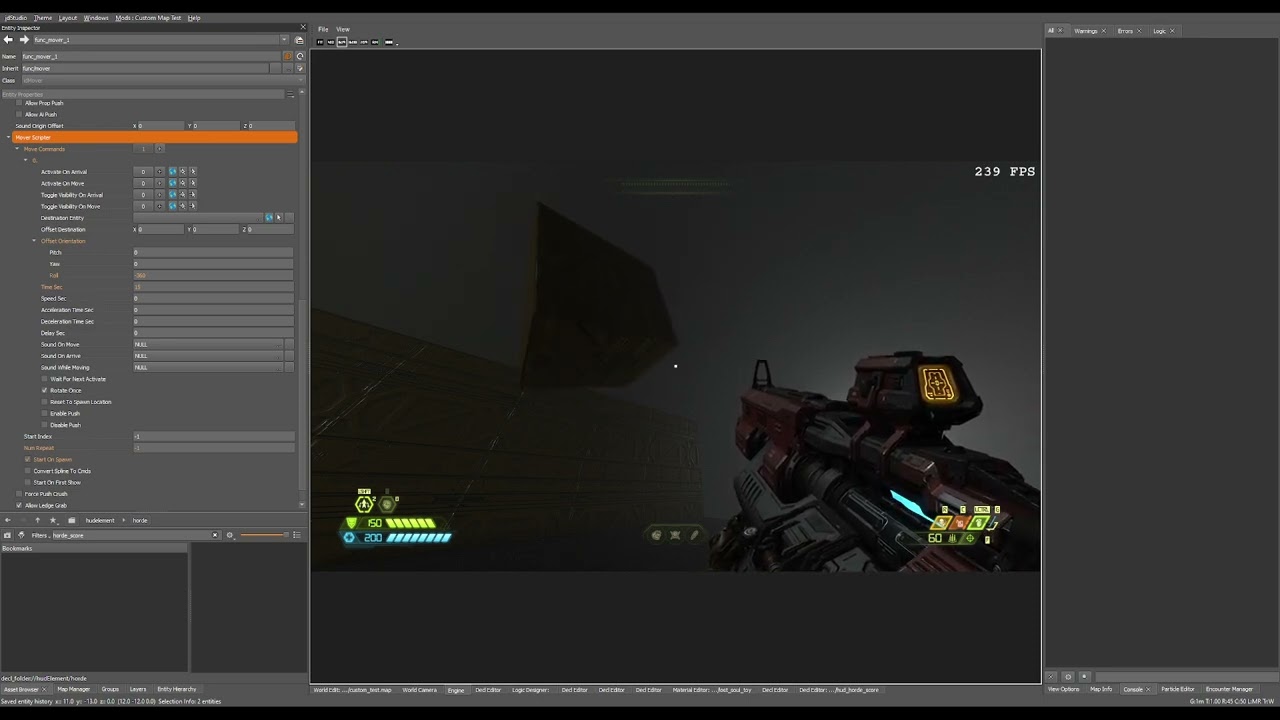


 oblique dirge
oak geyser
Movers can rotate... https://www.youtube.com/watch?v=b_tYf-4MSRs
oblique dirge
oak geyser
Movers can rotate... https://www.youtube.com/watch?v=b_tYf-4MSRs
ty man
oblique dirge
oak geyser
Movers can rotate... https://www.youtube.com/watch?v=b_tYf-4MSRs
By the way, I will have your cut scene tutorial when I finish my map
It is actually really easy
oak geyser
empty bobcat
somehow idS starts to see some models like this:
You're not showing the details in Blender... how did you repeat the structure? Modifiers maybe? If so, did you apply them before export (tbf I'm not sure if it makes a difference, I would assume it happens on FBX export, but what do I know)?
oblique dirge
Does anybody know how to make a teleporter when it cools down the teleporter disappears like with an animation?
oak geyser
oblique dirge
By the way, I will have your cut scene tutorial when I finish my map
Nice 👍 I would assume it's not that complicated in the end, I just gave up at some point because trying to get the game's cutscenes working was just eating soooooo much of my time, and success seemed very far away.
empty bobcat
oak geyser
You're not showing the details in Blender... how did you repeat the structure? M...
no, it's made by hand, I know I have to apply modifiers. It works in 3d viewer. I'm not sure what is the cause, maybe the thicknes of model.
Sometimes DE reads such models properly but drags vertices:

it's total mess now, I need to rethink whole this project.
oak geyser
oblique dirge
Does anybody know how to make a teleporter when it cools down the teleporter dis...
I would say check Arc Complex, the Marauder cinematic where the Slayer throws Samuel into the portal. There's probably other places with closing portal animations, but that's the first one that comes to my mind.
oblique dirge
oak geyser
I would say check Arc Complex, the Marauder cinematic where the Slayer throws Sa...
ok i will see
oblique dirge
oak geyser
I would say check Arc Complex, the Marauder cinematic where the Slayer throws Sa...

idc what is is
for arc
oak geyser
e2m2_base
 crimson void
for some reason I can't view the Gladiator's and Dark Lord's models
their folders don't have anything aside from the model files too
prisma vector
Some models and stuff they didn't include for some reason.your gonna have blank here and there.
heavy torrent
empty bobcat
btw for detail like this you want to use a texture rather than a model
empty bobcat
heavy torrent
btw for detail like this you want to use a texture rather than a model
I know. I just want to make that net, cause I found the same in SH2R made as model:

So I thought - why not making it as model instead texture. Also even with such model - DE drag some vertices without any reason:

and I don't know why - sometimes something works, sometimes not - like the same net model here works but has dragged vertices:

and it looks awesome (instead texture stretched)
importing whole building took me 1 minute, and I wanted to build it with full interrior, so no way I could do this. I could split models, but still - I don't know which models will work in DE, which not. So all work was waste of time.