#eternal-modding
1 messages · Page 8 of 1
 normal badger
 empty bobcat
how did you put this imp? You just put it from the ai?
cna you show a screenshot?
there is one problem (it's logical to put ai on map this way, but not in idS :D)
as in the meme "we do not do this here" - there is a special way to do this
normal badger
empty bobcat
how did you put this imp? You just put it from the ai?
yeah lol
empty bobcat
they do this like that now
if you look at ref map - there are no enemies on the map - they are outside in queue 🙂
normal badger
well sure, but I just want to mess with it for now
empty bobcat
and they spawn them on the map via this encounter manager
normal badger
the enemy is in the map
the problem is it won't start on top of the cube, rather it spawns on the floor beside it for some reason, even though the cube is part of the "nav" group
I put the fella up here


 eager ginkgo
put him a bit higher, game might be thinking hes clipping into the cube idk
empty bobcat
Does someone has such problem?
 normal badger
eager ginkgo
put him a bit higher, game might be thinking hes clipping into the cube idk
normal badger
eager ginkgo
put him a bit higher, game might be thinking hes clipping into the cube idk
doesn't seem to work
eager ginkgo
just curious, make the cube bigger, i wanna see what happens
if he stays on if the cube is bigger or if he still falls off
empty bobcat
slowbuild after
empty bobcat
normal badger
but won't come down haha
yeah, there is a new function for this I didn't touch yet - traversal
it's also advanced and complicated 😄
Got it!

 normal badger
empty bobcat
https://idstudio.idsoftware.com/gameplay/ai/traversal-editor/add-traversals-to-a...
normal badger
empty bobcat
https://idstudio.idsoftware.com/gameplay/ai/traversal-editor/add-traversals-to-a...
ah I see
well I gotta go to bed so I'm thinking I'm gonna mess with this later haha
empty bobcat
do you know name of this type of candelabra? When I'm searching I got this from Cultist base

 oblique dirge
empty bobcat
do you know name of this type of candelabra? When I'm searching I got this from ...
oblique dirge
empty bobcat
do you know name of this type of candelabra? When I'm searching I got this from ...
I’m not gonna lie I’ve been behind. I’m been trying to work on my map, but I can’t because school I really want to.😔
empty bobcat
oblique dirge
I’m not gonna lie I’ve been behind. I’m been trying to work on my map, but I can...
no worries 🙂
found it
 oblique dirge
empty bobcat
no worries 🙂
oblique dirge
empty bobcat
no worries 🙂
Every time I play down an enemy they blow up or die. How do I fix that?
oblique dirge
 lethal plume
set up the nav mesh
lethal plume
set up the nav mesh
TY
 plush thicket
Arena type shit


 normal badger
Does the arena just let you jump off the edge or is it a massive invisible wall?
 karmic musk
Solid
 south wasp
I never used the split view, always went with the single panel and ctrl+tabbed between 'em, just like in idStudio 🙂
plush thicket
normal badger
Does the arena just let you jump off the edge or is it a massive invisible wall?
Death volumes
mixed arc complex, uaca atlantica
 brazen jacinth
plush thicket
Arena type shit
brazen jacinth
plush thicket
Arena type shit
gives off 2016 vibes, I like it
plush thicket
normal badger
UAC Atlantica
dlc1+dlc2 not available yet, but you find uaca atlantica in the arc complex assets
normal badger
Ooooh
I didn’t think I saw it in the menu
I'm very excited to see the mapping community for DE grow
won't be as big as classic doom for obvious reasons, but its gonna be fun to see what people come up with
normal badger
empty bobcat
https://idstudio.idsoftware.com/gameplay/ai/traversal-editor/add-traversals-to-a...
actually REALLY simple
at least to coax the demon to jump down
I'm sure it could be complex for more complex geometry
 hasty oyster
Editing of this decl type, 'articulatedFigure', is not supported. well fuck you
oblique dirge
Bro, I wish there was videos of somebody talking with you how to do this stuff I’m getting mad annoyed. I can’t figure how to put an enemy down and I always had to go to the stupid Wookie to find some thing they need to make videos how to do this.
I want to make really cool maps, but I can’t do that. I’m more of a visual learner, not reading something expecting me to do it.
normal badger
For placing enemies, just right click on the map with nothing selected then on the menu hover over “ai” and a list of all the demons should appear
oblique dirge
normal badger
For placing enemies, just right click on the map with nothing selected then on t...
Yeah, but they keep dying
normal badger
You need to generate a nav mesh
oblique dirge
normal badger
You need to generate a nav mesh
wdym
normal badger
Basically select the brush your floor is, and right click, select “add selected to group” and name the group “nav”
Then when you build select the build wizard and make sure under navigation “ground” is check marked
oblique dirge
I did all that and nothing happened
normal badger
Basically without the nav mesh the ai doesn’t know where to go and it will just die
oblique dirge
I wish you could just call me and tell me all this, but I know dang well no one‘s gonna do that
normal badger
Sorry man I’m about to leave for work
oblique dirge
😔I’m fuck
normal badger
I can’t even take screenshots I’m on my phone
oblique dirge
normal badger
I can’t even take screenshots I’m on my phone

 teal bronze
everyone is trying to learn the tools with varying success. No reason to be upset
oblique dirge
teal bronze
everyone is trying to learn the tools with varying success. No reason to be upse...
I understand that but we have all these pros out here that could literally be giving everybody else tips
teal bronze
You want handouts or something
oblique dirge
No, like I said, I do better if I’m looking at a video and I can follow with them following just from reading something it’s kind of hard for me
teal bronze
Ya well I know some guys making videos for idstudio so just wait
normal badger
In time there will be tutorials on YouTube I’m sure
It’s not id’s job to provide them, they provided the tools and some documentation
oblique dirge
I just been trying to figure out this enemy thing and I still can’t figure it out
normal badger
You’re sure you used the build wizard right?
oblique dirge
I clicked ground, but every time I go back into it to see if it’s checked, it’s unselected
normal badger
You built it after checking it right?
teal bronze
Did you save before you build
normal badger

In this tutorial a professional idTech developer who worked on idTech 5 and 6 will walk you through how to make a simple city in idStudio for Doom Eternal.
Here this is someone building something from scratch so it might be helpful to you
I haven’t watched it but everything seems to work at the end lol
This is my first time using a modern level editor as well, so I understand it can be a little overwhelming
 golden tiger
So are most of these gonna be posted on Nexus or somewhere else?
teal bronze
They are on the new Doom launcher
normal badger
golden tiger
So are most of these gonna be posted on Nexus or somewhere else?
The doom eternal mod portal on the launcher
You can play a good bit of mods at this very moment
golden tiger
ok, I just ask because I wanna know where to browse to see the good shit
normal badger
Just opt into the beta branch on steam for doom eternal
normal badger
normal badger
You can play a good bit of mods at this very moment
Including custom levels
oblique dirge
normal badger
Including custom levels
Yeah bro, fuck this shitty ass editor
Do I just wanna make my own map but these tutorials don’t seem that useful I’ve done everything it said and they keep dying. I’m actually mad.
If someone can help me, please call me because I just need help
gn guys
hasty oyster
spent another 6 hours tyring to change the chainsaw spray for a monster. still no success. It must be buried much deeper and not editible in beta
 prisma vector
anyone know of any videos to learn weapon texturing in id studio?
 lavish apex
oblique dirge
lavish apex
oblique dirge
all you really do is add them to a group called nav (It has to be called that), then build navmesh in the build wizard
hasty oyster
looks like you can hover over name and it shows up to change. but it doenst change it to "live" or whatever
like right under the title
 foggy rock
Holy living hell.
 prime willow
EXCUSE ME
 dreamy tide
MY EYES
prime willow
<@&162901871168585728> HELP
foggy rock
BFG DIVISION STARTS PLAYING FULL BLAST
prime willow
WHAT THE FUCK
 stiff plaza
prime willow
<@&162901871168585728> HELP
stiff plaza
prime willow
<@&162901871168585728> HELP
Context for mods: flaminggrenade sent a weird goblin thing with its dick out
foggy rock
cursed demonic crucible
dreamy tide
stiff plaza
Context for mods: flaminggrenade sent a weird goblin thing with its dick out
I now have PTSD
stiff plaza
I've seen worse be sent in this server unfortunately
 stiff plaza
You kinda do in the old games too
foggy rock
rip the poor soul who came here for the modding and saw goblis
dreamy tide
I think he got banned
south wasp
oblique dirge
No, like I said, I do better if I’m looking at a video and I can follow with the...
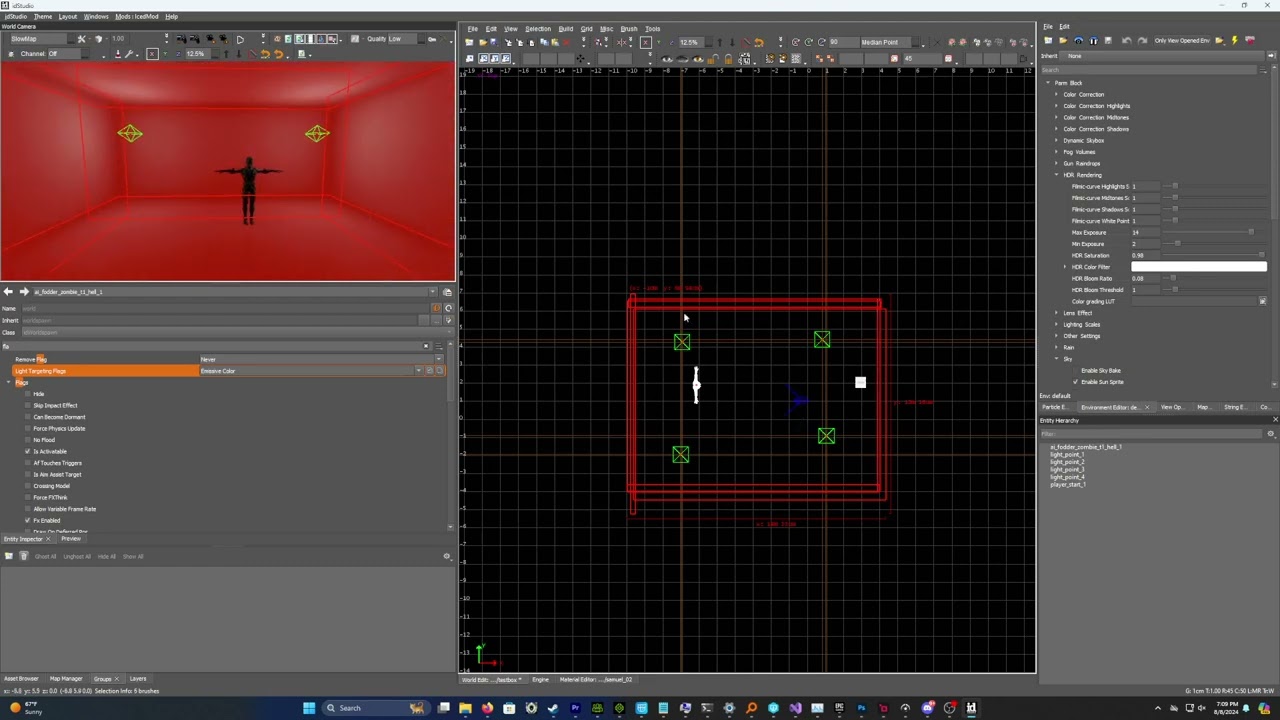
In this tutorial a professional idTech developer who worked on idTech 5 and 6 will show you how to make AI and compile the navmesh in the Doom Eternal idStudio editor.
@oblique dirge I know you're not much for documentation, but right now, that's where the best info is: https://idstudio.idsoftware.com/gameplay/ai/navigation-mesh
If anything in there or whatever anyone else has said doesn't make sense to you, just ask and I'm sure someone will clarify.
normal badger
south wasp
<@764147162304348182> I know you're not much for documentation, but right now, t...
Yeah this helped me the most, I believe doom-marine linked it to me
It’s relatively detailed, I do think they said they plan on adding more to it in the future because it doesn’t have info on a lot of features
empty bobcat
A little question again. So, I found candelabr (candleholder), but the candles are not lit. How to get this "on"?

 normal badger
Maybe there’s a separate model. Or maybe you need to put a particle emitter up there
empty bobcat
I need to try find it in ref map.
south wasp
normal badger
It’s relatively detailed, I do think they said they plan on adding more to it in...
Bingo. It's a start, but not yet a fully featured reference. It's missing a lot of key info and steps, as well as some of the info being outdated.
normal badger
So far it’s been invaluable but I’ve been here for a day and already got some really useful info that wasn’t on there afaik
(Thanks @empty bobcat)
empty bobcat
They got Emitter candle_single
 normal badger
empty bobcat
They got Emitter candle_single
normal badger
empty bobcat
They got Emitter candle_single
Ah so it was particles
empty bobcat
normal badger
Ah so it was particles
yes, emitter function
normal badger
empty bobcat
yes, emitter function
By the way source has this function where meshes have different skins, does doom eternal have this same function, for crates for example
empty bobcat
normal badger
By the way source has this function where meshes have different skins, does doom...
doesn't look like - at least for props (but I'm not 100% sure). I didn't find such option in params for models. I was also interested to posibility change at last color for model, but found only emissive light color can be changed.
 vital lichen
god I wish i had enough time to spend with my mod ffs
normal badger
vital lichen
god I wish i had enough time to spend with my mod ffs
I’m sure there’ll be time eventually, modding is a hobby after all
vital lichen
Yeah
I'm working full-time rn and I'm about to start studying again so I'm going to have little time to spend with this
normal badger
also working full time, but not in school rn
vital lichen
normal badger
also working full time, but not in school rn
thank lord
I hope I don't lose interest in doom modding over time, it's one of my favourite games
vital lichen
eager ginkgo
You will never lose interest
fuck yeah 🗣️
normal badger
I've been mapping for doom for almost a decade
I'd say I'm probably at my lowest point in terms of output, I haven't made a map in nearly a year
having a lot of fun learning idtech7
oblique dirge
normal badger
having a lot of fun learning idtech7
I will when I learn everything
empty bobcat
vital lichen
I hope I don't lose interest in doom modding over time, it's one of my favourite...
I will die with DOOM 😄
prisma vector
I just got IDStudio. Can anyone help me out here?
empty bobcat
prisma vector
I just got IDStudio. Can anyone help me out here?
it's not easy so you first have to read full manual and try build box (and compile it)
prisma vector
Gotcha
empty bobcat
and don't worry, it's hard editor 😄 but works
if you are familiar with QUAKE/DOOM3 you are almost like home 🙂
almost
empty bobcat
prisma vector
Hopefully not lose my sanity <:dealguy:680774467018162255>
good luck, I almost did XD
vital lichen
normal badger
I've been mapping for doom for almost a decade
Woah
vital lichen
empty bobcat
I will die with DOOM 😄
I've wanted to mod for doom before, but never had enough interest. I spent time in source, tho
empty bobcat
vital lichen
I've wanted to mod for doom before, but never had enough interest. I spent time ...
source engine?
normal badger
anyone know how to make a trigger only activate one action? I want a lift to raise then automatically lower, afterwards I want the trigger to raise the lift again
got the first part down, but now after it lowers if I trigger it again, it lowers again
vital lichen
empty bobcat
source engine?
Yep, Portal 2
vital lichen
normal badger
anyone know how to make a trigger only activate one action? I want a lift to rai...
I think what you want is something that needs to be edited in the mover
There's a parameter that defines how will act the mover, that will do
normal badger
well yes
vital lichen
Can't remember the name, tho. The Wiki has it listed
normal badger
but I can't find anything that says to loop back
vital lichen
Mover scripter > move commands
empty bobcat
normal badger
anyone know how to make a trigger only activate one action? I want a lift to rai...
I know, but I'm not home now. I did movers for my map.
there is something like Script mover in Function Mover
and there is + - clicking it and you will see more options like move in x / y / z
if I good remember 🙂
normal badger
I think I figured it out
empty bobcat
I don't know how to make sequence. I only used it for single move - trigger -> mover moves once - like that, for secret door in Entryway
normal badger
I got it to work
basically I have the first one set so it does not wait for a trigger to activate, but is delayed, so it stays in the up position for 3 seconds, then moves down, after moving down it is set to "reset to spawn location"
so it has two movements

movement 0 is the raise action
movement 1 is the lower action
@empty bobcat you may find this useful
I am noticing you can trigger it when it is in the raised position and it will do that action...
I’m gonna mess with it some more and see if I can get it to work right lol
empty bobcat
btw. you don't need make doors (except customs) - there are plenty in Interactive section when you put a new entity.
normal badger
okay
I got it to work, basically I made it so the trigger has to wait 5 seconds before it triggers again
normal badger
alright now I'm trying to see how I can make a lowering lift crush the player, it does do damage, however the player teleports to the other end of the room for whatever reason
eager ginkgo
Add death volume under the lift
normal badger
eager ginkgo
Add death volume under the lift
how do I make it move with the lift?
because I only want it to kill the player if the lift is on top of the player
eager ginkgo
I haven’t done any of this, I’m just suggesting ideas
Isn’t there maybe like a parent option
Wait is the lift a model kit or a brush
normal badger
its a brush
eager ginkgo
yeah then just make the death brush under the lift
And give it the same moving logic
wouldn’t that work no?
normal badger
no because a mover is a func
eager ginkgo
But then there would be an issue if the player just double jumps and bumps the under side of the stationary lift 😭
eager ginkgo
normal badger
no because a mover is a func
damn
normal badger
alright I actually kinda got it to work
now, for whatever reason, the kill plane will not kill me outright, it will take my life down to 5 and leave me alive?
normal badger
I am really confused about why the kill decls refuse to kill me
is there some map setting that's messing this up?
I always survive the first hit, no matter what, it will always take me to 5 health
have to stand under it a second time for it to kill me
normal badger
I'm thinking there's some sort of internal mechanic in eternal that basically keeps you from being instantly killed but I'm not sure how I can bypass that
normal badger
okay, so I got it to kinda work, still doesn't kill you, but it just knocks you back from the lift
lol new problem if you are looking a certain way the crusher will just push you into a solid object
figured it out.
basically: I had the "Crush Dislodge Teleport Dist" set to 1 which made it so that in order to dislodge the player from the lift, it teleported them a little bit, which was causing the player to clip into the geometry
TL;DR you probably should not make lifts that are also crushers, no wonder they don't appear in game iirc
eager ginkgo
The only instance I can recall are the crushers in nekravol
 prime willow
sup. id studio has stable crash when i'm trying to open: 1) static || animated model editor 2) open preview window 3) animweb editor. Someone had same issues? i5-12600kf, 3060-12gb, 32ddr5 fyi. Any ways to fix it? Already sent bunch of reports for each case of crash related to previews and stuff.
i know that sdk is in beta but BRUH
south wasp
Is your floor brush in the nav group?
the roof shouldn't be
as you don't want it generating nav
oblique dirge
south wasp
the roof shouldn't be
I selected everything the guide in the video, but it’s doing the roof only
south wasp
Remove everything except the floor brush and rebuild nav
oblique dirge
ok
south wasp
Think of it like this: do I want AI moving on this surface? if yes -> nav, if no -> not nav
 oblique dirge
I don’t even know I’m just trying to make them walk on the floor, bro that’s all I’m trying to do
south wasp
Just trying to clarify what you're asking. Those green poly's represent the navmesh that was built. So, if you want to get rid of the navmesh itself, rebuild the navmesh, if you want to hide the display, it's done via the 'view options' window under 'show nav'
oblique dirge
I’m trying to delete the green things
south wasp
You don't, thay're the navmesh. As I mentioned, select the surfaces you want the AI to move on, put them in the nav group and remove any brushes you don't want them moving on. Then rebuild the navmesh (as per the guide)
The green poly's jure represent the navmesh that's built
normal badger
anyone have any idea how to use the clipper but keep the "clipped" section of the brush?
or switch which part you keep
oblique dirge
I wish someone can just call Bro
south wasp
normal badger
anyone have any idea how to use the clipper but keep the "clipped" section of th...
shift+enter will slice it in 2
oblique dirge
south wasp
shift+enter will slice it in 2
you cant call
south wasp
No, but happy to help out in the channel here 🙂
oblique dirge
Why
normal badger
south wasp
shift+enter will slice it in 2
ahhh thanks
exactly what I was looking for, preciate ya
oblique dirge
I’m struggling on this dumb ass shit for about a few days now i’m about to lose my mind
normal badger
have you used any other level editors before?
oblique dirge
normal badger
have you used any other level editors before?
Yeah, and they’re much more simpler
normal badger
what are you familiar with?
oblique dirge
Trust me, I get it. People have things to do, but I would get this We done faster if someone just calls me and tell me the steps.
I’ve watched the video I’ve looked at the Wookie. I even listened to this dude and it doesn’t even work. I guess God just likes Shaw better than me or some shit.
south wasp
Which steps are you stuck on?
You got some nav built, so you're doing all of the steps, just gotta tweak it to work for your scenario
oblique dirge
I’ve tried that and it didn’t work. They just keep dying.
Like how discord is for calling but no one wants to call
I get it y’all can learn the editor so easily because you’re older than me but at the same time, bro like this is like annoying they couldn’t meet it easier
normal badger
🧑🌾
oblique dirge
normal badger
🧑🌾
Yeah, fuck this shit I’m not doing this no more. I guess. I’ll never make a map.
prime willow
prime willow
sup. id studio has stable crash when i'm trying to open: 1) static || animated m...
Alright. So, if anyone will encounter such issue - just delete whole folder of idstudio at c/users/username/savedgames/ id software/ idstudio. It fixed the problem for me. P.S: backup important things or whole folder just for sure.
normal badger
cool, thanks for the tip, I didn't know anything about your issue earlier haha
prime willow
mam says i'm special
normal badger
I think we're in a place where everyone is so new to this that we all gotta figure it out together
oblique dirge
 prime willow
man it frustrated me SO MUCH, just haven't touched SDK for a week and then* there's this
south wasp
oblique dirge
I’ve tried that and it didn’t work. They just keep dying.
As I explained, remove any brushes from the 'nav' group that you don't want them on. In your screenshot the roof brush is clearly in the 'nav' group, as it's generating navmesh.
So my advice, remove all brushes from the group, then add only the floor brush where your AI are spawning.
- Remove all brushes from nav group
- Add floor brush to nav group
- Build -> build wizard -> build ground nav
- Profit
If you do that, the navmesh on the roof will be removed, and it will generate navmesh on the floor, where you want it.
oblique dirge
south wasp
As I explained, remove any brushes from the 'nav' group that you don't want them...
ty😭
south wasp
Don't get off put though, these are commercial tools and if you're just starting out, there's a lot of complex steps needed to make things work. Give it time and you'll have it figured out
oblique dirge
south wasp
Don't get off put though, these are commercial tools and if you're just starting...
Can I show you a glitch that I’m having now?
oblique dirge
south wasp
Don't get off put though, these are commercial tools and if you're just starting...
south wasp
Hrm, not sure. Could be the size/intensity of your light. Haven't messed with them much myself beyond filling out a box map
try increasing the falloff to make sure it encompasses your space

the fact that the scene darkens when you walk away from the light may be because the map hasn't had a full lighting bake. That'd be my guess.
oblique dirge
south wasp
try increasing the falloff to make sure it encompasses your space
I’m sorry for yelling at you. It’s just when you have dyslexia. It’s kind of hard to do things.
south wasp
Nah it's all good, I understand the frustration. I'm a visual learner too. At the moment though, resources are limited, but I'm sure in time we'll get more vids and examples to work from
empty bobcat
prime willow
sup. id studio has stable crash when i'm trying to open: 1) static || animated m...
it likes to crash a lot 🙂 it stabilized a bit for me when I downloaded all assets, but still can crash.
empty bobcat
normal badger
Mine hasn’t crashed yet
you are lucky one 🙂
what is your rig? Specially RAM?
empty bobcat
oblique dirge
for now - DO NOT CROSS LIGHTS WITH SHADOWS
I have no solution for this, and for now nobody answered me for this 🙂
empty bobcat
this is cool function for light in idS
 oblique dirge
empty bobcat
this is cool function for light in idS
oblique dirge
empty bobcat
this is cool function for light in idS
Do you know how to like make the cube like stairs or something or stretch it out in a way you want
empty bobcat
oblique dirge
Do you know how to like make the cube like stairs or something or stretch it out...
cube is basic brush
you can choose how many sides it could has

 bronze ermine

Aaand there it is, E1M1 Hangar, remade by BloodShot1 (not the speedrunner BloodShot9001). The in-game level actually doesn't have the classic music, it has the ARC Complex music for now, but I muted it and opened the "Doom (PC) - At Doom's Gate (E1M1) Music EXTENDED" video on Youtube just to fit the vibe. Regular Melee punches actually do damage...
oblique dirge
empty bobcat
you can choose how many sides it could has
ok ty
empty bobcat
bronze ermine
https://youtu.be/9uRYEhDFuwI?si=Z55GWNtx8KmxqrW1
this is cool made map. I almost finished my version 🙂
empty bobcat
oblique dirge
ok ty
in ids you can't extrude brushes like in prodeus
south wasp
Prodeus is creating meshes, not brushes, and their shapes can be concave. Brushes need to be convex shapes
oblique dirge
empty bobcat
galapagos you don't read manual 🙂
oblique dirge
empty bobcat
galapagos you don't read manual 🙂
wdym
empty bobcat
look once again from start:
- Brush - make any brush, select it and add to group nav (must be exactly "nav", not NAV)

- put any ai


 oblique dirge
I’m not getting what you’re trying to tell me that I do something wrong that I did not see
empty bobcat
 oblique dirge

 tight hinge
yummers
south wasp
oblique dirge
spawning in as expected, nice one!
oblique dirge
south wasp
spawning in as expected, nice one!
Yeah, I’m trying to figure out how to make multiple of them spawn
south wasp
I'd recommend looking at the how to create an encounter page of the wiki. That's hte best starting point. It's not a straight forward system, but once you understand it, it's pretty good
empty bobcat
can someone remind me where and how use DOOM 3 to eternal converter, I'm here https://github.com/jmarshall23/Doom3ToDoomEternalConverter but I'm super blind and can't see download except code 🙂 Thank you 🙂

GitHub
Doom3ToDoomEternalConverter. Contribute to jmarshall23/Doom3ToDoomEternalConverter development by creating an account on GitHub.
prisma vector
anyone know a link to a video or article that can help with changing the texture of a weapon in idstudio?
karmic musk
I'm curious if there is a way to create interactable screens like in doom 3. Would be cool to have it where you enter a PIN code to unlock secret doors 👀
 lucid trench
Anyone knows to make a Helmetless doom Slayer mod?
south wasp
karmic musk
I'm curious if there is a way to create interactable screens like in doom 3. Wou...
You could potentially cook up something with the logic designer, but the Doom 3 GUI's are long gone
teal bronze
prisma vector
anyone know a link to a video or article that can help with changing the texture...
This is part of the process https://idstudio.idsoftware.com/working-with-art/material-editor/material-remapping
normal badger
empty bobcat
what is your rig? Specially RAM?
32 gigs of ram
 ripe night
tight hinge
yummers
ripe night
tight hinge
yummers
Looking like a DOOM II Wad in modern graphics.
Awesome. Very dope
south wasp
Ok, trying out jump pads, but in my test map, the VFX shows up completely white when, even after a light bake.
@lusty pelican have you had any success getting particles to render with the intended colours? I'm just now looking into lighting and haven't figured out how to bias the particle colours yet.
south wasp
I'm definitely just missing a step, I see your particles look a-ok in your map.
Is it ambient lighting, or perhaps the environment settings? I've added both, but not sure if either are building correctly yet.

 prisma vector
You have a picture of a hot woman :).
south wasp
hah! Found you!
 south wasp
Not sure on that one. I assume they're animated models?
normal badger
Don’t think I know enough to start on an actual map but I really want to do detailing lol
south wasp
I've spent any time I've had since the tools released getting to grips with how the basics work heh
Nowhere near playing with the artpipeline yet
hasty oyster
when i create a new mod, there are tga files from my other mod that seem to infect the new mod. or am i just stupid
hasty oyster
woot, chainsaw sprays are 100% to levels i love, now to work on impact effects and gorekits. I think they are bugged, but lots of trial and error still
 fallow compass
oblique dirge
fallow compass
oblique dirge
They're geomcache alembics (a different type of entity (source file is .abc) ). I dont know how to place them. They are not skinned md6's.
Unfortunatly, they're only referenced once in the docs so ur gonna have to experiment.
hasty oyster
im startign to believe the whole uploading process with drafts and whatever is the hardest part to making a mod
 solar moon
I'm trying to get into the marked part of the picture in Doom Eternal's Super Gore Nest goal and I'm stuck in my teeth. How do I get rid of my teeth?

 oblique dirge
solar moon
I'm trying to get into the marked part of the picture in Doom Eternal's Super Go...
oblique dirge
solar moon
I'm trying to get into the marked part of the picture in Doom Eternal's Super Go...
WDYM
oops caps srry
 shadow cedar
solar moon
I'm trying to get into the marked part of the picture in Doom Eternal's Super Go...
shadow cedar
solar moon
I'm trying to get into the marked part of the picture in Doom Eternal's Super Go...
is the issue that you cant reach that spot?
empty bobcat
at last model we need, but we were afraid to ask!
 solar moon
shadow cedar
is the issue that you cant reach that spot?
solar moon
shadow cedar
is the issue that you cant reach that spot?
How do I get rid of that tooth over there?
I'm trying to get into the marked part of the picture in Doom Eternal's Super Gore Nest goal and I'm stuck in my teeth. How do I get rid of my teeth?

 normal badger
this is very off topic, I would recommend posting about this in #doom-eternal, this channel is specifically about modding the game
you're probably more likely to get help there too
empty bobcat
So bad we can't post memes and stuff (I love it :D) I found perfect photo of me masterred IdStudio in.... 2082 XD Anyway, I was making test with Base1 from QUAKE 2, but I'm not happy with results for now.
 normal badger
empty bobcat
So bad we can't post memes and stuff (I love it :D) I found perfect photo of me ...
normal badger
empty bobcat
So bad we can't post memes and stuff (I love it :D) I found perfect photo of me ...
I think you would really need custom models to make it look good in eternal, or at least approximations (I'm sure there's tons of debris and destruction models you could use for the hole in the ceiling for instance)
empty bobcat
Yeah, just swaping textures is not great solution. I was just testing ideas. Here is version with some models (still not great)

In DOOM 3 I built corridor inspired by Alien corridor, I'm curious how it could be done in DE. Also I need to check are in DE shadowmaps - they were used as soft shadows bound to lights. Such corridor would be awesome to see:
 normal badger
you'd have to start from scratch imo
 halcyon stratus
empty bobcat
Yeah, just swaping textures is not great solution. I was just testing ideas. He...
halcyon stratus
empty bobcat
Yeah, just swaping textures is not great solution. I was just testing ideas. He...
That's looking really good, actually.
empty bobcat
halcyon stratus
That's looking really good, actually.
I think using geo as reference and put good models would work.
I was yesterday on new Alien in cinema and now I thinking about porting my old map from D3 do DE 😄 It was dark super detailed... Underhalls from DOOM II
I used too much curves in there so just copying geo will not work probably, I'd like to build it from 0

shadow maps:

 prime willow
alpha shotgun ftw
empty bobcat
I liked a lot alpha shotgun, so I ripped it to standard DOOM 3
halcyon stratus
The alpha shotgun is such a superior design to the vanilla one. I still don't know what the hell they were thinking with it.
empty bobcat
D3 alpha was superior version in many ways - I liked player could be... eaten by demons after dead and you could see it for few secs before blackout.
and commando vocals - so hellish. Almost everything was made by Trent Reznor, but than "something gone terrible wrong" and they kicked Trent and replaced him with Chris Vrena.
vital lichen
yeah whatever
 empty bobcat
Why she is upside down? 😄

I'm playing with wave style map - you can spawn only 32 ai at once 😦
desert of death 😄 100 killed

Why some ai are blue?
 vital lichen
empty bobcat
Why she is upside down? 😄
vital lichen
empty bobcat
Why she is upside down? 😄
no idea. I think i didn't compile nav flight
vital lichen
empty bobcat
Why some ai are blue?
hmmmm, i have no idea
empty bobcat
lol, I'm dead 😄
 plush thicket
@oblique dirge .
hasty oyster
did i not upload my mod correclty, tried using the DL version and it doesn't load. So either i didnt upload it right, or i really fucked osmething up
i need ot like try playing my mod on a different computer as a user,
oblique dirge

 magic tulip
empty bobcat
at last model we need, but we were afraid to ask!
magic tulip
empty bobcat
at last model we need, but we were afraid to ask!
Now to add this to the list
hasty oyster
anyone have a chance to look up my mod, download adn try to run it? I am convince i am just uploading empty data.
the only way to test this is to get on my wifes computer, get her a steam account, buy doom eternal, down load pc mod, download my mod, test, return the game lol
Green Blooded Hell Knights is the mod, version 2.40 is the latest release.
oblique dirge
hasty oyster
anyone have a chance to look up my mod, download adn try to run it? I am convin...
I will try when I get home
hasty oyster
Thanks, if it doesn’t work imma have to pull the whole thing off the browser and do a new one
halcyon stratus
empty bobcat
Why she is upside down? 😄
Gangsta style Pain Elemental.
vital lichen
i might start over my map. fucked up with measures
oblique dirge
vital lichen
i might start over my map. fucked up with measures
I think it looks fine
vital lichen
oblique dirge
I think it looks fine
Nah, not for me. I will block out the entire level, island by island and then build details
I will leave detailing for the last thing
oblique dirge
I wanted to play but OK😔
vital lichen
And I might start doing custom assest for fast building later
vital lichen
oblique dirge
I wanted to play but OK😔
It will be the same layout, but better
oblique dirge
OK, show me progress
vital lichen
oblique dirge
OK, show me progress
Will do this week!!
oblique dirge
vital lichen
Will do this week!!
Me to with my map
vital lichen
oblique dirge
Me to with my map
Yeah, looks cool yours
vital lichen
empty bobcat
lol, I'm dead 😄
What kind of monster screen so you have??

 vital lichen
empty bobcat
them all:
vital lichen
empty bobcat
them all:
I mean or A) your screen is ultrapanoramic or B) you have dual screen
empty bobcat
vital lichen
I mean or A) your screen is ultrapanoramic or B) you have dual screen
oh, yes it is 21:9
vital lichen
damn boy you can use it as skateboard
maybe later I hop in and share my screen voiceless to share how do I wanna block-out my map, just to keep me motivated
empty bobcat
I'm blocking my hell wave map, but I have no great ideas for it
vital lichen
empty bobcat
I'm blocking my hell wave map, but I have no great ideas for it
do you remember the arena at the bottom of the argent tower in doom 2016? circular
that's a great layout, it keeps you going in circles
as a reference
empty bobcat
vital lichen
do you remember the arena at the bottom of the argent tower in doom 2016? circul...
yes
btw. it's super huge room
👀
 vital lichen
Taras Nabad's firsdt arena might be a good place to begin with
empty bobcat
I realy like barge arena and mars core, just before we jump to the inside this hellish city
empty bobcat
vital lichen
i mighty replay doom 2016. such great memories
a bit hard back to D16 after DE, at least for me (I love D16 of course) but I was trying all the time dashing 😄
vital lichen
yeah, mobility is a bit reduced in d16
oblique dirge
Hey guys, is it hard to make a wave system for an arena?
vital lichen
not really
oblique dirge
What would I need to do to do it?
vital lichen
just encounter manager scripting
i'd recommend you opening a slayer's gate level and reverse engineering it
and you need to set-up enemies spawners and etc
oblique dirge
Is it on the wiki somewhere?
empty bobcat
vital lichen
shit I miss the gauss canon
ballista is great
vital lichen
empty bobcat
ballista is great
yeah, but it was very cool tho.
vital lichen
oblique dirge
Is it on the wiki somewhere?
yeah, under AI
oblique dirge
Ok ty
empty bobcat
oblique dirge
Ok ty
oblique dirge
Ok ty
vital lichen
i don't feel like mosding today. i'll watch true detective and go to sleep later. Will mod tomorrow
 shadow crown
Anyone seen this under entities? I looked everywhere. It may have a strange name or something?

Sorry if I missed something obvious
empty bobcat
shadow crown
Anyone seen this under entities? I looked everywhere. It may have a strange name...
yes, it is there, one sec, I'll try to find it
empty bobcat
shadow crown
Anyone seen this under entities? I looked everywhere. It may have a strange name...

hmmm, but it doesn't work for me
 shadow crown
empty bobcat
shadow crown
empty bobcat
Thanks for this! I will play around with it and see if I can get it working.
empty bobcat
there is nothing about this in manual when I'm searching proxy
 gaunt ether
dumb issue not map related but i been messing around with projectiles and stuff for weapons, must have changed something and not bothered setting back a couple days ago so now the actual bullets arent showing up, just the impact ig, anyplace i could go that could probably fix that or am i chalked?
and like it did work before if anyone was wondering
hasty oyster
still having mod uploading issues. When i try my own mod, it doesn't work, so that means it uploads ... nothing
so everyone might want ot check their stuff...
empty bobcat
gaunt ether
and like it did work before if anyone was wondering
it should work normal if you create new mod (I think)
empty bobcat
hasty oyster
still having mod uploading issues. When i try my own mod, it doesn't work, so ...
ok, but this mod works in slow build/devmap?
gaunt ether
empty bobcat
it should work normal if you create new mod (I think)
got you, guess i messed around too much anyway, thanks g
hasty oyster
its works from idstudio yes, but if i try to load my own mod (from downloading browser) it doesn't work, or its some user error
im going ot dl your mod and see if it isn't some other issue on my side. But imma have to purge mine form the library again methinks
empty bobcat
shadow crown
Thanks for this! I will play around with it and see if I can get it working.
working


 hasty oyster
entryway works at least, so it must be my mod
 ivory helm
Anyone have a recommend tutorials on the modelings tools for brushes? I want to make a connecting rooms by just drawing the floor.
empty bobcat
ivory helm
Anyone have a recommend tutorials on the modelings tools for brushes? I want to...
ah you want to build map from brushes only?
are you familiar with radiant?
ivory helm
I use gzdoom
I’m using the pc doom eternal preview
I built a room with a light and player
empty bobcat
yes, but did you work with Radiant before?
empty bobcat
building brushes is exactly the same (plus some bugs) as for QUAKE 3 Radiant/gtkradiant
ivory helm
Nice
empty bobcat
generally if you build room from tutorial - that's it
ivory helm
I need to learn how to make opening for windows and doors
empty bobcat
you build everything from boxes (but you can choose brushes with more sides than 4 walls)
empty bobcat
ivory helm
I need to learn how to make opening for windows and doors
you mean movers?
learn first building and texturing brushes
but you can use existing interactive functions like doors
ivory helm
I have a map called RX on my Brutal doom wad. I have the layout and enemy placement with scripts. So I have a good temple to go off now I just need to build in these new tools
empty bobcat
build blockout first, than movers and other functions you need
hasty oyster
is there a wya to unlock ALL levels?
my camp got corrupted from another mod and can't go back
empty bobcat
hasty oyster
is there a wya to unlock ALL levels?
maps?
ivory helm
Is there breakable glass
hasty oyster
yah i need to warp to sent prime
ivory helm
WADS or maps.
empty bobcat
ivory helm
Is there breakable glass
yes
ivory helm
I’m sold

hasty oyster
i know i saw a way to do this, have all maps unlocked
ivory helm
Is there a video or written tutorial on level building you would recommend
hasty oyster
or just a command to warp to sent prime. I really dont want ot spend 2 hours doing it again
oblique dirge
 prisma vector
hasty oyster
is there a wya to unlock ALL levels?
prisma vector
hasty oyster
is there a wya to unlock ALL levels?
Yes
hasty oyster
how?
prisma vector
It's a cvar for the modportal: +mainMenu_unlockAllMissionSelectMaps 1
hasty oyster
is that a launch option i need to put in?
 hasty oyster
well that didnt work, looks like ill have to rush though the camp ... again
hasty oyster
looks like the only part i have left for my green hell knights is the impact effcts from certain weapons.
tight hinge
hasty oyster
looks like the only part i have left for my green hell knights is the impact eff...
riiiiiigght, uhh those are hardcoded
hasty oyster
well shit.
tight hinge
yeah sucks
hasty oyster
well then that means i am done with my first mod. At least after i do a a play test of the camp.
change a decl just null'd my entire decl.
if that is the right word
that is a bad BAD bug.
wish there was a restore button

 hasty oyster
upper and lower leg chunks of the dreadknight decl destructible decl can not be edited without the entire decl reverting to "Default" mode. Which means all the properties gets removed.
or wait, now its the ARM chunks. Hmm
i can save the leg chunks. oh i dunno. this is strange indeed
oblique dirge
Guys my computer keep spazzing out on Ed studio I think it might be at studio. I think I placed something where it just starts lagging for some reason.
oblique dirge
nvm im good now
 karmic musk
experimenting with some triggers. I've always been a fan of trap doors in doom 3. And even platform drops. Ultimately leading to getting ambushed.
 maiden mica
tight hinge
https://cdn.discordapp.com/attachments/1275257778838966403/1277025326186237982/U...
maiden mica
tight hinge
https://cdn.discordapp.com/attachments/1275257778838966403/1277025326186237982/U...
Ooh damn this is crazy lookin
Is the whole level low gravity?
Oh nevermind I missed the trigger that activated it
hasty oyster
well im done with my mod until the bugs get fixed, the wall has been hit. Time to work on the next
need to purge my current one from the library browser since its broke for reasons i dont know
probalby becuase uploading has been a problem
oblique dirge
karmic musk
experimenting with some triggers. I've always been a fan of trap doors in doom 3...
yo
oblique dirge
karmic musk
experimenting with some triggers. I've always been a fan of trap doors in doom 3...
can ask you someing plz
karmic musk
sup
oblique dirge
karmic musk
sup
I was wondering if you tell me how to make things move like those doors what trigger is that?
karmic musk
oblique dirge
I was wondering if you tell me how to make things move like those doors what tri...
the trap doors?
oblique dirge
ye
karmic musk
I followed this guide for creating a mover, which are those doors on the side that have the demons behind them. https://idstudio.idsoftware.com/worldbuilding/map-building-blocks/movers#add-a-trigger-to-a-mover
Instead of platform though, I have it linked to a trigger volume you pass through as shown on the left screen
Demons also spawn behind the doors at the same time the trigger is touched.
oblique dirge
karmic musk
I followed this guide for creating a mover, which are those doors on the side th...
TY
 turbid steeple
empty bobcat
My blockout ready
turbid steeple
empty bobcat
My blockout ready
interesting setpiece style
anyone know anyone working on a sentinel themed level? meathook as the music
karmic musk
you can also make a trap floor in a way. Where the mover activates. Kinda like in Doom 3 where you get dropped into a pit.
I miss those classic aspects. OG Doom had a lot of those
oblique dirge
turbid steeple
anyone know anyone working on a sentinel themed level? meathook as the music
wdym
turbid steeple
tight hinge
https://cdn.discordapp.com/attachments/1275257778838966403/1277025326186237982/U...
modding has been out less than a month and we are already seeing crazy stuff like this. that is awesome
turbid steeple
oblique dirge
wdym
a level with sentinel theme is like taras nabad or the first half of exultia. in sentinel lands, forest and all that
karmic musk
I don't think so. Would be cool though
turbid steeple
karmic musk
I don't think so. Would be cool though
id love it
oblique dirge
turbid steeple
id love it
 turbid steeple
oblique dirge
turbid steeple
oblique dirge
this looks cool too
oblique dirge
turbid steeple
this looks cool too
It’s going to be in Arena where you can fight endless ways of enemies fight
Waves sorry gonna take me a while, but it all pay off in the end
hasty oyster
published, time to move onto something else
halcyon stratus
karmic musk
experimenting with some triggers. I've always been a fan of trap doors in doom 3...
Ambushes are more a classic Doom thing Doom 3 adopted. Eternal sorta had ambushes sometimes but it was almost never integrated into the maps enough.
empty bobcat
haha, cacos and pains do not need navs 😄
 gaunt ether
empty bobcat
haha, cacos and pains do not need navs 😄
gaunt ether
empty bobcat
haha, cacos and pains do not need navs 😄
Diablo 2 👍
empty bobcat
yeah, I wanted D2 inspired map in DE
gaunt ether
What class you running
empty bobcat
sorceror
gaunt ether
Nice, I use that and necromancer in Diablo games
empty bobcat
she is after diablo now
I played in D2 always as barbarian or sorceror
but this week I started as crusader (again)
gaunt ether
I wonder how a class system similar to Diablo for doom slayer would be, that gives me ideas lol
empty bobcat
gaunt ether
I wonder how a class system similar to Diablo for doom slayer would be, that giv...
Yesterday I was curious is possible to make nut.wad like map. But you can spawn only 32 AIs. So in encounter manager I just put spawnAI quantity 32, after kill - spawn again with heavier monster, and after 32 kills - spawn baddass monster. And it was quite funny even on flat brush.
TIP: idS likes crash using preview for models and fx.
slowly modelling it
 empty bobcat
I love models in DE

 plush spire
Diablo 2 hell is an awesome hell
empty bobcat
holy shit, gross

Hell in diablo 4 is gross too, plenty of corpses and tortured animated souls poors.
normal badger
empty bobcat
holy shit, gross
The impaled human has to be a reference to the iconic sprite from classic doom
empty bobcat
normal badger
The impaled human has to be a reference to the iconic sprite from classic doom
yeah, there are plenty of "good" gorre

flesh models are most gross
good we have no props like in Agony game 😱
slowly it starting looking somehow, at the end I'll make black void around
normal badger
I think it’s cartoony enough that it doesn’t border on tasteless
empty bobcat
 empty bobcat
normal badger
I think it’s cartoony enough that it doesn’t border on tasteless
empty bobcat
normal badger
I think it’s cartoony enough that it doesn’t border on tasteless
funny thing - there is flesh blob model (in DE) but you can add fat veins on it, and the model of is called - cholesterol 😄

"yeah, you eat too much, there you go some cholesterol veins to your meat blob!" 😄
this is super cool model, I like it a lot:

D4 is plenty of metal combined with wood.
empty bobcat
so fun (and lot of work too :D) Still easier than building each prop by hand!
 karmic musk
halcyon stratus
Ambushes are more a classic Doom thing Doom 3 adopted. Eternal _sorta_ had ambus...
karmic musk
halcyon stratus
Ambushes are more a classic Doom thing Doom 3 adopted. Eternal _sorta_ had ambus...
Yeah your right. Don't know why I only mention doom 3.
halcyon stratus
One idea I've had for a mod for the longest of times involves Doom 2016's ammo pickups. Maybe they could be repurposed in Eternal as the large variant of the relevant ammo type a la classic Doom.

I know a 2016 pickups mod already exists, but it's buggy and very out of date. I could theoretically repackage the models and add glare and other stuff with idStudio... if I knew how and where to even begin.
I'm mostly interested because I'm really fucking tired of Eternal dripfeeding you rockets by individual pickups. Like, wow game, thanks for the one rocket. That really oughta help me kill the next zombie mob next time all 5 of them clump together. Would be a shame if the equipment launcher didn't achieve the same result.
normal badger
halcyon stratus
I'm mostly interested because I'm really fucking tired of Eternal dripfeeding yo...
If you use the chainsaw you don’t need to worry about the pick ups lmao
halcyon stratus
World pickups are still an integral part of the arena combat and should be treated as such. The chainsaw is essentally infinite ammo and all but being able to restock a sizeable amount with a couple pickups would still be immensely helpful, especially in CBT maps.
Also, the chainsaw will only restock 50%.
karmic musk
i miss how weapons were introduced as well. Like pulling the chainsaw off a body, or prying the shotgun out of the hands of a deadbody.
rather than it just floating and spinning lol
halcyon stratus
I don't really care for that. Eternal isn't aiming for realism.
karmic musk
fair. It's more of the environment story telling vs arcade artstyle that I like.
halcyon stratus
I'm just really not too fond of 2016's approach looking back. I was clearing out a pictures folder earlier and stumbled into a bunch of key and concept art for 2016 and some of the MP levels, and man is it straight out of Halo.
karmic musk
or for example the plasma rifle getting taken from the marines hands...Not that it was the intro to the plasma rifle, but it was a good one lol
halcyon stratus
Glad none of it was present in the final game. I like 2016's early levels a lot, a nice mix of linear and nonlinear with a suitably moody vibe. But I find the game loses that vibe after Kadingir and becomes too arcadey, introducing the Air Mobility rune and the Pinky forcing you to awkwardly maneuver around it with manic jumps and the like. Then it just turns into a floatier version of Eternal with no new enemies being introduced and the game doing very little to spice things up (if at all). There's a lot of powerups floating in midair randomly placed in arenas, levels become more linear and you can't backtrack anymore (they don't even loop around themselves), arenas become shorter and more cramped, and the visuals get more and more repetitive after a while.
normal badger
karmic musk
i miss how weapons were introduced as well. Like pulling the chainsaw off a body...
those were nice animations
I liked seeing them, its like, Eternal has inspect animations when you pick up the weapon
I kinda just wish it appeared instantly in your hand lol
its already a green rotating object in mid air, just put it where it goes immediately (I know you can cancel the animations by firing)
normal badger
halcyon stratus
Glad none of it was present in the final game. I like 2016's early levels a lot,...
I think you can definitely see that the later hell levels were probably made pretty late into development and under a strict deadline
they feel almost like they were cobbled out of premade level sections
there's 2 in particular, one after another, that feel very, very similar
the ones I'm thinking of are titan's realm and necropolis
titan's realm has a really cool intro but the rest of the level is pretty plain
 cobalt cipher
Hey all!
I'm probably missing something really dumb but I can't figure out why the changes I'm making to the map don't appear when loading them in the engine.
I'm saving, slow building ect as it says in the documentation.
normal badger
what command are you using to load the map?
cobalt cipher
Well I'm modifying Nekroval PT1 so I'm just loading it in the engine tab
normal badger
slowmap maps/(map name here).map
into the console, that's how I load up my test map
cobalt cipher
Yea that doesn't appear to work for the campaign maps - or they have an obscure map name
normal badger
maybe you have to save them as a separate map?
cobalt cipher
I'm inputing slowmap maps/e3m2_hell.map
No that's not done anything.
The changes I'm making to gameplay are working fine. I've built a new encounter, and trigger volumes are all appearing to work in the Engine preview and when I package and test - it's just changes to the level environment that aren't appearing.
That's with brushes and models
normal badger
sorry, I wish I could help, maybe someone else knows
 obtuse arch
Has anyone managed to implement "shooters" into their maps? I am struggling to get them to fire. Thank you.
 empty bobcat
karmic musk
i miss how weapons were introduced as well. Like pulling the chainsaw off a body...
empty bobcat
karmic musk
i miss how weapons were introduced as well. Like pulling the chainsaw off a body...
at least double shotgun has KICK ASS introduction 😄
empty bobcat
obtuse arch
Has anyone managed to implement "shooters" into their maps? I am struggling to g...
I only saw model, didn't do anything with that yet 
obtuse arch
Damn, I will take another look later and do some trial and error
empty bobcat
halcyon stratus
Glad none of it was present in the final game. I like 2016's early levels a lot,...
yeah, for example whiplash - what is that thing? It's a demon, alien? I don't remember. First time I saw it, reminded me Shadow Warrior enemy with the same design.
empty bobcat
obtuse arch
Damn, I will take another look later and do some trial and error
try looking to Intro (e1m1) map - there are few shooters. Ref map.
obtuse arch
Good idea
empty bobcat
cobalt cipher
I'm inputing slowmap maps/e3m2_hell.map
I slowbuilt HUB, but I run it from editor, not engine, and it worked.
normal badger
obtuse arch
Damn, I will take another look later and do some trial and error
might be an entity rather than the model?
like it might be an "ambient" enemy
obtuse arch
normal badger
might be an entity rather than the model?
I went to ENTITY ---> ENVHAZARD ---> SHOOTER or something like that, then I tried setting it state to "shooting"
normal badger
hmmm
empty bobcat
ok, it's interesting, now I need to try it by myself 😄
obtuse arch
I need to go afk for a bit, but when I'm back I will see what can be done
plush spire
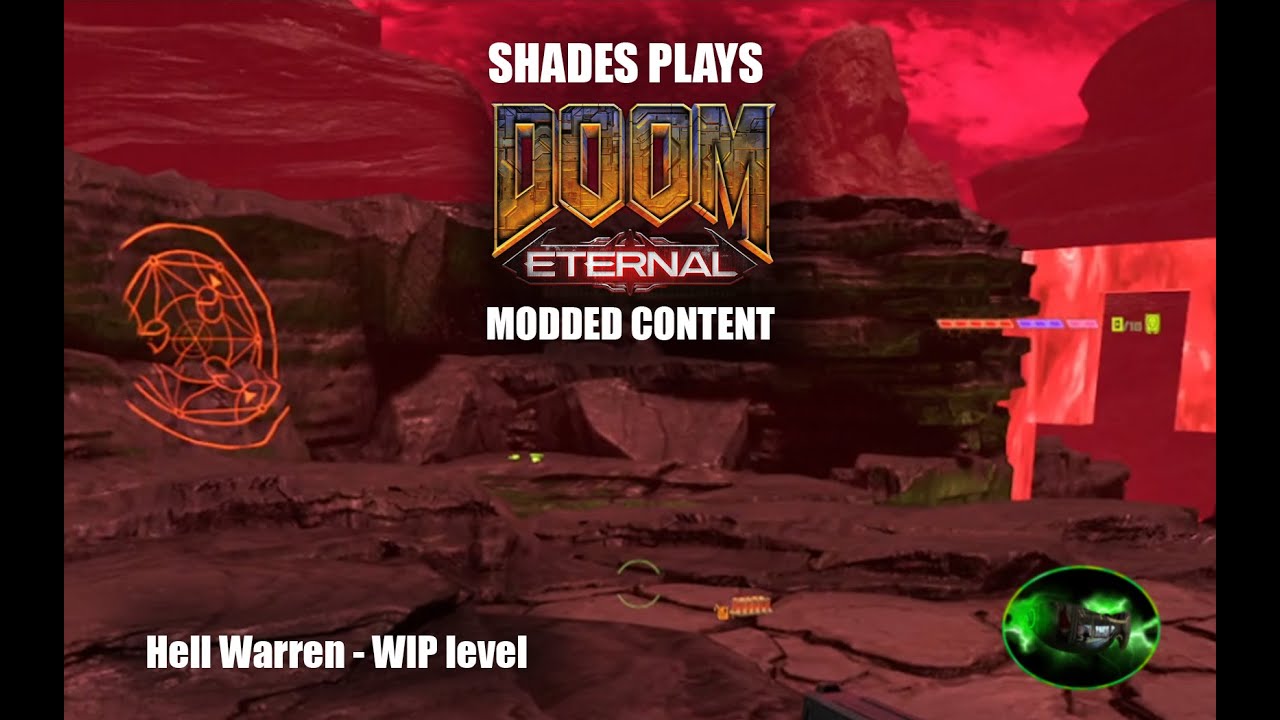
A map I'm making based on an old Doom 2016 snapmap of mine, which was in turn based on a few Doom 1 levels combined! Unlike my Dead Simple remake, this will have a pistol start and assorted progression.
#doom #doom2016 #doomEternal #customContent #customGeo #brushes #meshes #mods #maps #idStudio #mapping #modding #e3m1 #hellkeep #warrens #hellw...
I'd like to know, myself, as I wanna incorporate those wall shooters too!
empty bobcat
Let's figure it out!
plush spire
Later mayhaps, I have some quake maps to finish today for a mapjam. I'm all over the place lol
empty bobcat
So I put it on the map, but of course it doesn't do anything. I'll try to find it in hoe map.
there we got them in hoe

can't see any trigger that triggers it
but there is something like Touch Data:
Ofc. copied it on my map do nothing.
 normal badger
I have off tomorrow so I think I'll get back to messing with the editor
empty bobcat
working

@plush spire @obtuse arch 👆 👇
Shooter need two things - shooter and area that triggers it:

 obtuse arch
empty bobcat
Shooter need two things - shooter and area that triggers it:
obtuse arch
empty bobcat
Shooter need two things - shooter and area that triggers it:
Amazing, thank you very much
normal badger
I need to learn how to make a door
Then I’ll probably be able to make a really simple map
empty bobcat
empty bobcat
normal badger
I need to learn how to make a door
door is very.. dificult 🥲 seriously
normal badger
Well there’s a tutorial on it so it can’t be too bad!
obtuse arch
normal badger
Then I’ll probably be able to make a really simple map
the pre-made doors are really nice, no idea about making one from scratch
empty bobcat
I tried to make it by than I just took prefab from interactions
normal badger
I could definitely easily make a door just with my knowledge of movers
empty bobcat
obtuse arch
the pre-made doors are really nice, no idea about making one from scratch
specialy that you can scale them as you like
normal badger
A really basic door lol
empty bobcat
normal badger
Well there’s a tutorial on it so it can’t be too bad!
tutorial only shows how they open, that's it
normal badger
empty bobcat
tutorial only shows how they open, that's it
You would just make it wait to close I reckon
Kinda like the lift I built that raises then lowers
Only issue is if the player stands under it while it closes…
empty bobcat
Probably you can make a sequence 0. open z axis 2, 1. wait 2 secs 3. close z axis -2
normal badger
Yeah, that’s how I did the lift
I guess it could simply push the player out of the way if they are standing under it while it closes
empty bobcat
normal badger
Only issue is if the player stands under it while it closes…
that's one funny problem in prodeus 😄 I learnt myself to build an invisible cone that push away a bit player to not clip inside the player or push it under floor
normal badger
But the thing I would want is for it to not close unless the player is not in its proximity
normal badger
empty bobcat
that's one funny problem in prodeus 😄 I learnt myself to build an invisible con...
Idtech 7 actually has a system in place for this already
obtuse arch
I think the defaut doors will not close if the player is in a certain proximity to them
normal badger
I forget what it’s called but it will push you out of the way and damage you if you set it
It’s under the mover in entity inspector
empty bobcat
normal badger
Idtech 7 actually has a system in place for this already
old good DOOM I/II door were perfect - open and close when you want, so you can interact when they were moving, you can close when you want and they bounce of player head and reopen - just perfect - it's real hard to build something like that in prodeus 😄
normal badger
I’ve always been an “open stay” kind of guy
I prefer doors to stay open when I design classic doom maps
But eternal is a different beast
Open stay (fast) actually haha
obtuse arch
normal badger
I’ve always been an “open stay” kind of guy
I tried this and couldn't get it working haha, I'm sure there is a simple way
empty bobcat
I like to have full control on doors and like to use them when imps firing me, so I just close the door before fireball hit me 🙂
normal badger
obtuse arch
I tried this and couldn't get it working haha, I'm sure there is a simple way
In idtech 7?
Simple, just make a mover
empty bobcat
I'm for now bored to putting models on my map so I can figure out how doors work 😄
normal badger
Have it trigger when you get near it or via a switch, then have it just do it’s movement once
empty bobcat
The goal - door full operable - you can open it and close without waiting for full animation finish :>
obtuse arch
normal badger
Have it trigger when you get near it or via a switch, then have it just do it’s ...
that's true, that would work well
normal badger
A door that stays open is actually really easy
You don’t even have to worry about it closing on the player then hahaha
obtuse arch
Only reason I didn't try a mover was that I was having issues with the clipping on mover objects
normal badger
What I would do is make the mover itself invisible via a collision texture, then have it linked to a door model but have that model have no collision
Currently I am in bed so this is all theory, but it should work reasonably well
obtuse arch
I may give it a try ahaha
normal badger
As it’s all stuff I’ve already done separately
Oh also I would group all movers together just for convenience sake
Things can be in multiple groups right?
obtuse arch
I think so
normal badger
That’s great news
obtuse arch
ill check now
empty bobcat
that's fine
 normal badger
lol
obtuse arch
normal badger
Things can be in multiple groups right?
yes
 normal badger
Actually hold on I’ll make one before I go to bed
Idstudio takes a while to open lol
obtuse arch
Made this mover cube as a test and it has no collision when tested in game, is this normal? Am I missing something here?
 hasty oyster
allright going to duplicate the cacodemon, trying to figure out which decl assets i need to dupe and attach
normal badger
obtuse arch
Made this mover cube as a test and it has no collision when tested in game, is t...
You need to un check no push
It’s checked by default and it makes it so the mover cannot be interacted with physically
obtuse arch
Thank you, I will try it now!
Yeah it works, I will try not to think about how much time I wasted last week trying to fix this issue haha
normal badger
Lmao
Struggling to find a door model
I'm confused about the yellow folders
are they stuff I haven't downloaded? dragging and dropping doesn't work for them
empty bobcat
normal badger
are they stuff I haven't downloaded? dragging and dropping doesn't work for them
you are in assets browser or entity new model?
you can drag from assets browser only
normal badger
hold on I figured it out
Ok time for the moment of truth
I didn’t work in the editor yesterday, muscle memory isn’t quite there yet hehe
hmm
idk if I'm doing something wrong but the model will not move with the mover despite being bound to it
fixed it, its because it was a static mesh
changing it to func_mover got it to move immediately
which actually means, you don't even need to connect a mover to it
you can just make the mesh a mover itself


of course, you can add a frame or whatever you want and make it look nicer in an actual map
you can even add a sound
 hasty oyster
10 mins of adobe, first recolor
Cacoplum

going to make all the skins first, then build some new AI.
empty bobcat
hasty oyster
Cacoplum
looks cool, reminds me "red" cabbage 🙂 tasty look 🙂
Hmm, if you can change skin color for AI, there should be possible to change color for models.
halcyon stratus
Would Caco be edible?
normal badger
do you like caco?
hasty oyster
halcyon stratus
Would Caco be edible?
trying to create a custom AI. the skin change is the easy part
going to look at cyber cacodemon custom AI for clues
halcyon stratus
normal badger
do you like caco?
Y.
halcyon stratus
hasty oyster
trying to create a custom AI. the skin change is the easy part
Make him edible.
hasty oyster
sure thing, probably will taste like purple
normal badger
you could probably make caco pick ups that make a chomp sound when you pick them up
halcyon stratus
Smol caco.
hasty oyster
okay, you can open up someone elses mod right? i seem to be stuck
i could of sworn i did it last week
"import community mod" ?
 silent badge
community mod afaik is used for importing a mod from the legacy mod injector system
thats what i was told when i looked into adding my Weakened Shields mod into the new system
karmic musk
Is there a way to view how encounters are setup on the base game levels? Or any example levels that can be opened and viewed? I'm trying to figure out how to do encounter/waves for arena areas.
I didn't see anything in-depth for the encounter manager on the wiki other than the basic tutorial for setting up spawn groups and such
Disregard I believe I got my answer.
cobalt cipher
empty bobcat
I slowbuilt HUB, but I run it from editor, not engine, and it worked.
Like so?

Cause that ain't workin 😦


 exotic badge
Does somebody know how to make map load first with the start of the game compaign?
empty bobcat
cobalt cipher
Like so?
yes
oblique dirge
 empty bobcat
exotic badge
Does somebody know how to make map load first with the start of the game compaig...
empty bobcat
exotic badge
Does somebody know how to make map load first with the start of the game compaig...
I know the concept, but it doesn't work for me. But I don't know how to do this from editor. I saw you can use decls in folders

 empty bobcat
exotic badge
Does somebody know how to make map load first with the start of the game compaig...
empty bobcat
exotic badge
Does somebody know how to make map load first with the start of the game compaig...
But for sure I back to this problem, cause firing up map from console is not great
exotic badge
empty bobcat
But for sure I back to this problem, cause firing up map from console is not gre...
Thanks. Agree, It would be better to play through the new game menu
empty bobcat
In declTree there should be 2 folders:
-campaign
-dvemenuoption
Campaign folder has:
next campaign folder, and inside there are 3 decls: dlc1.decl, dlc2. decl, main.decl
in devmenuoption folder there are also 3 files:
new_campaign.decl, new_campaign_dlc1.decl, new_campaign_dlc2.decl
Well, it's a bit complicated


 exotic badge
empty bobcat
In declTree there should be 2 folders:
-campaign
-dvemenuoption
Campaign folder ...
exotic badge
empty bobcat
In declTree there should be 2 folders:
-campaign
-dvemenuoption
Campaign folder ...
Hmm, really a little bit complicated. Anyway thank you for the help. I'll try to figure it out. Maybe I'll try to open another released map from mod brouser where it works fine
exotic badge
empty bobcat
I imagined that it all about one checkbox or dropbox, but no, damn 😄
empty bobcat
exotic badge
Hmm, really a little bit complicated. Anyway thank you for the help. I'll try to...
If I get 100% working version I'll zip it and put it in here. But for now I don't want waste time for this (I wasted 2 days for this, it even worked but I had fatal bug in game somehow)
empty bobcat
exotic badge
I imagined that it all about one checkbox or dropbox, but no, damn 😄
That's how this man made, who made first map for DOOM Eternal ever, but he is modder and he got exp before id studio.
exotic badge
empty bobcat
If I get 100% working version I'll zip it and put it in here. But for now I don'...
Ok, thanks a lot man! If I'll figure out how to do it I'll tag you
empty bobcat
Manual is not great, I think, it has very basic things, ref maps are huge, and cut for chunks and is sometimes realy hard to find this what you want to build, even copy some things didn't help, cause they are linke to other functions. Like encounter manager - is realy complicated 😄 It's not like - put monster and play.
cobalt cipher
empty bobcat
yes
What was the command you used to view the map? Or did you just go about it in the menu?
empty bobcat
cobalt cipher
What was the command you used to view the map? Or did you just go about it in th...
I run the map in editor in 3d view, right click anywhere Play game from here
 tight hinge
hasty oyster
Cacoplum
tight hinge
hasty oyster
Cacoplum
lean caco lean caco
cobalt cipher
empty bobcat
I run the map in editor in 3d view, right click anywhere Play game from here
Well okay that works, but why aren't they appearing as changes in the Doom Sandbox when I go to test the mod? 🤔 🤔
turbid steeple
there’s no filter to put new modding levels by is there? i see hashtags and stuff and thought there was supposed to be, at least
cobalt cipher
cobalt cipher
Well okay that works, but why aren't they appearing as changes in the Doom Sandb...
I've figured it out - for anyone else who runs into this issue, run the command
slowmap game/sp/e3m2_hell_b/e3m2_hell_b in the Engine Tab or when you're testing the level.
One assumes that performing a full build will make the changes appear in the normal level
prisma vector
tight hinge
lean caco lean caco
the cacolean
hasty oyster
WARNING: too many touched triggers for ai "customai": increase limits or remove triggers...
channel animoatr told to play a NULL anim for a valid alias, mase sure the animation has been loaaded somewhere else.
Well at least it works in game, but its spammy on the console
exotic badge
empty bobcat
If I get 100% working version I'll zip it and put it in here. But for now I don'...
I DID IT!

And then
 empty bobcat
exotic badge
I DID IT!
empty bobcat
exotic badge
I DID IT!
Great! I'll check it in my new map.
 hard tapir
hasty oyster
okay, you can open up someone elses mod right? i seem to be stuck
hard tapir
hasty oyster
okay, you can open up someone elses mod right? i seem to be stuck
no
the mods are packaged in a way that you cant really open them back up
hasty oyster
well i managed to do it, dont tell anyone
 zenith ridge

trying to create a map but instead of brushes I somehow spawn these blue dots onto the grid.
is there a way to select the brush tool back?
also, what's that tool I'm using?
exotic badge
My first Doom Eternal map. It took 70 hours. I tried to make it look like The World Spear map and I guess my try was successfull. Thanks a lot for DOOM MARINE for help, really appreciate it 🙂


You can found it on bethesda by name Forgotten Forest
karmic musk
nice work
exotic badge
Thanks!
oblique dirge
exotic badge
My first Doom Eternal map. It took 70 hours. I tried to make it look like The Wo...
dam nice
 tight hinge
exotic badge
My first Doom Eternal map. It took 70 hours. I tried to make it look like The Wo...
tight hinge
exotic badge
My first Doom Eternal map. It took 70 hours. I tried to make it look like The Wo...
very impressive
surprised you made that in such a low amount of hours
lavish apex
exotic badge
My first Doom Eternal map. It took 70 hours. I tried to make it look like The Wo...
that was great, easily the best looking map so far
hasty oyster
new AI succsefful I think ... I just need to tweak its stats and behavior to my liking. got to go deep
textureing is going ot be a bitch though. I wnat to make a larger Hell Knight, one that is from the eternal art book, AND one that is a scaled down version of the Gladiator. Wraping the gladiator tga on a new baron probably wont work
zenith ridge

the editor crashes when I shoot with the shotgun, anyone know why this happens?
did I do something wrong? I built it with a slowmap.
 pearl junco
exotic badge
And then
pearl junco
exotic badge
And then
Do not package declTree. Please follow this guide on packaging to the letter, so your mods work as expected and you don't overpackage your mod with bloat https://wiki.eternalmods.com/books/0-idstudio/page/what-files-should-i-package-for-my-idstudio-mod
When developing a mod, many files will be generated in your idStudio base folder.It is crucial that...
hasty oyster
where has that wiki been all my life?
 brave wadi
exotic badge
My first Doom Eternal map. It took 70 hours. I tried to make it look like The Wo...
brave wadi
exotic badge
My first Doom Eternal map. It took 70 hours. I tried to make it look like The Wo...
That was impressive!
hard tapir
exotic badge
My first Doom Eternal map. It took 70 hours. I tried to make it look like The Wo...
That looks epic!!
south wasp
exotic badge
My first Doom Eternal map. It took 70 hours. I tried to make it look like The Wo...
looks great! Will give it a go
 fickle glade
exotic badge
My first Doom Eternal map. It took 70 hours. I tried to make it look like The Wo...
fickle glade
exotic badge
My first Doom Eternal map. It took 70 hours. I tried to make it look like The Wo...
I wad thinking of making my first big map something like that
normal badger
exotic badge
My first Doom Eternal map. It took 70 hours. I tried to make it look like The Wo...
Looks sick, I’ll check it out after work
normal badger
actually I got a bit before I have to leave for work, think I'll try to give it a run through
normal badger
exotic badge
My first Doom Eternal map. It took 70 hours. I tried to make it look like The Wo...
alright finished it, thought it was pretty fun. The layout is very straight forward, its basically just a string of encounters, but it looks great for being this early in the modding life cycle. I think the lighting in particular is a little rough, there doesn't appear to be any ambient lighting, so some of the shadows are pitch black, which looks a bit off. The encounters were fun, the last one was my favorite, because you can save the berserk for the marauders lmao
excellent work, can't wait to see what you come up with in the future
hasty oyster
so when i make a new AI, it loads the wrong texture or ai, but loading the second one works. THis is strange
cobalt cipher
purple goo
 maiden mica
exotic badge
My first Doom Eternal map. It took 70 hours. I tried to make it look like The Wo...
maiden mica
exotic badge
My first Doom Eternal map. It took 70 hours. I tried to make it look like The Wo...
Looks clean, wish I could play lol
hasty oyster
every time i try to edit right now im crashing this sucks

 cobalt cipher
oblique dirge
cobalt cipher
oblique dirge
Wowzah, that's hellishly beautiful
I love how well you've reutilised those assets to make something that looks so unique
oblique dirge
cobalt cipher
Wowzah, that's hellishly beautiful
TY❤️
cobalt cipher
oblique dirge
TY❤️
Put a portfolio together and start applying for Game Dev jobs! (if you're not already)
oblique dirge
cobalt cipher
Put a portfolio together and start applying for Game Dev jobs! (if you're not al...
You really think so I just love making maps
cobalt cipher
oblique dirge
You really think so I just love making maps
For sure! If you can get a job doing what you love, why not eh?
karmic musk
exotic badge
You can found it on bethesda by name **Forgotten Forest**
I finally played this. Solid work! Really amazing job for the amount of time. Encounters and areas were fun.
oblique dirge
cobalt cipher
For sure! If you can get a job doing what you love, why not eh?
TY i will see im only 16
cobalt cipher
Oh wow, all the more impressive then! Keep it up, it's definitely an option for you! Look into Environment Art if you're more into making pretty maps, or specifically Level Design if you favour gameplay-centric map design
karmic musk
level design is a fun thing to do for sure. Do you mess around with blender and substance painter?
Those are two tools I'd recommend if you want to make custom environmental meshes. Maya is more of the industry standard over blender though.
Although blender has grown tremendously and studios do use it at times.
oblique dirge
karmic musk
Those are two tools I'd recommend if you want to make custom environmental meshe...
hmm
My mom is really impressed with my work. She’s an IT so she is really happy that I’m doing this.
karmic musk
Nice, IT is what I do as well for my job. 🙂
cobalt cipher
Supportive parents are always the best!
hasty oyster
is there a way to make the monsters not see you so i can take SS?
well anyways. Who wants to taste the cacodemon rainbow?

each is unique AI, i will be giving them elemental effects.
lavish apex
i think its notarget in the console
oblique dirge
hasty oyster
 maiden mica
hasty oyster
is there a way to make the monsters not see you so i can take SS?
maiden mica
hasty oyster
is there a way to make the monsters not see you so i can take SS?
notarget
turbid steeple
exotic badge
My first Doom Eternal map. It took 70 hours. I tried to make it look like The Wo...
sentinel theme
which music track?
i’m always curious to see sentinel based maps! as taras nabad and meathook are some of my favorite stuff
empty bobcat
exotic badge
My first Doom Eternal map. It took 70 hours. I tried to make it look like The Wo...
Looks rad!
 unborn ingot
me with 97 hours and nothing good to show for it💀
empty bobcat
zenith ridge
Did you make some custom decls? If you have nothing special on your map, delete all this mod and create fresh one, or if you have there some work geo done, copy it to new map, and copy map on disk to new fresh mod.
zenith ridge
empty bobcat
Did you make some custom decls? If you have nothing special on your map, delete ...
Yea it's a test map. Sometimes it would crash. Other times it would be stable. Maybe it's just the editor. Did not make any custom decls.
vital lichen
hasty oyster
each is unique AI, i will be giving them elemental effects.
How did you managed to create a custom ai for each? Or are they cacodemons with twitched parameters?
vital lichen
zenith ridge
trying to create a map but instead of brushes I somehow spawn these blue dots on...
I don't know if you have figured out, but that's because you pressed X. It's kinda useful for slicing brushes. Press X again to go back to normality
zenith ridge
vital lichen
I don't know if you have figured out, but that's because you pressed X. It's kin...
Ah, thanks!
Did not know.
Is there a hotkey for a brush tool?
vital lichen
No, brush tool is the defaul tool in 2d map editor. You simply click and drag to draw a brush
halcyon stratus
exotic badge
My first Doom Eternal map. It took 70 hours. I tried to make it look like The Wo...
Map gud. I play. I upload video.
Video is uploaded.
Yes. Is gud. You will make more maps. Yes.
normal badger
The tools are really powerful
I can’t wait till we have custom campaigns
Perhaps once the scene is big enough we can do the first eternal “megawad”
halcyon stratus
Oh God imagine how much space that would take on the servers and how long it would take to upload/download. Easy 30gb.
normal badger
Basically a new game
In terms of strategy, adding modding to eternal is super smart, because the dark ages is bound to be quite different, so new doom eternal content will be around for a long time to satisfy those who prefer its gameplay
prisma vector
Indeed
empty bobcat
normal badger
In terms of strategy, adding modding to eternal is super smart, because the dark...
and probably we get update editor for Dark Age
normal badger
empty bobcat
and probably we get update editor for Dark Age
With how long it took for these tools to come out, I’m not sure, would be awesome though
It’s a new engine but I’m not gonna pretend I know how much work it would be to make a consumer grade level editor, but it seems like a lot
 rich prism
Well, there's no doubt in mind that id Tech 8 is based on 7's codebase, so in theory this could lay the groundwork for us to get a TDA SDK sooner rather than later, but then again id Tech 5 was also based on the previous iteration(s) of the engine, so who knows.
gaunt ether
Meh the engine really doesn’t change like that, just a matter of if devs wanna end up putting something like this out again for tda
normal badger
gaunt ether
Meh the engine really doesn’t change like that, just a matter of if devs wanna e...
I think that is ignoring all the work that went into this.
“Yeah they just flip a switch and now anyone can use the tools”
It’s not really a matter of wanting to do it but to spend the resources to do it
I am very surprised we got eternal modding tools tbh
If it were so easy they would have released these tools years ago
Or even when doom eternal launched, I recall an interview where a developer even mentioned they would like to support modding but weren’t sure if they could
halcyon stratus
Most probably Zenimax pulling strings and keeping that from happening, since in their mind they had a game to sell first and giving the players the tools from the getgo wouldn't have been beneficial to them for some reason.
normal badger
halcyon stratus
Most probably Zenimax pulling strings and keeping that from happening, since in ...
Yet Bethesda games ship with modding tools?
Idk I’m not gonna pretend I know what was going on behind the scenes
halcyon stratus
Probably because SnapMap didn't do all that hot, I don't know either.
normal badger
I’m pretty sure the modding tools required their own development to make them usable for the public
And to do documentation and stuff
Since the editor was likely not built for people outside the studio
Id has always been very supportive of mods
and Bethesda is possibly the only other studio associated with mods the way Id is
Iirc snap map was done by another studio and not id
It was a really cool concept for making an experience like modding possible on console
I’ve never used it, but I saw some stuff people did with it on YouTube I didn’t think would be possible
gaunt ether
normal badger
Yet Bethesda games ship with modding tools?
They still wanna push their main product
normal badger
don't really buy it
well I mean, obviously they want to push the product, but uh, having modding tools only makes it more attractive to most people lol
having modding tools is not going to make less people buy it
gaunt ether
Well ig I’m being ironic cause I did buy the pc version for these tools lol
normal badger
📸
oblique dirge
 oblique dirge
normal badger
nice
oblique dirge
normal badger
nice
Yeah, I’m working on the interior then I’ll work where the enemies are going to go. The enemies get stuck in the Gore stuff.
I hope the player doesn’t get stuck. That’s what I’m really focusing on right now.
normal badger
oblique dirge
Yeah, I’m working on the interior then I’ll work where the enemies are going to ...
maybe you can clip the gore with collision brushes
or block the player from interacting with it, I imagine that stuff is meant to be background detail
oblique dirge
Maybe I can do that yeah
Yeah, I mainly gonna start making flat services for the enemies to go
normal badger
I would make the gore non-solid then use brushes to make it more traversable
if you want the player to be able to access it
oblique dirge
normal badger
I would make the gore non-solid then use brushes to make it more traversable
I’m mainly want the enemies to not go to the Gore I’ll probably make only the enemies step on the metal things and if they go to the gore , they Amelia nor it
tight hinge
oblique dirge
damn looking at this and the other world spear level makes my level look like crap in comparison
good stuff
oblique dirge
tight hinge
good stuff
Ty😭
oblique dirge
normal badger
I would make the gore non-solid then use brushes to make it more traversable
I was meaning to ask you do you know a way that the enemies can like jump over things or do they automatically do that?
normal badger
oblique dirge
I was meaning to ask you do you know a way that the enemies can like jump over t...
you have to use the traversal editor
and you set points they can use to get up and down from areas
oblique dirge
Can you link me to the Wookie part?
I’m at school right now I can read it when I get home. I can do it.
normal badger
oblique dirge
normal badger
https://idstudio.idsoftware.com/gameplay/ai/traversal-editor/add-traversals-to-a...
Ty
normal badger
yeah, its actually pretty easy
does anyone know if I can just drag and drop sky boxes from other maps I don't want to make one 💀
oblique dirge
normal badger
does anyone know if I can just drag and drop sky boxes from other maps I don't w...
You don’t know how to add a skybox
tight hinge
normal badger
does anyone know if I can just drag and drop sky boxes from other maps I don't w...
you would create a skydome model and then you would material remap it
normal badger
I know how to add a skybox but the options seem really basic
I want to just toss in the one from Mars Core or something lmao
tight hinge
well there should be a texture for it
 normal badger
tight hinge
well there should be a texture for it
normal badger
tight hinge
well there should be a texture for it
its a 3d model
you literally just drag and drop the skybox into the world
I think my least favorite thing is the asset browser, its so hard to find what I want
oblique dirge
normal badger
I think my least favorite thing is the asset browser, its so hard to find what I...
You can bookmark everything you want
tight hinge
normal badger
you literally just drag and drop the skybox into the world
yes and then you would material remap it with the texture you want
normal badger
I don't know what I want till I find it lol
oblique dirge
normal badger
I don't know what I want till I find it lol
Just bookmark right click on it and it should be an option to bookmark that tab
That what I do
normal badger
the sky boxes aren't just a texture thoughhhhhh
I don't even know if you can material remap it since its like, a mesh technically
tight hinge
you can because I did it in mine
normal badger
is there a tutorial?
tight hinge
probably not lol
normal badger
okay maybe I can figure it out when I open it up
which sky box did you use as a base?
or is it an entity?
tight hinge
here is what I did, new model > search for skydome > scale it to your liking, then you material remap it
normal badger
I'm downloading the hell on earth asset pack
btw when you look for a material, are the sky ones just under "sky?"
tight hinge
gsky if I'm not mistaken
normal badger
thanks! I'll see if I can do it
empty bobcat
oblique dirge
did you learn making encounters?
empty bobcat
oblique dirge
You can bookmark everything you want
bookmark option is super handy
normal badger
oh, it looks like just adding doors is really simple lmao
oblique dirge
empty bobcat
did you learn making encounters?
I learned when I get home
normal badger
its like a few clicks haha
empty bobcat
normal badger
oh, it looks like just adding doors is really simple lmao
you mean prefab?
or door made from mover?
normal badger
the door entity
empty bobcat
hey - I thought about - we can share with small maps with some functions - would be cool to have special channel for this - map with tutorials.
normal badger
also, I have made one with a mover
empty bobcat
I put here yesterday Shooter function map tutorial.
normal badger
but it seems pointless if you can just do a few clicks and have a functional door
though, I wonder how you could trigger a door to close again and lock behind you
empty bobcat
yes, yes if you learn it, but for now I have no idea how to do this 🥲
normal badger
lock a door behind you?
empty bobcat
normal badger
though, I wonder how you could trigger a door to close again and lock behind you
YES - I thought about this too. I even so there is function (I forgot name of it)
empty bobcat
normal badger
lock a door behind you?
no, I mean standard basic door
oblique dirge
I can’t figure how to make objects anime with the move trigger
The move triggers are complicated
empty bobcat
normal badger
what do you mean?
I'd like to have 2 main doors: player approaches - door opens and close. And the 2nd - player can open with interacting the door but would be cool clicking on door not with extended panel or switch.
normal badger
empty bobcat
I'd like to have 2 main doors: player approaches - door opens and close. And the...
You could easily do this with a trigger brush I think
Set to activate the door
empty bobcat
normal badger
You could easily do this with a trigger brush I think
I need to check it.
empty bobcat
oblique dirge
I can’t figure how to make objects anime with the move trigger
in mover there is option: script mover and "+" - you add thanks to this what you want mover to do - like - go axis X 2 meters
I have no idea was there rotation or not.
oblique dirge
Hmm ok
oblique dirge
empty bobcat
in mover there is option: script mover and "+" - you add thanks to this what you...
I’m adding jump pads and teleporters right now
empty bobcat
I haven't touched them yet. Probably complicated as other stuff 🥲
oblique dirge
empty bobcat
I haven't touched them yet. Probably complicated as other stuff 🥲
No
It’s very easy basically
The only thing that you have a problem with teleporters
normal badger
tight hinge
here is what I did, new model > search for skydome > scale it to your liking, th...
all of the materials look really bad... do they look better in game lol
tight hinge
hmmm might be that some materials were used for half domes instead of full domes
normal badger
that fixed it immediately lmao
but the background is always grey?
is there a way to change that?

ah shit
you can layer skydomes basically is what I'm understanding here
 exotic badge
normal badger
but the background is always grey?
exotic badge
normal badger
but the background is always grey?
I think for "Not Lit" mode you can find in in the idStudio=>Preferences=>Themes
exotic badge
It's ok 🙂
 exotic badge
That's looking really good!
halcyon stratus
normal badger
you can layer skydomes basically is what I'm understanding here
That's how ID did it in some wide open maps like UAC Atlantica, yeah. A half-dome for the water, and the big sphere for the sky.
normal badger
anyone know how I add a "sun"
like just a general light for the whole map, like a sun essentially
okay its under the environmental editor
prisma vector
Something to do with environment something. According to ID
exotic badge
normal badger
like just a general light for the whole map, like a sun essentially
First you have to add envarea to your map and then attach to this area your env decl

And then open your env decl through Environment Editor
exotic badge
normal badger
so I guess you just make envarea cover your whole map?
Yep
normal badger
if you only want 1 that is
exotic badge
Or part of the map
tight hinge
normal badger
so I guess you just make envarea cover your whole map?
you can specify the env in the worldspawn
env area and env override are only needed when you want to change between envs throughout the level
normal badger
any way to make the sun actually cast light? it doesn't appear to be doing that here?
ah okay
its like, sun intensity, but I don't like how it colors the sky boxes, perhaps I can make those unaffected by it?
found it
its radiusatmosphererange
normal badger
wonder what setting would make it so that shadows aren't pitch black
halcyon stratus
Curious, anyone tried opening any of Doom 2016's asset files/paks?
Or better yet, imported any of the assets into idStudio? I'm currently looking into it.
exotic badge
normal badger
wonder what setting would make it so that shadows aren't pitch black
I tried to find it but I failed