#classic-doom-maps-mods
1 messages · Page 110 of 1
 shy stratus
 torn remnant
yeah
torn remnant
i finally installed prboom+ it somehow feels much better than gzdoom but i dont understand how or why
 haughty flower
Hello
 hollow mountain
Have you ever tried crispy doom?
 coarse yarrow
PrBoom+ is a great middle ground between vanilla and not so vanilla.
 kind yoke
guys how do i define a sector as a secret
shy stratus
kind yoke
guys how do i define a sector as a secret
Click on sector
Action 9
shy stratus
kind yoke
i was using umdf and i was confused
Yeah UMDF is trash for secret, you need to do a custom thing
haughty flower
ah man I forgot Corruption Cards
 echo wing
hey guys. anybody here who knows how to map, and is free to teach a noob, please dm me. i am working on a project and i need some serious help
shy stratus
What do you mean by "How to map"
shy stratus
So you want to make a interior/exterior ?
echo wing
preferably something somebody could travel through, like an actual building. like what is seen in suburbs
map 16
shy stratus
It's really simple
echo wing
cool
shy stratus
For example you make a square sector
echo wing
okay
shy stratus
So you just made the wall
echo wing
ah, i think i get it
shy stratus
Yeah
echo wing
so i just make a door there, bring the walls up, and im good right?
echo wing
also, i made textures for this map, but i can't find them when selecting textures.
shy stratus
By using slade right ?
echo wing
i used pixlr and sketchbook to make the textures, put them in slade, saved the wad, and loaded it as a resource
i can't find the textures for some reason?
shy stratus
You didn't put Markers
Some texture have different marker
And also you cant use an other thing to make wall but i don't remember
shy stratus
What do you mean by invisible ?
You forgot some texture or you forgot to remove the F_sky
echo wing
like you start the level, its all fine, but the house is invisible. the detection is there and everything but its wrong. dont worry about it now though, ive removed the house and im starting again
echo wing
okay the house is visible now but the door i made doesn't work
shy stratus
Problem is i can't show you an example my pc is currently into a file transfer
shy stratus
Just like me
echo wing
so i made a special sector for my door, did shift + d to make a door, and thought i'd be fine, but the door is invisible and doesn't open
shy stratus
Can you sent me a screenshot ?
You can screenshot ONLY the image of the map using the tool option
Like that
shy stratus
I see a lot of problem here
echo wing
i figured you might
echo wing
what was wrong?
shy stratus
No the door is fine nevermind
echo wing
And yet it doesn't actually do the whole door thing
echo wing
yes
shy stratus
For a door you need to use the "upper"
If you use the "lower" part of the sector it doesn't work
shy stratus
Also Shift + D doesn't set the tag and the door, it's just the texture
So don't forget that
shy stratus
Yes maybe
echo wing
either way, if shift+d doesn't make a door here, how would i make a door?
shy stratus
You can put the texture
With Shift + d
And it put an automatic lower umpegged
And it correct the whole door to be usable
You just need to select the two linedef of the door
Put the same Tag
And choose the door action you want @echo wing
Also you need to Tag with TAG 1
Tag 0 is not usable
shy stratus
@echo wing depend of what you like
If you want an simple door is the first one
Open stay close (Also monster) @echo wing
echo wing
Cool
 glacial skiff
"Tag 0 is unusable" is a myth
An old one that's been debunked years ago
If memory serves, all D#-type door line specials call EV_VerticalDoor(...), which states the following:
// EV_VerticalDoor : open a door manually, no tag value
i.e. D1/DR type specials are expected to have a tag of zero
Also of note: // only front sides can be used
 finite moon
this might be an EXTREMELY bold idea, but I wanted to make a customizable difficulty for my Doom WAD using a MENUDEF
unfortunately, I don't know what to put where the "[ ? ]"s are, and I was wondering what I'd put there, and if this would even work in the first place
glacial skiff
[?]'s appear to be cvars
They can technically also refer to console commands or other menus, but you probably want cvars in most cases
ZDoom's new menu system uses a special MENUDEF lump to define the menus. Using the MENUDEF syntax, it is possible to update existing menus and define additional ones.
The basic syntax is similar to SBARINFO, however it does not use semicolons to end statements.
BlockType "BlockName"
{
Key Value
Key Value1, Value2
}
The main block type...
Option "<label>", "<CVAR>", "<OptionValue reference>" [, "check" [, Center]]
finite moon
i'm trying to figure out what to put for the CVARs so i can actually modify the difficulties with this
finite moon
where would I even find what to use for CVARs? i found out that i can use "infighting" for the Infighting section
finite moon
alright, i'm gonna try out messing with CVARINFO and custom CVARs to see if I can get it to modify a difficulty
this is going to be harder than anticipated
glacial skiff
The cvar for difficulty is "skill" fwiw
finite moon
i'm not trying to figure out what skill i'm playing on, i'm trying to figure out how to get a command like GetCVar to work in MAPINFO
echo wing
nuketown in the doom engine! intended for zandronum online, has no monsters or level exits
echo wing
oh dude i made shipment
 sinful helm
nice
 willow kernel
is it possible to jailbreak a ps4 and run wads on it
im trying to see if i get get brutal doom running on a ps4
haughty flower
If you do homebrew a gzdoom port for an 8th gen console, it could be fun to see. Just be careful what kinda stuff you try to run. I'm mostly certain things like Project Brutality and Complex Doom would run badly... Good luck @willow kernel
willow kernel
definitely gonna try it out
finite moon
aaaaaaaaand there goes my idea
echo wing
hey guys, having a problem. i want the use MIDBARS1 on these walls but they dont go transparent, how do i fix this?
coarse yarrow
gotta create linedefs that are not on the wall.
and set the middle textures to MIDBARS1
echo wing
right, so i set a linedef inbetween the wall sector, and i set the texture for that to midbars1
yeah it worked
your power truly knows no bounds
sinful helm
lmao yes
 tiny stirrup
ok so uh- doom discord theme 1.0, might update it- if you want- you can rate it
wrong channel- omfg
echo wing
oh dude, good timing
i needed some help doing maps 'n' stuff for my mod
dm me about it
coarse yarrow
all these people with like 20 servers, and I'm here with 4
 torn violet
tiny stirrup
ok so uh- doom discord theme 1.0, might update it- if you want- you can rate it
torn violet
tiny stirrup
ok so uh- doom discord theme 1.0, might update it- if you want- you can rate it
How do u do that
tiny stirrup
oh uhm- i used better discord
then i went to https://gibbu.me/editor/ to edit a theme preset- (frosted glass specifically) added a doom eternal background, changed the colors to match the fires of hell- downloaded the theme, uploaded it to better discord, boom.
Customize themes by the community with a easy to use interface
haughty flower
tiny stirrup
then i went to https://gibbu.me/editor/ to edit a theme preset- (frosted glass s...
how do you upload to better discord
tiny stirrup
you want me to make a video tutorial?
haughty flower
is a good game
 solar brook
And what does that have to do with doom? Or the channel topic? @haughty flower
haughty flower
ehm
tiny stirrup
haughty flower
how do you upload to better discord
you go to settings on better discord, scroll down to themes, and click open themes folder, get the theme you created and drag it to the themes folder, close that, and turn on the theme
 pseudo frigate
If you like Doom 3, SOMA, Dark forces or half-life you should play Doom 3: Phobos. We just released Episode 2 out of 3 this year. With a total of 18 original maps, story and gameplay changes to Doom 3. We added the Arachnotron, the Pain elemental and a new and improved shotgun. Check our Episode 1 trailer here to see what it's all about https://www.youtube.com/watch?v=aIpGhRpkdE4

Track: Borrtex - Rumble
Used under Attribution-NonCommercial License
Download episode 1 here:
https://www.moddb.com/mods/phobos/downloads/phobos-episode-1-v10
Follow us on twitter
https://twitter.com/Doom3Phobos
Follow us on facebook
https://www.facebook.com/doom3phobos
Or go to our website to find out more http://tfuture.org/phobos/
pseudo frigate
tiny stirrup
pseudo frigate
If you like Doom 3, SOMA, Dark forces or half-life you should play Doom 3: Phobo...
@pseudo frigate ahem- sorry for bothering you, but does this work on windows 7?
pseudo frigate
Yes
tiny stirrup
thankies
 wintry pelican
pseudo frigate
If you like Doom 3, SOMA, Dark forces or half-life you should play Doom 3: Phobo...
wintry pelican
pseudo frigate
If you like Doom 3, SOMA, Dark forces or half-life you should play Doom 3: Phobo...
thats epic
pseudo frigate
Thanks 🙂
wintry pelican
no problem!
 tulip ether
Doom 3: Phobos is the best Doom 3 mod, what a wonderful job they made.
coarse yarrow
As someone with no understanding of this sort of thing, why's mod support so pitiful on Dhewm 3? What's the technical reason(s) behind it?
 oak monolith
i made a map based off duck hunt NES game from the 80s... and DUCK SEASON VR games... its not based on DOOM but i think its ok
but the ducks arnt on the screen
other players r ducks for hunter to shoot down
pseudo frigate
coarse yarrow
As someone with no understanding of this sort of thing, why's mod support so pit...
If a mod has made any sdk changes you will need the source for the sdk for that mod. And if the mod is old and not supported/developed anymore and the creater is gone you cant make it work
pseudo frigate
tulip ether
Doom 3: Phobos is the best Doom 3 mod, what a wonderful job they made.
Thanks!
coarse yarrow
pseudo frigate
If a mod has made any sdk changes you will need the source for the sdk for that ...
Ah ok, thanks for the explanation.
tiny stirrup
pseudo frigate
If a mod has made any sdk changes you will need the source for the sdk for that ...
do you mean gone as in-
fukin dead
 slate maple
is Phobos done? I been wanting to play that.
oic, EP3 still being worked on. I will play it when its all released, been following it on DW for over a decade
 haughty flower
Cool
 sudden nest
this seems to be to only mod related chat
but dhtp textures are overlapping and being weird
is this possibly because i saved my game before using dhtp orr??
- the bricks are really big and pixelated up close
bonus
yeah i loaded a new game and went to map10 and its still being fucky
ping me if you want to help
haughty flower
Update: still working on my wad
if anyone wants help with UDMF, feel free to DM or @, not really busy :>
sudden nest
sudden nest
ping me if you want to help
fixed it turns out i did the entire set up completely wrong
haughty flower
haughty flower
Update: still working on my wad
if anyone wants help with UDMF, feel free to DM...
I am interested
 snow hearth
hey guys
I need a little help
is it possilbe to make a floor keep lowering forever? or at least for a very long time
 rapid tartan
hi! I'd like to know if there is a tool to extract map data from a wad file?
haughty flower
@oak monolith what is the game plz?
rapid tartan
to some easy to read file format like json, xml or some plain .txt file
coarse yarrow
rapid tartan
to some easy to read file format like json, xml or some plain .txt file
There's Slade 3 for wad editing.
rapid tartan
yeah I use slade, but i can't get out plain text from it
coarse yarrow
Ok, when you mean map data, do you mean the actual levels themselves, or the text where the game lists the available maps?
I assume you mean the latter, it's up to the port to decide how it's handled. You can find GZDoom's mapinfo lump in gzdoom.pk3 for example.
The IWAD contains zero actual code for the game.
rapid tartan
i am trying to extract verts, sectors etc into plain file
coarse yarrow
You could copy them and paste them into a new empty pwad. That's really all I can think of.
rapid tartan
GitHub
Read data out of a DOOM WAD. Contribute to nrkn/doom-wad development by creating an account on GitHub.
this script is almost doing what I want... just that it write. [Array] instead of the actual array
rapid tartan
this lib does EXACTLY what I want: https://github.com/jmickle66666666/wad-js
GitHub
javascript wad library. Contribute to jmickle66666666/wad-js development by creating an account on GitHub.
rapid tartan
haughty flower
I'm up to map07 in my wad, which means I only have 3 more (if you dont include map07 itself) to work on :>
haughty flower
snow hearth
is it possilbe to make a floor keep lowering forever? or at least for a very lon...
If this is for something like a scrolling texture, It's not possible to have it go on forever, but it is possible for it to lower for a very long time. The best way for using a scrolling downward texture is using something like UDMF
glacial skiff
Testing some new sprites made from 3D models for my iwad, trying to hit that mid-90s "made on SGI workstations" look
coarse yarrow
you did it, it toally gives off that vibe
this thing looks weird as hell too, I love it
echo wing
Hey, making a new mod that just gives you classic doom 64 weapons, completely unaltered from the original, no bells and whistles, nothing. how do i make a new weapon? just wanted to add the unmaker on slot 8.
echo wing
Currently making unmaker for my mod, wondering how to make it fire one fast high accuracy rocket, like in d64
I just copied the uber shotgun code from the zdoom wiki because I'm a noob
 mild narwhal
im re-making battle mode in rec room vr
snow hearth
wait wtf is a raise donut
snow hearth
Any clue how do I make the castle in the middle look more appealing?
I think the interior looks pretty neat but I have no clue how to design it from the outside
Wad btw:
echo wing
maybe add some stuff sticking out of it? custom textures are always helpful for this sort of thing
haughty flower
Add banners
mild narwhal
haughty flower
Add banners
yep
snow hearth
I've honestly impressed I was able to make this in doom2 format by myself, however I still need to somehow make windows, any clue how I can do that without it looking ugly ?
haughty flower
middle texture in the middle of the window area
and set it to midgate (depending on the size you can switch)
snow hearth
oh hell yeah
I spent too much time decorating I forgot how I get to the only secret in my map...
sinful helm
lmao
haughty flower
snow hearth
wait wtf is a raise donut
lol idk
shy stratus
Lmao nice
haughty flower
yea
the only thing left to do is get some inspiration
oh i know
i will build my house and city
snow hearth
I once tried to make my room in source engine (csgo)
I kept doing it for 5 hours then I got bored and gave up
So making an entire city might be a bit difficult
sinful helm
what
haughty flower
that
sinful helm
oh
haughty flower
ho
 idle shuttle
same wad i have posted before just with an improved MAP03
 novel sand
idle shuttle
same wad i have posted before just with an improved MAP03
novel sand
idle shuttle
same wad i have posted before just with an improved MAP03
Playing this right now. You've got a pretty glaring issue in MAP01 - there are two cacodemons in the same place in the monster closet outside, and all the shotgunners in there are stuck on each other.
idle shuttle
im guessing you are not using gzdoom
haughty flower
hello
idle shuttle
i have only tested it in gzdoom so any bugs in other source ports i wont be able to see
novel sand
Nope, GLBoom
You have the same issue behind the red key door with the chaingunners
Yeah, works fine in GZDoom
A lot of people don't use GZDoom though, so I'd recommend testing in a few sourceports to find bugs like that
idle shuttle
i did sneakily stack some monsters to better make use of space, i didnt know that would fuck up some source ports
novel sand
Yeah on more "vanilla" style ports, stacked monsters can't move
idle shuttle
i will fix it... probably
novel sand
Did you use UDMF format?
idle shuttle
UDMF?
novel sand
It's a more versatile format that only works with GZDoom
It would explain some of the things like the lift behind the red key door in MAP02 being broken on GLBoom
idle shuttle
i use the doom : doom 2 format when i start the level editor
haughty flower
poom best doom port
idle shuttle
also there is no lift behind the red door in map02 ulsess you mean the yellow door
novel sand
Okay, I beat it pistol-start on UV.
MAP01 - Not a bad opener. Custom MIDI and reasonably good aesthetics elevate it above most starter maps. Aside from the issues with monster closets I mentioned earlier, the only thing I'd really critique is the double Archvile secret fight. Wasn't really sure what to do with that, since the only weapons I had when I went to it were a shotty and chaingun.
MAP02 - Some ammo issues first time around and the lift is broken on GLBoom. Tried it again and played more conservatively and ammo was fine. I wasn't a huge fan of the Archvile placement at the top of the lift - just meant I had to keep dropping and waiting for the lift back up. The last fight was nice and hectic, trying to snipe the Pain Elemental before it filled the screen with lost souls.
MAP03 - Definitely the strongest aesthetically. I found myself wishing it was a little longer - it's very front-loaded with the first fight, which is in fairness a pretty good fight. I'd advise you to avoid inescapable pits as a general rule. I might be wrong (I didn't fall in), but it seems like there's no way out of the lava pit. The "death exit" doesn't really work in vanilla format unless it's at the end of the episode because it doesn't actually kill you, but you can do it on Boom format or above with voodoo doll scripting.
MAP04 - A custom boss is always nice. He went down pretty quickly, but I did like the sort of mini-bullet-hell element from his attacks. Better sprites and animations would add a lot to the fight I think.
novel sand
idle shuttle
i use the doom : doom 2 format when i start the level editor
If you're mapping with vanilla format, I'd recommend testing it on a more basic source port (crispydoom or either of the Boom ports would be my recommendation)
idle shuttle
there is a bazooka at the double vile fight in map01
novel sand
So there is
I'd still say a little more cover would be nice, it's very close-quarters so the rocket launcher can make it a little difficult
idle shuttle
it was a secret and the plasma-gun makes map02 a breeze so i wanted something really brutal defending it
novel sand
Fair enough
idle shuttle
i will work on fixing the bugs allthough i am not entirely sure how
novel sand
The monster closet one could be fixed by making them bigger and making sure the enemies' squares don't overlap in the editor
haughty flower
incredibly incredible
novel sand
idle shuttle
i will work on fixing the bugs allthough i am not entirely sure how
I'll open it up in the editor and see what's going on
idle shuttle
yeah thats easy but the lift in map02 should be fine im not sure why its broke
idle shuttle
haughty flower
incredibly incredible
thank :)
haughty flower
level 3 & 4 i liked most
idle shuttle
the closet should be fixed
haughty flower
you should use romero method
after you do a lot of maps you get better and better
novel sand
Okayyy so I tested it in crispydoom and found an even weirder bug with the lift
idle shuttle
awesome!
novel sand
THis time it worked, but it lowered the entire second floor with the archvile on it
haughty flower
so you need to do last map and place it as first
novel sand
I fixed the problem in crispydoom by giving the lift sector and the linedef a tag
idle shuttle
i tried to stick to romeros rules but i cut a few corners
novel sand
let me just test it in GLBoom
Alright, the lift bug was totally fixed by giving it a tag
Not sure why that was happening - it looked fine on paper, but Doom can be a little janky sometimes
echo wing
ngl, i really like this map pack
novel sand
Yeah it's definitely not bad at all
idle shuttle
i will tag the sector and the lindef then
echo wing
i have an older version of it, and its like a new episode of doom
novel sand
I enjoyed playing it
echo wing
although there is a bug on map 04
novel sand
This is why playtesting is useful haha
echo wing
if you stand right in front of the boss, its just switches to regular imp textures
novel sand
I didn't get any bugs on map 4?
echo wing
instead of big archvile
novel sand
Huh... That is weird.
idle shuttle
thats in an older versio n
idle shuttle
i noticed that and got a good laugh out of it then fixed it
echo wing
it needs custom difficulties and stuff lmao
novel sand
I liked the sort of small, compact style of the levels. Reminded me of Scythe.
idle shuttle
i want to add more levels and change around the hud and menus but idk how to do it
that "should" be all the bugs in map01 and 02 fixed was there anything outstanding in map03?
novel sand
Not that I could see
Oh, there were some misaligned textures here and there, but that's nitpicky
Aligning your textures properly does help your map look more professional
idle shuttle
yeah i tried to fix most of them but there is alot of misaligned textures
i will add a lift to get out of the lava pit in map04 as requested
echo wing
now with custom difficulties
echo wing
for thy poor soul
should add "iwad = doom 2" in gameinfo.txt
and some fancy startup or sumthin
idle shuttle
i will try but idk
echo wing
no worries already on it
novel sand
Is it a cooperative project?
novel sand
Neat
echo wing
this is the power of a week worth of learning decorate and zdoom stuff
idle shuttle
how would i go about changing the menu background since i have a picture i wanna use
idle shuttle
wait i think i have found a way
idle shuttle
yeah does that not work?
echo wing
just send the pic to me yeah
we gonna have to compress the image to fit within those bounds
idle shuttle
thats easy enough i think i can handle it
idle shuttle
ive got it working, awesome
echo wing
nice
echo wing
nice. send wad
idle shuttle
idle shuttle
how did you change that?
echo wing
you just make the image, and call it what the original called it
idle shuttle
yeah i was looking for stuff in mapinfo and gameinfo but it really was that simply
idle shuttle
hes gaming just one year ahead of the rest of us
 humble perch
you gonna ignore the fact that they've been playing for 13 hours?
sinful helm
im sure theyre fine
humble perch
hopefully
sinful helm
yeah
 abstract hornet
How do i get my wad to run on doom 2? I use the wad but it always starts on hell on earth
haughty flower
doom 2 IS hell on earth
 slender meadow
Do you guys know if there is anyway to lock a button with a key card on Ultimate Doom Builder?, so it can only be pressed if the player has the respective key card.
coarse yarrow
dunno many complexities, do know you can do this by setting it for doors
 timid storm
is there a way to change floor texture alignment?
coarse yarrow
by moving sectors, thats it. more advanced formats like udmf for zdoom let you though iirc.
timid storm
dang
slender meadow
coarse yarrow
dunno many complexities, do know you can do this by setting it for doors
Thanks anyway.
novel sand
slender meadow
Do you guys know if there is anyway to lock a button with a key card on Ultimate...
You can do this in UDMF format, there's a simple list of keys you select. If you're not using UDMF, you could simply put the button right behind a locked door.
haughty flower
^
idle shuttle
secret
in the room with the hitscanners and baron
theres a switch on one of the chairs
i just downloaded some royalty free midis
i want to replace them with my own music later when i can be bothered
sure
just credit me somewhere
 idle shuttle
is that mandalorain?
 idle pecan
idle shuttle
idle pecan
idle shuttle
awesome
idle shuttle
@haughty flower should be a finished version of the wad if you wanna speedrun it
there is one new map and i rework the boss level and the boss itself
and some fixes and general improvements to some of the maps
snow hearth
question: is doomguy's speed decided in the wad or engine?
haughty flower
yes
you can edit the doomguy's speed in a wad
WAD
you can create a playerpawn class and edit merine and change his speed
slender meadow
novel sand
You can do this in UDMF format, there's a simple list of keys you select. If you...
Thanks!
haughty flower
haughty flower
https://i.gyazo.com/thumb/1200/50636b094d75048da62dd3a09a2bc215-png.jpg
reminds me a bit of the strife fist
 snow pike
bruh i just played scythe 2 with brutal doom this is fun as fuck
 lilac star
Just in time for Christmas! https://www.moddb.com/games/doom-ii/addons/dbp31-santas-outback-bender

Mod DB
It’s almost Christmas Eve, but no one’s seen Santa since he left to go party with demons in Australia! Those dudes are such bad influences... hell, they've practically got the whole country on lockdown. You hate being a buzzkill, but if someone doesn't...
echo wing
haha funny because they burn you to death
i am laughing so hard
H̸́̓a̵̅̀h̷̑͝ä̵̚h̵̅͠a̶͛͂!̵́̈́!̷̅̕ ̷̾̾S̷̛̾Ȯ̴̕ ̸̑̊f̶̔̇u̴̽͆n̶͐̓n̸̂͑y̷̛̓!̴͂́!̸͋̿
idle shuttle
Same wad just with minor changes and fixes
 sage totem

 wheat crystal

snow hearth
cool my house has corpses in it too
coarse yarrow
who doesn't have corpses in their house?
sage totem
I know right
wheat crystal
coarse yarrow
who doesn't have corpses in their house?
imagine not having corpses in your house smh
 uneven sparrow
wheat crystal
uneven sparrow
wheat crystal
house corpses❤️❤️
snow hearth
UVMax ftw
 patent heath

This is the trailer for a 3 year project I will be releasing in a few days. This trailer was up here a few days ago, but youtube's buggy shit deleted it.
I modified the trailer a bit, but only the release date.
patent heath
I was in the process of making something called Lethal Deathmatch 2012 quite a while back. However, the DM platform I was putting it on, Zdaemon, was running on an outdated version of ZDoom, and when I came close to finishing the first level, everything was so glitch and bugged in Zdaemon that I canceled the project https://youtu.be/kbpLyKcrRjo

A preview of the map "The Downward Spiral" from it's current form as of March 28th, 2012.
haughty flower
K
 ornate kestrel
https://cdn.discordapp.com/attachments/673763813366956053/792147257112920104/unknown.png Dunno if itd count but im making E1M1 on roblox because bored

 tulip ice
nice
 dusky wharf
Hello everybody! I'm looking for 3 people to test my doom 2 level GEHENNA on the UV difficulty.
Those who want to test needs DOOM 2 and a modern sourceport.
After finishing the level, i'll need your username to put it on the Credits Screen in the final version of the wad.
If you want, you can DM to get a bit more of information about this.
The level replaces MAP01 of DOOM 2.
i'll leave the link of the wad here as well for you to play it....
echo wing
I will do it in the morning
dusky wharf
oh ok
 scenic marlin
Only for PC? @dusky wharf
dusky wharf
scenic marlin
Only for PC? <@392100532711456770>
yes
haughty flower
dusky wharf
Hello everybody! I'm looking for 3 people to test my doom 2 level GEHENNA on the...
Give me tommorow and I'll throw a shot
you dont have to do the credit thing if you want.
 uncut tinsel
haughty flower
Give me tommorow and I'll throw a shot
you dont have to do the credit thing if...
uncut tinsel
haughty flower
Give me tommorow and I'll throw a shot
you dont have to do the credit thing if...
i can try a doom 2 level in 2020? without paying anyone? ok, discord have redeemed itself
haughty flower
I like helping people out, what can I say?
Besides, I ask for the same thing occasionally, so I don't wish to be hit with a huge dose of karma :p
timid storm
how do i make fence and grate textures actually see through?
timid storm
thanks mate
uncut tinsel
and its instantly turned to discord hate
timid storm
what
uncut tinsel
i would like to honestly help. stop thinking the world is a troll
all of this is to @dusky wharf ofc
timid storm
ah
uncut tinsel
some of u really need to get over urselves tho, geeez
dusky wharf
Newer version, i fixed some stuff and somehow i forgot to close the final door, The keys needs to open it. I fricked up progression...i'm so dumb xD
idle shuttle
@dusky wharf This level slaps, reminds me of sigil
dusky wharf
Oh thanks for playing! i'm glad you liked It :)
idle shuttle
its very polished, looks... professional. good quality, nice job 👍
and its brutal, as all good wads should be
 dense nebula
Is this channel only for classic mods? I'm curious if there is any way to show in-game XP stats in Eternal.
haughty flower
dusky wharf
Hello everybody! I'm looking for 3 people to test my doom 2 level GEHENNA on the...
The place with the Quake thing on the floor and the wall lowers to sic monsters on you can be accessed by strafe-running which gets you stuck.
dunno if you knew that but I got stuck and couldn't exit.
maybe there is an exit and I'm just dumb but
dusky wharf
oh that shouldn't happen
I'll make the linedefs a bit more far away from the fleshy wall
tmrrow i'll fix it
thanks for noticing
haughty flower
👌
haughty flower
dusky wharf
Newer version, i fixed some stuff and somehow i forgot to close the final door, ...
I'll try it out
oak monolith
2D doom xD
 unkempt loom
Tbh classic DOOMs are in 2D
oak monolith
i thought classic doom was 3D eviorment and 2D moddels that change when they move
unkempt loom
Nah
Everything is 2D
oak monolith
then how can u move forword... back... left and right
unkempt loom
Illusion
unkempt loom
Sure
unkempt loom
Kinda looks like MasterChief
oak monolith
cuz the head
unkempt loom
Yeah
oak monolith
what if i make him pixelated like doomguy is
unkempt loom
Now it's good
oak monolith
theres only 1 pixelated model in the game map-maker thing im uses
how do u think i would make pinkies and imps
unkempt loom
Idk
You need to figure it out yourself
oak monolith
ye ur right
guess thats my imp moddel... there was no brown color so i had to use orange
and the ornge looks kinda yellow
🤦♂️
ut took me a few trys to kill it and show u the full model cuz if u shoot it enuff the body breaks in half like this
...
haughty flower
Major death
haughty flower
i havent seen or heard of plazma burst 2 in so long
haughty flower

unkempt loom
Yass
coarse yarrow
unkempt loom
Tbh classic DOOMs are in 2D
Wrong, the game has a traversable X, Y, and Z axis. So even if not technically a 3D engine, the game itself is 3D.
unkempt loom
Techically not 3D still means it's not 3D
coarse yarrow
Ok, but you know how a 3D space works, right?
unkempt loom
Yeah
But this game is not 3D
coarse yarrow
All 3 axis are rendered and able to be moved on, thus, the game is 3D.
unkempt loom
I disagree
coarse yarrow
Whatever, even if black magic fuckery was used to make 3D, it's still 3D.
 bold sage
no game is 3d since its a flat image
unkempt loom
Facts
coarse yarrow
man literally just disagreed with factual evidence
 brave pilot
Ikr
 charred haven
Oranges are orange... no they are green.. facts
brave pilot
 haughty flower
It’s like 3D but not at the same time you could say
The engine itself is 3d however
The map data is 2d
bold sage
how, the maps have x,y, and z
haughty flower
The Map Data
Not the game itself
The game itself is 3d
But the Maps within data are 2d.
So?
If basically most the stuff the player sees is 3d then it's 3d
coarse yarrow
yes, exactly
bold sage
i dont see how the map data is 2d, you can set the height of things
i mean set the height of floors
haughty flower
I think the height is stored as a value when it comes to walls
Correct me if I'm wrong
But that applies to the floor as well
 tired pivot
First map since i stopped working on my old wolfenstein+doom mashup attempt, it's a short map and you're welcome to give feedback and criticism. There aren't any doors since my mind blanked on how to get them working.
bold sage
what if i shoved every level from an episode into one map 
 stoic vine
brave pilot
https://cdn.discordapp.com/attachments/740807406694432828/742239051880464495/ima...
stoic vine
brave pilot
https://cdn.discordapp.com/attachments/740807406694432828/742239051880464495/ima...
yo thanks for the evidence
bold sage
Super |
Turbo /
Turkey
___|
fuck
wait i think im in the wrong channel anyway...
...

haughty flower
@bold sage like that?
bold sage
neat
echo wing
ahem
oak monolith
oof
echo wing
BRUH
oak monolith
xD
echo wing
screw you vega
novel sand
tired pivot
First map since i stopped working on my old wolfenstein+doom mashup attempt, it'...
This is really too short for me to say anything about it. I'd recommend figuring out doors and looking into texture alignment, which is fairly easy if you're using any of the Doom Builders.
To make a basic conventional door, make the ceiling height the same as the floor height and give the outward-facing linedefs any of the D tags from the Door section. Alternatively, select the sector and press Shift+D - make sure to tick "Apply action specials" if you do it this way. Also make sure to give the outward-facing linedefs Above textures.
novel sand
tired pivot
First map since i stopped working on my old wolfenstein+doom mashup attempt, it'...
This channel has a good collection of tutorials which should get you familiar with the basics of Doom Builder, the most common level editor these days. Ultimate Doom Builder works pretty much identically, but the buttons are in different places.
https://www.youtube.com/channel/UC1wZigte3m7GhjkPMUGIYKA/videos

YouTube
My name is TheDemonTurtle and I am a Doomer and Musician! Check out my music at midnightstrings.com
oak monolith
ummm.... guys.... i need help with something.... how do i uninstall a .wad file.... i tryed to play rebelpilotwedge's map and now my screenshots dont work
help ;-;
bold sage
What do you mean uninstall, what are you using to play it
haughty flower
Currently using my wad as a jukebox
haughty flower
oak monolith
ummm.... guys.... i need help with something.... how do i uninstall a .wad file....
😐
haughty flower
Also because previous pic is fuzzy here is list zoomed in
tired pivot
dang my map was that bad that someone's screenshots stopped working
tulip ice
quick question what's the max amount of maps you can make in the doom engine
dusky wharf
I believe it's 10
in ultimate doom
the max in doom 2 i have no idea
I got a new wad for you guys, this time is uac themed. E1M1, E1M2, E1M3, E1M6 and E1M7 are the only maps available, the wad is currently discontinued.
bold sage
how is this effect in TNT map 2 done?
 haughty flower
It's 10 per episode in doom 1, with infinite episodes you can make, and in doom 2 the default is 34 I THINK but can also go up infinitely in newer source ports.
bold sage
wait infinete? i thought the cap was 4 or 5 in newer ports
haughty flower
bold sage
wait infinete? i thought the cap was 4 or 5 in newer ports
Not everything I say is true, I just say in theory
 eager frigate
@bold sage Do you mean deep water?
bold sage
yeah i do
haughty flower
I'm looking at the deep water in doom Builder and I have no damn clue how this was done
eager frigate
I know
At the edge of the water, you use a sector with floor height that you want the water to be displayed at.
Everywhere else, you use sector that is a bit lower. That's how deep objects, monsters and players can go
the secret is not to use any textures on walls between high and low sector
haughty flower
Okay I have no clue how they did it there but I can do a similar effect by placing a sector within the water sector without textures on the walls like so
eager frigate
Hall of mirror effect makes it so only the higher sector is displayed, while the lower one is the one you are standing on
eager frigate
yeah. Just don't go too deep, or the effect will not appear as it should
haughty flower
^
eager frigate
this effect can also be seen in map01 of alien vendetta
bold sage
i got it working, thats actually a really nice trick
eager frigate
one of the oldest tricks in the book. A cool one though
haughty flower
You can also make monsters appear from the floor
And then raise the floor in front of the player and bam
eager frigate
yeah, I hate it when people do that
haughty flower
haughty flower
I'm looking at the deep water in doom Builder and I have no damn clue how this w...
get ultimate doom builder
the HOM effect with deleted textures works but UDMF has some options for actual water
nevertheless UDB is the best in most cases
bold sage
anyone got any idea why the tracks on this door move up and down with it
https://media.discordapp.net/attachments/546633716890468364/793968418721103922/unknown.png
https://media.discordapp.net/attachments/546633716890468364/793968521914744882/unknown.png

 eager frigate
because you didn't enable the 'upper unpegged' I think
bold sage
it still does it
haughty flower
haughty flower
nevertheless UDB is the best in most cases
Take into effect that I cant use UDB

haughty flower
bold sage
it still does it
I use lower unpegged, so try that.
bold sage
haughty flower
I use lower unpegged, so try that.
i did both
haughty flower
bold sage
i did both
There is a sector behind that so maybe that is the issue, but if it's not then idk
Try removing that sector (unless it's like an integral part of the level or something), redoing the tracks, and setting one of the unpegged things.
haughty flower
haughty flower
Take into effect that I cant use UDB
why not?
at least use GZDOOM Builder Bugfix or GZDOOM builder
bold sage
i prefer making vanilla maps, the limitations make me be creative
oak monolith
bold sage
What do you mean uninstall, what are you using to play it
well... basicly i clicked on it and it said.... open with?... then i clicked Micosoft ege cuz thats what my level editor thing loads on that iv been showing yall... it didnt work now my screen shot thing is broken
and i looked up why it doesnt work and google said that i need to uninstall it
...
bold sage
youre not supposed to double click on a wad...
i have no idea what youve done
also if its the windows key + shift + s thing thats broken, mine did too randomly for a bit, so it might be unrelated
oak monolith
bold sage
also if its the windows key + shift + s thing thats broken, mine did too randoml...
it is the windows key + s thing
but it was broken for more than a whole day
and its still broken
:/
 ornate kelp
So I'm new to the whole WAD thing. Where do I find them, how do I install them and which ones should I play?
bold sage
do you use a source port
also if you didnt know, a wad is the file that contains all the graphics and levels and all that
@ornate kelp
ornate kelp
I just bought Ultimate Doom or whatever on Steam @bold sage
bold sage
you can go to the add ons section of that version to get some wads that are pretty good, also you can drop wads in:
C:\Users*your username*\Saved Games\id Software\DOOM Classic\WADs for doom 1
C:\Users*your username*\Saved Games\id Software\DOOM 2\WADs for doom 2
bold sage
if you want better mod capability, youre going to want a source port which is basically a fan made exe based off the games source code
id reccomend gz doom if you dont know what youre doing
if you want to know how just ask, bc idk if youre fine with just the official ports
bold sage
i wasnt talking to you
oak monolith
oh
oak monolith
no... i was trying to play doom map and now my screenshot not work
is it like a .swf file or something
bold sage
i doubt a wad can break snipping tool, try opening snip & sketch from the window search thing
i dont know what a swf is
oak monolith
its kinda like a stand alone flash player thing... its a download file that can run games... even if is not flash player
bold sage
you dont run wads, they just contain doom assets like map data and sprites
oak monolith
hmmm
i clicked on it and it said... open with microsoft ege (i did it cuz thats what my level editing stuff runs on) and sniping tool broke
the app still comes up but window + s not work
bold sage
i dont think it broke snipping tool, i think it might be seperate
and youre not just supposed to double click on wads
oak monolith
how do i fix it .-.
bold sage
what are you using to play doom
oak monolith
micosoft ege browser
bold sage
you cant run custom wads in a browser version of doom i think
oak monolith
then why did it say "open with micosoft ege"
bold sage
because windows 10 does it by deafult, it just guessing
oak monolith
any idea how to fix it
bold sage
no
oak monolith
:/
bold sage
again i think its seperate
oak monolith
i serched it up on google and it said that i had to "uninstall the download"
bold sage
did you just click on some scam tech support site
oak monolith
no... i just searched it up on google then there was a box telling me why
i didnt click a link
bold sage
im pretty sure the wad didnt do anything
oak monolith
then why my screenshot no work
bold sage
i dont know
oak monolith
:/
bold sage
you expect me to know everything thats happening in your pc?
coarse yarrow
you know that doesnt work right?
you really though they'd let people ping 40,000+ people at once? 
oak monolith
i figgerd out why my screenshots not work
i fixed it
R.I.P flash thoe ;-;
yes ;-;
 copper trellis
Flash games were the first games i ever played
copper trellis
Today is the last day
oak monolith
ye ;-;
haughty flower
haughty flower
at least use GZDOOM Builder Bugfix or GZDOOM builder
I use the GZDoomBuilder Bugfix R3107.
My computer doesn't have the opengl support required for UDB.
haughty flower
got one ancient pc
 native hatch
i have decent pc
coarse yarrow
this guy's gonna dissapear faster than a chinese man who insults the government
 elfin blaze
you tried to ping everyone
coarse yarrow
Trying to ping everyone with a fnaf gif
bold sage
vega isnt sentient
yet
coarse yarrow
40k do not care about your fnaf gif, sorry mate. I wouldn't test your luck man, mods are pretty serious about rules here.
that's like waking up an entire small city
bold sage
really do post a meme in general and act like they did nothing wrong
coarse yarrow
mods can also see deleted messages bro
haughty flower
https://www.doomworld.com/forum/topic/118914-witherwad/
I finally finished my dang wad
bold sage
haughty flower
<https://www.doomworld.com/forum/topic/118914-witherwad/>
I finally finished my ...
i would play it, but i cant seem to be able to download stuff off idgames...
haughty flower
It's not on idgames, it's just on doomworld, but idk
bold sage
The texture pack is
haughty flower
Ah
idle shuttle
finished Episode one with episode two being about halfway done:
 normal obsidian
 meager cobalt
which version of doom are these mods for?
idle shuttle
doom 2 ^
meager cobalt
which port?
idle shuttle
mostly gzdoom probably but they might work on others
meager cobalt
thanks
haughty flower
ayo this is probably a dumb question but im making a doom 2 map and i wanna make an outdoor section but idk how to do it
like i wanna make a part that doesn't have a ceiling or walls
so if anyone knows how to do that, please help
bold sage
@haughty flower have the ceiling have the skybox texture, idk the exact name just search sky in the texture list
haughty flower
i gave them the skybox texture but it just looks like this
haughty flower
this is what the editor 3d view shows
bold sage
youre supposed to use F_SKY1 as the ceiling texture
haughty flower
also it's a doom 2 map and im playing it using gzdoom incase any of that matters
bold sage
i know theres a way to do the walls, i gotta test it on walls to be sure though
haughty flower
well F_SKY1 works for ceilings... but definitely not walls lol
bold sage
yeah im trying to see how, theres probably a fancy way that only works in GZDOOM but i only map for vanilla
having no texture for the walls lets you see the skybox, but it doesnt work on vanilla
novel sand
Make a dummy sector where you want your skybox to be at the edge of your outside area. Give the ceiling F_SKY, then lower it so it's the same height as the surrounding floor. Leave the Above texture for the linedef at the border blank.
This is the way they did it in the vanilla maps @haughty flower
bold sage
https://media.discordapp.net/attachments/546633716890468364/794696138787520522/unknown.png?width=785&height=676
https://media.discordapp.net/attachments/546633716890468364/794696237415923712/unknown.png?width=1052&height=676
https://media.discordapp.net/attachments/546633716890468364/794696341967339580/unknown.png
anyone know why a fake wall doesnt want to be on this side?


 bold sage
nvmd i fixed it
haughty flower
is there a way to kinda add a wall below this floor? like instead of the floor just floating
sorry for all the questions, im pretty new to this
bold sage
If theres a floor thats lower the wall goes up to the higher floor
haughty flower
oh
bold sage
If theres no floor there, its not like theyre gonna see there anyway
haughty flower
wow that drop looks horrifying
bold sage
Also if theres a floor down there and you dont want them falling, roght click and set the lines on the cliff as impassable
 frosty cairn
@haughty flower can i have some help on doom builder
@haughty flower i need help with doom builder
haughty flower
I do not know how to use it
frosty cairn
do you know someone in this server that does know?
@pallid mural can i have help with doom builder
 pallid mural
I have never used doom builder
eager frigate
What do you need help with?
coarse yarrow
he already got help
echo wing
Not sure what this means, anybody here know? i was trying to test my mod on chocolate doom, and it broke?
wad file for reference
snow hearth
Maybe you're using a GZDoom or Boom only feature?
 cold apex
@echo wing what kind of wad are you making? I'm kinda interested 🙂
echo wing
It's a texture and sound edit that makes everything more like doom eternal
It's actually gonna feature custom maps with those UAC holograms
Prolly also gonna have crucible
So far its compatible with crispy doom
cold apex
sounds cool
echo wing
Hoping to make it compatible with vanilla lmao
haughty flower
what are scripted marines
glacial skiff
@haughty flower Scripted marines are "dumb" AIs that originate from ZDoom. They will generally do nothing unless you use ACS to tell them to do something (example: Thing_Hate, path movement, et cetera)
Their most obvious use case is in cutscenes or as scripted player companions
@echo wing You have caused the engine to address a bad sprite family. The specific reason this is happening to you is because sprite replacement does not work the way you think it does in vanilla Doom (and therefore ChocolatE)
You must either include all sprites that will be used in the game, or none of them - unless you use Chocolate Doom's -merge functionality
The same strangeness is also technically true of flats, but you can avoid this by using FF_START and F_END rather than F_START and F_END. May be a useful bit of information if you intend to keep up vanilla compatibility
haughty flower
the textures on the sides of my doors are moving up with the doors, even though i gave them that "lower-unpegged" flag, what do i do
glacial skiff
Can you post your map
haughty flower
sure
oh wait why does that say zero bytes, i think i messed it up
you're supposed to right click on the map file thing and click export, right?
glacial skiff
I am assuming you exported the lump called "MAP01", I need the entire level
haughty flower
oh so should i just like, upload the wad
glacial skiff
... Yes lol
haughty flower
i didn't know if that was ok cuz it has all the doom stuff in it
haughty flower
listen im new to this, and...
😂 yeah im an idiot huh
let me just uh, fix this really quick
glacial skiff
This is the typical correct structure of a Doom format level in a wad - you should place only these lumps, in exactly this order, in a new wad file
(With exception for the lump titled "E2M1" being replaced with "MAP01" or whatever you are making of course)
haughty flower
thank you so so much for typing that instead of making fun of me for editing the freaking iwad lmfao
wait but theres so many different files with the same name here
glacial skiff
Yes. Doom does not care if there are multiple lumps named "BLOCKMAP", it only cares that there is a lump called "BLOCKMAP" that contains the correct data for a level exactly 10 lumps after the "MAP01" lump or what have you
It may not be specifically by number of lumps, but my point is that the next closest lump by the correct name is used
bold sage
so is there a way to have episodes and also have doom 2 enemies and textures, just wondering since i prefer how doom 1 is split
glacial skiff
MAPINFO
haughty flower
alright so my new wad has these files, i don't have some of the files because these were the only ones under the map01 file
glacial skiff
Move STBAR and STAR... out from underneath MAP01; then the map is at least correct enough for us to look at it and see what's wrong
It doesn't have the other lumps in it because you have not built nodes yet. This is a process by which the level undergoes a whole mess of pre-computational steps that the engine expects to be done in order for the game to run at a playable speed on 1993 hardware
Technically not required in ports like ZDoom, but most ports do require you to do this
haughty flower
i moved the hud stuff out of the way
when i try to run this in gzdoom it says "could not find map map01", i'll get a screenshot
alright i opened it to get a screenshot and all of the sudden map01 is loading fine
alright, so the editing-the-iwad problem is fixed now
glacial skiff
So, back to your original problem then
haughty flower
time to check if the doors are stupid
yeah the walls next to them are still moving with them
and they have the lower unpegged flag
glacial skiff
Send your wad here
haughty flower
here is the wad, for doom 2
im testing it in gzdoom so you should probably use that also
and while your figuring out the weird doors it would also be cool if you could tell me how the map is so far
im not very experienced yet so its probably pretty bad lol
glacial skiff
It is, but I can at least help you with the doors
Notice that the "tracks" of your door at the start are two sided (i.e. there is a sector behind them)
You can safely hover over each of these sectors I'm pointing to here and press Delete on them
This will make those spaces one-sided. You may have to reapply the textures there, but this will make the door tracks behave the way you want
haughty flower
ok
glacial skiff
Note that there is also a lazy way to do this (just remove the lower unpegged flag), but the way I'm suggesting is """better"""
In other words the pegging flags are a little strange on two-sided lines, be aware of that
idle shuttle
most updated wad with episode two about 75% done
glacial skiff
Is there a reason this wad contains a bunch of broken patches in it that are 1920x1800
I don't mean to sound like I'm judging I just ... I have never seen that before lol
haughty flower
oh are you talking about the really low floors with missing textures? i use them so that the ground has those walls that stretch way down
wait were you talking about my wad or that other wad
glacial skiff
No, I am talking about the two sectors immediately to the left and right of the doorway; they have zero height (ceiling and floor are at the same level), and since they use the same texture all over, it would be the same thing to just have them one sided
The broken patches is referreing to CultOfTheDamned.wad
haughty flower
oh ok
glacial skiff
If my memory about how ZDoom works with Doom format patches is correct, it would waste a lot of memory to load all these sprites
rapid tartan
yo... what is doom vfov and hfov? I'm trying 0.73H for hfov and 0.2H for vfov but it doesn't quite look right, where H is 200.
glacial skiff
One second
The projection at 320x200(240) is 2048 fineangles for the view window, or basically 90 degrees horizontal FOV
rapid tartan
feels alot better with hfov=0.6H and vfov=0.26H but still not quite correct... can be that the ceil and floor is somehow wrong somehow
glacial skiff
What aspect ratio are you using
rapid tartan
320x200
glacial skiff
Oh then yes, 90 degrees or 2048 fineangles
I think the same projection at 16:9 would be ~106 degrees which would cause some distortion for sure
rapid tartan
how high up is the player default in doom? seems doomplayer is 56 height, but dunno where the camera is at
glacial skiff
Camera is somewhere around 52 iirc
Haven't quite found exactly where eye height is expressed, but this is an interesting line that implies basically what I've already stated:
In p_user.c:
player->viewz = player->mo->ceilingz-4*FRACUNIT;```In other words, the maximum height the camera can be in a sector is 4 units below the ceiling, therefore the player's eye height is probably around 52 units
Hmm... Then again...
player->viewheight = (41*FRACUNIT);```Alright yeah, I guess the camera's height is Doomguy's current Z plus 41 units
rapid tartan
Thank you Diema!
abstract hornet
Its good
haughty flower
why did a bunch of graphics just turn grayscale, i think my copy of slade is personalized
echo wing
glacial skiff
<@!493063789395050496> You have caused the engine to address a bad sprite family...
right, makes sense. i'll just copypaste data from doom2.wad
cold apex
 frail zealot
this is my first map, what do you guys think
frail zealot
this is my first map, what do you guys think
looks cool, might want try it out some time.
snow hearth
W.I.P still around 15% finished
glacial skiff
Some glamor shots from the new iwad
 pearl shard
👍
haughty flower
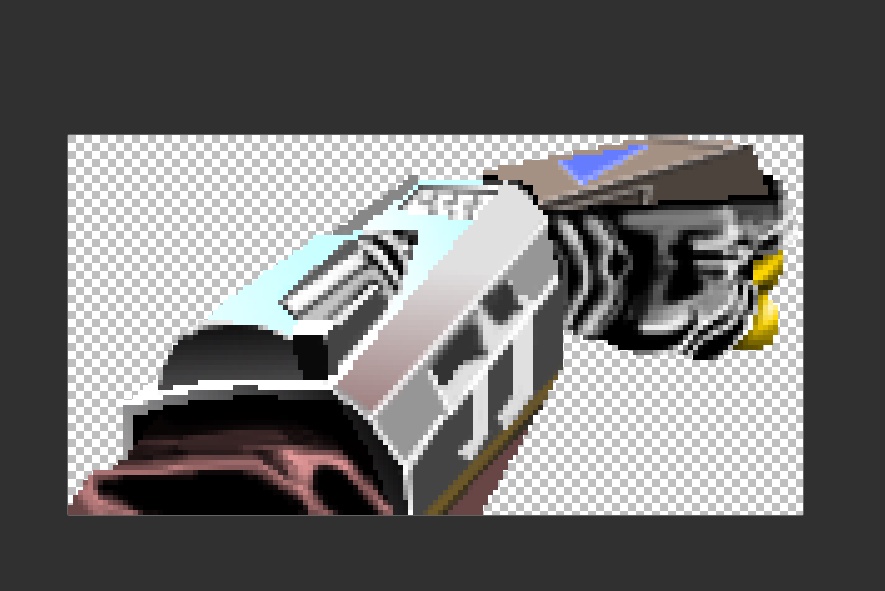
I've been staring at the ZDoom wiki for the past 30 minutes and all I want to do is change how long Berserk lasts and how much health it gives
->




 haughty flower
I've been staring at the ZDoom wiki for the past 30 minutes and all I want to do...
haughty flower
haughty flower
I've been staring at the ZDoom wiki for the past 30 minutes and all I want to do...
ok
snow hearth
Cute (/cuter) cacodemon
frail zealot

bold sage
frail zealot
<:SuperShotgun:744449057539358811>
damn bro really interesting map you got there
frail zealot
bold sage
damn bro really interesting map you got there
thanks i tried to make it look like a super shotgun
snow hearth
anyone know the height of the player in doom builder units?
haughty flower
I finally got the damn thing to work with a bunch of help on doomworld :v
so now I have a custom item with 20 seconds of fist damage and heals 25 hp
haughty flower

 glacial skiff
Expanding on the pseudo-3D specific to my branch of the engine
("Branch" in the extremely forgiving sense, i.e. "I'm not a brilliant visionary programmer but this is technically distinct from the vanilla engine")
haughty flower
Teach me your ways please
haughty flower
bold sage
nice
 willow frost
I have a question, Doom Zero... is that available for all platforms or only for PC?
bold sage
all platforms i think
willow frost
^ That is good news then
 cinder robin
haughty flower
cinder robin
haughty flower
epic
snow hearth
question: is there a way to stop demons from using teleports in Doom2 format?
bold sage
snow hearth
question: is there a way to stop demons from using teleports in Doom2 format?
maybe set the linedefs as block monster?
 hot cloak
Any1 knows why the CheckActorState keeps returning 0? There is ONLY 1 monster with the Tag/TID: 1; the script gets executed whenever I try to open a door. Ignore the comments, used them to check some values.
 young lotus
(tag, ACTOR_DEAD, 0) is what you’re talking about, or the solution? If not either, then... at least I tried to help.
hot cloak
the check in the non commented if(...) statement, but if you can tell me of either it would help me, because both (tag, ACTOR_DEAD, 0) and (tag, ACTOR_DEAD, FALSE) return 0;
young lotus
How do they return 0? Sorry, not a computer geek.
hot cloak
To make it clear, they return 0 when the monster is dead. A return value of 1 should be expected, right?
haughty flower
what do they return when the monster is alive?
hot cloak
young lotus
Is that what the other demons land at?
land?
young lotus
Return, sorry.
hot cloak
It returns 0 wether it's alive or dead. Tried with the ACTOR_ALIVE too, and it returns 0 regardless.
haughty flower
what is the "tag" variable set to
young lotus
If so, could the demon be Sin... or is there something that contradicts that? (Proof)
hot cloak
The "tag" variable is set to 1. That is the argument the script receives, and there is only 1 monster with the tag 1 in the map.
young lotus
Who?
haughty flower
maybe "ACTOR_DEAD" and "ACTOR_ALIVE" are the wrong inputs? idk really
hot cloak
they are the suggested inputs, when I try to write a state as defined in their classes it gives me a syntax error and force exits the script when it I execute it.
young lotus
If they’re all the same then that wouldn’t be right.
hot cloak
I'll try asking around in other discords too
haughty flower
maybe a different function should be used, like CheckActorProperty? idk im kinda just reading random wiki pages :P
young lotus
K, come back to us when you think you got somewhere.
haughty flower
you could try if GetActorProperty(tag, APROP_Health) < 1 but i found that function on the zdoom wiki so idk if it's also in regular doom
glacial skiff
Decorate and ACS are, broadly speaking, only available in ZDoom and do not exist in most other ports
(Speaking specifically of their use in Doom, that is)
hot cloak
haughty flower
you could try `if GetActorProperty(tag, APROP_Health) < 1` but i found that func...
yep, had the exact same thought
frosty cairn
I need help with doors
glacial skiff
What about them
frosty cairn
So I make the linedefs and the textures but I don’t se triggers
glacial skiff
??
frosty cairn
Oh
 sacred onyx
I need help with changing a floor texture in GZDoom
glacial skiff
If the line you want to be usable is part of the door, use the D1/DR type triggers
sacred onyx
As in, a floor turns to lava when the player crosses a linedef
glacial skiff
@sacred onyx What specials do you have available to use? Vanilla, Boom, etc
sacred onyx
I'm using GZDoom UDMF if that helps
glacial skiff
There are a few ways you can do this, the way I would suggest is via use of a dummy sector
frosty cairn
I did what you told me to and I booted it up and it took me to e1m1
sacred onyx
glacial skiff
There are a few ways you can do this, the way I would suggest is via use of a du...
I'm using a voodoo doll and conveyor to trigger linedefs to
a) lower the floor
b) raise the lighting level
c) add lava damage to the sector
frosty cairn
sacred onyx
I'm just not sure how to tell it to change to the lava texture
glacial skiff
Like so - the triangular part of the sector is joined to the top rectangular area (press J, then click on the inaccessible part first, then the accessible part second)
The sector immediately next to it has a lower floor height and lava texture; the line on the left side of the accessible part of that sector uses W1 Floor Lower to Lowest Floor (changes texture)
This will also assign a special if one exists in the lava dummy sector
sacred onyx
I don't really have W1 options available since I'm using UDMF
glacial skiff
Yes you do; W# is equivalent to the Player crosses over flag
bold sage
frosty cairn
Maybe you accidentally made a doom 2 map
glacial skiff
@sacred onyx Take a look at this example map to see how what I'm saying works
(Vanilla Doom2 map01)
sacred onyx
I'll give that a try
frosty cairn
bold sage
Maybe you accidentally made a doom 2 map
No I didn’t
frosty cairn
?
bold sage
What are you doing to load the wad
frosty cairn
Zdoom
bold sage
Like maybe thats messed up
frosty cairn
Or just doom on the resources
sacred onyx
sacred onyx
I'll give that a try
OK I see how it works in Boom, but I've got a different set of options available for GZDoom:
frosty cairn
bold sage
Like maybe thats messed up
I hear that zdoom (doom in hexen format) works
But idk how to get that file
bold sage
Thinking of mapping for boom, its basically vanilla with more features right
frosty cairn
I don’t even know what boom is
bold sage
frosty cairn
But idk how to get that file
Isnt it just an option at the start
frosty cairn
bold sage
Isnt it just an option at the start
Yes I think
bold sage
Boom is the grand dad of source ports
frosty cairn
Idk how to get the wad for that
bold sage
Its not a wad its a format
bold sage
If you want hexen its on steam
frosty cairn
I can’t get it
glacial skiff
Boom is not a format either, if we're being super pissy strict - Boom is just a source port that uses existing level data in interesting ways
frosty cairn
I don’t have enough money
glacial skiff
My man you have got more pressing matters to attend to if you don't have $5 to spend
frosty cairn
?
bold sage
I kinda impulse bought all the doom engine games but strife
Still havent played them, trying to beat final doom
bold sage
Doesnt that have classes
coarse yarrow
thats hexen
bold sage
Wait yeah i got them mixed somehow
bold sage
glacial skiff
(PSA, Play Shadow of Drangleic)
Elabourate?
frosty cairn
I’m just going to delete doom builder
sacred onyx
I've decided to just copy-paste my entire map into a new one that is set up for GZDoom (Hexen) instead of UDMF
bold sage
Banned for self promo 
glacial skiff
Ah right, one moment
Literally binary-identical
Anyway, Heretic mini-episode I made
bold sage
Nah it was just a joke lol, i dont think sharing a map in #classic-doom-maps-mods isnt ok
sacred onyx
I've shared a vanilla Doom map in here before lol
haughty flower
Yall I just had an idea
We get 32 amateur builders together from this server
and make a whole megawad together
:0
bold sage
Sounds terrible and great
glacial skiff
Can't go wrong with limit-removing
coarse yarrow
^
haughty flower
^
I was going to say Boom-Compat myself.
But Limit-Removing makes more sense.
||Also Limit Removing and Boom-Compat are different because Limit removing is just the original game without any major changes and Boom has stuff like conveyer belts and stuff||
So dont yell at me
coarse yarrow
yes, i know
well, if you can get 31 others, let me know, I'd be down to participate