#classic-doom-maps-mods
1 messages · Page 11 of 1
 onyx scroll
did you install it with a package manager or did you install the portable version on the website?
 haughty flower
I got ubuntu
onyx scroll
haughty flower
I got ubuntu
I asked if you were running a different OS a while ago that would've helped to know then
haughty flower
Oops
onyx scroll
ok
navigate to the directory where you have the brutal doom pk3 file
open up the terminal in that directory
replacing [filename] with the name of the brutal doom file, type gzdoom -file [filename]
haughty flower
So how would I write this it’s in my files > Linux files> new folder
onyx scroll
just use the visual file explorer in Ubuntu
there most likely is a option to open the directory in the terminal
haughty flower
Oh how do I do that
onyx scroll
if not you'll just need to CD into the folder manually
haughty flower
I don’t get this 😔
onyx scroll
I'm not sure where the "my files" folder is in Ubuntu
haughty flower
I just found something interesting
onyx scroll
so I cannot tell you at all where it is
haughty flower
 onyx scroll
how were you even able to run and play GZDoom, then?
haughty flower
IDK
onyx scroll
whatever, must be defaulting to the software renderer then
onyx scroll
the vulkan thing isn't an issue right now
if you can run GZDoom it's defaulting to something else your hardware can support
haughty flower
Hmm
onyx scroll
can't you right click and press something like "open in terminal" when you have a folder open?
or is that just not a thing in that DE's file manager?
haughty flower
I don’t think so
onyx scroll
great
haughty flower
It’s fine dw
onyx scroll
there might be a directory bar in the file manager that you can get the current directory from?
if so, just CD into that in the terminal
 brittle lily
i have invented my own randomization system using just the decorate and mapping tools
no scripts or anything
it can pick out any letter of the alphabit randomly+ mickymouse as a 1% chance
I have prepared a visual video to show how it works
Should be ready in 4 minutes
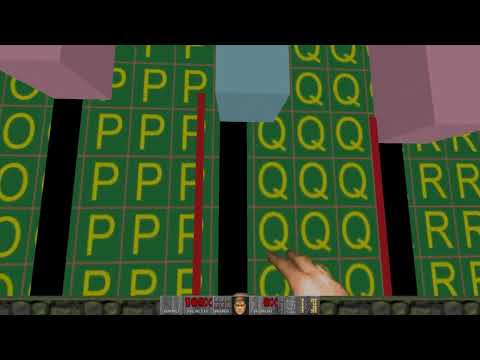
Uses only the GZDOOM decorate (No scripts), sector wind, 3d sectors, and linedef pass actions. Letter Displayed is determined by the letter actor passing line-defs that raise and lower the 3d sectors of that letter (all letters 3d sectors are under the white letter display area by default out of view, and are raise and lowered in/out of view b...
brittle lily

But yeah thats the system i made, i might upload the wad its in but idk if i will tho.
okay bye guys!, tell me what u think later!

 white saddle
 normal holly
found an interesting way to use the icon of sin's monster spawner and a couple of cyberdemons, only tested it in prboom so prboom recommended
haughty flower
onyx scroll
if so, just CD into that in the terminal
i finally got it working
i can get any mod working now
 trail jolt
ANNOUNCING - AARRGHH! Redux
An upcoming mapset made by yours truly that aims to take the 1994 WAD "AARRGHH!" (https://doomwiki.org/wiki/Aarrghh!) and revamp, keeping mostly the same layout as the original maps but now a little more detailed and rebalanced. I originally started working on AARRGHH! Redux a while back, but gave up while experiencing burnout. Now I'm back working on this second instalment in my Redux series. Some preview screenshots of the first map:


DoomWiki.org
Aarrghh! is a Doom PWAD by Oleg Tolstkhine and Alex Korobka that was released in June 1994. It was intended to be a full episode replacement for Knee-Deep in the Dead, however, only four levels were completed, with the rest being placeholder maps.
Also, here's the first in the series for anyone curious: https://www.doomworld.com/idgames/levels/doom/Ports/m-o/origwadredux
I'll be posting progress updates on this server as I continue development, so stay tuned if your interested! Also, feel free to ask questions, as I'm still quite unsure of the series' future myself lol
brittle lily
 haughty flower
I'm terrible
haughty flower
 half pivot
Flamethrower Marine

 vestal bear
gzdoom on steamdeck feel so good with gyro OMG 
 flat python

Ghosted - DOOM's Most Disturbing And Psychotic Mod.
In today's Doomsturbing episode, we are going to dive into one of the oldest, and most insane DOOM mods out there on the internet. Enjoy.
Get 10% off Gamersupps here: https://gamersupps.gg/Midnight
Join The Patreon here: https://www.patreon.com/midnightspartan
Video:
Ghosted DOOM
Ghosted D...
 onyx reef
Doomworld
HELLOOO DOOMWORLD. This is my first post! Anyways, so I had a cool idea where I would make a Doom 2 Map out of your ideas. Inspired by that one gmod map. Well start with a map with nothing in it but you will comment suggestions and ill add them into the map!! every day (or whenever i feel like it...
so im making a doom wad out of people suggestions
you can suggest on the forum topic
 solar mica
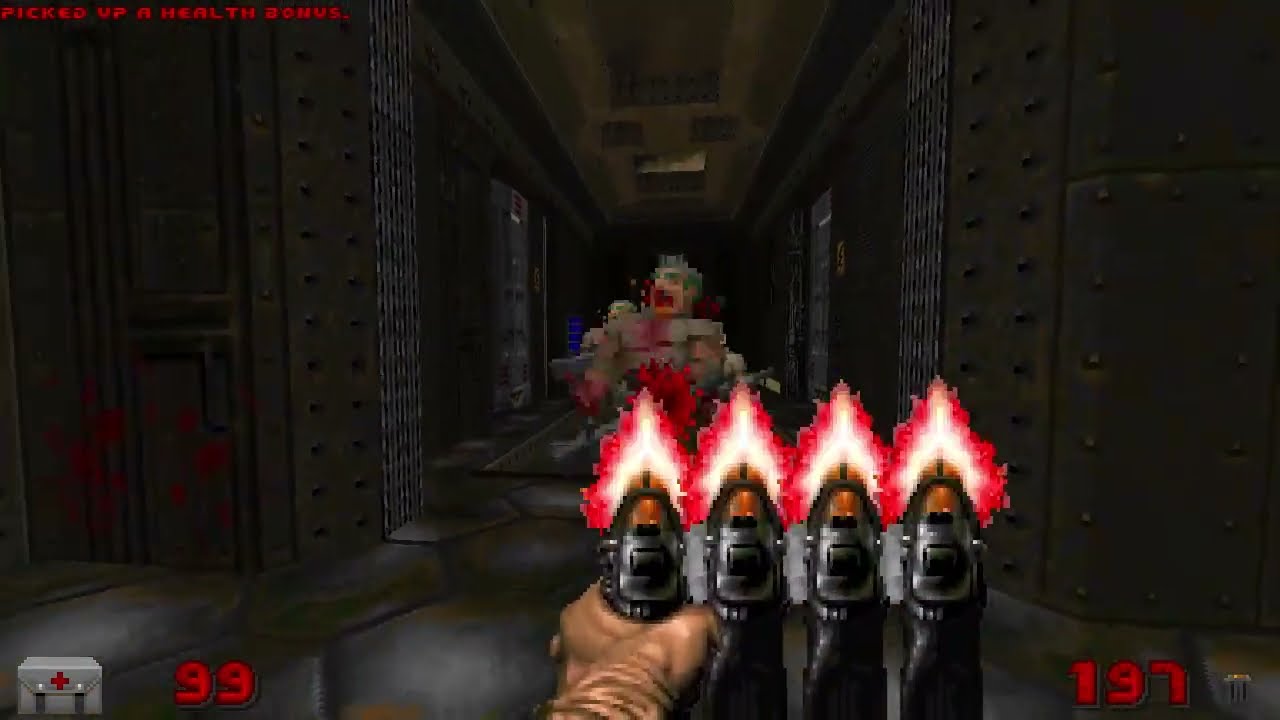
Use more gun. and more gun. and more gun. and more gun. and more gun.
oh hey guess what, new mod: https://darsycho.itch.io/modohextrafun
happy april 1st. :)
PeerTube Mirror ► Coming soon...
#gzdoom #doommod #doommodding #doom2 #doom2mod #modding
My social links 'n stuff:
Mastodon: https://m...
 brave hemlock
solar mica
https://www.youtube.com/watch?v=KA5EOANPjFM
brave hemlock
solar mica
https://www.youtube.com/watch?v=KA5EOANPjFM
SUPER PISTOL
 shut flicker
That’s the shotgun with extra steps but ayy lmao
 bronze jewel

Are you prepared?
Pleased to announce, BIOPUNCH Arena is now in alpha and coming at you hard.
No joke. Grab two fistfuls of demo on Discord starting April. Join up: https://discord.gg/NmX8Z9zEsR
Code: @DoomKrakken
Art: @Golemrider
Level: @Zanieon
Music: @Nabroc
Advertising: @wyl
[This game is in alpha, in development, and changing daily. Th...
[made in GZDoom]
brittle lily

a level i made. here is wad
(was made in slade and tested with gzdoom)
for doom 2 hell on earths
recomended you lower music to 1/4 the max volume before play
 loud crow
why is everything transparent tho
haughty flower
 solar brook
 sterile schooner
<@&162901871168585728>
sterile schooner
<@&162901871168585728>
Cheers!
sterile schooner
Thanks!
 urban mango
https://www.doomworld.com/forum/topic/144261-fucking-unfair/
If you're up for a challenge

Doomworld
APRIL FOOLS Enjoy 7 brutal Not Even Remotely Fair map remixes! Use of saves is absolutely recommended... ...although these maps arent unbeatable without them. FU.zip Runs standalone, includes FU-Widescreen.wad for widescreen graphics and complete demos for each map.
 runic breach
i love this title
urban mango
For study or for a project?
 lusty dove
admins?
urban mango
I hit report but it did fuck all
 royal wave
👍
 keen valley
Got a question, I guess it would go here. When making midi's, if I wanted to pitch bend them, how would I do that in FL? Cause I'm not using a midi piano, just keyboard and mouse.
lusty dove
keen valley
Got a question, I guess it would go here. When making midi's, if I wanted to pit...
are you using midi out channels?
keen valley
lusty dove
are you using midi out channels?
Yeah, I'm doing it a bit different tho, instead of all the instruments in one channel going through fruity LSD, each instrument has its own separate channel with LSD
keen valley
I know how to make the middies, cuz I've been doing it for a little bit now, the only thing that I am stuck on is the bending part
lusty dove
anyways, you can just do a pitch automation clip as you would normally in FL
keen valley
Like I have an idea of how to do it but I feel like it's wrong
keen valley
lusty dove
anyways, you can just do a pitch automation clip as you would normally in FL
God I'm an idiot, I was just blindsiding that, thank you for pointing out my ignorance lol
lusty dove
make sure you have this enabled tho
 keen valley
Oh. Never noticed that, and then I'm assuming that's what the knobs are in those???
lusty dove
no idea what those knobs are. never touched them, never have had to lmao
keen valley
Gotcha. Keep not touching them lol
lusty dove
probably some outdated feature that was used by certain midi devices back in the day
keen valley
Would I have to have a separate channel specifically for bend parts, or do I just put that on the channel as a whole in case I want to bend any parts in that playback
keen valley
Empire using the wrong terminology cuz I'm not in my desk at the moment. I meant the pattern
Let me go to my computer real quick to get a screenshot of what I'm talking about
keen valley
lusty dove
wdym by channel?
would the bends go with my rhythm chanel, or would i make a new chanel specifically FOR the bends
 lusty dove
nah just do pitch automation on the channel for the instrument that you want to bendd
just make sure you put the pitch back to normal after the bend, and you will be fine
like these are some bends from a non midi fl project of mine
 lusty dove
just right click on the pitch knob

the parameter you are automating is fine pitch, not note
lusty dove
no problem
brave hemlock
no fkn way fl studio mentioned
also if you want it to be automatic you could make a peak controller on any empty mixer track and fiddle around with the LFO values
then link that to controller
 dense pine
does anyone know if you can add custom textures to eureka doom?
sterile schooner
Depends what Eureka Doom is
onyx scroll
sterile schooner
Depends what Eureka Doom is
it's some map editor apparently
sterile schooner
Damn I thought it was just a wad
Yeah idk if I'm gonna be able to help Damashi here
keen valley
where would I be able to download NoRestForTheLiving so i can run it in GZDoom
sterile schooner
Use doomworld
brave hemlock
just use udb
brave hemlock
dense pine
does anyone know if you can add custom textures to eureka doom?
to this
onyx scroll
brave hemlock
just use udb
They might be on Linux, if so Eureka is almost the only map editor that can run natively on it
UDB is apparently not that stable running in Wine
brave hemlock
oh right
i thought udb had a native linux version
yeah there is

GitHub
Comprehensive map editor for Doom, Heretic, Hexen and Strife based games. Works best for ZDoom-family ports while also supporting classic engines. Based on GZDoomBuilder by MaxED & Doom Bui...
idk if there's a binary but building it doesn't seem super difficult
onyx scroll
brave hemlock
https://github.com/UltimateDoomBuilder/UltimateDoomBuilder
Forgot about building from source my bad
runic breach
brave hemlock
certainly one of the downsides of linux
compiling c is so much easier on linux
brave hemlock
that i do agree with
compiling anything on linux is easier because you can just get packages and libs from your package manager
on win you have to download them from websites or idk use scoop or nuget or whatever but thats more janky than linux
or yknow wsl
brave hemlock
thats a good idea
 tight ermine
hi all, just had a quick question
for umapinfo bossactions, does it wait until ALL of the monsters of x type are dead or does it wait for just one?
I'm trying to make my final boss basically just 3 cyberdemons, but dont want the bossaction to start until all three are dead
I'm using DSDA/Boom so theoretically I could script it myself but I want to make it as "vanilla" as possible
Nevermind, turns out this was literally just as simple as adding bossaction = cyberdemon, 11, 666
it does indeed wait for all three to be dead before calling the linespecial
suppose i could have tested this myself instead of asking an inactive discord channel at 1:30am :KEKW:
lusty dove
tight ermine
for umapinfo bossactions, does it wait until ALL of the monsters of x type are d...
all
 low coyote
tight ermine
suppose i could have tested this myself instead of asking an inactive discord ch...
low coyote
tight ermine
suppose i could have tested this myself instead of asking an inactive discord ch...
Lol your emoji doesn't work
bronze jewel

Presenting raw and uncut gameplay footage of BIOPUNCH Arena, the first-person brawler game from KNIFERUN Interactive.
If you like what you see, join up on Discord to download the demo files: https://discord.gg/JFRqFgfJdH
Twitter: https://twitter.com/KNIFERUN_Int
Patreon: https://www.patreon.com/KNIFERUN
#BIOPUNCH #gaming #games #indiedev #bru...
 pearl bridge
i beat the impossible challenge in after doom after about 375 tries and all i got was this
 brave hemlock
the fact that beating it is not enough of a reward already is kind of sad
games used to be fun
runic breach
brave hemlock
the fact that beating it is not enough of a reward already is kind of sad
what
its a funny impossible challenge in a mod 😭
brave hemlock
maybe I didn't word it correctly
i think this cool ass screen is enough compensation, it's a personal message from the developers
 neon sky
What is THE hardest WAD you've ever played? Here are mine:
Sunder - only gotten through to level 12
Combat Shock 2
Scythe 2
Italo Doom - still haven't beaten it
runic breach
played or beaten
played is okuplok and profane promiseland
beaten is like, first few maps of slaughtermax
trail jolt
trail jolt
**ANNOUNCING - AARRGHH! Redux**
An upcoming mapset made by yours truly that aim...
hey everyone, been a little while since I announced my latest project AARRGHH! Redux, but ive made some progress on it. ive actually been on holiday, so i couldnt work on it for a while. i work off of feedback, so im going to publish an early version of the wad here; when i say early, i mean really early. yes, im aware the map isnt finished, but i just want feedback on what ive done so far.
I test in GZDOOM, so I dont know how it will play on other source ports. Enjoy, and I welcome any feedback you may have.
trail jolt
thanks. ill try yours out in a bit
onyx scroll
trail jolt
I test in GZDOOM, so I dont know how it will play on other source ports. Enjoy, ...
just so you know, it does work on Woof.
trail jolt
good to know
trail jolt
vestal bear
nice i like it
Okay, just finished MAP01. It's pretty good so far, nice texturing, albeit the dim lighting makes a lot of textures difficult to see. Also, this room is softlockable, so be careful. I think one of your door open line actions isnt quite working.

Also, this secret is impossible to obtain due to some invisible barrier.

And lastly I believe this is also softlockable (the "lift" thingy didnt work, so it may be broken.)

I found your usage of floor raise and lower actions compared to regular lift actions perplexing, but interesting. They certainly caught me offguard. The arena area is fun, being able to zip around with a secret super shotty, but i feel that it could use with some detailing (theres one wall thats completely bare, maybe some pillars?) and also the way to the arena is a little obscure (i only found it after iddt). There's more I could say, but I don't want to give too much feedback, so ill leave it here for now. Great work!
one last thing, were these maps designed to utilize GZDOOM's jumping and crouching? just curious
vestal bear
yeah didnt add the flashlight in the pack right?
it intended to be played with the flashlight
trail jolt
i see
vestal bear
trail jolt
nice choice of texture pack too
overall, great experience. i look forward to seeing how this wad does in the future.
vestal bear
trail jolt
Also, this secret is impossible to obtain due to some invisible barrier.
thank you for the feedback! i really appreciate
i dont have much experience and still dosnt know UDB well.. but im learning everyday and i love this so much lol
vestal bear
trail jolt
one last thing, were these maps designed to utilize GZDOOM's jumping and crouchi...
yes
its should have a text files attached that says so. but maybe i didnt add it

 gentle edge
Hello
vestal bear
trail jolt
Also, this secret is impossible to obtain due to some invisible barrier.
are you referring to this room?
trail jolt
possibly
vestal bear
you need the red acces key to acces.. or jump across the window
its intended to be locked after you enter
trail jolt
okay. thats good as long as theres a way to get out even without the red key.
vestal bear
gentle edge
Hello
hi
gentle edge
How you doun
vestal bear
trail jolt
okay. thats good as long as theres a way to get out even without the red key.
yup 🙂
that why the door where lies the yellow key is locked on the side you come from but will be open from other side
vestal bear
gentle edge
How you doun
doin fine n you?
trail jolt
try asking in the doom 2016 channel

 real ocean

 trail jolt
**ANNOUNCING - AARRGHH! Redux**
An upcoming mapset made by yours truly that aim...
trail jolt
trail jolt
**ANNOUNCING - AARRGHH! Redux**
An upcoming mapset made by yours truly that aim...
Just working on my latest maps (go to original message for more context) and just wanted to check with you guys on how it looks. I think its okay, but I want to know what you guys think


 vestal bear
looks good man
 teal wyvern
trail jolt
Just working on my latest maps (go to original message for more context) and jus...
teal wyvern
trail jolt
Just working on my latest maps (go to original message for more context) and jus...
oooh this looks pretty interesting, giving episode 1 vibes
 pine axle
trail jolt
Just working on my latest maps (go to original message for more context) and jus...
pine axle
trail jolt
Just working on my latest maps (go to original message for more context) and jus...
That looks so 
vestal bear
been working that map tonight again.. deleted some elements.. added some portals...
also added googles at certain location instead of relying on flashlight mod
trail jolt
thanks for all the positive feedback, it really does help motivate me to keep going with my projects. ill update you all in the future.
trail jolt
since im in a positive mood this morning, i thought id release another early version of the project, this time with the room from the screenshots and a new outside area i made in about half an hour. I'm also releasing another version since I didn't get much feedback with the last one. Yes, I know the map isn't finished, this is just for feedback. Thank you in advance, and feel free to request feedback for your own WADs, I love playing newcomer maps.
also, im about a third of the way done with E1M1, so you know
 quick wedge
Anyone know any Good mods for the first doom game
onyx scroll
quick wedge
Anyone know any Good mods for the first doom game
I’ve heard praise of Doom Infinite if you want gameplay mods.
Sigils 1 and 2 are pretty good and challenging maps as well
 quick wedge
onyx scroll
I’ve heard praise of Doom Infinite if you want gameplay mods.
Sigils 1 and 2 are...
quick wedge
onyx scroll
I’ve heard praise of Doom Infinite if you want gameplay mods.
Sigils 1 and 2 are...
Thanks I want to try doom infinity
trail jolt
For the first DOOM Game, there's also Base Ganymede, a three episode megawad if your looking for more of a challenge.
trail jolt
I also just tried DOOM Infinite for the first time, and its fun! But tough... Can't even make it 5 maps...
Can't wait for the full version!
haughty flower
I got my mod working on the doom mod suite!
what happened was, I had to set the format to boom map format in order for it to work on both prboom and the doom unity port
haughty flower

You need the essential tools
-Ultimate Doom Builder
-Your copy of doom
-Slade 3 (Optional)
- Open doom builder
- New map.
- Set Map format to Boom (or else it won't work on the unity port.)
- Make a map, yo!
- Place the wad, you've made into the saved games steam folder for doom
- open doom, and when the wad is show on the mod suite, togg...
vestal bear
GZdoom ---> extract and drag both files over gzdoom.exe.. setup key for flashlight in menu
reworked both map, let me know what you guys think
thanks in advance
haughty flower

 hollow inlet
how do i turn the front side of a linedef?
 onyx scroll
hollow inlet
how do i turn the front side of a linedef?
onyx scroll
hollow inlet
how do i turn the front side of a linedef?
select the linedef and press F
haughty flower

I'd like to thank
@TimGaukerToons
For encouraging me to make this mod.
hollow inlet
how do i make sky textures not look like shit?
hollow inlet
i have this line def (tag 2) and a door tagged 2, you walk over it, the door opens.
well, ment to

why doesnt it work ;w;
solar brook
hollow inlet
i have this line def (tag 2) and a door tagged 2, you walk over it, the door ope...
did you check the trigger properties of it?
Also, doesnt look like they are properly connected, check if you assigned the correct tag to the linedef
hollow inlet
solar brook
did you check the trigger properties of it?
ok the room isnt ment to be tagged too ignore that
 hollow inlet
allright
hollow inlet
solar brook
well, it appears to be connected now but it still doesnt do anything

actually, maybe the linedefs just arrent registering?
solar brook
The void here might be the problem, but its been a while, i could be wrong

 solar brook
oh, yeah, you need to pass it with your whole body
hollow inlet
yea
solar brook
just lower the platform and see if it works
hollow inlet
it doesnt
solar brook
i always only ever used zscript for all doors, platform height etc.
Allowed me to control actions so much better
hollow inlet
well what now
solar brook
wanna send the .wad here? Im actually curious myself why it doesnt work
solar brook
gzdoom udmf right?
 solar brook
Raise the ceiling in that area in 3D mode, its on floor level  @hollow inlet

THe door as no "Ceiling Height" to open to
hollow inlet
ah.
hollow inlet
solar brook
Raise the ceiling in that area in 3D mode, its on floor level <:KEKW:84254395631...
oh, is that why the first door (where you spawn) takes a short moment before its out of ground
cuz you open it and its in the ground for like half a second lmao
uh, wdym
 solar brook
haha got me puzzled too at first
solar brook
Your welcome! Glad we got it fixed 
hollow inlet
solar brook
Your welcome! Glad we got it fixed <:MarauderAyayaya:794067902122819645>
yea ^^
hollow inlet
hollow inlet
oh also since youre here uh, whats with the sky textures
nvm, it fixed itself?
yesterday the sky textures were all.. well crappy im gonna say lol
solar brook
Sky textures are dark magic to me lol
hollow inlet
yeah
solar brook
in tried to understand them, change them etc.
Its just a nope for my brain lol
hollow inlet
awesome! it works now (the door thing)
solar brook
yeeey
hollow inlet
hollow inlet
no i think its this
oh also, it works like this too

 solar brook
Takes some time to get into, but you can do multiple things with one linedef, which is pretty cool
hollow inlet
mmhm
solar brook
hollow inlet
btw, should i increase the ceiling height?
uhhh dunno, the "brown poopy void" in the middle isnt something u can change rly. You would need to replace the sky texture with something different.
Keep in mind, they were made back when "looking up" wasnt even a thing yet
solar brook
what was the question again?
hollow inlet
the door is in the ground
solar brook
the ceiling height is lower that the floor height
Doors are basically just moving ceilings and not "actual doors"
hollow inlet
yea
solar brook
Fly "under the map" in 3D mode, click the ceiling and scroll up, until its on the same level as the ground
hollow inlet
cant see anything, if i look under, theres just black

 solar brook

hollow inlet
yeah
do you even fit through these?

actually.. maybe i should just like, test that lol sorry
ok better question, how do i actually align these, the upper-unpegged thing doesnt do anything :3c
 solar brook
What you can also do, to make doors look better is something like this


so they dont go all the way
hollow inlet
oh did you make two ceilings next to the door to make it only go so high
solar brook
yeah :D
hollow inlet
i see, nice :3
hollow inlet
solar brook
can i like, dm you or smth incase i need help again or
solar brook
hollow inlet
can i like, dm you or smth incase i need help again or
just ask for help here in this channel or try pinging me, i try to keep my DM's as clear as possible, nothing personal
hollow inlet
solar brook
just ask for help here in this channel or try pinging me, i try to keep my DM's ...
aight fair enough
oh also small thing but is there like a button or smth for unselecting everything selected
solar brook
C > Clears every selection (At least in 3D mode? u gotta try if it works in normal 2D mode too)
And
CTRL + A or SHIFT + A was it? Selects everything/multiple things
its been a while since i played around with making maps
hollow inlet
solar brook
C > Clears every selection (At least in 3D mode? u gotta try if it works in norm...
C works in both
thanks :3
solar brook
Ur welcome!
@royal wave is probably one of the most skilled mappers that i know, but that bloke is always busy with something
btw. hi kevans :D
hollow inlet
well there he is
royal wave
I'm definitely not a skilled mapper, lol
solar brook
He helped me learn the basics of mapping, great guy
solar brook
royal wave
I'm definitely not a skilled mapper, lol
maybe not mapper, but you know how all that stuff works pretty much no?
royal wave
Yeah, basics. That's all I know. I'm a programmer, lol
solar brook
royal wave
Yeah, basics. That's all I know. I'm a programmer, lol
Hows the gardevoir project going?
hollow inlet
what ceiling do i use here aaugh
 solar brook
i hope i spelled that right
hollow inlet
i believe you did
royal wave
solar brook
Hows the gardevoir project going?
Uh it's been on version 1.4 for over a year and I've moved onto other things
solar brook
hollow inlet
what ceiling do i use here aaugh
Try to find a "theme" of your map and keep it consistent i would say, try yourself out
hollow inlet
solar brook
Try to find a "theme" of your map and keep it consistent i would say, try yourse...
well so far its.. uh.. rock with sky lol
sterile schooner
You could always mix some stuff
But I'd say it's good to keep 1-2 themes in your map
solar brook
sterile schooner
You could always mix some stuff
Technobase + Rocky Mountains, les gooooo

sterile schooner
Classic Doom tends to do stuff like that
hollow inlet
awh hell yea
sterile schooner
Techbase + castle comes to mind easily here but you can try some more outlandish stuff
royal wave
royal wave
Uh it's been on version 1.4 for over a year and I've moved onto other things
This was my latest project release: https://www.youtube.com/watch?v=vcSJdVDNLZk

Requires GZDoom 4.11
Support me on Ko-Fi: https://ko-fi.com/kevansevans
Download on Itch.io: https://kevansevans.itch.io/gzchaos
This is a chaos mod made for Doom and Doom 2
but otherwise, been a code monkey for other projects. Working professionally on Relentless Frontier
hollow inlet
solar brook
Try to find a "theme" of your map and keep it consistent i would say, try yourse...
haiii uh
how do i make this an elevator?

(unless theres a button for it like for doors lol)
solar brook
not at home right now
hollow inlet
solar brook
not at home right now
nw
 pastel elbow
for modding beyond simple map-making, do you guys ever have to deal with jank code and setups when doing stuff?
brave hemlock
naturally
hollow inlet
oh boy
lusty dove
pastel elbow
for modding beyond simple map-making, do you guys ever have to deal with jank co...
You should see boom voodoo doll setups
hollow inlet
how do i make a teleporter?
theres no height difference, so it cant be because doomguy is too thicc and it doesnt register.
yet it doesnt work
 vestal bear
you know theres plenty of tuto online right?
hollow inlet
vestal bear
you know theres plenty of tuto online right?
then why have this chat in the first place?
onyx scroll
hollow inlet
theres no height difference, so it cant be because doomguy is too thicc and it d...
You probably already found resources but if you (somehow) still didn’t, you want to make the linedefs of the teleporter have one of the two linedef specials for teleporters and set its tag to the same one as teleportation location thing you intend for the player to teleport to
hollow inlet
onyx scroll
You probably already found resources but if you (somehow) still didn’t, you want...
lemme send you a vid
(the things on top are just stuff i tried out, not sure i need em lmao)
the linedefs also have the same teleport special and teledestination tag thing
onyx scroll
That video honestly shows me nothing
hollow inlet
...fair enough
onyx scroll
Hold on, gimme a second to remember this mentally
hollow inlet
 onyx scroll
The sector that the teleport destination is in needs the tag as well as the linedef that triggers the action
onyx scroll
Not at home right now
hollow inlet
ah, allright
onyx scroll
But yeah, go into sector mode and go to the sector the destination is in
hollow inlet
okay, so.. now?
 onyx scroll
It looks fine
hollow inlet
augh
onyx scroll
hollow inlet
Ok, what’s that thing within the teleporter seen here?
It does not look like a destination point at all
hollow inlet
 onyx scroll
It has one in the top right one, not the one you are centered on
hollow inlet
uh..?
onyx scroll
Remove that sprite in that teleporter
That might be causing a clash but I could be wrong
And not that destination
hollow inlet
okay
hollow inlet
onyx scroll
Remove that sprite in that teleporter
so remove both sprites/things in both teles?
hollow inlet
oh (also yea it didnt work)
onyx scroll
That thing is apparently a destination from what I can kinda see
hollow inlet
 onyx scroll
I’m not familiar with GZDoom mapping at all
hollow inlet
onyx scroll
I’m not familiar with GZDoom mapping at all
oh i see .w.
onyx scroll
Just look up tutorials man
hollow inlet
okay
onyx scroll
You’re honestly just gonna waste your time here trying to waiting for adequate help
hollow inlet
allright
do you know how to add a song to a map tho? (sorry if this is annoying you or smth)
since i renamed my wad it just doesnt have one atm .w.
onyx scroll
You’d wanna put the MIDI into your wad using Slade
hollow inlet
allright
onyx scroll
And then look up the ingame track name for the level you want
hollow inlet
kk
onyx scroll
You’re mapping with Doom 2, right?
hollow inlet
oh also one last thing, the uh map name on the menu screen or whatever, how do i make it not unknown
onyx scroll
hollow inlet
oh also one last thing, the uh map name on the menu screen or whatever, how do i...
Map name on the menu screen?
hollow inlet
onyx scroll
Map name on the menu screen?
yknow, when you finish the map and it shows you the name
onyx scroll
I gotta remember that all
hollow inlet
ah okay
onyx scroll
All I remember is that you change a sprite using Slade
hollow inlet
kk
onyx scroll
But anyways, use this as reference for the lump names for the tracks
DoomWiki.org
The soundtrack of Doom II consists of music in MUS format composed by Robert Prince. 21 distinct tracks are present. At least some of these are known to have originally been written for Doom. Two of the tracks are re-adapted by Prince from his earlier work on Wolfenstein 3D.
GZDoom can also run MP3s if I’m correct so you can use those as well
hollow inlet
kk
 steep venture
Hey looking for help on getting the brutal doom soundtrack to work.
I watched a video on how to do install everything regarding the brutal doom mod, yet for reasons i do not understand when i play brutal doom i'm not hearing the brutal doom soundtrack i am only hearing the vanilla stuff, i'm wondering if the video i watched skipped a step.
Can anyone help me with this?
lusty dove
steep venture
Hey looking for help on getting the brutal doom soundtrack to work.
I watched a ...
Brutal doom does not come with a soundtrack, it is simply a gameplay mod. There is no one official brutal doom soundtrack, just a few unofficial ones that people have made, so you have to find the download for the specific one that you want
hollow inlet
does anyone know the reason for doors "opening" like.. this?
solar brook
hollow inlet
does anyone know the reason for doors "opening" like.. this?
Lower/Upper unpegged on the texture?
hollow inlet
solar brook
Lower/Upper unpegged on the texture?
lemme try
hollow inlet
solar brook
Lower/Upper unpegged on the texture?
it has lower unpegged
ah, thank you
solar brook
hollow inlet
it has lower unpegged
that was your issue.
hollow inlet
yea
oh btw that wad is done now ig (except for the teleporter which i dont understand..)
apart from maybe some lighting
steep venture
lusty dove
Brutal doom does not come with a soundtrack, it is simply a gameplay mod. There ...
I think i know what you're saying, i just need to find the one that works, thank you.
lusty dove
steep venture
I think i know what you're saying, i just need to find the one that works, thank...
What I'm saying is that there isn't just 'one'. There is no brutal doom soundtrack. There are multiple different soundtracks that people have made for brutal doom
So you need to figure out which one is the one that you are looking for
steep venture
Nevermind i got it fixed and found the issue, thanks anyway!
hollow inlet

 hollow inlet
seems like it could be doom
 solar flower
My main inspiration for this map is E1's tech bases
hollow inlet
seems like it
solar brook
solar flower
Good or bad?
ohhh i like it!
Old project of mine
Sadly lost to data loss :(


And yes i totally had permission to use andrew hulshult's music for the video 
solar flower
solar brook
ohhh i like it!
Note that it's made in Vanilla Doom format
solar brook
pog!
hollow inlet
solar brook
Old project of mine
Sadly lost to data loss :(
oo sick
trail jolt
Not feeling so great today, so I thought I'd publish another early version of my project in case anyone wants to try it out. I'm looking for feedback both positive and critiques. Thank you for your time, it really helps my motivation and the project improve.
hollow inlet
uh.. what are the causes for walls sometimes not.. existing?
 hollow inlet
trail jolt
the ceiling height is set to 0
hollow inlet
trail jolt
the ceiling height is set to 0
but when i do that, the door goes up with it
trail jolt
it could be that the sectors are joined. when you select it, does it select the sector and the door?
hollow inlet
lemme check later .w.
haughty flower
Custom Face Sprite
Uzi from Murder Drones
 hollow inlet
nice hehe
 void willow
haughty flower
Custom Face Sprite
Uzi from Murder Drones
void willow
haughty flower
Custom Face Sprite
Uzi from Murder Drones
Noice
 quaint musk
alright, i need help with smth
been playing that Postal: Red Letter Day mod, with GZDoom. The weapons require reloading, and I cannot for the life of me find the key to reload. I pressed my entire fucking keyboard I'm going nuts. It's not in the mod's custom controls either
Doomworld
It really has been 8 months since I posted here, hasnt it? damn. Anyways, heres dumping of some things Ive done over those 8 months, shall we?: New name! Since the old one was pretty shit (POSTAL was always 3D technically, and I think this portrays its going to be a brand new experience more) (al...
 marsh tapir
https://www.youtube.com/watch?v=8jL3ZskbTLg&t=4s interesting mod/level.. 'Doom 3' doom 2

Walkthrough of the great wad with D3 designs. Mod converts all enemies, weapons and items into those from Doom III. Works perfectly with that wad.
Also there was no proper replacement for Arachnotron and Baron of Hell, so I added a few lines to the code and now you can encounter new Arachnotron and Bruiser naturally.
The reason why I dodge and t...
 tropic bridge
anyone know how to enable coop enemies in gzdoom? preferably while running a mod like brutal doom
i'm trying to use windows powershell as explained in decino's multiplayer enemies video but i can't access my GZdoom link on it ("C:\Users[user]\Downloads\GZDoom")
onyx scroll
tropic bridge
anyone know how to enable coop enemies in gzdoom? preferably while running a mod...
Is that the exact path you’re entering?
If so, that’ll be invalid
tropic bridge
i can't even enter that, that's where i'm TRYING to get (i think)
it's showing me "PS C:/Users/[user]>
i have no idea what im doing ngl
lusty dove
if anyone is familiar with mbf21 dehacked, im struggling with something
im trying to make an enemy that throws grenades
but when I call A_MonsterProjectile with a projectile that does not have the MISSILE flag, but the BOUNCY flag instead, it just drops straight down instead of going at the player
i could use A_SpawnObject instead and give it forward velocity
but then it wouldnt be able to vertically aim at you
 paper cliff
haughty flower
Custom Face Sprite
Uzi from Murder Drones
paper cliff
haughty flower
Custom Face Sprite
Uzi from Murder Drones
That's not DOOM. Oh you silly goot
 finite silo
how do i fix this
im trying to play gzdoom but this error always appears
 lusty dove
finite silo
how do i fix this
im trying to play gzdoom but this error always appears
lusty dove
finite silo
how do i fix this
im trying to play gzdoom but this error always appears
what is your graphics card?
finite silo
idk but its integrated into my laptop
lusty dove
you can check in task manager
go to task manager, go to the performance tab, and see what it says under GPU 0
and if there is a GPU 1, what that is too
finite silo
AMD Radeon(TM) RX Vega 10
lusty dove
huh, seems like it should support vulkan
try selecting opengl instead of vulkan on this screen
 finite silo
how do i reach that screen? i never see it
lusty dove
how do you start gzdoom
finite silo
i launch it through steam
finite silo
it doesnt appear
lusty dove
even when you run from the exe instead of steam?
finite silo
yes
lusty dove
huh
solar brook
On Steam:
Rightclick on it > Properties > Launch Options > +vid_preferbackend 0 or +vid_preferbackend 1

@finite silo
Based on the launch parameter documentation here:
 finite silo
i did it but it gets the same result
finite silo
yes? it goes with my laptop when i got it
solar brook
weird
finite silo
though the name doesnt seem to show up in the site u sent

 onyx scroll
finite silo
how do i fix this
im trying to play gzdoom but this error always appears
onyx scroll
finite silo
how do i fix this
im trying to play gzdoom but this error always appears
I know that it did not work when invoking it through steam, but
Navigate to where you have GZDoom installed in the terminal and type in gzdoom +vid_preferbackend 0
I very much doubt it’ll work but it’s a good idea to just try in case that steam passes arguments differently for some reason
solar brook
onyx scroll
I know that it did not work when invoking it through steam, but
Navigate to wher...
Thats literally what i suggested to him already lol
Doesnt matter if via cmd or steam launch parameter, it doesnt work
lusty dove
but yeah this seems like a driver issue
especially looking at the "Vulkan device: Unknown AMD GPU"
looksl ike you have old or bad or wrong drivers or smthn
i looked up this gpu and it supports vulkan
solar brook
Yeah, my guess would be the laptop only came with the default windows display drivers installed
lusty dove
lol
onyx scroll
solar brook
Thats literally what i suggested to him already lol
Doesnt matter if via cmd or ...
I mentioned that you had said that, I was just throwing that out there for the off chance Steam does do some trickery with arguments going into the program
Actually, I hadn’t explicitly said you did
I take that back
hollow inlet
how do i make the bottom texture invisible? (same would go with the top one since its just the sky texture), trying to make a floating thing
 solar brook
hollow inlet
how do i make the bottom texture invisible? (same would go with the top one sinc...
solar brook
hollow inlet
how do i make the bottom texture invisible? (same would go with the top one sinc...
There is no texture mate
It literally says "Missing"
hollow inlet
solar brook
There is no texture mate
okay tbf its not a black void like i expected, but the red lights do go too far down.
 solar brook
then up the ceiling?
hollow inlet
okay x3
solar brook
But im glad youre still on it and learning!
hollow inlet
well its too long and...
 solar brook
Tutorials on Youtube also help a lot to discover new things, get cool ideas etc.
hollow inlet
solar brook
But im glad youre still on it and learning! <:MarauderAyayaya:794067902122819645...
thanks x3
solar brook
Remove the sky texture from the ceiling of the pole
hollow inlet
solar brook
Remove the sky texture from the ceiling of the pole
but.. it has no texture
like, this (looking up the pole from below)

 solar brook
Let me guess. The floor is still "attached" to the ceiling?
If you want it as a floating pole, there is no reason to raise the floor (with the missing texture) to the ceiling level
hollow inlet
not sure this helps but uh..?
oh also side note how do i make it not impassable despite being not marked as unpassable
solar brook
Render Style: Translucent???
 hollow inlet
solar brook
Render Style: Translucent???
hollow inlet
solar brook
Render Style: Translucent???
if you mean make the ceiling of the pole additive, that didnt work
haughty flower
paper cliff
That's not DOOM. Oh you silly goot
Still related because it's about making a DooM mod.
hollow inlet
i was trying to make a corridor, it connected to these walls, deleted the ones that were connected.. what the fuck?


 bitter flame
What software do you guys use to record fullscreen GZdoom gameplay? Both softwares that I have tried just glitch out when I try
lusty dove
bitter flame
What software do you guys use to record fullscreen GZdoom gameplay? Both softwar...
im guessing you have tried obs?
bitter flame
lusty dove
im guessing you have tried obs?
Nope. I tried the free trials of banidcam and debut. Got them both to work for other stuff, just not gzdoom
lusty dove
ah definitely try obs then
thats mine and most peoples go to recording software
for everything
bitter flame
I will try it. Thanks
lusty dove

im working on this map and im trying to decide if this room needs more decoration or not
onyx scroll
lusty dove
https://cdn.discordapp.com/attachments/365923190792519682/1231781320447889418/im...
in my opinion it looks fine as is
 hollow inlet
bitter flame
What software do you guys use to record fullscreen GZdoom gameplay? Both softwar...
hollow inlet
bitter flame
What software do you guys use to record fullscreen GZdoom gameplay? Both softwar...
nvidia lol
 tight fiber
I'm new at this, any tips guys?
Added some pillars and funny stairs that go to: ||nowhere!||
 flat pebble
<@&162901871168585728> sorry for the ping but the above message is a phishing link.
 royal wave
👍
flat pebble
Thank you^.
 karmic egret
tight fiber
I'm new at this, any tips guys?
karmic egret
tight fiber
I'm new at this, any tips guys?
git gud
jokes aside I would reccomend looking at other games for what their design principles are and what doom's design principles are, both new and old games
and obviously experiment with what looks good and plays well
trail jolt
trail jolt
**ANNOUNCING - AARRGHH! Redux**
An upcoming mapset made by yours truly that aim...
E1M1 IS COMPLETE! Finally, after about a month of development (busy with school, therapy and seeing family), I've completed the first quarter of the project. I urge anyone intersted to give it a go, even if they played v0.3, since I've a whole 'nother section to the map. Check anything that seems out of place for secrets, and be sure to give feedback, pointing out neat things in the map, or even critique the map harshly. I know I'm rambling, I'm just excited.
trail jolt
turns out the 0.4 had an error with a door, but i fixed it (its midnight right now, but mapping must be done):
haughty flower
A new update on my WIP spritesheet
Uzi status bar face for classic DooM
 vestal bear
trail jolt
turns out the 0.4 had an error with a door, but i fixed it (its midnight right n...
vestal bear
trail jolt
turns out the 0.4 had an error with a door, but i fixed it (its midnight right n...
making coffee, then ill try it 🙂
trail jolt
okay. be sure to give some feedback. i wont be able to respond immediately since im going to be out for a few hours. hope you have a good timem 🙂
vestal bear
ive tried it multiple times.
i like it, but i do enjoy alot more everything past the blue key. the cyberdemon feel a bit weird when you realise that if you rush the portal it insta kills it for you and then the blue key is right in front of you, rdy to take after only one jump. i like the corridor in the red themed area! but it seem to repreat it self alot. to be able to not die in there i had to cheat ammo. once i did it was doable.
i like!
the very last room feel a bit out of place but i really enjoyed the past blue card like i said 🙂
this is where im at with this... mostly a mash up of things i learned and i tryied to experiment.. just drag the zip file over gzdoom to launch
trail jolt
vestal bear
i like it, but i do enjoy alot more everything past the blue key. the cyberdemon...
THANKS FOR THE FEEDBACK! I really appreciate it. By the way, the Cyberdemon is MEANT to be tele-fragged, that is intentional and then you're meant to get the blue key straight afterwards. That section seems to be a bit awkward for people to grasp, and its been mentioned a lot, but I get why. I thought it made for a cool dodging rockets section. If you ran out of ammo, it may be because you used it on the Cyberdemon. If not, I'll give my map a playthrough without collecting any secrets and see how that goes. The red, cathedral like corridors may be quite samey, but thats what I was going for. Overall, I'll remember you're feedback and apply it in the future.
vestal bear
dont get me wrong, i had fun playing it 🙂
btw.. i do play 50
50\50 desktop \ steamdeck sry
anyone tried gzdoom or zandronum on the deck with the gyro? 😛
well even eternal is damn good on the deck!
trail jolt
I'm glad you had fun. On a secretless playthrough, I didn't really have any issues with ammo, but I guess it may be different for other people.
At least I have the generosity to give a Berserk.
 tender mesa
vestal bear
well even eternal is damn good on the deck!
tender mesa
vestal bear
well even eternal is damn good on the deck!
Deck's a powerhouse for sure. Great stuff in you wanna play eternal in the park haha
vestal bear
trail jolt
I'm glad you had fun. On a secretless playthrough, I didn't really have any issu...
you do!
oops that reply was regarding the beserk
trail jolt
Wait, actually... Just realized theres no ammo in the red area
whoops
I call it the Berserk Area!
vestal bear
LOL
lusty dove
ive seen many variations of this baron texture in various projects, but where did it originally come from

 deft mantle
hollow inlet
deft mantle
hollow inlet
how do i load like multiple mods at once
as in custom maps and like rl arsenal or smth
onyx scroll
hollow inlet
how do i load like multiple mods at once
you just put in multiple mod file directories when using the -file parameter
hollow inlet
yeah... right..
trail jolt
I recommend you use DOOMRunner, a DOOM Mod launcher that allows you to load as many mods as you want on top of each other.
hollow inlet
kk
hollow inlet
why? and (can) how do i ig compile them into one thing so it works or can i just ignore this warning since i havent seen anything bad so far
 onyx scroll
hollow inlet
why? and (can) how do i ig compile them into one thing so it works or can i just...
onyx scroll
hollow inlet
why? and (can) how do i ig compile them into one thing so it works or can i just...
why do you even have several IWADs loaded in?
hollow inlet
onyx scroll
why do you even have several IWADs loaded in?
too get plutonias and tnts textures..
onyx scroll
it could possibly cause some issues but if nothings popping up you might be fine for now
as Doom 2, TNT, and Plutonia all share some textures
hollow inlet
yea
hollow inlet
onyx scroll
why do you even have several IWADs loaded in?
how else do i get the other doom games' textures :p
onyx scroll
I know where to find the resources to figure it out but I'm not sure if distributing the textures from an IWAD inside your PWAD is techically copyright infringement
probably better not to take that risk
hollow inlet
guh
hollow inlet
onyx scroll
I know where to find the resources to figure it out *but* I'm not sure if distri...
couldnt you say making maps (using code and textures from doom) is copyright infringement too..
onyx scroll
hollow inlet
couldnt you say making maps (using code and textures from doom) is copyright inf...
the engine is open source
hollow inlet
onyx scroll
the engine is open source
well the textures arrent and im still using em
onyx scroll
and PWADs (from my understanding) only call texture names
hence why you need to specify the IWAD
hollow inlet
so is there any other way i can not get that warning?
can i like.. fuse them or whatever lol
onyx scroll
I'd say if it can run on other machines without an issue I'd say it's fine
hollow inlet
okay
 onyx scroll
honestly don't know what you're wanting me to look at
also, I don't know GZDoom line specials that well
hollow inlet
onyx scroll
also, I don't know GZDoom line specials that well
oh right...
 onyx scroll
vestal bear
make it manually
onyx scroll
vestal bear
make it manually
he's making a stair builder, not normal stairs
vestal bear
yeah.. i saw that...
onyx scroll
oh
I read "make it manually" and thought you confused a stair builder for just normal stairs
my bad
vestal bear
its all good mate 😛
hollow inlet
vestal bear
make it manually
yeah..
no
just to be clear im trying to make a line special that triggers stairs to appear hehe
hollow inlet
im trying to make the bars close down behind me and.. ????
the linedefs are only set to the tags of the bars, theres no ceiling infront that has one of those tags
haughty flower
I modified the original doom chainsaw.
Now you can swing the chainsaw to kill enemies. Deals 2x the normal damage of the chainsaw.


Here's the sprite I used
 haughty flower
I'm making a Doom sprite
 trail jolt
The Sprites pretty good! Are those the Shotgun hands on the sprite?
 tame minnow
haughty flower
I'm making a Doom sprite
tame minnow
haughty flower
I'm making a Doom sprite


 short dock
solar flower
WIP version of my wad (+screenshot)
short dock
solar flower
WIP version of my wad (+screenshot)
It was entertaining, good wad wip
solar flower
thanks
short dock
in this area still receiving acid damage btw
 solar flower
short dock
in this area still receiving acid damage btw
solar flower
short dock
in this area still receiving acid damage btw
nuke slime infected it
trail jolt
solar flower
WIP version of my wad (+screenshot)
By the way, don't know if you know this, but there is actually a 1994 WAD called Return to Phobos as well, lmao. I'll give your WAD a go in just a moment and give some feedback if you wish.
Okay, so E1M1. Very nice, sweet and short, but still packs a punch in the dopamine department with the fodder enemies - my kind of DOOM Map. Texturing, while sparce in some areas, was on point and never looked bad. It was even quite creative at times with the computer monitors (pictured). I do think that maybe the textures on those stairs (pictured) could be improved a little, such as alignment and stuff. Due to its short length, the map was obviously not confusing, but it may be worth making that notch on the wall next to the blue door a little bigger (2 blue rectangles maybe?) just so its immediately noticeable - you could also make that notch a little brighter if you want 🙂


 solar flower
I'll rename this mappack, and do some minor tweaks, as well as finish remaining maps
trail jolt
A little weaker than E1M1, E1M2 is still a fun romp through another micro techbase. I liked the creative barrel conveyor and the use of the step ladder texture. Although, for that Pinky/Spectre fight, it would've been nice to have a Berserk, but I can understand why that could cause issues. Lastly, the outside fight is a little redundant due to it's proximity to the exit switch and slow trickling of monsters; maybe use multiple teleport destinations across the area?
P.S. Sorry if I sound too harsh and stuff, just trying to give feedback. About the name, you don't have to rename it if you don't want to, I just thought it was a fun fact. I look forward to the finished version!
solar flower
Well, that doesn't sound harsh at all, and thanks for feedback
trail jolt
You're welcome. I won't give much feedback on E1M3 other than that it's pretty good too. I liked the broken ceiling detail and how you used the TEKWALL textures. Again, with the teleport fight, maybe sprinkle some of those monsters throughout the rest of the map too to make it a bit more interesting.
hollow inlet
question:
why can it load in the core thing and the maps, but not the assets?
and how do i fix that
solar brook
hollow inlet
and how do i fix that
ask the mod author lol
how should we know whats bodged in his stuff
hollow inlet
solar brook
how should we know whats bodged in his stuff
;w;
is it usually possible to load in multilple mods?
hollow inlet
solar brook
Most common from what ive seen, people running custom hud wads
hmm
well, it seems rl arsenal and corruptioncards works together.
so why doesnt the asset stuff work with the wad its ment to be in?
onyx scroll
hollow inlet
question:
why can it load in the core thing and the maps, but not the assets?
Try changing the load order
hollow inlet
onyx scroll
Try changing the load order
wdym? they all go at the same time
onyx scroll
Easiest way to do that without entering the terminal is using a launcher
onyx scroll
hollow inlet
wdym? they all go at the same time
They still load in their own order
hollow inlet
uh?
onyx scroll
Basically
When you drag the files onto the port, it passes along the file paths as arguments
They’re loaded in the order as they’re seen
So you could either specify the paths in the correct order with the -file parameter in the terminal
Or more preferably by most people, use a launcher like ZDL
Anyways
When an error pops up and it isn’t related to engine versions
It’s usually because the load order is wrong
hollow inlet
onyx scroll
They’re loaded in the order as they’re seen
so...
i need to try out different orders bx renaming the files? :p
(or i could just do the launcher stuff lmao)
onyx scroll
hollow inlet
so...
i need to try out different orders bx renaming the files? :p
(or i could j...
You don’t rename anything
hollow inlet
okay so uhm launcher
well cant really do anything atm but idk tell me stuff about it or smth rn ig if you want lol
onyx scroll
hollow inlet
well cant really do anything atm but idk tell me stuff about it or smth rn ig if...
I will tell you there are several different launchers
hollow inlet
is there one youd recommend or
onyx scroll
The main two I’m aware of are ZDL and Doom Launcher
hollow inlet
whats more.. popular? idk if it really matters but
onyx scroll
hollow inlet
is there one youd recommend or
Personally no as I use my own
hollow inlet
onyx scroll
Personally no as I use my own
oo nice!
onyx scroll
But I’ve used ZDL as well and I’d say it’s pretty easy to understand
It’s also easily portable, which is pretty nice
onyx scroll
Basically
hollow inlet
do you just drag in the wad files and shit into it like youd do with the desktop shortcut and itll do smth or
onyx scroll
Nah
You’d open the launcher and add in your port and IWADs
And you can also add in the mods you wish to use in the External Files section
That’s where you’ll mess with the load order of the mods
I can’t tell you what order it’ll be
So just mess with it until it works
hollow inlet
onyx scroll
You’d open the launcher and add in your port and IWADs
so like you add all the files you have once and instead of dragging a certain file into gzdoom everytime you just open the launcher and launch a mod
onyx scroll
hollow inlet
so like you add all the files you have once and instead of dragging a certain fi...
If I’m correct yes
hollow inlet
kk
onyx scroll
Im more familiar with my own so I can’t remember ZDL as well
hollow inlet
alright
hollow inlet
@pure karma yeah uh sorry for the ping but yknow
 pure karma
 hollow inlet
haughty flower
trail jolt
The Sprites pretty good! Are those the Shotgun hands on the sprite?
Sorry for late reply, but no they're not the shotgun hands. I just used some random hand template I found on the internet.
Also, another update...
You can now rev the chainsaw.

Hello, am I allowed to post links here?
It's gonna be about a doomworld link for my WIP Murder Drones mod for DooM.
hollow inlet
haughty flower
Hello, am I allowed to post links here?
ye
trail jolt
haughty flower
Sorry for late reply, but no they're not the shotgun hands. I just used some ran...
I see, they looked similar. Just asked out of curiosity. Looking great so far!
lusty dove
how do i deal with this fight in scythe 2 map23
 hollow inlet
how do i make this lil guy transparent

 flat harness
Should be, already. Try running the map in it's current state, and take a look in game.
lusty dove
hollow inlet
how do i make this lil guy transparent
for a middle texture to be transparent, it needs to have a sector on both sides
hollow inlet
lusty dove
for a middle texture to be transparent, it needs to have a sector on both sides
m?
lusty dove
put a sector in the midddle there and it should be transparent, or just make it be a single line instead of a full rectangle
discord needs to remove the ability to create links that have different text to what the link is
solar brook
lusty dove
discord needs to remove the ability to create links that have different text to ...
Fun fact: They were the ones who added it "as a feature"
lusty dove
Bruh
short dock
part of a project
 lusty dove
STARTAN
haughty flower
wow
you people know a whole lot about doom map modding and I don't know a single thing
haughty flower
haughty flower
you people know a whole lot about doom map modding and I don't know a single thi...
Trust me, I've been like you once...
I almost thought Doom levels were made through sorcery.
haughty flower
trail jolt
I see, they looked similar. Just asked out of curiosity. Looking great so far!
Hello, I can see that you are interested in my chainsaw. Thanks for the compliment by the way.
I modified the code of the chainsaw to be a bit more "cool" and added some sprites.
You can download it here.
Let me know what you think.
Also about the chainsaw:
You can now rev the chainsaw using reload button, and it has a new alt attack that unleashes a devastating damage to enemies.
Zombieman plays a new death animation when cut by the chainsaw.
lusty dove
haughty flower
you people know a whole lot about doom map modding and I don't know a single thi...
you can learn
haughty flower
short dock
part of a project
Would've looked better if you replaced the STARTAN with a stone texture ngl.
haughty flower
solar flower
thanks
Hello, do you know who's TypicalSonik.oFan?
haughty flower
tame minnow
<:doomguy_grin:242282176853311488> <:doomguy_grin:242282176853311488>
chainsaw revving noises
Rip and tear, until it is done, Slayer...
hollow inlet
haughty flower
Trust me, I've been like you once...
I almost thought Doom levels were made thro...
the arch sure does look like black magic
haughty flower
hollow inlet
the arch sure does look like black magic
Yeah, like how the hell was he able to use a texture that fits well with the arch?
solar flower
haughty flower
Hello, do you know who's TypicalSonik.oFan?
A spriter
And a contributor for Brutal Doom
haughty flower
solar flower
A spriter
Yeah
Kinda funny to mention...
You have the same style of username as him...
Maybe uh...
haughty flower
hollow inlet
i.. was more focused on the sloped and the roundedness-
shrugs
Well...
Only God knows...
hollow inlet
hehe
haughty flower
hollow inlet
hehe
hey would you like to try out my doom mod?
it's a work-in-progress tho...
hollow inlet
haughty flower
hey would you like to try out my doom mod?
uhhh sure
haughty flower
hollow inlet
uhhh sure
Great!
I want you to test the new stuff I've cooked up!
I made a new attack for the chainsaw!
The zombieman plays a new death animation when you kill him with the chainsaw!
You can try it out here!
You can also rev the chainsaw by pressing reload button
hollow inlet
aight
well ill test it when im home
i can call you if you want a live reachtion lol
haughty flower
ok thanks
haughty flower
lusty dove
you can learn
Is it easy? I have an idea to make a backrooms-thsmed WAD.
haughty flower
haughty flower
Is it easy? I have an idea to make a backrooms-thsmed WAD.
yeah definitely easy
just look up some simple tutorial s in youtube and you're good to go!
 stoic yoke
how people create weapon sprites for their mods?
lusty dove
there are many methods
you can edit existing weapon sprites from doom or other games
you can take screenshots of weapons in other fps games and then crop out just the weapons
you can make a 3d model of a weapon in 3d modeling software like blender
and then render frames of the animation from the player pov
you can draw them by hand in image editing software
stoic yoke
alr, thanks
hollow inlet
so uhm, i made a one way path
hollow inlet
lusty dove
thats weird
hehe
hollow inlet
the sync tho (my song™️)
onyx scroll
hollow inlet
the sync tho (my song™️)
He just turned Doom into a rhythm game.
Anyways, the track sounds pretty good actually
hollow inlet
onyx scroll
He just turned Doom into a rhythm game.
Anyways, the track sounds pretty good ac...
thanks ^^
alltough ig id hope so since its the main thing i do hehe
hollow inlet
why dont these work
haughty flower
haughty flower
yeah definitely easy
just look up some simple tutorial s in youtube and you're g...
From level editors, I'm only familiar because of Super Mario Maker. Is it as easy as that or a little harder?
hollow inlet
haughty flower
From level editors, I'm only familiar because of Super Mario Maker. Is it as eas...
..doom isnt 2d
its way harder
haughty flower
hollow inlet
..doom isnt 2d
its way harder
good enough. I can try.
hollow inlet
oke
haughty flower
haughty flower
From level editors, I'm only familiar because of Super Mario Maker. Is it as eas...
A little harder but still easy to learn...
Just have a good computer mouse...
haughty flower
haughty flower
A little harder but still easy to learn...
Just have a good computer mouse...
I'd assume because of that, I need a mouse with buttons 4 and 5?
onyx scroll
haughty flower
I'd assume because of that, I need a mouse with buttons 4 and 5?
I really never use the extra buttons on my mouse for really anything, so it’s more about being more accurate than a ball mouse pretty much
onyx scroll
hollow inlet
why dont these work
You’d need the linedefs as the same tag as the lift if I’m remembering this correctly
Actually, it might be the other way around
Yeah, it is.
hollow inlet
onyx scroll
You’d need the linedefs as the same tag as the lift if I’m remembering this corr...
hm
onyx scroll
Unless for some reason GZDoom has some funky stuff and has a weird option for a sector special that’s a lift. Couldn’t tell with how fast you were moving in that clip
Had to watch it 20 times to attempt to pause it to even get an idea what was what
haughty flower
haughty flower
I'd assume because of that, I need a mouse with buttons 4 and 5?
No not really...
It's just that some level editors need a right-click to draw the map layout...
Like in my case, I use GZDoom Builder...
Which ususally requires a mouse to draw stuff, like linedefs, vertices, etc...
onyx scroll
hollow inlet
hm
Ok, did a final rewatch. Yeah, make the sector the same tag as the linedefs
hollow inlet
onyx scroll
Ok, did a final rewatch. Yeah, make the sector the same tag as the linedefs
...
 haughty flower
hollow inlet
...
haughty flower
hollow inlet
...
Oi, nice!
hollow inlet
they.. allready were
hollow inlet
haughty flower
Oi, nice!
hm?
onyx scroll
I think I know what’s wrong
hollow inlet
hm
hollow inlet
onyx scroll
I think I know what’s wrong
wait, no i think it wont lower, the nearest ground is the secret room
onyx scroll
The weird way you made that lift is just hurting me
Like why aren’t the lindefs lining up with any of the vertices?
Unless those aren’t linedefs and I’m confusing them for some GZDoom feature or a feature in your map builder of choice
Great, I might need to learn GZDoom linedef specials within 2 minutes
haughty flower
Wait, do I need GZDoom to edit maps?
hollow inlet
haughty flower
Wait, do I need GZDoom to edit maps?
i believe so
onyx scroll
haughty flower
Wait, do I need GZDoom to edit maps?
Only if you want advanced features
hollow inlet
onyx scroll
The weird way you made that lift is just hurting me
wdym?
onyx scroll
hollow inlet
wdym?
The lines inside the lift sorta appear like linedefs that don’t line up with any of the vertices and I’m trying to figure out what they are
As I’ve mentioned in the past, I don’t make maps with GZDoom features
I work with vanilla linedefs, not even Boom or MBF specials
hollow inlet
onyx scroll
The lines inside the lift sorta appear like linedefs that don’t line up with any...
?????
onyx scroll
hollow inlet
?????
Ok, yeah, they’re gone later in that clip
hollow inlet
onyx scroll
The lines inside the lift sorta appear like linedefs that don’t line up with any...
if you mean the blue arrows..
they just show that the linedefs are like.. "interacting" with a sector..
onyx scroll
I should’ve just assumed smh..
hollow inlet
silly you
onyx scroll
Change it over to a standard lift linedef maybe?
Instead of a generic
Well, assuming that’s a generic due to its settings
I’m working with little knowledge on GZDoom mapping here
hollow inlet
... .w.
 onyx scroll
Great, they’ve even renamed whole sections
And they had to rename it to the most annoying thing to search up because Google interprets platforms as in OS platforms
Oh my god ive been such an idiot
flip the linedefs
hollow inlet
onyx scroll
And they had to rename it to the most annoying thing to search up because Google...
real
hollow inlet
onyx scroll
*flip the linedefs*
OH MY FUCKING GOD YOURE RIGHT
onyx scroll
I’m over here trying to view this on a phone screen in 6 in the morning
I couldn’t see the bloody pegs
onyx scroll
I’m so sorry for wasting your time man
hollow inlet
no i did
haughty flower
Doomguy goes Chainsaw Man mode:
hollow inlet
why tf are the sizes-

 hollow inlet
haughty flower
Doomguy goes Chainsaw Man mode:
hollow inlet
haughty flower
Doomguy goes Chainsaw Man mode:
love that animation!
trail jolt
haughty flower
Doomguy goes Chainsaw Man mode:
Oh yeah, I forgot to give feedback. I love it, it makes the chainsaw incredibly fun to use and it will be cool to see what other new death animations you'll add (if you, will that is). Also, inside the WAD file, I spotted some other guns 👀 So I'm looking forward to that.
hollow inlet
haughty flower
Great!
I want you to test the new stuff I've cooked up!
I made a new attack for ...
the rev is really nice and so are the animations btw
the.. zombiemen have a new death animation? looks really cool!
the sounddesign is nice too
hollow inlet
then how else do i change the titlescreen music?


(the second image is the mapinfo for doom I and since doom IIs thing doesnt list anything about titlescreen music stuff i just did that)
flat harness
are you using slade? it should highlight the keywords correctly
hmmm, it should be "titlemusic", are closing the curly brackets correctly?
better yet, can you send the wad file to actually see what went wrong?
hollow inlet
flat harness
hmmm, it should be "titlemusic", are closing the curly brackets correctly?
right...
i forgot the brackets.
flat harness
yeah
"unknown top level keyword" is an almost dead giveaway for these types of errors

 flat harness
thats incorrect, there's gameinfo the lump, and gameinfo the block in mapinfo
see the link i sent earlier, they are different
hollow inlet
flat harness
thats incorrect, there's gameinfo the lump, and gameinfo the block in mapinfo
what
flat harness
hollow inlet
you added this to a separate lump, called "GAMEINFO"
flat harness
hollow inlet
um
as per this screenshot
when you need to add it to a "MAPINFO" lump, like the following:
hollow inlet
flat harness
when you need to add it to a "MAPINFO" lump, like the following:
oh.
but why? it shows the titlemusic thing withing gaminfo
flat harness
gameinfo
{
  titlemusic = "$MUSIC_INTRO"
}
as i said there`s two different 'gameinfo' in gzdoom
hollow inlet
mm
flat harness
a separete lump and a block in mapinfo
flat harness
flat harness
```
gameinfo
{
titlemusic = "$MUSIC_INTRO"
}
```
as in, you should add this in the MAPINFO lump
hollow inlet
i-
whenever i delete the titlemusic thing in gameinfo
and save it,
it just fucking doesnt??
like i click off and save and its back again??
okay i got it to work but

(also brb)
flat harness
sens the wad over, it´ll be easier
hollow inlet
flat harness
sens the wad over, it´ll be easier
why cant i just have the song now .w.
hollow inlet
onyx scroll
I'd say if it can run on other machines without an issue I'd say it's fine
so um.. this is what happens when i run a map that used plutonia/tnt textures outside of udb
 flat harness
in this situation the GAMEINFO lump helps, since it specifies the iwad as well
hollow inlet
flat harness
in this situation the GAMEINFO lump helps, since it specifies the iwad as well
hmm?
flat harness
flat harness
in this situation the GAMEINFO lump helps, since it specifies the iwad as well
https://zdoom.org/wiki/GAMEINFO for reference
GAMEINFO is a special lump that is parsed even before ZDoom starts loading fully. It can be used to influence how the game loads.
hollow inlet
oof
hollow inlet
flat harness
https://zdoom.org/wiki/GAMEINFO for reference
so do i enter like iwad = "doom2", "plutonia"?
flat harness
hollow inlet
so do i enter like iwad = "doom2", "plutonia"?
just iwad = "plutonia.wad"
hollow inlet
flat harness
just `iwad = "plutonia.wad"`
and if i have/want plutonia and tnt? (which i do)
hollow inlet
flat harness
just `iwad = "plutonia.wad"`
also after doing this the texture here still isnt loaded (yes its a plutonia texture)
 onyx scroll
hollow inlet
so um.. this is what happens when i run a map that used plutonia/tnt textures ou...
onyx scroll
hollow inlet
so um.. this is what happens when i run a map that used plutonia/tnt textures ou...
I'm late to this but attempt to convert your map to just one IWAD., preferably the one where the most textures are used from
Next thing is to probably just make your own textures to replace what is missing
Or well, find textures online that you have the right to use
flat harness
freedoom is a good source
since their stuff is entirely free to use
with credits of course, all else is permitted
onyx scroll
^
 onyx ice
Anyone familiar with modding doom 2 on the steam deck?
flat harness
modding on the steam deck? or modding for the steam deck?
since the deck is running on linux you can easily run SLADE for wad file manipulation, GIMP for image editing, I'm not familiar in any level with music production so i dont have any pointers for MIDI production on Linux. you just cant, however, easily run Ultimate Doom Builder for Doom maps
although UDB (and SLADE, for that matter) does run easily on windows so you can make maps right away on MS Windows
onyx ice
I was trying to do doomrpg/RL mod playthrough but I couldn't figure it out. I have the video if you're curious what I'm trying to run
flat harness
ah
that is specifically a mod for the GZDoom source port
it does not run on the official port, if thats your question
but you can easily download gzdoom on linux and run it on the deck
although at that point its a matter of knowing your way around it
onyx ice
I got gzdoom from the discover store
flat harness
which i dont have a deck to give pointers on
onyx ice
Actually I have everything but when I try to run I get an error
Like someone about decorating parsing
I follow 2 videos, one on how to setup up gzdoom and zdl. The other was the mods themselves
flat harness
i see, can you show screenshots of the error, as well as the versions of gzdoom and the mods you are running?
onyx ice
I'll see what I can do
Idk how to tell what version of gzdoom I'm running
Uh. I think 4.12.2?
Here's the error and mods

 onyx scroll
onyx ice
Here's the error and mods
onyx scroll
onyx ice
Here's the error and mods
try getting a more recent of GZDoom because I doubt that store has the most recent version
Second thing if that doesn't work is to see if changing the mod order fixes it
onyx scroll
onyx scroll
try getting a more recent of GZDoom because I doubt that store has the most rece...
lemme check real quick hold on
well, that is the most recent version
so try changing the mod order I guess
onyx ice
I have them set up in the way the video said to do x.x
onyx scroll
what video?
onyx ice

220 weapons, 91 armors, 33 boots, new monsters, randomized maps and so much more content!
leave a like if you enjoyed as it helps a lot, thanks!
Mods:
Doom RPG (click green code button, then choose download zip) https://github.com/WNC12k/DoomRPG-Rebalance
Doom RLA https://forum.zdoom.org/viewtopic.php?t=37044
Doom RLA EXtended https://forum.z...
onyx scroll
I'm looking at WNC12K's DoomRPG fork and it does mention it requires GZDoom v.4.10
onyx scroll
you could possibily find it on the ZDoom website and going to the archive for GZDoom
yeah, could be due to engine differences
your load order looks correct (going off of the repo)
onyx ice
I'm trying to look to the 4.10 version
onyx scroll
I'm trying to figure out where the bloody WAD is so I can test my theory
onyx scroll
talking about DoomRPG
I look at the GitHub, nothing
I look at the DoomWiki, also nothing
onyx scroll
ok
I tested it with 4.10 and it worked
gonna test it with a more modern version of GZDoom real quick
and it still worked
well, mind you I am running just DoomRPG
Probably a conflict with the mods, gimme a minute
onyx scroll
I mainly need the mods you actually used out of the ones shown in the video
onyx scroll
may I ask why some of the files don't have extensions?
for me that usually indicates an executable file on Linux
onyx scroll
I've been taking a look at it and I just can't figure out exactly what's wrong
I'll try to look at it tomorrow if you can't fix it, I'm tired at the moment
onyx ice
onyx scroll
may I ask why some of the files don't have extensions?
Oh, I think that because they're folders
I wasn't sure what was supposed to be added
onyx scroll
onyx ice
Oh, I think that because they're folders
You should add in the actual files and not the folders
onyx ice
onyx scroll
You should add in the actual files and not the folders
I didn't know what file to add
onyx scroll
Unless Linux has some weird mumbo jumbo with folders (which I doubt), it could just be breaking due to that
onyx scroll
onyx ice
I didn't know what file to add
I wouldn’t know, either
onyx ice
There was a lot
onyx scroll
Wait, did you download it from the GitHub?
onyx ice
I think from the site
onyx scroll
If so, you most likely downloaded the source and not the actual file
onyx ice
That was recommended
onyx scroll
There is a link on the repo that takes you to this file archive
You can get the actual files by going into the Delta Touch section of all things
onyx scroll
Mind showing me the contents of it?
Or at least telling me the names of a couple of the files


 onyx scroll
I have the file, lemme find the link
onyx ice
This is what I added from
 onyx ice
Yeah, I think I'm just missing the ones with the doomrpg label, so like5
onyx scroll
You do only have the source
Hold on, you’re gonna be in your own until tomorrow because I wanna go to bed but I’ll at least direct you to where I had gotten my files
onyx ice
Ok, hopefully I can find them
onyx scroll
Great, I can’t even find the link
onyx ice
Me either. The GitHub page is just source stuff
onyx scroll
Well, you could use Wine and try running the windows executables and use the instructions per the GitHub
It might work
That’s the only idea I got right now
onyx ice
I guess until you're available to this the pk3 files
onyx scroll
I’d say try what I described above and see if it works at all
You’ll need to do some terminal work most likely
onyx ice
I don't even know where the executable is
onyx scroll
onyx ice
It’s the DoomRPG.EXE seen here
It won’t run natively on Linux, hence the need for Wine
The instructions also call for a launcher called DoomRPG Launcher or something on the lines of that
The instructions you’ll be looking at would be the “Installing (build)” section
Doesn’t go into how you’d install Wine, though
And using Wine is merely a band-aid solution in my opinion
The lack of easy downloads for this mod infuriates me
onyx ice
Oh I did get that to run but it was quite laggy so Idk it there was an issue there