#〉bugs-reports
2 messages · Page 21 of 1
 celest geode
 wooden mountain
yes, we had a update on monday
 peak bluff
oh
wooden mountain
wich allow for more then just "username" in the leave message
 arctic condor
Hi there ! I have a problem with Mee6 on my serv, with the levels. He does give XP and levels, but doesn't give the role I set when ppl reach a certain level ... I don't get why, Mee6 have administrator role, and is above all the roles I want him to set x.x
peak bluff
yeah just tried clicking only in Authorize and still not working
let me try on chrome
 sharp zinc
@arctic condor #425409486820474881
wooden mountain
@arctic condor we are looking into a problem with that, pls wait a day or 2
arctic condor
Alright, thanks a lot !
peak bluff
@wooden mountain interesting, when I opened the same page in Chrome the channel was set
thank you!
wooden mountain
😄
 topaz wigeon
@wooden mountain when will the role-rewards be fixed?
celest geode
@wooden mountain i think i did it wrong lmao https://gyazo.com/d378dea6fdc6c45585e40a3f24d35922
 wooden mountain
@topaz wigeon when we get it fixed, pls WAIT
celest geode
unless i dont put that in the mee6 join/leave message but somewhere else. excuse my errors if thats the case im lacking sleep
wooden mountain

 kindred chasm
one bug i found is that when going live the mee6 bot seems to double post the persons channel twice
wooden mountain
i forgot wich is the correct one
@kindred chasm blame twitch, other services have the same issue
 cold bear
try this{user.name}#{user.discriminator}
kindred chasm
i noticed it last night and this morning lol
wooden mountain
@celest geode the default message for leave is now "**{user.idname}** just left the server 🙁 "
so that one should work
celest geode
alright ill give it an attempt
 rocky gorge
@wooden mountain snrtz I'm gonna have to wait for mobile dashboard to debug to use that, aren't I 😂
wooden mountain
probably
celest geode
in other unrelated matters, how do you selective text like that?
where you quoted, sil
rocky gorge
@wooden mountain Ahah that's alright. I know y'all are working super hard
wooden mountain
g.markdown
@celest geode run that command ^^ in #〉commands to get a nice overview
 buoyant moon
I have a problem with a bot. I kicked Mee6 from my server and I can't invite him anymore. The site redirects to dashboard
wooden mountain
pinned message in #〉volunteer-support will help you (a link) @bronze shaleskatey#7573
dammit
sorry Icey
@buoyant moon
 marsh ether
https://gyazo.com/4bd1d655a7897df36f554c1b79ea7889
It is normal that aga this the bot
 cold bear
small screenshot
marsh ether
cold bear
what the problem again?
marsh ether
The problem esque can put music are the role of dj
buoyant moon
It always sends twitch announcements twice or more?
 pastel sphinx
The moderation commands don't work
 faint dome
Read #425409486820474881 please @pastel sphinx
 blazing thunder
The website wont load on android and mobile devices.
 candid dock
hi
 wise otter
 tranquil heath
The bot doesn't join the voice channel Connecting to CHANNEL_NAME...
cold bear
make sure he has perms for that
 eager juniper
Mee6 hasn't been sending messages of people joining or leaving. The welcome and goodbye messages are enabled, they are set to a specific channel and are not private messaged, yet the messages do not appear.
 ionic meteor
@eager juniper Does mee6 respond to anything at all?
 final valley
For me works perfect
eager juniper
He has responded to custom commands and moderator commands and a few other commands like !pokemon !rank and !levels
final valley
Duplicated text, Bad words and etc. doesn't work
 plush heron
It’s not sending out auto messages after set amount of time
ionic meteor
@plush heron #425409486820474881 will be fixed ASAP
plush heron
Thanks much 🧡
eager juniper
Strangely, The welcome plugin worked perfectly here than it did in my server. Unsure if I've set something wrong. It worked just fine before the updates. Granted, I do love the new additions and such apart from the bugs
eager juniper
I believe it is set to that
 ionic pecan
our Bot doesnt give the Role Rewards. I activated them for lvl 1, lvl 5 ... but it doesnt work 😦 can someone help?
eager juniper
broken role rewards is a known bug
faint dome
Please read #425409486820474881
 charred kraken
Mee6 displays welcome messages incorrectly when using the ``quotations.
on my server I have people who join in the normal "{user} joined" format
while people who leave are displayed in {user} left the channel format for clarity.
Example:
http://puu.sh/zME5u/0bfa8266be.png
the one successful "user left the channel" was obviously without the quotes. This used to work fine but doesn't anymore. apparently it broke in march 19,
http://puu.sh/zME9I/295233215f.png
I tried using {user.idname} but that didn't change a thing
wooden mountain
user.idname will work in the near future
charred kraken
Alright, thanks
 strange wedge
in my server im not earning xp im always with 1117 of xp
(i know i can only gain xp once per minute )
wooden mountain
!!tag noxp
 wind windBOT
If Mee6 isn't giving you xp, or either !rank or !levels is not working it is one of the following:
Reason 1: The levels plugins isn't enabled on the dashboard
Reason 2: You have a banned role on you (in which case you should remove it. Having a banned role also prevents !rank or !levels from working)
Reason 3: Bot can't read messages in that channel (for not gaining xp) or can't send (for !rank and !levels)
Reason 4: Rank cooldown. This used to be bugged, but in a recent update it got fixed. So if you have the rank cooldown set super high, set it lower so that the !rank command work
In case you don't know about banned roles, this pic shows->http://bit.ly/2F9Wflq

 balmy cypress
Hello, didn't see this on #425409486820474881 but
This is a thing on multiple servers
Just the user name instead of attempting to tag was OK imo
 ornate flicker
That's a weird method indeed.
If the user isn't cached by the client, and/or if you don't share servers with them they will display like that.
balmy cypress
I share servers
And doesn't matter the platform
3 servers do this
Phone, browser or app
 bleak pine
Having issues with the reddit plugin.. it will only show notices on certain reddits.. trying to get notifications on /r/TheSilphRoad and /r/pokemongo and /r/pokemongodev but for last 8hrs its only picking up pokemongo reddit. I have reset the webhook, gave extra permissions to the bot but only 1 reddit works ..Any help to identify the issue would be great.
 maiden crystal
Same issue on Mobile
rocky gorge
@maiden crystal #425409486820474881
maiden crystal
I don't see
maiden crystal
Hope they fix in the next Alpha of Discord
cold bear
this is not like the thing can be fixed.
discord sends request about user that mentioned.
it says that you don't share servers so can't fetch info about them
result: broken mention
balmy cypress
but I do share servers with them
Servers and even are friends
still shows this
also for me its not the @ 5687484(bigassnumberhere)68, but rather "invalid user"
this is different
 eager tide
Mee6 won't give some members of my server their roles. The mee6 role is above theirs so I do not know what's wrong? Please @ me if there's a response
rocky gorge
 polar sun
hello, i was wondering if the !tempban and !tempmute worked? bc it hasnt worked for me s:
 novel panther
Having same problem with server roles. Where will it be posted when it's fixed? No rush, of course.
buoyant moon
The level plugin is not working 100%
novel panther
Ok thanks. Leveling up is working for me but it's not assigning the roles, is all
 sage citrus
bellow
 hollow ledge
does the !clear command work? if it does in my discord server it doesnt work
 sand hare
Mee6 can't do two word filters, it was one of it's best features!
hollow ledge
ok
 turbid chasm
bad word list doesn't work
rocky gorge
 vivid pond
The channel description says "do not hesitate"
But you're supposed to read #425409486820474881 first
😏
sage citrus
Lol
plush heron
any idea when the timed messages will be fixed?
 white notch
just did it then and it works 
 sterile ether
sage citrus
sterile ether
sage citrus
@sterile ether there's no problem
white notch
KNOWN
sterile ether
COOL
white notch
my capslock was on by accident because I'm testing things
sterile ether
lol 👌
sage citrus
Lol
 knotty briar
Clear command not working in our server either
 knotty briar
We have tried it several times today so 🤷🏼♀️
white notch
ok umm. What are your settings here?
knotty briar
I will see if I can get our server owner to get me the ss
white notch
yeah you should have one of those roles listed there
same with when you go to edit the command
in theory it should work, however I have been informed that it's bugged for some servers. yet to confirm
buoyant moon
im not getting any roles when i reach the lvl im suppost to get it
knotty briar
Even our server owner can’t do it , and I have always had a mod role. Thanks for helping. I will see what I can get you
white notch
@buoyant moon that's bugged atm
white notch
umm. Could be one of the ones fixed in 3-4 hours, otherwise idk when
 wheat veldt
My bot is still double posting twitch stream live notices, how can I fix that?
white notch
bugged, we're working on it
wheat veldt
Oh, all right thanks
knotty briar
Woddy. Clear is fixed for us ...owner said "The interface totally changed... Had to reauthorize the bot and renablle moderator commands"
white notch

buoyant moon
Fix !login image
white notch
we will be fixing stuff for V2
buoyant moon
Ok

 hollow chasm
me parece una falta de respeto que el bot se bugee con los niveles v:
 limber knoll
Music mee6 plugin disabled and asking for more coins currently awaiting paypal for my payment history to provide proof. It was on unlimited or the equivilent to play music. Unless there is a faster way to verify it as i paid for it between 1-2 years ago.
white notch
@limber knoll dm @keen linden and talk to him
 keen linden
Waiting for ze DM!
limber knoll
@keen lindenhi
limber knoll
@white notch thanks
keen linden

limber knoll
@keen linden thanks also for your help
keen linden
No problem.
 tight agate
When you type !help in your server, for moderation commands it has: Temporarly mutes a member in the server. Temporarly
 chilly sparrow
I saw this mentioned above, but it's not in #425409486820474881, so I'm asking myself. Is this a bug? Or do I need to change the add syntax of the good bye message ?
 fringe valve
Bot doesn't mention role
 bitter owl
@chilly sparrow Yes it is as variabels broken
 split python
Hello...Timers doesnt work...is anyone solve the problem?
ionic meteor
@split python Those are broken ATM
split python
Thanks
 quick heath
When people leave it says invaild user on mobile and the it will not add roles when people meet the level up mark.
cold bear
replace it with {user.name}#{user.discriminator}
 desert spade
@cold bear Hey! Do you remember me?
 elder burrow
Comment fait-on pour retirere une infraction de votre bot ?
bitter owl
Pas encore possible @elder burrow
elder burrow
merci d evotre reponse
bitter owl
À tout moment
 lethal mesa
Level Up Role Reward Will be working next week i guess right ? @elder burrow
@bitter owl
bitter owl
@lethal mesa Probably and do not ping random users pls
lethal mesa
ok sorry ! 😃
elder burrow
quand cette option sera t elle dispo ? @bitter owl
bitter owl
@elder burrow Bientôt. Pas de prévision...
elder burrow
d'accord merci
 sharp mesa
Partially a bug, the website is not mobile friendly. A lot of things are not reachable on the website. I have so many servers that some of the ones I want don’t fit on the screen so I have to go into the link and type /dashboard/serverID it’s just really hard to use on mobile unlike the old website, which was very mobile friendly.
I just noticed it in #425409486820474881
 elfin merlin
Is there an estimate as to when the role and leveling system will be fixed?
oh perhaps I should have asked in Support
bitter owl
@elfin merlin No eta, sorry
plush heron

 tacit kite
Mee6 displays numbers when members leave instead of names after a while
Not sure if reported already, couldnt find it
 sullen venture
Use {user.idname} instead of {user}
tacit kite
Ahh okey, thanks
 mortal oxide

 safe thicket
Hi, i use Mee6 on two servers and i don't know if i'm the only one but since the bot have been updated the level are not added automaticcaly for the users.
mortal oxide
Role-rewards are broken #425409486820474881
safe thicket
Ohh ok, do you know when it's going to be fix ?
mortal oxide
Nope, but the devs are working on it.
buoyant moon
Mute message with reason is jumbled together and the bolding is broken. eg if the reason is "misbehaving" it comes out as X is muted for **because of 'misbehaving', boss.
mortal oxide
@buoyant moon what's wrong?
 bleak laurel
hey
 eager tusk
Yeah the Mute is broken
or at least in the server I'm using it on it seems to not be functioning correctly
ionic meteor
@eager tusk Make sure that mute role overrides the other roles
#〉commands please @bleak laurel
eager tusk
@ionic meteor Sorry what do you mean
ionic meteor
come to #〉volunteer-support and ill explain
 olive compass
is !clear function still bugged?
ionic meteor
it should work @olive compass
buoyant moon
@mortal oxide the language is jumbled. "User is muted for because of [reason]". It should simply read "User is muted for [reason]". There are also two **'s that don't do anything.
 signal spindle
what about level up role reward?
does it even work?
it was working on my server but now it doesn't
obviosuly changed nothing
buoyant moon
Bug avec le timer
faint dome
@buoyant moon read #425409486820474881 before posting please
buoyant moon
Oui désolé c'est que j'ai vraiment besoin du timer c'est pour sa
faint dome
#175714280648343552 pour parler français 😇
buoyant moon
mee6 logs the mute and reason for !mute, but ignore !tempmute. It only shows its own automatic unmute action.
 narrow pivot
timers are not working on my server, the goodbye messages are also broken
faint dome
@narrow pivot read #425409486820474881 first please
narrow pivot
oh nvm about that last one
ionic meteor
@narrow pivot timers are bugged. and leave messages can be fixed by replacing {user} for {user.name}
 hard spoke
is this planned? im using firefox
also my custom icon doesnt work in a leaving message
hard spoke
@ionic meteor i actully ment that the blue thing is wrong
 hollow raptor
@keen linden
You need to fix this.
The false one is {server.members_count}.
The black one is automatic fill.
narrow pivot
i got the ping but discord is still connecting me to the server so i cant see the messages hol up
 sonic ferry
Warn doesn’t work?
ionic meteor
@-={SapphireCrafting}=-#1406 It should
ionic meteor
@hard spoke #〉volunteer-support and ill help you out
same for @-={SapphireCrafting}=-#1406
hard spoke
sry
hard spoke

should look like this https://cdn.discordapp.com/attachments/176559797888352256/426442874339721229/unknown.png
 wooden mountain
@hard spoke you are less then 1% towards the next level, so that is normal that the bar barely shows anything
hard spoke
would it then not be better to just hide it @wooden mountain
 upbeat kindle
@wooden mountain when you guys are going to fix the chat filter ? <@&193123929701875712> @keen linden
because everyone is swearing at my server.. i hired mods and they love mee6 as we used to. I'm only using this bot and my mods are telling me to use another bot for filtering which I'm a loyal fan and i don't want to use any other bots..
my server is family friendly and the chat filter is not working even tho i lost my old history now i have to rewrite everything over and over again
 dense zodiac
And please can you add copy paste for bad words
mortal oxide
@buoyant moon if you don't include the 'because' word in reason then it will not appear
dense zodiac
Like this
buoyant moon
@mortal oxide that's added by the bot. the only thing i put in reason for "misbehaving". eg !tempmute @user 10m misbehaving
 silent willow
my bot do not my command timers
wooden mountain
we know, pls wait, we are working on a fix
buoyant moon
Yo
Im getting a gray screen when I click on levels for my server
Same for Custom Commands
Anything?
silent willow
now how do I save my timers
 cunning wigeon
 grizzled otter
The auto-complete for {server.member_count} is incorrect. Instead of {server.member_count} it "suggests" {server.members_count}
wooden mountain
does member_count work?
ionic meteor
yes
buoyant moon
Known bug?
wooden mountain
Use a real browser
 open hedge

sharp zinc
??
open hedge
try using chrome, opera, firefox or any other web browser intead
sharp zinc
thank you deframet
wooden mountain
Edge
 bronze berry
@wooden mountain so is there a fix for the bot spam or what? never had this happen with this bot or any other. just dont need it showing each person is live 5-7 times in one minute
wooden mountain
@bronze berry lol, blame twitch API and random reboot
 topaz stump
hmm not sure if it's a bug but I just checked my stream list and it shows some channels double
as in on the list itself
ionic meteor
Yeah something went wrong during the transfer and channels got duplicated for some servers
topaz stump
is it safe to delete the duplicate?
ionic meteor
Yes. Worked fine for me
ionic meteor
 polar mauve
sage citrus
polar mauve
sage citrus
@polar mauve
- do other commands work in the channel?
- is the Moderator plugin enabled?
- is the clear command enabled?
polar mauve
I enabled the Clear command and idk if I did on the second
It don’t work on other channels
I fixed it
Ever since the update came in the Mee6 I needed to replay to everything
bitter owl
@EconomicEar4#0690
 heavy fjord
Getting double alerts for twitch streams.
 tame hatch
Hi , i speak understand english i speak french but , in m'y server , à player quitt m'y server and it IS write @invalid_user , it's normal ? It's à bug ?
sage citrus
its normal, discord doesnt have the user cached
ornate flicker
Salut! Oui, c'est un bug de Discord qui n'a pas ""cache"" l'utilisateur.
sage citrus
use the tag instead of the mention (user#0000 not @user)
ornate flicker
Tu devrait essayer autre chose qu'une mention, par exemple le nom de l'utilisateur.
Et si tu as besoin d'aide en français, je te suggère d'utiliser #175714280648343552 
tame hatch
Ok merci beaucoup 😊
buoyant moon
how come when i put the ranks to get at a certain lvl and they reach the level it doesnt work
bitter owl
@buoyant moon sorry it's bugged will be fixed
bitter owl
Our team is working hard
buoyant moon
ok thanks
bitter owl
Yeah we need too. Sorry inconvenience
 dusky musk
Anyone having issues with level ups?
 errant rune
dusky musk
errant rune
dusky musk
My apologies
white notch
because of Time Turners
 crimson hollow
https://pastebin.com/11kUjAje here the text

Pastebin
white notch
not really
crimson hollow
Problem solved. Disabling that function 😃 Ty for your time.
white notch
crimson hollow
Also dimensional travel is like 6 times in there
But I though it would only trigger on duplicated messages. Not within one message
 quartz folio
When someone changes their avatar, the avatar in the leaderboard will become blank (Discord logo + random color) and the leaderboard fails to grab the new avatar.
 summer nacelle
I believe a bug I came across is the Playlist site bug. UNless you have no idea what I'm talking about, it's for the Music plugin and when I did !playlist it gave me a link and so I clicked on it to maybe go and remove a song from there but it just was a blank grey page. Unsure if this is known or what else but figure I say something. Okay buh bye
buoyant moon
@keen linden only the first automted action will go through despite the account having been warned for more than 3 times on this setting, the account still wasn't banned
buoyant moon
Mee6 adding additional Muted roles everytime a person is muted via warning/infractions and automated mutes.
bitter owl
@buoyant moon Not a bug, a feature. He needs that now to mute persons
buoyant moon
but it adds more than 1 muted role
so basically a muted role per person
which basically spams my role list
bitter owl
Oh, can you send us a screenshot from your Audit Log, showing that mee6 did that, please? @buoyant moon
buoyant moon
yessir
bitter owl
Thanks
white notch
@summer nacelle known bug
summer nacelle
@white notch Thank you. Sorry, didn't know xD
bitter owl
@buoyant moon So mee6 created 2 roles (Server Settings -> Roles (check for duplicated roles). Or he is muting twice, please? Need to clarify it
buoyant moon
I'll retest it and repost
 keen snow
Seem to be having issue with automod. It will tempmute for 10 minsas programmed for more than 3 infractions in 30 mins, but the rules for larger numbers of infractions over a longer time period don’t seem to be enforced
bitter owl
We need you to check if there are two roles or if mee6 is doing the same action twice. @buoyant moon
buoyant moon
will do, I'll test it again in a bit and then see the outcome
bitter owl
@keen snow That's because you choose 30 minutes. After that mee6 ignore previous infractions
You need to apply 1 day or more to keep old infractions applicable
 heavy hound
So someone on my server reached the required level to get the next role and they didn't get it, I then took a look at the bot settings (went to mee6's site) and discovered something.
Leveled roles only work for levels 1,2 and 3
keen snow
Oh ok thanks @bitter owl
white notch
role rewards are bugged @heavy hound
heavy hound
so manually give the roles until its fixed?
white notch
yes
heavy hound
(thinks about server with over 50,000 members) . . . crud
buoyant moon
profanity filter doesnt work
^^ I need to ban a word asap
bot has admin
what more does it want
bitter owl
@buoyant moon Go to https://mee6.xyz/dashboard -> MODERATOR -> Bad Words/Duplicated Text/ETC (Select it) -> 4 Simple Types Of Actions -> Advanced Settings select the (+) symbol -> Ignore Channels/Allowed Roles/Add a list of bad words/Allowed Websites ETC
 bitter owl
Pardon?
white notch
who's using the banned words You or a normal user?
buoyant moon
im an admin is that why
white notch
yes
buoyant moon
lol
white notch
admins are exempt
white notch
yeah we changed that
white notch
yeah, you can't clear those yet
 fluid bronze
okay tyty
 soft matrix
I don't have the Advanced settings on my dashboard for the bad words
white notch
you on mobile or PC?
soft matrix
pc
white notch
!bad-words
soft matrix
yea that's not there
white notch
notice the mouse hover?
that's my mouse hovering over the button https://i.imgur.com/w8yKNPV.png
 white notch
yeah no, that's why I have the cursor on the button
soft matrix
Yep I get it now, thanks again 😃
 placid mural
Hello, on my server The bot does not change the Roles that are won by level.
white notch
known bug
buoyant moon
Why does !rank fire off one of my old keys with itm
There's been a LOT of oddities since the changeover.
Is it possible to rollback the changes until more of it is fixed /stable?
white notch
what do you mean by fire off one of my old keys with itm
and no we aren't rolling back
cause I don't think we can
buoyant moon
You're welcome
white notch
no worries old man
buoyant moon
Want the guild id?
white notch
won't do much cause I don't have perms for it
which is weird because I can't recreate it
buoyant moon
white notch
yeah like I said, can't do much with a guild ID
so what you're saying is that when you do !quadpack the bot responds with that command and the response to !rank
buoyant moon
Apparently when the bot was switched over it overwrote my custom !rank command with a duplication of !quadpack
https://mee6.xyz/servers also doesn't work anymore FTR
white notch
yeah it's dashboard at the end
#blamethedevfornottellingthings
so the info from !quadpack is now in that custom !rank command, right?
buoyant moon
Yes
white notch
yeahhhhhhhhhhhhhhhhhh, probably an issue for when we ported custom commands over
so. You can just delete the custom rank command and leave the info in !quadpack
buoyant moon
So I can manually fix that part
white notch
yeah just delete the custom rank command (and yes I know it's a pain in the butt to do, but no other option really)
buoyant moon
Just sucks my !rank command is lost
It said something like "Just use !leaderboard instead of spamming !rank"
buoyant moon
Nothing!
white notch
yeah I don't have access to the database to do all the stuff that would need to be done
buoyant moon
Just forward the message that you had to suffer through light theme screenshots because they broke all the things if they have a backup of the old DB I'd love my command back. Werds are hard.
white notch
I'm not sure if the dev has any plans to finish porting V1 commands to V2
cause, I've heard nothing
It was happening at one point then somehow stopped
buoyant moon
Nothing_
white notch
and idk why
white notch

 jovial berry
cant save setting at dashboard
buoyant moon
jovial berry
just loading, not saving
 full wigeon
Since Monday Mee6 has stopped giving out roles on my server despite people reaching the various level requirements, is there any known solution to this?
buoyant moon
Hand assign or wait until it's fixed and the bot will eventually get to it as throttling allows.
narrow pivot
i cant use !tempban i have the right roles set up but it doesnt work
white notch
how are you doing the command?
narrow pivot
!tempban @buoyant moon
 narrow pivot
👏
white notch
!tempban @user [time]
narrow pivot
shouldnt mee6 reply with a message saying that
 narrow pivot
k thanks
 indigo cloud
I think this is a bug, but {server.members_count} doesn’t seem to work
bitter owl
@indigo cloud We know, variables are not working. Will be fixed thanks
soft matrix
Ok got the bad words put in to the moderator section, anything new that has to be done in order for it to delete the messages? Doesn't seem to be deleting bad words
 wanton lagoon
Hi I think the role rewards are still broken on a server, is there a way to fix it?
wanton lagoon
👌
sage citrus
then people will get the roles they've earned
wanton lagoon
Awesome, thanks!
bitter owl
@LordWrathX#5913 Are you trying to use with yourself? Mee6 won't erase owners/admins/server manager bad words
sage citrus
they left
 novel burrow
Hi,
There is a bug after latest update concerning MEE6 BOT. When a person leave the server instead typing his nickname bot types numbers. https://cdn.discordapp.com/attachments/408473743887958018/426599256128880641/unknown.png
 bitter owl
I see
limber knoll
@solar hull That with an iphone?
sage citrus
Yeah mobile is bugged 🐛
mortal oxide
If you're on Android, enable 'desktop mode'.
 solar hull
Ok,thanks
sage citrus
If you're on iOS, use a computer
 ember marsh
I have been having the same issue as @novel burrow
sage citrus
Use their tag not a mention
mortal oxide
sage citrus
What is idname btw?
 worldly flame
Is it a known bug that the reddit plugin does not load after being enabled? Or is it just me. The loading animation is infinite for me.
white notch
yes, known
worldly flame
kk, thanks
 slow dagger
Oups Sorry
wait.
Hello, I come here to tell you that there is a "bug" for the level (auto role).
Auto role does not work: /
white notch
we know
slow dagger
Why ;-;
worldly flame
Because they just are know it alls. 😃
buoyant moon
The bot PMs users Make sure to have a great time in {server.name} even when the PM user on join box is unchecked
 lean coral
Hello! These are the leaving messages. The first is user the second one is user.idname
and it shows them as invalid_user in mobile app
cold bear
bot/user can't mention user that doesn't share a server. discord side.
replace idname with name
 ivory burrow
hi, cant save settings for twitch streamers
ivory burrow
ok will try
cold bear
it even says channel name
ivory burrow
ok thx. it works. before some weeks i just paste a link and it works. bye guys
 short lintel
ok so i went to delete all the level 0 off my server yesterday and ALL the leaderboard data reset after deleting idk 15 people. i asked for help and they said that they couldent see any do the reset so this is a bug. im certain i didnt press reset. pls make sure this doesnt happe again bc it could mess up a server
white notch
us not seeing any reset info is because the log system we use stopped logging a week ago
and when you go to reset the levels of everyone on the server you will get this prompt as a fail sae
 spring jacinth
On VaatiVidya's server, people are leveling up and not getting their appropriate roles.
white notch
known bug
 heady folio
Certainly already known, but on Chrome on Android, the mee6 website is unusable when it comes to editing the settings of the bot
teh scale/scroll is f*cked up
heady folio
Nice to hear, keep the good work guys, you are awesome!
heady folio
A screen should help maybe, sec
heady folio
Yeah
keen linden
We plan to work on it after we fix the current issues and move onto new features.
heady folio
ok, I was going into a somewhat detailes description of what was wrong
I guess that's not needed then 😄
(logo size not respected, no paddin on all left elements, etc..)
@buoyant moon try to read #255286916872667147 first!
anyways currently the dashboard is not useable on mobile:
you can't go fully to the LEFT nor right. so you cant work properly nor even save the changes you would have succeed to do
keen linden
On android using google you can use desktop mode and that fixes the issues, mostly.
But outside that it's not mobile designed, at all.
heady folio
Right, though I can't happen to find the option to switch to desktop mode?
keen linden
Should be in the Android Google's setting bar
keen linden
yeap
That's what I've been doing.
Anyone with apple devices are totally out of luck though.
keen linden
Don't have the option at all, unless it's some weird workaround.
And even then, some stuff doesn't respond right on iOS mobile

It's just unusable.
heady folio
derp
keen linden
Didn't work properly for me loading the site.
keen linden
Safari
buoyant moon
this probably was already mentioned, but when using the help command mee6 doesn't longer show all the custom commands if you got too many and just cut them of after 25
buoyant moon
ok, thanks
pastel sphinx
Some of the settings that people did for themselves from before the update did not save after the update like mee6 saying welcome in a person's dms
buoyant moon
I tried to enable the mod plugin and it did this
bitter owl
@buoyant moon Which plugin is it, pls?
buoyant moon
Moderation Plugin
bitter owl
Could you try from a different browser? I will report this error
buoyant moon
Ok
 proper kernel
still wants me to repay for music
 versed creek
ask in support
proper kernel
thanks just wanted to report it as well
 rustic pond
@keen linden Holding down the refresh button allows you to request the desktop site on iOS
bitter owl
@proper kernel You can dm me and I request to unlock music to you
proper kernel
thanks! @bitter owl
 remote lynx
bitter owl
remote lynx
bitter owl
Not broken, discord is going crazy
 balmy oasis
buoyant moon
balmy oasis
buoyant moon
!help
 worldly drum
For me, the dashboard or leaderboard won't work
ionic meteor
@worldly drum What doesnt work about it?
worldly drum
it doesn't load
buoyant moon
The bot PMs users Make sure to have a great time in {server.name} even when the PM user on join box is unchecked
cold bear
known
buoyant moon
well its not in #425409486820474881
cold bear
🤔
buoyant moon
?
cold bear
i saw it before. maybe it in other bug list
cold bear
👍
buoyant moon
Hey, I know this was in the #425409486820474881 , but role rewards are not working right now. People level up but the rewards aren't happening for some reason. I just wanted to say something since I saw that was posted on 3/20, and wasn't sure if you guys were aware if it's still a problem.
 safe musk
bot exploded i think
narrow pivot
the !clear command dont work
smh this update broke mee6 like a waffle falling to the floor
faint dome
 mighty folio
Not fun BOT ofline
buoyant moon
The bot won't reply to commands
faint dome
@buoyant moon the bot was offline a few minutes ago, just wait
faint dome
😉
 molten basin
Mee6 Joined the chat, and started recording, but then disappeared - no recording. 😦
 gleaming parcel
My bot is not being invited 😦
molten basin
Also level command and rank command not working.
 charred basin
gleaming parcel
charred basin
gleaming parcel
I invited MEE6 but he is not come help-me please
faint dome
MEE6 is atm down - please wait a few minutes
vivid pond
Well ever since this morning (6 hours ago now), when this happened, Mee6 hasn't sent any more messages. The timer is set to 1 minute and has been enabled the whole time.
 silent sage
Spam
 lime sun
{
"message": "The server encountered an internal error and was unable to complete your request. Either the server is overloaded or there is an error in the application.",
"status_code": 500
}
getting this message when trying to add a timer
wooden mountain
refresh the page and try agian
if that doesn't work tehn try again in a hour or so
reboot is happening
 meager ridge
Timed messages not working 👀
 rapid gust
the swear word list doesnt do a single thing at all
i put around 50 swears on it for a kids server and i tested it out on a private channel with mee6's access and i swore and nothing happened.
fix fast bc ill probably go over to dyno for moderation
arctic condor
I think if you're the admin and used the words, maybe the sanctions doesn't apply to you ?
rapid gust
people that are allowed to bypass the filter are in allowed roles
and no roles are in it
so its not because were admin
buoyant moon
mee6 cant assign "level roles" on my server
wooden mountain
@rapid gust admins always bypass the filter
limber knoll
So do server owners
buoyant moon
Will the role rewards bug take some time to fix?
wooden mountain
probaby tonight, not sure
buoyant moon
Thank you
buoyant moon
Mee6 Doesnt get "Manage roles" by default. im sure this has caused a lot of people some confusion with the levels plugin, it would be really helpful if you updated the link to include "Manage Roles here is the current invite link, https://discordapp.com/oauth2/authorize?client_id=159985415099514880&scope=bot&permissions=66321471&response_type=code&redirect_uri=https%3A%2F%2Fmee6.xyz%2Fguild-oauth&guild_id=426237587506724895
updating the permission number to 334756927 adds in manage roles, and 871627839 also adds in manage webhooks (a lot of people i know, myself included dont leave administrator on bots)
Ive witnessed a few servers run into this permissions issue
 feral ingot
Hello - the bot is only responding to some commands and not others.
 steady rampart
the adding of roles with levels is not working
faint dome
 steep agate
Hey guys, I found a bug, it seems like through the process of updating mee6, someone gave it a really horrible avatar that looks evil
Might want to revert it back
 fading dune
Hi, somebody send an external link, but was only warned. Bug ?
limber knoll
Ok mee6 and youtube playlists no longer can play unless each song is added seperately
limber knoll
Thought it had as i did once play a large playlist of lucifer once
 ashen tundra
I'm assuming it's known, but the Mee6 Reddit feed is two hours slow.
https://i.imgur.com/FpkDLXm.png
https://i.imgur.com/i2wHblc.png
wooden mountain
we know
ashen tundra
Good good, jus checking 😛
buoyant moon
MEE6 is atm down - please wait a few minutes
celest geode
im still getting invalid userids in the leave message
 slow slate
cursing is not being filtered in my server, even though mee6 is set to delete them. other automod aspects seem to be working
wooden mountain
did you enter bad words in that settings + button
wooden mountain
it does not censor admins/moderators
slow slate
yes, this was with regular players
i might've been adding them wrong, i'll try again.
wooden mountain
i know
 long dust
Okay, so i just resetted 3 people's XP on the level system and well... it resetted all people's XP
 high moon
the !rank of my group is like this http://prntscr.com/ivit12
 high moon
When people in my group give rank, it stays that way.
white notch
I just said
Bot doesn’t have embed links perm
That is why it’s that way
You need to give the bot that perm
high moon
how do I do that?
white notch
Server settings->roles->role that Mee6 has->tick embed links perm
high moon
mee6 has all the permissions of the group it was normal until the day that it updated and ficol so
high moon
 white notch
Then you have a channel perm override
 deep brook
Whats the prefix for mee6?
white notch
!
deep brook
Can anyone send me the command list?
deep brook
no that is the problem...
white notch
We don’t have a command list
Why? Because we haven’t made one and it’s up to the user to enable what commands they want in what plugins
high moon
I had to give permission in the same chat that I wanted to appear like this http://prntscr.com/ivj56p

thx
 worldly wave
Is there any reason why the code for rank and leaderboard is working in some servers and not others?
long dust
I would like to know why did all people's XP reset when i only resetted 3 people :/
 tough sand
Has he role rewards bug been fixed
 fallen marten
Im trying to admin the mee6 bot for a server but I logged in on my second account of discord on the website (on the phone) now I cant login to my correct account becaus I cant logout, is there a way where I can logout on my phone? If not this must be fixed so I can login on my good account
faint dome
@fallen marten it's not a mee6 bug : you need to logout on discord.gg first, then login with your correct account
fallen marten
Thats the point I cant logout becaus there isnt a logout option, and when I go to discord.gg then im not logged in either
cold bear
not mee6 bug
 dapper hullBOT
GG @cold bear, you just advanced to level {lvl}!
lethal mesa
i hope level up role reward get fixed more often ^-^ !!
buoyant moon
I don't think the flood filter is working on my server
lime sun
"message": "The server encountered an internal error and was unable to complete your request. Either the server is overloaded or there is an error in the application.",
"status_code": 500
}
Imstill getting this message when i try and add a timer
cold bear
check number of webhooks on channel you're trying to add timer
channel settings -> webhook
if there 10 of them means you can't add another one
 obsidian galleon
Hello, I have a question, I already managed to change the name of the mee6 to tate bot, but when it has to publish something of the timer it goes out mee6 and it does not change the image but the same image keeps coming out of mee6 someone who can explain me or help
ionic meteor
Timers use webhooks. I think you can safely edit the names of the webhooks
If that is what you mean
obsidian galleon
si lo edite en webhooks , le edite el nombre y la imagen pero cuando tiene que publicar algo por el temporizador aun sigue saliendo el nombre y imagen de mee6 t.t
 final thunder
is mee6 bot supposed to remove all level roles below the highest one they have? it breaks reward chats for reaching certain ranks and levels
final thunder
ah
would be nice if there was settings to it which allowed to have multiple of the rewards
 quick walrus
ok so apparently that bug where the bot randomly removes roles/doesn't give roles upon level up is back again
keen linden
Please do bot commands in #〉commands
quick walrus
u good?
 daring escarp
um
sage citrus
hoi jet
vivid pond
okay this is definitely not sending a message every one minute
sage citrus
it wont send if nobody sent a message since the last one
vivid pond
ohh
okay that makes sense
welp
I sent a message, and waited a minute, still no timer message
bitter owl
Mee6 need perms to create webhooks @vivid pond
vivid pond
yep
bitter owl
Server Settings -> Roles -> mee6 -> webhooks 
bitter owl
Follow the steps pla
vivid pond
just... not once every minute
bitter owl
Oh
vivid pond
hmm why is that off by default?
bitter owl
In the same channel that you already have the other timer right
bitter owl
Weird. Could you erase it and make a new one them?
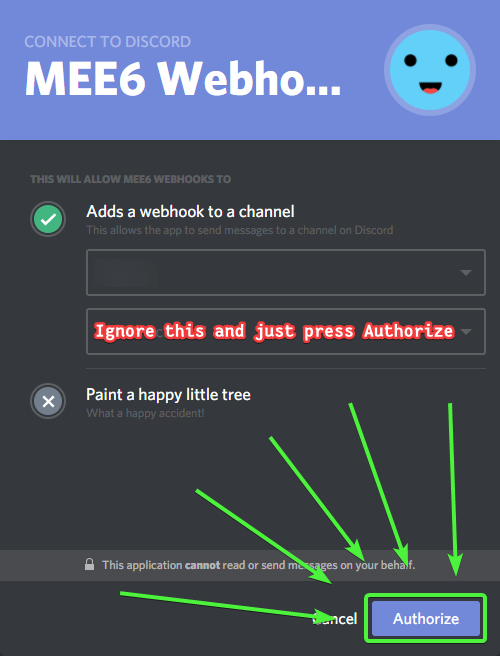
Make sure that will appear a message to authorize
Without that message it won't work
vivid pond
I erased the timer and re-added it a few minutes ago, and authorized it
still doesn't send every minute :/
bitter owl
 vivid pond
yeah
did that
What I haven't done is kick the bot and re-add it, though idk how likely that is to help
 didnt it used to make the webhook itself
short lintel
didnt it used to make the webhook itself
short lintel
wait is the leveling issue still a thing
sage citrus
no
bitter owl
@sage citrus last time. do not step in while a staff is handle a problem
Avoid punishments
@vivid pond would you mind to invite me in dm to your server?
vivid pond
sure
obsidian galleon
si lo edite en webhooks , le edite el nombre y la imagen pero cuando tiene que publicar algo por el temporizador aun sigue saliendo el nombre y imagen de mee6 t.t
you edit it in webhooks, you edit the name and the image but when you have to publish something for the timer the name and image of mee6 t.t still comes out
buoyant moon
The commands don't work
sage citrus
you need to enable them in the dashboard
novel panther
Levels are working again?
bitter owl
@novel panther
novel panther
awesome!
 sacred elk
So, this may seem silly to ask about, but is there a reason why custom commands might be broken? I checked my dashboard and they ARE enabled, and I got one to work in a room only I had access to on my server, but when I tried to use one in the main 'general' room it wouldn't respond. Mee6 is present on the server, and has permissions to post, but it just isn't really working.
Edit: I've checked ALL my commands and only a few of them are working, and none of those are the important ones. My clear command doesn't even respond.
bitter owl
@sacred elk need to press edit and finish editing
Select roles that can use it, and them
buoyant moon
Will the role rewards bug take some time to fix?
bitter owl
@buoyant moon fixed
 quasi musk
There's a bug where it posts 3 times about Twitch Posts. It also tagged everyone even though it's not even added.
 vernal mauve
there's this weird bug i'm having
basically
there are these censored words
banned words
the setting is to delete message
sage citrus
it ignores mods
vernal mauve
i keep trying
removing words, changing commands here and there
even kicked and reinvited the mee6 bot
nothing worked
sage citrus
is the friend a server mod?
sage citrus
👀
vernal mauve
yeah he is a server mod
vernal mauve
can you make it filter mods?
sage citrus
not right now, #159963953764499456
 solid granite
the level reward doesn't update
sage citrus
no its fixed
 wintry tulip
When someone left server it shows invalid user left server...fix it
 nimble totem
I tried the reddit plugin, disabled it, but it doesn't stop.
wooden mountain
it takes a while to update it's config
limber knoll
Sil had put welcome/farewell on known bugs not sure why it got removed
wooden mountain
should be {user.idname} wich will put something like @ name#1234
but just before Mee6 sends the message out, it get's changed to a mention
we just need to stop that conversion
limber knoll
Ah ok np I'll sort out my end now then, sorry this is now in the wrong channel
 strange furnace
Hi some ppl still losing their roles. Believe the new infractions were tested on tham, don't know if that has to anything with it.
 green kiln
Can't save roles rewards.
cold bear
there's bar with save buttons at the bottom. try desktop mode or open website on pc
heavy fjord
I've been getting double notifications lately for twitch streams going live. I don't see this on the #425409486820474881
wooden mountain
because #BlameTwitch
heavy fjord
DAMN YOU TWITCH! I'll go to their forum now and complain.
ionic meteor
mee6 is offline in some servers
ionic meteor
It will be fixed ASAP
 pallid ledge
Ok thank you (and if I speak bad English it's because I'm French and I use a translator😄)
ionic meteor
no worries 😉
pallid ledge
😄
buoyant moon
I can get mee6 on my server but i can't access the dashboard
mortal oxide
Works fine for me
buoyant moon
this is new server
mortal oxide
Your may be on a shard who is restarting
mortal oxide
buoyant moon
still not working even though mee6 is online
ionic meteor
@buoyant moon He might appear online but he might not be functional
I think the "restart" is almost done
 mental pagoda
<@&424994160387293184> the bot works not!
mortal oxide
:+1:
mental pagoda
?
mortal oxide
@timid yew let the time to MEE6 to update itself
 timid yew
how much time doesit needs
mortal oxide
Idk
 junior seal
.!clear wont work
mortal oxide
Read MEE6's message
molten basin
Fingers crossed we will be able to record again from Monday. My guys are missing it. Good luck to the Dev guys.
mental pagoda
the bot work not on my server
buoyant moon
The welcome message seems to work one time out of two and the goodbye message always say invalid user...
mortal oxide
@buoyant moon
buoyant moon
for the goodby or welcome message?
buoyant moon
Yay
 karmic jetty
If i mute someone with the temt mute as example for 5 minutes after that time the bot dont take the mute role from him ?
wooden mountain
yes
karmic jetty
is this a bug ?
wooden mountain
if he does not remove the role then it is a bug
karmic jetty
ok thanks 😄
feral ingot
I tried posting about this yesterday but never got any confirmation that anyone else was having this issue. I did look in known bugs, and I have scrolled up through this channel - please forgive me if I am posting a known issue and just missed it somewhere.
Half of my server’s mee6 commands aren’t working. I’ve double checked the dashboard. All are enabled. I tried “editing” and saving the commands that don’t seem to be working, but that did not fix the issue.
For some context: we built an index of custom commands that allowed users to pull up in-game locations of items. Because there are so many items, we have both individual item commands and a list command, where the items were broken into smaller groups. The commands for the individual items still work, but the list commands do not. So if a user does not know the item command, they can’t bring up the list to find it.
The only thing I can think to try is to delete the broken commands and remake them, to see if that fixes the issue.
wooden mountain
can you dm me a invite pls? @feral ingot
 fervent fractal
I am having the same issue as @feral ingot in my server.
when the !help command is typed, only half the commands plugin commands are shown.
feral ingot
@fervent fractal Sil was able to fix it by replacing uppercase letters in the command with lower case letters, but it doesn't sound like yours is set up quite like mine.
fervent fractal
I already went through and converted all of my commands to lower-case
 dim yacht
autolive still broken? I continually have to go in and remove repeat entries for twitch streamers in my servers, and others that are in the list don't post at all still.
wooden mountain
we added a check so he won't post duplicated anymore
this will be in the bot in less then a hour from now
sacred elk
Alright, I checked all my commands and made sure that I was listed as a user that could access them, as well as Mee6. I made sure he has the proper permissions in all my channels (meaning he can post messages, read them, etc.): Most of my commands are STILL not working, and the clear command still doesn't function. I checked the dashboard and there IS no 'clear' feature on the plugins page (I saw Mee6 photo posted above that mentioned it needing to be checked). I checked my own server settings and such a button didn't exist there--neither on the server options or specific channel options.
O.o Woot!
 edgy wing
Same as @dim yacht
 tiny seal
the bot does not publish what it writes I put it to a minute and it does not
 empty sierra
buoyant moon
empty sierra
buoyant moon
User leave messages say @invalid user
wooden mountain
we know, fix comming soon
heavy fjord
The double twitch notifications is on your end.
Channels I had before the changes get double notifications. Channels added after the changes work properly.
sage citrus
@buoyant moon that's supposed to happen because of the way Discord handles mentions, it doesn't know who the user is since they aren't in the server anymore so it says invalid, change it to {user.idname}
wooden mountain
@sage citrus not needed, {user} will give name only soon, we just need to puch that fix
sage citrus
Oh k
 cursive fog
banned words can be bypassed with ".", "," etc. appeneded to the end or beginning
 normal lichen
I need help
buoyant moon
@normal lichen ok
normal lichen
Nvm someone is on the case but thx
 junior raptor
hey so the role assignment base on levels still doesn;t work
 sly bolt
I Waited Some Minutes And Nothing Popped Up On https://mee6.xyz/servers ,What Should I Do?
 half belfry


 peak onyx
I'm still having problems with it 🤦
peak onyx
Ten minutes and nothing's happened 😅 but okay, hopefully it will work better in the future
wooden mountain
Bot has a big backlog to go through
 minor socket
Kick command not working..
Welcome msg was not working 2 days ago..
It's shows something went wrong in mee6 land
safe musk
My music bot has been pretty laggy and sometimes unresponsive today =/
faint dome
mee6 takes time to respond (more than one minute for a mute)
mute does not work
 stoic acorn
The timer plugin sometimes sends messages at irregular intervals
mortal oxide
Make sure the last action make in that channel isn't one by a timer
stoic acorn
It isn't, there's usually at least 5 messages between each
sacred elk
Huzzah, my commands have returned to proper function--except the '!clear' command, that still doesn't work. Did the command for it get changed with the update and I just missed it?
 surreal harness
https://owo.whats-th.is/262399.png There's two spaces in the custom command cool down message (between wait and to). Also the message refers to the user twice (Hey fam and then the user's username, one of the two, not both)


 tough rampart
Ok when ever someone leaves my server or someones server their names do not pop out and it says invalid user
tough rampart
I can't do that here dude lol this is someone else channel
I think the bot is broken on me
When people come over it says the name but when they leave it says invalid user
ionic meteor
On mobile (sometimes on pc to) your device fails to cache users
tough rampart
So what can I do then?
tough rampart
But is also doing it in other channels dude