
#Trackmania 2020 Custom Blocks Blender
410 messages · Page 1 of 1 (latest)
 wooden trout
 graceful swan
wooden trout
I created a Blender with 932 blocks
I want to insert these into Trackmania 2020...
graceful swan
wooden trout
I created a Blender with 932 blocks
I want to insert these into Trackmania 2020...
just wait for the trackmaniacraft pack to come out
in a few days
ur idea isnt unique 😄
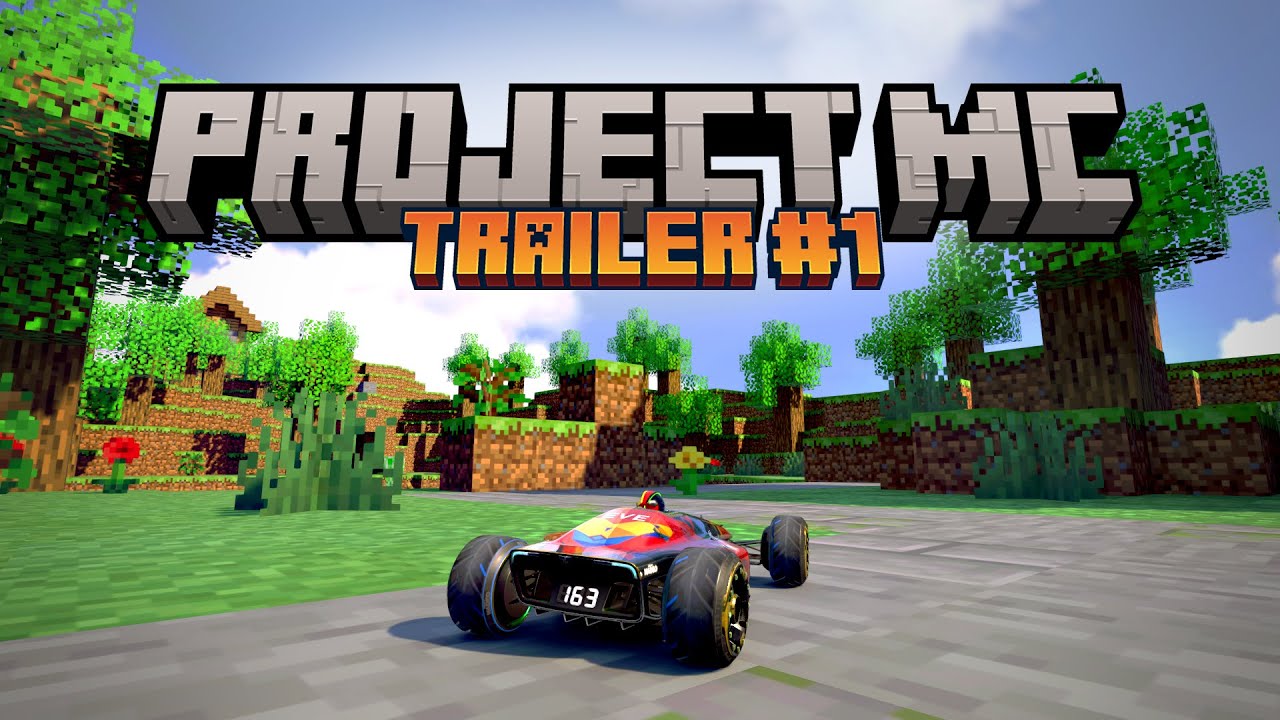
Disclaimer: Everything in this video was recorded in Trackmania 2020 lol
Project MC is coming to an end!
The release date for the Itemset, Mod and the Mappack is 14th of june.
Join my discord for more infos:
https://discord.gg/KFx9e3qGvz
Join my club to play the Mappack when it's released: Everios96
But more on that later!
Enjoy the first lo...
wooden trout
graceful swan
ur idea isnt unique 😄
No way! No way that somebody have my Idea!
I was looking for the Blocks and for just 320 of them (Same state) i have to pay $20 the reason i try to make it on my own but THAT Video is awesome!
I hope that is for free :D
graceful swan
yes it will be free 😄
wooden trout
🥲
wooden trout
Lego will be great too!
wooden trout
Oh and here my text i was making ready on Google Translator (My english is not that good i am German)
I actually wanted to adapt the 932 blocks so that you can build a map in Minecraft and then export it via Python when exporting via Mineways in order to use saved parameters. If I had known how to adapt material and textures (mod for TM2020), I would have had to put in a lot of work. Now I just have to wait two weeks until someone else implements it - absolutely brilliant. Then all I need is my Python script and create links.
 worldly flicker
graceful swan
https://www.youtube.com/watch?v=WSl7BAHNFN8
worldly flicker
graceful swan
https://www.youtube.com/watch?v=WSl7BAHNFN8
This is insanely cool!! Well done on this project!
worldly flicker
🤣🤣🤣 whoops didn't look very clsoely
wooden trout
I just wanted to make it so that when you insert your map into Blender, it accesses the data that I had previously given to each individual Minecraft block and then overwrites it with the TM2020 data
Everios96 is a Genius just for that Extrem Big Model Pack! :D
32 and Happy like a 12 years old Boy on a McDonalds Birhtday Party xD
 thick turret
wooden trout
Oh and here my text i was making ready on Google Translator (My english is not t...
thick turret
wooden trout
Oh and here my text i was making ready on Google Translator (My english is not t...
i'm not sure if you actually know what you'd have to do to "write tm2020 data"
like you can't just make maps from code without major implications
as it stands now, that hasn't been done at all i believe
wooden trout
thick turret
i'm not sure if you actually know what you'd have to do to "write tm2020 data"
That is easy if i know the steps i can make a Pathfinder addon for Blender and use the exportet map from Mineways as Placeholder that get replaced with the edit items/blocks :D
thick turret
nono see
you have to place the blocks and items INGAME
manually yourself
no code
just human mapping
wooden trout
Nope i made already a small test with a other pack you can place a entire map at the same time just the texture is broken (need just a Modpack for it)
thick turret
the only thing that you can do is make entire maps from a single custom item
wooden trout
 thick turret
sure and that's one single item then
yes then you can place that ingame as ONE item
that works
but you can't let code place things for you in the game
wooden trout
 wooden trout
Oh i understand
wooden trout
sorry its my first hours to try to make stuff like that on my own^^
wooden trout
Good that you Guys save me alot work that maybe dont work thank you very much for that :)
thick turret
i mean
that's what i mean tho
all of your progress
is useless
for the ProjectMC
because ProjectMC requires you to build things on your own
if i see this right
just like in the video
manually placing all the blocks yourself
wooden trout
Yes that is correct :D
thick turret
so you can't automate anything bigger
wooden trout
That here is a other (very very small) model and its a pain in the A** to build with that low amount of blocks ingame :/

but i love it and try it already cant wait for the BIG pack!
wooden trout
thick turret
so you can't automate anything bigger
I understand it now :) Thanks for my Time savings on that :)
thick turret
well it's the opposite of time saving
that's why i mention it
the only limitation that you have right now
is you are missing the process of texturing your models
wooden trout
yes but i think that what Everios96 are doing is a very big time save too i bet he even make the block states like stone or ice or sand or gras already :D
thick turret
yes but
it means

if you wanted to make this for example
you have to place every block individually
wooden trout
yes i know that now :(
i was thinking i can change that in Blender but TM2020 let me just place one block type i guess
thick turret
so doing the materials and textures yourself, might be still faster for big conversions of areas, instead of building them by hand with ProjectMC
thick turret
wooden trout
i was thinking i can change that in Blender but TM2020 let me just place one blo...
you can't change anything about ProjectMC
you'll just have finished items for the editor then
wooden trout
Maybe i can use my way for a "Base" Terain made out of stone with the Minecraft Stone Texture with no functions 🤔
thick turret
yes sure
wooden trout
then i place that and build with Everios96 on top manualy the single Blocks :D
thick turret
thick turret
~~i should continue my lego items in TM2~~

 wooden trout
I wish that exist for TM2020 xD
thick turret
if this was ever finished, i could port it to TM2020 (i think if MP crystal import still works), but i just don't play TM2020 any often at all
wooden trout
No problem :D But if you do it one day let me know i want to build my scrappy Spaceships like i did 25 years ago
😂
thick turret
Buying TM2 is probably faster then lol
thick turret
it's for TM2, not TMF
wooden trout
Oh nice^^
that will be difficult from TM2 but i like how it looks like let me know if you ever export it :D
wooden trout
I only was playing TM2020 i never play the other ones before ^^
thick turret
wooden trout
How many Lego Blocks are done already? :D
There can see the most important stuff


only have it in red tho, cuz it's incomplete
 exotic wigeon
thick turret
because ProjectMC requires you to build things on your own
exotic wigeon
thick turret
because ProjectMC requires you to build things on your own
i mean that is not true though. you have the option of course, but just using the texture mod you can also create stuff in blender yourself
so probably best to wait for it to come out and then use the textures to do whatever you want with it
the itemset is just for the people who dont use blender but still want to have fun with it
you can also convert builds from minecraft to trackmania with mineways and a script from bmx. not super into it and its probably not finished, but that will be possible as well
just so you have an idea, this is the texture mod for pmc
 wooden trout
😍
exotic wigeon
wooden trout
😍
maybe you can talk to bmx22c about your python script:) of course very much welcome if you guys imrpove the script he started
wooden trout
I will after i try if it works or not :D
exotic wigeon
wooden trout
I will after i try if it works or not :D
#891281781003784232 message
here he posted a tutorial for his dings:) we also found out how to export "hollow" mc scenes, which isnt mentioned in the video
thick turret
exotic wigeon
i mean that is not true though. you have the option of course, but just using th...
well okay i mean i don't know what you're offering for outside imports etc
but the general item set is obviously just an item set
i didn't expect you to bring anything other than just the item set to begin with
exotic wigeon
thick turret
but the general item set is obviously just an item set
the itemset only works in combination with the texture mod:D
exotic wigeon
ye. we also exported all the items from blender, linking each block to the correct material/texture. so of course anyone can do things in blender with it too
thick turret
yeah if you supply the relevant info and files for all those things
obviously
it's just uncommon for that to happen yknow
thick turret
99% of the creators would just publish the items and move on
hence me assuming the same here
exotic wigeon
haha fair. no worrys about that, im even making a guidebook for it. probably wont be super in depth but enough infos to help you out
thick turret
yeah that's the big exception honestly
commendable tho, obviously
uh so what iwanted to ask
what material did you use for replacement
to put the block textures on
i'm assuming it's one texture that contains many block textures
or maybe spread over a few 2 or 3 materials
exotic wigeon
yea exactly. its mostly using the "custommod" textures, which are basically free texture slots in trackmania2020
exotic wigeon
yea it wasnt quite enough so, so a few had to be overwritten. not too many though
thick turret
but makes sense considering how many extra things they need for the collabs with florenzius
lul
thick turret
exotic wigeon
yea exactly. its mostly using the "custommod" textures, which are basically free...
what resolution could you push?
and what res is each individual block
exotic wigeon
the textures itself are mostly 8k, with each block being 512x512px. if you go smaller it starts to look bad because tm has some sort of interpolation effect where the edges become blurry if too small
8k textures are max
thick turret
well yeah just regular texture filtering
which minecraft is missing
it's just linear interpolation
nothing fancy
exotic wigeon
yea i guess so:D if the option existed to turn that off, the texture mod could have been maybe 1000 kb in size
currently its 40mb zipped
thick turret
did you go by lifesize scale for the blocks?
1 meter = 1 block
since trackmania is all based on metric units
exotic wigeon
no, its 4 meters i think. so 1 block = car length. or 1/16 of a platform or something like that
we decided to go for that because anything smaller would be way too much work to build with
thick turret
exotic wigeon
no, its 4 meters i think. so 1 block = car length. or 1/16 of a platform or some...
1/8th, considering a block is 32x32x8 meters
exotic wigeon
let me show you:D
thick turret
exotic wigeon
the textures itself are mostly 8k, with each block being 512x512px. if you go sm...
on the texture itself, the blocks are directly neighbouring each?
exotic wigeon
thick turret
on the texture itself, the blocks are directly neighbouring each?
yes. this is causing a bit of texture bleeding, but its not too bad. we created textures that use less but high res mipmaps, so that helps a lot with it
but i think its worth it to keep the mod size smaller
thick turret
you cut off at like the third mip?
only going down to idk 1024x1024
or maybe even only 2k^2
exotic wigeon
thick turret
you cut off at like the third mip?
i think 5th. so the individual blocks go to 16x16, which is original mc textures
thick turret
right makes sense
i actually do cut off mips for my textures on the custom car skin stuff too to dodge some issues
exotic wigeon
heres the size. and sorry didnt turn off the 3d car skin xdd
 thick turret
you legit made a silverfish car model
wooden trout
  // The Mouseclick funtion :D i dont know the APIs
});```
```openplanet.api.on('blockSelect', (block) => {
  if (pos1 && pos2) {
    for (let x = Math.min(pos1.x, pos2.x); x <= Math.max(pos1.x, pos2.x); x++) {
      for (let y = Math.min(pos1.y, pos2.y); y <= Math.max(pos1.y, pos2.y); y++) {
        for (let z = Math.min(pos1.z, pos2.z); z <= Math.max(pos1.z, pos2.z); z++) {
          openplanet.api.setBlock(x, y, z, block);
        }
      }
    }
  }
});```
*stackoverflow not me :D*
Make just a Worldedit Plugin for Openplanet

It should have the most basic function of Minecraft Worldedit //pos1 (or mark the first point with the mouse) and //pos2 (or mark the second point with the mouse) And then, for example, select a block with which the marked area should then be filledi think that will help alot to make it easy to build with that extrem big pack :D
thick turret
i personally would've maybe actually went with 2meters per block but i do understand the concerns
how are you dealing with ramps and that stuff
considering you like gotta be able to drive on it all as well
wooden trout
The Stairs can be ramps^^
thick turret
45° ramps is a bit steep
that in itself wouldn't do
and looks odd at that scale with half the time the car floating
exotic wigeon
well i personally did it like this for the maps. so as you can see you have curved roads, but i made sure you can cover them up with blocks

its not perfect but well
thick turret
so almost a little like blender scenery maps with platform route as a basis
with the difference that
you're just making the scenery out of the individual items
exotic wigeon
yea exactly:D the mappack is just there to showcase the itemset for more casual mappers
of course it would be a lot more efficient with blender
thick turret
i'm a lightmap snob and so i got to ask
or maybe even give ideas
or considerations you didn't have yet
have you considered bigger floor tiles as one big item of certain materials
like lets say a 16x16 meter flat piece of material with the texture
no sides no bottom, just the top sides
so you can completely get rid of the whole block geometry for certain portions when building some areas and only keep what would actually be visible
exotic wigeon
well, it would be way too many blocks in the set if you had blocks where faces are deleted. its already around 6k items haha
thick turret
i actually mean not that many
exotic wigeon
but i assume you could load it into blender and delete faces
thick turret
like i guess every block is a full singular item right
exotic wigeon
yea
thick turret
one item, just a cube textured
6 sides
and i'm just thinking, why not have of some basic materials, really just basic ones
sand stone grass dirt snow
such bigger tile elements
cuz if you build whole sections out of the full blocks with all sides to them, lightmap will suffer hardcore
idk how much you tested the lightmap situation already
you probably have
exotic wigeon
i assume you mean those ones?:D they are in the set too for some surfaces with physics
 thick turret
i'm just curious how you're dealing with it
thick turret
exotic wigeon
i assume you mean those ones?:D they are in the set too for some surfaces with p...
and those have no faces anymore inside them then right
exotic wigeon
but using them looks quite different from a lightmap perspective, since its not single blocks anymore. so personally i didnt use them for mapping
thick turret
because the deal with the lightmap in TM is that
Nadeo makes use of a very tight overly space efficient packing of the UV instances
and so you have immediate neighbouring of other UVs to one another
and that means that any lightmap that is fully black in full shadow
has the potential/chance to pollute the border of another object's UV
and this gets worse and worse the more it happens and the more surface area you have in total due to the limited lightmap resolution too
at some point you get over 4 meters, aka one whole block in your case, only 2x2 pixels of lightmap at best
exotic wigeon
yea i agree its not perfect. i think for this it depends how big the map is youre building. usually around 50k blocks placed the shadows got worse. before that was mostly fine
thick turret
and that means that you could have a quarter of a block be affected by a neighbouring polluting lightmap
so ideally you wanna give mappers the tools to minimise geometry that won't be visible to the player
even if it's just for very big simple areas and not for every situation
exotic wigeon
but thats what im saying, you could convert the map to blender and remove any extra faces that way, if you wanted to have it cleaner. or maybe someone can come up with a scrip that deletes faces that are conntected to another block or something (kinda like minecraft handles it)
thick turret
yeah
i just fear that the people using blender to make whole MC sceneries will be very very few
considering the effort it is to even survive a single second in blender for a beginner
exotic wigeon
that is true yea. i would think that most people build smaller maps though, and not place 60k blocks like i did for 1 map:D
thick turret
so i personally see a big benefit by giving ingame editor only users a few options for it as well
even if it's really just as simple as

literally that
exotic wigeon
there is for example a 16x16 mesh included that you could texture yourself in mesh modeler

and i mean, after release updates are possible. so if people ask for more why not:D
thick turret
yeah i think it could go a long way to make 8x8 block versions of just the top surface with a few most used terrain materials
would be simple to make, not much to package, 20 items at most i bet and go along way for potential map quality
exotic wigeon
yea you might be right. but the schedule is quite tight shortly before release and we have been working on it for over a year now. so i think we need a bit of a break haha
but once released, of course if people want to add to the set or have requests that would be awesome
thick turret
have you considered at the very beginning of the project
if you'd use textures
or built in materials
and do literal 16x16 quads for every block face

and have every quad manually coloured with the tm2020 custom materials
it's a ridiculous thought
exotic wigeon
not quite sure if i can follow here xd you mean the coloring of blocks with the white, green, red and so on?
thick turret
well so, there's in tm2020 a custom material thing
where you can use certain base materials like metal, bricks, plastic, sand, stone
and colour them in any colour you want
and apply that to a face
exotic wigeon
oh yea youre right. i mean mod updates are also possible in the future, and also you could easily use the textures to make a new mod. but its not in the current mod
but could be something to look into
thick turret
i mean what i thought of there is definitely not something to look into
not to mention the performance impact and the horrible image quality on high/veryhigh shaders with the MDFXAA not treating direct neighbouring polygon edges
exotic wigeon
this is what in the mod pretty much. a few are not mentioned here, need to update it
 exotic wigeon
a lot for sure:D its still best to use platforms though, but it makes no sense to use road with borders anyway
thick turret
the texture packing on the mobs could've probably been improved
getting rid of one whole texture
exotic wigeon
thick turret
the texture packing on the mobs could've probably been improved
probably yea haha
thick turret
but that's smth only possible at the very start of the project
exotic wigeon
it got quite chaotic for sure
thick turret
it's nice that you also replace some regular materials
making it possible to use regular blocks
without it breaking the immersion too much
exotic wigeon
but i think 40mb is quite nice for a mod:D quite reasonable size
thick turret
tho at the same time
i think it would be cool to see an alternate mod
that doesn't change the block textures
so that you can have regular looking TM blocks and roads
surrounded by minecraft blocks
exotic wigeon
hm i see. well thats the thing, the textures are available when its released, so you could just download them, delete the ones you dont want to have, and then upload it and use that
thick turret
yep
cuz there is always a like
children's playground type of vibe
when you mix the regular stuff with the toys
exotic wigeon
so i see it more as im providing the ground work, what people want to do with it is entirely up to them:D
thick turret
exotic wigeon
so i see it more as im providing the ground work, what people want to do with it...
yeah i'm more in the camp of "my project, i direct the direction it's used in, rest is closed source and unintended"
exotic wigeon
haha well. i do not own any of the textures of course:D and im curious to see what people will do with it
its literally impossible too to cover all maps people want to build
thick turret
it's a rather broad project to cover the user's interactions with it, yeah
at least you don't have to deal with awkward building sizes and can go meter cubes
thick turret
thick turret
<a:chatting:1245463982026915931>
on those bricks i have to deal with stupid stuff like 0.16666666 meter vertical grid
and the decimal count has to be the same across all
exotic wigeon
damn xd that sounds quite difficult. im glad its pretty easy with the mc blockset haha

 thick turret
TM2?
the same
TM2 and TM2020 use the same engine
just a slightly different sub version
exotic wigeon
so you also upload your assets and players download them when opening the map?
thick turret
well there's different ways to distribute certain things
i for one there use ingame textures of existing materials
and those do fine with just that and only that
you could attach a mod via locator like you would in tm2020
but outside of that it's just items that get embedded into the map file
same shit as in tm2020
like it's literally the same
exotic wigeon
ah ok fair:D yea if you dont need specific textures and can just use ingame stuff thats the easiest way ofc
wasnt sure because you mentioned something before
thick turret
if i wanted to get custom textures
i could either make a mod like you do
or make custom materials but then those would need to be downloaded by the user externally or they are part of a titlepack
and in a titlepack it would be automatically downloaded because you can only open the map in that titlepack then
exotic wigeon
wooden trout
```openplanet.api.on('mouseClick', (event) => {
// The Mouseclick funtion :D i...
you would be a god if you created a plugin like that:D
thick turret
exotic wigeon
ah ok fair:D yea if you dont need specific textures and can just use ingame stuf...
tm2 stadium has this material for some reason

works good enough for plastic bricks
exotic wigeon
theres something similar in tm2020 actually. just more colors
thick turret
and it works especially good enough considering the specular map is just right
exotic wigeon
 exotic wigeon
thick turret
tm2 stadium has this material for some reason
exotic wigeon
thick turret
tm2 stadium has this material for some reason
i guess those are more bright:D
but yea i see thats cool. works well for your lego bricks
thick turret
exotic wigeon
i guess those are more bright:D
 thick turret
yep exactly

the only downside
i made those in MM, not in blender
so got zero control over lightmap UVs
exotic wigeon
ah yea that can be a pain with tm xd
thick turret
but that shouldn't be an issue
because the idea is
full modular subpieces
as in, providing single side face items of a brick
that you could combine together to whole bricks
exotic wigeon
because you can edit them in mm?
thick turret
no what i mean is just
sec

me providing that for example
as a separate item then
or providing the side of it as a separate item

and because lego bricks are so finite in variation of what shapes they can take
and there's only a limited amount of colours they can be in
i essentially just got a limited amount of these to make
side of a plate, X bricks wide, colour Y
side of a brick, X bricks wide, colour Y
bottom of a plate, XxZ bricks big, colour Y
bottom of a brick, XxZ bricks big, colour Y
top of plate+brick, XxZ bricks big, colour Y
and that's it
all basic bricks and plates covered in their individual sides disassembled
and with that you can then save on a ton of surface area and only place the surfaces that are actually visible to the user
at the cost of it being tedious to place in the editor
exotic wigeon
oh yea i see:D in that case it makes a lot of sense. in minecraft there are just way too many blocks to achieve this really. we have more of a do it yourself approach, by providing models for mm that you can texture yourself
thick turret
and the reason you can't do that with your ProjectMC is because your variable "colour Y" is way too big
you have too many different block types
tons of sand colours, wool, dirt stone types yada yada
exotic wigeon
yea exactly haha. its insane how much is in minecraft
honestly at the beginning i underestimated it quite a bit how much is actually in there xd
thick turret
and that's why i suggested like
hey eliminate the size factor
only do it for 8x8 block clusters
eliminate the other sides factor, only do it for the top surfaces
and then eliminate a ton of the "colour Y" factor and only do most relevant materials, regular sand, stone, dirt, grass, snow etc
and you're left with what like i said 20 items at most
exotic wigeon
true yea. i mean that could be done but then someone will ask "why is there no X texture here" haha
thick turret
yeah sure but the answer is pretty simple innit
exotic wigeon
so i think its better to give them a plane that they can texture themself xd
 exotic wigeon
hahahah
thick turret
"no your edge case doesn't count, make that floor yourself"
that's what i would say

most annoying part about my bricks is that
this is the closest i can go with the camera
cuz they're that small
single stud is 0.4 meters big
so you can imagine
exotic wigeon
oh damn i see. can i see the car next to it?
thick turret
ye sec

stadium block and car for comparison
dimensions are all identical to tm2020

but you can see, it all matches up perfectly
it sticks properly to block heights and widths
with the entire point being

shit's actually to human = minifigure scale
 exotic wigeon
damn okay thats crazy small:D
building a map in the size of the ones we have for mappack would be rough
but looks super nice
i assume its quite hard to drive on those? xd
thick turret
exotic wigeon
damn okay thats crazy small:D
thing is you can actually kinda like, actually visit these places as if they were real
 thick turret
exotic wigeon
i assume its quite hard to drive on those? xd
thick turret
exotic wigeon
i assume its quite hard to drive on those? xd
on the studded ones, oh it's horrible
on the plate ones it's fine
quite high poly stuff btw for the size too xD

 sleek bison
thick turret
as it stands now, that hasn't been done at all i believe
sleek bison
thick turret
as it stands now, that hasn't been done at all i believe
Nations converter technically?
thick turret
sleek bison
Nations converter technically?
question is does it place blocks or items
cuz if it did it with custom blocks
that's not the same as doing it with items
yknow
sleek bison
it's items
thick turret
sleek bison
it's items
but then that means it just could build maps on its own entirely without the game client or what
sleek bison
well, really a mix of both blocks and items. But it's mostly items
sleek bison
thick turret
but then that means it just could build maps on its own entirely without the gam...
well you only need the original map being converted and then it just. makes the map file
thick turret
well yeah but the conversion is the literal part where it has to create the tm2020 equivalent data structures
 edgy shell
meno, only for tm2020
exotic wigeon
@thick turret enjoyed the conversation btw:)
thick turret
exotic wigeon
<@170322566202916865> enjoyed the conversation btw:)
pleasure is mine