
#game wont start
198 messages · Page 1 of 1 (latest)
 strong bison
 celest urchin
Try starting the game while holding the pause/break key until it has loaded
This will make it start without Openplanet
celest urchin
pause/break key is usually top right, if you have a full size keyboard
Hold that key down and press play on ubisoft/steam. Wait until you see TM open before you let go of it
celest urchin
Discord doesn't support mkv files preview
But I think I know what you mean anyway
strong bison
top right what ?
celest urchin
On your keyboard, look for the key that says Pause / Break. For me, its on the far right above the numpad
(If you don't have an english keyboard, idk what its called)
celest urchin
That means that the crash isn't caused by Openplanet
strong bison
are you sure
i played the game yesterday with openplanet and it seemed fine
and the day before without openplanet and it played fine
celest urchin
Something I'm less sure about, but since it crashed from both steam and ubisoft it might be something in your trackmania folder (in documents)
 tight nimbus
Try uninstalling Openplanet and see if it still crashes
celest urchin
Try renaming the Trackmania[2020]/Config/Default.json file to something else. This will make it load default settings, maybe one of your settings is set to something weird
strong bison
trying to find the folder
a little lost
@celest urchin @tight nimbus what do you want me to do in this folder?
 celest urchin
I mean the trackmania folder in your documents
strong bison
 celest urchin
Open Config, and rename the file called Default.json (it doesn't matter what to)
Then try starting Trackmania
tight nimbus
strong bison
<@581136595252674580> <@656768292744331264> what do you want me to do in this fo...
If you want to try uninstalling Openplanet if areyeses' solution doesn't work, OpenplanetUninstall.exe is there
strong bison
celest urchin
Open `Config`, and rename the file called `Default.json` (it doesn't matter what...
when i rename it, does it have to end in .json?
celest urchin
It doesn't matter, you're renaming it to keep the data in the file while stopping trackmania from loading it
(But generally its better to keep the file extension)
strong bison
when i changed the name, my game started and froze, and now looks like this while frozen. the name i picked was abdf. whats wierd is the music is still playing and not stopping or frozen, but the game is.
 celest urchin
tight nimbus
If you want to try uninstalling Openplanet if areyeses' solution doesn't work, O...
celest urchin
tight nimbus
If you want to try uninstalling Openplanet if areyeses' solution doesn't work, O...
Since it crashes on both steam and ubisoft, I don't think its an Openplanet issue.
(Unless Openplanet has been installed twice, for both installations of TM)
strong bison
 strong bison
tight nimbus
If you want to try uninstalling Openplanet if areyeses' solution doesn't work, O...
strong bison
tight nimbus
If you want to try uninstalling Openplanet if areyeses' solution doesn't work, O...
i deleted openplanet earlier and redownloaded it (sent in my first message) but it still leaves some files behind
celest urchin
Ok so its not an issue with that file.
If you want to keep your settings you can delete the new default.json it created and un-rename your renamed one
strong bison
did that
trying to fully uninstall openplanet just to check one last time
yep, def not openplanet
celest urchin
Did you install Openplanet on both steam and ubisoft? You'd need to run the installer separately for each one if you did
strong bison
honestly maybe, but i dont know
celest urchin
strong bison
Something else to check:
Is there anything in the Blocks, Items folders?
celest urchin
yeah Idk what's causing the crash then, its not something I know of.
strong bison
celest urchin
Did you install Openplanet on both steam and ubisoft? You'd need to run the inst...
help with this ?
theres two seperate folder?
celest urchin
Yeah, steam and ubisoft each have their own install of Trackmania, although both use the same folder in your documents. But if neither of them works, I would be surprised if it was an issue in the separate install folders
(On ubisoft, in properties it tells you the file location; on steam you right click and browse local files)
strong bison
im never gonna be able to play tm again 😦
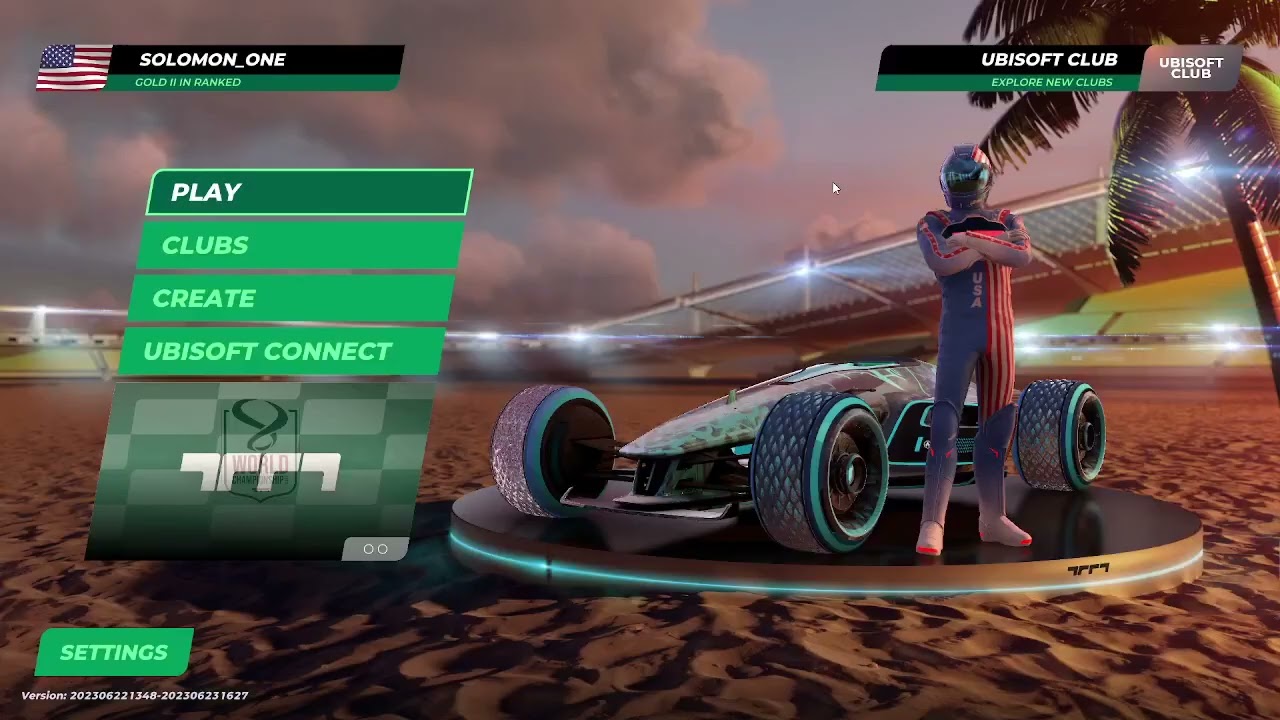
heres me starting it from steam
@celest urchin
ill start it from ubi now
celest urchin
Yeah I don't think I'm going to see anything helpful in the video, like you described it just freezes after it starts
(The graphics issues do make me want to ask; are you using a dedicated GPU? Idk why it would work before and not now but I know of people having issues on integrated GPUs)
strong bison
i bought my pc a while ago, it could have one im not sure
but i have been playing this game normally for a while
it was only after i downloaded openplanet
also if i try to record when i start from ubisoft it doesnt work
celest urchin
yeah, but it still fails after you uninstall Openplanet so it probably isn't that
But this isn't something I know the solution to
strong bison
who should we ping?
 topaz fractal
if we wanna get wacky and wild, update gpu drivers?
 formal tulip
?hwinfo
 final iglooBOT
If you're unsure on what your system specs are, download HWiNFO using the link below and open HWiNFO64.exe.
Additionally, if you were asked to share your specifications - take a screenshot: Click on the System Summary window, press ALT+Print Screen and paste the image into the chat.
HWiNFO Download: https://www.hwinfo.com/files/hwi_736.zip
 formal tulip
could you please post a screenshot of the "summary-only" output of hwinfo?
 strange plume
Have ye tried "verifying file integrity" option?
strong bison
conffuz
strange plume
nvm, I have the ubisoft version not the steam one
 strange plume
 strong bison
strange plume
strong bison
strange plume
when i hover over this 4 options show up, which one?
strange plume
strong bison
when i hover over this 4 options show up, which one?
Local (U.S.)
strong bison
what now
 strange plume
Click next
strong bison
@formal tulip
 strange plume
Do you have the steam version?
strong bison
nop
strange plume
Try verifying the game files this way:
 topaz fractal
theres also uninstalling and reinstalling. I think we kind of forgot about trying that
strong bison
trie everything
 naive pulsar
Also delete the game config documents/trackmania2020/config/default.json
 marsh belfry
There seems to be an issue with your game try fixing it 
strong bison
same problem after i deleted the game, and reinstalled it
so in conclusion i will never able to play trackmania again
formal tulip
nah
formal tulip
it might be something that you installed on your PC that might be triggering it
strong bison
how do i do that
formal tulip
through geforce experience
strong bison
uve seen my specs
strong bison
downloading it rn
strong bison
im on pc
strong bison
recently, when watching yts vids fine random dots appear through the entire screen
when i played minecraft the sky was very buggy and flashy like tm, but it didnt crash like tm
@formal tulip
when i try recording with obs, it doesnt work at all
formal tulip
strong bison
recently, when watching yts vids fine random dots appear through the entire scre...
sounds like your graphics card is broken or dying
you might need a new one
strong bison
theory, my graphics card after 2 months has finally broken down after playing tm? @formal tulip (casue tm is a heavy graphics game)
formal tulip
strong bison
theory, my graphics card after 2 months has finally broken down after playing tm...
not because of TM
probably because of dust build up, etc
it's probably also an older graphics card by the looks of it
naive pulsar
would be a rare case if it died this early of hardware failure
strong bison
man
do i just get a new graphics card?
soudns complicated if i have no idea how to do it
naive pulsar
it would help if you could show in detail what it looks like
strong bison
strong bison
https://www.youtube.com/watch?v=PvBm8az-ubM
@naive pulsar
strong bison
i was playing 01 when it crashed for the first time
it just froze, and then game crashed
tried opening it, and then that happens every time
felt really random
naive pulsar
so it's something that happened without you doing anything to your software
strong bison
i thought it could have because i recently downloaded openplanet, but me and areyes found it it wasnt
naive pulsar
formal tulip
sounds like your graphics card is broken or dying
then i'm all with chris there
strong bison
probably
but i can use discord, watch yt and play other games fine
** some games have bad visual bugs **\
i think you are probably right
naive pulsar
yeah sounds like gpu dying
strong bison
u see the game starting perfectly well in the clip
naive pulsar
if i was you
strong bison
then it crash
strong bison
well this is resolved finally i need to go to another discord or something lol
naive pulsar
also if you can... try your dying gpu in another system if you can
strong bison
could i go to my local store and buy a new gpu randomly ?
if i dont knopw much about computers
naive pulsar
depends on your local hardware pricing situation, usually ordering online is cheaper
naive pulsar
naive pulsar
also if you can... try your dying gpu in another system if you can
but if you want to truly confirm it's the hardware dying, do this
 naive pulsar
you probably want someone to help you with it
strong bison
yeah
naive pulsar
if you have a friend or neighbour who knows a bit about computers, just ask him if he could come take out your gpu and test it together in their or some other PC
strong bison
so ill just take my big box to microcenter, and ask them to test it
whats the name of the box
gdamit
strong bison
naive pulsar
oh if you have a microcenter nearby
like 5mins away form my house
naive pulsar
then if you can take your whole computer there
strong bison
the monitor?
naive pulsar
that's the monitor not the computer
naive pulsar
yes
strong bison
my dad gonna be so confused lol. but ok this is resolved
naive pulsar
i mean i would first go to microcenter by yourself without the computer and ask
tell them what your situation is, ask them if they could help you test if your graphics card is at fault and artifacting
strong bison
why?
naive pulsar
i personally wouldn't just come up and hope they can test your gpu in another system
i'd ask first
naive pulsar
what about just call them and ask
 strong bison
3060 250 bucks
naive pulsar
or if you know the specific name of the 3060 you got
that would also be interesting to know
strong bison
GeForce gigabyte 3060
naive pulsar
more specific is what i meant
strong bison
Gaming oc
naive pulsar
does it say a number on it? 8g or 12g
strong bison
Should I get hwinfo at home for u
naive pulsar
i mean that then anyways yes it would be good to see what you got (out of curiousity)
strong bison
Ok
strong bison
@naive pulsar
 naive pulsar
Yeah it's the 128bit bus one, oof