#tech
1 messages · Page 227 of 1
 grand rune
 inland loom
grand rune
yeah no worries, let me know how it goes, this is very interesting
inland loom
grand rune
yeah no worries, let me know how it goes, this is very interesting
about to run it in some tests rn
inland loom
grand rune
yeah no worries, let me know how it goes, this is very interesting
https://www.youtube.com/watch?v=tjT97Gq3l_8 It''s still grainy and idk why
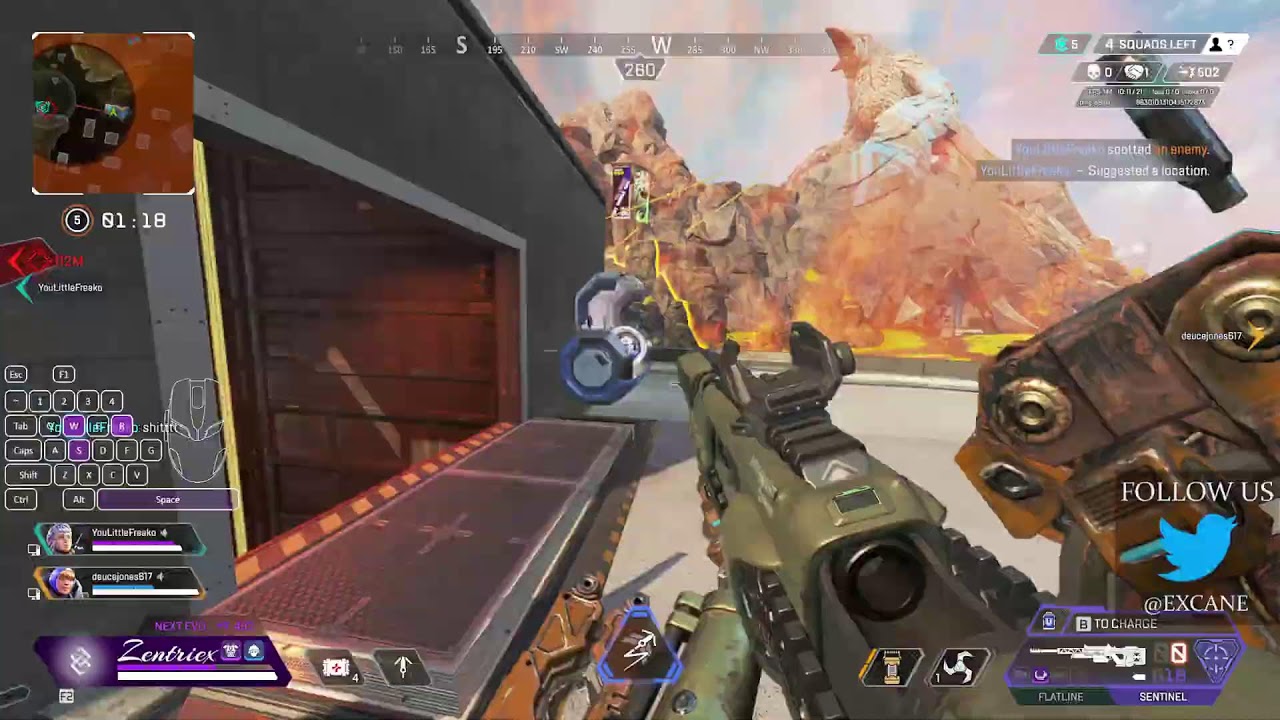
I gotta tinker with the colors maybe?? idk
 toxic oracle
that looks as good as it's supposed to
inland loom
man maybe it's just my screen. something just looks off and idk why ;-;
ignore my potato gameplay too. I was not trying a little bit
toxic oracle
what are you comparing it to? nvenc streaming will never look "very" good
inland loom
toxic oracle
what are you comparing it to? nvenc streaming will never look "very" good
I thought NVENC was one of the best ones? So which one is considered the best then
toxic oracle
cpu encoding like x264 looks the best but for it to look much better than nvenc it's really hard to run
for single pc
inland loom
aaahhh gotcha. yeah thats why I switched to nvenc to split the load. my processor is good but with the strain of apex or warzone it lags
 final bramble
FYI, the latest version of the kovaaks benchmark combined with the latest progress updater is broken. The Sheet names changed and the cell ranges as well.
"scenario_name_ranges": [
"'Intermediate Requirements'!E3:E20",
"'Advanced Requirements'!E3:E20"
],
"highscore_ranges": [
"'Intermediate Requirements'!G3:G20",
"'Advanced Requirements'!G3:G20"
],
"average_ranges": [
"'Intermediate Requirements'!M3:M20",
"'Advanced Requirements'!M3:M20"
],
this is the what you need to update in the config.json file ^
 bold crown
i have a logitech g640 mousepad and also a glorious full desk pad, which should i use
 minor socket
640
bold crown
okay
also been thinking about buying the artisian mouse pads but idk if they are worth it
 tawny jetty
If you can find them for a reasonable price they’re very good from what I’ve heard
minor socket
Get kanek ez
grand rune
bold crown
also been thinking about buying the artisian mouse pads but idk if they are wort...
if you can find them in stock in your region (so you don’t have to import), 100% get one, artisan are the best and most premium pads i’ve used, besides skypad
bold crown
@grand rune why would importing be bad?
grand rune
especially here in europe, it’s really expensive to get stuff from abroad here
grand rune
you usually spend like 1/3 of the price on customs fees, at least here in czech
bold crown
can someone link one of the pads i feel like im lookin at the wrong thing
grand rune

Artisan is a mousepad manufacturer from Japan. Their mousepads are known to be the endgame of mousep...
 lavish fjord
(nvidia shadowplay vs obs ) which one would be better for my specs to record clips or full 20mins games
 grand rune
lavish fjord
(nvidia shadowplay vs obs ) which one would be better for my specs to record cli...
grand rune
lavish fjord
(nvidia shadowplay vs obs ) which one would be better for my specs to record cli...
750ti has really old nvenc version (4th gen i believe), you can try stripping your nvidia drivers with nvcleanstall and use obs
you won’t get much quality and it will eat your performance
 limber wedge
dear admin, could u plz help to see what is the problem about update tools?
 grand rune
limber wedge
dear admin, could u plz help to see what is the problem about update tools?
grand rune
limber wedge
dear admin, could u plz help to see what is the problem about update tools?
it says: visit this url to authorize this application
copy the url and paste it in your browser
limber wedge
Is it means that pasted the url of benchmarks sheet on google drive in the app's second line? it seems i'v done it and completed the authorize. attachment below. but the app asked me authorization every time when i launch it . and the same error.


dont know whether the debug is useful.
and this
 limber wedge
thank you for helping. i exclusive the folder in win defense ,and the app is running ok.
 mortal glen
yo i have a 1080ti and on kovaaks with 180-210 frames
should i be getting more, less, or about right frames
grand rune
probably more, kovaaks isn’t a demanding game
mortal glen
hmm aight
grand rune
what is your cpu?
grand rune
hmm that’s weird
you could try verifying game files or reinstalling, but i doubt it’s gonna do something
was it always like that?
grand rune
@mortal glen found this post from 2019, you could try doing that https://steamcommunity.com/app/824270/discussions/0/1637543304829408962/

whenever I try to run kovaaks it runs at 15 fps and when I tab out it runs at 297 anyone knows a fix? Specs: Cpu ryzen 5 1600 GPU Rx 580
mortal glen
both are off
reinstall maybe?
kovaaks also has to "download scenarios" everytime
been playing for a while but thought it was normal
is it normal?
 gilded creek
mortal glen
is it normal?
gilded creek
mortal glen
is it normal?
u can change it but yes
mortal glen
aight
 lime rampart
Does anyone have the link for the paracord tutorial?
I have a new one but want to properly paracord my mouse and don't remember exactly how
 dapper widget
 lone bolt
When I try to authorize the auto updater, the google page says access denied (error 403). How do I fix it?
grand rune
lone bolt
When I try to authorize the auto updater, the google page says access denied (er...
check pinned messages
lime rampart

Does this look like a good installation?
I wanna check before reattaching the shell
Just did it in a couple mins
lone bolt
grand rune
check pinned messages
Thank you
grand rune
lime rampart
Does this look like a good installation?
looks good to me
lime rampart
grand rune
looks good to me
Another question
do tiger ice feet come with that protective layer on top that you need to remove to get them to stick?
cause these feel super non sticky at the base
grand rune
you maybe peeled it off the shiny paper wrong, at least that’s how corepads are
grand rune
try checking it, you maybe peeled it off with non adhesive layer
lime rampart
only explanation
lemme see
weird
it happened with another one
and the ones that didn't stick to the mouse left a more distinct mark on the sticky blue paper
does this mean that the non adhesive part is still on, or that the adhesive part stayed on the paper? because the feet that didn't stick feel COMPELTELY unsticky, so I'd imagine there's still a full layer coveringthe adhesive part
grand rune
see yourself, corepads usually peel off with 1 extra non sticky layer
and adhesive below it
lime rampart
Idk nothing's coming off
grand rune
you don’t really need the ring skate, i personally don’t like it
lime rampart
it happened with another skate on one of the four corners
I literally just grabbed them and removed them very normally
feels like an issue on their side if this kinda thing happens often
ok can confirm
adhesive part detached from the mouse feet and stuck to the blue paper
grand rune
👎
 grand rune
💀💀
 last veldt
lime rampart
just the sensor ring feels non sticky
last veldt
lime rampart
just the sensor ring feels non sticky
i read this as my tiger ice sensor ring fell off today aswell :<
lime rampart
last veldt
i read this as my tiger ice sensor ring fell off today aswell :<

I prefer them even to corepadz, as skates, but the adhesive sucks ass apparentl
last veldt
lime rampart
I prefer them even to corepadz, as skates, but the adhesive sucks ass apparentl
There was almost no glue on it when i found it :/
i applied fabric glue i had laying around and it did the trick
lime rampart
last veldt
There was almost no glue on it when i found it :/
i applied fabric glue i had la...
It was probably what happened to me too
You remove the skate off of that blue paper and the adhesive part of the skate stays on the paper
so the skate doesn't stick
happened with 2/5 of mine
last veldt
Yeah , happened with me too, hence why i always prefered corepad since you have two pair with it
lime rampart
last veldt
Yeah , happened with me too, hence why i always prefered corepad since you have ...
Honesty with the way these skates feel I think I enjoy them much more than corepads
just fix the adhesion issue and new main 1`00%
last veldt
feel wise it's sure better , but my tigerice on hien last 3 months top before feeling like shit , and i cba changing them everytime
grand rune
getting tiger ice is just way more expensive compared to corepads loo
lol*
u only get 1 pair and i only seen them on maxgaming, they got super expensive shipping
lime rampart
The feeling is worth it
 wide wasp
Haven't tried ice skates, but heard that they wear out pretty quick.. so for now I'll just pass and keep using tiger arc1's or corepadz 
 knotty aurora

 bold crown
is the AL progress sheet for advanced bugged still
 humble marlin
12400f or 5600 with 3060ti/3070
minor socket
Whatevers cheaper for a full setup
 next crown
how do i find my cm?
minor socket
 misty lava
arc2s best feet NO CAP
 ashen sandal
it wont show the playist i need when i copy the share code
bold crown
what r some good mice for 100 ish ?
 gilded crest
bold crown
what r some good mice for 100 ish ?
gilded crest
bold crown
what r some good mice for 100 ish ?
gpx
inland loom
w11 vs w10 for gaming
minor socket
10
 round palm
mortal glen
round palm
mortal glen
glass skates are good on cloth pads for extremely low static friction but depending on the glass skate the dynamic friction varies
downsides are you can tell where the dirty parts of your pad(s) are and glass skates tend to be muddy depending on humidity
up to u
 lean frigate
Do you guys think a G pro X keyboard would be better or a G915 TKL? I don't really think I want low profile but I also don't want a clicky switch, currently using one and it isn't that good.
 ripe pivot

MORE PHONK EDITS: https://link-target.net/468849/darth-nihilus-star-wars
SUPPORT ME BY LIKING & SUBSCRIBING
tags:
star wars
starkilling
the force unleashed
obi wan kenobi
disney plus
darth vader
skywalker
star wars edit
phonk
phonk edit
 buoyant sleet
@lean frigate I have a G815 full sized and it's goated. I don't see a reason to go wireless personally and I have enough space for a full size. I just like the form factor being slim while still having mechanical switches
lean frigate
buoyant sleet
<@746257292877365270> I have a G815 full sized and it's goated. I don't see a re...
Yeah I'm fine with wired, forgot about the G815 lol. How do you like the switches compared to normal ones though?
buoyant sleet
I think the switches are great, only issue I had was with the keycaps being cheaper. Luckily they will send you and entirely new keyboard for a single broken keycap
I tried to modify my first one a little too much and took the keycaps off and put them back on regularly
lean frigate
Interesting, I'll go try it out in an actual store before I buy it lol
 twin sand
My mouse is currently stuttering and feels weird when I do rapid side to side movements or quickly switching targets, only in warzone tho, on my desktop home no stuttering whatsoever. I have a wireless model d.
Also my sens feels soooo inconsistent, it'll speed up then slow down
Randomly
 vivid sage
my monitor is capped at 120hz despite it being a 144hz monitor I play on laptop, and it doesn't have a displayport cable, but I have a 1.4 hdmi so I can support 144hz and have in the past, but for some reason, valorant is the only game that doesn't let me use 144 hz
 neon rapids
vivid sage
my monitor is capped at 120hz despite it being a 144hz monitor I play on laptop,...
neon rapids
vivid sage
my monitor is capped at 120hz despite it being a 144hz monitor I play on laptop,...
I think Val only runs 120
vivid sage
Doubt, that would be cringe lol
lean frigate
vivid sage
my monitor is capped at 120hz despite it being a 144hz monitor I play on laptop,...
I doubt 24 Hz makes a big difference, also you sure you don't have frame cap on in settings?
vivid sage
lean frigate
I doubt 24 Hz makes a big difference, also you sure you don't have frame cap on ...
I’m not slow but no I have all fps caps turned off
And it doesn’t effect how I play, I just have OCD LOL
mortal glen
ayo how do you delete themes in kovaaks and save changes to made themes
inland loom
how could I prioritize a certain device on wifi?
grand rune
inland loom
how could I prioritize a certain device on wifi?
usually in router qos features, depends on your router
i have asus ac68u and i can change the priorities in qos options
 ancient cave
Hey does anyone know why my 165hz monitor only show 143hz?
 quasi forge
Cause you didn't turn on overclock in your monitor settings?
ancient cave
I don’t got that setting
quasi forge
ancient cave
I don’t got that setting
what's your monitor
all 165hz panels are 144hz panels with an option to overclock to 165
ancient cave
lg ultragear 24gq40w
quasi forge
ancient cave
lg ultragear 24gq40w
ok, i couldn't find the oc feature in user manual, assume it's enabled by default, do you use hdmi or display port?
ancient cave
hdmi rn but i just ordered a display port yesterday and it should be here by today
quasi forge
ancient cave
hdmi rn but i just ordered a display port yesterday and it should be here by tod...
hdmi can't go higher than 144hz 1080p, i'd wait for your dp arrival, connect monitor using display port then see if it's working on 165hz
ancient cave
alright thank you i didnt know that hdmi can only go up to 144
quasi forge
np, hope that was the case, anyway, if problem persist you can ping me and we'll see if anything else can be done
inland loom
i suddenly get ghosting on targets in kovaaks, i havent changed any settings and this hasnt happened before
any idea how to fix this? edit. the issue went away on its own after playing some apex?? :D
ancient cave
@quasi forgejust got it and it works thanks 👍
 pearl moss
vivid sage
my monitor is capped at 120hz despite it being a 144hz monitor I play on laptop,...
pearl moss
vivid sage
my monitor is capped at 120hz despite it being a 144hz monitor I play on laptop,...
i have the same issue but im pretty sure some monitors require hdmi 2.0
my desktop is also capped at 120z at a 165hz monitor
vivid sage
I made a custom refresh rate in Nivida control panel but I just want it to work
lime rampart
When playing Apex my system CPU usage in Task Manager is 20%, is there a reason for this?
gilded creek
lime rampart
When playing Apex my system CPU usage in Task Manager is 20%, is there a reason ...
doesn't sound bad to me
it uses what it needs
lime rampart
gilded creek
doesn't sound bad to me
Sorry I worded that HORRIBLY
I meant in task manager, "System" is using 20% CPU, on top of Apex and everything else
gilded creek
lime rampart
I meant in task manager, "System" is using 20% CPU, on top of Apex and everythin...
yeah ik
answer remains the same
if you change nvidia reflex to + boost
it'll use more
chrome takes a lot if u have it
also depends on how good ur cpu is
lime rampart
gilded creek
also depends on how good ur cpu is
i7-9700k
I think that's food
Good
inland loom
best cpu cooler for the money?
 native remnant
Is the updater tool still good for the season 4 benchmarks ? I want to set up all that stuff for the first time and I sortoff have no clue how as all the info i get is from 2021
gilded creek
inland loom
best cpu cooler for the money?
arctic liquid cooler imo
gilded creek
native remnant
Is the updater tool still good for the season 4 benchmarks ? I want to set up al...
yes
s-updater
 iron chasmBOT
Tutorial on using our benchmarks and the updater tool: https://www.youtube.com/watch?v=awBoG9Jy8CY
Note: There's an error in the video at 6:00. Instead of selecting Web application, select Desktop app and follow the video for the rest of the process.
Mini Video Instructions Pertaining to the Error: https://youtu.be/-QE3WCKnxh4
Info on moving to the new progress sheet:
- Run the progress sheet updater.
- In the progress sheet ID field, put in the link for your new progress sheet.
- Click Finish.
native remnant
gilded creek
yes
Thank you much appreciated ! Time to start my journey to join all you aimbots out here
 urban orbit
The aimlabs sheet is not loading in my scores, restarting doesn't work, when i'm in the task my HS is there tho
urban orbit
the benchmark event tab
iron chasmBOT
gilded creek
s-benchmarks
 Guide:
  modern spoke
Anyone have a monitor recommendation right now my current monitors are both 60 hz monitors I bought when I first started gaming
wide wasp
minor socket
2522hg
Any reason you didn't include asus vg259qm? 🤔 just curious since I'm looking to get away from my viewsonic XG240R(144hz) to buy 240hz .
 echo spade
259qm/279qm is solid
if ur not EU u might also be able to get xg2431 for an ok price
and if u can, do so
its goat 240hz
wide wasp
echo spade
259qm/279qm is solid
I assume the only difference between these is that other one is 27" while other one is 24.5"
echo spade
mostly
they have some differences regarding overdrive and the panels r slightly diff
u can go look at comparisons on rtings
but theyre the same performance effectively iirc
i have vg279qm personally
wide wasp
echo spade
i have vg279qm personally
Doesn't it feel odd having 27" 1080p ?
echo spade
no
anyone who says 27" is worse than 24" or whatver is an idiot
1080p will always look like 1080p
raw pixel density for a given dimension doesnt matter
because you can sit further or closer
27" can have the exact same perceived pixel granularity as 24" if u sit further, and the same in reverse
within reasonable sizes, just get whatever display performs better
wide wasp
Guess it's one of those things you just kind of get used to pretty quick.
echo spade
i prefer 27" because i can sit further away
people who have less desk space might prefer 24"
or those who want like 3+ monitors
rlly just get whatever performs better or is better value etc
 junior sorrel
Is a 5ms monitor bad?
gilded creek
no
junior sorrel
Alrighty thanks because I just bought a 165hz 27” acer monitor for $119 and it said 5ms and wondered if it would be bad
Or noticeable I should say
gilded creek
keep in mind
5ms is 5 miliseconds
also most monitors have an OC version where you can get lower than that
lean frigate
junior sorrel
Alrighty thanks because I just bought a 165hz 27” acer monitor for $119 and it s...
The response time is all fake anyway, most monitors that advertise 1ms are actually around 5-10 ms
 summer flare
I'm waiting for the PG27AQN, but no news yet.
grand rune
there’s no way you can humanly notice few milliseconds
minor socket
You can
grand rune
especially in multiplayer games where you already have huge delay
 winter belfry
What are those really good mousepads? Hein something?
 stark zephyr
Can someone give me their opinion on the G-wolves hati Hsk?
 dire salmon
junior sorrel
Alrighty thanks because I just bought a 165hz 27” acer monitor for $119 and it s...
dire salmon
junior sorrel
Alrighty thanks because I just bought a 165hz 27” acer monitor for $119 and it s...
hows the pixel quality on a 1080 27” monitor
i have a 1440p 27” monitor but 1080 looks bad on it
idk if itll be better to buy a 1080 native monitor
inland loom
Thin and lightweightThe Lenovo IdeaPad Flex 5 15" AMD Ryzen 5 Laptop is perfect for working and browsing on the go. With a slim design, it fits easily
is this a good laptop? mainly for uni work
gilded creek
for work yes for games no
 hasty nebula
has anyone from eu gotten a paracable for a hati S?
if so, what paracable did you buy?
junior sorrel
dire salmon
hows the pixel quality on a 1080 27” monitor
I’ll have to see when it gets here later today
 fervent stratus
Any TKL keyboards someone can recommend? Price isnt much of an issue but I'd rather not spend a lot on something that's just slightly better than a keyboard that's half its price
 silk harness
grand rune
there’s no way you can humanly notice few milliseconds
silk harness
grand rune
there’s no way you can humanly notice few milliseconds
It’s easily noticeable to me
Gsync adds a couple milliseconds of delay, but I can instantly tell when it’s on or off
silk harness
fervent stratus
Any TKL keyboards someone can recommend? Price isnt much of an issue but I'd rat...
Apex Pro TKL for sure, it has very low latency as well as adjustable actuation points. It’s on sale on Amazon at the moment
silk harness
I didn’t even know Wooting had a TKL. The 60HE seems to be really good as well
 hazy axle
latency isn't something that people should be talking about anymore when it comes to keyboards
grand rune
silk harness
I didn’t even know Wooting had a TKL. The 60HE seems to be really good as well
they only had tkl with flaretech switches
minor socket
No analog tkl
grand rune
flaretech are analog
inland loom
if i have a 165hz monitor should i upgrade to 240hz?
 wind sail
anyone know why highscores arent showing up correctly on the leaderboards, i got a 90 in 2020 but doesnt show on leaderboard

 lean frigate
inland loom
if i have a 165hz monitor should i upgrade to 240hz?
lean frigate
inland loom
if i have a 165hz monitor should i upgrade to 240hz?
Depends, can you get 240fps in the game consistently? Is the resolution a issue? Price?
 thin kiln
wind sail
anyone know why highscores arent showing up correctly on the leaderboards, i got...
thin kiln
wind sail
anyone know why highscores arent showing up correctly on the leaderboards, i got...
lbs have reset a couple times in the past couple years
wind sail
thin kiln
lbs have reset a couple times in the past couple years
okay, so nothing i can do?
thin kiln
wind sail
okay, so nothing i can do?
dont think so
minor socket
Nope
wind sail
thin kiln
dont think so
ty for the help
minor socket
2020 was before reset
wind sail
ahh dang
inland loom
lean frigate
Depends, can you get 240fps in the game consistently? Is the resolution a issue?...
i can typically get at least 180 depending on the game, and around $240 is the price of the one i was looking at
minor socket
Is it a not shit non gen 1 monitor
lean frigate
inland loom
i can typically get at least 180 depending on the game, and around $240 is the p...
There's no point getting a higher hz if you're not getting that much fps
Lol I can't read, didn't see the at least, can you link your current monitor and the new one?
inland loom
lean frigate
Lol I can't read, didn't see the at least, can you link your current monitor and...

MSI FHD IPS Gaming G-Sync Compatible HDR Ready 1ms 1920 x 1080 165Hz Refresh Rate 27" Gaming Monitor (Optix MAG2732)
lean frigate
Quite a low end 240 Hz
inland loom
lean frigate
Quite a low end 240 Hz
what makes you say that?
whoops i think that may be the wrong one, the one i was looking at has a 1 ms response time
https://www.bestbuy.com/site/samsung-27-odyssey-g40b-fhd-ips-240hz-1ms-g-sync-gaming-monitor-black/6507926.p?skuId=6507926 this should be the correct one

Best Buy
Shop Samsung 27" Odyssey G40B FHD IPS 240Hz 1ms G-Sync Gaming Monitor Black at Best Buy. Find low everyday prices and buy online for delivery or in-store pick-up. Price Match Guarantee.
lean frigate
The panel is a old Va, and the response time on those are quite bad, also the color accuracy is bad as well
This one is better
inland loom
lean frigate
This one is better
sweet thanks for the input!
lean frigate
Oh it's a new one, so the panel should be a newer nano/fast IPS
inland loom
lean frigate
Oh it's a new one, so the panel should be a newer nano/fast IPS
so would you say its worth the upgrade?
minor socket
Tfw 2522hg
lean frigate
inland loom
so would you say its worth the upgrade?
Really depends on if you really need the refresh rate, I can't currently check color accuracy cause it's new but I assume it'll be equal or better to your current one. If you think 240 Hz is important for you, sure, it's a good monitor.
 boreal zodiac
Hey guys i'm looking for a good FullHd monitor with a nice refresh rate, i have around 300€. Is the BenQ ZOWIE XL2540K a Good option?
minor socket
Pins
boreal zodiac
Oh, I didn't saw that one up there, ty
 civic marten
Progress sheet dead, why>
 minor socket
Career ended by grammar
 loud owl
i got a superlight and the skates feel scratchy compared to my g pro wireless. should i just buy new skates or do they just need time to break them in m
grand rune
loud owl
i got a superlight and the skates feel scratchy compared to my g pro wireless. s...
get aftermarket ones, the stock feet on gpx felt like shit on my copy
fervent stratus
SL12 worth the money?
I kinda just want one, I know there's better bang for the buck mice. But if it's just a dogshit mouse that costs that much then I won't buy it
silk harness
fervent stratus
SL12 worth the money?
Buying from MSRP? Then maybe, but if you’re buying it at scalpers price, then no.
fervent stratus
silk harness
Buying from MSRP? Then maybe, but if you’re buying it at scalpers price, then no...
Ye was thinking of trying for Tenz drop
grand rune
xaizone.eu
specs: length: 11.5cm width: 5.3cm height: 3.5cm weight: 42g sensor: finalsensor
personally no, there’s much better mice out there
@fervent stratus
gilded crest
this update is being installed for some time and idk if its normal for my pc to be laggy while it is installing

 orchid raven
So for wireless mice, would you guys think it matters to follow a specific battery range to ensure "health"/lifespan of the battery (like the 40–80% rule range or whatever?) or does it not matter that much? It's also hard to find information on what the "optimal range for batteries!!!" is, if it's even true but
RVU
 wraith orchid
is powerline worth it (no ethernet in this apartment and signal strengths at least for 4g are catastrophic so not sure if 5g is viable option for gameing)
usb tethering 4g from phone rn
 golden river
orchid raven
So for wireless mice, would you guys think it matters to follow a specific batte...
golden river
orchid raven
So for wireless mice, would you guys think it matters to follow a specific batte...
This isn't something that has been rigorously and precisely studied as far as I'm aware. I've heard 20-80 personally but I suspect the actual precise value isn't of great importance.

 gusty falcon
 buoyant charm
getting this error
buoyant charm
getting this error
same
buoyant charm
hmm i think its because were using old sheet
gusty falcon
buoyant charm
getting this error
I fixed it— You probably accidentally copied the link to the original spreadsheet instead of the copy you made. Try deleting token.pickle in the folder where your progress sheet updater then re-open ProgressSheetUpdater.exe and paste the correct link to the copy you made.
gusty falcon
wrong one sorry
buoyant charm
yep i was right i have the wrong sheet lol
gusty falcon

Google Docs
Instructions
VOLTAIC x AIM LAB BENCHMARKS - SEASON 2
How this sheet works
Edit this sheet by going to File → Make a copy. If the sheet says it is outdated, simply head over to the resources channel and make a new copy.
Our benchmarks are divided in 3 levels: Novice, Intermediate and Advanced
...
this sheet
buoyant charm
oh i use kovaaks
gusty falcon
oh then its this sheet https://docs.google.com/spreadsheets/d/1qUzF2KHcfs_FgsaDFRfGsLgHhoC1Md5bzMOUbsYzSjg/edit#gid=1424876562

Google Docs
Instructions
VOLTAIC x KOVAAKS BENCHMARKS - SEASON 4
How this sheet works
Edit this sheet by going to File → Make a copy. If the sheet says it is outdated, simply head over to the resources channel and make a new copy.
Our benchmarks are divided in 3 levels: Novice, Intermediate and Advanced
...
buoyant charm
ty it worked
gusty falcon
np
buoyant charm
wow im trash at aiming
 fresh bay
buoyant charm
wow im trash at aiming
fresh bay
buoyant charm
wow im trash at aiming
relatable
 sweet dome
Hello guys, I just ordered a new laptop, it's this one, I bought it mainly for playing roblox, if I give it the appropiate settings, such as enabling both cores and all the other stuff for the highest performance, how high will my fps go in this laptop? Thanks in advance
 minor socket
That won't run roblox
inland loom
What is the best material for arm sleeves?
 indigo coral
sweet dome
Hello guys, I just ordered a new laptop, it's this one, I bought it mainly for p...
indigo coral
sweet dome
Hello guys, I just ordered a new laptop, it's this one, I bought it mainly for p...
why
4.6k usd for that?
 warped crystal
Anyone know how to fix logitech g hub stuck on loading screen, tried like 5 tutorials on yt allready nothing works
 minor socket
use onboard memory manager
grand rune
sweet dome
Hello guys, I just ordered a new laptop, it's this one, I bought it mainly for p...
i really hope you are trolling
 mental grove
Hi guys my pc turns off after two minutes of use. Clearly heating problem. I have a ryzen 5 3600 with stock cooling and a 3060. What should I do to fix heats or is buying better cpu cooling the only option
fresh bay
grand rune
i really hope you are trolling
^
minor socket
mental grove
Hi guys my pc turns off after two minutes of use. Clearly heating problem. I hav...
thats not a cooling problem
sounds like psu if anything
mental grove
I took it to this technician and he said the psu and shit was fine I can’t tell if he had no idea or what coz everyone online is saying psu
Cooler master MWE Bronze V2 650W Power Supply
mental grove
minor socket
sounds like psu if anything
That’s my psu ^
minor socket
its not overheating ill tell you that much
mental grove
Bloke said he recorded upwards of 90 degrees Celsius on my cpu
Is that not overheating
mental grove
Technician believed he didn’t see it crash much when running tests like it lasted long enough to download and use temps software (which it wouldn’t at home) I’m wondering whether my plug in the wall is messed up
gilded creek
sweet dome
Hello guys, I just ordered a new laptop, it's this one, I bought it mainly for p...
cant tell if trolling, no way $4k for that
gilded creek
wat
minor socket
yas
 mystic oracle
Hey can someone help me with the Progress Sheet Updater tool? I followed all the steps and when I go to run the program, it takes me to the verification thing but it says Error 400: redirect_uri_mismatch
Anyone knows how to fix it?
grand rune
mystic oracle
Anyone knows how to fix it?
read pinned messages
tawny jetty
sweet dome
Hello guys, I just ordered a new laptop, it's this one, I bought it mainly for p...
I really hope this isn’t usd
oh pesos nvm
 west ingot
 worn trellis
Question about the Updater tool
I have a score of 680 in anglestrafe but my tool told me the sheet is up to date with only 640 score
what did i miss?
it also do not show anyupdates even after playing and my average is not calculated as well
worn trellis
worn trellis
Question about the Updater tool
I have a score of 680 in anglestrafe but my tool...
Okay i fixed it but sadly still no highscores shown, only average
inland loom
Should I use 800 or 3200 dpi or does it not matter really?
golden river
inland loom
Should I use 800 or 3200 dpi or does it not matter really?
Depends how fast you want your mouse to move
 rancid plover
wich one of this monitors guys u think is better , Asus VP249QGR or Asus Vg248qg
 summer fossil
Guys, does someone know a great 60% mechanical Keyboard?
-QWERTZ Layout
-nothing above 80€
grand rune
rancid plover
wich one of this monitors guys u think is better , Asus VP249QGR or Asus Vg248qg
they seem really similar feature wise, probably just get the cheaper one
fresh bay
inland loom
Should I use 800 or 3200 dpi or does it not matter really?
1600 or 3200 is recommended
summer fossil
grand rune
i had the anne pro 2 kailh box red for about 3 years, no complaints
Many people told me that it's great, but 110€...
I'm getting the RK ROYAL KLUDGE RK61
grand rune
summer fossil
Many people told me that it's great, but 110€...
I'm getting the RK ROYAL KLUDG...
nice, i got mine for about 80€
toxic oracle
reinstalling windows
gilded creek
 lament shell
any optimizations that really can make a difference
lament shell
any optimizations that really can make a difference

Google Docs
Calypto’s Latency Guide Smoother, more responsive gameplay and input Latency is the time between a cause and an effect. An example of latency is input lag, or the time between moving your mouse and the cursor moving on the screen. A good portion of latency comes from the operating system. In thi...
orchid raven
So uh I live in a desert and it's 41°C or 105°F and it gets higher often, what can I do to keep my mouse's battery from getting #owned
 thick copper
I have a Ryzen 5 5600 with the stock cooler and I ran cinebench and Ryzen master to the cpu temperature. after the 10 minute test it maxed out at about 90c. Is this normal. I assume it's not. How do I fix this?
I'm not overclocking btw
lament shell
thick copper
I have a Ryzen 5 5600 with the stock cooler and I ran cinebench and Ryzen master...
get a better cooler
or not installed correctly
winter belfry
@orchid raven what happens to the battery exactly?
thick copper
so thats a normal temp for that cooler?
winter belfry
Does your PC crash?
winter belfry
Those stock coolers come with thermal paste already on the bottom of the fan but sometimes it's not great
If you were stress testing and it went up to 90 that can be okay but if it's above like 75 most of the time its not great
thick copper
ok
orchid raven
winter belfry
<@287009593433915393> what happens to the battery exactly?
idk i just think high temps for lithium batteries are bad
i will just keep my house cool 👍🏾
 hasty pasture
wasnt really sure where to post my question but, im moving and need a new desk does anyone have any recommendations for a desk.
grand rune
hasty pasture
wasnt really sure where to post my question but, im moving and need a new desk d...
ikea desks are really good, i got some cheap oem with motor and it’s also pretty cool
 worthy mesa
thick copper
I have a Ryzen 5 5600 with the stock cooler and I ran cinebench and Ryzen master...
worthy mesa
thick copper
I have a Ryzen 5 5600 with the stock cooler and I ran cinebench and Ryzen master...
normal for stock amd cooler
as long as you're 70 C° and under on games you have nothing to worry about, cinebench not really a good metric for temp
thick copper
I get 82c in overwatch
 hollow hill
i dont really know where to ask this question so ima ask here
if i click on browse to choose the kovaaks stats folder in the google sheets updater it shows me an empty stats browser
if i click on properties -> local files -> browse on steam it shows me excactly the same folder but with all the stats in it
i dont really know how i can fix this
wide wasp
hollow hill
i dont really know where to ask this question so ima ask here
if i click on bro...
Just browse -> choose stat folder and click "select folder" and it should work.
 zinc crater
anyone know why my progress sheet updater instantly closes after running it, it can read the stats but closes instantly and doesn't update the sheet
 twilit geode
zinc crater
twilit geode
zinc crater
it was the stats file path, for some reason when i copied the path from steam local files it worked?
 uneven pilot
anyone know why the vt bounceTS scenario seems to override the sky texture to be grey?
it makes it very difficult to use my current target color lol
grand rune
xaizone.eu
DISLAIMER: i'm not an expert, everything in this article is my own observation, please keep that in mind.
@inland loom
set it to either aspect or no scaling, your monitor will take care of stretching the image
just read the guide, it should be fairly easy to follow
gilded creek
grand rune
https://xaizone.eu/display-scaling-guide
i dont have display mode or picture format on my osd
does that mean i can't do it then
or wot
its vg279qm
grand rune
gilded creek
does that mean i can't do it then
i’m trying to find a picture of the osd, i checked multiple monitors and it was on every i checked
benq, asus, lenovo, philips
 grand rune
try going in picture or input
 grand rune
just normal osd menu
grand rune
keep in mind this might not be beneficial on some displays, some monitors have really bad scalars
and if you play games on native this serves no purpose
you can try setting it up and switching to lower res and then going through osd, maybe it’s hidden when you run native
gilded creek
aight
grand rune
benq: display mode, philips: picture mode, lenovo: scaling, i don’t have asus near me, but similar to this
 fresh bay
gilded creek
is this a decent result for mouse tester
fresh bay
gilded creek
is this a decent result for mouse tester
needs to be more zoomed in to be able to tell i think
fresh bay
those spikes u get are really annoying im trying to figure out how to get rid of them too, i think it might just be cuz of power related stuff tho
gilded creek
fresh bay
those spikes u get are really annoying im trying to figure out how to get rid of...
yea idk how to completely get rid of it
fresh bay
gilded creek
did 1000-2000
this is what i mean
 fresh bay
gilded creek
isn't it too zoomed out, people told me to do it in a 1000 range
fresh bay
gilded creek
isn't it too zoomed out, people told me to do it in a 1000 range
dont think it matters
minor socket
Do it in a range with no outliers
gilded creek
aight
fresh bay
minor socket
Do it in a range with no outliers
do those spikes not matter then?
minor socket
Also start left click inside the .exe not desktop
Since desktop is file explorer and shit likes to do the funny
minor socket
fresh bay
do those spikes not matter then?
Pretty sure it's just your mouse doing the stupid with power states but idk
fresh bay
minor socket
Pretty sure it's just your mouse doing the stupid with power states but idk
oh ok, thanks
fresh bay
i mean i suppose good is subjective, but damn that is insanely difficult to achieve probably
gilded creek
like this?
 gilded creek
minor socket
Also good is like
gilded creek
minor socket
Also good is like
pretty sure that requires w7 and that sucks on its own
fresh bay
gilded creek
like this?
yeah this is 100% your mouse's power saving garbage
gilded creek
 minor socket
gilded creek
pretty sure that requires w7 and that sucks on its own
minor socket
gilded creek
pretty sure that requires w7 and that sucks on its own
Probs but idk
fresh bay
gilded creek
pretty sure that requires w7 and that sucks on its own
i can vouch, unoptimized w7 definitely isnt as good as i thought it would be
after trying it i definitely think it's worse than optimized 10
minor socket
gilded creek
Nice 2600 spike 
gilded creek
i think im in as good as it can get situation without messing up something
for 6 core system
minor socket
Idk
fresh bay
gilded creek
do this from 4500 to 5000
fresh bay
how trash is it that i have my router right next to my pc?
minor socket
Uh
fresh bay
apparently routers give off a lot of efi or smth
minor socket
Go to lag and ask there
fresh bay
minor socket
Go to lag and ask there
?
minor socket
That'll be fun to not read
minor socket
fresh bay
?
Latency and gaming server
fresh bay
gilded creek
efi?
electro i forgot what, something to do with electro magnetic interference
minor socket
Aka people possibly on crack doing crack
fresh bay
minor socket
Latency and gaming server
calypto's?
minor socket
fresh bay
calypto's?
Idk
gilded creek
nah it literally doesn't matter
only things that matter
your hardware and what is plugged in ur pc
- drivers
minor socket
I'd say ask muren but he dipped again 
fresh bay
people who are crazy about optimizing literally pay to have their entire house rerouted and make sure they're using a specific type of grounding or smth
or stuff like that idk
apparently the power/electricity u get matters a lot
gilded creek
optimizing is copium for being bad
fresh bay
true
gilded creek
but its fun
minor socket
fresh bay
people who are crazy about optimizing literally pay to have their entire house r...
Nah that's chill to what they do 
fresh bay
minor socket
Nah that's chill to what they do <:kanyesus:927598726724333608>
what do they do?
fresh bay
wth
minor socket
Cba finding but yeah
fresh bay
crazyyyyyyyy people
minor socket
I'm in lag just for help with prephs and stuff
fresh bay
minor socket
I'm in lag just for help with prephs and stuff
is the community as trash as in every other tweaking server?
minor socket
gilded creek
optimizing is copium for being bad
Haha oc go brrr
minor socket
fresh bay
is the community as trash as in every other tweaking server?
Probably
gilded creek
minor socket
I'm in lag just for help with prephs and stuff
my first day there and someone got mad at me for not searching the answers 💀
fresh bay
gilded creek
my first day there and someone got mad at me for not searching the answers 💀
relatable
though admiteddly sometimes they do have a point
but not always
gilded creek
it was something that there was no way i could search
minor socket
gilded creek
my first day there and someone got mad at me for not searching the answers 💀
I mean not surprised
fresh bay
and tweakers who are crazy about optimization also read this kinda stuff https://www.intel.com/content/dam/www/public/us/en/documents/technical-specifications/extensible-host-controler-interface-usb-xhci.pdf
minor socket
If my s12 doesn't get +- 0.1 I cri
fresh bay
how idfk
minor socket
Idfk even
fresh bay
W
gilded creek
from 3k kit to 3.7k
 slow rock
Could someone tell me why my aim is so shaky when turning my wrist to the right
but smooht on the left
gilded creek
slow rock
Could someone tell me why my aim is so shaky when turning my wrist to the right
...
gilded creek
yea its a 3.2k kit but can prob push to 3.7k
minor socket
I go die
gilded creek
2 sticks of 16gb
gilded creek
should i have the ram on 2 separate lanes
or two of the same lanes
like 1/0/1/0 or 1/1/0/0, 0 representing an empty lane and 1 representing where the stick will be
minor socket
fresh bay
at least make sure youre gonna bdie
3200 cl14 dual channel bdie
At like 14 14 14 34
Or 31 I forgot
gilded creek
minor socket
3200 cl14 dual channel bdie
is it g skillz tho
fresh bay
minor socket
3200 cl14 dual channel bdie
i meant cuz like u were gonna die
so make sure u bdie
at least
minor socket
fresh bay
i meant cuz like u were gonna die
idie
fresh bay
Ldie
minor socket
gilded creek
is it g skillz tho
Flare X
fresh bay
Wdie
fresh bay
minor socket
Flare X
that ram is really ugly but so cheap from what ive seen
minor socket
fresh bay
that ram is really ugly but so cheap from what ive seen
I am looking at the monitor not my pc
 minor socket
But fr tho it was budget so idc
minor socket
Love how I built this pc
And end up playing block games more than apex
When I built the pc because of shit like apex

minor socket
Kek
gilded creek
if i played ow i wouldnt care
gilded creek
consistent w's
minor socket
My bank taking the consistent L
I really did ball a little much with the tenz drop but w/e
fresh bay
gilded creek
im literally only optimizing my pc cuz of apex
lmaoooo
gilded creek
any point of using process lasso, i only like it for setting specific affinities to programs that don't need more than 1 cpu or 2
like obs or something
grand rune
is it worth upgrading 3200mhz cl16 to 3600mhz cl14 on 9900k? checked some benchmarks and the performance seems negligible
gilded creek
grand rune
is it worth upgrading 3200mhz cl16 to 3600mhz cl14 on 9900k? checked some benchm...
im doing smth similar, 3k mhz kit to 3.2k cl14 on 5600x
pretty sure the latency is better and fps is like 3% better or so
grand rune
maybe when i build a new pc, don't think it's a huge difference
gilded creek
i think its better on ryzen systems
or amd
u should be able to push a 3.6k mhz kit tho
to higher
 fresh bay
If these benchmarks are to be trusted there's a huge difference between the cl16 and cl14 ram
gilded creek
well
the way i look at it is like this, only better upgrade would be a cpu, but that would also be x2 the price, whilst ram can give nearly the same result for less
for the performance improvement it gives, its worth
grand rune
i was thinking of going 12900k itx build but dunno yet :D
gilded creek
i have a 3080 and 5600x
only upgrades for me is a new cpu
but its way more expensive
grand rune
i mean my 9900k is still completely fine, especially for gaming
gilded creek
yeah its good
 fiery meteor
youtube benchmarks suck really when it comes to cpu+ram if you want a good idea on how ram affects gaming i'd check out kingfaris website
plus who buys a 3200 flat 14 kit and runs xmp xD
golden river
Does Muren still hang here telling people to oc their ram
fiery meteor
nah he left i'm very sure
golden river
I'll do it then
fiery meteor
lmao
golden river
grand rune
is it worth upgrading 3200mhz cl16 to 3600mhz cl14 on 9900k? checked some benchm...
You can probably oc your current kit and get about halfway there
fiery meteor
honestly i feel like ram is the most misunderstood component when it comes to pc gaming
grand rune
fiery meteor
honestly i feel like ram is the most misunderstood component when it comes to pc...
YES, i got no knowledge about it, i usually just enable xmp and call it a day
fiery meteor
so many people still convinced 3200 cl16 is perfect for 1080p gaming
gilded creek
I usually clock my shit manually, it does wonders
way better than xmp
im going from 3k to 3.7k mhz
i play on low settings so ram and cpu is mostly what i use
3080 5600x, all i need is good ram
upgrading cpu isn't that big of an upgrade
 eternal hornet
How much of a impact does overclocking ram actually have?
I have 32gig cl16 3200 ddr4 and all I did was just turn xmp on and call it a day
Would a manual OC actually be that significant?
fiery meteor
should see some degree of performance increase but wouldn't expect much from a 3200 cl16 kit
especially if you're running 4x8 on a daisy chain board
fiery meteor
nope
fiery meteor
honestly maybe patriot vipers 4400 flat 19 kit
cost like 90 pound in the uk
unless you meant in a scenario where money isn't a problem
wait nvm i just realised you said out the box xD
fiery meteor
yea i can't lie i can't think of an exact kit that comes to mind but there is some good gskill kits out there
but a 3600 kit with tight primary timings will be fine for xmp
eternal hornet
Gotcha
Going to build a new pc when the 4000 series gpus drops so that’s good to know
fiery meteor
nice man
fresh bay
eternal hornet
Is DDR5 any good for speed/latency over ddr4?
from what ive heard, good ddr5 kits beat ddr4
eternal hornet
I mean at the end of the day a .5ms or less difference in latency really doesn’t make a huge impact on gameplay lmao
Not gonna make me hit shots I wouldn’t hit otherwise
golden river
What mouse
fresh bay
stop using stock wincrap
i guess
stock = normal
wincrap = windows
that probably does nothing
Google Docs
Calypto’s Latency Guide Smoother, more responsive gameplay and input Latency is the time between a cause and an effect. An example of latency is input lag, or the time between moving your mouse and the cursor moving on the screen. A good portion of latency comes from the operating system. In thi...
 urban shuttle
Turn them off trough windows settings
If i remember correctly there must be Apps tab and there must be something like startup programs
@rotund oyster
silk harness
You can disable OriginWebHelper through Origin (and maybe Services)
slow rock
@inland loom wtf even is that?
toxic oracle
that looks like the mouse has wireless connection issue
is ur dongle extender thingy close to the mouse?
 wispy grove
toxic oracle
is ur dongle extender thingy close to the mouse?
wispy grove
toxic oracle
is ur dongle extender thingy close to the mouse?
i dont use that, I just have the usb thing connected to my pc which is like 3-4 feet from my mouse
toxic oracle
thats almost definitely why
wispy grove
how do I use the extender
toxic oracle
u plug the wire into pc plug the receiver into the rectangle thing plug the rectangle into the wire
unplug the rectangle plug mouse when need to charge
wispy grove
alr thank you
 sterile hawk
people with 19x9+ cm hand sizes what are your favorite mouses?
 south bramble
im 20x10 and use viper ultimate
grand rune
download autoruns
make sure you don’t touch drivers tab unless you know what u r doing
minor socket
Just follow calyptos ggez
gilded creek
swapping to new RAM actually boosted fps a lot in OW
and latency is way better
using cl14 3533 MHZ atm
toxic oracle
until ow2
gilded creek
na ow 2 is good too
toxic oracle
until someone shoots the ground
minor socket
 deep isle
???

do i disable delivery optimization
im getting high ping spikes in game out of nowhere and loked in task manager
deep isle
got it fine now
 fresh bay
wincrap optimization I guess
+w7
- you shouldn't do this it was with very little or no security updates
toxic oracle
u could try max dpi lmao
 silent glade
i dont understand how kvk performance works
i got a pretty powerful laptop rn, equivalent to a desktop with 3700x/5700x and 3060TI but i cant get more than 300fps stable
anyone with similar desktop specs get higher performance?
toxic oracle
silent glade
i got a pretty powerful laptop rn, equivalent to a desktop with 3700x/5700x and ...
whatre the exact laptop cpu and gpu specs
silent glade
5900HX + 3080
toxic oracle
gpu wattage?
silent glade
165
toxic oracle
wtf
toxic oracle
i have a 10700k and 3060ti desktop i think i can get low mid 300s consistently
165 is high for laptop i mean
silent glade
yeah
toxic oracle
y do u need 300+ fps tho
toxic oracle
oh
silent glade
since it fluctuates a bit
toxic oracle
if the laptop has any like gpu power saving anything
using an external monitor might get u to 330
silent glade
it has a mux switch so an external monitor isnt required to get full performance from the GPU
but yeah tried it with an external monitor and its still barely 300
toxic oracle
could just use lower res scale by a bit if u need the fps
it's not thermal throttling right
 hushed belfry
uh is there any recommendations for like cheap-ish ultra-light wireless gaming mice (i dont really need a lot of RGB), ones that are not insanely expensive maybe under 50%?
silent glade
toxic oracle
it's not thermal throttling right
nah, its surprisingly good for a laptop even
like 70 max on cpu, gpu in low 60s
toxic oracle
how tf
low 60s gpu
what is the laptop
kvks is like insanely gpu limited at higher fps
echo spade
U probs have some power limit on gpu
silent glade
limit is at 165, something like rdr2 pushes that limit
kvk draws a bit higher than 100w
silent glade
toxic oracle
what is the laptop
Legion 7
 ancient swan
Folks! Been playing with the G502 Logitech mouse for a while, but looking for a new mouse since I have been wearing this one down. I have a mouse with a wire, is there a big advantage to a mouse without a wire? And is there a mouse that is way better then the G502 I could be looking at?
inland loom
mice recommandations for small hands (wireless)
silent glade
toxic oracle
is gpu usage maxed in kvks?
nope
this is the overlay.
CPU usage-CPUtemp
CPU Clock-CPU PackagePower
GPU Usage-GPU Temp-HotspotTemp-GPU Power
 toxic oracle
tf
u could try showing cpu for each thread
and see if maybe it is single thread limited
gilded creek
silent glade
this is the overlay.
CPU usage-CPUtemp
CPU Clock-CPU PackagePower
GPU Usage-GPU ...
laptops have a ton of power saving features
if you want to maximize the use of it
get the software and put it to full power
also go to power plan on windows
and just set everything to max performance or just get ultimate performance power plan
silent glade
ive made sure of that
gilded creek
also make sure latest gpu drivers, nvidia control panel settings etc
make sure it's not an fps cap somewhere
by vsync or gsync if u have it, or smth else
silent glade
both disabled too
gilded creek
are u able to go into bios if so make sure xmp is enabled for the ram
and try and set the gpu to GEN 3 if possible
example

is the issue only in kovaaks
or anythin else
silent glade
I think val should average more than 220-230fps
gilded creek
silent glade
I think val should average more than 220-230fps
with 3080 yes
silent glade
gilded creek
with 3080 yes
its a laptop still
gilded creek
laptops suck but hardware is hardware
it should still act as a 3080 if it can handle the heat
gilded creek
dam laptops are a scam
silent glade
gilded creek
dam laptops are a scam
you obv wont get desktop performance in this package
toxic oracle
like for kvks even at 250 cap my gpu is higher usage than his
gilded creek
yeah ofc
silent glade
ye btw changing res to 1600p has 0 effect on the fps, gpu usage just climbs like 20%
toxic oracle
check cpu thread usages?
if a thread is maxed then gg but i feel like none should be at that fps
also i have no idea how val fps works cuz i can lose a ton of fps without my cpu or gpu usage increasing
or decreasing
they just stay low and ill sometimes drop under 200
silent glade
Currently in val, there is one maxed thread
toxic oracle
unlucky
silent glade
ye its weird
its just acting like a laptop without mux/optimus
its not my laptop so i cant experiment with it too much
toxic oracle
whats cpu speed in game
silent glade
but on my actual laptop im getting the same performance
silent glade
toxic oracle
whats cpu speed in game
4.4-4.5
toxic oracle
maybe it can even run apex
i feel physically warmer whenever i think about a laptop running apex it's actually kinda annoying
silent glade
i run apex capped at 165
sustains it pretty well
actually some time before it never even dipped from 165
 toxic inlet
changing to smaller ITX cases, for the RTX 4090, will that be compatible or will cause too much heat for an ITX case?
 trim parrot
well
his ram is running at 2400mhz
maybe he should enable xmp lol
wait nvm
this a ss of sum elsa
else*
minor socket
toxic inlet
changing to smaller ITX cases, for the RTX 4090, will that be compatible or will...
Depends what case
And if the 4090 even fits
toxic inlet
if i get a good one, u think it will stay cool? @minor socket
toxic inlet
water cool it?
toxic inlet
ok thanks ❤️
 hollow grove
minor socket
Waiting for 4090s to be 4 fan cards
hollow grove
minor socket
Waiting for 4090s to be 4 fan cards
nah, they're just gonna get thicker heatsinks
I can totally see a 4 slot card
minor socket
4 by 4 cards