
#shortcut not working on batch file
180 messages · Page 1 of 1 (latest)
 crystal edge
 waxen citrus
It sure works for me but I'd say please still open the Feedback Hub and report it, including a short recording when prompted if you can.
crystal edge
waxen citrus
It sure works for me but I'd say please still open the Feedback Hub and report i...
the shortcut problem we talked about yesterday appears again
<@&787033266225938472>
waxen citrus
crystal edge
the shortcut problem we talked about yesterday appears again
If didn't work for me in 10 or 11 consistently, I sent you a video of it
Probably a bug
crystal edge
waxen citrus
If didn't work for me in 10 or 11 consistently, I sent you a video of it
sorry for late replay, is there any program to bind a key to a program?
waxen citrus
I have used powertoys keyboard manager quite a bit to remap keys, but I don't know of any program immediately that would do what these shortcuts are supposed to do and launch a program on a keypress. Other than like keyboards that have remappable keys like a calculate button or such.
https://cmdrkeene.com/reassign-keyboard-media-and-app-keys/
those kinds can be set in the registry

This week someone asked me how they could set their keyboard’s “media key” to open Spotify instead of the default Media Player. Information about this around the web is fragmented…
crystal edge
I don't have these additional keys (60% keyboard)
waxen citrus
ugh I guess this is a longtime issue

okay top suggestion I see is an app like Auto Hot Key
crystal edge
i need to program it
waxen citrus
That'll work, you can set which keystroke shortcut launches which batch file or exe.
 waxen citrus
in AHK it's basically its version of a batch file
just what instructions to do or what to launch
crystal edge
my keyboard software supports macro
waxen citrus
oh cool... its language for them is probably not identical to auto-hot-key but it's probably just what you need
crystal edge
what is windows spy?
waxen citrus
you know what's crazy is I'm here on my Win11 machine trying to reproduce this for my own feedback hub entry too, and when I created a shortcut to notepad with ctrl+alt+n shortcut, it's worked like 30x in a row now. Even with discord and explorer and a dozen other notepads launched. No idea why it's working suddenly. This is one of the same computers I tried it on yesterday.
waxen citrus
crystal edge
what is windows spy?
never heard of it
crystal edge
it will appear after installing auto hot key
in system tray
i have used auto hot key before
waxen citrus
I have used it once or twice but probably 12+ years ago
crystal edge
how to use macro anyway?
waxen citrus
If it's that one that works with the keyboard I'm not sure, their website probably has a manual. What brand is it? or even model if you can find it
crystal edge
cosmic byte (you probably never heard of this brand), i think they sell their products specifically to a country
cbgk 32
nvm i will just download autohotkey
is it safe, right?
waxen citrus
oh yeah the program is safe. don't use it with any scripts you are unsure about from other places. simple ones like the one I sent above (from the https://superuser.com/questions/110397/reliable-custom-windows-shortcut-keys answer) is totally safe, but someone could make a AHK script that does something stupid like delete system files and trick you into running it (unlikely, just wanted to be clear)

Super User
I have global Windows shortcut keys assigned to several different cmd.exe instances. I do this by creating shortcuts to cmd.exe on my desktop, and assigning each one a unique shortcut key (for exa...
crystal edge
waxen citrus
ugh I guess this is a longtime issue
can you send me the link to this post?
waxen citrus
I just did 😉
crystal edge
wdym?
crystal edge
oh sorry i though its a link to another website
waxen citrus
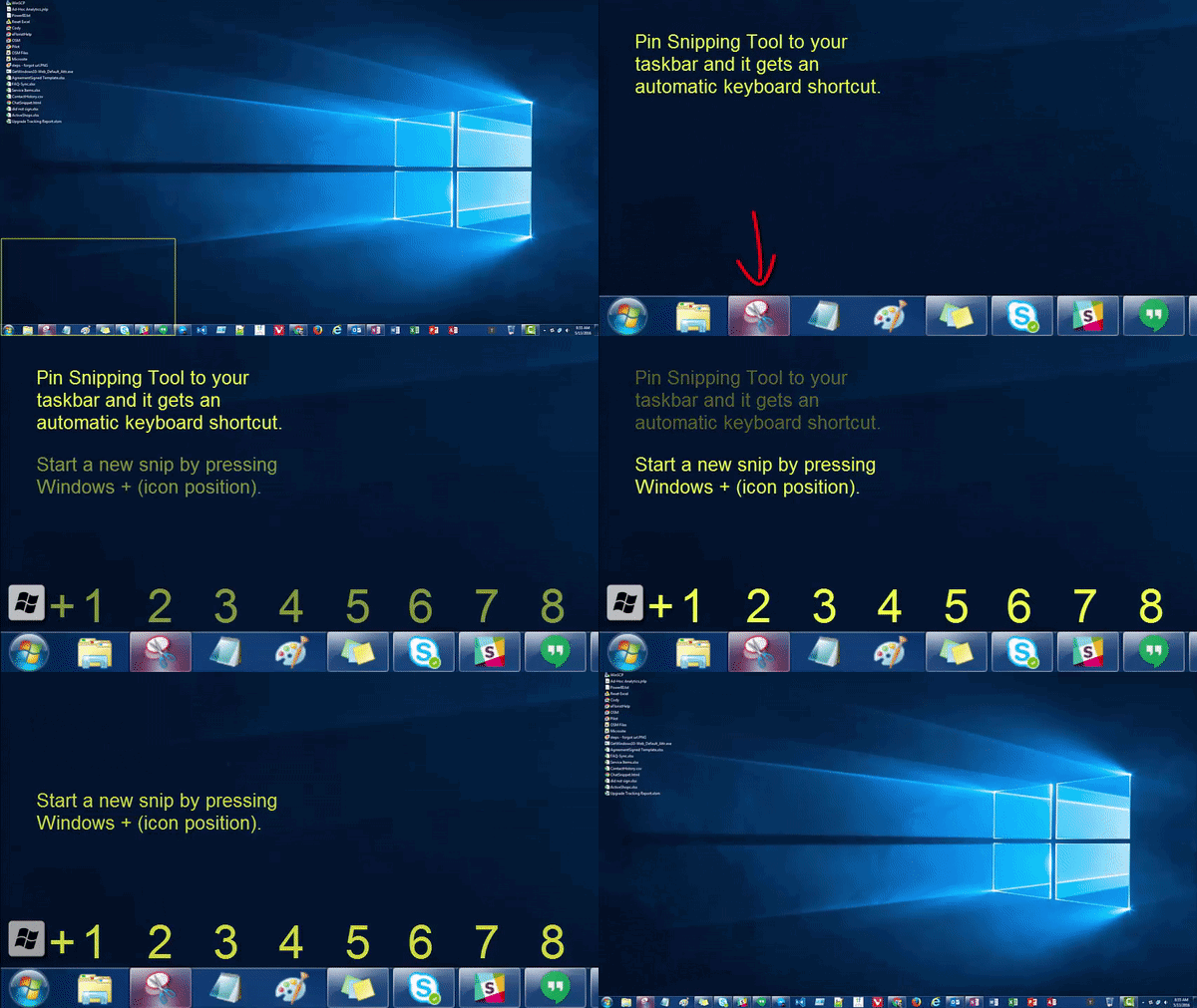
Also I know this probably isn't what you want, but the taskbar buttons get automatic keyboard shortcuts based on position. WinKey+3 will always launch your 3rd taskbar button, whatever you keep there. If it's already open, it'll switch to it (or you can use Win+Shift+3 to launch "another copy" of the 3rd icon). It's a pain to use it to open individual files instead of apps, but it can be done. https://cmdrkeene.com/images/ani/TaskbarPins.gif

 crystal edge
this is actually useful tip but i already installed autohotkey and also this shortcut is bit inconvenient for me. I will stick to autohotkey
thanks for the help!
why this ain't working? it says error in line 4
waxen citrus
Try this out instead....
crystal edge
do you need code or anything?
#Requires AutoHotkey v2.0
;ctrl + alt + \ ... launch NeoVim launcher
^!::
Run "C:\NeoVim.bat"
return
waxen citrus
Just a guess but try this for me:
;ctrl + alt + \ ... launch NeoVim launcher
^!\::
    Run "C:\Windows\System32\cmd.exe /c C:\NeoVim.bat"
    return
I think I got that right
It tells it to run the command line as the exe to run, and specifically that batch file as the "document" to open with that program
crystal edge
Error: Hotkey or hotstring is missing its opening brace.
line 4
waxen citrus
hmm I'll check it out in just a minute
crystal edge
i got an idea
waxen citrus
got it
;ctrl + alt + \ ... launch NeoVim launcher
^!\::
{
    Run "C:\Windows\System32\cmd.exe /c C:\NeoVim.bat"
    return
}```autohotkey version 2 requires a slightly different code, in this case it needed { and } around the portion of what to do when you type the keystroke
save that script file, double-click it so it loads, then try typing Ctrl-Alt-\
seems to be great here, and fires instantly when you type it instead of that delay the windows shortcuts had
crystal edge
it works!
waxen citrus
❤️
crystal edge
can you make the program to launch this file in fullscreen
waxen citrus
I think for that you could do it inside the batch file, because it's the program the batch launches that you want in full screen right?
crystal edge
maybe i wll create a shortcut of this batch file and change the property to lauch it in fullscreen
waxen citrus
that could work
crystal edge
but you need to change the code
i edited the code to launch the shortcut but now its not working, the file opens and closes suddenly like blink of an eye
#Requires AutoHotkey v2.0
;ctrl + alt + \ ... launch NeoVim launcher
^!::
{
Run "C:\Windows\System32\cmd.exe /c C:\Users\XXXXXXX\Desktop\NeoVim.bat"
return
}
yes ofcourse, i included a "\ " between ^! and ::
waxen citrus
that sure looks fine to me, just like the original
waxen citrus
any changes inside the batch file?
maybe it's running the batch but it's exiting quickly
oh, try adding just the word pause to the end of your batch file
that'll make it stop before it exits
crystal edge
if i launch with my mouse it opens and stays
in fullscreen
also the cmd is waiting for userinput so there is no need to add pause at the end
waxen citrus
that is just so it doesn't close on you at the end when you press the hotkey
so you can see what it says
crystal edge
here is file
waxen citrus
that one is just a shortcut file (.lnk)
are you trying to launch the link file from either the auto-hot-key macro or your batch? if so, it might work to try adding start in front of it, like start shortcut.lnk
crystal edge
crystal edge
waxen citrus
are you trying to launch the link file from either the auto-hot-key macro or you...
i am trying to launch the shortcut of that batch file which is my desktop using the ahk
crystal edge
waxen citrus
that is just so it doesn't close on you at the end when you press the hotkey
wdym?
waxen citrus
you mentioned it just flashed for a split second and then closes, I think if you add pause to the end it won't immediately close so you can see what is happening instead of it just flashing quickly
crystal edge
yeah i tried that also but i won't work unless manually lauch using mouse
cmd is looking for userinput which is equivalent to pause is there is no need to add pause
maybe ahk is the problem
if i launch the batch shortcut file using keyboard shortcut it will stay open for split second
but if i launch it through my mouse it works fine
crystal edge
waxen citrus
are you trying to launch the link file from either the auto-hot-key macro or you...
also wdym by this repaly?
if change the code to launch the original batch (not the shortcut file in my desktop) it works
waxen citrus
your line that launches the shortcut, does it include "start "?
like
start c:\users\me\desktop\shortcut.lnk
crystal edge
crystal edge
#Requires AutoHotkey v2.0
;ctrl + alt + \ ... launch NeoVim launcher
^!\::
{
...
no, here is the code of the ahk
waxen citrus
if I'm not wrong (and I might be), start will help launch a shortcut lnk from the command line/batch/script
crystal edge
do i have to include this in my ahk? or batch?
waxen citrus
wherever you are launching that shortcut lnk should do it
crystal edge
idk what what you still mean but i included start in my ahk code anyway gives me a new error
it is overwhelming my brain
"windows cannot find C:\Users\xxxxxxxx'. Make sure you typed the name correctly, and then try again.
crystal edge
ahk or batch?
waxen citrus
both would probably be helpful honestly
crystal edge
for batch script check previous messages
crystal edge
waxen citrus
```#Requires AutoHotkey v2.0
;ctrl + alt + \ ... launch NeoVim launcher
^!\::
{
...
and also how to paste the code as code in discord? just like you did
waxen citrus
just to the left of the 1 key, the single backtick mark.... normally you can just use one of those on each side of a word or phrase like this, but if you want to do it for a full block of code, use three of them at the start and another 3 at the end
like
this``` crystal edge
;ctrl + alt + \ ... launch NeoVim launcher
^!\::
{
    Run "C:\Windows\System32\cmd.exe /c start C:\Users\xxxxxxx\Desktop\NeoVim.bat"
    return
}```here is the error message after including start
 waxen citrus
ah yeah don't use start in the AHK script, let me see your batch file if you don't mind
crystal edge
crystal edge
.
waxen citrus
where is that shortcut.lnk in the script though?
crystal edge
oops
i changed the code start to run NeoVim.lnk still opens and closes for split second
waxen citrus
hmm so it's not even opening the batch file I guess
or the batch file is somehow taking a default choice at your input prompt and exiting quickly
hmm
waxen citrus
I'll try this out in a moment and see what I can get, it's probably just a small tweak somewhere
crystal edge
adding pause before userinput and after userinput will not work either
windows 11 is completely broken.
waxen citrus
lol it has nothing to do with windows 11 😄
crystal edge
maybe ahk is broken in windows 11
waxen citrus
I sure don't think so
crystal edge
is there is any command in ahk that launches in full screen?
waxen citrus
like earlier I had the syntax wrong because I was using AHK version 2 but trying a script based on version 1, which doesnt' work
crystal edge
i guess i have to learn the ahk programming to launch it in fullscreen
searching on google gives me complicated result
waxen citrus
i'm going to try it out in a sec, but just to be sure I know what I'm trying to get, you want the batch file to open in full screen right?
like get the choices shown in a full screen view?
crystal edge
yes
lets discuss this tomorrow, its late night here
i am going to bed
I appreciate your efforts though!
anyway bye 👋
waxen citrus
hey I think I got it.
• AHK script: runs this:
Run "C:\Windows\System32\cmd.exe /c start /max C:\Users\WDAGUtilityAccount\Desktop\Batch.bat"
The keystroke technically opens CMD.exe, but the /c tells it to then run another command (START in this case. The START command lets you run the batch file and it lets you use /max to start the program maximized.
My shortcut file (far left in picture/GIF) is not used at all.
 crystal edge
should i replace WDAGUtilityAccount with my account name?
i tried replacing with my name ans it still not working
i also tried without changing anything but nope
i think i found my problem
my account name has initial at the end (eg: xxxxx x). There is space between this.
so windows is saying that it cannot find C:\Users\xxxxxx and it doesn't mention my initial. I think the problem is the space between name and initial
@waxen citrus
oh, i tried replacing Batch.bat with NeoVim.bat and NeoVim.lnk, nope not working
maybe ahk has bugs with windows 11
crystal edge
waxen citrus
I think for that you could do it inside the batch file, because it's the program...
Is there any batch command that can fullscreen the batch program itself?
found any solution, post here. i am playing games right now
waxen citrus
crystal edge
should i replace `WDAGUtilityAccount` with my account name?
Yeah that's my username here
waxen citrus
crystal edge
so windows is saying that it cannot find C:\Users\xxxxxx and it doesn't mention ...
Oh okay let me look into this with a space
crystal edge
waxen citrus
Yeah that's my username here
cool username!
waxen citrus
crystal edge
cool username!
Haha it was just an automatic one in my sandbox
crystal edge
i tried changing the path to the original batch file (not the shortcut file) and IT WORKED!
it launches but its not in fullscreen
When i press the keyboard shortcut for first time it launches in normal window but if i launch more than one times without closing the first window, it opens in fullscreen. The first windows remains in normal window.
The cmd itself has to be in fullscreen and then open the bacth file
Hmmm, I also saw that first cmd opens and opens my batch file and then closes itself and then my batch file opens (no surprise here). Here is the part where it gets intresting, I noticed the transition where my batch file opens in fullscreen and transform into normal window. So that means my batch file opens in fullscreen and switches back to normal window.
crystal edge
waxen citrus
Oh okay let me look into this with a space
After searching up on Google, i found out that to include space in a path, the path must be enclosed within double quotes. The problem is that double quote is already in the ahk script. Adding another double quote makes ahk confused and throws me an error.
crystal edge
Any solution?
waxen citrus
okay your username just has a space in it here right?

I looked up inside AHT 2.0 documentation and it says if you need to include additional quote marks like if your user folder has spaces, we can do that using a back tick mark ` before the ", so it'd be like this:

This type of instant run of the batch in a maximized window is what you're looking for right? https://cdn.discordapp.com/attachments/1234884968535035904/1235280111478243450/shortcut.gif?ex=66347480&is=66332300&hm=0890fb408b4e10ee5b0f0ed6a6e611a97314c854ac7356d23541b07653b46c3c&

 crystal edge
Again its not working
This time its not opening my batch file instead it just opens cmd.exe
Is my computer broken?
Run "C:\Windows\System32\cmd.exe /c start /max `"C:\Users\MyName MyInitial\Desktop\NeoVim.lnk`"" return
waxen citrus
I've been trying this out with a test account that uses a user folder path with a space in it like you have and yeah I'm having the same problem.