#External live usb with ubuntu not booting on surface pro
22 messages · Page 1 of 1 (latest)
 astral latch
 novel barn
You’ll have to select it to boot from usb.
 queen mesa
astral latch
I downloaded ubuntu onto an external ssd which works on my desktop however it wo...
queen mesa
astral latch
I downloaded ubuntu onto an external ssd which works on my desktop however it wo...
If you operate under the windows just download the Rufus portable. Prepare pendrive (all data will by losed). In the Rufus chose Ubuntu image and the pendrive. After doing that you can force you laptop to boot form the pendive using special key (you can find in the manual of your laptop or just guess. To do that after turning on laptop just press multiply times key (from F1 to F12 or Del) you newer know 🙂 If you fail to enter into Boot many just turn off and repeat until you do.
 astral latch
novel barn
You’ll have to select it to boot from usb.
astral latch
novel barn
You’ll have to select it to boot from usb.
I did I even changed the boot order and done just about every simple fix possible. I am lost as to what the issue is
astral latch
queen mesa
If you operate under the windows just download the Rufus portable. Prepare pendr...
I already did this, I have the pendrive functioning. I said on my original post that the pen drive works on my desktop and boots properly however It will not boot on my surface pro.
queen mesa
So this can by thing of secure boot. Try the oposit setting -> if it's turn on turn off.
astral latch
its already off
astral latch
queen mesa
So this can by thing of secure boot. Try the oposit setting -> if it's turn on t...
first thing I did
queen mesa
and the pendrive if visible in the boot menu?
astral latch
queen mesa
and the pendrive if visible in the boot menu?
The only time Ive seen teh drive was through disk manager
queen mesa
But it's working with your PC so it ok but not compatybile.. if this have sense. Any way in the Partition scheme in the rufus you can choose not a MBR but GPT... I'm not saying this will work but you can try
astral latch
I already selected it as GPT
astral latch
queen mesa
But it's working with your PC so it ok but not compatybile.. if this have sense...
thats how i downloaded it
queen mesa
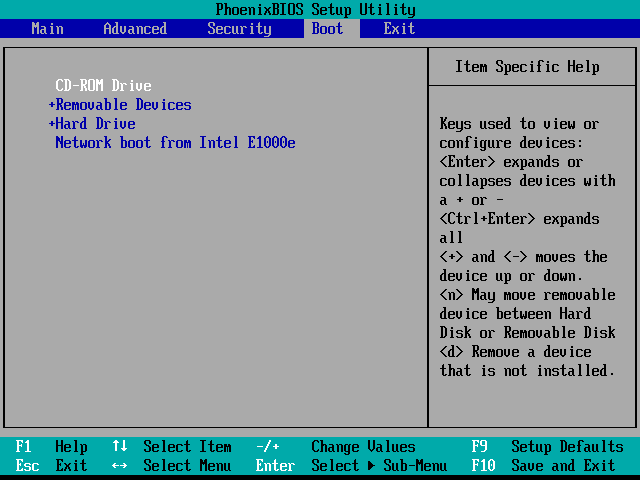
So you probably are using other software then Rufus I had some issue with this live creators. Rufus or lili was the most reliable. To by fair I runned out of ideas you can read this article maybe you find something https://www.groovypost.com/howto/bios-uefi-setup-guide-boot-from-cd-dvd-usb-drive-sd-card/
groovyPost
Booting from a USB or CD/DVD drive can be tricky depending on your computer's BIOS / UEFI setup. In this guide, we'll break it down step-by-step.
 queen mesa
So surface is not a 'normal' laptop 🙂 It's seem the UEFI is even simpler then usual. In this video is mentioned that usb should by formated as fat32 not NTFS https://www.youtube.com/watch?v=U7i6o8LLqHE

Here I cover how change the boot order on the Surface Pro 4 in order to boot from an operating system on a USB thumb drive.
Essentially the steps are to shutdown the Surface, plug in your bootable USB media, hold the volume-up button and then press the power button once while still holding the volume-up button. Keep holding the volume-up button...
novel barn
queen mesa
So surface is not a 'normal' laptop 🙂 It's seem the UEFI is even simpler then u...
Won’t be able to hold windows 10 as it’s bigger than 4 gb so you’ll have to split it
Oh nm he’s booting ubuntu*
astral latch
queen mesa
So surface is not a 'normal' laptop 🙂 It's seem the UEFI is even simpler then u...
my iso download file was a FAT32 file
Also i found a solution online from people with a similar problem and the solution seemed to work my only issue is I dont understand how to excecute it
these were the instructions:
The removable media (USB or SD) are given almost no attention in the tutorials anyway, so whatever the installer does, it typically needs to be fixed for the non-internal media. boot-repair might fix the "missing" bootloader but you can just copy bootloader into the right location, it's just a file copy under UEFI. Non-secure boot uses grubx64.efi, so that's the file to put into /EFI/Boot/bootx64.efi (on the FAT32 300MB EFI partition).
Now the next issue is the SD card install from a live USB -- the grub.cfg file's devices tend to get mixed up when extra devices (like the install media) get in the device enumeration (384633). Again, manually correct the first boot, then run sudo update-grub to fix the file.
Once you get the bootloader and grub.cfg file fixed on the SD card, you should be able to boot. Then you can think about optimizing the card for better performance, moving as much into ram as possible.