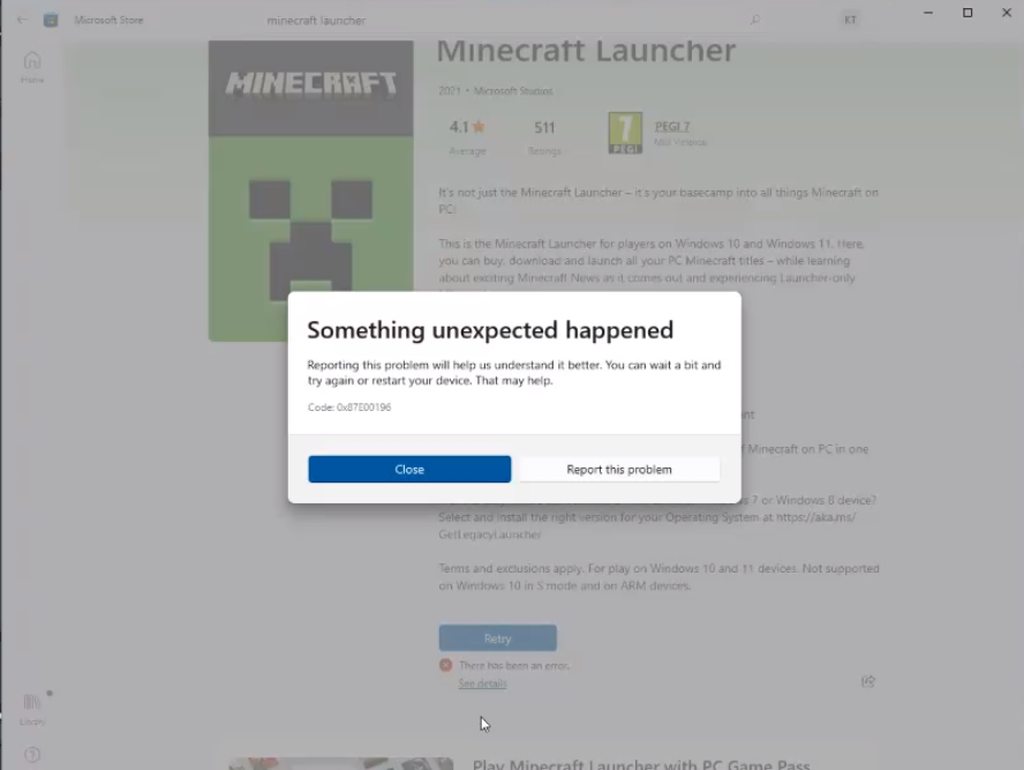
#Minecraft Launcher not installing
15 messages · Page 1 of 1 (latest)
 hoary slate
Microsoft Community Discord general information website.
 drifting badger
hoary slate
Try https://msft.chat/wiki/fixing-microsoft-store.html
drifting badger
hoary slate
Try https://msft.chat/wiki/fixing-microsoft-store.html
it doesnt work
minecraft discord support server told me to download this https://support.xbox.com/en-GB/help/errors/error-code-0x87e00196
drifting badger
hoary slate
Try https://msft.chat/wiki/fixing-microsoft-store.html
and if it doesnt work to contact microsoft discord support server
hoary slate
drifting badger
and if it doesnt work to contact microsoft discord support server
There isn't such a thing
 weary geodeBOT
Is this server official?
No, this server is not official. It is community-ran, it is not run by Microsoft. Also none of our moderators are (to the best of our knowledge) affiliated with Microsoft in any way. We do have official Microsoft employees in the server. However, they have joined of their own free will, and not as part of their job.
drifting badger
 drifting badger
hoary slate
There isn't such a thing
drifting badger
hoary slate
There isn't such a thing
.
hoary slate
Not sure what you are trying to prove here but again,
weary geodeBOT
Is this server official?
No, this server is not official. It is community-ran, it is not run by Microsoft. Also none of our moderators are (to the best of our knowledge) affiliated with Microsoft in any way. We do have official Microsoft employees in the server. However, they have joined of their own free will, and not as part of their job.
hoary slate
There is no official Microsoft discord
If the steps there don't work I'd suggest a repair job
to repair the OS... This does not lose any files/apps/settings/preferences, it only restores the OS.
`Run the Windows Media Creator tool, choose to save a ISO file. You do not need a USB stick for this (that would be for a reinstall, not a repair).
Once you have the ISO file, just double-click it, then double-click Setup.exe inside. Run that and reboot and you will have repaired your installation. Again this is not destructive so you will not need to reinstall any programs/apps/settings after you're done.
It's sometimes called an in-place-upgrade because it's identical steps to upgrading, but staying on the same version. This repair method has been typical for decades.`