#Random reboot issue in Windows 11 ASUS TUF FA507NV
10 messages · Page 1 of 1 (latest)
 undone sage
 shy marsh
undone sage
Dear All,
My ASUS TUF FA507NV keeps rebooting randomly once or twice a day when...
shy marsh
undone sage
Dear All,
My ASUS TUF FA507NV keeps rebooting randomly once or twice a day when...
check windows logs, do you get a bsod or just reboot?
undone sage
shy marsh
check windows logs, do you get a bsod or just reboot?
only reboot
shy marsh
undone sage
only reboot
check power, and check windows logs
 bleak orchid
undone sage
Dear All,
My ASUS TUF FA507NV keeps rebooting randomly once or twice a day when...
bleak orchid
undone sage
Dear All,
My ASUS TUF FA507NV keeps rebooting randomly once or twice a day when...
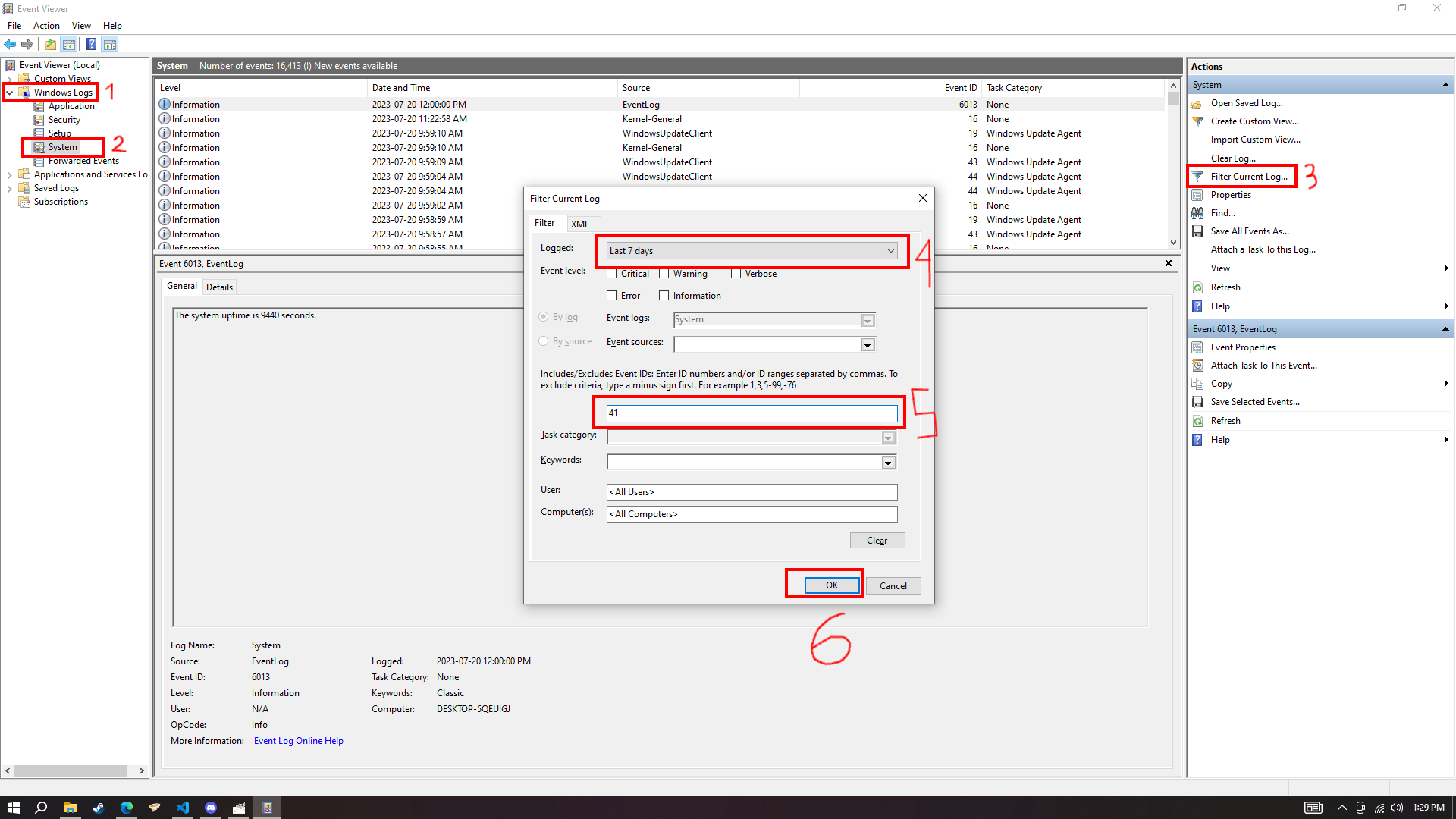
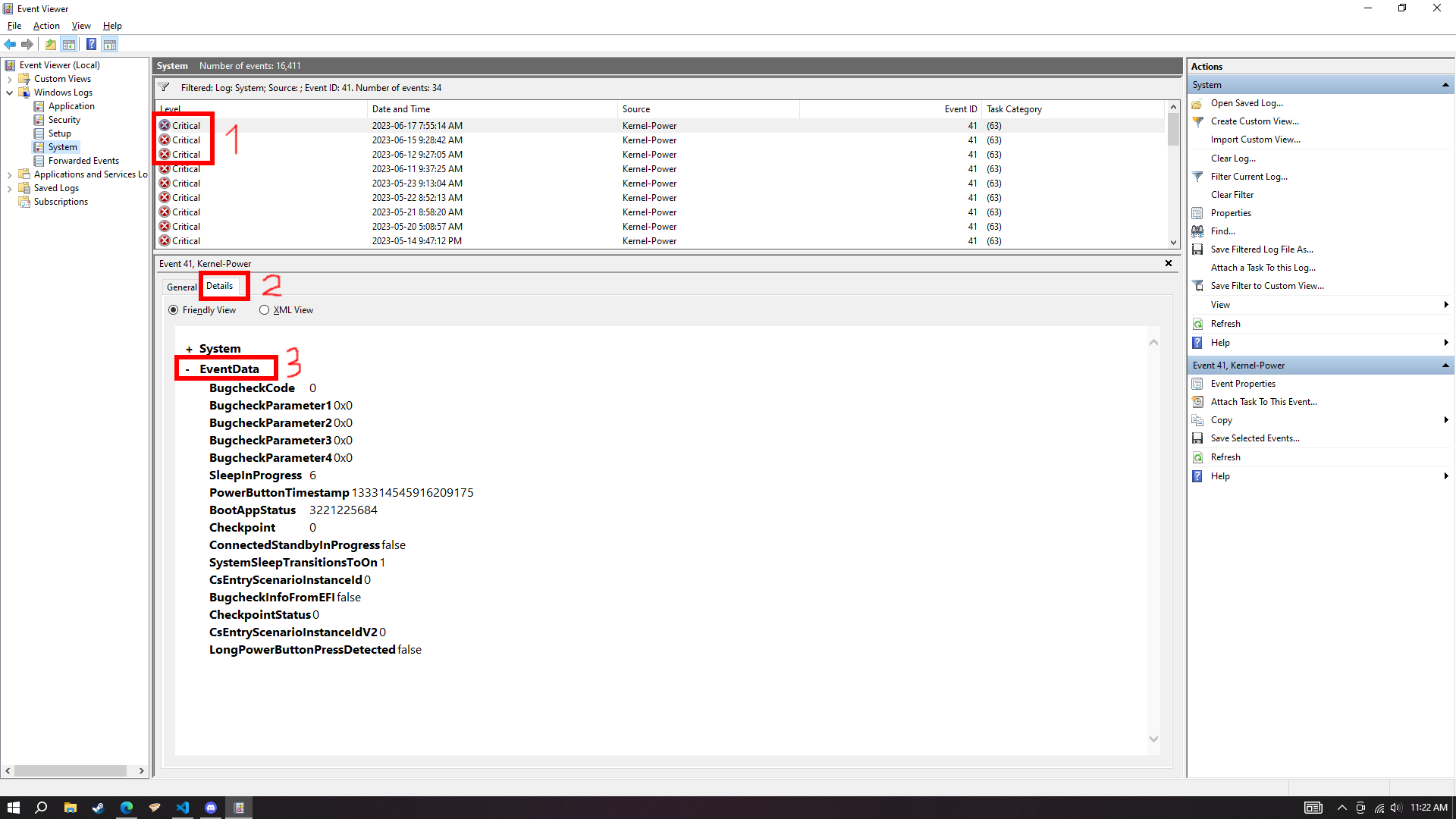
- Go to event viewer -> windows logs -> system -> filter current log -> <all event ids> replace it with 41 press ok -> click on the 2 most latest ones -> show their details tab' event data (Like this pic) 1. https://imgur.com/k1Y4uMd, 2. https://imgur.com/lxVDOcC
 shy marsh
bleak orchid
- Go to event viewer -> windows logs -> system -> filter current log -> <all eve...
shy marsh
bleak orchid
- Go to event viewer -> windows logs -> system -> filter current log -> <all eve...
I dont have the full path memorized, and I use linux, so I didnt send it 💀
bleak orchid
me also i just put it in a .txt file XD
I have a lists of troubleshooting steps in a .txt file
shy marsh
bleak orchid
I have a lists of troubleshooting steps in a .txt file
lol ok then

