
#Onedrive live | Removing version history
44 messages · Page 1 of 1 (latest)
 cobalt jackal
 proud pond
I'm sorry to hear that you accidentally used your private account and your real name is now visible in the version history of the online Excel sheet.
To remove your name from the version history, you can try the following steps:
Open the Excel sheet in question using the account that has the real name visible in the version history.
Click on the "File" tab in the top-left corner of the screen.
Click on "Info" in the left-hand menu.
Under the "Versions" section, click on "See all versions".
In the "Version History" window, find the version that has your real name visible.
Hover over the version and click on the ellipsis (...) that appears on the right-hand side.
Click on "Details".
In the "Version Details" window, find your name in the "Modified By" field.
Click on the pencil icon next to your name to edit it.
Change your name to something else or leave it blank, then click "Save".
Close the "Version Details" window.
Your real name should now be removed from the version history. If you have any further questions or concerns, please don't hesitate to ask.
cobalt jackal
@proud pond I'll screenshot my steps:
proud pond
K
cobalt jackal
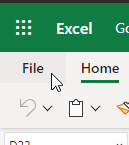

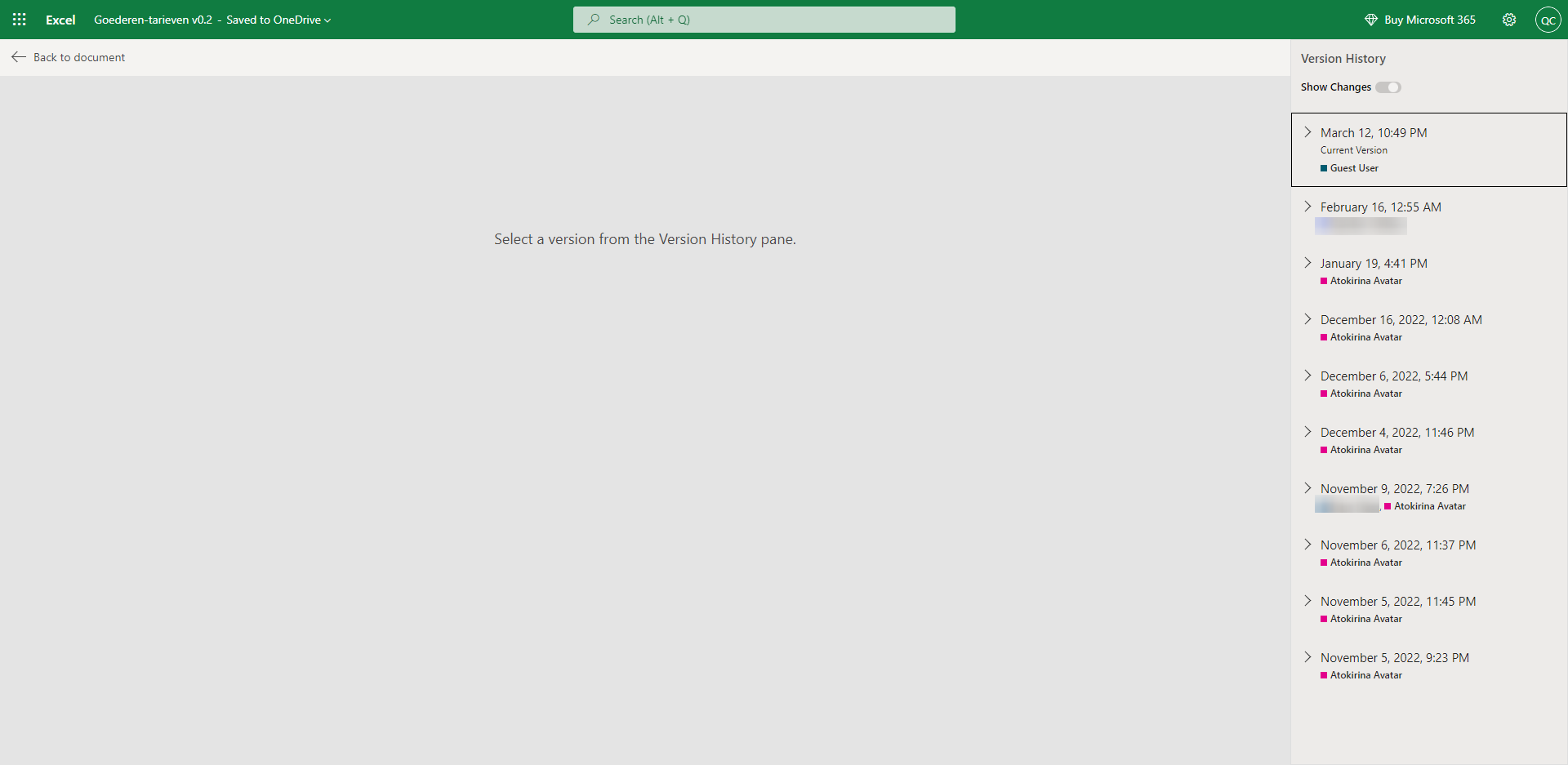

Only to option to download or restore. 😟
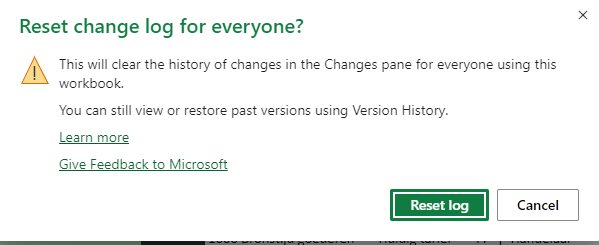
lol
😬

I guess it was right here.
proud pond
oh lol
cobalt jackal
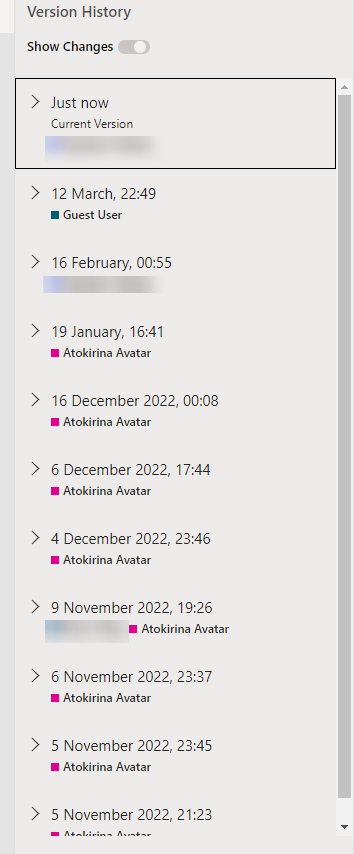


cheered too early 🫠
changes pane is still something different than version history 😕
I really don't wanna delete and re-upload the file because version history seems unremovable. 😦
It's possible via SharePoint but I don't have SharePoint.
proud pond
@cobalt jackal Your gonna have to follow these steps
Open the Excel sheet in question using the account that has the real name visible in the version history.
Click on the "File" tab in the top-left corner of the screen.
Click on "Save a Copy".
Choose where you want to save the copy of the file, and give it a new name.
Once the copy is created, delete the original Excel sheet.
Your real name should now be removed from the version history of the copied Excel sheet.
cobalt jackal
proud pond
Open the Excel sheet in question using the account that has the real name visibl...
There's probably no way to transfer the share link?
Wanted to avoid doing this.
But there seems to be no other way :/
King Computer Solutions – IT Consulting, Sales and Support
If you are running out of capacity on your Onedrive, even though the files you are using do not hit the capacity limit the issue may be because Onedrive stores 500 version of files.
But seems a bit too much work.
And not sure if it's gonna work;
proud pond
you could do this:
If you're trying to transfer the share link for the Excel sheet to a different account, you should be able to do so by following these steps:
Open the Excel sheet in OneDrive using the account that currently has the share link.
Click on the "Share" button in the top-right corner of the screen.
In the "Share" pane that appears on the right-hand side, click on the "Copy link" button.
Paste the link somewhere safe, like a text document or an email to yourself.
Log out of the current account and log in to the account where you want to transfer the share link.
Open OneDrive and navigate to the folder where the Excel sheet is stored.
Click on the "Share" button in the top-right corner of the screen.
In the "Share" pane that appears on the right-hand side, click on the "Create link" button.
In the "Link settings" pane that appears, click on the "Anyone with the link can edit" dropdown and choose the appropriate sharing permissions.
Click on the "Copy" button to copy the new share link.
Send the new share link to anyone who needs access to the Excel sheet.
Keep in mind that transferring the share link in this way will not transfer any of the version history associated with the Excel sheet.
proud pond
Lemme check my troubleshooting document real quick
you could do that but it would keep version history
your the owner correct?
cobalt jackal
proud pond
your the owner correct?
I am
proud pond
from my document:
If you are the owner of the Excel sheet and the "Details" option is not available when you click on the ellipsis next to a version in the version history, it's possible that the option to edit version details has been disabled for the Excel sheet.
In this case, you may need to contact OneDrive support
It looks like youll need to contact onedrive support directly
cobalt jackal
Oki. Thank you for your help.
proud pond
no problem
cobalt jackal
Is there a thank you command to give points here or not?
proud pond
How would you rate my support on a scale of 1/5? Just collecting feedback so I can improve
proud pond
cobalt jackal
Is there a thank you command to give points here or not?
just thank me in the tech support channel