#helpdesk-facebook

1 messages · Page 9 of 1

zealous shuttleBOT
#

@void yoke Account Merging - Please note:

  • Merging accounts only allows faster ways to switch between accounts
  • Merging accounts does not allow data sharing between accounts - different streaming platforms, different type of events
  • Merging accounts allows duplicating/sharing overlays between the accounts
    If you understand the limitations of merging and want to proceed, please find the JWT tokens (!jwt) from both accounts you want to merge and you will be directed to DM them to a staff member.
void yoke
#

Aesome

#

I would like to proceed

real heart
#

@void yoke Please DM me your JWT tokens.

#

@void yoke Your channels have been merged.

fair wedge
#

Guys any help? alerts aint showing on my stream or Streamlabs obs

#

just in the streamelements website

zealous shuttleBOT
#

@fair wedge We're not able to troubleshoot issues with using our overlays in StreamLabs OBS (SLOBS) as we don't have the tools to support their software. We recommend using OBS Studio or OBS Studio with our plugin OBS.Live.

fair wedge
#

Excuse me im using OBS studio now and im still not getting the alerts to work

zealous shuttleBOT
#

@fair wedge To add your overlays to OBS, add a new browser source in your scene. Paste your overlay URL in the browser source properties, set the dimensions to 1920x1080 (unless you changed them on the website), and ☑ “Shutdown source when not visible” https://youtu.be/KDvLynUqXI4

hearty swallow
#

Hey @white root, just checking in, any updates?

fair wedge
#

i still cant get the alerts work....

#

neither for OBS or SLOBS

zealous shuttleBOT
rose pecan
#

hi somehow my streamlabs obs app is logged in to twitch, how do i change to facebook

real heart
#

You'd have to ask Streamlabs.

rose pecan
#

oh im sorry my bad im using streamelements obs live

zealous shuttleBOT
#

@rose pecan Streamelements on top of OBS -> Logout -> login

rose pecan
#

i dont see a logout button

real heart
#

Take a screenshot of the contents of that menu.

rose pecan
real heart
#

Of the menu.

#

Which you don't have open in that screenshot.

rose pecan
#

which menu?

real heart
#

Please reread the bot message.

rough nova
#

I am still not getting accurate facebook follower counts. I have to manual update my followers every time I start the stream witha new follower

zealous shuttleBOT
#

@rough nova If you are not seeing Likes/Shares on your current stream or page, that might be due to how the privacy settings of the person liking/sharing your stream are set.
If they are set to private we won't be able to see the events.
Specifically for shares, if they share in private groups, we won't be able to see the event.

rough nova
#

Thats not the issue. The issue is with the data that stream elements should be collecting through API, but is not. I should not have to manually update my followers every time I start my stream.

inland brook
#

Where are you changing your follower count?

steel mortar
#

????????

#

whaaaaaaaaaaaaaaat

#

help plz

zealous shuttleBOT
#

@steel mortar Please follow these steps:
close OBS,
open the Nvidia Control Panel,
in the left menu select "manage 3D settings" and then under the list of options (right panel) press "restore default settings",
Start OBS again.

steel mortar
#

is there a way to not restore to default?

inland brook
#

Oh the command is not edited

#

remove the sharpness from the nvidia settings

steel mortar
#

gotcha thanks

#

so just image sharpening off

inland brook
#

just that

steel mortar
#

gotcha thanks

#

bro you guys are quick

#

legends

void yoke
#

hey so probably an obvious question but is there a way to set chat timers and commands on facebook while live. Super easy on twitch but I see no options for facebook.

real heart
#

@void yoke There isn't, as Facebook can't support the bot yet.

void yoke
#

ok thank you

harsh root
#

I'm not able to start Live on facebook, can someone help me?

real heart
#

Well what happens when you try?

harsh root
real heart
#

😶

#

Uh.

#

English would be helpful.

harsh root
#

Failed to connect to the server.

The connection has expired, make sure you have set up a broadcast service and no firewall is blocking the connection

real heart
#

Double check your settings in Settings>Stream.

#

And then clear them out and do them again anyway.

harsh root
#

I had just connected, but it fell right at the beginning and since then it doesn't connect anymore ...

real heart
#

Redo the settings and make sure you're using a persistent stream key.

harsh root
#

Refitted all the settings, logged out, logged in again and continues with the same error.

void yoke
#

im having the same issue. logout> login did nothing

harsh root
#

I tested it on another machine and it is the same, same message.

fair terrace
#

No Brasil o mesmo problema não conecta no facebook apenas no Twitch

real heart
#

@harsh root @void yoke Are you going live with dashboard settings like so?

#

@fair terrace 🖱️ ➡️ #🇵🇹︱português

void yoke
#

no i always use the second option..create new FB Live Video

real heart
#

Please use the top option.

void yoke
#

may i ask why? did something change?

real heart
#

Just going to be more consistent.

harsh root
#

@harsh root @void yoke Are you going live with dashboard settings like so?
@real heart I always used the second option and it always worked, I will test this first one.

void yoke
#

same issue

fair terrace
#

First option not working

real heart
#

I got it working in moments. The function works fine.

harsh root
#

Same message @real heart

void yoke
#

yes i just re-copied the url and persistent stream key into my settings

real heart
#

Then your connection to Facebook might be having a problem.

void yoke
#

alrighty then.

fair terrace
#

Support in portuguese?

real heart
#

🖱️ ➡️ #🇵🇹︱português

severe dagger
#

can't get FB to connect have tried everything

rough nova
#

I think its facebook servers, cuz I can't connect either

#

Where are you changing your follower count?
@inland brook in the data on stream elements . com

tacit imp
#

hello, i can't stream on Facebook, it says that the server connection failed. I updated my obs and restarted my laptop and it still doesn't work

rough nova
#

hello, i can't stream on Facebook, it says that the server connection failed. I updated my obs and restarted my laptop and it still doesn't work
@tacit imp lots of ppl having this issue

tacit imp
#

I see... anyone knows what happened?

left flax
#

Mine too

#

@rough nova cant be lots of others streaming

indigo crypt
#

hello. My stream disconnected mid stream and wont let me get back on. Tells me the following.

real heart
#

Facebook streams are crashing all over and having issues. This is a Facebook issue.

sick basin
barren crystal
#

i selceted the wrong facebook account, how do i change it

#

during the set up process

inland brook
#

Can you elaborate?

inland brook
#

Sorted over tickets ⤴️

jovial musk
#

Ok so signing out and then back in didnt work and running the program as admin didnt work. Any other ideas ?

inland brook
#

What is this about exactly?

jovial musk
#

@inland brook so i cannot get my alerts to trigger on facebook likes follows and share. It seems to work with my twitch. However that is not my main streaming platform. I linked my twitch to the streaming program but not before my facebook page.

inland brook
#

Are you expecting to see FB followers and shares to show on your twitch activity feed?

jovial musk
#

@inland brook no i just want my alerts to pop up from facebook instead of twitch. I cant figure out how to prioritize facebook

magic temple
#

I need help my fb stream keeps shutting down...

#

I have the logs

zealous shuttleBOT
#

@magic temple Please provide a log from your last stream. To do this, in OBS go to Help > Log Files > Upload Last Log File and paste the link to the log file here.

magic temple
#

where do i upload?

real heart
#

@magic temple Read the instructions and provide a URL, not a file.

zealous shuttleBOT
#

@magic temple 1) Restart OBS
2) Start your stream/recording for about 30 seconds. Make sure you replicate any issues as best you can, which means having any games/apps open and captured, etc.
3) Stop your stream/recording.
4) Select Help > Log Files > Upload Current Log File. Copy the URL and paste the link here.

(Note: If you do not see an obsproject.com URL, you will need to update OBS Studio to version 22+)

magic temple
#

that was a url.....

#

sheesh man'

#

I don't know how to upload and produce a url when I have and it keeps getting deleted

real heart
#

Read the note at the bottom of the last bot message.

magic temple
#

im on 25.0,1 where is this url?

zealous shuttleBOT
#

@magic temple Please provide a log from your last stream. To do this, in OBS go to Help > Log Files > Upload Last Log File and paste the link to the log file here.

magic temple
#

Can I speak to someone thats willing to give me more than 1 second of their time?

real heart
#

Please read and follow the instructions.

magic temple
#

Please read my last comment

#

the one that says i'm on the current release and can't find the url

real heart
#

Look at the last bot message, read and follow the instructions.

magic temple
#

Wow what trash customer service

real heart
#

If you read and follow the bot instructions, you will be given a link.

magic temple
#

here is the thing it happened like 2 hours into my stream... I'm not going to go live again for 2 hours I want to upload the log file where the issue is already known

real heart
#

You're not being asked to go live.

#

Once again: Read and follow the bot instructions.

#

Once you provide a log URL we can actually use, we can look into it.

#

Please provide a log from your last stream. To do this, in OBS go to Help > Log Files > Upload Last Log File and paste the link to the log file here.

magic temple
#

I do not think you understand the issue.. the last log file is from when I had to close and re open obs because it got stuck on ending stream

#

thats not the log file i want you to look at...

real heart
#

Then you need to generate a clean log file, and you will need to go live for 30 seconds.

magic temple
#

I only get the option to "upload LAST log file" not upload 3 log files ago

zealous shuttleBOT
#

@magic temple 1) Restart OBS
2) Start your stream/recording for about 30 seconds. Make sure you replicate any issues as best you can, which means having any games/apps open and captured, etc.
3) Stop your stream/recording.
4) Select Help > Log Files > Upload Current Log File. Copy the URL and paste the link here.

(Note: If you do not see an obsproject.com URL, you will need to update OBS Studio to version 22+)

magic temple
#

Ok... now back to my issue i stated previously... it doesnt happen in 30 seconds... I was like for 2 hours 30 seconds will not do anyone here any favors

#

If Ninja or some other big streamer came in here I'm sure it would be absolutely no issue to look at their logs from months ago. Why is it such an issue to look at the log I'm having trouble for?

zealous shuttleBOT
#

@magic temple Please follow our community rules:

  • No advertisement or stream promotion
  • Respect ALL server members
  • No NSFW/NSFL

Thank you

magic temple
#

@real heart I've uploaded the log and posted the url can you verify you have received it?

real heart
#

You are correct in that because the log does not replicate the issue there is nothing in there that can determine the cause.

magic temple
#

Please read from line 20:06:31.850 and below This looks to be where it originates @real heart

real heart
#

20:09:14.855: obs-browser: streaming stop requested by UI control
This line shows you shut the stream down yourself.

magic temple
#

Yes I stopped the stream because it crashed and was constant frames dropping @real heart

real heart
#

Your log did not report any dropped frames.

magic temple
#

but... what is this? 20:06:31.850: obs-browser[2]: CONSOLE: Disconnected from socket

real heart
#

If OBS crashed entirely, you can provide your crash log.

magic temple
#

crashed as in my stream crashed not obs

real heart
#

That is the connection to your StreamElements activity feed.

#

It has nothing to do with your stream.

magic temple
#

What is Could not reconnect to topic ?

real heart
#

Completely unrelated to the issue you're experiencing.

magic temple
#

So what can I do? why is your logs not showing why my frames are dropping to the poinbt where my stream stops on FB ?

real heart
#

This is not "our logs." This log is generated by OBS Studio itself.

#

A large number of Facebook users have reported issue with their services earlier tonight, with many of them completely disconnected.

magic temple
#

So basically Theres nothing I can do but stop streaming... cool thanks for your help. Cheers

real heart
#

You may simply be experiencing a Facebook issue, not a local issue.

magic temple
#

Ive been having this issue for over a week. I know yesterdays issue was with FB but I see alot of streamers no issues.

#

Thanks for your help cheers for not banning me because if I was in your shoes Id have done it a long time ago 😂

rough nova
#

My stream to facebook will connect, but I am not getting the pop up that asks for the stream details. It then says "stop streaming" but never actually publishes a stream to my page.

real heart
#

Do you see the button in the middle of where the chat will be?

rough nova
#

Chat is blank, but the activity stream says session expired?

zealous shuttleBOT
#

@rough nova Streamelements on top of OBS -> Logout -> login

rough nova
#

Cool that did it. Thanks

void yoke
#

Getting frustrated setting up

marsh hare
#

@void yoke you have any trouble?

jovial musk
#

Ok so its been a while since the reply. Can i have help on how to get the alerts to work for facebook and not twitch?

violet bobcat
#

I am having trouble getting media request to work properly on my stream through streamelements.OBS for Facebook.

restive zephyr
#

Hye.. can i know when can we get to see viewer count on FB stream?

void yoke
#

Hi, i used to stream fine on facebook page, using streamelements obs, for some reasons i cant seem to stream to my facebook page anymore. the streamelements obs only lets me connect to twitch. can someone please help me out ?

real heart
#

Facebook has been having connectivity issues in general lately.

#

Many have reported being suddenly disconnected.

void yoke
#

any update when it will be back to normal ?

real heart
#

You'll have to reach out to Facebook.

#

It's their end.

void yoke
#

also can you help me on how to connect to my facebook page on streamlabs obs within the obs program ?

real heart
#

We're not Streamlabs and cannot help you with their software.

void yoke
#

i mean streamelements sorry.. havent sleft for past 26 hous..

real heart
#

You should probably do that.

void yoke
#

just about to as soon as i sort this out

real heart
#

You log into Facebook in the StreamElements menu, and you set it up in Settings>Stream as well.

void yoke
#

omg, ive missed the lougout button all this time and it was right in front of me.. okay getting some sleep. thank for the help buddy

#

cheers

distant coyote
#

I can't seem to activate chatbot on facebook. Does it even support that?

#

I'm originally coming from streamlabs. But it didn't support chat bot or a royalty system for the viewers. I'm hoping stream elements would do a better job?

inland brook
#

Facebook doesn't provide chatbot support.

#

Facebook doesn't allow chatbots in general

distant coyote
#

ah damn

#

and does that include royalty system aswell?

inland brook
#

yes

distant coyote
#

alright, thank you 🙂

brisk jackal
#

hi i need help im getting a persistent failed to connect error on my obs whenever i try to go live

wind sleet
#

looks like facebook is having issues,
others in the OBS discord are having the same thing

brisk jackal
#

i tried relogging my streamelements account on obs but still no luck

wind sleet
#

best to contact facebook

fair finch
#

i have a problem with fb live

magic coyote
#

Is it just me or we can't go live in FB right now? server issues?

proud steppe
#

correct

wind sleet
#

look above

dull relic
wind sleet
#

Services are recovering and starting to come back up,
others may take a while.
SEheart

brittle condor
#

im geting desconected from my session.

#

my chat its getting freezed idk whats happening

dull relic
left basin
#

@brittle condor some of our services are recovering from being down. We are getting back, but it may take some time. Some of the services may be up already, but some are still struggilng

brittle condor
#

Thanks, for the info.

paper thistle
#

my chat dont load obs using the obs live plugin on obs studio any halp?

marsh hare
#

Try Chrome

zealous shuttleBOT
#

@slim cloak Our Dashboard and Overlay editor are Chromium Optimized. We strongly recommend using Chrome.
Opera GX might work closest to Chrome as its also Chromium built. FireFox also works, but some things might look a bit different or not work.
We do not recommend using Internet Explorer/Edge with our Dashboard as it does not support functions.

marsh hare
#

And incognito mode?

slim cloak
#

my overlay does not load

marsh hare
#

Remove the link, please

#

Try create new overlay

slim cloak
#

yes

#

same problem

marsh hare
#

You can try it on another device?

slim cloak
#

I created a test page I got it ;/

#

my main page doesn't

vapid tendon
#

Is there a chat panel in OBS.Live for Facebook chat like there is Twitch? If so, how do I activate it?

inland brook
#

Streamelements on top of OBS -> Chat

vapid tendon
#

@inland brook Whenever I do that it defualts to showing Twitch chat for some reason

zealous shuttleBOT
#

@vapid tendon Streamelements on top of OBS -> Logout -> login

near river
#

Hi guys needs some help. So if I stream on twitch but now want to stream on fb instead I have to create a new channel on stream elements? Do I also need to create new tipping page, merch page etc as well?

inland brook
#

Yes - everything is separate

#

including overlays

near river
#

Bummer okay thanks

void yoke
#

When are you going to have new overlays for facebook? bout time to get rid of the christmas ones don't you guys think? it sucks that there are so many overlays for twitch and next to nothing for facebook.

#

i keep asking this and never get any answer

inland brook
#

No ETA on new overlays.

near river
#

Why can I not save this. When I click on tipping the logo is blurry even tho my quality is high. I click on profile and then the plank page is shown but when I change logo and banner there no way to save it and then it resorts back to the blurry logo and streamelements banner

#

Also can OBS display Facebook live chat on activity feed and stream chat? If so how?

inland brook
#

Streamelements on top -> chat

#

As for the profil and banner - try either in chrome or give it a bit of time to update.

#

unless you don't see the library popup

#

then try chrome

near river
#

Okay I’ll have to try chrome. Thanks. And it’s all set up to twitch how do I change it to Facebook? Sorry

zealous shuttleBOT
#

@near river Streamelements on top of OBS -> Logout -> login

near river
#

Thank you so much

plucky gate
#

Hey there. I just tried to add my facebook to my stremelements. I clicked sign in with facebook instead of signing in with twitch then adding my facebook account. I tried to delete my facebook streamelements then add it to my twitch one , but now the account is already claimed...

inland brook
#

I can link the accounts for you, but I will need the JWT token from both accounts.

#

Do note:

#
  • Merging accounts only allows faster ways to switch between them
#
  • Merging accounts does not allow data sharing between accounts - different streaming platforms, different type of events
#
  • Merging accounts allows duplicating overlays between the accounts
plucky gate
#

I have both of those JWT tokens ready

inland brook
#

rooSlide in to my DMs

plucky gate
#

on it

void yoke
#

My obs activity feed and chat have somehow change themselves to twitch which i no longer stream on, have unistalled obs live and studio re installed and its still not changing to facebook? I have no idea what has happened?

zealous shuttleBOT
#

@void yoke Streamelements on top of OBS -> Logout -> login

void yoke
#

That doesnt work

rancid totem
#

Hey, does anyone know if Facebook legally allows us to use StreamElements' donation service as external donations?

proud steppe
#

if it was illegal, it wouldn't be an option 😉

rancid totem
#

But no one is using it.

void yoke
#

i click on login and it seems to log then pops back to login.

fair saddle
#

algum staff brasileiro

#

?

cobalt elk
#

@void yoke still having this issue?

#

@fair saddle i think there are staff who speak portugues but maybe try #🇵🇹︱português if you want help in your own language 🙂

crisp thicket
#

how do i bring back up facebook chat and side views it starts with i accidentally took them down\

chrome holly
#

would it cost me to loose some stuff if i start using streamelement for facebook i currently use it for twitch and i love but i want to be able to use for facebook as well?

thin fern
#

Hey 😄 im trying to add my facebook page to my SE account but it keeps telling me the account is already claimed.
Also im looking at using restream to stream to twitch and youtube, do i need to create another set of alerts for youtube ?

void yoke
#

@thin fern I can link your Facebook and YT channels, DM me for details.

As for alerts, yes, you'll need a different set of alerts per platform

peak falcon
#

hey i want to ask about modules in the streamelement...in my streamelement there is no bot...means under the bot thing like modules,chat command etc.. why?

humble igloo
#

There is no bot for facebook.

viscid moss
#

Where can I get dope overlays that are made for facebook gaming with alerts and everything

mystic locust
#

Hello, you want to "close my account" on Facebook, but I can't help

humble igloo
#

Have you entered all data in the fields?

mystic locust
#

yes, when I hit the button, nothing happens, no error comes out, but the account is not deleted

humble igloo
#

The account is deleted manually after you send the deletion request. So this can take some time.

mystic locust
#

ohh, how long will it be ?, is that I want to link to my youtube account

humble igloo
#

We can merge accounts for you. No need to delete the account and add it again.

zealous shuttleBOT
#

Account Merging - Please note:

  • Merging accounts only allows faster ways to switch between accounts
  • Merging accounts does not allow data sharing between accounts - different streaming platforms, different type of events
  • Merging accounts allows duplicating/sharing overlays between the accounts
    If you understand the limitations of merging and want to proceed, please find the JWT tokens (!jwt) from both accounts you want to merge and you will be directed to DM them to a staff member.
mystic locust
#

is that I have a youtube account and I can't delete that, that's why I want to delete the facebook account

humble igloo
#

So you want to have your YT and FB in one account?

mystic locust
#

yes

humble igloo
#

As stated by the bot, if you want to have them merged, DM me the JWT token of the YT and of the FB account please. So I can forward that to staff to merge the accounts.
No need to delete one.

mystic locust
#

ah ok thanks, the DMs are the SE.STAFF of discord? or how I contact them, sorry I'm a novice

humble igloo
#

Just DM me on discord.

rough nova
#

Has anyone else had any issues with a high dropped frame rate due to network on facebook streaming? This started happening ranomly last night. I've been streaming for weeks just fine on these settings, and suddenly it started. I have 34% dropped frames due to network.

void yoke
#

why does my avatar show up as a question mark when I comment on my stream?

real heart
#

@rough nova Facebook has been having a lot of issues keeping up lately, from what I've seen.

#

@void yoke Comment where?

void yoke
#

when I make a comment in Chat in my SE OBS.LIVE

#

just a minor thing, didnt do that before the last update

rough nova
#

@rough nova Facebook has been having a lot of issues keeping up lately, from what I've seen.
@real heart Thats what I was thinking. That is why I wanted to ask if others were having that issue too.

void yoke
#

also notifications dont seem to be working well. I got a new follower alert but Likes and Shares I'm not receiving

real heart
#

A lot will have to do with privacy settings.

brisk jackal
#

hi i need help on how to change my facebook page linked on my streamelements

#

whenever i try to login my fb account on streamelements it goes back to the home page of streamelements

void yoke
#

@brisk jackal try logging out and logging back into the system

brisk jackal
#

i did several times no luck sir @void yoke

void yoke
#

try to login through an incognito window

brisk jackal
#

still the same

#

i made a new facebook page and deleted the old one that i used to stream to at streamelements. looks like streamelements is still on my deleted page. i think it needed to be reset

#

but how to?

#

i dont want to make a new FB account thou

void yoke
#

you can link the new page if you manage to login through a different channel

#

twitch for example

#

and then link the fb page

brisk jackal
#

okay ill try that

void yoke
#

is that page set as a gaming page? please double check

brisk jackal
#

i found the fix! thanks 😄

void yoke
#

np np 😄

brisk jackal
#

just needed to relink my streamelements on my FB account to start fresh

void yoke
#

so Facebook released a new design last week and since I switched I am not getting notifications or my stream summary. Coincidence or does OBS/SE not work with FB's new design?

#

seems like a silly question but

obtuse cipher
#

Hello guys! I would like to ask about HypeBoss in Facebook Live. I've tried to use it a while ago. Is the a cool down when a follower shared the video?

#

Is there*

#

And also, I've noticed that, my viewers tried to share my live video on different groups and pages, but they've damaged the hypeboss only once. And they tried to share again my live video after an hour, it cannot inflict damage on the hypeboss anymore. Please help me on this. Thank you!

obtuse cipher
#

Anyone who can help me out guys? Thank you so much

prime hamlet
#

Is there a way to just pull the HYPE BOSS name, and nothing else?

#

And also, I've noticed that, my viewers tried to share my live video on different groups and pages, but they've damaged the hypeboss only once. And they tried to share again my live video after an hour, it cannot inflict damage on the hypeboss anymore. Please help me on this. Thank you!
@obtuse cipher Boss damage only counts Onces per account

#

once* per account.. One Like, One Share one Follow.

#

Stars are the only multiple damage it can do

#

until you reset the session (eg. new Stream starts)

rough nova
#

Still having to manually update follower goal progress. I am not sure why, but it will not get this data from facebook. It seems like there are a lot of issues with facebook information, because not only is thtat not updating, but I am also not getting notified when people like my stream while its live. (in the stream animation, not on the activity feed)

void yoke
#

same here Died. When I get a new follow or page like when I'm live it updates but not always when I'm offline. Its prob a FB thing, they are protective of their API

rocky bone
#

my alerts wont show in my obs anyone can help me.

zealous shuttleBOT
#

@rocky bone To add your overlays to OBS, add a new browser source in your scene. Paste your overlay URL in the browser source properties, set the dimensions to 1920x1080 (unless you changed them on the website), and ☑ “Shutdown source when not visible” https://youtu.be/KDvLynUqXI4

obtuse cipher
#

@prime hamlet Thank you for the reply sir! is there anyway to manually edit its program? Thank you!

#

*any way

#

also if I reset boss on the streamelement overlay, will it also reset everything? (eg. follows, shares. likes) that does damage the boss? Or it will only reset after the stream ended?

rocky bone
#

@zealous shuttle thank you so much!

inland brook
#

@obtuse cipher it doesnt reset automatically. Its suppose to keep the previous boss person and hp until manually reset

obtuse cipher
#

@inland brook Okay i got it. So if I started a new live stream, my followers can damage the HypeBoss again right?

inland brook
#

yes

obtuse cipher
#

That is nice! If the Boss send stars, will it heal his own?

inland brook
#

if you tick the option on the widget, yes

obtuse cipher
#

Ok Thank you @inland brook. I really appreciate your help

tender crane
#

hi , need help , few days everytime i open streamelements obs , it couldnt instantly login facebook like before , and everytime i have to key in new stream key , anyone know how to solve this issue ?

inland brook
#

Are you using obs.live?

tender crane
#

yes

zealous shuttleBOT
#

@tender crane Streamelements on top of OBS -> Logout -> login

tender crane
#

@inland brook thanks very much appreciate it

void yoke
#

couple questions... first one is easy..... does it matter which desktop icon i use?

#

second question is regarding the top 2 options.... if I use the first option, how do I add a description of the stream? I dont see a place on FB Streamer Dashboard to do this. I use the description to add links for Merch, Tips and my social media links

humble igloo
#

If the plugin OBS.Live is installed, both desktop icons should start OBS Studio with the activated plugin OBS.Live.
The FB Streamer Dashboard should be accessible here: https://www.facebook.com/creatorstudio/

void yoke
#

ok. i have looked at the Creator Studio page and I dont know where to go to save my title and description

#

sorry, i know these are prob noob questions

humble igloo
#

There should be a Go Live button where you can set the settings.

void yoke
#

do you have to "schedule" a live stream?

#

because there is no save option

humble igloo
#

You should be able to copy the server data to your OBS and start a stream.

void yoke
#

🤔

#

the server url and stream key I have saved in OBS

humble igloo
#

Have you started the stream in your OBS? After that you should be able to press the go live button, if I am not wrong.

void yoke
#

I usually start the stream in OBS.Live and then on FB it automatically goes live. I have never had to do anything extra on FB but I always select create new FB live video

#

so are you saying when you use the top go live option in OBS you have to also click go live in FB Creator Studio?

humble igloo
#

Not sure, never used it.

void yoke
#

lol

humble igloo
#

Just tested it. Set up the settings in the creator dashboard on FB, copy the stream key to your OBS, start the Stream in your OBS.Live with the dashboard settings and press Go Live on your creator dashboard.

void yoke
#

ok. i tested it too. i think i got it

#

just a different way of doing it

#

may take some getting used to. i dont hate it, just wish FB would open more options up to OBS so I could do it all in one app/window

woven sphinx
#

I need to merge my facebook account into my twitch account. who do i speak to to do this?

zealous shuttleBOT
#

@woven sphinx Account Merging - Please note:

  • Merging accounts only allows faster ways to switch between accounts
  • Merging accounts does not allow data sharing between accounts - different streaming platforms, different type of events
  • Merging accounts allows duplicating/sharing overlays between the accounts
    If you understand the limitations of merging and want to proceed, please find the JWT tokens (!jwt) from both accounts you want to merge and you will be directed to DM them to a staff member.
woven sphinx
#

ok so i have the JWK keys and stuff. who can i DM?

real heart
#

Please DM me the tokens, clearly labeling which is which.

woven sphinx
#

ok. I did.

bitter wolf
#

what is the best obs setting for recording and streaming for i7 6700k and rx 580 8G

zealous shuttleBOT
#

@bitter wolf There are no "best settings".
Please understand that every setup will be very different.

Any guides or videos that claim otherwise are misinforming. Your best option is to start with a base and adjust as necessary.

You can run the OBS auto-configuration tool. To use the auto-config, click on the Tools menu in OBS, select Auto-Configuration Wizard, and then just follow the on-screen directions.
You can use this tool to get baseline settings for your hardware and adjust as necessary from there.

Test, test, and test again. We are happy to offer suggestions for any issues you may be having afterwards, but not a list of settings.

Thank you SEheart

atomic summit
#

Hello can someone please help me, my stream's output on Facebook is not the value I set it to which is 60 FPS. I don't know if the problem is on OBS' end or Facebook's but my output's FPS was so bad, OBS dashboard says that I'm running at 60 fps but on Facebook it's not

Here's the OBS log https://obsproject.com/logs/49iHhixta02nq8gj

real heart
atomic summit
#

@real heart I haven't actually, let me give it a go

#

Okay the recording is fine, i guess the issue is on Facebook's end then, thank you @real heart 🙂

bitter wolf
#

How to get my best settings

zealous shuttleBOT
#

@bitter wolf There are no "best settings".
Please understand that every setup will be very different.

Any guides or videos that claim otherwise are misinforming. Your best option is to start with a base and adjust as necessary.

You can run the OBS auto-configuration tool. To use the auto-config, click on the Tools menu in OBS, select Auto-Configuration Wizard, and then just follow the on-screen directions.
You can use this tool to get baseline settings for your hardware and adjust as necessary from there.

Test, test, and test again. We are happy to offer suggestions for any issues you may be having afterwards, but not a list of settings.

Thank you SEheart

rough nova
#

@inland brook Hey there, accidently signed in with my mixer account, but was trying to add it to my existing... so now I can't add it cuz its claimed... can we get that fixed?

inland brook
#

do you know the procedure?

rough nova
#

I do not

inland brook
#

I can link the accounts for you, but I will need the JWT token from both accounts.

#

Do note:

#
  • Merging accounts only allows faster ways to switch between them
#
  • Merging accounts does not allow data sharing between accounts - different streaming platforms, different type of events
#
  • Merging accounts allows duplicating overlays between the accounts
rough nova
#

OK give me a few minutes, i'll look into this

zealous shuttleBOT
#

@rough nova Streamelements on top of OBS -> Logout -> login

inland brook
#

@rough nova ⤴️ ⤴️ ⤴️ ⤴️ ⤴️

rough nova
#

I tried that one, but i'll do it again since the account merging

inland brook
#

linking/merging account has nothing to do with this

rough nova
#

OK, good to know. Before though I logged out and logged back in and it was still doing facebook, however, this time its letting me do mixer, so its fixed.

serene ingot
#

Hello, I am unable to log in my facebook account/page using StreamElements. It was fine 2 days ago. Page name : GulagGuru420 ( I just keep getting back to the log in screen when I try to link facebook or manualy input passwords. Tried every browser platform or device pls help )

inland brook
#

@serene ingot Lets keep this in the ticket please - for tracking purposes.

stark ingot
#

Hi, I was wondering where can I see the viewer count in obs.live? I couldn't find it.

inland brook
#

For facebook, we don't have a viewer count

#

as the information is not provided by Facebook's API

stark ingot
#

oh, alright thanks!

void yoke
#

does SE no longer send the stream summary?

proud steppe
#

when was the last time you streamed?

#

if there is more than 7 days between streams, it needs about 2 streams to accumulate more data for the summary

void yoke
#

I stream pretty much every night. I havent received a summary in over a week

#

they stopped on March 23rd

#

I dual stream to Twitch though

proud steppe
#

hmm okay, i'll ask around for you

void yoke
#

Im getting the Twitch summary but not the FB summary

#

cool man. Thanks

zealous shuttleBOT
void yoke
#

5dc204c5361728ffa0681127

inland brook
#

I resubbed you so hopefully you get them for your facebook channel

void yoke
#

awesome. Thank you

wild lake
#

can i ask some problem here, i cant seems to connect facebook to streamelements

wild lake
#

always getting back to this page after re-login ^

#

on obs.live

wild lake
#

ive tried relink the streamelements permission on my fb page but still no luck

wanton torrent
#

Do you have the issue when logging into our website also or just when logging into OBS.Live?

wild lake
#

both cant log in

#

but i have no problem login with twitch acc

wanton torrent
#

Twitch doesn't have a restriction on what account can be used to login as all Twitch accounts are the same, this issue is that Facebook only lets you login with a Facebook Gaming account, and for some reason when you are trying to login Facebook isn't showing this account as being a Facebook Gaming account

wild lake
#

yea

wanton torrent
#

Sounds like it might be trying to login with your general Facebook account instead of the gaming one

#

Either that or you need to remove the link between StreamElements and your Facebook page and then start again. As it may still be seeing it as not a gaming page

wild lake
#

i think my twitch acc is login using my fb

#

ill try

wanton torrent
#

Yes, lets try that

wild lake
#

welp still get the error~

#

i think the system detect my personal fb acc, not my gaming page

wanton torrent
#

Yeah, I think so too 😦

wild lake
#

is there any other solution

wanton torrent
#

I'll let you know if I discover anything else, possibly via DM if that's alright

wild lake
#

please do

gray current
#

Would anyone know why i have to keep refreshing my chat to see recent comments while live?

void yoke
#

I cant log in via facebook I log in and when I click the facebook tab it goes white then shows tab again I have to click continue without logging in to use the obs

wanton torrent
#

Have you logged in previously but now it won't let you?

void yoke
#

no i used to use the studio one and my mates says it better to use the live

wanton torrent
#

And you have a Facebook Gaming page that you're trying to log in with?

gray current
#

Would anyone be able to help me with my live chat in stream elements, i have to manually refresh chat to see new comments, i am on facebook

zealous shuttleBOT
#

@gray current Streamelements on top of OBS -> Logout -> login

void yoke
#

yes i have streamed loads of times via the studio but ive moved to the live so i can have my chat on the same page

wanton torrent
#

Could you tell us your username on FB?

void yoke
#

home page is joe lemmon the page i stream to is SnowBalls GTAV rp

wanton torrent
#

You'll first need to check if SnowBalls GTAV RP is a Facebook Gaming page or not, it needs to be set as such

edgy path
#

i got the same problem

ebon latch
#

How do I remove a channel from my account?

zealous shuttleBOT
#

@ebon latch There is no easy way to unlink 2 owner type accounts from each other. The only way is to make a closure request from here: https://streamelements.com/dashboard/account/security
WARNING: In submitting a closure request you will delete both linked accounts and loose all data from both accounts. This includes overlays, custom commands, timers and past data(tips, subs, etc). You can still relogin with the deleted account, but you are essentially starting fresh.

ebon latch
#

How long does it take? I already requested my account to be closed.

real heart
#

It's manually handled, so can take time depending on current workload.

brisk pagoda
#

how do i edit headline everytime i go live in facebook? when i click start streaming. it doesn't give me an option to edit my title. thanks

void yoke
#

@inland brook I streamed last night to Facebook and Twitch and only received a Twitch summary. Still not getting a Facebook stream summary

burnt fog
wet quest
#

I have the same issue as well, keep on trying to log in and sync with FB and it wont work

real heart
#

@wet quest Are you getting an error? Can you screenshot what you're seeing? Don't crop, either; full screenshots please.

wet quest
#

@real heart Ok

real heart
#

Can you use Chrome please?

wet quest
#

ok

#

I cleaned Firefox using cntrl shift del - and then logged out of FB - it opened the log then this error page - ill DL chrome - Thanks

#

@real heart It worked in Chrome - thank you - this is a temporary thing or we should just always use Chrome?

real heart
#

Always use Chrome.

void yoke
#

hello people this is my problem my account is not linked with facebook. this happened to me two weeks ago already

#

only on facebook whith streamlabs

autumn sluice
#

So im having issues adding the bot to my stream. I stream to facebook and when i go sign in on the site (chrome) I click "features" in the top (only place i can find the bot) then it directs me to the info page about the bot with all the activate buttons you see every scroll of the mouse wheel. I click activate and then I'm immediately forwarded to my dashboard where the screen is slightly gray-scaled and im unable to click anything on it except for the main bar over to the left. Please help me.

real heart
#

@autumn sluice There is no Facebook bot. Facebook can't support them yet.

autumn sluice
#

Ah, misunderstanding from what im reading then. Hopefully soon we can get that type of support. Thank you.

warped lark
#

Facebook chat is not appearing on obs

blissful lotus
humble igloo
#

StreamElements does not support Restream.

celest briar
#

Hello, I'm a new StreamElements user and was wondering if there is a way I can set up streaming to multiple Facebook pages simultaneously?

humble igloo
#

Afaik StreamElements does not support multi streaming.

gray current
#

Im constantly having to refresh my chat to see new comments while live, how can i fix this

undone violet
#

Good afternoon. I am looking for assistance with Facebook streaming. Is there a way to add more than 1 group page? Or two remove the current one to replace it with another?

celest tundra
#

I want to claim my facebook page in another streamelements account, I ask if I can remove this facebook page from the other account to put it in my main account or I need to delete the duplicate account first so that I can put the channel in correctly.

zealous shuttleBOT
#

@celest tundra There is no easy way to unlink 2 owner type accounts from each other. The only way is to make a closure request from here: https://streamelements.com/dashboard/account/security
WARNING: In submitting a closure request you will delete both linked accounts and loose all data from both accounts. This includes overlays, custom commands, timers and past data(tips, subs, etc). You can still relogin with the deleted account, but you are essentially starting fresh.

silver ember
#

hey guys. this message always visible when stream (
Facebook has not received video signal from the video source for some time. Check that the connectivity between the video source and Facebook is sufficient for the source resolution and bitrate. Check your video encoder logs for details. If problems persist, consider improving connection quality or reducing the bitrate of your video source.
Facebook has not received video signal from the video source for some time. Check that the connectivity between the video source and Facebook is sufficient for the source resolution and bitrate. Check your video encoder logs for details. If problems persist, consider improving connection quality or reducing the bitrate of your video source )

#

what can i do about this ?

zealous shuttleBOT
#

@silver ember Please provide a log from your last stream. To do this, in OBS go to Help > Log Files > Upload Last Log File and paste the link to the log file here.

silver ember
blissful lotus
#

Is OBS.Live plugin required to show the alertbox?

humble igloo
#

No. You can add a browser source with the alertbox widget overlay to your OBS Studio, too.

silver ember
#

i do it

silver ember
#

okay i understand this

#

when i streaming on youtube it be good without dropped frame only on facebook.Do u thins also the problem from connecion ?

humble igloo
#

Read the instructions on how to improve.

silver ember
#

thanks for your support. I read the instructions then repair my network , firewall and go live for 3 minutes but the same problem dropped frame

cobalt wedge
#

Hello anyone here good with facebook please help me

zealous shuttleBOT
#

@cobalt wedge Welcome to the helpdesk! Please let us know how we can assist you today and a support volunteer or staff member will assist you as soon as they are available. Thank you for your patience.

knotty birch
#

Hello, Can someone help me close my account?

ebon latch
#

Need help. I'm trying to add my Facebook Gaming page, but I keep getting the "err_no_gaming_page" notification. My page is definitely a gaming page and is monetized.

#

When I go to my FB page it says "Gaming Video Creator"

weak glade
#

Hi, can someone help me. when i logging in my fb acct. it always says "Failed to get pages"

inland brook
#

@weak glade maker sure you are set as an admin to the pages you want to add

#

@ebon latch I would suggest to make triple sure the channels are set as a gaming one.

ebon latch
#

@inland brook I definitely have.

inland brook
#

Then I suggest to convert it from a gaming page to something else and back to a gaming page.

misty siren
#

any news for facebook chat bot system ?

marsh hare
#

No

inland brook
#

There are no plans for FB caht bot system, due to Facebook not allowing chat bots

misty siren
#

ok,, thanks for reply

edgy flame
#

hi, if someone can help with this question: how to activate activity feed from facebook gaming, instead twitch.

zealous shuttleBOT
#

@edgy flame Streamelements on top of OBS -> Logout -> login

edgy flame
#

that solved the problem, any chance to hot swap between twitch and facebook accounts?

humble igloo
#

Yes, relog.

dusty willow
#

Hi i need help.

#

It keep loading

#

I already log off n in few times already

compact zinc
#

Any bot for FB stream

humble igloo
#

@compact zinc Not with StreamElements unfortunatley. I am not aware of any bot for Facebook.

#

@dusty willow Have you use the StreamElements > Log out at the top in OBS.Live to relog?

midnight juniper
#

I'm having a problem right now where when i'm logged in to OBS.live my bitrate is unstable and when i'm not logged in my bitrate is stable. please help.

mental creek
#

Is there a way to stream a facebook group instead of a facebook page using OBS.Live?

ebon latch
#

Ok so I don't know what to do anymore. I can't login with Facebook even though I have a gaming page. I can't login with Twitch then add my FB gaming page because StreamElements says it's not a gaming page. I've changed my page type to something else, then changed it back to a gaming page and that didn't work either. Can someone please help me.

void yoke
#

Hi there! I linked my facebook account with my streamelements account and was setting up new overlays, adding Facebook widgets like "latest share" and all of a sudden all the Facebook widgets appear to be gone and more Twitch like widgets are available like "latest cheer". Any ideas..?

inner jetty
#

hey guys, im in trouble... i was trying to be wih only my stream page so i took the adm out of my account, but now i cant access my page anymore. can anyone help me with that?

real heart
#

@inner jetty Write that again a little more clearly please?

inner jetty
#

sorry for the bronken english i had my stream page linked to my personal facebook account, sometimes when i was trying to go live it would go on my personal facebook page, not the streamer page. so i took the admin role out of my stream account, and now i cant access my stream account anymmore

#

😞

#

coz there are no admin to the page

real heart
#

Still not sure I understand what you're describing.

inner jetty
#

i lost access to my facebook streaming page, coz i took the adm role out of my personal page

#

i dont know how to get it back

real heart
#

You'll have to contact Facebook, then, if you lost access to your own page on Facebook.

inner jetty
#

i can log on to my personal account, but i cand log to the streaming page

#

coz im not an adm anymore

real heart
#

If you removed your admin access on Facebook then you will need to contact Facebook

#

We cannot help with that.

inner jetty
#

@real heart i know u guys have no access to it, i was trying to see if anyone could shou me the way.

#

but ok

#

thanks anyway!

shell kindle
#

I have my facebook account connected to my streamelements page, and I was looking for a stream label for recent star sender but cannot seem to find it. I believe I remember seeing one a while ago, so I believe I am having the same problem as @void yoke. Is there any fix to this?

torn prawn
#

Hi there! I linked my facebook account with my streamelements account and was setting up new overlays, adding Facebook widgets like "latest share" and all of a sudden all the Facebook widgets appear to be gone and more Twitch like widgets are available like "latest cheer". Any ideas..?
@void yoke hello had any answer, I also have this problem

inland brook
#

poked the devs about this ⤴️

solar cradle
#

Need admin support on FB merge to primary... JWT tokens ready

left tinsel
#

Hey! I'm kinda confused atm - When I go to log in and attach the page I want to stream from - It doesn't show the page I want? It shows my other pages just not the one I actually want.

steady elm
#

hello is there any widget for rotating feed for facebook

inland brook
#

@steady elm currently no

#

@left tinsel can you elaborate or show a screenshot?

#

@torn prawn @void yoke @shell kindle issue should be fixed now

solar cradle
#

I still need help with a FB merge to primary if anyone is available

void yoke
#

i need help cant login my facebook acc on streamelements site it always go back at the login page

toxic nexus
#

Hey folks, I can't get OBS.live to show me my live interactions in the activity feed from Facebook. It's only showing twitch.

zealous shuttleBOT
#

@toxic nexus Streamelements on top of OBS -> Logout -> login

toxic nexus
#

Is it that easy? Thank you!

runic shore
#

BlessRNG im hoping lol

toxic nexus
#

That's it!

runic shore
toxic nexus
#

So simple. I feel like an idiot. Thank you!

runic shore
#

You're Fine! igaYay

#

You're Welcome

void yoke
void yoke
#

I am not getting notifications while live nor am I getting a stream summary email. Should I log out and log back in?

cobalt elk
#

@void yoke Try incognito mode

void yoke
#

@cobalt elk i already solve the problem thanks i forgot to make a page 1st before i login 😄

tidal trellis
#

im trying to get to the custom chat commands did yall take it down cant find it?

real heart
#

@tidal trellis There is no chat bot for Facebook. Facebook doesn't support bots yet.

thorny raven
#

Hi I wanna add "Top Star Giver" to my overlay, but i don't know how to test it? I tried testing it via Recent Stars but it doesnt work

thorny raven
#

Also, idk why but my widget and emulate are mixed up, how do i resolve this

solar cradle
#

Need admin support on FB merge to primary... JWT tokens ready

real heart
#

@solar cradle I like you. You're prepared. DM me the tokens, please, labeling which is which.

solar cradle
#

incoming @real heart

real heart
#

@solar cradle Your channels have been merged.

solar cradle
#

you guys are awesome

#

thank you

indigo fog
#

I logged in to reset my like counter and the session data has changed and doesn't have the same information that it normally has had. Can anyone help?

silver ember
#

????

cobalt elk
#

@silver ember have you check your internet connection?

silver ember
#

yah everything good

cobalt elk
#

its locks like your bitrates are a litte to high

silver ember
#

3500

cobalt elk
#

what is your upload speed rn?

silver ember
#

9.63

#

x264

cobalt elk
#

your CPU usage?

silver ember
#

1920*1080

#

yes

#

no dropped frame

sage jewel
#

Does it matter if I upload my overlays through the obs software or the website? what is the difference? the stream elements website seems confusing

zealous shuttleBOT
torn prawn
#

@left tinsel can you elaborate or show a screenshot?
@inland brook today I went to log in again ok, thanks

twin compass
#

Does the Top Star Giver label work? used the star emulate but the label doesnt change to anything

stark ingot
#

Hey man, does Facebook streaming support Media Request?

red badge
#

@stark ingot Facebook does not support Media Request

stark ingot
#

You mean only these 6 things?

#

@red badge

#

I can use the live chat widget right?

red badge
#

No I mean the side menus, none of the loyalty or stuff like Media Request can be used on Facebook

#

The widgets that you can add via the website, can be found under your overlay editor

stark ingot
#

Okay got it. But when I am logged in as a facebook owner, in the widgets section there are actually all kinds of widget shown that are not supported with facebook!

solar cradle
#

Having a little issue with an image not saving the resize, if anyone is available.

stark ingot
#

i think if streamelements can make the only supported widgets shown in the widget section, that would be great!

red badge
#

im going to ask staff about that, because im pretty sure it should show the widgets per platform

stark ingot
#

I am logged in with Facebook account and the widget section looks like this!

#

Please let me know if you have any update on this! @red badge
Thanks SEchampion

solar cradle
#

I know its something simple, however I've tried everything and this one image will not save. Here are screenshots for reference.

twin compass
#

Does this work for anyone here? I've been trying to get this to work for the past 24 hours

twin compass
#

Also the follow notifs doesnt work for me.

cobalt wedge
#

i want to transfer these overlays and widget to my other page how can i transfer it ?

zealous shuttleBOT
#

@cobalt wedge Account Merging - Please note:

  • Merging accounts only allows faster ways to switch between accounts
  • Merging accounts does not allow data sharing between accounts - different streaming platforms, different type of events
  • Merging accounts allows duplicating/sharing overlays between the accounts
    If you understand the limitations of merging and want to proceed, please find the JWT tokens (!jwt) from both accounts you want to merge and you will be directed to DM them to a staff member.
cobalt wedge
#

@zealous shuttle how do i get the JWT Token

zealous shuttleBOT
#

@cobalt wedge You can find your JWT token on your account channels page ("Show Secrets" to reveal the token): https://streamelements.com/dashboard/account/channels
READ ME:
This is a private security token. Do NOT share this token here or other public places, only with a StreamElements staff member in private.

cobalt wedge
#

where do i put the JWT token ?

#

@zealous shuttle what do i do with the token?

proud steppe
#

you DM it to @real heart

cobalt wedge
#

@proud steppe i wait for his response now

compact zinc
#

Can I do multi-stream at the same time

blissful lotus
#

I have alerts set up in Stream Elements. They are on their own overlay. Sometimes they work properly. Occasionally the sound happens but the animation seems to stall before it completes. Any suggestions?

zealous shuttleBOT
#

@blissful lotus Please provide a log from your last stream. To do this, in OBS go to Help > Log Files > Upload Last Log File and paste the link to the log file here.

heady moss
#

hello, i am a new streamer and yet to stream my first live gaming video. i was willing to set up my alerts well. my streamelements overlays are complete but i still cant access facebook alerts. when i click on the 'pop out alerts' nothing happens. any help?

inland brook
#

pop out alerts?

heady moss
#

alert pop up i mean

inland brook
#

Still not sure what you are referring to exactly Thonk

heady moss
#

i used paint to crop the rest part. ignore that.
i am saying that nothing in this panel works

inland brook
#

that doesn't look like something we provide

#

i've never seen that Thonk

#

(not paint, the thing inside)

#

also

#

!screenshot

zealous shuttleBOT
heady moss
#

any way, just tell me how to connect my facebook gaming page to OBS live or stream elements

zealous shuttleBOT
#

@heady moss Streamelements on top of OBS -> Logout -> login

heady moss
#

i mean the data. how will obs receive live data like "latest like" "latest share"

#

i want these to be displayed on my screen

#

this is my overlay. there is a alertbox. it works when i emulate it on the browser

inland brook
#

When the share or like happens

#

it should show up in the alert and activity feed

#

as long as the account has been registered with our system

wet quest
#

Hi - just wondering since I am new in streamelements - why is it that when I am watching YT tutorials on how to add themes and overlays from SElements to OBS, the YT videos show a lot of super themes - these videos were made last year. Now, all those themes I cannot see inside my SE account. What am I missing and do I needed to pay like a premium service like streamlabs prime to get those other super themes? Thanks!

heady moss
#

as long as the account has been registered with our system
@inland brook yes yes then??

inland brook
#

Have you logged into our dashboard? I assume yes, since you say you have an overlay from us.
Then you don't have to worry about the alerts and events happening when they happen

wet quest
#

What I see in my current streamelements account is very different from the tutorials I see on YT that was made last year

inland brook
#

@wet quest The Facebook side doesn't have all themed overlays, because we have not converted them all. Currently, we have no plans to introduce more themed overlays, but when new ones are added, we are making sure that they are ported for all platforms.

wet quest
#

I see - that explains it then - thank you 🙂

heady moss
#

Have you logged into our dashboard? I assume yes, since you say you have an overlay from us.
Then you don't have to worry about the alerts and events happening when they happen
@inland brook thanks 🙂

twin compass
#

Anyone SE Staff wanna answer my questions? Ive been trying to get

#

at least answer if it works or not

#

thank you

red badge
#

@twin compass I'll ask around for you

zealous shuttleBOT
#

@twin compass If you are not seeing Likes/Shares on your current stream or page, that might be due to how the privacy settings of the person liking/sharing your stream are set.
If they are set to private we won't be able to see the events.
Specifically for shares, if they share in private groups, we won't be able to see the event.

red badge
#

that is for the followers notifs ^

twin compass
#

follow is always public tho

#

afaik

#

also does Top Star Giver works?

#

Thank you for helping @red badge. I appreciate it.

red badge
#

No worries and top star giver i have asked about

compact zinc
#

I will share report to see why you usage it's high

hasty ice
#

hello

zealous shuttleBOT
#

@hasty ice Welcome to the helpdesk! Please let us know how we can assist you today and a support volunteer or staff member will assist you as soon as they are available. Thank you for your patience.

hasty ice
#

can I ask if how can I remove my facebook page to obs?

zealous shuttleBOT
#

@hasty ice Streamelements on top of OBS -> Logout -> login

hasty ice
#

i mean to my channel?

#

How can I add another facebook page to my account and remove older?

zealous shuttleBOT
#

@hasty ice There is no easy way to unlink 2 owner type accounts from each other. The only way is to make a closure request from here: https://streamelements.com/dashboard/account/security
WARNING: In submitting a closure request you will delete both linked accounts and loose all data from both accounts. This includes overlays, custom commands, timers and past data(tips, subs, etc). You can still relogin with the deleted account, but you are essentially starting fresh.

hasty ice
#

how long it will take ?

humble igloo
#

The deletions are handled manually. So we cannot name any ETA.

hasty ice
#

How to know my username?

humble igloo
#

This is in the top left on the activity feed.

hasty ice
#

can't see my username

#

since I used my facebook

#

I only see my facebook page name

#

but it says invalid username

#

Hello

humble igloo
#

Give me a sec.

hasty ice
#

thanks

humble igloo
#

@hasty ice Asking internally on your issue.

hasty ice
#

where?

humble igloo
#

I am asking staff on your issue.

hasty ice
#

ah okay.. so I'll wait

#

are they online right now?

humble igloo
#

Please be patient.

hasty ice
#

okay thanks

#

@humble igloo done. thanks for the help

humble igloo
#

@hasty ice Try the channelname you have with your tipping page link.

hasty ice
#

@humble igloo it's okay now.. I already know my username.. and already close the account.. how look it will take?

humble igloo
#

No ETA, as it is handled manually.

hasty ice
#

okay so I'll comeback tomorrow. thanks..

toxic thicket
#

Follower goal updating in real time in the works?

blissful lotus
#

I mentioned that I was having some issues with alerts not fully loading on screen but the audio playing.

Here's the alert working properly: https://www.loom.com/share/21b506f7d65b4e158ac4ef2982140488
Here's when it's not working: https://www.loom.com/share/c642584b80374114b368178d1df4f56f

I've attached the log file of the stream with the alert above. That error was right near the end of the stream.

void yoke
#

Is it possible to add media requests on facebook live? Like the same ones as on Twitch where people can type in !sr (link). I can't seem to find the command line anywhere on the dashboard. Thank you!

cobalt elk
#

@void yoke Well in general Facebook doesn't have chat commands, because there is no chat bot

void yoke
#

In short, not currently supported? 🙂

cobalt elk
#

Since there is no chat bot for Facebook streaming, it'd need to be done via other methods such as through tipping

marsh kelp
#

I am not seeing my live stream , please help

void yoke
#

How do you set it up via tipping? I can't seem to find the option where they put in a link after they tip

zealous shuttleBOT
inner mulch
#

hello , why my stream elemnt not showing my chat anymore ? its like i opening my facebook from browser .. how to fix this ?

zealous shuttleBOT
#

@inner mulch Streamelements on top of OBS -> Logout -> login

inner mulch
#

i already relogin sir .

#

maybe i should try reinstall again ..

blissful lotus
#

I mentioned that I was having some issues with alerts not fully loading on screen but the audio playing.

Here's the alert working properly: https://www.loom.com/share/21b506f7d65b4e158ac4ef2982140488
Here's when it's not working: https://www.loom.com/share/c642584b80374114b368178d1df4f56f

I've attached the log file of the stream with the alert above. That error was right near the end of the stream.
@blissful lotus Any chance there are suggestions on my issue here? Thanks for your help!

zealous shuttleBOT
blissful lotus
#

Thank you so much!

mortal jacinth
#

Hey, new to Streamelements/discord so I'm so if I'm going about asking this in the wrong way.

Is there any way to unify all of my accounts? I have a Youtube, Twitch, and Facebook live channel and I'd like to use only one merch store. Right now I signed up initially with my YouTube account, but when I'm streaming on Facebook I'd like the merch alerts for my Youtube account's merch store to still work. It would be great to get the chat working too.

Thank you for the help!

fair token
#

Im not getting Likes or Shares in my activity feed on elements. only follows. my filter is set properly, ive deleted and installed program. Idk what the next step is

zealous shuttleBOT
#

@fair token If you are not seeing Likes/Shares on your current stream or page, that might be due to how the privacy settings of the person liking/sharing your stream are set.
If they are set to private we won't be able to see the events.
Specifically for shares, if they share in private groups, we won't be able to see the event.

fair token
#

The likes and shares were working a couple streams ago on elements, and my streamlabs alerts are still coming through on preview. just not in my activity feed on elements

inland brook
#

We handle events differently from Streamlabs - they might have more permissions then us to handle private events.

void yoke
#

did this privacy thing change recently? my wife likes all my streams and then all of a sudden I dont see her likes anymore and I know she hasnt changed her privacy settings

fair token
#

Yes @void yoke last couple days.

void yoke
#

😦 dammit facebook

fair token
#

I get around 20-30 likes a stream and I guess every single one of them decided to change their privacy over night is what live support is suggesting. Smh your activity feed is busted

void yoke
#

dang dude. I mean I am getting likes just not getting them as alerts on stream

tame dune
#

Hello everyone, Question: setting up a star goal and it is showing all my stars i have received in my goal which surpasses my monthly goal. is there a way i can set a star goal and pick the starting star number i have received this month? Any help is appreciated.

void yoke
#

you should be able to set the widget to look at your session goal, total or monthly goal

tame dune
#

@void yoke thank you, I will look at it again but under the star goal it did not give me an option for session,total or monthly.

stark ingot
#

I have a question about the "follower goal" widget! The amount shown in my page and the amount shown in my widget is not the same!

#

also, does "liking" the page automatically adds up to the "follower goal" widget!

#

There are 2 different buttons in facebook to "like" and "follow"

void yoke
#

A follow shows up as a follower but a like shows up as a fan

stark ingot
#

yes, but when a user hits "like" on a page he automatically starts following it!

#

so does it also count towards the "follower" widget?

#

@void yoke

void yoke
#

I don’t believe it counts as a follow. It’s a weird setup but I have to manually update my followers all the time

hidden wing
#

I need help i can't seem to login to my facebook account in streamelements. Everytime i try to login, it redirects me back to the login page. My youtube account works though when i login with it. Any idea why this is happening?

inland brook
#

and then try to login again

hidden wing
#

i did logout and retry. Nothing works though

#

when i click on login with facebook, it just reloads the page. When i try to login on obs live, im able to put my username and password but it just goes back to the login screen

inland brook
#

whats your account name?

hidden wing
#

My facebook account?

zealous shuttleBOT
hidden wing
#

5e8c5a51ed40007bccde929e

vestal topaz
#

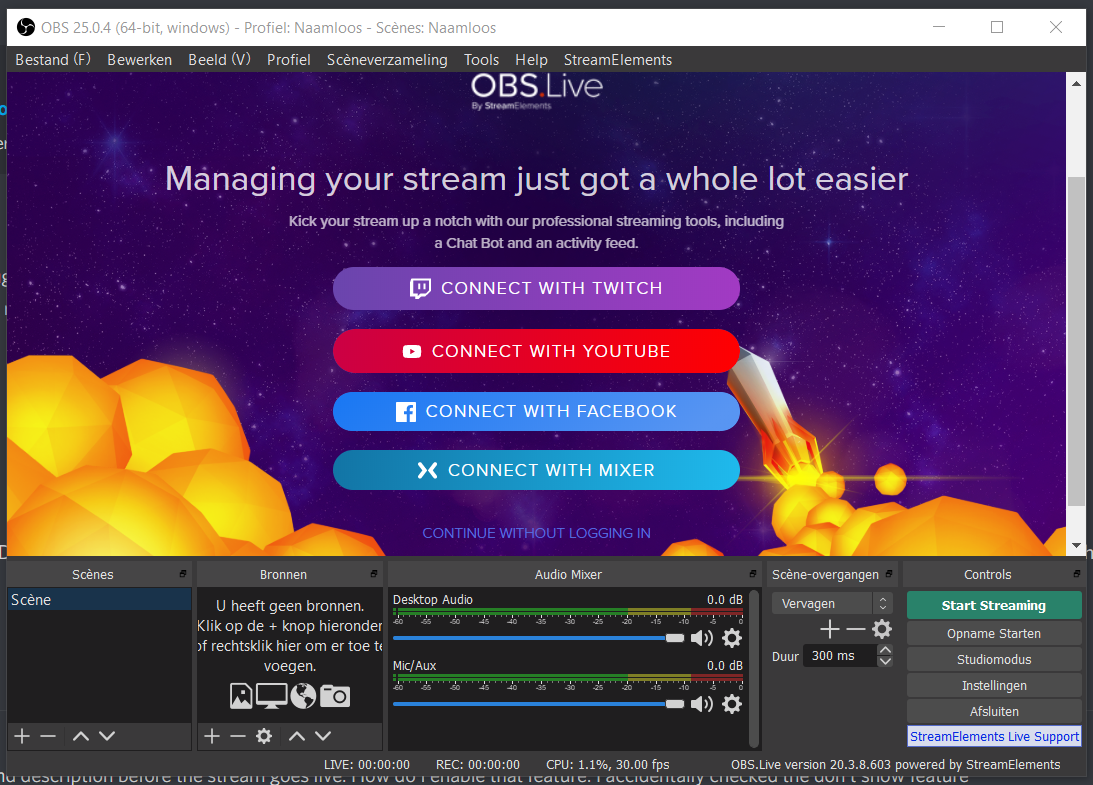
Hello. I am unable to edit facebook title and description before the stream goes live. How do I enable that feature. I accidentally checked the don't show feature

#

Now I am unable to reactivate it even after reinstalling streamelements

rocky shore
#

hi guys

#

can you please help meo ut?

#

i've started with this screen.. and i clicked on Facebook

#

it told me to log in and i did

#

i've clicked Facebook an hundred times.. it keeps returning that last screen

#

what is going wrong?

proud steppe
#

try it in your browser in incognito mode

rocky shore
#

how? because i've got the windows obs-app

#

how can i put it in my browser?

proud steppe
#

open your browser

#

go to the streamelements website

rocky shore
#

exactly the same problem

#

i've tried it on incognito mode, but keeps re-asking me that Become a Streaming legend

proud steppe
#

do that

#

then try again

rocky shore
#

still the same problem

#

same problem on Chrome and also on Firefox

proud steppe
#

i'll ask around for you

rocky shore
#

i'm now on windows.. but yesterday i've tried on Macbook Air (Catalina newest version) and i've got the same problem on that one

#

and also on other laptop... also same problem

marsh hare
#

@rocky shore clear cache tried?

rocky shore
#

multiple computers... tried to clear cache indeed, but not worked

#

also incognito... is also not working

#

just installed Firefox to try... never used before; same problem

#

😦

fair terrace
#

Como fazer raid no facebook

real heart
#

@fair terrace 🖱️ ➡️ #🇵🇹︱português

wary kindle
#

Having the same issues with Facebook Login today

zealous shuttleBOT
#

@placid latch Please follow our community rules:

  • No advertisement or stream promotion
  • Respect ALL server members
  • No NSFW/NSFL

Thank you

sudden hornet
#

Can someone help me merge a couple accounts?

zealous shuttleBOT
#

@sudden hornet Account Merging - Please note:

  • Merging accounts only allows faster ways to switch between accounts
  • Merging accounts does not allow data sharing between accounts - different streaming platforms, different type of events
  • Merging accounts allows duplicating/sharing overlays between the accounts
    If you understand the limitations of merging and want to proceed, please find the JWT tokens (!jwt) from both accounts you want to merge and you will be directed to DM them to a staff member.
sudden hornet
#

Is there a stream element staff available?

real heart
#

Do you understand the limitations of merging?

sudden hornet
#

yes

real heart
#

Then DM me the tokens.

#

@sudden hornet Your channels have been merged.

sudden hornet
#

@real heart thanks

proud yacht
#

I need some help. I decided to switch to Streamelements instead of SLOBS. However, I cannot log into my stream elements dashboard. It keeps taking me back to the main page online over and over again

real heart
#

On the site?

proud yacht
#

Yes

real heart
#

Log out in the top right and log back in.

proud yacht
#

Oh snap. Love you!

#

Thanks

earnest scarab
#

Guys I have some problems with the new editor, seems like the Facebook videolike alert doesn't work anymore

civic mauve
#

Hello, I need some help please. Have recently switched to StreamElements and OBS Live from running FB dashboard & OBS Studio as I love the feature to go live directly from OBS Live and having all I need in 1 window however, is there a way you can set age restrictions on the games I stream through obs live? When I was using FB dashboard it was an option before going live. Just want to make sure I stick to community standards.

merry ore
#

Hey guys, looking for some help here, I love the overlays that I made through the SE editor. I have them set as the browser source in SLOBS. However, when I transition from say my chat channel with just my facecam + overlays to my stream channel. There is about a second delay that it takes for the browser source to read and display the overlays. Is there any work arounds to this or suggestions to make sure switching between scenes doesn't leave me barren without an overlay??

cobalt elk
zealous shuttleBOT
#

@rustic burrow Please follow our community rules:

  • No advertisement or stream promotion
  • Respect ALL server members
  • No NSFW/NSFL

Thank you

twin compass
#

Theres no emulate tip available for me. Logged in as FB. streaming at fb but still using the direct dono link.

inland brook
#

Noted. Will provide this to our devs.

inland brook
#

@twin compass fixed

lost island
#

hello excuse me

#

can you help me

#

bec. my TTS is not working i follow some step in youtube the alert and the sound is okay but my TTS is not working

inland brook
#

Which type of alert?

lost island
#

all kind of alert

inland brook
lost island
#

yes i activated that

inland brook
#

and chose a voice and increased the volume?

#

you are showing the same screenshot

lost island
zealous shuttleBOT
lost island
#

5e8eaf8cf268f87eefc9ee76

#

this ID ?

inland brook
#

yes

lost island
#

can you help me sir.

inland brook
#

I just saw that you have TTS enabled on Fan Alert

#

I played a test fan even and I heard brian read out the name and event

lost island
#

but in my pc i can't hear it

#

i will record it . and then i will send it here.

#

if its fine .?

inland brook
#

that can be an audio issue on your end

#

recording won't help if you don't record the desktop audio

lost island
#

aaaa,

#

if my speech recognition in my pc is not working and then my TTS will not work to ?

#

is that the problem ?

inland brook
#

those 2 are unrelated to each other

lost island
#

so what can i do ?

marble remnant
#

Hi.

I am trying to log into stream elements through the OBS main screen, i click on Facebook and use my login code which takes me to the main website, then click the Facebook logo again under the "connect with" option, but nothing happens and it takes me back to the same screen constantly. Does anyone know what causes this?

merry ore
#

@cobalt elk thanks for the response! my actual problem was I had SLOBS option set to > shutdown source when not visible. Turning that feature off to have it always showing resolved the delay for the overlay to return as my scenes transitioned. ! thought I'd just share in case anyone else was a noob like me lol

void yoke
#

Why doesnt the Video Like alert work anymore? I understand privacy settings have been mentioned before but its not even working when I try to emulate them in the editor

#

Its clearly been broken for weeks

void yoke
#

It would also be nice to know why I stopped receiving a Stream Summary for my Facebook streams

red badge
#

@void yoke if you could DM me your username and email adress where you received these on ill be sure to subscribe you again

#

our mail provider unsubscribed people that hadn't used the service for a while, since we were hitting caps, but we fixed that, so I can send the info to the staff members and re-subscribe you!

void yoke
#

Any idea whats going on with Likes? Even when I try to emulate them it doesnt work

red badge
#

I'd also have to ask that since I don't really have experience with the Facebook part of streaming

void yoke
#

Ok. No worries. At some point I will disable that notification but while I still only have a small amount of followers I like to be able to thank them for the reaction

red badge
#

Yes, I can totally see why you would want to have that on

tidal spade
#

Is there a way to stream a facebook group instead of a facebook page using OBS.Live?
@mental creek Same question here. Does anyone know how to stream to a Facebook live group using OBS Live?

real heart
#

No, it's for Gaming Video Creator pages only at this time.

tidal spade
#

Bummer... Was really hoping I could use OBS.Live. We're doing Facebook live sales to our VIP group with exclusive deals and don't want to stream that to our normal Business Page.

zealous shuttleBOT
#

@pale shadow Please follow our community rules:

  • No advertisement or stream promotion
  • Respect ALL server members
  • No NSFW/NSFL

Thank you

indigo hearth
#

Not sure if this should be here or the OBS live help desk so sorry in advance. I'm not receiving any data input in the activity feed/chat feed sections of OBS while streaming to Facebook. This has been working fine for all of my previous FB streams so I'm at a loss as to what it could be. Any ideas?

#

Update: The data for the activity feed is now populated with my old Twitch info, and not my FB info.

inland brook
#

That doesn't make sense - the FB events should not be recorded in your twitch activity feed @indigo hearth

indigo hearth
#

Last week it displayed anytime someone liked the FB page, shared the stream, etc then yesterday there was no activity. I messed with it and think I re-linked my twitch to the activity feed now. I’m using the streamelements obs.live app to stream to FB gaming... @inland brook

last karma
#

can u export your merch to facebook shop

red badge
#

Not at the moment @last karma

zealous shuttleBOT
#

That's not on the roadmap currently. However the feedback we receive from our users is immensely important, so please do add it to the SE.Merch section of our ideas board @ https://strms.net/semerch-ideas

last karma
#

can get help trying put stream key in not working

void yoke
#

@last karma in obs.live or on your SE online account?

#

if you arent sure where on FB to get your key go to Creator Studio > Go Live and then copy the Stream Key from that page

oblique tartan
#

guys, after i changed to new dashboard stream element, now my star alert is not working, but other alert is fine

zealous shuttleBOT
#

@oblique tartan If you are not seeing Likes/Shares on your current stream or page, that might be due to how the privacy settings of the person liking/sharing your stream are set.
If they are set to private we won't be able to see the events.
Specifically for shares, if they share in private groups, we won't be able to see the event.

oblique tartan
#

not the share or like, its the star alert

#

when someone send me star

#

alerts didnt pop up

#

other alert likes follow,share,etc are working fine, only star alert isnt working

proper path
#

Question - I have many facebook pages. Is there a way to change the default that is streamed to? When I click to stream it always go's to "page A", the only way I can stream to "page D" is by getting the stream key. I would prefer my default be "page D" as it is my primary and is much faster just hitting start streaming than dealing with the stream key if I get disconnected from the stream (occurs occasionally). I logged into my account it is has my "main facebook page" checked as the default streaming place, which is not "Page A" so I am assuming that is not the place to change this? Appreciate any help please!

#

If I click start new stream and click "Create a new Facebook Live Video post with these settings:" it always starts streaming on "page A" even if I put in "page D" streaming key. I guess I am just asking how do I change the default in OBS to stream to Page D when I click the "Create a new facebook live video post with these settings" instead of "Go Live with Facebook Streamer Dashboard settings". Appreciate any help!

real heart
#

Don't believe it's possible.

proper path
#

@real heart what a bummer. If I uninstall somehow can I go back through the setup process (it asked which of my pages I would stream on)? Guess I made the mistake of selecting all of my pages and shouldn't have. #newbie

#

The other bummer is the "tip jar" link shows "page a" in its URL now also 💩

lime wolf
#

Question - How do I make a follower goal? I can't seem to find one for followers. Also, Why are the alerts not showing if there

#

is no image

#

I wanted it to be just text so I removed the image but now it's not showing up when I emulate it

inland brook
#

The follower widgets are currently missing and should be added later today

sullen hare
#

hello guys, for some reason i cant link neither facebook to my twitch account ot twitch to my facebook account, both says channel already claimed so i dont know how to unlink any of them to be able to have both on a single account, is it possible?

zealous shuttleBOT
#

@sullen hare There is no easy way to unlink 2 owner type accounts from each other. The only way is to make a closure request from here: https://streamelements.com/dashboard/account/security
WARNING: In submitting a closure request you will delete both linked accounts and loose all data from both accounts. This includes overlays, custom commands, timers and past data(tips, subs, etc). You can still relogin with the deleted account, but you are essentially starting fresh.

void yoke
#

can i add this tab in obs???

red badge
#

@void yoke what tab is it, please use english to ensure we can help you out

void yoke
lime wolf
#

How to add a chat bot? I don't see the option in my dashboard to add one.

void yoke
#

no chat bots in facebook

#

at least none they share in their api

marsh hare
#

There is no chat bot for Facebook. Facebook doesn't support bots yet.

lime wolf
#

oh, thanks for the response

vale vault
#

but i watch an streamer from Mexico that actually have chat voice in his streams

void yoke
#

why is thjere no label for newest follower and only a label for the newest page "fan" - peeople normally follow not page l;ike

void yoke
#

also i cant emulate a like event

cobalt wedge
#

do i have to be admin in order for me to use stream elements ?

void yoke
#

Does support even answer questions here?

inland brook
#

I can choose not to answer your question if that is fine. I'm sorry that I'm busy doing other things that seem a bit more important.

#

@cobalt wedge You need to be an admin to the gaming page in order to connect it to our system

#

@void yoke The followers widgets are mainly missing because of a bug that we will fix. No eta when.

void yoke
#

Useful

cobalt wedge
#

@inland brook thx for answering one question is there i way i can pop out the facebook chat window out ?

inland brook
#

Which exact window are you referring to?

cobalt wedge
#

because the page i will be streaming they wont make me an admin so i want to be able to just take out the chat window of facebook without the my stream for facebook

#

until i can build some trust with them and then they will give me the role

#

of an admin @inland brook

inland brook
#

Again, which chat window are you referring to?

#

Show me a screenshot

cobalt wedge
#

chat window its comments in facebook

#

they comment on u when ur streaming

#

that window

inland brook
#

If you are referring to the chat widget in the Facebook dashboard or page(not sure what to call it) then they must have a popout button I believe. Im don't really know. Haven't visited Facebook since we integrated it.
If you are referring to OBS.Live(which I think you are not using, due to not being admin of the gaming page I believe), then you can undock the window there.

lime wolf
inland brook
#

We are aware that the follower widgets are missing. Hopefully we restore them in a few days.

lime wolf
#

can I import an events list from one overlay to another?

#

so that I don't have to redo all the adjustments on another overlay

inland brook
#

Click on the widget -> next to layers there is a duplicate button

lime wolf
#

oh thanks

civic mauve
#

Hello, I can't see the viewer count in the activity feed? Is there a way to switch this on?

inland brook
#

There is no option for the viewer count in the activity feed for OBS.Live

civic mauve
#

ok thanks for the quick reply. When going live directly from OBS.Live (w/o using FB dashboard).....is there a way to display viewer count just on my side?

inland brook
#

Only via the FB dashboard or channel it self I believe

civic mauve
#

Ok, cool thank you

void yoke
#

Anyone else having problems streaming to FB?

zealous shuttleBOT
#

@void yoke Streamelements on top of OBS -> Logout -> login

void yoke
#

thanks ill give it a shot

tiny quail
#

anyone can help me about Like alert for facebook

#

alert test button are not working

lime wolf
#

having the same issue

prime ether
#

anyone else having "Skipped frames due to encoding lag" issues? Everything was smooth yesterday, but now I got a new monitor hooked up....and my steam looks like trash. It's dropping 15% - 68% frames due to encoding and i cant find out why. Last night I deleted OBS and reinstalled it to have it work perfectly fine! then today it is doing this:(

zealous shuttleBOT
#

@prime ether 1) Restart OBS
2) Start your stream/recording for about 30 seconds. Make sure you replicate any issues as best you can, which means having any games/apps open and captured, etc.
3) Stop your stream/recording.
4) Select Help > Log Files > Upload Current Log File. Copy the URL and paste the link here.

(Note: If you do not see an obsproject.com URL, you will need to update OBS Studio to version 22+)

prime ether
red badge
#

definetly something with your encoder

#

also try streaming over ethernet instead of wifi, wifi is rather unstable

#

check the green link to see what to do about the encoder problems

prime ether
#

@red badge thank you

red badge
#

No worries

worn marsh
#

can any please help me regarding stream

#

pc config

#

processor - FX8350

#

ram 12gb crosair

#

ps- 550 circle

#

mb gagabyte

#

1050ti 4gb cerbus

#

PUBG mobile stream

#

please tell me obs settings

zealous shuttleBOT
#

@worn marsh There are no "best settings".
Please understand that every setup will be very different.

Any guides or videos that claim otherwise are misinforming. Your best option is to start with a base and adjust as necessary.

You can run the OBS auto-configuration tool. To use the auto-config, click on the Tools menu in OBS, select Auto-Configuration Wizard, and then just follow the on-screen directions.
You can use this tool to get baseline settings for your hardware and adjust as necessary from there.

Test, test, and test again. We are happy to offer suggestions for any issues you may be having afterwards, but not a list of settings.

Thank you SEheart

worn marsh
#

its lagging too much

zealous shuttleBOT
#

@worn marsh 1) Restart OBS
2) Start your stream/recording for about 30 seconds. Make sure you replicate any issues as best you can, which means having any games/apps open and captured, etc.
3) Stop your stream/recording.
4) Select Help > Log Files > Upload Current Log File. Copy the URL and paste the link here.

(Note: If you do not see an obsproject.com URL, you will need to update OBS Studio to version 22+)

worn marsh
#

this is my speed

red badge
#

there is still no best settings, but we can figure out where the issues are coming from

worn marsh
#

ok

red badge
#

please no sharing your own videos

#

you need to copy the URL for the logfile

#

"Select Help > Log Files > Upload Current Log File. Copy the URL and paste the link here."

worn marsh
#

ok

#

but which url

red badge
#

if you click on help

#

then logfiles

#

and then upload current log file

#

in obs

#

it shows the URL

worn marsh
red badge
#

you didnt follow the whole process i reckong

worn marsh
#

i hope this

red badge
#

have tyou streamed or recorded for 30 or more seconds?

worn marsh
#

ok

red badge
#

please follow all the bot steps

#

@worn marsh 1) Restart OBS
2) Start your stream/recording for about 30 seconds. Make sure you replicate any issues as best you can, which means having any games/apps open and captured, etc.
3) Stop your stream/recording.
4) Select Help > Log Files > Upload Current Log File. Copy the URL and paste the link here.

(Note: If you do not see an obsproject.com URL, you will need to update OBS Studio to version 22+)
@zealous shuttle ^all of em

worn marsh
red badge
#

so it should be good

worn marsh
#

i dnt know why

#

its so

#

please help me

red badge
#

dont have a display and a game capture in one scene

worn marsh
#

i dnt get u

#

i have only 1 pc

zealous shuttleBOT
worn marsh
#

this video i have seen earlier

#

can you help in with remortly

#

i know you all know nothing 2morw i will solve the problem and let you know

wind sleet
#

what problem??

#

you havent said your problem

#

good luck solving it, i wish you the best 👍

red badge
#

Thats a bit disrespectful to say @worn marsh, especially after us telling you that we dont do best settings, this differs for everyone and the user should test themselves.

#

the only things the log shows is that you are using 2 captures and arent running obs as mod, so you should be good with streaming

#

if it keeps lagging, check out your upload and check your bitrate for it

zealous shuttleBOT
#

@quiet cave Please follow our community rules:

  • No advertisement or stream promotion
  • Respect ALL server members
  • No NSFW/NSFL

Thank you

pseudo ruin
#

I can't seem to get past the login page. Every time I log in it goes to a white screen and doesn't proceed. In OBS Studio it remains at the login screen. Help! Please and thank you.

#

@zealous shuttle I can't seem to get past the login page. Every time I log in it goes to a white screen and doesn't proceed. In OBS Studio it remains at the login screen. Help! Please and thank you.

cobalt elk
#

Maybe your firewall is blocking obs.live or antivirus

pseudo ruin
#

@cobalt elk it doesn't seem like anything is blocked. It allows me to fully complete the login then reverts back to the streamelements login page

glass zealot
#

Just started using Streamelements and i have everything setup except chatbot and i click activate but nothing happens? any ideas?

marsh hare
gleaming beacon
#

So i just start using the Streamelements and it looks like i have everything okay other then getting the alerts to work when someone likes shares and other from facebook gaming page

zealous shuttleBOT
#

@gleaming beacon To add your overlays to OBS, add a new browser source in your scene. Paste your overlay URL in the browser source properties, set the dimensions to 1920x1080 (unless you changed them on the website), and ☑ “Shutdown source when not visible” https://youtu.be/KDvLynUqXI4

harsh root
#

Good afternoon, I am having a performance drop on the PC, including the opening of CS-GO, my FPS drops abruptly when I have OBS open, does anyone know what it might be?

void yoke
#

Hello, Can i not get times message in the facebook.

cobalt elk
#

@void yoke like timers? There is no chat bot for Facebook. Facebook doesn't support bots yet.

void yoke
#

Okay dude, Thanks

pliant hedge
#

does anyone know how to set up multistream? I want to stream simultaneously to twitch and to facebook.

peak pulsar
#

Hello, how can i decrease the volume of my alerts? i removed sound option in the settings but its still making alert sound.

cobalt elk
#

you could lower the volumen on the alertbox widget

peak pulsar
#

i did that, its at 0

cobalt elk
#

and if youo want an extra layer you can check on "Control audio via OBS" and a volume will appear on the OBS mixer

peak pulsar
#

for all of them but its still send alert sound in the test

#

that does not work either

#

i should be able to do it from the settings correct?

soft bramble
#

how do i link all my social medias to my stream

peak pulsar
#

elgato to my streaming pc and OBS studios on my steaming pc

lime wolf
#

Like event doesn't seem to work, all other alerts work though. Is this a known issue?

peak pulsar
#

@cobalt elk how do i stop the audio from being played though OBS even though all audio channels are muted?

civic mauve
#

Hello, a little help please. The like alert in blue flare theme doesn't appear to be working when somebody likes my video. Works when someone likes the page though? I have video like alert selected in my settings?

lyric spear
#

Like event not work now how to fix it please

fresh iris
#

Hello! I am trying to close my facebook account so I can add it to my other StreamElements account ( I was not aware you could add all the streaming platforms to a single account) however upon filing in all the required information and pressing "Close my account" the pop-up window simply disappears and the account stays open

untold solar
#

Like event is not working. Chat not connecting

zealous shuttleBOT
#

@untold solar If you are not seeing Likes/Shares on your current stream or page, that might be due to how the privacy settings of the person liking/sharing your stream are set.
If they are set to private we won't be able to see the events.
Specifically for shares, if they share in private groups, we won't be able to see the event.

void yoke
#

Support AI this is total BS...sorry but if that was the case then why doesn't the emulator work for Likes? There is something clearly broken and you all keep ignoring it. Even when I go to edit my overlay and emulate a Video Like it produces nothing..... this is very frustrating. Please take a serious look into this bug. Thank you

untold solar
#

it was working fine yesterday. And shares work perfectly fine. Likes are not working in overlay editor

wicked basin
#

SE straight up refuses to import my overlays from other channels to my FB channel. I let it run for well over an hour and still nothing. Waited until the next day and even restarted my computer. Something screwy with the server or what? Need some help. Thanks!

real heart
#

Remove the alertbox first.

wicked basin
#

I clicked on "Import from other channels". I was lucky to get one to carry over but it wouldn't work for the others.

#

I can't even duplicate the alerts on the same channel. It won't duplicate, import, nothing.

real heart
#

What browser are you using?