#helpdesk-mobile
1 messages · Page 7 of 1

 crystal smelt
it should support RTMP servers, let me ask around for you
 clear widget
is it trying to simultaneously stream to both twitch and rtmp?
 austere orbit
does anyone know when? we just need that to migrate the entire IRL backpack system for you.
 edgy gale
No ETA
 proud shaleBOT
@dense tartan Please follow our community rules:
- No advertisement or stream promotion
- Respect ALL server members
- No NSFW/NSFL
Thank you
 halcyon lagoon
How do I put twitch alerts on can u tell me please
 marsh zinc
 somber inlet
Following up on my question back in February.
Wanting to stream through the app to custom RTMP server. Still having issues with being unable to do so on Galaxy Note 9 Dual Sim phone. Works on my Galaxy Note 8 Dual Sim phone. But Note 9 is infinitely better camera.
Bitrate never hits above ~200kbps even with phone battery optimization and no settings I can see that would cause the app to be data restricted. I've tried changing resolution, bitrate and fps settings to no avail.
App version at the moment is 1.9.1
 civic crow
Streamelements iOS version?
Oh i thought that bot would auto answer. But, when is iOS version planned? 🙂
 summer cloud
@civic crow It is not to my understanding.
civic crow
@summer cloud oh it is not? Daum, you know the reason iaf thats the case?
summer cloud
Outside of devs choice no.
 river plinth
Hey I’m confused on how to setup alerts to my twitch
Cause It won’t show me alerts in overlays
 fallow flume
@river plinth You don't see them on the web editor?
river plinth
Where is that
summer cloud

StreamElements
The Ultimate All in One Platform for Streamers
river plinth
Thats all i see
summer cloud
Have you logged into the app before?
summer cloud
Should be the purple one.
And I highly recommend modifying them on desktop. The overlay editor is not friendly with mobile screens outside of tablets.
river plinth
Yea
 hallow jetty
Overlays wont work on AceLive streaming app
fallow flume
Unfortunately, Ace Live Streaming is a depreciated app that is no longer supported.
hallow jetty
Ah alright thanks
 summer oak
When I use stream elements app to stream the app chat don't work
 toxic hemlock
Hi, was wondering if anyone can help wtih why my alerts won't show up?
summer cloud
@toxic hemlock which platform?
toxic hemlock
Ooooo sorry it was twitch, it was just glitching, several reboots fixed it!
thank u!
 twilit dome

 idle vessel
hello how do i get my alerts to my speaker
do i need a different app
could someone please help me
 proud trench
Any news about Stream Elements on IOS?
 nova wadi
nope
twilit dome
@idle vessel What do you mean? The alerts you have configured in the mobile overlay on your overlay editor will play on stream when you're streaming from the app, or using it in companion mode.
More details here: https://discordapp.com/channels/141203863863558144/534740418336915486/696994012833382420
Connect your phone via bluetooth to your speaker which is native to all modern phones. You could use an aux cable as well which is not native to all phones though, for some reason.
 boreal brook
When you update more phone stream app. More features and easier controls? One improvement idea: when you switch back to the rear camera, then the "mirror on" leaves itself when you return to the front camera
proud shaleBOT
@boreal brook Check out the StreamElements ideas board: https://strms.net/ideas. You'll be able to add ideas, upvote ideas you agree with, and track their progress with email notifications. Adding and upvoting ideas also helps the staff know which ideas should be prioritized so please take some time to upvote.
twilit dome
But I can tell you that exact thing is on there because I posted it myself. 
 urban violet
How do you work streamlabs on mobile
?
Hello can someone help me
With my streamelements
 visual tangle
ask streamlabs
urban violet
@visual tangle why
visual tangle
because this is stream ELEMENTS
visual tangle
if you are on android then you can download the SE IRL app
overlay for mobile will automatically be made in your overlays to use on the mobile
visual tangle
link what?
urban violet
The app
nova wadi
you mean the app that is linked in the description of this channel? 😛
urban violet
No
nova wadi
yes 😛

StreamElements is the ultimate app for Twitch and YouTube IRL live streaming. Stream live from your mobile device.
The StreamElements app gives you everything you need to grow your mobile streaming career. You can stream directly to Twitch or YouTube right from your smartphon...
urban violet
Sorry I happened by it self
visual tangle
this isnt the first time either, please, wait until people are free
your phone types by itself?
open the app and connect your account, very simple
urban violet
No it sometimes auto caps
visual tangle
but why say anything?
urban violet
I wanted help
visual tangle
a little tip, that attitude is the best way to not get help, in any server. not even 1 minute has passed before you are doing that, i would recommend stopping that, it comes across extremely rude.
anyway, answer to log in to the app is above
visual tangle
k
urban violet
@visual tangle sorry for wasting your time
 barren minnow
Can someone help me fix my notifications? no sound or gifs when someone subs or follows or anything
fallow flume
@barren minnow Do you see those events on your activity feeds? Are you using the StreamElements app for android?
barren minnow
i see them just on pc tho
urban violet
I need help with making stream elements bot mod on my youtube
proud shaleBOT
@urban violet To set up the bot for your YouTube stream, please follow these steps:
- Make sure your stream is public. The bot cannot join a private/unlisted stream.
- Your stream must be live for the bot to join the chat.
- Add https://youtube.com/c/streamelements as a Comment Moderator at https://www.youtube.com/comment_management
- When live, be sure to look at Live chat instead of Top chat, as Top chat will hide the bot messages.
 viral holly
Any update on the fix @fallow flume?
proud shaleBOT
@urban violet Please provide a proper screenshot with the issue visible. If not sure how to take a screenshot, you can check here: https://www.take-a-screenshot.org/
urban violet
 prime tundra
Reread the bot message and type it correctly.
urban violet
?
viral holly
@prime tundra Any update on app issues with pixel camera?
 nova gorge
Is it possible to add widgets to the SE App? For streaming?
summer cloud
@nova gorge Once you login to the app it generates the overlay for it. From there you simply edit it to your liking and use it when live.
nova gorge
So I was testing my rtmp and the StreamElements app but it says that my twitch stream isn't on and stops. Is it possible to stop it from doing that?
Is it possible to have it only connect to twitch for the chat while using RTMP but have it ignore if the twitch stream is live or not?
Impression of using the app... I like how I can read chat when using RTMP
nova gorge
Phone: Pixel 3A
App version: 1.9.1
edgy gale
Can you try and clear the app's cache and data from the phone settings and then restarting the phone
and then trying again?
edgy gale
DM me your username and the RTMP server link
edgy gale
I will provide the information to our QA and devs to investigate
but I can't guarantee a fast fix
 icy slate
this is myn
 tough quiver
Can I get help with StreamElements - Mobile, Media Request? Is there some one I can chat with?
twilit dome
What's up?
tough quiver
I am a Mod for some one who streams live on mobile. I can't seem to get songs to play.
twilit dome
Has the streamer clicked the "show on stream" button from the media request page?
Is the media request widget added to their mobile overlay?
tough quiver
The "show on Stream" box, Is that something I can do? And yes, I have created a "Music Request" widget on his Overlay.
twilit dome
You can not, only he will be able to.
tough quiver
And that is under settings?
twilit dome
Is he on RTMP or straight to Twitch?
twilit dome
Straight to Twitch then. It is on the media request page
I saw.
See that button at the bottom right? That has to be clicked and only he can click it.
tough quiver
Can he do that from his Mobile?
twilit dome
Once clicked, it will look like this:
tough quiver
He streams with one phone, and he'll access his stream through a second phone to view the channel
twilit dome
He can, I can't count on it's reliability as generally I recommend if using an OBS server you leave Chrome open on the server or if straight mobile, opening the media request on a computer at home.
But he should be able to click the button from his phone in Chrome to activate it.
tough quiver
After that, I can control what videos/songs are being played?
twilit dome
You can.
If you ever run into any issues, always have him check that button from his account.
That will be your first step of further troubleshooting.
tough quiver
OKay, Thanks for your help...
twilit dome
tough quiver
Are you still there? He has Checked the Show on Stream and he approved the request. I can see that. I gave the command !play. StreamElements Bot says it's playing. But nothing
 fast cosmos
@fallow flume Hello, when she use Pc to stream then SE alerts showing up. but when she stream on SE app on phone then is not working sorry for bad english
twilit dome
SE app has it's own special overlay.
Unless you're using the mobile overlay link on OBS for PC stream, you'll need to duplicate tje widgets over to the mobile overlay from her regular. @fast cosmos
fast cosmos
@twilit dome we have phone overlay
@twilit dome we dont know why is not work, alerts pop up one time but that was that 😛
twilit dome
Can you explain a little more @fast cosmos ?
 modest yarrow
hello there, is anybody know how can i group up my bots on my discord server? i tried to google it but no luck
sorry if i post this question to the wrong channel, i didnt find a helpdesk-discord one :\
 unkempt breach
hello is it possible to customise the disconnection screen so its not the default one ?
edgy gale
@modest yarrow there wont be a discord help because this server is related to our tools and feature and discord is not a streaming servuce
@unkempt breach unfortunately no
fast cosmos
@twilit dome can try more Explain more later today 🙂
tough quiver
Is there anyone online that can help with Mobile and Media Request
 carmine python
Have you guys fixed the mobile LSD issue?
tough quiver
What is LSD... Not meaning the Drug, Right?
carmine python
Yes messed up screen green and black looking
tough quiver
Sorry, i can't help you there, I came here asking for help myself.
nova gorge
Green and black looking? @carmine python
 low orchid
HI i have elgato HD60 S capture device, and i'm using iphon 11 to transmite pubg mobile to my audience... but when i start the streamelements/obs there are a audio delay that wasn't there before... making impossible to play, cose i lisen the computer audio for playing
edgy gale
This is not a question for this channel as its not related to our mobile app.
 kind forge
"The Elgato has an inherent (about 1.4 to 1.7 second delay "differs depending on your PC specs). So all the the Game Capture will be Delayed. You need to go under "settings" and delay the audio by the same amount "apply" and close "settings.
Next Match your "Camera" under your scenes to the delay you set for your audio and game capture by "Right Clicking" and going under "Properties".
Once you have made these Changes "Close OBS" to save - Then relaunch. From here you will want to test stream the sync. Try clapping and counting 1-10 while making hand gestures. Stop Streaming and watch the VODs. From there you can make tweeks til you dial the settings in.
I hope this helps." @low orchid
fallow flume
@static crane You are using the StreamElements mobile app?
 rare sparrow
Hey! If there is a hands on human who can help me with this mobile app I DONT WANNA USE STREAMLABS. I love your platform but the mobile app keeps saying it's live when it's not. I was out on the protest front lines today trying to bring news to the people and NOTHING of the two hours I was live on Stream elements worked but 20 min. Swtiched to Stream Labs I have 2 hours of un broken content. 🚨🚨🚨Why is this an issue! 🚨🚨🚨Please help. Your product is better for looks and chat but I can't keep having these streams that say they are live when they are not!
kind forge
Hey! If there is a hands on human who can help me with this mobile app I DONT WANNA USE STREAMLABS. I love your platform but the mobile app keeps saying it's live when it's not. I was out on the protest front lines today trying to bring news to the people and NOTHING of the two hours I was live on Stream elements worked but 20 min. Swtiched to Stream Labs I have 2 hours of un broken content. 🚨🚨🚨Why is this an issue! 🚨🚨🚨Please help. Your product is better for looks and chat but I can't keep having these streams that say they are live when they are not!
@rare sparrow servers was unstable this time, maybe its because of that
rare sparrow
It's been an ongoing issue for months. If I use streamlabs I have no issues at all. But literally every time I use streamelements it says I am live and doesn't record more than 20 min
@kind forge
crystal smelt
I will ask around for you @rare sparrow
toxic hemlock
Hi, does the SE mobile setting have a custom widget for donation alerts from other websites?
twilit dome
There are a variety of charity widgets.
Looking for something outside PayPal or SE.Pay?
I'm not aware of any widgets for donation alerts for any other websites beside your donation link with StreamElements but it is something that could possibly be done with a custom coded widget since donations outside of PayPal/SE.Pay won't hit your activity feed @toxic hemlock
 edgy mauve
Help, I dont know how to stream to twitch, I cant see any options to do so
twilit dome
Login to your account on the StreamElements mobile app and click the red button.
nova wadi
there is no option for screen recording, only IRL cam
edgy mauve
aaahhh that sucks, do you guys know what app I can use
nova wadi
me personally, no idea actually
edgy mauve
Ok thanks Ruben, anyone else know?
rare sparrow
@crystal smelt thank you
nova gorge
A share screen option would be nice tbh since you can switch to it while going to use the bathroom
 fleet obsidian
Hi there. Can anybody tell me if there's any way to do song request at IRL streams from my mobile using streamlabs/streamelements app?
edgy gale
There is via our app.
In the mobile overlay, add the media request widget, then on your phone, load up the media request page from the dashboard, start playing the songs and tap on "show on stream". This will produce sound for the stream and you via the app.
But I suggest having a mod moderate the queue just in case
!invite
proud shaleBOT
Follow these steps to grant managers/moderators access to your dashboard:
- Click on your Channel Name at the top of the dashboard and select Settings
- Create a new invite at one of three access levels (Bot Supervisor, Editor, Full Control)
- Send this invite to a mod/manager to give them access to your dashboard. The link is one-time-use and expires after 72 hours if not accepted
Video tutorial: https://youtu.be/zl_h-ttZDF0
fleet obsidian
Great news, thanks a lot!
tough quiver
Is there a problem with StreamElements today? We are using Mobile and all the Overlays Are not showing... The channel is CrazyBags. I appreciate any help.
twilit dome
You still see the mobile overlay you were editing before on the website @tough quiver ?
tough quiver
I see them in StreamElement... Where we generated them
twilit dome
Did you rename the overlay at all?
I would have him relog on the app for starters.
Based on this and the issue we were working the other day, I worry there might be a hang up between the app on his linked mobile overlay.
tough quiver
No... we have not renamed the Overlay. We have renamed the channel a few times. but not the overlay itself
twilit dome
Was he able to open up the media request externally to maintain it's connectivity?
A few times, what are ALL of the names? A full logout > login is in order.
tough quiver
He had to run media request from his other phone, but whenever he would change apps, we were not able to hear it. It would stop
twilit dome
How recent are the name changes and what are they?
While we're here I wanna make sure everything is good with the name changes.
tough quiver
He set the title this morning... Sunday, I changed the tittle a couple of times
twilit dome
But yes, I reccomend a full relog of the app to start.
You said name changes implying username changes?
Or did you mean title?
tough quiver
I'll let him know. No username changes, just the Title of the Strem
twilit dome
Ah, ok then we good on that end.
tough quiver
Do you want him to kill the stream and restart it?
twilit dome
Yeah, he would have to to do a relog of the app.
tough quiver
The alerts are not working either. He is going to restart the strem
twilit dome
Yeah they're all tied together.
Best case scenario: He relogs and starts stream and everything is good to go. Worst case scenario: He relogs and it generates a new mobile overlay and you have to move your assets over.
I have encountered this once personally before and I did have to move the assets over. I see he's been live for a while, did it just randomly happen mid-stream or?
tough quiver
Lets hope the Restream fixes it.
Since the start of the stream
That did it... Thanks for your help
twilit dome
No problem.
 wet wyvern
Hi guys. I started stream some mobile games in last month. First weeks seems ok without change the setup, but in last 2 weeks I see a lot of in-game lag when I'm in live. First I decided to stop it to remain competitive. Than I looked into the setting, it was: 720p resolution, 60 expected frame rate, 8000kbps max vide bitrate.
I tried than 480p, 30fps and 4000kbps but things dont change a lot. Considering I prefer to no lose video quality ( I prefer some stream lag/frame lost than a bad quality images. How do you suggest to change this settings? I stream only screen + a 65kb image overlay. Thank you for any advice!
Feel free to ping me for any message about this. Thanks again!
viral holly
Any update on the fix for Pixel and the Streamelemnts App?
Here is what it still looks like when using the app - https://www.twitch.tv/videos/638743613
 edgy gale
No update
viral holly
no eta?
edgy gale
No update and no ETA on a fix
 steel briar
How does the mobile app handles the buffering? When streaming in areas with bad connection and with constant buffering it accumulates the delay over time and it could get like over 10 minutes and there is no way to reset it. Can you help me with that?
edgy gale
@steel briar go to the settings of your phone -> apps -> find the app -> clear cache and data and see if that helps resolve the issue
 lofty raptor
Hi on my pc my window for Stream elements is just a white page
urban violet
hey, try logging in with Chrome
proud shaleBOT
@lofty raptor Our Dashboard and Overlay editor are Chromium Optimized. We strongly recommend using Chrome. Opera GX and the new Microsoft Edge Chromium might work closest to Chrome as its also Chromium built. FireFox also works, but some things might look a bit different or not work. We do not recommend using Internet Explorer with our Dashboard as it does not support functions.
If the website doesn’t work on chrome, be sure none of your plugins are blocking our website or clear your cookies. You can try if the website works in a incognito tab.
 rose lichen
assuming this channel is for the mobile app, how do I enable text to speech?
^^^question is in relation to chat
prime tundra
There is no chat TTS option.
rose lichen
shame. Looks like I'll have to change app
 rain flower
Two things I would really like to be done on the andriod app are:
1st, An option to be able to keep streaming after I exit the app with the home button...
just keep it running for 90 seconds if you're concerned about users accidentally keeping their streams open when they didn't intend to... or display a warning about this when the user turns on the "keep stream alive in the background" button.
...I need this, so that I could shut off an alarm, or text back to somebody, or whatever while I'm streaming.
2nd, A toggle swtich between landscape and portrait mode!
This is a big one, since all the nice controls of the app get lost when you enter landscape mode, and trying to make my phone switch back to portrait, so that I could access them is sometimes impossible.
Many phone UIs, like mine for example (MIUI on Xiaomi) don't have a force toogle for landscape/portrait mode.... I just have a switch that either locks the current orientation, or lets the UI rotate itself automatically based on the gyro sensor... and setting it to automatic and tilting my phone does nothing in the Streamelements app.
...Additionally you could also make all the options available in landscape mode as well, but I didn't suggest that in the first place, since I imagine that would take more work, and I'm completely fine with having a workaround where I have to switch to portrait to adjust settings.
The lack of these things combined make it a nervous hassle to stream with the app as it is...
I have to set up the title, category and enable chat before starting the streaming session in landscape mode, as there's no going back... once u start streaming like that, you're stuck.
You cannot access the "show chat" or "show twitch activity" toggles, or the category and title options.
Plus u also nervously handle your phone, since a single touch of the home button will obliterate your stream...
which makes it so that on my phone, where you cannot turn off alarms while inside certain apps, (which happens to include SE) from the notification bar, if an alarm goes off my stream is ruined.
I either end the stream to turn off the alarm, or walk around my town with a phone that is constantly ringing thus making me look like retard IRL and blowing out my viewers' ears at the same time.
proud shaleBOT
@rain flower Check out the StreamElements ideas board: https://strms.net/ideas. You'll be able to add ideas, upvote ideas you agree with, and track their progress with email notifications. Adding and upvoting ideas also helps the staff know which ideas should be prioritized so please take some time to upvote.
rain flower
Welp, did so but that looks like a cluttery mess to which no dev pays attention...
crystal smelt
we pay attention to the ideas board, thats why the ideas baord was invented @rain flower
rain flower
Oh, alright, sorry for being salty.
urban violet
Hi, hopefully this is the right channel for my two questions. I have had StreamElements quite a while, but it would not recognise external microphones, does it have this support yet? And can you stream to restream via StreamElements?
kind forge
Hi, hopefully this is the right channel for my two questions. I have had StreamElements quite a while, but it would not recognise external microphones, does it have this support yet? And can you stream to restream via StreamElements?
@urban violet restream is a endpoint to OBS, so it is possible as (you) > (OBS) > (restream) > (viewers platforms [twitch, YTB .. fbG])
urban violet
I should have another go, it was about 10 months ago when I was using a trrs plugged microphone in my Huawei, and I found it wasnt recognising the microphone, and life got in the way of streaming so I have been on a hiatus of sorts.
I dont have these setting in my mobile Stream Elements app
kind forge
oh sorry u was talking about the app, the way u asked about external mic i just got it wrong sorry
well i never touched the app, so i don't know :/
urban violet
Ah okay. I thought stream elements is just a mobile app
summer cloud
@urban violet With one of the recent updates there was an option to use bluetooth mics and there is a custom RTMP option in settings so you technically can stream via Restream.
 sacred marsh
I need help setting up my stream can someone walk me through it
proud shaleBOT
@sacred marsh New to Stream Elements?
Check out our YouTube channel https://www.youtube.com/c/streamelements/videos
with tutorial videos from setting up the basics, to in depth details on how to use our product.
New to OBS? Here is a 4 step quickstart guide
https://obsproject.com/wiki/OBS-Studio-Quickstart
Want to learn even more? Here is an in-depth overview
https://obsproject.com/wiki/OBS-Studio-Overview
edgy gale
https://streamelements.com/dashboard -> right side -> part channel
marsh zinc
@south timber Take a look at this: https://discordapp.com/channels/141203863863558144/534740418336915486/696994012833382420
 south timber
@marsh zinc I deleted that from my dashboard, i didnt realise what it was
can i recover it somehow?
its ok, ive got it
 rapid temple
I added a new command from my phone but it shows up as ***
The command I added was a link
prime tundra
Make the bot a moderator.
rapid temple
How
prime tundra
/mod StreamElements
rapid temple
Thank you
 hidden pulsar
i have streamlabs on my phone how do i stream game play
visual tangle
ask streamlabs
nova gorge
lol wrong discord @hidden pulsar
 strange siren
Hello
 dense wasp
hi
dense wasp
@strange siren what do you need help with
strange siren
Well I’m brand new to setting up twitch overlays
So I would just like to know how I should set this up bc I’m beyond confused
dense wasp
are you wanting to set them up on mobil
dense wasp
no if it is possible i do not know how to set them up
strange siren
Yeah sorry
dense wasp
what are you sorry for???
strange siren
Just asking a dumb question
nova wadi
if you have started the app it will create a mobile overlay on the website for you
this one
that is the only overlay you can use and adjust for the app
strange siren
What? Where do I even download that
dense wasp
@vague ginkgo it doesn't matter when i just started using it i probably did the same thing
nova wadi
StreamElements
The Ultimate All in One Platform for Streamers
should be there if you logged in to the app
strange siren
Ok so I’m guessing add my entire overlay will have to be done on pc right
Just not the alerts
nova wadi
this will set up a default alertbox with alerts for the mobile app, correct, the rest has to be done inside the overlay editor in the link i send
the mobile app is for IRL streaming only, that might be useful to know 😛
urban violet
Is there a app for streamelements
prime tundra
See channel topic.
urban violet
The app is only for google play I think
summer cloud
That is correct. There is no iOS version.
twilit dome
Deserve what?
steel briar
I have had one problem with the mobile overlays. It sometimes just doesn't want to work anymore so I have to copy it to a new overlay, delete the old one, then let the app to create it again and finally move the overlay back to the new one. There must be easier way to fix it if it doesn't work right?
urban violet
It won't let me confirm my PayPal idk why
 high lark
I can’t load my dashboard on mobile
crystal smelt
@high lark please use the chrome browser if you try to load the StreamElements site on mobile or computer
or are you talking about a dashboard in the app itself?
high lark
@crystal smelt when I go to the website on either chrome or safari I click on dashboard and it stays on logon screen
proud shaleBOT
@high lark Please logout of StreamElements at https://streamelements.com/logout and then login again to your account (Twitch/Youtube/Facebook/Mixer)
crystal smelt
try logging out via that site on Google Chrome and then log back in again
high lark
I did that I was able to get to my dashboard but when I go to another I manage it kicks me to logon again
crystal smelt
@urban violet i dont know, you did join yourself i guess, did someone DM you about this server?
Also this isnt really a StreamElements related question, so do check how you joined 
urban violet
Is SE preparing to launch the app on iOS?
nova wadi
no
crystal smelt
please dont interfere @urban violet
we are not planning to launch a app on iOS
high lark
@crystal smelt is there a reason every time I try to access a channel I have access to moderate it kicks me to logon screen
crystal smelt
is this for your own channel or for channels you moderate? @high lark
if its for channels you moderate, tell them to logout as well, via the link ive sent you before
crystal smelt
have them logout via that link, do the logout yourself again and see if that works.
Be sure you both use the Chrome browser or the new Chromium Edge browser and have extensions off, you could also if that doesn't work, clear your cache
 vast python
I have code for a social media Popup, but I don’t know where to paste it so that it shows up on my stream, any help?
vast python
Ok thanks
high lark
@crystal smelt we tried that and it still keeps kicking me to logon page
 spiral shadow
What i have to fo when my stream is not appering im twitch
crystal smelt
what exactly is not appearing? @spiral shadow
spiral shadow
The strreaming in twitch
urban violet
Hey
 faint dagger
I can’t open the stream elements website on my pc, I just get a white screen. Anyone got any ideas why or how to fix it?
proud shaleBOT
@faint dagger Please logout of StreamElements at https://streamelements.com/logout and then login again to your account (Twitch/Youtube/Facebook/Mixer)
crystal smelt
After that be sure to use a Chromium browser like Google Chrome or Chromium Edge, our website is built on Chromium
 oblique ice
Hello, I have a problem with mobile overlays. When I launch my stream via the streanelements application on mobile I have no alert displayed.
marsh zinc
Check pinned messages in this channel please.
oblique ice
if I understand correctly you must create the overlay before logging in to the application ?
nova wadi
no, if you log in it will automatically create the mobile overlay on your dashboard on the website
oblique ice
okay but when I change it it doesn't show live.
 twilit dome
You've no alerts displayed on the app, or on STREAM @oblique ice ?
Because if the former, that's normal. If the latter, I'd reccomend trying a full log out > login of the app, if that doesn't sync them then copy your assets to a dummy overlay, delete the mobile overlay, logout then login and generate a new one.
The test button in the app will just play a standard alert regardless of what you have configured but rest assured all alerts and overlays you configure in the mobile overlay will be populated on Twitch... you just won't see them from your end.
oblique ice
no no alert is displayed when i stream @twilit dome
ok, i will follow your directions i will get back to you if that doesn't work. Thank you very much for your quick reply.
 austere gust
Hey
crystal smelt
@austere gust anything we can help you with?
 velvet bramble
@oblique ice just try to emulate and hit subscribert event you will get know whether it is working or not,Also on corner of that you can see a note which says hidden when inactive
 fluid bluff
In having problems getting my tip page etc running I am only on a tablet and a phone
crystal smelt
@fluid bluff what browser are you running?
StreamEleemnts's website is chromium built, so if youre not using Chrome, please try that browser, otherwise we do suggest you to do it via a PC
fluid bluff
Are the min I'm.on stream labs but it doesnt show any donation or tips
proud shaleBOT
@fluid bluff We're not able to troubleshoot issues with using our overlays in StreamLabs OBS (SLOBS) as we don't have the tools to support their software. We recommend using OBS Studio or OBS Studio with our plugin OBS.Live.
urban violet
just a question: the streamelements android can put the screen of the screen to be able to make lives
kind forge
download it from the main website @urban violet
 upbeat prawn
@urban violet Our app is for IRL streaming only. Screencapture is planned, but no ETA
urban violet
Ok
 undone adder
hi how can i set the res cuz when i start a stream the people see 2 bar,how can i set to 16:9 or etc?
kind forge
twitch stream is already at 16:9 if u are streaming 1920x1080 or nother 16:9 aspect ratio res like that @undone adder
urban violet
Y u delete I just need help😞
edgy gale
Your question has nothing to do with the purpose of this channel.
urban violet
Then where do I go
 wispy flower
Is there a way to load my mobile overlay in the app ?
edgy gale
wispy flower
excellent, i did the edit, but changes is not showing on stream.
nvm i got it to wok 😄
undone adder
@kind forge but how i can change the resolution on the mobile app?
summer cloud
@undone adder open the sidebar on the left.
undone adder
yes,and the next?
summer cloud
Stream settings
undone adder
the next step?
edgy gale
The resolution settings are right there under stream settings
 plush plinth
So I updated my android on and it reset streamelements (and deleted my custom overlay but I can fix that) and during my stream chat froze ... is this a common problem atm or is it possible i just need to restart my phone before I commence a mobile stream?
edgy gale
@plush plinth phone model and app version please
plush plinth
App version 1.9.1
Phone: Samsung Galaxy S10+
Android version 10
edgy gale
So that chat freezes every time consistently or?
plush plinth
I had it do it once then switched back over to using my pc and IP camera as I was talking with viewers and haven't checked since
edgy gale
Might be worth clearing the app's cache from the settings
plush plinth
Rgr will do
I'll check it out tonight as I will be working on my overlay anyway (Australia based)
plush plinth
all sorted thanks KeiZar
now i just need to sort out thermal management LUL too bad my heatsink design isnt ready nor can i get my thermal interface pads yet
edgy gale
just fry an egg 
plush plinth
dw if all things work i'll be trying to sort out an RTMP stream in the near future and interfacing with it thru the app and giving u all a headache while i sort out all my problems
im interested in how it will change the use of the phone for streaming NGL
 slow basin
A question in regards to the mobile app. Is it somehow possible to stream something besides your phone camera? I would love to connect my external camera and stream it over the app.
summer cloud
@slow basin Unfortunately no.
slow basin
@slow basin Unfortunately no.
@summer cloud Thank you for the quikc reply, any plans for implementing streaming your screen/apps?
summer cloud
No idea but this would be the place to suggest.
proud shaleBOT
Check out the StreamElements ideas board: https://strms.net/ideas. You'll be able to add ideas, upvote ideas you agree with, and track their progress with email notifications. Adding and upvoting ideas also helps the staff know which ideas should be prioritized so please take some time to upvote.
 muted aurora
hi, is there a way to import over my desktop alertbox overlay settings to the mobile "purple wave static alerts" overlay? Or do I need to manually set it up?
fallow flume
You can duplicate your alertbox widget that you have to the "purple wave ..." overlay
muted aurora
I tried duplicating the alertbox but it just makes a copy? not sure i understand
fallow flume
Yes duplicate alertbox will make a copy
muted aurora
but how do i make that into a mobile alertbox widget?
 tame rain
@muted aurora Click duplicate widget and click "other overlays", then select "purple wave static alerts" as target. It should copy your overlay there.
 orchid onyx
Hello~ ive been using the app on my new phone. With the old phone I had an overlay on the website. With the new phone ~ the old overlay is gone and a new one hasnt shown up. Any advice would be great. (Tried uninstalling the app and reinatalling it alreadyl
edgy gale
Overlay is there
You are not suppose to see it load on the app it self, only on stream.
plush plinth
just wanted to drop a line to let you know.... i manually set my upload limit to 6000 kbps for twitch streaming from the app and it was completley ignoring it and would reach upload speeds in excess of 15000 kbps - chewed through 15 GB of data in less than 4 hours ... a lil more than the 12-13 GB i was expecting... ALSO am noticing i have to clear cache before each stream or i get a black video screen with audio regardless of my bitrate settings this has been repeatable
also like to add that on occasion when switching from main camera to front camera the stream audio get muted, toggling mute audio serves as a usable workaround from what i noticed it doesnt happen every time but it did happen twice during my stream today ( I doublechecked to make sure i hadnt fat fingered the mute audio by mistake before i tried the mute audio toggling
Phone: galaxy S10+ 4G
App version: 1.9.1
providing the best feedback i can to make my favorite streaming app better ❤️
also is there plans in future to add seamless wifi switch over from cellular data so the stream doesnt require shutting down and clearing cache ( to solve the black screen issue) and ensuring a 15-30 second wait to clear the connection before restarting the stream?
or is that more of a phone based issue
muted aurora
@tame rain I only see this when duplicating
tame rain
Not duplicate whole overlay. Go to overlay editor, select a widget and click "duplicate" there
muted aurora
ohhhHHHH thank you!
muted aurora
mobile app won't load my stream after connecting to twitch. I got in once to test something, logged out to get a new login token, and now it just forever loads. I even tried restarting my phone. Is it down?
 visual crane
Hello, when streaming from Huawei P30 pro I have the issue of the mobile overlay not showing when I'm live. Have to shut down stream, uninstall app and log in again and this usually do the trick. Is it any way of "refreshing" overlay either from browser or the app itself when you are live? or possible to fix this little bug 🙂
marsh zinc
@visual crane I will try and get hold of a staff to take a look at your issue. Also be aware that you have the #dreamteam for support.
muted aurora
same problem as Karna. Overlays not showing up. But even uninstalling/reloading the app doesn't make them show up for me. I can go on the website and preview the Purple Wave Static Alert overlay and it shows my overlay setup correctly. But it just doesn't show up at all on mobile.
visual crane
@marsh zinc ah okay, copy paste then 😉 Thank you!
@muted aurora yeah same, sometimes I have to do it two times..
 livid idol
Oi eu queria saber como é que ganha.
kind forge
Ola @livid idol utilize esse canal apenas em ingles, se quiser usar a nossa lingua dirija-se ao #🇵🇹︱português
 bright crystal
Hello, I hhad a terrible problem with the stream elements app this week, when I use it, most of the time it will only a glitched white screen on Twitch and yet I never changed the settings and it was fine before (720P 30fps 2500kbps), any idea what is happening or what can be done? Thanks.
kind forge
Hello, I hhad a terrible problem with the stream elements app this week, when I use it, most of the time it will only a glitched white screen on Twitch and yet I never changed the settings and it was fine before (720P 30fps 2500kbps), any idea what is happening or what can be done? Thanks.
@bright crystal logs could be useful, please try to run the bug again and send logs here thx
bright crystal
Hi @kind forge can you develop? Where can I find these logs? The only support I can find is to join this discord channel, quite lost...
kind forge
oh this is mobile channel sorry
bright crystal
Yes
kind forge
new pc forgot to hide it, i don`t know about mobile stuff
bright crystal
ok
So no one else available to help? I don't understand how this support is supposed to work.
twilit dome
Close.  @gritty spruce Do you have any graphic assets on your overlay?
Does anything appear, or is it just the sound redemption widget that isn't working?
 gritty spruce
Thanks, @twilit dome
The sound alerts work when I trigger them from my PC.
But they don't when I trigger them from mobile.
twilit dome
You have everything built into your Purple Static Mobile Overlay, correct?
gritty spruce
I'm not sure what Purple Static Mobile Overlay is, but I have a custom overlay through StreamElements, for the Stream Store alerts.
Then that URL source was copied to my OBS Studios, and it works when I test it on PC. The sounds work.
twilit dome
There is your problem.
When using the StreamElements app whether straight to Twitch or in companion mode.
It is linked to a custom overlay on the website typically called Purple Static Mobile Overlay.
Usually it will have a picture but mine doesn't.
If you want to hear things on the app, all widgets must be in that overlay.
You can add that overlay to your RTMP server just as you would any other overlay.
gritty spruce
Do I need to create that? Because when I go into my Overlay section on StreamElements website, there's nothing.
twilit dome
Just be sure to mute the audio in OBS in that scene you're feeding your RTMP signal into to.
No, it's auto generated.
So what you need to do is log out of the app and log in again.
After you do that, you should see that overlay.
It'll be in a separate section then your normal overlays.
Do not rename it.
gritty spruce
Oh wow, that's so weird. It shows the PSMO now in the Overlay section. It says it was created 30 minutes ago, but it wasn't there before and I didn't make it. hehehe
twilit dome
It's there, woop! So yeah once you move everything over then you'll start hearing things in companion mode.
gritty spruce
Ok thank you so much for your help!! I'll test it out now.
twilit dome
Be sure to update your browser sources in OBS to match this new overlay URL.
gritty spruce
Also, just out of curiosity, I think I've seen you in some Japan IRL streams before... Robcdee, Elliegato ??
twilit dome
You have.
twilit dome
IRL is my scene. I'm in a bit of everywhere.
twilit dome
No problem, just tag me here if you have any other issues.
gritty spruce
I'll test out the PSMO right now and get back to you here on the results. Cheers!
PERFECT @twilit dome Thank you so much!
They now play perfectly through my Bluetooth speaker.
twilit dome
There ya go, no problemo!
gritty spruce
Give this guy a raise! lol
nova wadi
You are assuming we get paid now 
bright crystal
Hello, I hhad a terrible problem with the stream elements app this week, when I use it, most of the time it will only a glitched white screen on Twitch and yet I never changed the settings and it was fine before (720P 30fps 2500kbps), any idea what is happening or what can be done? Thanks.
Sorry to insist but no one knows anything?
Or is there a more appropriate place to ask?
My problem is that the stream sent to Twitch is broken. Yet, it was working fine 2 weeks ago. I tested other apps like Streamlabs and except for an orientation problem, it is working fine.
urban violet
is there a way to screen record
urban violet
k.
 copper shell
@twilit dome i am on mobile how can i record my screen not my face
twilit dome
You can't.
 quartz zephyr
@copper shell Screen capture with the SE App doesn't do that currently
Only uses the Camera for IRL Streams.
copper shell
Oh thx guys
quartz zephyr

bright crystal
Hello @twilit dome , you seem to be the one in charge 🙂 Do you know where I can ask regarding my problem? Seems I'm being ignored so maybe I'm in the wrong place to ask? Thanks!
twilit dome
I am definitely one with a lot of mobile experience and what I would recommend in this case is to clear your cache/data of the app on your phone. Make sure nothing is bugging out. You'd do this in your phones application settings.
crystal smelt
He is the mobile master 😉
bright crystal
I'll try that now, thanks. A bit skeptic though, I already did delete the app and reinstall it with the same problem. I believe it is because of overlays... But I'm deleting the cache now!
twilit dome
What do you have in your mobile overlay?
That's a good point, copy all your widgets from your mobile overlay to a dummy overlay, delete your purple static overlay in your overlay editor and generate a new one.
Do not rename it
bright crystal
Actually I modified the overlay adding a static overlay, a chat box, alert box and typical follower info
twilit dome
If the mobile overlay is gone the next time you login to the app, it'll generate a new one for you.
So if it is an issue with overlay, it'll be solved this way too.
bright crystal
Ok, I'll do that, thanks 🙂
bright crystal
Understood
Before doing that, I need to add the strange thing happening on Twitch. Actually when you see the preview of the replay video on the thumbnail, you see my overlays and the fact that my video was recorded but then when you want to see the video, it crashes. It only happens when I stream with Stream Elements
You can see my overlay actually here but the video crashes
Anyway, I'll try what you said @twilit dome
twilit dome
I got the link, can you delete it? I'll check it out.
Oh, I have never seen that before.
bright crystal
Seems the overlays and the stream works but the reception on Twitch side doesn't
But it only happens with Stream Elements
twilit dome
Wait.
I'd be interested to know which ingest you're connecting to but for now, try the full nuclear option.
bright crystal
Sorry, what you mean?
twilit dome
Delete app/cache, I'd even uninstall the app, DELETE your mobile overlay on the website, and reinstall it.
Just get everything fresh.
bright crystal
Ok, I'll do that
twilit dome
Log back in to the app and let's see if that fixes it. I am hoping there is just a hang up in there. This doesn't typically happen like this.
And ingest server is the server you actually stream to when you connect to Twitch but it is the Hong Kong one that's been down for a few days not Tokyo.
So you'd be fine.
In that regard anyways.
bright crystal
Usually I use Tokyo but don't know for the app
twilit dome
Yeah it goes to Tokyo for sure. I just had the ones having issues mixed up. Phoenix is messed up too.
bright crystal
This happens as well when I stop the stream from Stream Elements
I already uninstall the app, delete the cache from my phone, duplicate the overlay somewhere else and yet, things are messed up.
I'll delete the picture when you see it @twilit dome
I just tried again and it worked fine this time, including overlays and video. But sometimes like in the previous picture, the app doesn't close correctly the streaming and this turquoise screen with the emote appears. I wonder if it is related to the crashes?...
twilit dome
The  error appears when there is an issue with the broadcasting app connecting to Twitch whether it is mobile or OBS on a PC. It is Twitch built in disconnect protection.
bright crystal
It just happened now :/
twilit dome
I just saw you said happens when you stopped stream. Twitch is seeing it as a failure and trying to keep stream up, that is strange.
bright crystal
Yeah exactly. On the app, I notice that I press the red square button to turn off, I get asked if I'm sure, I write yes, it stops but most of the time the red button doesn't go back to its original round shape...
twilit dome
It's definitely not normal behavior but if it's only happening when you're meaning to end stream, it adds 90 seconds to your stream.
bright crystal
Yes... but it just happens this week, before I never had any problem
twilit dome
Disable disconnect protection in your creator dashboard and see what it does.
It's definitely a strange situation. The second you end the stream on the app, Twitch should receive that and end the stream.
bright crystal
But the app is definitely working in odd ways as well
Yeah exactly. On the app, I notice that I press the red square button to turn off, I get asked if I'm sure, I write yes, it stops but most of the time the red button doesn't go back to its original round shape...
as I said this problem certainly comes from the app...
twilit dome
That particular one not being one I've experienced. Hmm.
bright crystal
But I wonder if my stream showing a glitchy white screen and this final disconnection are the same problem or 2 different ones :/
bright crystal
Lucky me...
twilit dome
^ That's why you're seeing 
bright crystal
Yeah I turned off that but that's a shame if I want to do more IRL streams, the protection is quite necessary
twilit dome
Definitely.
bright crystal
I feel I'm kinda screwed, I cannot use Streamelements and Stream Labs is crap...
twilit dome
It's one of these situations where, especially with that disconnect protection, that there isn't a specific thing I could advise you to do other than what we've already done which has thankfully fixed the most significant of the issues but kind of hope that it was just a weird quirk that happened one or two times.
bright crystal
It happened to me all the week and I lost some followers...
People are not super patient it seems haha
twilit dome
What I would say is try to start/stop your stream with disconnection protection turned off to see if it recognizes you stopping the stream.
Yeah, Twitch viewers especially IRL ones are a... particular bunch.
bright crystal
Smash Bros viewers but another story haha... I'm testing now
twilit dome
What phone are you using?
bright crystal
Huawei P20
twilit dome
And did you buy it in Toyko?
bright crystal
Nope France
twilit dome
Ah, Huawei, nevermind, wouldn't apply.
bright crystal
From what I read previously, you are or have been in Japan so you can understand I'm using Softbank for my phone plan with a 50gb plan
No problem usually with connection
Yeah it works fine now, it disconnects correctly, even in-app the button goes back to a round shape, odd.
twilit dome
Twitch doesn't want you to go.
bright crystal
Lol what you mean?
twilit dome
Well with disconnect protection on, they won't let StreamElements end the stream. They said "nope, this guy gotta keep streaming."
What I would say and hope is that it's just a weird little quirk that hopefully won't happen too often but at worst, it's good to have those 90 seconds Twitch grants you if you want to keep it on.
bright crystal
But that is so odd, it worked fine before! Anyway, the most important was the part about overlays and the glitchy white screen, seems fine, I guess... Thank you @twilit dome !
twilit dome
Then when you normally end stream, expect the possibility there will be an extra 90 seconds. There isn't really a setting in the app we could change for that.
bright crystal
I mean, I'm kind of fine with that but if it crashes other things (which seems hard to believe but...) that is a problem
twilit dome
Yeah, definitely. Hopefully the full nuke option we did clears you back up to normalcy in every other regard.
bright crystal
Sure, thanks for the help! I'll try cycling tomorrow and see how it goes! Have a good day/night 🙂
 dark yacht
visual tangle
dark yacht
visual tangle
no screen sharing on SE app, only IRL
 dull zephyr
Anyone here who streams to a custom RTMP server from the streamelements app?
I can't get it to work..
twilit dome
I know a thing or two about custom RTMP servers. You set up your own or did you rent from a CloudOBS provider?
Are you getting an error when you put in the RTMP link and RTMP stream key?
@dull zephyr
dull zephyr
@twilit dome - you're asking the hard questions now 😛 I am using a friends RTMP server. It works fine in the streamlabs app, but I am tired of the watermark, and I would much rather support streamelements.
When i try to start the stream it just says "twitch is not receiving your stream" and ends the stream
And no, I don't get an error when inputting the URL and streamkey 🙂
Lol..
twilit dome
Try to clear the cache and relog on the app. Both the other guys and StreamElements both accept RTMP the same way so assuming you're using the same exact RTMP address and RTMP stream key, it should work the same.
twilit dome
dull zephyr
Aand I was too quick
It said "twitch is not receiving your stream.. stopping stream" 
And yes, I am using the exact same stream URL and key.
twilit dome
Clear the app data/cache, relog completely and try again.
Just wanna make sure there isn't a cobweb 'causing issue.
dull zephyr
trying rn
I just tried doing that.. It still stopped the stream 😦
Is the app not able to rotate? Can it not go horizontal?
Oh
hahah
Found it
I get approximately 30 seconds of RTMP stream before it cuts me off
twilit dome
OK, so in regards to your RTMP issue. I'm going to have to ask around for you. I need to follow up on some things. I'll let you know when I can find out some information.
dull zephyr
Thank you! I appreciate your help 🙂
twilit dome
@dull zephyr Can you please send your RTMP address (not stream key), phone model and OS version to @edgy gale so that we can have QA look at it.
dull zephyr
Yes @twilit dome 🙂 thank you!
I've sent you a friend request @edgy gale - I am not comfortable with sharing the rtmp server in here, since I am using a friends server, and I don't want to share the IP with everyone 🙂
dull zephyr
I get an error when I try to dm you directly 🙂
 outer grail
please how can I add widgets/overlays? and how can I normally see alerts?
marsh zinc
Check pinned messages in this channel.
 pale fern
Hello everyone, just a quick question. is there a mobile app for IOS ?
twilit dome
Android only @pale fern
pale fern
ok , thank you. is there any on the roadmap ? dont wanna use StreamLabs 🙂
twilit dome
Last I heard, no plans at this time.
boreal brook
When i can add chat to my stream scene?
twilit dome
The chat box is at 1920?
twilit dome
Yes the mobile overlay is by default 1920x1080
All overlays are. Are you trying to add a chat box so your viewers can see it on stream or do you want to see chat from the app?
boreal brook
Chatbox to viemers
twilit dome
Yes, you need to go on the website and edit your PURPLE STATIC mobile overlay and add the chatbox widget.
Once added there, it will appear for viewers when you stream from the mobile app.
boreal brook
Okay thank you so much!
outer grail
please can I fix mirroring of camera?
and I want to ask when will be availible to customize overlay ... and I see that quality of camera is little bit boxy ... not good quality of video
twilit dome
It is available. You have a PURPLE STATIC mobile overlay on your overlay editor on the StreamElements website. Anything you modify in there will appear on stream when you stream from the mobile app, @outer grail
And there is an option if you click the "Feature" button on the app to change the mirroring of the camera.
If you're in selfie mode and click features, you will see a button to turn mirror on or off.
outer grail
@twilit dome Thank you very much for help and is there any fix for video quality?
twilit dome
Stream at higher resolution or bitrate.
 outer summit
Quick question, since I used the app almost a year ago, only thing I see added is Bluetooth audio feature, anything else major I missed? Also the super annoying check if twitch is getting data when using custom rtmp is still implemented, why? It makes no sense that it is checking when using custom server, this makes it impossible to proper test a full setup with multiple cameras before a stream. I asked this almost a year ago and I'm asking again... Please remove that "feature" when using custom server, it should NOT check if twitch is getting data when custom server is enabled. So annoying it's forcing stopping the stream. At least if it's checking because of a bot, let it check every few minutes, but do not force stopping the stream
edgy gale
About new features - not really, the mobile app is not in our priority list currently.
As for the RMTP, I'll report it again as we've seen increased reports about that, but I can't guarantee a fix ETA.
 weary dagger
I need help starting to stream on mobile i cant download the app and i just started twich and this
twilit dome
What phone are you using @weary dagger
weary dagger
Im using a 7th generation ipad
 weary dagger
Ok
nova gorge
Noice! People are also complaining about RTMP like me lol
Anyways... just wondering... do I get Alerts like TTS and stuff playing thru BT if I am in companion mode?
 winged rover
How do you add overlays to PlayStation
proud shaleBOT
@winged rover Consoles do not have native support for overlays. You would need a capture card and a PC with OBS in order to have Overlays over your console gameplay.
We have an blog post about how to setup console streaming with our essential tools: https://blog.streamelements.com/how-to-stream-on-console-7b620b1c46c3
prime tundra
@nova gorge Yes, your alerts should be audible while in companion mode.
nova gorge
Ah okay!
Curious if y’all know what’s the thing that stops the JBL speaker from going to sleep?
kind forge
Curious if y’all know what’s the thing that stops the JBL speaker from going to sleep?
@nova gorge not related to stuff here, but i think there isn't as the sleep is not bluethootphy its in the bluetooth code for energy saving
edgy gale
@nova gorge Would you be willing to try a test version of our app that might fix the RMTP issue?
nova gorge
yes
edgy gale
@outer summit @dull zephyr ⤴️ same question
outer summit
Yes please
edgy gale
DMed
dull zephyr
@edgy gale - yes very much. 🙂

 fierce vortex
im confused on how to get the overlay for the mobile app working
i logged into the app through my device and the MOBILE overlay was created automatically
but no alerts are showing up when i emulate any of the events
marsh zinc
One thing to note is, you don't see the overlay loaded on your side, its loaded on your stream(viewer) side.
marsh zinc
Have you made sure the emulation checkbox is ticket at the very top?
Try this:
Delete your mobile overlay
Log out of the app
Log back in
A new overlay should be created in your account.
Edit that one.
fierce vortex
i mean i literally just downloaded the app and logged in
and im in the purple wave mobile alerts overlay
and i have "Preview LIVE on stream" ticked under the emulate settings
marsh zinc
Do you see the alert in the mobile overlay in the editor?
marsh zinc
Please try what I suggested above.
fierce vortex
k relogged
a new overlay was made again https://i.imgur.com/Glh1NTe.png
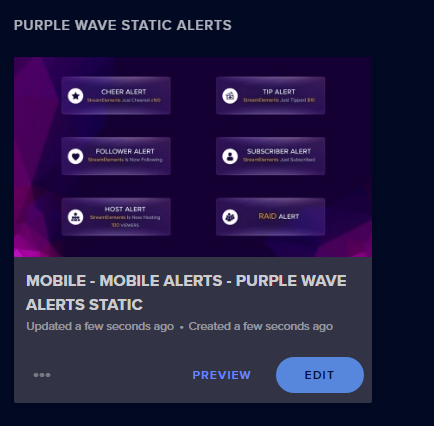
okokok
:)
 rigid nymph
I've been using the mobile app and the donation widget does not allow for input or display. Any ideas of how to get this working?
twilit dome
Can you give me a little bit more detail on that?
urban violet
Can I stream my mobile gameplay on Streamelements mobile?
visual tangle
its IRL streaming only
urban violet
Oh....
plush plinth
i use a specific app for mobile game streaming (plugged into PC via USB) and calling it in OBS Studio, given i am not sure of the ins and outs of program suggestions i'll just leave it at that
 north carbon
Guys hello xd someone know if i can stream from my phone and can use streamelements at same time for music and that?
edgy gale
As long as you've added the media request widget to the mobile overlay and have media request dashboard page open on your phone's browser + using the "show on stream" button
you can have that, yes
proud shaleBOT
@north carbon We've released our new Overlay Editor revamp. You can check out the changes and how to work with it here: https://youtu.be/X5VzXjqAsjk
Check out our blog post as well: https://blog.streamelements.com/streamelements-overlay-editor-just-got-even-better-c22cb5b4853e

We are thrilled to announce the launch of the remastered StreamElements Overlay editor!
https://p.strms.net/newoverlayyt
Why StreamElements Overlays are better?
😎 Simple: Load your entier setup using only 1 link
⚡ Fast: Cloud-powered Overlays arrive in real-time, say goodb...
north carbon
But that is for phone right?
north carbon
Ohhh ok ok let me see if i can put @edgy gale btw i need use streamelements app to stream?
@edgy gale sorry... I dont see that overlay in web side
edgy gale
In order to see that overlay, you need to install and login to our mobile app
north carbon
Oh ok ok let me see
edgy gale
I assumed you already have the overlay, because you are asking in our mobile helpdesk
edgy gale
I mean sure
but depending on the helpdesk you are asking questions, depends what we assume you might be using so far
So all the info I gave is based on you having our mobile app installed, the mobile overlay that is generated and used automatically by the app
and that you are going to use the app to IRL stream
north carbon
Have a little problem... App just stay in "loading"
I will can use discord app and streamelements when i stream?...
edgy gale
the app can only stream to twitch(and YT...I think)
north carbon
Both maybe xd
I want stream from phone... But games and that things how i do that???
north carbon
I already do with other app but i see about streamelements
So what about if i want put sr in my stream?
edgy gale
As long as you've added the media request widget to the mobile overlay and have media request dashboard page open on your phone's browser + using the "show on stream" button
 unborn hound
Is there a way to add and edit a overlay on my phone? My laptop is old and won’t let me do it so this is the only way I can until I get a decent laptop.
twilit dome
You can load the website on Chrome on your phone, it'll certainly be a process but it is possible in theory.
 devout mortar
Hi. There was a problem – the image on the main camera is normal, but when I put the front camera, the picture becomes dark. The problem is not with my camera, but with the app. Tell me how to solve it, please
 marsh depot
Is there a link to setting up Stream Elements overlays for when you streaming from Mobile?
Like, I want to set up an overlay, notifications on stream, etc
prime tundra
The app uses the overlay in your account labeled Mobile.
You can edit that overlay.
 limpid sedge
 👆
👆 pastel horizon
Hey there just wanted to check if there are any news for an iOS app? Is it planned? Any eta? Thx and have a great day! ✌️
summer cloud
@pastel horizon There are none atm unfortunately. I had actually asked about it recently.
pastel horizon
Ok, thanks for the info :-)
urban violet
So, the Overlay that gets created when you first connect the Android App to your Twitch, am I able to change the overall look of the alerts to the ones in the "Alerts" Catagory of the Themes Gallery?
Thats not in the app unfortunately
marsh zinc
urban violet
Thank you
 quiet thorn
Is there anyway to run an overlay through an ipad or phone?
quiet thorn
Oh thanks is there any future plans to? @crystal smelt
crystal smelt
No plans
quiet thorn
Aw okay thanks anyway
 muted scaffold
I have a question. How can I add a custom Overlay to the streamelementsapp?
twilit dome
crystal smelt
^ @muted scaffold check the link above
muted scaffold
I did. But I tried it and it didnt work
twilit dome
What do you mean?
How did it not work @muted scaffold
Just so I can point you in the right direction.
muted scaffold
I creatded the mobileoverlay but I cant see the animations in my teststreams.
twilit dome
Where are you looking?
If you're expecting to see them on your phone, you won't see them there.
Only your viewers will see them when you're live.
You will only hear them on your phone.
 sour quarry
iphone streaming?
visual tangle
no ios app, not eta on when it will be made
urban violet
Anyone know how I can fully delete my stream elements account, I’ve already unlinked my twitch but want to fully delete my account
fallow flume
@urban violet click the Close my account button at https://streamelements.com/dashboard/account/security
StreamElements
The Ultimate All in One Platform for Streamers
urban violet
@fallow flume thanks one quick question what does it mean when it says JWT Token
proud shaleBOT
@urban violet You can find your JWT token on your account channels page ("Show Secrets" to reveal the token): https://streamelements.com/dashboard/account/channels
READ ME:
This is a private security token. Do NOT share this token here or other public places, only with a StreamElements staff member in private.
urban violet
It says my JWT Token is just a long lines of random letters and numbers and won’t work when I type it in to close my account
 terse hound
Hey there, I have a problem. It seems that a streamelements account is linked to one of my emails. Though, I have never made an account on streamelements. I would like some help with this
 alpine jolt
Am I missing something from the mobile app where it will stream my screen instead of my cameras?
quartz zephyr
No.
The Mobile App is for IRL streaming currently. Doesn't Support Screen Capture.
alpine jolt
@quartz zephyr ok thank you very much. Hoping that comes soon
 sick hawk
oki
 tame compass
Is there a streamlabs for mobile
marsh zinc
There is a StreamElements mobile app you can download from the link at the top of this channel.
 rancid hound
How do I finish setting up my tipping page on stream elements
There is no option to save and when I copy paste the link it takes me to the main stream elements page
kind forge
it saves after u leave the edited space, auto saving feature indeed @rancid hound
 leaden terrace
don't know if this has been reported already but setting the Bitrate does nothing, my mobile streams at 20000kbps and is not watchable on twitch
summer cloud
@leaden terrace That is way more than they really allow. 6k is pretty much top. Anything higher and you basically can experience "issues".
visual tangle
by providing reliable and consistent advice,
 wraith plume
@quiet thorn I have successfully used PrismLiveStudio on iOS which accepts browser sources, and was able to import my chatbox and other overlays from streamelements to the app.
Right now I am trying to figure out how to add a text to speech chat browser source though... are there any options for that? for when I'm diving in an IRL stream.
 lean moth
Help 😄 Mobile streaming 720p, 2000kbs, 30fps overlays working but after changing to 1080p we cant get any of the overlays to function. We have 1x 720p overlay and 1x 1080p on the streamelements website.
Using StreamElements beta app on Android
Its like the mobile app doesnt understand that it should pick up any of the overlays
marsh zinc
lean moth
@marsh zinc Thanks, we will try that. We had deleted the original one, however it was working anyhow without one...issue started when the streamer changed to 1080p in the app...probably some cache right
 potent crag
I feel like the mobile app should be able to do more like changing timers and modules and more but only thing you can do is have chat open and the viewer count doesn't work 🤷♂️
marsh zinc
You can access the site just normally via your mobile browser to change your timers.
 spring saddle
is there a way to change the microphone to another one in the phone?
 agile kindle
I am unable to Change the Stream Title in OBS Live, I can change the game just not the Title.
proud shaleBOT
@agile kindle There is a bug with setting the stream title in OBS and the Dev team is investigating.
In the meantime you can set the title using the !settitle command in chat (if enabled in your bot command settings)
Or with the Twitch dashboard: https://dashboard.twitch.tv/stream-manager
 velvet thicket
I streamed IRL walk a few days ago using the StreamElements mobile app on android 9 (emui 9.1.0) phone "Honor 9", and every time I had a "mini F", which was just a short lose of bandwidth, it added to the chat's delay. In 30 minutes of streaming it increased the chat delay to about 130 seconds, so even though chat looked live on my phone, while streaming, it was actually showing messages from 2 minutes ago
I tested with chat, by asking them to say "Pog" when they hear me, and they counted 130-140 seconds
The app version is 1.9.1
And I'm really happy with the camera quality, and everything else, only the chat delay is the issue.
spring saddle
do you guys know a way to stream with a external mic on oneplus 7 pro?
urban violet
Im trying to stream my iphone gameplay to twitch, whats the best way to do this and to get full quality without a elgato? I got a pc just not elgato
proud shaleBOT
@urban violet Please ask your question in one helpdesk channel only. A support volunteer or StreamElements staff member will assist you as soon as they are available. Asking in multiple places will only result in confusion, not faster answers. Thank you for your patience.
 earnest summit
Hey. is it possible to switch between main lens and wide lens on mobile app?
nova wadi
nope
earnest summit
ok thats sad... anything else i realy like but thats shit ... 😦
 fallow shell
[obligatory complaint about lack of iOS app after all this time because i want to monitor from the app rather than the browser on my iPad goes here]
also before anyone suggests i don’t use the twitch app on ipad because it barely functions.
summer cloud
@fallow shell Not too long ago I had asked about it and they said there were no plans to make one unfortunately.
leaden terrace
not sure if this is the right place to report bugs but in the app I have set the bitrate to max 6000kbps, no matter what it streams in excess of 20000, have tried uninstalling then reinstalling to fix but no luck, maybe shouldn't have tried to change it in the first place but with some areas with poor signal I tried to lower it to 4000. now it's permanently broken 🤦♂️ 🤦
fallow shell
@summer cloud assuming no reason was given for this backtrack then?
summer cloud
Correct
 fallow karma
Good morning,
I don't know how to go about this, but alerts and recent activities does not work whenever I use the app.
I have already re-installed it several times, deleted and had the mobile overlay re-installed with it. I even tried customizing it, but nothing makes the alerts work. :Might be the recent activities that is the issue, since I cannot see anything that happened anywhere inside of the app. It keeps saying "0 events", despite subs, follows and donations. 
edgy gale
@fallow karma do you have the app open right now?
fallow karma
I can open it, yeah.
Neither viewer count worked last stream, if that might help @edgy gale
edgy gale
Let me know when its open and we will sync up on things
fallow karma
It is open on my mobile @edgy gale
edgy gale
Are you able to somehow show a screenshot from the phone that its not showing my follow event?
and the activity feed as well?
edgy gale
perfect
and 2 more things:
- what phone model?
- what app version is this?(seen in the settings)
fallow karma
Samsung S10+
App Version : 1.9.1
edgy gale
Also just to note, usually the alerts should play normally via the mobile overlay, but it seems the app is not showing activity at all
so that is the main concern here im lookin at
and you are not suppose to see the mobile overlay via app anyway
fallow karma
I had a look through this channel - and the app seems to at least be meant to play sounds for me to be able to react and know something happened. Yeah, no activity at all seems to be the issue. If it helps, it has never been working for me. Thank you very much for looking into it!
edgy gale
yea sounds should be playing as well
lets get the activity feed fixed and then dabble the sound issue
fallow karma
I feel like maybe the sound issue is the activity feed being broken, since it doesn't give the app information to play anything - get me?
edgy gale
hmmm 
fallow karma
If no activity get registered, no event is meant to play in the overlay, I mean.
edgy gale
maybe, but if you set a custom sound in the overlay for the events, it should play that custom sound
fallow karma
Right! I have the default mobile overlay for now, which comes with the app.
I meant that my overlay and alerts might not be broken, but it could actually the broken activity feed which cause it to not pop up.
edgy gale
you can still edit that overlay
potent crag
Shouldn't the redemption of channel points be an activity in streamelements app ? I never get it so I have to have my twitch creator on my laptop to see that but I mainly look at my chat via stream elements app and sometimes I'm seeing the redemption late because I've not been looking on the laptop and also my viewer count isn't working on the app always just shows 0 viewers
 thorn forge
Hey guys! there's a way to set overlay and alert box for the app on the mobile? i couldn't fidn it.
prime tundra
Once you connect with the mobile app, a mobile-specific overlay is added to your account on the site.
Editing that one will reflect in your mobile streams.
No other overlay applies.
thorn forge
understood, thank you very much!
edgy gale
@potent crag twitch channel points is a separate system then our loyalty system
 median pilot
I am trying to play streams on my phone, but only the chat loads. the actual stream will not play. When I tap the screen however, it shows that it is paused. But whenever I press the screen again to make it play, it just flashes the play sign at me again, like I didn't even press it to begin with. I have attempted reinstalling the app, restarting my phone, everything. I need some help cuz right now I have no way of watching twitch on my IPhone 11 pro max.
edgy gale
@median pilot Are you trying to stream or watch other streamers? If watching other streamres, this isn't a helpdesk channel for that kind of issue.
This channel is for our mobile app for streaming,.
median pilot
Sorry. I am streaming, but my girlfriend is having a hard time watching any stream on her phone.
Sorry bout yhat.
edgy gale
Yea, I don't think we can help with that. Might be an internet issue honestly.
 blissful sundial
Can I stream mobile games instead of doing IRL streams?
visual tangle
no, the app is IRL only
leaden terrace
when using bluetooth audio in the app, only the left channel is heard on stream.
edgy gale
Disconnect the device, turn off the app, go to the app settings in the android setting and clear its cache and data - open the app and try and connect the BT device
leaden terrace
ok will try and feedback a bit later
 outer heron
yo cuties, I guess you have to edit the purple wave alerts to activate tts, right?
tame rain
Yes. This is an overlay used by mobile app.
 vernal forge
Hi, is there any news on the iOS App?
 winged brook
How to I add a custom alert to my mobile stream?
tame rain
@winged brook Edit this overlay:
winged brook
Thanks
Is there a way to mirror the overlays so I can see them on the phone aswell?
Like when I add a chatbox, I would like to see it on the streamelements app
tame rain
You can add any widget into that overlay and it should be displayed on stream.
winged brook
Yes it does, but I can't see it on the app. The only way for me to see chat / subs is to use the activity feed. The veiwers can see the chat and sub alerts on twitch. But I can't see them on the app.
tame rain
Oh. Right. It is the only way as it would take more resources to additionally display overlay on your phone which could break overlays for a lot of apps.
proud shaleBOT
Currently renaming the bot fully works with OBS.Live.
You can follow this video guide to set it up: https://discordapp.com/channels/141203863863558144/494513233416421386/561516184718278676
If you don't want to use OBS.Live and want to stick with Ground Control, please let us know your Twitch username.
urban violet
I have a Question, how is the Streaming Delay on the Mobile App?
twilit dome
What streaming delay?
 weary prism
Hi, i have a question; i want to activate the automatic media request, but i have to activate it every time, someone has the answer?
twilit dome
That is the answer. You have to enable "show on stream" each time @weary prism
What I would reccomend if you're doing IRL is to start your stream then at a PC at home, open the media request page and click show on stream then leave it open.
You can do it from your phone but I've seen issues with doing it that way.
If you're using a CloudOBS server, it is even easier to maintain.
weary prism
Thanksssssss so i have to activate it onli once and then is automatically?
weary prism
Yes i mean that thanks
urban violet
I forgot to explain what I mean about the Streaming Delay on the app, lets say I snap my fingers, how long will it take for the app to show that I snapped my fingers to my Stream on Twitch?
fallow karma
It all depends on your settings and connections @urban violet! It is possible to tweak real good, I'd say the only way to find out how good you can get it would be to try it.
PS. Make sure to enable "low latency" in settings on Twitch, to improve your general delay.
urban violet
Understood. Thanks
fallow karma
Nemas problemas 
 versed thistle
I need help
 frank rainBOT
Hi @versed thistle, Please ask your question(s) or describe the problem you're looking to solve so staff or a support volunteer can assist you as soon as they are available.
versed thistle
So I on xbox with a phone and no pc and I don’t really know how to set it up
proud shaleBOT
@versed thistle Consoles do not have native support for overlays. You would need a capture card and a PC with OBS in order to have Overlays over your console gameplay.
We have an blog post about how to setup console streaming with our essential tools: https://blog.streamelements.com/how-to-stream-on-console-7b620b1c46c3
 vital umbra
Hey, i was wondering: how can i get the app for iphone? I want to do some IRL streams. Only thing i saw online was some info, but not the app itself
edgy gale
Our app is not supported on iOS
vital umbra
Hmmm sad
Any reccomendations how i can stream IRL on iPhone with alerts from streamelements? Or is it not possible yet
edgy gale
Unfortunately, no
vital umbra
Allright, thanks tho!
nova gorge
@vital umbra u can use the prism live app and put in SE overlays manually
But yeah it’s not a recommended way for iOS
Another way us to stream to a RTMP
hallow jetty
How can I buy premium for Ace Live Streaming
marsh zinc
There is no premium and the ACE Live Streaming App is deprecated. Check the channel header for the new application.
 marsh cradle
Does it take a certain time from the saving of the edited Mobile Alerts changes until they appear live?
I still have the alert box in the regular spot live and not the updated alerts/widgets on mobile
Or is there anything I need to refresh?
Also, can I change anything in the name of the "Mobile - MOBILE ALERTS - PURPLE WAVE ALERTS STATIC" or does SE needs this name to recognize it as the correct mobile overlay?
proud shaleBOT
New to Stream Elements?
Check out our YouTube channel https://www.youtube.com/c/streamelements/videos
with tutorial videos from setting up the basics, to in depth details on how to use our product.
New to OBS? Here is a 4 step quickstart guide
https://obsproject.com/wiki/OBS-Studio-Quickstart
Want to learn even more? Here is an in-depth overview
https://obsproject.com/wiki/OBS-Studio-Overview
rare sparrow
Do we have an idea when Elements App might be anywhere on the level of Labs for IR out door streaming. Between the 2 I want to use Elements but I get dropped and the app doesn't tell me. ALSO there is a huge almost 60 second lag in chat. (and I never get these issues with Labs EVER)
Or even a fix for ANY of the above would be great
urban violet
Hi
Um ok
So I don’t know where to get a picture the right size for the merch program
Move to #helpdesk-merch for that since this helpdesk is for the Android App
Ok
 peak smelt
Is there a way to enable the wide angle camera to stream from?
edgy gale
Unfortunately no
marsh cradle
Which iOS app is available for streamers that can use the StreamElements overlay?
marsh zinc
None.
marsh cradle
Someone states PrismLiveStudio works with StreamElements overlays
marsh zinc
We cannot provide support for this app, as we do not maintain it.
 strange tinsel
any ideas how i can play alerts while an irl stream. loud on my phone.
im using an obs rtmp server
twilit dome
@strange tinsel Add the Purple Wave overlay to your scenes on your OBS server, mute the sound on the server then run the StreamElements app on Android in Companion Mode, attach a bluetooth speaker and turn the volume up to max.
It's how all IRL streamers who use StreamElements run their sounds. It's heard on stream from your second phone, not the server.
And @marsh cradle we can't provide support on the app it but StreamElements overlays will work on Prism. I've tested it on Android and Prism accepts browser sources just as you would except like OBS.
strange tinsel
@strange tinsel Add the Purple Wave overlay to your scenes on your OBS server, mute the sound on the server then run the StreamElements app on Android in Companion Mode, attach a bluetooth speaker and turn the volume up to max.
@twilit dome but it also works when I not directly stream from the streamelements mobile app
twilit dome
Oh, der, you're using a single phone with SE app to RTMP server, yes?
Max out the volume in all of your alerts in the overlay editor, have your volume loud on your phone and add a bluetooth speaker.
You don't have to add anything to your scenes except your VLC Media Source, you should hear all alerts from the phone. You just need a better speaker.
strange tinsel
Yea im using an obs rtmp server and I'm streaming from a gopro. Does it also works that I hear the alerts. Thanks for ur help
twilit dome
Oh, you're using a GoPro? Then what I said originally applies.
marsh cradle
@twilit dome OK, I will try. Thanks for the advise!
twilit dome
You need a secondary phone running companion mode with your mobile alert overlay added to your scenes on your server.
No problemo @marsh cradle
strange tinsel
Hello thanks for the help in advance. So I use a gopro that streams to an rtmp server that runs on my PC. I want to use the alerts I normally use on the pc. So that's as possible as you said
twilit dome
If I were you, I would create two scenes and two RTMP urls for both the mobile app to server and GoPro to server. You'd add your mobile alert overlay to the GoPro scene and run a second phone in companion mode then on your phone scene, you'd only hav the VLC Media source.
Yes, it is very possible as long as you have a phone with you as well.
You must be running StreamElements in companion mode to be able to hear your alerts while you stream. You can't only use a GoPro.
@strange tinsel For example, I've also a GoPro in the mix and this is what is done:
And then a phone is carried alongside the GoPro so that the streamer can hear alerts and your viewers will hear it via the GoPro picking up the audio. Make sure that the overlay is muted on OBS for your live scenes otherwise you'll have double sound.
strange tinsel
Okay thanks I'll try it
lean moth
Hey guys. If alerts wont come through a bluetooth speaker but does on stream. What would be a good fix or to troubleshoot at ?
.
Is really companion mode required for alerts to be heard? a.k.a 2 mobile phones while streaming IRL. 1 for camera and 1 for chat+alerts?
twilit dome
Depends how you're running things @lean moth but you can use one phone with just the app and see chat and hear alerts.
If the alerts are coming out through your phone and therefore on stream but not via a bluetooth speaker then that's likely a problem with the speaker.
lean moth
Thanks for the answer. I thought i saw some thread long time ago regarding issues with StreamElements mobile app and bluetooth speaker
twilit dome
If that wasn't a typo, that would be a different provider and application having that bug not StreamElements. In regards to StreamElements and Bluetooth speakers, I am not aware of any issues with it.
lean moth
Yez soz, i seem to mix up streamlabs and streamelements 😄
 woven rain
are we able to use overlays on mobile
summer cloud
@woven rain There's one automatically created for mobile.
Once you launch the app initially that is.
 smoky bobcat
proud shaleBOT
smoky bobcat
proud shaleBOT
@smoky bobcat Welcome to the helpdesk! Please let us know how we can assist you today and a support volunteer or staff member will assist you as soon as they are available. Thank you for your patience.
 quartz lark
Where do I put the overlay url to stream labs on ipad?
prime tundra
We cannot provide support for using our overlays in the Streamlabs app.
urban violet
I think I found a Bug in the app, I have a animated alert and it does not seem to play it correctly
edgy gale
can you elaborate?
urban violet
So, i have 2 alerts in the Mobile App, one which is the default one and the other one which is a Aninated one, someone followed me and when I looked at thr VOD, the animated alert looked Janky
If you want, i can send you the VOD
edgy gale
Is the alert graphics/video(of the alert) a .webm?
urban violet
Yes
edgy gale
and is it 1920x1080 by default?
edgy gale
Ok so make sure you are on the latest app version (1.9.4) and also go to the phone settings -> apps -> find the app -> clear cache and data -> open app -> login -> test
proud shaleBOT
@urban violet You can test Alerts via the Emulate bell on the lower left side of the Overlay Editor. Simply go to your Dashboard -> My Overlays -> Pencil/edit button on the overlay. Make sure the "Preview LIVE on stream" option is on to see the alert in OBS/Xsplit https://streamable.com/vtulg9


 urban violet
It got fixed :D
edgy gale
👍
urban violet
I will show a before image
It looked like this before
Its hard to see it but its at the middle top
 spice carbon
I'm assuming that this has been asked a million times but I can't find an answer.
I want to stream with my mobile phone tomorrow but I really like the custom overlays. Is there any chance?
All I could find was the Streamlabs 😩 workaround but that has been patched.
twilit dome
You can use custom overlays.
Once you login to the app, it'll generate a PURPLE STATIC overlay on the website.
Go there, edit that.
Whatever you put in there will appear on stream.
spice carbon
Changed this
twilit dome
Yup.
Though I would highly recommend that you delete that, delete the cache/data of the app then login again and generate a new one.
spice carbon
twilit dome
If you haven't ever used it.
twilit dome
Yes, that's by design. If you use the test button on the phone, it'll show the baked in alerts but rest assured, your stream will see your custom alerts.
When the event ACTUALLY happens.
It uses the default alerts only for TESTING.
spice carbon
Noice
twilit dome
But anything you change on the overlay will be seen by stream and you will also hear your custom sounds.
spice carbon
I'll try on a second account first before messing up my stats 😛
Thanks so much dude! I didn't know what was happening 😉
twilit dome
No problem! Good luck!
spice carbon
Thanks 🙂
urban violet
Why does the Bluetooth Audio Switch make my Audio sound muffled or is there a specific reason behind it?
twilit dome
It might be trying to use your bluetooth as a mic @urban violet - I've seen it before.
Make sure your bluetooth is only connected for audio not calls it it should clear up.
Maybe.
urban violet
Alright
Done, will test next time. Thanks
Ok, now the app is not letting me turn on Bluetooth Audio
 modest saffron
Just a question, i can't find streamelements on google play, is there any apk somewhere? (i'm downloading from Italy, on a rog phone 2 tencent version)
 solar forum
Hello, I'm trying to get the alert box to work on mobile. I setup the alert box layer on this overlay to match the one I have on desktop but I wasn't getting the alerts to show up on my stream.
I could see them in the overlay edit and alert box enabled in the app. Would there be anything else that would prevent alerts from not showing on mobile?
solar forum
So I'm still trying to fix this issue
I can get it to work sometimes by logging out and logging in
prime tundra
When you connect with the mobile app, a special mobile overlay is created in your account. Renaming an overlay "mobile" will not make the app use it.
solar forum
And I think mobile doesn't like .wav sound files
Oh that's interesting, I didn't know you had to keep the name of it
Well I ended up deleting the overlay completely to test it too
so I had the default name
I think the .wav file is breaking the alert too
because once I changed it to an mp3 and logged out/logged in, it worked again
fallow karma
I had a look through this channel - and the app seems to at least be meant to play sounds for me to be able to react and know something happened. Yeah, no activity at all seems to be the issue. If it helps, it has never been working for me. Thank you very much for looking into it!
@fallow karma
@solar forum is your activity feed working? My alerts have never worked, despite re-installing, re-creating etc. On my end I figured it must be event related, as nothing gets registered and therefore the alerts never would get triggered to begin with.
What kinda phone have you got?
I never got a solution myself.
twilit dome
@fallow karma what's your channel name, no links, just name. Tag me when you see this and respond.
fallow karma
@twilit dome Ninadore
KeiZar was troubleshooting with me earlier, tried following, had me log on and such.
twilit dome
And you're saying nothing shows up on your activity feed?
twilit dome
What about on the website?
fallow karma
Website works perfectly fine!
twilit dome
That is... interesting.