#helpdesk-selive
1 messages · Page 159 of 1
 muted ermine
 solar jacinth
i need help my obs live does not connect to my internet server
frame rate is dropping always red line is showing help me please
 steel bladeBOT
@solar jacinth Dropped Frames means that you have a bad connection between your device and the streaming platform and most likely something related to your ISP not handling the connection properly.
Speed tests usually cannot help solve this problem and its best to use this guide: https://obsproject.com/wiki/Dropped-Frames-and-General-Connection-Issues
If you stream to twitch, use the !twitchtest command and do a connection test to your regional servers.
 latent root
wondering how i can change stream title, category and live message through the obs software. I had it before i reinstalled it and cannot remember how. If anyone can help i would appreciate it ❤️
muted ermine
@latent root Install OBS Live plugin that is made by StreamElements. It's good, but can't add tags with it. If that doesn't matter then it's good for you. Enjoy. Update: Stream info doesn't appear for me via docks path. Can change title w OBS Live.
 plain sonnet
@latent root view > docks > stream info
latent root
@plain sonnet it doesn't come up in docks
plain sonnet
what platform do you stream to?
latent root
twitch
plain sonnet
settings > stream
disconnect then reconnect your account
latent root
well getting back into it
that worked. thanks @plain sonnet and thanks for the other option too @muted ermine
 frail granite
when i use the chat widget to go live, it doesnt let me and just refreshes the setting window in obs, when i use fb dashboard settings it goes live but stream elements doesnt see that im live and i get no stream activity. how can i fix this?
 shy kestrel
Hello ladies and gents. Mapppi here to annoy everyone again 😄 I Formated my computer recently and seem to have lost a few options in the OBS.Live app
For example, I don't have the option to use the little dock that shows current viewers/followers /subs etc
 modest goblet
yeah same here. As of late I am missing "Stream Information" which was really helpful to change the title/game on the fly.
Also I can't seem to move any UI component to the left of my preview any more 😦
shy kestrel
Also this one^ !
I didn't know the name of them as I was using them a lot. Arguably some of the most useful docks on the app.
modest goblet
ok media request is back to the left, but yeah stream info isn't anywhere to be found 😦
shy kestrel
All I know is that I'm missing two docks that went to the top left and top middle
and it was the one that let me edit stream info and the other that showed viewers/followers
Not sure If I'm just being dumb or 
modest goblet
Stream Info was on the top left for me as well. Now I have to click on the hamburger Menu next to activity feed, go to settings.. it's just tedious to do compared to before
weirdly enough the stream stats do show up in my other vanilla OBS instance that I installed before OBS.live
modest goblet
Also I noticed that in my vanilla OBS I can right click the top of one of the docks and it let's me choose more docks to add. This doesn't work in obs.live for some reason
how come these two seem to interfere with each other when I thought I installed obs.live in a different path, too?
shy kestrel
Do you find a big difference between the two?
I've only used StreamLabs and OBS.Live
But I really miss those docks. Maybe worth going to vinilla OBS?
modest goblet
obs live gets you a lot of things out of the box. But I am not sure this is the right channel for this topic
modest goblet
you can probably add a lot of things manually
 cobalt gull
Emulating alerts isn't working on my overlay on obs.live ... i can see the alert doing its thing on the website editor but not on my obs.live itself... :/
I've made sure that "Emulate live" thing is checked so it should be enabled.
 oak spruce
you probably saw this question here a thousand times but I searched for older answers here and nothing worked. Im getting the no active widgets were detected for media request. The alerts are working when I click emulate and I have added the widget for media request in the same overlay, anything Im missing? Thanks
 tranquil jasper
oak spruce
tranquil jasper
oak spruce
About my previous issue I logged out on obs live and logged in and started working
 pine dragon
I am having an issue where if I change the game/stream title in OBSlive before I stream, then it doesn't update on twitch. I've had to go back and manually fix this later. Is there a way to make it so when I update my stream info it actually goes to twitch?
steel bladeBOT
@pine dragon There is a bug with setting the stream title in OBS and the Dev team is investigating.
In the meantime you can set the title using the !settitle command in chat (if enabled in your bot command settings)
Or with the Twitch dashboard: https://dashboard.twitch.tv/stream-manager
pine dragon
Thank you.
 brisk oriole
I am getting random stream crashes where the bitrate just drops to zero and then after sometime the stream ends. When the bitrate becomes zero, the green signal changes to red too. How can i fix this?
steel bladeBOT
@brisk oriole Dropped Frames means that you have a bad connection between your device and the streaming platform and most likely something related to your ISP not handling the connection properly.
Speed tests usually cannot help solve this problem and its best to use this guide: https://obsproject.com/wiki/Dropped-Frames-and-General-Connection-Issues
If you stream to twitch, use the !twitchtest command and do a connection test to your regional servers.
brisk oriole
I have an upload speed of 24Mbps and use bitrate of 7k. I generally stream at 1080p on facebook
 deft girder
Hi all, I am trying to copy/paste an overlay from streamelements site to obs, however the image appears to just be a bit of it - not all of the overlay..! Can anyone help me? 🙂
steel bladeBOT
@deft girder To add your overlays to OBS, add a new browser source in your scene. Paste your overlay URL in the browser source properties, set the dimensions to 1920x1080 (unless you changed them on the website), and ☑ “Shutdown source when not visible” https://youtu.be/KDvLynUqXI4
deft girder
Thank you. Also, when I edit the text on the overlay in streamelements, the text doesnt copu over to the preview or OBS?
plain sonnet
save the overlay, wait up to 5 seconds, if it doesnt load then refresh the browser cache
deft girder
Thanks @plain sonnet. How do I reset browser cache? through my browser or via streamelements?
plain sonnet
right click on the browser source in obs > properties, refresh cache
deft girder
Still not updating the text 😦
Just tried again and none of my custom font is copying from Stream to OBS
 abstract lily
Hey i hope i'm on the right section. When i go to stream and have my desktop audio up to hear alerts its duplicating the sound to my headset which means i am hearing the PS4 sound twice does anyone know how to stop this?
steel bladeBOT
@abstract lily Make sure to ☑️ “Shutdown source when not visible” for all browser sources (all OBS scenes). If using studio mode, uncheck “Swap Preview/Output scenes After Transitioning.” Also keep in mind that sound can play from any overlay loaded in the browser (editor or launched). https://i.imgur.com/6bWXxjR.png https://i.imgur.com/yY0wcFl.png


@deft girder Google Fonts
More than 900 google fonts are supported at this time. You can preview them here: https://fonts.google.com/
Custom Fonts
Steps:
- Install the font on the streaming PC or choose a pre-installed windows font.
- In the overlay widget settings, select Text Settings
- Enable Custom Font
- Type the name of the font as it appears in the windows font directory (This is usually
C:\Windows\Fonts)
Note: After installing fonts, the browser and OBS must be restarted for the font to appear.
deft girder
Sorry I dont mean fonts, I mean my text I have entered for youtube, twitter etc not showing in preview or OBS
Its just the static text from the template
 odd kraken
Is it showing in the editor?
abstract lily
thanks i have tried the setting above and the sound is still duplicated. If i turn the volume down below 50 i dont hear the duplication but i dont hear my alerts
odd kraken
What exactly is duplicating? Only alert sound, or all your sounds?
 rugged quail
hallo i need help can someone help me
<@&382267076632379392> can someone help me pls
steel bladeBOT
@rugged quail Welcome to the helpdesk! Please let us know how we can assist you today and a support volunteer or staff member will assist you as soon as they are available. Thank you for your patience.
rugged quail
ok
odd kraken
Please let us know how we can assist you today.
abstract lily
@odd kraken its my ps4 sound that duplicates to my headset
@odd kraken so each time i move on the ps4 i hear it twice
rugged quail
oke @odd kraken i need help cuz i made a overlay but is dos not vid in the obs.live cab you help me ?
steel bladeBOT
@abstract lily For the best OBS support, please join their Official Discord @ discord.gg/obsproject
@rugged quail To add your overlays to OBS, add a new browser source in your scene. Paste your overlay URL in the browser source properties, set the dimensions to 1920x1080 (unless you changed them on the website), and ☑ “Shutdown source when not visible” https://youtu.be/KDvLynUqXI4
@rugged quail OBS -> Settings -> Advanced -> Scroll down -> enable or disable Hardware Acceleration, depending on its current state. (This does not apply for OBS on Mac)
https://i.imgur.com/ggMe9ZE.png
 rugged quail
@odd kraken that is alr on
odd kraken
Then disable it.
steel bladeBOT
@rugged quail To add your overlays to OBS, add a new browser source in your scene. Paste your overlay URL in the browser source properties, set the dimensions to 1920x1080 (unless you changed them on the website), and ☑ “Shutdown source when not visible” https://youtu.be/KDvLynUqXI4
rugged quail
@odd kraken ❤️ ty
hello guys
i'm trying to connect to my twitch account inside OBSLive but isn't working
any help?
 round nebula
Hey everyone !
I’m trying to add music / videos to my BRB scene,
I followed the guide on the website and it worked the first time but when I went to stream it doesn’t work 🤷🏻♂️🤷🏻♂️
Can anyone tell me other ways to add music to my stream ?
for when I’m not showing gameplay ?
shy kestrel
@modest goblet
As per our conversation earlier about the docks not working?
The chatbox within my OBS.Live asked me to login after typing it
After that all the docks started working again. Hope you find some success!
 serene depot
Hiya! Can anyone help me figure out how to get Sims 4 to show up? I wanted to play it today for stream but all SE OBS is showing is black screen like this photo. Thanks ❤️ (I hope this is the right place and the screenshot is okay!)
 lunar otter
#helpdesk-selive i have an issue with the emulation of my alerts. off stream they work, but while i am streaming, i don't see the alerts on the screen live. can someone help?
serene depot
I guess nevermind? I'm not sure what I did but it's working fine now!
modest goblet
@shy kestrel what exactly do you mean when you say "typing it"?
Also thank you for the update
ok somehow it is now working again for me as well. Thanks mate!°
 weary thicket
so i have a question is there a way to add a custom Stinger trans to my OBS.live
 tulip hamlet
Same way you would to OBS Studio. Same function, not affected by having OBS.Live or not.
odd kraken
That is not the transition menu. This are the settings for the studio mode.
weary thicket
@odd kraken where might one find the menu ?
nm found it
@odd kraken thank you very much
 dim dirge
Hello. Need some help here. Restore button is greyed out and I can't restore the cloud backup. Already sent "report an issue". Is there anything else I can try?
@dim dirge Is anyone available for support?
 livid mauve
can i have my stream chat link to open it in my mobile
?
and if yes, how to get my stream chat url
rugged quail
Hello, how can i get my streamlabs streamlabels to work with streamelements donos?
rugged quail
does streamelements have a labels tool
steel bladeBOT
@rugged quail We've released our new Overlay Editor revamp. You can check out the changes and how to work with it here: https://youtu.be/X5VzXjqAsjk
Check out our blog post as well: https://blog.streamelements.com/streamelements-overlay-editor-just-got-even-better-c22cb5b4853e

We are thrilled to announce the launch of the remastered StreamElements Overlay editor!
https://p.strms.net/newoverlayyt
Why StreamElements Overlays are better?
😎 Simple: Load your entier setup using only 1 link
⚡ Fast: Cloud-powered Overlays arrive in real-time, say goodb...
@rugged quail New to Stream Elements?
Check out our YouTube channel https://www.youtube.com/c/streamelements/videos
with tutorial videos from setting up the basics, to in depth details on how to use our product.
New to OBS? Here is a 4 step quickstart guide
https://obsproject.com/wiki/OBS-Studio-Quickstart
Want to learn even more? Here is an in-depth overview
https://obsproject.com/wiki/OBS-Studio-Overview
 exotic thicket
i stream using obs live, everything seemed to be working fine up until a couple days ago. All of a sudden my mic audio from my astro a40 headset quit transferring to my stream. I can use the mic for in game chat but audio stopped transferring. I have watched all the videos i can on this and nothing has helped. Can anyone help me?
steel bladeBOT
@exotic thicket For the best OBS support, please join their Official Discord @ discord.gg/obsproject
lunar otter
hi guys i'm trying to figure out why my emulator sounds won't work when i'm live. i figured out majority of my sound issues on my own, but still can't find out how to raise the sound on the emulators
rugged quail
i have an alert issue, i had customs audio for my alerts, whenever my alerts go off, theres no audio, but if i 'control audio via OBS' my alerts double, ill mute one or the other and i cant hear at all
 worldly stratus
anyone know why im not getting notified when i get a raid or a host
steel bladeBOT
@worldly stratus Due to changes to Twitch API, we have filtered out hosts and will only show these ones on your activity feed:
- All hosts coming from an online channel with at least 1+ viewer
- Auto host events with at least 1 viewer - only from a channel that just went offline
Note: If you see "X channel has hosted you" with no viewers on the back, that is considered an offline host or a host with 0 viewers, we do not show these.
worldly stratus
i got hosted by 3 different streamers each with 10+ viewers and wasnt notified
 normal reef
is there anyone here good with the reaper plugin
steel bladeBOT
@worldly stratus Please logout of StreamElements at https://streamelements.com/logout and then login again to your account (Twitch/Youtube/Facebook)
worldly stratus
ive done this multiple times and still nothing
 honest echo
other alerts are working? You have enabled the chat alert module?
worldly stratus
it was working fine 3 days ago and now nothing for the last 3 days
 autumn storm
Hello there, quick question... how can i get thee stream information Dock for twitch??? i have tried to log in and out, and it does not appear in the view, nor the streamelements tabs. the only dock i can get is the chat dock. thanks in advanced for your help
honest echo
you already tried this
steel bladeBOT
@autumn storm Streamelements on top of OBS -> Logout -> login
honest echo
@autumn storm you have the latest version of obs.live installeD?
autumn storm
@honest echo yes i do, i downloaded today in the afternoon
i also have checked for updates in the software and it says no update available
honest echo
Could you share a screenshot of the whole OBS please
honest echo
try this: Settings > Stream and link your twitch account
honest echo

 tall girder
When i stream my obs live is 100% fine no issues but on twitch my stream is choppy and blurs a bit when moving. do i fix that on obs live?
tulip hamlet
Sounds like your bitrate is too low.
tall girder
my bitrate is 2675 how mucher higher would be recommened
lunar otter
thanks for the help guys. i figured it out on my own.
 restive bronze
Can someone help me about this? I can't connect my facebook page in this activity feed and latest chat/comment?
steel bladeBOT
@restive bronze Streamelements on top of OBS -> Logout -> login
tall girder
nvm i searched it up and found out what bitrate i should use
 chilly basalt
guys help! My camera is showing in every other program but OBS i have to stream now! Help!
here is my log https://obsproject.com/logs/7GIDmqCTbY8xBj05
steel bladeBOT
@chilly basalt For the best OBS support, please join their Official Discord @ discord.gg/obsproject
chilly basalt
no i need help here ive gotten it before
 hollow wolf
hey i cant seem to be able to edit the overlays inside of OBS and when i edit a premade one to add my twitter it doesnt update at all on teh website
tulip hamlet
Select the widget, open the Settings menu on the left, and edit the text field in there.
You've probably just been editing the layer name.
hollow wolf
😂 im stupid clearly lmao was wondering
chilly basalt
can someone please help me
tulip hamlet
We can't troubleshoot the function (or lack thereof) of a specific camera. You're better off asking OBS Project's volunteer support, who will have more experience on that topic.
chilly basalt
well it's not that, its that its working in every other prgram but obs live.
tulip hamlet
OBS.Live is a plugin for OBS Studio, not its on software. The video capture source is still entirely handled by OBS Studio.
chilly basalt
But, i've received help here with this before?
 lusty brook
I had someone sub last night, but they dont show in the activity feed of SE or my labels for latest sub, but are in my twitch feed as a sub. How to fix?
steel bladeBOT
@lusty brook Twitch prime (new and resub) and paid subscriptions (resub only) must be shared in chat manually by the person subscribing in order for the subscription information to be sent to StreamElements. For twitch prime, the user needs to have sharing enabled on https://www.twitch.tv/settings/prime. For paid subs, if the share box doesn't show up immediately it will when they refresh the page. https://i.imgur.com/VNJN0Uv.gif https://i.imgur.com/2297EA7.png

 lusty brook
So if i manually set their name in the label and someone else subs later, will that override?
 toxic fern
The newer one should appear.
Assuming it's a new one. Otherwise they'd have to have done the above thing to do that.
lusty brook
did that change? i dont recall this ever having to have been done
toxic fern
It'd been like this for a good while.
 ebon dragon
SO all of my browser scources randomly stopped working today
lusty brook
So my bot in SE only does chat alerts for 1 and 2 months subs, is that different?
toxic fern
Did you change the chat message?
ebon dragon
I call next for help
lusty brook
Its my Mod too so they were a little upset lol
ebon dragon
Why did all my Browser scources completely quit working
lusty brook
They were a resub and my label is set to latest sub, so during the session they were a "new sub" but then reverted because it detered a resub? maybe?
What do you mean quit working @ebon dragon
lusty brook
reload overlays? refresh cache?
ebon dragon
What do you mean Reload them @lusty brook
 balmy snow
I need help guys.. My mic is not working on obs
steel bladeBOT
@balmy snow For the best OBS support, please join their Official Discord @ discord.gg/obsproject
ebon dragon
My error/issue has to do with the browser scources from Stream elements dashboard
They show up fine on the dashboard memnu
but show up as black screens on the actual Obs.live
toxic fern
@lusty brook if they showed in the activity feed it should've shown in your overlay/alert.
steel bladeBOT
@ebon dragon OBS -> Settings -> Advanced -> Scroll down -> enable or disable Hardware Acceleration, depending on its current state. (This does not apply for OBS on Mac)
https://i.imgur.com/ggMe9ZE.png
lusty brook
@toxic fern they arent in my SE activity feed, just my Twitch feed
toxic fern

steel bladeBOT
Please provide your account ID found at the top of this page: https://streamelements.com/dashboard/account/channels This ID is public info and safe to share here.
lusty brook
Was that message for me?
toxic fern
Yes
lusty brook
5ebb656a149df288798f59ed
toxic fern
While it won't retroactively fix any subs anything new onwards should behave as intended once I pass that to staff.
lusty brook
ok ty
should i turn off auto session reset and manually reset each session before going live each time?
 topaz basin
My streamelements overlays suddenly broken? and it doesnt pop out. I just streamed yesterday and it works fine but now its broken and i already restarted my computer its still the same
steel bladeBOT
@topaz basin OBS -> Settings -> Advanced -> Scroll down -> enable or disable Hardware Acceleration, depending on its current state. (This does not apply for OBS on Mac)
https://i.imgur.com/ggMe9ZE.png
topaz basin
noted noted ill try wait
And i forgot to tell that the problems occurs when i auto update my nvidia driver to version 452.06 Release date 08/17/2020 😦 it slowed down my computer
topaz basin
Already did the enable or disable Hardware Acceleration enable = blackscreen overlays and if disable = flickering black screen overlays
rugged quail
How to actually disable the Video Preview?
Don't really need it for Audio, is just using up resources that don't need to be used.
Even Streamlabs bot has this option.
1/3
2/3
3/3
Yeah that didn't work @toxic fern
:/
rugged quail
This is such a fundamental feature tho... Stream Elements is all about using Less Resources isn't it? So why does it's media tab not let us use the Least Amount?
Doesn't make much sense to me.
:/
toxic fern
It's also an unfair comparison as the programs are designed entirely differently.
rugged quail
Yes and No, they're both stream related programs aren't they? Yes the coding and some designs of integration are different, but the goals are ultimately to bring a better streaming experience right?
rugged quail
Question @toxic fern if you know the answer. Could the tabs be edited all custom like with the source code? If someone knew how?
 devout mason
all of a suddon i cant see my chat or my viewers when i go live now how do i get that back
toxic fern
@rugged quail That is something you'd have to do on your own as that is beyond the scope of our support.
@devout mason streamelements menu then choose the options for those.
rugged quail
@toxic fern That wasn't an answer. can it be done with the Source Code? Would it be possible, I'd have to learn to do it or find someone to do it, but I'd like to know if it is possible or not.
 shy mountain
@rugged quail The source code of OBS.Live can be found at the bottom of this page: https://www.obs.live/
Also to expand on what Sudo meant by It's also an unfair comparison as the programs are designed entirely differently.
OBS.Live is and addon to OBS Studio - meaning its not a FORK as SLOBS is. Basically we add to OBS Studio rather then fundamentally change it.
rugged quail
Ah, but what I was pointing to was not SLOBS, but a separate Program, the Streamlabs Chatbot itself which is separate and doesn't require SLOBs, probably on me to of been clearer with that. Although that bot is built up on ankhbot, so that is a fork too I guess?
shy mountain
One is an external tool that adds to your chat bot, while OBS.Live, as mentioned is an addon to OBS STudio with which then you actualyl stream with.
Whilst Streamlabs Chatbot thing is their separate software, we do not have anything that compares to that.
And I want to point out that having the video shown in the Media Request dock, is actually a requirement for it to play audio.
How Streamlabs can hide the video, is entirely up to them, but we've had communication with YT before about our Media Request
So in the end - different companies, different tools
 crude cosmos
Whenever I press left alt in my OBS it changes scene. It's not supposed to do that, and only started doing it today
odd kraken
Do you have any hotkey set?
 long bobcat
:D @frosty agate this is StreamElements, not StreamLabs 😅
 frosty agate
that what i meant haha i havent long just woke up and its been bugging me
solar jacinth
still i have same problem network issue and fame rate drop help me please
steel bladeBOT
@solar jacinth Please provide a log from your last stream. To do this, in OBS go to Help > Log Files > Upload Last Log File and paste the link to the log file here.
 lethal sinew
Hey, i get an error says "Failed downloading software update package" when try to update obs.live
shy mountain
Restart PC and then try to update
lethal sinew
Restarting...
Btw when I start obs it reduces other sources' volume
Is there a solution for that?
shy mountain
first time hearing about that
lethal sinew
For example, League of legends and YouTube are open on a browser page. I start obs then their volume reduces like 80 percent. Desktop master volume does not change. Their volumes in mixing get changed.
Can I send a video here?
shy mountain
No - as this seems like a more technical issue realted to OBS Studio
rather then OBS.Live, which is a plugin
so it might be best to ask in the OBS discord here: discord.gg/obsproject
lethal sinew
Thanks for that
Another issue is when I use default obs without live plugin, I can make it invisible by clicking its symbol on windows bar so it doesn't come out when I alt+tab. It's not possible on obs.live
@shy mountain it says failed still
shy mountain
Show me a screenshot
lethal sinew
This comes up when I press the update button on notification
shy mountain
Something is blocking the updater from getting the update
https://obs.live get the installer form here

OBS.Live | Open Broadcaster Software Streaming Knowledge Base
OBS (open broadcaster software) knowledge base for live streaming. Find articles and videos about streaming with OBS.
and it will update obs.live
lethal sinew
On notification it said it will update my obs studio too
Do I need to download the newer version of obs studio?
shy mountain
Whats your current version
lethal sinew
25.0.8 64 bit
shy mountain
then you are on the latest OBS Studio version
 jade cedar
hi i need help with activating my overlays
plz someone help me i need to get this done so I can actually sleep
 placid flare
so in #widget-share I found the Wheel spinner but now that I'm ready to use it, I have no way a seeing what was selected? There is no arrow indicator or text pop up to see what is chosen. Can anyone help?
 gloomy notch
updated OBS now my stream won't stop lagging. nice
 glass jetty
I am having the same problem I updated OBS live today and all of a sudden obs is using 45% of my gpu and a background process is using 40%. Is there a way to roll back the update? I have already tried restarting my PC and stream to no help
 weary flare
I have a problem I show the media request on stream and then after a few seconds it sais NO ACTIVE WIDGETS WERE DETECTED FOR MEDIA REQUEST
 orchid flicker
is anyone havin issues this morning with media request just not working im currently working through ground control to make it through but my media request just isnt working no loading at all
steel bladeBOT
@orchid flicker Streamelements on top of OBS -> Logout -> login
 hoary jay
Im having trouble with importing scene collection from SLOBS > OBS. Has anyone got any other ideas i could do to get the stuff on there 🤔 ?
 mighty anvil
So are there any plans of adding linux support for OBS live?
 broken zenith
Hey guys do you know how to add chat box in OBS.Live?
broken zenith
Woah, thank you!
 marble anvil
is there a way to only copy the chat box from a super theme so i can use it in my main gameplay with out the rest of the overlay
chilly basalt
hey guys, im having this issue where anytime an alert goes off, like 5 of them start playing all at once. Ive checked the overlays, there seems to be no duplicates of any kind.
 high mantle
this screen is stuck since hours when I try to import my streamlabs obs scenes to obs.live
 formal sphinx
 trail urchin
so i've tried to capture my xbox app on game capture, window capture, and display capture but none of them show up can someone help me?
steel bladeBOT
@trail urchin For the best OBS support, please join their Official Discord @ discord.gg/obsproject
 worn void
Hello I am streaming to youtube and sometimes not every messages shows up on the integrated chat is this a glitch or some sort of setting that is enabled
 rapid dagger
My stream is not recognising the game./ black screen
nvm its working after my 10th try
chilly basalt
Is anyone available to help?
steel bladeBOT
@chilly basalt Welcome to the helpdesk! Please let us know how we can assist you today and a support volunteer or staff member will assist you as soon as they are available. Thank you for your patience.
 tropic nimbus
where is the changelog for obs live? i saw something with editing widgets ? where is that
help
tropic nimbus
oh ok
Do you guys recommend making the overlay on streamelements and put the link on a browser or just load them locally ?
 wary dew
website
 steel mural
SE is a cloud based service. You can't load them locally 🤔
tropic nimbus
no, i mean i have a personal overlay and i could either add them via image source and video source or upload them on streamelements and do that way
ok i'll focus on website
 pine barn
Hello, I wanted to know if it's possible to unban a person from media shares? I'm trying to find the option but can't seem to find it
steel bladeBOT
@pine barn Please provide your account ID found at the top of this page: https://streamelements.com/dashboard/account/channels This ID is public info and safe to share here.
honest echo
and the username to unban
 sand fable
I just recently installed OBS.Live, and I'm wanting to import my assets from Streamlabs OBS, but every time I try this (Alertbox seems to have transferred at least), it just says Failed importing Scene Collection.
Any way to fix? Been trying for a little while now, and it always says the same thing.
 visual pendant
in which channel do i have to be for donation questions
plain sonnet
visual pendant
@plain sonnet so i want to connect g2a pay to my donation providers and i have watched streamelements videos how to do it but they have a button to connect and i dont do you have any ide a how to fix this
plain sonnet
g2a is no longer available due to regulation issues.
visual pendant
will it come back ?
plain sonnet
if they decide to conform to the EU regulations then possibly
visual pendant
okay thanks for the info
chilly basalt
hey guys, im having this issue where anytime an alert goes off, like 5 of them start playing all at once. Ive checked the overlays, there seems to be no duplicates of any kind.
@chilly basalt Can someone help me with my problem?
steel bladeBOT
@chilly basalt Make sure to ☑️ “Shutdown source when not visible” for all browser sources (all OBS scenes). If using studio mode, uncheck “Swap Preview/Output Scenes After Transitioning.” Also keep in mind that sound can play from any overlay loaded in the browser (editor or launched). https://i.imgur.com/6bWXxjR.png https://i.imgur.com/yY0wcFl.png
 twilit dust
hey everyone. I could use some help... I am the account owner of the streamelements account but my buddy who co-runs the channel with me is the one who streams and he is having trouble connecting obs to streamelements for overlay alerts. does he have to have my streamelements log in to integrate to obs or is there a way around this? i'd like to keep my account password private
chilly basalt
im not sure if that helps me with my problem support haha
pine barn
5992f474fa18343f99e48037 and duardo1 to unban
honest echo
@pine barn done
chilly basalt
So, i have like 5 different alerts playing at the same time anytime one gets triggered but there are no duplicates on my overlay. Ideas?
sand fable
@chilly basalt Did you read the bot message above?
 cedar helm
Oh great tech gurus of StreamElements. I request your aid. I just received the update for obs.live and the updater can't open BugSplat64.dll, is this a normal thing right now or is something else happening?
honest echo
@cedar helm Did you try it with admin rights?
cedar helm
i have not yet. Should I launch obs.live in admin?
Ok I just tried launching the update through obs.live admin and still have the error
 austere cypress
.
cedar helm
@honest echo I went through and wiped obs and obs.live from my pc and downloaded the freshest version and it worked
chilly basalt
@chilly basalt Did you read the bot message above?
@sand fable I did but doesnt it seem a little irrelevant to my problem? or am i just not understanding.
 stray kayak
I need help
 full thunderBOT
Hi @stray kayak, Please ask your question(s) or describe the problem you're looking to solve so staff or a support volunteer can assist you as soon as they are available.
stray kayak
I am trying to add the stream elements tip alert to OBS, but for some reason it doesnt pull over to the overlay. I dont have a fancy setup just a plan overlay that i planned to put this on top of.
steel bladeBOT
@stray kayak To add your overlays to OBS, add a new browser source in your scene. Paste your overlay URL in the browser source properties, set the dimensions to 1920x1080 (unless you changed them on the website) and ☑️ “Shutdown source when not visible”. https://youtu.be/KDvLynUqXI4
@stray kayak The default resolution for StreamElements overlays (theme and custom) is 1920x1080. Please add them in OBS at their full resolution and use CTRL+F to fit to screen if necessary. You can then downscale your stream in OBS settings > Video if you'd like https://i.imgur.com/6bWXxjR.png
stray kayak
neither of those help as ive already done that
 tall breach
hi is there a way to have a command trigger an sound?
steel bladeBOT
@stray kayak Please provide a proper screenshot with the issue visible. If not sure how to take a screenshot, you can check here: https://www.take-a-screenshot.org/
tulip hamlet
@tall breach https://www.youtube.com/watch?v=mBDY4RdoZ4A https://www.youtube.com/watch?v=BXGMjHqwVFE

StreamElements Loyalty System helps grow your community and turn your viewers into fans. Viewers are awarded points for viewing your stream that can be redeemed in various ways.
StreamElements loyalty includes:
- Stream store
- Contest
- Giveaways
- Media Request
- Modules ...

The StreamElements Stream store lets your viewers redeem Loyalty points (collected by watching your stream) to get special perks, fun sounds, and even game keys and discount codes!
The StreamElements Stream store is part of the Loyalty system, helping you to engage with your ...
chilly basalt
same here with me, the bot solution did not fix my issue
tulip hamlet
@chilly basalt Duplicate sounds always means you have multiple active alertboxes, whether in the same source, the same scene, in different scenes, or in your browser.
rugged quail
How can I set up a custom chatbot name?
tulip hamlet
See pinned messages.
tall breach
thank you for the link ❤️
 cursive hawk
not moving forward, someone help me?
tulip hamlet
Don't import Nerd or Die. It won't work. Nerd or Die provides separate installation instructions for StreamElements.
cursive hawk
I want my scenes, but I don't know how to do them, my transitions
tulip hamlet
Transitions don't import.
Transitions aren't cloud-based. So you just add them in OBS.
cursive hawk
omg... XD ty
tall breach
is there a way to make a comman to use an alert noise without the command being !redeem first? or is the store the only way :/
tulip hamlet
You can create a custom command using the ${redeem} variable.
 shut violet
Im not 100% sure but is this the support area for OBS?
 uncut bolt
Hi im using stream elements for my alerts but when i play them in the stream preview on OBS studios its cut off and not centered in the moveable box
steel bladeBOT
@uncut bolt The default resolution for StreamElements overlays (theme and custom) is 1920x1080. Please add them in OBS at their full resolution and use CTRL+F to fit to screen if necessary. You can then downscale your stream in OBS settings > Video if you'd like https://i.imgur.com/6bWXxjR.png
uncut bolt
thank you very much i have one more question. how to i simulate a follower in the obs studios
steel bladeBOT
@uncut bolt You can test alerts via the Emulate bell on the lower left side of the Overlay Editor. Simply go to your Dashboard > My Overlays > pencil/edit button on the overlay. Make sure the Preview LIVE on stream option is on to see the alert in OBS/XSplit** https://streamable.com/vtulg9
 shut violet
FIXED THE RESTREAM TOKEN ISSUE! Just have to disconnect account and reconnect with new stream key!
uncut bolt
is there a way to control the alerts volume in OBS studios
tulip hamlet
Browser sources have an option called "control audio via OBS"
lusty brook
Hi. OBS keeps losing connection on my PC during streams lately, but I have a valid internet connection (600mbps download and 23mbps upload). I am using the Auto-Config settings for streaming and I am on ethernet connection. Anyone have any thoughts?
steel bladeBOT
@lusty brook Please provide a log from your last stream. To do this, in OBS go to Help > Log Files > Upload Last Log File and paste the link to the log file here.
lusty brook
tulip hamlet
https://obsproject.com/analyzer/?url=https%3A%2F%2Fobsproject.com%2Flogs%2FrPhRrYSyJsLwDuPo
Tiny bit of dropped frames due to connection stalls. I don't see specific disconnects, though.
uncut bolt
how do we make it so the overlay shows top donations, new followers, etc
steel bladeBOT
@uncut bolt New to StreamElements?
Check out our YouTube channel https://www.youtube.com/c/streamelements/videos
with tutorial videos from setting up the basics, to in depth details on how to use our product.
New to OBS? Here is a 4 step quickstart guide
https://obsproject.com/wiki/OBS-Studio-Quickstart
Want to learn even more? Here is an in-depth overview
https://obsproject.com/wiki/OBS-Studio-Overview
@uncut bolt We've released our new Overlay Editor revamp. You can check out the changes and how to work with it here: https://youtu.be/X5VzXjqAsjk
Check out our blog post as well: https://blog.streamelements.com/streamelements-overlay-editor-just-got-even-better-c22cb5b4853e
lusty brook
So the non-default x264 item. I dont see veryfast in the preset streaming tab of output. I have mine set to Quality
 elder harness
Need some help: My Stream Elements is not showing my custom fonts. I have downloaded them correctly and used the Custom Fonts check. It will only allow me to use the "main" font and not the fonts such as "Extra bold" or "Italic"
steel bladeBOT
@terse steppe Please ask your question in one helpdesk channel only. A support volunteer or StreamElements staff member will assist you as soon as they are available. Asking in multiple places will only result in confusion, not faster answers. Thank you for your patience.
 terse steppe
Ok, I'm not changing channels. I just need assistance with an OBS.live update
 coarse island
how can I import my already created 'scenes' into streamelements overlay so I can add top tipper, newest follower, etc...
I have obs.live installed on obs studio
steel bladeBOT
@coarse island We've released our new Overlay Editor revamp. You can check out the changes and how to work with it here: https://youtu.be/X5VzXjqAsjk
Check out our blog post as well: https://blog.streamelements.com/streamelements-overlay-editor-just-got-even-better-c22cb5b4853e
coarse island
I thought it was built into obs.live though?
rugged quail
where do i go to ask about information about sepay?
steel bladeBOT
@rugged quail Please contact us via email for support with SE.Pay. You can use our contact form here: https://streamelements.com/contact Thank you.
coarse island
I dont get it, I have a custom theme..... Glitch2. I dont want to use a theme from the themes store on SE, can't I import mine?
tulip hamlet
Third party overlay creators like Nerd or Die will include instructions on how to install with StreamElements. You need to follow their instructions.
 kindred fox
Usually it’s a downloadable file that when double-clicked takes you to your overlays list and imports it
 sonic ravine
Hey guys, i have a question. I'm using the OBS Streamelements addon, and for some reason when i'm live the automatic update of the users in chat doesn't happen. If i manually refresh it works tho, only the automatic update doesn't. Any ideas on how to solve this?
 mortal briar
QUIERO TRANSMITIR EN FACEBOOK, Y EL OBS HACE LA TRASNAMISION EN YOUTUBE, COMO REALIZO ESTE CAMBIO PARA QUE TRANSMITA POR FACEBOOK?
steel bladeBOT
@mortal briar Welcome to the helpdesk! The regular helpdesk channels are in English but we do provide multi-language support in the following channels: #🇩🇪︱deutsch | #🇫🇷︱français | #🇪🇸︱español | #🇵🇹︱português | #🇳🇱︱nederlands | #🇮🇹︱italiano | #🇵🇱︱polski | #🇨🇳︱中文語言服務區-chinese | #🇯🇵︱日本語-japanese | #🇭🇺︱magyar | #🇰🇷︱한국어-korean | #🇹🇭︱ไทย-thai | #🇷🇺︱русский | #🇺🇦︱українська | #🇨🇿︱czech
shy mountain
Unfortunately, there is nothing we can do about that, as the chat dock we load is the actual chat from Twitch as a pop up. It might be possible they have changed something with the viewer list and its not being updated.
I can vouch for this, as OBS Studio has its own Twitch Integration and has the same Chat dock and both chat docks have the same issue.
sonic ravine
I see, so in order to fix this twitch should change something ?
shy mountain
I believe its on Twitch' side
sonic ravine
Alright that's fair, i'll contact twitch support and see what informaton i can find out. if it so happens they have information i'll come back here and let you guys know 🙂
shy mountain
Good luck and see you in 3 months(im not joking here)
sonic ravine
yeah it's been slow recently i noticed
shy mountain
Recently? When has twitch support been faster then 2-3 months response to queries?
sonic ravine
I mean i opened up a ticket like 2 months ago and got a reply within a week
shy mountain
Very interesting 
sonic ravine
But the last ticket i opened took a while as well
terse steppe
Hi. I'm having a problem with OBS saying it needs to update and generating an error message "Failed downloading software update package". In addition, I am unable to go live from OBS on twitch. please assist
 gilded basalt
On stream deck app it says “open streamelements obs” when it is open
this only happened after i downloaded the upsate
steel bladeBOT
@gilded basalt Not all staff are able to assist with support issues. Please refrain from pinging them or sending them DMs unless asked to.
shy mountain
Either reinstall the streamdeck software or reinstall our addon/plugin for the streamdeck
OR
steel bladeBOT
- Open
%appdata%\Elgato\StreamDeck\Plugins - Delete the
com.streamelements.obslive.sdplugin folder
terse steppe
Nvm I figured it out myself.
gilded basalt
Yeah obviously hes not a dev but i was seeing if he could forward the issue
kindred fox
Posting your issue in this channel is sufficient to get you support
No need to tag random people
 mild echo
Why is my streamelements close and never pop up
shy mountain
Can you elaborate?
 oak harbor
Hello, I try to import my scenes from streamlabs, but it keeps telling me. Failed to import.
even when only having overlays checked
shy mountain
If you have local files like videos and they are above 30mb, that can cause the importer to fail
oak harbor
hmm lets see
 harsh gulch
Hi so I am in need of help my stream audio doesn't seem to be working or it is but my chat says the gameplay audio is very low any ideas of how to fix this?
Stream set up
Xbox to Elgato
Elgato to PC
steel bladeBOT
@harsh gulch For the best OBS support, please join their Official Discord @ discord.gg/obsproject
 vital jacinth
So, update came out, clicked to update, this happened, and now the program won't even open without crashing....
 pallid parrot
Try to close all instances of OBS, start installation with admin privileges and it should work then
vital jacinth
Now it's just stuck..
 lavish quarry
question fam, when doing bot timers, what exactly does the online/offline intervals (minutes) mean? like where would it post offline? i know online it posts in ur chat every whatever min u put it on but whats the offline for?
vital jacinth
I believe if someone is sitting in your chat, and you are offline (not streaming) then it will post stuff, or if they are watching a VoD
pallid parrot
During VoD it doesnt work as VoD has prerecorded chat too. Besides that you are right
And about your progress stuck. Did it continue to install?
vital jacinth
yeah it finally finished.. like just now
 opaque portal
Hi there, not sure if right area for this. But im having troubles with my tip page . None of my tips are coming through on stream elements. I've even tipped myself to check , the money has come out of the bank, but doesn't show on tips. I dont have the mod active to pre accept tips either. Any ideas?
shy mountain
Are there transactions in your paypal account? If no, then something is wrong with your paypal account
if yes
check to see if you need to accept the transactions @opaque portal
opaque portal
I did . And there's nothing there to accept
pine barn
@pine barn done
@honest echo hes still banned, cant request songs
shy mountain
@opaque portal then you need to contact paypal support on this and see where your own transaction has went to.
opaque portal
I am already in the progress of doing so. I think I've sorted the problem from stream elements. And as said sorting the lost trans issue. Ahah thankyou kindly.
 ruby rover
hi, i want to change my bot name but im not getting the stream settings options with the 3 lines next to the activity feed
 scarlet rune
Good morning, I tried searching this in the search bar, but couldn't find anything. After the recent update to OBS Live, I can't hear all of my monitored audio (Monitor & Output) on OBS. I've tried checking with my audio settings, and although OBS shows music playing in the Audio Mixer- my computer's Volume Mixer shows no sound coming from OBS. Does anyone have an idea of what the problem may be?
 frail pollen
rugged quail
frail pollen
rugged quail
Hey @toxic fern Question. The Ground Control App/Program. Is it also Open Source?
rugged quail
Urrghh.. But it'd be the easier thing to edit..
 fringe bluff
eyy, i cant stream my minecraft when i try to do the game capture, its blackscreening.........
help
steel bladeBOT
@fringe bluff For the best OBS support, please join their Official Discord @ discord.gg/obsproject
 abstract crystal
why do I get an error while installing everytime there is an update for OBS.live?
`StreamElements OBS.Live v20.6.24.635 Setup
Error opening file for writing:
C:\Program Files\obs-studio\bin\64bit\BugSplat64.dll
Click Retry to try again, or
Cancel to stop the installation.`
okay thats just the case when updating through OBS. will never do that again.
I downloaded the installer from the website and it worked perfectly
 upper grove
Hallo zusammen, habe mir nun Streamlabs OBS Live, Streamelements also Bot und eine Kamera von Logitech geholt, sowie von Elgato die game capture card... Würde gerne langsam anfangen zu streamen und habe mir auch bei OW3ND so ein Layout mit Alerts geholt, hätte jemand heute Abend ab ca. 23.00 Uhr Zeit mit das alles ein wenig zu zeigen und auch einzustellen?
abstract crystal
dazu gibts doch so viele tutorials auf youtube
upper grove
Habe ich mir schon angeschaut, aber irgendwie funktioniert das nicht so
oder ich bin einfach zu dumm
😓
abstract crystal
du machst dir auf streamelements in deinem dashboard ein neues design fügst da alles ein (nicht vergesen auf save zu drücken sonst wird gar nichts gespeichert) dann wird ein link erzeugt und den kopierst du einfach in OBS in eine browser source
upper grove
Okay, heißt dort kann ich auch auch mein Elgato + Cam hinzufügen?
abstract crystal
nein das musst du in obs machen
 wooden zephyr
Hi there, I've got an issue while restoring my scenes backup, the restore button is grayed, unable to click it. So, i cannot restore my scenes
 thin mason
Where do I go in obs.live to change my bots name? When I click streamelements and tipping and bot settings i have it all set up and there is no option to change bot name it just says im all done.
rugged quail
Hi people, awesome work with OBS.Live i have just one issue with streamlabs' chat widget. Their alertbox works. the chat is just not showing, no matter what i try. Do you have any hints?
 edgy basin
anyone having issues with game sound from ps4 with elgato lately?
it was fine 2 nights ago the only thing thats changed was an obslive update
 glossy ore
my alert wont pop up on obs or stream i put in the url but nothing is working?
 silent root
Why does it say the scene name is already in use when I deleted it?
Nevermind I closed it and opened it again and it worked. Probably a bug that needs looking at?
 tough creek
I also use streamelements myself, but the chat notification doesn't work for me as soon as I simulate an alert, it does so, but nothing is posted in the Stream chat, can someone help?
 wary roost
When setting up overlays with a webcam frame in them, how do I make sure that the webcam window on the overlay shows my webcam?
wary roost
Do I do that in the editor, or in the studio part of OBS
 full nimbus
hey how do you add overlays on stream elements
been trying to figure it out for ages
wary roost
Are you using streamlabs overlays and importing it to OBS?
If so, you just need to grab the weblink, and add it as a browser source
full nimbus
right ok thank you very much
ok for some reason that still isnt working
is there anyone that can help me via screenshare
glossy ore
@wary roost sorry i misread you question in sources place the image above your webcam source
wary roost
@glossy ore I figured that part out, my webcam just isn't matching up with the webcam frame. I think I need to resize the source somehow
glossy ore
oh right click on the webcam on preview and press transform, i hope that what ur looking for
wary roost
Not really, no
I think I'm gonna be better off just making my own overlays, the lack of instructions for customizing something as simple as a webcam is kinda of frustrating
 keen jasper
Hey guys how do you add an alert box to stream elements whenever I try at least through the browser it does this
steel bladeBOT
@keen jasper To add your overlays to OBS, add a new browser source in your scene. Paste your overlay URL in the browser source properties, set the dimensions to 1920x1080 (unless you changed them on the website) and check Shutdown source when not visible. https://youtu.be/KDvLynUqXI4
keen jasper
@steel blade followed link exactly as said unfortunately it didn’t help it’s still telling me page not found
 dull charm
My Media Request is not working in my OBS Live and i also can not Manage the Volume 
i keep relading it but nothing in obs live
steel bladeBOT
@dull charm StreamElements on top of OBS > Logout > Login
dull charm
THANKS 
dull charm
damnit this error still pops up ... 
rugged quail
So basically i backed up my scenes etc and i re-loaded them however now my stats for my twitch channel are not there and also my dashboard is not there either.. tried logging in logging out reset everything still not showing.
i'm so confused right now
 dapper tendon
When I switch scenes half the time the animated backgrounds show, half the time it's just black screen...
rugged quail
why is the chat module not loading in obslive
i tried to log out and back in and its still not loading
 livid cedar
Why is my asset rotator/slideshow freezing like this? Does anyone know. thanks!! 😄
 agile path
Hallo. Kann mir einer sagen, woran es liegen könnte, dass OBS auf YouTube streamen will obwohl nur Twitch verbunden ist sobald ich auf "Start Streaming" klicke?
 amber flame
Hi everyone o used to be able to replay my alert box notifications but can no longer do so any advice?
steel bladeBOT
@agile path Welcome to the helpdesk! The regular helpdesk channels are in English but we do provide multi-language support in the following channels: #🇩🇪︱deutsch | #🇫🇷︱français | #🇪🇸︱español | #🇵🇹︱português | #🇳🇱︱nederlands | #🇮🇹︱italiano | #🇵🇱︱polski | #🇨🇳︱中文語言服務區-chinese | #🇯🇵︱日本語-japanese | #🇭🇺︱magyar | #🇰🇷︱한국어-korean | #🇹🇭︱ไทย-thai | #🇷🇺︱русский | #🇺🇦︱українська | #🇨🇿︱czech
worldly stratus
host alerts still not working is there going to be a fix or solution
steel bladeBOT
@worldly stratus Due to changes to Twitch API, we have filtered out hosts and will only show these ones on your activity feed:
- All hosts coming from an online channel with at least 1+ viewer
- Auto host events with at least 1 viewer - only from a channel that just went offline
Note: If you see X channel has hosted you with no viewers on the back, that is considered an offline host or a host with 0 viewers, we do not show these.
worldly stratus
doesnt help at all im getting hosts with 10 viewers and its not showing up at all
will there be a solution because its hella annoying it works on other services just not stream elements
plain sonnet
check your alert box and all variations for hosts
plain sonnet
do they show in your activity feed?
worldly stratus
nope not at all but they do in moobot
like i said they did 6 days ago then all of a sudden just stopped
steel bladeBOT
@worldly stratus Please provide your account ID found at the top of this page: https://streamelements.com/dashboard/account/channels This ID is public info and safe to share here.
plain sonnet
and your twitch name (no links)
worldly stratus
message or post in here
plain sonnet
here
worldly stratus
Account ID
5f0af8419aa3ae7b8a3819f5 this_is_probs
plain sonnet
in the last 5 days have you had hosts come through on moobot?
plain sonnet
can you screen shot, with viewer amount (if you can)
worldly stratus
plain sonnet
thx
worldly stratus
no worries
plain sonnet
admin have relinked your webhooks just to be safe, if the hosts dont come through after this come back here
worldly stratus
sweet thanks im not streaming again untill tomorrow but ill tag you if it doesnt thanks for the help @plain sonnet
plain sonnet
np 👍
 summer fox
My TTS works for tips, but refuses to work for bits/cheers. I have it activated and everything but still no luck. I have trouble shooted to the best of my ability 😦
rugged quail
Hi
i have problem with my stream on twitch, everythime i start my stream i start without title on twitch.title only change when i make new but when i start i always start without
summer fox
@rugged quail are you saying you are unable to change your title of stream/game before you start your stream?
rugged quail
yes, even when I change title in obs before start I start without title and cattegory on twitch
and then when I change cattegory on my profile Twitch dont show me in streams on this cattegory
you know any reason why i have this problem?
 raw ice
guys pls help
it only generates half of the whole overlay
whenever i input my source
 drifting maple
can anyone help me? my chat isn't working
everyone else can chat no problem, but in my obs I can't type anything or see anything....
been like that for 2 days
honest echo
@raw ice please check #helpdesk-facebook already reply
steel bladeBOT
@drifting maple StreamElements on top of OBS > Logout > Login
 orchid token
does anyone know how to put the new scene transitions that i had built
 lofty kindle
Hello, I have an overlay that makes sound. Since I have Desktop Audio disabled in OBS only I can hear that sound, how can I make it heard by the viewers too?
rugged quail
and nobody help me????
honest echo
@rugged quail It looks like something for Twitch Support https://help.twitch.tv/s/contactsupport
@lofty kindle enable this option
@orchid token View > docks > scene transition Then Select Stinger Transitions
lofty kindle
@honest echo A slider appeared in the volume mixer and is detecting input, but now there is no sound both for me and the stream
honest echo
lofty kindle
Now I can hear it, but stream still can't
lofty kindle
I am using Banana for my audio if that can help
lofty kindle
Managed to fix it, thanks
 silk wraith
can someone help with dual pc setup ?! im using Live Gamer Ultra (GC553) card clone method the stream is stutering alot
 green heron
 harsh heath
my streamelements bot doesn't work
Can someone help me?
steel bladeBOT
@harsh heath If your commands recently stopped working and you're using OBS.Live and a custom bot name do the following:
- In OBS.Live, click on the hamburger menu (three stripes) at the top left of your activity feed
- Click on Stream Settings > Custom bot name
- In the Custom bot name field select Set custom bot name, not your already existing username (with capital letters). Note: If you already connected an account that way, the third entry will show as the account name (see image https://i.imgur.com/sO7fWOX.png).
- Scroll a bit down and click on the purple Connect Custom Bot Account button
- Log in as usual and Authorize the custom bot name
- Back in the Activity feed, click on the Send Test Message button and check if your custom bot name starts working again

@green heron For the best OBS support, please join their Official Discord @ discord.gg/obsproject
 feral saffron
hello my obs keep crashing when start open it any idea?
steel bladeBOT
@feral saffron Please provide a log from your last stream. To do this, in OBS go to Help > Log Files > Upload Last Log File and paste the link to the log file here.
steel bladeBOT
@feral saffron 1. Uninstall OBS.Live and OBS Studio completely, but leave this UNchecked https://i.imgur.com/LBaHgM1.png
2. Download and install OBS Studio from https://obsproject.com/
3. If it doesn't crash, install OBS.Live too.
-
It's fixed? Nice!
-
It crashes again?
- Repeat steps 1 and 2
- Duplicate the current "Scene Collection" at the very top of OBS, call it something like "Backup" and remove all browser sources in that backup
- Install OBS.Live and see if it still crashes
- If yes, repeat steps 1 and 2, leave OBS.Live uninstalled, tell us that it didn't work and use your old default scene collection again.
 fringe plume
Hi, do you know how to fix so that OBS.live scans me cs: go? He's been doing this to me for several times
steel bladeBOT
@fringe plume For the best OBS support, please join their Official Discord @ discord.gg/obsproject
 last socket
Hi, I imported my tip data from streamlabs but seem to have managed to do it twice so all the data has doubled. Any idea how I can remove the duplicate data from my dash board, or get rid of all of it and reimport?
steel bladeBOT
@last socket Please provide your account ID found at the top of this page: https://streamelements.com/dashboard/account/channels This ID is public info and safe to share here.
last socket
Hi, my account ID is 5ef805a76414812b389c9c5f
shy mountain
All imported tips were deleted
last socket
That you!
 bleak crescent
Hi. I'm having trouble getting donations on the activity feed. I can see the alert and everything but I can't see it in the feed. Any Ideas?
shy mountain
Yes, you are using Streamlabs' tipping link.
If you are using OBS.Live you won't see the tip events in the activity feed
as we are 2 different companies
 raw osprey
Media Request in OBS Blasts my ears away, but for my viewers the volume is really low. My Desktop-audio is on max for the viewers and all of my other audio is set perfectly. How can I fix this?
 thorny spade
Any advice on resizing screen, somehow 3 quarters of my screen/overlay is missing like its been stretched?
steel bladeBOT
@thorny spade The default resolution for StreamElements overlays (theme and custom) is 1920x1080. Please add them in OBS at their full resolution and use CTRL+F to fit to screen if necessary. You can then downscale your stream in OBS settings > Video if you'd like https://i.imgur.com/6bWXxjR.png
@raw osprey How to exclude audio sources for a stream or recording: https://obsproject.com/forum/resources/8/
VoiceMeeter Banana guide: https://obsproject.com/forum/resources/397/
shy mountain
This might help with the sounds
steel bladeBOT
How to separate Media Request (MR) audio in OBS:
(Please follow one of the steps for your set up)
MUTE MR FOR YOURSELF, STREAM CAN HEAR
- Make a new overlay in the editor, ONLY add the Media Request widget.
- Add a new browser source in OBS, add the URL and set the dimensions correctly.
- Tick the box for Control audio via OBS https://cdn.discordapp.com/attachments/712428275049431120/716618713998033047/unknown.png
- Go to Edit > Advanced Audio, set your MR overlay to Monitor Off. Note: This will play through the Desktop Audio, if you mute your desktop audio, it will mute the MR.
CONTROL AUDIO SEPARATELY FROM YOU AND STREAM
- For this you will need a VAC (use command
!vac). - Run your MR either in Chrome or in Ground Control (use command
!gc). Note: Do NOT click on SHOW ON STREAM. - Set Chrome or GC in the VAC as an audio input and output.
- Add the audio output from VAC as an audio input in OBS. Note: This will not be able to show the video in OBS.
It is currently not possible to separate audio for yourself and stream if you ALSO want to show the video in OBS.
The only way to do this would be to follow the last set of instructions above and then use Window Capture on GC or Chrome.
Thank you 
shy mountain
or this
 languid kraken
Hi team, we're having issues but after updating the video card, dota2 crashes while streaming?
steel bladeBOT
@languid kraken For the best OBS support, please join their Official Discord @ discord.gg/obsproject
thorny spade
@thorny spade The default resolution for StreamElements overlays (theme and custom) is 1920x1080. Please add them in OBS at their full resolution and use CTRL+F to fit to screen if necessary. You can then downscale your stream in OBS settings > Video if you'd like https://i.imgur.com/6bWXxjR.png
@steel blade hi that worked for the stretched aspect, but now my stream isn't full screen it has a boarder all the way round my gameplay capture?
 rotund wigeon
Hi. Does anyone know of a way to get Stream Elements alert box to show up in OBS? I have set up an alert box in the overlay editor, connected the overlay to OBS via a browser source in OBS but when I emulate an alert, nothing shows up in OBS.
steel bladeBOT
@rotund wigeon To add your overlays to OBS, add a new browser source in your scene. Paste your overlay URL in the browser source properties, set the dimensions to 1920x1080 (unless you changed them on the website) and check Shutdown source when not visible. https://youtu.be/KDvLynUqXI4
rotund wigeon
Thank you
rugged quail
cannot see my dashboard or twitch stats of my stream in OBS.Live not sure what else i could try they are not in docks or view
steel bladeBOT
@rugged quail If you are not seeing the OBS Twitch integrations and have OBS.Live installed, please follow these steps:
- Make sure you are on the latest and greatest version of OBS.Live
- Exit OBS (make sure OBS is not running)
- Delete
%appdata%\obs-studio\plugin_config\obs-browser\obs_profile_cookies - Start OBS.Live
- Settings > Stream > Disconnect > Connect
rugged quail
thanks that worked !
 safe spear
I really need help
 prisma iron
How do I get my bot account working as the Bot..
I click the option and i just get "https://i.imgur.com/2lG0MDX.png
"
Found it!
 magic wharf
Hi
 fathom aspen
steel bladeBOT
fathom aspen
steel bladeBOT
@fathom aspen To add your overlays to OBS, add a new browser source in your scene. Paste your overlay URL in the browser source properties, set the dimensions to 1920x1080 (unless you changed them on the website) and check Shutdown source when not visible. https://youtu.be/KDvLynUqXI4
 primal lotus
In the settings under right in the chat the gear
 open bridge
ty
 heady parcel
For some reason my Text Settings are not saved for my Overlay at the SUB Alert
can any1 help?
 mighty blade
Hello! I'm currently streaming to Facebook and I want to try streaming on YouTube. I already changed the stream settings from Facebook Live to YouTube/YouTube Gaming (with stream key) but this still shows when I click on Start Streaming. Any advice? Thanks!
 hardy gull
Is 5 seconds a normal load time for overlays? I added longer scene transisitions but they just feel soooooooo sluggish, is there a way just to mute unused overlays/scenes instead of unloading them?
 steel lotus
hi, i have a question, why i drop frames and my stream look like shit
and my specs are : ryzen 7 3800x , rtx 2080 super, x570 gaming x (mobo) , 32 gb ram
i dont understand where the problem is
can someone help me ?
mighty blade
hi, i have a question, why i drop frames and my stream look like shit
@steel lotus Hey, what video bitrate do you stream with?
 fickle flint
need help
my stream is really laggy
what should my settings be?
i dont have a very powerful pc, but high upload speed
steel bladeBOT
@whole holly Please ask your question in one helpdesk channel only. A support volunteer or StreamElements staff member will assist you as soon as they are available. Asking in multiple places will only result in confusion, not faster answers. Thank you for your patience.
 toxic flax
how do i get my overlays onto obs
rugged quail
Hi, is there an option to pop-up the "stream information" window when I click on "Start Streaming" button? I would like to edit title, category, etc. prior to stream start. Thanks in advance!
 charred olive
I just changed my username on twitch and now none of my chaat commands are working, is there a way to fix this?
 torn drum
Hi guys, does anyone know how to made my last follower appears on live?
steel bladeBOT
@torn drum New to StreamElements?
Check out our YouTube channel https://www.youtube.com/c/streamelements/videos
with tutorial videos from setting up the basics, to in depth details on how to use our product.
New to OBS? Here is a 4 step quickstart guide
https://obsproject.com/wiki/OBS-Studio-Quickstart
Want to learn even more? Here is an in-depth overview
https://obsproject.com/wiki/OBS-Studio-Overview
@torn drum We've released our new Overlay Editor revamp. You can check out the changes and how to work with it here: https://youtu.be/X5VzXjqAsjk
Check out our blog post as well: https://blog.streamelements.com/streamelements-overlay-editor-just-got-even-better-c22cb5b4853e
 tired bay
obs.live is crashing everytime i open it anyone know how i can fix that?
 thick wing
I'm having the same issue
 slim nexus
I have uninstalled and reinstalled several times, I have gone in to see if its a settings issue, but I am still getting a disconnect and reconnect at every 2 hour and 4 minute mark while I am streaming. This causes my stream to go down and I lose my viewers
 sour sparrow
I need help getting my PS4 to connect to obs
steel bladeBOT
@sour sparrow For the best OBS support, please join their Official Discord @ discord.gg/obsproject
 paper quartz
How do I open obs on mobile
wary dew
there is no OBS on mobile
paper quartz
Well frick
 mellow coral
my overlays are for some reason too big for my obs now
like it just now happened
nvm my settings got changed that was easy lol
 void yew
How do i use a pre built overlay that wasnt built by Stream elements and be able to add labels?
Basically i want to add labels to the overlay i already have built.
 brave fable
Hello! My 'stream information' UI disappeared and now I cant find it! Does anyone know how to reactivate it?
rugged quail
hello if is trat my stream to fb its not asking me whats the game and that kinda stuuf. its goiun straithe to liuve screen
 mellow scarab
need help with using iphone as webcam?
 molten heart
im not sure where i would put this but this seems like the place where it would go. I set a tip goal within the overlay editor but im not sure how i am meant to reset the starting amount of the goal. it automatically sets to the amount i have been donated within all time and there is no option to reset the starting amount
mellow scarab
i have been using the mimoji head on my iphone as a webcam and now out of no where im getting no signal in obs using any capture card
 gritty willow
 plucky patio
I've been struggling with having my mic pick me up well but not picking up my keyboard (or at least having it be quieter)
 ember meadow
how do i set upse.pay?
i dont see anywhere to set it up, id rather not use paypal
or if anyone has an idea as to how to enable it, that would be much help ty
steel bladeBOT
@ember meadow SE.PAY is available for streamers who are at least 18 years old, with bank account under their name in one of the following countries and have at least 101 follower (Twitch) / 101 subscribers (YouTube):
Austria, Belgium, Czech Republic, Denmark, Finland, France, Germany, Ireland , Italy, Netherlands, Poland, Portugal, Slovakia, Spain, Sweden, Switzerland, United Kingdom, United States.
If you meet these criteria and don’t see SE.Pay, let us know.
For information on SE.Pay payment methods, their fees and settlement times see https://streamelements.com/dashboard/tipping/fees.
ember meadow
why do i have to have 101 followers?
molten heart
i set a tip goal within the overlay editor but im not sure how i am meant to reset the starting amount of the goal. it automatically sets to the amount i have been donated within all time and there is no option to reset the starting amount
steel bladeBOT
@molten heart To reset goals:
- from the Overlay Editor > Session data on top right (monitor symbol) > Goals tab > reset progress of desired goal
- from the Dashboard > Activity feed on the left > Widget data on the right > Goals tab -> reset progress of desired goal
Note: Goal widgets (progress) only counts up and doesn't go down automatically, if you loose followers/subs.
 prisma bison
This is my “start stream” pop up before I start. Why is the text so small? I can’t even read or edit it
 grave ruin
Hey do you guys know the best way to fix this issue im having? https://gyazo.com/c2c121a9f6c4a479662269c2e1353125

it doesn't let me scroll down to save my stream info
steel bladeBOT
@grave ruin For the best OBS support, please join their Official Discord @ discord.gg/obsproject
 edgy jewel
I am currently trying to restore scene collection with the cloud back up, but the restore button is grayed out.
shy mountain
Can you show a screenshot?
 bold sorrel
Hey my overpays aren’t showing up and yes it’s on top of my game capture
steel bladeBOT
@bold sorrel OBS > Settings > Advanced > Scroll down > Enable or disable Enable Browser Source Hardware Acceleration, depending on its current state. (This does not apply for OBS on Mac)
https://i.imgur.com/ggMe9ZE.png
bold sorrel
If that doesn’t work then what?
shy mountain
did you follow the instructions first?
bold sorrel
Yea
shy mountain
And it didn't help?
bold sorrel
Oh it did just slow my bad
shy mountain
Right, so if that didn't work, we could have tried something else, but since it helped, its all good 🙂
bold sorrel
All my overlays are too big now lol
shy mountain
!res
steel bladeBOT
The default resolution for StreamElements overlays (theme and custom) is 1920x1080. Please add them in OBS at their full resolution and use CTRL+F to fit to screen if necessary. You can then downscale your stream in OBS settings > Video if you'd like https://i.imgur.com/6bWXxjR.png
edgy jewel
idk why i can't restore it, I mean it's not a huge deal to just add new things to my scene again, I just reinstalled windows is all
shy mountain
It seems the backup didn't get the scene collection.
Most likely there was something in the scene collection the backup process can't process so it skipped the scene collection
edgy jewel
ok no worries
bold sorrel
So if I don’t stream in 1080 the overlay won’t work properly?
shy mountain
If your monitor is not 1080p and your OBS Video settings for the canvas are not set to 1080
then the overlays will look big
shy mountain
Well is your monitor a 1080p one?
bold sorrel
Sorry I’m new to all this
shy mountain
show me this
shy mountain
Then you need to edit the overlay to match the resolution
bold sorrel
Ok thank you
shy mountain
do note that you need to adjust the widgets in the overlay before changing the resolution of the overlay
to change the resolution of the overlay click on the 3 dots -> properties
bold sorrel
👍
rugged quail
none of my stream elements overlays are appearing in OBS. i have done no changes everything worked the last time i used OBS
pallid parrot
If you try to open the browser source URL in chrome, do they appear there?
rugged quail
yes they do
rugged quail
@rugged quail i have the same problem
steel bladeBOT
@rugged quail OBS > Settings > Advanced > Scroll down > Enable or disable Enable Browser Source Hardware Acceleration, depending on its current state. (This does not apply for OBS on Mac)
https://i.imgur.com/ggMe9ZE.png
shy mountain
@rugged quail ⤴️
 sonic silo
Hi there everyone... Is there a chance the last update of OBSLive broke communication with Stream Deck? I can no longer play/pause, skip, turn on/off viewer requests, modify volume... for the song request widget.
steel bladeBOT
@sonic silo 1) Open %appdata%\Elgato\StreamDeck\Plugins
2) Delete the com.streamelements.obslive.sd plugin folder
sonic silo
Will try 🙂
 grizzled knoll
How do you fix The Overlays? All i see is just a black box
steel bladeBOT
@grizzled knoll To add your overlays to OBS, add a new browser source in your scene. Paste your overlay URL in the browser source properties, set the dimensions to 1920x1080 (unless you changed them on the website) and check Shutdown source when not visible. https://youtu.be/KDvLynUqXI4
abstract lily
my party chat is echoing in my head set any ideas?
steel bladeBOT
@abstract lily For the best OBS support, please join their Official Discord @ discord.gg/obsproject
 deft jackal
Hi, for some reason when I am importing an overlay from streamlabs obs, it fails to import the scenes. Anyone have an idea?
 runic prism
HELLO guys why is my overlay not visible in obs.live it was last night not touched anything
shy mountain
@deft jackal most likely a media file is failing the importer
steel bladeBOT
@runic prism OBS > Settings > Advanced > Scroll down > Enable or disable Enable Browser Source Hardware Acceleration, depending on its current state. (This does not apply for OBS on Mac)
https://i.imgur.com/ggMe9ZE.png
runic prism
LEGEND IT WORKED thanks
 remote pewter
Hi..i need help to troubleshoot my obslive...encoding overload when using webcam and overlay
deft jackal
@shy mountain cheers man, I figured it out
 kind stump
streamelements bot is not responding to any commands. i need some help regarding this
rugged quail
suddenly upon opening OBS none of my overlays are visable but there still there ? help
steel bladeBOT
@hollow cloak Welcome to the helpdesk! Please let us know how we can assist you today and a support volunteer or staff member will assist you as soon as they are available. Thank you for your patience.
 hollow cloak
so i have my alerts set up and it worked, but today it suddenly stopped working
 simple prawn
Hi! I've recently went through a name change on twitch and now OBS can't seem to connect to my chat anymore
steel bladeBOT
@simple prawn If you changed your name on Twitch, please follow these steps:
- Visit https://streamelements.com/logout and then log in again by connecting with Twitch.
- On the right side of the dashboard page that opens, select Join under bot settings. If it says Part select that and then select Join to send the bot to the chat. Don't forget to mod the bot by typing
/mod streamelementsin your channel if you have not already. - Post your old and your new name here so that we can update your channel's chatstats tracking (must be done by staff).
simple prawn
The name changed from f0x_bit to foxbit_ (had to put it in code blocks because of discord's formatting of underscores)
 crude tapir
any staff can help me out?
steel bladeBOT
@crude tapir Welcome to the helpdesk! Please let us know how we can assist you today and a support volunteer or staff member will assist you as soon as they are available. Thank you for your patience.
crude tapir
my overlays like arent working on obs its like literally turned off at every scene idk wat i did to turn it off
or something
i was just trying adding media request and reseted my stream elements
and poof
its not working
rugged quail
hi to all i have 1 problem my streamelements cant load my overlays on stream element website how can i fix it ?
steel bladeBOT
@rugged quail Right click on the BrowserSource > Properties > Scroll down a bit > Refresh cache of current page
@crude tapir OBS > Settings > Advanced > Scroll down > Enable or disable Enable Browser Source Hardware Acceleration, depending on its current state. (This does not apply for OBS on Mac)
https://i.imgur.com/ggMe9ZE.png
rugged quail
@rugged quail Right click on the BrowserSource > Properties > Scroll down a bit > Refresh cache of current page
@steel blade this not work
@crude tapir OBS > Settings > Advanced > Scroll down > Enable or disable Enable Browser Source Hardware Acceleration, depending on its current state. (This does not apply for OBS on Mac)
https://i.imgur.com/ggMe9ZE.png
@steel blade i try
steel bladeBOT
@crude tapir Right click on the BrowserSource > Properties > Scroll down a bit > Refresh cache of current page
crude tapir
and all of my scenes its the same thing there are like turned off
and when i checked the streamelements website nothing was problem
rugged quail
same problem @crude tapir
rugged quail
@crude tapir we solve it
crude tapir
How
rugged quail
we turn off the hardware accelleration and we set again all the links in the scene
afther the obs was reboot
rugged quail
ok
 trail turtle
hey i don't have any leaderboard data and no chatstats 😦 what can i do?
steel bladeBOT
@trail turtle If you changed your name on Twitch, please follow these steps:
- Visit https://streamelements.com/logout and then log in again by connecting with Twitch.
- On the right side of the dashboard page that opens, select Join under bot settings. If it says Part select that and then select Join to send the bot to the chat. Don't forget to mod the bot by typing
/mod streamelementsin your channel if you have not already. - Post your old and your new name here so that we can update your channel's chatstats tracking (must be done by staff).
rugged quail
@crude tapir u do ?
trail turtle
i tried to do 1 and 2 but still no data... i didn't change my name
trail turtle
cheers etc are working but no chat stats and watch time
steel bladeBOT
@trail turtle 10 minutes of watchtime are given to those in chat when the loyalty points are handed out (every 10 minutes). Therefore, loyalty must be enabled for watchtime to work properly.
There is no direct link between watchtime and all-time points.
It can’t be calculated from the amount of all-time points a user has because subs may earn points at a faster rate and !bonus all command increases all-time points for users in chat at that time.
Giving points to a single user does not affect all-time, only when giving to all in chat.
crude tapir
it worked calavera thx dude
rugged quail
@crude tapir no prob ♥ i leave u the follower too XD
rugged quail
bye
trail turtle
i enabled the loyalty now but on https://stats.streamelements.com/c/ningsade1 i still get a 404 page not found error
wary dew
i'll send it to staff
trail turtle
thank you 🙂
wary dew
should be good now
trail turtle
yes! thank you very much 😄
 primal tundra
ive just upgraded live and now for some reason my game capture isnt showing anything but black screen, was working pre-update?
i also got a virus alert during update but i restored the file causing the false negative
steel bladeBOT
@primal tundra 1) Restart OBS
2) Start your stream/recording for about 30 seconds. Make sure you replicate any issues as best you can, which means having any games/apps open and captured, etc.
3) Stop your stream/recording.
4) Select Help > Log Files > Upload Current Log File. Copy the URL and paste the link here.
Note: If you do not see an obsproject.com URL, you will need to update OBS Studio to version 22+.
 limpid notch
Name changed from cracked24hrs to guppifn
primal tundra
 sage relic
Hi, my OBS.Live doesn't recognize the sound of the desktop when I put it through the headset
steel bladeBOT
@sage relic For the best OBS support, please join their Official Discord @ discord.gg/obsproject
sage relic
Hi, my StreamElements doesn't recognize the sound of the desktop when I put it through the headset
plain sonnet
@primal tundra afaik you cant gamer cap the mirror app,
use window or display cap
plain sonnet
do you see it in the game cap properties window?
primal tundra
yes
plain sonnet
click on the game cap and press ctrl+r then ctrl+f
primal tundra
did nothing m8
plain sonnet
is the source locked?
primal tundra
where do i see that m8?
plain sonnet
the padlock next to the source
primal tundra
unlocked
plain sonnet
click the source so you get the red box outline, right click on the preview main preview > preview scaling > scale to window
primal tundra
is it worth installing previous version?
already set
its worked for months, just stopped today when i did the update
plain sonnet
double check to make sure your obs is set running on the correct power mode
steel bladeBOT
@primal tundra Due to the way laptops are designed, your system must be configured to run OBS on a specific GPU, depending on the type of capture you are trying to do.
For Game Capture and Window Capture (recommended), your system must be configured to run OBS on your laptop’s high performance GPU (default); for Display Capture, your system must be configured to run OBS on your laptop’s power saving GPU (iGPU).
If you are running Windows 10 1903 or newer, use this guide for instructions on how to configure your system: https://github.com/obsproject/obs-studio/wiki/Laptop-GPU-Selection-Windows-10
For instructions on configuring an older version of Windows (you should consider upgrading), use this guide: https://obsproject.com/wiki/Laptop-Troubleshooting
plain sonnet
you want it on high performance
 dire epoch
Hey guys, my overlays have disappeared from my streamelements and even after refreshing the cache, I still have a black screen. what do I do?
primal tundra
just check, it is, still no luck
 radiant cipher
Heyo! Does anyone know how to put FrankerFaces and BTTV emotes on on my onscreen chat overlay
It seems as if only Weirdchamp works
primal tundra
@plain sonnet it is set to high m8
plain sonnet
is the app running on the same gpu and power settings?
same steps as above
rugged quail
hey guys i have a problam the sound of mi system is duller when I start obs can someone help me
thx 😄
primal tundra
im on a pc, when you say app, how do i test that?
the apowermirror app is working fine?
it doesnt have gpu and power settings
manually changed it in windows as i think thats what you mean
now the same - high performance
plain sonnet
right click on the capture and select properties
 hollow hearth
hey my overlays arent showing up
primal tundra
still shows there
 tough frost
This may not be the right place to post this but I use a GoPro hero 7 as a camera. The frame rate was perfect yesterday and was completely fine, I try to stream today with nothing changed and it’s the frame rate is terrible. Maybe it’s a setting I changed, does anyone have any ideas?
primal tundra
deleted and added - no luck
although i have no red border now when i click on the source?
dire epoch
@hollow hearth I'm having the same issue.
 neon raft
Hi there! My stream was working fine just a few days ago, but now my overlays arent showing on OBS? Any ideas?
plain sonnet
no red boarder means the source is locked.
are you going back into the app when trying to capture?
hollow hearth
anything to do with links
primal tundra
no m8
hollow hearth
@neon raft same
neon raft
I closed and re-opened OBS, and re-issued the browser source and nothin'
hollow hearth
@neon raft it isnt working
neon raft
so just the whole site is down right now? @hollow hearth
hollow hearth
@neon raft i think so
tough frost
Wait is obs.live down?
dire epoch
@neon raft the weird thing is, I tweeted at Streamelements support and they said the overlays were working fine. SO unless they're unaware of an issue...idk
primal tundra
@plain sonnet mujst be something to do with the update?
neon raft
There's 26 SE Staff members online in the Discord right now. I need to at least know that they're working on it because I want to go live lol
hollow hearth
@neon raft me too
steel bladeBOT
@neon raft Not all staff are able to assist with support issues. Please refrain from pinging them or sending them DMs unless asked to.
dire epoch
since we're on the topic, is anyone else having a laggy facecam now?? cause now mine is stuttering in my overlay scenes
hollow hearth
not me sorry @dire epoch
plain sonnet
@primal tundra could be,
you can try removing the se plugin to see if just obs works
do a backup of your profile and scenes before uninstalling
scene collection > export
profile > export
uninstall the obs.live then uninstall obs
(you will get the option to keep your settings)
then install just obs
plain sonnet
OVERLAY ISSUE
all the people with overlays not working, are you using obs.live or just obs?
neon raft
Well while we wait for the overlays to get fixed, I havent messed with my alert box in like 3 years. I dont remember how to edit it lol. I just want to turn the sound down on it a bit
dire epoch
I'm using the streamelements shortcut to open it. don't know if that makes a difference
dire epoch
@neon raft same^
plain sonnet
@dire epoch @neon raft please can you dm me 1 of your overlay urls that isnt working
tough frost
Does a facecame count as an overlay?
 twin basalt
Is there a way to make folders for scenes to organize them better? Or could that feature possibly be added? I couldn't find where to suggest a feature so i went here
steel mural
@twin basalt OBS.Live is just a plugin for OBS Studio, not it's own version so not possible from our side, but it's planned by the OBS team
@tough frost No, overlays = browser sources.
twin basalt
@steel mural Ahhh i see. Do you have any idea how soon that might happen?
hollow hearth
@plain sonnet im using obslive
and i un instatalled it
and the overlays started workin
now i installed it again and they arent working
plain sonnet
yeh thats what i was afraid of, do you currently have obs.live installed?
hollow hearth
yes
steel bladeBOT
@hollow hearth Please send in an issue report so our team can investigate using the program's logs:
Report an Issue
- Select StreamElements at the top of OBS
- Select Report an Issue
- Please write a detailed description of the issue you are facing:
- What is happening/not happening?
- What happened that led to this issue appearing?
- When did you first notice this issue?
- Descriptions that help us to to reproduce the issue on our end very often result in quick fixes.
- Select Send to StreamElements
tough frost
@dire epoch Did you figure it out eventually ?
steel mural
@twin basalt Not at all. You can check their ideas page.
dire epoch
@tough frost waiting on Tadpole to discuss with devs on a fix for it
opr solution or something lol
tough frost
Alright great, at least I know that I'm not the only one with this problem
dire epoch
@tough frost I was TERRIFIED it was just me haha. But i'm glad it's not just me too. Even though I'm bummed I can't stream now
tough frost
I was actually really scared, but I guess we must wait now lol
hollow hearth
@dire epoch @tough frost try uninstalling obslive
dire epoch
@hollow hearth should we re-install via Streamelements or just OBS.live?
hollow hearth
see when i un installed obs.live it started workin
and then i intalled it agin and it stoped working
plain sonnet
you are more than welcome to uninstall obs.live to test
please can you fill out the report form first
https://discordapp.com/channels/141203863863558144/494513233416421386/746752611356508241
so the SE devs can look into it
hollow hearth
i allready did
tough frost
@dire epoch I will let you test that out lol
kind stump
STREAM ELEMENT LOYALTY POINTS NOT WORKING
dire epoch
okay plot twist @plain sonnet @hollow hearth ,now it says that my desktop/uninstaller.exe is not foudn
so I can't even uninstall it
My virus program flagged the installer download too....does that mean anything to you @plain sonnet
I did notice that when I first started up my program today, my virus program went off, catching something with malware
tough frost
OOo
plain sonnet
false positive, you can put obs (obs.live) on the ignore list and it should be ok
dire epoch
Also, when I try to run the installer, it says it's unable to open the file and I may not have the specified permissions @plain sonnet
plain sonnet
when you download the installer, right click on the file and select run as admin
see if that works
hollow hearth
Wow
 smoky fiber
I had an issue last night with streamelements, points weren't working and commands used were delayed as were notifications. This has only happened after i've updated OBSLive, is this a one of issue?
plain sonnet
@dire epoch if you cant add obs or the installer to the whitelist on your av,
see if you can turn it off just while you install obs
hollow hearth
@smoky fiber i had the same issue yesterday
smoky fiber
@hollow hearth Im hoping its a one time thing xD
primal tundra
@plain sonnet uninstalled both and just obs and still not working, i wonder if a windows update has done something?
plain sonnet
hmmm at this point it will be best to ask in the obs server
steel bladeBOT
@primal tundra For the best OBS support, please join their Official Discord @ discord.gg/obsproject
plain sonnet
if you can see it in the source preview then its working, maybe they know why its not going through to the main window
neon raft
Just reinstalled OBS.Live and still nothing. Really wish StreamElements would be more on top of this issue. The Twitter account was literally no help whatsoever.
OBS Studio works just fine without the StreamElements OBS.Live plugin. When I uninstall OBS.Live, the overlays show up in Studio.
steel bladeBOT
@honest citrus OBS > Settings > Advanced > Scroll down > Enable or disable Enable Browser Source Hardware Acceleration, depending on its current state. (This does not apply for OBS on Mac)
https://i.imgur.com/ggMe9ZE.png
 honest citrus
Worked
toxic fern
And if you try what the bot said above?
 sacred forge
@cobalt gull I have the same issue. Overlays no longer working in OBS.
cobalt gull
why? wtf lol
 frosty summit
Hello, has anyone had issues with there overlays recently? Mine are no longer showing up in my OBS live. i have reset only thing i haven't done is uninstall and reinstall
cobalt gull
Any word from SE team?
 half smelt
The bots solution worked for us
 grave moth
#helpdesk-selive anyone about right now?
Nevermind I read the above!
Works fine now 😄
 autumn wharf
so my streamdeck won't work with obslive for some reason. It when i try to play media request or show the widget on stream it will just show a triangle with an exclaimation mark on the button and nothing will happen
nvm i feel stupid. I just restarted the Streamdeck software and it works
which is weird because i literally just restarted my pc to try to solve this issue
 cinder galleon
Hello,
I have a problem with loading overlays from streamelements, everything has been working for 3 months and today they refuse to load 😕
But streamlements overlay editor works 🤔
Thanks for any advice 
steel bladeBOT
@cinder galleon OBS > Settings > Advanced > Scroll down > Enable or disable Enable Browser Source Hardware Acceleration, depending on its current state. (This does not apply for OBS on Mac)
https://i.imgur.com/ggMe9ZE.png
tough frost
@dire epoch any solutions?
Actually
Has anyone even found a solution for the stuttering camera glitch
 gleaming niche
So I have a problem the new update broke my browser overlay sources
nvm the problem was browser source hardware acceleration
I had to disable that
okay now I can change video settings because video ouput is active even though it is not
nvm I had to deactivate my virtual cam
 merry storm
OBS.live appears to be not bringing my overlay into discord as of today
tried reinstalling obs, overlay showed up. Installed live, no more overlays.
only changes to my system was a new GPU yesterday, not sure how or why that might affect overlays
 low horizon
Hey updated OBS live and all my alerts and overlays are not showing, Have logged in and out on everything and still no joy
merry storm
@low horizon same here
steel bladeBOT
@merry storm OBS > Settings > Advanced > Scroll down > Enable or disable Enable Browser Source Hardware Acceleration, depending on its current state. (This does not apply for OBS on Mac)
https://i.imgur.com/ggMe9ZE.png
rugged quail
is there any option to turn on the screen-overlay for chat? Something similar what str*amlabs does have
steel bladeBOT
@rugged quail If you have one monitor and/or would like the chat overlay on screen, please look at the link below.
Please note this is not a plugin for OBS and not maintained by SE.
https://github.com/baffler/Transparent-Twitch-Chat-Overlay
rugged quail
ight, this bot is smart ngl
steel bladeBOT
@rugged quail I am just a simple bot, doing what the amazing support team tells me to do! They are the real MVP's here!
merry storm
Support AI you the real MVP
 thorn oracle
Overlay is not working on my OBS. How can I fix this?
rugged quail
why are all my setting suddenly greyed out I can't change my recording location
changed it earlier and started messing around with profiles to have more than one obs open so I can record without overlays and stream at the same time
rugged quail
my overlays work, just don't have camera on while trying to get settings right
tough frost
Oh no I was referencing the people saying their overlays didnt' work
rugged quail
oh.
thorn oracle
Thanks @tough frost ! @lean lark maybe ur using your camera from other apps.
rugged quail
well fuck it I'll just use nvidia shadowplay
 opaque kettle
Hey So i cant seem to connect my streamdeck its not showing up in the tools anyone know where I find the plugin?
rugged quail
good thing I'm on ryzen
opaque kettle
Please anyone have any ideas?
 wet sentinel
Hey, i cant see my Overlays in OBS. I copied the Link and put it into a browser source szene but it stays dark.... any ideas?
tough frost
Scroll upppp
For future reference to anyone who doesn't see their overlays, scroll up
steel bladeBOT
@wet sentinel OBS > Settings > Advanced > Scroll down > Enable or disable Enable Browser Source Hardware Acceleration, depending on its current state. (This does not apply for OBS on Mac)
https://i.imgur.com/ggMe9ZE.png
wet sentinel
Yeah, i should have mentioned that this is on. Nothing Changed.
tough frost
Turn it off
Enable or disable Enable Browser Source Hardware Acceleration, depending on its current state.
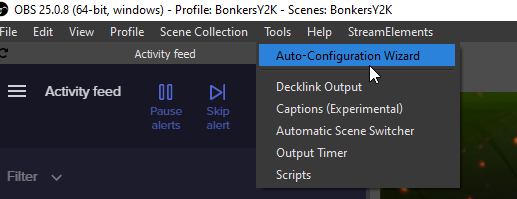


 tough frost
Restart the streamdeck software
wet sentinel
@tough frost Ofc i already did. Didnt change anything
opaque kettle
That didnt make a difference
 fallen hornet
guys i need help so fast
 tough birch
I seem to have a problem. Not happened before. My web based StreamElements overlays aren't appearing on OBSLive. I've done refrehs cache, but no difference. Reloaded app. No difference. Worked yesterday
tough frost
OBS > Settings > Advanced > Scroll down > Enable or disable Enable Browser Source Hardware Acceleration, depending on its current state. (This does not apply for OBS on Mac)
https://i.imgur.com/ggMe9ZE.png
@tough birch
Thats what the bot says