
#helpdesk-selive
1 messages · Page 150 of 1
 opal vapor
srry
 sharp turret
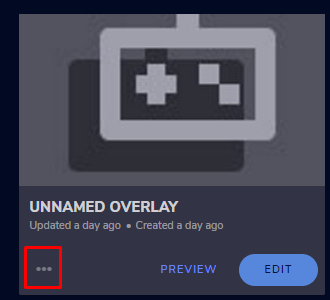
If you click here -> https://streamelements.com/dashboard/overlays for that exatly overly and click to 3 dots https://prnt.sc/tk95qb then click properties and Overlay resolution is on 1080p?

StreamElements
The Ultimate All in One Platform for Streamers
 opal vapor
i think i got it thanks ❤️ @sharp turret
 midnight olive
Hello, I use to be able to change my stream Title and game before stream but now it isn't deleting .... its just frozen 
 steel bladeBOT
@midnight olive There is a bug with setting the stream title in OBS and the Dev team is investigating.
In the meantime you can set the title using the !settitle command in chat (if enabled in your bot command settings)
Or with the Twitch dashboard: https://dashboard.twitch.tv/stream-manager
midnight olive
alright thanks i thought it was only me 
 hidden glen
Hey guys if i want to add music to my starting soon scene how do i do that
sharp turret
What music it if file?
hidden glen
Yes
sharp turret
Click + in sources and media source
hidden glen
Thank you
 eternal shard
Hey guys, I've been using google for the last hour but I can't get the bot to work. It just doesn't care about commands. Anyone can lend a hand ?
Parted the bot, made sure it's a mod, restarted the stream, nada
sharp turret
part channel then log out, login back -> join channel (https://streamelements.com/dashboard)
eternal shard
I parted without logging out, let me try that
 ionic island
Anyone think they can help me? I have my alertbox set up, when I emulate the alerts and such its been working just fine but whenever I'm actually streaming, although the alert animation plays, neither text-to-speech nor the alert sound will play :(( I haven't been able to find anyone online with this problem and I haven't been able to find any way to fix it either!
I'm also running into this problem where my OBS is no longer picking up sound from my microphone as a speaker, even though it was a few days ago (should I just uninstall and reinstall?)
eternal shard
Parted channel, logged out, closed streamelements, logged back in, joined channel, opened stream elements,, commands still not working
sharp turret
@eternal shard Are you use custom bot name?
eternal shard
it's named Streamelements
sharp turret
Then not custom bot.
eternal shard
Any other ideas? It still doesn't care about commands
 plain sonnet
do !sedebug in chat
sharp turret
Sorry more not know 
eternal shard
8:29StreamElements: streamelements ID: 0/5, build 7de3d5c56102b4af23f4b1cebf8e2e33af196b0f has been running for 3 days. Custom Bot Name enabled: true; Muted: false; Ratelimited: false; Modded: false
plain sonnet
have you tried to set up custom bot name?
plain sonnet
Custom Bot Name enabled: true
this means that its trying to use a custom name
sharp turret
If your commands recently stopped working and you're using OBS.Live and a custom bot name do the following:
1.) In OBS.Live, click on the hamburger menu (three stripes) at the top left of your activity feed
2.) Click on Stream Settings -> Custom bot name
3.) In the "Custom bot name" field select "Set custom bot name", not your already existing username (with capital letters)
Note: If you already connected an account that way, the third entry will show as the account name (see image https://i.imgur.com/sO7fWOX.png)
4.) Scroll a bit down and click on the purple "CONNECT CUSTOM BOT ACCOUNT" button
5.) Log in as usual and "Authorize" the custom bot name
6.) Back in the Activity feed, click on the "SEND TEST MESSAGE" button and check if your custom
 eternal shard
I found it, it said "Change to <mytwitchaccname>" which I don't ever remember touching. I reverted it to StreamElements and commands are working.
Thank you both very, very much ❤️
 neat rivet
when importing the url for my overlays only part of it is showing. how do i fix this
sharp turret
@neat rivet The default resolution for StreamElements overlays (theme and custom) is 1920x1080. Please add them in OBS at their full resolution and use CTRL+F to fit to screen if necessary.
You can then downscale your stream in OBS settings > Video if you'd like https://i.imgur.com/6bWXxjR.png
neat rivet
thank you
 wary dew
please don't post your overlay URL's for safety reasons
neat rivet
my bad. its pregenerated anyway. but the question still stands. why is the bottom being cut off
 jovial holly
Hello, I'd like to switch from Streamlabs OBS to OBS live, however there are many issues I am having with setting everything up.
- Unable to use Custom CSS, or custom font. I try to use a particular font, which emulates properly within SE, but within OBS live it shows a completely different font.
- Alerts show as centered within the widget manager, but when emulating, they are off-center. This is when my minor OCD kicks in.
sharp turret
@neat rivet The default resolution for StreamElements overlays (theme and custom) is 1920x1080. Please add them in OBS at their full resolution and use CTRL+F to fit to screen if necessary.
You can then downscale your stream in OBS settings > Video if you'd like https://i.imgur.com/6bWXxjR.png
wary dew
did you set the resolution to 1920x1080?
neat rivet
yep
wary dew
what should it look like?
jovial holly
Showing it off-center in OBS live.
neat rivet
thats what it currently looks like. the bottom is cut off
its the green goblin animated on stream elements
wary dew
what is you base canvas set to in OBS?
neat rivet
1920*1080
hidden glen
sorry total noob here, how do i get my desktop audio working, i don't see the bar moving
never mind i got it
I do have a question, Anyone know how to manage my mic not picking up the sound from my headset?
 kindred fox
Meaning you’re mic is picking up the sound coming out of your headphones?
Or that only your microphone is being broadcast to your stream?
hidden glen
Sorry, sound picking up from headphone/set
kindred fox
So the mic is picking up audio from your headset? What mic are you using?
hidden glen
I have a headset, not the best. hunter spider V4
if i play music while streaming the mic will pick up the sound
via headset
 ashen lintel
Hey everyone. I just started using OBS.Live as of yesterday and I'm trying to use my streamlabs alerts, but after inputting the browser source my alerts aren't showing up at all.
kindred fox
Turn the gain down on your mic
sharp turret
@ashen lintel That would be Streamlabs issue ask there
kindred fox
This is StreamElements 🙂
jovial holly
is there a reason why my alerts are centered in the emulator but off-center in obs?
kindred fox
@hidden glen few things:
1 - turn the gain down on the mic
2 - turn down your headset
3 - buy a cheap USB streaming mic
sharp turret
@jovial holly The default resolution for StreamElements overlays (theme and custom) is 1920x1080. Please add them in OBS at their full resolution and use CTRL+F to fit to screen if necessary.
You can then downscale your stream in OBS settings > Video if you'd like https://i.imgur.com/6bWXxjR.png
Have you added as 1920x1080?
jovial holly
that makes it even worse
ashen lintel
thanks!
jovial holly
hidden glen
@kindred fox Thank you!
wary dew
that makes it even worse
@jovial holly sounds like you are zoomed in in the editor
click that
jovial holly
I did and it's fine on the emulator, but not on obs
jovial holly
why'd you delete...?
jovial holly
it's browser source, what am I supposed to use
wary dew
in OBS: Settings > Video
what is the Base Canvas resolution there?
and what is the output resolution?
jovial holly
1920x1080 and 1600x900
what the
changed from 800x600 to 742x542 and it centers it?
 willow charm
hello I need help fixing my problem with obs studio and streamelements
steel bladeBOT
@willow charm Welcome to the helpdesk! Please let us know how we can assist you today and a support volunteer or staff member will assist you as soon as they are available. Thank you for your patience.
willow charm
okay then I'll wait
sharp turret
You can post your issue
jovial holly
Please investigate the centering issue because it has nothing to do with my alert.
willow charm
okay so I have this issue for when I have the stinger equipped on my obs.live then it gets a cut off for a half of a second
wary dew
Please investigate the centering issue because it has nothing to do with my alert.
@jovial holly exactly, it has to do with the dimensions of the overlay
jovial holly
It's centered on the overlay, but not in OBS, that's what I have been saying and showing you.
wary dew
i know, and it still has to do with the resolution, not the alert itself
jovial holly
I know when I was playing around with the height and width, at one point my alert got cut in half on the side, there was a vertical black bar at least an inch from the edge of the source border.
Could just be the size of the source creating that black bar, but doesn't make sense that I need to change the height and width away from the default values.
 plain mason
@jovial holly is your widget centered on the overlay and does the overlay have the same screen size (resolution) as the browser source (overlay) added in OBS?
jovial holly
Also, how come when I change to a different font (and save), it shows a completely different font in OBS than it does in the editor?
Ah, that's why, yeah it was not the same size.
steel bladeBOT
@jovial holly Google Fonts
More than 900 google fonts are supported at this time. You can preview them here: https://fonts.google.com/
Custom Fonts
Steps:
- Install the font on the streaming PC or choose a pre-installed windows font.
- In the overlay widget settings, select Text Settings
- Enable Custom Font
- Type the name of the font as it appears in the windows font directory (This is usually
C:\Windows\Fonts)
Note: After installing fonts, the browser and OBS must be restarted for the font to appear.
jovial holly
So every time there is a font change, OBS needs to be restarted?
wary dew
no, only if it's freshly installed on your pc
plain mason
@jovial holly your widget doesn't need to have this size, but the overlay size need to have the correct size.
jovial holly
Different layout it looks like. If there's a long message with a sub or something, is it possible to wrap text? Is that done with the "column" layout?
willow charm
@sharp turret this is my problem on obs studio
kindred fox
You added the same overlay to multiple scenes?
willow charm
all i did was a short recording to show what my problem is with the webm format stinger
 sullen crow
Just installed OBS Live and was trying to set up my streamdeck and have this error.... "The Elgato Remote Control Plugin is missing. Please reinstall Stream Deck, then try again." Did that and still no go. Fixes??
 willow cobalt
Hi,
Im struggling with audio from elgato running through OBS for streams
the bar is moving in OBS to show its receiving sound but it doesnt seem to want to stream that game sound out
 restive nexus
anyone know why SE.OBS doesnt have dark theme for chat anymore?
 grizzled marsh
steel bladeBOT
grizzled marsh
steel bladeBOT
@willow cobalt If you are having issues with Elgato hardware or software, we recommend reaching out to their support here: https://e.lga.to/help
 weary arrow
I'm building my first overlay. I'm using kappagen to get emotes used in the chat stream to bubble up. (I ams using obs for mac) I am trying to test what I've done using the emulate button. I can see the emotsplosions in obs, but not the emote event > kappa.
Should I be seeing the single emote that bubbles up on the streamelements screen in obs?
willow cobalt
Hi, The issue is not with elgato as i can stream direct with that. Im just struggling with the audio in OBS. The bar is moving like it is receiving audio but its not outputting.
 pseudo creek
i'm unable to edit/type in the activity feed's "Stream title" section
steel bladeBOT
@pseudo creek There is a bug with setting the stream title in OBS and the Dev team is investigating.
In the meantime you can set the title using the !settitle command in chat (if enabled in your bot command settings)
Or with the Twitch dashboard: https://dashboard.twitch.tv/stream-manager
restive nexus
Thanks @grizzled marsh
 severe jasper
hello when i copy the facebook gaming alert pop up url and paste to browser source then test the alert why no pop up on streamelements but on the url its visible?
 mild bluff
I am new to Streaming. I am using a canned Overly from Stream elements, but in my OBS live preview, the Overlayt does not fit. And, it stream like that. How do I get the overlay to scal to OBS Live?
steel bladeBOT
@mild bluff To add your overlays to OBS, add a new browser source in your scene. Paste your overlay URL in the browser source properties, set the dimensions to 1920x1080 (unless you changed them on the website), and ☑ “Shutdown source when not visible” https://youtu.be/KDvLynUqXI4
mild bluff
That Fixed it!!!!
 teal vigil
So I have a question, I have AVer Media capture card. But when I can get the game capture but no game audio or chat audio. Not sure what to do or try. I chat using my turtle beach headset
 low bolt
Having issues with audio. through my headset, my audio sounds perfectly fine. But looking and re-watching the stream the audio is ABSOLUTELY bass-heavy
https://clips.twitch.tv/BelovedRudeMacaroniBibleThump
Here's the example. Skipping around you hear the audio being bass heavy for the game.
 rugged quail
hi so is it possible to make obs recognise key strokes from a python script?
like i am trying to press a hotkey using python to save replay
so it gets triggered by the script but it doesnt seem to recognise it if it runs on background
 safe drift
hello, my chat is not connecting on my obs client for some reason. everything else seems to be fine, but chat wont connect and i cant type into chat from obs
steel bladeBOT
@safe drift Streamelements on top of OBS -> Logout -> login
 muted sable
Im trying to use a streamelements overlay, but my browser source won't work, and is always square for some reason
I got it to show up, but its cropped weird and it is a square
steel bladeBOT
@muted sable To add your overlays to OBS, add a new browser source in your scene. Paste your overlay URL in the browser source properties, set the dimensions to 1920x1080 (unless you changed them on the website), and ☑ “Shutdown source when not visible” https://youtu.be/KDvLynUqXI4
muted sable
Counter strike is a black screen when I try to use game capture on it?
I ran OBS live as admin
muted sable
Game capture no work :(
steel bladeBOT
@muted sable For the best OBS support, please join their Official Discord @ discord.gg/obsproject
 silent turtle
Hey, I just had a quick question - I'm trying to import just one of the overlays into OBS live, and I understand it's a browser source. Just wondering what the size in pixels should be for the source?
Width and height, really.
steel bladeBOT
@silent turtle To add your overlays to OBS, add a new browser source in your scene. Paste your overlay URL in the browser source properties, set the dimensions to 1920x1080 (unless you changed them on the website), and ☑ “Shutdown source when not visible” https://youtu.be/KDvLynUqXI4
teal vigil
Anyone know how to get game audio and my headset audio to be captured in obs live? I have a capture card and can not figure it out
 frosty bough
Hello I'm having problems with my OBS ever since I activated the tips function. I'm not able to use restream anymore... can someone help me plz
kindred fox
The tip functionality of streamelements has no impact on the stream key/integration of restream. My suggestion would be to go into your obs settings > stream, disconnect your restream account and reconnect it.
frosty bough
I already tried that... Every time I want to start streaming using Restream.io - RTMP it switches to custom with a facebook url... can't use restream anymore at all...
 tropic basin
I dont know why my elgato is not showing my games its my first time using stream elements.
kindred fox
Double-click your capture card in your source list, deactivate/activate
 proud schooner
is there any reason why I can't edit my stream title with in obs live?
steel bladeBOT
@proud schooner There is a bug with setting the stream title in OBS and the Dev team is investigating.
In the meantime you can set the title using the !settitle command in chat (if enabled in your bot command settings)
Or with the Twitch dashboard: https://dashboard.twitch.tv/stream-manager
 frail wolf
im trying to copy a link in to brower in obs live frome stream elements and for some reason when i copy it over nothing appears? does anyone maybe know what would cause this?
more specific a webcam overlay that is a video file cause it moves. i put it in to obs via link and then nothing appears
kindred fox
What format video file?
 sour smelt
Hi. I have a weird issue. I want to change the stream title and I cannot seem to do this. When I type, the cursor goes to the end of the text that is already there and wont type anything new. However, I can change the game I am playing just fine. Not sure what to do.
steel bladeBOT
@sour smelt There is a bug with setting the stream title in OBS and the Dev team is investigating.
In the meantime you can set the title using the !settitle command in chat (if enabled in your bot command settings)
Or with the Twitch dashboard: https://dashboard.twitch.tv/stream-manager
sour smelt
Ah, I see. Thanks
 umbral pebble
Hey my chat box seems to be showing everybody’s messages 3 times. Does anyone know how to fix this? I’ve refreshed it and even made and entirely new chat box but nothing’s worked.
steel bladeBOT
@umbral pebble Please provide a proper screenshot with the issue visible. If not sure how to take a screenshot, you can check here: https://www.take-a-screenshot.org/
 still kernel
Hi... i really need help on this, the app only allows me to stream on yt
steel bladeBOT
@still kernel Streamelements on top of OBS -> Logout -> login
still kernel
hell... ive been looking for this so long!! so satisfactory, thank you so muuuuuuuuuuuuuuuuuuuuch
 last spindle
Hey, how can i import my bit history from twitch to the se dashboard? Can i do it somehow?
 wheat atlas
Hey there I am trying to have this overlay have the scroll filter but the image on the right get's cut off of the scroll rather than moving onto screen.
 vapid canopy
When I try to download it and it just opens OBS asks if I want to update I click yes, it downloads again, opens OBS and asks me if a want to update and I say yes and it just does that forever
 inland gazelle
Howdy! I’m trying to get stream deck buttons to work but I get this error when I add them ‘please start streamelements obs.live to use this action’. Of course I have obs.live running and logged in.
Thanks for any guidance!
 warm hill
For some reason it appears that the StreamElements chat bot in my Twitch have stopped working. They were working great then just stopped for a week, worked for one stream, then stopped working again. Very odd.
sharp turret
@warm hill Hey, could you part channel then log out from dashboard then login again and join channel.
warm hill
OBS.live has also been crashing a TON while trying to stream Call of Duty: Warzone
@sharp turret part channel?
sharp turret
Click part channel -> https://prnt.sc/tkihfs then log out from dashboard then login and then click join channel.
Also other issue for best support join to their Official Discord @ discord.gg/obsproject
@warm hill Also by any chance are you using custom bot name?
warm hill
Oh got it thank you @sharp turret sorry, wasn't familiar with that and not at the computer so I couldn't see it. I'll give that a try. I am using a custom bot name. I made it the name of my channel somehow.
sharp turret
If still not working then try this as you use custom bot name:
If your commands recently stopped working and you're using OBS.Live and a custom bot name do the following:
1.) In OBS.Live, click on the hamburger menu (three stripes) at the top left of your activity feed
2.) Click on Stream Settings -> Custom bot name
3.) In the "Custom bot name" field select "Set custom bot name", not your already existing username (with capital letters)
Note: If you already connected an account that way, the third entry will show as the account name (see image https://i.imgur.com/sO7fWOX.png)
4.) Scroll a bit down and click on the purple "CONNECT CUSTOM BOT ACCOUNT" button
5.) Log in as usual and "Authorize" the custom bot name
6.) Back in the Activity feed, click on the "SEND TEST MESSAGE" button and check if your custom bot name starts working again
warm hill
I'll give that a shot tomorrow. I appreciate your assistance!
 silk flicker
anyone in here experienced in coding on SE?
 dry sphinx
silk flicker
dry sphinx
silk flicker
ty
 magic wraith
Hi, I'm having trouble with the custom bot as well. I authorize it and the window closes as if it worked, but the settings still just says "connect custom bot account", send test message is greyed out. Clicking connect again just makes me log in again.
I've also tried parting the channel on the dashboard and re-logging in. I don't know if it did anything, it didn't ask me to log in to my bot account in the browser.
it just shows this
The only setting that test messages work for is when it's set as StreamElements.
My own channel name doesn't work either
steel bladeBOT
@magic wraith If your commands recently stopped working and you're using OBS.Live and a custom bot name do the following:
1.) In OBS.Live, click on the hamburger menu (three stripes) at the top left of your activity feed
2.) Click on Stream Settings -> Custom bot name
3.) In the "Custom bot name" field select "Set custom bot name", not your already existing username (with capital letters)
Note: If you already connected an account that way, the third entry will show as the account name (see image https://i.imgur.com/sO7fWOX.png)
4.) Scroll a bit down and click on the purple "CONNECT CUSTOM BOT ACCOUNT" button
5.) Log in as usual and "Authorize" the custom bot name
6.) Back in the Activity feed, click on the "SEND TEST MESSAGE" button and check if your custom bot name starts working again
magic wraith
I just said this wasn't working :S
I click custom bot account and log in/authorize but it does nothing.
Send test message is greyed out.
Everything is updated as far as I am aware.
sharp turret
2) In the "Target" field, add the following to the very end: --remote-debugging-port=40404
3) Open OBS (or restart if it was open)
4) Open your web browser and type in: localhost:40404
5) Click on "StreamElements - Activity feed"
6) Navigate to the Console tab
7) Type the following into the console and hit enter: store.customBot.removeCustomBotIntegration()
8) Try setting the custom bot name
9) Remove the additional flag in step 2 from your shortcut properties.``` @magic wraithIt says Promise {<pending>}, is that normal?
 magic wraith
Oh, something else came up
sharp turret
I not know exactly but close console and try setting the custom bot name.
sharp turret
Okay then you can remove the additional flag in step 2 from your shortcut properties.
magic wraith
Understood, thank you very much 
 urban geode
Hellow guys just a question:
is like a week that my OBSlive doesn't allow me to change stream title names, is a common problem? there's a fix? (right now i'm using the twitch dashboard to change title and category)
steel bladeBOT
@urban geode There is a bug with setting the stream title in OBS and the Dev team is investigating.
In the meantime you can set the title using the !settitle command in chat (if enabled in your bot command settings)
Or with the Twitch dashboard: https://dashboard.twitch.tv/stream-manager
 plain furnace
Hello, i just reinstalled obs live from a while without using obs but cant find the option to set the chat in dark mode like there was before. Could anyone tell me if its still available or not please?
Nevermind jsut found it thanks to someone else on top that found it
 gilded oasis
My stream info, vhat box options have disappeared. Why is this and where have they gone?
 pallid parrot
Click "StreamElements" in top menu and then tick "Chat"
gilded oasis
Click "StreamElements" in top menu and then tick "Chat"
@pallid parrot
Thank you!!
What about stream info?
gilded oasis
Its not there :/
 stuck lance
when will the title change bug be solved?
 snow coral
Hello guys, could you explain this to me. I ste keyfram as 0 for auto frame and then I ran twitch analyzer. It came out with result that I use 5.6 keyframe
Could please assist me on this one?
I also ran a test with 2, analyzer says that I use 7.6 keyframe :/
 steel mural
The analyzer is just a program and therefore not perfect
 faint stag
any time frame for the bug where u can't change stream title being fixed ?
sharp turret
@faint stag There is a bug with setting the stream title in OBS and the Dev team is investigating.
In the meantime you can set the title using the !settitle command in chat (if enabled in your bot command settings)
Or with the Twitch dashboard: https://dashboard.twitch.tv/stream-manager


 slender magnet
Is OBSLive available for mac?
 lament crag
hi! my subscriber tts does not read out messages when the alert goes off
rugged quail
hi somebody knows how to fix the problem of audio with mobile or ps4
 modest parrot
Hey, I want to stream Marbles On Stream but when I capture game or a window of a game it doesn't show the window but nothing. What can I do?
steel bladeBOT
@modest parrot For the best OBS support, please join their Official Discord @ discord.gg/obsproject
 muted robin
hi, slight problem, i'm adding music to my stream, how do i change it so it doesn't play through my game play and plays from another source? hope makes sense
rugged quail
Why cant i change my title in obs.live
steel bladeBOT
@rugged quail There is a bug with setting the stream title in OBS and the Dev team is investigating.
In the meantime you can set the title using the !settitle command in chat (if enabled in your bot command settings)
Or with the Twitch dashboard: https://dashboard.twitch.tv/stream-manager
 meager surge
I'm having an issue with my stream - everyone can hear me, my game, music through spotify, but no one can hear the other people in my discord channel through the stream
 summer oracle
using streamelements media request in OBS, when I show media on stream it has an echo. any help is appreciated.
 lament lynx
my Transition Sound is to loud, where can i change this ?
 sick surge
hi i want to ask if anyone can tell how much does streamelement cut or take fee from tips?\
sharp turret
@sick surge StreamElements don't take anything from tips
wary dew
my Transition Sound is to loud, where can i change this ?
@lament lynx you will need to do it inside of the video itself, so with a video editing program
lament lynx
@wary dew thx
sharp turret
@sick surge https://streamelements.com/dashboard/tipping/fees as for Paypal not but SE.pay is transaction fee.
sick surge
thanks
inland gazelle
Anyone use stream deck? When I try to create buttons for streamelements, I get an error ‘please start streamelements obs.live to use this action’. Of course I have obs.live running and logged in.
 true swift
what's the variable for total followers in the overlay?
kindred fox
There’s a label for that
Idk if you can get to the variable
@inland gazelle have you relaunched the streamdeck app?
summer oracle
@lament lynx i use davinci resolve for editing volume and its free.
umbral pebble
Hey my chat box seems to be showing everybody’s messages 3 times. Does anyone know how to fix this? I’ve refreshed it and even made and entirely new chat box but nothing’s worked.
@sharp turret
 shell orchid
anyone know how to get a constant loop of audio out of my stream ?
 solemn folio
Quick Question. I go into my activity feed to change my stream title but im not able to edit it whatsoever, any solutions?
steel bladeBOT
@solemn folio There is a bug with setting the stream title in OBS and the Dev team is investigating.
In the meantime you can set the title using the !settitle command in chat (if enabled in your bot command settings)
Or with the Twitch dashboard: https://dashboard.twitch.tv/stream-manager
plain sonnet
@shell orchid dont watch your own stream
 ivory plinth
hi how i remove the youtube channel from stream elements to keep the twitvh account
anyone??
steel bladeBOT
@ivory plinth There is no easy way to unlink 2 owner type accounts from each other. The only way is to make a closure request from here: https://streamelements.com/dashboard/account/security
WARNING: In submitting a closure request you will delete both linked accounts and loose all data from both accounts. This includes overlays, custom commands, timers and past data(tips, subs, etc). You can still relogin with the deleted account, but you are essentially starting fresh.
 dry quarry
Hi, I’m trying to stream but I keep getting this error message every time
steel bladeBOT
@dry quarry For the best OBS support, please join their Official Discord @ discord.gg/obsproject
 reef garden
i try to window capture discord it works on one of my computers but not on the other. how can i get discord to show up in the window capture?
steel bladeBOT
@reef garden For the best OBS support, please join their Official Discord @ discord.gg/obsproject
 devout grove
using streamelements media request in OBS, when I show media on stream it has an echo. any help is appreciated.
@summer oracle having the same problem 😦 but on different scenes
steel bladeBOT
@devout grove Make sure to ☑️ “Shutdown source when not visible” for all browser sources (all OBS scenes). If using studio mode, uncheck “Swap Preview/Output scenes After Transitioning.” Also keep in mind that sound can play from any overlay loaded in the browser (editor or launched). https://i.imgur.com/6bWXxjR.png https://i.imgur.com/yY0wcFl.png
 rugged quail
Why does anly half of it pop up
steel bladeBOT
@rugged quail To add your overlays to OBS, add a new browser source in your scene. Paste your overlay URL in the browser source properties, set the dimensions to 1920x1080 (unless you changed them on the website), and ☑ “Shutdown source when not visible” https://youtu.be/KDvLynUqXI4
 uncut tangle
Hi just installed a new overlay on OBS.live and the alerts are showing on the editor for the gaming scene for instance but they arent popping up on my actual live stream any thoughts on what this could be ?
steel bladeBOT
@uncut tangle To add your overlays to OBS, add a new browser source in your scene. Paste your overlay URL in the browser source properties, set the dimensions to 1920x1080 (unless you changed them on the website), and ☑ “Shutdown source when not visible” https://youtu.be/KDvLynUqXI4
uncut tangle
yeah still not working
steel bladeBOT
@uncut tangle OBS -> settings -> advanced -> scroll down -> enable/disable hardware accel. (This does not apply for OBS on Mac)
https://i.imgur.com/ggMe9ZE.png
 steel bladeBOT
@uncut tangle The default resolution for StreamElements overlays (theme and custom) is 1920x1080. Please add them in OBS at their full resolution and use CTRL+F to fit to screen if necessary. You can then downscale your stream in OBS settings > Video if you'd like https://i.imgur.com/6bWXxjR.png
uncut tangle
yup done all that , i have installed a few of these overlays and havent came across this issue before
 dapper crescent
Any ETA on the bug fix regarding the stream and a game title? Being this is one of SE's main reasons to use OBS.live it's starting to just become a hassle having it installed since Twitch now offers a chat and activity feed window on it's own...
 outer minnow
4 days my going live automated social media tab blank. Anybody else
 tulip hamlet
@outer minnow Did you disable adblocker?
tulip hamlet
That's unrelated.
outer minnow
around the same it stopped working
looks like its just me. i see other going live post. so its working for others
 low river
Yo, how do I remove stream labs from OBS?
I just wanna use OBS normally and I dont even use your services anymore
outer minnow
you can switch from live in obs
low river
How?
low river
Ah, thank you
outer minnow
@tulip hamlet any idea?
 silent fern
Hey guys, I am having troubles where all alerts actually show up, except the hosting events don't show up in alerts. I've went on to edit on streamelements and did the emulate on host and raid, it works there but it doesnt really work when someone actually hosts me
 west grove
HI!I have a problem!The screen in the OBS is white, but everything is OK on the record!
steel bladeBOT
@silent fern Due to changes to Twitch API, we have filtered out hosts and will only show these ones on your activity feed:
- All hosts coming from an online channel with at least 1+ viewer
- Auto host events with at least 1 viewer - only from a channel that just went offline
Note: If you see "X channel has hosted you" with no viewers on the back, that is considered an offline host or a host with 0 viewers, we do not show these.
silent fern
ohh i see
 weary lion
hi! media request audio echoes anytime i show the video on stream
steel bladeBOT
@weary lion Make sure to ☑️ “Shutdown source when not visible” for all browser sources (all OBS scenes). If using studio mode, uncheck “Swap Preview/Output scenes After Transitioning.” Also keep in mind that sound can play from any overlay loaded in the browser (editor or launched). https://i.imgur.com/6bWXxjR.png https://i.imgur.com/yY0wcFl.png
 swift lotus
how do i add alerts to my stream on stream elements
steel bladeBOT
@swift lotus New to Stream Elements?
Check out our YouTube channel https://www.youtube.com/c/streamelements/videos
with tutorial videos from setting up the basics, to in depth details on how to use our product.
New to OBS? Here is a 4 step quickstart guide
https://obsproject.com/wiki/OBS-Studio-Quickstart
Want to learn even more? Here is an in-depth overview
https://obsproject.com/wiki/OBS-Studio-Overview
weary lion
the media request is not playing as a browser source, but as a plugin for OBS itself, i've checked "shutdown source when not visible" for every browser source in every scene and it still continues to echo any time i show a media request on stream
 vapid lagoon
hi. i have to screens on my OBS.live. i want one big screen though so how do i get it to have 1 screen instead of 2
steel bladeBOT
@vapid lagoon Please provide a proper screenshot with the issue visible. If not sure how to take a screenshot, you can check here: https://www.take-a-screenshot.org/
vapid lagoon
here it is
tulip hamlet
Disable Studio Mode.
vapid lagoon
ok thanks
 shadow frigate
Does anyone know, if possible, that on the Streamelements Overlay Editor I can get text to only scroll when it becomes too big?
tulip hamlet
That'd require custom coding.
shadow frigate
Ah, not gonna even try that. Thanks. Ill just use dynamic font size and if it becomes too small, oh well
 stone marlin
@dry quarry I got that error before. For me my PC was running out of memory (RAM) so it couldn't record and stream at the same time. I think it really streamed though and just couldn't record at the same time.
 echo mirage
Help! Donation leaderboard and recent donation not showing in alertbox with overlay. How can I fix this?
steel bladeBOT
@echo mirage Please provide a proper screenshot with the issue visible. If not sure how to take a screenshot, you can check here: https://www.take-a-screenshot.org/
echo mirage
Testing in streamlabs and it works, but if a donation is made, no alerts/recent/leaderboard stats are showing
 inner mist
So I just spent ages configuring the text colour, animation, sound effect ect of my alerts for follows, tips ect.. in one of my themes. I did it on the stream ending theme section of the "grey area" theme. I was wondering if there is any way I can copy and paste my settings I made for that alert box onto the other sections for the "grey area" theme, such as for the stream starting section?
tulip hamlet
You can't copy and paste the settings, but you can duplicate the alertbox itself.
inner mist
If I duplicate it, how can I transfer it to another section/overlay?
tulip hamlet
Select the alertbox and click the duplicate button, and all shall be clear.
inner mist
I'll give it a try, thank you
Ohhh I see! Thanks so much, I'm a big fan of Streamelements
Thanks! I Do not regret switching 🙂
 icy birch
is there a command for a viewer to use to show how many tickets they have in a giveaway?
tulip hamlet
There is not, unfortunately.
icy birch
oh ok thank you
 vocal hemlock
Hi. Ive recently started using a VPN and since then hte chat in my obs has been refreshing and reconnecting leaving spam in my chat, even when im not streaming. What can i do about this?
kindred fox
It’s the vpn that’s causing the issue
vocal hemlock
yeah i figured that much. How would i go about fixing this?
kindred fox
Don’t use the vpn?
vocal hemlock
yes that thought did cross my mind. Can you think of another way to fix the issue at all? or why it would be happening in Streamlabs obs and not on the twitch site or dashboard?
kindred fox
Because of how obs connects to twitch
 oblique token
Hello! Just looked back at my last vod and keep noticing that my alert audio comes out choppy, not so smooth sounding. I am on a two pc setup and its a beast. CPU is at 23% use most the time and runs real smooth its just when an alert pops up it sometimes can sound choppy. Anyone have any fix for this? Its been plaguing me for weeks ever since I went from 1 pc to 2. Is it because I am monitoring and outputting the alert browser? is it the cord im using for a line in and line out?
any help is welcome I have no idea how to fix and no one seems to know either
steel bladeBOT
@oblique token Please provide a log from your last stream. To do this, in OBS go to Help > Log Files > Upload Last Log File and paste the link to the log file here.
rugged quail
This may sound newbish(cause i am ) but how'd i use themes obtained at StreamElement?!
steel bladeBOT
@rugged quail To add your overlays to OBS, add a new browser source in your scene. Paste your overlay URL in the browser source properties, set the dimensions to 1920x1080 (unless you changed them on the website), and ☑ “Shutdown source when not visible” https://youtu.be/KDvLynUqXI4
oblique token
ok its on my other pc
when i did it it showed other logs when i wasnt streaming so i am pretty sure this is it from yesterday
oblique token
I keep having that happen not sure what the issue is. I do have a starting soon screen with music in 1 scene. Do you think its playing in the backround taking up space?
 shy mountain
max audio buffering - usually restart OBS helps
but if it keeps happening it might be worth asking in the OBS discord
oblique token
yea it keeps happening. Il go ahead and ask, if you look at a recent vod I have a starting scene with music, do you think that its too much for obs?
like is that playing when not in the scene causing the audio to be used?
 shadow vine
I need help, When I play apex legends while streaming the stream lags.
**Pc Specs:
Ryzen 9 3900x
GTX 1070
32gb of ram **
I think this issue has something to do with the gpu being dedicated to obs instead of my cpu but I don't know how to change that. Please Help!
steel bladeBOT
@shadow vine For the best OBS support, please join their Official Discord @ discord.gg/obsproject
shadow vine
I tried
 cobalt hull
hi, I have this weird problem that when I am streaming live with my page(2nd page) I have fps drop in the main video.
But when I tried to my 1st page I didn't have that problem
2nd page is a new page
1st page, old one.
shy mountain
Uuhh can you elaborate on this page thing?
 brisk oriole
I need help with the obs live. I started the app with all the logins done with my youtube channel ID. Later on, I added my facebook page too on the website dashboard and switched to it too. But in obs live its still stuck in youtube. The chat and activity feed both are of youtube, but not of facebook. How do i swap?
sharp turret
@brisk oriole You want stream to facebook?
brisk oriole
@sharp turret yes
steel bladeBOT
@brisk oriole Streamelements on top of OBS -> Logout -> login
brisk oriole
So, everytime i do that, i have to switch accounts?
sharp turret
I believe yes.
brisk oriole
ok, thank you🙂
 hallow turtle
idk if this is streamelements or Obs live, but im making an overlay, and im trying to upload an animated banner to it so i can make sure this are in the right position or just to keep it all on the same layer, is it possible to upload things to the overlay?
shy mountain
yes
shy mountain
(+) -> search bar on top -> image -> add the image widget -> set image -> upload on the big pop up
hallow turtle
thankyou! sorry i didnt even see it in the labels content
would gif classify for image or video
shy mountain
gif = image
 cursive pier
i downloaded a plugin called openvr in the plugins folder but i can't see the vr source
steel bladeBOT
@cursive pier For the best OBS support, please join their Official Discord @ discord.gg/obsproject
oblique token
is it possible to have too many alert boxes in one browser causing maximum audio buffering on obs? My main audio is perfect its just the browser source that is affected
shy mountain
it might
oblique token
should I take a screenshot of one to show you?
and would it be easier to seperate the alerts and spread them out among 2 different browsers?
oblique token
damn i thought i found my issue haha
yea my audio is perfect but when a follow alert happens that alert audio gets choppy
the obs discord had 0 answers which sucks
shy mountain
Well if you want to, you cna make a blank overlay and then duplicate one of the alert widget to that new overlay and add it as a browser source
oblique token
think that would help? I can do that
the sub alerts have like 6 different variants
basically every alert is custom video and audio
I may just make the sub alert the same across the board
deleted 4 varients so now its sub, gifted subs, and community gifts hopefully that fixes it
gifted*
hallow turtle
ummm i closed on of the windows that had my activity feed in Obs live where do i find them?
nvm got it under docks
just didnt know what docks meant lmao
sharp turret
Just wanted to type 😄
hallow turtle
im having an encoder overloaded suddenly appearing which i didnt have last night any clues? no changes since last night
steel bladeBOT
@hallow turtle Please provide a log from your last stream. To do this, in OBS go to Help > Log Files > Upload Last Log File and paste the link to the log file here.
shy mountain
hallow turtle
not running as admin im betting, apex is a hassle
 unique pagoda
Is there an update about the stream settings and not being able to set game or title yet?
shy mountain
no update on the matter
 wet cloak
im just switching to streamelements and obs live after having issues with streamlabs for a while. I noticed using the streamlabs alert browser source im unable to test my alerts but when i try to integrate the alerts into streamelements/obslive the text is cut off and its formatted completely different. If i go out and stream will the streamlabs alert browser source pick up the alerts or will i have to use the streamelements browser source link? and is it possible to fix the format change?
 cursive storm
I'm having issues with my alerts popping off on OBS from the stream elements site.
-
Yes the URL has been saved and updated.
-
The preview works fine.
-
Hosts/Raids do NOT come through. It shows up on events, but the alert does not fire off.
-
Streamlabs works fine. So. Help?
sharp turret
@wet cloak The default resolution for StreamElements overlays (theme and custom) is 1920x1080. Please add them in OBS at their full resolution and use CTRL+F to fit to screen if necessary.
You can then downscale your stream in OBS settings > Video if you'd like https://i.imgur.com/6bWXxjR.png
wet cloak
@sharp turret everythings fine for the most part except that the text at the bottom of my alerts always gets cut off and idk how to fix it. if i just use the streamlabs browser source for my alerts will it work fine with obslive?
sharp turret
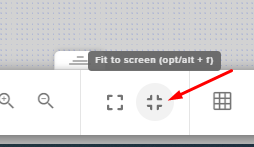
@wet cloak Go to website and in the overlay editor and click fit to screen https://prnt.sc/tl5q5w
 wet cloak
@sharp turret it looks fine in the overlay after everything but when i put it in obs with those settings it still cuts off text
sharp turret
@wet cloak What is you base canvas resolution?
wet cloak
1920x1080
at this point i really just wanna know if the slobs browser source would work fine with obslive
sharp turret
Are you usind Streamlabs?
wet cloak
im trying to switch over to obs studio
thats why im having a dilemma with the alerts not working well upon integration
sharp turret
The overlay resolution is 1920x1080?
wet cloak
yeah
sharp turret
What alert is like custom alert or you buyed somewhere?
Also can you check here -> https://streamelements.com/dashboard/overlays click on that 3 dots -> https://prnt.sc/tl61lr properties and overlay resolution in 1920x1080?
wet cloak
i think i actually just fixed it but thanks anyways
sharp turret
Okay 😄
wet cloak
just reset the integration and it fixed somehow lol
cursive storm
I'm still looking for some API help lol
shy mountain
What kind of API help?
cursive storm
So I have an alert that I made, that works perfectly fine in the test.
And when the alert is emulated, it works fine on my OBS.
But the alert never fire offs, is it an issue with a twitch token?
shy mountain
Which alert?
cursive storm
It's a raid alert, and a host alert.
The minimums are set to 0
Is this something I should PM you about?
steel bladeBOT
@cursive storm Due to changes to Twitch API, we have filtered out hosts and will only show these ones on your activity feed:
- All hosts coming from an online channel with at least 1+ viewer
- Auto host events with at least 1 viewer - only from a channel that just went offline
Note: If you see "X channel has hosted you" with no viewers on the back, that is considered an offline host or a host with 0 viewers, we do not show these.
cursive storm
Same with raids?
shy mountain
yes
cursive storm
Okay. Is that also affecting Streamlabs too then?
shy mountain
SL handles the hosts differently then us
 tacit crow
can i get a hand
shy mountain
🖐️
tacit crow
lol
tacit crow
how do i switch twitch account on obs.live
steel bladeBOT
@tacit crow Streamelements on top of OBS -> Logout -> login
tacit crow
t5y
 gaunt basin
Is the a Mac version for obs.live in development? maybe even in beta?
shy mountain
Not planned
gaunt basin
that's too bad
 stray galleon
my kappagen isnt working properly, any help?
 paper juniper
Hi, it's been a while since i can't change the stream title for Twitch on the activty feed on obs.live, anything I can do about it?
sharp turret
@paper juniper There is a bug with setting the stream title in OBS and the Dev team is investigating.
In the meantime you can set the title using the !settitle command in chat (if enabled in your bot command settings)
Or with the Twitch dashboard: https://dashboard.twitch.tv/stream-manager
@primal laurel I not see this before but you could try logout Streamelements on top of OBS -> Logout -> login
 primal laurel
yeah I've logged out and when I click login it flashes purple then hits me with white scene. all my scenes are just white
steel bladeBOT
@primal laurel For the best OBS support, please join their Official Discord @ discord.gg/obsproject
paper juniper
Thanks Daniii_!
sharp turret
@primal laurel Check if your antivirus not block obs or white list OBS
primal laurel
I just spam clicked it and it worked now 😄
 tribal mist
Hey I'm having problems importing my streamlabs scenes, alerts, etc. to obs.live. It shows that everything uploads from streamlabs but when it goes to begin importing it immediately fails, displaying the message, "Failed importing scene collection". Any idea why?
sharp turret
import can fail when:
- there are copyrighted assets from Streamlabs in the scenes
- unsupported media files
- media files being bigger then 100MB @tribal mist
rugged quail
How do i change stream title and category in obs live?
sharp turret
@rugged quail There is a bug with setting the stream title in OBS and the Dev team is investigating.
In the meantime you can set the title using the !settitle command in chat (if enabled in your bot command settings)
Or with the Twitch dashboard: https://dashboard.twitch.tv/stream-manager
rugged quail
Ok thank you!
sharp turret
For category the command !setgame
rugged quail
Thank you so much
 radiant pulsar
I never had anyone answer my question from a few days ago. Using the OBS.LIVE plug in on StreamDeck, everything works except the kappagen generator. Kappagen works fine if I manually trigger it with a command (!kappagen) or when an event occurs. Any ideas?
FYI all other OBS.LIVE applications on StreamDeck work; it's just the kappagen that doesn't trigger
 neat otter
Hi, I'm having some issues with alerts. The test alerts on the streamelements website seem to be working just fine, but they won't show up on OBS. They worked fine until last week or so. Anyone that could help me out?
 ocean trellis
Hi I have a tech issue with OBS I'd like to ask about
I've had a custom overlay made for my livestream but my livecam image will not fit properly inside of it without leaving black space on either side or overlapping the design. I've tried everything from different resolutions/frame sizes in the camera setup in OBS, to tryng to resize/crop the image from various different frame settings and it looks lie the ratios of L x W [Length x Width] are different.
rugged quail
i minimized the donations, follows ecc.. tabs on obs live and idk how to bring them back up
can some1 help me
kindred fox
StreamElements in the menu bar > Activity Feed
 lofty swift
hi i am having an issue with my stream its very choppy. the box at the bottom of obs is constantly changing from green to red any help will be appreciated
rugged quail
Im trying to add new overlays (new follower, new sub, new raid, cheers) to StreamElements and the text is hidden behind the image ive uploaded. any ideas on how to fix?
 haughty zealot
hi im trying to change my streamtitle but i cant do it in obslive, it is only jumping to the end of the las streamtitel and dont let me change anything can someone tell me where is the problem?
sharp turret
@haughty zealot There is a bug with setting the stream title in OBS and the Dev team is investigating.
In the meantime you can set the title using the !settitle command in chat (if enabled in your bot command settings)
Or with the Twitch dashboard: https://dashboard.twitch.tv/stream-manager
haughty zealot
thx vor the fast help
 tender python
@rugged quail make sure that the text is above the layers your adding..
@ocean trellis use fixed size webcam resolution, i.e 1280x720 or 1920x1080, rescale and then use alt (or shift, can't remember which is was exactly) to crop out the edges on the sides. If you do this correctly you will see green cropping lines.
kindred fox
Alt+click drag = crop
inner mist
Why does my tipping goal say £325 when I imported my tips over from streamlabs? I did it 3 times and yes I deleted any duped tips and the tips that are left add up to less than £100 yet the goal hasn't changed? Help please
steel bladeBOT
@inner mist To reset goals:
- from the overlay editor -> session data on top right (monitor symbol) -> goals tab -> reset progress of desired goal
- from the dashboard -> activity feed on the left -> widget data on the right -> goals tab -> reset progress of desired goal
Note: Goal widgets(progress) only counts up and doesn't go down automatically, if you loose followers/subs
inner mist
Thank you!
radiant pulsar
Is my question too obscure? I can't get an answer?
 glossy mountain
Hi i am hearing my alert sounds doubled and i have no other dource with the same alert so dont know why this could be if anyone can help that would be much appreciated
 sand vault
How can i use my overlays from stream Elements?
steel bladeBOT
@sand vault New to Stream Elements?
Check out our YouTube channel https://www.youtube.com/c/streamelements/videos
with tutorial videos from setting up the basics, to in depth details on how to use our product.
New to OBS? Here is a 4 step quickstart guide
https://obsproject.com/wiki/OBS-Studio-Quickstart
Want to learn even more? Here is an in-depth overview
https://obsproject.com/wiki/OBS-Studio-Overview
vapid lagoon
my animated camra border keeps disappering after moving it. how do i fix this?
 high oxide
Hi, I'm moving to streamelements from streamlabs. I can't seem to figure out how to add the top tip and bits names on my overlay (I'm not using elements to build my overlay as it's already there in obs studio). I just need to add the sources
my tipping and such goes through elements now
 mystic plaza
Any ideas on how to get the correct viewer count to show when streaming via the activity feed in OBS Live? It says "N/A" no matter how many viewers I have.
sharp turret
@mystic plaza If you refresh the activity feed? -> https://prnt.sc/tldqik

Also go to activity feed settings and make sure you have enabled the "Show viewers count" if enabled try disable re-enable.
 inland vessel
When I try to go live on twitch it says to create my youtube stream title when only my twitch is linked to obs live
Any tips
steel bladeBOT
@inland vessel Streamelements on top of OBS -> Logout -> login
 ocean nacelle
Heya guys! I don't know if someone already asked it, but quite a lot of people are having problems with changing the stream title from obs.live! Is there a solution to it? >__<
steel bladeBOT
@ocean nacelle There is a bug with setting the stream title in OBS and the Dev team is investigating.
In the meantime you can set the title using the !settitle command in chat (if enabled in your bot command settings)
Or with the Twitch dashboard: https://dashboard.twitch.tv/stream-manager
 vagrant obsidian
Is there a way to reload overlays in OBS live? I used it a lot in Ground Control and running Ground Control while using OBS Live results in double bot posts.

 fathom cobalt

 alpine token
my chatbot appears to not be wokring and i dont know why
sharp turret
@alpine token Can you part channel the log out from dashboard, then login and join channel.
Also you use custom bot name?
 atomic pollen
anyone else getting issues where you cant type anything in stream title or change the game through the activity feed bit for it?
 velvet plover
im having the same issue with not being able to change my game or stream title from OBS
steel bladeBOT
@atomic pollen There is a bug with setting the stream title in OBS and the Dev team is investigating.
In the meantime you can set the title using the !settitle command in chat (if enabled in your bot command settings)
Or with the Twitch dashboard: https://dashboard.twitch.tv/stream-manager
 willow loom
hello, my streamelements didn't pick up my youtube live stream sub
steel bladeBOT
@willow loom Users can choose to make the channels that they subscribe to public or private. By default, all settings are set to private.
Private: When a users subscriptions are set to private, no other user can see what channels they subscribe to. A user's account does not show in a channel's Subscribers List, even if they are subscribed.
Public: When users subscriptions are set to public, another user can see what channels they subscribe to. User subscriptions are listed on their channel page, and their account is listed in the Subscribers List for any channel they subscribe to.
If a user has it set to Private they will not show up in the activity feed. More info: https://support.google.com/youtube/answer/7280190
willow loom
but it didn't show the number on my dashboard either
it showed 0
anyone can help me with that?
 tropic ember
I need help
 full thunderBOT
Hi @tropic ember, Please ask your question(s) or describe the problem you're looking to solve so staff or a support volunteer can assist you as soon as they are available.
tropic ember
I need help on going live the screen doesn't change and it just stays on Wait for and then my youtube channel name
Please help me fast
I am going live in some minutes
 ashen wave
Hello, my OBS live activity feed randomly seems to refresh and then it replays all the Like, share and stars alert which is then doubling my widget figures for example if i have 10 video likes they replay and it doubles it to 20 and it also does it for stars so say if i have a 1000 stars my widget updates and then the activty feed starts replaying and the star amount goes to 2000 even though i only have 1000? anyone have any ideas?
high oxide
Well, I've asked my question a few times over the day. Not feeling too good now
steel bladeBOT
@ashen wave Please ask your question in one helpdesk channel only. A support volunteer or StreamElements staff member will assist you as soon as they are available. Asking in multiple places will only result in confusion, not faster answers. Thank you for your patience.
wary dew
Do I have to manually enter the names of my top bits/tips?
@high oxide no it will be automatically
high oxide
How is it automatic? I can't find a link to put in my sources for the name
I only just moved to stream elements, I have my own overlay and it's already in obs studio, I am not going to start over on it is the thing. I have it set up for multiple games
wary dew
just add the widgets in the StreamElements overlay editor
high oxide
I just can't find anywhere, google or not, on how I can link my bits/tips etc donations
steel bladeBOT
@high oxide New to Stream Elements?
Check out our YouTube channel https://www.youtube.com/c/streamelements/videos
with tutorial videos from setting up the basics, to in depth details on how to use our product.
New to OBS? Here is a 4 step quickstart guide
https://obsproject.com/wiki/OBS-Studio-Quickstart
Want to learn even more? Here is an in-depth overview
https://obsproject.com/wiki/OBS-Studio-Overview
@high oxide We've released our new Overlay Editor revamp. You can check out the changes and how to work with it here: https://youtu.be/X5VzXjqAsjk
Check out our blog post as well: https://blog.streamelements.com/streamelements-overlay-editor-just-got-even-better-c22cb5b4853e

We are thrilled to announce the launch of the remastered StreamElements Overlay editor!
https://p.strms.net/newoverlayyt
Why StreamElements Overlays are better?
😎 Simple: Load your entier setup using only 1 link
⚡ Fast: Cloud-powered Overlays arrive in real-time, say goodb...
high oxide
So to use stream elements, I'm forced to use your overlay editor?
high oxide
ok, thanks for your time. I'll find a different service.
 honest echo
@radiant pulsar hey !
 hardy gull
hello, how do i do chroma key, ive tried doing it in program and in overlay editor
 unique zephyr
Hello, any help with streaming to facebook?
honest echo
@hardy gull you add a filter to your webcam (in obs)
hardy gull
@honest echo i looked for filters 100 times, was about to send a menu screenshot and there it was lol
willow loom
my subscriber number show 0 on my dashboard, and the activity feed, why?
 bold garnet
Hiya - I am apart of a program called "streamloots" and through a browser source it can do alerts on my screen. Is there a way to connect Streamloots, and SE to show my recent activity in my activity feed?
 dry zealot
how do i connect my xbox to my cumputer
bold garnet
Capture Card
steel bladeBOT
@dry zealot Consoles do not have native support for overlays. You would need a capture card, PS4 remote play or Xbox companion app and a PC with OBS in order to have Overlays over your console gameplay.
We have an blog post about how to setup console streaming with our essential tools: https://blog.streamelements.com/how-to-stream-on-console-7b620b1c46c3
 dry zealot
thanks
 unique mason
any plans for linux native client?
wary dew
nope
unique mason
Any particular reason why?
wary dew
main reason is that there are not enough users for it, so other things get priority over it
unique mason
Fair that you gotta point the most resources at what the overwhelming majority is, but at the same time it's not a good idea to oust an entire group of people from using such a nice tool.
Gaming on Linux is making leaps and bounds,
wary dew
you can use OBS Studio on Linux
unique mason
Yeah
I do
Just kinda want to be able to have better tools at my disposal
Which tbf isn't a hard ask.
steel bladeBOT
@unique mason Check out the StreamElements ideas board: https://strms.net/ideas. You'll be able to add ideas, upvote ideas you agree with, and track their progress with email notifications. Adding and upvoting ideas also helps the staff know which ideas should be prioritized so please take some time to upvote.
rugged quail
heyo just installed live and it loaded fine once but now it crashes on startup
steel bladeBOT
@rugged quail A crash log is required to investigate the cause of your issue. Please upload the last crash log.
- In OBS, click the Help menu
- Select Crash Reports, and then Upload Last Crash Report
- Copy the URL, and paste it to the chat here.
--
If you are not able to follow the above steps, open your file explorer and go here:%appdata%\obs-studio\crashesand provide the last listed file.
rugged quail
When I try to use display capture in obs i get a black screen. How do i fix this?
steel bladeBOT
@rugged quail For the best OBS support, please join their Official Discord @ discord.gg/obsproject
 main patrol
hi i am fairly new to streaming and discord! i started on mixer..and just made the move to twitch...while importing my overlays and alerts..some things were good while others like my ALERTS arent showing while im Streaming Live when i get followers(like the sounds and animations) I have watch tons of youtube videos and nothing is working? anyone else having this problem or know how to fix it? please and thank you
steel bladeBOT
@main patrol To add your overlays to OBS, add a new browser source in your scene. Paste your overlay URL in the browser source properties, set the dimensions to 1920x1080 (unless you changed them on the website), and ☑ “Shutdown source when not visible” https://youtu.be/KDvLynUqXI4
hardy gull
hello, my bot just timed someone out and didnt say why, can i look up why?
rugged quail
Crash log
tulip hamlet
@rugged quail Follow these steps, exactly and in order:
Uninstall OBS.Live
Uninstall OBS Studio
Install OBS Studio only
Delete all browser sources in all scenes in all scene collections. Leave no browser sources standing.
Install OBS.Live
Remake your browser sources.
 rough ivy
i go to settinngs then stream and it does not say stream key bruh
 jade fable
No idea where to ask this but how do I report a user for chargeback? As I got a dodgey donator come in for the first time, donate talk a bit then an hour later charge me back.
I was wondering how to block them from donating in the future
rough ivy
i think u just ban them from your stream
jade fable
I've done that ❤️ Just wanted to know if there was a way to report so they can"t do it to other streamers
tulip hamlet
@jade fable The system automatically does so.
jade fable
Oh ok awesome! Thank you @tulip hamlet
 hollow hemlock
has anyone had issues Deleting stream title i cant seem to delete it or change my title with in obs live
steel bladeBOT
@hollow hemlock There is a bug with setting the stream title in OBS and the Dev team is investigating.
In the meantime you can set the title using the !settitle command in chat (if enabled in your bot command settings)
Or with the Twitch dashboard: https://dashboard.twitch.tv/stream-manager
hollow hemlock
ok thank you!!!
rough ivy
can somebvody tell me where i type my stream key in at???
 mighty prairie
so, i opened obs live, it asked to update, and now its stuck like this https://gyazo.com/42fb6db2a1b02ff88cf9137fdc4ba166

for 10 minutes
full thunderBOT
Hi @edgy mulch, Please ask your question(s) or describe the problem you're looking to solve so staff or a support volunteer can assist you as soon as they are available.
 edgy mulch
so basically im trying to add a display capture but its not showing anything, its just a black screen
tulip hamlet
!obshelp @edgy mulch
steel bladeBOT
For the best OBS support, please join their Official Discord @ discord.gg/obsproject
 split gyro
Hi -I tried to adjust my cam size in OBS and now all of my scene sizes have changed and no amount of trying to change them make them fit properly back into the screen. How can I get all my scenes back to their proper form? I tried repasting from the StreamElements scene source, but no dice
steel bladeBOT
@split gyro Please provide a proper screenshot with the issue visible. If not sure how to take a screenshot, you can check here: https://www.take-a-screenshot.org/
split gyro
The overlays are all huge, even when I adjust the properties manually, they won't change. Even my static starting soon screens are wonky sized all of a sudden and I was only messing with the cam on one scene.
steel bladeBOT
@split gyro The default resolution for StreamElements overlays (theme and custom) is 1920x1080. Please add them in OBS at their full resolution and use CTRL+F to fit to screen if necessary. You can then downscale your stream in OBS settings > Video if you'd like https://i.imgur.com/6bWXxjR.png
split gyro
That's the resolution I have them set at. Ctrl F isn't working and downscaling them still won't fit them properly
tulip hamlet
@split gyro Screenshot your browser source properties.
@split gyro Completely delete and remake your browser source.
split gyro
ok
mighty prairie
so?
split gyro
Nope it's still sized wrong even with the correct resolution input
tulip hamlet
You completely 100% deleted the browser source and made a new one from scratch?
You didn't use a "use existing" option?
split gyro
you mean remake the entire overlay?
tulip hamlet
Not the overlay.
The browser source.
Your overlay works fine when added correctly in OBS. This is 100% your OBS setup.
split gyro
I deleted the browser source and re-created it but it still won't fit
that's weird. I dont know what other setting it could be?
tulip hamlet
What are the exact steps you are taking, starting from the creation of the browser source?
split gyro
Create new browser source and name it, paste in stream elements URL, adjust resolution to 1920x1080
hit OK
tulip hamlet
At this point, completely delete your scene, too.
Start from scratch.
Your canvas also looks like it's the wrong dimensions. I'd recommend checking that in Settings>Video
split gyro
ok let me try messing around with that for a while
thanks
adjusting the canvas size in settings resolved the issue
Thank you!
 idle pine
Hello, could I please get some help with OBS Live?
steel bladeBOT
@idle pine Welcome to the helpdesk! Please let us know how we can assist you today and a support volunteer or staff member will assist you as soon as they are available. Thank you for your patience.
idle pine
I've been streaming for the last week no problem. but today i open obs live and it continued to instantly crash. after troubleshooting that by adding a new .dll file, and finally being able to update obs, its atleast working and opening. now, my only issue is that none of my stream elements overlays, tickers, follower counts etc are visible in obs. Could I please have some help with this.
tulip hamlet
@idle pine What do you mean by "adding a new dll file?"
idle pine
so i found the crash notes, and the file that was crashing obs (or making it crash was (c:\program files (x86)\obs-studio\obs-plugins\64bit\libcef.dll) so i watched a tutorial and downloaded a new one, renamed the old one and put the new one in the folder. at that point obs actually opened without crashing. it asked me to update, and now it opens. my camera works, my own personal graphics, overlays and transitions that i have on my pc locally work, by everything that is a browser source from streamelements doesnt show up.
tulip hamlet
That's the last thing you want to do.
Tampering with that file is exactly why nothing is working.
Follow these steps, exactly and in order:
Uninstall OBS.Live
Uninstall OBS Studio
Install OBS Studio only
Delete all browser sources in all scenes in all scene collections. Leave no browser sources standing.
Install OBS.Live
Remake your browser sources.
idle pine
if i uninstall obs and obs live, will it delete all my scenes, filters, and properties?
tulip hamlet
You can export your scene collection and profile.
idle pine
could you please help me with how to do that, and how to re-import?
please? this is so helpful, i appreciate you big time!
tulip hamlet
The "Scene Collection" and the "Profile" tabs at the top of OBS.
idle pine
and exporting the one scene collection is all the scenes, or just one scene at a time. currently it looks like there is one scene collection named "untitled"
 uneven token
Hello, new aspring Twitch user here seeking help with my overlay! I'm very new to all this
steel bladeBOT
@uneven token New to Stream Elements?
Check out our YouTube channel https://www.youtube.com/c/streamelements/videos
with tutorial videos from setting up the basics, to in depth details on how to use our product.
New to OBS? Here is a 4 step quickstart guide
https://obsproject.com/wiki/OBS-Studio-Quickstart
Want to learn even more? Here is an in-depth overview
https://obsproject.com/wiki/OBS-Studio-Overview
 modest vessel
How does the "Import from other channels" button work? It's greyed out for me and I'm trying to import an overlay from a channel I have access to
 eager cloak
This is probably a quick question. I'm setting up StreamElements for the first time and wondered how visible my donation paypal is. The main paypal I use includes my real name, should I make an alternative under my handle for StreamElements?
plain mason
@modest vessel you will ask your friend to create an invite link for you to access their SE profile (https://streamelements.com/dashboard/account/channels), with permission as Editor. Then, you will access the invitation link and enter his/her Dashboard in StreamElements. Next, you will go to the link https://streamelements.com/dashboard/overlays and click on the button Import from other channels to import the Overlay from your profile into his profile.
modest vessel
I have full control in my friend's channel but the button is still greyed out for me in both accounts
plain mason
@modest vessel show us a screenshot of the Overlays page (your friend).
idle pine
@tulip hamlet so i did what you said, and when i redownloaded obs live, my browser sources worked in there, but then i deleted them like you said, downloeded obs live, tried added one back in there and it wont show up.
 polar skiff
i'm in the process of adding redemptions to my channel. adding gifs and audio separately is no issue at all but adding an .mp4 doubles the audio when the redemption is redeemed. how can i stop that from happening? do i have to convert the mp4 as a .gif instead?
modest vessel
@plain mason
plain mason
@modest vessel you have to access the Dashboard of your friend's page, where you have access as Full Control, then go to his Overlays page and then you will see the button for import. You will log into your account and click on that button with your account name, where it's blurred and next to the information "Offline".
modest vessel
oh I guess I was signed into my friend's account weird but it's working now
however I want to do it backwards
as in exporting my friend's alert box into my own channel so I can test things
is that possible?
I guess I would have to give my friend access to my account and have them do that process 
plain mason
@modest vesselon your friend's Overlays page, click on the Overlay menu you want to copy to your Overlays and click on DUPLICATE.
modest vessel
ah perfect, thank you
 harsh marlin
yo someone know why the browser source never works in OBS studio
If its from Streamelements
steel bladeBOT
@harsh marlin The default resolution for StreamElements overlays (theme and custom) is 1920x1080. Please add them in OBS at their full resolution and use CTRL+F to fit to screen if necessary. You can then downscale your stream in OBS settings > Video if you'd like https://i.imgur.com/6bWXxjR.png
rugged quail
https://obsproject.com/logs/xfotPivYNQDG08Qd log file of my last stream, @distant breach
 hazy yoke
does someone mind letting me know how to to import overlays from streamelements into obs
 distant breach
basically; right click add source -> browser source @hazy yoke with the info from that image 2 posts up.
@rugged quail this is the analyzer of that; see the tips under the dropped frames link. https://obsproject.com/analyzer/?url=https%3A%2F%2Fobsproject.com%2Flogs%2FxfotPivYNQDG08Qd
harsh marlin
Thank you Ai
distant breach
what do you see when you do that @harsh marlin? black screen nothing?
harsh marlin
uits all goood i fixed it
rugged quail
Alrighty, thanks^^
distant breach
🤞 that helps.
hazy yoke
Are streamelements overlays comparative with Streamlabs obs
shy mountain
!slobs
steel bladeBOT
We're not able to troubleshoot issues with using our overlays in StreamLabs OBS (SLOBS) as we don't have the tools to support their software. We recommend using OBS Studio or OBS Studio with our plugin OBS.Live.
shy mountain
!obslive
steel bladeBOT
OBS.Live is a Plugin for OBS created by StreamElements. You can download OBS.Live here: https://streamelements.com/obslive
Please make sure you have the latest version of OBS installed, Current Version: 25.0.4. You can install OBS here: https://obsproject.com/
rugged quail
My custom bot name won't change, I have made an alt twitch account.. verified the email logged in via "Connect Custom Bot Account" click save and the bot doesn't work can anyone help?
distant breach
did you just recently do this?
rugged quail
yeah i just did it again to triple check :/
distant breach
try to log out of of it again; and switch the 'bot' to your name
so that your name is on that list 3 times
rugged quail
i dont understand why streamelements works though
distant breach
not completely sure why; but if you remove the bot then log in with your name it might clear it out.
if that doesn't work then there is another step; but it's more complex
rugged quail
so log out of the bot account on the custom bot name section and log in with my main streaming account?
distant breach
correct
rugged quail
ok so that's worked so do you think the bot account will work now?
distant breach
thank you for the screen shot. and yes; it should 🤞 work if you swap it back
if not; ... then level 3 🙂
rugged quail
no it hasn't worked :/
distant breach
alright; it was worth a shot. here are the next steps
steel bladeBOT
@rugged quail 1) Right click on your OBS desktop shortcut and open the Properties 2) In the "Target" field, add the following to the very end: --remote-debugging-port=40404 3) Open OBS (or restart if it was open) 4) Open your web browser and type in: localhost:40404 5) Click on "StreamElements - Activity feed" 6) Navigate to the Console tab 7) Type the following into the console and hit enter: store.customBot.removeCustomBotIntegration() 8) Try setting the custom bot name 9) Remove the additional flag in step 2 from your shortcut properties.
 ember raptor
Hello, I'm hoping someone can point me in the right direction. After last night's stream i realized that obs.live chat wasn't working, the only way i was able to read chat was via the twitch browser. Also while in the twitch browser i noticed that chat commands were not working. How do i solve this issue?
fathom cobalt
View on top > docks > chat
rugged quail
@distant breach localhost:40404 takes me here
distant breach
is your OBS.live open when doing that?
rugged quail
yes as it says to open in step 3
distant breach
🙂 just checking ... um... try setting the target field to "C:\Program Files (x86)\obs-studio\bin\64bit\obs64.exe" --remote-debugging-port=4567
then go to localhost:4567 ... might be a port thing
rugged quail
yes that worked i'll now carry on with the steps 🙂
distant breach
🙂
rugged quail
@distant breach Step 8 does it want me to set the bot name in the console or OBS.live? i'm a noob lol
distant breach
nope; try again like you did 4 times before; in hamburger menu
it should 🤞 be all cleared out now.
rugged quail
okay so just in obs as normal
distant breach
yup yup. it should be all good now
rugged quail
and can i close the DevTools tab?
distant breach
correct.
once you get to step 8; that clears the old data and you should be good now
shy mountain
Whats the issue here? 
distant breach
is it banned by chance?
 rugged quail
sorry guys for my dumbness 🤣
shy mountain
@distant breach always start by going to the channel 
distant breach
hahahahah. well at least you know all the steps for the future
shy mountain
you would have fixed it long time ago 
distant breach
rugged quail
New to stream elements i am trying to do overlay to put my alert box up to notify me when i get either a new follower, tip, raid, and/or a host... ty
ember raptor
Hope Keizar can fix my issue as quick as that lol
steel bladeBOT
@rugged quail New to Stream Elements?
Check out our YouTube channel https://www.youtube.com/c/streamelements/videos
with tutorial videos from setting up the basics, to in depth details on how to use our product.
New to OBS? Here is a 4 step quickstart guide
https://obsproject.com/wiki/OBS-Studio-Quickstart
Want to learn even more? Here is an in-depth overview
https://obsproject.com/wiki/OBS-Studio-Overview
distant breach
the chat bot not working @ember raptor ?
steel bladeBOT
@ember raptor Streamelements on top of OBS -> Logout -> login
ember raptor
Chat bot, chat commands nor chat being fed into obs.live
distant breach
let's start with the bot. try ^^
i don't see StreamElements in your chat 🤔
Is this a Twitch thing? or did i miss your platform. sorry i thought i was in Twitch chat
ember raptor
Its listed in the obs.live chat currently but not twitch. Maybe because I removed it and the custome bot in an attempt to fix it 15 mins ago so it wont show up again till the next broad cast?
Twitch yeah
steel bladeBOT
@ember raptor Go to the dashboard -> right side -> part channel -> join channel (https://streamelements.com/dashboard)
 distant breach
Close OBS if you have that open; let's make sure StreamElements in chat first.
rugged quail
hey i wanna import from streamlabs but it allways show me failed importing scene collection
ember raptor
Its closed currently
rugged quail
@ember raptor so i cant do that?
distant breach
negative @rugged quail; do you have a media file in SL that is over like 50mb?
ember raptor
@rugged quail my reply was for pjonp
distant breach
it is possible; not sure what's up with your import 🤔
I still am not seeing the SE bot in chat? can you log out and log back in from the website?
steel bladeBOT
@ember raptor Please logout of StreamElements at https://streamelements.com/logout and then login again to your account (Twitch/Youtube/Facebook/Mixer)
ember raptor
Which, twitch or SE?
rugged quail
@distant breach no i dont have a media file in this size
steel bladeBOT
@rugged quail In order to import scenes/overlays from SLOBS, you need to have OBS.Live installed.
After you install OBS.Live, click on "Streamelements" on top, then on "Import from other services" and then click on "StreamLabs - Import Now"
Each scene from SLOBS will be imported as a stand alone Overlay here: https://streamelements.com/dashboard/overlays
distant breach
log out of SE @ember raptor and then try the part/rejoin again.
distant breach
i'm not sure why the bot isn't in your channel? 🤔
rugged quail
@distant breach i do exact that but than it show me failed importing scene collection
My alerts are in GIF files is that a problem?
distant breach
that might be... i'ma ask for some other help: best i can find is:
`
import can fail when:
- there are copyrighted assets from Streamlabs in the scenes
- unsupported media files
- media files being bigger then 100MB
`
ember raptor
I dont rethink that did anything pjonp. I dont see streamelements in chat
distant breach
well it's in chat now
try a command that is enabled
do you have anything form the streamLabs library in them @rugged quail ?
ember raptor
Bot and commands work now
I have to leave to take my wife to a doc appointment. Can we look into the obs.live later if need me. I'm hoping it's fixed now that the bot works
distant breach
so now fire up OBS.live and test in there
yup yup. for sure. just post back here. I won't be around; but someone else will help out. Hope it's a good appointment 🤞
pallid parrot
@rugged quail if you have any mov files there it will fail too. Please check also OBS log as they can be more detailed
ember raptor
Does obs.live need to live in order to chat because if it doesnt still issues
rugged quail
@pallid parrot i only have png webm and gif files in mov files removed and still cant import it :/
pallid parrot
Can you post OBS log, so we can investigate it?
rugged quail
where i found the log? @pallid parrot
distant breach
negative @ember raptor. SE bot will always be in chat. (if you have a custom bot name then that will be in chat when OBS.live is open)
pallid parrot
@rugged quail
rugged quail
found the log file
@pallid parrot do you find anything i didnt find anything with google
pallid parrot
I am checking that
rugged quail
thank you
pallid parrot
Unfortunately it seems like there's a bug when uploading some assets. I forwarded that to our developers. All of your files should be in the SE overlay library, so you can recreate your overlays using image/video widgets. It will be faster than fixing and testing the solution. Sorry for any inconvenience.
 edgy cedar
Yo guys so basically 3 weeks ago my chat and alert box that are on the left and right side of OBSlive have vanished and I can’t seem to get them back and there are no videos or any kinda tutorials online how do I get them back?!?!?!?!?!?
sharp turret
@karmic spindle There is a bug with setting the stream title in OBS and the Dev team is investigating.
In the meantime you can set the title using the !settitle command in chat (if enabled in your bot command settings)
Or with the Twitch dashboard: https://dashboard.twitch.tv/stream-manager
 karmic spindle
@sharp turret ive been changing it on the twitch dashboard, just wanted to make sure it wasn't something I was doing. Thank you!
distant breach
check the SE menu @edgy cedar ?
 prime rain
That helps me too as this is exactly why I just opened this discord to troubleshoot haha. Thanks!
 hollow lichen
Widget, Overlay now showing, chat is frozen. How do I fix this? Everything is showing fine on the StreamElements Editor but not on OBS.
 wintry wasp
Hey. So, I'm new at all this, and attempting a test stream today. Well, hopefully. I ran into a bit of a snag when I restarted my computer, and reopened OBS to find... this.
sharp turret
@wintry wasp Make sure your antivirus not blocking OBS whitelist OBS
 stone vigil
Hi alerts showing in emulator but not on stream. tried toggling hardware acceleration but nothing seemed to change with it on or off? any other ideas?
wintry wasp
@sharp turret Still having the same issue. It's been fine the past week during set up?
Nevermind. Dual monitor issue. Fixed.
Kind of.
sharp turret
@stone vigil Maybe try again on and also have you added the alert box as 1920x1080?
The default resolution for StreamElements overlays (theme and custom) is 1920x1080. Please add them in OBS at their full resolution and use CTRL+F to fit to screen if necessary.
You can then downscale your stream in OBS settings > Video if you'd like https://i.imgur.com/6bWXxjR.png
stone vigil
will try ty
sharp turret
Also if you change on/off the hardware acceleration restart OBS.
stone vigil
fixed ty very much was resolution problem
 tender cove
Hi, did not find a channel specified towards the streamelements dashboard overlay editor, is it ok to ask here?
sharp turret
Welcome 🙂
@tender cove It is by platform.
As you ask of dashboard overlay editor.
tender cove
alr thanks ^^
 dusty plover
Hello! Can anyone tell me how do I switch twitch stats and stream information docks from dark to light mode?
steel bladeBOT
@dusty plover For the best OBS support, please join their Official Discord @ discord.gg/obsproject
ocean trellis
JayniusGamingTV thanks
 steady solar
Hi all, anyone know how to make a spin wheel on obs studios?
 dense juniper
How do I activate the overlay to show on the OBS
steel bladeBOT
@dense juniper To add your overlays to OBS, add a new browser source in your scene. Paste your overlay URL in the browser source properties, set the dimensions to 1920x1080 (unless you changed them on the website), and ☑ “Shutdown source when not visible” https://youtu.be/KDvLynUqXI4
 runic oyster
@steel blade that last message has just fixed my issue aswell!! Thank you xD
 vapid loom
how to transfer my overlay from the streamelements website to the obs?
steel bladeBOT
@vapid loom To add your overlays to OBS, add a new browser source in your scene. Paste your overlay URL in the browser source properties, set the dimensions to 1920x1080 (unless you changed them on the website), and ☑ “Shutdown source when not visible” https://youtu.be/KDvLynUqXI4
 void mulch
Yea it's a plugin basically
When you install .live it installs over obs if you have it. Not a separate program.
vapid loom
thanks
void mulch
Np
sharp turret
OBS.Live is plugin to OBS Studio.
void mulch
Question if I want to multi stream to twitch and facebook via castr can I add fb chat tip ect like twitch?
edgy cedar
@distant breach I don’t get that SE menue
sharp turret
Have you installed OBS.Live?
edgy cedar
@sharp turret who me
sharp turret
Yes @edgy cedar
edgy cedar
Yes I have
sharp turret
Can you screenshot your OBS?
hazy yoke
If I made Alerts part of my overlay on streamelemts and that overlay is now on my obs is it automatically connected to the alerts or do I need to add a source
steel bladeBOT
@hazy yoke To add your overlays to OBS, add a new browser source in your scene. Paste your overlay URL in the browser source properties, set the dimensions to 1920x1080 (unless you changed them on the website), and ☑ “Shutdown source when not visible” https://youtu.be/KDvLynUqXI4
sharp turret
@edgy cedar Would uninstall OBS.Live and then reinstall.
edgy cedar
Tried it didn’t work
 odd kraken
@hazy yoke Alerts? Aren't they an widget, so an alertbox widget on an overlay with StreamElements?
hazy yoke
Yes so if my overlays from streamelemts are on my obs would the widgets automatically work or do I need to add another source
sharp turret
@edgy cedar 1. Uninstall OBS.Live and OBS Studio completely, but leave this UNchecked https://i.imgur.com/LBaHgM1.png
2. Download and install OBS Studio from https://obsproject.com/
3. Download and install OBS.Live from https://streamelements.com/obslive
steel bladeBOT
@hazy yoke You can test Alerts via the Emulate bell on the lower left side of the Overlay Editor. Simply go to your Dashboard -> My Overlays -> Pencil/edit button on the overlay. Make sure the "Preview LIVE on stream" option is on to see the alert in OBS/Xsplit https://streamable.com/vtulg9


 hazy yoke
Thank you
 lean topaz
Is there an easy way to edit text while streaming without having to open the properties every time?
oh no
its tad
plain sonnet
 f
f
lean topaz
hahahaha
plain sonnet
if in obs you could have it read from a text file, so you only have to open the file
lean topaz
Was hoping for a way where I don't need to save the file but could just edit live
Might be the best option
plain sonnet
what are you trying to do?
plain sonnet
like a scoreboard counter?
wheat atlas
Hey how to I add a delay on my tip alerts so when someone does a media request the media doesn't play till the TTS is over
plain sonnet
there a program you can have and set hotkeys to it to increase.
apart from that you would have to open it and edit
lean topaz
Ok. No worries
steel bladeBOT
@void mulch Please follow our community rules:
- No advertisement or stream promotion
- Respect ALL server members
- No NSFW/NSFL
Thank you
plain sonnet
dont flood the helpdesks with shit like that
void mulch
Sorry my kid just got my phone
plain sonnet
dont lie
void mulch
Im not. What did she send ?
plain sonnet
this is not the place for this
harsh marlin
yo so i got the alerts browser source on OBS but i cannot edit where they are and how big they are
they work fine I just can't position them
plain sonnet
you cant position it in obs or in the editor?
harsh marlin
OBS like the only way is by using the default browser scren just so i can see it
then transforming it
and playing with numbers to center it and resize
plain sonnet
click on the browser in the source list
press ctrl+r
then right click > properties
set the height and width to your canvas (default is 1920x1080)
plain sonnet
as long as the resolution of the overlay in the editor and the base canvas in obs match, then you will be fine
harsh marlin
well this is what i mean because now I just got my progress reset lol I'm used to just resizing the image with my mouse
I'm unable to do that because it wont let me resize it's visible I just cannot edit it like for isntance Streamlabs OBS you can change the size of invisble alerts
like i cant even drag it around screen
plain sonnet
streamlabs is all local, so you can edit the files in the program
if you have the files in the SE editor the you will need to edit them in there, not obs
to get the overlay to match your canvas they must be the same resolution.
if you cant move anything make sure you havent locked the source or the obs preview
harsh marlin
bruh
It's cause it was locked smh
Thank you so much sorry about that simple mistake
plain sonnet
no worries
rugged quail
hello, im having an issue with obs.live where in activity feed it wont let me type to change the title of the stream, ive tried logging out and back in but still nothing
sharp turret
@rugged quail There is a bug with setting the stream title in OBS and the Dev team is investigating.
In the meantime you can set the title using the !settitle command in chat (if enabled in your bot command settings)
Or with the Twitch dashboard: https://dashboard.twitch.tv/stream-manager
rugged quail
oh phew okay thought it might have just been me, thanks for the info
wheat atlas
Okay the message behind was a different alert widget but the text just will no show up on this scene
Okay so I have a custom variation alert and it won't show a message at all
tulip hamlet
@wheat atlas Text settings > Advanced, play with the margins.
hollow lichen
The chat on stream app is frozen on OBS. Works on Streamelements editor... Any ideas?
 bright perch
How do I get alert box on my stream?
steel bladeBOT
@bright perch To add your overlays to OBS, add a new browser source in your scene. Paste your overlay URL in the browser source properties, set the dimensions to 1920x1080 (unless you changed them on the website), and ☑ “Shutdown source when not visible” https://youtu.be/KDvLynUqXI4
hardy gull
Hello, I'd like to report a bug with subscriber goals, where should I do it?
steel bladeBOT
@hardy gull Welcome to the helpdesk! Please let us know how we can assist you today and a support volunteer or staff member will assist you as soon as they are available. Thank you for your patience.
hardy gull
It doesn't seem to differentiate between tier 1. 2, and 3 subscribers which are each worth different subscriber points. I know technically it counts the actually physical people, but for me and most people I talk to its the points that actually unlock stuff on twitch
tulip hamlet
Yes, the goal widget will not differentiate. And in fact, nothing will, as Twitch does not send sub points through their API any more.
hardy gull
Ah ok, I just manually updated it after the stream, thanks tho
While your here i never got a answer before, is there a way to check why the bot timed somebody out for what seemed like no reason?
tulip hamlet
The bot will only time out according to what is set in the spam filters section of your account.
hardy gull
Yeah just usually it says like for link or something that i can see, this just instantly timed the guy out it was weird
tulip hamlet
Do you have a screenshot of the instance?
hardy gull
I thought I did but I can't seem to find it, but the only spam filter matching that time length was links and usually they show up with a strike through first
 viral moat
Hello my watchtime command doesn’t work the online time doesn’t work
steel bladeBOT
@viral moat 10 minutes of watchtime are given to those in chat when the loyalty points are handed out (every 10 minutes). Therefore, loyalty must be enabled for watchtime to work properly.
There is no direct link between watchtime and all-time points.
It can’t be calculated from the amount of all-time points a user has because subs may earn points at a faster rate and !bonus all command increases all-time points for users in chat at that time.
Giving points to a single user does NOT affect all-time, only when giving to all in chat.
viral moat
The user has been in chat for a while but when he runs the command it says 0 secs
How do I fix that
tulip hamlet
There is nothing to fix. Watchtime does not count up until loyalty is enabled, and it does not apply any retroactive watchtime. Everyone starts from 0 from the moment loyalty is enabled.
tulip hamlet
How long ago did you enable it?
tulip hamlet
Then until 10 minutes have passed while live, there will be no watchtime.
Please reread the bot message.
viral moat
Ok
Thank you so much
I love stream elements a lot to
It still says 0secs
Stream has been running 10 min
tulip hamlet
Please be patient. Thank you.
It will register; it is not precisely tied to your stream time down to the millisecond. Some deviation is normal.
 manic marsh
Not sure if I should post here or #helpdesk-twitch but I'm struggling with the media share/request widget. I followed all the steps for set up, I hear music playing on my end when live, but i never hear it on my twitch stream when I check my phone. Any suggestions for how to fix this would be super appreciated 💚
tulip hamlet
Again, it's in 10 minute intervals.
viral moat
Ok bc I see other streams that have like 16 min
Not much of a deal tho thx
Omg my stream is so cool!
Ok one more question
I stream from. My PlayStation but I want to use overlays and alerts like all the streamers do
steel bladeBOT
@viral moat Consoles do not have native support for overlays. You would need a capture card, PS4 remote play or Xbox companion app and a PC with OBS in order to have Overlays over your console gameplay.
We have an blog post about how to setup console streaming with our essential tools: https://blog.streamelements.com/how-to-stream-on-console-7b620b1c46c3
rugged quail
when i restart obslive while my desktop is shut down my second camera keep disconnecting is there a fix for that
steel bladeBOT
@rugged quail For the best OBS support, please join their Official Discord @ discord.gg/obsproject
rugged quail
alright
 terse topaz
Whenever I try to play Minecraft with OBS open, the game crashes (even when I'm not recording). Is there a fix for this?
 errant agate
Hey guys, Not sure if this is the right place to ask, but when clicking any of the links from #widget-share it loads up streamelements web page but tells me mismatch error, am I doing something wrong?
rugged quail
hello you lovely helpers
whenever i try and use game capture
it doesnt seem to work
and i have no idea why
ive even made it so that it captures my FIVEM window ONLY
and it still doesnt work
anyhelp would be much appreciated
steel bladeBOT
@rugged quail For the best OBS support, please join their Official Discord @ discord.gg/obsproject
 real ice
I'm having an issue with the activity feed in OBS Live. It is saying session expired and will not load my latest followers or anything. How do I reset this? I see a spot where you can log back in to twitch but I don't see anything for FB.
steel bladeBOT
@real ice Streamelements on top of OBS -> Logout -> login
 wispy grove
Hi All, If i do a seperate browser url for alerts, in my other stream overlay, if someone follows me, will their alert pop up and name pop up on the other browser source? Because as of right now, the alerts that i have set up in the first browser URL are not working
 supple steppe
Does anyone have tips for getting alerts to show up small and in the corner for OBS? O
steel bladeBOT
@supple steppe New to Stream Elements?
Check out our YouTube channel https://www.youtube.com/c/streamelements/videos
with tutorial videos from setting up the basics, to in depth details on how to use our product.
New to OBS? Here is a 4 step quickstart guide
https://obsproject.com/wiki/OBS-Studio-Quickstart
Want to learn even more? Here is an in-depth overview
https://obsproject.com/wiki/OBS-Studio-Overview
supple steppe
I'm having lots of issues getting the text to be the proper size, how it looks in streamelements isnt how it looks in obs
That stuff doesnt help at all, none of it mentions how to get the text from alerts in streamelements to fit a small window
steel bladeBOT
@supple steppe We've released our new Overlay Editor revamp. You can check out the changes and how to work with it here: https://youtu.be/X5VzXjqAsjk
Check out our blog post as well: https://blog.streamelements.com/streamelements-overlay-editor-just-got-even-better-c22cb5b4853e
We are thrilled to announce the launch of the remastered StreamElements Overlay editor!
https://p.strms.net/newoverlayyt
Why StreamElements Overlays are better?
😎 Simple: Load your entier setup using only 1 link
⚡ Fast: Cloud-powered Overlays arrive in real-time, say goodb...
supple steppe
Text wasnt mentioned once in that video 😦
 lyric kiln
Hi, i'm trying to stream from OBS onto twitch, but my game capture scene is not showing the application
steel bladeBOT
@lyric kiln For the best OBS support, please join their Official Discord @ discord.gg/obsproject
dusty plover
I've seen a pinned message not to stream games in 1080p 60fps unless you have a streaming rig, I do, but when a lot of movement happens it still looks like pixelated ass, what setting should I bump to get a better quality?
uneven token
Hello all, can someone message me and help me with my live stream overlay setup? New to livestreaming here
steel bladeBOT
@uneven token New to Stream Elements?
Check out our YouTube channel https://www.youtube.com/c/streamelements/videos
with tutorial videos from setting up the basics, to in depth details on how to use our product.
New to OBS? Here is a 4 step quickstart guide
https://obsproject.com/wiki/OBS-Studio-Quickstart
Want to learn even more? Here is an in-depth overview
https://obsproject.com/wiki/OBS-Studio-Overview
 whole knoll
Can someone help me i can update my titles or my game through OBS anyone know a thing
steel bladeBOT
@whole knoll There is a bug with setting the stream title in OBS and the Dev team is investigating.
In the meantime you can set the title using the !settitle command in chat (if enabled in your bot command settings)
Or with the Twitch dashboard: https://dashboard.twitch.tv/stream-manager
 fading ruin
Hey all! Having trouble with ElGato sound coming through OBS. Is anyone available for some trouble shooting?
steel bladeBOT
@fading ruin For the best OBS support, please join their Official Discord @ discord.gg/obsproject
 patent lodge
my bot doesnt work anymore whenever i go live
any ideas?
anyway to re setup the bot?
steel bladeBOT
@patent lodge If your commands recently stopped working and you're using OBS.Live and a custom bot name do the following:
1.) In OBS.Live, click on the hamburger menu (three stripes) at the top left of your activity feed
2.) Click on Stream Settings -> Custom bot name
3.) In the "Custom bot name" field select "Set custom bot name", not your already existing username (with capital letters)
Note: If you already connected an account that way, the third entry will show as the account name (see image https://i.imgur.com/sO7fWOX.png)
4.) Scroll a bit down and click on the purple "CONNECT CUSTOM BOT ACCOUNT" button
5.) Log in as usual and "Authorize" the custom bot name
6.) Back in the Activity feed, click on the "SEND TEST MESSAGE" button and check if your custom bot name starts working again
patent lodge
❤️ thanks all done
idle pine
i have a quick question. i had a dock in obs live that showed my current uptime and viewer count while streaming, and now its gone, and dont know how to get it back, help?
it was all in one dock in the bottome left.
sharp turret
@idle pine You should try for viewer count go to activity feed settings then disable 'Show viewers count' then save and again re-enable.
idle pine
@sharp turret yah i have that, idk. it was something else.. like and extra dock or something. i coulda swore i was able to add it through either the view tab or streamelements tab beforre
i just had it 2 days ago
shy mountain
View -> Docks -> Streaminformation
idle pine
yah that was it! i dont have that in the dropdown anymore...
steel bladeBOT
@idle pine If you are not seeing the OBS Twitch integrations and have OBS.Live installed, please follow these steps:
- Make sure you are on the latest and greatest version of OBS.Live
- exit OBS (make sure OBS is not running)
- delete %appdata%\obs-studio\plugin_config\obs-browser\obs_profile_cookies
- start OBS.Live
- Settings -> Stream -> disconnect -> connect
 mint orbit
having a problem with the bot i recently changed my twitch username since then the bot hasnt been working
idle pine
That was it, thank you!
steel bladeBOT
@mint orbit Streamelements on top of OBS -> Logout -> login
mint orbit
tyvm trying it now
Just logged out and back in and still no luck with the bot commands
sharp turret
Still showing that? Are you using custom bot name?
mint orbit
ooo i think i found it tyvm ! you guys are the best
 limpid knot
For some reason I can't actually mark everything as read and It doesn't do anything when I try. It also won't change the stream title or game.
sharp turret
@limpid knot There is a bug with setting the stream title in OBS and the Dev team is investigating.
In the meantime you can set the title using the !settitle command in chat (if enabled in your bot command settings)
Or with the Twitch dashboard: https://dashboard.twitch.tv/stream-manager
limpid knot
Thanks
 fathom socket
how do i switch accounts on ground control
 ashen swift
My obs just displays a black screen, I turned off hardware acc and game mode and had no luck
Fixed it i think lol
fathom socket
also how do i activate overlays
odd kraken
@fathom socket Delete the token in GroundConrol and you will get brougth back to the login screen.
steel bladeBOT
@fathom socket To add your overlays to OBS, add a new browser source in your scene. Paste your overlay URL in the browser source properties, set the dimensions to 1920x1080 (unless you changed them on the website), and ☑ “Shutdown source when not visible” https://youtu.be/KDvLynUqXI4
errant agate
Hey, Not sure if this is the right place to ask, but when clicking any of the links from #widget-share it loads up streamelements web page but tells me mismatch error, am I doing something wrong?
odd kraken
Then the widgets are not developped for your platform you are logged in to currently.
errant agate
Then the widgets are not developped for your platform you are logged in to currently.
@odd kraken thanks didn’t think it meant the platform I’m streaming to thanks for the answer 👍🏻